• Regeln für den Video-Bereich:

    In den Börsenbereich gehören nur Angebote die bereits den Allgemeinen Regeln entsprechen.

    Einteilung

    - Folgende Formate gehören in die angegeben Bereiche:
    - Filme: Encodierte Filme von BluRay, DVD, R5, TV, Screener sowie Telesyncs im Format DivX, XviD und x264.
    - DVD: Filme im Format DVD5, DVD9 und HD2DVD.
    - HD: Encodierte Filme mit der Auflösung 720p oder darüber von BluRay, DVD, R5, TV, Screener sowie Telesyncs im Format x264.
    - 3D: Encodierte Filme von BluRay, die in einem 3D Format vorliegen. Dies gilt auch für Dokus, Animation usw.
    - Serien: Cartoon/Zeichentrick, Anime, Tutorials, Dokumentationen, Konzerte/Musik, Sonstiges sind demnach in die entsprechenden Bereiche einzuordnen, auch wenn sie beispielsweise im High Definition-Format oder als DVD5/DVD9/HD2DVD vorliegen. Ausnahme 3D.
    - Bereich Englisch: Englische Releases gehören immer in diesen Bereich.
    - Bereich Talk: Der Bereich, in dem über die Releases diskutiert werden kann, darf, soll und erwünscht ist.


    Angebot/Beitrag erstellen

    - Ein Beitrag darf erst dann erstellt werden, wenn der Upload bei mindestens einem OCH komplett ist. Platzhalter sind untersagt.
    - Bei einem Scenerelease hat der Threadtitel ausschließlich aus dem originalen, unveränderten Releasenamen zu bestehen. Es dürfen keine Veränderungen wie z.B. Sterne, kleine Buchstaben o.ä. vorgenommen werden. Ausnahme Serienbörse:
    - Bei einem Sammelthread für eine Staffel entfällt aus dem Releasename natürlich der Name der Folge. Beispiel: Die Simpsons S21 German DVDRip XviD - ITG
    - Dementsprechend sind also u.a. verboten: Erweiterungen wie "Tipp", "empfehlenswert", "only", "reup", usw. / jegliche andere Zusatzinformation oder Ergänzung, welche nicht in obiger Beschreibung zu finden ist.

    Aufbau des Angebots und Threadtitel

    Der Titel nach folgendem Muster erstellt zu werden. <Name> [3D] [Staffel] [German] <Jahr> <Tonspur> [DL] [Auflösung] <Quelle> <Codec> - <Group>
    Beispiel: The Dark Knight German 2008 AC3 DVDRip XviD - iND
    Beispiel: The Dark Knight 2008 DTS DL BDRip x264 - iND
    Beispiel: The Dark Knight 2008 AC3 DL BDRip XviD - iND
    Beispiel: The Dark Knight German 2008 AC3 720p BluRay x264 iND
    Beispiel: The Dark Knight 2008 DTS DL 1080p BluRay x264 iND
    Beispiel: Die Simpsons S01 German AC3 DVDRip XviD iND
    Beispiel: Die Simpsons S20 German AC3 720p BluRay x264 iND
    Beispiel: Sword Art Online II Ger Sub 2014 AAC 1080p WEBRip x264 - peppermint
    Entsprechend sind also u.a. verboten: Sonderzeichen wie Klammern, Sterne, Ausrufezeichen, Unterstriche, Anführungszeichen / Erweiterungen wie "Tipp", "empfehlenswert", "only", "reup", usw. / jegliche andere Zusatzinformation oder Ergänzung, welche nicht in obiger Beschreibung zu finden ist
    Ausnahmen hiervon können in den Bereichen geregelt sein.

    Die Beiträge sollen wie folgt aufgebaut werden:
    Überschrift entspricht dem Threadtitel
    Cover
    kurze Inhaltsbeschreibung
    Format, Größe, Dauer sind gut lesbar für Downloader außerhalb des Spoilers zu vermerken
    Nfo sind immer Anzugeben und selbige immer im Spoiler in Textform.
    Sind keine Nfo vorhanden z.B. Eigenpublikationen, sind im Spoiler folgende Dateiinformationen zusätzlich anzugeben :
    Quelle
    Video (Auflösung und Bitrate)
    Ton (Sprache, Format und Bitrate der einzelnen Spuren)
    Untertitel (sofern vorhanden)
    Hosterangabe in Textform außerhalb eines Spoiler mit allen enthaltenen Hostern.
    Bei SD kann auf diese zusätzlichen Dateiinformationen verzichtet werden.

    Alle benötigten Passwörter sind, sofern vorhanden, in Textform im Angebot anzugeben.
    Spoiler im Spoiler mit Kommentaren :"Schon Bedankt?" sind unerwünscht.


    Releases

    - Sind Retail-Release verfügbar, sind alle anderen Variationen untersagt. Ausnahmen: Alle deutschen Retail-Release sind CUT, in diesem Fall sind dubbed UNCUT-Release zulässig.
    - Im Serien-Bereich gilt speziell: Wenn ein Retail vor Abschluss einer laufenden Staffel erscheint, darf diese Staffel noch zu Ende gebracht werden.62
    - Gleiche Releases sind unbedingt zusammenzufassen. Das bedeutet, es ist zwingend erforderlich, vor dem Erstellen eines Themas per Suchfunktion zu überprüfen, ob bereits ein Beitrag mit demselben Release besteht. Ist dies der Fall, ist der bereits vorhandene Beitrag zu verwenden.
    - P2P und Scene Releases dürfen nicht verändert oder gar unter einem iND Tag eingestellt werden.


    Support, Diskussionen und Suche

    - Supportanfragen sind entweder per PN oder im Bereich Talk zu stellen.
    - Diskussionen und Bewertungen sind im Talk Bereich zu führen. Fragen an die Uploader haben ausschließlich via PN zu erfolgen, und sind in den Angeboten untersagt.
    - Anfragen zu Upload-Wünschen sind nur im Bereich Suche Video erlaubt. Antworten dürfen nur auf Angebote von MyBoerse.bz verlinkt werden.


    Verbote

    - Untersagt sind mehrere Formate in einem einzigen Angebotsthread, wie beispielsweise das gleichzeitige Anbieten von DivX/XviD, 720p und 1080p in einem Thread. Pro Format, Release und Auflösung ist ein eigener Thread zu eröffnen.
    - Grundsätzlich ebenso verboten sind Dupes. Uploader haben sich an geeigneter Stelle darüber zu informieren, ob es sich bei einem Release um ein Dupe handelt.
    - Gefakte, nur teilweise lauffähige oder unvollständige Angebote sind untersagt. Dies gilt auch für eigene Publikationen, die augenscheinlich nicht selbst von z.B. einer DVD gerippt wurden. Laufende Serien, bei denen noch nicht alle Folgen verfügbar sind, dürfen erstellt und regelmäßig geupdatet werden.
    - Untersagt sind Angebote, welche nur und ausschließlich in einer anderen Sprache als deutsch oder englisch vorliegen. Ausnahmen sind VORHER mit den Moderatoren zu klären.


    Verstoß gegen die Regeln

    - Angebote oder Beiträge, die gegen die Forenregeln verstoßen, sind über den "Melden"-Button im Beitrag zu melden.
  • Bitte registriere dich zunächst um Beiträge zu verfassen und externe Links aufzurufen.


Englische Tutorials


f6522529e2c4589fc3eced6d55f59bff.jpg

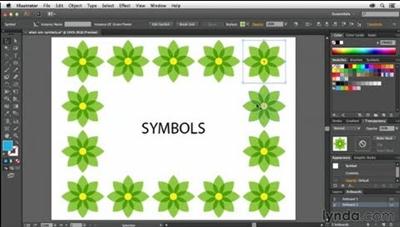
Using Symbols in Illustrator
Duration: 2 Hours | Video: h264, yuv420p, 1280x720 30fps | Audio: aac, 44100 Hz, 1 ch | 404 MB
Genre: eLearning | Language: English​


Illustrator symbols can save designers a ton of time. They allow you to reuse pieces of artwork and update all the instances where you've used it all at once. And, as Justin Seeley explains, they also happen to reduce your document's file size. Follow along with Justin in this course as he shows you how to create your own symbols, save them to libraries, and make changes to symbols and their instances.

You'll learn to scale, nest, resize, colorize, and even randomize the symbols in your documents. Plus, get three different practical uses for symbols: a simulated "master page" like you'd find in Adobe InDesign, a product mockup, and a website prototype.

Topics include:
What are symbols?
Creating your own symbols
Saving and loading symbol libraries
Modifying registration points
Working with nested symbols
Using 9-slice scaling
Resizing symbols in a set
Adjusting symbol transparency
Mapping symbols to artwork

Recommend Download Link Hight Speed | Please Say Thanks Keep Topic Live

 

957bff6572f74defbb872de861c0dbfe.jpg

Video Editing with DaVinci Resolve 12, FREE Pro Software! (Update 2016)
Duration: 2.5 Hours | Video: h264, yuv420p, 1280x720 30fps | Audio: aac, 44100 Hz, 1 ch | 966 MB
Genre: eLearning | Language: English​


Learn to professionally edit your videos with the most powerful FREE video editing software available.

Recently updated for DaVinci Resolve 12!
Whether you're filming an award winning feature length film or starting your first Udemy course, you will need software to edit your video on.
I believe that Software should be:
Accessible
Easy to use
DaVinci Resolve is FREE and accessible to everyone! It's just as powerful as Adobe Premiere or Final Cut Pro. Way more powerful than Sony Vegas or Camtasia. This course will introduce you to the software and get you up and running editing videos like a pro.
Don't let the software and the technical side of creating videos stop you from expressing your creativity. Learn to unlock the power of DaVinci Resolve today!

What am I going to get from this course?
Over 37 lectures and 2.5 hours of content!
Learn to edit using Blackmagic's professional editing software DaVinci Resolve
5.2GB of excellent practice assets! Including 4k resolution RAW clips for color grading and footage to practice your editing skills
Understand the use of the many tools offered in DaVinci Resolve
A complete understanding of the many tools offered in DaVinci Resolve
Receive advanced color grading training from an professional colorist!

Recommend Download Link Hight Speed | Please Say Thanks Keep Topic Live

 

0a5c8d4ebc3ff31e24e0b25a1a213cc4.jpg

YouTube Money Mastery: Best Ways to Monetize YouTube
Duration: 60m | Video: h264, yuv420p, 1280x720 30fps | Audio: aac, 44100 Hz, 1 ch | 779 MB
Genre: eLearning | Language: English​


Discover the Best Ways to Monetize Your YouTube Channel that go beyond just signing up for Adsense

If you're looking for a course that doesn't just tell you to sign up for Adsense, then you've come to the right place.
Hey there - I'm Clif, and I'm what people call an old school YouTuber. In other words, I've been around since the early days (since before the site was ever monetized with Adsense). This has given me a different perspective on YouTube than most of the marketers out there trying to sell you cheap tricks and tactics.

Inside this course, you'll get to see my honest, realistic Adsense earnings for a small channel on an average month compared to an outstanding month - no hyped up results! (Spoiler Alert: They aren't outstanding.)

Adsense is only a small part of this course though. It might be the most common way to monetize your channel, but it certainly isn't the only way.
That's why I made this course - to show you all the insider methods people are using these days to monetize their channels to the moon and back.

Inside, you'll learn:
The TRUTH About Adsense
How to Increase Your Adsense Revenue Without Ads
The "Blockbuster Video" Method
How to Earn Money With Free Trial Memberships
How to Get People to Pay You to Make Videos
The Secrets to Monetizing What You Eat
Different Niche Ideas You Can Earn Money In
And More!

What am I going to get from this course?
Over 16 lectures and 1 hour of content!
A slew of specific ways to monetize your YouTube channel
Learn the Truth About Adsense - See how it's changed over the years
Learn how to increase your Adsense Earnings Without Ads
Discover the "Blockbuster Video" Method
See How to Earn Money With Free Trial Memberships
Learn how to get people to pay you to make videos
Discover the secrets to monetizing what you eat

Recommend Download Link Hight Speed | Please Say Thanks Keep Topic Live
 

14c7b56c74cff958151b68892cd7ff06.jpg

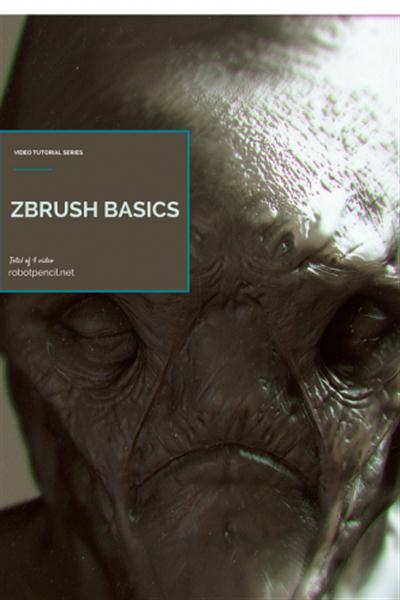
Gumroad - Zbrush Basics - UI, Hotkeys, Projects, and Sculpting
Duration: 2 Hours | Video: h264, yuv420p, 1280x720 30fps | Audio: aac, 44100 Hz, 1 ch | 584 MB
Genre: eLearning | Language: English​


In this 4 part video tutorial I'll cover all you'll need to know to get started in zbrush at an extremely basic level. I recommend checking out Pixologic's website for tons of free and educational zbrush tutorials to further your zbrush adventures.

This content includes:
-2 hours of video instruction
-Ztools Bust iterations
-Zbrush Hotkeys and UI's
-PSD Render Passes

Recommend Download Link Hight Speed | Please Say Thanks Keep Topic Live

 

d80a0b1fb5f6633937937dd8f827261c.jpg

101 Submissions: Disc 1-3
8xDVDRip | AVI/XviD, ~883 kb/s | 512x384 | Duration: ~5 hours | English: MP3, 128 kb/s (2 ch) | 2.15 GB
Genre: Sport, Martial Arts, Self-Defense​

101 Submissions is real competition footage remixed into ninety minutes of today's top fighters submitting their opponents one after another. Over four months of painstakingly combing through hundreds of hours of footage was needed to develop 101 Submissions. Not only is 101 Submissions entertainment,
it is also a valuble-learning tool. 101 Submissions has no stalling and includes only the best of the best when it comes to fight footage. The DVD menu of 101 scenes makes each submission easy to get to and repeat. 101 Submissions has no Gi and Gi footage from the best events from around the world. 101 Submissions also features a carefully thought out soundtrack to add to the armlocks, chokes, twisters, footlocks, wristlocks, kneebars and others submissions. Just check out these featured fighters: Adrino Nasal, Andre Galvao, Andre Soares, Brad Court, Cacareco Cachorrinho, Cafe Dantes, Cameron Earle, Christiano Marcello Cranivata, Dan Camarillo, Danny Ives, David Camarillo, Dean lister, Dennis Asche, Don Geddis, Eddy Bravo, Edson Carvalho, Edwardo Telles, Erica Montoya, Fredson Paixao, Gabreil Kitober, Gazzy Parmen, Gordinho, Hanette, Igor Gracie, Jacare, Joe D'Arce, Josh Griffiths, Kenny Florian, Lagarto, Leandro Slaib, Leo Santos, Leozinho Vieira, Luciano Azevedo, Luke Stwart, Marc Laimon, Marcello Grosso, Margarida, Mario Reis, Mike Flower, Mike Mrkulic, Nam, Nino Schembri, Pe de Pano, Pedro Elias, Rafael Lavato Jr., Rany Yahrya, Reinaldo Ribeiro, Renner Gracie, Robert Drysdale, Rockson Gracie, Rodrigo Bomba, Rodrigo Riscado, Royler Gracie, Ryan Gracie, Ryan Gregg, Saulo, Serginho, Suyan Queiroz, Talhes, Terere, Tony DeSouza, Tyrone Glover, Young Gun, And More!

Recommend Download Link Hight Speed | Please Say Thanks Keep Topic Live
 

9870972dc80ce6426e349448e0582031.jpg

Acrobat DC Building on the Fundamentals
MP4 | Video: AVC 1280x720 | Audio: AAC 44KHz 2ch | Duration: 3 Hours | 1.22 GB
Genre: eLearning | Language: English​


is the second part of our fundamentals training series. In this course you will learn how to take your Acrobat skills to the next level. Instructor Bill Carberry will show you how to efficiently and securely manage PDF documents, certify digital signatures, export a PDF presentation to PowerPoint, use the Free Adobe Reader for iPhone to fill and sign forms, and much more. By the end of this course you should have a solid understanding of the powerful tools within Acrobat DC.


Acrobat DC Building on the Fundamentals

Recommend Download Link Hight Speed | Please Say Thanks Keep Topic Live

 

ab68134f0defab8e70a5b2c87dff5955.jpg

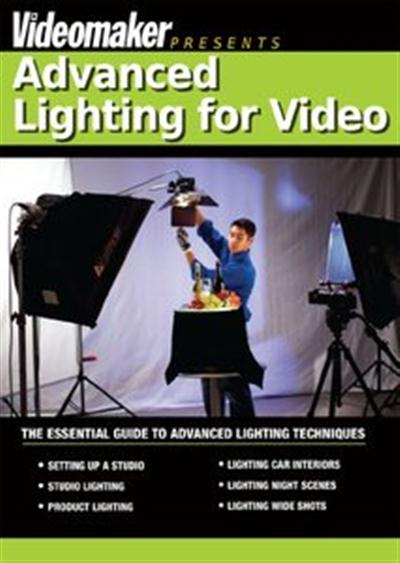
Advanced Lighting for Video
HDRip | MP4/AVC, ~4316 kb/s | 1280x720 | Duration: 00:32:34 | English: AAC, 192 kb/s (2 ch) | 1.02 GB
Genre: Video, Cinema​

Every videographer has two goals when lighting their video: First, to illuminate the action onscreen. And second, to not draw attention to itself. When you light your video like a professional, the light is so subtle and smooth it becomes a natural extension of the scene. Even when you're creating high-contrast dramatic lighting effects, the audience will be willing accept it as "real" if you do it right. Above all, you don't want to pull them out of the story because of jarring lighting. If that happens, your viewers will spend more time wondering about the stagehand off-screen handling the lamp than watching your film.
Amateur lighting is guaranteed to dash a film's illusion of reality. Unfortunately, there are plenty of tricky lighting situations that will trip you up if you're not careful: How do you illuminate a night scene so that you can see everything without the light looking artificial? How do you film a commercial where the lighting will make viewer think "I want to buy that!" rather than "Where's that annoying reflection coming from?" And finally, how do you shoot inside the cramped confines of a car when it seems like the only light that fits is the car's dome light? Learn how to conquer these troublesome lighting conundrums and more with Videomaker's newest lighting guide, Advanced Lighting for Video.

Advanced Lighting for Video includes:
Setting Up a Studio - What do you need when you're setting up a studio? Learn what to look for in size, electricity, and sound.
Studio Lighting - Your studio lighting can look professional with the right lamps, fixture types and room dimensions. We'll show you how!
Product Lighting - Want people to buy your product? A little lighting know-how can go a long way to making anything from a basket of fruit to a used car look irresistible.
Lighting Car Interiors - Inside a car is one of the hardest spaces to light for video. Learn how to light it right inside a cramped space where big lamps won't fit!
Lighting Night Scenes - Outdoor night scenes can be especially tricky because bright obvious lamps can easily ruin the illusion of night. We'll show you how to use a light touch so your audience believes the action is taking place in the dark.
Lighting Wide Shots - Lighting a wide shot is difficult if your lamps can't reach the entire area. We'll show you how to solve this problem, so that your widest angle shots still look uniformly good.

Videomaker's Advanced Lighting for Video will give you the knowledge that's essential for professional-looking lighting arrangements. An indispensable lighting tool for every videographer who's serious about taking pride in their craft, this DVD is the perfect compliment to Videomaker's basic lighting tutorials. Take the next step and start learning how to handle the world's trickiest lighting problems without fear. When you follow these steps to lighting success, your viewers won't give your lights a second thought. And that's just what you want!

Recommend Download Link Hight Speed | Please Say Thanks Keep Topic Live
 

582cf9e74f9e925a64ed0fe6abec8061.jpg

After Effects CC 3D Titling in Cinema 4D Lite
MP4 | Video: AVC 1280x720 | Audio: AAC 44KHz 2ch | Duration: 3 Hours | 1.11 GB
Genre: eLearning | Language: English​


In this course, Chad Troftgruben will show you how to create an animated 3D logo using Cinema 4D Lite and After Effects CC.


After Effects CC 3D Titling in Cinema 4D Lite

Recommend Download Link Hight Speed | Please Say Thanks Keep Topic Live
 

424fb217a2f49628e9af0d6faa2e730d.jpg

AJAX with JQuery Basics Beginner Introduction Course
MP4 | Video: AVC 1280x720 | Audio: AAC 44KHz 2ch | Duration: 1 Hours | 282 MB
Genre: eLearning | Language: English​


Learn to add AJAX to your website straight forward direct skill learning how to use jquery and create ajax requests

This course is designed to introduce you to using AJAX in Jquery.

Learning to use AJAX opens up a powerful resource for web developers. It allows you to send and receive content from the server without page refreshes. You can even use the response data in your code. This allows web developers to create amazing interactive content, that can be dynamically updated. AJAX provides a seem less interactive user experience which web visitors always enjoy.

Jquery has made AJAX really easy to use. Jquery is a powerful library that allows you to write code quicker and easier. Its straight forward and easy to use. Learning and know how to apply AJAX with JQUERY can really accelerate your web development process.

Within this course you will learn how to write AJAX related functions and methods in JQUERY.

From an instructor with over 15 years of web development experience, bringing real world knowledge to this course. I've developed hundreds of applications and websites. I enjoy using Jquery and am always amazed at how easy it is to apply. As a big fan of jquery and ajax I wanted to create this course to help introduce others to this technology. If you have never used Jquery or AJAX you don't know what you are missing. I guarantee once you start working with it you will never look back!

This course covers using simple convenience methods in Jquery.

Load to load files
get to get file info
get and JSON data
Post to send data to the server
ajax to do much more
bonus how to send data to you mysql database
Source files and top resources are provided, everything you need to learn how to use AJAX is provided within this course.

I am here to help you learn JQUERY AJAX and ready to answer any questions you may have.

JQUERY AJAX is an in demand skill, and learning JQUERY AJAX will help to separate you from the crowd who don't know JQUERY AJAX .

Nothing to lose, there is a 100% Money Back if you don't like it

Want to know more, what are you waiting for take the first step. Join now to start learning JQUERY AJAX today.


AJAX with JQuery Basics Beginner Introduction Course

Recommend Download Link Hight Speed | Please Say Thanks Keep Topic Live
 

35ce5d523e22fd2a91df062e8cb52af7.jpg

Anatomy for Artists: The Human Form Revealed
DVDRip | AVI/DX50, ~775 kb/s | 720x480 | Duration: 00:51:05 | English: MP3, 128 kb/s (2 ch) | 334 MB
Genre: Drawing, Painting​

This is the only video of its kind produced specifically to address the needs of today's artists and art students. This video takes the art student through the various sections of the body describing the surface forms, underlying bone structure, and how they combine to allow the human form to move.
This video surveys the human body highlighting:

muscular and skeletal systems
simple and complex muscle groups
crucial joints and body mechanisms
visible landmarks
proportions
body mechanics

Recommend Download Link Hight Speed | Please Say Thanks Keep Topic Live

 

5958313c498a351a222631b9ca14d369.jpg

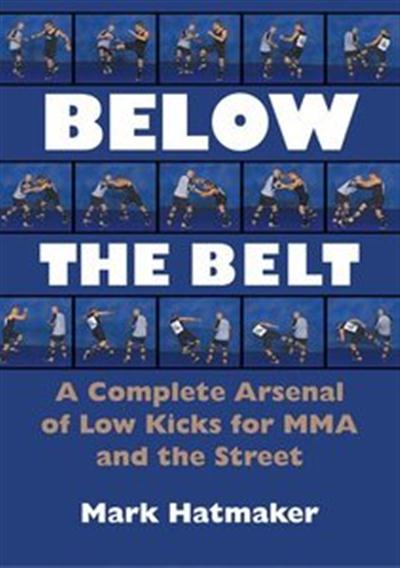
Below the Belt - A Complete Arsenal of Low Kicks for MMA and the Street
2xDVD5 | NTSC 4:3 (720x480) VBR | MPEG2 ~4291 kbps | English: AC3, 192 kb/s (2 ch) | Duration: 01:36:10 + 01:08:49 | 3.21 GB
Genre: Sport, Martial Arts, Self-Defense​

After years of being asked, "Don't you guys ever kick?" renowned grappling expert Mark Hatmaker finally unleashes his vast arsenal of low kicks for MMA and self-defense in this comprehensive video. Hatmaker will show you the formidable Thai kicks from the rear leg and switch kicks that are well known to most fighters, but if you think they represent the full array of possible kicks, you're about to get an education.

Stressing the high-percentage kicks that will work almost every time, Hatmaker demonstrates kicks from the outside range and the clinch; the brutal "Ax Murderer" series; back kicks to get out of a rear-clinch situation; cut-kicking; painful and surprising point kicks; and defenses against any kick imaginable. For the complete fighter, he launches into an exhaustive display of kicking combinations followed by kicking and upper-body tool combinations that show you how to mesh Western boxing strikes with kicking attacks to the thighs, shins, and ankles. To burn it all in, he gives you kicking chain drills, kicking conditioning drills, and leg conditioning drills that rely on sparring contact, not kicking trees because "the Thais don't do it, and neither should you."

Simply put, Hatmaker proves that if you want to be on top of your game, you have to go low.

Recommend Download Link Hight Speed | Please Say Thanks Keep Topic Live

 

64ffae394b28d5c6f28a16f79c304351.jpg

Big Data Analytics with Excel Training Video
HDRips | MP4/AVC, ~468 kb/s | 1280x720 | Duration: .5 hours | English: AAC, 125 kb/s (2 ch) | 2.32 GB
Genre: eLearning | Language: English​


In this project-based Big Data Analytics with Excel video tutorial series, you'll quickly have relevant skills for real-world applications.
Follow along with our expert instructor in this training course to get:
Concise, informative and broadcast-quality Big Data Analytics with Excel training videos delivered to your desktop
The ability to learn at your own pace with our intuitive, easy-to-use interface
A quick grasp of even the most complex Big Data Analytics with Excel subjects because they're broken into simple, easy to follow tutorial videos

Practical working files further enhance the learning process and provide a degree of retention that is unmatched by any other form of Big Data Analytics with Excel tutorial, online or offline... so you'll know the exact steps for your own projects.

Recommend Download Link Hight Speed | Please Say Thanks Keep Topic Live
 
Zurück
Oben Unten