• Regeln für den Video-Bereich:

    In den Börsenbereich gehören nur Angebote die bereits den Allgemeinen Regeln entsprechen.

    Einteilung

    - Folgende Formate gehören in die angegeben Bereiche:
    - Filme: Encodierte Filme von BluRay, DVD, R5, TV, Screener sowie Telesyncs im Format DivX, XviD und x264.
    - DVD: Filme im Format DVD5, DVD9 und HD2DVD.
    - HD: Encodierte Filme mit der Auflösung 720p oder darüber von BluRay, DVD, R5, TV, Screener sowie Telesyncs im Format x264.
    - 3D: Encodierte Filme von BluRay, die in einem 3D Format vorliegen. Dies gilt auch für Dokus, Animation usw.
    - Serien: Cartoon/Zeichentrick, Anime, Tutorials, Dokumentationen, Konzerte/Musik, Sonstiges sind demnach in die entsprechenden Bereiche einzuordnen, auch wenn sie beispielsweise im High Definition-Format oder als DVD5/DVD9/HD2DVD vorliegen. Ausnahme 3D.
    - Bereich Englisch: Englische Releases gehören immer in diesen Bereich.
    - Bereich Talk: Der Bereich, in dem über die Releases diskutiert werden kann, darf, soll und erwünscht ist.


    Angebot/Beitrag erstellen

    - Ein Beitrag darf erst dann erstellt werden, wenn der Upload bei mindestens einem OCH komplett ist. Platzhalter sind untersagt.
    - Bei einem Scenerelease hat der Threadtitel ausschließlich aus dem originalen, unveränderten Releasenamen zu bestehen. Es dürfen keine Veränderungen wie z.B. Sterne, kleine Buchstaben o.ä. vorgenommen werden. Ausnahme Serienbörse:
    - Bei einem Sammelthread für eine Staffel entfällt aus dem Releasename natürlich der Name der Folge. Beispiel: Die Simpsons S21 German DVDRip XviD - ITG
    - Dementsprechend sind also u.a. verboten: Erweiterungen wie "Tipp", "empfehlenswert", "only", "reup", usw. / jegliche andere Zusatzinformation oder Ergänzung, welche nicht in obiger Beschreibung zu finden ist.

    Aufbau des Angebots und Threadtitel

    Der Titel nach folgendem Muster erstellt zu werden. <Name> [3D] [Staffel] [German] <Jahr> <Tonspur> [DL] [Auflösung] <Quelle> <Codec> - <Group>
    Beispiel: The Dark Knight German 2008 AC3 DVDRip XviD - iND
    Beispiel: The Dark Knight 2008 DTS DL BDRip x264 - iND
    Beispiel: The Dark Knight 2008 AC3 DL BDRip XviD - iND
    Beispiel: The Dark Knight German 2008 AC3 720p BluRay x264 iND
    Beispiel: The Dark Knight 2008 DTS DL 1080p BluRay x264 iND
    Beispiel: Die Simpsons S01 German AC3 DVDRip XviD iND
    Beispiel: Die Simpsons S20 German AC3 720p BluRay x264 iND
    Beispiel: Sword Art Online II Ger Sub 2014 AAC 1080p WEBRip x264 - peppermint
    Entsprechend sind also u.a. verboten: Sonderzeichen wie Klammern, Sterne, Ausrufezeichen, Unterstriche, Anführungszeichen / Erweiterungen wie "Tipp", "empfehlenswert", "only", "reup", usw. / jegliche andere Zusatzinformation oder Ergänzung, welche nicht in obiger Beschreibung zu finden ist
    Ausnahmen hiervon können in den Bereichen geregelt sein.

    Die Beiträge sollen wie folgt aufgebaut werden:
    Überschrift entspricht dem Threadtitel
    Cover
    kurze Inhaltsbeschreibung
    Format, Größe, Dauer sind gut lesbar für Downloader außerhalb des Spoilers zu vermerken
    Nfo sind immer Anzugeben und selbige immer im Spoiler in Textform.
    Sind keine Nfo vorhanden z.B. Eigenpublikationen, sind im Spoiler folgende Dateiinformationen zusätzlich anzugeben :
    Quelle
    Video (Auflösung und Bitrate)
    Ton (Sprache, Format und Bitrate der einzelnen Spuren)
    Untertitel (sofern vorhanden)
    Hosterangabe in Textform außerhalb eines Spoiler mit allen enthaltenen Hostern.
    Bei SD kann auf diese zusätzlichen Dateiinformationen verzichtet werden.

    Alle benötigten Passwörter sind, sofern vorhanden, in Textform im Angebot anzugeben.
    Spoiler im Spoiler mit Kommentaren :"Schon Bedankt?" sind unerwünscht.


    Releases

    - Sind Retail-Release verfügbar, sind alle anderen Variationen untersagt. Ausnahmen: Alle deutschen Retail-Release sind CUT, in diesem Fall sind dubbed UNCUT-Release zulässig.
    - Im Serien-Bereich gilt speziell: Wenn ein Retail vor Abschluss einer laufenden Staffel erscheint, darf diese Staffel noch zu Ende gebracht werden.62
    - Gleiche Releases sind unbedingt zusammenzufassen. Das bedeutet, es ist zwingend erforderlich, vor dem Erstellen eines Themas per Suchfunktion zu überprüfen, ob bereits ein Beitrag mit demselben Release besteht. Ist dies der Fall, ist der bereits vorhandene Beitrag zu verwenden.
    - P2P und Scene Releases dürfen nicht verändert oder gar unter einem iND Tag eingestellt werden.


    Support, Diskussionen und Suche

    - Supportanfragen sind entweder per PN oder im Bereich Talk zu stellen.
    - Diskussionen und Bewertungen sind im Talk Bereich zu führen. Fragen an die Uploader haben ausschließlich via PN zu erfolgen, und sind in den Angeboten untersagt.
    - Anfragen zu Upload-Wünschen sind nur im Bereich Suche Video erlaubt. Antworten dürfen nur auf Angebote von MyBoerse.bz verlinkt werden.


    Verbote

    - Untersagt sind mehrere Formate in einem einzigen Angebotsthread, wie beispielsweise das gleichzeitige Anbieten von DivX/XviD, 720p und 1080p in einem Thread. Pro Format, Release und Auflösung ist ein eigener Thread zu eröffnen.
    - Grundsätzlich ebenso verboten sind Dupes. Uploader haben sich an geeigneter Stelle darüber zu informieren, ob es sich bei einem Release um ein Dupe handelt.
    - Gefakte, nur teilweise lauffähige oder unvollständige Angebote sind untersagt. Dies gilt auch für eigene Publikationen, die augenscheinlich nicht selbst von z.B. einer DVD gerippt wurden. Laufende Serien, bei denen noch nicht alle Folgen verfügbar sind, dürfen erstellt und regelmäßig geupdatet werden.
    - Untersagt sind Angebote, welche nur und ausschließlich in einer anderen Sprache als deutsch oder englisch vorliegen. Ausnahmen sind VORHER mit den Moderatoren zu klären.


    Verstoß gegen die Regeln

    - Angebote oder Beiträge, die gegen die Forenregeln verstoßen, sind über den "Melden"-Button im Beitrag zu melden.
  • Bitte registriere dich zunächst um Beiträge zu verfassen und externe Links aufzurufen.


Englische Tutorials


b2d74ca1cfb8a40fe06a37ef88e25714.jpg

How To Make Uplifting Trance with Bjorn Akesson
WEBRip | English | FLV + Project files | 1280 x 720 | AVC ~1024 kbps | 30 fps
AAC | 128 Kbps | 44.1 KHz | 2 channels | ~7 hours | 3.31 GB​

Genre: Video Tutorial / Sound Processing
After his interview with Chris, Swedish native and uplifting trance star Bjorn Akesson is back on Sonic Academy, this time with a monster course - 'How To Make Uplifting Trance'.! Bjorn shows from the first kick to the last effect, how to produce an uplifting 138 monster in this 7 hour course in Cubase 8. He starts by looking at how to write a main theme, builds the drums and basslines, then moves to some truly great lead layering tricks and tips and finishes off adding in some serious effects and finally mixing.

Learn from one of the hottest trance producers in the world today, right here on Sonic Academy!

Recommend Download Link Hight Speed | Please Say Thanks Keep Topic Live
 

4fd35a26ad69b22540fa6edf5f4dbb40.jpg

How to Make Uplifting Trance
WEBRip | English | MP4 | 1152 x 720 | AVC ~1782 kbps | 25 fps
AAC | 144 Kbps | 44.1 KHz | 2 channels | 05:18:00 | 4.31 GB​

Genre: Video Tutorial / Sound Processing
Sonic Academy welcomes James Dymond to take the controls and guide us through this all new 'How To Make Uplifting Trance' in FL Studio 11.
25 year old James is a classically trained musician-come-producer from the UK who has exploded onto the scene in a blaze of light of musical glory back in Sept 2011 and here he delivers a trance masterclass with an emotionally charged melody that would fill the biggest of dance floors, a huge breakdown that instantly lifts the mood and of course, driving percussion that raises pulses. No wonder Armin on his ASOT show stated - "If you were to look up 'uplifting' in a dictionary, I'm sure you'll find James Dymond in there somewhere!". We think James is soon to become a major player in the Global trance scene, so enjoy learning from this unique talent.

Recommend Download Link Hight Speed | Please Say Thanks Keep Topic Live
 

d41eeddd7f8c23d934fa650cf2341990.jpg

How To Make Your First Dollar By Building A List
MP4 | Video: AVC 1280x720 | Audio: AAC 44KHz 2ch | Duration: 1.5 Hours | 334 MB
Genre: eLearning | Language: English

Learn and master the skills to build, grow and monetize your subscribers list!


What is the one thing that all highly profitable online businesses have in common?

YES " they all have a responsive list of subscribers and customers!

The lifeblood of your online business lies in having a responsive mailing list.

Without a list, you are limiting the income and growth potential of your business. It's like building your house on weak foundation, literally.

Do you want to have a business that is profitable and sustainable in the long run?

Then building a list has got to be your top priority!

Would you love to have hundreds or even thousands of responsive subscribers that are eager to hear from you and buy the products you recommend?

Then this course is here to show you the way!

*************************************************************

ONE-TIME ENROLLMENT FOR LIFETIME LEARNING!

I will regularly update this course with fresh content to bring you the most up-to-date knowledge and tips.

Once you are enrolled as a student, you will receive all future updates and new content additions automatically at no extra cost.

Yes! You get lifetime updates " and it's free. That's lots of real money saved!

*************************************************************

This course will give you a rock-solid foundation on the 'whats' and 'hows' to build your first mailing list from scratch.

Even if you do not have any experience with list building right now, you will be confident of the steps to take after taking this course!

In this structured course, you will be guided through a viable and easy-to-follow system to attract subscribers to your list, and nurture them into paying customers for your online business!

The best part is, you will also gain the skills to make real money from your own mailing list!

Here are the knowledge and skills that you will take away from this practical course:

Appreciate why starting an online business without a list is a waste of time!
What are the important things you should know before you build your list!
What are the 3 key elements you must have in every responsive mailing list
How to use a lead magnet to attract subscribers to join your list!
How to leverage other peoples' products as your lead magnet without having to create your own!
Three-week action plan to build your first list of subscribers
Form meaningful joint ventures by joining my closed community
Know where to get different kinds of affiliate products to promote to your list!
Learn to create a product that people want to buy with the power of your list!
How to monetize your list and make extra income online!

To help you get the most out of this course, all the strategies and concepts covered are clearly explained in simple terms and mapped out in actionable steps that make it easy for you to understand and follow.

This course comes with over 20 concise lessons that walk you through each and every step as well as action plans that help you to effectively apply what you learn!

Above all, if you get stuck or experience any difficulties along the way, you won't ever have to struggle on your own and worry about having no one to turn to for help.

Upon becoming a student of this course, you will receive continuous support from me " help that comes with no expiry! I will be here to share my advice and answers to all your questions whenever you need help from me!

Recommend Download Link Hight Speed | Please Say Thanks Keep Topic Live
 

e35d43fda8c7fb24fa947b3c1f2cff8f.jpg

How To Start A Profitable Wordpress Blog Step By Step 2016
Duration: 2hr 8m | Video: h264, yuv420p, 1280x720 30fps | Audio: aac, 44100 Hz, 1 ch | 2.4 GB
Genre: eLearning | Language: English​


Blogging is huge right now! Do you dream of running a successful online business which allows you to enjoy more autonomy? If so, you should know that learning how to create a blog will be the key to setting up an online business which attracts the interest - and sales - of customers all over the world!

While the idea of starting a blog yourself, without outsourcing the task to a web design firm, may seem a little daunting, you should know that the process really isn't that difficult or complicated. In fact, thanks to the power of WordPress, which allows for simple and straightforward blog creation, even without technical skills, it's actually possible to make a blog in the amount of time that it takes to drink just one cup of coffee!

In other words, mere minutes are all that will be required in order to create your own blog from scratch! Now, we'd like to share some important facts which will help you to put together a truly wonderful blog. Your new blog will function as a perfect venue for online money-making...
Get Familiar with WordPress
Wordpress is a blog creation and management application, which is utilized by millions of people all over the globe. The truth is that you don't need to bone up on Wordpress in order to make a blog with the platform.

However, learning more about this practical and popular platform certainly won't hurt. In fact, it's bound to make the process more enjoyable, as you'll understand what Wordpress is and how it's used in order to create different themes, palettes and functional elements (such as web pages, blog posts and Widgets)
Created in order to offer true "WYSIWYG - What You See Is What You Get" performance, this intuitive and user-friendly interface is the subject of countless blogs, tutorials and articles, all of which are available online. Many people who want to build their own blogs choose to watch convenient and entertaining video tutorials in order to gather skills and step-by-step instructions - you can do it, too.

Recommend Download Link Hight Speed | Please Say Thanks Keep Topic Live
 

ab3b56bd6afc3ce90d957bbdf22eba48.jpg

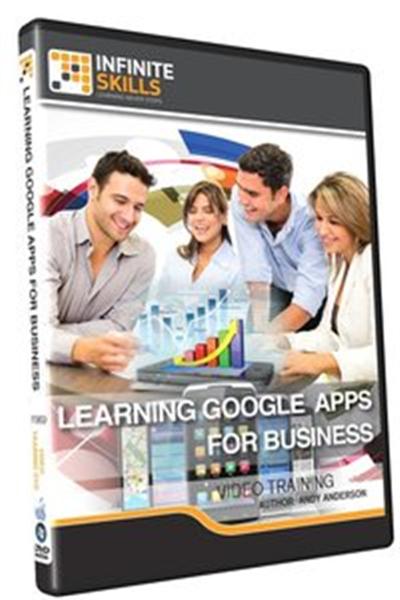
InfiniteSkills - Learning Google Apps for Business
WEBRip | English | MP4 | 1280 x 720 | AVC ~312 kbps | 15 fps
AAC | 64 Kbps | 44.1 KHz | 1 channel | 05:48:49 | 950 MB​

Genre: Video Tutorial / Mobile Apps, Business
In this project-based Learning Google Apps For Business video tutorial series, you'll quickly have relevant skills for real-world applications.


Follow along with our expert instructor in this training course to get:

Concise, informative and broadcast-quality Learning Google Apps For Business training videos delivered to your desktop
The ability to learn at your own pace with our intuitive, easy-to-use interface
A quick grasp of even the most complex Learning Google Apps For Business subjects because they're broken into simple, easy to follow tutorial videos

Content:
01. Getting Started
Introduction To Google Apps For Business
About Andy
How To Use This Course
What Are Google Apps?
Ten Reasons You Should Be Using Google Apps
02. Setting Up Shop
Introduction to Setting Up Shop
Setting Up The Account
Verifying The Domain
Adding Users
Controlling Google App Services
Setting Up Users
03. Configuring The Gmail Account
Introduction To Configuring A Gmail Account
Setting Up A Standard Gmail Account
Modifying The Gmail Address
Configuring The Account
04. Controlling Your Gmail Inbox
0401 Introduction To Controlling Your Gmail Inbox
0402 Creating And Formatting A Gmail
0403 Working With Gmail Conversations
0404 Adding Attachments
0405 Organizing With Stars And Labels
0406 Performing Searches In Gmail
0407 Working With Filters And Rules
05. Additional Gmail Features
0501 Introduction To Additional Gmail Features
0502 Working With Chat And Making A Phone Call
0503 Adding Video To A Chat
0504 What Is A People Widget?
0505 Adjusting The Gmail Theme
0506 Creating A Signature
0507 Announcing That You Are Out Of The Office
0508 Setting Up POP And IMAP
0509 Working In The Experimental Lab
0510 Gmail Wrap Up
06. Working With Contacts And Tasks
0601 Introduction To Working With Contacts And Tasks
0602 A Walkthrough Of Contacts
0603 Adding And Removing Contacts
0604 Controlling Contacts With Groups
0605 Controlling Access To Your Contacts
0606 Understanding Tasks
0607 Working With Tasks
07. The Google Calendar
0701 Introduction To The Google Calendar
0702 Working With Google Calendar
0703 Creating Calendar Events
0704 Creating Additional Calendars
0705 Adding Events Through Gmail
0706 Sharing Calendars
0707 Working In Calendar Lab
08. Using Google Drive
0801 Introduction To Using Google Drive
0802 Installing Google Drive
0803 The Google Drive Interface
0804 Adding And Sharing Folders In Google Drive
0805 Adding Files To Google Drive Folders
0806 Converting Documents For Google Apps
0807 Additional Google Drive Settings
0808 Sending Email Attachments With Google Drive
0809 Working With Collaborators
0810 Searching In Google Drive
09. Working With Google Documents
0901 Introduction To Working With Google Documents
0902 Creating Documents
0903 Working With Templates
0904 Downloading Google Docs
0905 Setting Page Options
0906 Adding Images And Shapes
0907 Google Documents Formatting Options
0908 Working In Revision History
0909 Working Off Line
0910 Revising Documents Using Chat
10. Working In Google Presentation
1001 Introduction To Working In Google Presentation
1002 Creating A Google Presentation
1003 Working With Templates
1004 Presentation Download Options
1005 Importing Slides From Existing Presentations
1006 Formatting Options
1007 Additional Formatting Options And Links
1008 Adding Images And Master Items
1009 Doing The Presentation
11. Working With Google Spreadsheets
1101 Introduction To Working With Google Spreadsheets
1102 Building A Google Spreadsheet And Templates
1103 Formatting Tips
1104 Working With Functions
1105 Adding Charts
1106 Working With Sharing And Comments
12. Using Google Forms
1201 Introduction To Using Google Forms
1202 Creating A Form
1203 Additional Formatting Options
1204 Exporting And Sending A Google Form
1205 Responding To A Form Email Request
1206 Pre-Filling Out A Google Form
1207 Working With Notifications And Rules
13. Working With Google Groups
1301 Introduction To Working With Google Groups
1302 Creating A Group
1303 Additional Setup Options
1304 Working With Permissions
1305 Working In The Group
1306 A Peek At Google Sites
14. Google Admin Options
1401 Introduction To Google Admin Options
1402 Adjusting Gmail Options
1403 Working With Calendar Options
1404 User Passwords And Security
1405 Adjusting The Company Profile
1406 Generating Reports
1407 Final Thoughts

Recommend Download Link Hight Speed | Please Say Thanks Keep Topic Live

 

355b36a8e30e3f94e23c73ea01fbca39.jpg

Install Wordpress On Your Computer Step By Step From Scratch
MP4 | Video: AVC 1280x720 | Audio: AAC 44KHz 2ch | Duration: 2 Hours | 304 MB
Genre: eLearning | Language: English

Guide to install WordPress on Local Machine step by step

Guide to install WordPress on Local Machine step by step

Do you want to master WordPress? Then you have to work with WordPress

In this course, I'll show you how to install WordPress on your computer so that it's easier to build sites for WordPress without relying on an external web host or an Internet connection.

Whether you are a beginner wanting to learn the ins and outs of WordPress, a budding designer or developer looking for themes and plugins, or an advanced developer building a production environment, installing and running WordPress on your own computer is a crucial first step. In this course

I'll start by showing you where to get WAMP and how to install it and configure WAMP and WordPress,It will make a lot easier to experiment with WordPress. So let's get cracking with Installing and Running WordPress WAMP. This course is for all novices to expert who wants to install wordpress on local computer this is based on WWH concept means What? Why? And How? Will tell what to do why to do and how to do so there will be no confusion Have your LOCALHOST setup in 5 minutes using WAMP.Because WAMP is installed on your computer, you don't need Internet access to use your WordPress site. This also means the site is only accessible from your computer-that is unless you've decided to make your computer a public web host- something I don't recommend you do. The true benefit of having WordPress running on WAMP, on your Windows computer is that you can work with the files directly, and you don't have to keep uploading and ing them to and from your web server. They're all there ready for you to work with and experiment with.

Now that you know what WAMP is and how it works, let's get started.

Recommend Download Link Hight Speed | Please Say Thanks Keep Topic Live

 

acb138874355de81330b8b270eaabc5e.jpg

iOS 8 App Development with Swift 1 Essential Training
Duration: 5hr 48m | Video: h264, yuv420p, 1280x720 30fps | Audio: aac, 44100 Hz, 1 ch | 891 MB
Genre: eLearning | Language: English​


Want to build an iPhone or iPad app? Start here. Completely rebuilt from the ground up for iOS 8, Xcode 6, and Swift (Apple's new programming language), this course covers the design patterns and best practices for building, testing, and debugging native iOS apps. Find out what Apple provides and what you need to come up with on your own, and learn what concepts like Model-View-Controller (MVC), target-action, and delegation mean, and how they contribute to your apps.

Author Simon Allardice also covers the dos and don'ts of iOS 8 interface development, techniques for connecting UI elements to code, and tips for making flexible layouts that display correctly on different screen sizes. The last chapter shows you how to add app icons and launch screens and prep your app for submission to the App Store.

Topics include:
Installing Xcode and the iOS SDK
Joining the iOS Developer Program
Using MVC in iOS
Creating basic interaction
Using first responders
Exploring delegation
Connecting UI elements to code
Working with foreground and background events
Creating and customizing table views
Exploring storyboards
Understanding the differences in iPad development
Altering views and constraints, with size classes
Adding application icons and launch images


iOS 8 App Development with Swift 1 Essential Training

Recommend Download Link Hight Speed | Please Say Thanks Keep Topic Live

 

d8e7a5b18a64d05b5f376778a0d57a70.jpg

IPExpert - iPeverything - CCNA Bundle
Size: 13.63 GB Type: eLearning | English | .MP4 FORMAT VIDEO

Description​


This is the entire contents relating to CCNA from the IPExpert site.

CCNA Voice VoD
Cisco CCNA Data Center VoD
Cisco CCNA R&S VoD
Cisco CCNA Security VoD
Cisco CCNA Wireless VoD

Recommend Download Link Hight Speed | Please Say Thanks Keep Topic Live

 

5bbfb41e88a26d3f7c6a83cad6e02f80.jpg

IPExpert - iPeverything - CCNP Bundle
Size: 44.13 GB Type: eLearning | English | Format .FLV VIDEO

Description​


This is the entire contents relating to CCNP from the IPExpert site.

CCNP Security SIMOS 300-209
CCNP Security SISAS 300-208
CCNP Security SITCS 300-207
Cisco CCNP Data Center_
Cisco CCNP ROUTE v4 R&S NextGen VoD
Cisco CCNP SWITCH v4 R&S NextGen VoD
Cisco CCNP TSHOOT v4 R&S NextGen VoD
Cisco CCNP Voice VoD
Cisco CCNP Wireless VoD

Recommend Download Link Hight Speed | Please Say Thanks Keep Topic Live

 

ad9037d3072d51eba1a15b4e3c7b2dc3.jpg

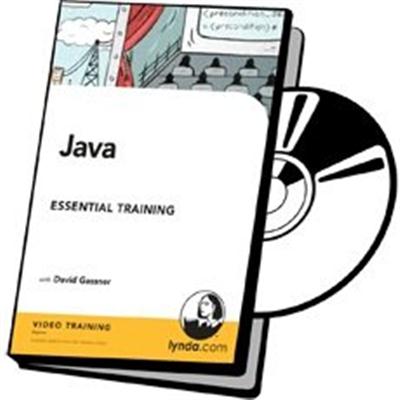
Java Essential Training
WEBRip | English | MP4 + Project Files | 1280 x 720 | AVC ~220 kbps | 15 fps
AAC | 128 Kbps | 48.0 KHz | 2 channels | 06h 04m | 969.4 MB​

Genre: Video Tutorial / Development, Programming
If you want to build applications for mobile devices, desktop computers, or the web, you need to know Java. This course provides the foundation for learning Java SE (Standard Edition), so you can build your first apps or start exploring the language on your own. Author David Gassner shows how to install Java and the IntelliJ IDEA IDE, and start working with variables, data types, keywords, and other critical language components. He also helps you control program flow with conditional logic and loops, store data with the Java Collections Framework, and understand how Java implements object-oriented coding principles such as inheritance and polymorphism.
Topics include:
Introduction
Welcome
Is this course for you?
Using the exercise files

1. What Is Java?
The history of Java
Principles and components of Java
Java syntax and compilation
Memory management and garbage collection
Choosing a development environment

2. Installing the Software
Installing Java on Windows
Installing Java on OS X
Installing IntelliJ IDEA on Windows
Installing IntelliJ IDEA on OS X
Installing BlueJ

3. Getting Started
Hello World
Passing arguments to a console application
Organizing Java classes in packages
Creating a Java project in IntelliJ IDEA
Taking a tour of IntelliJ IDEA
Creating a Java project in BlueJ
Using the Java API documentation

4. Working with Variables
Working with primitive variables
Declaring and initializing numeric primitives
Representing currency values with BigDecimal
Converting numeric values
Using mathematical operators and the Math class
Working with Boolean values and expressions
Working with character values
Using Java operators

5. Working with Objects
Working with object data types
Using the String class
Converting primitive values to strings
Building a string from multiple values
Comparing string values
Formatting numeric values as strings
Parsing string values
Working with dates and times
Challenge: Creating a simple calculator application
Solution: Creating a simple calculator application

6. Exception Handling and Debugging
Understanding syntax errors vs. runtime exceptions
Debugging with IntelliJ IDEA
Handling exceptions with try/catch
Creating multiple catch blocks
Throwing custom exceptions

7. Managing Program Flow
Programming conditional logic
Using the switch statement
Creating looping code blocks
Creating reusable code with methods
Overloading methods with different signatures
Passing arguments by reference or by value
Challenge: Creating a more complex calculator application
Solution: Creating a more complex calculator application

8. Using Data Collections
Using simple arrays
Using two-dimensional arrays
Managing resizable arrays with ArrayList
Managing unordered data with HashMap
Looping through collections with iterators and for-each

9. Creating Custom Classes
Understanding encapsulation
Creating and instantiating custom classes
Creating nested and anonymous classes
Visualizing class relationships
Storing data in instance variables
Declaring instance and static methods
Using constructor methods
Using static variables as constants
Declaring and using enum types

10. Working with Inheritance
Understanding inheritance and polymorphism
Extending classes and overriding methods
Creating and implementing interfaces
Using abstract classes and methods

11. Using Common Java Libraries
Managing files with the original File class
Managing files with Java 7's new I/O library
Managing files with Apache Commons FileUtils
Reading a text file over the Internet

12. Preparing a Java Application for Deployment
Documenting code with Javadoc
Packaging classes in JAR files

Conclusion
Next steps

Recommend Download Link Hight Speed | Please Say Thanks Keep Topic Live
 

b2482af7004e61ccb08f115c0c729c0d.jpg

Lazyman's Guide To Making Biodiesel DVD
DVDRip | English | AVI | 720 x 576 | XviD ~595 kbps | 25 fps
MP3 | 128 Kbps | 48.0 KHz | 2 channels | 01:37:02 | 502 MB​

Genre: eLearning Video / Science, Chemistry, Engineering and Technology
In these videos you can see how to recycle your waste vegetable oil and turn it into a fuel that can be used to power your diesel vehicle. Once you have your filtered vegetable oil, you can see how to turn it into an ecologically friendly fuel. Not only will you be saving money when making biodiesel, you shall also be helping the environment and reduce the reliance of fuel from foreign countries. These videos show a simple method of making biodiesel. You can make a batch of biodiesel from new and waste vegetable oil without the help from any specialized equipment, then successfully running your diesel vehicle from the result

Recommend Download Link Hight Speed | Please Say Thanks Keep Topic Live

 

5bf4fdad0f8567b87d03b025bd9a8310.jpg

Lick Library - Steve Trovato's Learn American Blues in 6 Weeks
6xDVDRip | English | AVI | 1024 x 576 | DX50 ~1998 kbps | 25 fps
MP3 128 Kbps 44.1 KHz | 2 channels | 06:40:51 | 5.84 GB​

Genre: eLearning Video / Guitar lesson
Welcome to the American Blues Guitar in 6 Weeks course. These lessons are designed to focus your practice towards realistic goals achievable in six weeks. Each week provides you with techniques, concepts and licks to help you play and understand blues soloing at a manageable easy to follow pace. The DVD series is presented by Steve Trovato who is best known as a world class country guitarist, but is equally proficient in a wide range of popular guitar styles. He has written a number of bestselling guitar tuition books, and maintains a full time position in the Guitar Department at the University of Southern California.
Week 1: Stevie Ray Vaughan Includes: Blues scale patterns, blues phrasing, playing the 'shuffle' feel, double stops, using trills, hammer-on's and pull 's, using triplets, adding chromatic passing tones to the blues scale.

Week 2: Johnny Winter Includes: Blues scale patterns, repetitious phrasing, building licks using hammer on's and pull 's, playing 'in the pocket' using triplets, using pentatonic scale sequencing to create blues licks.

Week 3: Albert Collins Includes: Learn a blues scale pattern, learn a pattern for the major pentatonic scale, using double stops, shifting positions for longer licks, learn to combine scales to create great blues licks.

Week4: BB King Includes: Learn a blues scale pattern and a pattern for the major pentatonic scale, learn the famous BB King vibrato, learn bending and which notes to bend, learn to combine scales to create great blues licks.

Week5: Jimi Hendrix Includes: Learn a blues scale pattern, learn the Jimi Hendrix vibrato, learn the 'blues rake' learn how to use phrase repetition.

Week6: Albert King Includes: Learn to shift position to create longer blues lines, learn to play multiple note bends on a single string, learn to bend in intervals, combine techniques from all other lessons in the series.

Recommend Download Link Hight Speed | Please Say Thanks Keep Topic Live

 
Zurück
Oben Unten