• Regeln für den Video-Bereich:

    In den Börsenbereich gehören nur Angebote die bereits den Allgemeinen Regeln entsprechen.

    Einteilung

    - Folgende Formate gehören in die angegeben Bereiche:
    - Filme: Encodierte Filme von BluRay, DVD, R5, TV, Screener sowie Telesyncs im Format DivX, XviD und x264.
    - DVD: Filme im Format DVD5, DVD9 und HD2DVD.
    - HD: Encodierte Filme mit der Auflösung 720p oder darüber von BluRay, DVD, R5, TV, Screener sowie Telesyncs im Format x264.
    - 3D: Encodierte Filme von BluRay, die in einem 3D Format vorliegen. Dies gilt auch für Dokus, Animation usw.
    - Serien: Cartoon/Zeichentrick, Anime, Tutorials, Dokumentationen, Konzerte/Musik, Sonstiges sind demnach in die entsprechenden Bereiche einzuordnen, auch wenn sie beispielsweise im High Definition-Format oder als DVD5/DVD9/HD2DVD vorliegen. Ausnahme 3D.
    - Bereich Englisch: Englische Releases gehören immer in diesen Bereich.
    - Bereich Talk: Der Bereich, in dem über die Releases diskutiert werden kann, darf, soll und erwünscht ist.


    Angebot/Beitrag erstellen

    - Ein Beitrag darf erst dann erstellt werden, wenn der Upload bei mindestens einem OCH komplett ist. Platzhalter sind untersagt.
    - Bei einem Scenerelease hat der Threadtitel ausschließlich aus dem originalen, unveränderten Releasenamen zu bestehen. Es dürfen keine Veränderungen wie z.B. Sterne, kleine Buchstaben o.ä. vorgenommen werden. Ausnahme Serienbörse:
    - Bei einem Sammelthread für eine Staffel entfällt aus dem Releasename natürlich der Name der Folge. Beispiel: Die Simpsons S21 German DVDRip XviD - ITG
    - Dementsprechend sind also u.a. verboten: Erweiterungen wie "Tipp", "empfehlenswert", "only", "reup", usw. / jegliche andere Zusatzinformation oder Ergänzung, welche nicht in obiger Beschreibung zu finden ist.

    Aufbau des Angebots und Threadtitel

    Der Titel nach folgendem Muster erstellt zu werden. <Name> [3D] [Staffel] [German] <Jahr> <Tonspur> [DL] [Auflösung] <Quelle> <Codec> - <Group>
    Beispiel: The Dark Knight German 2008 AC3 DVDRip XviD - iND
    Beispiel: The Dark Knight 2008 DTS DL BDRip x264 - iND
    Beispiel: The Dark Knight 2008 AC3 DL BDRip XviD - iND
    Beispiel: The Dark Knight German 2008 AC3 720p BluRay x264 iND
    Beispiel: The Dark Knight 2008 DTS DL 1080p BluRay x264 iND
    Beispiel: Die Simpsons S01 German AC3 DVDRip XviD iND
    Beispiel: Die Simpsons S20 German AC3 720p BluRay x264 iND
    Beispiel: Sword Art Online II Ger Sub 2014 AAC 1080p WEBRip x264 - peppermint
    Entsprechend sind also u.a. verboten: Sonderzeichen wie Klammern, Sterne, Ausrufezeichen, Unterstriche, Anführungszeichen / Erweiterungen wie "Tipp", "empfehlenswert", "only", "reup", usw. / jegliche andere Zusatzinformation oder Ergänzung, welche nicht in obiger Beschreibung zu finden ist
    Ausnahmen hiervon können in den Bereichen geregelt sein.

    Die Beiträge sollen wie folgt aufgebaut werden:
    Überschrift entspricht dem Threadtitel
    Cover
    kurze Inhaltsbeschreibung
    Format, Größe, Dauer sind gut lesbar für Downloader außerhalb des Spoilers zu vermerken
    Nfo sind immer Anzugeben und selbige immer im Spoiler in Textform.
    Sind keine Nfo vorhanden z.B. Eigenpublikationen, sind im Spoiler folgende Dateiinformationen zusätzlich anzugeben :
    Quelle
    Video (Auflösung und Bitrate)
    Ton (Sprache, Format und Bitrate der einzelnen Spuren)
    Untertitel (sofern vorhanden)
    Hosterangabe in Textform außerhalb eines Spoiler mit allen enthaltenen Hostern.
    Bei SD kann auf diese zusätzlichen Dateiinformationen verzichtet werden.

    Alle benötigten Passwörter sind, sofern vorhanden, in Textform im Angebot anzugeben.
    Spoiler im Spoiler mit Kommentaren :"Schon Bedankt?" sind unerwünscht.


    Releases

    - Sind Retail-Release verfügbar, sind alle anderen Variationen untersagt. Ausnahmen: Alle deutschen Retail-Release sind CUT, in diesem Fall sind dubbed UNCUT-Release zulässig.
    - Im Serien-Bereich gilt speziell: Wenn ein Retail vor Abschluss einer laufenden Staffel erscheint, darf diese Staffel noch zu Ende gebracht werden.62
    - Gleiche Releases sind unbedingt zusammenzufassen. Das bedeutet, es ist zwingend erforderlich, vor dem Erstellen eines Themas per Suchfunktion zu überprüfen, ob bereits ein Beitrag mit demselben Release besteht. Ist dies der Fall, ist der bereits vorhandene Beitrag zu verwenden.
    - P2P und Scene Releases dürfen nicht verändert oder gar unter einem iND Tag eingestellt werden.


    Support, Diskussionen und Suche

    - Supportanfragen sind entweder per PN oder im Bereich Talk zu stellen.
    - Diskussionen und Bewertungen sind im Talk Bereich zu führen. Fragen an die Uploader haben ausschließlich via PN zu erfolgen, und sind in den Angeboten untersagt.
    - Anfragen zu Upload-Wünschen sind nur im Bereich Suche Video erlaubt. Antworten dürfen nur auf Angebote von MyBoerse.bz verlinkt werden.


    Verbote

    - Untersagt sind mehrere Formate in einem einzigen Angebotsthread, wie beispielsweise das gleichzeitige Anbieten von DivX/XviD, 720p und 1080p in einem Thread. Pro Format, Release und Auflösung ist ein eigener Thread zu eröffnen.
    - Grundsätzlich ebenso verboten sind Dupes. Uploader haben sich an geeigneter Stelle darüber zu informieren, ob es sich bei einem Release um ein Dupe handelt.
    - Gefakte, nur teilweise lauffähige oder unvollständige Angebote sind untersagt. Dies gilt auch für eigene Publikationen, die augenscheinlich nicht selbst von z.B. einer DVD gerippt wurden. Laufende Serien, bei denen noch nicht alle Folgen verfügbar sind, dürfen erstellt und regelmäßig geupdatet werden.
    - Untersagt sind Angebote, welche nur und ausschließlich in einer anderen Sprache als deutsch oder englisch vorliegen. Ausnahmen sind VORHER mit den Moderatoren zu klären.


    Verstoß gegen die Regeln

    - Angebote oder Beiträge, die gegen die Forenregeln verstoßen, sind über den "Melden"-Button im Beitrag zu melden.
  • Bitte registriere dich zunächst um Beiträge zu verfassen und externe Links aufzurufen.


Englische Tutorials


611756f9bbc7803e573d348c14bcee73.jpg

Quickly Design and Publish eBooks on your Mac with Vellum
English | 2016 | mp4 | H264 1280x720 | AAC 2 ch | 1 hr | 783 MB
eLearning, Design, Other | Skill level: All level​


Save time designing beautiful, cross-platform eBooks for iBooks, Kindle, and Nook using the free Vellum for (Mac OSX)

Get your book published in 1/10th the time!

If you've written short stories, technical books, or your own biography but have a tight budget or don't want to deal with big, scary publishers, this course will help you during the process of designing your ebook and getting it ready for iBooks, Kindle, or Nook marketplaces.

Vellum is an application for (Mac OSX) that makes it easy to design a beautiful ebook for all 3 digital stores in one simple process.

In this course, I'll help you and install the software, practice with sample material, and then import your own prepared manuscript and get it ready to upload. You'll be one step closer to earning a passive income with your writing!

What are the requirements?
- Have access to an Apple computer with MacOS X 10.9 (Mavericks) or later
- Have an ebook ready to be published (or plan on publishing for other authors)
- The Vellum app is free to and use, but publishing a finished eBook requires an in-app purchase

What am I going to get from this course?
- Over 18 lectures and 1 hour of content!
- and install the FREE Vellum app
- Become familiar with the Vellum app using sample material
- Import a prepared ebook from Apple Pages or Microsoft Word format
- Design eBooks by adding text and image features
- Publish their eBook to Amazon, Nook, and iBook marketplaces

What is the target audience?
- Self-publishing authors
- Independent publishers helping beginning authors
- (Mac OSX) version 10.9 or later (Mavericks or Yosemite)
- NOT Windows only users
- NOT authors looking for help writing their book

Recommend Download Link Hight Speed | Please Say Thanks Keep Topic Live

 

35c4d1bab0f333bdbb5cb4a98e9089c9.jpg

Revel: A Go Website Application Framework
MP4 | Video: AVC 1280x720 | Audio: AAC 44KHz 2ch | Duration: 3h 27m | 396 MB
Genre: eLearning | Language: English

Revel makes it easier than ever to develop complicated, enterprise-grade apps. In this survey-style course, you'll learn how to create an app in Revel and make use of this framework's main components, including request processing, filters, and more.


Developing large, enterprise-grade applications can be difficult, but with Revel, you can develop and maintain apps with efficiency and ease. In this course, Revel: A Go Website Application Framework, you'll get an introduction to this full-featured framework and its many capabilities. First, you'll learn how to create an app as well as configure and reverse routes. After that, you'll cover request processing capabilities and the methods Revel uses to create responses to HTTP requests. Finally, you'll learn about interceptors, filters, and other additional features. At the end of this course, you'll understand how to use Revel to simplify the development process of complex apps you may build in the future.

Recommend Download Link Hight Speed | Please Say Thanks Keep Topic Live

 

fd09c5716e9bcf1196cd7c4616f1c9ec.jpg

Spotlight Series - Learn and Master Blues Guitar
7xDVDRip | English | MP4 + MP3 jam tracks + PDF Guide | 720 x 544 | MPEG-4 ~567 kbps | 23.976 fps
AAC 61.6 Kbps 44.1 KHz | 2 channels | 07:39:48 | 1.99 GB​

Genre: eLearning Video / Guitar lesson
Learning blues haphazardly can be very frustrating - a lick here, a lick there - so having a complete system that takes you by the hand from the basic progressions and tools to advanced blues soloing can save you months of dead

-end trial and error. With this course, you'll learn the notes, chords, and form that make up the blues. You'll also build a strong repertoire of ready-to-use riffs (shown in both music and TAB) that can immediately be incorporated into your playing. You'll hear exactly what to play with each session's "Hearing the Blues" ear training exercises. Explore and demonstrate your new skills with a real band in a variety of musical settings using the Jam-Along CD and DVD.

Recommend Download Link Hight Speed | Please Say Thanks Keep Topic Live
 

b531377fd09f314ba69e68f873863f4b.jpg

Tutsplus - How to Color Correct Video With Adobe Premiere
English | 16 Mar 2016 | mp4 | H264 1280x720 | AAC 2 ch | 0.9 hrs | 918 MB
eLearning | Video, Post-Production, Color Correction, Video Editing​


Color correction is the part of the post-production process where you balance all your clips to neutralize colors and get a uniform look to all the shots. Without color correction, your sequence can look disjointed and mismatched. This is different than color grading, in which you deliberately pull the look of the clips away from the natural and true to give them a stylized look to help sell the setting or mood.

Although this sounds like a complex process, the basics are easy to understand! In this short course, you will learn the basics of color correction for video. You will learn about what footage works best and what doesn't, what sorts of effects are used to adjust footage, and the steps of the process. You'll also see a few demos of color correction in action! By the end of this course, you will be able to adjust exposure, fix white balance, and fix color cast issues.


Tutsplus - How to Color Correct Video With Adobe Premiere

Recommend Download Link Hight Speed | Please Say Thanks Keep Topic Live
 

350fbcce63b2e8fb637db641c5ab4daa.jpg

Video Editing with DaVinci Resolve, FREE Pro Software!
Duration:2,5h | Video: AVC (.mp4) 1280x720 15fps | Audio: AAC 44.1KHz 2ch | 976 MB
Genre: eLearning | Language: English​


Learn to professionally edit your videos with the most powerful FREE video editing software available.

Whether you're filming an award winning feature length film or starting your first Udemy course, you will need software to edit your video on.
I believe that Software should be:
Accessible
Easy to use
DaVinci Resolve is FREE and accessible to everyone! It's just as powerful as Adobe Premiere or Final Cut Pro. Way more powerful than Sony Vegas or or Camtasia. It's FREE and easy to use but there is a small learning curve. This course will introduce you to the software and get you up and running editing videos like a pro.
Don't let the software and the technical side of creating videos stop you from expressing your creativity. Learn to unlock the power of DaVinci Resolve today!

Recommend Download Link Hight Speed | Please Say Thanks Keep Topic Live
 

67487f94c0473dfc494827cc7e21f1d4.jpg

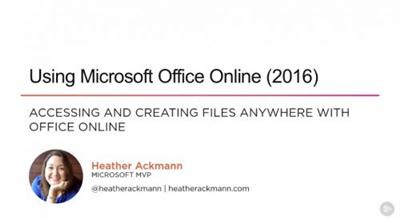
Using Microsoft Office Online (2016)
MP4 | Video: AVC 1280x720 | Audio: AAC 44KHz 2ch | Duration: 2h 8m | 431 MB
Genre: eLearning | Language: English

Microsoft Office Online allows you to create, edit, share, and even collaborate on files with more ease than ever before. In this course, you'll learn how to take advantage of the many features offered online in Word, Excel, PowerPoint and OneNote.


If you're an Office 365 subscriber or have a Microsoft account, you have access to the Office Online applications, which include Word, Excel, PowerPoint, and OneNote. These applications allow you to access your files anywhere online-all you need is access to the Internet! In this course, Using Microsoft Office Online (2016), you'll start with Word. You'll learn how to create and access files, as well as many management techniques from editing text to adding graphics and tables. Next, you'll move on to Excel, where you discover how to sort and filter data, use formulas and equations, and work with references. You'll then move onto PowerPoint, where you will learn how to create great presentations using transitions, themes, and SmartArt. Finally, you'll learn how to create, edit, and share notebooks in OneNote. By the end of this course, you'll be able to use Microsoft Office Online's programs and powerful features with confidence.

Recommend Download Link Hight Speed | Please Say Thanks Keep Topic Live
 

db85d1e768bb7a9768f214bca7ce44f3.jpg

Udemy - YouTube - YouTube Video Marketing & SEO For Business
3,5 h | Video: AVC (.MP4) 1280x720 30fps | Audio: AAC 44.1KHz 2ch | 5,19GB
Genre: eLearning | Language: English​

YouTube Marketing - YouTube Marketing & SEO For Business

What are the requirements?

Students will need access to basic video equipment including lights, audio equipment and cameras which are detailed in the course
They will need to also have access to a pc for editing
They will also need permission to create and manage a business' YouTube channel
What am I going to get from this course?

Over 34 lectures and 3.5 hours of content!
Plan and structure a marketing video
Figure out what type of video you need to create
Learn the basics of AIDA scripting techniques
What is the basic equipment you need
Set your equipment up and get filming
Identify the core simple editing techniques you need to learn
Set up your YouTube Channel
Optimise your videos for the greatest impact in search
Track what is working and not working in your video campaign
What is the target audience?

This course is for someone new to video production processes
This course is for someone who wants to learn how to film talking heads style videos
It is aimed at the small business or entrepreneur market who are operating on a low budget
It is also particularly relevant to Udemy instructors who want to learn how to produce professional talking heads video

Recommend Download Link Hight Speed | Please Say Thanks Keep Topic Live
 

79cfa8702c783985e0191c566d47c7d7.jpg

3D Truck Composite in Adobe After Effects
Duration: 33m | Video: h264, yuv420p, 1280x720 30fps | Audio: aac, 44100 Hz, 1 ch | 252 MB
Genre: eLearning | Language: English | Project Material Included​


In this Video Tutorial You Learn to Composite a 3D truck into live action with 3D camera track, Generate fake shadows and match scene lighting with Element 3D in Adobe After effects.

Recommend Download Link Hight Speed | Please Say Thanks Keep Topic Live

 

683c17ed8b569627be6723fbacd1e83e.jpg

Accounting Decoded
MP4 | Video: AVC 1280x720 | Audio: AAC 44KHz 2ch | Duration: 2 Hours | 333 MB
Genre: eLearning | Language: English

Many people suffer from being intimidated by the subject of accounting. This can lead to several challenges, such as, a person could miss out on a promotional opportunity, or a person can decide not to start a business, or an entrepreneur can leave all the accounting to the accountant and not know when the accountant is robbing you blind. Through this course, you will unlock the mysteries of accounting so that you can get that promotion, open that business, and keep an eagle eye on your accountant!


You will learn through:

video and audio lectures,
practical exercises that you can practice over and over,
and you will learn through the eyes of a fictitious small business.
You will learn exactly what debits and credits do, you will learn to find errors at a high level (even though you may still have an accountant fix the problem), and you will have the foundation to build further accounting knowledge that differentiates you from the crowd.

I have proven methods to help you learn this subject easily, all you need is the openness to believe you can actually learn this important part of the business world.

Recommend Download Link Hight Speed | Please Say Thanks Keep Topic Live

 

38aa2beeaf13193586958b8dfb18b881.jpg

3DMotive - Advanced Scripting in Maya Volume 4
11 Lessons | Video: h264, yuv420p, 1280x720 | Audio: aac, 44100 Hz, stereo, s16 | 1.03GB
Genre: eLearning | Language: English | Project Files Included​


In Advanced Scripting in Maya, we will use a real-world issue as a teaching case while developing automation and support an FBX exporter. In the first module for this course we will discuss some basic philosophies about software design before we start writing our code. We will then begin our script by starting on some basic lower level functions and ending with the creation of our FBX export nodes. From there we will continue our script by designing all the procedures needed to handle exporting of rigged characters, setting our animation export settings, and managing anim layers per animation. We will also show how to set our FBX export settings and will end the second module with writing the actual calls to the FBX exporter using our animation. Next, we design our main UI, so all our export code will be easier to use. We will build a tabbed window so we can switch between model and animation export, and include such options as pop-up menus when we right-click for power users. To wrap things up, we will add the functions needed to make our UI work; we will create procedures that will automatically populate the UI depending on what is selected, procedures to support our pop-up menus, and eventually calling our export code.


Advanced Scripting in Maya Volume 4

Recommend Download Link Hight Speed | Please Say Thanks Keep Topic Live

 

c863d5f120901e0d3521eeeb317e1ca3.jpg

Infinite Skills - Advanced Windows PowerShell Scripting (2016)
MP4 | AVC 432kbps | English | 1280x720 | 15fps | 5h 57mins | AAC stereo 125kbps | 1.35 GB
Genre: Video Training

In this Advanced Windows PowerShell Scripting training course, expert author Jason Yoder will take you beyond the basics of Windows PowerShell, teaching you how to create cmdlets, create custom views, and much more. This course is designed for users that are already familiar with PowerShell.


You will start by learning how to create a script and module. From there, Jason will teach you about advanced objects, the PowerShell pipeline, and PowerShell demoting, including how to enable remoting, one-to-one remoting, and one-to-many remoting. This video tutorial also covers finding sources of information and using external information. Finally, you will learn about automating administration, including background jobs, scheduled jobs, and reporting.

Once you have completed this computer based training course, you will have gained an advanced working knowledge of Windows PowerShell. Working files are included, allowing you to follow along with the author throughout the lessons.

Recommend Download Link Hight Speed | Please Say Thanks Keep Topic Live
 

c338ba17b05632532a3c0aea50fed6c7.jpg

Andy James Academy - Diary of Hells Guitar Pack Option 2
WEBRip | English | MP4 + MP3 jam + PDF tabs | 1920 x 1080 | AVC ~5999 kbps | 25 fps
AAC 256 Kbps 44.1 KHz | 2 channels | ~5 hours | 4.68 GB​

Genre: eLearning Video / Guitar lesson
This track actually started off as a collaboration between myself and Jeff Loomis, but as schedules didn't allow I needed a new track to perform on EMG TV at the beginning of 2014. So that is the very first version of it. After sitting with the track a while I started to cement a lot more of how I wanted the track to sound. I booked into the studio with Scott Atkins and recorded the finished version you will hear on this able version. The rest of the track was performed and mixed by Alan Sacha Laskow with the full arrangement written by me. The reason he re-performed my version was so he could do a better mix as in my current home set up I'm not recording dry DI signal. So it all came together to be solidified into this official version of the song and I hope you enjoy it.

Recommend Download Link Hight Speed | Please Say Thanks Keep Topic Live

 
Zurück
Oben Unten