• Regeln für den Video-Bereich:

    In den Börsenbereich gehören nur Angebote die bereits den Allgemeinen Regeln entsprechen.

    Einteilung

    - Folgende Formate gehören in die angegeben Bereiche:
    - Filme: Encodierte Filme von BluRay, DVD, R5, TV, Screener sowie Telesyncs im Format DivX, XviD und x264.
    - DVD: Filme im Format DVD5, DVD9 und HD2DVD.
    - HD: Encodierte Filme mit der Auflösung 720p oder darüber von BluRay, DVD, R5, TV, Screener sowie Telesyncs im Format x264.
    - 3D: Encodierte Filme von BluRay, die in einem 3D Format vorliegen. Dies gilt auch für Dokus, Animation usw.
    - Serien: Cartoon/Zeichentrick, Anime, Tutorials, Dokumentationen, Konzerte/Musik, Sonstiges sind demnach in die entsprechenden Bereiche einzuordnen, auch wenn sie beispielsweise im High Definition-Format oder als DVD5/DVD9/HD2DVD vorliegen. Ausnahme 3D.
    - Bereich Englisch: Englische Releases gehören immer in diesen Bereich.
    - Bereich Talk: Der Bereich, in dem über die Releases diskutiert werden kann, darf, soll und erwünscht ist.


    Angebot/Beitrag erstellen

    - Ein Beitrag darf erst dann erstellt werden, wenn der Upload bei mindestens einem OCH komplett ist. Platzhalter sind untersagt.
    - Bei einem Scenerelease hat der Threadtitel ausschließlich aus dem originalen, unveränderten Releasenamen zu bestehen. Es dürfen keine Veränderungen wie z.B. Sterne, kleine Buchstaben o.ä. vorgenommen werden. Ausnahme Serienbörse:
    - Bei einem Sammelthread für eine Staffel entfällt aus dem Releasename natürlich der Name der Folge. Beispiel: Die Simpsons S21 German DVDRip XviD - ITG
    - Dementsprechend sind also u.a. verboten: Erweiterungen wie "Tipp", "empfehlenswert", "only", "reup", usw. / jegliche andere Zusatzinformation oder Ergänzung, welche nicht in obiger Beschreibung zu finden ist.

    Aufbau des Angebots und Threadtitel

    Der Titel nach folgendem Muster erstellt zu werden. <Name> [3D] [Staffel] [German] <Jahr> <Tonspur> [DL] [Auflösung] <Quelle> <Codec> - <Group>
    Beispiel: The Dark Knight German 2008 AC3 DVDRip XviD - iND
    Beispiel: The Dark Knight 2008 DTS DL BDRip x264 - iND
    Beispiel: The Dark Knight 2008 AC3 DL BDRip XviD - iND
    Beispiel: The Dark Knight German 2008 AC3 720p BluRay x264 iND
    Beispiel: The Dark Knight 2008 DTS DL 1080p BluRay x264 iND
    Beispiel: Die Simpsons S01 German AC3 DVDRip XviD iND
    Beispiel: Die Simpsons S20 German AC3 720p BluRay x264 iND
    Beispiel: Sword Art Online II Ger Sub 2014 AAC 1080p WEBRip x264 - peppermint
    Entsprechend sind also u.a. verboten: Sonderzeichen wie Klammern, Sterne, Ausrufezeichen, Unterstriche, Anführungszeichen / Erweiterungen wie "Tipp", "empfehlenswert", "only", "reup", usw. / jegliche andere Zusatzinformation oder Ergänzung, welche nicht in obiger Beschreibung zu finden ist
    Ausnahmen hiervon können in den Bereichen geregelt sein.

    Die Beiträge sollen wie folgt aufgebaut werden:
    Überschrift entspricht dem Threadtitel
    Cover
    kurze Inhaltsbeschreibung
    Format, Größe, Dauer sind gut lesbar für Downloader außerhalb des Spoilers zu vermerken
    Nfo sind immer Anzugeben und selbige immer im Spoiler in Textform.
    Sind keine Nfo vorhanden z.B. Eigenpublikationen, sind im Spoiler folgende Dateiinformationen zusätzlich anzugeben :
    Quelle
    Video (Auflösung und Bitrate)
    Ton (Sprache, Format und Bitrate der einzelnen Spuren)
    Untertitel (sofern vorhanden)
    Hosterangabe in Textform außerhalb eines Spoiler mit allen enthaltenen Hostern.
    Bei SD kann auf diese zusätzlichen Dateiinformationen verzichtet werden.

    Alle benötigten Passwörter sind, sofern vorhanden, in Textform im Angebot anzugeben.
    Spoiler im Spoiler mit Kommentaren :"Schon Bedankt?" sind unerwünscht.


    Releases

    - Sind Retail-Release verfügbar, sind alle anderen Variationen untersagt. Ausnahmen: Alle deutschen Retail-Release sind CUT, in diesem Fall sind dubbed UNCUT-Release zulässig.
    - Im Serien-Bereich gilt speziell: Wenn ein Retail vor Abschluss einer laufenden Staffel erscheint, darf diese Staffel noch zu Ende gebracht werden.62
    - Gleiche Releases sind unbedingt zusammenzufassen. Das bedeutet, es ist zwingend erforderlich, vor dem Erstellen eines Themas per Suchfunktion zu überprüfen, ob bereits ein Beitrag mit demselben Release besteht. Ist dies der Fall, ist der bereits vorhandene Beitrag zu verwenden.
    - P2P und Scene Releases dürfen nicht verändert oder gar unter einem iND Tag eingestellt werden.


    Support, Diskussionen und Suche

    - Supportanfragen sind entweder per PN oder im Bereich Talk zu stellen.
    - Diskussionen und Bewertungen sind im Talk Bereich zu führen. Fragen an die Uploader haben ausschließlich via PN zu erfolgen, und sind in den Angeboten untersagt.
    - Anfragen zu Upload-Wünschen sind nur im Bereich Suche Video erlaubt. Antworten dürfen nur auf Angebote von MyBoerse.bz verlinkt werden.


    Verbote

    - Untersagt sind mehrere Formate in einem einzigen Angebotsthread, wie beispielsweise das gleichzeitige Anbieten von DivX/XviD, 720p und 1080p in einem Thread. Pro Format, Release und Auflösung ist ein eigener Thread zu eröffnen.
    - Grundsätzlich ebenso verboten sind Dupes. Uploader haben sich an geeigneter Stelle darüber zu informieren, ob es sich bei einem Release um ein Dupe handelt.
    - Gefakte, nur teilweise lauffähige oder unvollständige Angebote sind untersagt. Dies gilt auch für eigene Publikationen, die augenscheinlich nicht selbst von z.B. einer DVD gerippt wurden. Laufende Serien, bei denen noch nicht alle Folgen verfügbar sind, dürfen erstellt und regelmäßig geupdatet werden.
    - Untersagt sind Angebote, welche nur und ausschließlich in einer anderen Sprache als deutsch oder englisch vorliegen. Ausnahmen sind VORHER mit den Moderatoren zu klären.


    Verstoß gegen die Regeln

    - Angebote oder Beiträge, die gegen die Forenregeln verstoßen, sind über den "Melden"-Button im Beitrag zu melden.
  • Bitte registriere dich zunächst um Beiträge zu verfassen und externe Links aufzurufen.

*** Bestes IPTV *** bester Preis *** gratis Test ***


Englische Tutorials

maxresdefaultnpdvq.jpg


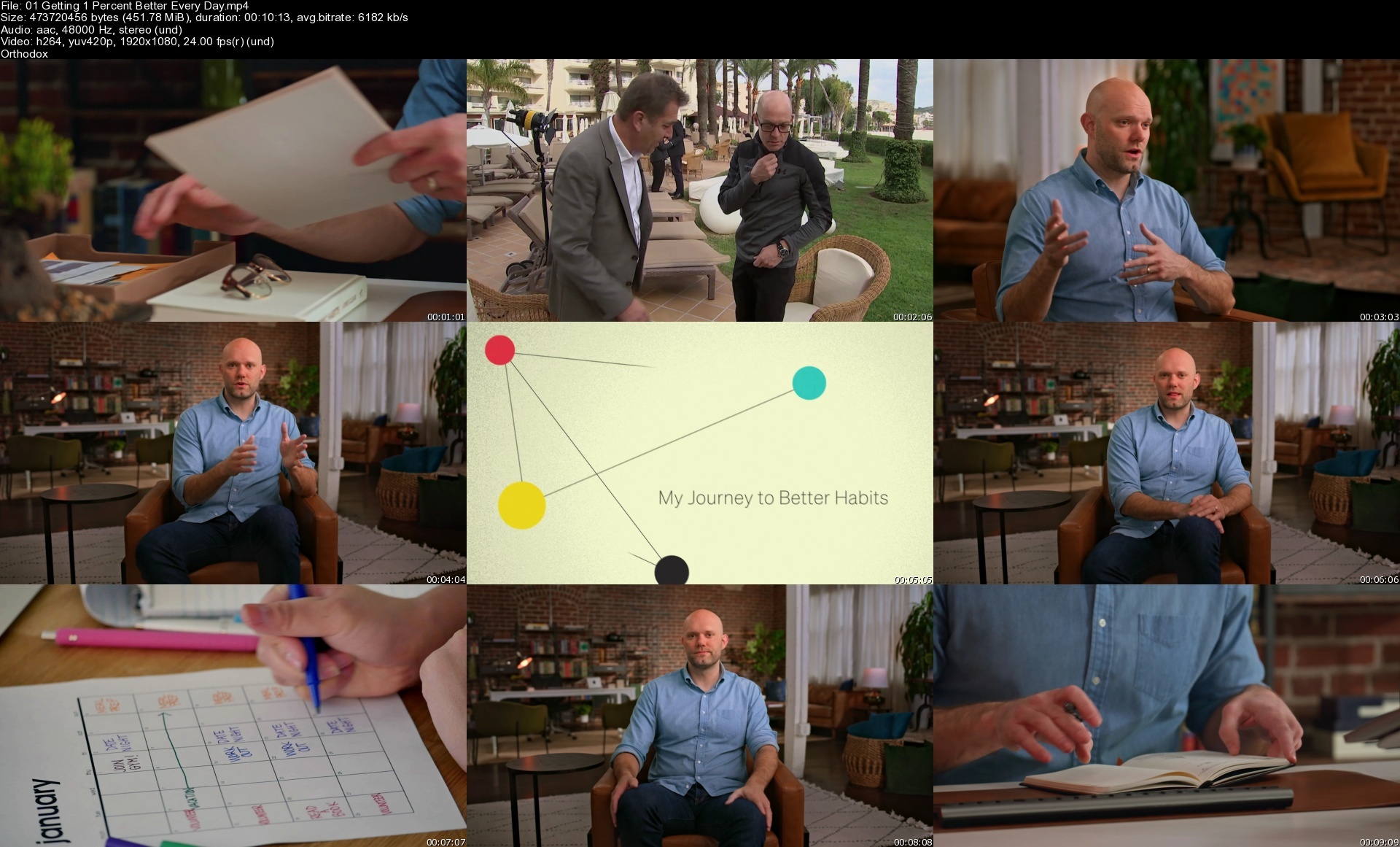
MasterClass - Jame Clear : Small Habits that Make a Big Impact on Your Life
Released 9/2023
MP4 | Video: h264, 1920x1080 | Audio: AAC, 44.1 KHz, 2 Ch
Genre: eLearning | Language: English + Subs | Duration: 10 Lessons ( 1h 29m ) | Size: 3.9 GB

James Clear, No. 1 NYT bestselling author of Atomic Habits, teaches you to build habits that stick and make progress toward your goals every day.

Nobody breaks down habits like behavior hacker James Clear. The Atomic Habits author disrupted the self-help industry by simplifying success for millions. Here, James shares his approach to designing smarter habits and tackling today s challenges. From navigating hybrid work to resisting endless distractions, build habits that stick, break habits that suck, and outsmart yourself one small but mighty step at a time.


Homepage


01getting1percentbett0gdwv.jpg


rttmarisa1epcfa.png


Marisa Peer - Rapid Transformational Therapy (RTT)
MP4 | Video: h264, 1280x720 | Audio: AAC, 48 KHz
Language: English | Size: 93 GB | Duration: 149h 7m

How does Marisa Peers RTT training achieve such outstanding results?
Marisa Peer, one of the worlds most respected therapists, has collated over thirty years of expertise in psychotherapy, hypnotherapy, Cognitive Behavioural Therapy (CBT) and Neurolinguistic Programming (NLP) to bring you RTT. This provides you with a comprehensive solution based approach that achieves effective results much quicker than traditional therapies.

RTT utilises the leading scientific principles of neuroplasticity, with an ability to create new neural pathways in the mind, while giving the client the ability to replace old unhelpful beliefs and behaviors. This leads to demonstrable rapid, profound and long-lasting transformation in your clients.
Even though there is flexibility to complete your RTT training online, from the comfort of your own home scheduled around your other commitments, an online course in RTT is not a shortcut. As professionals would expect, optimal outcomes for deep-seated challenges like depression and anxiety will require several sessions. It is also vital that therapists receive the right ongoing support, which Marisa Peer and her helpful team provide through community groups, regular masterclasses and specialist training.

Accelerate your career with a Rapid Transformational Therapy (RTT) online training course
There are huge benefits in becoming Certified in RTT . These courses have been attended by over 1,500 people internationally, of whom 1,000 have gone on to launch exciting new careers as Certified RTT Practitioners. Others chose to learn RTT to help their own careers, families and personal/professional development.

Marisa is extremely proud that her trained professionals have not only achieved profound impact for over 100,000 clients to date, but have met their own business and professional development goals. Trainers have created businesses generating over 17 million in revenue worldwide in the first two years alone!

The masterclass training will give you up to date advanced skills in applying the tools and techniques to all client issues. It is available online, making it convenient and accessible for those anywhere.

Homepage:


marisapeerlibrary08motyc64.jpg


5569190-7d1c.jpg


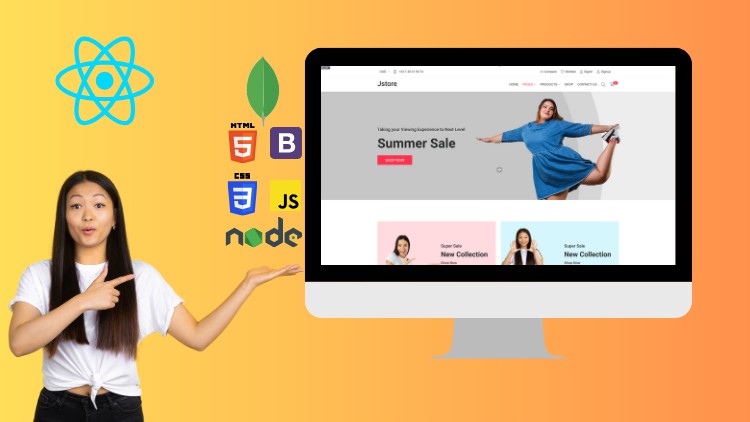
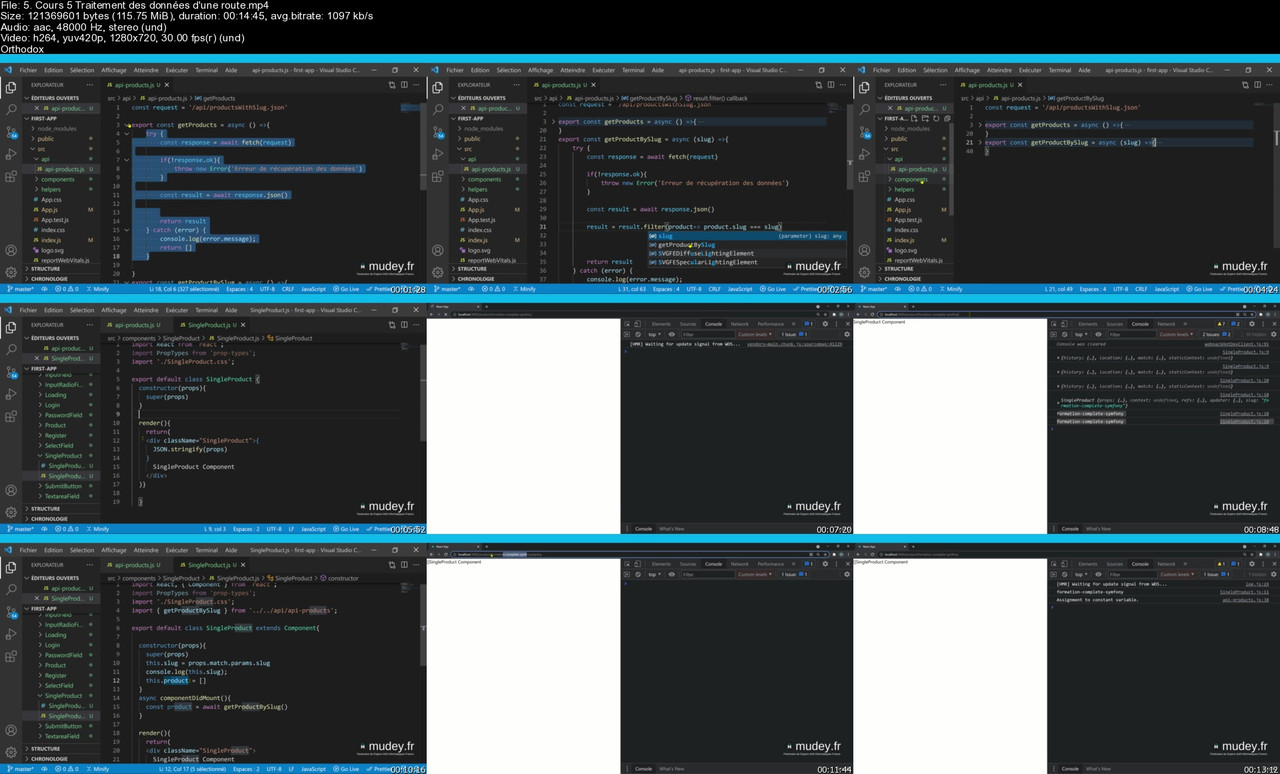
Apprendre React JS travers la cr ation de site E-commerce
Last updated 10/2023
Created by Espero Akpoli
MP4 | Video: h264, 1280x720 | Audio: AAC, 44.1 KHz, 2 Ch
Genre: eLearning | Language: French + srt | Duration: 209 Lectures ( 31h 35m ) | Size: 29 GB

Cr ez un site e-commerce complet en ReactJs avec backoffice et plusieurs moyens de paiement en ligne (carte CB, Paypal )


What you'll learn
Compr hension des Concepts React Js
Gestion de l' tat (State)
Passage des Propri t s (Props)
Cycle de Vie des Composants
Rendu Conditionnel
Gestion des Formulaires
Routing (Navigation)
Gestion de l' tat Global
Communication avec les Serveurs
Optimisation des Performances
S curit
D ploiement
Pratiques de D veloppement


Requirements
HTML 5
CSS 3
JavaScript


Description
Bienvenue la pr sentation de la formation "Apprendre React.Js travers la cr ation de site E-commerce". La formation "Apprendre React.js travers la cr ation de site E-commerce" est con ue pour vous permettre de ma triser React.js, l'une des biblioth ques JavaScript les plus populaires pour le d veloppement d'interfaces utilisateur interactives, tout en cr ant un site web de commerce lectronique fonctionnel. Cette formation combine la fois l'apprentissage des concepts fondamentaux de React.js et la mise en pratique de ces connaissances dans un projet concret.Cette formation s'adresse principalement aux d veloppeurs web ou toute personne ayant des connaissances de base en HTML, CSS et JavaScript. Elle est con ue pour ceux qui souhaitent acqu rir des comp tences avanc es en d veloppement d'applications web avec React.js, en mettant en pratique ces comp tences dans le domaine du commerce lectronique.Objectifs de la formation :Comprendre React.js : Vous allez commencer par acqu rir une solide compr hension des concepts de base de React.js, y compris les composants, les tats (state), les propri t s (props), et le cycle de vie des composants.Cr er un site E-commerce : mesure que vous progressez dans la formation, vous utiliserez vos nouvelles comp tences en React.js pour cr er un site web de commerce lectronique. Vous allez d velopper des fonctionnalit s telles que la navigation entre les pages, l'affichage de produits, la gestion du panier d'achat, le processus de paiement, etc.G rer les donn es : Vous apprendrez g rer efficacement les donn es dans votre application React.js en utilisant des tats (state) et des gestionnaires d' v nements. Vous explorerez galement comment interagir avec des API externes pour r cup rer et afficher des donn es en temps r el.Optimiser les performances : La formation abordera des techniques pour optimiser les performances de votre application React.js, notamment en utilisant la virtualisation, en vitant les rendus inutiles, et en optimisant les requ tes r seau.Mise en pratique des bonnes pratiques : Vous serez guid dans l'application des meilleures pratiques de d veloppement React.js, telles que la structuration de votre code, l'utilisation de Redux pour la gestion de l' tat global, et la gestion de la s curit .D ploiement : En fin de formation, vous apprendrez d ployer votre site web de commerce lectronique React.js sur un serveur en ligne, afin qu'il puisse tre accessible au public.En suivant cette formation, vous serez pr t cr er des applications React.js avanc es et les appliquer dans des projets concrets, en particulier dans le domaine du commerce lectronique. Cela peut vous ouvrir des opportunit s de carri re en tant que d veloppeur front-end ou d veloppeur web Full Stack, parmi d'autres.Rejoignez-nous dans cette aventure d'apprentissage et pr parez-vous ma triser ReactJs tout en cr ant un site E-commerce puissant et professionnel.

Who this course is for
D veloppeur Web


Homepage


5-Cours-5-Traitement-des-donn-es-d-une-route-s.jpg


20254.jpg


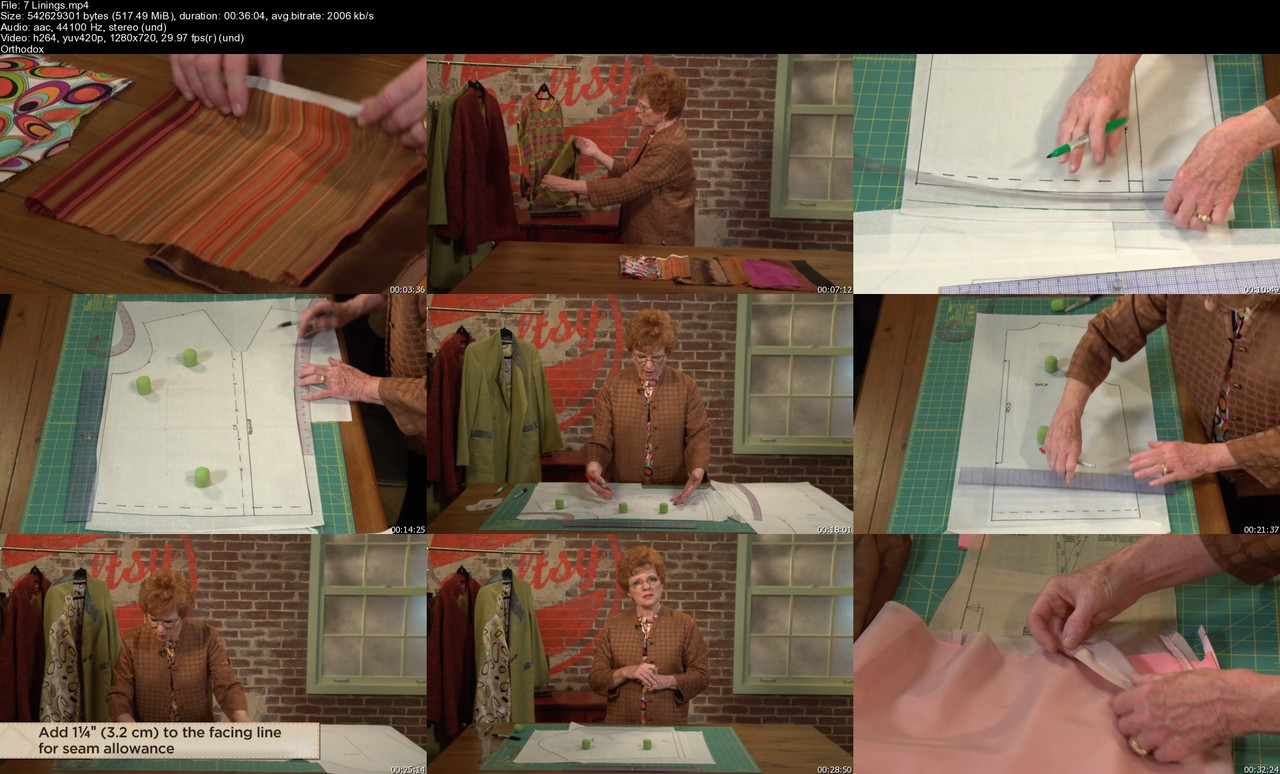
TTC - Underneath It All: Guide to Interfacings, Linings & Facings
Last updated 8/2023
MP4 | Video: h264, 1280x720 | Audio: AAC, 44.1 KHz, 2 Ch
Genre: eLearning | Language: English | Duration: 8 Lessons (3h 13m) | Size: 2.71 GB

Instructor: Linda Lee, Sewing Expert

Alongside fashionista Linda Lee, you'll learn essential skills for making and sewing fine garment interiors: choose interfacings, underlinings, interlinings, facings and linings, and install them perfectly in your garments. Bring stunning structure and a lifetime of longevity to your fabric with interfacings. Underline entire garments to reduce wrinkles and give beautiful body to limp fabrics. Interline your outerwear to protect your fabric and add warmth and comfort to the garment. Flawlessly finish raw edges on exposed areas of your garments with facings. Plus, you'll learn how to sew linings for both pants and skirts, and Linda will even share how to draft and sew your own tailored jacket lining.

7-Linings-s.jpg


Ru-Gk-T1wpg-ZGRYzjm-JRceo-Ays-Vzukkx-W9.jpg


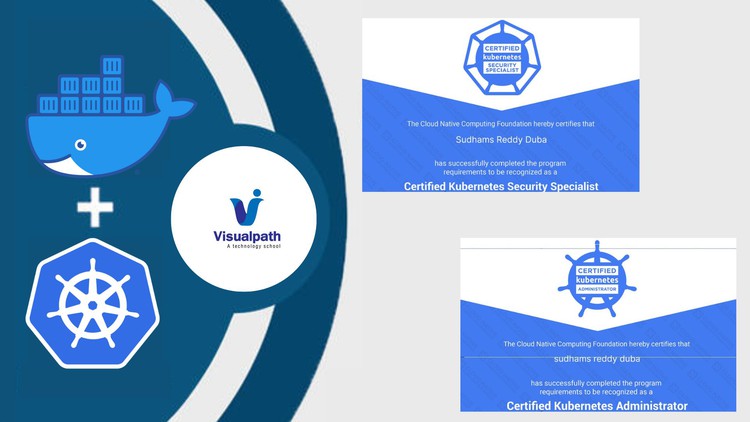
Docker & Kubernetes For Beginners by Visualpath Pvt Ltd
Published 12/2023
MP4 | Video: h264, 1920x1080 | Audio: AAC, 44.1 KHz
Language: English | Size: 25.07 GB | Duration: 52h 5m

To learn Containerization tools like Docker Engine, Docker Compose, and Kubernetes tools from basics for beginners


What you'll learn
In modern application deployment for SDLC process container plays a key role to deliver the product much faster and efficient manner
This beginners trainer program helps to understand the core functionalities of the Containerization technology
We have many operations in different roles like Administration, DevOps, DevSecOps, Developers who needs to learn Containerization tools to run their application
You will be learning strong basics of Docker Engine, Docker Compose, and Kubernetes Orchestration tools

Requirements
Some basic idea of what is IT?, what is a Website?, what is Network? would be more than enough to start with

Description
Being a part of SDLC process, is not easy to manage, Because of DevOps culture and other source have been adopted by many of the Organizations in today IT industry.We need to sustain in the IT domain by adopting those technology as a Developer, Administrator, DevOps, DevSecOps or SRE role.In this course we are providing the hands-on labs and theoretical knowledge to understand how containers works with different tools like Docker Engine, Docker Compose and Kubernetes Orchestration to run different sort of applications like Webservers, databases, CICD, etc.,1) Docker Engine: Architecture, Setup and Configuration, Containers, Images (Predefined and Custom), Storage, Network, etc.,2) Docker Compose: Orchestration, YAML, resource management.3) Kubernetes Orchestration: Architecture, Cluster Setup, Workloads, Configurations, Storage, Networking, Ingress Controller, etc.,Though you are coming from different background like IT or non-IT domain, we need to understand containerization technology where this course helps you to understand from scratch.After completion of this training program, you can even plan for basic level certification from Kubernetes like CKA (Certified Kubernetes Administrator).This course will be a beginning step to learn containerization technology and from here you can handle any sort of application deployment or management as per Organization requirement.

Overview
Section 1: Docker Basics: Containers

Lecture 1 Virtualization with Hypervisor

Lecture 2 Limitations on Virtual Machines Servers

Lecture 3 What is a Container

Section 2: Docker Basic: Overview of Docker

Lecture 4 Introduction to Docker

Lecture 5 Difference between Docker Engine and Docker Desktop

Section 3: Docker Basics: Installation

Lecture 6 System requirements

Lecture 7 Virtual Machine Setup

Lecture 8 Docker Engine setup using package manager

Lecture 9 Docker Engine setup using script

Lecture 10 Understanding Docker default parameters

Section 4: Docker Basics: Containers

Lecture 11 What is a Docker Container

Lecture 12 Nginx application container creation Part 1

Lecture 13 Nginx application container creation Part 2

Lecture 14 MySQL application Deployment

Lecture 15 Container creation Workflow in Docker Engine

Lecture 16 Configure static IP address for Docker host machine

Lecture 17 Understanding how to access applications from outside of Docker host machine

Lecture 18 Practical session on accessing applications from outside of Docker Host

Lecture 19 Understanding container restart policy

Lecture 20 Container restart policy

Lecture 21 Introduction to WordPress and MySQL Deployment

Lecture 22 WordPress and MySQL Deployment on Docker Engine

Lecture 23 Resource cleanup

Lecture 24 Introduction to Jenkins CICD application

Lecture 25 Jenkins CICD deployment on Docker Engine

Lecture 26 Points to remember while creating container (rm, exec, create)

Lecture 27 Difference between docker container create and run

Section 5: Docker Basics: Images

Lecture 28 What is Docker Image for Container

Lecture 29 Understanding Docker Image and Container Layers

Section 6: Docker Basics: Images

Lecture 30 What is Docker Image for Containers

Lecture 31 Understanding Docker Image and Container Layers

Lecture 32 Disk utilization of Containers and Images

Lecture 33 Docker Hub account creation and pricing

Lecture 34 Docker Image pull workflow

Lecture 35 Push and Pull Images from Docker Hub

Lecture 36 Share Images in Docker Hub account

Lecture 37 Introduction to Dockerfile (A Custom Image Build Solution from Docker)

Lecture 38 Dockerfile: FROM parameter

Lecture 39 Dockerfile: MAINTAINER and RUN parameter (with and without build cache)

Lecture 40 Dockerfile: LABEL and ENV parameter

Lecture 41 Dockerfile: ARG and EXPOSE parameter

Lecture 42 Dockerfile: COPY and ADD parameter

Lecture 43 Dockerfile: ENTRYPOINT and CMD parameter

Lecture 44 Dockerfile: SHELL and WORKDIR parameter

Lecture 45 Dockerfile: STOPSIGNAL and HEALTHCHECK parameter

Lecture 46 Dockerfile: VOLUME and USER parameter

Lecture 47 How to choose right base Image to save the size (Ubuntu Vs Alpine)

Section 7: Docker Basics: Storage

Lecture 48 Introduction to Docker Storage types

Lecture 49 Understanding volume mount with scenarios: Part 1

Lecture 50 Understanding volume mount with scenarios: Part 2

Lecture 51 Understanding bind mount with scenarios: Part 1

Lecture 52 Understanding bind mount with scenarios: Part2

Lecture 53 Understanding Jenkins deployment using bind mount architecture

Lecture 54 Jenkins CICD application deployment using bind mount

Lecture 55 Docker tmpfs mount

Lecture 56 Points to remember while using Storages

Section 8: Docker Basics: Network

Lecture 57 Network types supported by Docker

Lecture 58 Docker default bridge network

Lecture 59 Docker user-defined bridge network

Lecture 60 User-defined bridge network managed by Daemon

Lecture 61 Container with static IP address allocation

Lecture 62 Points to remember while using Bridge network

Lecture 63 Understanding Host network

Lecture 64 Demo on host network creation

Lecture 65 Points to remember while using Host network

Lecture 66 Understanding None network

Lecture 67 None network

Section 9: Docker Basics: Dashboard

Lecture 68 Introduction to UI access

Lecture 69 Portainer architecture and pricing details

Lecture 70 Setup and configure Portainer on Docker Engine

Lecture 71 Access Portainer dashboard

Lecture 72 Environments: Part 1

Lecture 73 Containers: Part 2

Lecture 74 Network, Images, and Volumes: Part 3

Lecture 75 App templates and stack

Lecture 76 limitations of community edition: Conclusion

Section 10: Docker Compose: Basics

Lecture 77 Challenges with Docker Engine

Lecture 78 Introduction to Docker Compose

Lecture 79 Docker compose file parameters

Lecture 80 Introduction to Docker Engine machine for compose

Lecture 81 Docker compose installation scenarios

Lecture 82 Project 1: Deploy Nginx web server using compose (volume mount)

Lecture 83 Project 1: Deploy Nginx web server using compose (bind mount)

Lecture 84 Introduction to docker compose volumes

Lecture 85 Demo: docker compose volumes

Lecture 86 Introduction to docker compose network

Lecture 87 Demo: docker compose network

Lecture 88 Docker compose build

Lecture 89 Project 2: Deploy Wordpress application using compose

Lecture 90 Docker compose env

Section 11: Kubernetes Basics: Architecture

Lecture 91 High level view of Kubernetes architecture and components

Lecture 92 Common components for control and compute plane nodes

Lecture 93 Introduction to Kubernetes control plane components

Lecture 94 Kubernetes control plane components working principle

Lecture 95 Introduction to Kubernetes compute plane components

Lecture 96 Kubernetes compute plane components working principle

Lecture 97 Kubernetes Componenets ports and protocols

Section 12: Kubernetes Basics: Setup

Lecture 98 Tools to setup kubernetes cluster and Cloud service

Lecture 99 Overview on single multi node setup using kubeadm tool

Lecture 100 Why Containerd not Docker (K8S dropped support for Docker)

Lecture 101 Kubernetes single node setup using kubeadm tool (CRI containerd)

Lecture 102 Kubernetes multi-node setup using kubeadm tool (CRI containerd)

Section 13: Kubernetes Basics: POD

Lecture 103 Kubernetes Objects overview

Lecture 104 POD overview

Lecture 105 Integrating VS code with k8s cluster

Lecture 106 Overview on k8s objects creation using imperative and declarative approach

Lecture 107 POD creation using Declarative approach

Lecture 108 POD creation using Imperative approach

Lecture 109 POD creation workflow

Lecture 110 POD resource allocation CPU and Memory

Lecture 111 POD multi-container with shared volume

Lecture 112 Handling containers in POD using crictl (restart container POD)

Lecture 113 Access POD application outside cluster (hostPort)

Lecture 114 POD initContainers Introduction

Lecture 115 POD initContainers Demo

Lecture 116 POD Lifecycle: restart policy

Lecture 117 Static POD (controlled by Kubelet)

Lecture 118 Challenges of standalone POD applications

Section 14: Kubernetes Basics: Workload Resources

Lecture 119 Introduction: K8S workload resources

Lecture 120 K8S workload resource replication

Section 15: Kubernetes Basics: Replication Controller

Lecture 121 Introduction to Replication Controller (rc)

Lecture 122 Demo: Implement RC using declarative approach

Lecture 123 Demo: RC scalein and scaleout

Lecture 124 Demo: RC and POD label selector

Lecture 125 Demo: How to delete RC using cascade option

Section 16: Kubernetes Basics: Replica Set

Lecture 126 Introduction to Replica Set (rs)

Lecture 127 Demo: Implement RS using declarative approach

Lecture 128 Demo: RS scalein and scaleout

Lecture 129 Demo: RS and POD label selector (matchLabels)

Lecture 130 Demo: RS and POD label selector (matchExpressions)

Lecture 131 Demo: How to delete RS using cascade option

Section 17: Kubernetes Basics: Deployment

Lecture 132 Introduction to Deployment (deploy)

Lecture 133 Demo: Deployment workflow (Declarative and Imperative)

Lecture 134 Demo: Deployment scalein and scaleout

Lecture 135 Demo: Deployment Rollout and Rollback (StrategyType: RollingUpdate)

Lecture 136 Demo: Deployment Rollout and Rollback (StrategyType: Recreate)

Section 18: Kubernetes Basics: Daemon set

Lecture 137 Introduction to Daemon set (ds)

Lecture 138 Demo: Daemon set workflow (Declarative approach)

Lecture 139 Demo: Daemonset rollout and rollback (strategy type & RollingUpdate)

Lecture 140 Demo: Daemonset rollout and rollback (strategy type & OnDelete)

Lecture 141 Demo: Daemonset controller revision resource

Section 19: Kubernetes Basics: Jobs

Lecture 142 Introduction to Jobs

Lecture 143 Demo: Jobs workflow (restartPolicy)

Lecture 144 Demo: Jobs termination and cleanup

Section 20: Kubernetes Basics: Cronjobs

Lecture 145 Introduction to CronJobs (cj)

Lecture 146 Demo: CronJob workflow (restartPolicy)

Lecture 147 Demo: CronJob concurrency policy

Lecture 148 Demo: CronJob Job history limits

Section 21: Kubernetes Basics: Services

Lecture 149 When to learn Statefulset workload resource

Lecture 150 Introduction to k8s Service and Types

Lecture 151 Overview on need of Service for workload resources

Lecture 152 Introduction to ClusterIP service

Lecture 153 Demo: Overview on Service type ClusterIP

Lecture 154 Demo: Service (ClusterIP) with Endpoint

Lecture 155 Demo: Service ClusterIP type creation using Imperative approach

Lecture 156 Demo: Service selector and pod labels

Lecture 157 Advanced Traffic flow from client (POD) to service to target PODs

Lecture 158 Introduction to NodePort service

Lecture 159 Demo: Overview on Service type NodePort

Lecture 160 Demo: Service NodePort type creation using Imperative approach

Lecture 161 Demo: Customize service NodePort range and IP addresses range

Lecture 162 Advanaced Traffic flow from external to node to service to POD

Lecture 163 Introduction to LoadBalancer service

Lecture 164 Introduction to MetalLB for On-premises k8s cluster

Lecture 165 Demo: Deploying MetalLB on cluster (On-premises)

Lecture 166 Advanaced Traffic flow while using LoadBalancer service type

Lecture 167 Introduction: ExternalIP service

Lecture 168 Demo: overview on Service type ExternalIP

Lecture 169 External Name service

Lecture 170 Demo: Overview on Service type ExternalName

Lecture 171 Introduction to Headless service (ClusterIP_ None)

Lecture 172 Demo: Overview on Service type Headless (ClusterIP & None)

Section 22: Kubernetes Basics: Storages

Lecture 173 Introduction to Kubernetes Storage types

Lecture 174 Overview on Kubernetes Volumes

Lecture 175 EmptyDir: Working principle of emptyDir volume type

Lecture 176 EmptyDir: Demo for emptyDir volume type (Disk and Memory)

Lecture 177 hostPath: Working principle of hostPath volume type

Lecture 178 hostPath: Demo for hostPath volume type (Directory and DirectoryOrCreate)

Lecture 179 hostPath: Demo for hostPath volume type (File and FileOrCreate)

Lecture 180 NFS: Working principle of nfs volume type

Lecture 181 Setup NFS server for Kubernetes Volume Demo

Lecture 182 NFS: Demo for NFS volume type

Lecture 183 NFS: Jenkins CICD Deployment Object with active & passive mode (NFS volume type)

Lecture 184 downwardAPI: Demo on downwardAPI (Information fieldRef)

Lecture 185 downwardAPI: Demo on downwardAPI (Information resourcefieldRef)

Section 23: Kubernetes Basics: PV and PVC (Volumes)

Lecture 186 Introduction to Persistent Storage

Lecture 187 Understanding Persistent Volume Access Modes

Lecture 188 Demo: Static PV and PVC (volume plugin hostPath)

Lecture 189 Demo: PV and PVC management (hostPath)

Lecture 190 Demo: Static PV and PVC (volume plugin nfs)

Lecture 191 Demo: Persistent Volume Reclaim Policies (nfs: retain, recycle, delete)

Lecture 192 Introduction to Access Modes for PV and PVC

Lecture 193 Demo: Access Modes

Lecture 194 Understanding PV phases

Section 24: Kubernetes Basics: Sateful Set

Lecture 195 Introduction to Statefulset Object

Lecture 196 Demo: understanding STS workflow

Lecture 197 Demo: STS scalein and scaleout strategies

Lecture 198 Demo: STS with Headless service

Lecture 199 Demo: Update strategies supported by STS

Section 25: Kubernetes Basics: Configuration (ConfigMap and Secrets)

Lecture 200 Introduction to Kubernetes Configuration

Lecture 201 Introduction to Kubernetes ConfigMap

Lecture 202 Demo: Handling ConfigMap using Imperative approach (environment variables)

Lecture 203 Demo: Handling ConfigMap using Declarative approach (environment variables)

Lecture 204 Demo: Handling ConfigMap using Declarative approach (volume plugin)

Lecture 205 Demo: Immutable ConfigMap

Lecture 206 Introduction to Kubernetes Secrets

Lecture 207 Demo: Handling Secrets using Imperative approach (environment variables)

Lecture 208 Demo: Handling Secrets using Declarative approach

Lecture 209 Demo: Handling Secrets using Declarative approach (volume plugin)

Lecture 210 Demo: Secrets to pull registry Private images (imagePullSecrets)

Section 26: Kubernetes Basics: Scheduling workloads

Lecture 211 Introduction to kubernetes scheduler

Lecture 212 Demo: Scheduling POD using nodeName

Lecture 213 Demo: Scheduling POD using nodeName

Lecture 214 Introduction to nodeAffinity operators

Lecture 215 Demo: Scheduling POD using nodeAffinity (required During Scheduling)

Lecture 216 Demo: preferred and required for nodeAffinity

Lecture 217 Demo: nodeAntiAffinity using NotIn operator

Lecture 218 Demo: Scheduling POD using podAffinity (requiredDuringScheduling)

Lecture 219 Demo: Scheduling POD using podAffinity (preferredDuringScheduling)

Lecture 220 Demo: Scheduling POD using podAntiAffinity (requiredDuringScheduling)

Lecture 221 Demo: Scheduling POD using podAntiAffinity (preferredDuringScheduling)

Lecture 222 Demo: Scheduling POD using Taints and Tolerations (NoSchedule)

Lecture 223 Demo: Scheduling POD using Taints and Tolerations (NoExecute)

Section 27: Kubernetes Basics: Authentication and Authorization

Lecture 224 Introduction to Kubernetes Authentication and Authorization stratagies

Lecture 225 Understanding Kubernetes authentication

Lecture 226 Understanding Kubernetes authorization

Lecture 227 Working principle of Cloud Kubernetes cluster

Lecture 228 Understanding kubeconfig file

Lecture 229 Demo: k8s authenticating using cert based (Role and RoleBinding)

Lecture 230 Demo: k8s authenticating using cert based (ClusterRole and ClusterRoleBinding)

Lecture 231 Understanding k8s ServiceAccount

Lecture 232 Demo: k8s POD to use ServiceAccount

Lecture 233 Demo: k8s authenticating using SA based (Role and RoleBinding)

Lecture 234 Demo: k8s authenticating using SA based (ClusterRole and ClusterRoleBinding)

Lecture 235 Demo: How to handle multiple context in kubeconfig file

Section 28: Kubernetes Basics: Namespaces

Lecture 236 Introduction to Kubernetes Namespaces

Lecture 237 Demo: Implementing kubernetes namespaces (imperative and declarative)

Section 29: Kubernetes Basics: Ingress Controller

Lecture 238 How to access applications in k8s from outside cluster

Lecture 239 Introduction to Ingress Controller

Lecture 240 Understanding Nginx Ingress Controller for On-premises k8s

Lecture 241 Demo: Deploy Nginx Ingress Controller

Lecture 242 Demo: Deploy Ingress resource for applications in k8s (host-based routing)

Lecture 243 k8s Ingress resource workflow (host-based routing)

Lecture 244 Demo: TLS termination for Ingress resource (host-based routing)

Lecture 245 k8s Ingress resource workflow (path-based routing)

Lecture 246 Demo: Deploy Ingress resource for applications in k8s (path-based routing)

Section 30: Kubernetes Basics: Network Policies

Lecture 247 Introduction to Kubernetes Network Policy

Lecture 248 Understanding Network Policy resource implementation (calico network policy)

Lecture 249 Demo: Network Policy Implementation with podSelector (Ingress type)

Lecture 250 Demo: Network Policy Implementation with namespaceSelector (Ingress type)

Lecture 251 Demo: Network Policy Implementation with ipBlock (Ingress type)

Lecture 252 Demo: Network Policy with podSelector and namespaceSelector (Ingress type)

Lecture 253 Demo: Network Policy with podSelector and namespaceSelector (Egress type)

Lecture 254 Demo: Network Policy with ipBlock (Egress type)

Lecture 255 Understanding Default Network Policies

Section 31: Kubernetes Basics: Dashboard

Lecture 256 Introduction to web-based UI for kubernetes

Lecture 257 Demo: Deploy k8s dashboard

Lecture 258 Demo: Admin user management in k8s dashboard (ServiceAccount)

Lecture 259 Demo: Dashboard walkthrough as Admin user

Lecture 260 Demo: User access to k8s dashboard (readonly access)

Developers, SDET, DevOps, DevSecOps, Administrators



415256137_docker_kubernetes_for_beginners.jpg


3975430-d8d7-7.jpg


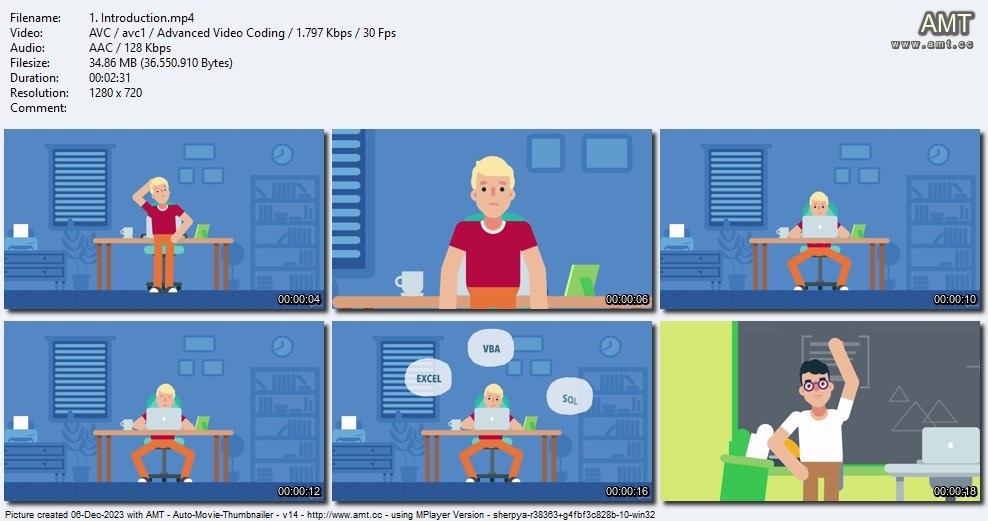
The 3-in-1 Excel, VBA & SQL Master Course
Last updated 12/2023
Created by Mark Lengyel
MP4 | Video: h264, 1280x720 | Audio: AAC, 44.1 KHz, 2 Ch
Genre: eLearning | Language: English + srt | Duration: 538 Lectures ( 47h 35m ) | Size: 21.1 GB

Learn valuable Excel, VBA, SQL and Programming Skills! Go from beginner to expert and get a Competitive job!


What you'll learn
Learn Microsoft Excel from Beginner to Advanced
VBA programming
Learn a large number of Excel functions
Master advanced Excel functions
Work with charts and pivot tables
Learn how to execute SQL statements in Excel
Task-based learning
Help from me with real life experience who works with Excel every day


Requirements
A PC
Microsoft Excel installed. Preferably Office 365, but we'll give explanations regarding older versions if necessary
No prior knowledge of Excel required
Basic computer and Internet skills


Description
Hello!Thank you for visiting our course page.Do you want to become the go-to person at your company for Microsoft Excel problems? Do you want to nail your next job interview? Or just want a new skill? If yes, then this course is for you.Watch the FREE video lectures to see how the course is structured and delivered!Join the course risk-free thanks to the 30-day no questions asked money-back guarantee! If you decide it's not for you, just ask for a refund.I'm Mark and I will be your instructor. I have worked at companies like IBM, Morgan Stanley, and Siemens, so believe me, I know what skills these companies need! I'm a self-taught software developer, who will teach you how to use Excel like a pro, but we will not stop there! I'll also teach you how to write clean and professional VBA code to automate Excel tasks! And on top of that, you'll also learn the SQL programming language, so by the end of the course, you'll know how to work with an actual database!This course is made up of 3 different courses, and packed with over 40 hours of video lectures.*** UPDATE! Google Sheets course is being added to this course! ***1. EXCELThe first part is dealing with Excel itself. It takes you from the VERYBASICS to EXPERT level. If you already have some Excel knowledge, you can skip the introductory parts!By the end of this part you will use Excel confidently, and be able to handle advanced tasks. You will learn the ins and outs of functions, formulas, charts, pivot tables, conditional formatting and a lot more.At the end of this part we will have a live project also.2. VBAThe VBA sections of this course will enhance your Microsoft Excel knowledge even further and will introduce you to programming. VBA stands for Visual Basic for Applications. Excel VBA is Microsoft's programming language for Excel. It is used to automate tasks and perform several other functions beyond creating and organizing spreadsheets.In the VBA sections of this course you will learn for exampleSubroutines, variables, data typesCore VBA programming conceptsVBA functions and more challenging conceptsMacros, recordings and enhancing themDebugging and error handlingEssential VBA operationsEventsManaging your VBA codeClasses and Object-based programming3. SQLIn this part of the course you will learn how to work with a database and execute SQL statements within Excel.In the SQL part of the course you will:learn SQL and how to set up your databaselearn about data typeslearn basic operationslearn how to set up VBA for SQLlearn how to query datalearn about basic statementslearn how to work with a tablelearn about joinslearn about SQL functions and securitySo what are you waiting for? Enroll now and become an EXCEL expert!4. Google SheetsThis part of the course is currently being created! New lessons are added on a weekly basis!The Google Sheets sections start from the very beginning, assuming that the learner is an absolute beginner. If you have some knowledge of Google Sheets, you can skip the introductory parts.

Who this course is for
Complete beginners
Anyone who already knows a little bit about Excel
Anyone who wants to deepen their Excel knowledge
Office workers, data analysts


Homepage


68-GJ8i-OS1-Owo-W4yg-Tv-QMr-Cu-R1v-TXs-Yp6.jpg


5691704-8f96-4.jpg


Blender: Rolls Royce Spectre in 3D
Published 12/2023
Created by Mrawan Hussain
MP4 | Video: h264, 1280x720 | Audio: AAC, 44.1 KHz, 2 Ch
Genre: eLearning | Language: English | Duration: 135 Lectures ( 56h 42m ) | Size: 54 GB


Intermediate Blender: Modeling the Rolls Royce Spectre


What you'll learn
How to create a complex 3D model of the Rolls Royce Spectre using Blender.
Techniques for modeling realistic details and textures, such as the wheels, grill, and headlights.
How to create and apply realistic materials to your 3D model, including metal, plastic, and glass.
Tips for lighting and rendering your model to create stunning, photorealistic images.
Best practices for working with Blender's 3D modeling tools and user interface.
How to use efficient and streamlined methods to create complex objects with ease.

Requirements
A basic understanding of Blender's user interface and 3D modeling tools. Students should have some experience with the software before taking this course.
Familiarity with 3D modeling concepts and terminology, such as polygons, vertices, and UV mapping.
A passion for 3D modeling and a desire to learn new techniques and workflows.
A willingness to put in time and effort to practice and apply the concepts covered in the course.

Description
Rolls Royce in 3D: Mastering Exterior Modeling, Materials, and Rendering in Blender"Embark on a journey of digital craftsmanship as we delve into the art of creating the iconic Rolls Royce Spectre in the dynamic world of 3D. This course is meticulously designed to equip you with the skills needed to expertly model the car's exterior, craft stunning materials, and achieve photorealistic renders using Blender.What You'll Learn:Advanced Exterior Modeling Techniques: Discover a new modeling approach that sets this course apart. Unleash the power of the ShrinkWrap technique in Blender to achieve flawlessly smooth surfaces, capturing every curve and contour of the Rolls Royce Spectre with precision.Procedural Materials: Elevate your creations by mastering the art of procedural materials. Learn to generate realistic textures for every part of the car, from the sleek body to intricate details, using Blender's powerful material nodes.Versatile Rendering Strategies: Explore multiple rendering methods to showcase your masterpiece. Dive into the world of HDRI images and 3D Studio Environments, mastering the techniques to produce breathtaking renders that bring your 3D model to life.Blender 4.0 Light Linking: Stay ahead of the curve with insights into the latest additions to Blender 4.0. Harness the power of light linking to precisely control how light interacts with your model, unlocking new possibilities for realism in your renders.Post-Processing in Photoshop: Elevate your renders to the next level using industry-standard post-processing techniques in Photoshop. Learn to enhance details, adjust lighting, and add that final touch to make your Rolls Royce Spectre truly stand out.Who Should Take This Course:This course is tailored for 3D artists, Blender enthusiasts, and automotive design enthusiasts who aspire to master the art of creating high-quality, realistic 3D car models.Prerequisites:Basic familiarity with Blender's interface and tools is recommended, but the course is structured to accommodate intermediate users.Join us on this creative journey and bring the Rolls Royce Spectre to life in the captivating realm of 3D modeling and rendering. Let's sculpt, texture, and render automotive excellence together!

Who this course is for
Intermediate to advanced 3D artists who want to take their skills to the next level and learn advanced modeling techniques.
Professionals or students in the fields of architecture, product design, or entertainment who want to create realistic 3D models for their projects.


415299939_blender_rolls_royce_spectre_in_3d.jpg


5663854-eb19-5.jpg


Master Docker & Kubernetes (2023)
Published 12/2023
Created by Visualpath Pvt Ltd
MP4 | Video: h264, 1280x720 | Audio: AAC, 44.1 KHz, 2 Ch
Genre: eLearning | Language: English | Duration: 346 Lectures ( 63h 4m ) | Size: 30 GB


This course helps to understand core concepts of Containerization technology | Docker Tools | Kubernetes Orchestration


What you'll learn
In modern application deployment, containerization plays a key role to run any sort of application with ease with Docker tools and Kubernetes Orchestration tool
Course was designed for every audience like IT professionals and non-IT professionals as well to be master in Containerization technology
This Course providers knowledge on many tools to understand the containerization technology
You will be having lot of exposure to in depth knowledge on each and every feature of Docker tools and Kubernetes Orchestration with examples

Requirements
Basic understanding of OS and Networking would be sufficient to start with these tools
Need some amount of basic skills in Linux (Ubuntu Server) OS to deploy all the tools
Even if you are from non-IT background, still you will be able to understand the technology and how these application are deployed

Description
Containerization technology provides flexibility to develop the application much faster and more secure manner as part of DevOps and DevSecOps culture adopted by many of the Organization in today ITindustry.We as VisualPath Team has come up with a course that simplifies the understanding of Containerization technology.Containerization creates an OSlevel virtualization to save lot of resources consumption and run more application on a platform.Docker tools helps initially to understand the core feature of Containerizing the application with Image build, Networking, Storage, etc.,Docker provides tools like Docker Engine, Docker Desktop, Docker Compose, Docker Machine, and Docker Swarm.Docker Engine helps to spin containers and run any sort of application (Nginx, MySQL, Hadoop, ML, etc.,) with predefined and Custom Images.Kubernetes Orchestration tool helps to containers specific to application as POD workload to have common network and shared storage.After Kubernetes developed with wide number of features, usage of Docker Swarm was suppressed by many of the Organizations to run application on a Cluster environment.In this course of Kubernetes, we will be understanding the architecture, cluster setup and configuration, workloads, objects, networking, monitoring, storage, and many more...We will be focusing on Docker Engine, Docker Compose (Orchestration tool to manage resources on Docker Engine), Kubernetes Cluster (On-premises), Monitoring, and Projects from each platform of different sort of applications like Wordpress, Jenkins, Node application.Docker Engine CE (Community Edition) and Kubernetes Orchestration are open-source where we can install on our local machines and understand the features provided by those, where we will be focusing in the course all together.The key principles of learning any technology is fundamentals and troubleshooting (through Monitoring services) to sustain for longer period in ITindustry with new technologies.After completion of the Course you can plan for Kubernetes certifications like CKA (Certified Kubernetes Administrator) and CKAD (Certified Kubernetes Application Developer)

Who this course is for
People who are seeking to understand the core concepts of Containerization tools with Live Projects and other projects as well
Who are planning to do Kubernetes certifications like CKA and CKAD would be the right choice as well
One who is interested in learning the functionalities of the tools in Containerization technology to survive in IT industry for longer period


415361735_master_docker__kubernetes.jpg


1443.jpg


TTC - The Power of Mathematical Visualization
Last updated 12/2023
MP4 | Video: h264, 1280x720 | Audio: AAC, 44.1 KHz, 2 Ch
Genre: eLearning | Language: English | Duration: 24 Lessons ( 12h 22m ) | Size: 10.3 GB


Many people believe they simply aren t good at math that their brains aren t wired to think mathematically. But just as there are multiple paths to mastering the arts and humanities, there are also alternate approaches to understanding mathematics. One of the most effective methods by far is visualization. If a picture speaks a thousand words, then in mathematics a picture can spawn a thousand ideas.

The Power of Mathematical Visualization teaches you these vital problem-solving skills in a math course unlike any you ve ever taken. Taught by award-winning Professor James S. Tanton of the Mathematical Association of America (MAA), these 24 half-hour lectures cover topics in arithmetic, algebra, geometry, number theory, probability, statistics, topology, and other fields all united by fascinating connections that you literally see in graphics and projects designed by Professor Tanton. In demand worldwide for his teacher and student workshops, Dr. Tanton is MAA s Mathematician-at-Large a globe-trotting advocate for teaching math with beauty and joy and wonder and humanness, as he was recently quoted in The New Yorker magazine.

As an example of Dr. Tanton s approach, see the many applications of a simple game called dots-and-boxes, which is the gateway to a universe of mathematical concepts and operations some of which might seem quite unrelated

Long division: Elementary school students typically learn a traditional method of long division that works but can seem abstract. By contrast, the dots-and-boxes approach is more intuitive and actually explains why the traditional method works.
Binary arithmetic: The binary base system uses only 1 s and 0 s, which is how computers calculate with on/off switches. The game of dots-and-boxes makes arithmetic in binary and any other base system child s play even for fractional bases.
Polynomials: The study of polynomials in algebra is, astoundingly, mostly a repeat of grade-school arithmetic, done in base x rather than base 10. Dots-and-boxes comes to the rescue for intimidating-looking polynomial problems, and even for dividing polynomials.
Decimals: With dots-and-boxes, you can demonstrate that every fraction has an infinitely long decimal expansion with a repeating pattern. For example, 1/3 = 0.33333 ; 1/4 = 0.25000 (the repeating pattern is zero); and 13/99 = 0.131313 .
And that s just the beginning. Once your mind is attuned to think about mathematical relationships in terms of visual models such as dots-and-boxes, the insights start to pile up. That s when you are truly doing mathematics not just mechanically following an algorithm or formula you memorized in school. Visual thinking lets you see the logical steps that lead to an answer and grasp the solution that must be true.

Throughout the course, Dr. Tanton often adjourns to his tabletop lab to illustrate mathematical ideas with activities that you can try at home, involving poker chips, marbles, strips of paper, and other props. Some seem positively magical, like the miraculous division of a pile of jelly beans in the last lecture, where your method is inspired by a simple folding pattern.

Do Math the Way the Pros Do

Visual thinking is not a trick or a crutch designed for beginners; it is a key technique often employed by professional mathematicians to achieve brilliant insights, forge new paths of discovery, and find deeper connections in the world of mathematics. For this reason, The Power of Mathematical Visualization is suitable for a wide audience, including

math students at every level, who want to survey the subject from the refreshing heights of the visual perspective;
puzzle and math aficionados, who love the creative side of mathematics and the opportunity for endless exploration;
math teachers, who want an idea-filled 12-hour demonstration of joyous and effective teaching; and
parents, who can best help their children with math homework by fostering a playful, enquiring attitude just like Dr. Tanton s.
You start the course with pictures that go with grade-school arithmetic. As you study them, you see how they are springboards to more advanced ideas. For instance, visual thinking about multiplication can make perfect sense of why negative times negative is positive. Then you venture deeper, seeing how pictures that help you keep track of combinations of objects lead to Pascal s triangle and from there to the concept of structure in randomness. And simple exercises in folding paper end up with exquisite fractal images and the consideration of a truly astronomical problem.

Next, the famous Fibonacci numbers come into focus thanks to a visual model that is a well-kept secret. You also learn how symmetry can save the day with quadratic equations. You play with balance points in statistics and the idea of a fixed point in a stirred cup of coffee. And there s more!

Life Lessons from Math

Dr. Tanton is a charming teacher who makes math both easy and enjoyable with his playful approach. As you might expect from the winner of Raytheon s Math Hero Award (plus other prizes) and the author of acclaimed books on the delights of math, he has plenty of problem-solving tips, among them

Make it happen: If there s something in life you want, he says more than once, then make it happen! If an additional five on the left side of an equation makes the calculation easier, just tack it on along with five on the right side to keep things balanced.
Take an easier way out: Instead of learning formulas and procedures by rote, simply follow your nose and common sense. Once you discover the deeper reason for a rule, such as the quadratic formula in algebra, then you won t need to memorize anything.
Don t stop: Nothing in mathematics leads to just one place. Think of a mathematical picture as a doorway to many destinations. One of the big lessons from this course is that an image can be interpreted in multiple ways, which is a powerful technique in mathematics.
Mull it over: When perplexed, don t be intimidated. Do a lot of staring and mulling. Play with the problem. Then take a break. Go for a walk. More often than not, your brain will surprise you! This is actually a good approach to many of life s muddles.
Mulling comes naturally to Professor Tanton. As a research mathematician, he can t help sharing a recent discovery he made by contemplating a simple diagram related to the Fibonacci series, turning it over and over in his mind. In Lecture 18, he walks you through the result, which is the world premiere of a brand new theorem. He discusses it exactly as he would with his colleagues over dinner with barely contained excitement that you will find infectious.

Discover the advantages of seeing math from an entirely new angle, guided by a brilliant and engaging teacher in The Power of Mathematical Visualization.

What Will You Learn?
A new, visual way to think about math.

How similar patterns hold the key to astounding feats of mental calculation.

A completely new way to multiply that is graphical.

The world premiere of Professor Tanton s amazing Fibonacci theorem.


411983516_the_power_of_mathematical_visualization.jpg


FOb9u-Wtj-Qz6-BDEATRva-FCJAGZan-MQQKV.jpg


Drawing Realistic Children
Published 12/2023
MP4 | Video: h264, 1920x1080 | Audio: AAC, 44.1 KHz
Language: English | Size: 23.36 GB | Duration: 12h 43m

Learn the Art of Drawing Beautiful **** and Babies with Pencils


What you'll learn
How to draw realistic portrait of children.
Various pencil techniques.
Drawing on toned paper and white paper.
How to hold a pencil.
What pencil pressure to use.
The power of lines.
Recognizing and creating shapes.
Methods to outline a drawing from reference with the right proportions.
Creating texture in drawings.
How to add emotion or atmosphere to art.
Gesture sketching.
Understanding the direction of light in art.

Requirements
A positive attitude towards art and a willingness to learn more.

Description
Have you always wanted to get better at drawing those cute faces of your ****? Or someone else's?Is realism something you gravitate towards?In this comprehensive drawing course of more than 120 lectures, you will find it all: Instruction, theory, assignments, and entertainment.I've put my heart and soul into creating this portrait drawing course. And I've made sure that there is plenty to learn. Start out with the basics of holding a pencil, understanding materials, and getting started!Follow along every step of the way as I show you how you can draw 6 different children's portraits with pencils! Nothing got left out. Every line, every shadow, every smudge, every hatch... it's all there. And by the end of these 12 hours, you will know what to do.Learn more about the theory of art: Lighting, shadows, reference images, outlining, contrast, texture, direction, emotion, creating shapes, and much more!Everything is put in a lighthearted, fun light, with me and a couple of other guys as presenters of art-related topics and debates in between the more "serious" lectures.It's fun!It's educational!It's fascinating!It's everything you would want in a portrait drawing video course!Don't wait and get started now!

Overview
Section 1: Introduction

Lecture 1 Welcome

Lecture 2 Introduction of the Teachers

Lecture 3 Get More out of This Course

Section 2: Materials and Techniques

Lecture 4 Different Kinds of Paper

Lecture 5 Pencils, Erasers, and Sharpeners

Lecture 6 How to Hold a Pencil

Section 3: The Power of Lines

Lecture 7 First Light Lines, Then Dark

Lecture 8 Thickness of Lines

Lecture 9 What Pencil Pressure to Use

Lecture 10 Arm Motions and Direction

Lecture 11 Swirls and Straight Lines

Lecture 12 Contours VS Blank

Lecture 13 Drawing the Entire Portrait

Section 4: Drawing of a Baby

Lecture 14 The Outline

Lecture 15 The First Shadows and Face

Lecture 16 The Eyes and Nose

Lecture 17 Drawing the Lips

Lecture 18 Shading the Hat

Lecture 19 The Ear and the Arm

Lecture 20 The Finishing Touches

Lecture 21 Other Portraits of Babies

Lecture 22 Ebook: Babies with Realistic Pencil Sketches

Section 5: Shapes

Lecture 23 Is Tracing Cheating?

Lecture 24 Abstract Shapes

Lecture 25 Degrees and Angles

Lecture 26 Axis Lines

Section 6: Shape Exercises

Lecture 27 Oval and Circle Perfection Exercises

Lecture 28 Square, Rectangle, and Triangle Exercises

Lecture 29 Making a Shape 3 Dimensional

Section 7: More Exercises

Lecture 30 Draw 3D Objects

Section 8: The Right Order

Lecture 31 Portrait of a Bigger Size

Lecture 32 The Right Order of Drawing

Section 9: Live Drawing

Lecture 33 Three Methods for the Outline

Lecture 34 Examples of the Methods

Lecture 35 Shadows on the Baby's Clothes

Lecture 36 More Baby Details

Lecture 37 The Baby's Face

Lecture 38 The Toddler's Left Eye

Lecture 39 The Toddler's Right Eye

Lecture 40 Drawing the Hair

Lecture 41 The Last Touches

Section 10: Other Thoughts

Lecture 42 Comments

Lecture 43 Other Little Girl Portraits

Lecture 44 How Slow or Fast Should You Draw?

Lecture 45 Ebook: Girls with Realistic Pencil Sketches

Section 11: Line Fundamentals

Lecture 46 Insulting Each Other's Insults

Lecture 47 Contouring and Line Thickness

Section 12: Direction in Drawings

Lecture 48 More Movement and Direction

Lecture 49 Ebook: Action Poses

Section 13: Texture

Lecture 50 Rough and Smooth Surfaces

Lecture 51 Reflective Surfaces

Lecture 52 Wetness

Lecture 53 Hair and Fur

Section 14: Live Portrait Drawing

Lecture 54 A Light Outline

Lecture 55 The Grey Layer

Lecture 56 The Ear

Lecture 57 More Shadows

Lecture 58 The First Eye

Lecture 59 Finishing the Details of the First Eye

Lecture 60 Starting the Nose

Lecture 61 Starting the Lips

Lecture 62 Finishing the Lips

Lecture 63 The Second Eye

Lecture 64 Drawing the Hair

Lecture 65 Drawing the Right Ear

Lecture 66 The Neck Area

Lecture 67 The Little Details of the Skin

Section 15: Emotion in Faces

Lecture 68 Facial Expressions

Lecture 69 How to Add Emotion or Atmosphere

Lecture 70 Good Background Music in Art

Section 16: Composition

Lecture 71 Recommending Your Own Course

Lecture 72 Blending in and Standing out

Lecture 73 Different Compositions

Lecture 74 Gesture Sketches

Lecture 75 Rule of Thirds

Section 17: Proportions

Lecture 76 Proportions

Section 18: Live Drawing of a Child

Lecture 77 The Outline

Lecture 78 First Shadows

Lecture 79 Eyes and More Shading A

Lecture 80 Eyes and More Shading B

Lecture 81 Starting to Draw the Mouth

Lecture 82 Finishing the Mouth

Lecture 83 The Hair

Lecture 84 The Finishing Touches - part 1

Lecture 85 The Finishing Touches - part 2

Lecture 86 You Are Special

Section 19: Light in Art

Lecture 87 Saying "No Offense"

Lecture 88 The Importance of Light in Art

Lecture 89 The Direction of Light

Lecture 90 Atmosphere

Section 20: Live Drawing of a Toddler

Lecture 91 Starting the Outline

Lecture 92 Finishing the Outline

Lecture 93 Drawing the Mouth

Lecture 94 Shadows on the Face

Lecture 95 The Chin and the Ear

Lecture 96 Starting to Draw the Hair

Lecture 97 Finishing the Hair

Lecture 98 The Finishing Touches

Lecture 99 More Examples of Toddlers

Lecture 100 Falling Asleep during Art

Lecture 101 Ebook: Draw Boys

Section 21: Different Kinds of Light

Lecture 102 Knowledge VS Skill

Lecture 103 The Case for Not Tracing

Lecture 104 Direct VS Indirect Light

Lecture 105 Identify Reflected Light

Section 22: Drawing a Girl on Grey Paper

Lecture 106 Drawing the Outline

Lecture 107 Finishing Most of the White

Lecture 108 Starting the Shadows on the Face

Lecture 109 Maybe You Need More Practice

Lecture 110 Drawing the Left Eye

Lecture 111 Drawing the Right Eye

Lecture 112 Drawing the Mouth

Lecture 113 The Background

Lecture 114 Hair and Wrinkles

Lecture 115 Puzzling It Together

Lecture 116 More Hair Nuances

Lecture 117 Finishing the Clothes

Lecture 118 Hair on the Right Side

Lecture 119 Finishing the Hair

Lecture 120 Reflection on the Portrait Drawing

Lecture 121 Practice the Right Way

Section 23: Bonus Lecture

Lecture 122 Bonus Lecture

Art enthousiasts who want to learn drawing techniques.


415318462_drawing_realistic_children.jpg


1606.jpg


TTC - Your Best Brain
Last updated 12/2023
MP4 | Video: h264, 1280x720 | Audio: AAC, 44.1 KHz, 2 Ch
Genre: eLearning | Language: English | Duration: 24 Lessons ( 12h 50m ) | Size: 10.6 GB


The human brain is the most complex object in the known universe. This amazing organ has unique powers to make predictions about the future, form relationships with other people, adapt to rapidly changing circumstances, and much, much more.

But how does the brain accomplish these astonishing feats? We all have a basic conception of our brain s role in consciousness, memory, emotion, attention, creativity, and so forth. But what exactly goes on in the brain to make these things happen? And even more intriguing what happens when the intricate systems in the brain are not functioning as they should?

In Your Best Brain, Professor Medina walks you through the latest, peer-reviewed neuroscience research in an attempt to shed light on the mysterious world inside your head. Explore what science has discovered about

Memory: Although we tend think of memory systems like hard drives in computers, there are actually many memory systems, and they are nothing like computer hard drives. You'll see exactly how your brain remembers details and events... and the surprising reason it forgets about them all.
Senses: Between your senses like sight and smell and your perception of those senses sit powerful processing and interpretative filtering systems. You ll uncover how the brain translates cues from the environment to create what we perceive as reality.
Emotions: Fear. Excitement. Happiness. Grief. Anger. From where do all these emotions come? You ll explore how the brain generates and uses emotions to connect with others, as well as to direct your attention to what s important.
Creativity: Brain scientists don t really know what creativity is, but the cognitive gadget that may come closest to describing it is something called cognitive disinhibition . This is a process where the brain stubbornly refuses to rule out information that on the surface seems irrelevant to the task at hand. This fluidity of thought allows for staggering innovation for example, the production of a designer fabric from discarded sour milk.

Tour the Five Key Aspects of the Brain

The first functional map of the cerebral cortex sprang from research done during the two World Wars. When scientists studied soldiers who sustained shrapnel wounds to the head, an examination of each soldier s lost or in some cases, gained functions told the researchers what the affected cortical region did. Since then, the field of neuroscience has been in a near constant state of disruptive transformation as researchers and doctors continue to discover revolutionary truths about our brains.

In 24 exciting lectures, Professor Medina will lead you on a spirited tour of five key aspects of this lively revolution

The Evolving Brain: Killer whales are smart, but they don t write novels. Crows are smart, but they can t design microchips. The evolution of the human brain ensured that we not only survived, we actually conquered the world. You'll examine the physical structure and function of the brain and how it enabled a comparatively weak species to become the planet s apex predator.
The Learning Brain: We survived by being the smartest. But what does it mean to be smart? Take a scientific look into what it means to be intelligent, and uncover the sophisticated way your brain processes and analyzes information about the world around you.
The Feeling Brain: Being able to form relationships and societies gave humans a massive survival advantage. Central to that is our ability to imagine how others are thinking and feeling. Investigate the subtle nuances between emotions and feelings, how they occur on a biological level, and their role in forming and sustaining connections with others.
The Developing Brain: The first three sections of this course describe the fully developed brain. But how does it get that way? Peer into the development process of the brain from the early years as an infant, to the turbulent teenage period, to how we age in later life.
The Optimized Brain: Wrap up this cerebral tour with an answer to the big question how do you optimize your brain s processing performance? Find out what science has to say about the role of sleep, exercise, and more in ensuring that the brain performs at its very best. You'll learn practical, research-backed exercises and tips that you can apply in your life right away.
Optimize Your Brain

A generation ago, we were barely able to map the regions of cerebral cortex. Thanks to rapid advances in technology and in our understanding of the brain, today s neuroscience research goes far beyond trying to understand how the brain works, and into the search for proven ways to optimize brain performance. You'll learn science-backed strategies for improving your memory, boosting your creativity, and keeping your brain healthy. Examples include

How a simple exercise created by a leading neuroscientist can make you more creative. It s as easy as washing your hands!
A practical, three-step guide to remembering nearly anything by tapping into your brain s deep integration with your senses.
A method for getting rid of bad habits by hacking the brain s internal pleasure process to replace a negative habit with a positive one.
A simple stress-reduction technique that researchers suggest can boost the effectiveness of therapy by over 60%.
Seven tips for parenting and supporting teenagers... even when they re moody.
One critical activity that research suggests will keep your mind sharp as you age.
Best of all, each practical example included in this course is grounded in scientific research. You ll be investing your time in worthwhile activities that are proven to show results, rather than trusting untested anecdotes and questionable theories whose effectiveness has not been verified.

A Vast and Complex Science Made Clear

From the very first lecture, you'll see just how far-reaching and remarkable the science of the brain is. But while the subject is complex, that doesn't mean that it s difficult to understand.

Professor Medina is an award-winning molecular biologist at the University of Washington. His research background firmly grounds each lecture in the science. And, as a New York Times best-selling author and leading advocate for brain research, Professor Medina also has a unique ability to translate and communicate the great complexity of the brain in an understandable way to any student motivated to learn.

Yet most of all, the professor brings a deep passion for neuroscience and how knowledge about how our brain works can positively affect our daily lives. His enthusiasm and sense of wonder are clear throughout the course, and each lecture is filled with helpful metaphors, remarkable case studies, and intriguing and at times, very amusing ties to popular culture.

You ll walk away from the course with a greater understanding of just what happens inside your head, and what you can do to ensure that your brain performs at the highest levels possible for years to come.


411983404_your_best_brain.jpg


40850.jpg


TTC - Master Your People Skills
Released 2/2023
MP4 | Video: h264, 1280x720 | Audio: AAC, 44.1 KHz, 2 Ch
Genre: eLearning | Language: English | Duration: 31 Lessons (22h 55m) | Size: 16.2 GB


Have you ever walked into a room filled with strangers and felt awkward? Have you wondered where to stand, or felt unsure about how to start up a conversation, or questioned how to reply if someone spoke to you? Chances are the answers to those questions are yes ...

Have you ever walked into a room filled with strangers and felt awkward? Have you wondered where to stand, or felt unsure about how to start up a conversation, or questioned how to reply if someone spoke to you? Chances are the answers to those questions are yes because we all have felt that way at some point in our lives. No matter what subjects you studied in school, you may never have learned and honed the skills you need to navigate that room full of strangers, whether it was for a business meeting or a more casual social event. You just were not given all the tools you needed to succeed. But that changes now.

Build your social skills toolbox with Master Your People Skills, an immersive, science-based course to help you understand yourself and those around you in brand-new ways. In 31 captivating lessons, you will learn dozens of specific people skills to increase success in your family, business, and intimate relationships. And yes, you will learn not only where to stand in a room full of people you may not know, but you will also find yourself enjoying the prospect of getting to know them.

Your professor, Vanessa Van Edwards, founder of research and learning hub Science of People, understands what it means to feel uncomfortable in social situations. In fact, she describes herself as a recovering awkward person who would hide in the bathroom at networking events. That is not what she wants for you and that is certainly not how you will feel after the experience of Master Your People Skills.

Busting the Myths of People Skills

When Vanessa realized that she needed some help with people skills when she realized she would not be able to accomplish her social or professional goals without them she turned to books. The books she read made a few good points but never taught her how to apply that information. And so, nothing really changed in her life. That is why Vanessa will not only teach the skills you need to learn, but also how to apply each skill in your daily life.

Before teaching the specific people skills you need, Vanessa busts three significant myths about the subject

People skills are not important. Again and again, studies show that those with measurably better people skills are more successful.
I don t need any help. Studies show that over 95% of people rate their people skills higher than they are when tested. Consequently, there s a good probability that improving your people skills will lead to greater success in important areas of your life.
Improving my people skills means becoming an extrovert. Improving your people skills means learning more about yourself, your values, motivations, and who you strive to be at the deepest level then developing the ability to learn those things about other people, too. If you re a bubbly extrovert, great; if you have a quieter power, also great.

The Warm-Ups

Vanessa begins every lesson with a roadmap describing where the course has taken you up to that point, what her specific goals are for that lesson, and where the course will go after that. In addition, every lesson begins with a warm-up, an exercise to get your juices flowing, as your expert says.

The warm-ups usually involve a challenge. Warm-ups can range from asking the participant to imagine a specific scene, to come up with specific words to describe yourself or someone else, and sometimes to roleplay an improvised situation. Everyone benefits from what the participants learn in these exercises. Warm-ups include

Conversation Starters. Vanessa asks everyone in her audience and at home to stand up using the launch stance (a skill she will teach you early on) and to imagine you re standing in a coffee-shop line. Each participant is to say their best conversation-starter aloud. You can hear the suggestions and the professor s real-time response to them.
Personality Speed-Reading. You will learn the concept of the personality matrix which you will then apply by filling out the matrix (found in the course materials) based on short, recorded interviews. The professor guides participants from her live audience in speed-reading the people they have just met on the videos.
Power of Persuasion. The purpose of this warm-up is to have each participant identify aspects of their lives in which they would like to be more persuasive. The mic is passed so you can hear the answers and the professor s responses to them.

Science-Based Skills

Each skill you will learn in this course is science-based, meaning that it was developed by top researchers at academic or clinical institutions and presented in peer-reviewed journals.

Chances are you will find some of the skills to be more applicable to your life than others. And that is what you would expect. If you re in an intimate relationship that is not meeting your needs and you don t know how to communicate to your partner what s wrong, you might be looking for a different set of skills than the business manager who is concerned about lagging sales. But both of you will benefit from increasing the vocabulary and power of your people skills.

Aggregated together, the skills taught in this course will help you become

Likable without having to be a people-pleaser. With the appropriate people skills, you will learn you don t have to put your own needs aside for people to like you. Instead, you can have mutually beneficial relationships.
Assertive and direct with your opinions without being aggressive. If you don t know how to express your opinions in a way that encourages others to listen with consideration, it s easy to become frustrated. That frustration can lead to aggression if you feel you have no other way to get people s full attention.
Influential as opposed to manipulative. When you learn how to increase your impact in an authentic, direct, and honest way, there is no need to feel you must manipulate others to get your point across.
No matter where you are on your life s journey, Master Your People Skills will help you understand your own life and the lives of those around you better, leading to greater success in your relationships and social situations.

What Will You Learn?
Develop techniques for overcoming awkward interactions, avoiding toxic people, and building rewarding relationships

Gain practical tips so you can be proud of your in-person interactions and also communicate more effectively online via email, text, and social media

Discover how to command respect and supercharge your first impression

Learn the art of speed-reading people so you can know exactly what to do to win more deals and attract more clients

Master your presence to be more persuasive, likable and influential


410333108_master_your_people_skills.jpg


Zurück
Oben Unten