• Regeln für den Video-Bereich:

    In den Börsenbereich gehören nur Angebote die bereits den Allgemeinen Regeln entsprechen.

    Einteilung

    - Folgende Formate gehören in die angegeben Bereiche:
    - Filme: Encodierte Filme von BluRay, DVD, R5, TV, Screener sowie Telesyncs im Format DivX, XviD und x264.
    - DVD: Filme im Format DVD5, DVD9 und HD2DVD.
    - HD: Encodierte Filme mit der Auflösung 720p oder darüber von BluRay, DVD, R5, TV, Screener sowie Telesyncs im Format x264.
    - 3D: Encodierte Filme von BluRay, die in einem 3D Format vorliegen. Dies gilt auch für Dokus, Animation usw.
    - Serien: Cartoon/Zeichentrick, Anime, Tutorials, Dokumentationen, Konzerte/Musik, Sonstiges sind demnach in die entsprechenden Bereiche einzuordnen, auch wenn sie beispielsweise im High Definition-Format oder als DVD5/DVD9/HD2DVD vorliegen. Ausnahme 3D.
    - Bereich Englisch: Englische Releases gehören immer in diesen Bereich.
    - Bereich Talk: Der Bereich, in dem über die Releases diskutiert werden kann, darf, soll und erwünscht ist.


    Angebot/Beitrag erstellen

    - Ein Beitrag darf erst dann erstellt werden, wenn der Upload bei mindestens einem OCH komplett ist. Platzhalter sind untersagt.
    - Bei einem Scenerelease hat der Threadtitel ausschließlich aus dem originalen, unveränderten Releasenamen zu bestehen. Es dürfen keine Veränderungen wie z.B. Sterne, kleine Buchstaben o.ä. vorgenommen werden. Ausnahme Serienbörse:
    - Bei einem Sammelthread für eine Staffel entfällt aus dem Releasename natürlich der Name der Folge. Beispiel: Die Simpsons S21 German DVDRip XviD - ITG
    - Dementsprechend sind also u.a. verboten: Erweiterungen wie "Tipp", "empfehlenswert", "only", "reup", usw. / jegliche andere Zusatzinformation oder Ergänzung, welche nicht in obiger Beschreibung zu finden ist.

    Aufbau des Angebots und Threadtitel

    Der Titel nach folgendem Muster erstellt zu werden. <Name> [3D] [Staffel] [German] <Jahr> <Tonspur> [DL] [Auflösung] <Quelle> <Codec> - <Group>
    Beispiel: The Dark Knight German 2008 AC3 DVDRip XviD - iND
    Beispiel: The Dark Knight 2008 DTS DL BDRip x264 - iND
    Beispiel: The Dark Knight 2008 AC3 DL BDRip XviD - iND
    Beispiel: The Dark Knight German 2008 AC3 720p BluRay x264 iND
    Beispiel: The Dark Knight 2008 DTS DL 1080p BluRay x264 iND
    Beispiel: Die Simpsons S01 German AC3 DVDRip XviD iND
    Beispiel: Die Simpsons S20 German AC3 720p BluRay x264 iND
    Beispiel: Sword Art Online II Ger Sub 2014 AAC 1080p WEBRip x264 - peppermint
    Entsprechend sind also u.a. verboten: Sonderzeichen wie Klammern, Sterne, Ausrufezeichen, Unterstriche, Anführungszeichen / Erweiterungen wie "Tipp", "empfehlenswert", "only", "reup", usw. / jegliche andere Zusatzinformation oder Ergänzung, welche nicht in obiger Beschreibung zu finden ist
    Ausnahmen hiervon können in den Bereichen geregelt sein.

    Die Beiträge sollen wie folgt aufgebaut werden:
    Überschrift entspricht dem Threadtitel
    Cover
    kurze Inhaltsbeschreibung
    Format, Größe, Dauer sind gut lesbar für Downloader außerhalb des Spoilers zu vermerken
    Nfo sind immer Anzugeben und selbige immer im Spoiler in Textform.
    Sind keine Nfo vorhanden z.B. Eigenpublikationen, sind im Spoiler folgende Dateiinformationen zusätzlich anzugeben :
    Quelle
    Video (Auflösung und Bitrate)
    Ton (Sprache, Format und Bitrate der einzelnen Spuren)
    Untertitel (sofern vorhanden)
    Hosterangabe in Textform außerhalb eines Spoiler mit allen enthaltenen Hostern.
    Bei SD kann auf diese zusätzlichen Dateiinformationen verzichtet werden.

    Alle benötigten Passwörter sind, sofern vorhanden, in Textform im Angebot anzugeben.
    Spoiler im Spoiler mit Kommentaren :"Schon Bedankt?" sind unerwünscht.


    Releases

    - Sind Retail-Release verfügbar, sind alle anderen Variationen untersagt. Ausnahmen: Alle deutschen Retail-Release sind CUT, in diesem Fall sind dubbed UNCUT-Release zulässig.
    - Im Serien-Bereich gilt speziell: Wenn ein Retail vor Abschluss einer laufenden Staffel erscheint, darf diese Staffel noch zu Ende gebracht werden.62
    - Gleiche Releases sind unbedingt zusammenzufassen. Das bedeutet, es ist zwingend erforderlich, vor dem Erstellen eines Themas per Suchfunktion zu überprüfen, ob bereits ein Beitrag mit demselben Release besteht. Ist dies der Fall, ist der bereits vorhandene Beitrag zu verwenden.
    - P2P und Scene Releases dürfen nicht verändert oder gar unter einem iND Tag eingestellt werden.


    Support, Diskussionen und Suche

    - Supportanfragen sind entweder per PN oder im Bereich Talk zu stellen.
    - Diskussionen und Bewertungen sind im Talk Bereich zu führen. Fragen an die Uploader haben ausschließlich via PN zu erfolgen, und sind in den Angeboten untersagt.
    - Anfragen zu Upload-Wünschen sind nur im Bereich Suche Video erlaubt. Antworten dürfen nur auf Angebote von MyBoerse.bz verlinkt werden.


    Verbote

    - Untersagt sind mehrere Formate in einem einzigen Angebotsthread, wie beispielsweise das gleichzeitige Anbieten von DivX/XviD, 720p und 1080p in einem Thread. Pro Format, Release und Auflösung ist ein eigener Thread zu eröffnen.
    - Grundsätzlich ebenso verboten sind Dupes. Uploader haben sich an geeigneter Stelle darüber zu informieren, ob es sich bei einem Release um ein Dupe handelt.
    - Gefakte, nur teilweise lauffähige oder unvollständige Angebote sind untersagt. Dies gilt auch für eigene Publikationen, die augenscheinlich nicht selbst von z.B. einer DVD gerippt wurden. Laufende Serien, bei denen noch nicht alle Folgen verfügbar sind, dürfen erstellt und regelmäßig geupdatet werden.
    - Untersagt sind Angebote, welche nur und ausschließlich in einer anderen Sprache als deutsch oder englisch vorliegen. Ausnahmen sind VORHER mit den Moderatoren zu klären.


    Verstoß gegen die Regeln

    - Angebote oder Beiträge, die gegen die Forenregeln verstoßen, sind über den "Melden"-Button im Beitrag zu melden.
  • Bitte registriere dich zunächst um Beiträge zu verfassen und externe Links aufzurufen.

*** Bestes IPTV *** bester Preis *** gratis Test ***


Englische Tutorials


be528282cf6d87b669b125affe7d5836.jpg

Excel with Excel Pivot Tables!
MP4 | Video: AVC 1280x720 | Audio: AAC 44KHz 2ch | Duration: 10 Hours | 2.60 GB
Genre: eLearning | Language: English

The Complete Excel Pivot Table Guide for Excel 2007, 2010 & 2013. Become an Advanced Excel user & get that Dream Job!


"This course is tremendously comprehensive. The best part is that the course is served in small bite-sized pieces that are easily digested. A teaching course that doubles as a reference guide. Definitely worth your time and money" - James, Udemy Student

This is the Ultimate Excel Pivot Table course which has 217 short and precise tutorials. It also expands in to Charts, Conditional Formatting, Macros and Excel Shortcut Tips!
No matter if you are a Beginner or an Advanced user of Excel, you are sure to benefit from this course which goes through every single tool that is available in an Excel Pivot Table. The course is designed for Excel 2007, 2010 or 2013. There are 14 different chapters so you can work on your weaknesses and enhance your strengths. Each chapter was designed to improve your Excel skills with extra time saving Tips and real life business Case Studies.

In no time you will be able to analyze lots of data and tell a story in a quick and interactive way, learn how to build stunning Dashboards and get noticed by top management & prospective employers. The course is just over 9 hours long so you can become an awesome analyst and advanced Excel user within 1 week!

In this course there are free able Excel workbooks for each tutorial, a BONUS Pivot Table Cheat Sheet, an Excel Tutorial Tracker and my Top 20 Excel Shortcuts in an animated gif format.

I have been helping thousands of people further their careers by teaching them Excel the easiest and most comfortable way. These tutorials will give you career-building skills that you can use to become better and more efficient at your job.

If you really want to stand out from your colleagues and improve your professional development to achieve greater opportunities like promotions, a higher salary, knowledge that you can take to another job, etc.....then this is the course for YOU!

You'll have lifetime online access to watch the videos whenever you like, and there's a Q&A forum right here on Udemy where you can post questions - and I'll answer them personally within the day!

I am so confident that you will get lots of value from this course that you can take it for the full 30 days, study it and apply it to your work to see the results. If you're not 100% satisfied, I am more than happy to refund the full purchase amount!

So go ahead and learn from the following in depth Pivot table subjects and click the TAKE THIS COURSE button, top right, NOW... every hour you delay is delaying your professional progress ...

1 CUSTOMISE YOUR PIVOT TABLE 2 VALUE FIELD SETTINGS > SUMMARIZE VALUES BY 3 VALUE FIELD SETTINGS > SHOW VALUES AS 4 GROUPING 5 SORT 6 FILTER 7 SLICERS (NEW IN EXCEL 2010) 8 CALCULATED FIELDS & ITEMS 9 PIVOT CHARTS 10 CONDITIONAL FORMATTING PIVOT TABLES 11 GETPIVOTDATA formula 12 MACROS 13 DATA MANAGEMENT 14 BONUS VIDEOS


Udemy - Excel with Excel Pivot Tables!

Recommend Download Link Hight Speed | Please Say Thanks Keep Topic Live
 

7bc2d5ed405f167fdf30648b0a4c8343.jpg

Learning Responsive Web Design
MP4 | Video: AVC 1280x720 | Audio: AAC 44KHz 2ch | Duration: 4.5 Hours | 566 MB
Genre: eLearning | Language: English

Learn How To Create Web Sites That Render Correctly On Different Screen Sizes And Operating Systems


In this Responsive Web Design training course, expert author Geoff Blake shows you how to create custom CSS and HTML so that your web site responds to differing screen sizes. With mobile and tablet web traffic increasing by leaps and bounds every day, all web designers should know how to create breakpoints and custom CSS layouts to adapt their designs to varying device resolutions.

You will learn how to setup your external style sheets for three different resolutions, and how to customize your layouts for each of those. This training video will teach you how to deal with navigation and graphics as well as text and other layout features, making them responsive. You will use the latest in CSS3 and HTML5 techniques to create a website design that will gracefully wrap and adapt to three different screen sizes. Extensive working files are included with this video tutorial, so you can work along with the author throughout each lesson.

When you have completed this computer based video training course, you will be capable of creating responsive, adaptive designs for your websites. You will understand how to create different external CSS files that are called depending on the resolution of the device that is requesting the web page. You will be confident in your ability to create a Responsive Web Site for todays mobile world!


Udemy - Learning Responsive Web Design!

Recommend Download Link Hight Speed | Please Say Thanks Keep Topic Live
 

f10864562cb074260caaffa7e2cd12d5.jpg

Unity In App Purchase Complete Course
MP4 | Video: AVC 1280x720 | Audio: AAC 44KHz 2ch | Duration: 10 Hours | 1.61 GB
Genre: eLearning | Language: English

Learn How to Monetize, Design, Develop and Publish Your Game With InApp Purchase On Any Platform Using Unity Game Engine


With this course it will never be easier than now to build IAP inside your games!!

This is a course I wish I had when I first started to learn game development.

The course is completely project based (top down approach), and we are going to create and publish a complete IAP featured game using Unity Game Engine.

You will also benefit from my super fast response if you have any issue that you are stuck with(I check Udemy forums every hour if someone posts a question). and don't forget the great community of my students will be here to help you as well.

All project files will be included and you are free to use them for anything that you like, personal or commercial use!

Lets take a look at the projects that we are going to create inside of this course:

We are going to show you how to Support Handling Multi-Scenes Game with In-App-Purchase using Soomla IAP with the following features:

- Store (In-App Purchases)
- Multi-Scenes (IAP Across Multiple Scenes)
- Soomla (Multi-Scenes Handling)
- Step By Step Video Training
- Buy NoAds UnLock (Banners, InGame)
- Music Purchase (Layered AudioContorller)
- Complete Game (Coins, Life, Levels)
- Virtual Currency (Coins Example)
- Real Money Purchase (5 PlayStore Products)
- Purchase With Coins (10+ Virtual Items)
- Soomla Storage & User Preferences
- Responsive UI (Custom UI and Canvus UI)
- StartApp Support
- Ads Showing Criteria

Soomla Store:
SOOMLA provides the building blocks for all free-to-play games, you will learn from the basics to the advanced topics related to every area about in app purchase using unity.


Unity In App Purchase Complete Course

Recommend Download Link Hight Speed | Please Say Thanks Keep Topic Live
 

00885a5fd8c40fe32e62b19c31cf8427.jpg

7 Day Yoga Cut - High Intensity Interval Yoga!
HDRips | MP4/AVC, ~2480 kb/s | 1280x720 | Duration: 4 hours | English: AAC, 96 kb/s (2 ch) | 3.86 GB
Genre: Yoga, Health​

One week to your stronger, firmer, sculpted body in WAY less time!
Are you ready to get toned, or 'cut', and powerful - in just a few days? Do you feel you just don't have the time to dedicate to a gym but still want a bangin', healthy body? Do you have just 30 minutes a day to get the same fitness benefits of working out for 2 hours? Then this new-generation workout plan is for you.

I've designed my YogaCut program to incorporate only the most contemporary, effective and efficient movements and sequences to maximize your time on the mat - to get you far healthier and fitter than you've ever been, in just 20 - 30 minutes a day!

Utilizing the latest discoveries in yogic physiology and anatomy combined with the scientifically verified and optimized H.I.I.T. (High Intensity Interval Training) technique, YogaCut is designed for shockingly effective results!

If you've had a hard time squeezing in your yoga or workout, want more benefits like weight loss, body toning, lean, strong muscles, detox, cardio and core strength, or have plateaued in your fitness progress, then you're going to love this course.

I'll guide you through one week where you'll move through a yoga-influenced HIIT workout. You'll learn how to continue on into a fitness lifestyle that takes less time than checking your email, but makes you look and feel as good as if you worked out for 2 hours a day.

The Yoga Cut modules are specifically designed to teach you in a clear, easy way, 4 powerful yoga + HIIT (high intensity interval training) routines. I'll also give you new action steps you can follow throughout your life to lose unhealthy extra weight, reduce toxins and generally feel better on all levels!

Here are the results you can get from the YogaCut program:

- Maximized workout efficiency, making the most of time spent on the mat
- Burn more fat, during, and - most AMAZINGLY - in the 24 hours AFTER the completion of the workout
- Cardio training, or pushing the anaerobic threshold, thereby increasing heart health while decreasing blood pressure
- Peace of mind: you can do this instantly - no equipment or props needed - just you and your body
- Whole-body toning. Keep the MUSCLES, lose the FAT - grow stronger, leaner, denser muscle while burning off excess fat deposits
- Create a metabolic fire: Increase natural metabolism resting rate
- Time saved going to the studio or gym: Your YogaCut program is available ANYtime, ANYwhere! You can even download it.
- It grows as your fitness does: always be challenged to your next level.

- And that's just the start. By implementing the diet and lifestyle suggestions you will experience even more benefits, including improving the quality and fun in your self-relationship, as well as interpersonal relationships and increased focus and clarity about direction and goals, to name a few.

It's time to set your path. Get ready for a new you - body, mind and spirit!

Recommend Download Link Hight Speed | Please Say Thanks Keep Topic Live
 

d76dc7456f1b98a012b020832f809520.jpg

A Beginner's Guide to Web Accessibility
.MP4, AVC, 1000 kbps, 1280x720 | English, AAC, 64 kbps, 2 Ch | 2.5 hours | 1.52 GB
Instructor: John Hartley​


Web accessibility is quickly becoming a topic that is unavoidable. Access to the web is becoming a basic human right, but many sites are inaccessible to people with a wide range of disabilities. This course will identify the different disabilities that must be accounted for, the benefits to all users when your site is more accessible, and how to be proactive when it comes to conforming with the Web Content Accessibility Guidelines (WCAG).

Whether you're a designer, developer, project manager or CEO, this course will help you realize that accessibility is worth the time it takes to make improvements, and it's not much extra effort if added into the workflow of a project. At the end of the day, if you make even one site improvement, the Internet will be a better place.


A Beginner's Guide to Web Accessibility

Recommend Download Link Hight Speed | Please Say Thanks Keep Topic Live
 

d0bc8d412e5b48c6a40fcdc52191be89.jpg

Active Directory & Group Policy 2012: Get an IT Job!
MP4 | Video: AVC 1280x720 | Audio: AAC 44KHz 2ch | Duration: 1 Hours | 248 MB
Genre: eLearning | Language: English​


Learn REAL job skills and stack your resume with the experience you will gain in ITHIS COURSE! Learn Server 2012

This course will is geared to give you the skills you need to level up your career and get a high-paying job! To move up in your career you need to have solid experience that you can qualify when asked about. You need to know what you're talking about and that is what this course is all about.

The topics covered in this course dive deep into Active Directory and Group Policy and will have you up to speed on what you need to know in no time! I do not fluff courses with pointless timefillers. Everything is designed to get you the information you need as quickly as possible. In fact, I will have you up to speed on Active Directory / Group Policy less than 1.5 hours!


Active Directory & Group Policy 2012: Get an IT Job!

Recommend Download Link Hight Speed | Please Say Thanks Keep Topic Live
 

615349b0887e6327e74a1ad11a53cbc3.jpg

Adobe Photoshop CS5 for Photographers: The Ultimate Workshop (Video)
MOV | AVC 355kbps | English | 1024x768 | 25fps | 3h 20mins | AAC stereo 101kbps | 1.77 GB
Genre: Video Training​


If you already have a good knowledge of Adobe Photoshop and are looking to advance your skills, Adobe Photoshop CS5 for Photographers: The Ultimate Workshop is the book you've been waiting for. Renowned photographers Martin Evening and Jeff Schewe impart their Photoshop tips and workflow, showing you how to use a vast array of rarely seen advanced Photoshop techniques. Whether the subject is serious retouching work, weird and wonderful compositions, or planning a shoot before you've even picked up a camera, you can be sure that the advice is based on years of practical experience.

Full of inspirational photographs and hundreds of full-color to show you how it's done, this book features:

-Advice on becoming a retouching master with advanced masking and compositing techniques
-A detailed workflow for preparing your images for the best possible output, showing you how to meet both deadline and budge without sacrificing quality
-26 movie tutorials on the included DVD, offering over 3 hours of movie content

The ideal companion to Photoshop CS5 for Photographers, this is a must-have resource for any serious user of Adobe Photoshop.

Process Versions in Camera Raw
Camera Raw 6 now provides the option to choose between two Process Versions: 2003 and 2010. This movie explains the reasons why this was done and demostrates the advantages offered when using Process 2010, particularly with regard to the Detail panel sharpening and noise reduction.
Basic image processing in Camera Raw
With so many tools and ways to edit photographs in Photoshop, it is easy to get confused when working out what is the best way to edit an image in Photoshop. At the end of the day we find that 90% of the photographs we take can mostly be improved by applying a standard series of steps. We do this all in Camera Raw when processing our raw photos, because we find it to be the most efficient workflow available.
Portrait Sharpening
This is the second of three videos showing how to use capture sharpening in Camera Raw. Using a portrait of Courtney shot by Martin, Jeff shows how to adjust the sharpening parameters-particularly the edge masking-to get the optimal sharpening result for portraits (or images with low edge frequency).
Landscape Sharpening
Capture sharpening, part of the sharpening workflow as advocated by author and imaging expert Bruce Fraser is now part of an integrated tool in Camera Raw. This video shows how to approach "landscape" sharpening-or images with high frequency edge detail. This demo shows how to use the parameter preview to see exactly what you are doing and how to adjust the sharpening settings to bring out the best image detail your image can provide. This is part 1 of 3 sharpening videos.
Smart Object sharpening blend
If you find yourself working on an image that has a mix of both high and low edge frequency, what are you supposed to do? The best way is to blend two different capture sharpening together to get the best of both solutions. An easy way to do this is by opening the images from Camera Raw into Photoshop using Smart Objects. You can then optimize the sharpening for each edge frequency and blend them together using layers masks.
Adobe Camera Raw noise reduction
The Camera Raw noise reduction was much improved in Photoshop CS5. This movie briefly shows you how to make the most of the main controls in Camera Raw. It also shows how you can further refine stubborn noise by using the Dust & Scratches filter in Photoshop.
Adding grain in Camera Raw
Camera Raw 6 also allows you to add grain via the new Effects panel section. In this movie I show how small amounts of grain can be added in conjunction with the adjustments applied to the sharpening and noise reduction, in order to produce an optimum rendering from a high ISO raw file.
Content-Aware Filling
The Content-Aware fill feature can be useful for a number of tasks. In this movie I show how one can combine using a Color Range selection with the Content-Aware fill command to quickly eradicate flower petals from a grass lawn.
Creating 360° Panoramas
Although Photoshop is not intended to be used as a tool for creating spherical panoramas, the align technology in Photoshop has been suitably improved that it can be used to create 2D images that show a flattened view of a complete spgherical panorama. Following on from this you can use the 3D tools in Photoshop to manipulate a spherical panorama image.
Merge to HDR Pro image editing
The latest Merge to HDR Pro feature is a big improvement upon the previous Merge to HDR. This movie shows how you can manipulate the Merge to HDR controls to successfully blend 3 bracketed exposures to create a single HDR image. In addition, this movie shows how you can add a single image exposure layer to tame the colors in the mast HDR image.
Using Refine Mask to mask hair
The new Refine Mask command can now be used to carry out sophisticated masking of objects. In this movie you can see how it is possible to use the Refine Mask controls to produce a cutout image of a model against a canvas backdrop and place her against a new background image.
Creating star trail images
Star trail images have traditionally been captured by using a long time expsoure to record the rotation of the earth relative to the night sky and thereby create what is commonly known as a star trail image. This movie tutorial shows how the technique can be adapted to combine multiple separate exposures in order to produce a smooth-looking image in Photoshop.
How to load Actions
If you check the Extras folder on the DVD, you will find a couple of Action sets that have been supplied for you to experiment with. This movie runs through the process of how to load these Actions into Photoshop and also how to customize the action steps for your computer setup.
A simple Camera Raw batch Action
Now that you have seen how to load pre-supplied actions, this movie shows how to go about recrding a simple Camera Raw processing action.
Batch process actions
Following on from the previous movie example, this tutorial shows how you can create more complex Actions, such as a batch process Action that can be used to create different types of file outputs from a single or multiple original master files.
A print workflow
This series of movies is all about the steps required to achieve the best quality prints out of Photoshop. Movie 1 shows how to apply an optimum sharpening for print output. Movie 2 shows how to go about soft proofing an image in Photoshop and make corrections to compensate for tonal and color changes that may occur in the print profile conversion process. Lastly, Movie 3 runs through some of the new features in the Photoshop CS5 Print dialog.
Removing foreground objects
Don't you hate it when street signs or overhead cables get in the way of a great view? Here is an easy way to get rid of offending foreground objects, although to use this technique you will need to shoot several frames of your subject and step slightly to the left or right between each exposure. To process these photographs in Photoshop, all you have to do is choose the two best frames. All you will need is enough displacement between the two shots to achieve a clear view of the main subject behind whatever objects are in front of it.
Adding grafitti to a wall
In this movie I demonstrate how to add graffiti text to a wall and create a convincing blend between the lettering and the texture of the wall. The Displace filter is not the most intuitive of filters but in this movie I show how it is still quite invaluable if you need to distort a layer so that it appears to match the shape or texture of the underlying layers.
Removing loose hairs
Here is an interesting challenge that I was presented with recently. I shot the model shown on these pages for an advertising job and was asked by the client to make sure that the skin tone and nails looked flawless. After they had seen the initial retouch work they also asked if I could clean up the hair outline. At first it looked like this would be impossible to achieve. After all, how on earth can one use the clone stamp or healing brush to tidy up the fine hair strands against a background which consisted of a busy wallpaper pattern? As it turned out, the solution to this problem was staring me in the face!
Globe hands
Photoshop doesn't need layers!!! Not when you know how to use the History feature of Photoshop. This demo is the basis of the History feature as written by Mark Hamburg for Photoshop 5.0 (when History was added). This demo shows you how to set up and use Snapshots and snapshot painting to creatively blend images together-and you don't need layers (although they do come in handy).
Adding water droplets
Suppose you need to add extra water droplets to a photograph so that they match those in the original photograph? In this movie I show how to create a custom layer style ad combine this with a custom brush shape to produce water droplets that you can actually paint onto a photograph in Photoshop.
Photoshop weightloss
You know how the camera always seems to add 10 lbs. to you? You can shave those extra pounds away using Photoshop. This demo shows two methods of making people look thinner. And, if you do it with subtlety, you'll never know that is was Photoshop that took those extra pounds off-and your clients will think you are a genius!
Color to black and white
Yes, there are already a lot of ways to convert a color image to grayscale in Photoshop. But all of them except this technique mean your image is converted as a global correction. Using color channels as grayscale layers means you can use layer masks to alter the grayscale conversion and allows you to optimize for the best possible result. The technique allows shows how to re-convert your grayscale image back to a color image for the purposes of color toning.
Progressive blurs
Jeff did this shot of Martin's daughter Angelica and while it's nice, the edges of the image are distracting. So, Jeff demos how to add multiple Box Blurs to simplify the background and cut the clutter away. It's a simple technique that can help many images.


Adobe Photoshop CS5 for Photographers: The Ultimate Workshop (Video)

Recommend Download Link Hight Speed | Please Say Thanks Keep Topic Live

 

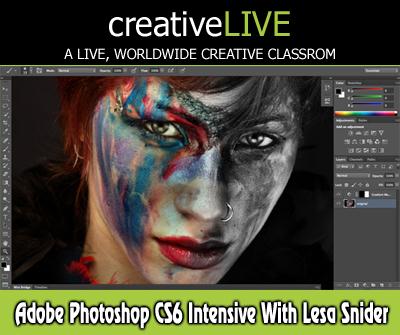
c2eda233aff043c8125e4f6e05580ee5.jpg

CreativeLive - Adobe Photoshop CS6 Intensive with Lesa Snider
17:57:38 | English | WMV + PDF Guide | 960 x 536 | 700 kbps | 128 Kbps | 44.1 KHz 2 ch | 4.81 GB
Genre: eLearning Video / Adobe Photoshop, Photographing, Painting​


Lesa Snider returns to creativeLIVE for an intensive look at the newly released Adobe Photoshop CS6. Whether you've already upgraded or are still deciding, you'll learn practical yet non-destructive editing techniques you can use every day. This 3-day course is a perfect companion to Lesa's previous CS5 class on creativeLIVE. Lesa will go further in-depth into advanced filters such as Puppet Warp, Liquify, and Lighting Effects, which all take advantage of the new processing power of CS6. Lesa will spend a full day covering Photoshop's brand new video features.WELCOME: Day 1 Pre-Show Banter

you get:
73 Lessons
Exclusive bonus content
Lifetime access with on-demand
100% satisfaction guarantee

Recommend Download Link Hight Speed | Please Say Thanks Keep Topic Live

 

3ca5916f494796c6da0606e927d2a45e.jpg

Advanced C# For Unity - Volume 2
12 Lessons | Video: h264, yuv420p, 1280x720 30fps | Audio: aac, 44100 Hz, 2ch | 545 MB
Genre: eLearning | Language: English​


Learn how to create believable game worlds and behaviours by scripting gameplay in C#. In this comprehensive 3DMotive course targeted at intermediate users, instructor Alan Thorn demonstrates advanced C# scripting technqiues and their undelying concepts for solving real-world development problems.

Understand core mathematical ideas, like Vectors and Quaternions, for making objects move, rotate and change predictably. See how to apply C# for implementing line of sight functionality, artificial intelligence, collision detection and lots more. In addition, see how to work with large amounts of data, how to understand coordinate systems and spatial problems, and how to customize the Unity editor to work the way you need it to. By the end of this course you'll have established a highly valuable foundation for coding confidently with C# to develop sophisticated games that are impressive and marketable

Volume 2
Chapter 1 - Intro01:03
Chapter 2 - Player Movement05:02
Chapter 3 - Physics and Collisions07:23
Chapter 4 - World Space vs Local Space04:28
Chapter 5 - Coordinate Space Conversions06:11
Chapter 6 - Gravity and Jumping06:06
Chapter 7 - Quaternion Slerping05:26
Chapter 8 - Vector Projection06:54
Chapter 9 - Terrain Hovering Project02:45
Chapter 10 - Terrain Planar Movement07:27
Chapter 11 - Terrain Elevation06:54
Chapter 12 - Normal Vectors

Home Page -


Advanced C# For Unity - Volume 2

Recommend Download Link Hight Speed | Please Say Thanks Keep Topic Live

 

23915aef167f6e51e52a068d12fa018a.jpg

Pluralsight - Advanced Character Modeling in Maya
Duration: 3hr 54m | Video: h264, yuv420p, 1280x720 30fps | Audio: aac, 44100 Hz, 2ch | 1.4 GB
Genre: eLearning | Language: English​


In this tutorial, we will learn advanced techniques for modeling a feature-quality character in Maya. Throughout these lessons, we will explore techniques for creating organic and hard surface objects. We will look at ways for creating strong edge flow that will help with deforming our character. We'll also use Maya to create and lay out our UV's. By the end of this course, you will have a solid understanding of the techniques needed to speed up your modeling workflow for creating feature quality models.


Advanced Character Modeling in Maya

Recommend Download Link Hight Speed | Please Say Thanks Keep Topic Live

 

b6bd905319a31592a96dbf8898fd0136.jpg

Uartsy - Advanced Creature Anatomy Class
8 Modules | MP4 | Video: h264, yuv420p, 1010x640 | Audio: aac, 44100 Hz | 4.5GB
Genre: eLearning | Language: English | Project Files Included​


The 5 most important lessons:

Understand creature anatomy essentials and the evolution of anatomy throughout time .
Design six legged creatures by truly understanding hexapod anatomy and properties.
Understand different methods to create believable creatures with mixed anatomy.
Sculpt accurate animal anatomy and understand how muscles actually function.
Develop actuate bird anatomy and how to incorporate flight in sculpts.

Course Outline

Project 1 : Anatomy Nuts and Bolts Toolkit For Designing
Learn Anatomy Essentials that will help improve your art
4 Lectures
Project 2 : Understanding Specific Evolutionary Anatomies
Understand anatomy through time
3 Lectures
Project 3 : Hexapod Anatomy
Designing Six Legged Anatomies
4 Lectures
Project 4 : Anatomy Of Flight
Learn to make your creatures fly
8 Lectures
Project 5 : Design Rules For Mixed Anatomies
Believably mix creature anatomies
4 Lectures
Project 6 : Animal Anatomy in ZBrush
Sculpting Animal Anatomy
18 Lectures
Project 7 : Bird Anatomy
Take your understanding of bird anatomy to the next level
16 Lectures
Project 8 : Resources

Recommend Download Link Hight Speed | Please Say Thanks Keep Topic Live

 

5d6eb9a427c57e68ef0b909d0781d51a.jpg

Advanced Google Analytics with Corey Koberg
MP4 | Video: AVC 1280x720 | Audio: AAC 48KHz 2ch | Duration: 3h 46m | 512 MB
Genre: eLearning | Language: English​


Do you want better insights from Google Analytics? By customizing filters, tags, segments, and even the data that flows into Google Analytics, you can generate better reports about your web traffic and make more intelligent decisions about where to focus your marketing efforts. In this training course, Google Analytics expert Corey Koberg shows you advanced techniques for this popular and powerful analytics tool.

Learn how to set your account up for multiple users, structure properties and views, and configure the back end of Google Analytics-including a popular WordPress CMS plugin for automating tracking code on WordPress pages. Corey shows how to apply advanced filters and segments (and customize them to fit your needs) and import custom data sets. He also covers debugging and troubleshooting techniques that allow you to fix Google Analytics issues from under the hood, and he reviews the major segmentation and analysis pitfalls to avoid.

Note: This course picks up where Google Analytics Essential Training leaves off. If you have any questions about how Google Analytics works straight out of the box, see those tutorials for more information.


Advanced Google Analytics with Corey Koberg

Recommend Download Link Hight Speed | Please Say Thanks Keep Topic Live
 
Zurück
Oben Unten