• Regeln für den Video-Bereich:

    In den Börsenbereich gehören nur Angebote die bereits den Allgemeinen Regeln entsprechen.

    Einteilung

    - Folgende Formate gehören in die angegeben Bereiche:
    - Filme: Encodierte Filme von BluRay, DVD, R5, TV, Screener sowie Telesyncs im Format DivX, XviD und x264.
    - DVD: Filme im Format DVD5, DVD9 und HD2DVD.
    - HD: Encodierte Filme mit der Auflösung 720p oder darüber von BluRay, DVD, R5, TV, Screener sowie Telesyncs im Format x264.
    - 3D: Encodierte Filme von BluRay, die in einem 3D Format vorliegen. Dies gilt auch für Dokus, Animation usw.
    - Serien: Cartoon/Zeichentrick, Anime, Tutorials, Dokumentationen, Konzerte/Musik, Sonstiges sind demnach in die entsprechenden Bereiche einzuordnen, auch wenn sie beispielsweise im High Definition-Format oder als DVD5/DVD9/HD2DVD vorliegen. Ausnahme 3D.
    - Bereich Englisch: Englische Releases gehören immer in diesen Bereich.
    - Bereich Talk: Der Bereich, in dem über die Releases diskutiert werden kann, darf, soll und erwünscht ist.


    Angebot/Beitrag erstellen

    - Ein Beitrag darf erst dann erstellt werden, wenn der Upload bei mindestens einem OCH komplett ist. Platzhalter sind untersagt.
    - Bei einem Scenerelease hat der Threadtitel ausschließlich aus dem originalen, unveränderten Releasenamen zu bestehen. Es dürfen keine Veränderungen wie z.B. Sterne, kleine Buchstaben o.ä. vorgenommen werden. Ausnahme Serienbörse:
    - Bei einem Sammelthread für eine Staffel entfällt aus dem Releasename natürlich der Name der Folge. Beispiel: Die Simpsons S21 German DVDRip XviD - ITG
    - Dementsprechend sind also u.a. verboten: Erweiterungen wie "Tipp", "empfehlenswert", "only", "reup", usw. / jegliche andere Zusatzinformation oder Ergänzung, welche nicht in obiger Beschreibung zu finden ist.

    Aufbau des Angebots und Threadtitel

    Der Titel nach folgendem Muster erstellt zu werden. <Name> [3D] [Staffel] [German] <Jahr> <Tonspur> [DL] [Auflösung] <Quelle> <Codec> - <Group>
    Beispiel: The Dark Knight German 2008 AC3 DVDRip XviD - iND
    Beispiel: The Dark Knight 2008 DTS DL BDRip x264 - iND
    Beispiel: The Dark Knight 2008 AC3 DL BDRip XviD - iND
    Beispiel: The Dark Knight German 2008 AC3 720p BluRay x264 iND
    Beispiel: The Dark Knight 2008 DTS DL 1080p BluRay x264 iND
    Beispiel: Die Simpsons S01 German AC3 DVDRip XviD iND
    Beispiel: Die Simpsons S20 German AC3 720p BluRay x264 iND
    Beispiel: Sword Art Online II Ger Sub 2014 AAC 1080p WEBRip x264 - peppermint
    Entsprechend sind also u.a. verboten: Sonderzeichen wie Klammern, Sterne, Ausrufezeichen, Unterstriche, Anführungszeichen / Erweiterungen wie "Tipp", "empfehlenswert", "only", "reup", usw. / jegliche andere Zusatzinformation oder Ergänzung, welche nicht in obiger Beschreibung zu finden ist
    Ausnahmen hiervon können in den Bereichen geregelt sein.

    Die Beiträge sollen wie folgt aufgebaut werden:
    Überschrift entspricht dem Threadtitel
    Cover
    kurze Inhaltsbeschreibung
    Format, Größe, Dauer sind gut lesbar für Downloader außerhalb des Spoilers zu vermerken
    Nfo sind immer Anzugeben und selbige immer im Spoiler in Textform.
    Sind keine Nfo vorhanden z.B. Eigenpublikationen, sind im Spoiler folgende Dateiinformationen zusätzlich anzugeben :
    Quelle
    Video (Auflösung und Bitrate)
    Ton (Sprache, Format und Bitrate der einzelnen Spuren)
    Untertitel (sofern vorhanden)
    Hosterangabe in Textform außerhalb eines Spoiler mit allen enthaltenen Hostern.
    Bei SD kann auf diese zusätzlichen Dateiinformationen verzichtet werden.

    Alle benötigten Passwörter sind, sofern vorhanden, in Textform im Angebot anzugeben.
    Spoiler im Spoiler mit Kommentaren :"Schon Bedankt?" sind unerwünscht.


    Releases

    - Sind Retail-Release verfügbar, sind alle anderen Variationen untersagt. Ausnahmen: Alle deutschen Retail-Release sind CUT, in diesem Fall sind dubbed UNCUT-Release zulässig.
    - Im Serien-Bereich gilt speziell: Wenn ein Retail vor Abschluss einer laufenden Staffel erscheint, darf diese Staffel noch zu Ende gebracht werden.62
    - Gleiche Releases sind unbedingt zusammenzufassen. Das bedeutet, es ist zwingend erforderlich, vor dem Erstellen eines Themas per Suchfunktion zu überprüfen, ob bereits ein Beitrag mit demselben Release besteht. Ist dies der Fall, ist der bereits vorhandene Beitrag zu verwenden.
    - P2P und Scene Releases dürfen nicht verändert oder gar unter einem iND Tag eingestellt werden.


    Support, Diskussionen und Suche

    - Supportanfragen sind entweder per PN oder im Bereich Talk zu stellen.
    - Diskussionen und Bewertungen sind im Talk Bereich zu führen. Fragen an die Uploader haben ausschließlich via PN zu erfolgen, und sind in den Angeboten untersagt.
    - Anfragen zu Upload-Wünschen sind nur im Bereich Suche Video erlaubt. Antworten dürfen nur auf Angebote von MyBoerse.bz verlinkt werden.


    Verbote

    - Untersagt sind mehrere Formate in einem einzigen Angebotsthread, wie beispielsweise das gleichzeitige Anbieten von DivX/XviD, 720p und 1080p in einem Thread. Pro Format, Release und Auflösung ist ein eigener Thread zu eröffnen.
    - Grundsätzlich ebenso verboten sind Dupes. Uploader haben sich an geeigneter Stelle darüber zu informieren, ob es sich bei einem Release um ein Dupe handelt.
    - Gefakte, nur teilweise lauffähige oder unvollständige Angebote sind untersagt. Dies gilt auch für eigene Publikationen, die augenscheinlich nicht selbst von z.B. einer DVD gerippt wurden. Laufende Serien, bei denen noch nicht alle Folgen verfügbar sind, dürfen erstellt und regelmäßig geupdatet werden.
    - Untersagt sind Angebote, welche nur und ausschließlich in einer anderen Sprache als deutsch oder englisch vorliegen. Ausnahmen sind VORHER mit den Moderatoren zu klären.


    Verstoß gegen die Regeln

    - Angebote oder Beiträge, die gegen die Forenregeln verstoßen, sind über den "Melden"-Button im Beitrag zu melden.
  • Bitte registriere dich zunächst um Beiträge zu verfassen und externe Links aufzurufen.

++ Premium IPTV ++ 7000 Live Sender ++ UHD Qualität ++ Mediathek mit 18.000 Inhalten ++


VenneTV


Englische Tutorials


348c7fc0c4367cc9e16aa065dee5e9aa.jpg

Getting Started with Microsoft Power BI
HDRips | MP4/AVC, ~588 kb/s | 1280x720 | Duration: 02:04:30 | English: AAC, 128 kb/s (2 ch) | 558 MB
Genre: Office​

Power BI is a new software product from Microsoft that helps you find meaning in your data. It's used to take in, transform, analyze, and visualize data in new and exciting ways.

Microsoft Power BI produces actionable business intelligence in the form of reports, visualizations, and dashboards that can be shared with your colleagues anywhere in the world. Understanding Power BI is fast becoming a job skill that is just as important as knowing Word and Excel: This course shows you the way.

Gain valuable experience using Microsoft Power BI Desktop
Learn how to create data derived visualizations, reports, and dashboards
Discover how to install the software, import data, and create meaningful visualizations
Learn to load any type of data and combine with data from other sources
Explore data modeling and the need for consistent relationships among data sources
Understand how to visualize and report your data in multiple ways
Learn how to upload your reports to the cloud and share them with anyone, anywhere

Recommend Download Link Hight Speed | Please Say Thanks Keep Topic Live ​
 

ea009329d3b1e1b78cb9a7e5475815b1.jpg

Lynda - Windows Performance Tools: Thread Analysis with Intel VTune Amplifier
Size: 878 MB | Duration: 1h 3m | Video: AVC (.mp4) 1280x720 15&30fps | Audio: AAC 48KHz 2ch
Genre: eLearning | Level: Intermediate | Language: English​

Multithreaded apps can perform better than single-threaded apps, but the performance improvements come with increased code complexity and overhead.

* Installing VTune Amplifier
* Exploring the single-threaded source code
* Analyzing single-threaded apps
* Analyzing multithreaded apps
* Identifying hotspots
* Comparing results of single-threaded vs. multithreaded analysis

Recommend Download Link Hight Speed | Please Say Thanks Keep Topic Live ​
 

68f42867f95ab8dced9ab6de43e46aad.jpg

Photo Restoration in Photoshop - Bring Old Photos Back to Life
Duration: 2h 55m | Video: h264, yuv420p 1280 x 720 | Audio: aac, 44100 Hz, 2 ch | 725 MB
Genre: eLearning | Language: English | Project files​

When converting old photos to a digital format, you will often run across images that have suffered from the ravages of time, or that were poorly exposed or otherwise flawed in the first place. In this workshop author and expert Tim Grey shares techniques for bringing old photos to life, from fixing torn or otherwise damaged areas of a photo to improving the level of detail to adding color where it didn't exist before. You'll learn how to work nondestructively so you never lose important information and how to save your master image with layers intact so you can make more changes down the line.

Recommend Download Link Hight Speed | Please Say Thanks Keep Topic Live ​
 

a3a1097a385602a2fcb6037592ad409a.jpg

Packt Publishing - Migrating to Angular 2 - Second Edition
Duration: 01:33:52 | Video: h264, yuv420p, 1280x720 | Audio: aac, 44100 Hz, 2 ch | 349 MB
Genre: eLearning | Language: English​

by Alain Chautard
Publisher: Packt Publishing
Release Date: December 2016
ISBN: 9781787124042
Topics: AngularJS

Transition AngularJS applications effectively and elegantly to Angular 2.

Migrate an application built with Angular 1.x to Angular 2
Learn about the major syntactical and conceptual changes of Angular 2
Future proof migrated applications with best practices prescribed by the Angular team

Angular 2 is a technical and conceptual overhaul of its hugely popular predecessor, AngularJS. This means that for developers who have built and maintained applications with AngularJS, and need to transition projects across to Angular 2, there needs to be an effective plan of action. Implementing a migration path for projects has been a major talking point in itself leading up to the release of Angular 2, and a critical concern for developer teams transitioning code across to take advantage of the new framework. Angular is a complete solution for rapid front-end development. No other plugins or frameworks are necessary to build a data-driven web application.

This course demonstrates how to apply an effective migration plan for transitioning Angular 1.x projects to Angular 2. Opening with an introduction to the major changes and additions brought by the new framework, we quickly scope out a plan to a migrate a sample weather application from its original Angular 1.x code base.

We then explain how to migrate blocks of code incrementally, as opposed to porting code in bulk, and give you a brief introduction to Typescript and ECMAScript 6. Throughout we'll show you how to gradually deprecate $scope, upgrade services, work with the component router, transition forms, and more.

By completion of this course, you will be rapidly up to speed with the fundamental building blocks of Angular 2 development, and fully capable (and confident) transitioning existing Angular 1.x projects to the new environment, ready to explore everything the new Angular has to offer.

Recommend Download Link Hight Speed | Please Say Thanks Keep Topic Live ​
 

bb0266a30317f66997da56cef94436f3.jpg

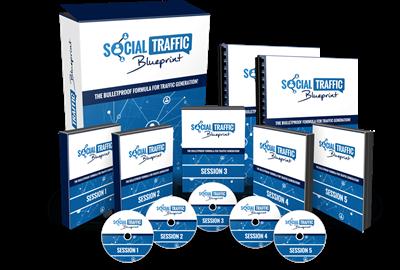
Jon Penberthy - Social Traffic Blueprint
Price: $997
Video: h264, yuv420p 1280 x 720 | Audio: aac, 44100 Hz, 2 ch | 5.5 GB​

Genre: eLearning | Language: English

Jon & Jubril, Let Me In! I'm Ready To Start Right Now With Social Traffic Blueprint. I Want To Absolutely Master Facebook Ads For My Business
Social Traffic Blueprint is the product of creators Jon Penberthy and the chocolate traffic man Jubril Agoro.

We will be reviewing the entire product from the inside out to give you a good idea of what to expect and why you should partake in the Facebook Ad wealth transfer momentum that is being created.

Here is a brief overview of what to expect should you join Jon & Jubril's Social Traffic Blueprint program.

· LIVE Training Session #1: Foundation Fortunes (Value of $997)

· LIVE Training Session #2: FB ad factory (Value of $997)

· LIVE Training Session #3: Let the Ads roll (Value of $997)

· LIVE Training Session #4: The Hidden Treasure (Value of $997)

· LIVE Training Session #5: Scaling For Domination (Value of $997)

· LIVE Bonus Coaching Session: Newbie Zone (Value of $997)
Along with those coaching sessions and bonus training, you will also get these 4 additional bonuses if you join the STB course.

+ Bonus 1: Expert Interview Vault (Value $2,000)

Learn from industry experts at their specific crafts and skillsets.

+ Bonus 2: Weekly Q&A Coaching (Value $997)

Most people quit training and stop coaching once the program itself runs out. Jon thinks otherwise and is going to be doing LIVE on-going Q&A calls that will answer any and all questions you have moving forward. They want you to know that STB is a family and goal oriented community and wants to build businesses the right way.

+Bonus 3: 13-Point Hypnotic Story Structure (Value $500)

A 2 part bonus, using Jon and Jubril's personal template and optimized outline for you to hypnotically tell and sell your story. This also comes with priority affiliate access which allows you to promote STB and gain a referal commission by showing people the Social Traffic Blueprint membership.

Recommend Download Link Hight Speed | Please Say Thanks Keep Topic Live ​
 

7f25bbb8098ac6f16ba9ee6afa690e6b.jpg

Lynda - CISSP Cert Prep: 4 Communication and Network Security
Size: 493 MB | Duration: 4h 2m | Video: AVC (.mp4) 1280x720 15&30fps | Audio: AAC 48KHz 2ch
Genre: eLearning | Level: Advanced | Language: English​

CISSP is the industry's gold standard in information security.

* IP addressing
* DNS
* ICMP
* Switches and routers
* Firewalls
* VPNs
* Content distribution networks
* Designing secure networks
* Specialized networking
* Managing secure networks
* Working with virtualized networks like SDNs
* Detecting and preventing network attaches
* Transport encryption
* Wireless networking
* Host security

Recommend Download Link Hight Speed | Please Say Thanks Keep Topic Live ​
 

729ab8a466e1975a6dae94bb9a5ee730.jpg

Learning Path - Beginning Java, 2nd Edition
Duration: 23:35:07 | Video: h264, yuv420p 1280x720 | Audio: aac, 44100 Hz, 2 ch | 10 GB
Genre: eLearning | Language: English​

by Rachel Roumeliotis - Curator
Publisher: O'Reilly Media, Inc.
Release Date: December 2015
ISBN: 9781491957844
Topics: Java

With Java used in everything from smartphones and game consoles to robots, massive enterprise systems, and supercomputers, it continues to be one of the most important languages you can learn. The four segments of this Learning Path will take you from absolute beginner to competent (and confident) practitioner.

Recommend Download Link Hight Speed | Please Say Thanks Keep Topic Live ​
 

5f84d406991ecd3dd19fd28789a0331b.jpg

GORAILS - Training for Ruby on Rails developers.
Duration: 46 hrs 54 min | Video: h264, 1280x720 - 2048x1280 | Audio: aac, 44100 Hz, 2 ch | 6.91 GB
Genre: eLearning | Language: English​

Become a better developer by learning how others approach and solve problems. The guidance you need to become a Senior Engineer.

Includes:

1 environment variables
2 ruby version managers
3 rails application structure
4 the params hash
5 sending data between controllers and views
6 named scopes with activerecord merge
7 styling with bootstrap sass
8 debugging with better errors
9 pretty urls with friendly id
10 pagination with will paginate
11 file uploading with carrierwave
12 user authentication with devise
13 keeping track with annotate
14 sending emails with mandrill
15 understanding semantic versioning
16 button loading animations with jquery ujs
17 jquery ujs and ajax
18 jquery ujs callbacks
19 a look into routing
20 authorization with cancancan
21 rails 4 2 introduction
22 authorization with pundit
23 consuming an api using httparty and creating a gem
24 liking posts
25 forum architecture
26 forum routes
27 forum nested attributes and fields for
28 forum div_for
29 forum notification emails and previews
30 forum search with ransack
31 forum time zones with local_time
32 markdown emoji with html pipeline gem
33 omniauth twitter sign in
34 forms with multiple submit buttons
35 api tokens with devise token authenticatable
36 comments with polymorphic associations
37 file uploads with refile
38 upload progress with refile javascript
39 refactoring controller methods
40 fragment caching and oembed
41 soft delete with paranoia
42 making a soft deletable module
43 intro to importing from csv
44 upload csv form
45 export to csv
46 refactoring csv uploads with activemodel model
47 multitenancy with apartment
48 subdomains and multi tenancy from scratch
49 newsletter sign up form with country_select
50 refactor rails with ruby service objects
51 pdf receipts
52 refactoring with the null object pattern
53 how to setup vagrant for rails development
54 debugging performance problems in your views
55 my development environment for ruby on rails
56 refactoring your jquery code with objects in coffeescript
57 including third party javascript libraries with rails
58 clean javascript code using data behavior on the frontend
59 how to create a gem for frontend javascript and css libraries
60 basic auth and rss feeds
61 rails assets
62 open source vlog day 1 where do we even start
63 open source vlog day 2 housekeeping and merging pull requests
64 open source vlog day 3 settimg up rspec
65 open source vlog day 4 setting up for the future
66 open source vlog day 5 just deleting things
67 open source vlog day 6 building a calendar from scratch
68 open source vlog day 7 refactoring our calendar
69 open source vlog day 8 filtering events
70 activity feed from scratch
71 pair programming on rails scopes
72 open source vlog finding a balance between ruby and erb
73 open source vlog simple and clean rubygem with rails engines
74 elegant refactoring for week and month calendars
75 rails 5 actioncable and websockets introduction
76 refactoring events and uploading version 2.0
77 open source vlog rails generators
78 at mentions autocomplete notifications and links
79 open source vlog sorting calendar events
80 redirect to current page after login
81 open source vlog writing rspec tests
82 usability and video autoplay with wistia
83 using purchased themes with rails
84 what is a state machine
85 the state machine gem
86 scheduling posts
87 scheduled cron jobs with the whenever gem
88 using bootstrap 4 rubygem with rails
89 advanced search autocomplete and suggestions with elasticsearch and the searchkick gem
90 subscriptions with stripe
91 adding stripe update card form cancel and resubscribe
92 contributing to open source fixing a bug in devise
93 using webhooks with stripe
94 admin interfaces with administrate
95 background workers with activejob and sidekiq
96 in app navbar notifications
97 integrating braintree and paypal
98 virtual attributes and rails 5 attribute api
99 metaprogramming virtual attributes
100 sharing data with javascript
101 sharemeow
102 deploying to production on heroku with puma
103 how to deploy actioncable and rails 5 to production
104 deploying sidekiq to heroku
105 in app messages between users
106 mitigating spammers with recaptcha
107 how to upgrade to turbolinks 5
108 advanced messaging with mailboxer mark as read
109 advanced mailboxer multiple user conversations
110 advanced messaging with mailboxer adding attachments
111 memoization
112 upgrading simple_calendar for rails 5
113 gorails performance the techniques i use
114 russian doll caching with rails 5
115 advanced caching with user permissions and authorization
116 turbolinks 5 forms for mobile
117 sentiment analysis with the sentimental gem
118 repost retweet reblog
119 improving query performance with database indexes
120 inviting users with devise_invitable
121 custom will_paginate methods
122 message templates
123 wrapping business logic with plain old ruby objects
124 improving in app notifications
125 real time notifications with actioncable
126 how actioncable uses redis
127 solving fizzbuzz in ruby
129 group chat with actioncable part 1
130 group chat with actioncable part 2
131 group chat with actioncable part 3
132 group chat with actioncable part 4
133 group chat with actioncable part 5
134 sending emails with smtp and sendgrid
135 group chat with actioncable part 6
136 group chat with actioncable part 7
137 multi user spreadsheets with actioncable part 1
138 multi user spreadsheets with actioncable part 2
139 multi user spreadsheets with actioncable part 3
140 multi user spreadsheets with actioncable part 4
141 multi user spreadsheets with actioncable part 5
142 file uploads in rails with shrine
143 direct messages in realtime with actioncable
144 direct file uploads to s3 part 1
145 direct file uploads to s3 part 2
146 direct file uploads to s3 part 3
147 electronic signatures with the docusign api
148 receiving webhooks in development with ngrok and docusign
149 protecting from xss with sanitize
150 shrine backgrounding and video transcoding
151 organizing your asset pipeline in development for speed
152 adding turbolinks compatibility to simplemde markdown editor
153 why ember
154 your first ember app
155 connecting ember with the rails api
156 user interaction with ember
157 ember features and where to find them
158 recurring events with the ice cube gem

Recommend Download Link Hight Speed | Please Say Thanks Keep Topic Live ​

 

297ccf56cb628080228d19439ba9e746.jpg

Fusion 360 - Designing Wood Fittings and Furniture
Duration: 2h 27m | Video: h264, yuv420p 1280x720 | Audio: aac, 44100 Hz, 2 ch | 522 MB
Genre: eLearning | Language: English | Project files​

Moving from concept to manufacturing in any design process can be a daunting task requiring the input of many specialists and taking advantage of the strengths of various software applications. The more people there are on a project the more time consuming the whole process becomes, requiring meetings and workshops to address design questions, obstacles and action solutions. In this course, Fusion 360 - Designing Wood Fittings and Furniture, you'll look at how Fusion 360 allows you to quickly and efficiently design production ready furniture and fittings. First, you'll learn how to organize your project for quick and easy design iterations. Next, you'll discover how to create intelligent parametric designs and also how to create flat-pack types of furniture. Finally, you'll explore how to set up the pieces for CNC, cutting inside the same application. By the end of this course, you'll know how to approach a new design concept and create an initial design in such a way that you can test different iterations. Software required: Autodesk Fusion 360.

Recommend Download Link Hight Speed | Please Say Thanks Keep Topic Live ​

 

d297a4d5e18bad8f135207eba37e50f9.jpg

Pluralsight - Getting Started with Laravel (PHP Framework) - Models and Data
Duration: 2h 22m | Video: h264, yuv420p 1280x720 | Audio: aac, 44100 Hz, 2 ch | 350 MB
Genre: eLearning | Language: English | Project files​

It's a core task of modern web application to store, update, retrieve, and delete data in databases. This course, Getting Started with Laravel (PHP Framework) - Models and Data, teaches you how Laravel assists you at this task. You'll learn how to easily set up and configure models as well as database tables through Laravel and PHP. This course also teaches you how you may then easily query your data or set up related models by writing a few lines of code. Once you're finished with this course, you'll be able to implement database capabilities in any of your Laravel applications and therefore make them really dynamic and powerful.

Recommend Download Link Hight Speed | Please Say Thanks Keep Topic Live ​

 

6b0aef1d55d058d6559d3816fd55333c.jpg

Lynda - Managing Data in Angular 2 Applications
Size: 263 MB | Duration: 1h 32m | Video: AVC (.mp4) 1280x720 15&30fps | Audio: AAC 48KHz 2ch
Genre: eLearning | Level: Intermediate | Language: English​

All web applications use data, which can come from a server or be stored locally in the browser. In Managing Data in Angular 2 Applications, Derek Peruo guides you through the process of retrieving and saving data for your Angular applications, both in the browser and on a server. He also introduces tips and tricks for customizing data management as your application grows in size and complexity. Learn about the various storage options and when and where to use each type, and find out how to write custom services to manage the data for a fast-growing Angular app.

Topics include:
* Overview of data storage options
* Saving and retrieving data from the browser
* Setting routes in the URL
* Using query strings and fragments instead of routes
* Saving and retrieving data from a server
* Working with user input
* Using JSONP instead of HTTP
* Why writing custom services is important
* Writing custom services for working with browsers and servers

Recommend Download Link Hight Speed | Please Say Thanks Keep Topic Live ​

 

13b64df3ec6924f801a18af0682fa107.jpg

fxphd - Katana Production Primer
Duration: 7 hrs 10 min | Video: h264, yuv420p 1440x900 | Audio: aac, 44100 Hz, 2 ch | 1.38 GB
Genre: eLearning | Language: English | Project files​

This course will take a new artist through all the key features of Katana while focusing on two main projects. We'll start by looking briefly at how to properly import data into Katana from Maya and have it organised in a way that utilises Katana's powerful вЂ˜Collection Expression Language'. From there we'll learn about building and assigning Materials to geometry, creating lights via the Gaffer, setting up the renderer and defining render passes.
The first part of the course will be focused on Look Development, using an all CG shot, and the second part on Lighting, based off a live action plate. We will be going in-depth on both the standard tools and the more advanced features such as building Interactive Render Filters, Templates and Super Tools. We'll also cover many features of RenderMan and how it seamlessly integrates with Katana.
Katana has become the key Look Dev and Lighting tool for many of the world's top Visual Effects companies including Industrial Light and Magic, MPC, Digital Domain and of course Sony Picture Imageworks. The course has been designed for anyone interested in learning Katana for the first time or a junior level artist looking to extend their knowledge to the next level. Throughout the course we'll be using Katana 2.1v1, RenderMan 20.6, Maya 2016 and Nuke 9.0v8 (10 when released).
The course is taught by Matt Leonard who currently lives in Vancouver, Canada. He has been in the 3D and Visual Effects industry since 1990 and has worked on movies such as Lara Croft: Tomb Raider, Godzilla and Batman v Superman: Dawn of Justice. He learned Katana at Sony Pictures Imageworks and has been teaching it since 2013. He is a member of the Visual Effects Society and a beta tester for numerous software tools including Katana, RenderMan and Nuke. He is currently Lead Lighting Instructor at MPC.

course syllabus
Class 1
Intro and Maya Prep. We begin with a brief overview of the history of Katana and a general introduction to how the software works, including understanding its deferred loading system, the scene graph and RenderMan's integration. From there we transition into Maya and look at how to prepare our 3D assets for exporting into Katana and then how we can utilise the Alembic format with raw or via the SceneGraph XML system.
Class 2
Look Dev (Project 1) - Part 1. W start our first main project, the surf shack. We look at how we can import both geometry and cameras into Katana, create basic primitive objects and build Collections using CEL (Collection Expression Language). We also look at the Viewer and Scene Graph in detail.
Class 3
Look Dev (Project 1) - Part 2. We continue with our project looking at RenderMan object settings and the basics of setting up the renderer. From there we start building our Materials using the new RenderMan for Katana RIS system. Finally we add our Materials to the imported geometry based on the Collections previously built.
Class 4
Look Dev (Project 1) - Part 3. We continue building and assigning Materials to the geometry, now focusing on the more complex setups. We also focus in-depth on RenderMan render settings, object settings and the use of the Attribute editor.
Class 5
Look Dev (Project 1) - Part 4. The end of our first project. Here we learn about the Gaffer which we use to setup and control our lightings. For this project we're going to build a number of Light Rigs including Daytime, Night time, Overcast and Interior setups. Next we create a number of Render Passes including the default Beauty plus Grey and ID. Finally we create a LookDev file and test that it is working correctly.
Class 6
IRF's and Templates. We step away from the projects and look at building a reusable Template for doing general Look Development work. We also look at setting up common Interactive Render Filters for IRF's which can be used with both LookDev and Lighting projects.
Class 7
Lighting (Project 2) - Part 1. We look briefly at Katana's 2D compositing functionality. From there we start our next project which will be based around a Live Action shot. We look again at importing our geometry and matchmoved camera along with a pre-built LookDev file for the main asset. Next we talk about the concept of вЂ˜Key Lighting Stages' which we'll use as we progress through our new project. Finally we set up our lighting for this shot, again using the Gaffer.
Class 8
Lighting (Project 2) - Part 2. We continue lighting our scene. We focus in-depth on RenderMan lights and how they can be using within Katana. We also look at Animation, the Dope Sheet, Graph Editor and how to import and use animated texture maps.
Class 9
Lighting (Project 2) - Part 3. We finish off our live action project. We look at how you can edit materials stored within the LookDev File based on exposed attributes made during the initial creation process. From there we focus on setting up our main Render Passes which will be rendered out ready for Compositing.
Class 10
More Advanced Katana Techniques. We cover a mixture of more advanced techniques including Groups and Live Group setup, Macros and the creation of Super Tools, Working with Attributes, understanding Resolvers and finally how Instancing works within Katana.

Recommend Download Link Hight Speed | Please Say Thanks Keep Topic Live ​

 
Zurück
Oben Unten