• Regeln für den Video-Bereich:

    In den Börsenbereich gehören nur Angebote die bereits den Allgemeinen Regeln entsprechen.

    Einteilung

    - Folgende Formate gehören in die angegeben Bereiche:
    - Filme: Encodierte Filme von BluRay, DVD, R5, TV, Screener sowie Telesyncs im Format DivX, XviD und x264.
    - DVD: Filme im Format DVD5, DVD9 und HD2DVD.
    - HD: Encodierte Filme mit der Auflösung 720p oder darüber von BluRay, DVD, R5, TV, Screener sowie Telesyncs im Format x264.
    - 3D: Encodierte Filme von BluRay, die in einem 3D Format vorliegen. Dies gilt auch für Dokus, Animation usw.
    - Serien: Cartoon/Zeichentrick, Anime, Tutorials, Dokumentationen, Konzerte/Musik, Sonstiges sind demnach in die entsprechenden Bereiche einzuordnen, auch wenn sie beispielsweise im High Definition-Format oder als DVD5/DVD9/HD2DVD vorliegen. Ausnahme 3D.
    - Bereich Englisch: Englische Releases gehören immer in diesen Bereich.
    - Bereich Talk: Der Bereich, in dem über die Releases diskutiert werden kann, darf, soll und erwünscht ist.


    Angebot/Beitrag erstellen

    - Ein Beitrag darf erst dann erstellt werden, wenn der Upload bei mindestens einem OCH komplett ist. Platzhalter sind untersagt.
    - Bei einem Scenerelease hat der Threadtitel ausschließlich aus dem originalen, unveränderten Releasenamen zu bestehen. Es dürfen keine Veränderungen wie z.B. Sterne, kleine Buchstaben o.ä. vorgenommen werden. Ausnahme Serienbörse:
    - Bei einem Sammelthread für eine Staffel entfällt aus dem Releasename natürlich der Name der Folge. Beispiel: Die Simpsons S21 German DVDRip XviD - ITG
    - Dementsprechend sind also u.a. verboten: Erweiterungen wie "Tipp", "empfehlenswert", "only", "reup", usw. / jegliche andere Zusatzinformation oder Ergänzung, welche nicht in obiger Beschreibung zu finden ist.

    Aufbau des Angebots und Threadtitel

    Der Titel nach folgendem Muster erstellt zu werden. <Name> [3D] [Staffel] [German] <Jahr> <Tonspur> [DL] [Auflösung] <Quelle> <Codec> - <Group>
    Beispiel: The Dark Knight German 2008 AC3 DVDRip XviD - iND
    Beispiel: The Dark Knight 2008 DTS DL BDRip x264 - iND
    Beispiel: The Dark Knight 2008 AC3 DL BDRip XviD - iND
    Beispiel: The Dark Knight German 2008 AC3 720p BluRay x264 iND
    Beispiel: The Dark Knight 2008 DTS DL 1080p BluRay x264 iND
    Beispiel: Die Simpsons S01 German AC3 DVDRip XviD iND
    Beispiel: Die Simpsons S20 German AC3 720p BluRay x264 iND
    Beispiel: Sword Art Online II Ger Sub 2014 AAC 1080p WEBRip x264 - peppermint
    Entsprechend sind also u.a. verboten: Sonderzeichen wie Klammern, Sterne, Ausrufezeichen, Unterstriche, Anführungszeichen / Erweiterungen wie "Tipp", "empfehlenswert", "only", "reup", usw. / jegliche andere Zusatzinformation oder Ergänzung, welche nicht in obiger Beschreibung zu finden ist
    Ausnahmen hiervon können in den Bereichen geregelt sein.

    Die Beiträge sollen wie folgt aufgebaut werden:
    Überschrift entspricht dem Threadtitel
    Cover
    kurze Inhaltsbeschreibung
    Format, Größe, Dauer sind gut lesbar für Downloader außerhalb des Spoilers zu vermerken
    Nfo sind immer Anzugeben und selbige immer im Spoiler in Textform.
    Sind keine Nfo vorhanden z.B. Eigenpublikationen, sind im Spoiler folgende Dateiinformationen zusätzlich anzugeben :
    Quelle
    Video (Auflösung und Bitrate)
    Ton (Sprache, Format und Bitrate der einzelnen Spuren)
    Untertitel (sofern vorhanden)
    Hosterangabe in Textform außerhalb eines Spoiler mit allen enthaltenen Hostern.
    Bei SD kann auf diese zusätzlichen Dateiinformationen verzichtet werden.

    Alle benötigten Passwörter sind, sofern vorhanden, in Textform im Angebot anzugeben.
    Spoiler im Spoiler mit Kommentaren :"Schon Bedankt?" sind unerwünscht.


    Releases

    - Sind Retail-Release verfügbar, sind alle anderen Variationen untersagt. Ausnahmen: Alle deutschen Retail-Release sind CUT, in diesem Fall sind dubbed UNCUT-Release zulässig.
    - Im Serien-Bereich gilt speziell: Wenn ein Retail vor Abschluss einer laufenden Staffel erscheint, darf diese Staffel noch zu Ende gebracht werden.62
    - Gleiche Releases sind unbedingt zusammenzufassen. Das bedeutet, es ist zwingend erforderlich, vor dem Erstellen eines Themas per Suchfunktion zu überprüfen, ob bereits ein Beitrag mit demselben Release besteht. Ist dies der Fall, ist der bereits vorhandene Beitrag zu verwenden.
    - P2P und Scene Releases dürfen nicht verändert oder gar unter einem iND Tag eingestellt werden.


    Support, Diskussionen und Suche

    - Supportanfragen sind entweder per PN oder im Bereich Talk zu stellen.
    - Diskussionen und Bewertungen sind im Talk Bereich zu führen. Fragen an die Uploader haben ausschließlich via PN zu erfolgen, und sind in den Angeboten untersagt.
    - Anfragen zu Upload-Wünschen sind nur im Bereich Suche Video erlaubt. Antworten dürfen nur auf Angebote von MyBoerse.bz verlinkt werden.


    Verbote

    - Untersagt sind mehrere Formate in einem einzigen Angebotsthread, wie beispielsweise das gleichzeitige Anbieten von DivX/XviD, 720p und 1080p in einem Thread. Pro Format, Release und Auflösung ist ein eigener Thread zu eröffnen.
    - Grundsätzlich ebenso verboten sind Dupes. Uploader haben sich an geeigneter Stelle darüber zu informieren, ob es sich bei einem Release um ein Dupe handelt.
    - Gefakte, nur teilweise lauffähige oder unvollständige Angebote sind untersagt. Dies gilt auch für eigene Publikationen, die augenscheinlich nicht selbst von z.B. einer DVD gerippt wurden. Laufende Serien, bei denen noch nicht alle Folgen verfügbar sind, dürfen erstellt und regelmäßig geupdatet werden.
    - Untersagt sind Angebote, welche nur und ausschließlich in einer anderen Sprache als deutsch oder englisch vorliegen. Ausnahmen sind VORHER mit den Moderatoren zu klären.


    Verstoß gegen die Regeln

    - Angebote oder Beiträge, die gegen die Forenregeln verstoßen, sind über den "Melden"-Button im Beitrag zu melden.
  • Bitte registriere dich zunächst um Beiträge zu verfassen und externe Links aufzurufen.

++ Premium IPTV ++ 7000 Live Sender ++ UHD Qualität ++ Mediathek mit 18.000 Inhalten ++


VenneTV


Englische Tutorials


7ba8ab6bdaed5ab04b95054919723b4b.jpg

Coursera - Engaging Citizens: A Game Changer for Development?
Duration: 03:58:03 | Video: h264, yuv420p, 960 x 540 | Audio: aac, 44100 Hz, 2 ch | 660 MB
Genre: eLearning / Economics & Finance, Information, Technology and Design | Language: English​

Government works best when citizens are directly engaged in policymaking and public service delivery. What conditions are necessary for inclusive and effective citizen engagement? Can it positively improve people's lives? This course provides an overview of citizen engagement, critically analyzing how it can be leveraged most effectively to achieve development results.
Recent events have shown that the relationship between government and citizens is in need of repair. In just the last few years, we have witnessed calls from all over the world, from the Arab Spring and Occupy Wall Street to the Open Government Partnership, for governments to become more open, accountable and responsive by deepening their engagement with citizens. As a result, interest in citizen engagement programs for effective development has gained momentum. This MOOC has been developed to explore what is meant by citizen engagement and how it can be used to enhance development impact.

The 4-week course brings together a diverse range of experts to provide students with a comprehensive overview of citizen engagement. It begins by synthesizing the theories and concepts that underlie citizen engagement, and goes on to explore how citizens can be engaged in both policymaking and public service delivery. Finally, it investigates how recent innovations are shaking up the field, through detailing both successes and failures of these new approaches. Our presenters, leaders in academia, government, and civil society, provide a wide range of perspectives and real-world experience to give participants a deeper understanding of whether citizen engagement can truly enhance the process of development. Participants will also have the opportunity to collaborate with one another and design their own citizen engagement initiatives, thereby putting theories learned in the course into practice.

Recommend Download Link Hight Speed | Please Say Thanks Keep Topic Live ​
 

cf167a74d729d85802ac403be1bef71b.jpg

Glamour Photo Retouching Techniques
Duration: 01:57:00 | Video: h264, yuv420p 1280 x 720 | Audio: aac, 44100 Hz, 2 ch | 1.9GB
Genre: eLearning | Language: English | Project files​

Ready to go beyond basic retouching and into the world of fantastical photos and stylish techniques? Want to create a fantasy setting for your model? Create looks that it's impossible to get on a photo shoot? Philip Zeplin is here to teach us how to polish and composite photos into something more than ordinary. Join us for the fun!

Chapters

Introduction 8m 44s
Introduction 4m 18s
Tools of the Trade 4m 26s
Skin Cleaning 8m 26s
Cleaning up the Hair 11m 42s
Facial correction with Liquify 13m 28s
Skin Smoothing 6m 36s
Correcting Shadows 4m 12s
Correcting Highlights 4m 20s
Retouching the Eyes 7m 42s
Retouching the Lips and Adding Makeup 8m 46s
Retouching the Hair - Cleaning, Highlights, and Shadows 8m 24s
Retouching the Hair - Adding Shine and Changing Colour 7m 8s
Masking and Changing the Background 5m 56s
Adding the Diamonds 8m 2s
Masking the Flowers 6m 10s
Adding in the Flowers 7m 16s
Colour Correction 6m 12s
Conclusion 2m 14s
Quiz Quiz

Recommend Download Link Hight Speed | Please Say Thanks Keep Topic Live ​
 

db9eb3127b6b367e9be770fef1bc4449.jpg

Learning Path - Understanding Tool Integration for Big Data Architecture
Duration: 21h 44m | Video: h264, yuv420p 1280 x 720 | Audio: aac, 44100 Hz, 2 ch | 8.1 GB
Genre: eLearning | Language: English | Project files​

by O'Reilly Media, Inc.
Publisher: O'Reilly Media, Inc.
Release Date: December 2016
ISBN: 9781491978641
Topics: Hadoop

Implementing solutions with Apache Hadoop requires understanding not just Hadoop, but a broad range of related projects within the Hadoop ecosystem. In this Learning Path, you'll discover how to integrate Hadoop components to implement big data solutions through a variety of end-to-end use case studies addressing clickstream analytics, time series problems, and data transfer between Hadoop and relational databases. You'll master techniques for integrating Spark with other key components of the Hadoop ecosystem, including HDFS, YARN, and MapReduce, and gain direct experience integrating Spark and Hadoop through a series of sixteen hands-on labs. In closing, you'll get a glimpse into the latest trends in data infrastructure, in a changing financial industry, through a series of talks from Strata+Hadoop world on next-gen finance.

Recommend Download Link Hight Speed | Please Say Thanks Keep Topic Live ​
 

1f0b745f0844748929327d0fca51402e.jpg

Creating Photo Manipulations for Advertising with Photoshop
Duration: 03:07:42 | Video: h264, yuv420p, 1280 x 720 | Audio: aac, 44100 Hz, 2 ch | 2.27 GB
Genre: eLearning | Language: English | Project files​

In this Photoshop tutorial we will learn how to go about creating a custom photo manipulation in Photoshop for an advertising campaign. After talking about our concept and gathering some images to use, we will dive right in and begin preparing a base image for our ad. Here we'll learn about masking techniques as well as some of the powerful healing tools that Photshop has. From here we will begin the process of recreating the legs of our model in water form. Over several lessons we will learn the process of creating very specific displacement maps for our image. We will finish our image off by adding water and wetness to other areas of our base image including the model's shoes and pavement. Upon completion of this tutorial, you will have learned several advanced techniques for compositing together a photo manipulation with advertising in mind.

Content:

Lesson 1
Introduction and project overview
Lesson 2
Establishing a creative vision and gathering images
Lesson 3
Masking out our runner's legs
Lesson 4
Replacing the background behind the legs
Lesson 5
Building a base displacement file
Lesson 6
Applying the displacement map to our image
Lesson 7
Building a second displacement map and applying it to our image
Lesson 8
Building a third displacement map and applying it to our image
Lesson 9
Reinforcing specular highlights and shadows
Lesson 10
Building a fourth displacement map and applying it to our image
Lesson 11
Creating big splashes to our watery legs
Lesson 12
Creating fine mist to our watery legs
Lesson 13
Blending water splashes into our silhouette
Lesson 14
Creating wetness on the runner's shoes
Lesson 15
Creating wet footprints on the pavement
Lesson 16
Creating splash puddles on the ground
Lesson 17
Final touchups
Lesson 18
Adding a logo and type to our design

Recommend Download Link Hight Speed | Please Say Thanks Keep Topic Live ​
 

327974fd2fd038e0c01e18880d30a6b7.jpg

Rick Mulready - FB ADvantage Local
MP4 + PDF Files | Video: h264, yuv420p 1280 x 720 | Audio: aac, 44100 Hz, 2 ch | 1.9 GB
Genre: eLearning | Language: English​

Follow My Simple, Proven Facebook Ads System To Generate A Consistent Flow Of Leads, Sales And Customers For Your Local Business.
Best Part: This Works Even If You're A Total Facebook Ads Newbie Or You've Been Doing Facebook Ads A While, AND In Virtually Any Local Niche.

Use my proven formula to setup your own Facebook ads system that targets the right people in your local area - no more wasting money on the wrong eyeballs

Get tried and tested strategies that guarantee a return on your ad spend - starting with as little as $5 a day

Never 'shoot in the dark' with your ads again - find out how to consistently attract people who want your products & services, with no more guesswork or 'spray & pray' tactics

Stay on this page to find out how to finally succeed with Facebook ads.

MODULE 1 - Set Your Game Plan: The Foundation for Growing Your Business with Facebook Ads

The Foundation for Growth & Automation:
You'll learn why Facebook ads are the easiest and quickest way to scale and automate your business today.

Creating Your Game Plan:
Every profitable Facebook ads campaign starts with a game plan and one of the easiest ways to create yours is to start with your end goal and work backwards. I'll take you through this process step-by-step, so you have a clear picture of a sales funnel that puts your profits on autopilot.

5-Step Formula for Creating a High-Converting Sales Funnel
You'll learn the key components of a 5-Step formula for creating an automated Facebook ads system that brings in leads and sales every day.

Master "Traffic Temperature":
When it comes to creating a profitable strategy, a critical part is understanding who you'll be targeting your ads to. In this lesson we'll dive into the who, what and why of "cold," "warm" and "hot" traffic.
Pixel Best Practices:
Facebook pixels are part of the foundation of your automated system of leads and sales. You'll learn everything you need to know about how to use them to maximize your profits and get the best results possible.

Know Thy Rules:
Facebook has strict advertising policies, so you'll want to be clear on what they are so you can keep your ads account in good standing.

Module 2 - Target

Who's Your Ideal Customer?:
Targeting is THE most important aspect of your Facebook ads system, because if you're not showing your ads to the right people with the right message, you're wasting your money. Here you'll get laser-like clarity on who to target your ads to.

Laser Targeting Made Easy:
Facebook knows A LOT about its users and we as advertisers get to tap into this data when targeting your ads. Understanding your targeting options will help simplify and ensure you're showing your ads to your ideal audience.

When & Where:
Facebook gives you several options for when and where you want your ads to appear. I'll share with you the two areas on Facebook where your ads need to be for getting leads and sales every day.

How to Target Other Facebook Pages:
One of the cool things about Facebook ads is you can target your ads to people who like other Facebook pages in your niche- hello brand new audiences of potential customers! This lesson will show you how to get the most out of Facebook's "Detailed Targeting" function and more.

Ninja Targeting Strategies:
This is where targeting your Facebook ads gets REALLY fun. You'll learn the what, when, why and how to target your ads to people on your email list.

Retargeting Fun:

Lookalike Audiences.Huh?:

Don't Forget Your Friendly Facebook Fans:
Targeting your ads to your Facebook fans is a great way to reach a very qualified audience on the cheap. Don't leave this targeting option out with our simple step-by-step strategy on how to captivate this audience with your ads.

Module 3 - Launch

How to Setup Your Ads:
In this lesson you'll be introduced to the most powerful way to create your Facebook ads- say it with me "I love the Power Editor." Power Editor is a free tool within Facebook that I recommend you use for your ads. I'll walk you through exactly how to use Power Editor to create your ads.

Campaign, Ad Sets & Ads:
There are 3 parts of the ads setup process- campaigns, ad sets and ads- and we'll simplify each part, so your marketing strategy is setup for success.

How to Write Ad Copy that Converts:
In this lesson we'll simplify the 3 elements of highly converting ad copy, so you can write great ads every time. And, you'll learn simple tricks for writing ads that connect with your target audience as well.

The Secret to Images That Catch Attention:
An eye-catching image is key to attracting your target audience's attention. You'll learn what kind of images tend to perform the best and how to create them yourself while staying within Facebook's ad policies.

The Power of Video Ads:
Video is a great way to connect with your target audience because they get to experience you visually- and Facebook loves video! I recommend and will show you how to split test video ads against image ads to see what works the best. In this lesson you'll learn the video format to follow and the ingredients of highly successful video ads.

Landing Pages that Convert:
Every ad needs a landing page and in this lesson we'll cover the elements of a high converting landing page. We'll also take you through building a page in a matter of minutes with LeadPages. You'll then use the checklist to finalize your own landing page.

How to Measure Your Conversions With Facebook's Pixel:
A critical part of generating leads with Facebook ads is knowing where they came from. By the time you finish this lesson you'll be a pro at tracking conversions with the Facebook pixel.

Pricing & Optimization for the Win
How Much Should You Spend On Ads?

Module 4 - Optimize

Your Ads Are Running, Now What?!:
I'm so glad you asked. In this lesson you'll learn best practices for optimizing your Facebook ads for the best results possible.

Troubleshooting Poor Performers
In this lesson you'll learn the key metrics to look at when diagnosing a poorly performing ad and suggestions for fixing it. Follow the troubleshooting roadmap for step-by-step guidance.

How to Make Sense of Your Facebook Ads Reporting:
Understanding Facebook's reporting in the Ads Manager tool is a critical piece of your automated ads strategy. Depending on the success of your ads, adjust your budget, or pause the ads. Your Ads Manager will be your new best friend, you'll learn tips and tricks for analyzing and interpreting your data to improve your results.

Best Practices for Scaling Your Ads

Module 5 - Nurture

The Courting Method:
The key to selling your products or services with Facebook ads is building a relationship with your target audience so they know, like and trust you. We'll dive into what this means for your business, so you set up the right follow-up strategy and you'll have a list of excited clients ready to buy.

The Email Follow-Up Sequence:
Since most people won't whip out their credit card as soon as they click on your ad, adding them to your email list and following up with them via email is a great way to build trust a long-lasting relationship with prospective clients. I'll show you the EXACT email sequence I use to further the relationship with my audience, so you will maximize sales and long term customer value. (Swipe files for webinar email sequences and "standard opt-in" email sequences included!)

Bonus #1

Exclusive, Private Facebook Mastermind and Coaching Group

Network, generate ideas, get feedback and support from fellow entrepreneurs and business owners who are growing their business with Facebook ads right along with you. Ah-mazing interactive community hosted by The FB ADvantage team!

Bonus #2

How to Get Paid to Build Your Email List & Grow Your Following

Just getting started building your email list? Don't have much of a following on Facebook yet? This bonus will teach you step-by-step how to get paid to grow your email list and grow your following on $5 a day with Facebook ads.

Recommend Download Link Hight Speed | Please Say Thanks Keep Topic Live ​

 

b959c8896e9a31a346e380a8b7565c8b.jpg

Weight Loss Mastery For The Busy Professional
Duration: 3 hours | Video: h264, yuv420p 1280 x 720 | Audio: aac, 44100 Hz, 2 ch | 509 MB
Genre: eLearning | Language: English​

Course Description
*Reach your weight loss goals to be beach body ready!

*Find out what over 4500 professionals, just like you, have been learning about losing weight FAST, even with a BUSY lifestyle.

Is this course for you?

As a busy professional, have you gained more weight than you would like?
Has the business of life made it hard to lose weight through traditional diet and exercise?
Are you frustrated with not reaching your weight loss goals?
Is that extra weight making going to work hard, being with family a drag, and going out with friends a thing of the past?
Are you frustrated with "diets" and "dieting", and find them impossible to stay on with your busy lifestyle?
THEN WEIGHT LOSS MASTERY FOR THE BUSY PROFESSIONAL IS FOR YOU!

Are you a busy professional who works all day, gets home after dark and does not have the energy to do anything else but sit on the couch and watch T.V.? Does losing weight sound like an impossible task? Has your health and fitness declined as a result of your busy schedule?

If you are like me and most busy professionals, you have tried many weight loss programs, fads, and diets and become overwhelmed, confused, and stressed and have given up. If you go to the bookstore today or type weight loss into your search engine you will find a multitude of weight loss books, programs, and dieting advice. Where do you start? Who do you believe? It all becomes too overwhelming to even start at times.

Confidently HACK your nervous system to make it loose the weight for you
Learn why "dieting" just does not work
Easily increase your metabolism to burn fat even when your not exercising
Find the missing motivation to not only shed pounds, but keep them off
Detoxify and heal your digestive system and gut for sustained weight loss
Balance your adrenal glands for better sleep and less stress
Find an understanding as to why other "diet plans" have not worked for you
Learn a sustainable exercise program

Weight Loss Mastery For The Busy Professional, comes with the Udemy 30 Day 100% Money Back Guarantee. You have nothing to lose, EXCEPT THE WEIGHT!

Recommend Download Link Hight Speed | Please Say Thanks Keep Topic Live ​

 

c0650abf0dd6597edae1911400e02084.jpg

Learning Responsive Web Design
HDRips | MP4/AVC, ~1250 kb/s | 1280x720 | Duration: 02:19:52 | English: AAC, 128 kb/s (2 ch) | 999 MB
Genre: Development / Programming / Web Design​

Skill Level

Beginner
Intermediate

You Will Learn How To:

Create effective and reliable responsive designs with CSS3, HTML5, and JavaScript
Use progressive enhancement to consistently provide the right content while making the most of each device and browser
Establish breakpoints and write CSS media queries to respond appropriately to each user agent
Choose the right layout and wireframing approach for your site
Use web fonts to control typography and choose sizes that look good on any device
Master three ways to make tables responsive
Build responsive forms using the latest HTML5 tags and attributes
Implement responsive navigation patterns that users understand intuitively
Test for responsiveness and performance
Use Responsive Design + Server Side Components (RESS) to optimize performance

Table of Contents

Lesson 1: Introducing Responsive Web Design (RWD)
1.1 Learn What Responsive Web Design Is
1.2 Learn the History of Responsive Web Design or RWD
1.3 Understand the Alternatives to RWD
1.4 Why RWD is the Best Choice for Modern Web Development
1.5 Understand How RWD Helps Design for Different Situations

Lesson 2: HTML, CSS, and JavaScript for RWD
2.1 Understand the Basics of HTML
2.2 Review JavaScript Basics
2.3 Get Started with Cascading Style Sheets

Lesson 3: CSS Media Queries
3.1 Get Started With Media Queries
3.2 How to Write Media Query Expressions

Lesson 4: Breakpoints
4.1 Understand BreakPoints
4.2 How to Define Breakpoints
4.3 Optimal Breakpoints
4.4 My Favorite Breakpoints

Lesson 5: Creating Responsive Layouts
5.1 Understand Responsive Web Layouts
5.2 Types of Layouts
5.3 Using Columns in Responsive Layouts
5.4 Using Tables for Web Layouts Pros and Cons

Lesson 6: Responsive Navigation
6.1 The Importance of Responsive Navigation
6.2 How to Make Mobile-Friendly Navigation
6.3 Pros and Cons of Standard RWD Navigation Patterns

Recommend Download Link Hight Speed | Please Say Thanks Keep Topic Live ​

 

401ed0bc4913cfb320b484ba01ffca92.jpg

Egghead - Professor Frisby Introduces Composable Functional JavaScript
Duration: 1h 50mins | Video: h264, yuv420p, 1280x720 | Audio: aac, 44100 Hz, 2 ch | 286 MB
Genre: eLearning | Language: English​

This course teaches the ubiquitous abstractions for modeling pure functional programs. Functional languages have adopted these algebraic constructs across the board as a way to compose applications in a principled way. We can do the same in JavaScript. While the subject matter will move beyond the functional programming basics, no previous knowledge of functional programming is required. You'll start composing functionality before you know it.

Content:
01. Create linear data flow with container style types (Box)
02. Refactor imperative code to a single composed expression using Box
03. Enforce a null check with composable code branching using Either
04. Use chain for composable error handling with nested Eithers
05. A collection of Either examples compared to imperative code
06. Create types with Semigroups
07. Semigroup examples
08. Ensure failsafe combination using monoids
09. A curated collection of Monoids and their uses
10. Unbox types with foldMap
11. Delay Evaluation with LazyBox
12. Capture Side Effects in a Task
13. Use Task for Asynchronous Actions
14. You've been using Functors
15. Lift into a Pointed Functor with of
16. You've been using Monads
17. Build curried functions
18. Applicative Functors for multiple arguments
19. Apply multiple functors as arguments to a function (Applicatives)
20. List comprehensions with Applicative Functors
21. Write applicatives for concurrent actions
22. Leapfrogging types with Traversable
23. Maintaining structure whilst asyncing
24. Principled type conversions with Natural Transformations
25. Apply Natural Transformations in everyday work
26. Isomorphisms and round trip data transformations
27. Build a data flow for a real world app
28. Retrieve and use data from an api with pure functional constructs
29. Find the intersection of sets with Semigroups

Recommend Download Link Hight Speed | Please Say Thanks Keep Topic Live ​

 

46c80f0642001da35e4f1de4d0318752.jpg

Pluralsight - Fusion 360 Essentials - Drawings
Duration:1h 24m | Video: h264, yuv420p 1280 x 720 | Audio: aac, 44100 Hz, 2 ch | 173 MB
Genre: eLearning | Language: English | Project files​

Once a 3D design is complete, there are often requirements to provide documentation. You may need to get a quote from a potential supplier, provide documentation for tooling to be created, or provide your production floor with assembly instructions. In this course, Fusion 360 Essentials - Drawings, you will focus on the process to create drawings in Autodesk Fusion 360. First, you'll learn about design criteria. Next, you'll explore exploded views and go through some drawing standards. Finally, you'll learn all about exporting your file and sharing it with the world. By the end of this course, you will have a solid foundation with Fusion 360 Drawings and be on your way to detailing your own amazing products. Software required: Autodesk's Fusion 360.

Recommend Download Link Hight Speed | Please Say Thanks Keep Topic Live ​

 

8b730e845c8f641743bf02dff8e71b67.jpg

Lynda - Windows Performance Tools: DeadLock Analysis with Intel VTune Amplifier
Size: 471 MB | Duration: 0h 45m | Video: AVC (.mp4) 1280x720 15&30fps | Audio: AAC 48KHz 2ch
Genre: eLearning | Level: Intermediate | Language: English​

Are your Windows apps underperforming? Application threads often wait too long on synchronization objects (locks), which results in processor cores being underutilized.

* Installing VTune Amplifier
* Choosing options for the Locks and Waits analysis
* Working with the VTune Amplifier GUI
* Viewing the analysis summary
* Removing the lock
* Conducting lock-removed analysis
* Comparing results

Recommend Download Link Hight Speed | Please Say Thanks Keep Topic Live ​
 

8f6bf526d716bc88e3f4ffe73b077f9e.jpg

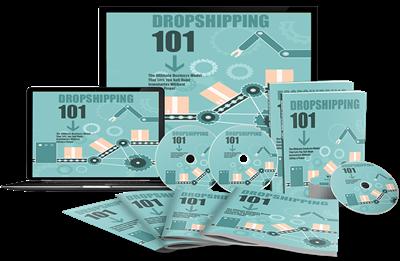
Dropshipping 101 866 MB
14 Modules + Bonus | Video: h264, yuv420p 1280 x 720 | Audio: aac, 44100 Hz, 2 ch | 866 MB
Genre: eLearning | Language: English | Project files​

MP4 + PDF + DOCX + PNG + PSD files

Total Real World Value: $2,356.00

As someone looking to make money online, you probably already know that the best way to make the most money online is with your own products.

When you sell your own product, you get to keep ALL of the profits, and you're building an asset that you own...

You can even recruit affiliates and JV partners to promote your product for you... something that you can't do when you're selling other people's affiliate products.

But, many marketers really struggle to get started with their own products.

Maybe you've been faced by one or more of the following very common reasons that most marketers NEVER earn the money they want online...
Fear of doing something new
No good product ideas
Unsure where they should start
Afraid that creating a product that others would actually pay for is out of reach
Not enough time to get started
No technical skills
Let's face it... product creation can be EXTREMELY time-consuming or expensive if you decide to outsource it...

And once you finally get your product created...

Here's What You Get With The Your
Dropshipping 101 PLR Package...


Module 1 - High Quality Dropshipping 101 Guide
VALUE: $650.00
Dropshipping 101 ebook is a unique and completely updated 10,000 + words Training Guide. it's up-to-date, informative, and includes the most useful, cutting edge information on Dropshipping 101.

You can rest assured knowing that this eBook was written by a fluent, native U.S. writer who holds a Certified English Degree, and was chosen based on industry expertise.
What Is Included?
The latest and most up-to-date information on Dropshipping.
Over 10,000 words, 100% brand new and unique
100% PLR will be given to you in Text,PDF and word format so you can edit it however you like
Professionally and beautifully formatted and styled
You'll probably enjoy the information quite a bit yourself.

Module 2 - Cheat Sheet
VALUE: $40.00

cheat-sheetThe cheat sheet is an excellent tool for your customers. It simply and effectively breaks down each and every aspect of the training for them into easily actionable steps. This will allow them to more quickly master the process. This will help to keep your customers happy, which keeps you happy as well.

Module 3 - Mind Map
VALUE: $20.00

mindmapThis mind map outlines everything your customers are going to be learning throughout the training. It'll show them the steps and make it easy to follow along with as they're going through each part, in order to allow them to absorb everything more smoothly.

Module 4 - Resource Report
VALUE: $20.00

resourcesHere you will have access to a complete niche research report showing you the best tools, training, blogs, forums, and infographics. All centered on Dropshipping 101.

Module 5 - Ready-Made Sales-letter & Thank You Page
VALUE: $350.00

We hired a top notch copywriter to create an amazingly high converting sales page for this funnel.
This is a sales page which was written strictly for conversions, meaning you don't have to even think about writing sales copy on your own, or pay a Professional Copywriter $1,000's to do it. Just start sending traffic right to it, and kick back and relax, as the sales roll in.

Module 6- Hypnotic Sales Video Promo
VALUE: $297.00

To make promoting your front end offer and making sales even easier, we're giving you 2 videos to choose from.
New Generation, doodle-style sales video.
Professionally created normal sales video
These videos are extremely popular because they work... People love them, and when you combine this with your professional sales page, you'll be making sales right out of the gates.

These videos have been carefully crafted using the 'hypnotic' copywriting formula that will ENGAGE your visitors and skyrocket the overall sales conversions.

Module 7 - Legal Pages
VALUE: $250.00

Module 8 - Full Set of Professionally Designed Graphics
VALUE: $250.00
You're going to get the complete set of professionally designed graphics, including any CD/DVD covers, artwork necessary to sell the product, and a whole lot more. This will make the training more presentable, and much easier to sell. You'll be given the image files in PSD format, so you'll be able to edit them however you want, and make them all your own. Add any logos or images you want to any or all of them. You'll also get PNG files as well, so you can upload them as is, you choose to do that instead

Module 9 - 10 High Quality & Unique Articles
VALUE: $150.00

Getting articles of this type from a ghostwriter would cost $25 per article or more, but here you can have it for free.

Module 10 - Stunning, Professionally-designed Banners
VALUE: $150.00
These banners are designed to get you clicks, so you can immediately start with a media buying campaign, without having to create any banners yourself. Designed by a Professional Graphic Designer, they're stunning, professional-looking, and will help you to generate traffic right away. Why waste time and money creating your own banner ads, when we can just hand some excellent ones right to you?

Module 11 - Five (5) High Converting Promotional Email Swipes
VALUE: $150.00
If your customers don't buy your product initially, that doesn't mean you're out of luck... increase your dollars per customer substantially with this 5 professionally written email follow-up sequence!

Module 12 - 10 High Quality eCovers
VALUE: $375.00
eCovers really bring a digital product to life. It's proven that having high-quality, life-like eCovers for your digital products increase buyer confidence and conversions.

Module 13 - Social Media Images Pack
VALUE: $150.00
With Facebook, Instagram, and the other social media sites getting bigger and bigger, the opportunity to engage with your audience and drive traffic is HUGE.

Module 14 - License Pack
VALUE: PRICELESS
And of course, you'll get the private label rights, master resell rights and resell rights licenses for all the above modules.

Recommend Download Link Hight Speed | Please Say Thanks Keep Topic Live ​

 

cb3822037c2007ff841ee2f8edb9540d.jpg

Stanford University - CS 101: Building a Search Engine
Duration: 7 hours | Video: h264, yuv420p 854 x 480 | Audio: aac, 44100 Hz, 2 ch | 3.33 GB
Genre: eLearning | Language: English​

This class will give you an introduction to computing. In seven weeks, you will build your own search engine complete with a web crawler and way of ranking popular pages. You will understand some of the key concepts in computer science, and learn how to write your own computer programs. No previous background in programming is expected.
WEEK 1:

How to get started: your first program
Extracting a link

WEEK 2:

How to repeat
Finding all the links on a page

WEEK 3:

How to manage data
Crawling the web

WEEK 4:

How to solve problems
Responding to search queries

WEEK 5:

How programs run
Making things fast

WEEK 6:

How to have infinite power
Ranking search results

WEEK 7:

Where to go from here
Exam testing your knowledge

Recommend Download Link Hight Speed | Please Say Thanks Keep Topic Live ​

 
Zurück
Oben Unten