• Regeln für den Video-Bereich:

    In den Börsenbereich gehören nur Angebote die bereits den Allgemeinen Regeln entsprechen.

    Einteilung

    - Folgende Formate gehören in die angegeben Bereiche:
    - Filme: Encodierte Filme von BluRay, DVD, R5, TV, Screener sowie Telesyncs im Format DivX, XviD und x264.
    - DVD: Filme im Format DVD5, DVD9 und HD2DVD.
    - HD: Encodierte Filme mit der Auflösung 720p oder darüber von BluRay, DVD, R5, TV, Screener sowie Telesyncs im Format x264.
    - 3D: Encodierte Filme von BluRay, die in einem 3D Format vorliegen. Dies gilt auch für Dokus, Animation usw.
    - Serien: Cartoon/Zeichentrick, Anime, Tutorials, Dokumentationen, Konzerte/Musik, Sonstiges sind demnach in die entsprechenden Bereiche einzuordnen, auch wenn sie beispielsweise im High Definition-Format oder als DVD5/DVD9/HD2DVD vorliegen. Ausnahme 3D.
    - Bereich Englisch: Englische Releases gehören immer in diesen Bereich.
    - Bereich Talk: Der Bereich, in dem über die Releases diskutiert werden kann, darf, soll und erwünscht ist.


    Angebot/Beitrag erstellen

    - Ein Beitrag darf erst dann erstellt werden, wenn der Upload bei mindestens einem OCH komplett ist. Platzhalter sind untersagt.
    - Bei einem Scenerelease hat der Threadtitel ausschließlich aus dem originalen, unveränderten Releasenamen zu bestehen. Es dürfen keine Veränderungen wie z.B. Sterne, kleine Buchstaben o.ä. vorgenommen werden. Ausnahme Serienbörse:
    - Bei einem Sammelthread für eine Staffel entfällt aus dem Releasename natürlich der Name der Folge. Beispiel: Die Simpsons S21 German DVDRip XviD - ITG
    - Dementsprechend sind also u.a. verboten: Erweiterungen wie "Tipp", "empfehlenswert", "only", "reup", usw. / jegliche andere Zusatzinformation oder Ergänzung, welche nicht in obiger Beschreibung zu finden ist.

    Aufbau des Angebots und Threadtitel

    Der Titel nach folgendem Muster erstellt zu werden. <Name> [3D] [Staffel] [German] <Jahr> <Tonspur> [DL] [Auflösung] <Quelle> <Codec> - <Group>
    Beispiel: The Dark Knight German 2008 AC3 DVDRip XviD - iND
    Beispiel: The Dark Knight 2008 DTS DL BDRip x264 - iND
    Beispiel: The Dark Knight 2008 AC3 DL BDRip XviD - iND
    Beispiel: The Dark Knight German 2008 AC3 720p BluRay x264 iND
    Beispiel: The Dark Knight 2008 DTS DL 1080p BluRay x264 iND
    Beispiel: Die Simpsons S01 German AC3 DVDRip XviD iND
    Beispiel: Die Simpsons S20 German AC3 720p BluRay x264 iND
    Beispiel: Sword Art Online II Ger Sub 2014 AAC 1080p WEBRip x264 - peppermint
    Entsprechend sind also u.a. verboten: Sonderzeichen wie Klammern, Sterne, Ausrufezeichen, Unterstriche, Anführungszeichen / Erweiterungen wie "Tipp", "empfehlenswert", "only", "reup", usw. / jegliche andere Zusatzinformation oder Ergänzung, welche nicht in obiger Beschreibung zu finden ist
    Ausnahmen hiervon können in den Bereichen geregelt sein.

    Die Beiträge sollen wie folgt aufgebaut werden:
    Überschrift entspricht dem Threadtitel
    Cover
    kurze Inhaltsbeschreibung
    Format, Größe, Dauer sind gut lesbar für Downloader außerhalb des Spoilers zu vermerken
    Nfo sind immer Anzugeben und selbige immer im Spoiler in Textform.
    Sind keine Nfo vorhanden z.B. Eigenpublikationen, sind im Spoiler folgende Dateiinformationen zusätzlich anzugeben :
    Quelle
    Video (Auflösung und Bitrate)
    Ton (Sprache, Format und Bitrate der einzelnen Spuren)
    Untertitel (sofern vorhanden)
    Hosterangabe in Textform außerhalb eines Spoiler mit allen enthaltenen Hostern.
    Bei SD kann auf diese zusätzlichen Dateiinformationen verzichtet werden.

    Alle benötigten Passwörter sind, sofern vorhanden, in Textform im Angebot anzugeben.
    Spoiler im Spoiler mit Kommentaren :"Schon Bedankt?" sind unerwünscht.


    Releases

    - Sind Retail-Release verfügbar, sind alle anderen Variationen untersagt. Ausnahmen: Alle deutschen Retail-Release sind CUT, in diesem Fall sind dubbed UNCUT-Release zulässig.
    - Im Serien-Bereich gilt speziell: Wenn ein Retail vor Abschluss einer laufenden Staffel erscheint, darf diese Staffel noch zu Ende gebracht werden.62
    - Gleiche Releases sind unbedingt zusammenzufassen. Das bedeutet, es ist zwingend erforderlich, vor dem Erstellen eines Themas per Suchfunktion zu überprüfen, ob bereits ein Beitrag mit demselben Release besteht. Ist dies der Fall, ist der bereits vorhandene Beitrag zu verwenden.
    - P2P und Scene Releases dürfen nicht verändert oder gar unter einem iND Tag eingestellt werden.


    Support, Diskussionen und Suche

    - Supportanfragen sind entweder per PN oder im Bereich Talk zu stellen.
    - Diskussionen und Bewertungen sind im Talk Bereich zu führen. Fragen an die Uploader haben ausschließlich via PN zu erfolgen, und sind in den Angeboten untersagt.
    - Anfragen zu Upload-Wünschen sind nur im Bereich Suche Video erlaubt. Antworten dürfen nur auf Angebote von MyBoerse.bz verlinkt werden.


    Verbote

    - Untersagt sind mehrere Formate in einem einzigen Angebotsthread, wie beispielsweise das gleichzeitige Anbieten von DivX/XviD, 720p und 1080p in einem Thread. Pro Format, Release und Auflösung ist ein eigener Thread zu eröffnen.
    - Grundsätzlich ebenso verboten sind Dupes. Uploader haben sich an geeigneter Stelle darüber zu informieren, ob es sich bei einem Release um ein Dupe handelt.
    - Gefakte, nur teilweise lauffähige oder unvollständige Angebote sind untersagt. Dies gilt auch für eigene Publikationen, die augenscheinlich nicht selbst von z.B. einer DVD gerippt wurden. Laufende Serien, bei denen noch nicht alle Folgen verfügbar sind, dürfen erstellt und regelmäßig geupdatet werden.
    - Untersagt sind Angebote, welche nur und ausschließlich in einer anderen Sprache als deutsch oder englisch vorliegen. Ausnahmen sind VORHER mit den Moderatoren zu klären.


    Verstoß gegen die Regeln

    - Angebote oder Beiträge, die gegen die Forenregeln verstoßen, sind über den "Melden"-Button im Beitrag zu melden.
  • Bitte registriere dich zunächst um Beiträge zu verfassen und externe Links aufzurufen.

*** Bestes IPTV *** bester Preis *** gratis Test ***


Englische Tutorials

bccf91e0049c186b752450eecc614f3c.jpg


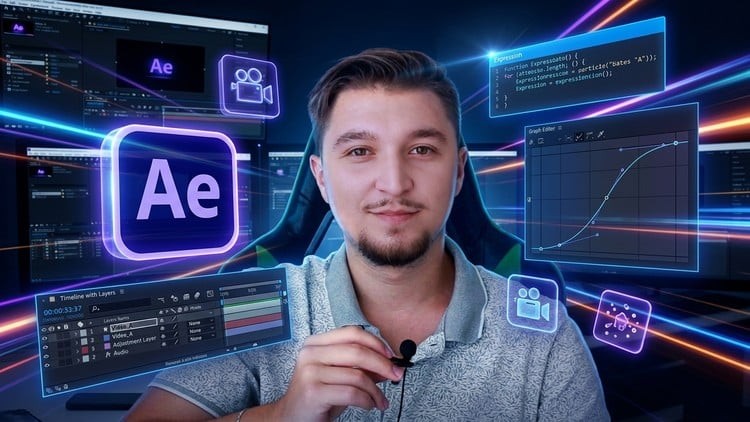
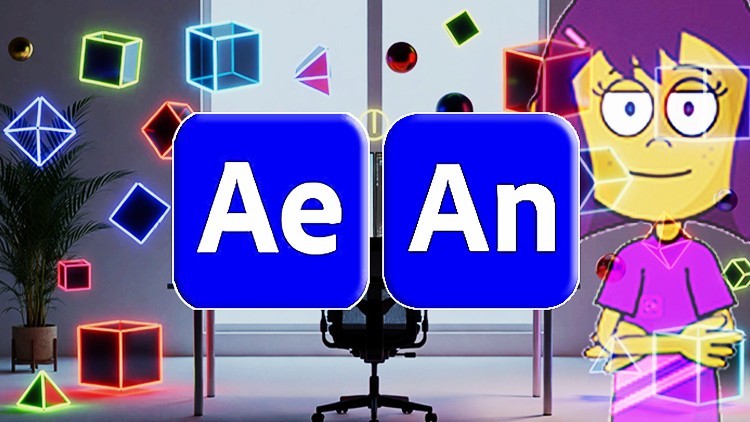
After Effects + Animate (Cursos Completos E Atualizados)
MP4 | Video: h264, 1920x1080 | Audio: AAC, 44.1 KHz
Language: Portuguese | Size: 21.97 GB | Duration: 25h 54m

Crie animações com Adobe After Effects + Adobe Animate e transforme suas ideias em projetos criativos, dinâmicos.


What you'll learn
1- Introdução ao After Effects: Visão geral do software e sua interface. Configuração do ambiente de trabalho. Conceitos básicos de composição de projetos.
2- Ferramentas Básicas: Uso das ferramentas de seleção e transformação. Criação e manipulação de formas básicas. Introdução às camadas e aos keyframes.
3- Animação Básica: Princípios de animação. Animação de propriedades de camada. Uso de interpolação para criar movimentos suaves.
4- Trabalhando com Texto: Criação e formatação de texto. Animação de texto com presets. Efeitos avançados de texto.
5- Trabalhando com Texto: Criação e formatação de texto. Animação de texto com presets. Efeitos avançados de texto.
6- Máscaras e Transparência: Criação e uso de máscaras. Animação de máscaras para efeitos de revelação. Trabalho com transparência e modos de mesclagem.
7- Introdução ao 3D: Conceitos básicos de espaço 3D. Animação de câmeras e luzes. Criação de composições 3D simples.
8- Exportação e Renderização: Configurações de exportação e renderização. Formatos de arquivo e codecs. Exportação para diferentes plataformas e finalidades.
1- Introdução ao Adobe Animate: Visão geral do software e sua interface. Configuração do ambiente de trabalho. Entendendo a linha do tempo e os painéis.
2- Ferramentas Básicas: Uso das ferramentas de desenho (pincel, lápis, formas). Manipulação de objetos e camadas. Introdução às cores e preenchimentos.
3- Animação Quadro a Quadro: Conceitos básicos de animação. Criação de animações simples quadro a quadro. Uso de onion skinning para animar suavemente.
4- Animação com Interpolação: Interpolação de movimento. Interpolação de forma. Ajustando curvas de movimento e suavização.
5- Trabalhando com Texto e Som: Inserção e animação de texto. Adição e sincronização de áudio com a animação. Efeitos básicos de som.
6- Símbolos e Instâncias: Criação e uso de símbolos (gráficos, botões, clipes de filme). Animação de símbolos. Diferença entre símbolos e instâncias.
7- Interatividade Básica: Introdução ao ActionScript e JavaScript. Criação de botões interativos. Adição de ações simples à animação.
8- Exportação e Publicação: Formatos de exportação (vídeo, HTML5). Configurações de exportação e otimização. Publicação da animação para web e outras platafo

Requirements
Requisitos: Computador com Adobe Animate e After Effects instalados. Nenhum conhecimento prévio em animação e edição vídeo é necessário. Interesse em animação digital e criatividade.
Naõ é necessário ter conhecimento prévio destes softwares.

Description
¨Este curso Contém uso de inteligência artificial¨Tudo começa com um traço.Depois vem o movimento.Depois, o impacto.Quando a animação ganha ritmo, a ideia deixa de ser estática e passa a prender o olhar.Adobe Animate cria a base.After Effects amplia o impacto.Quando os dois se encontram, a animação fala mais alto.Aproveite as Aulas Grátis disponíveis de Adobe Animate e After EffectsCurso de Adobe AnimatesDescrição:Este curso de Adobe Animate é projetado para iniciantes que desejam aprender os fundamentos da animação digital. Você será guiado através das principais ferramentas e recursos do Adobe Animate, permitindo que você crie animações interativas e envolventes. Ao final do curso, você terá uma compreensão sólida das técnicas básicas de animação e estará pronto para explorar projetos mais avançados.Curso de Adobe After EffectsDescrição:Este curso de Adobe After Effects é projetado para iniciantes que desejam aprender os fundamentos da criação de gráficos em movimento e efeitos visuais. Você será guiado através das principais ferramentas e técnicas do Adobe After Effects, permitindo que você crie animações e efeitos impressionantes para vídeos. Ao final do curso, você terá uma compreensão sólida dos conceitos básicos de motion design e estará pronto para explorar projetos mais complexos.Requisitos:Computador com Adobe Premiere e Animate instalados.Nenhum conhecimento prévio em edição de vídeo e animação é necessário.Interesse em produção de vídeo, animação e narrativa visual.Público-AlvoAfter EffectsEstudantes de design gráfico, cinema e animação.Profissionais de marketing e comunicação.Qualquer pessoa interessada em aprender motion design.AnimateEstudantes de design gráfico e artes visuais.Profissionais de marketing e comunicação.Pessoa interessada em aprender animação digital.

O de Adobe After Effects é projetado para iniciantes que desejam aprender os fundamentos da criação de gráficos em movimento e efeitos visuais. Você será guiado através das principais ferramentas e técnicas do Adobe After Effects, permitindo que você crie animações e efeitos impressionantes para vídeos. Ao final do curso, você terá uma compreensão sólida dos conceitos básicos de motion design e estará pronto para explorar projetos mais complexos.,O Adobe Animate é projetado para iniciantes que desejam aprender os fundamentos da animação digital. Você será guiado através das principais ferramentas e recursos do Adobe Animate, permitindo que você crie animações interativas e envolventes. Ao final do curso, você terá uma compreensão sólida das técnicas básicas de animação e estará pronto para explorar projetos mais avançados.


728287385_28_-_animacao_com_importacao_de_sequencia_de_quadros_e_som.jpg


Download from RapidGator


Premium Links


Download from UploadGig



062063ad4a1be8d9aae70a896b290fb3.jpg


Interact with the Quran - Understand & Learn the Quran
Published 4/2026
MP4 | Video: h264, 1920x1080 | Audio: AAC, 44.1 KHz, 2 Ch
Language: English | Duration: 68h 14m | Size: 88.07 GB

Understand it, reflect on it, and live by its message


What you'll learn
Learn, Recite & understand the Quran in English
Understand the Meaning and Tafsir of the Quran in detail
You will be able to correctly recite the Quran while understanding the meaning with ease In Sha Allah!
After Completion of the Course you will be able to teach it to others In Sha Allah!

Requirements
Basic understanding of English Language

Description
A course that helps you understand and learn the Tajweed, meaning, and Tafsir of the Qur'an holds immense importance for every Muslim seeking a deeper connection with their faith. While many people learn to recite the Qur'an, true transformation begins when recitation is combined with proper Tajweed pronunciation, a clear understanding of the meanings, and reflection through Tafsir. Tajweed ensures that the words of the Qur'an are recited exactly as they were revealed, preserving their beauty and precision. At the same time, learning the meaning allows individuals to move beyond mechanical recitation and truly comprehend what Allah is communicating. Tafsir then takes this understanding to a deeper level by explaining context, wisdom, and practical lessons behind the verses. Together, these three elements create a complete learning experience that nurtures both the mind and the heart. Such a course enables learners to improve focus and presence in Salah, strengthens their relationship with the Qur'an, and guides them in making better decisions in daily life. It also builds confidence in engaging with the Qur'an independently, encouraging lifelong learning and reflection. Ultimately, this kind of course transforms the Qur'an from a book that is simply read into a guide that is understood, felt, and lived by.

Who this course is for
Anyone who wants to Learn, Understand, Recite & Teach Quran with Tafsir


Homepage

731573119_1-interact-with-the-quran-introduction_s.jpg


42ab4e0f8859c3f96aac72ee1e6e43db.jpg


Master SketchUp, V-Ray and LayOut - Complete Architecture
Last updated 9/2025 MP4 | Video: h264, 1920x1080 | Audio: AAC, 44.1 KHz, 2 Ch Language: English | Duration: 12h 43m | Size: 20.43 GB

Professional Architecture: 3D Modeling, Photorealistic Rendering, Technical Documentation & Integrated Workflows


What you'll learn
Create complete architectural projects from 3D modeling through photorealistic rendering to technical documentation
Master SketchUp advanced techniques with professional plugins for complex architectural modeling workflows
Develop expertise in V-Ray 6 rendering including new features, lighting scenarios, and post-production techniques
Generate automated technical drawings and construction documents using LayOut's professional documentation tools

Requirements
Basic knowledge of SketchUp interface and fundamental 3D modeling concepts
Familiarity with SketchUp basics including navigation, drawing tools, and component creation
Elementary understanding of 3D modeling software and architectural drawing principles
Beginner to intermediate SketchUp skills with willingness to learn advanced architectural workflows

Description
Master the complete architectural visualization and documentation pipeline using the industry's most accessible yet powerful software combination. This comprehensive course teaches you to create photorealistic visualizations and professional technical drawings through one complete single-family house project, demonstrating real-world workflows that practicing architects use daily.

Integrated Architectural Software Mastery

This course focuses on the synergy between three essential architectural tools: SketchUp for intuitive 3D modeling, V-Ray 6 for professional rendering, and LayOut for automated technical documentation. Unlike courses that teach software in isolation, you'll learn how these programs work together to create a seamless workflow from initial concept to final presentation.

Real-World Project Foundation

Work through an authentic two-story, 140-square-meter single-family house project - exactly the type of commission you'll encounter in professional practice. This realistic scale and complexity ensures you develop skills that transfer directly to your career, whether you're working independently or within an architectural firm.

SketchUp Advanced Modeling Techniques

Discover SketchUp's full potential beyond basic modeling. Master efficient workflows for architectural detailing, complex geometry creation, and model organization that maintains performance even in large projects. Learn professional modeling standards that ensure your models are both visually impressive and technically sound for construction documentation.

Strategic Plugin Integration

Expand SketchUp's capabilities with essential plugins that professional architects rely upon. Master BezierSpline for complex curved elements, FredoCorner for architectural filleting, Component Stringer for repetitive element placement, and Skatter 2 for sophisticated landscape development. These tools transform SketchUp from a basic modeler into a comprehensive architectural design platform.

V-Ray 6 Professional Rendering Harness the latest V-Ray 6 features specifically designed for architectural visualization. Master new tools like Enmesh for efficient repetitive geometry, procedural cloud systems for realistic skies, and Camera clipping for architectural sections. These cutting-edge features place you ahead of professionals still using outdated rendering techniques.

Multi-Scenario Lighting Mastery

Create compelling visualizations across different times of day and weather conditions. Learn tested lighting setups that work reliably across various architectural projects - from warm morning light that highlights building details to dramatic evening scenes that showcase interior lighting design. These proven techniques eliminate the guesswork from architectural lighting.

LayOut Professional Documentation

Transform your 3D models into professional construction documents using LayOut's automated drawing generation. Master scaled drawing production, line weight control, dimensioning systems, and print preparation - all generated automatically from your SketchUp model. This workflow eliminates redundant drafting while maintaining professional drawing standards.

Advanced V-Ray Post-Production

Complete your visualization pipeline entirely within V-Ray using advanced post-production techniques that eliminate dependence on external software. Master Cryptomatte masking for precise element selection, color grading for mood enhancement, and professional finishing techniques that elevate your renders to portfolio quality.

Comprehensive 13-Hour Learning Experience

This intensive training program covers every aspect of the architectural workflow, ensuring you understand not just individual tools but how they integrate into efficient professional practice. Each lesson builds systematically toward complete project mastery.

Professional Workflow Optimization

Learn time-saving techniques and efficiency strategies that practicing architects use to meet project deadlines without compromising quality. Understand file organization, model management, and rendering optimization that scales from single projects to large architectural practices.

Industry-Standard Deliverables Produce the complete range of architectural deliverables: photorealistic exterior visualizations, professional construction drawings, scaled plans and sections, and presentation-ready documentation that meets professional standards for client presentations and permit submissions.

Perfect for Architectural Professionals

This course bridges the gap between basic software knowledge and professional architectural practice. Whether you're transitioning into architecture, starting independent practice, or improving efficiency within existing workflows, this training provides immediately applicable skills.

Career Development Focus Every technique taught serves professional architectural practice directly. You'll understand not just how to use tools, but when and why to apply specific techniques in professional contexts, building judgment that distinguishes experienced practitioners from software beginners.

Cost-Effective Professional Solution

SketchUp Pro with V-Ray and LayOut provides exceptional value compared to traditional architectural software suites. This course shows you how to achieve professional results while maintaining budget flexibility - crucial for independent practitioners and small firms.

Future-Proof Architectural Skills

The software combination taught in this course represents a strategic investment in your architectural career. SketchUp's intuitive interface, V-Ray's industry-leading rendering quality, and LayOut's automated documentation capabilities create a workflow that adapts to evolving project demands.

Scalable Professional Growth Skills developed in this course scale from residential projects to complex commercial work. The fundamental principles of efficient modeling, professional rendering, and automated documentation remain constant across project types and sizes.

Industry Recognition V-Ray remains the preferred rendering solution across architectural visualization, while SketchUp's ease of use and LayOut's integration create workflows that clients appreciate for their clarity and professional presentation quality.

Start building your complete architectural skillset today and develop the integrated software mastery that enables you to take projects from initial concept through final documentation, positioning yourself as a complete architectural professional capable of delivering exceptional results efficiently and cost-effectively.

Who this course is for
Architects and designers wanting to master complete project workflows from modeling to documentation
SketchUp users ready to advance their skills with professional rendering and technical drawing capabilities
Architecture students and professionals seeking to integrate visualization with construction documentation
Design professionals wanting to streamline their workflow using integrated SketchUp Pro suite tools


Homepage

733663902_master_sketchup_v-ray_and_layout_-_complete_architecture.jpg


Download from RapidGator


Premium Links


Download from UploadGig



1a350977816f7cbe940a81fc43a97355.jpg


Appium 3 Mobile Automation with AI - Android & iOS
Last updated 5/2026
Created by Lucky Trainings
MP4 | Video: h264, 1920x1080 | Audio: AAC, 44.1 KHz, 2 Ch
Level: Beginner | Genre: eLearning | Language: English + subtitle | Duration: 157 Lectures ( 19h 39m ) | Size: 12.7 GB

Learn Appium 3, AI, Android, iOS, Cucumber, Jenkins, SauceLabs & real device mobile automation


What you'll learn
⚡ Master Appium 3 mobile automation from basics to advanced
⚡ Automate Android and iOS mobile applications
⚡ Execute tests on real Android and real iPhone devices
⚡ Implement Cucumber BDD and Page Factory frameworks
⚡ Work with advanced gestures and mobile interactions
⚡ Integrate Appium automation with Jenkins and SauceLabs
⚡ Understand Jenkins master-slave execution setup
⚡ Learn Java concepts required for automation testing
⚡ Explore AI concepts and AI implementation in Mobile automation testing
⚡ Prepare for Appium automation interviews with real interview questions and answers

Requirements
❗ Basic computer knowledge
❗ Java knowledge is helpful but not mandatory
❗ Interest in automation testing and mobile testing

Description

This course contains the use of artificial intelligence.
Master Mobile Automation Testing using Appium 3 with real-world Android and iOS automation examples along with modern AI concepts and AI-assisted automation workflows.

This complete hands-on course is designed for testers, automation engineers, SDETs, and developers who want to learn the latest Appium 3 mobile automation framework from basics to advanced concepts using Java.

You will learn how to automate both Android and iOS mobile applications using Appium 3 with multiple practical examples and real-time automation scenarios. The course also covers real iPhone device connection and execution, helping you gain practical industry-level experience in mobile testing.

Along with Appium automation, this course also introduces modern Artificial Intelligence concepts and demonstrates how AI can improve automation workflows and testing productivity.

Topics Covered in This Course

✨ Appium 3 architecture and latest concepts

✨ Android mobile automation

✨ iOS mobile automation

✨ Real iPhone device setup and execution

✨ Mobile gestures and advanced touch actions

✨ Appium Inspector and all inspector options

✨ Desired capabilities and driver setup

✨ Mobile locators and automation strategies

✨ Java programming concepts for automation

✨ Cucumber BDD framework implementation

✨ Page Factory and framework concepts

✨ Jenkins integration and Jenkins master-slave setup

✨ SauceLabs cloud execution

✨ Test execution and reporting

✨ Interview questions and answers for Appium automation

AI Concepts Covered

✨ Introduction to Artificial Intelligence

✨ Generative AI fundamentals

✨ AI implementation in automation testing

✨ AI-assisted automation workflows

✨ Modern AI tools for testers and developers

This course focuses heavily on practical learning with step-by-step explanations and real-world examples to help you build strong mobile automation skills using the latest Appium 3 ecosystem.

If you want to become a modern mobile automation engineer with knowledge of Android automation, iOS automation, Appium 3, AI concepts, Jenkins, SauceLabs, and framework design, this course will provide a strong foundation aligned with current industry standards.

Who this course is for
⭐ Manual testers moving into automation testing
⭐ Mobile automation engineers
⭐ QA engineers and SDETs
⭐ Developers interested in mobile automation
⭐ Beginners who want to learn Android and iOS testing
⭐ Anyone interested in Appium 3, AI concepts, Jenkins, and SauceLabs


Homepage


731580978_5-_overview_on_cucumber_bdd_framework_-_part_5.jpg


Download from RapidGator


Premium Links


Download from UploadGig


 
416a5962c1c603dc38995fd997f26d13.jpg


The Complete High School and College Chemistry
Last updated 9/2021
MP4 | Video: h264, 1920x1080 | Audio: AAC, 44.1 KHz, 2 Ch Language: English | Duration: 50h 34m | Size: 29.33 GB

Ace your IGCSE, A-levels, WAEC and JAMB


What you'll learn
College and High School Chemistry
Students will learn various separation techniques such as distillation, filtration, and chromatography.
They will explore stoichiometry principles, including balancing chemical equations and calculating reactant-product relationships.
The course covers empirical and molecular formulae, teaching how to determine the simplest ratio of elements in a compound.
Learners will study the periodic table, understanding element properties, trends, and periodicity.

Requirements
None

Description
Chemistry is fun when you learn from the best tutors. At Go2uni, we present you "The Complete High School and College Chemistry". We start from the basics and take a deep dive with clear examples and exercises to ensure every concept is understood.

Go2uni presents seasoned tutors with years of experience to offer you The Complete High School and College, the Chemistry course you need to ace your exams.

This course will demystify Chemistry with tonnes of examples, work through exercises and take-home exercises. If you are dreaming of starting a STEM-based career, then this is for you. This course offers you the proper foundation and makes you stand out as a star student in Chemistry.

This course covers all you need to know in Organic Chemistry and Inorganic Chemistry. Starting from a quick introduction to chemistry, Separation Techniques, Stoichiometry, Empirical Formular, Volumetric Analysis, and much more. We use visually descriptive teaching with fun exercises that cover exam questions. This is done to ensure you have clarity on all topics, simplifying Chemistry and ensuring you ace your exams without sleepless nights.

Who this course is for
College students
Anyone with the passion for learning foundational chemistry


Homepage

734608210_59-_electron_affinity_and_negativity.jpg


Download from RapidGator


Premium Links


Download from UploadGig


cfa768230eb1315793331b7fd0412f53.jpg


Advanced SAP S/4HANA 2023 Controlling Practical Program Pro!
Last updated 4/2026
MP4 | Video: h264, 1920x1080 | Audio: AAC, 44.1 KHz, 2 Ch Language: English | Duration: 75h 52m | Size: 42.07 GB

SAP S/4HANA 2023 Controlling - Complete training END TO END Recorded Course-In-depth


What you'll learn
SAP S/4 HANA Organization Structure-Discussion & Configuration.
Basic Financial Accounting Settings-Configuration.
CO Basic- Organizational Structure Settings-Configuration
FI-MM-SD Integrations Settings-OBYC and VKOA-Configuration
CO-Cost Component Structure OKTZ -Configuration
Costing Sheet discussion and configuration- for Over Head Calculation
Template allocation discussion and configuration - for Over Head Calculation
Costing Variant and its Component -Valuation Variant, costing type,Qty str,-Configuration
Product Cost by Order-Costing, Valuation Variants, Variance and Settlement -Configuration Settings
Work In Process (WIP) Configuration Settings
Master data-Cost center-Cost element-Activity type-SKF
Material Ledger Configuration in S4 HANA with Multiple Currencies
Cost Center Planning with Activity Type and Cost element :KP26-KP06-KSS4-KSPI
Cost Splitting Structure-Mapping- Configuration Settings
PP master data: BOM-Work Center-Routing-CK11N-Standard Costing
Business Partner(Vendor master data) Creation-Purchase Order creation-Goods Receipt of INPUT Materials
Preliminary Costing, Simultaneous Costing with Production Order AND Month End Closing
CK11N-CK24/CK40N-Standard Costing-Multiple Production Orders creation and postings with Month End Closing
Work in process-Variance Calculation and Settlement
Make to Stock MTS-PRODUCT COST BY ORDER-Desecrate Manufacturing
Make to Order MTO-PRODUCT COST BY SALES ORDER
Sales Order Costing Vaulted and Non Vaulted Stock
Make to Stock MTS-PRODUCT COST BY PERIOD-Repetitive Manufacturing
Joint Production and CO Product or By Product Costing
Mixed Costing with Split Valuation
Subcontracting scenarios
Cross Plant Procurement Costing -Special Procurement process
Material Ledger Functions: Multi Valuation Handling: Legal Group and Profit center valuation
Transfer Pricing: Intra company transfer and Inter company transfer
Distribution usage variance-CKMDUVMAT & CKMDUVACT
CKMLCP-Actual Costing with CKM3
Margin Analysis-Account Based COPA
Predictive Accounting
Attributed Profitability
COPA Realignment
COGS Splitt
Production variance Split
Universal Allocation: Fiori apps: Manage , Run and Application results.
Engineer to Order (ETO) process

Requirements
Basic Knowledge of Finance and Costing topics.

Description
SAP S/4HANA 2023 Controlling - Complete Recorded Course Overview

This in-depth recorded program on SAP S/4HANA 2023 Controlling offers an end-to-end learning journey across critical modules such as Over Head Accounting, Product Costing, Material Ledger, and Account-Based COPA.

The training is delivered through live system demonstrations and detailed explanations by experienced SAP consultants. Each topic is linked to real-time business use cases, configuration steps, and reporting outcomes to ensure clarity and practical applicability.

Overhead Accounting

Cost Element Accounting

• Cost Center Accounting

• Internal Order Accounting

• Activity-Based Costing (ABC)

Product Costing - Detailed Coverage

The course explains various costing methods used in different manufacturing scenarios, enabling participants to configure and manage costing for both basic and complex production environments.

Make-to-Stock (MTS)

Covers standard cost-based manufacturing where finished goods are produced and stored before sale. Emphasis is placed on production order cost control and inventory valuation.

Make-to-Order (MTO)

Explains costing based on customer-specific sales orders, demonstrating the complete cost flow from order creation to delivery and settlement.

Sales Order Costing - Valuated & Non-Valuated Stock

Provides insights into cost tracking for special stock materials as well as regular inventory stock.

Desecrate Manufacturing-Based Costing

Focuses on period-wise accumulation of costs and revenues for effective management reporting.

Repetitive Manufacturing

Explains costing for continuous production processes, including reporting point and non-reporting point methods.

Joint Production / Co-Product / By-Product Costing

Demonstrates how total production costs are distributed across multiple finished products.

Mixed Costing with Split Valuation

Covers multiple cost valuations for the same material, based on factors such as origin or quality.

Subcontracting & External Processing

Explains cost control and valuation when part of the manufacturing process is outsourced to vendors.

Cross-Plant Procurement Costing

Describes valuation for materials procured from other plants using special procurement keys.

Additive Cost Estimation

Covers the calculation and inclusion of additional costs related to special materials, processes, or treatments.

Material Ledger - Key Functional Areas

The Material Ledger module explains how SAP supports real-time, multi-dimensional valuation to improve financial accuracy and transparency.

Multi-Currency Valuation

Supports parallel valuation in company code, group, and hard currencies.

Parallel Valuation Views

Demonstrates legal, group, and profit center valuations for global financial reporting.

Transfer Pricing

Covers valuation of goods and services transferred within and across company codes.

CKMDUVMAT & CKMDUVACT Usage Variance & Inventory Adjustments

Explains analysis of scrap, losses, and inventory differences using Material Ledger reports.

Actual Costing (CKM3)

Demonstrates execution of the actual costing run and analysis of production variances.

Account-Based COPA - Margin & Profitability Analysis

This section provides a clear understanding of profitability analysis integrated with the Universal Journal (ACDOCA).

Real-Time Margin Analysis

Enables instant tracking of revenues and costs with full reconciliation to Financial Accounting.

Predictive Accounting

Shows how future sales orders are used to forecast expected profitability.

Instant Profitability Reporting

Eliminates the need for separate settlement jobs by enabling real-time COPA reporting.

Attributed Profitability

Explains profitability tracking for cost objects not directly linked to sales transactions.

Statistical condition -margin Analysis

COPA Realignment

Covers methods to adjust and realign existing profitability data when organizational or reporting structures change.

Universal Allocation: Manage Allocation, Run Allocation and Allocation results.

Who this course is for
CPA , CMA , ACCA , CA , MBA , M Com, B Com students and Professionals, SAP FICO Consultants and End Users.


Homepage

734805772_60-_day_60_session-sap_s_4_hana_in-depth__controlling.jpg


Download from RapidGator


Premium Links


Download from UploadGig


5d238b16eaa0eb193997c4b56fce15c2.jpg


Business Communication for Global Organizations
Published 4/2026
MP4 | Video: h264, 1920x1080 | Audio: AAC, 44.1 KHz, 2 Ch Language: English | Duration: 34h 11m | Size: 34.29 GB

Develop the communication skills to lead, collaborate, and build credibility in global organizations.


What you'll learn
Build a solid foundation in communication concepts, models, processes, barriers, ethics, and digital workplace communication.
Understand how communication works across organizations, stakeholders, information flows, reporting lines, and cross-functional teams.
Plan and design effective messages using audience analysis, structure, clarity, tone, feedback, and attention management.
Use language with precision by managing meaning, ambiguity, jargon, bias, context, perception, and inclusive expression.
Develop strong listening skills through questioning, paraphrasing, feedback, customer listening, and service recovery practice.
Read and use nonverbal signals professionally, including body language, eye contact, space, time, appearance, and status cues.
Improve vocal communication through tone, pace, emphasis, pronunciation, fluency, silence, emotional control, and virtual presence.
Strengthen interpersonal communication with empathy, assertiveness, rapport, emotional intelligence, and conflict-ready conversation skills.
Communicate as a leader by building trust, motivating teams, delegating clearly, coaching others, and leading change effectively.
Write professional business content by planning, drafting, revising, proofreading, and correcting common writing weaknesses.
Refine writing style through better word choice, formality, punctuation, readability, and good-news or bad-news message design.
Write effective emails and workplace messages with strong subject lines, structure, tone, etiquette, follow-up, and chat discipline.
Create clear internal communication such as memos, notices, staff letters, policy messages, newsletters, and upward requests.
Write professional business letters for enquiries, complaints, persuasion, sales, refusals, and adjustment situations.
Prepare transactional correspondence including quotations, orders, tenders, banking letters, claims, collections, and retention messages.
Develop report-writing skills for analytical and informational reports, findings, recommendations, summaries, and final quality checks.
Create persuasive proposals, business cases, technical documents, scope plans, risk statements, budgets, and implementation plans.
Research professionally by evaluating sources, collecting data, designing questions, synthesizing evidence, and presenting case studies.
Present information visually through tables, charts, graphs, diagrams, flowcharts, slides, maps, and ethical data storytelling.
Plan and deliver speeches and presentations with strong openings, structure, visuals, confidence, audience engagement, and Q&A handling
Run effective meetings and forums through agenda design, facilitation, minutes, follow-up, telephone etiquette, and hybrid practices.
Prepare for career communication through resumes, applications, interviews, networking, offers, references, and resignation messages.
Negotiate with structure and ethics by preparing well, selecting strategies, managing concessions, and closing agreements clearly.
Communicate across cultures by adapting language, etiquette, listening, style, and teamwork for global and multicultural settings.
Use communication technology effectively in digital work, remote collaboration, e-commerce, and secure information handling.
Understand media and mass communication through advertising, publicity, press releases, interviews, campaigns, and public notices.
Integrate corporate, crisis, ethical, policy, reputation, measurement, and AI-assisted communication into a strategic practice.

Requirements
There are no strict academic prerequisites. Participants should have basic English proficiency, a willingness to read, write, speak, and participate in professional communication activities, and a genuine interest in improving workplace communication across emails, meetings, presentations, reports, digital platforms, and cross-functional business environments.

Description
This course contains the use of artificial intelligence

Business Communication for Global Organizations is a structured professional development course for students, early-career professionals, managers, technical specialists, and working professionals who need to communicate clearly and credibly in modern organizations. It is designed for learners who want more than isolated speaking or writing tips; it provides a coherent pathway for developing communication as a professional capability that supports performance, trust, collaboration, and long-term career growth.

In today's workplace, communication is not a soft extra; it is part of how organizations coordinate work, make decisions, manage risk, maintain stakeholder trust, and protect reputation. As workplaces become more digital, cross-functional, and globally connected, professionals are expected to communicate across teams, levels, cultures, channels, and time zones with clarity, judgment, and professionalism. Poor communication creates rework, confusion, conflict, delay, and reputational harm, while strong communication improves alignment, engagement, execution, and accountability.

The purpose of the course is to help learners contribute more effectively in real business environments where communication affects outcomes. This includes communicating with colleagues, leaders, clients, partners, and stakeholders in ways that improve understanding, strengthen working relationships, support sound decisions, and reduce avoidable misunderstanding. The emphasis is on communication as an organizational responsibility tied to leadership, coordination, professionalism, and consistent execution, not simply as personal expression.

The course also reflects the realities of global work. Professionals increasingly operate in hybrid settings, multicultural teams, fast-moving digital platforms, and environments where written records, virtual meetings, stakeholder alignment, and cross-border communication all matter. For that reason, the course supports the development of sound professional judgment in choosing the right channel, managing tone and clarity, communicating across cultures, handling sensitive situations responsibly, and using emerging tools, including AI, with care and quality control.

For individual learners, the course offers a clear route to build credibility, confidence, and workplace readiness in communication that is expected in professional and multinational settings. For organizations, it supports stronger internal coordination, better stakeholder interaction, more consistent communication standards, and improved alignment between people, processes, and business objectives. Whether the goal is to improve daily workplace communication, strengthen leadership presence, support cross-functional collaboration, or communicate more effectively in global environments, Business Communication for Global Organizations provides a practical and professional framework for communication that holds up in real organizational practice.

Successful completion of this course earns an Accrevia Certificate of Completion-a verifiable credential with a unique QR code and Certificate ID that employers and organizations can use to confirm authenticity.

Who this course is for
Students, Fresh Graduates & Early-Career Professionals: For those entering the workplace and needing a strong foundation in business writing, presentations, meetings, etiquette, interviews, and professional confidence.
Professionals Across Business Functions: For people working in HR, sales, operations, finance, customer service, administration, and related roles who must communicate clearly across teams, levels, and responsibilities.
Engineers, Technical Staff & Domain Specialists: For engineers, analysts, coordinators, and technical professionals who need to explain ideas clearly, write professionally, present effectively, and work with non-technical stakeholders.
Managers, Supervisors & Team Leaders: For those responsible for leading people and work, and who need stronger skills in delegation, feedback, meetings, conflict resolution, motivation, and change communication.
Client-Facing, Service & Stakeholder Roles: For professionals who deal with customers, vendors, partners, regulators, or internal stakeholders and need stronger listening, persuasion, complaint handling, and relationship-building skills.
Professionals Working in Digital, Hybrid & Global Environments: For those using email, chat, virtual meetings, collaborative platforms, and cross-cultural communication in workplaces where clarity, etiquette, and speed all matter.
Entrepreneurs, Business Owners & Coordinators: For individuals who want to strengthen formal correspondence, proposals, reports, negotiation, public-facing communication, and their overall professional presence.


Homepage

734260277_186-_maps_and_location-based_communication.jpg


Download from RapidGator


Premium Links


Download from UploadGig


e06e1f576aa6b79b976a93869669fe24.jpg


Beginner DJ Course - Learn How To DJ And Play In A Superclub
Last updated 9/2023
MP4 | Video: h264, 1920x1080 | Audio: AAC, 44.1 KHz, 2 Ch Language: English | Duration: 25h 10m | Size: 28.48 GB

Learn The Of The Art Of DJ-ing, Secret Transition's, How To Record, Prepare And Promote Your First Mix And More.


What you'll learn
Learn A New Angle Of DJ'ing!
Learn Exclusive Transition's!
Learn The Basics Of DJ'ing!
Learn How To DJ Like A Professional.
Learn How To Differentiate Yourself From Other DJ's.
Learn How To Market Yourself As A DJ And Get Sets.
How To DJ From Scratch.
How To DJ Online For Free.
How To Beatmatch.
Learn How To Record A DJ Mix.
How To Mix In Key.
Learn How To Transition Between Hip Hop And Another Genre.
How To Perform In front Of A Audience.
How To Develop DJ Skills In Your Spare Time.
Learn How To Find Your Sound.
Learn How to Become A Professional Club DJ.
Learn How To Use Hot Cues.
Learn How To Use FX.
Learn How To Organise your Crates/Playlists Strategically.
Learn How To Hold Down A Crowd.
Learn How To Order Your Set.
Learn How To Record A Mix.
Learn The Fundamentals Of The Art Of DJ-Ing.
Learn About The Ideal Beginner Set Up.
Watch a Full 1-hour Hip Hop Set with Live Transitions Broken Down!
Watch a Full 1-hour House Set with Live Transitions Broken Down!

Requirements
Have A Set Of Decks Or An Avid Interest To Start Learning DJ-Ing.
Be A Music Enthusiast!
Bring A Notepad - Optional.
Internet Connection.

Description
Calling All Aspiring Superstar DJ's!!!

Master The Art Of Dj-ing With Secret Transition Techniques Used Only By Omar Meho!

A Clear and Concise Step-by-Step Guide That Is Easy To Follow on How To Become a Successful DJ!

Omar Has Recorded Mixes For The BBC! (Worlds biggest radio station).

Includes 40+ Tracks To Mix With In Your Own Live Sets!

Omar Has 70k Play's on Soundcloud. Learn From Someone With Success!

Learn How To Transition Between Any BPM And From Any Genre during A Live Set!

Learn Traktor, Serato, Rekordbox, You(.)DJ + More!

Learn The Next Step Of DJing!

Make The People Dance With 40+ Tracks Included To Start DJ'ing With! (3 1/2 Sets worth)

For People Looking To Mix Hip-Hop, House, Minimal House, Techno, Tech House, Psytrance, Deep Tech + more

A must-buy comprehensive guide from Omar Meho. Learn the well-kept secrets of the DJ Industry and how to succeed from International Resident Superstar DJ.

Learn From Full-Time DJ World Renowned Omar Meho. A Resident DJ from London, England who has held successful residencies in Spain, France and the U.K.

Omar Has Been A Multi-Genre Resident DJ Mixing Hip Hop, Disco, House etc. In Ibiza.

Omar has Travelled Around The World being flown out to venues to Play Live in front of Tens Of Thousands Of People at Festival's, Clubs, Pubs & Bars.

He has played at Several Festivals, including playing in Caves, on Boat Parties, Virtual Festival's And More!

Omar has expertise and often finds himself spending the Season In Ibiza DJ-ing for 6+ nights a week playing 5-7 hour sets a night, he has played 30 nights in a row so he knows all about Endurance and what it takes to make a Successful DJ.

On his days off he will go play at at Super-Club's Such As Octan & Open Air Venue's Such as Ocean Beach & Ibiza Rock's in Ibiza.

Learn About A/B Mixing, How To Start Your Set, How To End Your Set & More!

He has played at some Fantastic Venues And Supported Some Serious Artists Such As Marco Carola, East End Dubs, Jamie Jones, Artwork, Loco Dice, + More.

Learn How To Record Impeccable Quality Mixes!

Omar Has Held Down Multiple Residencies in Brighton, U.K where he Made A Name For Himself and he has been Performing in International Venue's ever since. Holding Residencies in I Love Ibiza, Octan, Ocean Beach + More!

Omar will guarantee that you will get your First Live Set with the help of this course!! He Also Runs His Own Night's In Ibiza. He has loads of Real Practical Experience which you can draw from which will help ensure Your Success!!

Includes 1 Hour Long Breakdowns Where You Can See My Screen And I Break Down Transitions Where I Showcase My Skills And Breakdown Different Techniques!

Let This Course Help You Make Your First Mix Today!

Learn How To Market Yourself As A DJ!

Being A Professional Paid DJ means that Omar can Teach You How To Do Exactly That!

A DJ course which will teach you the basics on how to DJ from scratch with no prior knowledge. This course will cover essential topics to get you to performing at an Industry Standard and teaching you essential things like how to keep a live crowd at a High Level Of Energy which you won't find on YouTube or anywhere else because it is personal experience.

Omar has taught himself which means he can teach you!!!

In this course you will learn Hot Cues, Beatmatching, Mixing, Blending, Different Transitions, Signature Moves, EQ tips, Professional DJ Jargon, how to read the crowd and how to get started and make a name for yourself as a DJ!

Furthermore, you will also be taught How To Order Your Tracks In Playlists And Sets, How to Play To Your Crowd and Learn How To Build Rapport and Energy Levels and how you can implement this into you extensive, ever-growing DJ Repertoire.

Teaching you the important techniques, software and websites to use and how to be an effective and successful DJ.

Finally, We will then work you up Advanced DJ Techniques and Analyse And Breakdown Famous Live DJ Routines for Effects, Looping, Slicing, chopping, rolling, pitch-bending etc.

Also included as a bonus will be How To Record Your First Mix and Upload It Online, And How To Build Your Online Profile to make sure you are successful and reach Expert level.

Using my 2.1 Degree From The University Of Brighton In Business With Marketing I will cover essential DJ Marketing Techniques using a variety of tools which will be covered in the course to enable you to get your first set by learning how to approach clubs and network with promoters at you local Club events!

This is the Ultimate DJ guide which will take any Beginner DJ up to Expert DJ after using the tools in this course. Allowing you to play at Clubs and Festivals.

Some of the Topics covered in this course

Beginner

- Beatmatching.

- EQ Tips.

- Filter Types.

- Hot Cues.

- Track Selection.

- Scratching.

- Recording A Mix.

- Basic Transitions

- Gain.

- Arrangement.

- Phrasing.

- Recording Sets.

- Social Network's To Promote To!

Advanced

- FX.

- Loops.

- Mixing In Key.

- How To Transition.

- Ordering Your Playlists/Crates.

- How To Tell A Story Through Music.

- Live Footage Of Real DJ-ing in Rekordbox, Serato, Traktor + More!

- 4 Deck Mixing

- Cueing.

- Slip Techniques.

- Energy.

- Quantize.

- A/B Mixing.

- How To Start Your Set.

- How To End Your Set.

- Low Pass Filter.

Expert

- How To Get Your First Set.

- Networking Skills.

- The Right Set Up. Including Breakdowns Of DDJ-200, DDJ-400, XDJ - RX.

- How To Hold Down A Crowd.

- Hip Hop → EDM Transition.

- Dealing with Pre-Set Nerves.

- Branding and How To Market Yourself.

- Online Presence.

- How To Speak To Promoters.

- The Club Hierarchy.

- Club Étiquette.

Extra's

- How To Record Your First Mix.

- Where to get the best quality records.

- Uploading Your First Mix And Building An Online Profile.

- 1 Hour House DJ Mix With Full Extensive Live Breakdown.

- 1 Hour Hip Hop DJ Mix With Full Extensive Live Breakdown.

- Networking Skills

- Learn How To Market Yourself As A DJ!

- Opportunity for 1-to-1 Tutoring.

- Ability To Join Existing Network Of Growing And Established DJ's!

5-Star Reviews

1. Randy

Omar has a lot of experience as a DJ and a good understanding of the music business side of things. He's helpful in any regard and is practical when explaining ideas. Overall great session.

2. Brett

Omar knows his stuff - both as a DJ and producer!

3. Harry

Omar changed the way i see ableton. Big recommends for anyone looking to expand their profile, up their work flow or master ableton! Big up

4. Sam

Omar was incredibly inspiring and helpful. I'm looking forward to continuing to progress towards a career in music with his direction.

5. Jamie

A truly experienced professional in the music industry, knowledgeable in all areas from production to marketing and distribution. Each lesson I take away valuable information and advice that accelerates my career. Thank you Omar

6. Kyle

Omar is an very experienced and well rounded DJ, with knowledge of a wide variety of genres. He has massively improved my mixing within a matter of weeks. Furthermore, I look forward to his coaching regarding music production and self promotion in the future. Overall, I have come on leaps and bounds under his guidance.

7. David

Omar is very knowledgeable about music production. More importantly he knows how to save a lot of time and time saves money and that's a good thing. You'll make his fees back because you'll be able to produce much faster. Save your time and your money with Omar.

8. Shannon

Omar is a trustworthy tutor He taught me how to DJ from scratch and I now play on the radio He is an expert and very professional

9. Yasmin

Omar is a trustworthy tutor as he is always on time and very patient with his clients, he helped me start up on my producing and getting to grips with the software I use as well as some important tips and tricks.

10. Nicole

Omar is a fantastic tutor, a passionate dj who taught me how to start up on my decks, transitions and bpm through to producing my own records and signing to record labels. I recommend him 100%.

Full Lifetime access to the course and Official FB group & Full 30-Day Money-Back Guarantee!

Enrol Today and See you in Lesson 1!

Cheers,

Omar

Who this course is for
People wanting to learn about DJ-ing.
Any Beginner DJ's.
Any Intermediate DJ's.
Expert DJ's Looking To Grow Their Brand.
Anyone Interested In Playing Live.
Anyone With A DJ Controller Who Is Interested To Learn.
For Newbie DJ's.
Anyone Looking To Record A Mix.
Anyone Looking To Build Their Brand.
For Anyone Who Needs Help Recording A Mix.
For Anyone Who Is Looking For An Online Tutor.


Homepage


734261523_58-_live_lesson.jpg


Download from RapidGator


Premium Links


Download from UploadGig



7c94a78f031e8e23603325c695f594fa.jpg


After Effects Masterclass: Video Edits and Creative Editing
Published 4/2026
Created by Lavdrim Mustafi
MP4 | Video: h264, 1920x1080 | Audio: AAC, 44.1 KHz, 2 Ch Level: Beginner | Genre: eLearning | Language: English | Duration: 59 Lectures ( 21h 36m ) | Size: 34.1 GB

After Effects from scratch: Glitch Effects, Viral Edits, AMVs & the techniques behind edits people can't stop watching


What you'll learn
✓ Build viral effects from scratch: datamosh, glitch transitions, infinite zoom, pixel sorting, liquid explosions & clone effects in After Effects.
✓ Sync edits to music with precision - set beat markers, nail smash cuts, and use time remapping so every cut lands exactly where it should.
✓ Create slow motion that actually looks cinematic using Twixtor and RSMB Pro - not the choppy default, the kind you see in pro edits.
✓ Animate text like a pro: neon flicker, melting liquid text, kinetic typography, scribble tracking, and text that reacts to music.
✓ Master glitch and distortion effects - chromatic aberration, pixel CRT, one-framers, VHS, datamosh, and Omino Diffusion-style transitions.
✓ Use professional plugins and tools: Animation Composer, Twixtor, RSMB, Sapphire, Boris FX and built-in After Effects effects - and know exactly when to use each
✓ Apply camera tracking, motion stabilization, screen replacements, and the Warp Stabilizer to your footage like a working editor.
✓ Complete 4 real video projects - from your first edit to an animated lyric video to an advanced VFX build - ready to show in a portfolio.
✓ Turn your skills into income: learn how to price your work, build a client-ready portfolio, and choose between freelancing and getting hired.

Requirements
● No prior After Effects or general video editing experience required. This course starts from scratch and builds up to advanced techniques step by step. You will learn everything you need to know.
● A Windows or macOS computer capable of running Adobe After Effects smoothly (no high-end PC required).
● Adobe After Effects installed - any version from CC 2020 or newer works. A free trial is available on Adobe's website if you don't have it yet.
● An internet connection for downloading free plugins, presets, and project assets used throughout the course.

Description
After Effects Masterclass: Video Edits and Creative Editing

You know the edits I'm talking about.

The car edit where every cut lands like a punch. The AMV that makes you feel something you can't explain. The movie tribute that goes viral because every single frame was placed with intention. The kind of edit where you finish watching and immediately want to watch it again.

Those editors aren't more talented than you. They just know things you don't yet.

This course is how you learn those things.

I'm a self-taught motion designer and video editor. I didn't go to film school, I didn't have a mentor, and I didn't start with expensive gear. I learned by obsessing over edits I loved, pulling them apart, and figuring out exactly how they were built. That process eventually turned into a freelance career - working with artists and clients internationally, reaching Level 2 seller on Fiverr, and building a style that's mine.

What I never had was someone just showing me the techniques directly. Every course I tried was either too basic or buried the good stuff in hours of theory I didn't care about. So I built the course that skips all of that.

What this course actually is

60 videos. 4 complete project builds. A structured path through After Effects that goes from your first composition to effects you'd see in the edits you watch on repeat.

No theory for the sake of theory. Every lesson teaches a specific technique - the kind that shows up in real edits, the kind that people screenshot and ask "how did they do that."

Here's what you'll learn

• After Effects from scratch - interface, layers, compositions, shortcuts, and a workflow that keeps your timeline clean and your process fast

• Transitions that actually hit - zoom cuts, swipe transitions, speed ramps, flash hits, one-framers, and the timing decisions that make them land

• Glitch and distortion - chromatic aberration, pixel sorting, digital noise, datamosh-style effects built from scratch so you understand every part of them

• Cinematic effects - camera motion, target zooms, parallax, light leaks, film looks - the toolkit behind edits that feel like they belong in a theater

• Masking and compositing - double exposure, ink reveals, ghost trails, cutout effects

• Beat-synced editing - how to cut, move, and hit effects so the edit and the music feel like the same thing

• Text animation - kinetic typography, lyric-style motion, neon and glow, audio-reactive text

• Tracking and screen replacements - camera tracking, motion matching, stabilization

• Advanced effects - camera shakes, infinite zooms, clone transitions, liquid animation, VHS and retro looks

• Plugins and extensions - Animation Composer, Twixtor, RSMB - what they do, when to use them, and how to get the most out of them

• Rendering and export - the right settings for YouTube, Instagram, and client deliverables

• Four full project builds - complete edits built from start to finish, so you can see how every technique fits into a real workflow

• And once your skills are there - how to price your work, find clients, and build a freelance career around editing.

Who this is for

• Complete beginners who want to learn After Effects properly, not piece it together from random YouTube tutorials.

• Editors who already know the basics but whose work isn't where they want it to be yet - the ones who watch a great edit and still can't figure out how it was done.

If you've been editing for a while and feel like you've hit a ceiling, this is how you break through it.

This course won't teach you about editing. It will teach you how to actually do it - effect by effect, technique by technique, until you can open After Effects and build whatever you're imagining.

Enroll now! The edits you've been watching are learnable. Let's start!

Who this course is for
■ Complete beginners who have never opened After Effects and want to learn by building real, visually impressive edits - not boring motion graphics exercises.
■ Anyone who has tried learning After Effects through random YouTube tutorials and ended up with a mess of copied effects and no real understanding of how any of it works.
■ Self-taught editors who already know the basics but can't figure out how to recreate the effects they see in AMVs, car edits, and viral video edits online.
■ Creators, freelancers, and artists who want to turn After Effects into a skill that earns - by building a portfolio and landing paid editing work.
■ Music video editors who want to level up their visuals with professional glitch effects, beat-synced cuts, cinematic transitions, and effects that make people rewatch.
■ YouTubers and social media creators who want their content to look more polished, dynamic, and visually distinct from everyone else in their niche.
■ Anime and AMV editors who want to move beyond basic cuts and learn the exact effects - datamosh, pixel sorting, one-framers, chromatic aberration - that define the style.
■ Car editors and cinematic edit creators who want After Effects techniques that make their footage hit harder and look more intentional.
■ Musicians and music producers who want to create their own lyric videos, visualizers, and promotional visuals without hiring someone else to do it.
■ Graphic designers and visual artists who already have a creative eye and want to bring their ideas to motion inside After Effects.


734805819_59-_working_professionally_getting_hired_vs_freelancing.jpg


Download from RapidGator


Premium Links


Download from UploadGig


Zurück
Oben Unten