• Regeln für den Video-Bereich:

    In den Börsenbereich gehören nur Angebote die bereits den Allgemeinen Regeln entsprechen.

    Einteilung

    - Folgende Formate gehören in die angegeben Bereiche:
    - Filme: Encodierte Filme von BluRay, DVD, R5, TV, Screener sowie Telesyncs im Format DivX, XviD und x264.
    - DVD: Filme im Format DVD5, DVD9 und HD2DVD.
    - HD: Encodierte Filme mit der Auflösung 720p oder darüber von BluRay, DVD, R5, TV, Screener sowie Telesyncs im Format x264.
    - 3D: Encodierte Filme von BluRay, die in einem 3D Format vorliegen. Dies gilt auch für Dokus, Animation usw.
    - Serien: Cartoon/Zeichentrick, Anime, Tutorials, Dokumentationen, Konzerte/Musik, Sonstiges sind demnach in die entsprechenden Bereiche einzuordnen, auch wenn sie beispielsweise im High Definition-Format oder als DVD5/DVD9/HD2DVD vorliegen. Ausnahme 3D.
    - Bereich Englisch: Englische Releases gehören immer in diesen Bereich.
    - Bereich Talk: Der Bereich, in dem über die Releases diskutiert werden kann, darf, soll und erwünscht ist.


    Angebot/Beitrag erstellen

    - Ein Beitrag darf erst dann erstellt werden, wenn der Upload bei mindestens einem OCH komplett ist. Platzhalter sind untersagt.
    - Bei einem Scenerelease hat der Threadtitel ausschließlich aus dem originalen, unveränderten Releasenamen zu bestehen. Es dürfen keine Veränderungen wie z.B. Sterne, kleine Buchstaben o.ä. vorgenommen werden. Ausnahme Serienbörse:
    - Bei einem Sammelthread für eine Staffel entfällt aus dem Releasename natürlich der Name der Folge. Beispiel: Die Simpsons S21 German DVDRip XviD - ITG
    - Dementsprechend sind also u.a. verboten: Erweiterungen wie "Tipp", "empfehlenswert", "only", "reup", usw. / jegliche andere Zusatzinformation oder Ergänzung, welche nicht in obiger Beschreibung zu finden ist.

    Aufbau des Angebots und Threadtitel

    Der Titel nach folgendem Muster erstellt zu werden. <Name> [3D] [Staffel] [German] <Jahr> <Tonspur> [DL] [Auflösung] <Quelle> <Codec> - <Group>
    Beispiel: The Dark Knight German 2008 AC3 DVDRip XviD - iND
    Beispiel: The Dark Knight 2008 DTS DL BDRip x264 - iND
    Beispiel: The Dark Knight 2008 AC3 DL BDRip XviD - iND
    Beispiel: The Dark Knight German 2008 AC3 720p BluRay x264 iND
    Beispiel: The Dark Knight 2008 DTS DL 1080p BluRay x264 iND
    Beispiel: Die Simpsons S01 German AC3 DVDRip XviD iND
    Beispiel: Die Simpsons S20 German AC3 720p BluRay x264 iND
    Beispiel: Sword Art Online II Ger Sub 2014 AAC 1080p WEBRip x264 - peppermint
    Entsprechend sind also u.a. verboten: Sonderzeichen wie Klammern, Sterne, Ausrufezeichen, Unterstriche, Anführungszeichen / Erweiterungen wie "Tipp", "empfehlenswert", "only", "reup", usw. / jegliche andere Zusatzinformation oder Ergänzung, welche nicht in obiger Beschreibung zu finden ist
    Ausnahmen hiervon können in den Bereichen geregelt sein.

    Die Beiträge sollen wie folgt aufgebaut werden:
    Überschrift entspricht dem Threadtitel
    Cover
    kurze Inhaltsbeschreibung
    Format, Größe, Dauer sind gut lesbar für Downloader außerhalb des Spoilers zu vermerken
    Nfo sind immer Anzugeben und selbige immer im Spoiler in Textform.
    Sind keine Nfo vorhanden z.B. Eigenpublikationen, sind im Spoiler folgende Dateiinformationen zusätzlich anzugeben :
    Quelle
    Video (Auflösung und Bitrate)
    Ton (Sprache, Format und Bitrate der einzelnen Spuren)
    Untertitel (sofern vorhanden)
    Hosterangabe in Textform außerhalb eines Spoiler mit allen enthaltenen Hostern.
    Bei SD kann auf diese zusätzlichen Dateiinformationen verzichtet werden.

    Alle benötigten Passwörter sind, sofern vorhanden, in Textform im Angebot anzugeben.
    Spoiler im Spoiler mit Kommentaren :"Schon Bedankt?" sind unerwünscht.


    Releases

    - Sind Retail-Release verfügbar, sind alle anderen Variationen untersagt. Ausnahmen: Alle deutschen Retail-Release sind CUT, in diesem Fall sind dubbed UNCUT-Release zulässig.
    - Im Serien-Bereich gilt speziell: Wenn ein Retail vor Abschluss einer laufenden Staffel erscheint, darf diese Staffel noch zu Ende gebracht werden.62
    - Gleiche Releases sind unbedingt zusammenzufassen. Das bedeutet, es ist zwingend erforderlich, vor dem Erstellen eines Themas per Suchfunktion zu überprüfen, ob bereits ein Beitrag mit demselben Release besteht. Ist dies der Fall, ist der bereits vorhandene Beitrag zu verwenden.
    - P2P und Scene Releases dürfen nicht verändert oder gar unter einem iND Tag eingestellt werden.


    Support, Diskussionen und Suche

    - Supportanfragen sind entweder per PN oder im Bereich Talk zu stellen.
    - Diskussionen und Bewertungen sind im Talk Bereich zu führen. Fragen an die Uploader haben ausschließlich via PN zu erfolgen, und sind in den Angeboten untersagt.
    - Anfragen zu Upload-Wünschen sind nur im Bereich Suche Video erlaubt. Antworten dürfen nur auf Angebote von MyBoerse.bz verlinkt werden.


    Verbote

    - Untersagt sind mehrere Formate in einem einzigen Angebotsthread, wie beispielsweise das gleichzeitige Anbieten von DivX/XviD, 720p und 1080p in einem Thread. Pro Format, Release und Auflösung ist ein eigener Thread zu eröffnen.
    - Grundsätzlich ebenso verboten sind Dupes. Uploader haben sich an geeigneter Stelle darüber zu informieren, ob es sich bei einem Release um ein Dupe handelt.
    - Gefakte, nur teilweise lauffähige oder unvollständige Angebote sind untersagt. Dies gilt auch für eigene Publikationen, die augenscheinlich nicht selbst von z.B. einer DVD gerippt wurden. Laufende Serien, bei denen noch nicht alle Folgen verfügbar sind, dürfen erstellt und regelmäßig geupdatet werden.
    - Untersagt sind Angebote, welche nur und ausschließlich in einer anderen Sprache als deutsch oder englisch vorliegen. Ausnahmen sind VORHER mit den Moderatoren zu klären.


    Verstoß gegen die Regeln

    - Angebote oder Beiträge, die gegen die Forenregeln verstoßen, sind über den "Melden"-Button im Beitrag zu melden.
  • Bitte registriere dich zunächst um Beiträge zu verfassen und externe Links aufzurufen.

*** Bestes IPTV *** bester Preis *** gratis Test ***


Englische Tutorials

6f1d574ddd72f4decae88f2b4383e6a8.jpg


College-Level Reinforcement Learning : A Comprehensive Dive!
Published 2/2026
Created by Ahmed Fathy, MSc
MP4 | Video: h264, 1920x1080 | Audio: AAC, 44.1 KHz, 2 Ch Level: All Levels | Genre: eLearning | Language: English | Duration: 170 Lectures ( 29h 10m ) | Size: 38.3 GB

Learn Deep Reinforcement Learning from the ground up. With a special case study on RLHF & RLVR for LLM tuning


What you'll learn
✓ Understand reinforcement learning (RL) from the ground up (Including relevant proofs and derivations)
✓ Understand model-based & model-free RL techniques
✓ Understand value-based and policy-gradient RL optimization techniques
✓ Understand how to use deep learning in combination with reinforcement learning
✓ Understand RL techniques for discrete and continuous action control
✓ Understand Reinforcement Learning From Human Feedback (RLHF) & From Verifiable Rewards (RLVR)
✓ Understand how LLMs learn to reason and provide chains of thought
✓ Understand how LLMs get trained to call other tools and collaborate with other LLMs/Agents

Requirements
● Basic probability & statistics understanding (e.g. : distributions, mean, variance, expectation)
● Basic linear algebra and calculus
● Good knowledge of neural networks and deep learning (e.g. : gradient descent, back-propagation)

Description
• This is a comprehensive deep dive into reinforcement learning course. It is university-level deep.

• The course starts from the very basics of RL in constrained simple problems and progresses with complexity step by step until the introduction of algorithms capable of solving complex real world problems for discrete actions (e.g.: LLMs) and continuous (e.g.: Robotics).

• The course is also highly mathematical. It introduces a lot of algorithms, proofs, and derivations. However, it is still highly intuitive as well. Lots of intuitive examples to explain every concept or idea are provided.

• While there are some code examples, I don't view this as the main goal of the course. The course focuses much more on concepts, intuitions, and derivations. Coding is used mainly for illustration.

• The course covers a lot of traditional and SOTA algorithms in rich & satisfying detail. Some algorithms covered in this course are: Iterative Policy Evaluation (PE), Value Iteration (VI), Policy Iteration (PI), Monte-Carlo evaluation, TD(0), TD(lambda), Backward TD(lambda) with eligibility traces, SARSA, Q-Learning, Double Q-Learning, Expected SARSA, Deep SARSA, Deep Q-Learning, Deep Double Q-Learning, REINFORCE, A2C, A3C, DDPG, SAC, TRPO, PPO, GRPO, DPO.

• Finally, the course has a sizeable case study section on: RL with LLMs. It covers how large language models and chatting agents are trained using reinforcement learning to have better alignment with human preferences, produce chains of thought, and to be better at math & coding. Algorithms for RLHF & RLVR are covered in deep detail.

Who this course is for
■ University students taking a serious reinforcement learning course
■ Machine learning engineering looking to get a deeper understanding of reinforcement learning
■ LLM engineers looking to understand the inner workings of RLHF and RLVR


701722725_65-_terminology_on-policy_off-policy_online_and_offline_learning.jpg


Download from RapidGator


Premium Links


3ef0e51e2df7e10a8d2d5f986b0e0147.jpg


Lick Library - Freddie King Guitar Lessons
Mitch Laddie | Duration: 0:14 h | Video: H264 1920x1080 | Audio: AAC 48 kHz 2ch | 327 MB | Language: English

"Going Down" by Freddie King is a cornerstone of blues rock, recognized for its compelling guitar riffs and dynamic solo sections. This guitar lesson from Licklibrary.com delves deep into the techniques that make the song a must-learn for aspiring blues guitarists. By focusing on specific guitar techniques such as slides, string bending, vibrato, and hammer-ons, this lesson offers players a unique opportunity to enhance their musical expression and technical skills.

1. Going Down .[14:24]


697544358_01_-_complete_song.jpg


Download from RapidGator


Premium Links
 
c5d536a90acdf7fefcd7bf741d8535db.jpg


Lick Library - Goo Goo Dolls Guitar Lessons
Sam Bell | Duration: 0:11 h | Video: H264 1920x1080 | Audio: AAC 48 kHz 2ch | 290 MB | Language: English

Dive into the heartfelt strums and emotionally charged leads of "Iris" by Goo Goo Dolls with our comprehensive guitar lesson at LickLibrary. This song, renowned for its unique tuning and melodic landscape, provides a perfect canvas for guitarists to explore essential techniques such as barre chords, pull-offs, slides, and vibrato. Each technique is broken down by Sam Bell, with precision in our tutorial, ensuring you not only learn how to play "Iris" but also enhance your overall guitar skills.

1. Iris .[11:51]


697544301_01_-_complete_song.jpg


Download from RapidGator


Premium Links
 
6b37bc710ef5881163d7a48c2bef2a39.jpg


The Complete SQL Bootcamp : From Beginner to Advanced
Published 2/2026
Created by Abdul Bari
MP4 | Video: h264, 1920x1080 | Audio: AAC, 44.1 KHz, 2 Ch Level: All Levels | Genre: eLearning | Language: English | Duration: 113 Lectures ( 14h 10m ) | Size: 29 GB

Learn SQL,MySQL & Database Design. Master JOINS, Subqueries, Window Functions, CTEs, Views, and and Real-World Projects


What you'll learn
✓ Write SQL queries confidently from beginner to advanced level using real-world databases
✓ Master SQL JOINS (INNER, LEFT, RIGHT, FULL, SELF, CROSS) to combine multiple tables effectively
✓ Use Subqueries, CASE statements, and advanced WHERE clause filtering techniques
✓ Apply Window Functions like ROW_NUMBER, RANK, DENSE_RANK, LAG, and LEAD for data analysis
✓ Design and understand relational database structures including tables, keys, and relationships
✓ Implement Common Table Expressions (CTE) and Recursive CTEs for complex query building
✓ Perform data aggregation using GROUP BY, HAVING, and advanced SQL functions
✓ Create, modify, and manage databases using DDL and DML commands in MySQL

Requirements
● No prior SQL experience needed - we start from fundamentals and build step-by-step
● Basic computer skills and familiarity with using a computer
● A computer (Mac or Windows) to install SQL tools
● Motivation to practice queries and complete coding exercises

Description
Complete SQL Master Course - Learn SQL the Right Way

SQL is one of the most in-demand technical skills in data analytics, backend development, business intelligence, and database management. Whether you're a student, working professional, developer, or aspiring data analyst, mastering SQL is essential.

This course is a complete, structured SQL bootcamp designed to take you from absolute beginner to advanced query writing using real-world databases and practical business scenarios.

You'll start with database fundamentals and SQL basics, then progressively move into advanced topics including

· SELECT statements and query execution flow

· WHERE clauses and filtering techniques

· GROUP BY & HAVING with aggregate functions

· All types of JOINS (INNER, LEFT, RIGHT, FULL, SELF, CROSS)
CASE WHEN logic

· Subqueries in SELECT, WHERE, HAVING & FROM

· Advanced Window Functions (ROW_NUMBER, RANK, DENSE_RANK, LAG, LEAD, NTILE)

· Common Table Expressions (CTE) & Recursive CTE

· Views and CTAS

· Data Definition Language (DDL) and Data Manipulation Language (DML)

· Stored Procedures

You'll work with multiple practical databases including

• CompanyDB (enterprise structure)
• eCommerceDB (transactional system)
• WebFlix database (advanced analytical queries)

Each section includes notes, quizzes, labs, and coding exercises to reinforce learning and build real confidence.

By the end of this course, you will confidently write complex SQL queries, understand database structure, and solve real-world data problems - making you interview-ready and job-ready.

Who this course is for
■ It is ideal for
■ Students preparing for placements or technical interviews who want structured SQL mastery
■ Working professionals looking to upgrade their database and query-writing skills
■ Developers who want to strengthen backend database knowledge
■ Data analysts and aspiring data professionals who want to master advanced SQL techniques
■ Anyone who wants hands-on experience with real-world databases and complex queries
■ This course is especially valuable for learners who prefer
■ A step-by-step structured progression
■ Practical examples using real databases
■ In-lecture labs and coding exercises
■ Quizzes and notes for reinforcement
■ Clear explanations of both basic and advanced SQL concepts


702175284_73-_introduction_to_window_functions.jpg


Download from RapidGator


Premium Links


30969321956351e574152f61c3d1450a.jpg


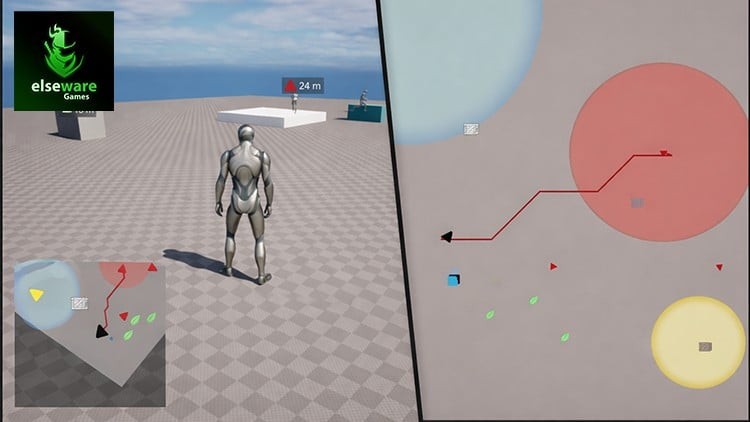
Unreal Engine 5: Map System (Minimap, Worldmap & Navigation)
Published 2/2026
Created by elseware Games
MP4 | Video: h264, 1920x1080 | Audio: AAC, 44.1 KHz, 2 Ch Level: All Levels | Genre: eLearning | Language: English | Duration: 71 Lectures ( 27h 55m ) | Size: 34.5 GB

Build production-ready, optimized minimap and world map systems with dynamic navigation in Unreal Engine 5


What you'll learn
✓ Build a fully functional real-time minimap system using Unreal Engine 5.
✓ Design an interactive world map that accurately represents large game levels.
✓ Implement dynamic map icons for players, objectives, and points of interest.
✓ Create a fast travel system using selectable map locations and nearby travel points.
✓ Track objectives using real-time distance indicators and HUD widgets.
✓ Visualize static and dynamic zones such as ranges, regions, and clustered areas.
✓ Convert and manage world-space to map-space data efficiently.
✓ Structure a scalable, reusable map system using Blueprint best practices.
✓ Optimize minimap and world map systems for real-time performance.
✓ Integrate the map system seamlessly into open-world and large-scale projects.

Requirements
● No prior experience is required, everything will be built step by step from scratch.
● Basic familiarity with Unreal Engine 5 interface and Blueprints will help but is not mandatory.
● A computer capable of running Unreal Engine 5 (UE5.3 or Higher Engine Version/ Recommended to Use UE5.7).
● At least 16 GB of RAM and a dedicated GPU (NVIDIA GTX 1060 / AMD equivalent or higher recommended).
● Stable internet connection to download Unreal Engine, assets, and course materials.
● Enthusiasm and a willingness to learn hands-on by building along with the instructor.

Description
Master the art of building robust, scalable, and optimized minimap and world map systems in Unreal Engine 5.

This course takes you beyond basic HUD elements and simple UI maps, diving into the design of data-driven navigation systems used in modern games. You'll learn how to visualize large levels, track players and objectives in real time, and build intuitive map interactions that scale to open and semi-open world projects.

You'll gain hands-on experience building a complete minimap and world map system from scratch using Unreal Engine 5 Blueprints, UMG, and real-time gameplay data. From live minimap rendering and dynamic icons to fast travel, distance tracking, and zone visualization, you'll learn how to design a polished navigation system that feels responsive and production-ready.

Your Learning Journey

• Minimap - Real-time minimap with dynamic icons and player tracking.

• World Map - Expanded world map for full-level visualization and interaction.

• Fast Travel - Travel instantly using selectable map locations or nearby travel points.

• Distance Indicators - Dynamic HUD widgets to track marked objectives and locations.

• Waypoint - Allows players to place, update, and track navigation targets dynamically.

• Ranges and Zones - Static and dynamic areas visualized directly on the map.

• Pathfinding and Path Rendering - Path visualization using grid and graph concepts, explore pathfinding logic, and render dynamic paths efficiently on the map.

By the end of this course, you'll have built a fully functional minimap and world map system from the ground up. You'll gain a strong understanding of Unreal Engine 5 Blueprints, UI architecture, map-space logic, and real-time data visualization techniques.

You will also understand the core theoretical foundations behind these systems, including practical applications of data structures, algorithms, heuristics, and performance optimization strategies.

These skills are directly applicable to open-world games, RPGs, simulation projects, strategy games, and large-scale environments.

Whether you're an intermediate Unreal Engine user or looking to step into advanced gameplay systems, this course will give you a solid, reusable, and production-ready foundation for building professional navigation systems.

Who this course is for
■ Beginner Unreal Engine users who understand the basics of the editor and want to learn how real game systems are built.
■ Developers with basic Blueprint knowledge looking to move beyond simple UI widgets and HUD elements.
■ Intermediate Unreal Engine developers who want to design structured, reusable minimap and world map systems.
■ Game developers working on open-world or semi-open-world projects that require navigation, tracking, and fast travel.
■ Indie developers and small teams aiming to implement a clean, production-ready map solution.
■ Developers interested in data-driven UI, map-space logic, and scalable system architecture.
■ Advanced Unreal Engine users and technical designers who want deeper insight into professional navigation system design.


702327196_63-_obstacles_and_navigation_grid_manipulation.jpg


Download from RapidGator


Premium Links


1a972d824b438900045745423b1e56b4.jpg


Lick Library - Foreigner Guitar Lessons
Sam Bell, Danny Gill | Duration: 0:37 h | Video: H264 1920x1080 | Audio: AAC 48 kHz 2ch | 893 MB | Language: English

Dive into the electrifying world of rock with our detailed guitar lesson for "Juke Box Hero" by Foreigner. This iconic track, known for its compelling narrative and dynamic guitar play, offers a fantastic learning experience for guitarists eager to enhance their skills. Our lesson meticulously breaks down each section of the song, focusing on essential rock guitar techniques such as power chords, open string riffs, slides, and string bending. Whether you're a beginner looking to step up your game or an intermediate player refining your technique, this lesson taught by Sam Bell, provides valuable insights and practical applications that will significantly enhance your playing ability.

At LickLibrary.com, we are excited to introduce our detailed guitar tutorial for the classic rock anthem "Double Vision" by Foreigner. This lesson is tailored to help intermediate guitarists master several key rock guitar techniques embedded in the song. Whether you are looking to expand your guitar skills or delve into the iconic sounds of the 70s rock era, this lesson offers valuable insights and techniques that will enhance your playing style. This lesson is taught by Danny Gill.

1. Juke Box Hero .[18:41]
2. Double Vision .[18:32]


Homepage


697544407_02_-_chorus__arpeggiated_section.jpg


Download from RapidGator


Premium Links
 
54fc20784448dea095e505b9ab3a3e0e.jpg


NestJS Ultimate Masterclass: (Basics to Advanced) 2026
Published 2/2026
Created by Tarun (tkssharma) Sharma
MP4 | Video: h264, 1920x1080 | Audio: AAC, 44.1 KHz, 2 Ch
Level: All Levels | Genre: eLearning | Language: English | Duration: 226 Lectures ( 43h 55m ) | Size: 40 GB

Mastering NestJS - A Comprehensive Hands-on Course


What you'll learn
✓ Build scalable and maintainable backend applications using NestJS and TypeScript
✓ Develop RESTful and GraphQL APIs with modern best practices
✓ Implement authentication and authorization using JWT, OAuth, sessions, and cookies
✓ Design and build microservices and event-driven systems
✓ Integrate databases like PostgreSQL, MongoDB, using TypeORM, Prisma, and Mongoose
✓ Structure projects using modular and monorepo architectures

Requirements
● javascript
● typescript
● basic api development REST

Description
Mastering NestJS - A Comprehensive Hands-on Course

Master modern backend development with NestJS in this comprehensive Hindi course. Whether you're a beginner or an experienced developer, this course will take you from zero to hero by covering everything from the basics to advanced enterprise-level concepts.

You'll learn how to build scalable, secure, and maintainable server-side applications using TypeScript and NestJS, a powerful Node.js framework inspired by Angular. We'll explore topics like REST APIs, GraphQL, authentication, database integration (PostgreSQL, MongoDB, TypeORM, Prisma), monorepo architecture, microservices, event-driven systems, testing, cloud deployments, and more.

By the end of this course, you'll be confident enough to develop and deploy production-grade backend applications using best practices in modern development workflows.

Section 1: Introduction - NestJS Zero to Hero

• Lecture 1: NestJS Zero to Hero - Modern backend Development

• Lecture 2: Setting up Your System and prerequisite for this Course

• Lecture 3: Course Agenda & Outline

Section 2: Getting Started with NestJS

• Lecture 4: NestJS CLI Starter: Exploring the Generated Code

• Lecture 5: System Setup and Node.js Installation for NestJS Development

• Lecture 6: Why NestJS? - Introduction to NestJS (Preview enabled)

• Lecture 7: NestJS vs Express: Key Differences in API Development

• Lecture 8: Using NestJS CLI & Organize Your Code with Modular Structure

Section 3: NestJS Basic Fundamentals with Simple CRUD

• Lecture 9: Baseline Nestjs Code for Building APIs

• Lecture 10: Building REST API CRUD Operation with In Memory Data

• Lecture 11: NestJS Controller and Service Basic Fundamentals

Section 4: NestJS CLI and NestJS Core Building Blocks

• Lecture 12: Understanding the NestJS Request Lifecycle Flow

• Lecture 13: Kickstarting Your NestJS App with the CLI (Preview enabled)

• Lecture 14: NestJS Middleware and Auth Guard with Core Components

Section 5: NestJS Dependency Injection and Building Blocks

• Lecture 15: NestJS API Documentation Using Swagger

Course Modules (Extended Learning)

Module 1: NestJS Fundamentals and Core Concepts

• Introduction to NestJS and its architecture

• Basic Fundamentals of Nestjs (core concepts)

• Setting up a NestJS project with TypeScript

• Creating RESTful APIs and GraphQL endpoints

• Implementing authentication (JWT, OAuth, Passport.js)

• Building end to end REST API services

• Setting up a NestJS project with Monorepo

• Database integration with TypeORM & Prisma and Mongoose

• Setting up a NestJS project with Testing

• Understanding NestJS Microservices

• Building Microservices and event-driven applications

• Unit & Integration Testing in NestJS

• CI/CD and deploying NestJS apps to the cloud

Module 2: API Development - REST and GraphQL

• Creating RESTful APIs with NestJS

• Building GraphQL APIs using code-first and schema-first approaches

• API versioning and best practices

• API documentation using Swagger

• Handling GraphQL resolvers and decorators

• Integrating GraphQL with authentication and guards

Module 3: Authentication and Authorization

• Authentication with Passport.js (JWT, Local, OAuth2 strategies)

• Implementing cookie-based authentication (HTTP-only cookies)

• Session-based authentication flow

• Role-based access control (RBAC)

• Token-based authentication and refresh strategies

• Security best practices (CORS, helmet, rate limiting, CSRF protection)

Module 4: Database Integration and File Handling

• Connecting PostgreSQL using TypeORM

• Using Prisma ORM for modern data modeling

• Integrating MongoDB with Mongoose

• File upload handling with Multer and working with static assets

• Exception filters, interceptors, and custom decorators

Module 5: NestJS Microservices and Architecture

• Understanding NestJS microservices architecture

• Building microservices using TCP, Redis, NATS, RabbitMQ

• Using message patterns and transporters

• Communication using EventEmitter and custom event buses

• Scalable job queues with BullMQ

• Deploying and testing distributed services

Module 6: NestJS GraphQL Deep Dive

• Setting up GraphQL modules and resolvers

• Working with GraphQL decorators and schemas

• Using Apollo Server and code-first approach

• Handling GraphQL mutations and queries with DTOs

• Integrating GraphQL with databases (TypeORM/Prisma)

• Testing GraphQL queries and mutations

Module 7: NestJS Testing Strategies

• Unit testing with Jest and mocking techniques

• Writing integration tests with Supertest

• Testing GraphQL APIs and authentication guards

• Testing modules and controllers independently

• Creating reusable testing utilities

• Best practices for test organization and coverage

Module 8: DevOps, CI/CD, and Cloud Deployment

• Setting up environment variables and configuration modules

• Logging and monitoring with Winston and Morgan

• CI/CD pipeline setup with GitHub Actions or GitLab CI

• Dockerizing your NestJS app for production

• Deploying to AWS Lambda using Serverless Framework

• Deploying on EC2, ECS, and Kubernetes

• Creating and publishing custom NestJS packages

Who this course is for
■ Backend Developers who want to master modern Node.js development using NestJS and TypeScript
■ Full-Stack Developers looking to build robust, scalable APIs and microservices
■ Angular Developers who appreciate structured, modular architecture and want to leverage similar patterns on the backend
■ JavaScript/TypeScript Developers transitioning from Express or other frameworks to a more powerful and maintainable solution
■ Teams and Architects building enterprise applications that require clean code structure, testability, and cloud readiness
■ Anyone preparing for technical interviews involving backend system design, API architecture, or Node.js


Homepage


702671169_115-003_s.jpg


dc46092df2ff388e4ddd757d2907d7b9.jpg


Lick Library - Gary Moore Guitar Lessons & Backing Tracks
Mitch Laddie | Duration: 0:26 h | Video: H264 1920x1080 | Audio: AAC 48 kHz 2ch | 660 MB | Language: English

Dive into the soulful blues of Gary Moore with our comprehensive guitar lesson for "Cold Day In Hell." This course is designed not only to teach you how to play this iconic track note for note but also to enrich your playing with advanced guitar techniques that Moore himself utilized to give the song its powerful emotional depth. By the end of this lesson, you'll not only master the song but also enhance your overall guitar skills, giving you tools that can be applied across a wide range of musical styles.

1. Cold Day In Hell .[26:30]

Backing Tracks:
1. Cold Day In Hell .[04:16]


697544371_01_-_intro_verse__chorus_parts.jpg


Download from RapidGator


Premium Links
 
cf4f8f436ac00373a3f0cbac7ecd24b2.jpg


Flagship JavaScript CRUD Projects - A Practical Guide
Published 2/2026
Created by Pamch Tutor | M.EdTech | MCE
MP4 | Video: h264, 1920x1080 | Audio: AAC, 44.1 KHz, 2 Ch Level: Intermediate | Genre: eLearning | Language: English | Duration: 115 Lectures ( 35h 38m ) | Size: 34 GB

Take your JavaScript skills to the next level by applying Create, Read, Update, and Delete (CRUD) operations


What you'll learn
✓ A deep understanding of how CRUD operations work in real-world web development.
✓ Practical experience with JavaScript data handling, DOM manipulation, and event-driven programming.
✓ Confidence in building interactive, user-friendly applications from scratch.
✓ Insight into project structuring, modular code, and clean UI implementation.

Requirements
● Good understanding of HTML and CSS and JavaScript

Description
Are you ready to move beyond basic JavaScript syntax and start building real-world, dynamic web applications? The Practical Guide to JavaScript CRUD Projects is designed to take your JavaScript skills to the next level by helping you apply Create, Read, Update, and Delete (CRUD) operations through hands-on project development.

Through a project-based learning approach, you will explore how JavaScript interacts with data structures, forms, storage (using localStorage), and user interactions. By the end of this course, you'll have built fully functional CRUD projects, each one simulating real-world web application use cases. These projects will not only enhance your development skills but also strengthen your portfolio for future employment or freelance opportunities.

Projects You'll Build

• Attendance App Project
Create an attendance app where users can sign in and sign out and the time of sign in/time of sign out is recorded. There is the search functionality. Data is saved in localStorage and there is search functionality.

• Video Library Project
Design a dynamic video album project. The user is able to add videos via URLs and view videos and delete videos. The user is also able to see the amount of views the video has gathered. Videos are saved in localStorage and there is search functionality.

• Finance Management App Project
In this project, students will build a finance app that clones a financial system where users can sign up, sign in, sign out, delete account, transfer funds to another account, manage personal financial transactions and save transaction history in localStorage.

• Notes Manager Project
A personal notes organizer to help users manage and save notes for later usage. Users are able to save notes into localStorage and edit notes when needed.

• Personal Library System Project

The user is able to add books by title and author to their library. The books can be marked as 'read'. This allows the user keep track of their reading/studying goals.

• Chatting App Project
Learn how to build a functional chatting app where users can switch between 2 users. This project shows how to indicate that a particular user is typing. Users are able add emojis to messages, edit messages, react to messages and delete messages. Messages are saved in localStorage

By the end of the Practical Guide to JavaScript CRUD Projects, you'll be capable of building real-world JavaScript applications. Whether you're a student, aspiring web developer, or a coding enthusiast, this course will empower you with the confidence and tools to bring your ideas to life through JavaScript.

Who this course is for
■ Intermediate JavaScript learners who want to build real-world CRUD JavaScript projects.
■ An enthusiastic JavaScript student who wants to build impressive portfolio of projects that demonstrate your problem-solving and development skills.


702327389_48-_createvideocardvideo_-_part_3.jpg


Download from RapidGator


Premium Links


8bd9ba7dc7dc00f822abaf3c9729bfe0.jpg


Lick Library - Oasis Guitar Lessons
Jamie Humphries | Duration: 0:15 h | Video: H264 1920x1080 | Audio: AAC 48 kHz 2ch | 248 MB | Language: English

Here is our 'Half The World Away' easy guitar Oasis song lesson. Learn how to play 'Half The World Away' on the guitar just like Noel Gallagher.

1. Half The World Away .[15:28]


Homepage


697544510_01_-_complete_song.jpg


Download from RapidGator


Premium Links
 
54d284150e191a2ee4be082b672d0312.jpg


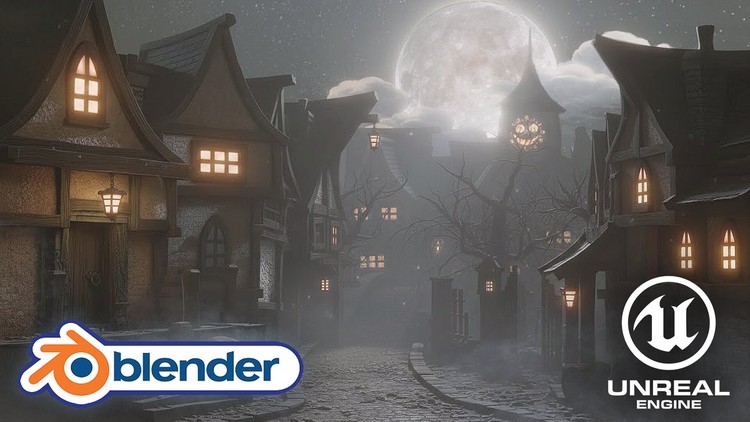
Blender 5 & UE5.7: Stylized Haunted Street Kit
Published 2/2026
Created by 3D Tudor
MP4 | Video: h264, 1920x1080 | Audio: AAC, 44.1 KHz, 2 Ch
Level: Intermediate | Genre: eLearning | Language: English | Duration: 161 Lectures ( 31h 10m ) | Size: 43.1 GB

Build a stylized haunted street: modular kit in Blender 5, GLB handoff, then Landmass, PCG, Lumen and fog in Unreal 5.7


What you'll learn
✓ • Build a modular haunted street kit in Blender 5 that snaps together cleanly at street scale following the 20-Material Rule for efficiency.
✓ • Model stylized walls, roofs, doors, windows, and supports with repeatable bevel and silhouette rules.
✓ • Create clean UVs, manage texel density, and keep materials consistent across a full modular kit.
✓ • Export your kit via glTF 2.0 (GLB) with correct pivots, transforms, and normals for Unreal.
✓ • Assemble a complete street in Unreal Engine 5.7 and validate scale, shading, and placement quickly.
✓ • Shape terrain with Landmass and Landscape Edit Layers, then add a river using the Water system.
✓ • Add grime and variation with vertex painting without multiplying your material complexity.
✓ • Use PCG and splines to generate curbs, paths, and repeating street dressing with rule-based control.
✓ • Populate shrubs and trees with foliage tools, including Nanite-ready variations and PCG scattering.
✓ • Light and finish a moody night scene with Lumen, volumetrics, Niagara fog, and a cinematic camera move.

Requirements
● • Blender 5.x recommended (the course is recorded in Blender 5).
● • Unreal Engine 5.7 recommended (the course is recorded in Unreal 5.7).
● • A computer that can run Blender and Unreal comfortably (a DirectX 12 capable GPU is strongly recommended for UE5 features like Lumen).
● • Basic 3D navigation skills (move/rotate/scale, viewport navigation) in Blender and Unreal.
● • Enough disk space for project files and the included resource pack.

Description
Your modular environment should not turn into a pile of almost-matching parts the moment you try to build a full street.

Blender 5 and Unreal Engine 5.7 form the complete 2026 stylized environment pipeline. This workshop teaches you to build an efficient modular kit using the 20-Material Rule mindset and export via GLB for perfect handoff into Unreal's modern toolset.

If you can model props but your "street scene" collapses into misaligned walls, broken scale, messy UVs, and lighting that never quite lands, this course is built to fix the uncomfortable middle bit: turning individual assets into a cohesive, production-friendly environment.

In this workshop you will create a stylized haunted street modular kit in Blender 5, export it cleanly, then assemble and finish the full environment in Unreal Engine 5.7 with terrain, water, procedural dressing, moody lighting, atmospheric fog, and a final establishing shot.

The problems we solve (the stuff that usually ruins a modular set)

You will learn practical fixes for the most common failure points

• Parts that "nearly match" until you rotate them, duplicate them, or try to extend a building.

• Walls that look fine in Blender but break the moment they hit an engine grid.

• UVs that drift, texel density that changes, and materials that make one house look sharper than the next.

• Light leaks, odd shading, and normals that make stylized assets look accidentally broken instead of intentionally wonky.

• A street that reads as "random kitbash" because composition, value contrast, and mood were never planned.

What you will build

By the end you will have

• A reusable modular building kit (walls, corners, trims, doors, windows, roofs, supports, story props) that fits together reliably.

• A complete Unreal Engine scene: landscape shaped with Landmass, a river using the Water system, PCG-assisted street dressing, vertex-painted variation, foliage and trees, and a cinematic lighting pass with Lumen, volumetrics, and ground fog.

• A short Money Shot camera move that presents the street as a portfolio-ready establishing shot.

How the course is taught (Neil + Luke split)

This course is a true 50/50 pipeline.

• Neil teaches the Blender phase: modelling habits that scale, modular logic, UV discipline, texture consistency, and export prep.

• Luke teaches the Unreal phase: importing and validating the kit, building the street, shaping the terrain and river, dressing the scene, and finishing the mood and cinematic.

Lessons are intentionally focused. Each session solves one problem, then you apply it immediately to the haunted street. You will move forward with simple milestones instead of "I will polish that later" chaos.

Blender 5 Phase - Taught by Neil
In the Blender section you will learn how to

• Build modular walls and variations at a consistent, real-world scale so everything stays predictable when duplicated.

• Keep scenes clean with collections and naming rules, so your kit remains usable (and you can actually find things later).

• Control shading and style early with simple look-dev, including the greybox stage and clean material setups.

• Model stylized wood and stone details with believable bevels and controlled edge wear (so "stylized" does not become "messy").

• Use Lattice deform workflow and proportional edits to create charming, wonky silhouettes without destroying your underlying structure.

• Create clean UVs, manage texel density, and keep seams and sharp edges consistent for stable shading in engines.

• Use trimsheets, tiling materials, and decals sensibly so the kit stays fast to expand without turning into a texture management nightmare.

• Prepare assets for engine handoff: consistent pivots, naming, transforms, normals, and export checks.

• Export via glTF 2.0 (GLB) so the handoff stays reliable and repeatable.

Unreal Engine 5.7 Phase - Taught by Luke
In the Unreal section you will learn how to

• Import the kit and validate scale, normals, and topology so you do not "fix everything later" for weeks.

• Assemble the street quickly using modular snapping, camera bookmarks, and composition rules that keep the scene readable.

• Build terrain with Landmass (a landscape toolset for shaping forms non-destructively), including mountains and slopes that support the mood.

• Sculpt and refine riverbanks using Landscape Edit Layers, then create a river using the Water system.

• Fix and tune landscape materials, including Nanite displacement where appropriate for depth and breakup.

• Add believable variation with vertex painting (painting data on the mesh to blend grime, moss, and wear without exploding your material count).

• Place props with sensible collisions so the scene feels grounded, not floaty.

• Populate shrubs and clutter with Procedural Foliage Volumes, and refine density and performance with practical controls.

• Build pavement and pathing with splines and PCG Linear Grammar tools (PCG is Procedural Content Generation: rule-based placement that saves you from hand-placing every repeating element).

• Create stylized trees in-engine, export Nanite-ready variations, and scatter them with PCG for fast forest dressing.

• Add atmosphere with Niagara fog systems, including layered fog passes for depth and separation.

• Add small animated life with simple Blueprints (for example: hanging lanterns and swinging signs), including wind control.

• Finish with cinematic tools: Cine Camera setup, Lighting Channels for precision highlights, Level Sequencer for a clean camera move, and final render output.

Quick glossary (so the tech words are never "magic")

• GLB/glTF: a modern file format that transfers meshes, materials, and transforms reliably between Blender and Unreal.

• PCG: a procedural system for generating placement and variation from rules, not hand-placing every piece.

• Lumen: Unreal's real-time global illumination and reflections system for believable lighting.

• Landmass: Unreal landscape tools for shaping hills, roads, and forms with controllable brushes.

• Vertex painting: blending textures and variation by painting data onto the mesh.

• Volumetrics: fog and light scattering in the air that adds depth and atmosphere.

• Texel density: keeping texture resolution consistent so assets look like they belong together.

• Nanite displacement: high-detail surface depth driven by displacement, designed to stay efficient in Unreal.

What is included

You will also get a resource pack to keep you moving

• Shaders and materials to jump-start the look-dev.

• A human-scale reference and scene setup helpers.

• Two Geometry Nodes tools (stairs and a stone walkway generator).

• Sample prebuilt buildings you can use as starting points inside Unreal while you build your own variations.

Flexible paths (you can tailor the workflow)

• Blender-only: you can complete the kit and render in Blender (Cycles or Eevee), then still walk away with a finished scene and strong modular habits.

• Unreal-focused: if you already have assets, you can concentrate on the UE5.7 side (terrain, water, PCG, foliage, lighting, fog, cinematic) and treat the Blender phase as reference for best practice.

Who this course is for
■ • Blender users who can model props, but struggle to turn them into a coherent, finished environment.
■ • Environment artists who want modular kits that stay consistent when scaled up to a full street.
■ • Unreal users who want proper world-building skills (terrain, water, PCG, foliage, lighting, fog), not just "import and hope."
■ • Stylized scene builders who care about mood, readability, and cinematic presentation.
■ • Indie devs who want a repeatable Blender-to-Unreal pipeline they can reuse across multiple themes.


Homepage


703060277_37-lesson-37-smart-uv-project-and-mirror-modifier-for-doors_s.jpg


4b4502220d3a94aa673103d66d0b1b16.jpg


Création de 10 jeux à partir de zéro avec Unity
Last updated 2/2026
Created by Olcay kalyoncuoğlu
MP4 | Video: h264, 1920x1080 | Audio: AAC, 44.1 KHz, 2 Ch
Level: Intermediate | Genre: eLearning | Language: French + subtitle | Duration: 153 Lectures ( 42h 5m ) | Size: 32.53 GB

Nous réalisons ensemble 10 magnifiques jeux à partir de zéro.


What you'll learn
✓ Développement de jeux à partir de zéro et ses processus
✓ Différentes mécaniques de jeu
✓ Divers systèmes de gestion de jeux
✓ Compétence en création d'algorithmes

Requirements
● Avoir au moins un niveau intermédiaire en développement de jeux et en Unity
● Un appareil capable de faire fonctionner les programmes Unity et Visual

Description
« Ce cours utilise l'intelligence artificielle. »

Bonjour,

Nous allons réaliser ensemble 10 jeux à partir de zéro. Pendant le développement des jeux, vous pourrez apprendre des notions générales que vous pourrez utiliser aussi bien dans ces jeux que dans vos autres projets. N'oubliez pas : si vous voulez devenir développeur de jeux, vous devez produire et expérimenter beaucoup.

Nous créons nos jeux entièrement depuis le début. L'avantage pour vous est que vous verrez l'intégralité du processus du début à la fin. Mon conseil est de ne pas sauter de vidéos et de les suivre en les comprenant bien. Si vous faites ainsi, la probabilité de faire des erreurs sera presque nulle. J'ai essayé d'expliquer les mécaniques et les méthodes de la manière la plus transparente et simple possible. Dans les mécaniques comme dans les jeux en général, j'ai également tenté d'expliquer différentes variations et façons de réaliser les processus.

JEUX QUE NOUS RÉALISONS DANS LA FORMATION

• Rolly Up

• Tidy Tower

• Throwing Knife

• Collect The Food

• Mega Cube

• Direct The Cargo

• Rope Puzzle

• Catch With Ropes

• Sand Ball

• Match Ball

Vous pouvez utiliser la formation à différentes fins

Créer et publier des jeux
Gagner de l'argent en ajoutant de la publicité
Vous perfectionner
Créer un portfolio
L'utiliser comme base

Je crois que ce sera une excellente ressource pour ceux qui le veulent vraiment et en ont besoin.

AVANT DE DÉCIDER D'ACHETER, MERCI DE REGARDER ATTENTIVEMENT TOUTES LES VIDÉOS DE PRÉVISUALISATION DE LA FORMATION. LES INFORMATIONS ET PRÉSENTATIONS NÉCESSAIRES S'Y TROUVENT.

Comme toutes les personnes qui suivent la formation n'ont pas le même niveau de connaissances, certaines méthodes et certains processus peuvent sembler différents à ceux qui les connaissent déjà. Ou vous pourriez penser : « Cela aurait été mieux si cela avait été fait autrement ». C'est tout à fait normal : presque chaque processus possède au moins 2 ou 3 façons différentes d'être réalisé. Toutes les explications de la formation partent du principe que le niveau de connaissance du participant est INTERMÉDIAIRE. Si vous le savez déjà, vous pouvez adapter toute méthode comme vous le souhaitez.

D'autres formations comme celle-ci arriveront à l'avenir, alors restez attentif.

LA LANGUE ORIGINALE DE LA NARRATION ET DES EXPLICATIONS VIDÉO DE CE COURS EST LE TURC. TOUTES LES VIDÉOS SONT VOIXÉES PAR INTELLIGENCE ARTIFICIELLE. DES ERREURS OU DES DÉCLARATIONS INEXACTES PEUVENT ÊTRE DUE À LA TRADUCTION. VEUILLEZ EN CONSIDÉRER LES PRÉCISIONS AVANT DE PRENDRE VOTRE DÉCISION D'ACHAT.

Who this course is for
■ Personnes souhaitant développer des jeux
■ Personnes souhaitant entrer dans le monde du jeu mobile
■ Personnes souhaitant posséder leur propre jeu


Homepage


703059117_14-rolly-up-1_s.jpg


Zurück
Oben Unten