• Regeln für den Video-Bereich:

    In den Börsenbereich gehören nur Angebote die bereits den Allgemeinen Regeln entsprechen.

    Einteilung

    - Folgende Formate gehören in die angegeben Bereiche:
    - Filme: Encodierte Filme von BluRay, DVD, R5, TV, Screener sowie Telesyncs im Format DivX, XviD und x264.
    - DVD: Filme im Format DVD5, DVD9 und HD2DVD.
    - HD: Encodierte Filme mit der Auflösung 720p oder darüber von BluRay, DVD, R5, TV, Screener sowie Telesyncs im Format x264.
    - 3D: Encodierte Filme von BluRay, die in einem 3D Format vorliegen. Dies gilt auch für Dokus, Animation usw.
    - Serien: Cartoon/Zeichentrick, Anime, Tutorials, Dokumentationen, Konzerte/Musik, Sonstiges sind demnach in die entsprechenden Bereiche einzuordnen, auch wenn sie beispielsweise im High Definition-Format oder als DVD5/DVD9/HD2DVD vorliegen. Ausnahme 3D.
    - Bereich Englisch: Englische Releases gehören immer in diesen Bereich.
    - Bereich Talk: Der Bereich, in dem über die Releases diskutiert werden kann, darf, soll und erwünscht ist.


    Angebot/Beitrag erstellen

    - Ein Beitrag darf erst dann erstellt werden, wenn der Upload bei mindestens einem OCH komplett ist. Platzhalter sind untersagt.
    - Bei einem Scenerelease hat der Threadtitel ausschließlich aus dem originalen, unveränderten Releasenamen zu bestehen. Es dürfen keine Veränderungen wie z.B. Sterne, kleine Buchstaben o.ä. vorgenommen werden. Ausnahme Serienbörse:
    - Bei einem Sammelthread für eine Staffel entfällt aus dem Releasename natürlich der Name der Folge. Beispiel: Die Simpsons S21 German DVDRip XviD - ITG
    - Dementsprechend sind also u.a. verboten: Erweiterungen wie "Tipp", "empfehlenswert", "only", "reup", usw. / jegliche andere Zusatzinformation oder Ergänzung, welche nicht in obiger Beschreibung zu finden ist.

    Aufbau des Angebots und Threadtitel

    Der Titel nach folgendem Muster erstellt zu werden. <Name> [3D] [Staffel] [German] <Jahr> <Tonspur> [DL] [Auflösung] <Quelle> <Codec> - <Group>
    Beispiel: The Dark Knight German 2008 AC3 DVDRip XviD - iND
    Beispiel: The Dark Knight 2008 DTS DL BDRip x264 - iND
    Beispiel: The Dark Knight 2008 AC3 DL BDRip XviD - iND
    Beispiel: The Dark Knight German 2008 AC3 720p BluRay x264 iND
    Beispiel: The Dark Knight 2008 DTS DL 1080p BluRay x264 iND
    Beispiel: Die Simpsons S01 German AC3 DVDRip XviD iND
    Beispiel: Die Simpsons S20 German AC3 720p BluRay x264 iND
    Beispiel: Sword Art Online II Ger Sub 2014 AAC 1080p WEBRip x264 - peppermint
    Entsprechend sind also u.a. verboten: Sonderzeichen wie Klammern, Sterne, Ausrufezeichen, Unterstriche, Anführungszeichen / Erweiterungen wie "Tipp", "empfehlenswert", "only", "reup", usw. / jegliche andere Zusatzinformation oder Ergänzung, welche nicht in obiger Beschreibung zu finden ist
    Ausnahmen hiervon können in den Bereichen geregelt sein.

    Die Beiträge sollen wie folgt aufgebaut werden:
    Überschrift entspricht dem Threadtitel
    Cover
    kurze Inhaltsbeschreibung
    Format, Größe, Dauer sind gut lesbar für Downloader außerhalb des Spoilers zu vermerken
    Nfo sind immer Anzugeben und selbige immer im Spoiler in Textform.
    Sind keine Nfo vorhanden z.B. Eigenpublikationen, sind im Spoiler folgende Dateiinformationen zusätzlich anzugeben :
    Quelle
    Video (Auflösung und Bitrate)
    Ton (Sprache, Format und Bitrate der einzelnen Spuren)
    Untertitel (sofern vorhanden)
    Hosterangabe in Textform außerhalb eines Spoiler mit allen enthaltenen Hostern.
    Bei SD kann auf diese zusätzlichen Dateiinformationen verzichtet werden.

    Alle benötigten Passwörter sind, sofern vorhanden, in Textform im Angebot anzugeben.
    Spoiler im Spoiler mit Kommentaren :"Schon Bedankt?" sind unerwünscht.


    Releases

    - Sind Retail-Release verfügbar, sind alle anderen Variationen untersagt. Ausnahmen: Alle deutschen Retail-Release sind CUT, in diesem Fall sind dubbed UNCUT-Release zulässig.
    - Im Serien-Bereich gilt speziell: Wenn ein Retail vor Abschluss einer laufenden Staffel erscheint, darf diese Staffel noch zu Ende gebracht werden.62
    - Gleiche Releases sind unbedingt zusammenzufassen. Das bedeutet, es ist zwingend erforderlich, vor dem Erstellen eines Themas per Suchfunktion zu überprüfen, ob bereits ein Beitrag mit demselben Release besteht. Ist dies der Fall, ist der bereits vorhandene Beitrag zu verwenden.
    - P2P und Scene Releases dürfen nicht verändert oder gar unter einem iND Tag eingestellt werden.


    Support, Diskussionen und Suche

    - Supportanfragen sind entweder per PN oder im Bereich Talk zu stellen.
    - Diskussionen und Bewertungen sind im Talk Bereich zu führen. Fragen an die Uploader haben ausschließlich via PN zu erfolgen, und sind in den Angeboten untersagt.
    - Anfragen zu Upload-Wünschen sind nur im Bereich Suche Video erlaubt. Antworten dürfen nur auf Angebote von MyBoerse.bz verlinkt werden.


    Verbote

    - Untersagt sind mehrere Formate in einem einzigen Angebotsthread, wie beispielsweise das gleichzeitige Anbieten von DivX/XviD, 720p und 1080p in einem Thread. Pro Format, Release und Auflösung ist ein eigener Thread zu eröffnen.
    - Grundsätzlich ebenso verboten sind Dupes. Uploader haben sich an geeigneter Stelle darüber zu informieren, ob es sich bei einem Release um ein Dupe handelt.
    - Gefakte, nur teilweise lauffähige oder unvollständige Angebote sind untersagt. Dies gilt auch für eigene Publikationen, die augenscheinlich nicht selbst von z.B. einer DVD gerippt wurden. Laufende Serien, bei denen noch nicht alle Folgen verfügbar sind, dürfen erstellt und regelmäßig geupdatet werden.
    - Untersagt sind Angebote, welche nur und ausschließlich in einer anderen Sprache als deutsch oder englisch vorliegen. Ausnahmen sind VORHER mit den Moderatoren zu klären.


    Verstoß gegen die Regeln

    - Angebote oder Beiträge, die gegen die Forenregeln verstoßen, sind über den "Melden"-Button im Beitrag zu melden.
  • Bitte registriere dich zunächst um Beiträge zu verfassen und externe Links aufzurufen.

*** Bestes IPTV *** bester Preis *** gratis Test ***


Englische Tutorials

4fbdfc737a72f99e19d3bb217ecfa187.jpg


Prepare for PMI-ACP Exam! Get Certified in 1st Attempt
Published 10/2025
Created by Shriram Kumar
MP4 | Video: h264, 1280x720 | Audio: AAC, 44.1 KHz, 2 Ch Level: All | Genre: eLearning | Language: English | Duration: 16 Lectures ( 42h 34m ) | Size: 29 GB

Clear PMI-ACP Exam in 1st Attempt | Practice 2000+ Mock Questions and Get Confidence before going for Final Exam


What you'll learn
Master the Agile Mindset
Explore Major Agile Frameworks
Agile Team Performance & Leadership
Agile Planning & Estimation
Agile Project Lifecycle & Delivery
Stakeholder Engagement
Agile Metrics and Reporting
Agile Risk and Quality Management
Agile Tools & Techniques
Agile Continuous Improvement
Exam Preparation & PMI-ACP Domains
Practical Case Studies & Simulations
Career Impact
Learning Formats

Requirements
Educational Background - A Secondary Degree (High School Diploma, Associate's Degree, or global equivalent) OR A Bachelor's Degree (or higher)
General Project Experience - 2,000 hours (about 12 months) of general project experience working on project teams from last 5 years. (For PMP/PgMP Certified Professional, its not required)
Agile Project Experience - 1,500 hours (about 8 months) of experience working on Agile project teams or with Agile methodologies from last 3 years.
Agile Training Requirement - 28 contact hours of formal education in Agile practices - This can be achieved by completing a recognized PMI-ACP® Training Course, such as the one offered by ShriLearning.

Description
The PMI-ACP® (Agile Certified Practitioner) course by ShriLearning is a comprehensive, exam-focused program designed for professionals who want to master Agile principles and practices and validate their expertise through the Project Management Institute's (PMI) globally recognized certification.This course goes beyond theory - it provides practical, real-world exposure to multiple Agile frameworks such as Scrum, Kanban, Lean, Extreme Programming (XP), and Crystal, enabling participants to effectively lead Agile projects and teams in any industry.Through interactive sessions, case studies, simulations, and exam-style practice questions, learners develop the mindset, tools, and techniques required to successfully manage complex, adaptive projects and deliver continuous business value.Course ObjectivesBy the end of this training, participants will be able to:Understand and apply the Agile Manifesto's values and principles.Compare and contrast Agile frameworks and hybrid approaches.Manage project teams using collaborative and servant leadership techniques.Plan and deliver projects through iterative and incremental development.Apply Agile estimation, prioritization, and progress tracking methods.Identify and manage risks using adaptive planning and feedback loops.Improve product quality through continuous improvement practices.Prepare thoroughly for the PMI-ACP® certification exam. Course HighlightsCovers all 4 PMI-ACP® Exam Domains and 12 Agile principles.Delivered by PMI-authorized instructors with real-world Agile experience.Interactive learning with Agile games, exercises, and group discussions.Includes mock exams, quizzes, and scenario-based questions.Access to downloadable materials, templates, and Agile study resources.Fulfills the mandatory 28 contact hours of Agile education required by PMI.

Who this course is for
Project Managers transitioning to Agile environments.
Scrum Masters, Product Owners, and Agile Coaches.
Software Developers, Testers, and Business Analysts.
Team Leads, Delivery Managers, and IT Professionals.
Anyone involved in or aspiring to work in Agile-based projects.


651848469_prepare_for_pmi-acp_exam_get_certified_in_1st_attempt.jpg


Download from RapidGator


Premium Links



0bf4ccf8c10189d59e22cf88e398687d.jpg


Schoolism - Introduction to Digital Painting with Andrew Hou
Duration: 2h 44m | .FLV 568x480 10 fps(r) | AAC, 44100 Hz, 2ch | 374 MB
Genre: eLearning | Language: English

This works on a subscription model where one monthly fee grants you full access to their library of video courses. Paintable offers a super targeted library focusing on just digital painting, along with different paths you can follow depending on your skill level.

In general, I think this is not exactly a newbie guide. You can look at some of the free preview videos on the course pages to see that they do expect you to be comfortable with digital painting, at least a tiny bit(or just using a drawing tablet).

Some of these courses have a slower intro and fit much better for beginners. If you buy their Illustrator Masterclass you get access to every course so that can be a really good option for newer artists. But if you want a more focused approach I would specifically recommend their character design series along with their environment painting course.

Here is what I came up with. The line work and painting job are a bit poor for the moment. Nate will help us with those in the next few weeks so expect a new version soon. The bottom picture are explorations that I first did with pen and paper then cleaned up in Sketchbook pro.

If you are interested in painting or lighting you should definitely have a look at his blog, his work is exceptional. To me he is just as good as people with 5+ years of experience and he probably made those colour keys, two to three years after graduating.

653451787_schoolism_3_part_05_s.jpg


aeff7c4d8be734624433bd5b0b35e5f8.jpg


PCB Design With Kicad - Updated For Kicad 9
Last updated 7/2025
MP4 | Video: h264, 1920x1080 | Audio: AAC, 44.1 KHz
Language: English | Size: 37.65 GB | Duration: 31h 47m

A course for the world's favorite open source printed circuit board design software.


What you'll learn
Updated for KiCad 9
Printed Circuit Board design using KiCad.
Single, double, and multi-layer board design.
The PCB design process.
The schematic design process.
The layout design process.
How to associate schematic symbols to footprints.
How to create the layout of a PCB.
Important PCB concepts, such as edge cuts, copper fills, mounting holes, soldermask, silkscreen, traces etc..
A detailed knowledge of the KiCad CAD application (its apps, configuration, toolbars, menus, project files etc.).
Project-based learning to ensure mastery of the topics taught.

Requirements
A Linux, Windows or Mac OS computer.
An Internet connection.
A growth mindset.
Patience to learn to mastery.

Description
This course is updated for KiCad 9I have recorded several new lectures in Section 13 to explain the most important new features and improvements in KiCad 9.The lectures in this section cover a range of topics, including the introduction of Jobsets for structured project management, the Bezier curve tool in all editors, and the Zone Manager for improved control over copper pours. Other lectures discuss the use of Design Blocks for reusing schematic and layout sections, updates to the Autorouter, and the Multiple Track Drag feature for modifying routed traces more efficiently. Additionally, the section includes coverage of Pad Stacks with different copper shapes, 3D model export improvements, the Precision Positioning Tool for accurate placement, and the Tables feature for showing structured information in the schematic and the layout. The Selection Filterin the schematic editor and Component Classes are also explored, highlighting their role in refining schematic organization and circuit design.Also... New project and recipes! I've added a brand-new hands-on project to this course: the Tiny Solar Power Supply.This project walks you through the complete design of a compact solar-powered regulator circuit, from schematic to PCB layout and preparation for manufacturing. I've also expanded the Recipes section with new content that shows you how to use KiCad's integrated circuit simulator. You'll learn how to simulate basic analog circuits directly in the schematic editor - a powerful tool for validating your design before layout.This course is updated for KiCad 8 This update contains many new and updated lectures to teach you the new features in KiCad 8. For those lectures that I created replacements for, I have moved them to new sections titled "Legacy" so you can still access them. Most new and updated content is in sections 1, 2, 3, 4, 5, and 12 (Recipes). Welcome to KiCad Like a Pro. This course will help you learn how to design Printed Circuit Boards using KiCad.KiCad is an open-source, free-to-use, and unrestricted tool for PCB design. It is the world's most popular open-source PCB tool for electronics engineers and hobbyists. KiCad is supported by a dedicated team of volunteer developers and a growing community of users and contributors.To create this edition of KiCad Like a Pro, I have used KiCad 7 and KiCad 8. This course will teach you KiCad so that you can use it in your commercial or hobby projects. It takes a practical approach to learning that combines "how-to" content with complete start-to-finish PCB projects.If you are new to PCB design, this course will help you start from the ground level. If you are an experienced PCB designer, this course will help you transition to KiCad from another tool or an earlier version of KiCad. Please read the course description and watch the free lectures in the first section to get more information about this course.I look forward to learning with you!

Electronics hobbyists.,Engineers.,Users of other PCB CAD applications that wish to move to KiCad,STEM students and teachers.


Homepage


653809631_15-overview-of-the-individual-kicad-apps_s.jpg


cceaffc5ed2d4304d004047982efe015.jpg


Upgrade Your Social Media With ChatGPT And 20+ AI Tools
Last updated 10/2025
MP4 | Video: h264, 1920x1080 | Audio: AAC, 44.1 KHz
Language: English | Size: 35.78 GB | Duration: 42h 16m

Complete social media marketing tasks and automate your work routine with AI-powered ChatGPT/DeepSeek/Perplexity etc


What you'll learn
How to use ChatGPT to enhance your daily marketing work routine
How to organize a social media marketing campaign with ChatGPT
What kind of content can be created with ChatGPT for social media?
How to organize and promote your SMM campaign with the help of AI

Requirements
Basics in social media marketing are desirable, but not required
Your desire to learn and enhance your knowledge with the help of AI

Description
The work routine of social media marketers has changed with the appearance of ChatGPT. This generative AI tool is helping marketers automate their work, unlock more possibilities, accelerate career growth, and do their job more qualitatively and effectively. This artificial intelligence not only saves them time but also allows them to focus on other important aspects of their job, such as analyzing data and strategizing campaigns. Ultimately, ChatGPT empowers social media marketers to stay ahead in a rapidly evolving digital landscape.Throughout this course, you will learn the fundamentals of ChatGPT as well as how to integrate artificial intelligence into your social media marketing campaign creation process step-by-step. The course will be divided into five sections:Introduction to ChatGPTSocial Media Campaign CreationContent Creation for Social Media PlatformsSMM Campaign Promotion and OrganizationConclusionWe'll start with an introduction to ChatGPT and finish up by discovering different tips for social media marketing campaign promotion and organization. The instructor will offer multiple examples during the course; thus, we urge you to repeat after him in order to emphasize each step. After completing the course, you'll be able to use ChatGPT for your social media marketing purposes.TOP DIGITAL MARKETING AND DATA ANALYSIS PROFESSIONALS WILL TRAIN YOU ON CHATGPT:We have been doing online marketing for more than 15 years. In addition to being a Google Premier Partner, our Webpromo Agency is also a Facebook Marketing Partner.Throughout our careers, we have launched more than 1,500 profitable marketing strategies and campaigns.Over 1M digital marketing specialists worldwide have enrolled in our online courses. Our free online events, blog, and YouTube tutorials keep the SkillsBooster community informed and give them digital marketing tips.OUR CHATGPT TRAINING INCLUDES:Theory: 40+ hours of lectures with many examples. Lessons range from 3 to 5 minutes and are easy to follow.Lifetime access to the course and any future updates.24/7 Support: If you have any questions, I will always be willing to answer them.Complete the course and receive an Udemy certificate.WHAT WILL STUDENTS LEARN DURING THIS COURSE?How to use ChatGPT to enhance your daily marketing work routineHow to organise a social media marketing campaign with ChatGPTWhat kind of content can be created with ChatGPT for social media?How to effectively use ChatGPTREQUIREMENTS:Since this is a beginner's course, no prior knowledge is needed.WHO IS THIS COURSE FOR?For social media marketers and digital marketers who are willing to optimize and automate their work with the help of ChatGPT.For everyone who wishes to become proficient with ChatGPT in both their personal and business lives.DO YOU NEED TO BE WORRIED?This course comes with a 30-day money-back guarantee.Join our course today to learn how СhatGPT can improve your working routine!

For everyone who wishes to become proficient with ChatGPT in both their personal and business lives,For social media marketers and digital marketers who are willing to optimize and automate their work with the help of ChatGPT


Homepage


653828465_17-the-art-of-prompting-for-ai-image-generation_s.jpg


8acb65ffcdd8e412928de4356db287a3.jpg


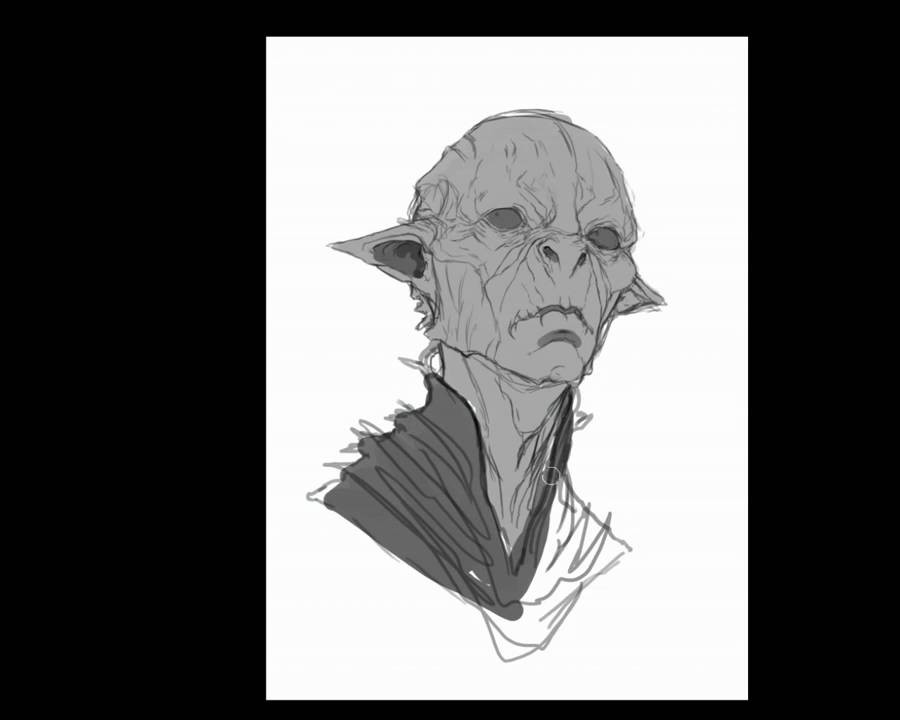
Dave Rapoza - Alien Portrait
Duration: 2h 36m | .FLV 1280x1024 30 fps(r) | MP4A, 44100 Hz, 2ch | 887 MB
Genre: eLearning | Language: English

Welcome to the alien mind of fantasy/sci-fi artist, Dave Rapoza! In this 155-minute video tutorial, Dave will demonstrate how he creates a realistic alien concept from start to finish. Registrants will be able to download Dave's initial sketches and follow along as he describes his favorite principles and techniques for painting and design.


653474727_part-7-flv.jpg


9adcbfdc1035c8194c372372ebbcc89b.jpg


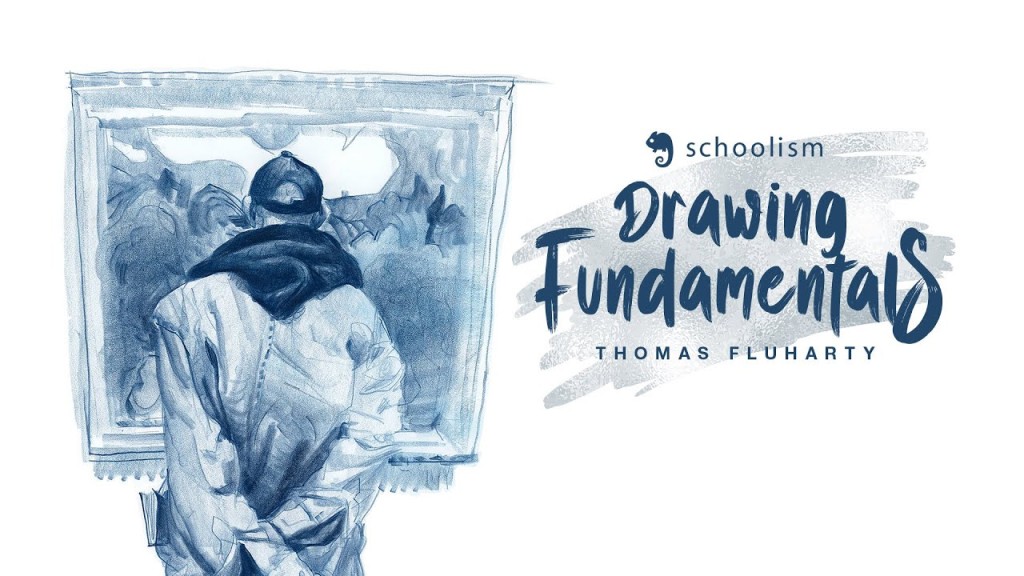
Schoolism - Drawing Fundamentals with Thomas Fluharty
Duration: 5h 51m | .MP4 640x360 15 fps(r) | AAC, 44100 Hz, 2ch | 718 MB
Genre: eLearning | Language: English

Every great artist begins with the fundamentals. In this course, award-winning illustrator, Thomas Fluharty, will coach you in the foundational skills that he employs to draw. You will learn how to see your subject, effectively use values, perspective, and composition, and much more. So whether you're a young artist just beginning your artistic journey, or an older artist who has never been formally trained in fundamentals, in sharing with you his vast experience, Thomas will help make drawing simple.

653452119_5-gesture_s.jpg


4c91e1075a9548a31269fa865fefec31.jpg


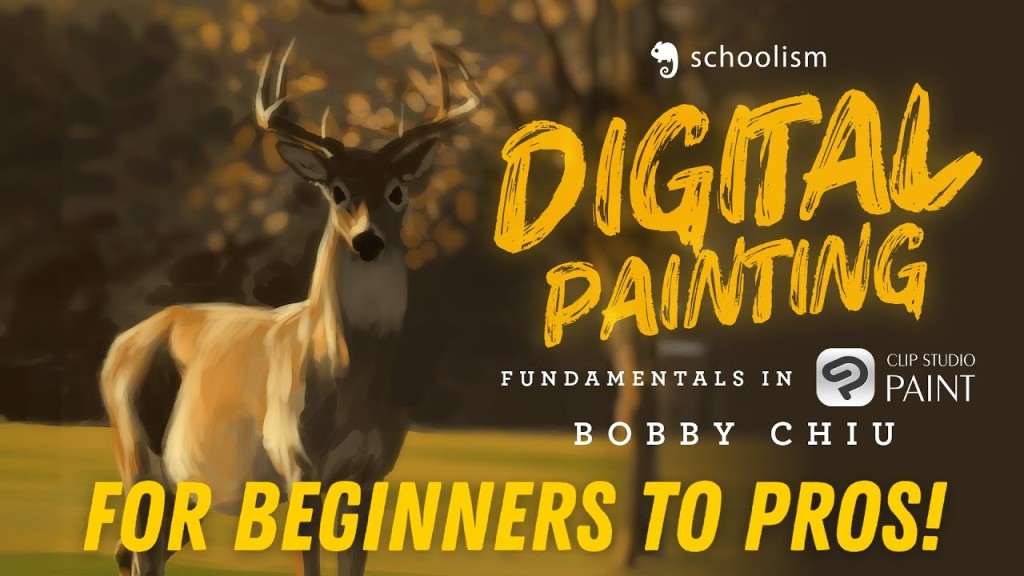
Schoolism - Digital Painting with Bobby Chiu
Duration: 14h 30m | .FLV 1280x1024 30 fps(r) | MP3, 44100 Hz, 2ch | 2 GB
Genre: eLearning | Language: English

Prepare to look at digital art in a whole new light by learning from award-winning digital artist Bobby Chiu! Over nine lessons, Bobby will teach you how he uses Photoshop and reveal his techniques for producing digital paintings and conceptual art by applying traditional art skills in the virtual environment of Adobe Photoshop. Be prepared to immerse yourself in practical assignments that will build your digital painting skills from the ground up. No prior Adobe Photoshop knowledge necessary. This course is for ANY SKILL LEVEL. Especially beginners. And for the professionals... don't be fooled! This course has something for artists of all skill levels, and there is a lot that any artist will be able to take away from this course. If you've ever wanted to know how Bobby Chiu uses Photoshop for digital painting, this is the course for you!

653453521_11_s.jpg


be7a167383348ee18212ea76a81283d7.jpg


Figma UI/UX Complete Bootcamp: Design 10 Job-Ready Projects
Last updated 9/2025
Created by Vapa Academy
MP4 | Video: h264, 1280x720 | Audio: AAC, 44.1 KHz, 2 Ch
Level: All | Genre: eLearning | Language: English + subtitle | Duration: 536 Lectures ( 63h 31m) | Size: 33.8 GB

Figma Master Class: Design Professional Figma UI/UX for Ride-Sharing, Chat, and Shoe Shop Apps with Prototyping Skills


What you'll learn
Figma Prototyping Basic to Advanced Level\nUses of Prototyping in Real world App\nZooming Hover Prototyping\nDifferent Types of Prototypes\nAccordion Prototyping\nAdvance Prototyping Techniques\nReal Time Typing Keyboard Prototyping\nHow On Drag Trigger Works

Requirements
Students don't need to have prior knowledge; they will learn everything from this course.

Description
In this Figma bootcamp, students will dive deep into the fundamentals and advanced techniques of mobile app design. Through hands-on projects, they will learn to create high-fidelity UI/UX designs and interactive prototypes for real-world applications. Each project will help build core skills in layout, navigation, user flow, and interactive elements using Figma's powerful design tools.Project 1: Ride-Sharing Mobile App Overview: Design a sleek and functional ride-sharing app, focusing on user-centered interfaces for a seamless ride-booking experience.Learning Outcomes:Creating a map interface for user pick-up/drop-off pointsDesigning a ride booking screen with options for ride types (e.g., standard, luxury, carpool)Developing ride selection options (vehicle type, fare estimate, time of arrival)Designing trip options (e.g., scheduling rides, favorite locations)Building profile pages (user profile, payment methods, trip history)Prototyping key user flows (booking a ride, selecting a driver, viewing ride details)Interactive animations for map transitions and route detailsProject 2: Shoe Shop E-commerce AppOverview: Build a modern and engaging e-commerce app for a shoe store, focusing on visually appealing product displays and user-friendly navigation.Learning Outcomes:Designing a home page with featured products and categoriesCreating a bottom navigation bar for easy access to key sections (Home, Categories, Cart, Profile)Developing a product details page with high-quality images, descriptions, and sizesImplementing an "Add to Cart" feature with feedback animationsDesigning a shopping cart page with options to modify items, apply discounts, and proceed to checkoutAdding animations for interactive prototypes to create a more immersive shopping experiencePrototyping user flows such as adding products to the cart, viewing details, and checking outProject 3: Chat App UI/UXOverview: Create a user-friendly and visually appealing chat app, focusing on messaging interfaces, notifications, and user interactions.Learning Outcomes:Designing a chat interface with messages, timestamps, and read receiptsBuilding a contacts list with options to search and start new conversationsCreating user profiles with settings, status updates, and notificationsDeveloping group chat interfaces with unique designs for multiple participantsProject 4: Music Player Mobile AppOverview: Design a sleek and intuitive music player app interface with album covers, playlist management, and playback controls.Learning Outcomes:Designing a home screen with featured playlists, recent tracks, and suggested songsBuilding a now-playing screen with album art, playback controls, and song informationCreating a browse and search feature for finding songs, albums, and artistsAdding animated transitions for song changes, shuffle, and playback animationsPrototyping user flows for playing music, navigating playlists, and managing favoritesTypes of Prototypes That You Will Learn in This Course:Discussing the Types of UI Animation.Destination, Trigger, Action and animation.Prototype Settings,Testing & Sharing Prototypes.How On Drag Trigger Works.How On Click Trigger Works.How While Hovering Trigger Works.How After Delay Trigger Works.Prototype Action-Navigate to and Change to_Open overlay.Toggle, Checkbox, Eye off on, radio.Accordion Prototyping.Tab Bar Prototyping.Video interaction Prototyping.Zooming Hover Prototyping.Card Carosel Drag animation prototyping.Sticky Scroll animation.Range Slider Prototyping.Text Animation Prototyping.Notification Effects Prototyping.animated card effect.Switch and Toggle Button.Conditional and set-variable.Delete Prototyping using set variable.Hide Show using Boolean.App Screen Advance Prototyping.Advance Prototyping Techniques.Advance prototype using Button Variants.Animated Slider.Real Time Typing Keyboard Prototyping.Key Takeaways from the Bootcamp:Deep understanding of UI/UX principles for mobile appsHands-on experience in interactive prototyping and animationsBest practices in mobile app navigation and user interaction

Who this course is for
If you're a Figma UI/UX designer looking to enhance your prototyping skills\nIf you want to master Figma prototyping\nIf you want to learn about different types of prototypes with real-world examples

Homepage


654062453_1-course-overview_s.jpg


516db577eb64e711000d216f6b82f4a0.jpg


AI Entrepreneur MBA: Create, Automate, Monetize & Scale Fast
Published 10/2025
MP4 | Video: h264, 1280x720 | Audio: AAC, 44.1 KHz, 2 Ch
Language: English | Duration: 66h 6m | Size: 56.3 GB

Build 10+ AI-Powered Income Streams Using ChatGPT, Sora AI, Midjourney, Canva Magic Studio, Leonardo and ClickFunnels


What you'll learn
Master how to build, automate, and scale online businesses using top AI tools such as ChatGPT, Canva Magic Studio, Leonardo Phoenix, and Sora AI.
Learn to create and monetize digital assets, including YouTube channels, eBooks, KDP books, Fiverr gigs, and Etsy products, powered by AI automation.
Design viral marketing materials, thumbnails, funnels, and websites using Midjourney, Leonardo AI, Google VEO3, and ClickFunnels.
Understand how to automate content creation, lead generation, and sales funnels with AI to generate consistent passive income streams.
Use ChatGPT for SEO, copywriting, and content marketing to grow traffic and boost brand visibility across platforms.
Build a complete AI business ecosystem that includes YouTube automation, CPA marketing, email/SMS marketing, and digital product creation.

Requirements
Laptop & Internet

Description
This course contains the use of artificial intelligence.Welcome to AI Entrepreneur MBA: Create, Automate, and Monetize Fast, a complete business transformation program designed to turn your creativity, ambition, and curiosity into profitable AI-driven ventures.In this hands-on masterclass, you'll learn how to create digital businesses, automate workflows, and monetize your ideas using the world's most powerful AI tools, all without any coding or prior experience.Throughout this immersive journey, you'll master practical use cases across multiple income streams, from YouTube automation and eCommerce to copywriting, digital marketing, CPA funnels, blogging, Fiverr freelancing, and more, powered entirely by ChatGPT, Midjourney, Leonardo Phoenix, Sora AI, Canva Magic Studio, Pictory AI, Google VEO3, Runway ML Gen-3, ElevenLabs, Ideogram, and ClickFunnels.You'll discover how to:Build AI-powered YouTube channels with Sora AI, CapCut, Pictory AI, and ElevenLabs to create viral, monetizable content fast.Design stunning ads, landing pages, and funnels using ChatGPT, Canva, Leonardo AI, and Google VEO3, even if you're not a designer.Create eBooks, cookbooks, and KDP coloring books that sell on Amazon using ChatGPT, Midjourney, and Leonardo Phoenix.Sell high-value digital products on Etsy and Creative Fabrica using Canva AI and Magic Studio automation.Launch and automate lead generation funnels with ClickFunnels, ConvertKit, and SMS marketing tools.Monetize CPA and affiliate marketing campaigns using AI Builders and CapCut promotional ads.Build websites and personal brands with Hostinger AI Builder, Canva, and ChatGPT-powered copywriting systems.Use ChatGPT for SEO, content creation, and viral growth to rank your business and boost organic reach fast.This course combines AI business strategy + real execution, giving you templates, prompts, workflows, and proven systems to help you build multiple income sources with minimal time and maximum automation.By the end, you'll have your own portfolio of AI-powered businesses, including YouTube channels, websites, eBooks, funnels, social media brands, and freelance gigs, all running with ChatGPT-driven automation and AI creativity.Whether you're a digital marketer, freelancer, entrepreneur, or complete beginner, this course will give you the skills, mindset, and systems to become an AI-driven business leader.Start today and learn how to Create, Automate, and Monetize Fast, the AI way.

Who this course is for
Entrepreneurs who want to build AI-powered online businesses
Freelancers looking to automate and scale income streams
Content creators aiming to monetize with ChatGPT, Canva, and Sora AI
Marketers and agency owners seeking AI-driven funnels and automation
Beginners who want a complete roadmap to profit with AI tools

Homepage


654233863_2-asmr-content-youtube-video-part-2_s.jpg


df964a2af5aed4f66ea3dfcac25f1a88.jpg


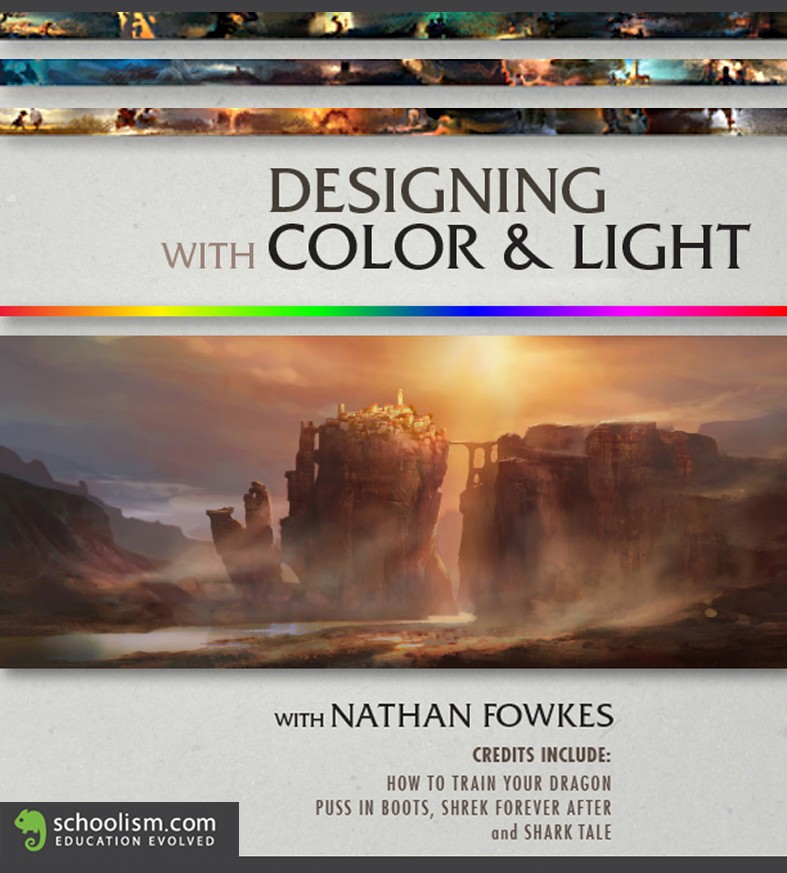
Schoolism - Designing with Color and Light with Nathan Fowkes
Duration: 12h 46m | .FLV 1920x1080 15 fps(r) | AAC, 44100 Hz, 2ch | 2.16 GB
Genre: eLearning | Language: English

This course is a serious exploration of using color and light to create compelling concept art and environment design for entertainment art projects. I'll take you step by step through the practical application of:

- Color theory to create powerful color statements.

- Color choices that create a variety of emotional beats for storytelling.

- Designing atmosphere for a sense of environment and mood.

- Lighting design.

- Building your concept art portfolio.

Additionally, I'll show you how the production pipeline works at an entertainment design studio and the role of the art department in the design process. We'll go through the entire process of developing an idea by taking it through the stages of thumbnail comp, tonal rough, color rough and final color.

653456800_w6-2-flv.jpg


4c91e1075a9548a31269fa865fefec31.jpg


Schoolism - Digital Painting with Bobby Chiu
Duration: 14h 30m | .FLV 1280x1024 30 fps(r) | MP3, 44100 Hz, 2ch | 2 GB
Genre: eLearning | Language: English

Prepare to look at digital art in a whole new light by learning from award-winning digital artist Bobby Chiu! Over nine lessons, Bobby will teach you how he uses Photoshop and reveal his techniques for producing digital paintings and conceptual art by applying traditional art skills in the virtual environment of Adobe Photoshop. Be prepared to immerse yourself in practical assignments that will build your digital painting skills from the ground up. No prior Adobe Photoshop knowledge necessary. This course is for ANY SKILL LEVEL. Especially beginners. And for the professionals... don't be fooled! This course has something for artists of all skill levels, and there is a lot that any artist will be able to take away from this course. If you've ever wanted to know how Bobby Chiu uses Photoshop for digital painting, this is the course for you!

653453521_11_s.jpg


ff2e09a92de826129afc5b3c842b257e.jpg


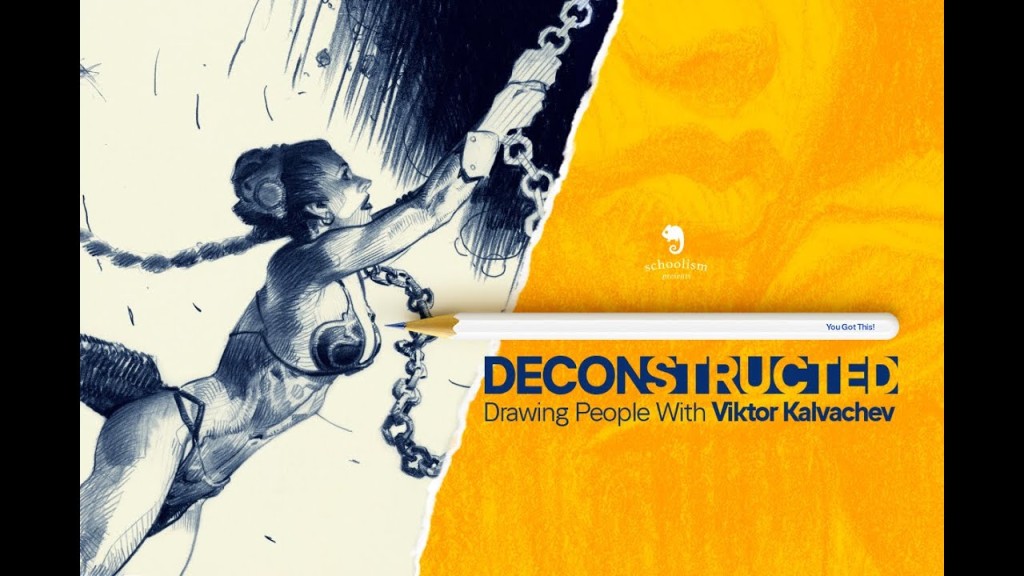
Schoolism - Deconstructed - Drawing People with Viktor Kalvachev
Duration: 9h 32m | .MP4 1920x1080 30 fps(r) | AAC, 44100 Hz, 2ch | 2.29 GB
Genre: eLearning | Language: English

If you're an artist, in all likelihood, you will eventually want to or be asked to draw people.

Regardless of your style or artistic sensibility, there are certain fundamental principles of drawing people that apply to most work (at least until you get to a stage of mastery that allows you to break all the rules).

I have tried to structure and organize the lessons and assignments here into bite-sized morsels that I hope you will find easily digestible, engaging, and fun. We will explore shapes, perspective, anatomy, among many of my other techniques. Through this course, I aim to help you get a better understanding of drawing in general, and how to draw the human specifically in order to get the best possible results.

(PLEASE NOTE: This class makes use of artistic nudity. For students under the age of majority, parental discretion is advised.)

653458374_deconstructed-drawing-people-lesson-2-part-1_s.jpg


Zurück
Oben Unten