• Regeln für den Video-Bereich:

    In den Börsenbereich gehören nur Angebote die bereits den Allgemeinen Regeln entsprechen.

    Einteilung

    - Folgende Formate gehören in die angegeben Bereiche:
    - Filme: Encodierte Filme von BluRay, DVD, R5, TV, Screener sowie Telesyncs im Format DivX, XviD und x264.
    - DVD: Filme im Format DVD5, DVD9 und HD2DVD.
    - HD: Encodierte Filme mit der Auflösung 720p oder darüber von BluRay, DVD, R5, TV, Screener sowie Telesyncs im Format x264.
    - 3D: Encodierte Filme von BluRay, die in einem 3D Format vorliegen. Dies gilt auch für Dokus, Animation usw.
    - Serien: Cartoon/Zeichentrick, Anime, Tutorials, Dokumentationen, Konzerte/Musik, Sonstiges sind demnach in die entsprechenden Bereiche einzuordnen, auch wenn sie beispielsweise im High Definition-Format oder als DVD5/DVD9/HD2DVD vorliegen. Ausnahme 3D.
    - Bereich Englisch: Englische Releases gehören immer in diesen Bereich.
    - Bereich Talk: Der Bereich, in dem über die Releases diskutiert werden kann, darf, soll und erwünscht ist.


    Angebot/Beitrag erstellen

    - Ein Beitrag darf erst dann erstellt werden, wenn der Upload bei mindestens einem OCH komplett ist. Platzhalter sind untersagt.
    - Bei einem Scenerelease hat der Threadtitel ausschließlich aus dem originalen, unveränderten Releasenamen zu bestehen. Es dürfen keine Veränderungen wie z.B. Sterne, kleine Buchstaben o.ä. vorgenommen werden. Ausnahme Serienbörse:
    - Bei einem Sammelthread für eine Staffel entfällt aus dem Releasename natürlich der Name der Folge. Beispiel: Die Simpsons S21 German DVDRip XviD - ITG
    - Dementsprechend sind also u.a. verboten: Erweiterungen wie "Tipp", "empfehlenswert", "only", "reup", usw. / jegliche andere Zusatzinformation oder Ergänzung, welche nicht in obiger Beschreibung zu finden ist.

    Aufbau des Angebots und Threadtitel

    Der Titel nach folgendem Muster erstellt zu werden. <Name> [3D] [Staffel] [German] <Jahr> <Tonspur> [DL] [Auflösung] <Quelle> <Codec> - <Group>
    Beispiel: The Dark Knight German 2008 AC3 DVDRip XviD - iND
    Beispiel: The Dark Knight 2008 DTS DL BDRip x264 - iND
    Beispiel: The Dark Knight 2008 AC3 DL BDRip XviD - iND
    Beispiel: The Dark Knight German 2008 AC3 720p BluRay x264 iND
    Beispiel: The Dark Knight 2008 DTS DL 1080p BluRay x264 iND
    Beispiel: Die Simpsons S01 German AC3 DVDRip XviD iND
    Beispiel: Die Simpsons S20 German AC3 720p BluRay x264 iND
    Beispiel: Sword Art Online II Ger Sub 2014 AAC 1080p WEBRip x264 - peppermint
    Entsprechend sind also u.a. verboten: Sonderzeichen wie Klammern, Sterne, Ausrufezeichen, Unterstriche, Anführungszeichen / Erweiterungen wie "Tipp", "empfehlenswert", "only", "reup", usw. / jegliche andere Zusatzinformation oder Ergänzung, welche nicht in obiger Beschreibung zu finden ist
    Ausnahmen hiervon können in den Bereichen geregelt sein.

    Die Beiträge sollen wie folgt aufgebaut werden:
    Überschrift entspricht dem Threadtitel
    Cover
    kurze Inhaltsbeschreibung
    Format, Größe, Dauer sind gut lesbar für Downloader außerhalb des Spoilers zu vermerken
    Nfo sind immer Anzugeben und selbige immer im Spoiler in Textform.
    Sind keine Nfo vorhanden z.B. Eigenpublikationen, sind im Spoiler folgende Dateiinformationen zusätzlich anzugeben :
    Quelle
    Video (Auflösung und Bitrate)
    Ton (Sprache, Format und Bitrate der einzelnen Spuren)
    Untertitel (sofern vorhanden)
    Hosterangabe in Textform außerhalb eines Spoiler mit allen enthaltenen Hostern.
    Bei SD kann auf diese zusätzlichen Dateiinformationen verzichtet werden.

    Alle benötigten Passwörter sind, sofern vorhanden, in Textform im Angebot anzugeben.
    Spoiler im Spoiler mit Kommentaren :"Schon Bedankt?" sind unerwünscht.


    Releases

    - Sind Retail-Release verfügbar, sind alle anderen Variationen untersagt. Ausnahmen: Alle deutschen Retail-Release sind CUT, in diesem Fall sind dubbed UNCUT-Release zulässig.
    - Im Serien-Bereich gilt speziell: Wenn ein Retail vor Abschluss einer laufenden Staffel erscheint, darf diese Staffel noch zu Ende gebracht werden.62
    - Gleiche Releases sind unbedingt zusammenzufassen. Das bedeutet, es ist zwingend erforderlich, vor dem Erstellen eines Themas per Suchfunktion zu überprüfen, ob bereits ein Beitrag mit demselben Release besteht. Ist dies der Fall, ist der bereits vorhandene Beitrag zu verwenden.
    - P2P und Scene Releases dürfen nicht verändert oder gar unter einem iND Tag eingestellt werden.


    Support, Diskussionen und Suche

    - Supportanfragen sind entweder per PN oder im Bereich Talk zu stellen.
    - Diskussionen und Bewertungen sind im Talk Bereich zu führen. Fragen an die Uploader haben ausschließlich via PN zu erfolgen, und sind in den Angeboten untersagt.
    - Anfragen zu Upload-Wünschen sind nur im Bereich Suche Video erlaubt. Antworten dürfen nur auf Angebote von MyBoerse.bz verlinkt werden.


    Verbote

    - Untersagt sind mehrere Formate in einem einzigen Angebotsthread, wie beispielsweise das gleichzeitige Anbieten von DivX/XviD, 720p und 1080p in einem Thread. Pro Format, Release und Auflösung ist ein eigener Thread zu eröffnen.
    - Grundsätzlich ebenso verboten sind Dupes. Uploader haben sich an geeigneter Stelle darüber zu informieren, ob es sich bei einem Release um ein Dupe handelt.
    - Gefakte, nur teilweise lauffähige oder unvollständige Angebote sind untersagt. Dies gilt auch für eigene Publikationen, die augenscheinlich nicht selbst von z.B. einer DVD gerippt wurden. Laufende Serien, bei denen noch nicht alle Folgen verfügbar sind, dürfen erstellt und regelmäßig geupdatet werden.
    - Untersagt sind Angebote, welche nur und ausschließlich in einer anderen Sprache als deutsch oder englisch vorliegen. Ausnahmen sind VORHER mit den Moderatoren zu klären.


    Verstoß gegen die Regeln

    - Angebote oder Beiträge, die gegen die Forenregeln verstoßen, sind über den "Melden"-Button im Beitrag zu melden.
  • Bitte registriere dich zunächst um Beiträge zu verfassen und externe Links aufzurufen.

*** Bestes IPTV *** bester Preis *** gratis Test ***


Englische Tutorials

cb0ad1f271604c31dd08672ae2e25d89.jpg


Complete Krav Maga
Published 1/2025
Created by BOAZ AVIRAM
MP4 | Video: h264, 1280x720 | Audio: AAC, 44.1 KHz, 2 Ch Level: All | Genre: eLearning | Language: English | Duration: 77 Lectures ( 39h 2m ) | Size: 48.5 GB

ORIGINAL IDF INTENSIVE KRAV MAGA COURSE


What you'll learn
Students will take responsibility to train themselves in a complete Krav Maga Course
21 hour core curriculum of 215 techniques and 15 training drills using a training partner punching mitts rubber knives, training pistols and sticks & other aids
Physical Risk of Injury if unable to pay attention to physical training hazards
There was one Singaporean Officer stationed in Japan that took the course online and read the book that was teaching Krav Maga in Japan before he got certified
Students will learn and drill how to reach and control opponents pressure points and block opponent's attempt to control you
Expect to complete 21 hours of intensive training in five days intensively or add at least half hour warm up for each day when breaking your training over time
Students will learn the Original Israel Defense Forces Krav Maga Course taught in the 1980's and was watered down thereafter!
On condition of motivation to complete the training steps and drills presented in this course with trusted training partner Students will Master H2H Combat!

Requirements
minimum physical fit able to do 10 pushups 10 squats and 10 situps and cardio sufficient cardiovascular fit
Self Discipline to train and pair with a trusted training partner
Whether Novice or Experienced Martial Artist or Krav Maga Practitioner you will learn H2H Combat!

Description
Due to diverse range of styles and variations across the globe, there is no definite count of how many martial arts exist. The Original Israel Defense Forces (IDF) Krav Maga Course in the 1980's Curriculum and approximately prioritized 215 techniques and 15 training drills intensively learned in a 21 hour core curriculum plus a daily one hour specific warm up. Considering the human limit of reaction time drilling reach of pressure points and blocking or escaping opponents from reaching and manipulating your own pressure points thousands of techniques were discarder out of the vast existing martial arts leaving about 215 that could be fit in a prioritized hierarchy of tactical approach to finish hand to hand combat threats in few split seconds. The intensive distilled method of military courses contributed to the quick comprehensive training. Boaz Aviram the instructor of this course was the Third IDF Krav Maga Chief Instructor teaching the instructor conducting Krav Maga Instructor Certifications. The 21 hour course curriculum in the IDF was repeated 3 times to allow Instructor Evaluations. The course consists of learning to maximize impact force through kicks, blows, strikes, pokes, and push and pull pressure points and joints manipulation, reflexive blocks and tactical methods to reach opponents pressure points protecting your own. The first key point consists of understanding your boundaries and limits driving the proactive situational awareness to determine when you must react preemptively or reflexively to avoid an attack. The course includes tactics of edge and blunt weapons and responding to pistol threat scenarios.

Who this course is for
Men Women and Children that want to learn to defend themselves at home and are inclined to follow the course up and train. Adult Supervision and consent for **** under 18 Required.
Martial Arts and Krav Maga Instructors who wish to learn the Authentic Distilled Original Israeli Defense Forces Krav Maga


562521210_complete_krav_maga.jpg


Download from RapidGator


Download from Keep2Share


Premium Links


8e4ce6c42bf475c7fe7153638297a703.jpg


Microsoft 365 - Corso completo con 450 Slides PPT e 3 Ebooks
2025-02-02
MP4 | Video: h264, 1920x1080 | Audio: AAC, 44.1 KHz
Language: Italiano | Size: 32.36 GB | Duration: 55h 28m

Tutte le applicazioni per l'azienda o per il tuo curriculum - Videoconferenza live mensile di approfondimento


What you'll learn
450 Slides PPT a supporto scaricabili. Navigabili con indici per APP, sezioni, argomenti. In ogni slide link per tornare ad argomento, sezione, indice dell'APP
MICROSOFT EXCEL - Funzioni basic ed ottenimento risultati intermedi e avanzati con Power BI desktop gratuito
MICROSOFT POWER BI - Grafici e tabelle pivot in automatico da Excel, Access, Share Point ...
COPILOT INTELLIGENZA ARTIFICIALE. Tutto ciò che vuoi su qualsiasi APP Microsoft 365 e non solo
MICROSOFT 365 ADMINISTRATION. Configurazione account e ruoli amministratori
MICROSOFT ACCESS. Da principiante ad avanzato fino al Web Database
SHARE POINT - Sito del team, librerie, elenchi e sistema permessi senza codice
ONE DRIVE - Lavorare sui file di Office senza sovrapporsi
PLANNER - La perfetta organizzazione del lavoro
POWER AUTOMATE - I flussi di lavoro che in azienda fanno tutto per noi
POWER APPS - Personalizzazione del modello Tickets Management
POWER POINT - Basic function - Realizzazione di un catalogo prodotti
POWER POINT SMART PRESENTATION - Sistema a links preimpostati per studio/lavoro
NEWS MICROSOFT 365 DAL CENTRO MESSAGGI - Aggiornate settimanalmente
Navigazione contenuti di un team Microsoft 365: lasciami la tua mail in privato e ti inviterò come membro


Requirements
Nessuna competenza. Tutti i corsi partono da zero fino alle funzioni avanzate
Dimestichezza nell'uso del PC


Description
ARTICOLAZIONE PRESENTAZIONE DEL CORSO- Obiettivi;- Risorse (Ebooks e slides PowerPoint di supporto scaricabili);- Programma per le singole applicazioni. Sommari;- Programma per le singole applicazioni. Dettagli.________________________OBIETTIVI DEL CORSOIl corso si propone lo scopo di far apprendere la conoscenza e l'utilizzo di Microsoft 365 da zero fino alle funzioni avanzate.Questo straordinario strumento per l'organizzazione e l'aumento della produttività aziendali è costituito da un insieme di applicazioni nessuna delle quali è fine a se stessa, ma ciascuna dà il massimo delle proprie potenzialità solo e soltanto se viene fatta interagire con le altre.Nella loro trattazione con le videolezioni pertanto non ci si limiterà mai a parlarne singolarmente, ma verrà dato costantemente conto delle relazioni di ciascuna con tutte le altre.In ogni videolezione partiremo dalle diapositive per fare rapidamente il quadro dell'argomento per poi addentrarci nei dettagli operativi. Operazione durante la quale potrai sempre fermare il video e rivedere nelle slides un concetto che è alla base di ciò di cui si sta parlando senza una affannosa ricerca facendo avanti ed indietro nei video.Tratteremo approfonditamente tutte le applicazioni che vedi elencate nelle sezioni, ma di riflesso, al fine di metterne in luce le interazioni, anche delle altre.Un corso completo che darà la possibilità a chi lo porterà a termine di padroneggiare il tool Microsoft 365 sul lavoro.- APPLICAZIONI TRATTATE APPROFONDITAMENTEExcel, Access, Share Point, One Drive, Planner, Power Automate, PowerApps, Power BI, Copilot.Configurazione e amministrazione account Microsoft 365 con figure di e poteri degli amministratori.- ALTRE APP COINVOLTE NELLE LEZIONI PER FARCI INTERAGIRE QUELLE PRINCIPALMENTE TRATTATEMicrosoft Teams, OneNote, Forms, SwaySOMMARIO PRINCIPALI ARGOMENTI SINGOLE APPLICAZIONI(Scorri in fondo per i dettagli)________________________RISORSE1 -- 450 SLIDES POWER POINT NAVIGABILI DI SUPPORTO ALLE VIDEOLEZIONIRicche di screenshots e commenti. Scaricabili.Navigabili a click con dei comodi indici per APP, sezioni, argomenti.In ogni slide link per tornare all'argomento, alla sezione, all'indice dell'APP, all'indice generale.Visualizza SCREENSHOTS nella sezione 1 in anteprima.2 -- CINQUE EBOOKS DA SCARICARE IN FORMATO PDF- Ebook di 186 pagine (4 capitoli) sul Global Administrator dell'account Microsoft 365 (figura, responsabilità, poteri, conoscenze per ricoprire il ruolo in azienda. Vedi screenshots indice in anteprima);- Ebook di 285 pagine (5 capitoli) sullo Share Point Administrator (la figura, il ruolo e le opportunità professionali per una delle figure chiave nell'amministrazione dell'account Microsoft 365 (vedi screenshots indice in anteprima);- Manuale di 540 pagine su Power BI e linguaggio DAX (misure e colonne calcolate). Tutto quello che c'è da sapere per utilizzare Power BI al 100% delle sue potenzialità informative con il data analysis/modeling. Dettagliate illustrazioni di espressioni DAX (vedi screenshots indice in anteprima);- Ebook di 224 pagine (10 capitoli) sui tipi di APP sviluppabili in PowerApps (Canvas, Model-Driven e Portali. Vedi screenshots indice in anteprima);- Ebook di 1670 pagine (26 capitoli) sull'utilizzo professionale del PC. Moduli 1 e 2 ICDL: patente europea certificazione competenze informatiche (vedi l'elenco dei capitoli in fondo a questa presentazione. Vedi screenshots in anteprima).________________________1. EXCEL BASIC PER PRINCIPIANTI ASSOLUTIA) 50 SLIDES POWER POINT NAVIGABILI A CLICKRicche di screenshots e commenti. Scaricabili.Navigabili a click con dei comodi indici per sezioni, argomenti e lezioni.In ogni slide link per tornare all'argomento, alla sezione e all'indice generale;Nella slide parte di una lezione links per raggiungere tutte le altre relative alla lezione;Link ad un foglio word in cui l'argomento viene illustrato descrittivamente;Link al contenuto estratto dal Web da Microsoft Copilot in ordine all'argomento;Link al Microsoft Support sulla pagina esatta dell'argomento;Links al Blog e alla Community di Excel per scambiarsi informazioni e porre domande.B) VIDEOLEZIONI EXCEL- Blocco A - GESTIONE CELLE- Blocco B - INSERIMENTO DATI NELLE CELLE________________________2. MICROSOFT ACCESS. Da principiante ad avanzato fino al Web Database7 Software da scaricare di cui uno aperto nel linguaggio di programmazione e codice Visual Basic che replicheremo passo passo durante il corso.2.1. Funzioni basic;2.2. Funzioni intermedie;2.3. Funzioni avanzate;2.4. Inserimento, consultazione e aggiornamento dati nel software costruito durante il corso.________________________3. MICROSOFT 365 ADMINISTRATION- Introduzioni a Microsoft 365;- Creazione di utenti, ospiti, contatti, gruppi e caselle mail condivise;- Il sistema dei permessi di primo livello: gli amministratori dell'account.________________________4. MICROSOFT SHARE POINT - Costruzione intranet aziendale4.1. Elenchi;4.2. Librerie;4.3. Web part;4.4. Sito del team;4.5. Sistema dei permessi;4.6. Navigazione oggetti.________________________5. MICROSOFT ONE DRIVE - Lavorare sui file di Office senza sovrapporsi5.1. Salvataggio file Excel in: One Drive Business, Share Point, Personal One Drive5.2. Creazione e gestione delle cartelle di lavoro in Excel5.3. La condivisione del file Excel nel Cloud per lavorarci insieme a più persone5.4. Lavorare on line con i files di Word e di PowerPoint5.5. Lavorare on line con i files di Microsoft Access________________________6. MICROSOFT PLANNER - La perfetta organizzazione del lavoro6.1. Configurazione Account Office 365 per l'evento congressuale oggetto del piano6.2. Apertura e costruzione del piano (molte videolezioni)6.3. Il piano Planner dal punto di vista dell'interazione con le altre APP Office 365________________________7. MICROSOFT POWER APPS - Personalizzazione del modello Tickets Management7.1. Download applicazione pronta per essere utilizzata in azienda ;7.2. Collegamento ad origine dati;7.3. Sistemazione codice;7.4. Interfaccia grafica;7.5. Integrazione in Microsoft Teams.________________________8. POWER BI - Big Data AnalysisSincronizzazione del database Access con Share Point e di quest'ultimo con Power BI in cui modellare rapidamente i dati in tabelle riepilogative e grafici senza la costruzione di laboriose macro come in Excel. Costruzione di un flusso Power Automate che, nel momento in cui vengono modificati i dati in Access e quindi in Share Point, aggiornerà automaticamente le tabelle e i grafici in Power BI.VISUALIZZA SCREENSHOTS NELLA SEZIONE 14 IN ANTEPRIMA________________________9. INSTALLAZIONE ED UTILIZZO DI MICROSOFT COPILOTTutto ciò che vuoi su ogni APP Microsoft 365 e non soloPonendo una domanda nella chatt l'intelligenza artificiale elabora, su qualsiasi argomento abbiamo la necessità di reperire informazioni o modalità operative una risposta complessa fatta di:- informazioni descrittive e testuali;- links diretti al web su siti che contengono informazioni (es. Microsoft Support);- links diretti a tutorial Youtube se esistenti sull'argomento;- suggerimenti di ulteriori ricerche sull'argomento che anticipano le tue domande.VISUALIZZA SCREENSHOTS NELLA SEZIONE 3 IN ANTEPRIMATutto questo per qualsiasi necessità informativa e non soltanto per l'argomento oggetto di questo corso.36 risposte Copilot impaginate per punti in Word scaricabili: su domande id interesse aziendale (es. Creami un piano con i punti essenziali per il controllo di gestione in azienda).________________________10. MICROSOFT POWER AUTOMATE - I flussi di lavoro che in azienda fanno tutto per noi10.1. Trigger Microsoft Planner;10.2. Trigger Microsoft Outlook;10.3. Trigger Microsoft Forms;10.4. Trigger Microsoft To Do;10.5. Trigger Microsoft Teams;10.6. Trigger Microsoft Share Points;10.7. Trigger Microsoft One Drive;10.8. Trigger Microsoft OneNote;10.9. Trigger Youtube;10.10. Trigger Google Mail.________________________11. MICROSOFT POWER POINT11.1. Funzioni basic per la realizzazione di un catalogo prodotti;11.2. Costruzione sistema automatico di inserimento titoli e paragrafi per altre Slides.________________________12. NEWS MICROSOFT 365 DAL CENTRO MESSAGGI - Aggiornate settimanalmenteIl corso ha lo scopo di spiegare l'utilizzo del "Centro Messaggi" per amministratori all'interno dell'interfaccia di amministrazione dell'account Office 365 e di dare notizia, settimanalmente, delle novità in ordine alle nuove funzionalità sviluppate di Microsoft._______________________DETTAGLI ARGOMENTI SINGOLE APPLICAZIONI1. EXCEL BASIC PER PRINCIPIANTI ASSOLUTIA) 75 SLIDES POWER POINT NAVIGABILI A CLICKRicche di screenshots e commenti. Scaricabili. Navigabili a click con dei comodi indici per sezioni, argomenti e lezioni. In ogni slide link per tornare all'argomento, alla sezione e all'indice generale; Nella slide parte di una lezione links per aggiungere tutte le altre relative alla lezione; Link ad un foglio word in cui l'argomento viene illustrato descrittivamente; Link al contenuto estratto dal Web da Microsoft Copilot in ordine all'argomento; Link al Microsoft Support sulla pagina esatta dell'argomento; Links al Blog e alla Community di Excel per scambiarsi informazioni e porre domande.B) VIDEOLEZIONI EXCEL:- BLOCCO A - GESTIONE CELLE1. Selezionare celle, righe e colonne:- COME ACCERTARSI DI ESSERE IN VISUALIZZAZIONE NORMALE;- SELEZIONE DI UN INTERVALLO DI CELLE ADIACENTI;- SPOSTAMENTO DELLA CELLA PER TRASCINAMENTO;- LE INDICAZIONI VISIBILI NELLA CASELLA «NOME»;- SELEZIONE DI CELLE NON ADIACENTI PREMENDO Ctrl;- SELEZIONE DI INTERE RIGHE E COLONNE;- SCORCIATOIE DA TASTIERA PER EFFETTUARE SELEZIONI.2. Inserire, eliminare e modificare le dimensioni di celle, righe e colonne:- INSERIMENTO DI CELLE;- INSERIMENTO DI RIGHE;- INSERIMENTO DI COLONNE;- ELIMINAZIONE DI CELLE, RIGHE E COLONNE;- ALTEZZA RIGHE E LARGHEZZA COLONNE;- ADATTAMENTO CELLE AL CONTENUTO.3. Come formattare le celle:- IL FORMATO DELLE CELLE: UN INSIEME DI IMPOSTAZIONI;- MODIFICA DA SCHEDA HOME: CARATTERE E ALLINEAMENTO;- MODIFICA DA SCHEDA HOME: NUMERI;- MODIFICA DA SCHEDA HOME: STILI.4. Formattare le celle in base al contenuto. La formattazione condizionale:- FORMATTAZIONE IN BASE A VALORI NUMERICI;- FORMATTAZIONE IN BASE A TESTO;- INSERISCI NUOVA, CANCELLA E GESTISCI;- REGOLE PRIMI / ULTIMI E VALORI DUPLICATI.5. Formattazione condizionale. Visualizzare barre, scale di colori ed icone nelle celle:- LE BARRE DEI DATI;- LE SCALE DI COLORI;- I SET DI ICONE;- PERSONALIZZAZIONE DEI CRITERI6. Come applicare i bordi e nascondere la griglia:- APPLICAZIONE DEI BORDI ALLE CELLE O AGLI INTERVALLI;- IMPOSTAZIONE DI UNO STILE PERSONALIZZATO;- COME NASCONDERE E VISUALIZZARE LA GRIGLIA.7. Gestione dei nomi di celle e di intervalli. Richiamo nelle formule:- DEFINIRE UN NOME PER UNA CELLA;- DEFINIZIONE DI UN NOME PER UN INTERVALLO;- UTILIZZO DEI NOMI DI CELLE E INTERVALLI NELLE FORMULE.- BLOCCO A - INSERIMENTO DATI NELLE CELLE1. Riconoscere le modalità cella:- MODALITA' PRONTO;- MODALITA' INVIO;- MODALITA' MODIFICA;- MODALITA' PUNTAMENTO.2. Inserimento di valori numerici:- INSERIMENTO DI SOLI NUMERI SENZA CARATTERI;- PERSONALIZZAZIONE DEL FORMATO;- LA FUNZIONE COPIA SERIE E MEMORIZZAZIONE VALORI NUMERICI COME TESTO.3. Inserimento delle date:- FORMATTAZIONE AUTOMATICA: RICONOSCIMENTO DELLA DATA;- PRIMA DI INSERIRE I DATI E' IMPORTANTE FORMATTARE COME DATA;- MEMORIZZAZIONE DELLA DATA COME NUMERO INTERO DA PARTE DI EXCEL.4. Inserimento degli orari:- LA FORMATTAZIONE AUTOMATICA;- MEMORIZZAZIONE DEGLI ORARI COME NUMERI DECIMALI.5. Inserimento di valori in percentuale:- L'APPLICAZIONE DEL FORMATO PERCENTUALE;- RELATIVITA' DEI RIFERIMENTI NELLE FORMULE DI EXCEL.6. Inserimento e formattazione come testo:- ELENCHI A DISCESA AUTOMATICI E SUGGERIMENTI;- FORMATTAZIONE COME TESTO: ELIMINAZIONE FORMATTAZIONE AUTOMATICA.7. Inserimento dati da un elenco a discesa:- L'IMPORTANZA PER L'INSERIMENTO DATI CATEGORIZZATI;- APPLICAZIONE DELLA CONVALIDA DATI;- COME RENDERE DINAMICO L'ELENCO A DISCESA.- Blocco C - INSERIMENTO E GESTIONE DELLE FORMULE: 1.Inserimento formula e utilizzo degli operatori aritmetici:- GLI OPERATORI ARITMETICI;- REGOLE DI PRIORITA' DEGLI OPERATORI;- COME INSERIRE UNA FORMULA;- COME BLOCCARE IL RIFERIMENTO DI RIGA.2. Copiare e spostare valori e formule:- COMANDI COPIA/INCOLLA E TAGLIA/INCOLLA;- OPERAZIONI POSSIBILI CON LA CROCE DI RIEMPIMENTO;- CREAZIONE DI ELENCHI PERSONALIZZATI;- TRASCINAMENTO DELLA CROCE DA UNA CELLA CON FORMULA.3. Fare calcoli con celle in fogli e cartelle diversi:- CALCOLI CON CELLE DI ALTRI FOGLI DELLO STESSO FILE;- CALCOLI CON CELLE DI ALTRI FILES EXCEL.4.Controllare e correggere le formule:- GRUPPO VERIFICA FORMULE NELLA SCHEDA FORMULE;- IL PULSANTE MOSTRA FORMULE;- IL PULSANTE MOSTRA ERRORI;- TROVA CELLE PRECEDENTI E DIPENDENTI;- IL PULSANTE VALUTA FORMULA;- VALUTAZIONE CON F9 SULLA TASTIERA;- LA FINESTRA CONTROLLO CELLE.___________________________2. MICROSOFT ACCESS. Da principiante ad avanzato fino al Web Database7 Software da scaricare di cui uno aperto nel linguaggio di programmazione e codice Visual Basic che replicheremo passo passo durante il corso: software gestione corsi agenzia formativa.Controllo di gestione azienda di servizi - Controllo di gestione azienda di produzione - Controllo di gestione cantiere edile - Gestione clienti e fornitori - Gestione del personale - Dati statistici aziendali: KPI, SWOT, Customer Satisfaction, valutazione performance fornitori.ARGOMENTI:2.1. FUNZIONI BASIC- I database relazionali e la loro progettazione;- Impostazione ambiente di lavoro. Files, tabelle e relazioni tra tabelle;- Le tabelle. I contenitori dei dati;- Le maschere. Il riflesso della tabelle per inserire dati;- Accorgimenti per evitare errori nell'inserimento dati.2.2. FUNZIONI INTERMEDIE- Le macro. Esecuzione comandi pulsanti maschere;- Le queries. Interrogazione software e consultazione dati;- I reports. Impaginazione dati per stampa e creazione PDF;2.3. FUNZIONI AVANZATE- Introduzione di utilità con codice Visual Basic;- Blindare il database e difendere la paternità del lavoro;- File Access on line con Share Point: il web database;- Avvisi automatici con Power Automate su elenchi Share Point che riflettono dati Access;- Presupposti del Web Database: configurazione account Office 3652.4. INSERIMENTO, CONSULTAZIONE E AGGIORNAMENTO DATI NEL SOFTWAREFine dettagli corso Microsoft Access___________________________3. MICROSOFT 365 ADMINISTRATION- Introduzioni a Microsoft 365;- Creazione di utenti, ospiti, contatti, gruppi e caselle mail condivise;- Il sistema dei permessi di primo livello: gli amministratori dell'account.___________________________4. MICROSOFT SHARE POINT - Costruzione intranet aziendale4.1. Introduzione a Share Point on line;4.2. Integrazione di Share point con le altre applicazioni di Office 365;4.3. Lavorare con le liste in Share Point;4.4. Lavorare con i documenti delle librerie di Share Point riflesse in One Drive;4.5. Funzionalità comuni ad elenchi e librerie di documenti in Share Point;4.6. Le pagine e le web part del sito Share Point;4.7. Il sistema dei permessi nel sito Share Point;4.8. La navigazione e la ricerca in Share Point;4.9. Sincronizzazione software Access gestione corsi con elenchi Share Point;4.10. Creazione flussi di lavoro Power Automate ed avvisi sugli elenchi Share Point;4.11. Inserimento dati in software Access gestione corsi sincronizzato con Share Point.Fine dettagli corso Microsoft Share Point___________________________5. MICROSOFT ONE DRIVE - Lavorare con i colleghi sui file di Office senza sovrapporsi5.1. Salvataggio file Excel in: One Drive Business, Share Point, Personal One Drive- Presentazione sezione Excel on line;- Breve rassegna funzionalità di Excel;- Creazione e salvataggio del file Excel on line. One Drive e sito Share Point.5.2. Creazione e gestione delle cartelle di lavoro in Excel- Collocamento del file Excel e cronologia delle versioni;- Utilizzare i modelli di Excel in Office 365;- Ripristino ed eliminazione delle cartelle di lavoro Excel non salvate.5.3. La condivisione del file Excel nel Cloud per lavorarci insieme a più persone- Presentazione sezione condivisione file Excel nel cloud per lavoro da remoto;- File Excel che già si trova nel Cloud e file che si trova solo sul PC;- Condivisione del file Excel con un utente interno all'account Office 365;- Condivisione del file Excel con un utente esterno all'account Office 365;- Controllo del file Excel ed utilizzo della funzione "estrai";- Condivisione del file Excel tramite il Personal One Drive.5.4. Lavorare on line con i files di Word e di PowerPoint- Condivisione nel cloud dei files di Microsoft Word;- Condivisione nel cloud dei files di Microsoft PowerPoint;- Condivisione dei files in Teams, Share Point e Planner.5.5. Lavorare on line con i files di Microsoft AccessQuesto punto è trattato nel corso di AccessFine dettagli corso Microsoft One Drive___________________________6. MICROSOFT PLANNER - La perfetta organizzazione del lavoro6.1. Configurazione Account Office 365 per l'evento congressuale oggetto del piano- creazione modelli utente per tutte le categorie di attori del congresso;- creazione di un gruppo office 365 per tutte le categorie di attori del congresso;- gestione dei permessi e delle autorizzazioni: chi può fare che cosa.6.2. Apertura e costruzione del piano - apertura piano, assegnazione nome ed impostazione privacy;- inserimenti di utenti e aggiunta di membri al piano;- creazione di un piano da zero o a partire da un gruppo Office 365 esistente;- inserimento di nuove attività ed allegati;- visualizzazione piano e allegati in Outlook;- integrazione del piano nel sito Share Point;- integrazione di Planner e To Do in Teams;- utilizzo del blocco note del piano in OneNote;- visualizzazione e modifiche allegati del piano in One Drive;- integrazione del calendario del piano in Outlook;- creazione e gestione dei Tags in Teams, Share Point e Outlook;- integrazione del piano in PowerApps Training for Office per la gestione da smartphone.6.3. Il piano Planner dal punto di vista dell'interazione con le altre APP Office 365Teams - Share Point - One Drive - OneNote - Outlook - To Do - Forms - SwayTutte le applicazioni sono popolate con oggetti per gestire il Piano. Il tutto illustrato nelle videolezioni.Fine dettagli corso Microsoft Planner___________________________7. MICROSOFT POWER APPS - Personalizzazione del modello Tickets Management7.1. Oltre ad avere un'applicazione pronta per essere utilizzata in azienda verranno anche illustrati tutti i passaggi per arrivare a questo risultato;7.2. Con le stesse tecniche imparerai a personalizzare e rendere fruibile qualsiasi altro modello di applicazione presente in PowerApps Office 365.7.3. Vedremo come l'interfaccia dell'applicazione si collega all'origine dati in OneDrive e come può essere personalizzata nei testi.7.4. Verrà illustrato come integrarla in Microsoft Teams in modo che possa essere ancora più rapidamente fruibile per gli operatori aziendali.7.5. Si procederà anche ad una dettagliata panoramica sull'ambiente office 365 con la creazione di utenti e gruppi che potranno poi interagire all'interno di tutte le sue applicazioni.Fine dettagli corso Microsoft PowerApps___________________________8. POWER BI - Big Data AnalysisSincronizzazione del database Access con Share Point e di quest'ultimo con Power BI in cui modellare rapidamente i dati in tabelle riepilogative e grafici senza la costruzione di laboriose macro come in Excel. Costruzione di un flusso Power Automate che, nel momento in cui vengono modificati i dati in Access e quindi in Share Point, aggiornerà automaticamente le tabelle e i grafici in Power BI.VISUALIZZA SCREENSHOTS NELLA SEZIONE 14 IN ANTEPRIMA___________________________9. INSTALLAZIONE ED UTILIZZO DI MICROSOFT COPILOTTutto ciò che vuoi su ogni APP Microsoft 365 e non soloPonendo una domanda nella chatt l'intelligenza artificiale elabora, su qualsiasi argomento abbiamo la necessità di reperire informazioni o modalità operative una risposta complessa fatta di:- informazioni descrittive e testuali;- links diretti al web su siti che contengono informazioni (es. Microsoft Support);- links diretti a tutorial Youtube se esistenti sull'argomento;- suggerimenti di ulteriori ricerche sull'argomento che anticipano le tue domande.VISUALIZZA SCREENSHOTS NELLA SEZIONE 3 IN ANTEPRIMATutto questo per qualsiasi necessità informativa e non soltanto per l'argomento oggetto di questo corso.36 risposte Copilot impaginate per punti in Word scaricabili: su domande id interesse aziendale (es. Creami un piano con i punti essenziali per il controllo di gestione in azienda).___________________________10. MICROSOFT POWER AUTOMATE - I flussi di lavoro che in azienda fanno tutto per noiIntroduzione: modelli e triggers;10.1. Microsoft Planner - Quando viene creata una nuova attività in Planner creazione di una pagina all'interno di una sezione di OneNote ed invio di un messaggio di posta elettronica in Outlook;10.2. Microsoft Outlook - Download automatico allegati email in una cartella di Microsoft One Drive;10.3. Microsoft Forms - Costruzione elenco raccolta dati che arriveranno via web tramite in form di Microsoft Forms;10.4. Microsoft To Do - Creazione di un messaggio in Microsoft Teams ed un'attività in Microsoft Planner quando viene creata una nuova attività in una lista To Do;10.5. Microsoft Teams - Quando viene pubblicato un messaggio nella chatt di un team che contiene determinate parole chiave da noi impostate creazione di una pagine in Microsoft OneNote e di un'attività in Microsoft Planner;10.6. Microsoft Share Point - Quando viene aggiunta o modificata una riga di un elenco Share Point invio di un messaggio di posta elettronica e di un messaggio in un team di Microsoft Teams;10.7. Microsoft One Drive - Quando viene creato un nuovo file in una cartella di One Drive pubblica un messaggio nel team di Teams del gruppo di lavoro ed invia una mail al gruppo Office 365;10.8. Microsoft OneNote - Quando viene creata una nuova pagina in una sezione di OneNote genera un'attività in un piano di Microsoft Planner e pubblica un messaggio nel team di Teams del gruppo di lavoro;10.9. Youtube - Quando viene caricato un video in Youtube invio di un messaggio in Teams e creazione di un'attività in Planner.10.10. - Google Mail - Quando arriva una mail download in One Drive o Google Drive.Fine dettagli corso Microsoft Power Automate___________________________11. MICROSOFT POWER POINT11.1. Funzioni basic per la realizzazione di un catalogo prodotti;11.2. Costruzione sistema automatico di inserimento titoli e paragrafi per altre Slides.Fine dettagli corso Microsoft PowerPoint____________________12. NEWS MICROSOFT 365 DAL CENTRO MESSAGGI - Aggiornate settimanalmenteIl corso ha lo scopo di spiegare l'utilizzo del "Centro Messaggi" per amministratori all'interno dell'interfaccia di amministrazione dell'account Office 365 e di dare notizia, settimanalmente, delle novità in ordine alle nuove funzionalità sviluppate di Microsoft.

Who this course is for
Amministratori dell'account Microsoft 365 in azienda, Persone in cerca di lavoro che vogliano aggiungere questi importanti skills nel curriculum, Dipendenti che già utilizzano Microsoft 365 per sviluppare funzionalità avanzate, Principianti di Microsoft 365 che, svolgendo tutto il corso, vogliano arrivare alle conoscenze avanzate, Utilizzatori intermedi di Microsoft 365 che vogliano arrivare alle conoscenze avanzate


563230155_microsoft_365_corso_completo_con_450_slides_ppt_e_3_ebooks.jpg


Download from RapidGator


Download from Keep2Share


Premium Links


1d90bed6aa9fccac59cea276becd17fa.jpg


The Complete Hands-On Cybersecurity Analyst Course
Published 2/2025
MP4 | Video: h264, 1920x1080 | Audio: AAC, 44.1 KHz
Language: English | Size: 44.72 GB | Duration: 55h 45m

Hands On Practical Experience


What you'll learn
A wide range of cybersecurity skills including basic through advanced skills; ranging from Linux basics to penetration testing and malware analysis.
How to build home lab virtual environments for hands-on learning, testing tools safely, enhancing skills, and simulating real-world cybersecurity scenarios.
Incident response skills required to quickly detect, contain, investigate, and mitigate cyber threats to minimize damage and ensure recovery.
Practical experience from projects and labs that can be added to resume/cv and portfolios.
Threat detection and analysis, incident response and management, use of SIEM and event management tools, network monitoring and forensics, and pentesting.


Requirements
Desire to learn cybersecurity skills. Access to a computer that can support running multiple virtual machines. Recommend at least 16GB of RAM.


Description
Are you ready to level up and gain hands on experience in cybersecurity? Introducing The Complete Cybersecurity Analyst Course-your one-stop solution for mastering the skills and gain hands on experience you need to excel in the cybersecurity field. Our goal is to provide everything into one course that includes a wide range of opportunities to increase your knowledge and gain that critical hands-on experience. We will not break up essential knowledge into multiple, expensive modules, this course gives you everything you need in one comprehensive package at a one-time low cost. This course features:All-in-One Access: We cover everything from the basics of cybersecurity to advanced threat analysis, network security, incident response, ethical hacking, and more. No need to purchase multiple courses; it's all here!A la carte menu: This course has something for everyone. Pick and choose your lessons based on your interests and experience level.Regular Content Updates: Cybersecurity is an ever-evolving field, and so is this course. Enjoy new content added regularly to keep your skills sharp and up-to-date with the latest industry trends. Lifetime Access: Your learning journey doesn't have an expiration date. With lifetime access, you can revisit the material anytime you need a refresher or when new modules are released. Learn at your own pace, on your schedule.Access to Updated Content: The course authors will continue to add lessons, projects, and other opportunities to gain hands-on experience and you will automatically have access to the new material with no added cost. Expert Instructors: Gain insights from seasoned cybersecurity professionals who bring real-world experience and actionable knowledge to the virtual classroom.Don't miss out on this opportunity to unlock your full potential as a cybersecurity analyst without breaking the bank. Enroll in The Complete Hands-On Cybersecurity Analyst Course today and start your journey towards a secure, rewarding career in cybersecurity!One of the unique features of this course is emphasis on hands-on learning. Theory and concepts are essential, but true mastery comes from practical experience. "The Complete Hands-On Cybersecurity Analyst Course" exercises are a series of hands-on labs conducted in a virtual environment that you build yourself. These labs simulate real-world scenarios and provide you with the opportunity to apply what you've learned in a controlled, risk-free setting. We will guide you through setting up your own virtual environment that you will use to complete labs, projects, and testing. By setting up your own virtual environment you will gain an understanding of key concepts that are missed in many of the pre-built and browser-based lab environments. Collaborate directly with the course developers and fellow students in a dedicated Discord server. Below are some of the areas in which you will gain practical experience.Threat Detection and AnalysisThreat HuntingCyber Threat IntelligenceLinux BasicsVirtual Lab EnvironmentsPassword CrackingEmail and Phishing AnalysisSIEMs (Splunk, Elastic, Wazuh, etc)Cybersecurity Fundamentals (CompTia Security+ SY0-701 Objectives) Incident responseNetwork monitoring and forensicsVulnerability Scanning, Assessment and ManagementUtilizing advanced tools and techniques for cybersecurity defenseWiFi PentestingHoney PotsReverse EngineeringWriting Malware EmulationsWeb Application PentestingC2 Frameworks

Overview
Section 1: Virtual Home Lab Networks

Lecture 1 Setting Up Home Virtual Lab Intro

Lecture 2 Install VirtualBox

Lecture 3 VirtualBox Lab Environment Part 1.1: Install pfSense

Lecture 4 VirtualBox Lab Environment Part 1.2: Install Kali Linux

Lecture 5 VirtualBox Lab Environment Part 1.3: Configure pfSense

Lecture 6 VirtualBox Lab Environment Part 2.1: Install Metasploitable 2

Lecture 7 VirtualBox Lab Environment Part 2.2a: Install Windows VM-1

Lecture 8 VirtualBox Lab Environment Part 2.2b: Install Windows VM-2

Lecture 9 VirtualBox Lab Environment Part 2.3a: Configure Windows VM-1

Lecture 10 VirtualBox Lab Environment Part 2.3b: Configure Windows VM-2

Lecture 11 VirtualBox Lab Environment Part 3: Active Directory

Lecture 12 VirtualBox Lab Environment Part 4: Setting Up Users, Groups, and Policies

Lecture 13 VirtualBox Lab Environment Part 5: Domain Joining

Lecture 14 ProxMox Lab Intro and Installation

Lecture 15 Proxmox Lab Install Windows VM

Lecture 16 Proxmox Lab Install Linux VM

Lecture 17 Proxmox Lab Install Windows Server

Lecture 18 Proxmox Lab Install pfSense

Lecture 19 Proxmox Install SPICE

Lecture 20 PROXMOX Lab Install FLARE and Configure Windows VMs

Lecture 21 Proxmox Lab Configure Networking

Lecture 22 Proxmox Lab Configure Install Active Directory on Domain Controller

Lecture 23 Proxmox Lab Configure Users, Groups, and Policies in Active Directory

Lecture 24 Proxmox Lab Domain Joining

Lecture 25 Proxmox Lab Install pfSense

Lecture 26 Proxmox Lab Configure pfSense Firewall Rules

Lecture 27 Proxmox Lab Installing Wazuh Server

Lecture 28 ProxMox Lab Create and Deploy Wazuh Agents

Lecture 29 Proxmox Lab Install Velociraptor Server

Lecture 30 ProxMox Cluster Hosts to Expand Your Lab

Lecture 31 ReArm Windows Dev VM

Section 2: Ultimate Cyber Security Primer

Lecture 32 Principal of Duality

Lecture 33 Intro to Binary and Machine Code

Lecture 34 Linux Primer One - SSH and Basic File Operations

Lecture 35 Bandit 0 -> 4 Solutions

Lecture 36 Linux Primer Two - More Commands

Lecture 37 Bandit 4 -> 7 Solutions

Lecture 38 Linux Primer Three - Even More Commands

Lecture 39 Bandit 7 -> 10 Solutions

Lecture 40 Linux Primer Four - mv, cp, and mkdir

Lecture 41 Linux Primer Five - Compression Utilities

Lecture 42 Intro to Hex

Lecture 43 Intro to Encoding and Base64

Lecture 44 Intro to Cryptography and ROT13

Lecture 45 Linux Primer Six - base64, tr, and xxd

Lecture 46 Bandit 10 -> 13 Solutions

Lecture 47 Krypton 0 -> 2 Solutions

Lecture 48 Linux Primer Seven - File Permissions and the chmod Command

Lecture 49 Linux Primer Eight - Intro to SSH Keys

Lecture 50 Bandit 13 -> 14 Solution

Lecture 51 Intro to Bitwise Operators

Lecture 52 Linux Primer Nine - More on grep

Lecture 53 Foundations of Networking

Lecture 54 Network Pentesting - Intro to NMAP

Lecture 55 Linux Primer Ten - nc and ncat

Lecture 56 Bandit 14 -> 15 Solution

Lecture 57 Bandit 15 -> 16 Solution

Lecture 58 Bandit 16 -> 17 Solution

Lecture 59 Linux Primer Eleven - diff

Lecture 60 Bandit 17 -> 18 Solution

Lecture 61 Linux Primer Twelve - More about SSH

Lecture 62 Bandit 18 -> 19 Solution

Lecture 63 Linux Primer Thirteen - SUID and GUID Binaries

Lecture 64 Bandit 19 -> 20 Solution

Section 3: Password Cracking

Lecture 65 Cryptography - Hashing and MD5

Lecture 66 Password Cracking - Cracking MD5 Hashes Using John

Lecture 67 Password Cracking - John Rules

Lecture 68 Writing a John Rule Generation Utility - Character Substitution

Section 4: Email and Phishing Analysis

Lecture 69 Intro to Email Analysis

Lecture 70 Email Header Analysis

Lecture 71 Email Body Analysis

Lecture 72 Email Attachment Analysis

Section 5: Introduction to Windows Forensics

Lecture 73 Intro to Windows Forensics

Lecture 74 Intro to Windows Forensic Artifacts

Lecture 75 Windows File System Artifacts

Lecture 76 Intro to Windows Registry

Lecture 77 Windows Run Keys

Lecture 78 Windows Services Keys

Lecture 79 Windows Scheduled Tasks

Lecture 80 Prefetch Files

Lecture 81 Windows User Assist

Lecture 82 Windows Recent Documents

Lecture 83 Windows Shell Bags

Lecture 84 Windows Background Activity Monitor

Lecture 85 Windows Shimcache

Lecture 86 Intro to Browser Forensics

Lecture 87 Google Chrome Forensics

Lecture 88 Microsoft Edge Forensics

Lecture 89 Mozilla Firefox Forensics

Lecture 90 Browsing History View by Nirsoft

Lecture 91 Intro to Memory Analysis

Lecture 92 Intro to Memory Analysis: Volatility

Lecture 93 Intro to Memory Analysis: MemProcFS

Lecture 94 Recovering Deleted Files From a NTFS File System (Windows)

Lecture 95 Forensic CTF Intro

Lecture 96 Forensics CTF Walkthrough

Lecture 97 Intro to Velociraptor

Lecture 98 Installing Velociraptor

Lecture 99 Velociraptor Dashboard Review

Lecture 100 Velociraptor Use Case

Lecture 101 Build a Velociraptor Off-line Collector

Section 6: SIEMs

Lecture 102 Install Splunk

Lecture 103 Intro to Splunk

Lecture 104 Sysmon-Splunk Exercise

Lecture 105 Intro to Elastic

Lecture 106 Elastic Part 1: Install Elastic

Lecture 107 Elastic Part 2: Configure Elastic

Lecture 108 Wazuh Part 1: Setup and Detecting Malware

Lecture 109 Wazuh Part 2: VirusTotal Integration and Sysmon and PowerShell Logging

Lecture 110 Wazuh Part 3: Sysmon Tuning Custom Rules, and APT Simulator

Lecture 111 Wazuh CTF Intro

Lecture 112 Wazuh CTF Walkthrough

Section 7: Bad USB Attacks

Lecture 113 Bad USB Attacks

Lecture 114 Rubber Ducky

Lecture 115 DIY Rubber Ducky: Raspberry Pi Pico

Lecture 116 DIY Rubber Ducky: Generic USB Flash Drive

Section 8: Incident Response Exercises

Lecture 117 Intro to Incident Response

Lecture 118 Incident Response Exercises Lab Setup

Lecture 119 Incident Response Exercise 1

Lecture 120 Incident Response Exercise 1 Walkthrough

Lecture 121 Incident Response Exercise 2

Lecture 122 Incident Response Exercise 2 Walkthrough

Lecture 123 Incident Response Exercise 3

Lecture 124 Report Writing

Section 9: Honey Pots

Lecture 125 Intro to Honey Pots

Lecture 126 Installing the Honey Pot (TPOT) on Cloud Server

Lecture 127 Reviewing and Analyzing Honey Pot Data (Dionaea)

Lecture 128 Reviewing and Analyzing Honey Pot Data (Cowrie)

Lecture 129 Reviewing and Analyzing Honey Pot Data (Heralding)

Lecture 130 Reviewing and Analyzing Honey Pot Data from CLI

Section 10: Threat Hunting

Lecture 131 Threat Hunting with Splunk Setup (botsv2)

Lecture 132 Threat Hunting with Splunk Part 1: Recon

Lecture 133 Threat Hunting with Splunk Part 2: Initial Access

Lecture 134 Threat Hunting with Splunk Part 3: Lateral Movement

Section 11: Reverse Engineering

Lecture 135 Safely Handling Malware

Lecture 136 Introduction to Basic Static File Analysis

Lecture 137 File Create, Access, and Modify Times

Lecture 138 Introduction to File Headers

Lecture 139 Solution for Python DETOUR-RE1

Lecture 140 What is the ELF File Type

Lecture 141 Solution for Python DETOUR-RE2

Lecture 142 Introduction to Ghidra

Lecture 143 Challenge: Ransomware REXOR-RE1

Lecture 144 Solution for REXOR-RE1

Lecture 145 Stripped Binary Analysis

Lecture 146 Challenge: Ransomware REXOR-RE2

Lecture 147 Solution for REXOR-RE2

Lecture 148 Challenge: Ransomware REXOR-RE3

Lecture 149 Solution for REXOR-RE3

Lecture 150 What is the Stack and How Does it Work?

Lecture 151 Basics of a Buffer Overflow

Section 12: Web Application Pentesting

Lecture 152 Introduction to the HTTP Protocol

Lecture 153 Python Challenged - DETOUR WAPTM-1

Lecture 154 DETOUR WAPTM-1 Solution - Part 1

Lecture 155 DETOUR WAPTM-1 Solution - Part 2

Lecture 156 Web Application Fingerprinting - Viewing Source Code and Robots.txt

Lecture 157 DETOUR WAPTM-2 Solution

Lecture 158 DETOUR WAPTM-3 Solution

Lecture 159 Web Application Fingerprinting - Inspecting Headers and Cookies

Lecture 160 Natas 4 -> 6 Solutions

Lecture 161 Web Application Testing - Local File Inclusions

Lecture 162 Natas 6 -> 9 solutions

Lecture 163 Web Application Testing - Command Injection

Lecture 164 Natas 9 -> 11 Solutions

Lecture 165 Natas 11 -> 12 Solution

Lecture 166 Bypassing File Upload Restrictions

Lecture 167 Natas 12 -> 14 Solutions

Lecture 168 Deep Dive Into Injection - Introduction

Lecture 169 Building a LAMP Stack - Part 1

Lecture 170 Building a LAMP Stack - Part 2

Lecture 171 Installing Components of LAMP Stack

Lecture 172 Creating Firewall Rule

Lecture 173 MySQL Secure Installation

Lecture 174 Creating Database

Lecture 175 Writing a Landing Page

Lecture 176 Writing Lab 1

Lecture 177 Writing Lab 2

Lecture 178 Writing Lab 3

Lecture 179 Writing Lab 4

Lecture 180 Writing Lab 5

Lecture 181 Lab 1 Part 1

Lecture 182 Lab 1 Part 2

Lecture 183 Lab 1 Part 3

Lecture 184 Lab 1 Part 4

Lecture 185 Lab 2

Lecture 186 Lab 3 Part 1

Lecture 187 Lab 3 Part 2

Lecture 188 Lab 4 Part 1

Lecture 189 Lab 4 Part 2

Lecture 190 Lab 5 Part 1

Lecture 191 Lab 5 Part 2

Lecture 192 Writing A Custom Python SQL Injection Tool

Lecture 193 Testing SQLi Tool on Lab 2

Lecture 194 Refactoring SQLi Tool

Lecture 195 Crafting Payloads for Update Statements

Lecture 196 Solution for Natas 14 -> Natas 15

Lecture 197 Refactoring SQL Injection Tool to Implement Basic Authentication and New Payload

Lecture 198 Blind Data Exfil Using SQL Injection Timed-Based Attacks

Lecture 199 DETOUR WAPTM-4 Challenge

Lecture 200 DETOUR WAPTM-4 and Natas 15 -> 16 Solutions

Lecture 201 Natas 16 -> 17 Solution

Section 13: Vulnerability Scanning

Lecture 202 Intro to Vulnerability Scanning

Lecture 203 Vulnerability Scanning Mitigation

Lecture 204 Vulnerability Scanning Reporting

Section 14: C2 Frameworks

Lecture 205 Intro to C2 Frameworks

Lecture 206 Install and Create a Mythic C2 Framework Payload

Lecture 207 Deploy and Task Mythic C2 Agent

Lecture 208 PowerShell Empire C2 Framework

Lecture 209 Sliver C2 Framework

Section 15: Mr. Robot Exercise

Lecture 210 Intro to Mr. Robot Exercise

Lecture 211 Mr. Robot Exercise Pre-Attack

Lecture 212 Mr. Robot Exercise Initial Access

Lecture 213 Mr. Robot Exercise C2

Lecture 214 Mr. Robot Exercise C2 Part 2

Lecture 215 Mr. Robot Exercise Intro to Splunk Dashboard

Lecture 216 Mr. Robot Exercise C2 Blue Team

Lecture 217 Mr. Robot Exercise Wireless Attacks

Lecture 218 Mr. Robot Exercise Bad USB

Lecture 219 Mr Robot Exercise Data Destruction (Part 1)

Lecture 220 Mr. Robot Exercise Data Destruction (Part 2)

Lecture 221 Mr. Robot Exercise Applying MITRE ATT&CK Assignment Intro

Lecture 222 Mr Robot Exercise Applying MITRE ATT&CK Assignment Walkthrough

Lecture 223 Mr. Robot Exercise Incident Response Report Writing Walkthrough

Lecture 224 Mr. Robot Exercise Ransomware Analysis Challenge Intro

Lecture 225 Mr. Robot Exercise Ransomware Analysis Walkthrough

Section 16: WiFi Pentesting

Lecture 226 WiFi Basics

Lecture 227 Intro to WiFi Pentesting

Lecture 228 Setting up WiFi Network Card in Kali

Lecture 229 WiFi Pentesting: Scanning

Lecture 230 WiFi Pentesting: Exploiting WPA/WPA2

Lecture 231 WiFi Pentesting MitM Attack (ARP Poisoning)

Lecture 232 WiFi Pentesting: Manual MAC Address Spoofing

Lecture 233 WiFi Pentesting MitM Attack (DNS Spoofing)

Lecture 234 Evil Portal Attack

Lecture 235 WPA3 Pentesting

Section 17: Cyber Threat Intelligence

Lecture 236 Intro to CTI

Lecture 237 Lockheed Martin Cyber Kill Chain

Lecture 238 Pyramid of Pain

Lecture 239 Intro to MITRE ATT&CK

Lecture 240 ATT&CK Navigator

Lecture 241 Intro to Unified Kill Chain

Lecture 242 Crown Jewel Analysis

Lecture 243 Primary Intelligence Requirements

Lecture 244 Collection Plan

Lecture 245 Operationalizing Crown Jewel Analysis, PIR Development, and the Collection Plan

Section 18: Security Fundamentals (CompTIA Security+ Objectives)

Lecture 246 Intro to Security Fundamentals (Sec+ Objectives)

Lecture 247 Security Controls (CompTIA Sec+ OBJ 1.1)

Lecture 248 Fundamental Security Concepts (CompTIA Sec+ OBJ 1.2)

Lecture 249 Change Management (Comptia Sec+ OBJ 1.3)

Lecture 250 Cryptography (CompTIA Sec+ OBJ 1.4)

Lecture 251 Hashing vs Encryption

Lecture 252 Digital Signatures

Lecture 253 Threat Actors , Vectors, and Attack Surfaces (CompTIA Sec+ (OBJ 2.1 and 2.2)

Lecture 254 Vulnerabilities (CompTIA Sec+ OBJ 2.3)

Lecture 255 Malicious Activity Part 1 (CompTIA Sec+ OBJ 2.4)

Lecture 256 Malicious Activity Part 2 (CompTIA Sec+ OBJ 2.4)

Lecture 257 Mitigation Techniques Part 1 (CompTIA Sec+ OBJ 2.5)

Lecture 258 Mitigation Techniques Part 2 (Comptia Sec+ OBJ2.5)

Lecture 259 Architecture Considerations Part 1 (CompTIA Sec+ OBJ 3.1)

Lecture 260 Architecture Considerations Part 2 (CompTIA Sec+ OBJ 3.1)

Lecture 261 Application of Security Principles (CompTIA Sec+ OBJ3.2)

Lecture 262 Strategies to Protect Data (CompTIA Sec+ OBJ3.3)

Lecture 263 Resilience and Recovery (CompTIA Sec+ OBJ3.4)

Lecture 264 Apply Common Security Techniques (Sec+ OBJ4.1)

Lecture 265 Asset Management (Sec+ OBJ4.2)

Lecture 266 Vulnerability Management (Sec+ OBJ4.3)

Lecture 267 Alerting and Monitoring (Sec+ OBJ4.4)

Lecture 268 Enhancing Security (Sec+ OBJ4.5

Lecture 269 Identity and Access Management (Sec+ OBJ4.6)

Lecture 270 Automation and Orchestration (Sec+ OBJ4.7)

Lecture 271 Incident Response (Sec+ OBJ4.8)

Lecture 272 Data Sources (Sec+ OBJ4.9)

Lecture 273 Effective Security Governance (Sec+ OBJ5.1)

Lecture 274 Risk Management (Sec+ OBJ5.2)

Lecture 275 3d Party Risk Assessment & Management (Sec+ OBJ5.3)

Lecture 276 Effective Security Compliance (Sec+ OBJ5.4)

Lecture 277 Audits and Assessments (Sec+ OBJ 5.5)

Lecture 278 Security Awareness Practices (Sec+ OBJ 5.6)

Section 19: Network Traffic Analysis

Lecture 279 Introduction to Network Traffic Analysis

Lecture 280 Introduction to TCPdump

Lecture 281 Analyzing Network Traffic with TCPdump

Lecture 282 Wireshark Part 1: Introduction to Wireshark

Lecture 283 Wireshark Part 2: Configuring Profiles and Filters

Lecture 284 Wireshark Part 3: Analyzing Network Traffic

Lecture 285 Snort on pfSense

Lecture 286 Snort on pfSense Custom Rules

Lecture 287 Snort on pfSense Pre-Built Rules

Aspiring, beginner, and intermediate cybersecurity analysts. Anybody with a desire to learn more about cybersecurity.


Homepage


566600537_110-wazuh-part-3-sysmon-tuning-custom-rules-and-apt-simulator_s.jpg


090c94604be0321b5cbaaffe90386742.png


MindValley - Sadhguru - A Yogi's Guide to Joy
MKV + MP3 | Video: 1920x1080 | Audio: AAC 48 Khz , 2ch | Duration: 4h 31 min | Language: English | 5.05 GB

A Yogi's Guide To Joy
Throughout your 15 days with A Yogi's Guide To Joy, you'll join Sadhguru for a daily deep dive into the inner workings of your emotions, disposition, and soul.
The program is divided into three parts: each with a daily video lesson that lasts just a few minutes, but enriches you with new tools and perspectives that serve you for a lifetime.

The program is designed to simulate having Sadhguru himself as your personal mentor.
This quality time with Sadhguru (and with yourself) will become the happy highlight of your day throughout your journey.
And when you reach the end, you'll emerge as a brand new person who shines in every moment with the light of unconditional joy, love, and peace.
Live In Perpetual Bliss And Joy

A Yogi's Guide To Joy, drawn from Sadhguru's wisdom, is a 15-day journey towards freedom from suffering, mastery of your thoughts and emotions, and lifelong bliss.
With Sadhguru as your guide, you'll embark on a profound adventure of discovery that reveals

Your true self and your place in the cosmos ~
The most productive way to navigate your thoughts and emotions ~
Where suffering really comes from (and why it's a choice, not a necessity) ~
How to live in perpetual joy and child-like playfulness ~
The key to achieving true balance and stability in all areas of your life ~
And how to define and embrace your personal definition of freedom and fulfillment.
A Yogi's Guide To Joy is not simply a spiritual reflection.
It's an opportunity to intimately connect with one of the modern world's most exalted yogis and visionaries as he engages every dimension of your being -
To awaken a profound transformation in how you think, feel, and show up in the world.

563886445_3-1-the-end-of-suffering_s.jpg


38f18f5b072af254fc23e0caa0ff3062.jpg


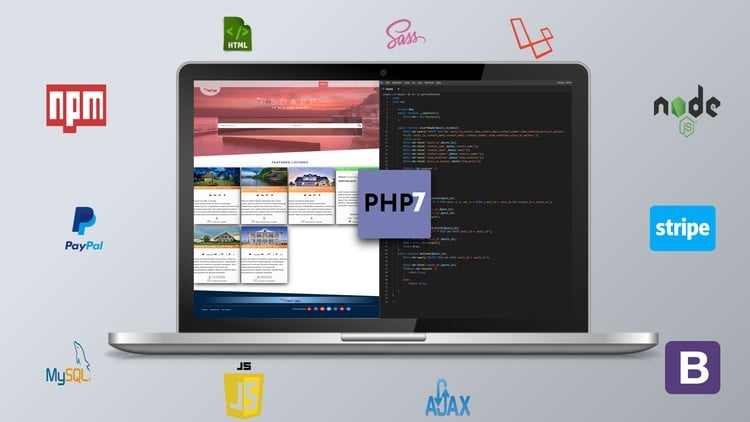
Ultimate PHP, Laravel, CSS & Sass! Learn PHP, Laravel & Sass
Last updated 4/2021
Created by Rick Sekuloski
MP4 | Video: h264, 1280x720 | Audio: AAC, 44.1 KHz, 2 Ch
Level: All | Genre: eLearning | Language: English + subtitle | Duration: 444 Lectures ( 95h 23m ) | Size: 53.3 GB

Learn PHP,Laravel,PDO,Security and create layouts using CSS GRID, Bootstrap, Flexbox,topped up with JavaScript and Ajax


What you'll learn
Ultimate PHP, Laravel, CSS & Sass! Learn PHP, Laravel & Sass and JavaScript
You will learn how to create fast and modern layouts using Flexbox
You will have 3 crash courses for PHP, CSS-GRID and Flexbox
New modern 2019/2020 css techniques for building stunning websites
Cutting edge responsive design using media queries manager, mobile-first vs desktop-first
Difference between em vs rem units
SVG Images, Clip path, Font-awesome icons
Learn How to use Sass in real-world projects
BEM Methodology
7-1 Architecture
You will Learn about CSS-GRID and how to create complex layouts fast
Advanced CSS animations using @keyframes, animatiosn and transitions
Use NPM to set up a development process to compile Sass fast and without page refresh
You will learn how to write reusable and maintainable that can be easily scale
Create Complete (CMS) Content Management System similar like Wordpress
You will master PHP PDO
You will Use OOP to create classes
Create Clean URL by removing .php extension at the end of the files
Learn how to refractor and clean your code
Learn about PHP security with PDO
Create From Filters and Pagination
Use Bootstrap to create your Admin site
You will learn how to use composer (PHP package manager)
Send emails using PHPMailer
Create complete CRUD (create, read, update and delete) application
Making different forms and loading based on condition
You will learn how to create new Databases, create tables inside and use them
Forgot Password functionality with password hashing and tokens
You will use Google Maps JavaScript API
Create Markers and use Geocoding
Show 4 different types of post based on condition
Use Payment methods : PHP Stripe API, and PHP SDK for PayPal RESTful APIs.
Variables, Constants & Super Globals
Use Prepared statements that will prevent SQL attack
Use JavaScript and JQuery.
Learn about regular expression and how to validate login input and register users
Geo-coding will be used to convert the address that is in our DB
Create Tree like Commenting system, with Ajax
Save and Load data without page refresh using Ajax
Last seen and Time ago function same as in FB messenger or Viber or WhatsApp

Requirements
Basic HTML, CSS and PHP skills are desirable, but anyone basically can follow me on this course. No need for buying any software, your computer and text editor for writing the code will be sufficient.

Description
This course now is updated with Laravel!Welcome To Ultimate PHP, CSS, and SASS: Enhance Your JavaScript Skills! - Old TitleNow Ultimate PHP, Laravel, CSS & Sass! Learn PHP, Laravel & SassThis course will offer you more than 380 lectures recorded in HD quality, and more than 82 watch time hours.Requirements:Basic HTML, CSS, and PHP skills are desirable, but anyone basically can follow me on this course. No need for buying any extra software, your computer and text editor for writing the code will be sufficient.DescriptionHave you have been taking courses that are not up to date or courses that after finishing them you will immediately know that is not what they promised to be in the promo video? Have you joined multiple courses for basically learning the same thing over and over again? Have you been thinking why there is no complete course out there where you can learn how to become master of front and back end development with the latest, greatest, and the most modern programming/designing techniques?Great news: Then This Is The Right Course For You!Welcome to "Ultimate PHP, CSS, and Sass: Enhance Your JavaScript Skills, best course ever". This is the most advanced, the most modern, and the most up to date course ever on this platform. It's everything you need to become master and advance your career as a graduate student, junior developer, or programmer. Look at the end of why I create this course to be for everyone.There are multiple parts to this course. The first part is the designing process where you will learn how to use HTML, CSS, and Sass. You will be able to design and create modern layouts on your own after finishing this part. You will learn the most complex and advanced responsive design techniques, CSS GRID and Flexbox layouts and yes you will get familiar with Bootstrap as well. You will become a master of Sass, and CSS architecture also you will be able to design 3 very many different landing pages for these projects so you can get experience and practice what we have learned and put that in practice. You will have 2 complete guides for CSS GIRD and Flexbox in this section in order to make your life easy. This course is all about design, and you will be the architect of 3 different and beautifully designed and crafted projects.FIRST PART OF THE COURSE CSS AND SASS, FLEXBOX, CSS-GRID AND BOOTSTRAP INTRO:1) Create layouts of every kind with the latest cutting-edge layout technologies.2) You master Flexbox and CSS Grid and Bootstrap;3) Design carefully for all kind of devices with media queries;4) Understand the concepts of CSS and how you can make reusable code that is easily maintainable with Sass.In this course, you will get familiar with background-clip, transform, and perspectives when we are making rotating/flipping cards. You will use clip-path to shape the footer and header. Also, you will be able to create animations using @keyframes, transitions, and animation.Working on these projects you will be able to use CSS selectors and pseudo-classes, elements that are the foundation of the modern CSS. Dealing with complex scenarios you will learn parent, child inheritance, box types, and positioning elements using abstract and relative positioning. This course will be based on 7-1 rule and we will stick with the BEM methodology so you can create massive code components that will be very easy for maintenance and at the same time expandable and scalable. With Sass, we will use variables where we declare their values and after that, we will use them in our project whenever we need them. You will learn how to use media queries and create ones where our design breaks, meaning that you can adjust your design to fit all kinds of screen sizes by simple and advanced calculation.Flexbox and CSS grid will give us the opportunity to learn the process of organizing our website into a layout that easily fits different screen widths. I have two crash courses and examples for these two particular layouts. Additionally, we will use font awesome icons but we also will learn how to use the modern SVG icons in our projects so we can understand the difference between them. You will know how to change SVG color and generate SVG sprites with a breeze. On top of this, we will use the NPM so we can compile Sass and every code changes will automatically be reloaded on the browser. You will get familiar with the processes how to concatenate, prefix and compress and compile CSS file;SECOND PART OF THE COURSE PHP, PDO, MYSQL, SECURITY AND OOP INTRO:The second part of this course is PDO PHP and OOP using Classes, methods and etc. We will not use the entire MVC framework but we will get familiar with how to use M from that framework which stands for MODELS. Inside this model folder, we will create our core functions that will interact with the database in a secure manner. Security is the number one feature of PDO so that is why we are going to do our projects with PDO. I have created a crash course on how to use Classes and PDO just for this project so if you are a person with limited PHP understanding you will not have a problem after the crash course to follow this part.What you will learn in this part:You will learn that PDO represents PHP data objects and a lean and consistent way to connect to a Database. Also, PDO can work with multiple different databases like MySQL, Firebird, Oracle, PostgreSQL, and lots more. PDO provides secure data access layer no matter what type of system you are using, you can still use the same functions to access this data. You need to use a PHP 5.4 or later version in order to work because PDO will need OOP features. The biggest advantage for which I choose to use PDO is that we can write prepared statements that will prevent SQL attacks and injections that can destroy what we have stored in the database. PDO is very usable and reusable, usable because it has lots of functions out there that we can use like fetch and error handling, and reusable means that it can access multiple databases because of its unified API. We will write so many create, read, update, delete queries that by the end of this course you will become the master of PHP. You will become a master of PHP PDO and get to know the three main Classes like PDO, PDOStatment, and PDOexception. For these reasons, I have also included lectures about OOP (Object Oriented Programming) Classes where I discuss what is Class and how to use them in our project. You will learn how to instantiate objects of that class and how these objects can interact and use the methods/functions of a parent class. In addition, we will discuss Abstract and Extend Classes. In addition, you will learn how to take payments using PHP Stripe API, and PHP SDK for PayPal RESTful APIs. After that, we can send emails to our users/customers using PHPMailer and we can install it via Composer. In short, you will learn how to use a composer or dependency management tool for managing dependencies of PHP software and required libraries.Other smaller things worth mentioning:1)Password Hashing & Security in PHP2)Variables, Constants & Super Global3) Arrays in PHP4)Loops like While, foreach, for and etc5)Control Structures 6)Methods or Functions7)Sessions8)Store and move FILES9)Authentication10)PHPMailer to send emails and files11) Take Payments With Stripe and Paypal THIRD PART OF THE COURSE JAVASCRIPT, AJAX and JQUERY INTRO:Although there will be no separate third part it will be included with the PHP part because we need to do a lot of the things on the website using JavaScript and JQuery. So in this last part, I want to discuss why we are going to use JavaScript and Ajax to finish our project. Although this course is not about learning JavaScript and Ajax you will still learn a lot during this course. So what is AJAX?AJAX is an acronym that stands for Asynchronous JavaScript and XML, and it describes a set of development techniques used for building websites and web applications. Ajax's core function is to update web content asynchronously (the "A" of AJAX), meaning you will not need to reload an entire web page when only a small portion of the content on that page is updated. "J" stands for JavaScript and JavaScript will be used to hide and show notification or messages when we are deleting and saving data. Also, we will display alert messages with the help of JavaScript. Login and registration will be done using JavaScript regular expressions so we can validate input form data before storing it in our database. With the help of Ajax, we will create Ajax dependent dropdown select. Because this is a real project that requires a lot of things to be done, we need to use Ajax and JavaScript in order to keep our design feels and look very modern.Finally, we will use Google Maps JavaScript API and Geocoding to display LAT and LNG, search for live places or particular addresses and finally store them into the database. Geo-coding will be used to convert the address that is in our DB into lat and long to display into the map on other pages. Additionally, we will learn how to place a marker, how to make custom icons for marker such as beach flag because I think that adding google maps into any website will make the website look more professional and clean.Why should you take this course?Before buying any course my recommendation is to look into the specification and curriculum of that course and also look at the project tour or how the application will look like. After reading and watching what has been created by the instructor/instructors then join that course.My promise to you?I will always try to make you happy during the entire course, maybe sometimes over boring but that's me. I know that life is hard on its own and everyone has it's own problems so sharing info about my day and wishing you to be strong and positive is something that I will do in the lectures. It's never about how much money I will make from this course, it's what you will get out of this course. So promise that I will update the course constantly and listen to your requests and desires. Info that you need to know: In some lectures, the cursor pointer of my mouse is not visible but that should not stop you from taking this course, because this is a web development course where you can see me coding and my mouse is not going to be the problem. This is my mistake and is only there in the first part of this journey. My honesty is number one and I want you to know before joining the course. Also, I'm here for you in the Q&A section, we will do everything together and I hope you will enjoy it.My StyleI like to create things and achieve things that most people think that it's not possible or I'm not able to do this by myself. So don't be the person that will listen to others and never take the step forward. What I suggest is to listen to what your heart & guts tells you and follow them.My GoalMy goal is to make you a better programmer/designer and developer so you can get your dream job, get more money, or even start your eCommerce or any other business with my help. So, should you take this course? The answer is a big YES YES YES!The reason is that I packed so much great content into one course and I can easily split this one into 3 smaller courses so I can get more students and money. But that is not the case I want to create one that will stand out.Can I make money with PHP and CSS, AJAX, and JavaScript?The answer is yes, the senior PHP developer in Australia can take from 80 to 130 thousand per year.PDO PHP is a must programming language for anyone that deals with web development.CSS is underestimated and is a true must because as you will see in this course it can be very powerful. The reason why I put this complete course in one is that I know that the entry job is very hard, and they are thousands and thousands like this on job advertisement companies. So look bellow what they require and also what you will learn.Some of the PHP Junior/Graduate or entry Level Web Developer graduate will earn from 50K-70K for the first years:Outline of what they request and want from job applicant: This is a short summary of the skills they want today in 2019/2020.Follow Best Practices - Apply the best practices of web design and development using HTML, CSS, JavaScript, etc.Have a passion for clean code - Take pride in creating reusable, easy to read, scalable code.Have an eye for detail and designCSS Preprocessors - Sass, Less or similarGood verbal and written communication skillsCan work independently and problem solve difficult issues on the flyExperience with command lineHighly regarded but not necessary:Development experience with other eCommerce platformsObject-Oriented Programming - A clear understanding of OOP or experience in any kind of backend development.SQL experience - A good understanding of or experience with SQL databasesExperience with build tools - Gulp, Grunt or similarHave a good understanding of Web Accessibility and SEOAfter all, being said, I hope to welcome you as a new student in my course. I'm sure you're gonna love and enjoy the content because there is so much you can learn from. You will start with zero and end up being a hero!Thanks,Rick

Who this course is for
This course has been created to assist students, IT graduates, IT developers at varying levels of expertise that want to upskill in both Advanced CSS and Advanced PHP PDO

Homepage


564604346_2-project-tools-1_s.jpg


8a4511f3ad63c1936f145e6c0823dd9f.jpg


SOLIDWORKS Mastery:500 Examples| 500 Q&A|20 Project| 10 Test
Published 2/2025
Created by Roy Academy,S N S Roy
MP4 | Video: h264, 1280x720 | Audio: AAC, 44.1 KHz, 2 Ch
Level: All | Genre: eLearning | Language: English | Duration: 600 Lectures ( 58h 23m ) | Size: 32.5 GB

Learn Basics to PRO tools using perfectly designed course & Confidently take Certified SOLIDWORKS Associate (CSWA) Exam


What you'll learn
You will gain a solid understanding of the most used features of Solidworks by Pros in just 10 hours or less
Work independently on any Design in any version of Solidworks by developing the mindset of a pro design engineer
Learn from an Author who is an Industrial Expert and mentor with Over 50 years of Experience in Product development
Learn Basics & Confidently take the Certified SOLIDWORKS Associate (CSWA) certification test
Make any complex Designs easily using a combination of tools as shown in Examples & Exercises
Pass any Solidworks job interview easily with our Quiz of 500 Questions and 20 Projects
Practice a series of perfectly curated projects to showcase in your resume
Modules included: Sketcher, Part Design, Assembly Design, Drafting, Sheet metal, Animation, FE Analysis

Requirements
A Computer loaded with any version of Solidworks Software

Description
Ongoing Updates: February' 2025- Assembly Module Videos- 10 Assignments for preparing to pass Machine test interviews in various industries Next Upcoming Updates: March' 2025We are in the process of producing lectures in a phase-wise manner on the following modules of SOLIDWORKS:Sheet Metal Design AnimationStress Analysis In this Complete SOLIDWORKS Mastery program you will experience a unique successful method of teaching developed and experimented on 1000's of students in live sessions. This course is designed for individuals who are new to SOLIDWORKS as well as students who learned SOLIDWORKS a long time ago and just want to brush up on the tools and features quickly and use them in their projects immediately.This course introduces the tools of SOLIDWORKS in a step-by-step process which will enable you to clearly understand the application of the tools under discussion before starting the next tool. Major Highlights of The CourseIncludes all the Basics to advanced tools for learning SOLIDWORKS from scratchLearn Basics to PRO tools with this perfectly designed course & Confidently take the Certified SOLIDWORKS Associate (CSWA) certification testAbout 500 Examples including the solutions and drawings ready for download 20 Projects to practice assemblies500 Quiz Questions and answers10 Assignments for preparing to pass Machine test interviews in various industries All the Drawings practiced in the Lectures are included in this course for download. At the end of each section, you will encounter a quiz related to the section which will further broaden your understanding of the related section.This course has been designed using the SOLIDWORKS 2023 version but is equally good for any version of SOLIDWORKS.Developed by a professional team created by Mr. S. N. S. Roy who is the Chief Course Designer with experience of almost 50 years in Engineering Design and Product Development.A beginner can start practicing the tools right from lecture oneA Professional brushing up on SOLIDWORKS can easily directly jump to the section of their choice.This course has been designed such that you can learn any other high-end 3D CAD modeling software package easily using the concepts that you will learn in this course. Still, if you don't like the course then you can ask for a refund.The course contains sections using which the student can learn the following modules of SOLIDWORKS :Sketcher Part DesignAssembly DesignDraftingSurface Design (Upcoming)Sheet Metal Design (Upcoming) Animation (Upcoming)Stress Analysis (Upcoming)If You Only Buy ONE Course This Year . It GOT To Be This One!With over 50 hours of video content, over 500 lectures, Industrial Projects, all examples and project drawings as downloadable resources, bonuses, and quizzes - this is one of the most comprehensive SOLIDWORKS courses available!You'll also get access to:Lifetime Access to course updatesFast & Friendly Support in the Q&A sectionUdemy Certificate of Completion Ready for DownloadQuiz to Test Your Knowledge!We have a 30-day 100% money-back guarantee through Udemy, so there's no reason to hesitate!Join Today and learn SOLIDWORKS the easy way.I will see you inside the course.

Who this course is for
Student with no prior knowledge in any modeling software
Beginners in Solidworks who want to learn it quickly and easily
People who knew Solidworks earlier but have forgotten and want to refresh in a very short time
Anyone who communicates through technical drawings and representation as a part of their study or work.
Working Professionals looking to upgrade their skills

Homepage


566317068_8-assembly_s.jpg


89d9488a2b6043fb9c99f1fffedf6e20.jpg


MasterClass - Scripting Your Own Success with Mindy Kaling
Released 12/2024
With Mindy Kaling
MP4 | Video: h264, 1920x1080 | Audio: AAC, 44.1 KHz, 2 Ch
Level: Beginner | Genre: eLearning | Language: English | Duration: 1h 8m | Size: 2.85 GB

Mindy Kaling built her career with humor and grit. Now she's sharing how to own your voice, face rejection, and succeed on your own terms.

Mindy Kaling wasn't handed a golden ticket to success-she wrote her way there. Now she's pulling back the curtain on what it really takes to make it, sharing the lessons she learned from the writers' room to running her own shows. Learn how to own your voice, push past rejection, and build a career on your own terms.

Homepage


563875953_mindy-kaling-on-scripting-your-own-success_s.jpg


855b9900ec3a73ded5644c0a3f1c5026.jpg


Complete Digital Marketing Course For 2025 | 87 Courses in 1
Published 2/2025
Created by Jim Esen Digital Marketing Master | 45,000+ Students Worldwide
MP4 | Video: h264, 1280x720 | Audio: AAC, 44.1 KHz, 2 Ch Level: All | Genre: eLearning | Language: English | Duration: 274 Lectures ( 42h 16m ) | Size: 46 GB

Branding, Instagram, YouTube, Pinterest, LinkedIn, Email Marketing, Copywriting & Facebook, Google, Linkedin Ads in 2025


What you'll learn
Understand the fundamentals of digital marketing and its importance in today's business landscape.
Learn to create effective digital marketing strategies tailored to various business goals.
Master on-page and off-page SEO to improve website visibility on search engines.
Develop compelling content strategies that align with digital marketing objectives.
Explore how to leverage platforms like Facebook, Instagram, and LinkedIn for digital marketing success.
Design and execute effective email marketing campaigns as part of your digital marketing toolkit.
Understand PPC advertising and its role in a comprehensive digital marketing strategy.
Learn to create and manage Google Ads campaigns to enhance your digital marketing efforts.
Discover how to utilize Facebook Ads to reach your target audience effectively.
Enhance your copywriting skills to create persuasive content across digital marketing channels.
Explore how to collaborate with influencers to amplify your digital marketing campaigns.
Understand the role of affiliate marketing and how to implement it effectively.
Learn strategies to reach audiences through mobile devices within your digital marketing plan.
Create engaging video content to enhance your digital marketing initiatives.
Utilize tools like Google Analytics to measure and optimize your digital marketing performance.
Improve website and landing page effectiveness to boost digital marketing conversions.
Apply digital marketing tactics specifically tailored for e-commerce platforms.
Implement automation tools to streamline and enhance your digital marketing processes.
Manage and improve your brand's online reputation through strategic digital marketing efforts.
Stay updated with the latest trends and technologies shaping the future of digital marketing.
Learn Facebook marketing and Instagram marketing to promote your business without spending money (organically).
Grow your audience on Pinterest with organic strategies.
Grow your audience and make money on Linkedin by driving high-quality traffic

Requirements
No digital marketing experience is needed.

Description
The Ultimate Digital Marketing Course: Master Facebook Ads, Google Ads, SEO, Copywriting & More!Imagine a future where you don't just consume online content - you create it.Instead of watching others succeed with digital marketing, you're the one launching high-performing ad campaigns, growing brands, ranking on Google, and generating revenue. This isn't a dream, it's a skillset waiting to be unlocked.With this comprehensive digital marketing course, you'll gain the knowledge and tools to build a profitable online business, work as a high-paid freelancer, or scale a brand using advanced digital marketing strategies.Why This Is the Most Complete Digital Marketing CourseThis course isn't just another online tutorial, it's a step-by-step, real-world guide covering everything you need to master digital marketing, including: Facebook Ads & Meta Advertising Create, optimize, and scale high-converting campaigns. Google Ads & PPC Advertising Master Google Search Ads, Display Ads, Shopping Ads & Performance Max. SEO (Search Engine Optimization) Rank your website higher on Google and drive free, organic traffic. Instagram & YouTube Marketing Build engaged audiences and create viral content. Email Marketing & Newsletter Growth Convert subscribers into paying customers. Copywriting & Persuasive Selling Write ad copy, sales pages, and content that converts. Conversion Rate Optimization (CRO) Optimize landing pages for higher sales. Branding & Content Strategy Build a strong brand with compelling storytelling and authority positioning. Affiliate & E-commerce Marketing Learn strategies to grow an online store or monetize a website.This course is designed for all skill levels, whether you're a beginner in digital marketing or a marketing professional looking to refine your expertise.Who Is This Digital Marketing Course For?Entrepreneurs & Business Owners Learn to grow your business online without relying on agencies.Freelancers & Agencies Gain in-demand skills like Facebook Ads, Google Ads, and SEO to offer high-value services.E-commerce Store Owners Learn how to drive more traffic, increase conversions, and scale sales.Content Creators & Social Media Managers Build an audience using Instagram, YouTube, and Facebook.Job Seekers & Career Changers Get certified in digital marketing and start a high-paying career.Affiliate Marketers & Bloggers Learn SEO, content marketing, and paid ads to increase revenue.Whether you want to grow your own business, work remotely, or secure a high-demand digital marketing job, this course will equip you with everything you need to succeed.What You'll Learn in This Digital Marketing Course Facebook & Instagram MarketingHow the Facebook Ads algorithm works & how to leverage it for profit.Setting up winning ad campaigns with the right targeting.Retargeting strategies to convert warm leads into customers.How to create high-converting ad creatives that grab attention.Scaling Facebook & Instagram Ads while maintaining high ROI. Google Ads & PPC AdvertisingHow to set up and optimize Google Search, Display, Shopping & Performance Max campaigns.The best keyword strategies to maximize Google Ads results.How to use Google Ads conversion tracking to measure success.Bidding strategies to get high-quality leads and traffic for less. SEO & Content MarketingHow to rank higher on Google and get free, organic traffic.On-page SEO, off-page SEO & technical SEO best practices.Content strategy & writing blog posts that drive sales.Link-building tactics that boost domain authority.Email Marketing & Newsletter GrowthHow to build an email list from scratch.The best email subject lines & copywriting techniques to increase open rates.How to set up automated email sequences that drive conversions.Copywriting & Persuasive SellingHow to write Facebook & Google Ad copy that converts.The psychology of persuasion & how to use it in digital marketing.Copywriting formulas that make any sales page, ad, or landing page more effective. Social Media & Influencer MarketingHow to grow an audience on Instagram, YouTube, Pinterest, and LinkedIn.The best strategies for creating viral content.How to use influencer marketing to grow your brand. Advanced Digital Marketing StrategiesHow to track and analyze marketing performance using Google Analytics & Facebook Pixel.Understanding customer psychology & how to increase conversions with UX design.How to structure marketing funnels for maximum sales and engagement.Every section of this course is designed with real-world applications, including hands-on exercises, case studies, and quizzes to reinforce learning.How Will This Course Impact Your Career?- Master the skills needed to land a high-paying job in digital marketing.- Build & grow your own business using digital marketing strategies. Gain confidence in running profitable Facebook, Google & social media ads.- Attract more leads & customers through SEO, content marketing & email automation.- Work as a digital marketing freelancer and earn a location-independent income.By the time you finish this course, you'll have the skills, strategies, and confidence to apply digital marketing to any business or career path you choose.Take Action & Enroll Today!This isn't just another course, it's an opportunity to transform your future with digital marketing.If you're ready to master Facebook Ads, Google Ads, SEO, and digital marketing strategies that actually work, enroll now and take the first step toward success!Let's get started, see you inside the course!

Who this course is for
Beginners wanting to start a career in digital marketing.
Entrepreneurs looking to grow their business with digital marketing.
Business owners who want to scale with digital marketing strategies.
Marketers aiming to master advanced digital marketing techniques.
Freelancers looking to offer digital marketing services.
Content creators who want to monetize with digital marketing.
Agencies seeking to improve digital marketing results for clients.
E-commerce owners who want better digital marketing conversions.
Social media managers needing deeper digital marketing skills.
Startup founders wanting cost-effective digital marketing growth.
PPC specialists looking to refine digital marketing campaigns.
SEO professionals aiming to expand into digital marketing.
Course creators needing digital marketing for audience growth.
Local business owners seeking digital marketing success.
Affiliate marketers optimizing digital marketing tactics.
Advanced marketers who want to improve their skills with the up to date information in digital marketing space.
Bloggers wanting to grow traffic with digital marketing.


563230123_complete_digital_marketing_course_for_2025__87_courses_in_1.jpg


Download from RapidGator


Download from Keep2Share


Premium Links


572db70585b57f7458cb885d4e8e07a3.jpg


CCNA 200-301 v1.1 with Labs, Quizzes, Practice Exams
Published 2/2025
Created by John Bandin
MP4 | Video: h264, 1280x720 | Audio: AAC, 44.1 KHz, 2 Ch Level: Intermediate | Genre: eLearning | Language: English | Duration: 124 Lectures ( 37h 41m ) | Size: 20.7 GB

Pass your CCNA the first time with our full CCNA Course. Practice exam, Quizzes, and Labs included.


What you'll learn
Pass the Cisco CCNA 200-301 exam with up-to-date, relevant training.
Learn the skills needed to become a Network Administrator, and work on an Enterprise network.
Hands-on training configuring, managing and troubleshooting Cisco iOS devices through our practice labs.
Dive into routing and switching, wireless, security and controller-based networking by obtaining your CCNA!

Requirements
Some basic IT knowledge is preferred, but this course can be done by absolute beginners and anyone interested in learning about networking and Cisco.

Description
CCNA 200-301 Full Video Course: Complete Certification TrainingAre you ready to pass the CCNA 200-301 exam and take your networking career to the next level? This comprehensive CCNA video course is designed to provide you with everything you need to master the Cisco Certified Network Associate (CCNA) certification in one complete package. Whether you're a beginner in networking or looking to refresh your skills, this course will guide you through every CCNA exam objective with in-depth explanations, hands-on labs, interactive quizzes, and a full practice exam to ensure you're exam-ready.What You'll Learn in This Course:- All CCNA 200-301 Exam Objectives - Covering network fundamentals, routing and switching, IP services, security, and automation.- Hands-On Labs - Step-by-step practical exercises using Cisco Packet Tracer and real-world network scenarios.- Interactive Quizzes - Test your understanding after each section to reinforce key concepts.- Full-Length Practice Exam - Simulate the real CCNA exam experience and assess your readiness.- Networking Foundations - Perfect for beginners, with easy-to-understand explanations and real-world applications.- Configuration & Troubleshooting - Learn to configure routers, switches, VLANs, OSPF, NAT, ACLs, and more.- Security & Automation - Gain insight into network security fundamentals and network automation tools like Ansible and REST APIs.Who Is This Course For?- Anyone preparing for the CCNA 200-301 certification exam- IT professionals looking to strengthen their networking knowledge- Students pursuing a career in networking or cybersecurity- Helpdesk technicians & network administrators who want to advance their careersWhy Choose This Course?- Clear, Step-by-Step Video Lessons - Taught by an experienced instructor with real-world networking expertise.- Hands-On Lab Exercises - Get practical experience to apply your skills in real-world scenarios.- Downloadable Resources - Access study guides and lab configurations to reinforce learning.- Lifetime Access & Updates - Stay up to date with future CCNA changes and refresh your knowledge anytime.- Self-Paced Learning - Study at your own pace, on your own schedule.Don't waste time piecing together different study resources-this CCNA 200-301 Full Video Course has everything you need to pass your exam on the first attempt!Enroll now and start your journey to becoming a Cisco Certified Network Associate!

Who this course is for
This course is intended for begineers in Networking, and those who want to transition to Networking from other IT disciplines.


563517463_ccna_200-301_v1-1_with_labs_quizzes_practice_exams.jpg


Download from RapidGator


Download from Keep2Share


Premium Links


8524921adcaf766221c10ca707c99ea3.jpg


MasterClass - Bet Smart: Top Sports Betting Strategies
Released 12/2024
With Joe Fortenbaugh, Nick Kostos, Captain Jack Andrews, Gina Fiore, Rob Pizzola, and Rufus Peabody
MP4 | Video: h264, 1920x1080 | Audio: AAC, 44.1 KHz, 2 Ch
Genre: eLearning | Language: English | Duration: 1h 8m | Size: 2.1 GB

Get insider tips from pros who've made millions betting on sports. Learn how to find the edges, manage your bankroll, and avoid rookie mistakes.

Winning at sports betting isn't about luck-it's about skill and strategy. Nick Kostos, Captain Jack Andrews, Joe Fortenbaugh, and other pros who've made millions betting on sports know this firsthand. Now they're sharing insider secrets-from managing your bankroll like a champ to spotting hidden edges and avoiding rookie mistakes. Stop guessing and start betting smarter with tips from the best in the game.


563474093_masterclass_-_bet_smart-_top_sports_betting_strategies.jpg


Download from RapidGator


Download from Keep2Share


Premium Links
 
b3fa961fcd5ff4c8aa6618764cb442eb.jpg


MindValley - Sixth Sense Superpower
Released 1/2023
By Sonia Choquette
MP4 | Video: h264, 1920x1080 | Audio: AAC, 44.1 KHz, 2 Ch Level: Beginner | Genre: eLearning | Language: English + subtitle | Duration: 22 Lessons ( 6h 15m ) | Size: 7.77 GB

Join Sonia Choquette, the world's premier intuition teacher, as she guides you to harness and trust your inner voice in your work and personal life

A program for the person who wants to listen to their inner voice, and let it guide them towards the best outcomes

If your inner voice nudged you towards a life-changing decision. could you trust it and take the plunge?

A thrilling but risky new career. A shot at that fairytale romance. A business deal bigger than anything you've ever pulled off. A chance at a fresh start.

Even when your rational mind and emotions are scrambling to make the best choice: your intuition always has the answer.

But how many of us know how to listen to (and trust) our inner voice?

According to Sonia Choquette - widely known as the world's no. 1 intuition teacher - modern society has switched off our sixth sense in favor of narrow intellectual thought.

This collective shutdown is often the root cause of our deepest anxieties and insecurities: while those who transcend it are among the most extraordinary people on earth.

A landmark 10-year study on CEOs by John Mihalasky at the Newark College of Engineering found an undeniable correlation between intuitive intelligence and business performance.

Likewise, brilliant artists, inventors, and innovators throughout the ages have harnessed their inner voice to achieve the "impossible". As Steve Jobs said

"Have the courage to follow your heart and intuition. They somehow already know what you truly want to become. Everything else is secondary.'

Sixth Sense Superpower is a journey back to the intuitive intelligence you were born with.

With Sonia as your guide, you'll discover how to harness your intuition to make your best choices, big and small.

To infuse your work and life with limitless inspiration, creativity, and growth.

And to navigate every moment with clarity and confidence, knowing your inner voice is always moving you in the right direction.

Stories on Mindvalley
Awaken your intuitive intelligence in 20 days through a signature process designed by Sonia Choquette and Mindvalley
You're guided inwards, where you'll discover how to quiet your brain, communicate with yourself on a vibrational level, and find the ON switch for your intuition.

You begin experiencing your intuition for yourself - not just with your mind, but holistically with your heart and soul through breathwork, meditation, and other sixth sense modalities.

You're then given the tools and techniques to amplify your intuition, and harness it in decision making, creative thinking, problem solving, and other key areas of your life and work.

You're trained to instinctively know the difference between emotional impulses that could lead you astray, and authentic and accurate guidance that comes from your intuitive intelligence.

And finally, you design a new intuition-driven life where your inner voice guides you in every moment of every day towards your best choices, outcomes, and opportunities.


563476516_sixth_sense_superpower.jpg


Download from RapidGator


Download from Keep2Share


Premium Links

 
b77a19af345c588f1456996b8e8d1e1b.jpg


Medical Devices Practical Course ( Biomedical Engineering )
Published 2/2025
MP4 | Video: h264, 1920x1080 | Audio: AAC, 44.1 KHz
Language: English | Size: 23.36 GB | Duration: 16h 57m

comprehensive practical course for different medical devices from scratch to professionality


What you'll learn
Define medical devices and their categories and medical devices management lifecycle
Learn all about 7 different medical devices from scratch to devices maintenance and troubleshooting
Identify the preventive and corrective maintenance for the most popular 10 medical devices
Complete course with comprehensive and detailed information help you deal with different categories of medical devices within their life cycle
how to deal with different models and categories of medical devices
no needed for previous knowledge for medical devices or experience to enroll this course
this course is in 2 languages ( Arabic and English )

Requirements
Some knowledge of anatomy , physiology and physics
Simple basics of biomedical engineering

Description
We have been preparing for months for a complete version of the online course on medical devices so that it actually competes with attendance.. Of course, attendance during the course is characterized by interaction and hands-on experienceBut the advantage of the online course, especially if it is registered, is that At any time you can watch the courseYou do not need to travel or go somewhere to get itYou can repeat and repeat the information through the recorded material and videosIt also includes complete fixed documents with you that you can refer to at any timeAnd the shortcomings of the online version have been solved, which is the practical work in terms of operating the devices, dealing with them, or maintenanceAnd many videos have been filmed and recordedAnd thus you can get the best online and practical medical devices course everCourse contents:- Practical and theoretical explanation of 7 medical devices With files written in Arabic and English and recorded as an audio video to explain it completely in Arabic and translate the explanation in English- The content of the explanation includes all parts of the device and how to deal with it, operate it, its components, corrective and preventive maintenance, potential malfunctions and how to deal with them, and also real examples of service manuals for devices- A comprehensive maintenance file for the 10 most famous medical devices in Arabic and English and a second explanation recorded as a video in Arabic and translated into English- Practical videos with pictures for operating and maintaining medical devicesAdditional practical videos for various models of medical devices, their maintenance and calibrationLiterally the course is complete and worth gettingDo not hesitate to get the online medical devices courseAvailable at any time from now because it is fully recorded

Beginner level and experts,biomedical engineer,biomedical technician,medical devices interests,المهندس الطبي,مهندس الاجهزة الطبية و الحيوية,medical engineer


563874065_medical_devices_practical_course_biomedical_engineering.jpg


Download from RapidGator


Download from Keep2Share


Premium Links


Zurück
Oben Unten