• Regeln für den Video-Bereich:

    In den Börsenbereich gehören nur Angebote die bereits den Allgemeinen Regeln entsprechen.

    Einteilung

    - Folgende Formate gehören in die angegeben Bereiche:
    - Filme: Encodierte Filme von BluRay, DVD, R5, TV, Screener sowie Telesyncs im Format DivX, XviD und x264.
    - DVD: Filme im Format DVD5, DVD9 und HD2DVD.
    - HD: Encodierte Filme mit der Auflösung 720p oder darüber von BluRay, DVD, R5, TV, Screener sowie Telesyncs im Format x264.
    - 3D: Encodierte Filme von BluRay, die in einem 3D Format vorliegen. Dies gilt auch für Dokus, Animation usw.
    - Serien: Cartoon/Zeichentrick, Anime, Tutorials, Dokumentationen, Konzerte/Musik, Sonstiges sind demnach in die entsprechenden Bereiche einzuordnen, auch wenn sie beispielsweise im High Definition-Format oder als DVD5/DVD9/HD2DVD vorliegen. Ausnahme 3D.
    - Bereich Englisch: Englische Releases gehören immer in diesen Bereich.
    - Bereich Talk: Der Bereich, in dem über die Releases diskutiert werden kann, darf, soll und erwünscht ist.


    Angebot/Beitrag erstellen

    - Ein Beitrag darf erst dann erstellt werden, wenn der Upload bei mindestens einem OCH komplett ist. Platzhalter sind untersagt.
    - Bei einem Scenerelease hat der Threadtitel ausschließlich aus dem originalen, unveränderten Releasenamen zu bestehen. Es dürfen keine Veränderungen wie z.B. Sterne, kleine Buchstaben o.ä. vorgenommen werden. Ausnahme Serienbörse:
    - Bei einem Sammelthread für eine Staffel entfällt aus dem Releasename natürlich der Name der Folge. Beispiel: Die Simpsons S21 German DVDRip XviD - ITG
    - Dementsprechend sind also u.a. verboten: Erweiterungen wie "Tipp", "empfehlenswert", "only", "reup", usw. / jegliche andere Zusatzinformation oder Ergänzung, welche nicht in obiger Beschreibung zu finden ist.

    Aufbau des Angebots und Threadtitel

    Der Titel nach folgendem Muster erstellt zu werden. <Name> [3D] [Staffel] [German] <Jahr> <Tonspur> [DL] [Auflösung] <Quelle> <Codec> - <Group>
    Beispiel: The Dark Knight German 2008 AC3 DVDRip XviD - iND
    Beispiel: The Dark Knight 2008 DTS DL BDRip x264 - iND
    Beispiel: The Dark Knight 2008 AC3 DL BDRip XviD - iND
    Beispiel: The Dark Knight German 2008 AC3 720p BluRay x264 iND
    Beispiel: The Dark Knight 2008 DTS DL 1080p BluRay x264 iND
    Beispiel: Die Simpsons S01 German AC3 DVDRip XviD iND
    Beispiel: Die Simpsons S20 German AC3 720p BluRay x264 iND
    Beispiel: Sword Art Online II Ger Sub 2014 AAC 1080p WEBRip x264 - peppermint
    Entsprechend sind also u.a. verboten: Sonderzeichen wie Klammern, Sterne, Ausrufezeichen, Unterstriche, Anführungszeichen / Erweiterungen wie "Tipp", "empfehlenswert", "only", "reup", usw. / jegliche andere Zusatzinformation oder Ergänzung, welche nicht in obiger Beschreibung zu finden ist
    Ausnahmen hiervon können in den Bereichen geregelt sein.

    Die Beiträge sollen wie folgt aufgebaut werden:
    Überschrift entspricht dem Threadtitel
    Cover
    kurze Inhaltsbeschreibung
    Format, Größe, Dauer sind gut lesbar für Downloader außerhalb des Spoilers zu vermerken
    Nfo sind immer Anzugeben und selbige immer im Spoiler in Textform.
    Sind keine Nfo vorhanden z.B. Eigenpublikationen, sind im Spoiler folgende Dateiinformationen zusätzlich anzugeben :
    Quelle
    Video (Auflösung und Bitrate)
    Ton (Sprache, Format und Bitrate der einzelnen Spuren)
    Untertitel (sofern vorhanden)
    Hosterangabe in Textform außerhalb eines Spoiler mit allen enthaltenen Hostern.
    Bei SD kann auf diese zusätzlichen Dateiinformationen verzichtet werden.

    Alle benötigten Passwörter sind, sofern vorhanden, in Textform im Angebot anzugeben.
    Spoiler im Spoiler mit Kommentaren :"Schon Bedankt?" sind unerwünscht.


    Releases

    - Sind Retail-Release verfügbar, sind alle anderen Variationen untersagt. Ausnahmen: Alle deutschen Retail-Release sind CUT, in diesem Fall sind dubbed UNCUT-Release zulässig.
    - Im Serien-Bereich gilt speziell: Wenn ein Retail vor Abschluss einer laufenden Staffel erscheint, darf diese Staffel noch zu Ende gebracht werden.62
    - Gleiche Releases sind unbedingt zusammenzufassen. Das bedeutet, es ist zwingend erforderlich, vor dem Erstellen eines Themas per Suchfunktion zu überprüfen, ob bereits ein Beitrag mit demselben Release besteht. Ist dies der Fall, ist der bereits vorhandene Beitrag zu verwenden.
    - P2P und Scene Releases dürfen nicht verändert oder gar unter einem iND Tag eingestellt werden.


    Support, Diskussionen und Suche

    - Supportanfragen sind entweder per PN oder im Bereich Talk zu stellen.
    - Diskussionen und Bewertungen sind im Talk Bereich zu führen. Fragen an die Uploader haben ausschließlich via PN zu erfolgen, und sind in den Angeboten untersagt.
    - Anfragen zu Upload-Wünschen sind nur im Bereich Suche Video erlaubt. Antworten dürfen nur auf Angebote von MyBoerse.bz verlinkt werden.


    Verbote

    - Untersagt sind mehrere Formate in einem einzigen Angebotsthread, wie beispielsweise das gleichzeitige Anbieten von DivX/XviD, 720p und 1080p in einem Thread. Pro Format, Release und Auflösung ist ein eigener Thread zu eröffnen.
    - Grundsätzlich ebenso verboten sind Dupes. Uploader haben sich an geeigneter Stelle darüber zu informieren, ob es sich bei einem Release um ein Dupe handelt.
    - Gefakte, nur teilweise lauffähige oder unvollständige Angebote sind untersagt. Dies gilt auch für eigene Publikationen, die augenscheinlich nicht selbst von z.B. einer DVD gerippt wurden. Laufende Serien, bei denen noch nicht alle Folgen verfügbar sind, dürfen erstellt und regelmäßig geupdatet werden.
    - Untersagt sind Angebote, welche nur und ausschließlich in einer anderen Sprache als deutsch oder englisch vorliegen. Ausnahmen sind VORHER mit den Moderatoren zu klären.


    Verstoß gegen die Regeln

    - Angebote oder Beiträge, die gegen die Forenregeln verstoßen, sind über den "Melden"-Button im Beitrag zu melden.
  • Bitte registriere dich zunächst um Beiträge zu verfassen und externe Links aufzurufen.

*** Bestes IPTV *** bester Preis *** gratis Test ***


Englische Tutorials

52f7c5ff2b74f5c5eb907a87151009f6.jpg


[NEW] Spring Framework 6: Beginner to Guru
Last updated 8/2024
MP4 | Video: h264, 1920x1080 | Audio: AAC, 44.1 KHz, 2 Ch Language: English | Duration: 43h 8m | Size: 37.4 GB

All Things Spring! Spring Framework 6, Spring Boot 3, Spring AI, Spring MVC, Spring Data JPA, Spring Security, OAuth/JWT


What you'll learn
Learn to Build a Spring Boot Web Applications with Spring Boot 3, Spring Framework 6 and Java 21
Create RESTful Web Services using SpringMVC, Spring Webflux, Spring WebFlux-fn, and Spring Data REST
Secure APIs with Spring Security, OAuth 2.0, and JWT using Spring Authorization Server
Consume RESTful APIs using Spring RestTemplate, Spring WebClient, and Spring RestClient (new in Spring 6.2)
Use Spring Data JPA with Hibernate, Spring Data Mongo, and Spring Data R2DBC
Test Spring MVC using Spring MockMVC, JUnit 5, and Mockito
How to Use and Configure Spring Authorization Server
Run Spring Boot Applications with Docker, Docker Compose, and Kuberentes
How to Access a MySQL Database with Spring Boot
Use Flyway for Database Migrations
Use Project Lombok and MapStruct to Speed Up Your Development
Configure HTTP Basic Auth with Spring Security
Learn Functional Reactive Programming
How to Configure Spring Cloud Gateway
Validate Data using Bean Validation


Requirements
Basic Java knowledge is required
HTTP and HTML Knowledge is very helpful
Knowledge of SQL and databases is helpful


Description
This course is All Things Spring!Do you wish to master Spring Framework 6 and Spring Boot 3? Then this is the course for you. This course is for developers with no previous Spring Framework or Spring Boot experience. You will master developing RESTful APIs with Spring Framework. Spring has three different options of creating RESTFul APIs:Spring MVC, Spring WebFlux, and Spring WebFlux.fn. You will see how to use each, and how to secure each using OAuth 2.0 with JWT. Also covered in the course are popular persistence technologies. You will learn to use Spring Data JPA with Hibernate, Spring Data MongoDB, and Reactive with Spring R2DBC.All examples in the course use Java 21 and Spring Boot 3.3.0.Inside this course, you will learn about:Build a Spring Boot Web AppUse Spring for Dependency InjectionCreate RESTful Web Services with Spring MVCCreate RESTful Web Services with Spring WebfluxCreate RESTful Web Services with Spring Webflux.fnLearn Best Practices using Project Lombok with SpringCreate MapStruct Mappers as Spring ComponentsSpring MockMVC with Mockito and JUnit 5Spring Data JPASpring Data MongoDBSpring Data R2DBC (Reactive)Spring RestTemplateSpring RestClientSpring WebClientSpring WebTestClientSpring Security HTTPBasic Authentication Spring Security OAuth2 Authentication w/ JWTSpring Authorization ServerSpring WebMVC OAuth2 Resource Server Spring WebFlux OAuth2 Resource ServerSpring Cloud GatewaySpring Boot ActuatorSpring AISpring Caching Spring Boot Maven PluginSpring Boot Gradle PluginUse Java Bean Validation with SpringSpring Boot Auto-Configuration with MySQLUse Spring Boot and Flyway for Database Migrations Hibernate Database Relationship Mapping with Spring Data JPABuild Docker Images using Spring BootRun Spring Boot Applications in Docker ContainersUse Docker Compose to run Spring Boot ApplicationsDeploy Spring Boot Applications to KubernetesSpring AI - Learn to use OpenAI with Spring!This is the first major Spring course to include a section on Spring AI. You will learn how to leverage OpenAI's ChatGPT API using Spring AI.Course UpdatesApril 2024 - Introduction to Spring AIadded to CourseMay 2024 - Course Updated to Java 21 and Spring Boot version 3.3.0May 2024 - Spring RestClient - NEW to Spring Framework 6.1June 2024 - Using Spring Boot with Docker, Docker Compose and Kubernetes Spring CoreAt the core of the Spring Framework is the Spring IoC Container. Inversion of Control is a design pattern where control is inverted compared to procedural programming. In procedural programming, the software calls reusable components to complete tasks. In contrast, with IoC it is the framework which calls the reusable libraries. Development with IoC becomes very efficient since the focus is more on the custom business logic and common logic is left to the framework to perform.Spring MVCSpringMVC is Spring Framework's original web application framework. Spring MVCimplements the model-view-controller design pattern, where a model (data) is shared with with a controller which presents the data to the end user in the view (HTML, JSON, XML, etc). In this course you will learn how to develop RESTful APIs using Spring MVC. Spring WebfluxSpring Webflux was introduced to the Spring Framework in version 5. Spring Webflux is a reactive web application framework using non-blocking Java components for building efficient and scalable web applications. Like Spring MVC, Spring Webflux also implements the model-view-controller design pattern. Spring Webflux closely follows the familiar syntax of Spring MVC. In this course you will learn to use Spring Webflux to create modern RESTful APIs.Spring Webflux.fnSpring Webflux.fn was also introduced in Spring Framework version 5. Spring Webflux.fn follows a functional programming paradigm. Through the use of functional programming, you can rapidly develop APIendpoints. In this course you will learn how to use the functional programming paradigm of Spring Webflux.fn to develop RESTful APIs.Spring DataSpring Data is a family of Spring Framework projects for persistence operations to SQLand NoSQLdatabases. The Spring Data projects implement the easy to use Repository Pattern to persist objects to the database. In this course you will see how to use Spring Data JPA for persistence with SQLdatabases, how to use Spring Data Mongo for persistence to the NoSQL Mongo Database, and how to use Spring Data R2DBC for reactive/non-blocking SQLdatabase persistence. Spring SecuritySpring Security is commonly used to secure Spring Framework applications. You will see how simple it is to use Spring Security for HTTP Basic authentication. You will also learn how to use Spring Security with OAuth 2.0 authentication. Spring Authorization Server is a recent addition to the Spring Framework family of projects. Spring Authorization server is a lightweight alternative to other identity providers, such as Keycloak. You will learn to implement the OAuth 2.0 Client Credentials flow to obtain a JWT authorization token from the Spring Authorization Server and how to configure RESTful APIs in Spring MVC, Spring Webflux, and Spring Webflux.fn as OAuth 2 Resource Servers.Spring Rest ClientsSpring Framework 6 now has 3 different rest clients which may be used to interact with RESTful APIs. Spring RestTemplate was originally was introduced in Spring Framework version 3. You will learn to use Spring RestTemplate to authenticate with OAuth 2.0 and interact with RESTful APIs. Spring WebClient was introduced in Spring Framework version 5. Spring WebClient is a reactive/non-blocking rest client. Like Spring Webflux.fn, Spring WebClient uses an efficient fluent API. In this course you will learn to use Spring WebClient to authenticate with OAuth 2.0 and interact with RESTful APIs. Spring RestClient is the latest Rest Client for the Spring Framework. Spring RestClient was introduced to the Spring Framework with Spring Framework 6.1 in November of 2023. Spring RestClient uses the same synchronous libraries as Spring RestTemplate. But Spring RestClient uses the same functional APIas Spring WebClient. You will learn to use Spring RestClient to authenticate with OAuth 2.0 and interact with RESTful APIs.Spring BootSpring Boot was added to the Spring Framework family of projects in 2014. Spring Boot brings sensible 'convention over configuration' to the Spring Framework. Spring Boot helps minimize configuration tasks by providing an opinionated configuration through the use of Spring Boot starters. For many 3rd party libraries, Spring Boot will automatically provide sensible defaults and configuration of components. Spring Boot also provides production-ready features such as metrics, health checks and externalized configuration.Docker with Spring BootA very common way to deploy Spring Boot applications is to use Docker containers. You will see how easy it is to use the Spring Boot Maven plugin to generate a Docker image for your application. Once the image is created, you can run the image in a Docker container. You will learn the Docker commands to start 5 different Spring Boot applications. Docker Compose with Spring BootDocker Compose is a tool for running multi-container applications. You will learn how to start the 5 Spring Boot Applications you build in this course, plus how to run MySQLand Mongo DB inside of a Docker network. Spring Cloud Gateway is used to control ingress to the RESTful Spring Boot services running in side the Docker network.Kubernetes with Spring BootKubernetes is a popular container orchestration platform. Originally developed by Google, Kubernetes is being adopted by companies all over the world. Using the same applications you learned to deploy with Docker and Docker Compose, you will learn how to deploy them in a Kubernetes context. Course Extra - IntelliJ IDEA UltimateStudents enrolling in the course can receive a free 4 month trial license to IntelliJIDEAUltimate! Get hands on experience usingthe Java IDEpreferred by Spring Framework professionals!Course Extra - Access to a Private Slack CommunityYou're not just enrolling in a course --&gt; You are joining a community learning Spring.With your enrollment to the course, you can access an exclusive Slack community. Get help from the instructor and other Spring Framework Gurus from around the world - in real time! This community is only available to students enrolled in this course.This is a veryactive Slack community with over 19,000 Spring Framework Gurus!This is the largest online community of people learning Spring in the world.With your enrollment, you can join this community of awesome gurus!Closed Captioning / SubtitlesClosed captioning in Englishis available for all course videos!PDFDownloadsAll keynote presentations are available for you to download as PDFs.Lifetime AccessWhen you purchase this course, you will receive lifetime access! You can login anytime from anywhere to access the course content.No Risk - Money Back GuaranteeYou can buy this course with no risk. If you are unhappy with the course, for any reason, you can get a complete refund. The course has a 30 day Money Back Guarantee.

Who this course is for
This course is ideal for Java developers who wish to use the Spring Framework for enterprise application development


Homepage

509041227_new_spring_framework_6_beginner_to_guru.jpg


Download from RapidGator


Premium Links


Download from Keep2Share


Download from UploadGig



dbd994759283303a8412c3010ab2d85e.jpg


CBTNuggets - Introduction to Deep Learning
Released 8/2024
MP4 | Video: h264, 1920x1080 | Audio: AAC, 44.1 KHz, 2 Ch
Genre: eLearning | Language: English | Duration: 280 Lessons ( 30h 43m ) | Size: 20.4 GB


This deep learning training equips junior data scientists with the expertise needed to implement deep learning solutions for their organization's specific needs. Building on the principles of machine learning, this course provides an introduction to deep learning, focusing on image data using computer vision (CV), text data using natural language processing (NLP), and time-series data for predictive modeling.

This course will not only teach you how to use TensorFlow for image and text classification, it will also help you gain an understanding of Large Language Models (LLMs).

For anyone with junior data scientists on their team, this data science training can be used to onboard new junior data scientists, curated into individual or team training plans, or as a data science reference resource.

After completing this deep learning training, you'll know how to describe deep learning methods and techniques well enough to begin implementing deep learning solutions for your organization's unique needs.

Introduction to Deep Learning: What You Need to Know
This deep learning training has videos that cover topics including

Building and training neural networks for image and text classification
Learning the differences between machine learning and deep learning, and when to use one over the other
Understanding Convolutional Neural Networks (CNNs) and Natural Language Processing (NLP) techniques
Evaluating and optimizing deep learning models using pre-trained models from TensorFlow, Google, and Kaggle

Who Should Take Introduction to Deep Learning Training?
This deep learning training is considered associate-level data science training, which means it was designed for data scientists who have a basic understanding of Python programming and machine learning concepts, including supervised and unsupervised learning.

New or aspiring junior data scientists. If you're a brand new data scientist, this deep learning course can be used to start your career off on the right foot. Gain hands-on experience with deep learning and learn valuable skills you can use to solve complex problems in image and text analysis.

Experienced junior data scientists. Data scientists with a few years of experience have likely encountered deep learning tools or implementations. You may have even struggled through them on your own. This deep learning training will help you bring more value to your organization by augmenting your skills in Convolutional Neural Networks (CNNs) and Natural Language Processing (NLP) for computer vision tasks and text classification analysis.


509029245_introduction_to_deep_learning.jpg


Download from RapidGator


Premium Links


Download from Keep2Share


Download from UploadGig


a663efb06e0f7886b3e28ff20ba531f7.jpg


Adobe Photoshop Mega Mastery Course: Novice to Pro 2024 + AI
Published 8/2024
Duration: 28h41m | Video: .MP4, 1920x1080 30 fps | Audio: AAC, 44.1 kHz, 2ch | Size: 37.6 GB
Genre: eLearning | Language: English

From Basics to Brilliance: Learn, Practice, and Perfect Your Skills from Beginner to Expert in One Comprehensive Course


What you'll learn
You'll learn how to start earning money from your Photoshop Skills.
You'll learn how to create graphics from scratch in Adobe Photoshop CC.
You'll learn how to fix the colors in photographs.
You'll learn how to create a paper cut reveal effect in Adobe Photoshop CC.
You'll learn how to create the money effect in Adobe Photoshop CC.
You'll learn how to turn a photograph into an art work in Adobe Photoshop CC.
You'll learn how to turn an image into an oil painting in Adobe Photoshop CC.
You'll learn how to remove people from images in Adobe Photoshop CC.
You'll learn how to change the color of images in Adobe Photoshop CC.
You will have over 20 of your own projects to add to your portfolio.
You'll learn how to remove blemishes from a photograph in Adobe Photoshop CC.
You'll learn to use Adobe Photoshop like an Expert.
You'll learn how to use the new AI features in Adobe Photoshop CC.
You'll learn several workflow tips to speed up your tasks in Adobe Photoshop CC.
You'll learn a lot of useful shortcuts in Adobe Photoshop CC.
You'll learn how to use Adobe Libraries and Adobe Color in Adobe Photoshop CC.
You'll learn how to speed up your Photoshop software in Adobe Photoshop CC.
You'll learn advanced selection workflows in Adobe Photoshop CC.
You'll learn advanced image retouching workflows in Adobe Photoshop CC.
You'll learn how to use the Camera raw plugin in Adobe Photoshop CC.
You'll learn how to steal color grading looks from different images in Adobe Photoshop CC.
You'll learn how to do frequency separation on your images in Adobe Photoshop CC.
You'll learn advanced color correction worklflows in Adobe Photoshop CC.
You'll learn advanced Layer blending options in Adobe Photoshop CC.
You'll learn how to use Blend if in Adobe Photoshop CC.
You'll learn how to use Channels in Adobe Photoshop CC.
You'll learn how to use Knockouts in Adobe Photoshop CC.
You'll learn how to use Apply image in Adobe Photoshop CC.
You'll learn how to use Calculations in Adobe Photoshop CC.
You'll learn learn how to restore colors to black and white images in Adobe Photoshop CC.
You'll learn how to turn and image into a realistic oil painting with AI in Adobe Photoshop CC.
You'll learn how to create custom brushes in Adobe Photoshop CC.
You'll learn how to get thousands of high quality industry standard brush presest from Adobe for Free.
You'll learn how to use the puppet wrap tool in Adobe Photoshop CC.
You'll learn how to create incredible perspetives easily in Adobe Photoshop CC.
You'll learn 3D in Adobe Photoshop CC.
You'll learn how to edit videos and create motion graphics in Adobe Photoshop CC.
You'll learn advanced compositing and photo manipulations in Adobe Photoshop CC.
You'll create an Advanced glitch poster in Adobe Photoshop CC.
You'll create a cosmetic product image manipulation in Adobe Photoshop CC.
You'll create a Nescafe product manipulation in Adobe Photoshop CC.
You'll create the disintegration effect using brushes in Adobe Photoshop CC.
You'll create a sliced artwork in Adobe Photoshop CC.
You'll create a double exposure effect in Adobe Photoshop CC.


Requirements
Adobe Photoshop CC (Creative Cloud) software. I'll also teach you how to get the software so no problem is you don't have it.
No prior knowledge or experience with Photoshop is required.


Description
Welcome to the Ultimate Adobe Photoshop CC Mega Course Your Passport to Pixel Perfection!
Hey Creative Visionaries and Digital Art Aficionados! Get ready for an extraordinary journey as we seamlessly blend the best of both worlds Introducing my Adobe Photoshop CC Mega Mastery Course!
Whether you're just dipping your toes into the creative waters or you're an intermediate user looking to ascend to advanced heights, I've got you covered. This Mega Course is the fusion of my acclaimed Fundamental and Advanced courses, meticulously crafted to take you from absolute beginner to Photoshop maestro!
The Perfect Synergy
First, dive into the fundamentals and master the essentials with my Beginner to Intermediate Course. Perfect for those starting from scratch or wanting a solid refresher, you'll harness the power of Adobe Photoshop like a pro in no time.
The Basics...
We begin the Fundamental course by learning the very foundational skills in Photoshop such as navigating the interface, starting a new project, understanding the working concept of layers, and customizing Photoshop s interface to suit your creative needs.
From there on, we learn how to color correct images, basically putting life into dull images. We then learn how to export files from Photoshop for different purposes, and how to create, modify and use shapes in Adobe Photoshop.
From there on, we learn how to create and use texts, smart objects, and how to crop and straighten images in Photoshop.
We then jump into layer styles, blending modes, selecting and cutting, masking, transform and distort, filters and effects, image retouching and enhancement, and then brushes. After we ve covered all of this, we ll then go on to work on our final projects, in which you ll get the opportunity to review most of what you ve learnt in past modules and even learn a few new tricks.
Elevate your Craft...
Once you've mastered the basics, seamlessly transition to the Intermediate to Advanced Course. Unleash the full potential of Photoshop's advanced features, elevate your technique, and turn your creations into awe-inspiring works of art.
We begin the advanced course by learning several workflow tips and techniques which when applied, will instantly quicken and simplify your tasks. We ll then have a quick dive into to the Adobe Creative Cloud libraries.
We ll then learn some pro workflows with images, selection, layers and blending, then we ll learn some advanced methods of retouching images in Adobe Photoshop. After this, we ll learn some pro color correction workflows and we ll even learn how to use the Camera raw plugin in Adobe Photoshop.
We ll learn some typography pro tips, we ll learn how to create and manipulate perspectives in Photoshop. Up next, we ll learn how to create amazing 3Ds, how to edit videos and create motion graphics all in Adobe Photoshop. Up next we ll learn how to work with the incredible AI feature in Photoshop and how to create realistic mock-ups in Adobe Photoshop.
Finally, we ll work on our Final projects for this mega course. In this final module, we ll together, create projects that are nothing short of jaw dropping, while revising everything you ve learned in past modules.
Exhilirating Challenges
Covering everything from the basics to advanced wizardry, this Mega Course ensures you're well-equipped with a broad skill set. No more limits just endless creative possibilities!
Immerse yourself in practical challenges designed to reinforce your skills. It's not just about learning; it's about applying that knowledge and building a robust foundation for your Photoshop journey. This Adobe Photoshop Mega Course has lots of exciting exercises and home works which will help you practice, as well as master the skills you ve learned.
Why Choose This Course?
Well, I'm not just another random educator; I'm a fellow artist passionate about nurturing your talent and fueling your artistic fire. With a curriculum meticulously designed for passionate individuals like yiou, your creativity will know no bounds.
Why Settle?
Why settle for one level when you can conquer them all? Save time, dive deep, and witness your growth from beginner to advanced seamlessly.
Ready to Embark on This Journey?
Enroll Now!
Your journey from novice to Photoshop powerhouse starts here!
Join me, and let's embark on this Mega Course adventure together. The canvas is yours let's paint something extraordinary!
Who this course is for
Anyone who aims to incorporate Photoshop into their career and earn money from their Photoshop skills.
Novices, hobbyists, visual designers, animation artists, Illustrator enthusiasts, and any creatives looking to craft their own graphics and retouch their own photos from the ground up.
Individuals who want to upgrade their Photoshop game, and create awe inspiring works of art. Graphic designers, photographers, digital artists, photoshop enthusiasts, content creators, etc.


Homepage

509026214_adobe-photoshop-mega-mastery-course-novice-to-pro.jpg


Download from RapidGator


Premium Links


Download from Keep2Share


Download from UploadGig


ecd0059b4cd0ac0a1cd32c71e529d40f.jpeg


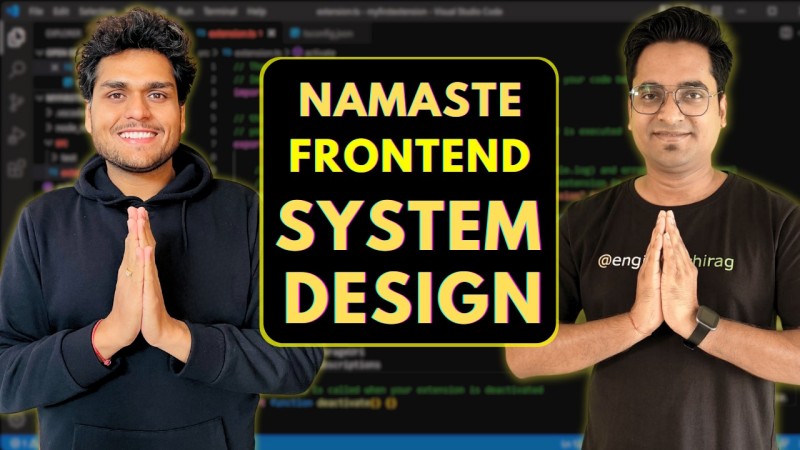
Namaste Frontend System Design
Released 8/2024
MP4 | Video: h264, 1920x1080 | Audio: AAC, 44.1 KHz, 2 Ch
Genre: eLearning | Language: English | Duration: 99 Lessons ( 72h 32m ) | Size: 28.3 GB


From Zero to Hero ?

Practical Learning

Structured In-depth Curriculum

Private Frontend Experts Community Access

Interview Preparation Content

Advanced Frontend Learning

Namaste Frontend System Design - Certificate

Five Year access to all Course Content

The mission of this course is to take you from Zero to Hero in Frontend System Design. During this journey, you will learn everything by watching video tutorials and learning through practical examples from real-world applications.
The curriculum is designed with the principle of `learn with real application examples`, so there will be a lot of knowledge heavy topics that you'll learn from. So only register if you are ready for a grind.
Namaste FSD course will help you with all the knowledge you need to design scalable Frontend web application and will also help you crack your next Frontend System Design Interview. Register Now.

Who This Course Is for
College Students

It is not expected from college students / freshers to design systems, hence this course might not be relevant for you. But if you're interested to dive deep into the world of frontend and you're curious about how large frontend systems are built,

feel free to join!

Early Engineers

If you have ~1 year of experience, then you probably won't be designing systems in your job yet. But it's a good-to-have course so that you can start learning advanced frontend topics.

It will definitely help you to accelerate your career. ?

Senior Engineers

We highly recommend you this course if you are a Senior Frontend Engineer. We cover a lot of advanced frontend concepts which will help you shape your career.

It will also be very helpful for your FSD interviews. ?


509009260_namaste_frontend_system_design.jpg


Download from RapidGator


Premium Links


Download from Keep2Share


Download from UploadGig


3c48041340b018c06f3ceb696162201c.jpg


54 Days of Tableau Complete Masterclass
Published 8/2024
Created by Art of Visualization
MP4 | Video: h264, 1280x720 | Audio: AAC, 44.1 KHz, 2 Ch
Genre: eLearning | Language: English | Duration: 414 Lectures ( 49h 8m ) | Size: 25 GB


Learn all Tableau aspects from Basic to Advanced and understand best visualisation principles


What you'll learn:

Learn how to solve Real-Life Business, Industry and World challenges using Tableau
How and when to use different chart types such as Heatmaps, Bullet Graphs, Bar-in-bar charts, Dual Axis Charts and more!
Tableau fundamentals - Discrete vs Continuous fields, Dimensions vs Measures, Aggregation and Granularity, etc
How to Organize & Simplify your data in Tableau: Computed sort, Manual sort, Hierarchies, Groups vs Sets, Dynamic sets, Static sets, etc
Analytics in Tableau: Reference Lines, Reference Bands, Trend Lines, Instant Analytics, Box Plots, Forecasting, etc
How to do Data Prep in Tableau: Joins, Blends, Unions, Pivots, Wildcards, Merging Mismatched Fields, Using Calculations in Join clauses, etc
Mapping techniques: Layering, Lasso, Radial Selection, Custom Territories, Dual Axis Maps
Calculations: Arithmetic, String & Date Calculations, Logic Statements, Calculations with Parameters, Calculations in a Blend, etc
When & How to use Table Calculations: Percent of Total, Rank, Running Total, Scope & Direction of Table Calculations and more!
Level Of Detail (LOD) Expressions: FIXED, INCLUDE, EXCLUDE, The LOD Planning Technique, ATTR() function, Order of Operations & LODs and more!
Dashboard Actions: Filter / Highlight / Parameter / Set Actions, Worksheet Actions, and more!
Evaluate and improve poorly designed visualizations, simplifying dual-axis charts and other complex visual elements.
Apply advanced table calculations and Level of Detail (LOD) expressions for complex data analysis.
Perform cross-database joins and other advanced data connections to prepare comprehensive datasets.
Solve technical questions related to expert-level Tableau functionalities, including top-end analysis and data blending.
Create interactive dashboards that effectively deliver insights, incorporating multiple views and best practices.
Build compelling data stories that clearly communicate insights, following exam guidelines.

Requirements:
You should have access to Tableau software.

Description:
Starting from scratch or building on existing skills? No matter the skill level, this course builds up your Tableau, visualization, and BI skills to the next level, and supports your growth with one-on-one mentorship with industry experts.This program consists of two stages. First master every aspect of Tableau - charts, groups, sets, LOD expressions, advanced calculations, analytics, maps, dashboards, actions, data transformation techniques and more.Skyrocket your Career by learningTableau !Tableau is, perhaps, the most powerful & popular tool for data visualization.So... Do you want to become an expert in Tableau ?You've come to the right place...In this course you will learn everything you need to know to learn Tableau from A to Z. You don't need to be an expert to learn the Tableau.This course covers every single topic from the official exam preparation guide:Tableau FundamentalsData ConnectionsOrganizing & Simplifying DataField & Chart TypesCalculationsMappingAnalyticsDashboards...and more!Wait! There's more! - EPIC Datasets!This isn't one of those boring courses with the same dataset that you've seen a Million times before.NO.Hands-On Experienceis one of the most important things in Data Science / Business Intelligence / Data Analytics work.In fact, often the Dataset is at least as important as the concept you are learning! Right?!That's why for this course we've specifically curated some of themost exciting datasetsyou will ever find!Almost every section comes with a New Dataset & a New Challenge.You will GET Hooked By this course!Plus, the datasets come from some of the kick-butt companies! Check this out:SpotifyThe NBARotten TomatoesKaggleWorldBankGlassdoorAirbnb...and more!Not enough awesomeness for you? Enough?Doesn't matter! There's more anyway :)With this course you will getTONS of Practice:dozens of mini-challenges, quizzes, homework exercises, exam tips, and additional resources.Best. Tableau. Course. You. Will. Ever. Find. Boom!

Who this course is for:
Take this course if you want to learn Tableau completely from scratch
Take this course if you want to Boost your Career by becoming Tableau Certified!
Take this course if you are an advanced user who wants to make sure there are ZERO Gaps in your Tableau knowledge
Take this course if you love Hands-On Challenges with Super-Exciting Datasets! (Uniquely curated for this course)
Data Analysts who want to master advanced Tableau techniques and achieve the Tableau Certified Professional certification.
Business Intelligence Professionals seeking to elevate their data visualization skills to a professional level.


Homepage

509036417_54_days_of_tableau_complete_masterclass.jpg


Download from RapidGator


Premium Links


Download from Keep2Share


Download from UploadGig


8c142103f9af40efbbfbb2f0c55403c7.jpg


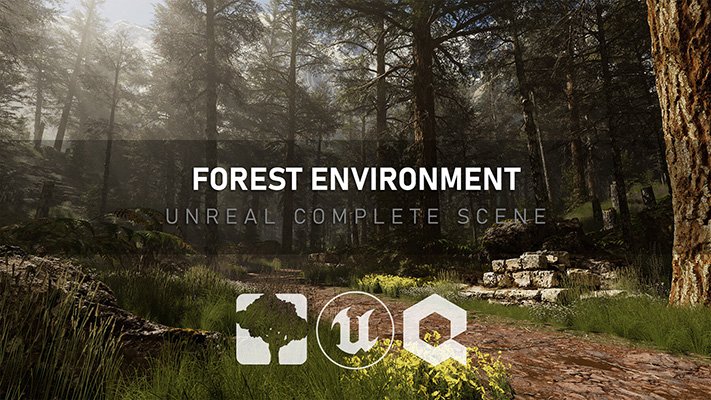
ArtStation - Unreal Complete Scene: Forest Environment (Updated 08/2024)
Michael Gerard | Duration: 51:39 h | Video: H264 1920x1080 | Audio: AAC 48 kHz 2ch | 39,6 GB | Language: English

During this course I will show you, step by step, how to create a forest environment from scratch.

From the creation of the vegetation with Speedtree 9 to the final composition on UE5.1. We will see the creation of textures with Quixel Mixer, terrain to dress the background of our scene with Gaea (optional) and we will create all the necessary shaders to get the maximum quality. And we will finish with the 4k renders with the Movie Render Queue. More details below.

What I will learn?

In Speedtree 9

Create serval Next-gen trees with hybrid logic (structure with Nanite and foliage with common LODs/Imposter)
Create 3d branches to use as textures
Create an atlas to combine several parts in a single texture
Create ground foliage models optimized for realtime rendering.

In UE5

Complex shaders for trunk, foliage, terrain & Megascans assets.
Advanced terrain shader with distance blend texture, Parallax Occlusion Mapping, RVT, automatic logic and spawn foliage with mask.
Complete composition (Procedural Placement, lighting, vfx...)
Create renders with the Movie Render Queue

In Quixel Mixer

Create multiple advan ced textures with and without animated puddles in UE5
Export with the correct packed textures

In Gaea

Create some t errains used to dress the background of our scene
Export masks to use them for texturing in UE5

In Photoshop

Replace colors of s ome textures
Enhance the quality
Combine masks

Which chapters are available?

Aspen Trees (Complete Creation) - (7h26)
Bark & Foliage advanced Shader - (2h35)
Pine Trees (Complete Creation) - (6h55)
Variations & Saplings for Aspen & Pine - (3h)
Complex Landscape Shader & Quixel Mixer Textures (UE5.1) - (4h47)
Ground Foliage (Speedtree 9) - (7h25)
Scene Creation (Part 1) - (2h52)
Distant Terrain + Shader (Gaea / UE5.1) - (1h10)
Megascans Advanced Shader (UE5.1) - (1h05)
Scene Creation (Part 2) (UE5.1) - (7h27)
Decals Shader (UE5.1) - (51m)
Adding Wind on Foliage (Speedtree 9 / UE5.1) - (1h24)
Simple Particles (Ambient Dust / Moving Pollen...) (UE5.1) - (40m)
Scene Creation (Part 3) (UE5.1) - (1h10)
Rendering with Movie Render Queue (UE5.1) - (1h)


Homepage


509412098_09-01_mastermaterialcreation_s.jpg


1c97fe835e36ef5b11ce98db7f4a3f02.jpg


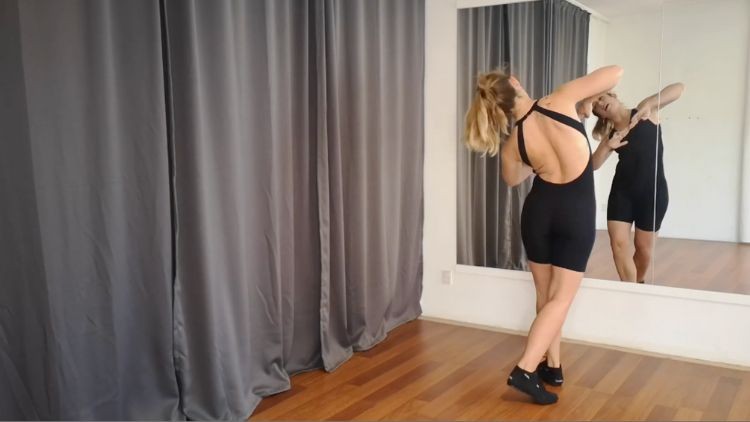
Brazilian Zouk Solo Training
Published 9/2024
Created by Caroline Haugsted
MP4 | Video: h264, 1280x720 | Audio: AAC, 44.1 KHz, 2 Ch
Genre: eLearning | Language: English | Duration: 32 Lectures ( 24h 29m ) | Size: 31.7 GB


For leaders and followers


What you'll learn:

Improve your body awareness, mobility and body control overall
Follow-along body movement exercises (body rolls, waves, snakes, body isolations)
Follow-along head movement exercises (balao, horizontal turns, boneca, bat cabelo)
Through exercises and drills you will work on your control and range of motion and balance

Requirements:
No experience needed

Description:
This course includes a series of full online follow-along classes with a lot of detail to details and technique.It is composed of two main units:Footwork & Turns and Body &Head Movements.Each class simulates a real-life class. Through exercises and drills you will work on your body awareness and control. Being able to do the movements alone is essential to being able to do the movements with a partner, and will make you a better dance partner. It is also useful to know the movement for body the leader and the follower, independent of your preferred role in the dance. No equipment or partner is necessary!Footwork & TurnsIn this unit, we work on the quality of the steps, directions, focusing on the basic versions and adding variations. We will practice variations for both leaders & followers. The movements start more basic, and more variety and difficulty is added as the course progresses.Body &Head MovementsHere, you will improve your body awareness, mobility and body control, body movements (body rolls, waves, snakes, body isolations) and head movements (balao, horizontal turns, boneca, bat cabelo). We will practice variations for both leaders & followers.Every class is around 45 minutes and includes a warming-up and a cooling down.

Who this course is for:
Social dancers who with Zouk foundations who want to improve their general movement technique


Homepage

509851890_brazilian_zouk_solo_training.jpg


Download from RapidGator


Premium Links


Download from Keep2Share


Download from UploadGig


03f51e251bab6cdc95555650594964b1.jpg


Beginner Full Stack Web Development: HTML, CSS, React & Node
Last updated 10/2020
Duration: 31h 28m | Video: .MP4, 1920x1080 30 fps | Audio: AAC, 44.1 kHz, 2ch | Size: 23 GB
Genre: eLearning | Language: English

Learn web development with HTML, CSS, Bootstrap 4, ES6 React and Node


What you'll learn
Build websites with HTML & CSS
Build backend servers & APIs with Node and Express
Work with NoSQL databases like MongoDB
Build full-stack web apps with Facebook's React Framework
Build mobile-friendly websites with Bootstrap 4 & CSS


Requirements
You should have a PC or Mac and know how to turn it on!
Have an Internet connection


Description
Welcome to the Ultimate Web Developer Bootcamp. This is your one-stop-shop to
learn front-end AND back-end development
.

We'll take you from absolute beginner to competent full-stack web developer in a matter of weeks.

WHO SHOULD TAKE THIS COURSE?

Anyone who is curious about programming
Entrepreneurs
Those looking for a career change
Serious coders & hobbyists
Students & teenagers
Anyone who wants to learn web development

WHAT YOU WILL LEARN

HTML5
CSS3
Javascript
Bootstrap 4
DOM Manipulation
NPM
Node
MongoDB
REST
Express
ES6
React

Devslopes has taught over 100,000 students how to code. Using our exciting, hands-on teaching style you are sure to master the principles AND have fun at the same time.

We also have a
free chat community
with over 50,000 students where you can interact and get help from others.

See you on the inside!

- Mark Price
Who this course is for
This course is for beginners - no prior experience is required
This course is for entrepreneurs & hobbyists
This course is for those looking for a career change
This course is for anyone who wants to learn front-end and backend development
This course is for students


Homepage

Download from RapidGator


Premium Links


Download from Keep2Share


Download from UploadGig



5b828be2d1e125bf147a2cff74a1fc4c.jpg


Salesforce Lightning Web Components(LWC, HTML,JavaScript)
Published 9/2024
Duration: 39h5m | Video: .MP4, 1920x1080 30 fps | Audio: AAC, 44.1 kHz, 2ch | Size: 23.9 GB
Genre: eLearning | Language: English

Learn Step by step Salesforce Lightning Web Components using HTML, JavaScript and CSS


What you'll learn
Develop reusable Lightning web components
Create, Customize pages and Functions for Lightning Applications
build custom user interfaces, web and mobile apps, and digital experiences
create Lightning web component actions to enhance user experience


Requirements
Require Salesforce Administration and Salesforce Developer Knowledge


Description
This course is meticulously crafted for those eager to master Salesforce Integration with various APIs, with a special focus on Lightning Web Components (LWC). Before diving into LWC, you'll brush up on essential web development skills like
HTML
,
CSS
,
JavaScript
, and
XML
. JavaScript, being the backbone of LWC, will cover key concepts such as
Data Types
,
Variables
,
Arrays
,
Objects
, and modern features like
JavaScript Promises
.
The course also introduces
Visual Studio
as the development environment, along with the
Web Stack
(ECMA Script) and browser tools for debugging and logging.
In the LWC sessions, you'll learn to create LWC bundles, combining
HTML
,
JavaScript
, and
XML
into powerful components. The course covers everything from
LWC Tags
and
UI Components
to advanced topics like
Service Components
,
CSS in LWC
, and
LWC Decorators
. You ll explore
Data Binding
,
LWC Lifecycle Hooks
, and how to connect LWC to Apex for data retrieval.
Moreover, you ll learn to implement
Lightning Data Service
, use
Lightning Design Systems
, and perform
DML Operations
through Apex in LWC. The course also covers real-world applications, including calling LWC from
Flows
.
This course is going to cover
HTML
CSS (Styles)
Scripts
JavaScript
XML
Visual Studio
Web stack (ECMA Script), TC39
Browser --> Debug, Error , logs
LWC Bundle (HTML, JS, XML)
LWC Tags
LWC tags
CSS in LWC
LWC Decorators
LWC JavaScript
LWC Lifecycle Hooks
LWC --> Apex (call APex)
Lightning Data Service
Lightning Design Systems (CSS)
Wire Decorator
Event
Calling LWC from Flows
Calling Flows from LWC
Real time scenarios
Who this course is for
Salesforce Developers, Salesforce Architects


Homepage

509913974_36-lwc-connectedcallback_s.jpg


21d6abfe18ea8dfec39ff5834f0cab3a.jpg


Animators Journey: Beginner Guide to 3D Animation Part 2
Published 9/2024
Created by Lucas Ridley
MP4 | Video: h264, 1280x720 | Audio: AAC, 44.1 KHz, 2 Ch
Genre: eLearning | Language: English | Duration: 61 Lectures ( 23h 14m ) | Size: 21.3 GB


Learn key principles of 3D animation, character movement, timing, and creating smooth transitions in Autodesk Maya


What you'll learn:

You will become comfortable using Autodesk Maya to animate.
Understand physics impact on creating believable animation.
Learn how to use advanced animation tools like layers and retiming
Body mechanics for character animation
Foundational knowledge needed for all animations.

Requirements:
Take Part 1 of this two-part course series.
You should have Autodesk Maya to follow along with the course
Autodesk provides a 30-day free trial of Maya from their website
3-button mouse

Description:
You can create 3D animations in Autodesk Maya!Learn everything you need to know to get started - taught by a Hollywood professional!As the industry standard 3D animation software, learning Autodesk Maya is a great skill to help you land a job in the film, music and gamingindustry. In this course, you'll learn how to create your entire animation from scratch.What sets this course series apart from the rest? It's focused purely on animation! We will not cover modeling, texturing, rigging, because if you want to be a professional animator you need to focus only on animation.What will you learn?Advanced animation techniques in Autodesk MayaCreate your first demo reel with all your workCreate looping animation cyclesAnalyze video referenceAdjust animation with advanced toolsBaking, Retiming, and Animation LayersAnimate your first body mechanicsLay the foundation for all your animation knowledgeLearn by doing Challenges and completing QuizzesThroughout this entire course, you'll be animating 'Challenges' and taking Quizzes to lock in your knowledge. By the end of the course, you'll truly be inspired by your own skills, and confident in using Autodesk Maya.What do you get when you enroll?23+ hours of easy-to-follow tutorialsExtra animation demonstrationsDownloadable project files for every step of the coursePremium support to help you as you take the courseWhy learn from us?Lucas Ridley is a professional 3D animator who has worked on Hollywood films such asSteven Spielberg's Ready Player One. His students love him and has taught over 47,000 students around the world with his top-rated courses. We're sure you're going to enjoy this class.Lucas breaks down the most complicated steps of animating in Autodesk Maya, so that you can easily start animating on your own!Our 30-day 100% money-back guarantee!We want you to be happy. If there's any reason you aren't enjoying the course, and getting what you expected, we'll refund your money.We can't wait to see you in the course!Cheers,Lucas

Who this course is for:
Total beginners to animation and Maya who are career-focused at becoming a specialist in animating.
Anyone who's attempted animating on their own but feels stuck and missing important information from a professional.
People wanting a deep dive into the foundations of animation principles.


509851892_animators_journey_beginner_guide_to_3d_animation_part_2.jpg


Download from RapidGator


Premium Links


Download from Keep2Share


Download from UploadGig


b904be70a4df7a28b9d6488b2bd480ef.jpg


Salesforce Development APEX Triggers With Realtime Scenario
Published 9/2024
Created by Swapna Konuganti
MP4 | Video: h264, 1280x720 | Audio: AAC, 44.1 KHz, 2 Ch
Genre: eLearning | Language: English | Duration: 52 Lectures ( 42h 21m ) | Size: 20.3 GB


Salesforce Development with APEX, SOQL, SOSL, Triggers, Async, and Test Classes 400+ Real-Time Assignments and Scenarios


What you'll learn:

Become Expert in Apex, SOQL, SOSL with Step by Step from very Basics to Advanced Level
Solve 400+ Apex Hands and Practice Questions including Real Time Scenarios
Become Master in writing Triggers, Synchronous, Asynchronous, Batch, Queable and Test Classes
Helpful for Salesforce Interviews and Salesforce Platform Developer 1

Requirements:
Salesforce Administration Skills are Optional, No Other Pre Requisites

Description:
The Complete Salesforce Development Course is designed to guide Salesforce Developers from the basics to an advanced level, incorporating real-time scenarios with which you can work on any kind of Salesforce Real time Projects and Scenarios. Whether you have no programming background or are experienced, this course will take you step by step from writing a simple one-line program to tackling complex scenarios.Throughout the course, you'll encounter 400+ challenges starting with small program to real-time scenarios, making it suitable for all experience levels.Examples and Handson Covered in the course are completely focused on interview preparation Major Highlights of the Course:OOPs (Object-Oriented Programming)APEX Data TypesConditional and Iterative StatementsCreating Single Records, Bulk Records, and Related RecordsCollections (Set, List, Nested List, Map, Sub Programs)SOQL, SOSLVisual Studio SetupException HandlingDatabase MethodsAsynchronous Programming (Batch Class, Schedulable Batch, Iterable Batch, Future Method, Queueable, Cron Expression)Email ProgrammingAPEX TriggersCustom Settings and Custom MetadataTest ClassesInvocable MethodsThis Salesforce Developer course is particularly beneficial for those preparing for Platform Developer I and II certifications and job seekers attending interviews.This course is excellent for mastering Apex Development and Lightning Web Components.This course can be opted by Salesforce Admins, Developers along with Lightning Web Components and Integration

Who this course is for:
Salesforce Administrator, Salesforce Developer


509985795_salesforce_development_apex_triggers_with_realtime_scenario.jpg


Download from RapidGator


Premium Links


Download from Keep2Share


Download from UploadGig


517d79959ed38ceb8d7c61300c613914.jpg


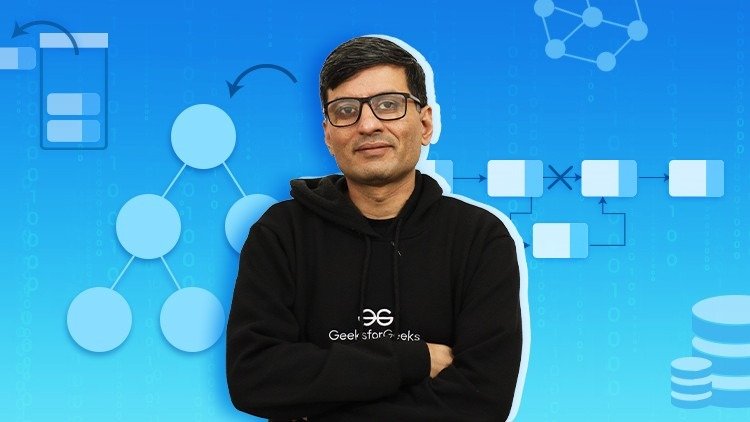
C Programming For Beginners - Master the C Language (2024)
Published 9/2024
Duration: 36h55m | Video: .MP4, 1920x1080 30 fps | Audio: AAC, 44.1 kHz, 2ch | Size: 25.4 GB
Genre: eLearning | Language: English

C Programming 2024: Master the C Language from basics to advanced including operators, loops, arrays, pointers, function


What you'll learn
Data Structures
Programming
Problem solving
C Language


Requirements
No programming experience required


Description
One of the top C Programming Courses, this
C Programming Course - Complete Beginner to Advanced
is designed to help you learn C programming from the ground up. As we know, the C language is the mother of all programming languages, so learning C programming language will help you to understand the concepts of programming languages.
In this C Language Course by GeeksforGeeks, we will begin with the foundations of C programming, covering
basic syntax
,
data types
,
variables
,
operators
,
expressions
, and
input/output operations
. You'll learn about control structures like if-else statements and loops, and dive into core concepts such as functions, arrays, strings, and pointers.
As you progress, you'll grasp advanced topics like complex data structures (
linked lists
,
stacks, and

queues
),
file handling
, dynamic memory allocation, and memory management techniques. The course also introduces object-oriented programming (OOP),
exploring classes
,
objects
,
inheritance
,
polymorphism
, and
encapsulation
.
This online C Programming Course is
curated by competitive programming experts
and industry veterans, including
GeeksforGeeks CEO Mr. Sandeep Jain,
ensuring you receive top-notch training and skill enhancement. Engage with practical
C programming
examples and exercises to solidify your learning.
Why Learn C?
Learning C is beneficial because it gives you a deep understanding of how computers work. Many other programming languages are based on C, so mastering it can make learning other languages easier. C is also used in many critical systems, so knowing it can open up job opportunities in fields like software development, embedded systems, and systems programming.
Who Should Enroll
Beginners
People who have never programmed before and want to start learning C.
Students:
College and university students who want to improve their programming skills and get hands-on experience.
Aspiring Programmers
Those who want to become software developers, game developers, or work in tech-related fields.
Professional Developers
: Experienced programmers who want to learn more about C and advanced concepts.
Software Engineers
Professionals looking to add C programming to their skill set and enhance their career.
IT Professionals
System administrators, network engineers, and IT specialists who need C for low-level programming or hardware interfacing.
Prerequisites
Basic Computer Skills
Familiarity with using a computer, including navigating files and folders.
Basic Math Skills
Understanding basic mathematical concepts like algebra will help in understanding programming logic.
Course Materials
Online Resources: Access to coding platforms and exercises for hands-on practice.
Software: Guidance on setting up the C development environment.


Homepage

509985985_c-programming-for-beginners-master-the-c-language-b.jpg


Download from RapidGator


Premium Links


Download from Keep2Share


Download from UploadGig


Zurück
Oben Unten