• Regeln für den Video-Bereich:

    In den Börsenbereich gehören nur Angebote die bereits den Allgemeinen Regeln entsprechen.

    Einteilung

    - Folgende Formate gehören in die angegeben Bereiche:
    - Filme: Encodierte Filme von BluRay, DVD, R5, TV, Screener sowie Telesyncs im Format DivX, XviD und x264.
    - DVD: Filme im Format DVD5, DVD9 und HD2DVD.
    - HD: Encodierte Filme mit der Auflösung 720p oder darüber von BluRay, DVD, R5, TV, Screener sowie Telesyncs im Format x264.
    - 3D: Encodierte Filme von BluRay, die in einem 3D Format vorliegen. Dies gilt auch für Dokus, Animation usw.
    - Serien: Cartoon/Zeichentrick, Anime, Tutorials, Dokumentationen, Konzerte/Musik, Sonstiges sind demnach in die entsprechenden Bereiche einzuordnen, auch wenn sie beispielsweise im High Definition-Format oder als DVD5/DVD9/HD2DVD vorliegen. Ausnahme 3D.
    - Bereich Englisch: Englische Releases gehören immer in diesen Bereich.
    - Bereich Talk: Der Bereich, in dem über die Releases diskutiert werden kann, darf, soll und erwünscht ist.


    Angebot/Beitrag erstellen

    - Ein Beitrag darf erst dann erstellt werden, wenn der Upload bei mindestens einem OCH komplett ist. Platzhalter sind untersagt.
    - Bei einem Scenerelease hat der Threadtitel ausschließlich aus dem originalen, unveränderten Releasenamen zu bestehen. Es dürfen keine Veränderungen wie z.B. Sterne, kleine Buchstaben o.ä. vorgenommen werden. Ausnahme Serienbörse:
    - Bei einem Sammelthread für eine Staffel entfällt aus dem Releasename natürlich der Name der Folge. Beispiel: Die Simpsons S21 German DVDRip XviD - ITG
    - Dementsprechend sind also u.a. verboten: Erweiterungen wie "Tipp", "empfehlenswert", "only", "reup", usw. / jegliche andere Zusatzinformation oder Ergänzung, welche nicht in obiger Beschreibung zu finden ist.

    Aufbau des Angebots und Threadtitel

    Der Titel nach folgendem Muster erstellt zu werden. <Name> [3D] [Staffel] [German] <Jahr> <Tonspur> [DL] [Auflösung] <Quelle> <Codec> - <Group>
    Beispiel: The Dark Knight German 2008 AC3 DVDRip XviD - iND
    Beispiel: The Dark Knight 2008 DTS DL BDRip x264 - iND
    Beispiel: The Dark Knight 2008 AC3 DL BDRip XviD - iND
    Beispiel: The Dark Knight German 2008 AC3 720p BluRay x264 iND
    Beispiel: The Dark Knight 2008 DTS DL 1080p BluRay x264 iND
    Beispiel: Die Simpsons S01 German AC3 DVDRip XviD iND
    Beispiel: Die Simpsons S20 German AC3 720p BluRay x264 iND
    Beispiel: Sword Art Online II Ger Sub 2014 AAC 1080p WEBRip x264 - peppermint
    Entsprechend sind also u.a. verboten: Sonderzeichen wie Klammern, Sterne, Ausrufezeichen, Unterstriche, Anführungszeichen / Erweiterungen wie "Tipp", "empfehlenswert", "only", "reup", usw. / jegliche andere Zusatzinformation oder Ergänzung, welche nicht in obiger Beschreibung zu finden ist
    Ausnahmen hiervon können in den Bereichen geregelt sein.

    Die Beiträge sollen wie folgt aufgebaut werden:
    Überschrift entspricht dem Threadtitel
    Cover
    kurze Inhaltsbeschreibung
    Format, Größe, Dauer sind gut lesbar für Downloader außerhalb des Spoilers zu vermerken
    Nfo sind immer Anzugeben und selbige immer im Spoiler in Textform.
    Sind keine Nfo vorhanden z.B. Eigenpublikationen, sind im Spoiler folgende Dateiinformationen zusätzlich anzugeben :
    Quelle
    Video (Auflösung und Bitrate)
    Ton (Sprache, Format und Bitrate der einzelnen Spuren)
    Untertitel (sofern vorhanden)
    Hosterangabe in Textform außerhalb eines Spoiler mit allen enthaltenen Hostern.
    Bei SD kann auf diese zusätzlichen Dateiinformationen verzichtet werden.

    Alle benötigten Passwörter sind, sofern vorhanden, in Textform im Angebot anzugeben.
    Spoiler im Spoiler mit Kommentaren :"Schon Bedankt?" sind unerwünscht.


    Releases

    - Sind Retail-Release verfügbar, sind alle anderen Variationen untersagt. Ausnahmen: Alle deutschen Retail-Release sind CUT, in diesem Fall sind dubbed UNCUT-Release zulässig.
    - Im Serien-Bereich gilt speziell: Wenn ein Retail vor Abschluss einer laufenden Staffel erscheint, darf diese Staffel noch zu Ende gebracht werden.62
    - Gleiche Releases sind unbedingt zusammenzufassen. Das bedeutet, es ist zwingend erforderlich, vor dem Erstellen eines Themas per Suchfunktion zu überprüfen, ob bereits ein Beitrag mit demselben Release besteht. Ist dies der Fall, ist der bereits vorhandene Beitrag zu verwenden.
    - P2P und Scene Releases dürfen nicht verändert oder gar unter einem iND Tag eingestellt werden.


    Support, Diskussionen und Suche

    - Supportanfragen sind entweder per PN oder im Bereich Talk zu stellen.
    - Diskussionen und Bewertungen sind im Talk Bereich zu führen. Fragen an die Uploader haben ausschließlich via PN zu erfolgen, und sind in den Angeboten untersagt.
    - Anfragen zu Upload-Wünschen sind nur im Bereich Suche Video erlaubt. Antworten dürfen nur auf Angebote von MyBoerse.bz verlinkt werden.


    Verbote

    - Untersagt sind mehrere Formate in einem einzigen Angebotsthread, wie beispielsweise das gleichzeitige Anbieten von DivX/XviD, 720p und 1080p in einem Thread. Pro Format, Release und Auflösung ist ein eigener Thread zu eröffnen.
    - Grundsätzlich ebenso verboten sind Dupes. Uploader haben sich an geeigneter Stelle darüber zu informieren, ob es sich bei einem Release um ein Dupe handelt.
    - Gefakte, nur teilweise lauffähige oder unvollständige Angebote sind untersagt. Dies gilt auch für eigene Publikationen, die augenscheinlich nicht selbst von z.B. einer DVD gerippt wurden. Laufende Serien, bei denen noch nicht alle Folgen verfügbar sind, dürfen erstellt und regelmäßig geupdatet werden.
    - Untersagt sind Angebote, welche nur und ausschließlich in einer anderen Sprache als deutsch oder englisch vorliegen. Ausnahmen sind VORHER mit den Moderatoren zu klären.


    Verstoß gegen die Regeln

    - Angebote oder Beiträge, die gegen die Forenregeln verstoßen, sind über den "Melden"-Button im Beitrag zu melden.
  • Bitte registriere dich zunächst um Beiträge zu verfassen und externe Links aufzurufen.

*** Bestes IPTV *** bester Preis *** gratis Test ***


Englische Tutorials

c574b1c2d8a995988c8711f653b3bcdc.jpg


Complete Freelance Mba 2024: Digitalize Service Businesses
Published 8/2024
MP4 | Video: h264, 1920x1080 | Audio: AAC, 44.1 KHz
Language: English | Size: 29.47 GB | Duration: 33h 35m

3 in 1 Course: Master computer skills, understand SMB needs and deliver digital platforms to service-oriented businesses


What you'll learn
Master essential computer skills and productivity tools to enhance efficiency.
Gain insights into the unique needs and operations of service-oriented SMBs.
Learn to create and deliver digital platforms for service businesses using Blackbell.
Acquire practical experience through deep interviews with entrepreneurs.

Requirements
You will need a computer with internet access.
You will create free accounts with Blackbell

Description
Are you ready to transform your life and dive into a highly rewarding digital profession?Imagine having the skills to build digital platforms for service-oriented businesses, enabling them to thrive in the digital age. This is not just a dream, but a reality you can achieve with this course.It's an amazing feeling, especially after you earn your first $10,000.With this course, you will acquire valuable knowledge and practical skills, setting you on the path to a successful freelance business and entrepreneurship journey.Who am I and why this Course?Hi, I m David, the founder of Blackbell, an online booking e-commerce platform designed to help service-oriented businesses launch and grow online. Over the years, Blackbell has facilitated over 1,000,000 online bookings for various clients, enabling them to streamline their operations and enhance customer satisfaction. My journey has been fueled by a passion for helping businesses succeed and a commitment to sharing my knowledge with aspiring digital entrepreneurs. This course is a culmination of my experiences and insights, designed to empower you with the tools and strategies you need to excel in the digital world.RequisitesYou don't need to know how to code and you don't even need to learn how to code. All you need is a computer, a curious mind, and motivation!Why Enroll in This Course?This course is designed for aspiring digital entrepreneurs and those seeking a career reboot. Embark on a journey that will take you from understanding the needs of service-oriented SMBs to mastering the tools and techniques required to build digital platforms. This course is structured to provide a comprehensive learning experience, starting with the basics and advancing to more complex concepts and practical applications. It offers comprehensive guidance on delivering complete product solutions for service-oriented SMBs. By mastering solutions that include online bookings, online payments, stunning no-code websites, automated scheduling, and effective customer communication, you'll be equipped to open new career opportunities and transform your freelance business.What You Will Learn:Master Computer Skills: Learn how to work efficiently with your computer, using essential productivity apps to increase your productivity and manage more clients and projects with ease.Understand SMB Needs: Gain deep insights into the challenges, priorities, and daily operations of service-oriented SMBs, including appointment scheduling, service quality maintenance, customer relationships, marketing strategies, time management, and financial management.Deliver Digital Platforms: Learn to create and deliver full solutions (without code) including client websites, integrated online bookings, payments, scheduling, CRM, and more.Blackbell Platform: Step-by-step, detailed lessons on how to utilize Blackbell's features such as website builder, orders, payments, booking forms, calendars, customer communication, and advanced customization options.Real-World Applications: Connect theory with practice through interviews with successful entrepreneurs and on-location explorations of service businesses.SchedulePro - for SMBs Offering ServicesThis Blackbell product is designed to streamline bookings, facilitate payments, and enhance customer relationships. As a freelancer, you'll help your clients businesses that use SchedulePro implement and manage this powerful tool to improve their operations and customer interactions.ServicesHub - for Service MarketplacesServicesHub is a no-code product by Blackbell to create service marketplaces. It allows you to design hyper-local service marketplaces by automating order dispatch and commissions. You ll assist your clients businesses that leverage ServicesHub in building robust service marketplaces with streamlined supplier onboarding, seamless integration, real-time management, and data-driven growth strategies. Effortlessly set up a minimum commission structure for all transactions to ensure a consistent and secure revenue stream for their marketplaces.AgencyLink CertificationThis course includes official certification for Blackbell AgencyLink, equipping you with essential skills and tools to efficiently manage client accounts and streamline operations. AgencyLink is a product by Blackbell designed to help Blackbell-certified entrepreneurs quickly develop booking platforms using templates and copy-paste functionality, accelerate client support, and earn a 20% referral fee on their clients' Blackbell subscriptions. This 20% revenue share can add up to a nice semi-passive income. The top AgencyLink performer realized a peak of $154,000 per year. "Plant seeds, grow a forest."Portfolio-Ready ProjectsBy the end of this course, you will have completed several projects that you can showcase in your portfolio. These projects will demonstrate your ability to create and manage digital platforms for service-oriented businesses, providing you with a competitive edge in the freelance market.Buy this course now and take it whenever the time is right for you.

Overview
Section 1: START HERE

Lecture 1 Teaser: Creating all-in-one solutions for SMBs

Lecture 2 Understand my 3 lectures type

Lecture 3 How I would take this course

Section 2: PART 1: MASTER COMPUTER SKILLS

Lecture 4 Introduction - Computer Skills

Lecture 5 A minimal Mac Dock

Lecture 6 Using Hot Corners to quickly view mac apps open windows

Lecture 7 Hide Minimize Windows to reduce clutter

Lecture 8 Setting Default Applications for File Types

Lecture 9 Efficient switching between open apps with CMD+Tab

Lecture 10 Focus Like a Pro: Single Application View in a second

Lecture 11 Navigate in Finder with Keyboard Shortcuts

Lecture 12 A keyboard shortcut to close all Finder windows except one

Lecture 13 Easy App Installation on macOS: A Step-by-Step Guide

Lecture 14 Quick Search to Open Files and Apps

Lecture 15 Access Your Clipboard History for Efficiency

Lecture 16 Keyboard shortcut to open a file with a specific app

Lecture 17 Move and Expand windows size with keyboard shortcuts

Lecture 18 Visual Clarity with Opacity Between Windows

Lecture 19 Grab text from images, videos and anything on your computer screen

Lecture 20 Instant screenshots, add Arrows and Share link to image instantly

Lecture 21 Upload and share files with clients in a second

Lecture 22 Capture and share a long full-page screenshot with a client

Lecture 23 Monitor in Real-Time download and upload WIFI Speed from Your Menu Bar

Lecture 24 Mac menu bar utility to view current time in different cities

Lecture 25 The easiest way to check time zone differences for meeting planning

Lecture 26 An amazing Simple and Clean Notes app

Lecture 27 Inbox 0: A life changing method for managing email inbox

Lecture 28 Conducting Online Meetings Like a Pro on Zoom or Meet

Lecture 29 Must-Have Chrome Extensions: Block Ads, do fast screenshots, access quick tools

Lecture 30 A small online space to book a time for meetings

Lecture 31 The best free online phone: Receive Text Messages & Make Calls to any country

Lecture 32 Mastering Slack Team chat use for internal collaboration

Lecture 33 Optimizing Business Communication with WhatsApp Business

Lecture 34 Instant Create Custom Email Aliases for Gmail

Lecture 35 Automate everything without code between any app or tool

Lecture 36 Fundamentals of Custom Domain names explained in simple terms

Lecture 37 Custom Email addresses for a Custom domain name

Lecture 38 Forward emails for a custom domain name to another email

Lecture 39 Google apps,: the leanest productivity suite for your clients

Lecture 40 Quick use of Google Sheet for Spreadsheet

Lecture 41 Organize data and process with online data grid tools

Lecture 42 A superb project management tool and flow

Lecture 43 Use Password Manager for Safety and Fast Login

Lecture 44 Quickly Find Email Addresses for Business Contacts

Lecture 45 An instant Invoice generator for when you need fast Invoice

Lecture 46 The Perfect Online Bank with Multi-Currency support

Lecture 47 The best VPN app to ease logins

Lecture 48 Efficient Switch Airpods from iPhone to Mac

Lecture 49 Essentials of Noise-Cancelling Headphones

Lecture 50 Essentials of Noise-Cancelling Microphones

Lecture 51 Master the 4G Hotspot switch to go online when you need

Lecture 52 Computer Skills Recap

Section 3: PART 2: HOW SERVICE-ORIENTED BUSINESSES WORK

Lecture 53 Intro to how service-oriented SMBs work

Lecture 54 Mastering Appointment Scheduling for Service-Oriented SMBs

Lecture 55 Ensuring Consistency and Quality in Service Delivery

Lecture 56 Building Strong Customer Relationships

Lecture 57 Effective Communication and Customer Service

Lecture 58 Marketing Strategies for Service-Based Businesses

Lecture 59 Organizing Fixed-Time Projects ( tennis competition, events etc )

Lecture 60 Time Management and Productivity Tips for service-oriented SMBs

Lecture 61 What is used ( pen paper excel, vertical marketplaces, website + calendly etc )

Lecture 62 Key Financial Aspects for Service-Oriented SMBs

Lecture 63 The Entrepreneurial Spirit of Service-Oriented SMBs: Challenges and Rewards

Lecture 64 How Service-Oriented SMBs Work Recap

Section 4: What you will be able to deliver to your clients

Lecture 65 Tennis club

Lecture 66 Doctors office

Lecture 67 Piano teacher

Lecture 68 Residential Building

Lecture 69 Concierge Company

Lecture 70 Local dance school

Lecture 71 Cleaning company

Lecture 72 Fitness trainer

Lecture 73 What you will be able to deliver Recap

Section 5: PART 3: CREATE DIGITAL PLATFORMS FOR SERVICE SMBs

Lecture 74 Overview

Lecture 75 Prod vs Sandbox: real accounts vs test accounts

Lecture 76 Blackbell accounts type: SchedulePro, ServicesHub, AgencyLink

Lecture 77 Staff account (used by clients) vs Customers accounts (used by their customers)

Lecture 78 Blackbell mobile app for clients team members: to manage bookings, schedule etc

Lecture 79 Blackbell mobile app for your clients customers: to book, view orders etc

Lecture 80 Branded mobile app for your clients: their own app in App Store and Google Play

Section 6: Your demo account to practice what you will learn

Lecture 81 Create your SchedulePro test account

Lecture 82 Optional - Download sandboxbb staff app ( CMS Mobile )

Lecture 83 Optional - Download sandboxbb customers app ( Mirage )

Section 7: Orders App

Lecture 84 Intro to online bookings

Lecture 85 Order status

Lecture 86 Order details

Lecture 87 Scheduled for

Lecture 88 Payment attached

Lecture 89 Chat about order

Lecture 90 Private notes

Lecture 91 Label orders

Lecture 92 Assign orders to your team

Lecture 93 View orders by status or search

Lecture 94 Manage orders on mobile app

Lecture 95 Emails and push notifications for orders

Lecture 96 Apply discount to an existing order

Lecture 97 Send a quote

Lecture 98 Scan customer QR code to find an order quickly

Lecture 99 Orders Recap

Section 8: Payments App

Lecture 100 Currency setup

Lecture 101 Payment success

Lecture 102 Refund

Lecture 103 Payment failed

Lecture 104 Payment verification required

Lecture 105 Send payment link

Lecture 106 View balance

Lecture 107 Payouts to Bank

Lecture 108 Find payments history and export

Lecture 109 Apple Pay

Lecture 110 Google Pay

Lecture 111 Payment Recap

Section 9: Forms App

Lecture 112 Introduction to Booking Forms

Lecture 113 Duplicate Form

Lecture 114 Delete or archive a form

Lecture 115 Intro to booking step

Lecture 116 Capture preferences ( yes no, checkbox, quantity picker, dropdown )

Lecture 117 Capture user data ( text field, file upload to option CRM field )

Lecture 118 Capture user data: Text area

Lecture 119 Capture user data: delivery location

Lecture 120 Capture Participants

Lecture 121 Show data to user in a form

Lecture 122 Capture Time Selection - yes no, checkbox, minus plus, checkbox

Lecture 123 Capture Slots Selection - number of slots - yes no checkbox minus plus dropdown

Lecture 124 Hide some fields to users

Lecture 125 Make fields mandatory

Lecture 126 Options price

Lecture 127 Price policy

Lecture 128 Payment Method

Lecture 129 Order Flow

Lecture 130 Multiple Slot Booking

Lecture 131 Confirmation Flow

Lecture 132 Cancellation Policy

Lecture 133 Booking Successful Page

Lecture 134 Auto send Chat ( New Order )

Lecture 135 Auto Send Chat ( Order Confirmed )

Lecture 136 Label Customer ( Order Confirmed )

Lecture 137 Create Job

Lecture 138 Workflow Notes

Lecture 139 Alerts

Lecture 140 Ask for ratings

Lecture 141 URL settings after slash

Lecture 142 ASSOCIATED CALENDAR (Important lecture!)

Lecture 143 SLOT DURATION (Important lecture!)

Lecture 144 Possibility To Book More Time

Lecture 145 Availability frequency

Lecture 146 Ability To Book In Advance

Lecture 147 Minimum Scheduling Notice

Lecture 148 Buffer before / after event

Lecture 149 List of forms + search

Lecture 150 Forms Folders

Lecture 151 Bulk Action

Lecture 152 Import a form

Lecture 153 Express checkout

Lecture 154 Forms default

Lecture 155 Auto send message when 5-star ratings received

Lecture 156 Forms Recap

Section 10: Calendar App

Lecture 157 Max Fixed Number slot availabvlity

Lecture 158 Set weekly availability

Lecture 159 Set date overrides

Lecture 160 Label and color calendar

Lecture 161 View related forms

Lecture 162 Max Per Customer

Lecture 163 Max Across All Customers

Lecture 164 Google Calendar Sync

Lecture 165 Variable Resource Availability

Lecture 166 Bulk date overrides

Lecture 167 Bulk weekly hours

Lecture 168 Calendar Recap

Section 11: Pages App

Lecture 169 Intro to Pages

Lecture 170 Duplicate

Lecture 171 Delete / Archive

Lecture 172 Page status

Lecture 173 Page title

Lecture 174 Page access

Lecture 175 Page URL

Lecture 176 Link preview social media

Lecture 177 QR code of the page

Lecture 178 Reorder Block on the page

Lecture 179 Delete Block of the page

Lecture 180 Duplicate block on the page

Lecture 181 Duplicate block on another page

Lecture 182 Move a block from another page

Lecture 183 Block visible to users

Lecture 184 Pin to top

Lecture 185 Pin to bottom

Lecture 186 Visual effect Animation

Lecture 187 Add block on the page

Lecture 188 Copy an existing block

Lecture 189 Generate blocks with BlackGPT AI

Lecture 190 switch laptop, ipad, mobile

Lecture 191 Add and change text of a block

Lecture 192 Change fonts of a text

Lecture 193 Update text with ChatGPT

Lecture 194 Change font size

Lecture 195 Text alignment

Lecture 196 Font color

Lecture 197 Bold / Italic

Lecture 198 Crop images ( includes fit full )

Lecture 199 Full image or aspect ratio

Lecture 200 Add filter on image

Lecture 201 Upload images

Lecture 202 Use Pexels images

Lecture 203 Use Pixabay images

Lecture 204 Generare on Canva

Lecture 205 Organize images in folders

Lecture 206 Intro to click action

Lecture 207 Click Logic: open website

Lecture 208 Click Logic: open a page

Lecture 209 Click Logic: open a form

Lecture 210 Click Logic: open Youtube

Lecture 211 Click Logic: open video uploaded

Lecture 212 Click Logic: open PDF

Lecture 213 Click Logic: send an email

Lecture 214 Click Logic: call a number

Lecture 215 Click Logic: open instagram

Lecture 216 Click Logic: chat on whatsApp

Lecture 217 Click Logic: chat on facebook messenger

Lecture 218 Click Logic: chat on telegram

Lecture 219 Click Logic: search service by date

Lecture 220 Block with image and text

Lecture 221 Block with link

Lecture 222 Block with list items

Lecture 223 Block with image gallery

Lecture 224 Block With Videos

Lecture 225 Embed PDF

Lecture 226 Block for calendar of events

Lecture 227 Embed other pages grid

Lecture 228 Embed Booking Forms Grid

Lecture 229 Embed google maps

Lecture 230 Embed HTML Block

Lecture 231 Custom Block with HTML / CSS ( Powerblock )

Lecture 232 Page header

Lecture 233 Add page to folder

Lecture 234 Change homepage

Lecture 235 Logo

Lecture 236 Color Palette

Lecture 237 Navigation menu

Lecture 238 Enable multiple languages

Lecture 239 Translate content with AI

Lecture 240 Add custom terms & privacy policy

Lecture 241 Force user to create an account

Lecture 242 Page List & Search

Lecture 243 Bulk edit

Lecture 244 Import a Page

Lecture 245 Pages Recap

Section 12: Schedule App

Lecture 246 Intro to schedule

Lecture 247 View schedule & event details

Lecture 248 Move an event

Lecture 249 Delete an event

Lecture 250 Update slots taken

Lecture 251 Time zone converter

Lecture 252 Create event manually

Lecture 253 View google calendar events

Lecture 254 Go to date

Lecture 255 View by ressource

Lecture 256 View as timeline

Lecture 257 View subscription payments calendar

Lecture 258 Reminders for scheduled events

Lecture 259 Manage on mobile

Lecture 260 Schedule Recap

Section 13: Customers app

Lecture 261 View and seach customers

Lecture 262 Customer details & history

Lecture 263 Label customer

Lecture 264 Customer profile updates

Lecture 265 Private notes

Lecture 266 Customer history

Lecture 267 Customize CRM data : public field

Lecture 268 Customize CRM data : private fields

Lecture 269 Make CRM data mandatory

Lecture 270 Customer update field on login

Lecture 271 Customer update field in his profile

Lecture 272 Customer update field while filling booking form

Lecture 273 Staff update customer field in CMS

Lecture 274 Import customers via emails paste

Lecture 275 Import customers via CSV

Lecture 276 Add customer manually

Lecture 277 Bulk label multiple customers

Lecture 278 Bulk update CRM fields multiple customers

Lecture 279 App credits

Lecture 280 Export customers to CSV

Lecture 281 Customers Recap

Section 14: Broadcasts App

Lecture 282 Intro to broadcasts

Lecture 283 Broadcast Message

Lecture 284 Add button to message

Lecture 285 Add image to message

Lecture 286 Add attachement to message

Lecture 287 Broadcast Quota

Lecture 288 Sent a test to yourself

Lecture 289 Send to all users

Lecture 290 Send to 1 user

Lecture 291 Send to a few users

Lecture 292 Send to users with labels

Lecture 293 Send to users with customer CRM field

Lecture 294 Delivery method Email or Push

Lecture 295 Send now or schedule for later

Lecture 296 View open metrics

Lecture 297 Duplicate broadcast

Lecture 298 Auto send broadcast when customer signup

Lecture 299 Track email deliverability

Lecture 300 What if customer unsunscribed ?

Lecture 301 Sender & Reply To

Lecture 302 Broadcasts Recap

Section 15: Coupons App

Lecture 303 Coupon Basics

Lecture 304 Create a coupon

Lecture 305 Create a list of coupons

Lecture 306 Limit coupon used across all

Lecture 307 Limit coupon used per customer

Lecture 308 Set expiration for coupon

Lecture 309 Set what it can be used for

Lecture 310 Edit coupon: change expiration date

Lecture 311 Coupons Recap

Section 16: Subscriptions App

Lecture 312 Intro to subscriptions

Lecture 313 View subscription details

Lecture 314 Find previous payments

Lecture 315 Pause subscription

Lecture 316 Change plan

Lecture 317 Cancel subscription

Lecture 318 Create booking form to accept subscription related to a plan

Lecture 319 User can customize their own plan

Lecture 320 Understand when plan start with a calendar

Lecture 321 Customer can view subscriptions payment

Lecture 322 Customer can view cancel subscription in one click

Lecture 323 View list & Search subscription

Lecture 324 Payment failed for a recurring subscription

Lecture 325 View subscription invoice calendar

Lecture 326 Auto label subscribers

Lecture 327 Auto grant access to content & services

Lecture 328 Subscriptions Recap

Section 17: Chat App

Lecture 329 Intro to chat

Lecture 330 Read receipt

Lecture 331 Attach files

Lecture 332 Draft with ChatGPT

Lecture 333 Speak to text with ChatGPT

Lecture 334 Send a saved reply

Lecture 335 Automated chatbot

Lecture 336 Chat on mobile

Lecture 337 Standalone chat

Lecture 338 Chat Recap

Section 18: Jobs App

Lecture 339 Intro to jobs

Lecture 340 View job details

Lecture 341 Change job status

Lecture 342 Assign job

Lecture 343 Update details

Lecture 344 label job

Lecture 345 Auto created jobs with orders

Lecture 346 View jobs & search

Lecture 347 Jobs Recap

Section 19: Analytics app

Lecture 348 Intro to analytics dashboard

Lecture 349 Views and traffic

Lecture 350 Revenue generating users & services

Lecture 351 Customers ratings

Lecture 352 Add Google Analytics

Lecture 353 Add Google Webmaster tools

Lecture 354 Auto send message when 5-star ratings received

Lecture 355 Display ratings publicly

Lecture 356 Export data to analyse it ( orders, payments )

Lecture 357 Analytics Recap

Section 20: Grant account access to clients

Lecture 358 Add staff users to a client account

Lecture 359 Login to staff account

Lecture 360 Review notifications

Section 21: MASTER CREATING SERVICE MARKETPLACES (ServicesHub)

Lecture 361 Intro to marketplace

Lecture 362 Create a ServicesHub Account

Lecture 363 Setup Description, Guidelines, commissions min

Lecture 364 Setup Suppliers Form

Lecture 365 Invite supplier

Lecture 366 Apply to join marketplace

Lecture 367 Block to accept application signups

Lecture 368 Review Application

Lecture 369 Approve supplier

Lecture 370 Decline supplier

Lecture 371 Add supplier page in the marketplace

Lecture 372 Get notified for orders to suppliers

Lecture 373 Get notifier for ratings about suppliers

Lecture 374 Get daily email about what service scheduled

Lecture 375 View orders to suppliers

Lecture 376 Add one more suppliers, get more bookings

Lecture 377 Perfect Use Case: Residential Buildings: $1,000,000 earned by team of 4 people

Lecture 378 ServicesHub Marketplace Recap

Section 22: Your Pricing Model: One-Time and Recurring Client Fees

Lecture 379 Creation fees

Lecture 380 Maintenance fees

Lecture 381 AgencyLink Referral fees

Lecture 382 An amazing PDF guide to pricing strategies

Section 23: Case Study: How a team of 4 people billed $1,000,000 in 4 years with AgencyLink

Lecture 383 Real Data: How a 4-Person Team Billed $1,000,000 to Residential Buildings

Section 24: MASTER Blackbell Certified Expert product designed for scaling (AgencyLink)

Lecture 384 Intro to Agencylink

Lecture 385 View clients

Lecture 386 View clients referral payments

Lecture 387 Login as staff

Lecture 388 Create client: 1/3 in AgencyLink

Lecture 389 Create client: 2/3 from their own account

Lecture 390 Create client: 3/3 from blackbell.com referrals

Lecture 391 Share content with client: pages

Lecture 392 Share content with client: forms

Lecture 393 Share content with client: images

Lecture 394 Add live chat

Lecture 395 Custom Footer

Lecture 396 Import existing page

Lecture 397 Import existing forms

Lecture 398 Invite client Team members

Lecture 399 Client platform payment by the client

Lecture 400 Client platform payment by AgencyLink

Lecture 401 Create custom plans online that bundle your services

Lecture 402 AgencyLink Recap

Section 25: Advanced Customization with code

Lecture 403 Introduction to advanced

Lecture 404 Custom CSS

Lecture 405 Custom Javascript

Lecture 406 Totally Custom Content Blocks still editable by client with mouse and keyboard

Lecture 407 Webhooks API

Lecture 408 Broadcast API

Lecture 409 Customer API

Lecture 410 Advanced Customization with code Recap

Section 26: Certification and AgencyLink access

Lecture 411 Certification Test Explainer

Lecture 412 AgencyLink Access

This course is designed for aspiring entrepreneurs, freelancers, and digital marketers who want to create and deliver digital platforms for service-oriented businesses.


505392030_complete_freelance_mba_2024_digitalize_service_businesses.jpg


Download from RapidGator


Premium Links


Download from Keep2Share


Download from UploadGig



f761d6219188d94e0c54b573e9d1bae5.jpg


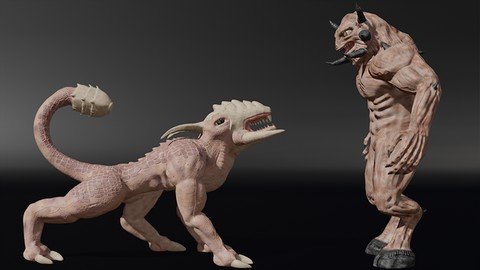
The Ultimate Blender 3D Sculpting Course
Last updated 4/2024
MP4 | Video: h264, 1920x1080 | Audio: AAC, 44.1 KHz
Language: English | Size: 35.38 GB | Duration: 37h 10m

Learn the ins & outs of sculpting, retopology, rigging, texturing, animation and more for a complete sculpting workflow!


What you'll learn
Students will learn the WHOLE sculpting workflow from A-Z, learn about anatomy, retopology, texturing, rigging and animating their sculpts
By the end of this course students will be able to sculpt whatever they want and make it into a full blown ready to render or animate character or sculpt
By the end of this course students will be equipped with the skills to sculpt and have 4 awesome sculpts that they can be proud of
Students will sculpt 4 different sculpts from A-Z and go through the whole sculpt workflow so that they are proficient in sculpting

Requirements
All you need to do is download Blender which is free and then grab your mouse and keyboard and join me on this adventure!

Description
Fully compatible with Blender 4.2 & above!Learn 3D Sculpting from A-Z with the popular 3D program "Blender"Want to learn 3D Sculpting but don't know where to start? No problem! In this course we go from A-Z, from the basics to the more advanced of Sculpting. This course is project based so we will be using the skills we learn along the way to create some awesome Sculpts. Learn The Art of 3D Animation From The Very Basics to The More AdvancedThe COMPLETE Sculpting workflow:- Sculpting- Anatomy- Retopology- UV Unwrapping- Texturing- Rigging- Animating& More!FOUR Different Sculpt Projects From A-Z!We will kick it off with learning the VERY basics of Blender. How to navigate around the scene, manipulate objects and everything you need to know to be comfortable in Blender!-Then we will start with our very first Sculpting project! Learning the basics of sculpting, the different brushes and settings, how to retopologize, unwrap and texture, bake normal maps and finally animate your sculpt!-Our second Sculpt we will go a bit more in depth and create a creature sculpt. We will learn all about A-symmetrical sculpting, the anatomy of the creature, how to sculpt with textures, sculpting scars and skin imperfections & much more! We will also see how to retopologize automatically and of course go more in depth in texture painting and texture our model. Then we will rig it and pose it for a final still!-Our third sculpt is quite in depth. We will learn about the anatomy of the human type body by sculpting an awesome demon minotaur! In this one we go all out with sculpting, anatomy, retopology, texturing, rigging and animating a final scene! This one alone will teach you all you need to know!-Our fourth sculpt leads us to creating a character bust. This one is less intense than the other ones and is quite fun. We will be sculpting a female character and learning about how to sculpt clothes, hair and much more! By the time you reach this sculpt you will be well versed in the world of sculpting!-Each project we do builds on the previous one and the further you go, the more you will be applying and doing!-End With The Confidence and Know How to Be Able to Create Your Own Projects and Sculpts From Just An Idea to Finished ProductThe Power to Create in the Palm of Your HandsThis course contains over 35 hours of content!Over 130 video lectures!And one awesome teacher!-Use the skills you learn to then create your own artwork and Sculpts-Learn and follow along with the workflow of 4 complete Sculpts from A-Z-Finish the course with your very own sculpts and work of art that you can be proud of-Lifetime access!By the end of this course, you will emerge equipped with everything you need to know for character creation and animation! It is PACKED with character animation madness that you will enjoy and benefit from for a long time!

Overview
Section 1: Getting Started With Blender

Lecture 1 Course Fully Compatible With Newest Blender

Lecture 2 How to Watch The Course In 1080p

Lecture 3 Downloading & Installing Blender

Lecture 4 Blender's Interface

Lecture 5 Navigating In Blender

Lecture 6 Manipulating Objects In Blender

Lecture 7 Edit & Object Mode

Lecture 8 Introduction to Sculpting

Lecture 9 Sculpting With A Tablet VS Mouse

Section 2: First Sculpt - Fish Character

Lecture 10 Setting Up Our Scene to Sculpt

Lecture 11 Sculpting Our Fish Part 1

Lecture 12 Sculpting Part 2 Symmetrize First Part

Lecture 13 Sculpting Part 2 Symmetrize Second Part

Lecture 14 Sculpting Fish Part 3 Detail

Lecture 15 Detailing The Fins Dyntopo Size

Lecture 16 Sculpting With An Image

Lecture 17 Intro to Retopology

Lecture 18 Snapping Updates for 4.0

Lecture 19 Retopology Part 1

Lecture 20 Retopology Part 2 Major Loops

Lecture 21 Retopology Part 3 Secondary Loops

Lecture 22 Retopology Part 4 Grid Fill

Lecture 23 Retopology Part 5 Filling The Mesh

Lecture 24 Retopology Part 6 Dorsal Fins

Lecture 25 Retopology Part 7 Pectoral Fins

Lecture 26 Retopology Part 8 Redirect Loops

Lecture 27 Adding More Detail Subsurface Modifier

Lecture 28 Adding Seams & Unwrapping Part 1

Lecture 29 Adding Seams & Unwrapping Part 2

Lecture 30 Baking Our Normal Map

Lecture 31 UPDATE Additional Baking Info

Lecture 32 Texture Painting Our Model

Lecture 33 Inserting Keyframes in Blender 4.1

Lecture 34 Finishing & Animating Our Fish

Section 3: Second Sculpt - 4 Legged Creature

Lecture 35 Setting Up Our Scene

Lecture 36 Second Sculpt Blocking Our Sculpt Part 1

Lecture 37 Second Sculpt Blocking Our Sculpt Part 2

Lecture 38 Blocking Our Sculpt Part 2

Lecture 39 Blocking Our Sculpt Part 3 Head

Lecture 40 Using Boolean Modifier to Merge

Lecture 41 Sculpting The Head Part 1

Lecture 42 Sculpting The Head Part 2

Lecture 43 Sculpting The Body

Lecture 44 Sculpting The Triceps & Biceps

Lecture 45 Sculpting The Forearms & Feet

Lecture 46 Sculpting The Back Legs

Lecture 47 Sculpting The Tail Part 1

Lecture 48 Sculpting The Tail Part 2

Lecture 49 Detailing The Head Mask Tool

Lecture 50 Sculpting The Teeth Snakehook Brush

Lecture 51 Detailing The Front Legs

Lecture 52 Joining With Bool Tool

Lecture 53 Defining The Front Legs

Lecture 54 Merging The Back Legs

Lecture 55 Detailing The Legs

Lecture 56 Detailing The Tail Flatten Brush

Lecture 57 Finalizing Blocking Our Sculpt

Lecture 58 Using Smooth Modifier to Smooth Sculpt

Lecture 59 Using Instant Meshes to Retopologize Part 1

Lecture 60 Using Instant Meshes to Retopologize Part 2

Lecture 61 Sculpting With Multires Modifier

Lecture 62 Sculpting With Alpha Maps

Lecture 63 Sculpting The Skin Texture

Lecture 64 Detailing The Tail

Lecture 65 Detailing The Claws

Lecture 66 Detailing The Head

Lecture 67 Sculpting Scars Anchored Brush Part 1

Lecture 68 Sculpting Scars Anchored Brush Part 2

Lecture 69 Sculpting The Viens

Lecture 70 Sculpting Skin Imperfections

Lecture 71 Sculpting The Cracks in the Bone

Lecture 72 Detailing The Horns Crease Brush

Lecture 73 Snakehook Brush Sculpting Tail

Lecture 74 Timelapse Tweaking

Lecture 75 Making The Teeth

Lecture 76 UV Unwrapping Our Sculpt

Lecture 77 UV Unwrapping Our Sculpt Part 2 First Part

Lecture 78 UV Unwrapping Our Sculpt Part 2 Second Part

Lecture 79 Vertex Painting

Lecture 80 Texture Painting

Lecture 81 Texture Painting Part 2

Lecture 82 Texture Painting Part 3

Lecture 83 Texture Painting Part 4 First Part

Lecture 84 Texture Painting Part 4 Second Part

Lecture 85 Rigging Our Sculpt

Lecture 86 Rendering Our Final Scene Part 1

Lecture 87 Rendering Our Final Scene Part 2

Section 4: Third Sculpt - Demon Minotaur

Lecture 88 Base Meshes Skin Modifier

Lecture 89 Defining Our Base Mesh Shape

Lecture 90 Blocking The Head Rotate Brush Part 1

Lecture 91 Blocking The Head Part 2

Lecture 92 Blocking The Neck Traps

Lecture 93 Block The Front Chest & Abs

Lecture 94 Blocking The Back & Anatomy Part 1

Lecture 95 Blocking The Back & Anatomy Part 2

Lecture 96 Blocking The Arms & Anatomy

Lecture 97 Blocking The Forearm & Anatomy Part 1

Lecture 98 Blocking The Forearm & Anatomy Part 2

Lecture 99 Blocking The Forearm & Anatomy Part 3

Lecture 100 Blocking The Upper Leg & Anatomy Part 1

Lecture 101 Blocking The Upper Leg & Anatomy Part 2

Lecture 102 Blocking The Upper Leg & Anatomy Part 3

Lecture 103 Blocking The Calves & Anatomy

Lecture 104 Blocking The Feet & Hooves Part 1

Lecture 105 Blocking The Feet & Hooves Part 2

Lecture 106 Blocking The Hand & Fingers Part 1

Lecture 107 Blocking The Hand & Fingers Part 2

Lecture 108 Sculpting The Hand

Lecture 109 Merging The Hand & Fingers

Lecture 110 Connecting The Thumb to Hand

Lecture 111 Finishing The Hand

Lecture 112 Face Sets Tool

Lecture 113 Level 2 Detail Part 1

Lecture 114 Level 2 Detail Part 2

Lecture 115 Level 2 Detail Part 3

Lecture 116 Retopology Part 1

Lecture 117 Retopology Part 2

Lecture 118 Retopology Part 3

Lecture 119 Retopology Part 4

Lecture 120 Retopology Part 5

Lecture 121 Retopology Part 6 Chest & Back

Lecture 122 Retopology Part 7 Lower Torso Part 1

Lecture 123 Retopology Part 7 Lower Torso Part 2

Lecture 124 Retopology Part 8 Legs

Lecture 125 Retopology Part 9 Finishing Legs Part 1

Lecture 126 Retopology Part 9 Finishing Legs Part 2

Lecture 127 Retopology Part 10 head

Lecture 128 Retopology Part 11 Finishing head Part 1

Lecture 129 Retopology Part 11 Finishing Head Part 2

Lecture 130 Retopology Part 12 Hands

Lecture 131 Retopology Part 13 Hands Part 2

Lecture 132 Retopology Part 14 Hands part 3

Lecture 133 Retopology Part 15 Hands Part 4

Lecture 134 Finishing Retopology Part 1

Lecture 135 Finishing Retopology Part 2

Lecture 136 Tweaking The Retopology

Lecture 137 Detail Sculpting Setup Part 1

Lecture 138 Detail Sculpting Setup Part 2

Lecture 139 Detailing Our Sculpt Part 1

Lecture 140 Detailing Our Sculpt Part 2

Lecture 141 Detailing Our Sculpt Part 3

Lecture 142 Detailing Our Sculpt Part 4 Arms

Lecture 143 Detailing Our Sculpt Part 5 Back

Lecture 144 Detailing Our Sculpt Part 6 Legs

Lecture 145 Detail Timelapse

Lecture 146 Unwrapping Our Mesh

Lecture 147 Baking The Normal map

Lecture 148 Texture Painting Part 1

Lecture 149 Texture Painting Part 2

Lecture 150 Rigging Our Sculpt

Lecture 151 Adding The Teeth

Lecture 152 IK Constraints On Rig Part 1

Lecture 153 IK Constraints On Rig Part 2

Lecture 154 Animating & Finalizing Our Scene

Section 5: Fourth Sculpt - Character Bust

Lecture 155 Blocking Our Sculpt

Lecture 156 Blocking Our Sculpt Part 2

Lecture 157 Blocking Our Sculpt Part 3

Lecture 158 Blocking Our Sculpt Part 4

Lecture 159 Speed Sculpting

Lecture 160 Sculpting The Hair

Lecture 161 Sculpting The Clothes

Lecture 162 Vertex Painting The Face

Lecture 163 Lighting & Finalzing Our Scene

Lecture 164 Saying Our Goodbyes

Section 6: BONUS SECTION Hard Surface Sculpting Techniques

Lecture 165 Hard Surface Sculpting Part 1

Lecture 166 Hard Surface Sculpting Part 2

Section 7: BONUS SECTION Vector Displacement Maps

Lecture 167 Using Vector Displacement Maps

Lecture 168 Creating Your Own VDMs

This Blender 3D course is for anyone who wants to learn the ins and outs of sculpting. It's great for absolute beginners, intermediate and even more advanced users,This course is not for someone who already knows all the ins and outs of Blender


505498027_the_ultimate_blender_3d_sculpting_course.jpg


Download from RapidGator


Premium Links


Download from Keep2Share


Download from UploadGig



27238a1bc62404223881b5a9af4f3279.jpg


Mathematics-Basics to Advanced for Data Science And GenAI
Published 8/2024
Created by Krish Naik,KRISHAI Technologies Private Limited
MP4 | Video: h264, 1280x720 | Audio: AAC, 44.1 KHz, 2 Ch
Genre: eLearning | Language: English | Duration: 96 Lectures ( 22h 55m ) | Size: 20 GB


Build a strong math foundation with linear algebra,stats,probability & differential calculus for mastering data science


What you'll learn:

Master Calculus: Understand derivatives and integrals, and apply them in optimizing machine learning algorithms and data analysis tasks.
Learn Linear Algebra: Grasp vectors, matrices, and eigenvalues, essential for building and understanding advanced data science models.
Understand Probability: Dive into probability theory, crucial for making informed predictions and working with uncertainty in data.
Apply Statistics: Gain practical skills in statistical analysis, helping you make data-driven decisions and interpret results effectively.

Requirements:
Basic Understanding of High School Math: Familiarity with basic algebra, geometry, and arithmetic operations will help you grasp the course material more effectively.
Curiosity About Data Science: A keen interest in learning how mathematics is applied in data science will enhance your engagement with the content.
No Prior Programming Experience Required: While some familiarity with programming is helpful, it's not mandatory. Mathematical concepts will be the main focus.
Willingness to Practice: Be ready to work through exercises, quizzes, and projects to reinforce your understanding and gain practical experience.

Description:
Are you eager to dive into the world of data science but feel overwhelmed by the mathematical concepts involved? Welcome to the "Complete Maths to Learn Data Science" course, your comprehensive guide to mastering the essential mathematical foundations needed to excel in data science and machine learning.This course is designed to bridge the gap between your current math skills and the level required to understand and implement data science algorithms effectively. Whether you are a beginner or an experienced professional looking to strengthen your mathematical understanding, this course will equip you with the tools you need to succeed.What You Will Learn:Calculus for Data Science:Understand the fundamentals of calculus, including derivatives, integrals, and limits.Learn how these concepts are applied in optimizing machine learning algorithms, such as gradient descent, and in understanding complex data transformations.Linear Algebra Essentials:Gain a deep understanding of vectors, matrices, eigenvalues, and eigenvectors.Discover how these linear algebra concepts are crucial for data manipulation, dimensionality reduction (like PCA), and building advanced machine learning models.Probability Theory and Its Applications:Dive into the world of probability, including concepts like random variables, distributions, and Bayes Theorem.Explore how probability forms the backbone of predictive modeling, classification algorithms, and risk assessment in data science.Statistics for Data Analysis:Master key statistical techniques such as hypothesis testing, regression analysis, and statistical inference.Learn to make data-driven decisions by understanding and applying statistical methods to real-world datasets.Why This Course?This course stands out by focusing on the clarity and practical application of mathematical concepts in data science. Each topic is broken down into simple, easy-to-understand modules that build on one another. You will not only learn the theory but also see exactly how these mathematical tools are used in real data science scenarios.Throughout the course, you ll engage with interactive quizzes, assignments, and hands-on projects designed to reinforce your understanding. By applying what you learn in real-world projects, you ll gain practical experience and build a portfolio that showcases your newly acquired skills.Who Is This Course For?Aspiring Data Scientists: Individuals looking to build a strong mathematical foundation essential for mastering data science and machine learning.Data Science Beginners: Those new to the field who want to understand the core mathematical concepts that drive data science algorithms.Professionals Transitioning into Data Science: Engineers, analysts, or professionals from other fields seeking to acquire the mathematical skills necessary for a career shift into data science.Students and Academics: Students pursuing studies in data science, computer science, or related fields who need a comprehensive understanding of mathematics for data science applications.Lifelong Learners: Anyone with a passion for learning and a desire to understand how mathematics powers the world of data science, even without prior experience in the field.Enroll Today!Join thousands of learners who have transformed their careers by mastering the mathematics behind data science. Whether you re aiming to start a new career, enhance your skills, or simply satisfy your curiosity, this course will provide the solid mathematical foundation you need to succeed. Enroll now and take the first step towards becoming a confident and skilled data scientist!

Who this course is for:
Aspiring Data Scientists: Individuals looking to build a strong mathematical foundation essential for mastering data science and machine learning.
Data Science Beginners: Those who are new to data science and want to understand the core mathematical concepts that drive data science algorithms.
Professionals Transitioning into Data Science: Engineers, analysts, or professionals from other fields seeking to acquire the mathematical skills necessary for a career shift into data science.
Students and Academics: Students pursuing studies in data science, computer science, or related fields who need a comprehensive understanding of mathematics for data science applications.
Lifelong Learners: Anyone with a passion for learning and a desire to understand how mathematics powers the world of data science, even without prior experience in the field.
This course is tailored to equip learners with the essential mathematical tools needed to excel in data science, regardless of their current level of expertise.


505380438_mathematics-basics_to_advanced_for_data_science_and_genai.jpg


Download from RapidGator


Premium Links


Download from Keep2Share


Download from UploadGig


159bbff1d663d0ab8c549146770f3292.jpg


45-Day PIC Microcontroller Bootcamp
Published 8/2024
MP4 | Video: h264, 1920x1080 | Audio: AAC, 44.1 KHz, 2 Ch Language: English | Duration: 53h 39m | Size: 39.3 GB

Master PIC Microcontroller Programming and Embedded Systems Design in Just 45 Days From Basics to Advanced Concepts!


What you'll learn
Understand the architecture and operation of PIC microcontrollers Gain a solid foundation in how PIC microcontrollers work, including their internal component
Develop and debug PIC microcontroller programs Write, compile, and troubleshoot embedded code using industry-standard tools and techniques.
**Design and implement embedded systems** Build functional, real-world projects using PIC microcontrollers and external components like sensors and displays.
Master advanced microcontroller techniques Utilize peripherals, timers, and interrupts to create sophisticated and responsive embedded applications.


Requirements
No prior experience with PIC microcontrollers needed All foundational concepts will be covered from scratch.
Basic knowledge of electronics is helpful Understanding basic circuits and components will enhance your learning experience.
Access to a computer with internet connectivity Necessary for downloading software tools and viewing course content.
Optional: A PIC microcontroller development kit Recommended for hands-on practice, but not required.


Description
Unlock the power of PIC microcontrollers and transform your embedded systems skills with this comprehensive 45-Day PIC Microcontroller Mastery Bootcamp. Whether you're a beginner or an intermediate learner, this course is meticulously designed to take you from the basics of microcontroller programming to advanced embedded systems design.Over the span of 53 hours and 35 minutes of detailed video content, you will dive deep into the world of PIC microcontrollers. Starting with the fundamentals, you will progress through practical, hands-on projects that will solidify your understanding and give you real-world experience. Learn to code, debug, and build powerful microcontroller-based systems with confidence.Why Choose This Course?Expert-Led Training: Learn from seasoned professionals with years of experience in microcontroller programming and embedded systems.Practical Projects: Engage in projects that mirror real-world applications, making your learning experience not just theoretical, but practical and applicable.Comprehensive Curriculum: From setup to advanced programming techniques, every aspect of PIC microcontrollers is covered in this bootcamp.Step-by-Step Guidance: Follow a clear, structured path to mastering PIC microcontrollers, even if you ve never programmed before.Testimonials from Previous Students:"This course is a game-changer! I went from knowing nothing about PIC microcontrollers to designing my own systems in just 45 days." John D."The hands-on projects were incredibly helpful. I now feel confident tackling complex embedded systems projects at work." Sarah T."The instructor's expertise is evident throughout the course. The way complex topics are broken down is brilliant." Michael W.About the Instructor: This course is brought to you by the Educational Engineering Team, a group of industry professionals with extensive experience in microcontroller programming, embedded systems design, and technical education. With a passion for teaching and a commitment to helping learners succeed, the team has trained thousands of students to excel in their careers.What You Will LearnIntroduction to PIC Microcontrollers: Understand the architecture and functionality of PIC microcontrollers.Programming Essentials: Learn to write, compile, and debug programs using popular PIC programming tools.Hands-On Projects: Build and test real-world embedded systems using PIC microcontrollers.Advanced Techniques: Master the use of peripherals, timers, and interrupts in PIC microcontrollers.Embedded Systems Design: Gain skills in designing and implementing complex embedded systems for various applications.Who Is This Course For?Beginners in microcontroller programming who want to gain solid foundational skills.Electronics hobbyists looking to enhance their knowledge and create advanced projects.Engineering students needing practical experience with embedded systems.Professionals in the tech industry seeking to upgrade their skills and stay competitive.RequirementsNo prior experience with PIC microcontrollers is needed, though basic knowledge of electronics is helpful.A computer with internet access to download programming tools and watch course videos.A PIC microcontroller kit for hands-on projects (recommended, but not required).

Who this course is for
Aspiring embedded systems engineers who want to develop skills in microcontroller programming and system design.
Electronics enthusiasts and hobbyists eager to learn how to create and control microcontroller-based projects.
Engineering students seeking practical experience with embedded systems as part of their academic curriculum.
Professionals in tech fields looking to expand their expertise in microcontrollers and embedded systems for career advancement.


Homepage

505381984_45-day_pic_microcontroller_bootcamp.jpg


Download from RapidGator


Premium Links


Download from Keep2Share


Download from UploadGig


1d17749de9359d1191a8231cdcd34792.jpg


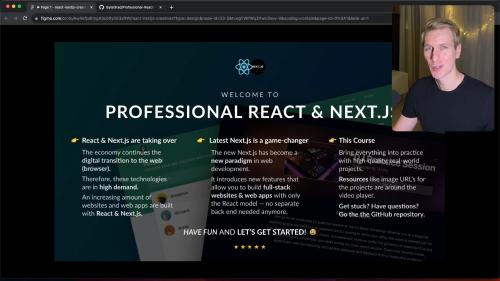
ByteGrad - Professional React & Next.js
MP4 | Audio: aac, 48000 Hz | Video: h264, yuv420p, 1920x1080 | Duration: 20h | 28.59 GB
Genre: eLearning | Language: English

Master modern React and Next.js (14+)! An all-in-one course: start from scratch and go to a senior level in React & Next.js by building 7 amazing, real-world projects -- perfect for your portfolio! Perfect for beginners, but also for experienced devs upskilling! Salaries for React / Next.js developers can be $100,000+ in the U.S.

01. Introduction
02. Beginner React & JavaScript
03. Project Fancy Counter
04. Project Word Analytics
05. Intermediate React & JavaScript
06. Project Trekbag
07. Introduction to TypeScript in React
08. Project CorpComment
09. Project rmtDev
10. NextJS (Beginner to Intermediate)
11. Project EVENTO
12. Advanced NextJS, TypeScript, React
13. Project PetSoft
13. Project PetSoft Part 2
13. Project PetSoft Part 3
14. Closing


Homepage

506121908_professional_react_next_0624.jpg


Download from RapidGator


Premium Links


Download from Keep2Share


Download from UploadGig



d097296e9842a1bad0b839f816f858dd.jpg


Microsoft 365: A Comprehensive Guide to Essential Apps
Published 8/2024
Created by Uplatz Training
MP4 | Video: h264, 1280x720 | Audio: AAC, 44.1 KHz, 2 Ch
Genre: eLearning | Language: English | Duration: 50 Lectures ( 50h 16m ) | Size: 24.4 GB


Unlock the power of Microsoft 365 suite to boost your productivity. Empower yourself with the essential tools to succeed


What you'll learn:

Proficiency in Core Office Apps: Gain in-depth knowledge and skills in using Word, Excel, PowerPoint, including basic functions, formatting, advanced features.
Understanding of Microsoft 365 Ecosystem: Develop a holistic understanding of how different Microsoft 365 applications integrate and work together.
Preparation for Microsoft 365 Certification: Gain the knowledge and skills to potentially pursue relevant Microsoft certifications.
Effective Communication and Collaboration: Learn to leverage Microsoft Teams, Outlook, and SharePoint for streamlined communication, file sharing, and teamwork.
Data Management and Analysis: Develop skills in data organization, analysis, and visualization using Excel and Power BI.
Note-taking and Organization: Become adept at using OneNote for efficient note-taking and information management.
Productivity and Task Management: Utilize tools like Microsoft To Do, Planner, and Project to organize tasks, manage projects, and enhance productivity.
Cloud Storage and File Management: Master the use of OneDrive for secure file storage, sharing, and collaboration in the cloud.
Survey and Form Creation: Learn to create engaging surveys and quizzes with Microsoft Forms.
Automation and App Development: Get introduced to Power Automate and Power Apps for basic automation and app creation.

Requirements:
Enthusiasm and determination to make your mark on the world!

Description:
A warm welcome to the Microsoft 365 course by Uplatz.Microsoft 365 (previously called Office 365) is a cloud-based subscription service that provides users with access to a suite of Microsoft's productivity and collaboration tools. It combines the familiar Office desktop apps (Word, Excel, PowerPoint, etc.) with cloud services like OneDrive (cloud storage), Exchange Online (email), and Microsoft Teams (communication and collaboration). It's designed to enhance productivity, enable seamless collaboration, and ensure data security across various devices.Microsoft 365 offers a comprehensive set of productivity tools that help individuals and businesses stay connected, collaborate efficiently, and achieve their goals in today's digital world.Products included in the suite1. Core Office AppsWord: Word processing and document creation. Excel: Spreadsheets for data analysis and visualization. PowerPoint: Presentation creation and delivery. Outlook: Email and calendar management. OneNote: Digital note-taking and organization.2. Collaboration & Communication ToolsMicrosoft Teams: Chat, video conferencing, file sharing, and collaboration hub. SharePoint: Document management and collaboration platform. OneDrive: Cloud storage for files and easy sharing. Exchange Online: Business-class email and calendaring.3. Additional Apps & ServicesAccess (PC only): Database management system. Publisher (PC only): Desktop publishing application. To Do: Task and list management. Forms: Create surveys, quizzes, and polls. Stream: Video sharing and management platform.4. Key Features of Microsoft 365Cloud-based access: Work from anywhere with internet connectivity. Always up-to-date: Receive the latest versions of apps and features. Cross-device compatibility: Use across PCs, Macs, tablets, and phones. OneDrive cloud storage: Securely store and share files in the cloud. Real-time collaboration: Co-author documents and collaborate seamlessly. Advanced security features: Protect data with enterprise-grade security. Flexible subscription plans: Choose the plan that fits your needs.Integration with other Microsoft services: Connects with Azure, Power BI, etc.Microsoft 365 - Course CurriculumIntroduction to Microsoft 365Microsoft Word - Basic Functions and FormattingMicrosoft Word - Advanced FeaturesMicrosoft Word - Templates andStylesMicrosoft Word - Advanced CollaborationFeaturesMicrosoft Word - Advanced Formatting and Document NavigationTechniquesMicrosoft Word - Tables and ChartsMicrosoft Word - Long Document ManagementMicrosoft Excel - Introduction and BasicFunctionsMicrosoft Excel - Intermediate Formulas andFunctionsMicrosoft Excel - Data AnalysisToolsMicrosoft Excel - Advanced DataAnalysisMicrosoft Excel - Working with V-Lookup and H-LookupandX-LookupMicrosoft Excel - Collaboration andSharingMicrosoft Excel - Dynamic Charts and Data VisualizationMicrosoft Excel - Advanced Data ManagementMicrosoft PowerPoint - Introduction andBasicsMicrosoft PowerPoint - DesigningSlidesMicrosoft PowerPoint - Adding Content andSmartArtMicrosoft PowerPoint - Using Multimedia andAnimationsMicrosoft PowerPoint - Advanced PresentationTechniquesMicrosoft PowerPoint - Collaboration andSharingMicrosoft Outlook - Email ManagementMicrosoft Outlook - Calendar and SchedulingMicrosoft OneNote - Basic Note-taking SessionMicrosoft OneNote - Advanced OrganizationMicrosoft Teams - Basic Features andInterfaceMicrosoft Teams - Chat and Calls andMeetingsMicrosoft Teams - Team CollaborationMicrosoft OneDrive - File Management andStorageMicrosoft OneDrive - Sharing and CollaborationMicrosoft SharePoint - Introduction and BasicSetupMicrosoft SharePoint - Document LibrariesandListsMicrosoft SharePoint - Permissions andSecurityMicrosoft Copilot - Overview and IntegrationMicrosoft Planner - Task ManagementMicrosoft Forms - Creating Surveys andQuizzesMicrosoft Sway - Interactive PresentationsMicrosoft Power BI - Basic FeaturesMicrosoft Power BI - Data VisualizationMicrosoft To Do and Microsoft StreamMicrosoft Engage and Microsoft ProjectMicrosoft Visio and Microsoft AccessMicrosoft Bookings and MicrosoftDelveMicrosoft Whiteboard and Microsoft ListsMicrosoft Loop and PowerPagesMicrosoft Kaizala and MicrosoftPeopleMicrosoft Power Automate and MicrosoftPowerAppsMicrosoft 365 InterviewQuestions and AnswersMicrosoft 365 Summary and ApplicationsCareer Scope and Job TitlesAfter gaining proficiency in Microsoft 365, you can pursue various career paths that leverage your skills and knowledge. Proficiency in Microsoft 365 opens doors to a wide range of career opportunities across different sectors. Some of the key job titles to consider are:Microsoft 365 Administrator: Responsible for deploying, configuring, and managing Microsoft 365 environments. You'll handle user management, security settings, data migration, and troubleshooting.Office 365 Specialist: Focuses on supporting end-users with their Microsoft 365 applications. You'll provide training, troubleshoot issues, and ensure users can leverage the suite's full potential.Collaboration Specialist: Specializes in implementing and optimizing Microsoft 365 collaboration tools like Teams, SharePoint, and OneDrive. You'll help teams communicate and collaborate effectively, improving productivity and information sharing.Data Analyst: Leverages Microsoft 365 tools like Excel and Power BI to analyze data, create reports, and generate insights to inform business decisions.IT Support Technician: Provides technical support to users experiencing issues with Microsoft 365 applications and services. You'll troubleshoot problems, resolve issues, and ensure smooth operations.Trainer/Instructor: Conducts training sessions on Microsoft 365 applications and features, helping users improve their skills and adopt new technologies.Technical Writer: Creates documentation and guides on Microsoft 365, explaining complex concepts in a clear and concise manner for various audiences.Systems Engineer: Designs and implements Microsoft 365 solutions, ensuring they meet the organization's specific needs and integrate seamlessly with existing systems.Project Manager: Oversees the planning, execution, and completion of Microsoft 365 implementation or migration projects, ensuring they are delivered on time and within budget.

Who this course is for:
Beginners and individuals new to Microsoft 365: The course starts with an introduction and covers basic functions across various apps, making it suitable for those with little to no prior experience.
Professionals seeking to enhance productivity: The course delves into advanced features, collaboration tools, and data analysis techniques, benefiting those aiming to optimize their workflow and efficiency.
Students and individuals needing Microsoft Office proficiency: The comprehensive coverage of core apps like Word, Excel, and PowerPoint makes it relevant for academic and professional development.
Business Analysts: The course can equip them with skills to utilize Excel for data analysis, Power BI for data visualization, and SharePoint for requirements gathering and documentation.
Project Managers: They can gain valuable insights into using Microsoft Project, Planner, and Teams for project planning, task management, and communication.
Product Managers and Product Owners: They can benefit from the course by learning how to leverage Microsoft 365 tools for product documentation, roadmaps, and collaboration with development teams.
Anyone interested in data analysis and visualization: The inclusion of modules on Excel data analysis and Power BI basics caters to those seeking to leverage Microsoft 365 for data-driven insights.
Data & IT Consultants: As consultants often work across various organizations and projects, a solid understanding of Microsoft 365 can be a valuable asset, enabling seamless collaboration with clients and effective communication of insights and solutions using familiar tools.
Data Analysts: The course's strong emphasis on Excel and Power BI makes it directly relevant for data analysts who use these tools extensively for data manipulation, analysis, and reporting.
Data Engineers: While Microsoft 365 may not be their primary toolset, familiarity with it can enhance their collaboration with analysts and other teams who utilize these applications.


506133270_microsoft_365_a_comprehensive_guide_to_essential_apps.jpg


Download from RapidGator


Premium Links


Download from Keep2Share


Download from UploadGig


a89c21b1cf30edea5e11b29a5bf794fd.jpg


How to Paint From Beginner to Master -Acrylic Painting-
Last updated 2/2024
Duration: 21h3m | Video: .MP4, 1920x1080 30 fps | Audio: AAC, 48 kHz, 2ch | Size: 43.3 GB
Genre: eLearning | Language: English

Learn Acrylic Painting For all Skill Levels


What you'll learn
Learn about cleaners and brush techniques-including what each brush is designed to do, how to hold them correctly, positioning and motion
Lesson 1 is designed to familiarize you with the terminologies I ll be using throughout the rest of the course and get you acquainted with the 5 value greyscale
This course starts at the ground and builds every student up from there, to make sure you have a solid foundation to grow from.
You ll learn the science behind different materials like acrylic mediums, what they do and how to use them correctly to make your colors more vibrant!
These exercises are also designed to begin teaching you the core fundamentals of acrylic painting. developed over years of teaching
You ll do your first painting using the new techniques, based on a simple image that I'll supply you.
You ll learn an approach to doing a drawing specifically for a painting, an easy system to get your drawing right every time
You ll learn how to do an underpainting/how to paint in layers to achieve realism As well as shading and blending techniques that will give you better gradients
You ll paint a still life of an old chrome kettle from a hi res photograph I ll supply you.
This lesson is designed to teach you how to handle textures, like metal, scratches, bright highlights and reflective surfaces, as well as atmosphere
You ll learn visualization and simplification techniques that I ve developed to make painting easy for anyone.
Next, I'll teach you to use color in a painting and begin learning basic color theory concepts and compositions.
I ll show you how to use a new kind of color mixing technique, that will make mixing any color imaginable easy- and make sure you never get muddy colors again!
You ll learn the difference between chroma, color and values and how to control them, as well as how to manage a combination of colors on one palette.
Next, you ll paint a still life of a grapefruit, based on an image I'll supply you. In this lesson, you ll learn how to compose complex color schemes in your pa
You'll learn how to compartmentalize images to simplify them and make painting anything easier!
I'll teach you how to manage a controlled color palette with over 5 color scales on it and insure that your paintings are always bright and vibrant!
Next, you ll paint a portrait. You ll learn a method to mixing a perfect skin tone, every time and the rules to portrait painting.
You ll get an in-depth lesson on painting detail and how to easily add incredible detail to a painting without needing extreme patients.
I'll show you tricks to painting eyes and hair.
I'll explain techniques to draw a viewers attention to desired focal points in your paintings.
You ll learn how to varnish a painting and give it a beautiful, glossy, finished look.


Requirements
You'll need some basic painting supplies, which you'll find listed in the "SUPPLY LIST" Video (there's also a downloadable, printable version).
No previous experience is necessary!


Description
Acrylic Painting From Beginner to Master
is designed to teach anyone, from beginner to moderate skill levels, all of the fundamentals of acrylics you ll ever need to create colorful, photo realistic paintings.
You ll learn time honored painting techniques combined with contemporary approaches, delivered to you in
guided

lectures,
carefully crafted and edited to match anyones pace perfectly!
Including access to me 7 days a week for any questions or even coaching

you need along the way
!
We'll do 6 paintings and projects together from start to finish
, each one designed to teach you different aspects of painting, like textures, color mixing and theory, brush handling, painting in layers, using mediums, glazing and isolation coats, underpainting, painting with planes, mixing and painting skin tone, color compositions from still lives to portraiture, and painting detail.
You ll watch me demonstrate every lesson, step by step, as I go into incredible detail of every aspect of creating a painting from start to finish. I ll explain exactly how to use mediums, choose and handle brushes and mix every color, down to the percentage of paint. By the end of this course, you ll be able to mix or match any color imaginable from it s brightest vibrance to its most neutral tone!
I ll show you various brush holding techniques and how to apply your brushstrokes to achieve photorealism and give your paintings the brilliance of a masterwork.
You ll learn how to create luscious textures in your paintings, like chrome and glass, as well as natural textures like skin, hair or a fruit. And you ll learn how to mix a vibrant, life-like skin tone based on old master techniques.
With the help of animations, I'll go into in-depth explanations to help you learn more complex concepts like color theory and how to compose your own color compositions that don t just work for paintings but every image you create in the future in any medium. I'll even show you how to light and photograph your subjects so you can create masterworks based on your own ideas in the future.
And by the end of this course, you'll have the skills and understanding of acrylic painting to easily paint any subject your heart desires!
Who this course is for
Anyone from absolute beginners to experienced artists who want to learn or master a traditional painting technique.


Homepage

506099759_how-to-paint-from-beginner-to-master-acrylic-painting.jpg


Download from RapidGator


Premium Links


Download from Keep2Share


Download from UploadGig


87ea26bb7613a09312f250d7647e5b88.jpg


The Ultimate Adobe Photoshop CC Advanced Course - 2024 + AI
Published 8/2024
Created by Ukpoewole Enupe
MP4 | Video: h264, 1280x720 | Audio: AAC, 44.1 KHz, 2 Ch
Genre: eLearning | Language: English | Duration: 93 Lectures ( 18h 38m ) | Size: 20.3 GB


Beyond the Basics: Advanced Techniques for Crafting Complex, Polished, and Stunning Visual Masterpieces


What you'll learn:

You'll learn to use Adobe Photoshop CC like an Expert.
You'll learn how to use the new AI features in Adobe Photoshop CC.
You'll learn several workflow tips to speed up your tasks in Adobe Photoshop CC.
You'll learn a lot of useful shortcuts in Adobe Photoshop CC.
You'll learn how to use Adobe Libraries and Adobe Color.
You'll learn how to speed up your Photoshop software.
You'll learn advanced selection workflows in Adobe Photoshop CC.
You'll learn advanced image retouching workflows in Adobe Photoshop CC.
You'll learn how to use the Camera raw plugin in Adobe Photoshop CC.
You'll learn how to steal color grading looks from different images in Adobe Photoshop CC.
You'll learn how to do frequency separation on your images in Adobe Photoshop CC.
You'll learn advanced color correction worklflows in Adobe Photoshop CC.
You'll learn advanced Layer blending options in Adobe Photoshop CC.
You'll learn how to use Blend if in Adobe Photoshop CC.
You'll learn how to use Channels in Adobe Photoshop CC.
You'll learn how to use Knockouts in Adobe Photoshop CC.
You'll learn how to use Apply image in Adobe Photoshop CC.
You'll learn how to use Calculations in Adobe Photoshop CC.
You'll learn learn how to restore colors to black and white images in Adobe Photoshop CC.
You'll learn how to turn and image into a realistic oil painting with AI in Adobe Photoshop CC.
You'll learn how to create custom brushes in Adobe Photoshop CC.
You'll learn how to get thousands of high quality industry standard brush presest from Adobe for Free.
You'll learn how to use the puppet wrap tool in Adobe Photoshop CC.
You'll learn how to create incredible perspetives easily in Adobe Photoshop CC.
You'll learn 3D in Adobe Photoshop CC.
You'll learn how to edit videos and create motion graphics in Adobe Photoshop CC.
You'll learn advanced compositing and photo manipulations in Adobe Photoshop CC.
You'll create an Advanced glitch poster in Adobe Photoshop CC.
You'll create a cosmetic product image manipulation in Adobe Photoshop CC.
You'll create a Nescafe product manipulation in Adobe Photoshop CC.
You'll create the disintegration effect using brushes in Adobe Photoshop CC.
You'll create a sliced artwork in Adobe Photoshop CC.
You'll create a double exposure effect in Adobe Photoshop CC.

Requirements:
A basic knowledge of Adobe Photoshop.
Adobe Photoshop CC software.

Description:
Welcome to the Next Level of Photoshop Mastery with The Ultimate Adobe Photoshop CC Advanced Course!Hey Photoshop Pros and Pixel Pioneers! Ready to elevate your skills and unleash the full potential of Adobe Photoshop? Your journey to advanced greatness begins here!Congratulations, you've conquered the basics! Now, let's push the boundaries of your imagination. This Advanced Adobe Photoshop Course is designed to amplify your creative prowess, helping you craft visuals that are nothing short of extraordinary.Master the Tools of the ProsEver wondered how the pros do it? Wonder no more! I'll guide you through the advanced features and tools that will set your work apart. From intricate retouching to mind-bending composites, get ready to wield Photoshop like a true artist.Level-Up Your TechniquesWe begin this course by learning several workflow tips and techniques which when applied, will instantly quicken and simplify your tasks. We ll then have a quick dive into to the Adobe Creative Cloud libraries.We ll then learn some pro workflows with images, selection, layers and blending, then we ll learn some advanced methods of retouching image in Adobe Photoshop. After this, we ll learn some pro color correction workflows and we ll even learn how to use the Camera raw plugin in Photoshop.We ll learn some typography pro tips, we ll learn how to create and manipulate perspectives in Adobe Photoshop. Up next, we ll learn how to create amazing 3Ds, how to edit videos and create motion graphics all in Adobe Photoshop. Up next we ll learn how to work with the incredible AI feature in Photoshop and how to create realistic mock-ups in Adobe Photoshop.Finally, we ll work on our Final projects for this advanced course. In this final module, we ll together, create projects that are nothing short of jaw dropping, while revising everything you ve learnt in past modules.Hands-On ChallengesBrace yourself for exhilarating challenges that will put your newfound skills to the test. It's not just about learning; it's about applying your knowledge in real-world scenarios. Get ready to tackle projects that will make your portfolio shine!Whether you're a graphic designer, photographer, or digital artist, our Advanced Photoshop Course is your ticket to unlocking career opportunities. Take your expertise to new heights and impress clients with your newfound capabilities.Why Choose This Course?Well, I'm not just another random educator; I'm a fellow artist passionate about nurturing your talent and fueling your artistic fire. With a curriculum meticulously designed for passionate individuals like yiou, your creativity will know no bounds.Ready to Embark on Your Photoshop Journey?Unleash your creative genius and turn your visions into masterpieces. The tools are in your hands let's create magic together!Enroll Now! Join me, and let's paint the digital canvas with brilliance!

Who this course is for:
Individuals who want to upgrade their Photoshop game, and create awe inspiring works of art. Graphic designers, photographers, digital artists, photoshop enthusiasts, content creators, etc.


506113310_the_ultimate_adobe_photoshop_cc_advanced_course_-_2024_-_ai.jpg


Download from RapidGator


Premium Links


Download from Keep2Share


Download from UploadGig


b472541626179136892ffd5072c6ee20.jpg


Complete English Beginners Course: Grammar and Vocabulary
Published 8/2024
Created by Mohamed Yusuf
MP4 | Video: h264, 1280x720 | Audio: AAC, 44.1 KHz, 2 Ch
Genre: eLearning | Language: English | Duration: 41 Lectures ( 42h 25m ) | Size: 27.2 GB


A Complete Beginner English Language Course: 40+ Hours of English Grammar, Vocabulary and Speaking. British Accent.


What you'll learn:

MASTER 9 highly detailed beginner level grammar units.
TEST your understanding of the grammar units by completing 64 grammar review tests. You will have a review test at the end of each unit.
LOTS of SPEAKING PRACTICE inside the grammar lessons with over 245 sentence examples showing you how to use the grammar correctly.
LEARN over 200 new words inside the grammar units.
GROW your vocabulary with 16 beginner level vocabulary units designed around our day-to-day activities.
REVIEW your understanding of the vocabulary units with 26 vocabulary unit exercises. You will have a review test at the end of each unit.
PRACTICE speaking with over 260 sentence examples showing you how to use the vocabulary correctly.
LEARN over 250 new words inside the vocabulary units.
IMPROVE Your Scores for English exams like A1 and A2.
BECOME a confident speaker of English.
40+ hours of intense grammar, speaking and vocabulary practice.
Over 1,000 slides of high-quality pictures with your learning.

Requirements:
A computer, a tablet or a phone to practice your lessons.
2-3 hours a week to practice grammar, vocabulary and speaking.
No previous knowledge of English is necessary. You will learn everything you need to know as a beginner in this course.
A very positive attitude.

Description:
Do you want to master beginner level English grammar?Do you want to build and grow your beginner level English vocabulary?Do you want to speak English confidently as a beginner of the English language?Well, then, this course is just for you. Why choose the Complete English Beginners Course?*Over 40 hours of intense grammar, vocabulary and speaking practice video lessons.* Over 1,000 lecture slides with high quality pictures giving you a fantastic learning experience.* 9 highly tailored grammar lessons.* 64 grammar review tests.* 16 amazing vocabulary lessons.* 26 vocabulary review quizzes. * Learn 50 Most Common words in English.* Access to a British teacher with over 12 years of international teaching experience.* Score better in English exams * Become a confident speaker of English.* Learn over 200 words in the grammar lessons.* Learn over 250 words in the vocabulary lessons.This is a HUGE course. It is designed to give you the chance of practicing English grammar, vocabulary and speaking at the same time. English GrammarIn the grammar section, I have 9 carefully selected chapters. I will start with the absolute basics of the English grammar such as the English alphabet, nouns and gradually move our way up to more challenging lessons. At the end of each lesson, there is a grammar review test. This review session is there for you to test yourself and see how much you have actually understood. After completing each quiz, you will check your answers in the feedback section where I will explain clearly the correct answers. In total, we have 64 review tests.Aside from just practicing the grammar structures, you will deepen your understanding by using your speaking skill. For each lesson, I will be recapping the grammar structures through the use of a sentence. You will repeat the sentences with me. The sentences will reflect the pictures on the slide. We have 245 sentences to practice in the grammar structures. While we are busy learning all of this, you will learn over 200 words within the grammar lessons, which should further grow your understanding of the English language. By the end of your grammar training, you should be able to use the English grammar correctly. English VocabularyIn the vocabulary section, I have chosen for us 16 fantastic chapters. These chapters focus on vocabulary related to our day-to-day activities such as vocabulary related to doing grocery shopping or the vocabulary we use to express our feelings. With each lesson, you will have a vocabulary review section. This is where you check how much you have understood the lesson. Also, there will be a feedback section where I will be sharing the correct answers with you. For the vocabulary section, we have 26 review tests. Also, we will learn over 250 words within the vocabulary lessons, which should boost your level of English vocabulary. You will get the chance of further developing your knowledge of the lesson by practicing the vocabulary in a sentence. So, at the end of each lesson, I will summarize what we have learned by the use of a sentence. You will repeat this sentence. I will be explaining this sentence by using a visual aid such a picture to represent the vocabulary we are aiming to understand. We have 260 sentences in this section that will show you how to use the vocabulary correctly. By the end of this section, you should be confident enough to speak using the vocabulary if you going shopping or to a pharmacy.Another amazing thing about this course is I will share with the 50 most common words in English and how to use them in a sentence. This will even further increase your level of English vocabulary. This is a wonderful course that will give the confidence to speak English confidently anywhere you travel in the world, master grammar and expand greatly your vocabulary base.

Who this course is for:
This course is for the beginner level students of the English language. This is a 40+hour course designed to give the beginner level students a deep understanding of the English grammar by mastering 9 intense grammar. Also, with the 16 vocabulary units in this course, the students will learn how to use day-to-day vocabulary such as when shopping or expressing their feelings. With the speaking practice section, the students will even deepen their knowledge of grammar and vocabulary. The students will check their progress by completing a quiz at the end of each chapter.


506099720_complete_english_beginners_course__grammar_and_vocabulary.jpg


Download from RapidGator


Premium Links


Download from Keep2Share


Download from UploadGig


24e3bd8dee18f8fb5874de26005b9e14.jpg


SAP S/4 HANA 2023: Controlling->In-depth "Material Ledger"
Published 8/2024
MP4 | Video: h264, 1280x720 | Audio: AAC, 44.1 KHz, 2 Ch
Language: English | Duration: 61h 9m | Size: 30.5 GB

SAP S/4HANA 2023: "CONTROLLING" for all costing scenarios with Material Ledger-Legal, group and Profit center valuations


What you'll learn
SAP S4 HANA : In-depth Controlling with End to End process of each technique
Product Costing : By order , By Sales order AND By Period
Material Ledger / Actual Costing with Multiple Valuations- Legal. Group and Profit center Valutions.
Account Based COPA-Margin Analysis process


Requirements
Basic SAP FI knowledge is required and also Costing Background as Domain


Description
Integrated Financial & Managerial Accounting: Provides a foundation for enhanced decision-making through precise cost tracking and analysis across multiple business processes.Essential Settings: Establish and configure organizational structures such as Company Code, Plant, and Storage Location. Ensure seamless integration with core modules like FI, MM, SD, PP, and PS for effective operations.Costing Configuration: Focus on the design and setup of costing sheets, along with the development of cost component structures and overhead accounting methods to meet business needs.Product Costing Scenarios: Address various scenarios, including production, process, and sales order costing. Incorporate Make-to-Stock, Make-to-Order, and Engineer-to-Order scenarios for comprehensive coverage of diverse production processes.Material Ledger Focus: Implement legal, group, and profit center valuations, leveraging transfer pricing logic to align with dynamic business requirements.Valuation Techniques: Conduct group assessments, manage cross-company transfers, and handle intracompany moves with precise variance distribution and accurate reporting.Advanced Costing Methods: Explore CO-OM-ABC (Activity-Based Costing) for accurate cost allocation. Address joint production, by-product costing, and subcontracting processes with efficiency.Material Ledger Functionalities: Perform in-depth examinations of actual costing and its effects on financial postings. Utilize COPA for comprehensive margin analysis and performance evaluation.Outcome: Gain expertise in Material Ledger , Product Costing and bit COPA functionalities. Acquire the skills necessary to configure, analyze, and optimize costing across diverse and complex business scenarios.

Who this course is for
All Commerce, Accounts, Finance and Management accounting back ground persons..


Homepage

506209009_7-overhead-concepts-costing-sheets-template-and-primary-cost-component-spl.jpg


3ccd4ae23231aee783b518be1f4a272b.jpg


Laravel 10 - Build Real Estate Property Listing Project A-Z
Last updated 3/2024
Duration: 45h 41m | Video: .MP4, 1920x1080 30 fps | Audio: AAC, 44.1 kHz, 2ch | Size: 33.9 GB
Genre: eLearning | Language: English

In This Course, You Will Build Real Estate Property Listing Complete Project with Laravel 10 And Build It From Scratch.


What you'll learn
Complete Advance Project With Laravel 10
Build Complete Realestate Property Listing Project A-Z
User Role Management
Multi-Authentication as User-Agent-Admin
Advance Property Search Option
User Roles and Permission
Multi Admin For Store
Property Mailing System
Property Wishlist Option
Property Compare Option
Advance JavaScript Uses
Site Setting Option
Live Chat System
Dynamic Email Configuration
Comment Function
Create Custom Pagination
Property Message System
Image Upload System
Multiple Image Upload System
Adding Professional Theme for Backend
Adding Professional Theme for Frontend
Multi Auth with Jetstream Breeze
Generate Order Invoice in PDF
Property Packages Seal
Change Password Option
Lecture By Lecture Project Source Code


Requirements
You have to know basic PHP
Basic HTML, CSS, Bootstrap
Local Server : Xampp/Wampp/Vertrigo/Mamp
Text Editor/IDE: Sublime Text, Visual Studio Code, PHPStrom etc


Description
Laravel 10 - Build Complete Real Estate Property Listing Project A-Z
Welcome to Real Estate Property Listing Complete Course in Laravel 10 ! In this course, I will teach you how to build a full-featured property listing website using the Laravel framework.
In this course, i will cover everything you need to know to build a fully functional real estate application. including Multiple Advance functionality, and you will build it from scratch. This is no throye base course. That will be a straight forward course You will build one complete real-world application.
Why We Should Learn Laravel?
Laravel is a first development life cycle and less code functionality
it's easy to learn
making web applications faster
configuration error and exception handling
automation testing work.
URL Routing Configuration is very high in Laravel.
Scheduling tasks configuration and management
It has a huge community
Unlimited resource.
Most importantly it's very easy to get a job if you have Laravel skills.
What is your benefit?
I guarantee you'll come away with new skills and a deeper understanding of
Laravel 10
So, what are you waiting for? Enroll in our
Laravel 10 Build Complete Real Estate Property Listing Application
course. You will be able to understand how to complete one project, and how to handle project bugs. You will be able to start work for your client. Add this project to your portfolio and university assignment And most importantly you will get my support within 24 hours. If you have any issues just let me know about this I will be in your touch.
What is the Best Part of this Course?
Complete Advance Project With Laravel 10
Build Complete Realestate Property Listing Project A-Z
User Role Management
Multi-Authentication as User-Agent-Admin
Advance Property Search Option
User Roles and Permission
Multi Admin For Store
Property Mailing System
Property Wishlist Option
Property Compare Option
Advance JavaScript Uses
Site Setting Option
Live Chat System
Dynamic Email Configuration
Comment Function
Create Custom Pagination
Property Message System
Image Upload System
Multiple Image Upload System
Adding Professional Theme for Backend
Adding Professional Theme for Frontend
Multi Auth with Jetstream Breeze
Generate Order Invoice in PDF
Property Packages Seal
Change Password Option
Lecture By Lecture Project Source Code
Import and Export Data From Csv or Excel File
And much more functions ..

In this course, you will not just learn you actually doing it. Learn and apply this to a live project with me.
Sound Great right?
---------------------------------------------------------------------------------------------------------------------
Click the "Enroll Now" button at the top right now!
I am excited to see you on the course!
Sincerely,
Kazi Ariyan
Who this course is for
Who want to become Laravel Developer.
Students who want to take their PHP skills to another level should take this course
University Project Assignment
Add This Experience in Work Portfolio


Homepage

506754228_65-property-insert-in-database-part-2_s.jpg


87dc0d0a944e90817ca6264583401774.jpg


Learn Software Testing from Scratch - Software Testing Course
Last updated 8/2024
MP4 | Video: h264, 1280x720 | Audio: AAC, 44.1 KHz, 2 Ch
Language: Arabic | Duration: 51h 17m | Size: 24 GB


What you'll learn
How to review user requirements
Test Scenario Writing using Trello
Test Case Writing using Google Sheets
Test Execution & Defect Reporting
Agile Testing Basics
Agile Software Project Management using Jira
ISTQB Foundation Level Certificate Content
CrowdTesting Websites
Freelance Testing Websites
API Basics
API Testing using Postman


Requirements
Internet Connection
Native Arabic speaker "The course is in Arabic"
A computer


Description
. :- - Test Scenarios &Test Cases- - - APIs- - ISTQBFoundation Level - ISTQBFoundation Level- performance testing JMeter- Selenium Webdriver- Software Tester- Linkedin- Wuzzuf- ISTQBAgile Tester- ISTQBMobile Application Tester== . Upwork-Freelancer-uTest-Testerwork==

Who this course is for
Junior Testers
Technology Enthusiasts
Fresh Graduates


Homepage

506754662_007-types-of-test-automation-tools_s.jpg


Zurück
Oben Unten