• Regeln für den Video-Bereich:

    In den Börsenbereich gehören nur Angebote die bereits den Allgemeinen Regeln entsprechen.

    Einteilung

    - Folgende Formate gehören in die angegeben Bereiche:
    - Filme: Encodierte Filme von BluRay, DVD, R5, TV, Screener sowie Telesyncs im Format DivX, XviD und x264.
    - DVD: Filme im Format DVD5, DVD9 und HD2DVD.
    - HD: Encodierte Filme mit der Auflösung 720p oder darüber von BluRay, DVD, R5, TV, Screener sowie Telesyncs im Format x264.
    - 3D: Encodierte Filme von BluRay, die in einem 3D Format vorliegen. Dies gilt auch für Dokus, Animation usw.
    - Serien: Cartoon/Zeichentrick, Anime, Tutorials, Dokumentationen, Konzerte/Musik, Sonstiges sind demnach in die entsprechenden Bereiche einzuordnen, auch wenn sie beispielsweise im High Definition-Format oder als DVD5/DVD9/HD2DVD vorliegen. Ausnahme 3D.
    - Bereich Englisch: Englische Releases gehören immer in diesen Bereich.
    - Bereich Talk: Der Bereich, in dem über die Releases diskutiert werden kann, darf, soll und erwünscht ist.


    Angebot/Beitrag erstellen

    - Ein Beitrag darf erst dann erstellt werden, wenn der Upload bei mindestens einem OCH komplett ist. Platzhalter sind untersagt.
    - Bei einem Scenerelease hat der Threadtitel ausschließlich aus dem originalen, unveränderten Releasenamen zu bestehen. Es dürfen keine Veränderungen wie z.B. Sterne, kleine Buchstaben o.ä. vorgenommen werden. Ausnahme Serienbörse:
    - Bei einem Sammelthread für eine Staffel entfällt aus dem Releasename natürlich der Name der Folge. Beispiel: Die Simpsons S21 German DVDRip XviD - ITG
    - Dementsprechend sind also u.a. verboten: Erweiterungen wie "Tipp", "empfehlenswert", "only", "reup", usw. / jegliche andere Zusatzinformation oder Ergänzung, welche nicht in obiger Beschreibung zu finden ist.

    Aufbau des Angebots und Threadtitel

    Der Titel nach folgendem Muster erstellt zu werden. <Name> [3D] [Staffel] [German] <Jahr> <Tonspur> [DL] [Auflösung] <Quelle> <Codec> - <Group>
    Beispiel: The Dark Knight German 2008 AC3 DVDRip XviD - iND
    Beispiel: The Dark Knight 2008 DTS DL BDRip x264 - iND
    Beispiel: The Dark Knight 2008 AC3 DL BDRip XviD - iND
    Beispiel: The Dark Knight German 2008 AC3 720p BluRay x264 iND
    Beispiel: The Dark Knight 2008 DTS DL 1080p BluRay x264 iND
    Beispiel: Die Simpsons S01 German AC3 DVDRip XviD iND
    Beispiel: Die Simpsons S20 German AC3 720p BluRay x264 iND
    Beispiel: Sword Art Online II Ger Sub 2014 AAC 1080p WEBRip x264 - peppermint
    Entsprechend sind also u.a. verboten: Sonderzeichen wie Klammern, Sterne, Ausrufezeichen, Unterstriche, Anführungszeichen / Erweiterungen wie "Tipp", "empfehlenswert", "only", "reup", usw. / jegliche andere Zusatzinformation oder Ergänzung, welche nicht in obiger Beschreibung zu finden ist
    Ausnahmen hiervon können in den Bereichen geregelt sein.

    Die Beiträge sollen wie folgt aufgebaut werden:
    Überschrift entspricht dem Threadtitel
    Cover
    kurze Inhaltsbeschreibung
    Format, Größe, Dauer sind gut lesbar für Downloader außerhalb des Spoilers zu vermerken
    Nfo sind immer Anzugeben und selbige immer im Spoiler in Textform.
    Sind keine Nfo vorhanden z.B. Eigenpublikationen, sind im Spoiler folgende Dateiinformationen zusätzlich anzugeben :
    Quelle
    Video (Auflösung und Bitrate)
    Ton (Sprache, Format und Bitrate der einzelnen Spuren)
    Untertitel (sofern vorhanden)
    Hosterangabe in Textform außerhalb eines Spoiler mit allen enthaltenen Hostern.
    Bei SD kann auf diese zusätzlichen Dateiinformationen verzichtet werden.

    Alle benötigten Passwörter sind, sofern vorhanden, in Textform im Angebot anzugeben.
    Spoiler im Spoiler mit Kommentaren :"Schon Bedankt?" sind unerwünscht.


    Releases

    - Sind Retail-Release verfügbar, sind alle anderen Variationen untersagt. Ausnahmen: Alle deutschen Retail-Release sind CUT, in diesem Fall sind dubbed UNCUT-Release zulässig.
    - Im Serien-Bereich gilt speziell: Wenn ein Retail vor Abschluss einer laufenden Staffel erscheint, darf diese Staffel noch zu Ende gebracht werden.62
    - Gleiche Releases sind unbedingt zusammenzufassen. Das bedeutet, es ist zwingend erforderlich, vor dem Erstellen eines Themas per Suchfunktion zu überprüfen, ob bereits ein Beitrag mit demselben Release besteht. Ist dies der Fall, ist der bereits vorhandene Beitrag zu verwenden.
    - P2P und Scene Releases dürfen nicht verändert oder gar unter einem iND Tag eingestellt werden.


    Support, Diskussionen und Suche

    - Supportanfragen sind entweder per PN oder im Bereich Talk zu stellen.
    - Diskussionen und Bewertungen sind im Talk Bereich zu führen. Fragen an die Uploader haben ausschließlich via PN zu erfolgen, und sind in den Angeboten untersagt.
    - Anfragen zu Upload-Wünschen sind nur im Bereich Suche Video erlaubt. Antworten dürfen nur auf Angebote von MyBoerse.bz verlinkt werden.


    Verbote

    - Untersagt sind mehrere Formate in einem einzigen Angebotsthread, wie beispielsweise das gleichzeitige Anbieten von DivX/XviD, 720p und 1080p in einem Thread. Pro Format, Release und Auflösung ist ein eigener Thread zu eröffnen.
    - Grundsätzlich ebenso verboten sind Dupes. Uploader haben sich an geeigneter Stelle darüber zu informieren, ob es sich bei einem Release um ein Dupe handelt.
    - Gefakte, nur teilweise lauffähige oder unvollständige Angebote sind untersagt. Dies gilt auch für eigene Publikationen, die augenscheinlich nicht selbst von z.B. einer DVD gerippt wurden. Laufende Serien, bei denen noch nicht alle Folgen verfügbar sind, dürfen erstellt und regelmäßig geupdatet werden.
    - Untersagt sind Angebote, welche nur und ausschließlich in einer anderen Sprache als deutsch oder englisch vorliegen. Ausnahmen sind VORHER mit den Moderatoren zu klären.


    Verstoß gegen die Regeln

    - Angebote oder Beiträge, die gegen die Forenregeln verstoßen, sind über den "Melden"-Button im Beitrag zu melden.
  • Bitte registriere dich zunächst um Beiträge zu verfassen und externe Links aufzurufen.

*** Bestes IPTV *** bester Preis *** gratis Test ***


Englische Tutorials

43e3519743e2f89da893d79d0f162e1c.jpg


Laravel 9 Build Advanced Complete Point Of Sale Project A-Z
Published 2/2023
Created by Kazi Ariyan,easy Learning
MP4 | Video: h264, 1280x720 | Audio: AAC, 44.1 KHz, 2 Ch
Genre: eLearning | Language: English | Duration: 231 Lectures ( 40h 29m ) | Size: 28.5 GB


In This Course, You Will Build Two Different Projects With Laravel 9 Including Complete Point Of Sale System Site A-Z


What you'll learn
Create Complete Point Of Sale Project with Laravel 9
Create Complete Company Website Project with Laravel 9
Stock Management System
User Role Management
User Roles and Permission
Advance JavaScript Uses
Image Upload System
Adding Professional Theme for Backend
Adding Professional Theme for Frontend
Multi Auth with Jetstream Breeze
Generate Order Invoice in PDF
Lecture By Lecture Project Source Code
Manage Inventory Expense
Laravel How to Backup Database
Manage Due Management
Product Import and Export From Excel File
Product BarCode And Id Generator
Product Management System
Employee Attendance System
Employee Pay Salary System

Requirements
You have to know basic PHP
Basic HTML, CSS, Bootstrap
Local Server : Xampp/Wampp/Vertrigo/Mamp
Text Editor/IDE: Sublime Text, Visual Studio Code, PHPStrom etc

Description
Laravel 9 Build Advanced Complete Point Of Sale Project A-ZIf you are very serious about learning laravel 9 from beginner to advance. Build up your laravel skill then this course will be the best choice for you. In this course, you will build two different projects. One will be How to build a company website with Laravel 9. Then you will build one complete Advance Point Of Sale(POS) Project with Laravel 9. You will build every project from scratch. This is not just a functional course it's a real-life project base course. Which helps you to become a professional developer. Why We Should Learn Laravel?Laravel is a first development life cycle and less code functionality it's easy to learn making web applications faster configuration error and exception handling automation testing work. URL Routing Configuration is very high in Laravel.Scheduling tasks configuration and management It has a huge community Unlimited resource.Most importantly it's very easy to get a job if you have Laravel skills. What is your benefit?As I told you this complete project course which beings you from Beginner to the Advance level by creating the complete most advanced Point Of Sale(POS) Project. You will able to understand how to complete one project, how to handle project bugs. You will be able to start work for your client. Add this project to your portfolio and university assignment And most importantly you will get my support within 24 hours. If you have any issues just let me know about this I will be in your touch. What is the Best Part of this Course?Create Complete Point Of Sale Project with Laravel 9Create Complete Company Website Project with Laravel 9Stock Management SystemUser Role ManagementUser Roles and PermissionAdvance JavaScript UsesImage Upload SystemAdding a Professional Theme for BackendGenerate Order Invoice in PDFLecture By Lecture Project Source CodeManage Inventory ExpenseLaravel How to Backup DatabaseManage Due ManagementProduct Import and Export From Excel FileProduct BarCode And Id GeneratorProduct Management SystemEmployee Attendance SystemEmployee Pay Salary System Change Password Optionand much more functions... In this course, you will not just learn you actually doing it. Learn and apply this to a live project with me. Sound Great right?---------------------------------------------------------------------------------------------------------------------Click the "Enroll Now" button at the top right now!I am excited tosee you in the course!Sincerely,Kazi Ariyan

Who this course is for
Who want to become Laravel Developer.
Students who want to take their PHP skills to another level should take this course
University Project Assignment
Add This Experience in Work Portfolio


444147857_laravel_9_build_advanced_complete_point_of_sale_project_a-z.jpg


50f3c640622432e97f69caa38bcee74c.jpg


Sculpting In Zbrush Advanced
Published 3/2023
MP4 | Video: h264, 1280x720 | Audio: AAC, 44.1 KHz
Language: English | Size: 35.96 GB | Duration: 31h 12m

Keeping it Simple but Powerful!


What you'll learn
learn Zbrush, by an instructor that's not only a seasoned professional but also a studio owner, sitting on the other side of the hiring table!
How to sculpt detailed organic forms
How to approach sculpting wood, stone, metal, soft fabrics...
Speed sculpting to strengthen your primary shapes and just have fun with it!
Rendering in Keyshot

Requirements
Basic computer knowledge, have Zbrush software installed on their computer and have begginer Zbrush knowledge, know English language

Description
From the author of Udemy's Highest Rated, Best Selling "Sculpting in Zbrush" CourseONLY COURSE WITH Student Facebook Group for QnA/Guidance with over a +5000 members!!Download my Zbrush files for closer inspection and as a learning tool!Guiding you on this journey is an award winning digital sculptor, Art Academy professor and a studio head with over 15 years of industry experience! In the course we will tackle different challenges- how to sculpt stone, wood, metal, soft fabric and folds, we will have quick sculpts in speed sculpting sessions that will force you to think fast and focus on what is important, but we will also have slow sculpts that go deep into details and challenge your patience and endurance as a sculptor.I love the concept of a naked chef introduced by Jami Oliver, where he takes basic everyday ingredients and makes amazing dishes- this is my approach to digital sculpting!Focus here is to elevate your sculpting not to overwhelm you with a ton more new buttons or workflows you need to remember! Let s keep it simple, but powerful!We will also take a look at Keyshot, my software of choice for rendering my sculpts! It is completely integrated with Zbrush and has the same philosophy I love and follow- keep it simple and powerful!It s been a long time in the making and I am so happy and excited to finally share this course with you!

Overview
Section 1: WELLCOME INSIDE!

Lecture 1 Welcome

Section 2: SPEED SCULPTING

Lecture 2 Intro to speed sculpting!

Lecture 3 Getting our ducks in order!

Lecture 4 Monster

Lecture 5 Mutant Flytrap Plant!

Lecture 6 Pepper Warrior

Lecture 7 Creature Bust

Lecture 8 Baby Yoda

Lecture 9 DOWNLOADABLE ZBRUSH PROJECT FILE WITH UNDO HISTORY OF ALL SPEED SCULPTS

Section 3: STONE

Lecture 10 Stone cube part 01- let's start!

Lecture 11 Stone cube part 02- building stone, layer by layer

Lecture 12 Stone cube part 03- trim dynamic time!

Lecture 13 Stone cube part 04- adding details

Lecture 14 Stone cube part 05- more details! :)

Lecture 15 Stone cube part 06- wrapping it up

Lecture 16 Stone cube part 07- Polypainting time

Lecture 17 Stone cube part 08- Rendering in Keyshot!

Lecture 18 Stone Apple part 01- modeling

Lecture 19 Stone Apple part 02- Polypainting

Lecture 20 Stone Apple part 03- Rendering in Keyshot

Lecture 21 DOWNLOADABLE ZBRUSH TOOLS&ZBRUSH PROJECT FILES WITH UNDO HISTORY

Section 4: FOLDS AND FABRIC

Lecture 22 Folds

Lecture 23 Stylized Folds

Lecture 24 Pillow part 01- let's get it on!

Lecture 25 Pillow part 02- modeling

Lecture 26 Pillow part 03- more modeling

Lecture 27 Pillow part 04- IMM brush for stitching!

Lecture 28 Pillow part 05- Rendering in Keyshot!

Lecture 29 Pillow part 06- CC in Photoshop

Lecture 30 DOWNLOADABLE ZBRUSH TOOLS&ZBRUSH PROJECT FILES WITH UNDO HISTORY

Lecture 31 DOWNLOADABLE KEYSHOT SCENE

Section 5: BANANA PROJECT

Lecture 32 Banana part 01- Zspheres time!

Lecture 33 Banana part 02- from Zspheres to polygons

Lecture 34 Banana part 03- working on our base mesh!

Lecture 35 Banana part 04- retopo of base mesh parts

Lecture 36 Banana part 05- adding subdivisions, sculpting time!

Lecture 37 Banana part 06- already started adding some details!

Lecture 38 Banana part 07- Polypainting time, with one really cool trick!

Lecture 39 Banana part 08- finishing up transferring polypaint data from ref images!

Lecture 40 Banana part 09- painting by hand time!

Lecture 41 Banana part 10- so it starts- detail sculpting!

Lecture 42 Banana part 11- major small details!

Lecture 43 Banana part 12- peel by peel- stroke by stroke- details!

Lecture 44 Banana part 13- getting into even smaller details! It's all coming together!

Lecture 45 Banana part 14- adding accessories!

Lecture 46 Banana part 15- doing the work on other peels as well!

Lecture 47 Banana part 16- more accessories! Things are looking freaking awesome!

Lecture 48 Banana part 17- you can never have enough of cool accessories!

Lecture 49 Banana part 18- finishing the peel!!! OMG

Lecture 50 Banana part 19- center of the banana time!

Lecture 51 Banana part 20- finishing up the sculpting!! WOW!

Lecture 52 Banana Part 21- preparing the banana for export to an outside renderer!

Lecture 53 Banana part 22- exporting time!

Lecture 54 Banana part 23- Keyshot! Start of the rendering part!

Lecture 55 Banana part 24- Banana peel Keyshot material! It's organic, let's do it!

Lecture 56 Banana part 25- Banana inner part Keyshot material time!

Lecture 57 Banana part 26- tweaking, so much tweaking! And one crazy idea in the end!!

Lecture 58 Banana part 27- back into Zbrush! I know, but trust me!

Lecture 59 Banana part 28- still working on the duck tape!

Lecture 60 Banana part 29- finishing up the duck tape!

Lecture 61 Banana part 30- taking our duck tape into Keyshot!

Lecture 62 Banana part 31- back into Zbrush- wait, what? again?

Lecture 63 Banana part 32- Photoshop time!!

Lecture 64 Banana part 33- last minute tweaks for that perfect shot!

Lecture 65 DOWNLOADABLE ZBRUSH TOOLS&PROJECT FILES

Lecture 66 DOWNLOADABLE KEYSHOT SCENE

Section 6: DAVID'S EYE

Lecture 67 David's eye part 01- let's get it on!

Lecture 68 David's eye part 02- step by step!

Lecture 69 David's eye part 03- getting there!

Lecture 70 David's eye part 04- refining sections!

Lecture 71 David's eye part 05- adding some cool details!

Lecture 72 David's eye part 06- doing the iris and polypainting!

Lecture 73 DOWNLOADABLE ZBRUSH TOOLS&ZBRUSH PROJECT FILES WITH UNDO HISTORY

Section 7: WOOD

Lecture 74 Anvil Block part 01- primary shapes time!

Lecture 75 Anvil Block part 02- let's tighten it!

Lecture 76 Anvil Block part 03- Zremesher time!

Lecture 77 Anvil Block part 04- sharpening those corners!

Lecture 78 Anvil Block part 05- getting into details!

Lecture 79 Anvil Block part 06- getting into details- a lot of details :)

Lecture 80 Anvil Block part 07- finishing the sides!

Lecture 81 Anvil Block part 08- let's do the top part!

Lecture 82 Anvil Block part 09- finishing the wood part of the sculpt!!

Lecture 83 Anvil Block part 10- metal time!

Lecture 84 Anvil Block part 11- finishing the metal band!

Lecture 85 Anvil Block part 12- nails time!

Lecture 86 Anvil Block part 13- exporting our sculpt for external software's!

Lecture 87 Anvil Block part 14- Substance Painter time!

Lecture 88 Anvil Block part 15- let's do a Clay render of our sculpt!

Lecture 89 Anvil Block part 16- CC in Photoshop to get that beautiful final Clay image!

Lecture 90 Anvil Block part 17-Keyshot time! Using those textures to get an amazing render!

Lecture 91 Anvil Block part 18- wood surface done, time to do the metal parts!

Lecture 92 Anvil Block part 19- final adjustments and rendering!!

Lecture 93 Anvil Block part 20- CC in Photoshop to get our Hero Shot!!

Lecture 94 DOWNLOADABLE ZBRUSH TOOL

Lecture 95 DOWNLOADABLE KEYSHOT SCENE

Section 8: KEYSHOT

Lecture 96 Keyshot part 01- intro to Keyshot and getting to know the UI!

Lecture 97 Keyshot part 02- importing sculpts and setting up the scene!

Lecture 98 Keyshot part 03- developing the materials using nodes

Lecture 99 Keyshot part 04- developing the materials using nodes

Lecture 100 Keyshot part 05- rendering

Mid level Zbrush users who are looking to take their sculpting to the next level!,Students of my Sculpting in Zbrush course!


443824998_sculpting_in_zbrush_advanced.jpg


8a1619fbaee20942f9a03b7533e1a2fd.jpg


Next.js Projects - 4 NextJS 14 projects (Instagram, Google.)
Last updated 2/2023
Created by Dr. Sahand Ghavidel
MP4 | Video: h264, 1280x720 | Audio: AAC, 44.1 KHz, 2 Ch
Genre: eLearning | Language: English + srt | Duration: 89 Lectures ( 53h 51m ) | Size: 28.3 GB


Next.js 14 (reactjs framework) Projects. 4 NextJS 14 projects. IMDB, Instagram, Twitter, Google clone using Next js 14


What you'll learn
Learn to build 4 practical powerful NextJS apps including TMDB, Instagram, and Google Clones
Learn all about rendering techniques such as how to build static site pages, server side rendering and incremental static regeneration
learn about pagination, image uploading functionality, and state management using recoil.
Learn how to use Firebase for database and storage.
Learn how to use next-auth for authentication
Learn how to use TMDB and google search APIs
Learn how to deploy your apps using vercel with your own custom domain name

Requirements
Basic understanding of HTML, CSS, Javascript and React
A Mac, Windows, or Linux computer

Description
NEW Next.js 14 Projects. Build 4 brand new NextJS hands-on projects including IMDB, Instagram, Twitter and Google clones.

Welcome to the best course for learning next js through the development of real-world applications.

This is a project-based course that includes hands-on projects such as Instagram and Google clones.

We are going to use the best practices of Nextjs to design and build fully functional websites.

So far, three projects have been created for this course , including IMDB, Instagram, and Google clones, and more projects are being added each month. You can check the preview of each project in the course curriculum.

In this brand new course, you will learn rendering techniques such as how to build static site pages, server side rendering and incremental static regeneration. You will learn about pagination, image uploading functionality, and state management using recoil. You are going to be able to build amazing responsive websites with Tailwind CSS latest version (3.0).

This course also teaches you how to use Firebase for database and storage. We are going to use next-auth for authentication. And you are going to learn how to use TMDB and google search APIs.

Finally, you are going to learn how to deploy your apps using vercel with your own custom domain name.

My name is Sahand, and I have over 16 years of programming experience.

I will be your instructor and answer any questions you may have in the Q&A section.

The project you are going to build in this course

IMDB Clone (Next.js 14)

use TMBD database

style with Tailwind CSS

Instagram Clone

use Firebase for database and storage

style with Tailwind CSS

authenticate using next-auth

apply like and comment functionality

add upload functionality and use Image tag of nextjs

Google Clone

style with Tailwind CSS

authenticate using next-auth

use google search api

include web and image search

Twitter Clone

style with Tailwind CSS

authenticate using next-auth and Firebase auth

apply like and comment functionality

add upload functionality and use Image tag of nextjs

Who this course is for
Developers who want to start using NextJS and build real-world applications
Students who want to strengthen their portfolio with clone projects


444326439_next-js_projects_-_4_nextjs_14_projects_instagram_google.jpg


95fa5517eec5d4958f6a2dfd14a3e5a6.jpg


Future Fashion with Marvelous Designer & Cinema4D
MP4 | Video: h264, yuv420p, 2560x1440 | Audio: aac, 48000 Hz | Duration: 11h 38m | 22.2 GB
Genre: eLearning | Language: English

The future of 3D design will rely heavily on the creation and use of digital avatars and digital garments.

Get a look at how to start creating realistic designs,direct your own fashion line,and make realistic characters in Cinema 4D.


Homepage

444164715_future_fashion_with_marvelous_designer_cinema4d.jpg


083f2b1b3f5073087d771ca498453701.jpg


Advanced Texture Character Creation
Published 1/2023
MP4 | Video: h264, 1280x720 | Audio: AAC, 44.1 KHz
Language: English | Size: 20.30 GB | Duration: 23h 10m

Texture characters, costumes and Props in a way that they aesthetically look good.


What you'll learn
Retopology your high poly model with animation reddy edge flow.
Texture characters in a way that they are aesthetically looking good.
Texturing costumes and Props with matching the overall look.
Xgen Hair Creation
Uving and Baking Maps

Requirements
Basic working experience with Maya, Zbrush, Unreal Engine, Substance Painter and Photoshop

Description
Hey Guys ! Welcome to Advanced Texture Character Creation! the second part of this MasterClass. My name is Abraham Leal and in this course I will be sharing my workflow for texturing a game ready character. In this course we will explore the retopology, texturing and material process of our character. I will be sharing pretty much all the knowledge I have gathered in my 12 years of experience and I will guide you so that you too can create amazing looking characters.Note: In this course, We will only retopo, UV, bake and texture the character. The high poly sculpting part is done in another course called "Advance Zbrush Character Creation". You don't need that course to follow along this one, as we have included the high poly in this course resource files. but enrolling to that course is highly recommended to learn the entire pipeline of character creation.By the End Of This Course, You Will Be Able To:Retopology your high poly model with animation reddy edge flow.Texture characters in a way that they are aesthetically looking good.Texturing costumes and Props with matching the overall look.In this course you will learn:RetopologyUvingBakingTexturingXgen Hair CreationPosingand RenderingCourse Project Overview:We will start the project by going over the retopology process of our high poly assets, we will focus on generating proper animation topology, good edge flow and optimised assets.After that we will jump into Uving and prepare our assets for texturing. We will go over efficient ways to pack and bake all of our props inside of Substance Painter and I will share all of my tricks to generate great looking textures.Finally we will create the hair using Xgen and we will pose our character to create great renders inside of Maya and Unreal Engine.Who is This Course For?This course is for those who wants to become a professional character artist. Who wants to texture their 3d characters in a professional way.Who is Not The Ideal Student For This Course?This course is not ideal for absolute beginners.What Are The Requirements Or Prerequisites For Taking This Course?You should have basic working experience with Maya, Zbrush, Unreal Engine, Substance Painter and PhotoshopBasic knowledge of Blender is recommended but not necessaryCovering the first part of the series is recommended but not necessaryJoin Me Now:If you want to increase your 3D Level and become a master at Character Production this is the course for you! Join me and learn how to create amazing looking characters in no Time!

Overview
Section 1: Pipeline Overview

Lecture 1 Introduction

Lecture 2 Project Setup

Lecture 3 Retopology Process in Maya

Lecture 4 Maya Auto Remesher

Lecture 5 Skull Retopology

Lecture 6 Skull Retopology Details

Lecture 7 Blender Retopoflow

Lecture 8 Retopoflow Tools

Lecture 9 Jaw Retopology

Lecture 10 Skull Blades

Lecture 11 Skull Armor

Lecture 12 Skull Teeth

Lecture 13 Uvs and Bakes

Section 2: Chapter 2 Head Retopology

Lecture 14 Face Retopology

Lecture 15 Nose Retopology

Lecture 16 Mouth Retopology

Lecture 17 Head Retopology

Lecture 18 Ear Retopology

Lecture 19 Chest Retopology

Lecture 20 Horns Retopology

Lecture 21 Horns Details Retopology

Lecture 22 Inner Mouth

Section 3: Chapter 3 Hands Retopology

Lecture 23 Hands Retopology

Lecture 24 Hand Armor Retopology

Lecture 25 Hand Detail Retopology

Lecture 26 Hand Nails Retopology

Section 4: Chapter 4 Axe Retopology

Lecture 27 Axe Retopology

Lecture 28 Axe Details Retopology

Lecture 29 Axe Bandages Cleanup

Section 5: Chapter 5 Props Retopology

Lecture 30 Belt Retopology Analysis

Lecture 31 Leather Skirts Retopology

Lecture 32 Left Skirt Retopology

Lecture 33 Right Skirt Retopology

Lecture 34 Belt Buckle Retopology

Lecture 35 Belt Retopology

Lecture 36 Legs Retopology

Lecture 37 Legs Details Retopology

Lecture 38 Ankle Details Retopology

Lecture 39 Knee Armor Retopology

Section 6: Chapter 6 Details Retopology

Lecture 40 Tail Retopology

Lecture 41 Tails Details Retopology

Lecture 42 Chest Details Zremesher

Lecture 43 Chest Details Retopology

Lecture 44 Belts Retopology

Lecture 45 Fur Patch Modelling

Lecture 46 Extra Props Modelling

Lecture 47 Necklace Retopology

Section 7: Uvs and Bakes

Lecture 48 LowPoly CleanUp

Lecture 49 Preparing High Polys

Lecture 50 Understanding Bakes

Lecture 51 Uv Process

Lecture 52 High Poly Materials

Lecture 53 Axe Final Bake

Lecture 54 Body Uvs

Lecture 55 Leg Uvs

Lecture 56 Propr Uvs

Lecture 57 Defining Materials

Lecture 58 Preparing Material Sets

Lecture 59 Finishing Material Sets

Lecture 60 Final Export for Bakes

Section 8: Texturing

Lecture 61 Texturing the Axe

Lecture 62 Texturing the Axe Details

Lecture 63 Skin Texturing Basics

Lecture 64 Skin Texturing Advance

Lecture 65 Skin Texturing Details

Lecture 66 Horn Texturing

Lecture 67 Teeth Texturing

Lecture 68 Tattoes Texturing

Lecture 69 Leather Texturing

Lecture 70 Belts Texturing

Lecture 71 Skull Texturing

Lecture 72 Bottom Props Texturing

Lecture 73 Tail Texturing

Lecture 74 Skin Refinment

Lecture 75 Exporting Textures

Lecture 76 Extra Touches

Section 9: Shaders and Hair

Lecture 77 Maya Setup

Lecture 78 Eye Modelling

Lecture 79 Eye Texturing

Lecture 80 Eye Setup

Lecture 81 Xgen Basics

Lecture 82 Xgen Mask and Modifiers

Lecture 83 Moustache Block In

Lecture 84 Beard Block In

Lecture 85 Side Beard Blick In

Lecture 86 Eyebrows Block In

Lecture 87 Beard Breakup

Lecture 88 Four Patches

Lecture 89 Fur Skirt

Section 10: Posing and Render

Lecture 90 Unreal Engine Setup

Lecture 91 Preparing to Pose

Lecture 92 Posing the Character

Lecture 93 Unreal Engine Lights

Lecture 94 Fixing the Mesh

Lecture 95 Importing Fur

Lecture 96 Exporting Videos

This course is for those who wants to become a professional character artist. who wants to texture their 3d characters in a professional way.


444147759_advanced_texture_character_creation.jpg


cee411071ff3b743860566245ad62b13.jpg


React Node Mern Stack Learn From Scratch Building 2 Projects
Last updated 11/2022
MP4 | Video: h264, 1280x720 | Audio: AAC, 44.1 KHz
Language: English | Size: 21.23 GB | Duration: 46h 4m

Master MERN Stack from Scratch while building awesome Social Network. Covers entire Front/Backend Database & Deployment.


What you'll learn
Understand Modern JavaScript
Understand Node Js from Scratch
Understand React Js from Scratch
Learn Node JS API Development from Scratch
Learn Frontend Web Development with React
Understand JavaScript in the Browser Environment
Understand JavaScript in the Node JS Environment
How Node JS Event Loop works
Synchronous vs Asynchronous programming
Blocking vs Non-Blocking code
Using Core Node JS Modules
Using your own Modules
Using NPM Modules
MVC Design Pattern
Learn Mongo DB
Learn to implement CRUD (create, read, update, delete) on users/posts
Learn to use Postman
Implement Authentication using JWT
Implement Social Login
Password Forgot/Reset Functionality
User Post Relationship
Authorization and Permissions
Admin Role/Dashboard
User Profile
Image Upload
User Follow/Unfollow
Post Like/Unlike
Comments
Deploy Node JS API to Digital Ocean Cloud Server
Deploy React JS Web App to Digital Ocean Cloud Server
Custom ReCaptcha
Pagination
Build A Complete Social Network Application
Real Time with SocketIo
SEO (Server Side Rendering) with NextJs

Requirements
Basic Understanding JavaScript or any other programming language

Description
Welcome to Become a FullStack / MERN Stack JavaScript Developer from Scratch with React, NextJs, Node JS, SocketIo and MongoDB. In this updated course you will Learn React with Node JS from Absolute Scratch - Build A Complete MERN Stack Social Network from Scratch and Deploy to the Cloud Hosting.In this course you will learn:Node JS From ScratchNode JS API Development from ScratchReact JS from ScratchModern JavaScript from ScratchA FullStack Social Network Application from ScratchBuild Rock Solid Authentication with Password Forgot/Password Reset using JWTAuthorizationImplement Social Login using JWTCRUD, Image Upload, User Posts Relationships, follow, unfollow, likes, comments and moreSuper Admin based on RoleCustom reCAPTCHAPaginationReal Time CommunicationSEODeploy FullStack React Node Social Network to Digital Ocean Cloud HostingFull Source Code is available for each major section and lecturesDirect help from Instructor if you ever get stuck!In depth understanding of Modern JavaScript, React and Node JSEach line of code is explained!Easy to understand (Course starts from absolute basic and gradually makes progress)Follow the best practices while codingFully understand the code you are writingBest way of structuring Node Js and React application so that it scales in futureThis course has so much more, It does not make sense to write them all here. But I can guarantee that this course is your gateway to become a FullStack JavaScript Developer.Enroll into this course. This is revolutionary :)You will master your JavaScript skills, Understand Core Node JS programming, Build fast, flexible and scalable API with Node JS.Not only that, you will also learn React JS from scratch. You will learn to build lightning fast frontend web app that will consume the data from the API you build.This course is unlike any other course you have seen online. This course first focuses on giving you the deep understanding of the topic before diving into building practical projects.This course shows you how to master the most in demand technologies of present time in easy, fast and effective way. Grab this opportunity, don't let it go!* Full support from the instructor himself on each lesson, if you ever get stuck!* Even though I called this project A Social Network, It is much more than that. The skill you learn from this course can be applied to build various kinds of applications.So what are you waiting for :) Let me take you on A Wonderful Journey to Learn Node JS and React JS from Scratch and build A MERN Stack Node React Social Network Project along the way!

Overview
Section 1:[NEW] Introduction

Lecture 1 Project demo

Lecture 2 Is this course right for you?

Lecture 3 VS Code editor setup

Lecture 4 Source code

Lecture 5 Are you new to JavaScript Programming Language?

Section 2:[NEW] Modern JavaScript

Lecture 6 JavaScript in HTML

Lecture 7 Window object, DOM and Local storage

Lecture 8 Variables using var, let and const

Lecture 9 Const and Object

Lecture 10 Template Strings

Lecture 11 Function and default arguments

Lecture 12 Arrow function and return keyword

Lecture 13 This keyword

Lecture 14 Object destructuring

Lecture 15 Array destructuring

Lecture 16 Spread operator

Lecture 17 Rest operator

Lecture 18 Function and prototype

Lecture 19 Classes

Lecture 20 Extending class

Section 3:[NEW] Learning NodeJs

Lecture 21 NodeJs

Lecture 22 Code execution in nodejs

Lecture 23 Using NPM

Lecture 24 Require and export

Lecture 25 Core nodejs module

Lecture 26 NodeJs event loop (theory)

Lecture 27 Code execution

Lecture 28 Synchronous vs Non-Asynchronous

Lecture 29 Using ExpressJs

Section 4:[NEW] Learn React

Lecture 30 Create react app

Lecture 31 Creating a form

Lecture 32 HTML to JSX

Lecture 33 React state and event handlers

Lecture 34 Making API request using fetch

Lecture 35 Handling CORS error

Lecture 36 Rendering data

Lecture 37 External API request

Lecture 38 Fetch to Axios

Lecture 39 Reusable components

Section 5:[NEW] Styling in React

Lecture 40 CSS in React

Lecture 41 Styled components

Lecture 42 Using Ant Design

Lecture 43 Loading state

Section 6:[NEW] Server Routes, Middlewares and Controllers

Lecture 44 Middlewares

Lecture 45 Routes and controllers

Section 7:[NEW] MongoDB Setup

Lecture 46 MongoDB connection (theory)

Lecture 47 Signup to Mongo Atlas

Lecture 48 Mongoose Version

Lecture 49 Connect to MongoDB

Lecture 50 Dotenv and Gitignore

Lecture 51 Using import export in nodejs

Section 8:[NEW] Routing and Pages

Lecture 52 Creating pages

Lecture 53 React router version

Lecture 54 React router

Lecture 55 SEO and NextJs

Section 9:[NEW] Starting Social Network Project

Lecture 56 Social network project

Lecture 57 NextJs setup

Lecture 58 Bootstrap CSS

Lecture 59 Navigation

Lecture 60 Public folder

Section 10:[NEW] User Registration, Schemas and Bcrypt

Lecture 61 Register page

Lecture 62 React state and onChange event

Lecture 63 Using axios

Lecture 64 Server setup

Lecture 65 Routes and controllers

Lecture 66 User model

Lecture 67 Bcrypt hash and compare

Lecture 68 Register user

Lecture 69 Toast notifications

Lecture 70 Ant design modal

Lecture 71 Env, validation and form cleanup

Lecture 72 Loading state

Lecture 73 Background image

Lecture 74 Auth form component

Section 11:[NEW] User Login, Context and Authorization

Lecture 75 Login page

Lecture 76 User login and JWT token

Lecture 77 Global state using context (theory)

Lecture 78 Context state

Lecture 79 Local storage

Lecture 80 Logout

Lecture 81 Conditional Nav links

Lecture 82 Active links

Lecture 83 Redirect logged in user

Lecture 84 Using Postman

Lecture 85 Verify current user token

Lecture 86 Wrapper component for Authorization

Section 12:[NEW] Axios Configuration

Lecture 87 Axios interceptors

Lecture 88 Axios config

Section 13:[NEW] Forgot Password

Lecture 89 Forgot password page

Lecture 90 Forgot password form

Lecture 91 Forgot password server

Lecture 92 Forgot password client

Lecture 93 Fix the error (cannot read property data of undefined)

Section 14:[NEW] Creating Posts

Lecture 94 Create post form

Lecture 95 Create post request

Lecture 96 Post model

Lecture 97 Save post

Lecture 98 React Quill rich text editor (WYSIWYG)

Section 15:[NEW] Image Upload

Lecture 99 Image upload client

Lecture 100 Using cloudinary

Lecture 101 Upload to cloudinary

Lecture 102 Create post with image

Section 16:[NEW] Rendering Posts

Lecture 103 User posts (server)

Lecture 104 User posts (client)

Lecture 105 Post list component

Lecture 106 Render posts

Lecture 107 Background image

Lecture 108 Ant design icons

Lecture 109 Edit and delete icons

Lecture 110 Load posts on new post create

Section 17:[NEW] Post Update and Delete

Lecture 111 Single post edit

Lecture 112 Post update client

Lecture 113 Can update and delete middleware

Lecture 114 Delete post and image

Lecture 115 Delete post

Lecture 116 What's next?

Section 18:[NEW] User Profile Update

Lecture 117 Dropdown menu

Lecture 118 Adding username

Lecture 119 Profile update page

Lecture 120 Profile update client

Lecture 121 Profile update server

Lecture 122 Update user in local storage and context

Lecture 123 User profile image

Section 19:[NEW] Users Follow and Unfollow

Lecture 124 Find people to follow (server)

Lecture 125 Find people (client)

Lecture 126 People component

Lecture 127 User avatar

Lecture 128 Generate app logo (optional)

Lecture 129 Handle follow click

Lecture 130 User follow (server)

Lecture 131 User follow (client)

Lecture 132 News feed

Lecture 133 List of following

Lecture 134 Following page

Lecture 135 User unfollow

Section 20:[NEW] Post Like and Unlike

Lecture 136 Like and unlike post (client)

Lecture 137 Like and unlike post (server)

Lecture 138 Helper function and likes count

Section 21:[NEW] Post Comments

Lecture 139 Ant design modal

Lecture 140 Comment form

Lecture 141 Add comment (client)

Lecture 142 Add comment (server)

Lecture 143 Comment count link and fixes

Lecture 144 Render comments

Lecture 145 Post comments page

Lecture 146 Render posts with all comments

Lecture 147 Comment remove

Section 22:[NEW] Pagination

Lecture 148 Pagination

Lecture 149 Pagination client

Section 23:[NEW] Users Search and Public Profile

Lecture 150 Search component

Lecture 151 Search result

Lecture 152 Conditional follow and unfollow

Lecture 153 Follow and unfollow searched user

Lecture 154 User profile page

Lecture 155 Public profile page

Section 24:[NEW] Posts Server Side Rendering and SEO

Lecture 156 Parallax image

Lecture 157 Posts SSR (server side rendering)

Lecture 158 SEO and Head section

Lecture 159 Single post and public post component

Lecture 160 Single post view, SEO and head section

Section 25:[NEW] Socket.io and Realtime Posts

Lecture 161 Socker.io server

Lecture 162 Socker.io client

Lecture 163 Broadcasting event

Lecture 164 Realtime posts (server)

Lecture 165 Realtime posts (client)

Section 26:[NEW] Admin Access

Lecture 166 Admin access server

Lecture 167 Is admin middleware

Lecture 168 Admin route

Section 27:[NEW] Wrap Up

Lecture 169 Wrap up

Lecture 170 Deployment explained

Lecture 171 Socker.io path

Section 28:[NEW] Deployment

Lecture 172 Digital ocean setup

Lecture 173 SSH access

Lecture 174 Push code to Github

Lecture 175 Installing NodeJs, NGINX and Git clone

Lecture 176 Running server, MongoDB and commit changes

Lecture 177 Running React and NextJs client

Section 29: Understanding Node JS

Lecture 178 Project demo

Lecture 179 Are you new to JavaScript Programming Language?

Lecture 180 What is node js

Lecture 181 Why learn node js

Lecture 182 Installing node js

Lecture 183 Javascript in browser environment

Lecture 184 Javascript in node js environment

Lecture 185 Getting started with node js

Lecture 186 Writing functions

Lecture 187 Import export

Lecture 188 Using arrow functions

Lecture 189 Object destructuring

Lecture 190 Using node js core modules

Lecture 191 Using npm packages

Lecture 192 Using express

Lecture 193 Node js event loop

Lecture 194 Programming for event loop

Lecture 195 Asynchronous programming

Lecture 196 Synchronous programming

Lecture 197 Functional approach

Lecture 198 Secrets of understanding node js

Section 30: Node JS API Development - First Steps

Lecture 199 Creating server with express

Lecture 200 Separating routes

Lecture 201 Middleware explained

Lecture 202 Using controllers

Lecture 203 Json and postman

Lecture 204 Database Options: mLab vs MongoDB Atlas

Lecture 205 Mongoose version

Lecture 206 Signup with mlab to use mongodb

Lecture 207 Signup with MongoDB Atlas to use mongodb

Lecture 208 Resources to install MongoDB and Robo3T (optional)

Lecture 209 Connecting to database using mongoose

Lecture 210 Source code

Section 31: Node JS API Development - Posts

Lecture 211 Post schema

Lecture 212 Creating a post

Lecture 213 Using the right version of express-validator for the next lecture

Lecture 214 Validation and friendly error messages

Lecture 215 Getting posts

Lecture 216 Whats next and cleanup

Lecture 217 Source code

Section 32: Node JS API Development - Authentication

Lecture 218 Installing and using UUID

Lecture 219 User schema

Lecture 220 Virtual fields and methods

Lecture 221 User signup using async await

Lecture 222 User signin validation and error messaging

Lecture 223 User signin flow

Lecture 224 User signin with jwt

Lecture 225 Testing user signin

Lecture 226 Signout method

Lecture 227 Source code

Section 33: Node JS API Development - Authorization

Lecture 228 Express JWT Error - Algorithms should be set

Lecture 229 Protecting routes

Lecture 230 Handling unauthorized error

Lecture 231 Implementing authorization

Lecture 232 Find user by id and add to req object

Lecture 233 Has authorization method

Lecture 234 Apply require signin to create post

Lecture 235 Source code

Section 34: Node JS API Development - Users

Lecture 236 Showing all users

Lecture 237 Showing single user

Lecture 238 Update user

Lecture 239 Delete user

Lecture 240 Source code

Section 35: Node JS API Development - Users and Posts

Lecture 241 User post relationship with post schema

Lecture 242 Create post with image upload and user

Lecture 243 Testing create post

Lecture 244 Get all posts with user

Lecture 245 Get all posts by user

Lecture 246 Post update delete flow

Lecture 247 Post by id based on route param

Lecture 248 Delete post

Lecture 249 Update post

Lecture 250 Whats next

Lecture 251 Documenting api

Lecture 252 Adding cors

Lecture 253 Source code

Section 36: Modern JavaScript

Lecture 254 Modern javascript

Lecture 255 Creating variables using const

Lecture 256 Creating variables using let

Lecture 257 Template strings

Lecture 258 Default parameters

Lecture 259 Arrow functions

Lecture 260 Arrow functions and this keyword

Lecture 261 Destructuring object

Lecture 262 Destructuring array

Lecture 263 Restructuring

Lecture 264 Spread and rest operators

Lecture 265 Class constructor super

Lecture 266 Source code

Section 37: React JS Basic

Lecture 267 Installing react

Lecture 268 React files and folders introduction

Lecture 269 Storing data in component state via ajax call

Lecture 270 Rendering state data using map

Lecture 271 Conditional rendering

Lecture 272 Imports exports props

Lecture 273 Handling click events

Lecture 274 Destructuring inline styling and keys

Lecture 275 Source code

Section 38: React JS Web App Development (frontend)

Lecture 276 Create react project

Lecture 277 React router version

Lecture 278 Using react router dom

Lecture 279 Adding pages

Lecture 280 Source code

Section 39: React JS - Users signup and signin

Lecture 281 Signup form

Lecture 282 Handling onChange events

Lecture 283 User signup

Lecture 284 Code refactoring

Lecture 285 Showing validation and success message

Lecture 286 Code refactoring signup page

Lecture 287 Signin page

Lecture 288 User signin

Lecture 289 Loading...

Lecture 290 Menu component

Lecture 291 Styling and active link

Lecture 292 Signout

Lecture 293 Conditional rendering of signup signin links

Lecture 294 Show user name

Lecture 295 Code refactoring auth logic

Lecture 296 Source code

Section 40: React JS - Users profile

Lecture 297 Profile page

Lecture 298 Showing user info from local storage

Lecture 299 Using .env variables

Lecture 300 Fetch user profile

Lecture 301 Code refactoring fetch user

Lecture 302 Show edit profile delete profile buttons

Lecture 303 Active link user profile

Lecture 304 Whats next?

Lecture 305 Users component

Lecture 306 Populate users in state

Lecture 307 Loop through users

Lecture 308 Style user cards

Lecture 309 Default profile image

Lecture 310 All users profile page

Lecture 311 Delete profile component

Lecture 312 Users profile based on props change

Lecture 313 Delete account prompt

Lecture 314 Delete user account

Lecture 315 Edit profile component

Lecture 316 Pre profile edit profile form

Lecture 317 Update user profile

Lecture 318 Client side validation on profile update

Lecture 319 Private route for authenticated users only

Lecture 320 Profile photo upload

Lecture 321 Loading... on edit profile

Lecture 322 Node API - Update profile with image

Lecture 323 File size validation

Lecture 324 Node API - Get user photo with separate route

Lecture 325 Display profile image in edit profile page

Lecture 326 Default image and profile image on all pages

Lecture 327 User about field

Lecture 328 Update user info in local storage

Lecture 329 Source code

Section 41: Node JS API Development - Users Follow and Unfollow

Lecture 330 Whats next?

Lecture 331 Following and followers - User schema and userById method

Lecture 332 Following and followers - Routes and controller methods

Lecture 333 Remove following and remove followers - Routes and controller methods

Lecture 334 Source code

Section 42: React Frontend - Users Follow Unfollow

Lecture 335 Follow Profile Buttons Component

Lecture 336 Check follow or not

Lecture 337 Implement follow

Lecture 338 Implement unfollow

Lecture 339 Profile tabs component

Lecture 340 Display followers list

Lecture 341 Display following list

Lecture 342 Node API - Who to follow?

Lecture 343 Find people component

Lecture 344 Find people and follow

Lecture 345 Source code

Section 43: React Frontend - Posts and Users

Lecture 346 Starting with posts

Lecture 347 Create new post

Lecture 348 Show all posts in home page

Lecture 349 Show post's user date and excerpt

Lecture 350 Node API - Post image

Lecture 351 Show posts with image

Lecture 352 Single post component

Lecture 353 Load single post in state

Lecture 354 Display single post

Lecture 355 Show loading on single post and posts

Lecture 356 Posts by user

Lecture 357 Display posts by user

Lecture 358 Show update delete buttons

Lecture 359 Delete post

Lecture 360 Delete post prompt

Lecture 361 Update post component

Lecture 362 Implement update post

Lecture 363 Update post photo and error messaging

Lecture 364 Source code

Section 44: Like and Unlike

Lecture 365 Whats next?

Lecture 366 Node API - Implement like unlike

Lecture 367 React frontend - Like Unlike methods

Lecture 368 Implement like unlike in frontend

Lecture 369 Like unlike styling

Lecture 370 Like signin redirect

Lecture 371 Source code

Section 45: Comments

Lecture 372 Comments backend

Lecture 373 React comment uncomment methods

Lecture 374 Adding comments

Lecture 375 Render comments

Lecture 376 Comment uncomment and validations

Lecture 377 Source code

Section 46: Password forgot and reset

Lecture 378 Whats next?

Lecture 379 Password forgot and reset - Backend

Lecture 380 Forgot password - Frontend

Lecture 381 Reset password - frontend

Lecture 382 Source code

Section 47: Login with Social Network (Login with Google)

Lecture 383 Social login - Backend

Lecture 384 Social Login - Frontend

Lecture 385 Source code

Section 48: Deployment

Lecture 386 Deploying Node JS API to Digital Ocean

Lecture 387 Deploy Node JS API - Signup and super user

Lecture 388 Running API in Digital Ocean

Lecture 389 Using mongoDB in Digital Ocean

Lecture 390 Deploy React SPA to Digital Ocean

Lecture 391 Source code

Section 49: Custom reCAPTCHA

Lecture 392 Own reCAPTCHA?

Lecture 393 Implement your own reCAPTCHA in React

Lecture 394 Source code

Section 50: Super Admin Backend

Lecture 395 Super Admin Overview

Lecture 396 Implementing role to users

Lecture 397 Making a user admin using command line

Lecture 398 Admin can update and delete anyone's post

Lecture 399 Admin can update and delete any user

Lecture 400 Source code

Section 51: Super Admin Frontend

Lecture 401 Create Admin Component

Lecture 402 Admin can update or delete any user

Lecture 403 Admin can update and delete anyone's post

Lecture 404 Source code

Section 52: Pagination

Lecture 405 Implement pagination - Backend

Lecture 406 Implement pagination - Frontend

Lecture 407 Tidy Up - Show edit page conditionally

Lecture 408 Source code

Section 53: Download Source Code and checkout different commits

Lecture 409 How to download source code from Github and checkout different commits

Lecture 410 Download source code from Github

Lecture 411 OPTIONAL - Method to show only posts by yourself and users you are following

Lecture 412 OPTIONAL - Remove user's posts when user is deleted

Lecture 413 Securing Social Login

Section 54: Bonus

Lecture 414 Other courses you may like

Lecture 415 Join my Discord server

A Web Developer looking to build API with Node JS and MongoDB,A Web Developer looking to build web apps with React JS




444161812_react_node_mern_stack_learn_from_scratch_building_2_projects.jpg


e744a573c47f555fed565a70984c6777.jpg


Unreal Engine 5 : The Witcher Inspired Scene
Published 2/2023
MP4 | Video: h264, 1280x720 | Audio: AAC, 44.1 KHz
Language: English | Size: 43.18 GB | Duration: 50h 15m

Learn how to create an UE5 scene inspired by The Witcher game


What you'll learn
Create an environment from scratch on UE5
Create next-gen trees
Create multiple optimized shaders
Create different vegetation type on Speedtree 9

Requirements
Owning a computer with Windows 10 (64Bits) / Not tested on Windows 11
Winrar or 7zip to decompress files
The basics of Unreal Engine

Description
During this course I will show you how to create a scene inspired by The Witcher 3: Wild Hunt.The goal of this course is to show you, step by step, how to create an inspired environment from scratch.From the creation of the vegetation with Speedtree 9 to the final composition on UE5.1. We will see the creation of textures with Quixel Mixer, terrain to dress the background of our scene with Gaea (optional) and we will create all the necessary shaders to get the maximum quality. And we will finish with the 4k renders with the Movie Render Queue. More details below.What I will learn?In Speedtree 9:Create serval Next-gen trees with hybrid logic (structure with Nanite and foliage with common LODs/Imposter)Create 3d branches to use as texturesCreate an atlas to combine several parts in a single textureCreate ground foliage models optimized for realtime rendering.In UE5:Complex shaders for trunk, foliage, terrain & Megascans assets.Advanced terrain shader with distance blend texture, Parallax Occlusion Mapping, RVT, automatic logic and spawn foliage with mask.Complete composition (Procedural Placement, lighting, vfx...)Create renders with the Movie Render QueueIn Quixel Mixer:Create multiple advanced textures with and without animated puddles in UE5Export with the correct packed texturesIn Gaea:Create some terrains used to dress the background of our sceneExport masks to use them for texturing in UE5In Photoshop:Replace colors of some texturesEnhance the qualityCombine masksWhich chapters are available?Aspen Trees (Complete Creation) - (7h26)Bark & Foliage advanced Shader - (2h35)Pine Trees (Complete Creation) - (6h55)Variations & Saplings for Aspen & Pine - (3h)Complex Landscape Shader & Quixel Mixer Textures (UE5.1) - (4h47)Ground Foliage (Speedtree 9) - (7h25)Scene Creation (Part 1) - (2h52)Distant Terrain + Shader (Gaea / UE5.1) - (1h10)Megascans Advanced Shader (UE5.1) - (1h05)Scene Creation (Part 2) (UE5.1) - (7h27)Decals Shader (UE5.1) - (51m)Adding Wind on Foliage (Speedtree 9 / UE5.1) - (1h24)Simple Particles (Ambient Dust / Moving Pollen...) (UE5.1) - (40m)Scene Creation (Part 3) (UE5.1) - (1h10)Rendering with Movie Render Queue (UE5.1) - (1h)What I will get? (updated weekly)~51 hours of step-by-step video tutorialSeparate downloadable chapters (.zip)1080/30fps resolutionSoftware Used:Speedtree 9.1.2 or aboveUnreal Engine 5.13d Modeler (Blender, 3ds Max, Maya...)Photo/Image Editing Software (Photoshop, Gimp...)Quixel Mixer 2022Gaea 1.3.2 (optionnal)Level:Anyone who wants to learn, improve or fix their skills in environment creation.Prerequisite:Owning a computer with Windows 10 (64Bits) / Not tested on Windows 11Winrar or 7zip to decompress filesThe basics on Unreal EngineImportant note :This course was created in version 5.1 and it is STRONGLY RECOMMENDED to use THE SAME version! If you choose to use another version, be aware that you may encounter possible errors not covered in this course.About copyrights:All you can find in the resources of the course are for personal usage only. You cannot share or sell it.

Overview
Section 1: Aspen Trees

Lecture 1 Speedtree Overview

Lecture 2 Aspen Tree - Structure

Lecture 3 Aspen Tree - Branch Texture (Part.1)

Lecture 4 Aspen Tree - Branch Texture (Part.2)

Lecture 5 Aspen Tree - Baking Textures & Test

Lecture 6 Aspen Tree - Second Branch

Lecture 7 Aspen Tree - Generate Atlas

Lecture 8 Aspen Tree - Base Cutouts

Lecture 9 Aspen Tree - First Branch Creation

Lecture 10 Aspen Tree - First Branch Test & LODs

Lecture 11 Aspen Tree - Second Branch Creation

Lecture 12 Aspen Tree - Improvements

Lecture 13 Aspen Tree - Adding Lumps

Lecture 14 Aspen Tree - Adding Small Branches

Lecture 15 Aspen Tree - Adding Tessellation

Lecture 16 Aspen Tree - Setup UE5 Project

Lecture 17 Aspen Tree - Export Structure

Lecture 18 Aspen Tree - Export Foliage

Lecture 19 Aspen Tree - Remove Noisy Alpha

Lecture 20 Aspen Tree - Import in UE5

Section 2: Bark & Foliage Shader

Lecture 21 Shader Basics

Lecture 22 Import Default Textures

Lecture 23 Tiling Function

Lecture 24 Albedo Controls Function

Lecture 25 Specular, Roughness & Emissive

Lecture 26 Normal Intensity Function

Lecture 27 Greyscale Controls Function

Lecture 28 Sorting Instances

Lecture 29 Billboards Function

Lecture 30 Test & RDO Texture

Lecture 31 Foliage Set Function

Lecture 32 Comparison

Section 3: Pine Trees

Lecture 33 Trunk Creation

Lecture 34 Branches Creation

Lecture 35 Bark Texture

Lecture 36 Green Branch - Structure

Lecture 37 Green Branch - Improvements

Lecture 38 Green Branch - Needles

Lecture 39 Green Branch - Texturing

Lecture 40 How to Create a Gradient Needles

Lecture 41 Green Branch - Assign Gradient

Lecture 42 Green Branch - Overlap Improvements

Lecture 43 Green Branch - Improve Top Needles

Lecture 44 Green Branch - Adding Details

Lecture 45 Green Branch - Texture Test

Lecture 46 Green Branch - Rework

Lecture 47 Dead Branch - Full Creation

Lecture 48 Dead Branch - Test on Tree

Lecture 49 Branches - Variations

Lecture 50 Branches - Bake Small Parts

Lecture 51 Green Branch - Atlas Creation

Lecture 52 Dead Branch - Atlas Creation

Lecture 53 Atlas Cutouts

Lecture 54 Adding Anchor Points

Lecture 55 Improve Top Tree

Lecture 56 Improve Density

Lecture 57 Top Details

Lecture 58 Down Details

Lecture 59 Adding Tessellation

Lecture 60 Export to UE5

Lecture 61 Test in UE5

Section 4: Tree Variations & Saplings

Lecture 62 Aspen Tree - Variations

Lecture 63 Pine Tree - Variations

Lecture 64 Variations - Increase Segments

Lecture 65 Variations - Export Aspens

Lecture 66 Variations - Export Pines

Lecture 67 Aspen Sapling - Cutouts

Lecture 68 Aspen Sapling - Creation

Lecture 69 Pine Sapling - Structure

Lecture 70 Pine Sapling - Needles

Lecture 71 Saplings - Export & Import to UE5

Section 5: Landscape Shader

Lecture 72 Upgrade Project for UE5.1

Lecture 73 Distance Based Texture Blending

Lecture 74 Layers Function

Lecture 75 Layer01 Function

Lecture 76 Other Layers

Lecture 77 Slopes Logic & Clean

Lecture 78 Grass Texture

Lecture 79 Main Ground & Variations

Lecture 80 Height Based Paint Layers

Lecture 81 Fix Grey Terrain Issue

Lecture 82 Parallax Occlusion Mapping (POM)

Lecture 83 POM - RDO Support

Lecture 84 Rock Texture

Section 6: Ground Foliage

Lecture 85 Grass

Lecture 86 Landscape Auto Foliage

Lecture 87 Fern

Lecture 88 Pink Flowers

Lecture 89 Yellow Flowers

Lecture 90 Reeds

Lecture 91 White Flowers

Lecture 92 Dry Plant

Lecture 93 Masked Automatic Foliage

Section 7: Scene Creation (Part.1)

Lecture 94 Setup Level & Terrain

Lecture 95 Landscape Paint Brush

Lecture 96 Path - Creation

Lecture 97 Path - Material

Lecture 98 UE5 Terrain Issue

Lecture 99 Drawing the Path

Lecture 100 Adding Reliefs with Blueprint

Lecture 101 Trees Blueprint

Lecture 102 Procedural Aspen

Lecture 103 Procedural Pines & Saplings

Lecture 104 Volumetric Fog

Lecture 105 Path Texture

Lecture 106 Improvements

Section 8: Distant Mountains

Lecture 107 Terrain Creation

Lecture 108 Convert Terrain to Mesh

Lecture 109 Textures Setup & Import in UE5

Lecture 110 Master Material Creation

Section 9: Megascans Assets Shader

Lecture 111 Master Material Creation

Lecture 112 Cover System

Section 10: Scene Creation (Part.2)

Lecture 113 Explanations

Lecture 114 Big Clean

Lecture 115 Fix Landscape Mode Crash

Lecture 116 Relief Improvements

Lecture 117 Variation Layers

Lecture 118 Set Landscape Grass Types

Lecture 119 Ground Foliage - Rework

Lecture 120 Ground Foliage - Color

Lecture 121 Ground Foliage - Optimized Shadows

Lecture 122 Ground Foliage - LODs

Lecture 123 Setup Trees

Lecture 124 Improve Lighting

Lecture 125 Runtime Virtual Texture (RVT)

Lecture 126 Distance Moutains Placement

Lecture 127 Path Improvements

Lecture 128 Adding Rocks & Ruins

Lecture 129 Improvements

Lecture 130 Local Volumetric Fog

Lecture 131 Salabilities Blueprint

Lecture 132 Grass Rework

Lecture 133 Adding Stumps

Section 11: Decals / Common & Water

Lecture 134 Common Decals

Lecture 135 Water Decals

Section 12: Speedtree Wind

Lecture 136 Ground Foliage

Lecture 137 Aspen Trees

Lecture 138 Pine Trees

Lecture 139 Billboards (Broken)

Lecture 140 Fern

Section 13: Niagara Particles (Ambient Dust & Flies)

Lecture 141 Ambient Dust & Flies

Section 14: Scene Creation (Part.3)

Lecture 142 Ground Foliage

Lecture 143 Distant Mountains

Lecture 144 Remove Path Flatness

Lecture 145 Far Tree Billboards

Lecture 146 Final Improvements

Section 15: Rendering (Movie Render Queue)

Lecture 147 Single Shot & Animated Sequences

Anyone who wants to learn, improve or fix their skills in environment creation.


444326449_unreal_engine_5_the_witcher_inspired_scene.jpg


847dae685a6ec607e8fb73123077292a.jpg


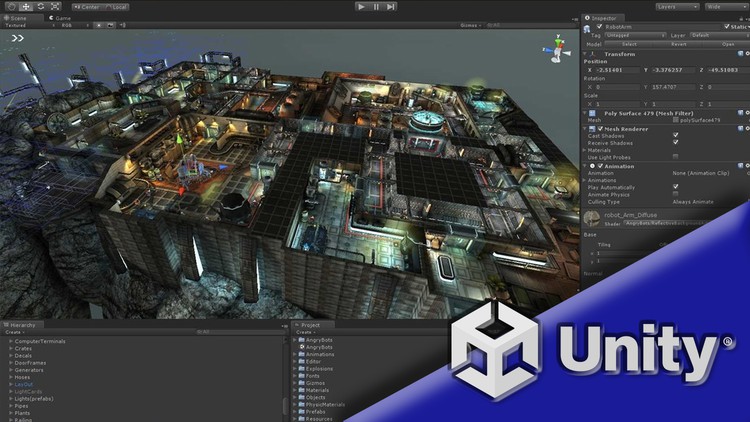
Ma triser Unity et le C# | Guide Complet D veloppeur
Last updated 11/2022
Created by Jean-philippe Parein
MP4 | Video: h264, 1280x720 | Audio: AAC, 44.1 KHz, 2 Ch
Genre: eLearning | Language: French + srt | Duration: 288 Lectures ( 43h 55m ) | Size: 30.6 GB

Apprendre d velopper et Mon tiser des jeux vid o pour Smartphone, Windows, Mac... facilement avec Unity


What you'll learn
Installer et g rer les diff rentes versions d'Unity
Ma triser l'interface et les outils d'unity
Ma triser les scripts et le C# (C-Sharp)
Tout savoir sur l'animation dans Unity (Animator, Layers, Mask d'avatar, Inverse Kinematics,etc.)
G rer le d placement de personnages gr ce a l'intelligence artificielle (NavMesh)
Compiler des jeux a destination de diff rentes plateformes (PC, Mac, Linux, Android, IOS, Mac Os)
Devenir autonome et r aliser des jeux 3D gr ce UNITY
Utiliser les API d'unity


Requirements
Un ordinateur
De la volont et de la pers v rance


Description
Bienvenue dans ce guide complet sur Unity3D et le d veloppement de jeu vid o.Ce Guide complet adapt aux d butants comme aux utilisateurs exp riment s va vous permettre de ma triser le d veloppement de jeu vid o en 2D et en 3D tapes par tapes.Les sections de ce cours vous permettrons de tout savoir sur :L'installation d'UnityLa compr hension de son InterfaceLes composants fondamentaux de physique et de collision en 2D et en 3DLe langage de programmation C# (C Sharp)L'exploitation avanc e de l'animation dans un projet 3D et 2D (Animations, Animator, etc..)D velopper une intelligence artificielle gr ce au code et aux agents de navigationCompiler votre jeu pour diff rente plateforme PC, Android, MacOS, IOS, Navigateur Internet.D couvrir et mettre en pratique les l ments de l'interface Utilisateuret bien d'autres aspects d' Unity (Voir le programme de ce cours et les "previews" accessibles gratuitement)Vous d velopperez tout au long de ce cours des jeux et le code source vous sera fourni en fin de section.Cette formation a pour vocation de vous apprendre ma triser deux outils : Le langage de programmation C# Le moteur de jeu Unity3DVous apprendrez utiliser ces deux technologies conjointement ou s par ment pas pas.Vous disposerez des ressources (Projet complet, mod les 3D, sons, etc...) afin de suivre ce cours le plus facilement possible et pourquoi pas, les r utiliser dans votre propre projet ?Tous les chapitres sont enregistr s en HD pour que vous puissiez tout voir clairement pendant le cours (vous pouvez regarder les "previews" gratuites). Je r pondrai personnellement vos questions si vous en avez, et je fournirai autant d'aide que possible pour vous aider ma triser le C# et Unity3D.N'attendez plus et cliquez sur Suivre ce cours en haut droite. C'est parti !

Who this course is for
Toutes personnes d sirant apprendre le d veloppement de jeux vid o avec UNITY


Homepage


444625427_002-tilemap-editor_s.jpg


3c5b855732a070983e3cf90ca719b8a2.jpg


Laravel 9 - Build Complete Portfolio Website (Step-By-Step)
Last updated 3/2023
MP4 | Video: h264, 1280x720 | Audio: AAC, 44.1 KHz
Language: English | Size: 20.69 GB | Duration: 46h 0m

Learn web development and showcase your skills by building a stunning portfolio website


What you'll learn
Building Complete Portfolio Website
Project Deployment to Live Server
Composer installation and usage
Laravel File and Folder Structure
About the .env file
Basic Laravel Routing
Route Parameters, middleware, prefix, named route
Registering And Using Middleware
Basic CRUD (Create, Read, Update, Delete) System from Scratch
Image Intervention System
Laravel Basic Authentication using Laravel Breeze - Registration, Email Verification, Forget and Reset Password
User Authorization
Queues And Jobs
Observer And Event-Listeners
Using Of Session And Cache
Form Validation And Error Handling
Migration And Seeder
Laravel Localization
Blade Components
Query Builder
Eloquent ORM
Eloquent Relationship
PayPal integration in Laravel
Stripe integration in Laravel
Razorpay integration in Laravel
2Checkout integration in Laravel
Instamojo integration in Laravel
Mollie integration in Laravel
Paystack integration in Laravel
SSLCOMMERZ integration in Laravel
Yajra Datatable Implementation
Image Intervention Implementation
Shopping Cart Implementation
Spatie Laravel Permission Implementation (Role & Permission)
Socialite Social Authentication (Social Login)


Requirements
Basic PHP Knowledge
Basic HTML, CSS Knowledge
Experience To Work With A Code Editor
Basic Bootstrap Knowledge
Knowledge about local server. For example, xampp, wampp or any
Basic of OOP (Object Oriented Programming)


Description
In today's digital age, having a professional online presence is essential for anyone looking to build a successful career in any industry. A portfolio website is an excellent way to showcase your skills, achievements, and experience to potential employers, clients, or collaborators. Laravel, one of the most popular PHP web application frameworks, provides a powerful and efficient way to create dynamic and scalable web applications.In this comprehensive course, you will learn how to build a portfolio website using Laravel from scratch. We will start with the basics, including the Laravel framework, MVC architecture, and database design. Then, we will move on to more advanced topics, such as creating dynamic pages, integrating user authentication, and adding social media features. By the end of the course, you will have a professional and fully functional portfolio website that you can use to showcase your skills and achievements.This course is suitable for anyone who wants to learn Laravel and create a professional portfolio website. Whether you are a web developer, designer, freelancer, or anyone looking to build a strong online presence, this course will provide you with the knowledge and skills you need to create a portfolio website that will impress potential clients and employers. No prior experience with Laravel or web development is required, but some basic knowledge of PHP, HTML, and CSS will be helpful.

What you'll learn in Laravel - Build Complete Portfolio Website:Understand the Laravel framework and MVC architectureDesign and implement a database schema for a portfolio websiteBuild dynamic pages with Blade templates and Laravel routingIntegrate user authentication and authorization with Laravel's built-in featuresAdd social media features, such as sharing and commenting, to your portfolio websiteDeploy your portfolio website to a live server and optimize it for search engines.So, whether you are a seasoned developer looking to add Laravel to your skillset, or a beginner looking to build a professional portfolio website, this course is perfect for you. Enroll now and start building your own dynamic and impressive portfolio website with Laravel!---------------------------------------------------------------------------------------------------------------------Update Log---------------------------------------------------------------------------------------------------------------------Added Tutorial For Laravel 9 to Laravel 10 Version Upgrade - 01 March, 2023

Overview
Section 1: Fundamental: Introduction

Lecture 1 Introduction

Lecture 2 Guideline to watch the course

Section 2: Fundamental: Laravel Version Upgrade

Lecture 3 Upgrade Laravel 9 to Laravel 10

Section 3: Fundamental: Local Environment Setup

Lecture 4 Local Environment Setup

Lecture 5 Change PHP Version in Laragon

Lecture 6 VS Code Useful Extensions

Section 4: Fundamental: Laravel Installation

Lecture 7 Install First Laravel 9 Project

Section 5: Fundamental: Laravel Directory Structure and Artisan CLI With Tinker

Lecture 8 Laravel File and Folder Structure

Lecture 9 Artisan CLI and Tinker

Lecture 10 Fixing VScode PHP Path Error

Section 6: Fundamental: Route

Lecture 11 Define Routing

Lecture 12 Route Parameters

Lecture 13 Naming Routes

Lecture 14 Route Grouping

Lecture 15 Route Methods

Lecture 16 Fallback Route

Section 7: Fundamental: Temlpating and Views

Lecture 17 Laravel View Introduction

Lecture 18 Passing And Rendering Data In Templates

Lecture 19 Building Application Layout

Lecture 20 Loops In Templates

Lecture 21 Conditional Rendering

Lecture 22 Including Sub Views

Lecture 23 Useful Blade Directives

Section 8: Fundamental: Controller

Lecture 24 Introduction With Controller

Lecture 25 Basic controllers

Lecture 26 Resource controllers

Lecture 27 Single Action Controllers

Section 9: Fundamental: Form Validation and Handling

Lecture 28 Form Markup

Lecture 29 Form CSRF Token Explaination

Lecture 30 Input Field Validation

Lecture 31 More Validation Rules

Lecture 32 Overwrite Default Validation Texts

Lecture 33 Form Validation Request Classes

Section 10: Fundamental: Database - Migration and Seeding

Lecture 34 Configuring DB Connection

Lecture 35 Creating Migration

Lecture 36 Table Data Types

Lecture 37 Important Migration Commands

Lecture 38 Adding Columns To Existing Tables Using Migration

Lecture 39 Overview and Seeding Fake Data

Section 11: Fundamental: Database - Query Builder

Lecture 40 Introduction of Query Builders

Lecture 41 Retrieving Data From Database Table

Lecture 42 Retrieving A List Of Column Values

Lecture 43 Using Of Where Condition

Lecture 44 Insert Data In Database

Lecture 45 Update Data In Database

Lecture 46 Delete Data From Database

Lecture 47 Basic Join Statement

Lecture 48 Aggregates

Section 12: Fundamental: Database - Eloquent ORM

Lecture 49 Understanding Eloquent ORM

Lecture 50 Retrieving Records Via Eloquent Models

Lecture 51 Using Where Condition in Eloquent

Lecture 52 Inserting or Saving Data With Eloquent

Lecture 53 Updating Data With Eloquent

Lecture 54 Deleting Data

Lecture 55 Mass Assignment

Lecture 56 Soft Deleting - Trashing

Lecture 57 Retrieving Deleted Data

Lecture 58 Restore A Record Or Deleting A Record Permanently

Lecture 59 Factories

Section 13: Fundamental: Eloquent Relationship

Lecture 60 One to One Relationship

Lecture 61 Inverse Relation

Lecture 62 One to Many Relationship

Lecture 63 Many to Many Relations

Section 14: Fundamental: File Storage

Lecture 64 File Storage Introduction

Lecture 65 Uploading Files in Storage (part-1)

Lecture 66 Uploading Files in Storage (Part-2)

Lecture 67 Storage Link

Lecture 68 Remove Files from Storage

Lecture 69 Validating Uploaded files (size, type etc.)

Section 15: Fundamental: Request and Response

Lecture 70 Redirect Response

Lecture 71 Return Response JSON

Lecture 72 Returning File to Download

Section 16: Fundamental: CRUD (create, read, update & del) - Eloquent & Resource Controller

Lecture 73 Introduction

Lecture 74 Templating And Mark up (part -1)

Lecture 75 Templating And Mark up (part -2)

Lecture 76 Creating Models And Migrations for CRUD

Lecture 77 Creating Form (Part - 1)

Lecture 78 Creating Form (Part - 2)

Lecture 79 Retrieving All Data From Database Table

Lecture 80 Updating Specific Row with eloquent (Part -1)

Lecture 81 Updating Specific Row with eloquent (Part -2)

Lecture 82 Show A Specific Data

Lecture 83 Deleting A Specific Data

Lecture 84 Implementing Soft Deleting And Show Row List

Lecture 85 Restoring Deleted Rows

Lecture 86 Deleting a Record Permanently

Lecture 87 Implementing One To One Relation In Tables

Lecture 88 Paginating Eloquent Results

Section 17: Fundamental: Middleware

Lecture 89 Introduction Of Middleware

Lecture 90 Create Middleware Via Artisan Command

Lecture 91 Global Middleware

Lecture 92 Group Middleware

Lecture 93 Route Middleware

Lecture 94 Controller Middleware

Section 18: Fundamental: Blade Components

Lecture 95 Introduction to Blade Components

Lecture 96 Creating Blade Components

Lecture 97 Rendering Blade Components

Lecture 98 Passing Data To Components

Lecture 99 Component Slots

Section 19: Fundamental: Sending Email

Lecture 100 Configure Mail Trap

Lecture 101 Send a Simple Email With Laravel

Lecture 102 Send HTML View as an Email Body

Lecture 103 Attaching Files to Email

Section 20: Fundamental: HTTP Session

Lecture 104 Introduction of HTTP Session

Lecture 105 Retrieving Data From Session

Lecture 106 Storing Data at Session

Lecture 107 Deleting Data From Session

Lecture 108 Flash Session Data

Section 21: Fundamental: Cache

Lecture 109 Introduction Of Cache

Lecture 110 Difference Between Session And Cache

Lecture 111 Installing Laravel Debugbar Package

Lecture 112 Storing Data In Cache

Lecture 113 Storing Data in Cache Forever

Lecture 114 Removing Data From Cache

Lecture 115 Using Cache With Pagination

Section 22: Fundamental: Authentication

Lecture 116 Introduction

Lecture 117 Install Breeze Starter Kit

Lecture 118 Redirect User To Specific Page After Login

Lecture 119 Retrieving The Authenticated User

Lecture 120 Recreating Logout Feature

Lecture 121 Protecting Routes

Section 23: Fundamental: Authorization

Lecture 122 Introduction

Lecture 123 Difference Between Authentication And Authorization

Lecture 124 Authorization - Gates

Lecture 125 Verifying Permissions in Blade Templates

Lecture 126 Authorization - Policy

Lecture 127 Authorization - Role

Section 24: Fundamental: Queues And Background Processing

Lecture 128 Queues Introduction

Lecture 129 Creating The First Job And Configuring Queues

Lecture 130 Queueing an Email

Section 25: Fundamental: Observers And Event Listeners

Lecture 131 Model Observers

Lecture 132 Introduction To Event - Listeners

Lecture 133 Creating Events - Listeners

Lecture 134 Practical Example of Event - Listeners

Section 26: Fundamental: Localization

Lecture 135 Introduction to Localization

Lecture 136 Defining and Retrieving Translation Strings

Lecture 137 Change Translation Depending On Route

Section 27: Fundamental: Source Code

Lecture 138 Fundamental Source Code With Database

Section 28: Useful Packages: Yajra Datatable

Lecture 139 Creating a basic templet to work with

Lecture 140 Getting Started with Yajra Datatable

Lecture 141 Introduction of Yajra Datatable

Lecture 142 Add datatable export buttons

Lecture 143 Datatable Column Editing Options

Section 29: Useful Packages: Intervention Image

Lecture 144 Introduction of Intervention image

Lecture 145 Installation and basic implementation

Lecture 146 Make a custom image filter

Section 30: Useful Packages: Shopping Cart

Lecture 147 Introduction of laravel shopping cart package

Lecture 148 Template overview

Lecture 149 Show dynamic products on frontend

Lecture 150 Package Installation and setup

Lecture 151 Add product into cart

Lecture 152 Fetch Products from cart session

Lecture 153 Update cart product quantity

Lecture 154 Remove product from cart

Section 31: Useful Packages: Spatie Laravel Permission (Role and Permission)

Lecture 155 Introduction of Laravel Permission

Lecture 156 Installation and setup of Laravel Permission

Lecture 157 Create Roles and Permission and assign them to user

Lecture 158 How to check role and permission at the blade

Section 32: Useful Packages: Socialite Social Authentication (Social Login)

Lecture 159 Introduction of laravel socialite

Lecture 160 Install socialite and setup in to project

Lecture 161 Implement socialite

Section 33: Useful Packages: Source Code

Lecture 162 Useful Packages Source Code With Database

Section 34: Payment Gateways: Introduction and Template Overview

Lecture 163 Introduction

Lecture 164 Template Overview

Section 35: Payment Gateways: PayPal Integration

Lecture 165 PayPal - Create PayPal Sandbox Account

Lecture 166 PayPal - Integrate PayPal Gateway In Laravel

Section 36: Payment Gateways: Stripe Integration

Lecture 167 Stripe - Create Stripe Sandbox Account

Lecture 168 Stripe - Integrate Stripe Gateway In Laravel

Section 37: Payment Gateways: Razorpay Integration

Lecture 169 Razorpay - Integrate RazorPay Gateway In Laravel

Section 38: Payment Gateways: 2Checkout Integration

Lecture 170 2Checkout - Create 2checkout Sandbox Account

Lecture 171 2Checkout integrate 2checkout (Part-1)

Lecture 172 2Checkout - integrate 2checkout (Part-2)

Section 39: Payment Gateways: Instamojo Integration

Lecture 173 Instamojo - Create Instamojo Sandbox Account

Lecture 174 Instamojo - Integrate Instamojo Gateway In Laravel

Section 40: Payment Gateways: Mollie Integration

Lecture 175 Mollie - Create mollie Sandbox Account

Lecture 176 Mollie - Integrate mollie Gateway In Laravel

Section 41: Payment Gateways: Paystack Integration

Lecture 177 Paystack - Create Paystack Sandbox Account

Lecture 178 Paystack - Integrate Paystack Gateway In Laravel

Section 42: Payment Gateways: SSLCOMMERZ Integration

Lecture 179 SSLCOMMERZ - Create Sslcommerz Sandbox Account

Lecture 180 SSLCOMMERZ - Integrate Sslcommerz Gateway In Laravel

Section 43: Payment Gateways: Source Code

Lecture 181 Payment Gateways Source Code

Section 44: Portfolio: Admin Panel Template Mastering and Setup

Lecture 182 Admin Panel HTML Template Overview (Bootstrap 5)

Lecture 183 Installing Laravel 9 and Creating Database

Lecture 184 Installing Laravel Breeze And Setup

Lecture 185 Admin Layout Mastering Dashboard Page

Lecture 186 Organize Files and code

Lecture 187 Admin Layout Mastering Login Page

Lecture 188 Admin Layout Mastering Forgot Password Page

Lecture 189 Admin Layout Mastering Profile Edit Page

Section 45: Portfolio: Front-End Template Mastering

Lecture 190 Front-End Template Overview

Lecture 191 Mastering Front-End Home Page

Lecture 192 Mastering Front-End Blog Page

Lecture 193 Mastering Front-End Portfolio Details page

Section 46: Portfolio: Hero Section

Lecture 194 Hero Section (part - 1)

Lecture 195 Hero Section (part - 2)

Lecture 196 Hero Section (part - 3)

Lecture 197 Hero Section (part - 4)

Lecture 198 Hero Section (part - 5)

Lecture 199 Hero Section (part - 6)

Lecture 200 Hero Section (part - 7)

Lecture 201 Hero Section (part - 8)

Lecture 202 Hero Section (part - 9)

Section 47: Portfolio: Services Section

Lecture 203 Services Section (Part - 1)

Lecture 204 Services Section (Part - 2)

Lecture 205 Services Section (Part - 3)

Lecture 206 Services Section (Part - 4)

Lecture 207 Services Section (Part - 5)

Section 48: Portfolio: About Section

Lecture 208 Create back-end section edit form

Lecture 209 Handle edit form and store data to DB

Lecture 210 Show dynamic data in edit form

Lecture 211 Show Dynamic contents at the front-end

Section 49: Portfolio: Portfolio Section

Lecture 212 Portfolio category create feature

Lecture 213 Portfolio category update and delete feature

Lecture 214 Create form page design

Lecture 215 Handle create form page

Lecture 216 Show portfolio items in datatable

Lecture 217 Portfolio update and delete

Lecture 218 Portfolio section setting page

Lecture 219 Show dynamic contents in home page

Lecture 220 Show dynamic contents in portfolio details page

Lecture 221 Validation for category relation (Important)

Section 50: Portfolio: Skills Section

Lecture 222 Creating and handling skill section setting update form

Lecture 223 Show dynamic contents at the frontend

Lecture 224 Skill item create feature

Lecture 225 Working with update and delete feature

Lecture 226 Show skill items at frontend

Lecture 227 Some fixes

Section 51: Portfolio: Experiences Section

Lecture 228 Create update form design

Lecture 229 Handling form data and storing

Lecture 230 Show dynamic contents at frontend

Section 52: Portfolio: Client Feedback Section

Lecture 231 Create form design

Lecture 232 Handle and store create form data

Lecture 233 Work with update and delete feature

Lecture 234 Create feedback section setting page

Lecture 235 Show dynamic contents in frontend

Section 53: Portfolio: Blog Section

Lecture 236 Category create feature

Lecture 237 Adding category update and delete feature

Lecture 238 Blog Create feature

Lecture 239 Show all blogs at datatable

Lecture 240 Working with blog update and delete feature

Lecture 241 Show latest blogs at home page section

Lecture 242 Make blog details page dynamic

Lecture 243 Show all blogs at blog page with pagination

Lecture 244 Working with blog section settings

Section 54: Portfolio: Contact Form Section

Lecture 245 Submit form with ajax

Lecture 246 Validate form data and handle error

Lecture 247 Handle form and send mail

Lecture 248 Create setting section page

Section 55: Portfolio: Footer Section

Lecture 249 Social links create page

Lecture 250 Social links update and delete feature

Lecture 251 Footer details update page

Lecture 252 Contact info page

Lecture 253 Useful links create feature

Lecture 254 Useful links update and delete feature

Lecture 255 Help links

Lecture 256 Show all dynamic contents at frontend

Section 56: Portfolio: Website Settings

Lecture 257 General setting update page

Lecture 258 SEO setting update page

Section 57: Portfolio: Dashboard

Lecture 259 Show dynamic data at dashboard

Lecture 260 Dynamically active sidebar items

Section 58: Portfolio: Finishing

Lecture 261 Fix navbar link issue

Lecture 262 Make assets production-ready and remove unused files and folders

Section 59: Portfolio: Source Code

Lecture 263 Portfolio Source Code With Database

Section 60: Portfolio: Deploy project in live server

Lecture 264 Deploy project in live server

Those Who Want To Be A Laravel Developer,Students Who Want To Learn Laravel For Their University Projects,Experts Who Want To Get A Job In Laravel,Those Who Want To Increase Their Knowledge In Programming


Homepage


444437454_66-uploading-files-in-storage-part2_s.jpg


0db194bd7e64f233623b5aed959cd6f0.jpg


Programme Complet De Musculation, De Force Et D'Endurance
MP4 | Video: h264, 1280x720 | Audio: AAC, 44.1 KHz
Language: Fran ais | Size: 33.52 GB | Duration: 25h 37m

D veloppez votre Puissance physique, votre Morphologie et Am liorez vos Performances - Progr s constants ! GO !


What you'll learn
tre dans une condition physique optimale
Se sentir Mieux de mani re g n rale
Am liorer ses Performances sportives
Affiner ses muscles - Perfectionner Esth tiquement son corps
D velopper la Confiance en soi - meilleure image de soi
tre moins fatigu , moins d prim
G n rer du Plaisir par l'Exercice Physique
G rer son stress gr ce une routine physique ou d stressante
Construire un Corps Fort & Puissant
Avoir des Fesses Galb es, une Taille marqu e et des Abdominaux visibles
tre pr par pour passer la prochaine tape des figures avanc es (Planche, Muscle Up, Back/front lever, Drapeau, V Sit)
Imposer le respect envers vos adversaires ou votre quipe


Requirements
1- Avoir envie de se mettre au sport et de se faire plaisir aussi
2- Vouloir progresser et d velopper son potentiel
3- Vous pourrez r aliser la totalit de votre entra nement en Calisth nie (au poids du corps), avec ou sans mat riel
4- Vous pourrez r aliser des exercices avec des Halt res, des Barres & des Poids
5- Vous pourrez utiliser des TRX ( Bandes de Suspension )
6- Vous pourrez employer des Anneaux, des Barres Parall les ( ou 2 chaises alternativement )
7- Conseill : consulter votre m decin pour savoir si vous tes apte au sport, ou si vous ne pouvez pas pratiquer certains exercices


Description
Bienvenue dans l'un des programmes les plus complets de Sport, pratiquer chez soi ou n'importe o !
Ce cours est pens et conceptualis pour vous permettre, quelque soit votre niveau, d butant, coach, Professeur, passion , d'am liorer vos param tres physiques. Si vous pratiquez un sport, vous serez m me d'augmenter vos performances. Si vous d butez ou re-commencez pratiquer une activit physique, vous allez sentir rapidement d' normes progr s quant votre nergie, votre dynamisme, votre esth tisme.
Le cours comprend des vid os explicatives, et des entra nements complets, par partie du corps, ou pour l'ensemble du corps ( "Full body" ) pour d velopper votre Force, votre Endurance et les Muscles que vous d sirez.
En pratiquant ce cours, vous prendez plaisir :
Conna tre les principes d'entra nement qui vous donneront les moyens d' tre puissant physiquementIntensifier votre ForceCro tre votre EnduranceAugmenter votre Flexibilit , votre souplesseD velopper le corps harmonieux que vous d sirezVous sentir mieux, plus nergique De-stresser en vous recentrant sur l'effort physiqueD velopper votre capacit pulmonaire, cardiorespiratoireAvoir des Fesses bien fermes, bien galb esPossedez des abdominaux non seulement marqu , mais fonctionnels et puissantsRappelons galement que le Sport est l'un des meilleurs (peut- tre le meilleur?) traitements contre la d pression.
Nous travaillerons ensemble les paules, les bras, les avants bras, les poignets, les pectoraux, le coeur, le dos, les abdos, les lombaires, les fesses, et les jambes.
Nous int grerons de nouveaux exercices r guli rement. La plupart des exercices sont film s et les autres sont en dition vid o, ou en train d' tre t l charg sur Udemy, avec la mention bient t disponible.
Vous aurez le d tail de chaque exercice, que vous pourrez combiner selon vos besoins personnels.
Ce programme est con u pour vous permettre de vous am liorer quelque soit votre niveau, nous vous dirons comment proc der.
Des exercices seront ajout s r guli rement ainsi que de nouvelles routines !
N'h sitez pas poser des questions et demander des routines plus personnalis es selon vos besoins.
NB : Veuillez pardonner la qualit de certaines vid os : le tournage a t r alis en Argentine, dans des conditions non optimales, dans un lieu confin et tr s "vent ".

Who this course is for
Hommes & Femmes,Adolescents, Adultes, Seniors,Tous niveaux

Homepage


445269005_97-routine-20-min-pour-la-force-lendurance-epaules-avec-2-halteres_s.jpg


e0d132b6e6fa6d9d4e84a268cd51299c.jpg


Der Ultimative Python-Kurs F r Data Science, Ml & Ai
MP4 | Video: h264, 1280x720 | Audio: AAC, 44.1 KHz
Language: Deutsch | Size: 26.18 GB | Duration: 29h 41m

Ohne Vorkenntnisse in 4 Schritten systematisch mit Python zum Data Scientist. Inkl. Deep Learning, Machine Learning & KI


What you'll learn
Ohne Vorkenntnisse in Python systematisch zum gefragten Data-Science-Experten
Lerne Python mit Ausrichtung auf Data Science
Verstehe Machine Learning, Deep Learning und AI
Lerne Python mit echten Daten anzuwenden
Trainiere ein Neuronales Netz mit Tensorflow und Keras
Wie du mit Python Daten brauchbar auswertest

Requirements
Es werden keine Anforderungen vorausgesetzt
Du ben tigst einen Computer oder Laptop (Windows / Mac / Linux)...
und nat rlich die Motivation, Data Science und Python lernen zu wollen :)

Description
EGAL ob du Python professionell f r deinen Job oder privat f r dein Hobby erlernen willst. Dieser Kurs ist konzipiert dich ohne Vorkenntnisse zum Data Science Profi mit Python zu machen.Nutze den Python-Kurs mit exzellenten Bewertungen auf Udemy: Ich bin sehr begeistert! Bin mit fast keinem Wissen hier rein und hab jetzt ein super Verst ndnis was denn Machine Learning berhaupt ist, man denkt immer das ist absolute Raketenwissenschaft, aber Jannis kann das wirklich super gut erkl ren, super Investition, danke!!! ( , Peter G.)Deine Entscheidung ein Data-Scientist zu sein, kann Dir viele T ren ffnen!Der Bedarf an qualifizierten Leuten ist gro . Mit diesem Kurs legst Du den Grundstein, ein gefragter Experte zu werden f r ein Berufsfeld, wo du laut Indeed Jobb rse ein weit berdurchschnittliches Gehalt beziehen kannst!Du wirst Schritt f r Schritt an das Thema Python herangef hrt und erlaubt dir den direkten Einstieg in die Welt der Data-Science.Der All-Umfassende Python Kurs f r Data Science auf Udemy.Mit 252 Lektionen und 29+ Stunden HD-Videos, unz hlige Quizze, Tests, Praxisprojekte, Merkbl tter und bungen.Kurz- berblick:Verstehe alle Python-GrundlagenEntwickle Data-Science ToolsTrainiere dich mit Quizzen und bungenEinfaches Wiederholen von Wissen mit Merkbl tternUmfassende Praxisbeispiele, z.B.:Sage das Brustkrebs-Risiko von Patienten vorherErmittle die Gr nde f r DiabetesWerte echte Geh lter der Stadt San Francisco ausSch tze den Wert von Gebrauchtwagenund noch viel viel mehrLerne mit dem erfolgreichstem deutschen Udemy Dozenten.Skills die dich zum gefragten Data-Science-Experten machen!Nutze ein einzigartiges Kurskonzept - das dir die M glichkeit gibt, mit praxisorientierten Konzepten und Daten Python mit Ausrichtung Data-Science zu lernen.Was mein Konzept so beliebt macht?Ich lehre praxisorientiert mit Erfahrung und nicht trockene Theorie wie an der Uni.Komplett-Kurs perfekt aufeinander abgestimmtSupport, der auf deine R ckfragen eingehtPraxis erprobtes Lernkonzept mit grafischen, lerneffektiven VeranschaulichungenDu arbeitest mit echten Daten: So macht Machine Learning besonders viel Spa Ideal f r die Job-Vorbereitung, Uni-Klausur oder anderen pers nlichen ZielenTop-Aktuelle Kursinhalte die auf langj hrige Erfolge gebaut sindEin komplett durchdachter, praxisorientiert Python Komplett-Kurs, der dich in 4 Schritten systematisch sicher ans Ziel f hrt, ein Experte zu werden!Schaue dir meine Video-Nachricht and dich an!Die 4 Themen f r dich im Einzelnen.Dieser Python Kurs ist speziell entwickelt, um dich auf die 4 wichtigen Themen eines Data-Scientist optimal vorzubereiten. Perfekt aufeinander abgestimmt und interessant gestaltet, sodass dein Lernprozess praxisorientiert und effizient ist.Thema 1: Python Grundlagen (f r Einsteiger) Thema 2: Data ScienceThema 3: Machine LearningThema 4: Deep Learning (Neuronale Netze)Thema 1: Python GrundlagenPython zeichnet sich durch eine leicht zu erlernende Syntax aus. Python ist performant und objektorientiert.Lerne die Grundlagen von Python kennen. Du lernst alle Datentypen und Funktionen kennen. Bereits nach ein paar Stunden schreibst du schon eine kleinen Spamfilter as dein erstes Praxisprojekt. Am Schluss bist Du in der Lage schon selbst kleinere Programme zu entwickeln.Hast Du schon Programmiererfahrung mit Python?Dann kannst du diesen ersten Abschnitt berspringen und direkt im zweiten Thema einsteigen!Thema 2: Data ScienceWenn Du ein Data-Scientist bist, geht es f r dich um fundierte Methoden der Datenanalyse. Ein extrem wichtiges Gebiet in der Wirtschaft, Wissenschaft, Gesundheitswesen und sogar ffentliche Einrichtungen.All diese Institutionen ben tigen die Datenanalysen, um z. B. Handlungsempfehlungen abzuleiten, Qualit t und Effizienz zu optimieren, u. a.In diesem Abschnitt lernst du, Daten nach Python einzulesen, zu filtern und grafisch auszuwerten.Das hei t, du lernst Daten brauchbar zu machen.Du lernst mit Tools wie Numpy, Pandas, Matplotlib und Seaborn zu arbeiten!Au erdem lernst du in diesem Abschnitt anhand eines echten Praxisprojektes das gelernte umzusetzen: Wir analysieren die Geh lter der Stadt San Francisco.Thema 3: Machine LearningIn Thema 2 hast du die Grundlagen gelernt, um sich jetzt mit dem Machine Learning zu besch ftigen. Was ist Machine Learning?Kurz erkl rt, Machine Learning ist ein Teil der k nstlichen Intelligenz (KI). Das hei t, es geht um Algorithmen, die die Muster und Gesetzm igkeiten der Daten erkennen.Jetzt lernst die unterschiedlichen Arten und Methoden von Machine Learning und wie du diese f r L sungen verwendest.Dazu geh rt auch die Aufbereitung von Daten und wie du die Genauigkeit eines Modells beurteilst. Wir werden das in diesem Abschnitt an eigenen, unterschiedlichen Modellen trainieren und nachvollziehen.Als Beispiel wirst du sehen, wie du Diabetes vorhersagen oder Spamfilter verbessern kannst. Python Anwendungstool hier: Sklearn.Thema 4: Deep Learning / Neuronale NetzeJetzt, wo du in Thema 3 Machine Learning erfolgreich gelernt hast, k nnen wir uns dem Thema Deep Learning (Neuronale Netze) widmen.Mit Deep Learning lernst du die spezielle Methode des maschinellen Lernens und die dazugeh rige Informationsverarbeitung. Das schliesst die Neuronale Netze Anwendung ein, um die Arbeitsweise des menschlichen Gehirns nachzustellen.Du beginnst mit einem einzelnen Neuron. Mit Fortschritt dieses Lernabschnittes erweitern wir das Modell, damit du am Ende an einem ganzen neuronalen Netz trainierst.All das, was du in Abschnitt 3 gelernt hast, wird dir jetzt hier weiterhelfen, denn es hilft dir, viele Zusammenh nge im Machine Learning 1:1 auf das Prinzip der Neuronalen Netze anzuwenden.Teil deines Lerninhaltes hier ist auch eine Bilderkennung zu schreiben mit Tools wie Keras und Tensorflow.Klingt gut? Dann w rde ich mich sehr freuen, wenn ich dir noch heute die T r zur Welt der Data Science mit Python ffnen kann. Du lernst mit dem erfolgreichsten, deutschsprachigen Dozenten auf Udemy. Schau dir die Bewertungen zu diesem Kurs an und berzeuge dich selbst :)

Who this course is for
F r alle, die ohne Vorkenntnisse Python mit Ausrichtung auf Data Science und Machine Learning lernen m chten,F r alle, die schon Python-Erfahrung haben, aber Data Science, Machine Learning & Deep Learning lernen wollen,F r alle, die Python produktiv f r Data Science einsetzen wollen - egal ob als Hobby oder professionell im Job


Homepage


444437860_3-installation-der-benotigten-tools_s.jpg


f956768d34fef75c1283412252dc93ab.jpg


Mastering Android App Development with Kotlin [XML +COMPOSE]
Last updated 6/2023
Created by Abbass Masri
MP4 | Video: h264, 1280x720 | Audio: AAC, 44.1 KHz, 2 Ch
Genre: eLearning | Language: English + srt | Duration: 483 Lectures ( 50h 47m ) | Size: 23.8 GB

Build apps with XML & Jetpack Compose - Master MVVM, Retrofit, ROOM DB, Firebase, Jetpack, MySQL, JSON and Much More...


What you'll learn
If you want to build professional android apps and publish them on playstore
If you want to quit your job and work as a developer from anywhere in the world
If you have no idea about programming and want to get started, then this course is for you.
If you want to learn coding from zero to hero


Requirements
A Windows, Mac or Linux Computer
No Programming knowledge required - I'll teach you everything you need to know


Description
So you want to become an Android developer and start publishing your own apps? Do you have no programming experience whatsoever? Or maybe you have worked with another programming language in the past?You came to the right place, where you'll master android app development from zero to hero through step-by-step explanations and well-crafted curriculum to take you with no or probably few coding skills to start creating professional android apps. You have a great idea for an app and you just need to learn how to make it happen? Or your friends know that you are tech-savvy and they constantly come to you with their great ideas and want you to build them?In this course, you will learn everything you need to know, to build your own apps, no matter what you need them for. For your company, your friends, your own business, or simply for fun. You'll become a real Android App Developer by getting the best Android App development course on Udemy.If you sign up now you will get all this Android app development content:Over 36 hours of high quality & high definition 1080p video contentThe complete code with step by step guides (in the code itself). So either you follow along in the video, or you get right into the action in Android Studio yourself.Loads of exercises that make sure, that the knowledge really sticks.The best Android 13 app development course money can buy.You will build these amazing Android appsLucky Number AppUnit Converter AppMusic Player AppVideo Player AppFrench Teacher AppWorld Cup AppTop Games AppVaccines AppFragments AppNavigation Drawer AppView Pager AppTab Layout AppView Model AppData Binding AppContacts Manager App[MVVM + ROOM Database + Databinding]Navigation AppCoroutines AppThe Movies App[MVVM +ROOM+Retrofit + DatabindingQuiz App[MySQL + MVVM + Retrofit + Databinding]Firebase Real-Time DB AppFirestore AppJournal App[Firestore +Storage + Auth]And much more.......Get started now and become an Android app developer in just 6 weeks! You will learn all relevant Android App development techniques. I can tell you Android development is a lot of fun! This course will make your journey to becoming an Android developer fun as well.Don't waste any more time and get right into the action. This course consists of precisely curated content with fun example applications, exercises, presentations, and demos. As our main goal is to make sure, that you become a successful Android developer. We also offer high-quality support, so in case you get stuck, we will be there for you, answering your questions in the Q&A.REMEMBER There is a full 30 DAY-money-back guarantee.So what are you waiting for? Click the "Buy now" button. You ve got nothing to lose only to gain from this world-class Android app development course.

Who this course is for
Who want to learn coding from zero to hero
Who is looking for complete coding course
who want to publish apps on playstore
who want to develop professional and clean architecture apps


Homepage


444437147_4-linear-layout-app_s.jpg


Zurück
Oben Unten