• Regeln für den Video-Bereich:

    In den Börsenbereich gehören nur Angebote die bereits den Allgemeinen Regeln entsprechen.

    Einteilung

    - Folgende Formate gehören in die angegeben Bereiche:
    - Filme: Encodierte Filme von BluRay, DVD, R5, TV, Screener sowie Telesyncs im Format DivX, XviD und x264.
    - DVD: Filme im Format DVD5, DVD9 und HD2DVD.
    - HD: Encodierte Filme mit der Auflösung 720p oder darüber von BluRay, DVD, R5, TV, Screener sowie Telesyncs im Format x264.
    - 3D: Encodierte Filme von BluRay, die in einem 3D Format vorliegen. Dies gilt auch für Dokus, Animation usw.
    - Serien: Cartoon/Zeichentrick, Anime, Tutorials, Dokumentationen, Konzerte/Musik, Sonstiges sind demnach in die entsprechenden Bereiche einzuordnen, auch wenn sie beispielsweise im High Definition-Format oder als DVD5/DVD9/HD2DVD vorliegen. Ausnahme 3D.
    - Bereich Englisch: Englische Releases gehören immer in diesen Bereich.
    - Bereich Talk: Der Bereich, in dem über die Releases diskutiert werden kann, darf, soll und erwünscht ist.


    Angebot/Beitrag erstellen

    - Ein Beitrag darf erst dann erstellt werden, wenn der Upload bei mindestens einem OCH komplett ist. Platzhalter sind untersagt.
    - Bei einem Scenerelease hat der Threadtitel ausschließlich aus dem originalen, unveränderten Releasenamen zu bestehen. Es dürfen keine Veränderungen wie z.B. Sterne, kleine Buchstaben o.ä. vorgenommen werden. Ausnahme Serienbörse:
    - Bei einem Sammelthread für eine Staffel entfällt aus dem Releasename natürlich der Name der Folge. Beispiel: Die Simpsons S21 German DVDRip XviD - ITG
    - Dementsprechend sind also u.a. verboten: Erweiterungen wie "Tipp", "empfehlenswert", "only", "reup", usw. / jegliche andere Zusatzinformation oder Ergänzung, welche nicht in obiger Beschreibung zu finden ist.

    Aufbau des Angebots und Threadtitel

    Der Titel nach folgendem Muster erstellt zu werden. <Name> [3D] [Staffel] [German] <Jahr> <Tonspur> [DL] [Auflösung] <Quelle> <Codec> - <Group>
    Beispiel: The Dark Knight German 2008 AC3 DVDRip XviD - iND
    Beispiel: The Dark Knight 2008 DTS DL BDRip x264 - iND
    Beispiel: The Dark Knight 2008 AC3 DL BDRip XviD - iND
    Beispiel: The Dark Knight German 2008 AC3 720p BluRay x264 iND
    Beispiel: The Dark Knight 2008 DTS DL 1080p BluRay x264 iND
    Beispiel: Die Simpsons S01 German AC3 DVDRip XviD iND
    Beispiel: Die Simpsons S20 German AC3 720p BluRay x264 iND
    Beispiel: Sword Art Online II Ger Sub 2014 AAC 1080p WEBRip x264 - peppermint
    Entsprechend sind also u.a. verboten: Sonderzeichen wie Klammern, Sterne, Ausrufezeichen, Unterstriche, Anführungszeichen / Erweiterungen wie "Tipp", "empfehlenswert", "only", "reup", usw. / jegliche andere Zusatzinformation oder Ergänzung, welche nicht in obiger Beschreibung zu finden ist
    Ausnahmen hiervon können in den Bereichen geregelt sein.

    Die Beiträge sollen wie folgt aufgebaut werden:
    Überschrift entspricht dem Threadtitel
    Cover
    kurze Inhaltsbeschreibung
    Format, Größe, Dauer sind gut lesbar für Downloader außerhalb des Spoilers zu vermerken
    Nfo sind immer Anzugeben und selbige immer im Spoiler in Textform.
    Sind keine Nfo vorhanden z.B. Eigenpublikationen, sind im Spoiler folgende Dateiinformationen zusätzlich anzugeben :
    Quelle
    Video (Auflösung und Bitrate)
    Ton (Sprache, Format und Bitrate der einzelnen Spuren)
    Untertitel (sofern vorhanden)
    Hosterangabe in Textform außerhalb eines Spoiler mit allen enthaltenen Hostern.
    Bei SD kann auf diese zusätzlichen Dateiinformationen verzichtet werden.

    Alle benötigten Passwörter sind, sofern vorhanden, in Textform im Angebot anzugeben.
    Spoiler im Spoiler mit Kommentaren :"Schon Bedankt?" sind unerwünscht.


    Releases

    - Sind Retail-Release verfügbar, sind alle anderen Variationen untersagt. Ausnahmen: Alle deutschen Retail-Release sind CUT, in diesem Fall sind dubbed UNCUT-Release zulässig.
    - Im Serien-Bereich gilt speziell: Wenn ein Retail vor Abschluss einer laufenden Staffel erscheint, darf diese Staffel noch zu Ende gebracht werden.62
    - Gleiche Releases sind unbedingt zusammenzufassen. Das bedeutet, es ist zwingend erforderlich, vor dem Erstellen eines Themas per Suchfunktion zu überprüfen, ob bereits ein Beitrag mit demselben Release besteht. Ist dies der Fall, ist der bereits vorhandene Beitrag zu verwenden.
    - P2P und Scene Releases dürfen nicht verändert oder gar unter einem iND Tag eingestellt werden.


    Support, Diskussionen und Suche

    - Supportanfragen sind entweder per PN oder im Bereich Talk zu stellen.
    - Diskussionen und Bewertungen sind im Talk Bereich zu führen. Fragen an die Uploader haben ausschließlich via PN zu erfolgen, und sind in den Angeboten untersagt.
    - Anfragen zu Upload-Wünschen sind nur im Bereich Suche Video erlaubt. Antworten dürfen nur auf Angebote von MyBoerse.bz verlinkt werden.


    Verbote

    - Untersagt sind mehrere Formate in einem einzigen Angebotsthread, wie beispielsweise das gleichzeitige Anbieten von DivX/XviD, 720p und 1080p in einem Thread. Pro Format, Release und Auflösung ist ein eigener Thread zu eröffnen.
    - Grundsätzlich ebenso verboten sind Dupes. Uploader haben sich an geeigneter Stelle darüber zu informieren, ob es sich bei einem Release um ein Dupe handelt.
    - Gefakte, nur teilweise lauffähige oder unvollständige Angebote sind untersagt. Dies gilt auch für eigene Publikationen, die augenscheinlich nicht selbst von z.B. einer DVD gerippt wurden. Laufende Serien, bei denen noch nicht alle Folgen verfügbar sind, dürfen erstellt und regelmäßig geupdatet werden.
    - Untersagt sind Angebote, welche nur und ausschließlich in einer anderen Sprache als deutsch oder englisch vorliegen. Ausnahmen sind VORHER mit den Moderatoren zu klären.


    Verstoß gegen die Regeln

    - Angebote oder Beiträge, die gegen die Forenregeln verstoßen, sind über den "Melden"-Button im Beitrag zu melden.
  • Bitte registriere dich zunächst um Beiträge zu verfassen und externe Links aufzurufen.

*** Bestes IPTV *** bester Preis *** gratis Test ***


Englische Tutorials

f11d7e410d3ea03fc36119d6991780d6.jpg


Comics I: Intro to Sequential Art
MP4 | Video: h264, yuv420p, 3840x2160 | Audio: aac, 48000 Hz | Duration: 21h 23m | 92.5 GB
Genre: eLearning | Language: English

In this 12-week course, renowned comic and fine artist George Pratt will teach you the fundamentals of comics and sequential art. You will learn how to turn a story into a visual narrative. George will demonstrate how to make layouts and breakdown sketches, the key components to composing a story. He will lecture on the foundational elements that are the building blocks of a comic book page. You will examine the work of master comic illustrators as George lectures on their techniques. After this course, you will have developed the knowledge to start telling compelling visual stories.


Homepage

431761768_comics_i_intro_to_sequential_art.jpg


86a964e1d71807fee3b7f208143c4712.jpg


The complete AutoCAD course 2D and 3D
Published 8/2023
Created by Kaunteya K. Dhote
MP4 | Video: h264, 1280x720 | Audio: AAC, 44.1 KHz, 2 Ch
Genre: eLearning | Language: English | Duration: 150 Lectures ( 43h 58m ) | Size: 20 GB


For Architects, Engineers, and Designers


What you'll learn
Creating and modify AutoCAD Drawings, Architectural Plans and Layouts
New Features of AutoCAD Version.
This AutoCAD contains a detailed explanation of AutoCAD Commands and their applications to solve drafting and design issue
After finishing this course, the user will be able to use AutoCAD commands to make drawings, annotate the drawing, insert , plot etc..

Requirements
Any one with basic knowledge of Engineering Graphics
Basic knowledge of windows operating system

Description
This full length course contains a detailed explanation of AutoCAD commands and their applications to solve drafting and design problems. Every command is thoroughly explained with the help of examples and illustrations. This makes it easy for users to understand the functions and applications in the drawing. After going through this course, you will be able to use AutoCAD commands to make a drawing, dimension a drawing, insert texts and blocks, create 3D objects, generate views of the model, use express and productivity tools and advanced applications in AutoCAD software.This is the only course you will ever need to learn AutoCAD right from scratch. The course is designed for a beginner as well as seasoned users.A beginner can start learning the software right from scratch by following the course along just from lecture one. A seasoned AutoCAD user will also find this course very comprehensive and they can choose the topics they want to learn about skipping the basics.This course covers basic drafting and designing concepts such as dimension principles that equip the users with the essential drafting skills to solve problems in AutoCAD. While going through this course, the user will learn some advanced tools introduced in the recent versions of AutoCAD.Major Highlights of The Course.Most comprehensive AutoCAD course online.150 AutoCAD command list.Detailed explanation of all AutoCAD commands and tools.Practice exercise and projects at the end of the course.Step-by-step instructions to guide the users through the learning process.

Who this course is for
For Engineers, Architects, and Designers.


431603988_the_complete_autocad_course_2d_and_3d.jpg


96975dff20dd514c820143cc0737097a.jpg


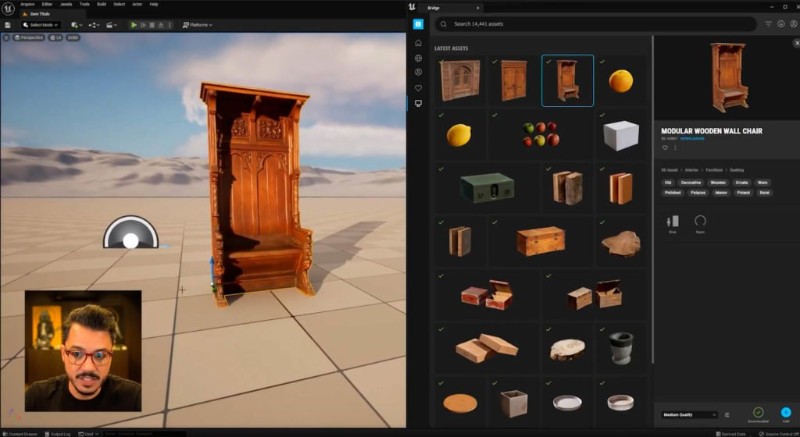
OF3D Academy - Unreal
MP4 | Video: h264, yuv420p, 1920x1080 | Audio: aac, 48000 Hz | Duration: 26h 02m | 29.2 GB
Genre: eLearning | Language: Portuguese

Everything has a beginning! And obviously, this is where we're going to kick off. In this step, you will learn how to install the software and all the plugins that we are going to use. You will also understand how to create a project within Unreal, understanding its interface, navigation commands, file structure and much more. This is where we'll talk about all the necessary foundation to start your studies with this amazing software!


Homepage

431596380_of3d_academy_-_unreal.jpg


7d819cc2b25e8a28c85086c447f14a02.jpg


ALGOHUB 2023 Full Completed
MP4 | Video: h264, yuv420p, 1280x720 | Audio: aac, 44100 Hz | Duration: 20h 13m | 54.3 GB
Genre: eLearning | Language: English

The AlgoHub mentorship program is designed to teach a mechanical trading approach based on objective, repetitive market patterns. This approach is more effective than subjective methods, which rely on speculation and are less accurate, as it allows traders to make definite, data-driven decisions. The mechanical approach has a success rate of over 70% in the market, giving traders a technical and fundamental edge to help them achieve consistent profitability.

In addition to the technical aspects of trading, the AlgoHub program also places a strong emphasis on the psychological aspect of trading. When traders have a clear and concise technical edge, their psychology is often better. By addressing both the technical and psychological aspects of trading, the AlgoHub program helps traders to improve their overall performance and achieve consistent profitability.


Homepage

431572292_algohub_2023.jpg


862a2625a40e3b4bbedb53875837cd09.jpg


Machine Learning In-Depth (With Python)
Published 8/2023
Created by Harish Masand
MP4 | Video: h264, 1280x720 | Audio: AAC, 44.1 KHz, 2 Ch
Genre: eLearning | Language: English | Duration: 23 Lectures ( 46h 0m ) | Size: 21.7 GB


Machine Learning In-Depth (With Python)


What you'll learn
Machine Learning In-depth,
Covers Supervised Learning (Regression and Classification)
Covers Unsupervised Learning (Dimensionality Reduction and Clustering)
This is pre requisite for Deep Learning, Reinforcement Learning, NLP, and other AI courses
Completing this course will also make you ready for most interview questions for Machine Learning

Requirements
Data Analysis In-Depth Course by myself on udemy

Description
Machine Learning In-Depth (With Python)1. What will students learn in your course?Machine Learning In-depth, Covers Introduction, Supervised Learning including regression and classification, Unsupervised Learning including dimensionality reduction and clustering.Very few courses covers basics and algorithm in detail, and here you will find clear and simple explanation and practical implementationCompleting this course will also make you ready for most interview questions for Data Science /Machine Learning Role related to Supervised Learning including regression and classification, Unsupervised Learning including dimensionality reduction and clustering.This is Pre-requisite for Deep Learning, Reinforcement Learning, NLP, and other AI courses2. What are the requirements or prerequisites for taking your course?Good to do my "Data Analysis In-Depth (With Python)" course on Udemy3. Who is this course for?People looking to advance their career in Data Science and Machine Learning rolesAlready working in Data Science/ ML Ops Engineering roles and want to clear the conceptsWant to make base strong before moving to Deep Learning, Reinforcement Learning, NLP, LLM, Generative AI and other AI coursesCurrently working as FullStack developer and want to transition to Machine Learning Engineer roles4. Is this course in depth and will make industry ready?Absolutely yes, it will make you ready to creack Machine Learning Interviews and solve ML problems. This will also lay strong foundation for Deep Learning, Reinforcement Learning, etc5. I am new to IT/Data Science, Will i understand?Absolutely yes, it is taught in most simplest way for every one to understand

Who this course is for
People looking to advance their career in Data Science and Data Analytics
Already working in Data Science/ Data Analyst Roles and want to clear the concepts
Want to make base strong before moving to Machine Learning, Deep Learning, Reinforcement Learning, NLP, and other AI courses
Currently working as Data Analyst and want to progress to Data Science Roles


432255003_machine_learning_in-depth_with_python.jpg


9840a3e7d18a0a64a98f1901f66d6408.jpg


The Complete Android 14 Developer Course - Build 100 Apps
Last updated 8/2023
Duration: 100h 7m | Video: .MP4, 1280x720 30 fps | Audio: AAC, 48 kHz, 2ch | Size: 36.5 GB
Genre: eLearning | Language: English

Learn Android App Development in both Java & Kotlin Languages. You'll master Android from ZERO to HERO


What you'll learn
Learn Android App Development from Zero to Hero
Building real apps and publish them to playstore
Master the Basics, Intermediate and Advanced topic and programming skills
Become a professional Native app developer


Requirements
No requirements


Description
So you want to become an Android Developer & start publishing your apps?
You like to stay home & learn from your own computer?
You don't like to attend class?
You need to learn about latest technology & app development?
You have brilliant ideas & you need to develop them by creating your own apps by your hand?
My name s Abbass Masri, creator of the world s best-selling Android Teaching app called: "Master Android App" and I ve designed
The Complete Android 14 Developer Course
, especially for YOU.
Buy this course today and this is what you ll get
You'll learn android app development from zero.
You'll get the source codes of all projects.
You'll create about 100 apps by the end of the course.
Don't Think Twice!!
Start your coding career now, by buying our course.
I promise You ... As i helped 800,000 students to learn android, I will help you to become another pro..
Just buy it now, don't waste time!

Requirements
PC
Java JDK (We will Download & Install it through the course)
Android Studio ( We will Download & install it through the course)
Programs we will use
Android Studio ( Installation Process included in the course)
This is what you ll learn in the course
Develop apps for the very latest version of Android 7 Nougat that also work on older Android devices running older versions of the Android operating system.
Download, install and configure the necessary (free) software.
Create your first app.
Build a range of apps demonstrating key aspects of the Android framework.
Test your apps on emulators or a real Android phone or tablet.
You ll learn Java programming because Android app development requires knowledge of Java. Included are Java tutorial videos that will get you up to speed fast.
Ensure your apps work with current and older Android versions on phones and tablets.
Use Android studio, the newest version of Google's premier Android tool.
Learn how to use databases, web services, and even get your apps to speak!
Understand the all new Constraint layout, for "drag and drop" screen creation.
Use powerful libraries of code to play videos, download website data, manipulate images, and a whole lot more!
Learn MVVM android architecture pattern.
Build MVVM + ROOM Apps
Build MVVM + Retrofit Apps
Build MVVM with MySQL Databases Apps
Build Apps using Firebase
Build Apps using Firestore
Build Apps using Authentication, Firebase Storage and much mooooreee..
So, Why you are wasting Time? Enrol Now to get your feet wet in android coding....

Who this course is for
Everyone who loved android
Every developer despite his level
Everyone who needs to start his coding career
Anyone who like to have his own apps published on playstore


Homepage

431427520_the-complete-android-10-developer-course-mastering-android.jpg


d689b0216a6b0a2f0b1db026a9268442.jpg


Hax To Save Tax For Salaried Employees
Published 9/2023
MP4 | Video: h264, 1280x720 | Audio: AAC, 44.1 KHz
Language: English | Size: 26.38 GB | Duration: 35h 50m

Learn tax planning and make your life financially stable


What you'll learn
Different Sources of Income (Salary, House Property, Business & Profession, Capital Gain and Other Sources)
How to file your own ITR and benefits of ITR Filing
Tax Slabs and Computation
Income Tax Act 1961
Deductions and Allowances
Tax Breaks, Rates and TDS

Requirements
No prior knowledge required, learn basics of Taxation from beginner to advance level

Description
Why Bother About Taxes? When I have a CA to file ITRAn Indian salaried employee pays income tax as high as 43% which is among the highest in the entire world. Most of us do not take advantage of 100+ deductions and exemptions. By using various Smart legal Tax Hacks you can even make your Tax liability ZERO. But for this, one needs to start tax planning during the financial year. As you know, You visit your CA only weeks before the ITR filings deadline. At that time they can only file returns, no tax saving can be done. Anyways, you are not paying him for planning but filing only. The onus of making smart money decisions to save taxes is on you and you only, After all, it s your money. This course will take you on a journey to systematically save lakhs of rupees in taxes over the years, that to within the legal framework. And as they say, money saved is money earned.Why Hax To Save Tax1. Expertly Crafted: 13 hours of comprehensive tax knowledge divided into 11 modules, 80 Short lectures, covering every aspect of employee tax planning.2. Live Sessions: Friday Live & interactive sessions with renowned Income Tax Expert & Instructor for the course CA Anoop Bhatia, 3. Discussion Forum: Get your queries answered by the Instructors within 48 working hours, 1000+ Q&A threads to learn from, 4. Real-Life Examples: Practical case studies and scenarios to help you apply tax-saving strategies in your own financial journey.5. Stay Up-to-Date: The course is updated regularly on tax changes, and budget updates to ensure your tax planning remains effective.6. Tax Calculators: Calculators for Old Vs New Regime, Capital Gain Calculator, Allowance optimizers to crunch your numbers and planAbout the CourseThe world is moving so rapidly that people are not able to plan their life to get the most out of it. Though, there is an extreme requirement to learn tax planning to at least make their life financially stable.This course is made exactly with the motive to teach tax planning to those who want to save their maximum salary from being deducted under tax but are not able to due to a lack of knowledge and an unorganized taxation system in the country.Tax planning is the most important aspect for every individual who knows the value of every penny they earn. It will be going to cover topics like different types of taxes, tax exemptions, the Income-tax Act, tax reduction, tax rebates, surcharges, and much more.Why this course?Tax planning is the process of analyzing a financial plan or a situation from a tax perspective. The objective of tax planning is to make sure there is tax efficiency. With the help of tax planning, one can ensure that all elements of a financial plan can function together with maximum tax efficiency. This course is designed for those who don t have a deep knowledge of the taxation system of India and who wish to learn tax planning in a more detailed, organized, and advanced manner. After completing this course, you will be in a position where you can - Set up your financial goals effectivelyEasily manage your salaryQuickly grasp how the Indian Tax System worksHelp yourself to identify how you are draining money in taxes Who should take this course?Salaried EmployeesSelf Employed

Overview
Section 1: Introduction to Income Tax

Lecture 1 Tax Basics #1

Lecture 2 Tax Basics #2

Lecture 3 Understand the Act

Lecture 4 Income

Lecture 5 Financial Year & Assessment Year

Lecture 6 Residential Status

Lecture 7 Scope of Income

Lecture 8 Tax Breaks

Lecture 9 Tax Rates

Lecture 10 Payment of TAX Liability

Lecture 11 TDS

Lecture 12 Advance TAX

Lecture 13 Income Tax Return

Lecture 14 Benefits of ITR Filing

Lecture 15 Penalty / Punishment

Lecture 16 (Bonus Video) How to register in Income Tax Portal

Section 2: Understanding Income

Lecture 17 Types of Income

Lecture 18 Income from Salaries

Lecture 19 Income from House Property

Lecture 20 Income for Business & Profession

Lecture 21 Income from Capital Gain

Lecture 22 Understanding Equity P&L

Lecture 23 Income from Other Sources

Section 3: Income from Salary

Lecture 24 Basic Concepts of Salary Taxation

Lecture 25 Is Salary earned out of India Taxable?

Lecture 26 Composition of Salary

Lecture 27 Allowances

Lecture 28 Perquisites/Perks

Lecture 29 Deduction against Salary

Lecture 30 Other Salary Aspects

Lecture 31 Tax on Salary (To be paid by whom)

Lecture 32 Taxation of ESOPs

Lecture 33 Practical Example of Taxable Salary Computation

Section 4: Exemptions of Allowance and Retirement Benefits

Lecture 34 Important Exempt Allowances

Lecture 35 HRA with examples

Lecture 36 LTA with examples

Lecture 37 Computation of Taxable Salary

Lecture 38 Taxation and Exemption of Retirement Benefits

Lecture 39 Commuted Pension and Leave Encashment

Lecture 40 Retrenchment and VRS Compensation

Lecture 41 ESIC Income and Example

Section 5: Deductions

Lecture 42 Adjustment of House Property Losses against Salary

Lecture 43 Deductions against Salary Income (80C)

Lecture 44 NATIONAL PENSION SYSTEM (80CCD)

Lecture 45 Health Insurance Premium/Expenses

Lecture 46 Education Loan Repayment (80 E)

Lecture 47 Savings Account and FD Interest

Lecture 48 Donations

Lecture 49 Certain Diseases/Disabilities (80DD, 80DDB, 80U)

Lecture 50 Payment of Rent (in case HRA not received)

Section 6: Gift / Clubbing Income and Acceptance / Repayment of Loans

Lecture 51 Taxation of Gift

Lecture 52 Clubbing Provisions

Lecture 53 Acceptance & Repayment of Loans

Section 7: Other Sources of Income

Lecture 54 Income from House Property

Lecture 55 Income from Business or Profession

Lecture 56 Capital Gain Income

Lecture 57 Other Income (Freelancing, Interest, Dividend, etc.)

Lecture 58 Computation of Total Income

Section 8: Tax Slabs and Computation

Lecture 59 Tax Slabs

Lecture 60 Computation of Tax

Lecture 61 Computation of Interest

Lecture 62 Applicability of Fees for Delay in ITR Filing

Section 9: Tax Planning

Lecture 63 Tax Planning (Part I)

Lecture 64 Tax Planning (Part II)

Lecture 65 Tax Planning DONT'S

Section 10: Understanding Online Filing

Lecture 66 How to Create Income Tax Login

Lecture 67 How to access your Income Tax Portal

Lecture 68 Understanding & Reading Form 26AS

Lecture 69 Understanding & Reading AIS / TIS

Lecture 70 Understanding & Reading 143(1) Intimation

Lecture 71 How to File an Income Tax Return

Section 11: Miscellaneous

Lecture 72 Brief on the Assessment Procedure

Lecture 73 What is Rectification Process

Lecture 74 What is Appellate Procedure

Lecture 75 How to Claim Relief u/s 89

Section 12: Live Q&A Sessions

Lecture 76 Filing Forms, HRA, 80EEA and More : April 28, 2023

Lecture 77 Capital Gains, PF, Deductions and More : May 19, 2023

Lecture 78 Foreign Gifts, Home Loans, Insurance and More : June 2, 2023

Lecture 79 Gifts, Allowances, Pensions, Investments and More : June 16, 2023

Lecture 80 Taxation on Salary, Capital Gains, Other Exemptions and More : July 7, 2023

Lecture 81 Tax Implications for ITR Filing, Intraday Loss Offset and More : July 21, 2023

Lecture 82 Decoding Capital Gains, Tax Reliefs, Income Declarations & More : August 4, 2023

Section 13: Capital Gain Master Class

Lecture 83 21 May 2023

Lecture 84 25 June 2023

Lecture 85 16 July 2023

Lecture 86 15 August 2023

Section 14: Employee Rights Master Class

Lecture 87 16 July 2023

Lecture 88 15 August 2023

This course is for anyone who wants to learn Tax Planning and Tax Saving from ground zero whether you are a Student, Salaried Employee or Self Employed.


430821440_hax_to_save_tax_for_salaried_employees.jpg


a2f21acd2a7b70abed9274de695473e8.jpg


Python - Complete Python, Django, Data Science And Ml Guide
Last updated 8/2023
MP4 | Video: h264, 1920x1080 | Audio: AAC, 44.1 KHz
Language: English | Size: 22.74 GB | Duration: 50h 27m

Learn the most popular Python programming language including Django, Pygame, Jupyter, Data Science and Machine Learning


What you'll learn
You will learn the basic principles of Python and learn all the main functions that are used most often in real projects and are in demand the most
You will practice all the examples that I will show throughout the course using the Python interpreter, Visual Studio Code with Code Runner
You will master all the necessary packages for Data Science and Machine Learning such as NumPy, Pandas, Matplotlib and Scikit-learn using Jupyter Notebook
You will learn the basic functionality of Python, ranging from variables, lists, dictionaries, to classes, loops, modules, and creating virtual environments
In addition, you will learn how to use functional and object-oriented approaches in Python programming.

Requirements
There are no prerequisites, all you need is a desire to learn and practice
It is advisable to study on a laptop with an external monitor, you can also use a tablet

Description
Python is the easiest programming language in the world. But at the same time, Python is a powerful tool with which you can solve a huge range of different tasks, from file processing to machine learning, data processing, game creation and web application development .Thus, having learned Python, you can choose a profession from a wide range of vacancies, or you can use Python to create your own applications and solve your own problems.This course includes many practical tasks, as well as tasks for self-fulfillment.Python is an object oriented programming language.Python is also a language with a huge amount of features, but in order to be able to code in Python, you need to UNDERSTAND the key concepts of Python. And that's what I'm going to focus on with you in this course.Before writing code and running examples, you will receive from me explanations and answers to questions WHY and WHY , and only after that HOW to write code.I will not waste your time and therefore I have created the most effective course structure. All the examples that I will explain and run are written by me before the course, but you will write and run the code yourself.All video lectures in this course are over 50 hours long , but expect to spend around 500 hours to master all the topics of the course, including self-completion of all practical tasks.In this course you will learn following key topics:Foundational Python Programming: Learn the fundamental concepts of Python programming, from data types, functions, and variables to control structures like loops and conditional statements.Object-Oriented Programming (OOP): Dive into the principles of OOP, understanding classes, objects, inheritance, encapsulation, and polymorphism, and discover how to leverage them for efficient code organization.File Handling and Modules: Explore file manipulation techniques, from working with directories and files using the os module to using external modules, enabling code reuse, and managing packages with PIP.Web Development with Django: Get an introduction to web development using Django, covering MVC architecture, URL routing, model creation, and interacting with databases to build dynamic web applications.API Development: Learn to create RESTful APIs using Django and handle API requests and responses, including authentication, authorization, and versioning.Game Development with Pygame: Enter the world of game development with Pygame, creating interactive games by working with graphics, animations, and user input.Data Manipulation with NumPy and Pandas: Discover data analysis and manipulation using NumPy and Pandas, covering array operations, dataframes, and handling real-world data sets.Error Handling: Understand error handling mechanisms in Python ensuring robust and reliable code.Package Management and Virtual Environments: Master package management using PIP, create virtual environments to isolate projects, and manage dependencies effectively.Visualization and Machine Learning: Explore data visualization with Matplotlib, and dip your toes into machine learning concepts with Scikit-Learn, covering model creation, evaluation, and prediction.Why it's important: This course provides a comprehensive foundation in Python programming, from basic syntax to advanced topics like OOP, web and game development, data manipulation, and more. Understanding these concepts is crucial for building versatile applications, performing data analysis, and even stepping into machine learning, ensuring you're equipped for a wide range of programming tasks and projects.After completing this course, you can safely say that you KNOW Python and CAN use the most popular Python functions. As any of my courses this course comes with 30-days money back guarantee. No questions asked!

Overview
Section 1: Introduction to Python

Lecture 1 Introduction to the Complete Python Guide

Lecture 2 Where to Write and Run Python Code

Lecture 3 Practice - Installing Python

Lecture 4 Practice - Using the Python Interactive Interpreter

Section 2: Installing and Using PyCharm IDE

Lecture 5 Installing PyCharm

Lecture 6 Getting Familiar with the PyCharm Interface

Section 3: Course and Project Files

Lecture 7 Download Project Files

Section 4: Basic Concepts in Python

Lecture 8 Key Concept in Python

Lecture 9 Main Data Types in Python

Lecture 10 Practice - Working with Main Data Types

Section 5: Introduction to Functions and Built-in Functions in Python

Lecture 11 Built-in Functions

Lecture 12 Practice - Defining and Using Functions

Lecture 13 Practice - Using the Return Statement in Functions

Lecture 14 Practice - Exploring Built-in Functions

Lecture 15 Practice - Using the built-in dir() Function

Lecture 16 Practice - Gathering User Input with the built-in input() Function

Section 6: Code Formatting and PEP8

Lecture 17 Code Indentations

Lecture 18 Practice - Working with Indentations

Lecture 19 Following PEP 8 Guidelines

Lecture 20 Enabling Auto-Formatting in PyCharm

Section 7: Comments

Lecture 21 Comments

Lecture 22 Practice - Adding Comments to Your Code

Section 8: Expressions and Instructions

Lecture 23 Understanding Expressions

Lecture 24 Understanding Statements

Lecture 25 Practice - Using Expressions

Lecture 26 Practice - Using Statements

Section 9: Variables

Lecture 27 Variables

Lecture 28 Practice - Defining and Using Variables

Section 10: Data Types and Structures

Lecture 29 Understanding Dynamic Typing

Lecture 30 Types and Data Structures Overview

Lecture 31 Variables and Objects

Lecture 32 Practice - Using the built-in id() Function

Lecture 33 Practice - Exploring Core Data Classes (str, int, bool, list, dict)

Lecture 34 Practice - Using the built-in isinstance() Function

Section 11: Strings

Lecture 35 Strings

Lecture 36 Practice - String Manipulation

Lecture 37 Practice - String Methods

Section 12: String Concatenation

Lecture 38 String Concatenation

Lecture 39 Practice - Concatenating Strings using the + Operator

Lecture 40 Practice - Using f-strings for String Formatting

Lecture 41 Practice - Alternative String Formatting Methods

Section 13: Numeric Types

Lecture 42 Integers

Lecture 43 Practice - Integers Manipulation

Lecture 44 Float Numbers

Lecture 45 Practice - Floating-Point Numbers Manipulation

Lecture 46 Working with Complex Numbers

Section 14: Boolean Type

Lecture 47 Boolean Values

Lecture 48 Practice - Working with Boolean Values

Lecture 49 Type Conversion

Section 15: Magic Methods

Lecture 50 Magic Methods

Lecture 51 Practice - Utilizing Magic Attributes and Methods

Section 16: Lists

Lecture 52 Lists

Lecture 53 List Methods

Lecture 54 Practice - Working with Lists

Lecture 55 Copying Lists

Lecture 56 Practice - Copying Lists

Lecture 57 TASK - Working with Lists

Section 17: Dictionaries

Lecture 58 Dictionaries

Lecture 59 Practice - Manipulating Dictionaries

Lecture 60 Practice - Dictionary Methods

Lecture 61 Other Operations with Dictionaries

Lecture 62 Practice - Using the get() Method for Dictionaries

Lecture 63 Practice - Converting Other Types to a Dictionary

Lecture 64 TASK - Working with Dictionaries

Section 18: Tuples

Lecture 65 Tuples

Lecture 66 Practice - Tuples Manipulation

Section 19: Sets

Lecture 67 Sets

Lecture 68 Practice - Working with Sets

Lecture 69 Understanding Set Theory

Lecture 70 Set Methods

Lecture 71 Practice - Usage of the Set Methods

Lecture 72 Practice - Calculating Symmetric Difference of Sets

Lecture 73 TASK - Working with Sets

Section 20: Ranges

Lecture 74 Ranges

Lecture 75 Practice - Range Manipulation

Lecture 76 Practice - Range Methods and Attributes

Section 21: Working with Sequences

Lecture 77 Built-in Functions for Sequences

Lecture 78 Built-in zip() Function

Lecture 79 Practice - Working with zip Objects

Lecture 80 Practice - Converting a zip Object to a Dictionary

Lecture 81 Comparison of Different Sequences

Section 22: Modifying Objects in Python

Lecture 82 Understanding Immutable Objects in Python

Lecture 83 Understanding Mutable Objects in Python

Lecture 84 Strategies to Prevent Object Mutation

Lecture 85 Practice - Creating Deep Copies of Objects

Section 23: Functions

Lecture 86 Functions

Lecture 87 Calling Functions: Arguments vs Parameters

Lecture 88 Shortest Function in Python

Section 24: Function Arguments

Lecture 89 Mutable and Immutable Arguments in Function Calls

Lecture 90 Practice - Using Mutable and Immutable Objects as Function Arguments

Lecture 91 Practice - Mandatory and Optional Positional Arguments

Lecture 92 TASK - Functions Manipulation

Lecture 93 Function Arguments

Section 25: Args and kwargs in Functions

Lecture 94 Practice - Using *args to Gather Positional Arguments into a Tuple

Lecture 95 Keyword Arguments

Lecture 96 Practice - Working with Keyword Arguments

Lecture 97 Practice - Using **kwargs to Merge Keyword Arguments in a Dictionary

Lecture 98 TASK - Manipulating Function Arguments

Lecture 99 Args and kwargs

Lecture 100 Practice - Gathering Positional Arguments into the *args Tuple

Lecture 101 Practice - Gathering All Keyword Arguments into the **kwargs Dictionary

Section 26: Default Function Parameters

Lecture 102 Default Function Parameters

Lecture 103 Practice - Using Default Function Parameters

Section 27: Docstrings

Lecture 104 Docstrings

Lecture 105 Practice - Writing and Using Docstrings

Lecture 106 Practice - Exploring Docstrings

Lecture 107 Practice - Adding Docstrings to Functions

Section 28: Callback Functions

Lecture 108 Callback Functions

Lecture 109 Rules for Working with Functions

Section 29: Global and Local Variables

Lecture 110 Scopes

Lecture 111 The Global Keyword

Lecture 112 Practice - Global and Local Variables

Lecture 113 Practice - Using the Global Keyword

Section 30: Operators

Lecture 114 Operators

Lecture 115 Unary and Binary Operators

Lecture 116 Practice - Working with Prefix Unary Operators

Lecture 117 TASK - Operators

Section 31: Falsy and Truthy Values

Lecture 118 Falsy and Truthy Values

Lecture 119 Practice - Falsy and Truthy Values

Section 32: Logical and Comparison Operators

Lecture 120 Logical Operators

Lecture 121 Practice - Short-Circuit OR Operator

Lecture 122 Practice - Short-Circuit AND Operator

Lecture 123 Practice - Combining OR and AND Operators

Lecture 124 Practice - Examples with Logical Operators

Lecture 125 Practice - Comparison Operators

Lecture 126 The del Statement

Section 33: Lambda Functions

Lecture 127 Lambda Functions

Lecture 128 Practice - Returning Lambda Functions from Functions

Lecture 129 Practice - Sorting a List using Lambda Functions

Lecture 130 Practice - Filtering a List using Lambda Functions

Section 34: Error Handling

Lecture 131 Error Handling

Lecture 132 Practice - Using Different Error Classes in the Try and Except

Lecture 133 Practice - Using Multiple Error Classes in one Except Block and Parent Exception

Lecture 134 Practice - Using Else and Finally Blocks

Lecture 135 Example - Handling File Not Found Errors

Lecture 136 Example - Handling Undefined Variable Errors

Lecture 137 Practice - Raising Custom Errors

Lecture 138 Practice - Handling Raised Errors using Try and Except

Lecture 139 Practice - Specifying Types for Function Parameters

Lecture 140 TASK - Proper Error Handling

Section 35: Sequence Unpacking

Lecture 141 Sequence Unpacking

Lecture 142 Practice - Unpacking Tuples

Lecture 143 Practice - Unpacking a List of Tuples

Lecture 144 Practice - Unpacking Remaining Elements

Lecture 145 Practice - Unpacking Selected Elements

Lecture 146 Practice - Unpacking a List into Positional Arguments

Lecture 147 Practice - Unpacking a Dictionary into Keyword Arguments

Lecture 148 Practice - Flexibility in Function Calls

Section 36: Unpacking Dictionaries

Lecture 149 Dictionary Unpacking Operator **

Lecture 150 Practice - Using the Dictionary Unpacking Operator

Lecture 151 Practice - Merging Two Dictionaries

Section 37: Conditional Statements

Lecture 152 Conditional Statements

Lecture 153 Practice - Working with Multiple if Statements

Lecture 154 The if-else Statement

Lecture 155 The if-elif Statement

Lecture 156 Practice - Combining if, elif, and else Statements

Lecture 157 Practice - Considering the Order of Conditions in if Statements

Lecture 158 Practice - Incorporating if Statements into Functions

Lecture 159 Practice - Using if and return Statements within Functions

Lecture 160 Example - Calculating School Grades using if and return in the Function

Lecture 161 TASK - Conditional Statements

Section 38: Ternary Operator

Lecture 162 Ternary Operator

Lecture 163 Practice - Utilizing the Ternary Operator

Lecture 164 Example - Calculating Discounts with the Ternary Operator

Lecture 165 Example - Data Manipulation using the Ternary Operator

Lecture 166 Example - Calculating School Grades using the Ternary Operator

Section 39: For-In Loop

Lecture 167 Loops

Lecture 168 For-In Loop

Lecture 169 Practice - Iterating through Lists and Tuples using For-In Loops

Lecture 170 Practice - Iterating through Dictionaries using For-In Loops

Lecture 171 Practice - Iterating through Ranges, Strings, and Sets with For-In Loops

Lecture 172 TASKS - Working with For-In Loops

Section 40: While Loop

Lecture 173 While Loop

Lecture 174 Practice - Utilizing the While Loop

Lecture 175 Example - Making Selections with the While Loop

Lecture 176 Practice - Using break Statements in While and For-In Loops

Lecture 177 Practice - Using continue and break Statements in While Loops

Lecture 178 TASK - While Loop

Section 41: For-In Expression (Comprehensions)

Lecture 179 For-In Expression

Lecture 180 List, Set, and Dictionary Comprehensions

Lecture 181 Practice - Using List Comprehension

Lecture 182 Practice - Using Dictionary Comprehension

Lecture 183 Practice - Utilizing Tuple Comprehension

Lecture 184 Practice - Converting Tuples to Lists

Lecture 185 Example - Constructing Dictionaries from Sequences

Lecture 186 Practice - Short For-In Loops with Conditional Statements

Lecture 187 Example - Converting Dictionary to Another Dictionary

Lecture 188 TASKS - Short For-In Loops

Lecture 189 Example - Chaining For-In Expressions

Section 42: Generators

Lecture 190 Generators in For-In Expressions

Lecture 191 Practice - Generators and Iteration over the Generator

Section 43: Decorator Functions

Lecture 192 Introduction to Decorator Functions

Lecture 193 Example - Verifying User Permissions with Decorator Functions

Lecture 194 Example - Logging using Decorator Functions

Lecture 195 Example - Validating Arguments with Decorator Functions

Section 44: Objects and Classes

Lecture 196 Classes and Objects

Lecture 197 Practice - Understanding Classes and Class Instances

Lecture 198 Practice - Adding Instance Attributes through Dot Notation

Lecture 199 Adding Instance Attributes using the __init__ Method

Lecture 200 Practice - Incorporating Own Instance Attributes with the __init__ Method

Section 45: Instance and Class Methods

Lecture 201 Instance vs Class Methods

Lecture 202 Practice - Inheriting Methods by the Instances

Lecture 203 Static Class Methods

Lecture 204 Practice - Utilizing Static Methods in Classes

Lecture 205 Class Attributes

Lecture 206 Practice - Working with Class Attributes

Section 46: Magic Methods in Classes

Lecture 207 Magic Methods in Classes

Lecture 208 Practice - Utilizing Magic Methods in Classes

Section 47: Classes Extension

Lecture 209 Inheritance from Other Classes

Lecture 210 Practice - Extending Classes

Section 48: Classes on Practice

Lecture 211 Example - Creating Forum, User, and Post Classes

Lecture 212 Example - Creating Instances of the Forum, User, and Post Classes

Lecture 213 Example - Methods for Finding Users by Username and Email

Lecture 214 Example - Method for Finding All Posts by a Specific User

Lecture 215 Example - Retrieving User Posts by Email

Lecture 216 Example - Adding Parameter Types

Lecture 217 Example - Wrapping up the Forum, Users, and Posts Example

Section 49: Key Principles in Object-Oriented Programming

Lecture 218 Encapsulation in Object-Oriented Programming (OOP)

Lecture 219 Inheritance in Object-Oriented Programming (OOP)

Lecture 220 Polymorphism in Object-Oriented Programming (OOP)

Lecture 221 Abstraction in Object-Oriented Programming (OOP)

Section 50: Modules

Lecture 222 Modules

Lecture 223 Practice - Importing Entire Custom Modules

Lecture 224 Practice - Selective Imports from Other Modules

Lecture 225 Practice - Importing between Different Modules

Lecture 226 Practice - Modules in Subfolders

Section 51: Built-in Modules

Lecture 227 Built-in Modules

Lecture 228 Practice - Importing from Built-in Modules

Section 52: What is __name__ and __main__

Lecture 229 Practice - __name__ and __main__

Lecture 230 Example - Executing Functions only when Module is run Directly

Lecture 231 Practice - Packages in Python

Section 53: JavaScript Object Notation (JSON)

Lecture 232 JavaScript Object Notation (JSON)

Lecture 233 Practice - Converting Python Objects to JSON

Lecture 234 Practice - Converting from JSON to Python Objects

Lecture 235 Practice - Formatting Dictionaries using JSON

Lecture 236 TASKS - JSON

Section 54: Working with Files

Lecture 237 Working with Files

Lecture 238 Working with Files and Directories using the os Module

Lecture 239 Removing Files and Directories using the os Module

Lecture 240 Summary of Directory and File Operations using the os Module

Lecture 241 Working with Files and Directories using the Path Class

Lecture 242 Iterating over Directories and Removing Files using the Path Class

Lecture 243 Reading and Writing Files

Lecture 244 Writing and Reading Files using the built-in open Function

Lecture 245 Using the with Statement

Lecture 246 Removing Files using unlink

Lecture 247 TASK - Files

Section 55: Working with Zip Archives

Lecture 248 Built-in zipfile Module and Creating Zip Archives

Lecture 249 Reading from the Zip Archive

Section 56: Working with CSV Files

Lecture 250 Working with CSV Files

Lecture 251 Iterating over Each Row in the CSV File

Section 57: Working with Dates and Times

Lecture 252 Built-in datetime Module

Lecture 253 Examples - Using the datetime Class

Lecture 254 Examples - Converting Strings to Datetime Objects

Lecture 255 Example - Working with the timedelta Class

Lecture 256 Built-in time Module

Section 58: Generating Random Sequences and Passwords

Lecture 257 Built-in random Module

Lecture 258 Examples - Utilizing choices and shuffle Methods from the random Module

Lecture 259 Built-in secrets Module

Lecture 260 Examples - Generating CSRF Tokens, URL-Safe Tokens, and OTP Passwords

Lecture 261 Example - Generating Strong Passwords

Section 59: Math Module and Recursive Functions

Lecture 262 Built-in math Module

Lecture 263 Recursive Functions

Section 60: Regular Expressions

Lecture 264 Built-in re Module for Regular Expressions

Lecture 265 Example - Creating Patterns for Matching

Lecture 266 Example - Email Validation using Regular Expressions

Lecture 267 Example - Substring Replacement using Regular Expressions

Lecture 268 Example - Removing Excessive Spaces using Regular Expressions

Lecture 269 TASK - Password Verification

Section 61: Sending Emails

Lecture 270 Running smtp4dev SMTP server in a Docker Container

Lecture 271 Sending an Email using SMTP

Lecture 272 Formatting an Email using an HTML Template

Lecture 273 SMTP Wrap-Up and Removing the Docker smtp4dev Container

Section 62: Working with SQLite Database

Lecture 274 Creating an SQLite3 Database and Table

Lecture 275 Writing Data into the SQLite Table

Lecture 276 Reading Data from the SQLite Table

Lecture 277 SQLite Summary

Section 63: Other Built-in Modules

Lecture 278 Built-in array Module

Lecture 279 Saving Arrays to Files and Reading Arrays from Files

Lecture 280 Accessing Program Arguments using the built-in sys Module

Lecture 281 Built-in webbrowser Module

Section 64: Virtual Environments

Lecture 282 Introduction to PIP - Package Manager for Python

Lecture 283 Using a Globally Installed requests Package

Lecture 284 Uninstalling Globally Installed Packages using PIP

Lecture 285 Creating a Python Virtual Environment

Lecture 286 Activation and Deactivation of the Virtual Environment in the Shell

Lecture 287 Installing Packages within the Virtual Environment

Lecture 288 Saving a List of Installed Packages in a Requirements Text File

Lecture 289 Challenges of Package Management using Requirements Files

Section 65: Pipenv for Virtual Environments Management

Lecture 290 Installing pipenv for Virtual Environments Management

Lecture 291 Creating a Virtual Environment using pipenv

Lecture 292 Installing Packages using pipenv

Lecture 293 Updating Packages using pipenv

Lecture 294 Recreating Virtual Environment in the Project Folder using pipenv

Lecture 295 Using venv for Virtual Environments in PyCharm

Lecture 296 Using pipenv for Virtual Environments in PyCharm

Section 66: Introduction to the Django Web Framework

Lecture 297 Introduction to the Django Web Framework and Project Overview

Lecture 298 Model View Controller (MVC) Programming Pattern

Lecture 299 Understanding How MVC Pattern is Implemented in Django

Lecture 300 Creating a New PyCharm Project and Installing Django

Section 67: Creating a Django Project

Lecture 301 Creating a New Django Project

Lecture 302 Overview of the manage.py File in Django

Lecture 303 Starting and Verifying the Django Server

Lecture 304 Overview of Settings in the Django Project

Lecture 305 Overview of Default Routing Configuration in Django

Section 68: Creating a Django Application

Lecture 306 Creating the Shop Application in Django

Lecture 307 Explaining the Naming of the Django Project as "base"

Lecture 308 Exploring the Contents of the Shop Application

Lecture 309 Creating a View Function

Lecture 310 Attaching the View Function to a URL

Lecture 311 Adding Shop Application Routes to the Global Project Routing Configuration

Section 69: Database and Migrations in Django

Lecture 312 Applying Default Migrations in the Django Project

Lecture 313 Creating an Admin User in the Django Project

Lecture 314 Creating Course and Category Models

Lecture 315 Enabling the Shop Application in the Django Project

Lecture 316 Creating and Applying Migrations for the Shop Application

Lecture 317 Modifying Database Models

Lecture 318 Creating a Category using the Category Model in the Shell

Lecture 319 Creating Courses using the Course Model in the Shell

Lecture 320 Creating Categories and Courses in the Admin Interface

Lecture 321 Modifying How Courses and Categories are Displayed in the Admin Panel

Lecture 322 Sending Course Titles to the Client in the Response

Section 70: Creating Templates in Django

Lecture 323 Creating an HTML Template

Lecture 324 Using an HTML Template in the View Function

Lecture 325 Populating the HTML Template with Data from the Database

Lecture 326 How we Connected Templates, Views, and Models

Lecture 327 Adding the Bootstrap CSS Library to the HTML Template

Section 71: Extending Other Templates in Django

Lecture 328 Creating a Base HTML Template for Reuse in Other Templates

Lecture 329 Adding a Navigation Bar in the Base Template

Lecture 330 TASK - Making the Title of the Web Page Dynamic

Lecture 331 SOLUTION - Making the Title of the Web Page Dynamic

Section 72: Creating Multiple Routes and View Functions

Lecture 332 Creating a Route for the Single Course Web Page

Lecture 333 Creating a View Function for the Single Course

Lecture 334 TASK - Creating an HTML Template for the Single Course

Lecture 335 SOLUTION - Creating an HTML Template for the Single Course

Lecture 336 Responding with a 404 When Course is Not Found in the Database

Section 73: Routing Between Pages in Django

Lecture 337 Setting Up Routing Between Pages Using Relative or Absolute Paths

Lecture 338 Setting Up Routing Based on the Names of the URL Patterns

Lecture 339 Considering Application Names in the Routing Setup

Lecture 340 Adding a Link to the All Courses Page

Lecture 341 Moving the Templates Folder Out of the Shop Application Folder

Lecture 342 Modifying the Model for the Courses

Lecture 343 Summary of the Django Shop Application

Lecture 344 Installing django-tastypie for the API Django Application

Section 74: Creating an API Django Application

Lecture 345 Creating an API Django Application

Lecture 346 Creating Models for the API Application

Lecture 347 Configuring Routing for the API Application

Lecture 348 Verifying the API Service

Lecture 349 Adding Version for the API

Lecture 350 Installing Postman and Sending GET and DELETE Requests

Section 75: Managing Authentication for API Requests

Lecture 351 Creating an API Key for the User

Lecture 352 Enabling Authentication and Authorization for the Model and Using DELETE Method

Lecture 353 Disabling Authentication Only for GET Requests

Lecture 354 Creating a New Resource Using POST Method

Lecture 355 Properly Connecting the Course to the Category in POST Requests Using Hydrate Me

Lecture 356 Adding Dehydrate Method to Modify Data Before Sending to Client

Lecture 357 Summary for Setting Up GET, POST, and DELETE Requests

Section 76: Django Project Refactoring and Admin Settings

Lecture 358 Refactoring Routing for the API Application

Lecture 359 Setting Up Index Route and Adding Navigation to Navbar

Lecture 360 Modifying Administrative Panel

Lecture 361 Summary of Django Courses Project

Section 77: Creating Games with Pygame

Lecture 362 Introduction to Pygame and Creating the Game Window

Lecture 363 Modifying Background Color of the Game Surface

Lecture 364 Displaying a Rectangle in the Game

Lecture 365 TASK - Placing Rectangle in the Middle of the Game Window

Lecture 366 SOLUTION - Placing Rectangle in the Middle of the Game Window

Lecture 367 Moving Rectangle Using Keyboard Arrows

Lecture 368 Stopping Rectangle from Moving Outside of the Surface

Section 78: Creating a Shooter Game with Pygame

Lecture 369 Final Shooter Game Overview

Lecture 370 Loading Images for the Game and Fighter

Lecture 371 Displaying Fighter on the Surface

Lecture 372 Moving Fighter Left or Right

Lecture 373 Making Fighter Movement Continuous

Lecture 374 Adding the Ball to the Game

Lecture 375 Showing Ball Based on Fighter Position

Lecture 376 Moving the Ball After Firing

Lecture 377 Adding the Alien to the Game

Lecture 378 Moving the Alien Down the Surface

Section 79: Interaction of the Elements in the Pygame

Lecture 379 Detecting Collision Between Alien and Fighter, Ending the Game

Lecture 380 Hitting the Alien with the Ball

Lecture 381 Increasing Alien Speed After Each Hit

Lecture 382 Adding Hit Counter

Lecture 383 Shooter Game Summary

Section 80: Game Refactoring using Classes and OOP

Lecture 384 Start of Shooter Refactoring and Creating the Fighter Class

Lecture 385 Adding Methods in the Fighter Class

Lecture 386 Creating an Alien Class

Lecture 387 Adding Methods in the Alien Class

Lecture 388 Creating a Ball Class

Lecture 389 Adding Methods in the Ball Class

Lecture 390 Creating a Game Class

Lecture 391 Adding Methods in the Game Class

Lecture 392 Adding Methods for Drawing Elements and Finalizing Refactoring

Lecture 393 Game Refactoring Summary

Lecture 394 Running the Game After Refactoring

Section 81: Jupyter Notebook

Lecture 395 Installing Jupyter Notebook

Lecture 396 Editing in Jupyter Notebook

Lecture 397 Order of Execution of Cells in Jupyter Notebook

Lecture 398 Adding Markdown, Saving, and Loading Jupyter Notebooks

Section 82: Jupyter Lab

Lecture 399 Installing Jupyter Lab and Editing Notebooks

Lecture 400 Exploring Features of Jupyter Lab

Lecture 401 Installing External Packages in Jupyter Notebook

Section 83: NumPy - Creating Arrays

Lecture 402 Introduction to NumPy and Creating One-Dimensional Arrays

Lecture 403 Two-Dimensional Arrays in NumPy

Lecture 404 Understanding Axes in NumPy

Lecture 405 Arithmetic Operations with NumPy Arrays

Lecture 406 Concatenating NumPy Arrays

Lecture 407 Summary of Basic Operations with NumPy Arrays

Section 84: NumPy - Random Values

Lecture 408 Filling a NumPy Array with Zeroes, Ones, or Random Floats

Lecture 409 Generating Random Elements Using randint and uniform

Lecture 410 Understanding Seed Number

Lecture 411 NumPy arange, reshape, and flatten Methods

Section 85: NumPy - Examples

Lecture 412 NumPy Examples 1 and 2 (One-Dimensional Array)

Lecture 413 NumPy Examples 3 and 4 (One-Dimensional Array)

Lecture 414 NumPy Example 5 (Two-Dimensional Array)

Lecture 415 NumPy Example 6 (Two-Dimensional Array)

Lecture 416 NumPy Example 7 (Three-Dimensional Array)

Lecture 417 NumPy Summary

Section 86: Pandas - Working with DataFrames and Series

Lecture 418 Introduction to Pandas and Installation

Lecture 419 Creating a DataFrame from a Dictionary

Lecture 420 Basic Operations with DataFrame

Lecture 421 Describing the DataFrame

Lecture 422 Finding Null Values in the DataFrame

Lecture 423 Finding Columns with Specific Data Type

Lecture 424 Series Data Structure in Pandas

Lecture 425 Selecting Part of the DataFrame Using loc and iloc Properties

Lecture 426 Filtering Data in the DataFrame

Lecture 427 Datetime Type in Pandas

Lecture 428 Sorting Data in the DataFrame

Lecture 429 Adding and Removing Columns and Concatenating DataFrames

Lecture 430 Summary of Pandas DataFrames and Series

Section 87: Pandas - Random Data and Working with CSV

Lecture 431 Generating Random Data for DataFrames

Lecture 432 Creating a DataFrame Using Random Data

Lecture 433 Saving DataFrames to CSV Files

Lecture 434 Creating DataFrames from CSV Files

Lecture 435 Writing DataFrames to Excel and JSON Files

Section 88: Pandas - Analysing CSV-Loaded DataFrames

Lecture 436 Analyzing CSV-Loaded DataFrames

Lecture 437 Grouping Data in DataFrames

Lecture 438 Displaying Series Data on Plots Using Matplotlib

Lecture 439 Summary of Example with Random CSV Data

Section 89: Matplotlib - Creating Charts

Lecture 440 Examples of Plot and Scatter Diagrams Using Matplotlib

Lecture 441 Examples of Matplotlib Subplots

Lecture 442 Using DataFrames for Creating Diagrams

Lecture 443 Boxplots, Area Plots, and Pie Charts

Lecture 444 Example of a Heatmap in Matplotlib

Lecture 445 Displaying Real-World Data on Various Charts

Section 90: Scikit-learn - Machine Learning

Lecture 446 Introduction to Scikit-Learn and Installation

Lecture 447 Loading and Analyzing Sample Data for Model Creation

Lecture 448 Handling Null Values in DataFrame

Lecture 449 Attempting to Create a Model for Predicting Target Values

Lecture 450 Encoding Non-Numeric Values in Input Data

Lecture 451 Building and Predicting with Cleaned and Encoded Data

Lecture 452 Summary of Model for Predicting Favorite Transport

Lecture 453 Visualizing DecisionTreeClassifier Model

Lecture 454 Creating Charts for Data from the Built Model

Lecture 455 Evaluating Model Accuracy

Section 91: Machine Learning Model for Real Data

Lecture 456 Loading CSV File with Airline Passenger Satisfaction Data

Lecture 457 Analyzing DataFrame with Passenger Satisfaction Data

Lecture 458 Filling Null Values with Mean Value

Lecture 459 Creating Diagrams for Passenger Data Analysis

Lecture 460 Manually Encoding Non-Numeric Values in DataFrame

Lecture 461 Encoding Non-Numeric Values Using LabelEncoder

Lecture 462 Creating Additional Diagrams After Data Cleaning and Encoding

Lecture 463 Filtering DataFrame with Passenger Data

Lecture 464 Using DecisionTreeClassifier for Model Creation

Lecture 465 Measuring Model Accuracy with DecisionTreeClassifier

Lecture 466 Using Other Classifiers for Model Creation

Lecture 467 Summary of Airline Passenger Satisfaction Project

Section 92: Making Machine Learning Model More Real

Lecture 468 Removing Passenger Votes from DataFrame

Lecture 469 Saving Trained Model for Future Use

Lecture 470 Summary of Realistic Model for Passenger Satisfaction Prediction

Beginning Python programmers who want to learn how to program,Those who are planning to work in the direction of Data Science and Machine Learning,Web developers who want to build web applications with Python,Those who want to perform tasks related to machine learning, data processing,Game developers who want to create games with Python Pygame




431436576_python_complete_python_django_data_science_and_ml_guide.jpg


15126ff0cccfd4489036029523ca248a.jpg


ChatGPT Masters: AI Prompt Engineering, Midjourney, Chat GPT
Last updated 8/2023
Created by Diego Davila 800.000+ Students,Phil Ebiner,Video School,Backyard Courses
MP4 | Video: h264, 1920x1080 | Audio: AAC, 44.1 KHz, 2 Ch
Genre: eLearning | Language: English + srt | Duration: 190 Lectures ( 16h 0m ) | Size: 23.5 GB


AI, ChatGPT, Prompt Engineering, Midjourney, OpenAI, Productivity, Google Bard, Business AI, Generative AI, Chat GPT 4


What you'll learn
Watch the Free Preview to start learning ChatGPT now
ChatGPT: Start using ChatGPT with beginner to advanced prompts & techniques
Google Bard: research, create, edit with Google's ChatGPT competitor
Midjourney: Create incredible AI art with this powerful tool
Prompt Engineering: Write better prompts that get more advanced, personal and professional results
AI for Business: Save time & money with ChatGPT
AI for Productivity: 10x what you do for business or personal work with ChatGPT
Other AI Tools for tasks like automated video creation, AI audio voice overs, and more
ChatGPT for Social Media Marketing
ChatGPT for Digital Marketing
ChatGPT for Google Ads & Social Media Ads
and so much more!

Requirements
There are no requirements. Get started today, even if you've never used ChatGPT, Midjourney, or Google Bard!

Description
Watch the FREEPREVIEW lessons to get a SNEAKPEEKat ChatGPT & Midjourney - start learning how to use these powerful AITools right now!ALWAYSUPDATED: This ChatGPT+ Course is Constantly Being Updated. Since launch we've:Added new ChatGPT with the latest releases of ChatGPT 4, Connection to the Internet, Plugins, and moreAdded a complete Midjourney course for creating AI based imagesAdded a complete Google Bard course for an alternative to ChatGPTAdded lessons on other AItools like DALL-E 2, Pictory AI for video creators, and moreAdded lessons on Adobe FireflyWe'll start with the basics, including what ChatGPT, Google Bard, & Midjourney are, why you should use these tools, and how they work. You'll learn how to create your account and get started with ChatGPT, Google Bard, & Midjourney. You will also learn how to use ChatGPT, Google Bard, & Midjourney to improve your business, content, or marketing and strategies.To help you quickly start using ChatGPT, Google Bard, & Midjourney, you'll receive a downloadable list of prompts that you can try out yourself.Key Concepts of this Course:prompt EngineeringGenerative AIAI Text Content GenerationChatGPT IntensiveGoogle Bard IntensiveMidjourney IntensiveOpen AIDALL-E 2What can ChatGPT, Google Bard, & Midjourney do for you? Here are some examples we'll be covering in this ChatGPT Masters course.AI For Content CreationFind Keywords for Future or Existing ContentCreate Outlines for ContentWrite Entire Articles and Blog PostsGenerate Title IdeasAI For Social MediaResearch Ideas for Catchy PostsWrite Copy for Instagram, Facebook, Pinterest, YouTube, etc postsGenerate PollsMake Lists - Fun Facts, Stats, Jokes, QuotesAI For Digital Marketing & BusinessCreate a complete content calendarDefine your Target audience and buyer personaSocial Media PostsWriting blogs and articles + SEOEmail Marketing - Email sequencesWrite a Sales PageWrite a Facebook AdWrite a Google AdCondense Customer FeedbackWebsite creationBranding & E-commerceAI for Marketing FunnelsIdentify your buyer persona with ChatGPTCreating a lead magnet with ChatGPTLanding page and social media postEmail sequence for the funnelAI For Video Creators and YouTubersCreate video outlinesWrite video scriptsCorrect and improve subtitlesCome up with catchy YouTube titlesAI For PodcastersCome Up with a Great Podcast NameResearch Episode ideasWrite an Episode OutlineCreate Interview QuestionsWrite Episode TitlesFind Possible GuestsAI For Online Course CreatorsCome Up with Your Next Course IdeaWrite a Course OutlineWrite a Course Description / Landing PageWrite a Promo Video ScriptWrite Course Promotional EmailsWrite Course Promotional Social Media PostsThe course will be divided into sections, including research, content creation, social media, video/YouTube, websites, branding, marketing, office productivity, e-commerce and podcasting. In each section, you'll learn how to use ChatGPT for various tasks, such as finding keywords, creating outlines, writing articles, generating title ideas, and developing marketing strategies.By the end of this course, you'll have a comprehensive understanding of ChatGPT, Google Bard & Midjournehy and how to use these AI tools for your specific needs. Whether you're a business owner, marketer, content creator, or student, you can start using ChatGPT, Google Bard & Midjourney today and take your work and business to the next level.We'll continue to update this course as OpenAI releases new GPT updates, such as the recent GPT-4 update that will include multimodal AI generation. We'll be adding new lessons on other AI tools that are released as well!See you in class!Phil &DiegoMore info about how the ChatGPT Masterclass is structured:The course begins with an introduction to ChatGPT, Google Bard, and Midjourney, offering numerous ideas and prompts for using ChatGPT and Google Bard effectively. You'll also learn about the latest GPT-4 release and how it compares to GPT-3.5.The following sections dive deep into using ChatGPT for research, content creation, social media, digital marketing, marketing funnels, video creation and YouTube, office productivity, branding and e-commerce, customer feedback analysis, podcasting, and essay writing. You'll also explore the ethical considerations of using ChatGPT in these areas.Next, you'll be introduced to Google Bard, with lessons on how to use the AI tool for research, content marketing, social media, video creation and YouTube, podcasting, online course creation, digital marketing, office productivity, branding and e-commerce, and customer feedback analysis. Plus, learn how to write ethical essays with Google Bard.One section features a real-world demonstration of ChatGPT, Google Bard, generative AI, and prompt engineering, showcasing a speed comparison between the AI and a human.In the following sections, you'll learn how to use Midjourney, an AI tool for creating unique images in seconds, to develop business concepts, create product images and photographs, generate website ideas, and design logos. You'll also explore advanced options and tips for creating better prompts with Midjourney.Finally, the course concludes, leaving you equipped with the skills and knowledge to use ChatGPT, Google Bard, and Midjourney to their full potential in your personal and professional life.By the end of this course, you'll be an expert in using these powerful AI tools to enhance your content creation, marketing, and productivity efforts. Sign up today to unlock the full potential of ChatGPT, Google Bard, and Midjourney!

Who this course is for
Business owners who want to improve their marketing, content creation, and customer engagement using ChatGPT.
Marketers and content creators who want to streamline their workflow and improve their productivity using ChatGPT.
Researchers who want to conduct effective research for academic or professional purposes using ChatGPT.
Students who want to improve their academic writing skills and use ChatGPT to answer questions related to their coursework.
Anyone who wants to stay up-to-date with technological advancements and gain a competitive edge in their field.


431425424_chatgpt_masters_ai_prompt_engineering_midjourney_chat_gpt.jpg


66b98c115720edb700302fc4dac0985d.jpg


CCNP,CCIE Enterprise: ENCOR 350-401 v1.1 Training
Last updated 8/2023
Created by Mustafa Bin Amar
MP4 | Video: h264, 1920x1080 | Audio: AAC, 44.1 KHz, 2 Ch
Genre: eLearning | Language: English + srt | Duration: 160 Lectures ( 66h 31m ) | Size: 58.2 GB


Learn CCNP,CCIE Enterprise ENCORE v1.1 with Step by Step Notes


What you'll learn
You will be ready to pass ENCOR exams v1.1 and get great hands on experience with our detailed labs.
Anyone who wants to learn routing at professional level.
Anyone who wants to prepare for the CCNP Enterprise certification exams.
Anyone who wants to prepare for the CCNP exam

Requirements
CCNA Routing & Switching Knowledge CCNA 200-125 or CCNA 200-301
General understanding of how to manage network devices.
Basic knowledge of how to implement LANs, network automation.
General understanding of network fundamentals

Description
This Course is updating monthly mannersThe ENCOR - Implementing and Operating Cisco Enterprise Network Core Technologies v1.1 (ENCOR 350-401) v1.1 course gives you the knowledge and skills needed to configure, troubleshoot, and manage enterprise wired and wireless networks. You ll also learn to implement security principles within an enterprise network and how to overlay network design by using solutions such as SD-Access and SD-WAN. CCNP Enterprise training includes advanced routing, switching , troubleshooting , security, SDN etc. After taking this course you will get knowledge of the below given topics.1. CCNP-01- Introduction2. CCNP-GNS3 Installaton3. CCNP- EVE ng4. ARP with Lab5. ARP with Switch6. MAC address with Lab7. VLAN8. CEF9. Basic Lab for Trunking Protocol10. DTP Theory11. DTP Lab in GNS312. Tshoot Lab 113. Tshoot Lab 214. Tshoot Lab315. Tshoot Lab416. STP Part 117. STP Part 218. STP Part 319. STP Part 420. Mini Project for STP Security21. MST Lab with Theory22. EtherChannel Pagp Lab with Theory23. EtherChannel LACP Lab in GNS324. Etherchannel Static method lab in EVE ng25. L3 EtherChannel lab in EVE ng26. Troubleshooting steps27. Troubleshooting Lab 128. Troubleshooting Lab 229. IP Routing Basic Part 130. Floating Static Route31. Default Route32. Host Route33. RIP Version 1 theory with Lab in EVE ng34. RIP Version 2 Theory with Lab in EVE ng35. LoopBack theory with lap36. WildCard Mask37. OSPF Introduction38. OSPF Basic Lab in EVE ng39. OSPF Terminologies40. OSPF Router ID41. OSPF Router ID Lab in GNS342. OSPF Terminologies part 243. OSPF Packet Theory with Lab44. OSPF Seven States45. OSPF Neighbor Requirements46. DR and BDR Theory47. DR and BDR Lab in GNS348. OSPF Metric49. OSPF Metric Lab in GNS350. OSPF Network type Broadcast Lab51. OSPF Network Typs non Broadcast52. Point to Multipoint Lab53. OSPF Point to Point Network54. OSPF Multi Area Lab55. OSPF Multi Area with Redistribution Lab56. OSPF Load Balancing Lab57. OSPF Summarization58. OSPF Summarization on ABR59. OSPF Summarization at ASBR60. Passive Interface theory with Lab61. OSPF Filtering62. OSPF Path Selection63. Eigrp Introduction64. Eigrp Configuration65. Eigrp Metric Calculation66. Eigrp Path Selection Optimization67. Eigrp Packets with Lab68. Eigrp FD and AD theory with Lab69. Auto and Manual Summarization Eigrp lab with theory70. EIGRP Equal Cost Load Balancing71. Eigrp Unequal Cost Load Balancing72. Qos Part 173. Qos Part 2 (Qos Lab 1 )74. Qos Police Lab75. Three Tier Architecture Theory76. SD Wan and SD Access Theory77. FHRP Introduction78. HSRP Basic Lab in Packet Tracer79. HSRP Lab in GNS380. HSRP Lab by using L3 Switch81. VRRP Theory82. VRRP Lab in GNS383. SSO Theory84. Intervlan Part 1 (Router with seprate interface)85. Intervlan part 2 (Router on a stick)86. Intervlan part 3 (SVI)87. ACL Introduction with Lab Standard ACL88. Extended ACL with Lab89.Extended name ACL Lab in EVE ng90. VLAN ACL Lab in EVE ng91. NAT PAT Theory92. Static NAT Lab in EVE ng93. Dynamic NAT lab in GNS394. PAT lab in GNS 395. PAT Lab with different method in GNS396. Enterprise Network Part 197. Enterprise Network Part 298. On Premises and Cloud theory99. Virtualization Theory100. VRF Theory with Lab in GNS3101. NTP Theory with Lab101 (a) Precision Time Protocol (PTP)102. GRE Theory with Lab103. VPN Theory104. S2S IP Sec VPN Theory with Lab in GNS3105. BGP Introduction106. IBGP Theory with Lab107.EBGP Theory with Lab108. BGP Neighbor States Theory with Lab109. BGP Message Types110. BGP Acitve and Passive Configuraton Lab111. BGP Timer Lab112.BGP Next hop self lab113. BGP Multihop and Update Source114. BGP Peer Group Lab115. BGP Attribute List Theory116. BGP Weight Attribute Lab117. BGP Local Preference118. AS Path Prepending Lab119. BGP Origin Lab120. BGP MED Attibute Lab121. Network Security Design Theory122. IPSLA Theory with Lab123. LISP Theory124. VXLAN125. Local SPAN theory with Lab126. RSPAN Theory with Lab127.ERSPAN Theory with Lab128. MultiCast Protocols129. Wireless Part 1130. Wireless Part 2131 Wireless Part 3 ( AP States)131(a) Client Density131(b)Wireless segmentation132. Wireless Part 4 TROUBLESHOOTING133. Wireless Part 5 (Wireless Security Features)133a. EAPOL (4 Way Handshake)134. Rest API Security135.COPP Theory with Lab136. Netconf and Restconf theory with lab137. Syslog Theory with Lab138.Debugs and Trace route139. AAA Theory with Lab140. Line and Password Protection141. SNMP Theory with Lab142. Netflow Theory with Lab143. Introduction to Automation144. Automation Part 1145. Automation Part 2146. Automation Part 3147. Automation Part 4148. Automation Part 5149.PBR Theory with Lab149a. Benefits and Limitations of SD WAN

Who this course is for
Network administrators,Network support technicians, Enterprise network engineers,Help desk technicians,System administrators,


431402445_ccnpccie_enterprise_encor_350-401_v1-1_training.jpg


6c3c7398eebf9cfb918471833ce96a6d.jpg


Jetpack Compose & Kotlin & Java For Android App Development
Last updated 11/2023
MP4 | Video: h264, 1280x720 | Audio: AAC, 44.1 KHz
Language: English | Size: 24.29 GB | Duration: 46h 45m

Android Jetpack Compose | Comprehensive Guide to Android Development with Android Studio, Jetpack Compose, Kotlin & Java


What you'll learn
Learn Android App Development with Jetpack Compose
Jetpack Compose with Android Studio
App Design with Material3 Library
Jetpack Compose with new Material 3
Learn the latest version of Android
Android Studio
Develop 2 Big Android Jetpack Compose Project and make more than 20 exercises
Learn Publishing Android App on Google Play
Submit your apps to Google Play
You will be able to develop modern Android apps
Whether you want to learn Kotlin in order to build your next Android app, or simply need an introduction to language.
Kotlin is popular for both Android developers and Java developers.
Kotlin is a statically-typed, general purpose programming language used to develop for the Java Virtual Machine and Android devices
Kotlin is an amalgamation of the object-oriented and functional programming paradigms and can also be compiled to JavaScript source code.
The Android platform is increasingly popular with developers, and a dominant force in the global smartphone market.
Firebase is a platform developed by Google for creating mobile and web applications. It was originally an independent company founded in 2011.

Requirements
No prior knowledge is required for Android Development
No Android coding knowledge required!
We preferred Windows OS (64-bit) but this is not mandatory. You can prefer to use other Operating Systems.
Having a working computer with 8 GB RAM or higher and internet connection
Basic knowledge of Kotlin is required.
Desire to learn Android Application Development
Watching the Android course videos completely, to the end and in order.
Nothing else! It s just you, your computer and your ambition to get started today

Description
Hi there,Welcome to "Jetpack Compose & Kotlin & Java for Android App Development" course.Android Jetpack Compose | Comprehensive Guide to Android Development with Android Studio, Jetpack Compose, Kotlin & JavaDue to its open-source nature, working with the Android platform necessitates constantly learning about the Android platform. My android development course on Udemy keeps you ahead of this learning curve, with hands-on lectures on Android operating systems and more.The Android platform is increasingly popular with developers and a dominant force in the global smartphone market. As more businesses develop mobile apps for customer engagement, Android development skills are likely to stay in high demand.Do you want to improve your career options by learning android, Kotlin, Java, and jetpack compose?Do you want to learn android app development from Scratch with Jetpack Compose?Do you want to learn android app development from Scratch with Kotlin?Do you want to learn android app development from Scratch with Java?Do you want to learn android development from Scratch with Jetpack Compose, Java, and Kotlin?Do you want to be an android studio master?Do you want to build your first android app with Kotlin, Java, and Jetpack Compose?If your answer is yes , you are at the right place!I really like the approach of this course about the Android app. In this course, the instructor focuses on the Android SDK to teach you how to build beautiful applications for smartphones. As the course title indicates, it is the complete guide to learning android application development with Jetpack Compose, Kotlin and Java.The Android platform is increasingly popular with developers and a dominant force in the global smartphone market. As more businesses develop mobile apps for customer engagement, Android development skills are likely to stay in high demand.Android development is a software creation process that focuses on applications, better known as apps, that are compatible with devices running the Android operating system (OS). Because Android is an open-source project, developers have easy access to the Android software development kit (SDK). Many use this kit in conjunction with Kotlin, Java, and C++ programming languages to make their apps. The Android SDK tools compile your code along with any data and resource files into an APK, or Android package, which is an archive file that uses an .apk suffix. One APK file contains all Android app contents used by devices to install your app. When the app is complete and ready for release, Android developers can upload their apps to the Google Play Store for users to download for android game development.Chances are, you ve heard of Android many times, and Do u want to android developer? You may even have an Android smartphone, app android tablet, watch, or TV. But what is Android? Android is a mobile operating system (OS) that was designed and developed by Google. The Android OS is Linux kernel-based. So, what s Linux kernel, and why is that such an essential detail about Android Development?In a nutshell, Linux kernel is an OS, well, sort of it s partially an OS. More like a small part of an OS, but an important one. The Linux kernel is the layer responsible for interfacing with the device s hardware and managing the device s CPU and memory. The Android OS is Linux kernel-based because the Linux kernel allows for a more open and customizable OS, which is what Android promotes any device manufacturer can take the Android OS and make it their own. Imagine how bad it would be if, say, resources from application A read information from another application s files and vice versa with no constraints malicious, insecure interactions would take hold and bring the whole system to a halt.The sharing of information (data) between applications is an essential part of building inter-connected applications, so the android OS requires developers to set permissions that users must grant to do certain things. For example, for an application to access the phone s File System (internal files), the user must give access first. This means the app developer must let the user know, in advance, what the app they are installing wants to access. For example, when a user installs an android app that needs to access the photo gallery or the phone s camera, the app will ask for permission to access the gallery or the camera. The app user has the power to either grant or deny permission. App permissions in Android ensure the user s protection from malware and software viruses.This course is built to help beginners to start making applications in android studio and android application development or android app design with Jetpack Compose.If you want to develop yourself in Android Apps, this course is for you. Improve yourself with different applicationsOnline course platforms have android app development courses and android eCommerce app but we still think that most of them are missing the hands-on application part. This course is designed to fill this gap.My "Android App Development Course with Jetpack Compose" course will take you from beginner to advance level.Our passion is to carry our experience with the right examples to anyone who will enroll in this course. In this course, you will learn Android app development step-by-step. While doing kind of show and tell in our lectures we are also explaining whys. During the lectures, we will be practicing with more than 10 examples and we will be learning to build and publish 2 major apps.What s importantThis course is expertly designed to teach everyone from complete beginners, right through to professionals as a refresher.In this course you will learn;Android Environment Setup - Download, install and configure the necessary softwareCreating a New Project in Android StudioMuch more about Android StudioWhat Kotlin is and how it works,Programming Fundamentals with Kotlin,Java Development Kit JDKVariables in android kotlinKotlin Data TypesArrays in kotlin for androidOperators in android app development kotlinControl Flow StatementsLoops in android studio kotlinFunctionsKotlin for java developersAll Concepts of Object-Oriented Programming such as Class, Object, Constructor, Encapsulation, Inheritance etc.Android Components in Jetpack ComposeUser interactions with Android Jetpack ComposNavigation and Lists in Jetpack ComposeCreating UI design with XML codes and Jetpack ComposeDeveloping Android Apps with Kotlin and Jetpack ComposeKotlin for Android App DevelopmentWhat Java is and how it works,Programming Fundamentals with Java,EclipseJava Development Kit - JDK,Java Runtime Environment JRE,Java Virtual Machine - JVMAll Concepts of Object-Oriented ProgrammingHow To Use Static Keyword and Nested and Inner ClassesSuper Classes and Sub ClassesStrings,Wrapper Classes,Throw and ThrowsExceptions,SwingLayouts and Grid LayoutEnum TypesAndroid App Development with JavaPublishing Your App on Google Play and moreFAQsWhat is Android Development?Android development is a software creation process that focuses on applications, better known as apps, that are compatible with devices running the Android operating system (OS). Because Android is an open-source project, developers have easy access to the Android software development kit (SDK). Many use this kit in conjunction with Kotlin, Java, and C++ programming languages to make their apps. The Android SDK tools compile your code along with any data and resource files into an APK, or Android package, which is an archive file that uses an .apk suffix. One APK file contains all Android app contents used by devices to install your app. When the app is complete and ready for release, Android developers can upload their apps to the Google Play Store for users to download.What is the Jetpack Compose?Jetpack Compose is a modern toolkit for building native Android UI. Jetpack Compose simplifies and accelerates UI development on Android with less code, powerful tools, and intuitive Kotlin APIs. In this tutorial, you'll build a simple UI component with declarative functions.Why we use Jetpack in Android?Jetpack is a suite of libraries to help developers follow best practices, reduce boilerplate code, and write code that works consistently across Android versions and devices so that developers can focus on the code they care about.Is Jetpack Compose an API?Jetpack Compose is Android's recommended modern toolkit for building native UI. It simplifies and accelerates UI development on Android. Quickly bring your app to life with less code, powerful tools, and intuitive Kotlin APIs.Is Jetpack a framework?Android Jetpack is a set of software components, libraries, tools, and guidance to help in developing robust Android applications. Launched by Google in 2018, Jetpack comprises existing android support libraries, android architecture components with an addition of the Android KTX library as a single modular entity.What are some of the important tools for Android Development?The tools you will use for Android development depend on how you would like to focus your career as an Android developer. If you plan on focusing on native Android app development, you should know one or more of three programming languages: Java, Kotlin, and C++. Java and Kotlin are popular with a number of organizations that build their app natively. C++ is the popular choice amongst developers who build high-performance games or plan on doing entry-level SDK work. Some employers seek out Android developers that can create multiple platforms at the same time using programming frameworks like Flutter or React Native. If you are working with Flutter, you will also need to know Dart. If you are working with React Native, you will most likely also need JavaScript programming knowledge.Is Android Development a good career?With over 2.5 billion active Android users globally, Android development is a valuable skill that can help you enhance your career. Android development skills are in-demand around the world with various organizations across a broad range of industries. When these organizations build Android apps natively, the top three programming languages are typically Java, Kotlin, and C++. You can also look for a job in Android development that uses cross-platform solutions like Flutter or React Native. Whether you're inspired to add a new language to your repertoire or prepare for an interview, you can find a ton of online resources on sites like OAK Academy to keep your Android skills well-rounded.Is Kotlin or Java better for Android Development?If you are building new Android apps, Kotlin is better suited because it is the recommended programming language for Android. If you are a first-time programmer, Kotlin android is also a better choice as it has safety features and concise syntax that will help you focus on learning core program fundamentals. You should note that in some cases, employers may seek out Android developers that have Java programming skills. For example, if you plan on joining an organization that already has an Android app, they may already be using Java. If they already have an app written in Java, it is unlikely they will want to redesign the app in a different language, such as android kotlin. Therefore, you should look at the job requirements to see if the job posting you are interested in lists Java as a required skill.Why would you want to take this course?Our answer is simple: The quality of teaching.OAK Academy based in London is an online education company. OAK Academy gives education in the field of IT, Software, Design, development in Turkish, English, Portuguese, Spanish, and a lot of different language on Udemy platform where it has over 1000 hours of video education lessons. OAK Academy both increase its education series number by publishing new courses, and it makes students aware of all the innovations of already published courses by upgrading.When you enroll, you will feel the OAK Academy`s seasoned developers' expertise.Fresh ContentIt s no secret how technology is advancing at a rapid rate. New tools are released every day, Google updates Android and it s crucial to stay on top of the latest knowledge. With this course, you will always have a chance to follow latest trends.Video and Audio Production QualityAll our content is created/produced as high-quality video/audio to provide you the best learning experience.You will be,Seeing clearlyHearing clearlyMoving through the course without distractionsYou'll also get:Lifetime Access to The CourseFast & Friendly Support in the Q&A sectionUdemy Certificate of Completion Ready for DownloadDive in now!We offer full support, answering any questions.See you in the "Jetpack Compose & Kotlin & Java for Android App Development" course.Android Jetpack Compose | Comprehensive Guide to Android Development with Android Studio, Jetpack Compose, Kotlin & Java

Overview
Section 1: Introduction to Jetpack Compose & Kotlin & Java for Android App Development

Lecture 1 What You Will Learn In My Kotlin Course?

Lecture 2 Kotlin Overview

Lecture 3 Android Ecosystem

Lecture 4 Basic Programming Terms

Lecture 5 Project Files

Section 2: Environment Setup in Android Studio Kotlin

Lecture 6 Java Development Kit (JDK) Installation

Lecture 7 Android Studio Installation - Part 1

Lecture 8 Android Studio Installation - Part 2

Lecture 9 Android Studio Interface

Section 3: Fundamentals of Kotlin

Lecture 10 First Kotlin Program

Lecture 11 Variables in Kotlin

Lecture 12 Data Types in Android Kotlin

Lecture 13 Type Conversions

Lecture 14 String Data Types

Lecture 15 Arrays in android app (kotlin)

Lecture 16 ArrayList

Lecture 17 Set

Lecture 18 Map

Section 4: Operators

Lecture 19 Arithmetic Operators

Lecture 20 Assignment Operators

Lecture 21 Unary Operators

Lecture 22 Equality and Relational Operators in ktln

Lecture 23 Operator Precedence in Kotlin

Lecture 24 The rangeTo() Function and in operator

Lecture 25 Conditional Operators in kotlin

Lecture 26 Console Input

Section 5: Control Flow Statements in Kotlin

Lecture 27 If-Else Statement

Lecture 28 If-Else - If Ladder Statement, Nested If Statement

Lecture 29 Kotlin: When Statement

Section 6: Loops

Lecture 30 Kotlin: For and For Each Loops

Lecture 31 Kotlin: While and Infinite Loop

Lecture 32 Kotlin: Do-While Loop

Section 7: Functions

Lecture 33 Kotlin: Functions

Lecture 34 Types of Functions

Section 8: Kotlin: Object Oriented Programming (OOP)

Lecture 35 Object and Class in Kotlin

Lecture 36 Access (Visibility) Modifiers

Lecture 37 Naming Convention

Lecture 38 Constructor - Part 1

Lecture 39 Constructor - Part 2

Lecture 40 Encapsulation

Lecture 41 Inheritance

Lecture 42 Function Overriding

Lecture 43 Abstract Classes

Lecture 44 Interfaces

Section 9: Introduction to Android App Development with Jetpack Compose

Lecture 45 What will you learn in this course in this Jetpack Compose Course?

Lecture 46 Why Jetpack Compose?

Lecture 47 Kotlin Overview

Lecture 48 Some Information about Android Ecosystem

Lecture 49 Basic Android App Development Programming Terms

Section 10: Environment Setup

Lecture 50 Installing Java on Windows

Lecture 51 Installing Java on Mac

Lecture 52 Installing Android Studio - Part 1

Lecture 53 Installing Android Studio - Part 2

Section 11: More About the Android Studio

Lecture 54 First Project in Android Studio

Lecture 55 Android Studio Interface

Lecture 56 Installing Android Virtual Device (AVD - Emulator)

Lecture 57 Enabling Virtualization (VT-x or AMD-V, SVM) in BIOS

Lecture 58 General Information About Gradle Build System

Lecture 59 Introduction to Manifest File

Lecture 60 Introduction to resources

Section 12: Components in Jetpack Compose

Lecture 61 Layouts in Android Jetpack Compose (Column - Row - Box)

Lecture 62 Arrangements and Alignments

Lecture 63 Buttons

Lecture 64 TextField

Lecture 65 Image

Lecture 66 CheckBox

Lecture 67 Radio Buttons

Lecture 68 Switch

Lecture 69 Dropdown Menu

Section 13: User Interactions in Jetpack Compose

Lecture 70 Toast Message

Lecture 71 Snackbar Message

Lecture 72 Dialog Message

Lecture 73 Top App Bar in Compose

Lecture 74 Options Menu in Jetpack Compose

Section 14: Navigation in Jetpack Compose

Lecture 75 Navigation in Jetpack Compose - Part 1

Lecture 76 Navigation in Jetpack Compose - Part 2

Lecture 77 Navigation in Jetpack Compose - Part 3

Lecture 78 Navigation in Jetpack Compose - Part 4

Section 15: Lists in Jetpack Compose

Lecture 79 Introduction to Lists in Jetpack Compose

Lecture 80 Lazy Column - Part 1

Lecture 81 Lazy Column - Part 2

Lecture 82 Lazy Column - Part 3

Lecture 83 Lazy Column - Part 4

Lecture 84 Lazy Row

Lecture 85 Lazy Grid

Section 16: Project 1: TODO List with Jetpack Compose

Lecture 86 TODO List - Part 1

Lecture 87 TODO List - Part 2

Lecture 88 TODO List - Part 3

Lecture 89 TODO List - Part 4

Lecture 90 TODO List - Part 5

Section 17: Publishing Your App on Google Play

Lecture 91 App Release Version

Lecture 92 Building APK & AAB Files

Lecture 93 Creating a Google Play Developer Account

Lecture 94 Publishing the App on Google Play Store

Section 18: Project 2: Math Game with Jetpack Compose

Lecture 95 Introduction to Math Game Project

Lecture 96 Design of the First Page

Lecture 97 Design of the Second Page Part 1

Lecture 98 Design of the Second Page Part 2

Lecture 99 Creating Game Logic Part 1

Lecture 100 Creating Game Logic Part 2

Lecture 101 Creating Count Down Timer

Lecture 102 Creating the Result Page

Section 19: Introduction to Android App Development Course with Kotlin

Lecture 103 What Will You Learn In This Android Course

Lecture 104 Kotlin Overview

Lecture 105 Some Information about Android Development Ecosystem

Lecture 106 Basic Android App Development Programming Terms

Lecture 107 Project Files

Section 20: Android Studio Interface

Lecture 108 Android Studio Interface

Lecture 109 Installing Android Virtual Device (AVD - Emulator)

Lecture 110 Installing Genymotion Emulator

Lecture 111 General Information About Gradle Build System

Lecture 112 Introduction to Manifest File in android app development

Lecture 113 Introduction to resources (Strings, Drawables etc)

Section 21: Android Components

Lecture 114 Layouts in Android App

Lecture 115 Constraint Layout in Android 11

Lecture 116 Textviews in Android App Development

Lecture 117 Buttons in Android

Lecture 118 Edittexts Android app

Lecture 119 ImageView in Android

Lecture 120 CheckBox in Android

Lecture 121 Radio Buttons in Android App Development

Lecture 122 Toggle Buttons in Android

Lecture 123 Spinner in Android App Development

Section 22: User Interactions in Android App Development

Lecture 124 Toast Messages

Lecture 125 Snackbar Messages

Lecture 126 Dialog Messages in android app development

Section 23: Lists & Views in Android

Lecture 127 ListView

Lecture 128 Recycler View - Part 1

Lecture 129 Recycler View - Part 2

Lecture 130 GridView in android kotlin

Lecture 131 Scroll View in kotlin android

Lecture 132 WebView in app development

Section 24: Intent and Lifecycles

Lecture 133 Intent

Lecture 134 Application Lifecycle

Lecture 135 Activity Lifecycle in Android

Lecture 136 Fragment Lifecycle

Lecture 137 Services in Android

Lecture 138 Receivers

Lecture 139 Android View Binding

Section 25: SharedPreferences and Data Saving

Lecture 140 SharedPreferences Class

Lecture 141 Saving Data Local Memory

Lecture 142 Calling Back Data

Section 26: Device Compatibility in android 12 app development

Lecture 143 Multiple Language Support in android development

Lecture 144 Supporting Different Pixel Densities

Lecture 145 Support Different Screen Sizes

Section 27: Project 1 - To do List

Lecture 146 To Do List

Section 28: Android Project 2: Math Game - Kotlin

Lecture 147 Math Game - Part 1

Lecture 148 Math Game - Part 2

Lecture 149 Math Game - Part 3

Lecture 150 Math Game - Part 4

Lecture 151 Math Game - Part 5

Lecture 152 Math Game - Part 6

Section 29: Introduction to Core Java Programming

Lecture 153 What We Will Learn In This Java Course?

Lecture 154 Project Files and Course Documents

Lecture 155 FAQ About Java programming, java core, Java new features ( java 12, java 11)

Section 30: Environment Setup

Lecture 156 Getting Started With Java? ( JDK, JRE and JVM )

Section 31: Development Environment

Lecture 157 What is IDE?

Lecture 158 Download and Run Eclipse

Lecture 159 First Java Program - Hello World

Lecture 160 Compiling and Running Applications

Lecture 161 Closer Look at the First Java Program

Section 32: Basics of Java Syntax

Lecture 162 Closer Look at the Java

Lecture 163 What Are Variables?

Lecture 164 Basic Output

Lecture 165 Basic Input

Lecture 166 Comments

Lecture 167 Data Types

Lecture 168 Type Conversion & Type Casting

Lecture 169 Stack & Heap

Lecture 170 Arrays

Section 33: Operators

Lecture 171 Arithmetic Operators

Lecture 172 Assignment Operators

Lecture 173 Unary Operators

Lecture 174 Equality and Relational Operators

Lecture 175 Conditional Operators

Lecture 176 Operator Precedence

Lecture 177 Expressions, Statements and Blocks

Section 34: Control Flow Statements

Lecture 178 If, If-Else Statement

Lecture 179 If-Else - If Ladder Statement, Nested If Statement

Lecture 180 Switch-Case Statement

Lecture 181 Project 1: Calculator

Lecture 182 For Loops

Lecture 183 For-Each Loop

Lecture 184 While Loop

Lecture 185 Do - While Loop

Lecture 186 Break Keyword

Lecture 187 Continue Keyword

Lecture 188 Return Keyword

Lecture 189 Project 2: Fibonacci Series

Section 35: Methods ( Functions )

Lecture 190 What is Method?

Lecture 191 Method Calling

Lecture 192 Types of Methods & Method Return Types

Lecture 193 Method Overloading

Lecture 194 Project 3: Find Exponential Number

Section 36: Java Object Oriented Concept

Lecture 195 Object & Class

Lecture 196 Access Modifiers

Lecture 197 Naming Conventions

Lecture 198 Constructors

Lecture 199 Packages

Lecture 200 Static Keyword

Lecture 201 Nested & Inner Classes

Section 37: Object Oriented Programming

Lecture 202 Inheritance

Lecture 203 Method Overriding

Lecture 204 Super and This Keywords

Lecture 205 Final Keyword

Lecture 206 Abstract Classes

Lecture 207 Interfaces

Lecture 208 Polymorphism

Lecture 209 Encapsulation

Section 38: Wrapper Classes, Auto-Boxing and Unboxing

Lecture 210 What is Wrapper Class in Java?

Lecture 211 Conversion of Types

Lecture 212 Autoboxing - UnBoxing

Section 39: Strings

Lecture 213 What is String?

Lecture 214 Useful Methods of String

Lecture 215 Why String is Immutable?

Lecture 216 StringBuffer Class

Lecture 217 StringBuilder Class

Lecture 218 String vs String Buffer vs String Builder

Lecture 219 Project 4: Reverse String

Section 40: Exception Handling

Lecture 220 Intro to Exception

Lecture 221 What Is The Difference Between Error and Exception?

Lecture 222 Exception Types

Lecture 223 Try Catch Block

Lecture 224 Finally Block

Lecture 225 Differences Between "Throw" and "Throws"

Lecture 226 Throw Keyword

Lecture 227 Throws Keyword

Lecture 228 Exception Methods

Lecture 229 Project 5: Bank Account Balance

Section 41: Java Desktop Application Design (Swing)

Lecture 230 Introduction to Java Swing

Lecture 231 Swing Containers, Labels, Text Fields and Buttons

Lecture 232 Layouts

Lecture 233 Project 6: Login Form in Swing

Section 42: Enum Types

Lecture 234 Enum Types

Lecture 235 Project 7: Traffic Lights Program With Enum

Section 43: What We Will Learn In This Android 11 course?

Lecture 236 Android Introduction

Lecture 237 Project Files and Course Documents for Android App Development

Section 44: Android Studio Interface

Lecture 238 Android Studio Interface

Lecture 239 Installing Emulators in android 11 app development

Lecture 240 Installing Genymotion Emulator

Lecture 241 Gradle Build System in android development

Lecture 242 Introduction to Manifest File in android app development from scratch

Lecture 243 Introduction to Resources in android app development course

Lecture 244 R Java File

Section 45: Components of Android

Lecture 245 Layouts in android development from scratch

Lecture 246 Textviews in for android developer

Lecture 247 Buttons in android 11 from scratch

Lecture 248 Edittexts in app development

Lecture 249 Image View in android 11 course

Lecture 250 Checkbox in android app

Lecture 251 Radio Buttons in android 11 development

Lecture 252 Toggle Buttons for android 11 developer

Lecture 253 Spinner in android from scratch

Section 46: User Interactions in app development from scratch

Lecture 254 Toast Messages in android development course

Lecture 255 Snackbar Messages in android course

Lecture 256 Dialog Messages in android 11 developer course

Section 47: Lists & Views in android 11 from scratch

Lecture 257 Constraint Layout

Lecture 258 ListView

Lecture 259 Recycler View - Part 1

Lecture 260 Recycler View - Part 2

Lecture 261 GridView

Lecture 262 Scroll View

Lecture 263 WebView

Section 48: Components and LifeCycles in Android App Development

Lecture 264 Application Lifecycle

Lecture 265 Activity & Lifecycle

Lecture 266 Fragment & Lifecycle in Android development

Lecture 267 Services in Android development

Lecture 268 Receivers

Lecture 269 Intents in android app development

Section 49: Shared Preferences and Data Saving

Lecture 270 Shared Preferences Class

Lecture 271 Saving Data Local Memory

Lecture 272 Calling Back Data in android 11

Section 50: Device Compatibility in android 11 app development

Lecture 273 Multiple Language Support in android development

Lecture 274 Support Different Pixel Densities

Lecture 275 Support Different Screen Sizes

Section 51: Android Project 1

Lecture 276 To Do List

Section 52: Android Project 2

Lecture 277 Math Game Part 1

Lecture 278 Math Game Part 2

Lecture 279 Math Game Part 3

Lecture 280 Math Game Part 4

Lecture 281 Math Game Part 5

Lecture 282 Math Game Part 6

Section 53: Extra

Lecture 284 Jetpack Compose & Kotlin & Java for Android App Development

Anyone who wants to learn to Jetpack Compose,Programmers who are interested in building Android apps with Jetpack Compose,Anyone who wants to create Android Applications using the Kotlin programming language and Jetpack Compose,Anyone who has no previous Android Development coding experience but wants to become expert,A total beginner, with a curious mind and wants to be an app developer,Anyone planning a job transformation and wants to become an Android developer,Those who want to develop an Android mobile application.,Who wants to improve their existing Android App Development Kotlin knowledge with Jetpack Compose


429560939_jetpack_compose_kotlin_java_for_android_app_development.jpg


ce6522b27eff2a1a822a2be55b9b4728.jpg


Non Technical To A Amazing Web Developer
Published 8/2023
MP4 | Video: h264, 1280x720 | Audio: AAC, 44.1 KHz
Language: English | Size: 26.69 GB | Duration: 48h 20m

Easy way to become Web Developer, Front End Developer


What you'll learn
Become intermediate Web Developer from absolute beginner even from Non Technical background
Learn HTML5, CSS3, JavaScript and ReactJS on project needed skills
Build real projects using UI technology skills by making learning fun and interesting
Get holistic learning experience by using all skills needed for a developer like agile methodology, git/git hub versioning as well as issues debugging, fixing

Requirements
Basic knowledge of computer and know how to do internet browsing

Description
This course covers HTML5, CSS3, Java Script, ReactJS, Integration with Backend, Agile Methodology, Git/Git Hub for versioning and much more. This course is designed to even take Non Technical person to become an amazing web developer by learning all essential skills explained in easily understandable format and follow step by step directions to move from easy tasks to more complicated processes without feeling lost.This course is designed in such a way that anyone can follow it and become Web Developer.Easy explanations.CSS (Cascading Style Sheet) is a constant pain for new Web Developers, so a focused and easy explanations provided for Students to get really comfortable with CSS styles and NOT feel lost.ReactJS is most widely used Library for Web Development, so a direct project based approach taken to teach react which makes it exciting and easy to learn as well as student get to know what approach to use in a specific scenario. Step by step approach to make progressTake gradual approach to learn Web Development skills, start from most basics and then slowly move to next level.Repetitive approach to solidify learning.Learn by building real life project approachLearn most sought skills for Web Development as of todayLearn problem solving skills.Learn approach developers take before starting workIncluded all essential skills a Web Developer needs to perform their day to day workLearn by doing approach taken.Fun and non-boring way of learning.Students will be comfortable in using a variety of strategies and tools to create websites upon finishing this course.

Overview
Section 1: Introduction

Lecture 1 Introduction

Section 2: HTML5, CSS3 learning by building project-Home Page

Lecture 2 Basic Understanding

Lecture 3 Download IDE & Start building

Lecture 4 Build Webpage Header

Lecture 5 Build Navigation Bar - Part1

Lecture 6 Build Navigation Bar - Part2

Lecture 7 Hero & Details section

Lecture 8 Features section

Lecture 9 Community Section

Lecture 10 Footer section & Making Header sticky

Section 3: HTML5, CSS3 learning by building project-Features Page

Lecture 11 Rental Info Section

Lecture 12 Rental Info section style with Flexbox

Lecture 13 Features section

Section 4: HTML5, CSS3 learning by building project-Apartments Page

Lecture 14 Apartment Search section

Lecture 15 Apartment Info cards section

Section 5: HTML5, CSS3 learning by building project-Contact Page

Lecture 16 Contacts-Part1

Lecture 17 Contacts-Part2

Section 6: HTML5, CSS3 learning by building project-Login & Registration Pages

Lecture 18 Login-Part1

Lecture 19 Login-Part2

Lecture 20 Registration

Section 7: Java Script

Lecture 21 Java Script-Part1

Lecture 22 Java Script-Part2

Lecture 23 Java Script-Part3

Lecture 24 Java Script-Part4

Lecture 25 Java Script-Part5

Lecture 26 Java Script-Part6

Lecture 27 Java Script-Part7

Section 8: Build Project using ReactJS - Home Page

Lecture 28 ReactJS - Part1

Lecture 29 ReactJS - Part2

Lecture 30 ReactJS - Part3

Lecture 31 ReactJS - Part4

Lecture 32 ReactJS - Part5

Lecture 33 ReactJS - Part6

Lecture 34 ReactJS - Part7

Lecture 35 ReactJS - Part8

Lecture 36 ReactJS - Part9

Lecture 37 ReactJS - Part10

Lecture 38 ReactJS - Part11

Section 9: Build Project using ReactJS - Features Page

Lecture 39 ReactJS - Part1

Lecture 40 ReactJS - Part2

Lecture 41 ReactJS - Part3

Lecture 42 ReactJS - Part4

Lecture 43 ReactJS - Part5

Section 10: Build Project using ReactJS - Apartments Page

Lecture 44 ReactJS - Part1

Lecture 45 ReactJS - Part2

Lecture 46 ReactJS - Part3

Lecture 47 ReactJS - Part4

Lecture 48 ReactJS - Part5

Lecture 49 ReactJS - Part6

Section 11: Git Versioning - Basics

Lecture 50 Git

Section 12: Build Project using ReactJS - Contact Page

Lecture 51 ReactJS - Part1

Lecture 52 ReactJS - Part2

Lecture 53 ReactJS - Part3

Section 13: Build Project using ReactJS - Login Page

Lecture 54 ReactJS - Part1

Section 14: Build Project using ReactJS - Registration Page

Lecture 55 ReactJS - Part1

Section 15: Build Project using ReactJS - Backend APIs Integration

Lecture 56 ReactJS - Part1

Lecture 57 ReactJS - Part2

Lecture 58 ReactJS -Part3

Lecture 59 ReactJS - Part4

Lecture 60 ReactJS - Part5

Lecture 61 ReactJS - Part6

Lecture 62 ReactJS - Part7

Lecture 63 ReactJS - Part8

Lecture 64 ReactJS - Part9

Anyone who have basic knowledge to computer and eager to become developer by following real development tasks


431578469_non_technical_to_a_amazing_web_developer.jpg


Zurück
Oben Unten