• Regeln für den Video-Bereich:

    In den Börsenbereich gehören nur Angebote die bereits den Allgemeinen Regeln entsprechen.

    Einteilung

    - Folgende Formate gehören in die angegeben Bereiche:
    - Filme: Encodierte Filme von BluRay, DVD, R5, TV, Screener sowie Telesyncs im Format DivX, XviD und x264.
    - DVD: Filme im Format DVD5, DVD9 und HD2DVD.
    - HD: Encodierte Filme mit der Auflösung 720p oder darüber von BluRay, DVD, R5, TV, Screener sowie Telesyncs im Format x264.
    - 3D: Encodierte Filme von BluRay, die in einem 3D Format vorliegen. Dies gilt auch für Dokus, Animation usw.
    - Serien: Cartoon/Zeichentrick, Anime, Tutorials, Dokumentationen, Konzerte/Musik, Sonstiges sind demnach in die entsprechenden Bereiche einzuordnen, auch wenn sie beispielsweise im High Definition-Format oder als DVD5/DVD9/HD2DVD vorliegen. Ausnahme 3D.
    - Bereich Englisch: Englische Releases gehören immer in diesen Bereich.
    - Bereich Talk: Der Bereich, in dem über die Releases diskutiert werden kann, darf, soll und erwünscht ist.


    Angebot/Beitrag erstellen

    - Ein Beitrag darf erst dann erstellt werden, wenn der Upload bei mindestens einem OCH komplett ist. Platzhalter sind untersagt.
    - Bei einem Scenerelease hat der Threadtitel ausschließlich aus dem originalen, unveränderten Releasenamen zu bestehen. Es dürfen keine Veränderungen wie z.B. Sterne, kleine Buchstaben o.ä. vorgenommen werden. Ausnahme Serienbörse:
    - Bei einem Sammelthread für eine Staffel entfällt aus dem Releasename natürlich der Name der Folge. Beispiel: Die Simpsons S21 German DVDRip XviD - ITG
    - Dementsprechend sind also u.a. verboten: Erweiterungen wie "Tipp", "empfehlenswert", "only", "reup", usw. / jegliche andere Zusatzinformation oder Ergänzung, welche nicht in obiger Beschreibung zu finden ist.

    Aufbau des Angebots und Threadtitel

    Der Titel nach folgendem Muster erstellt zu werden. <Name> [3D] [Staffel] [German] <Jahr> <Tonspur> [DL] [Auflösung] <Quelle> <Codec> - <Group>
    Beispiel: The Dark Knight German 2008 AC3 DVDRip XviD - iND
    Beispiel: The Dark Knight 2008 DTS DL BDRip x264 - iND
    Beispiel: The Dark Knight 2008 AC3 DL BDRip XviD - iND
    Beispiel: The Dark Knight German 2008 AC3 720p BluRay x264 iND
    Beispiel: The Dark Knight 2008 DTS DL 1080p BluRay x264 iND
    Beispiel: Die Simpsons S01 German AC3 DVDRip XviD iND
    Beispiel: Die Simpsons S20 German AC3 720p BluRay x264 iND
    Beispiel: Sword Art Online II Ger Sub 2014 AAC 1080p WEBRip x264 - peppermint
    Entsprechend sind also u.a. verboten: Sonderzeichen wie Klammern, Sterne, Ausrufezeichen, Unterstriche, Anführungszeichen / Erweiterungen wie "Tipp", "empfehlenswert", "only", "reup", usw. / jegliche andere Zusatzinformation oder Ergänzung, welche nicht in obiger Beschreibung zu finden ist
    Ausnahmen hiervon können in den Bereichen geregelt sein.

    Die Beiträge sollen wie folgt aufgebaut werden:
    Überschrift entspricht dem Threadtitel
    Cover
    kurze Inhaltsbeschreibung
    Format, Größe, Dauer sind gut lesbar für Downloader außerhalb des Spoilers zu vermerken
    Nfo sind immer Anzugeben und selbige immer im Spoiler in Textform.
    Sind keine Nfo vorhanden z.B. Eigenpublikationen, sind im Spoiler folgende Dateiinformationen zusätzlich anzugeben :
    Quelle
    Video (Auflösung und Bitrate)
    Ton (Sprache, Format und Bitrate der einzelnen Spuren)
    Untertitel (sofern vorhanden)
    Hosterangabe in Textform außerhalb eines Spoiler mit allen enthaltenen Hostern.
    Bei SD kann auf diese zusätzlichen Dateiinformationen verzichtet werden.

    Alle benötigten Passwörter sind, sofern vorhanden, in Textform im Angebot anzugeben.
    Spoiler im Spoiler mit Kommentaren :"Schon Bedankt?" sind unerwünscht.


    Releases

    - Sind Retail-Release verfügbar, sind alle anderen Variationen untersagt. Ausnahmen: Alle deutschen Retail-Release sind CUT, in diesem Fall sind dubbed UNCUT-Release zulässig.
    - Im Serien-Bereich gilt speziell: Wenn ein Retail vor Abschluss einer laufenden Staffel erscheint, darf diese Staffel noch zu Ende gebracht werden.62
    - Gleiche Releases sind unbedingt zusammenzufassen. Das bedeutet, es ist zwingend erforderlich, vor dem Erstellen eines Themas per Suchfunktion zu überprüfen, ob bereits ein Beitrag mit demselben Release besteht. Ist dies der Fall, ist der bereits vorhandene Beitrag zu verwenden.
    - P2P und Scene Releases dürfen nicht verändert oder gar unter einem iND Tag eingestellt werden.


    Support, Diskussionen und Suche

    - Supportanfragen sind entweder per PN oder im Bereich Talk zu stellen.
    - Diskussionen und Bewertungen sind im Talk Bereich zu führen. Fragen an die Uploader haben ausschließlich via PN zu erfolgen, und sind in den Angeboten untersagt.
    - Anfragen zu Upload-Wünschen sind nur im Bereich Suche Video erlaubt. Antworten dürfen nur auf Angebote von MyBoerse.bz verlinkt werden.


    Verbote

    - Untersagt sind mehrere Formate in einem einzigen Angebotsthread, wie beispielsweise das gleichzeitige Anbieten von DivX/XviD, 720p und 1080p in einem Thread. Pro Format, Release und Auflösung ist ein eigener Thread zu eröffnen.
    - Grundsätzlich ebenso verboten sind Dupes. Uploader haben sich an geeigneter Stelle darüber zu informieren, ob es sich bei einem Release um ein Dupe handelt.
    - Gefakte, nur teilweise lauffähige oder unvollständige Angebote sind untersagt. Dies gilt auch für eigene Publikationen, die augenscheinlich nicht selbst von z.B. einer DVD gerippt wurden. Laufende Serien, bei denen noch nicht alle Folgen verfügbar sind, dürfen erstellt und regelmäßig geupdatet werden.
    - Untersagt sind Angebote, welche nur und ausschließlich in einer anderen Sprache als deutsch oder englisch vorliegen. Ausnahmen sind VORHER mit den Moderatoren zu klären.


    Verstoß gegen die Regeln

    - Angebote oder Beiträge, die gegen die Forenregeln verstoßen, sind über den "Melden"-Button im Beitrag zu melden.
  • Bitte registriere dich zunächst um Beiträge zu verfassen und externe Links aufzurufen.

*** Bestes IPTV *** bester Preis *** gratis Test ***


Englische Tutorials

e56-C0bcd-Ilwx8ao-GWYzar3-VSg-ORg5tpc.jpg


Web Development Complete Bootcamp By Vishal soni 2023
Published 10/2023
MP4 | Video: h264, 1920x1080 | Audio: AAC, 44.1 KHz
Language: English | Size: 22.70 GB | Duration: 30h 18m

Become a Full-Stack Web Developer with just ONE course. HTML, CSS, Javascript, Node, React, MongoDB and two projects


What you'll learn
Learn the latest MERN stack
Learn the front end languages like HTML, CSS, Bootstrap, EJS
Learn back end languages like Node js , javaScript.
Learn Database (mongoDB)
Build production like web application
Learn how to deploy the web application on cloud
Learn Authentication using web token , JWT , etc

Requirements
No programming experience needed .
No paid software required in this course .
I'll walk you through, step-by-step how to get all the software installed and set up.

Description
Are you eager to become a skilled web developer? This comprehensive Web Development Complete Bootcamp is your one-stop destination to master the core technologies and tools necessary to build modern web applications. Whether you're a beginner or have some prior experience, this course will equip you with the knowledge and skills to create dynamic, interactive, and responsive websites.Course Modules:HTML and CSS Fundamentals:Explore the foundations of HTML and CSS.Learn to create well-structured web pages and style them effectively.JavaScript Programming:Dive into JavaScript, the language of the web.Understand variables, functions, and control structures.Develop your problem-solving skills through coding exercises.Node.js and Express.js:Introduce Node.js, a server-side JavaScript runtime.Create web servers and handle HTTP requests.Learn the Express.js framework for building robust web applications.Implement JWT token for authorization. MongoDB and Database Integration:Understand NoSQL databases and the MongoDB platform.Connect your web application to a database to store and retrieve data.EJS (Embedded JavaScript) Templates:Master EJS to build dynamic web pages with data from your server.Create reusable templates for your website's structure.Responsive Web Design:Learn about responsive design principles and CSS media queries.Ensure your websites look great on various devices and screen sizes.Two Portfolio Projects:Apply what you've learned in two hands-on projects.Choose from various project options such as social networks, and coin tracker.Showcase your creativity and web development skills in these real-world projects.Deploying and Hosting:Explore options for deploying your web applications.Learn how to host your projects on popular hosting platforms.Version Control with Git and GitHub:Gain the ability to collaborate with others by using Git and GitHub for version control.Performance Optimization and Security:Understand best practices for optimizing website performance.Learn about common security threats and how to secure your web applications.By the end of this bootcamp, you will have the confidence and skills to build and deploy modern web applications using HTML, CSS, JavaScript, Node.js, MongoDB, and EJS. You'll also have two impressive portfolio projects to showcase to potential employers or clients. Whether you're looking to start a career in web development or enhance your existing skills, this course is your pathway to success.Enroll now and embark on your journey to becoming a proficient web developer!

Overview
Section 1: Introduction

Lecture 1 Introduction

Lecture 2 The Internet

Lecture 3 Request Response Process

Section 2: HTML (Hypertext Markup Language)

Lecture 4 HTML Introduction

Lecture 5 Environment Setup VS code

Lecture 6 HTML Elements

Lecture 7 Input Forms

Lecture 8 Form Exercise

Lecture 9 Tables

Section 3: Cascading Style Sheets (css)

Lecture 10 Introduction to CSS

Lecture 11 Include CSS to HTML

Lecture 12 Color and Background Properties

Lecture 13 Text Properties

Lecture 14 Font Family and Font Size

Lecture 15 CSS Selectors

Lecture 16 CSS Pseudo Class

Lecture 17 CSS Box Intro and Dev Tool

Lecture 18 CSS Box Model Properties

Lecture 19 CSS Exercise

Lecture 20 CSS Display Properties

Lecture 21 CSS FlexBox

Lecture 22 Responsive CSS

Lecture 23 CSS Animations

Lecture 24 CSS Transforms

Section 4: JavaScript

Lecture 25 JavaScript Introduction

Lecture 26 JavaScript Primitives

Lecture 27 Variable Naming Conventions

Lecture 28 null/undefined and Numeric Operator

Lecture 29 Boolean Operator

Lecture 30 Equals Operator

Lecture 31 Strings and Comments

Lecture 32 Important String Functions

Lecture 33 Arrays and Array Functions

Lecture 34 JavaScript Objects

Lecture 35 Conditional Statements

Lecture 36 Conditional Statements Exercise

Lecture 37 Loops

Lecture 38 Loops Exercise

Lecture 39 Functions

Lecture 40 Functions Exercise

Lecture 41 Arrow Functions

Lecture 42 Classes

Lecture 43 Naming Convention

Lecture 44 JSON

Lecture 45 Imports and Exports

Lecture 46 Promises and Async Await

Lecture 47 HTML DOM and EventListeners

Lecture 48 Scopes and Hoisting

Lecture 49 DOM Exercise Introduction

Lecture 50 DOM Exercise 1

Lecture 51 DOM Exercise 2

Lecture 52 DOM Exercise 3

Section 5: Project 1 : Coin Tracker

Lecture 53 Coin Tracker

Section 6: Bootstrap

Lecture 54 CSS Framework

Lecture 55 Bootstrap Installation

Lecture 56 Bootstrap Grid System

Lecture 57 Typography and Display

Lecture 58 Components and Forms

Lecture 59 Exercise Introduction

Lecture 60 Bootstrap Exercise 1

Lecture 61 Bootstrap Exercise 2

Section 7: React

Lecture 62 React Environment Setup and Foreword

Lecture 63 React Introduction

Lecture 64 Todo App Introduction

Lecture 65 React props and Dynamic Rendering

Lecture 66 React List Rendering and State Update

Lecture 67 Delete Todo Properly

Lecture 68 Add Todo Items

Lecture 69 Todo Done Exercise

Lecture 70 React Todo App Closing

Lecture 71 React Router 1

Lecture 72 React Router 2

Lecture 73 React Router 3

Lecture 74 React Router 4 Sever Introduction

Lecture 75 React Router 5

Lecture 76 React Router 6

Lecture 77 React Router 7

Lecture 78 React Router End

Section 8: Backend

Lecture 79 Server Introduction

Lecture 80 Node HTTP Server 1

Lecture 81 Node HTTP Server 2

Lecture 82 Express.js Introduction

Lecture 83 Request Methods and Response Status

Lecture 84 Express Server

Lecture 85 Restful Routes 1

Lecture 86 Restful Routes 2

Lecture 87 Express Router

Lecture 88 Express Middleware

Lecture 89 CORS and External Middleware

Lecture 90 Authorization 1

Lecture 91 Authorization 2

Lecture 92 Authorization 3

Lecture 93 CRUD Exercise with Auth

Lecture 94 Database Introduction

Lecture 95 MongoDB Introduction

Lecture 96 Mongo Compass and CRUD

Lecture 97 Mongoose 1

Lecture 98 Mongoose 2

Lecture 99 Mongoose 3

Section 9: Cloud Deployment

Lecture 100 Introduction to Cloud

Lecture 101 Basics of Cloud

Lecture 102 Mongo Atlas

Lecture 103 Backend Cleanup

Lecture 104 Deploying the Backend

Lecture 105 Deploying the Frontend

Section 10: Project 2 : Devspace (Full stack Project )

Lecture 106 Project Introduction (Part 1)

Lecture 107 Project Introduction (Part 2)

Lecture 108 Starting Front End (Part 1)

Lecture 109 Starting Front End (Part 2)

Lecture 110 Server Basics - Understanding Express.js and Starting Server

Lecture 111 Server Basics - Using EJS

Lecture 112 Database Basics

Lecture 113 ES6 JavaScript Concepts

Lecture 114 Starting the Back end - MVC Architecture

Lecture 115 Authentication- Registration & Login

Lecture 116 Flash errors & User Created PostsFlash errors & User Created Posts

Lecture 117 User Created Post and Profile

Lecture 118 Edit Post & Live Search Feacture

Lecture 119 Search-backend &Users following each other

Lecture 120 Live Chat Feature

Lecture 121 Deployment

If you want to become full stack developer, then take this course.,If you want to learn MERN stack.,If you want to add full stack developer project in your portfolio.,If you want to learn all technology in ONE course


426995217_web_development_complete_bootcamp_2023.jpg


KGGE7-FYz-IPTp28-UHb-CKK7y-B4-Xs-Bkuzp-K.jpg


Ifr For Simulator Pilots
Published 10/2023
MP4 | Video: h264, 1280x720 | Audio: AAC, 44.1 KHz
Language: English | Size: 29.40 GB | Duration: 17h 36m

Confidently fly your airplane in a simulator using real flight lessons for IFR training.


What you'll learn
Basic techniques of flying using only aircraft instruments
Perform IFR procedures including ILS, VORs, NDB, holding patterns, and GPS charts
How to make and file IFR plans
Communications radio-work for the IFR sim pilot
Detailed lessons on the use of each instrument and each aircraft

Requirements
Microsoft Flight Simulator 2020 or 2024 (other sims will do, but you can't submit homework
You can fly your plane in VFR conditions already (casual flying while looking out the window)
You have taken the Beginner course.
You need the basic stick or yoke for flying.

Description
This series of lectures and demonstrations will teach you the knowledge and skills needed to confidently fly your airplane using IFR rules. This enables you to fly any plane through almost any kind of weather and fly like the pros do. We focus on the Cessna 172 with a G1000 panel in MSFS (FS2020), although any simulator and airplane could work. You will eventually transition up to faster planes including the Beech Bonanza, The Cessna Citation Mustang TwinJet, and the CJ4. This real-world curriculum starts with holding patterns. First without wind correction nor any kind of fix. Then we add more complexity to the scenario. Holding with wind correction, holding on NDBs, VORs, VOR intercepts and GPS fixes. Moving on to learning chart reading and interpretation, we learn about approaches to airports and missed approaches. Transitioning to deeper topics, we cover more details about SIDs and STARs, complete with explanations and demonstrations. IFR radio communications are broken down to be easily understood. Using the G1000 glass cockpit, found in many planes both in real life and in the simulator, you learn to manage all aspects of the panel along the way. We eventually move on to faster planes that still have the G1000 such as the Bonanza and the Cessna Citation Mustang. As a final tip in the course, we learn the basics of an FMS system in the CJ4 twinjet.

Overview
Section 1: Introduction

Lecture 1 Introduction

Lecture 2 Demonstration: Startup, Runup, Practice area and HASEL check

Lecture 3 Lesson 1: Standard Rate Turns

Lecture 4 Demonstration - Standard Rate Turns

Section 2: Module 2: NDBs & Standard Rate Turns

Lecture 5 NDBs & Standard Rate Turns

Lecture 6 Module 2 - Demonstration: NDBs and Holding at NDBs

Section 3: Module 3: Holding Pattern Entry Procedures

Lecture 7 Entry - Standard Rate Turns

Lecture 8 Demo - Module 3 - Standard Rate Turns

Section 4: Module 4: Holding Patterns with Wind

Lecture 9 Holding Patterns with Wind Correction Techniques

Lecture 10 IFR-Demonstration-Holding Patterns with Wind Correction

Section 5: Module 5: VOR Navigation

Lecture 11 Tune, identify, and fly in IFR using VOR stations.

Lecture 12 VOR Demonstration

Lecture 13 IFR-Demo-Module-5-172

Lecture 14 IFR-Demo-Module-5-G1000

Section 6: Module 6: Hold on a VOR Intercept

Lecture 15 Module 6: Hold on a VOR, a VOR Intercept, and DME

Lecture 16 Demonstration: VOR or DME Hold

Section 7: Module 7: The Instrument Landing System - ILS

Lecture 17 The Instrument Landing System - ILS

Lecture 18 Demonstration - ILS

Section 8: Module 8: Detailed ILS Information

Lecture 19 Missed Approach, Back Course and more details on Approach Plates

Lecture 20 IFR-Demonstration - Missed Approach

Lecture 21 IFR-Demo=Module 8 - Executing a Back Course Approach (unpublished and published)

Section 9: Module 9: Departure Procedures (DP) and ATC Radio-work

Lecture 22 Published Departure Procedures and ATC Radio-work

Lecture 23 Module-9-Demonstration-DPs

Lecture 24 ATC Communications - IFR Clearances

Section 10: Module 10: IFR Flight Plans

Lecture 25 IFR Flight Plans

Lecture 26 IFR-Demonstration Using SkyVector for Flight Planning

Section 11: Module 11: Weather Forcasting for the IFR Pilot

Lecture 27 Retrieving and deciphering METARs, TAFs, & NOTAMS

Lecture 28 IFR-Demonstration of the tools to retrieve and decipher METARs and TAFs.

Section 12: Module 12: GPS Navigation

Lecture 29 GPS Navigation

Lecture 30 IFR-Demonstration-Module 12A - A short flight

Lecture 31 IFR-Demonstration-Module 12B - A longer flight

Section 13: Module 13: The DME Arc & Circle Landing Approaches

Lecture 32 DME Arc & Circle Landing Approaches

Lecture 33 IFR-Demonstration: Executing a DME ARC published approach and a "Circle to Land"

Section 14: Module 14: Your IFR Check Ride

Lecture 34 Planning, preparation, and criteria for your check-ride flight.

Section 15: Module 15: Additional Basic Tools & Orientation Videos

Lecture 35 Using Little Nav Map for Planning, Tracking, and making Flight Plans

Lecture 36 A G1000 Orientation Video for Beginners

Section 16: Module 16: Moving up to Bigger Airplanes

Lecture 37 IFR Course: Moving to Bigger Airplanes

Simulation pilots using Microsoft Flight Simulator (or other sims) who wish to transition to flying in instrument conditions like the airlines.,Anyone interested in the procedures, radio-work, chart explanations of an IFR course.,Graduates of the Beginner, Intermediate, or Advanced courses.


427021471_ifr_for_simulator_pilots.jpg


9l-Yeut1-LQa-Pjhe0-RL5-G6x-Ht-XLt-JIBWmj.jpg


Blender To Unreal Engine 5 The Complete Beginners Guide
Published 10/2023
MP4 | Video: h264, 1920x1080 | Audio: AAC, 44.1 KHz
Language: English | Size: 30.06 GB | Duration: 17h 52m

3D Game Development Journey: From Blender Basics to Unreal Engine 5 Excellence


What you'll learn
Kickstarting your 3D modelling journey in Blender whether you are a seasoned artist or a newcomer
Using Blender 3 and understanding its new interface and shortcuts
A course within a course introduction into (a) Blender basics, (b) materials and textures, (c) seams, sharps, and UVs
Speeding up your 3D modelling workflow with a comprehensive overview and demonstration of using Blender s asset manager
Starting projects the right way with our complete referencing guide focusing on the symbiotic relationship between different types of specialist software and
Creating Viking curves using cool tools like Boolean operations and the grease pencil
Learning how to create realistic roof thatching and layering your roof to make it voluptuous
Diving into the world of seamless textures, and harnessing Blender's particle system to design your very own texture maps
Crafting different shaders from the same texture maps to see how you can tweak not only colours but the overall vibe
Experimenting with varying levels of transparency and exploring different water types using Blender s node system
Mastering the power of compositing and layers in Blender with a complete 3D modelling pipeline from greybox to high poly render
Exploring practical approaches that elevate the realism and visual appeal of your renders
Embarking on a smooth transition from Blender to Unreal Engine 5 (UE5), as we unveil the ease of importing glTF files
Creating a volumetric fog that interacts with lighting, followed by a complete guide and introduction to the UE5 Lumen lighting system
Unlock the ability to craft realistic water bodies, be it a peaceful lake or a flowing river using UE5 s water plugin
Elevating your landscapes further with terrain displacement, and blending water bodies with Nanite-enabled terrain
Uncovering the transformative power of colour calibration, tweaking colour settings to achieve a harmonious palette
Enriching your scenes through the use of Quixel assets and create rich environments and open worlds with or without foliage
Engaging in hands-on colour grading exercises, and witnessing your scene's transformation towards a professional, realistic finish

Requirements
To own a computer (Microsoft, Linux or Mac)
To have downloaded Blender and Unreal Engine 5 (UE5) or one of the two if you choose to only do Part 1 (Blender) or Part 2 (UE5) of this course
A thirst to learn and excitement about 3D modelling, game art, game engine integration, and 3D environment design
To download all course resources including 1 x completed Viking hut .blend file if you choose to skip to part 2 of this course and focus on UE5 only, 1 x thatched roof full Blender set up, 1 x human reference .obj, 13 different textures, 3 thatching textures (normal, colour, and AO), and over 500 texture maps.

Description
Are you looking for a complete Blender to Unreal Engine 5 professional pipeline project?Kickstart an exciting adventure moving from the user-friendly Blender to the lively and real-time Unreal Engine 5. Blender to Unreal Engine 5 The Complete Beginner's Guide is an easy-to-follow guide that is perfect for beginners, but also has cool stuff for the experienced folks, showing you a step-by-step route to make real-looking scenes in Blender and then bringing them into Unreal Engine 5, making a full scene come to life.This is your starting line into the fun world of game development, helping you chase your dreams, whether you're into 3D printing for fun, want to get better at Blender, looking to become a pro at making game assets, or even dreaming about making your games someday.So, if any of these sparks your interest, Blender to Unreal Engine 5 The Complete Beginner's Guide is your one-stop shop to make those dreams a reality!Simply put, 6 best parts about Blender to Unreal Engine 5 The Complete Beginner's Guide :1. Kickstart your 3D modelling journey whether you are a seasoned artist or a newcomer2. Start projects the right way with our complete referencing guide focusing on the symbiotic relationship between different types of specialist software and social media3. Learn how to create realistic roof thatching and layer your roof to make it voluptuous4. Master the power of compositing and layers in Blender with a complete 3D modelling pipeline from grey box to high poly render5. Enrich your scenes through the use of Quixel assets and create rich environments and open worlds with or without foliageOrganized from the Get-Go Blender to Unreal Engine 5 The Complete Beginner's Guide is split into two main parts:a) first up is Blender, where you'll create your modelb) next is Unreal Engine 5, where you'll set up your model in a gaming environmentThis way, you can choose what you want to learn based on what interests you more or dive into both to see the full process from start to finish. Now, let s dig in deeper to see what cool things you'll learn and discover in this course.Part 1: BlenderGetting the Basics Down and Then SomeKick things off with 3D modelling a Viking hut, a fun project that not only sharpens your basic modelling skills but also introduces you to some expert tips and tricks. Discover the cool tools like Boolean operations and the grease pencil to create those classic Viking curves, laying a solid foundation for the realistic models you'll be crafting next.You'll also learn the best ways to add a touch of realism to your models, including how adding a bit of randomness can make a big difference, and the power of beveling to give your models a finished, professional look.Tackling the UV Unwrapping ChallengeWe dedicate a significant chunk of Blender to Unreal Engine 5 The Complete Beginner's Guide to the often-dreaded UV unwrapping.- We'll demystify the process, making it a straightforward and enjoyable part of your modelling journey- Plus, we'll dive into the world of seamless textures, exploring their advantages and understanding their limitationsTexture and Shader Magic Blender to Unreal Engine 5 The Complete Beginner's Guide will see us unlock the mysteries of Blender s built-in node system, changing imported texture maps into special shaders for your model.- Journey through the ins and outs of RGB curves, a trip that makes your model more than just a visual, but an experience- Get a detailed guide on crafting different shaders from the same texture maps, and see how you can tweak not only colours but the overall vibeMastering Thatched Roof with TransparencyThe quaint allure of a Viking hut is brought to life with a realistic thatched roof. Dive into the art of crafting transparent roof thatching from scratch:- Start with the basics of creating simple wheat structures- Move on to harnessing Blender's particle system to design your very own texture maps.This segment doesn t just provide you with ready-made transparent thatching texture maps but empowers you with the skills to create your own.Reflecting Reality with Blender's Water CreationThe calm lake by the Viking hut is more than just scenery; it's a silent storyteller of the Viking tale.While creating basic water in Blender is straightforward, we elevate this skill to match the realism of our scene:- Learn about using Blender's node system, so that no extra texture maps are needed- Craft varying levels of transparency and exploring different water typesWhether you aim to depict the crystal clear waters of a tranquil desert island or the cold, murky ripples characteristic of Scandinavian waters, this section equips you with the knowledge to do so with a touch of realism.Unlocking the Potential of Cycles X and EeveeDive deep into the heart of Blender s Cycles X and Eevee render engines. Blender to Unreal Engine 5 The Complete Beginner's Guide will show you how to significantly accelerate your render times, and introduce an incredible add-on called Turbo Tools, designed to expedite the creation of stunning images.Learn about rendering specifics like the optimal number of samples to use and the ideal tile size for your projects. Through a blend of theory and practical insights, you'll be well on your way to producing visually arresting renders with improved efficiency and precision.Shedding Light on Your SceneLighting is the lifeblood of realism in any 3D scene.This thorough guide unfolds the nuances of utilizing the sky texture node in Blender, casting a natural radiance over your Viking abode, and echoing the serene yet wild essence of the ancient North. Blender to Unreal Engine 5 The Complete Beginner's Guide will not only enhance your understanding of lighting but also provide practical approaches that elevate the realism and visual appeal of your renders, making each scene you create not just a visual spectacle, but an emotionally resonant narrative.Crafting Layered Realities through Compositing Blender to Unreal Engine 5 The Complete Beginner's Guide reaches its first crescendo with Blender's compositor, where rendering in layers transcends the process to become an art form.- Embark on a learning curve to render different layers like normal maps and ambient occlusion- Discover how, with the potent Blender compositor, you can weave these layers together to not merely craft an awe-inspiring scene, but also gain the prowess to tweak any facet of your renderDesire darker shadows, or perhaps a vibrancy akin to a Pixar movie? Or maybe a sombre, Dark Souls-esque ambience? All these and more are achievable through this Blender to Unreal Engine 5 The Complete Beginner's Guide segment on compositing.Part 2: Unreal Engine 5Importing glTF File with Auto-Setup Textures and MaterialsEmbark on a smooth transition from Blender to UE5, as we unveil the ease of importing glTF files.We've streamlined the process, automating the setup of textures and materials, making asset importing a breeze. You'll find how seamlessly your creations from Blender integrate into UE5's lively environment.Creating Environmental Lighting From ScratchUtilize the powerhouse of the Lumen lighting system to achieve photorealistic lighting in real time.- Begin by understanding how to create and manage light sources, setting the perfect tone for your scene- Transition into crafting a lively sky with a dynamic cloud system, bringing a layer of realism and dynamism- Delve into creating a volumetric fog that interacts with lighting, adding an atmospheric touch- Master ambient lighting to achieve a natural, soft illumination that brings a cohesive feel to your scene. With the Lumen lighting system, environmental lighting is demystified, offering a vast realm of possibilities for achieving realism and setting the mood in your scenesWhether aiming for a serene dawn, a bright noon, or a spooky night, the skills learned in Blender to Unreal Engine 5 The Complete Beginner's Guide will equip you with a robust lighting toolbox for any UE5 project.Setting Up a Landscape SceneStep into the expansive world of UE5 with our segment on setting up a landscape scene, perfect for those keen on crafting natural, engaging environments.- Get your feet wet with the UE5 water plugin, unlocking the ability to craft realistic water bodies, be it a peaceful lake or a flowing river- Embrace the power of UE5's Nanite virtualized geometry for creating detailed yet performance-friendly terrains, exploring the visual uplift it brings to your scenes- Elevate your landscapes further with terrain displacement, adding a touch of natural undulations and features, making your terrains feel alive and organic- Finally, learn the art of blending water bodies with Nanite-enabled terrain, while ensuring optimal performance without sacrificing qualityCrafting Terrific Terrain MaterialThis section of Blender to Unreal Engine 5 The Complete Beginner's Guide is your pathway to mastering terrain material creation, each lesson bringing you closer to fashioning large, immersive environments ripe for exploration.- Uncover the magic of weight painting to control texture distribution across your terrain, painting nature's essence like rocky highlands or lush grasslands with ease- Discover distance blending, a feature that facilitates seamless texture transitions, enhancing detail both from afar and up close- Delve into techniques for large environment texturing- Craft seamless textures that flow naturally across your terrain, enhancing the cohesion and aesthetic appeal of your digital landscapesEnriching Scenes with Quixel Assets & FoliageThe next step for us to take in Blender to Unreal Engine 5 The Complete Beginner's Guide is to create visually captivating scenes rich in detail and storytelling, making each digital environment not just a scene, but a narrative.- Dive into the Quixel assets library, learning to select and import high-quality assets that significantly uplift your scene's visual appeal- Understand the essence of infusing natural vibrancy with foliage in your scenes, based on strategic asset placement for visual appeal and storytelling- Delve deeper into fine-tuning material setups for Quixel assets, ensuring seamless blending with your scene for enhanced aesthetics and realismMastering Material AdjustmentsIn this section, we will begin with a guided tour of the node system within the material graph, discovering the magic of granular material manipulation to nail the perfect aesthetic step-by-step.- Explore texture tweaking techniques in the image details tab, learning how minor adjustments can dramatically alter your material's appearance to match your scene's ambience- Uncover the transformative power of colour calibration, tweaking colour settings to achieve a harmonious palette- Engage in practical material adjustments through hands-on exercises- Enjoy real-time feedback as you tweak, seeing the instant impact of your adjustments, and deepening your understanding of material manipulationColor Grading Mastery Blender to Unreal Engine 5 The Complete Beginner's Guide will kickstart your journey with a primer on post-processing tools, unveiling their potential to elevate your scenes.- Delve into the art of achieving realism through colour, learning the balance that ensnares players into your game world- Engage in hands-on colour grading exercises, witnessing your scene's transformation towards a professional, realistic finishSumming it all upAlright, as we wrap up, let's get real. Blender to Unreal Engine 5 The Complete Beginner's Guide is your straight shot to going from where you are now, to rocking it out as a pro in the 3D world.Ever looked at those cool game environments and thought, "Hey, I wish I could create something like that?" Well, this is your chance to stop wishing and start doing.Step-by-step guidanceDiscover everything you need to know to create your 3D environments. Even if you have never touched Blender or Unreal Engine 5 before, this course offers step-by-step guidance to help you with the basics so that you can feel comfortable using the software.With 17+ hours of video content, this course takes you from complete beginner to proficiency.What is included in this course?The Blender to Unreal Engine 5 The Complete Beginner's Guide resource pack includes 1 x completed Viking hut .blend file if you choose to skip to part 2 of this course and focus on UE5 only, 1 x thatched roof full Blender set up, 1 x human reference .obj, 13 different textures, 3 thatching texures (normal, colour, and AO), and over 500 texture maps.By the end of this course, you ll not only have a solid project to show off but also the skills to take on new projects on your own.Imagine the possibilities, the creations waiting for your touch. Cool, right?So, if you re serious about levelling up your skills and diving into the world of 3D and game development, this course is your golden ticket!See you in the course and happy modelling everyone,Neil 3D Tudor

Overview
Section 1: Introduction

Lecture 1 Introduction

Section 2: Section 2: Getting Started and References +[DOWNLOAD PACK]

Lecture 2 Lesson 1 - The Basics of Blender &[DOWNLOAD PACK]

Lecture 3 Lesson 2 - Getting Started with References

Section 3: Section 3: Grey Boxes and Collections

Lecture 4 Lesson 3 - Creating Grey Boxes

Lecture 5 Lesson 4 - Working with Collections

Section 4: Section 4: Seams, Sharps, and UV Mapping

Lecture 6 Lesson 5 - Seams & Sharps

Lecture 7 Lesson 6 - An Introduction to UV Mapping

Section 5: Section 5: Optimization and Asset Management

Lecture 8 Lesson 7 - Scene Optimization

Lecture 9 Lesson 8 - The Blender Asset Manager

Section 6: Section 6: Materials and Shaders

Lecture 10 Lesson 9 - Materials & Texture Map Introduction

Lecture 11 Lesson 10 - Applying Our First Materials

Lecture 12 Lesson 11 - Creating Unique Shaders

Section 7: Section 7: Mesh Editing Techniques

Lecture 13 Lesson 12 - Working with Proportional Editing

Lecture 14 Lesson 13 - Working with Mirrors

Lecture 15 Lesson 14 - The Power of Booleans

Lecture 16 Lesson 15 - Creating the Base

Lecture 17 Lesson 16 - Linking Object Data

Section 8: Section 8: Advanced Mesh Techniques

Lecture 18 Lesson 17 - Working with Subdivision

Lecture 19 Lesson 18 - Creating Realism Within Our Model

Lecture 20 Lesson 19 - Optimizing Meshes

Lecture 21 Lesson 20 - What Are Normals

Lecture 22 Lesson 21 - Fine-Tuning Our Shader

Section 9: Section 9: Refining and Texturing

Lecture 23 Lesson 22 - Cleaning Up Meshes

Lecture 24 Lesson 23 - Creating Metallic Shaders

Lecture 25 Lesson 24 - Working with Pipe Joints

Lecture 26 Lesson 25 - Finishing the Door Handle

Section 10: Section 10: Structural Elements

Lecture 27 Lesson 26 - Creating Realistic Supports

Lecture 28 Lesson 27 - Speeding Up Our Workflow

Lecture 29 Lesson 28 - Adding Bolts to Our Structure

Lecture 30 Lesson 29 - Creating the Roof Supports

Section 11: Section 11: Curves and Viking Details

Lecture 31 Lesson 30 - Introduction to Curves

Lecture 32 Lesson 31 - Adding a Touch of Viking

Lecture 33 Lesson 32 - Creating the Thatching Supports

Lecture 34 Lesson 33 - Refining Meshes for Realism

Section 12: Section 12: Sculpting and Finalization

Lecture 35 Lesson 34 - Sculpting Basics

Lecture 36 Lesson 35 - Turning Sculpting into Mesh

Lecture 37 Lesson 36 - Finalizing the Main House

Section 13: Section 13: Additional Elements

Lecture 38 Lesson 37 - Creating a Viking Shield

Lecture 39 Lesson 38 - Creating the Chimney

Lecture 40 Lesson 39 - An Easy Way to Create Stairs

Lecture 41 Lesson 40 - Creating the Stair Supports

Lecture 42 Lesson 41 - Creating the Posts

Section 14: Section 14: Advanced Shader Techniques

Lecture 43 Lesson 42 - Creating More Complex Shaders

Lecture 44 Lesson 43 - Starting the Main Window

Lecture 45 Lesson 44 - Adding Realism to the Main Window

Lecture 46 Lesson 45 - Adding Materials to the Main Window

Lecture 47 Lesson 46 - Finishing the Main Window

Section 15: Section 15: Modeling Boats and Lattices

Lecture 48 Lesson 47 - How to Model Boats

Lecture 49 Lesson 48 - Adding Realism to Our Viking Boat

Lecture 50 Lesson 49 - Creating the Keel

Lecture 51 Lesson 50 - Working with Lattices

Section 16: Section 16: Rope, Remesh, and Water

Lecture 52 Lesson 51 - Creating Rope

Lecture 53 Lesson 52 - Adding Textures to the Rope

Lecture 54 Lesson 53 - Blender Remesh Modifier

Lecture 55 Lesson 54 - Creating a Water Shader

Section 17: Section 17: Cameras, Particles, and Rendering

Lecture 56 Lesson 55 - Basic Camera Setup

Lecture 57 Lesson 56 - Blender Particle Systems

Lecture 58 Lesson 57 - Rendering Out Our Wheat

Section 18: Section 18: Texture Mapping in Blender

Lecture 59 Lesson 58 - Creating Texture Maps in Blender

Lecture 60 Lesson 59 - Creating the Thatching

Lecture 61 Lesson 60 - Adding Depth to the Thatching

Lecture 62 Lesson 61 - Creating the Viking Roof

Section 19: Section 19: Workflow Enhancement

Lecture 63 Lesson 62 - Blender Turbo Tools Addon

Lecture 64 Lesson 63 - Finishing the Scene

Lecture 65 Lesson 64 - The Blender Compositor

Lecture 66 Lesson 65 - Final Render

Section 20: Section 20: Exporting to Unreal Engine 5

Lecture 67 Lesson 66 - GLTF Blender 3D Scene Export

Lecture 68 Lesson 67 - Introduction to Unreal Engine 5 and UI

Lecture 69 Lesson 68 - Introduction to UE5 Viewport Controls

Section 21: Section 21: UE5 Scene Setup

Lecture 70 Lesson 69 - Basics of Unreal Engine 5 Scene Lighting

Lecture 71 Lesson 70 - Terrain and Water Base Setup

Lecture 72 Lesson 71 - Fixing Water Color for Realism

Section 22: Section 22: Asset Integration and Materials in UE5

Lecture 73 Lesson 72 - Importing an Asset Collection to Unreal Engine 5

Lecture 74 Lesson 73 - Fixing 3D Asset and Reimporting Scene to UE5

Lecture 75 Lesson 74 - Material Basics

Lecture 76 Lesson 75 - Material Instances

Lecture 77 Lesson 76 - Fixing Roof Thatching

Section 23: Section 23: Environment and Landscape

Lecture 78 Lesson 77 - Environment Planning and Landscape Tool Overview

Lecture 79 Lesson 78 - Landscape Adjustments in UE5

Lecture 80 Lesson 79 - Landscape Displacement in Unreal Engine 5

Section 24: Section 24: Advanced Landscape Materials

Lecture 81 Lesson 80 - Creating Landscape Material

Lecture 82 Lesson 81 - Fixing Material Scale and Color

Lecture 83 Lesson 82 - Distance-Based Blending for Nanite Tesselated Material

Lecture 84 Lesson 83 - Setting up Nanite Landscape Material Blend

Section 25: Section 25: Finishing Touches and Lighting

Lecture 85 Lesson 84 - Painting in Stone Material and Creating a Puddle

Lecture 86 Lesson 85 - Tweaking Lighting Parameters

Section 26: Section 26: Quixel Assets and Foliage

Lecture 87 Lesson 86 - Selecting Quixel Assets for the Scene

Lecture 88 Lesson 87 - Unreal Engine 5 Quixel Props for 3D Scene

Lecture 89 Lesson 88 - Planning Prop Placement for UE5 Environment

Lecture 90 Lesson 89 - Fences and Rope Color in UE5 Scene

Section 27: Section 27: Foliage and Asset Tweaking

Lecture 91 Lesson 90 - UE5 Foliage Mode for Asset Placement

Lecture 92 Lesson 91 - UE5 Foliage and Tree Placement

Lecture 93 Lesson 92 - Tweaking Foliage Values

Section 28: Section 28: Post Processing and Final Render

Lecture 94 Lesson 93 - Material Parameters for 3D Assets

Lecture 95 Lesson 94 - UE5 Post Processing and Color Grading

- Beginner 3D modellers eager to learn how to use Blender to create Viking-themed buildings and assets,- Enthusiasts of Blender who want to fast-track their understanding of its new and exciting changes,- Mid-level 3D modellers who want to take their modelling to a new level and improve their workflow with tips and tricks,- Advanced 3D modellers who want to take their skills to the next level and create more immersive environments,- Enthusiasts of Unreal Engine 5 who want to fast-track their understanding of its new and exciting changes,- Game designers and artists who want to specialize in environment design for games or other virtual experiences,- Students who are interested in 3D modelling or game design and want to learn more about asset creation and the Blender to Unreal Engine 5 workflow




425615747_blender_to_unreal_engine_5_the_complete_beginners_guide.jpg


db7cec68a5bda743770897f8212fc4d132e576210593d3f3cd2fa5916a1db226.jpg


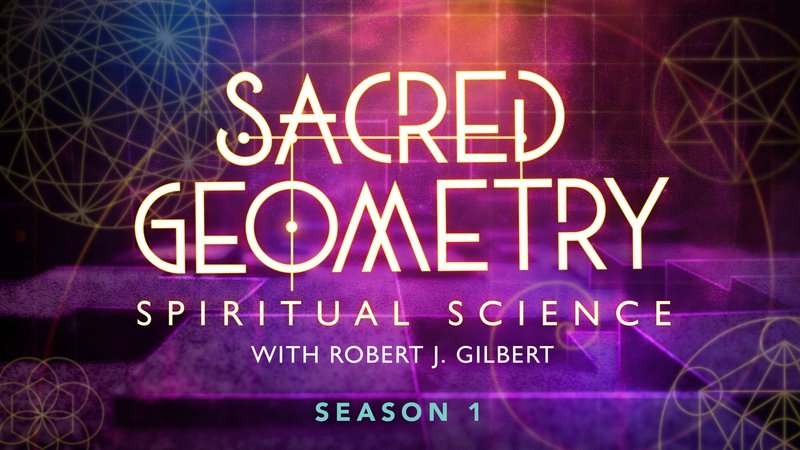
Gaia - Sacred Geometry: Spiritual Science (Updated 12/2023)
Last updated 12/2023
MP4 | Video: h264, 1920x1080 | Audio: AAC, 44.1 KHz, 2 Ch
Genre: eLearning | Language: English + Subs | Duration: 18 Lessons ( 7h 3m ) | Size: 11 GB

How can we materialize energy and thought forms into physical reality? Robert J. Gilbert, Ph.D., was a USMC instructor in Nuclear -Biological-Chemical Defense who took his experience and turned his focus to the patterns that define our reality: Sacred Geometry. Sharing his teachings on the divine designs which manifest everything in material existence, Dr. Gilbert offers practical methods for raising awareness to utilize Sacred Geometry and evolve consciousness on individual and global levels.


425523383_gaia_-_sacred_geometry_spiritual_science.jpg


5478172-ee9e-2.jpg


Laravel 10 Build Complete Learning Management System LMS A-Z
Published 11/2023
Created by Kazi Ariyan
MP4 | Video: h264, 1280x720 | Audio: AAC, 44.1 KHz, 2 Ch
Genre: eLearning | Language: English | Duration: 288 Lectures ( 52h 56m ) | Size: 34.7 GB


In This Course, You Will Build Learning Management System Complete Project with Laravel 10 And Build It From Scratch


What you'll learn
Complete Advance Project With Laravel 10
Build Complete Learning Management System Project A-Z
User Role Management
Multi-Authentication as User-Instructor-Admin
User Roles and Permission
Multi Admin For Store
Advance Course Apply Coupon From Admin And Instructor
Course Review and Rating System
Course Discount Price
Multiple Online Payment Getaway System
Course Mailing System
Course Wishlist Option
Advance Course Add to Cart Option
Advance JavaScript Uses
Site Setting Option
Image Upload System
Multiple Image Upload System
Adding Professional Theme for Backend
Adding Professional Theme for Frontend
Multi Auth with Breeze Package
Course Blog Management
Generate Order Invoice in PDF
Change Password Option
Lecture By Lecture Project Source Code
Checkout Page Setup
Live Chat System
Dynamic Email Configuration
Create Custom Pagination

Requirements
You have to know basic PHP
Basic HTML, CSS, Bootstrap
Local Server : Xampp/Wampp/Vertrigo/Mamp
Text Editor/IDE: Sublime Text, Visual Studio Code, PHPStrom etc

Description
Laravel 10 Build Complete Learning Management System LMS A-ZWelcome to Learning Management System Complete Course in Laravel 10. In this course, I will teach you how to build a full-featured Learning Management System Application using the Laravel framework. In this course, i will cover everything you need to know to build a fully functional LMS application. including Multiple Advance functionality, and you will build it from scratch. This is no throye base course. That will be a straight forward course You will build one complete real-world application. Why We Should Learn Laravel?Laravel is a first development life cycle and less code functionality it's easy to learn making web applications faster configuration error and exception handling automation testing work. URL Routing Configuration is very high in Laravel.Scheduling tasks configuration and management It has a huge community Unlimited resource.Most importantly it's very easy to get a job if you have Laravel skills. What is your benefit?I guarantee you'll come away with new skills and a deeper understanding of Laravel 10 So, what are you waiting for? Enroll in our Laravel 10 Build Complete Learning Management System Application course. You will be able to understand how to complete one project, and how to handle project bugs. You will be able to start work for your client. Add this project to your portfolio and university assignment And most importantly you will get my support within 24 hours. If you have any issues just let me know about this I will be in your touch. What is the Best Part of this Course?Complete Advance Project With Laravel 10Build Complete Learning Management System Project A-ZUser Role ManagementMulti-Authentication as User-Instructor-AdminUser Roles and PermissionMulti Admin For StoreAdvance Course Apply Coupon From Admin And InstructorCourse Review and Rating SystemCourse Discount PriceMultiple Online Payment Getaway SystemCourse Mailing SystemCourse Wishlist OptionAdvance Course Add to Cart OptionAdvance JavaScript UsesSite Setting OptionImage Upload SystemMultiple Image Upload SystemAdding Professional Theme for BackendAdding Professional Theme for FrontendMulti Auth with Breeze PackageCourse Blog ManagementGenerate Order Invoice in PDFChange Password OptionLecture By Lecture Project Source CodeCheckout Page SetupLive Chat SystemDynamic Email ConfigurationCreate Custom PaginationImport and Export Data From Csv or Excel File And much more functions .. In this course, you will not just learn you actually doing it. Learn and apply this to a live project with me. Sound Great right? Click the "Enroll Now" button at the top right now!I am excited tosee you on the course!Sincerely,Kazi Ariyan

Who this course is for
Who want to become Laravel Developer.
Students who want to take their PHP skills to another level should take this course
University Project Assignment
Add This Experience in Work Portfolio


422438826_laravel_10_build_complete_learning_management_system_lms_a-z.jpg


2703062-2024.jpg


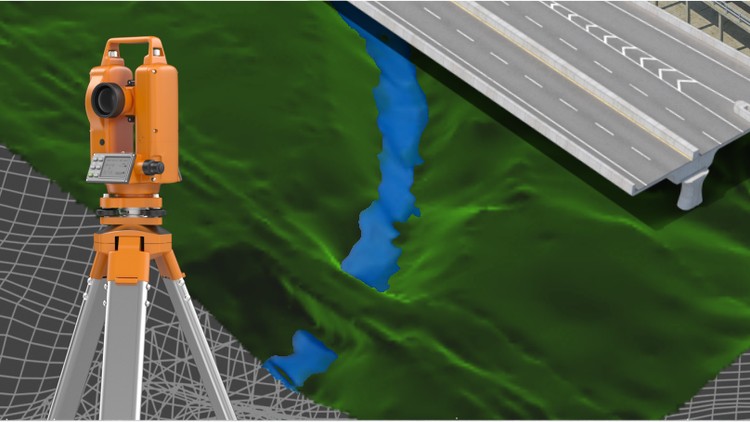
Civil 3D - Civil works specialization
Last updated 2/2021
Created by Robin Alexis Olaya,AulaGEO Academy
MP4 | Video: h264, 1280x720 | Audio: AAC, 44.1 KHz, 2 Ch
Genre: eLearning | Language: English + srt | Duration: 158 Lectures ( 32h 43m ) | Size: 21.2 GB


Learn all Civil 3D in a complete course from zero


What you'll learn
Participate in the design of roads and civil and topographic projects.
When conducting a topographic survey in the field, you can import these land points to Civil3D and save a lot of time in drawing.
Create land surfaces in 2 and 3 dimensions and generate calculations such as area, volume and earth movement
Build horizontal and vertical alignments that allow the design of a linear work such as roads, canals, bridges, railways, high voltage lines, among others.
Prepare professional plans to present works both in plan and in profile.

Requirements
A computer with basic requirements of Hard Disk, RAM (minimum 2GB) and Intel Processor, AMD
Very basic knowledge of Surveying, Civil or related
Autocad Civil 3D software any version

Description
Disclaimer:We have selected this course to offer it in English for its high pedagogical quality and user acceptance. We done an effort to bring this 32 hours of course to english speach. The version of the software used is in Spanish, but the support material and the whole explanation of the instructor is narrated in English.---------------------------------------This is a set of 4 courses called "Autocad Civil3D for Surveying and Civil Works" that will allow you to learn how to handle this fabulous Autodesk software and apply it to different projects and construction sites. Become an expert in the software and you can generate earthworks, calculate materials and construction prices and create great designs of roads, bridges, sewerage among others.This set of courses has been the product of hours of dedication, work and effort, compiling the most important data on the subject of Civil and Topographic Engineering, summarizing large amounts of theory and making them practical, so that you can learn in an easy and easy way. Fast with short but specific classes for each topic and practice with all the (real) data and examples we provide here.If you want to start managing this software, participating in this course will save you weeks of work by investigating on your own what we have already investigated, doing the tests we have done, and making the mistakes we have already made.---------------------------------------------------------------------------------------------------------------------CONTENT OFTHEBASIC SECTION (LEVEL 1)#AulaGEOINTRODUCTION TO SOFTWARE:Description of the software interface.Summary and list of commands and main functions.Project configuration in Civil3D.POINTSImport terrain points from a text file.Definition of styles of points, texts and descriptors.Configuration, editing and management of terrain points.SURFACESCreation and definition of TIN land surfaces.Definition of styles and presentation (level curves, slope map, address map, thermal floors).Editing and configuration of surfaces.HORIZONTAL ALIGNMENTSCreation and configuration of horizontal alignment (axis via).VERTICAL ALIGNMENTSCreation and configuration of the longitudinal profile of the terrain (vertical alignment).Vertical alignment design (project grade).---------------------------------------------------------------------------------------------------------------------CONTENT OF THE MIDDLESECTION (LEVEL 2)ASSEMBLIES AND SUB-ASSEMBLIESTypical sectionDefinition of assemblies (structure).Configuration of sub-assemblies (type objects: terrace, lane, sardinel, canal, gutter, bridge, intersection, etc.).LINEAR WORK, SURFACES AND MATERIALS:Definition and construction of the linear work.Linear work surfaces and limits.CROSS SECTIONS OF SURFACESSampling linesSection viewsCUBICATION AND EARTH MOVEMENT:Cubing and reports.Surface comparisonVolume surfaces---------------------------------------------------------------------------------------------------------------------CONTENT OF THE MIDDLE SECTION(LEVEL 3)SURFACES IISurface model editing, interpolation, improvements, export.Styles of surface models, presentations, map analysis.Model overlay.Cubing, volume reports between various surfaces.HORIZONTAL ALIGNMENTS IIAdvanced style managementEditing and construction of design criteria and tables.Graphic, geometric and tabular edition (advanced).Parallel axes and over-widths.Definition and diagrams of cant.VERTICAL ALIGNMENTS IIConstruction with design tables.Profile overlay.Projection of objects from plant to profile.Graphic, geometric and tabular edition (advanced).Advanced handling of styles, bands.TYPICAL SECTION IIDefinition of assemblies (structure). Advanced.Creation and configuration of sub-assemblies, codes and links.Definition of horizontal and vertical transitionsLINEAR WORK IILinear work with several alignments.Linear work with different regions and structures.Advanced edition of linear work, sections, frequency, regions, surfaces.CROSS SECTIONS IIAdvanced handling of styles, tables, objects to be displayed.Editing sampling lines.Advanced configuration of materials and prices.Mass diagram and reports.---------------------------------------------------------------------------------------------------------------------CONTENT OF THE ADVANCEDSECTION (LEVEL 4)PLAN SETTINGSTemplate building.Automatic generation of floor plans.Automatic generation of planes in profile.Automatic generation of floor plans-profile.Automatic generation of cross section planes.EXPLANATIONS (GRADING)Definition and configuration.Sloping and transition of slopes.Volume balance.Surface generation.INTERSECTIONSCross intersection construction.Adding branchesLinear work design from intersectionConstruction of a roundabout or roundabout.PLOT CONSTRUCTIONCalculation of areas and perimetersAlignmentTopologyLocationsEnglobes and desenglobeCALCULATION OF SURFACE ESCORRENTYSurface designBasin analysisDrains and hydrological sub-basinsDRAWING OF SANITARY NETWORKS AND PIPESObject projectionProfilesMaterial calculations

Who this course is for
This course is built for anyone who wants to learn how to handle the software.
Technicians, Technologists or Professionals in Surveying, Civil or related who want to improve their productivity and skill with the software.
Anyone who wants to learn to make designs of linear works and topography projects.


423827600_civil_3d_-_civil_works_specialization.jpg


PYef3-LTIO9-TBSt-VXg-Lzbtt8be04jb-JPD.jpg


Data Science Bundle: 180 Hands-On Projects - Course 1 of 3
Last updated 10/2023
MP4 | Video: h264, 1280x720 | Audio: AAC, 44.1 KHz, 2 Ch Language: English | Duration: 73h 23m | Size: 38.3 GB

Build & Deploy 180 Projects - Data Science, Machine Learning, Deep Learning (Python, Flask, Django, AWS, Azure Cloud)


What you'll learn
Master the essentials of Machine Learning using Python, the go-to language for Data Science.
Learn to build robust Machine Learning models that can withstand real-world uncertainties.
Acquire the skills needed to deploy Machine Learning models, making them functional in a live environment.
Develop a strong intuition for choosing the right Machine Learning models for different tasks.
Implement popular Machine Learning algorithms from scratch, providing you with a deep understanding of their functionalities.
Use SciKit-Learn, the Python library for Machine Learning, to efficiently complete various tasks.
Explore Matplotlib, the Python plotting library, to visualize your data effectively.
Get exposure to Deep Learning, Transfer Learning, and Neural Networks, expanding your skill set.

Requirements
Basic knowledge of data science

Description
Unleash your data science mastery in this dynamic course! Learn to build and deploy machine learning, AI, NLP models, and more using Python and web frameworks like Flask and Django. Elevate your projects to the cloud with Heroku, AWS, Azure, GCP, IBM Watson, and Streamlit. Get ready to turn data into powerful solutions!

Embark on a dynamic learning experience with our comprehensive course, "Applied Data Science: From Theory to Real-World Impact." Dive deep into the world of practical machine learning and data-driven projects, where you'll gain the skills to transform theoretical concepts into tangible solutions.

This hands-on program empowers you to tackle complex problems using cutting-edge techniques, guiding you through the entire project lifecycle. From the inception of ideas to data collection, preprocessing, modeling, and deployment, you'll navigate every stage, honing your skills in real-world settings.

Develop proficiency in deploying models across diverse environments, from interactive web applications to critical business systems. Gain insights into the challenges of model deployment and learn to address them effectively. With a strong emphasis on experiential learning, you'll work on actual industry-inspired projects, implementing strategies that yield measurable results.

"Data-Driven Projects" goes beyond the technical aspects, highlighting the integration of data-driven decision-making into various business landscapes. Witness the fusion of data analytics and strategic thinking, driving business impact through informed insights. Whether you're a seasoned data practitioner or a newcomer, this course equips you with the knowledge and confidence to excel in real-world scenarios.

Elevate your data science journey today and become a proficient problem solver, capable of leveraging data for transformative outcomes that make a difference in today's data-rich world.

In This Course, We Are Going To Work On 60 Real World Projects Listed Below

Project-1: Forecasting Renewable Energy Generation: Time Series and Regression Analysis

Project-2: Predicting Diamond Sales Price with Multiple Regression Methods

Project-3: Ethereum Price Prediction using GRU/LSTMs for Forecasting

Project-4: Detecting Stress Levels from PPG Sensor Data using Neural Networks

Project-5: Classification of Brain Tumors with CNN and OpenCV

Project-6: Age and Gender Prediction from Chest X-Ray Scans using CNN and OpenCV

Project-7: COVID-19 Detection from CT Scans using ResNet, DenseNet, and VGG Models

Project-8: Detecting DeepFakes with ResNet and CNN

Project-9: Automatic Number Plate Recognition using ResNet and CNN

Project-10: Land Segmentation using U-Net Architecture

Project-11: LingoLinx: Unleashing Multilingual Magic - Language Translator App on Heroku

Project-12: AdView Pro: Cracking the Code of Ad View Predictions with IBM Watson on Heroku

Project-13: LappyPricer: Decoding Laptop Prices with Heroku's Predictive Powers

Project-14: TextWise: Unveiling Insights from WhatsApp Text with Heroku's Analytical Arsenal

Project-15: SmartCourse: Guiding Your Academic Journey - Course Recommendation System on Heroku

Project-16: IPL Prophets: Predicting IPL Match Wins with a Touch of Heroku Magic

Project-17: BodyFit: Sculpting Your Body Fat Estimator App on Microsoft Azure

Project-18: CareerPath: Paving the Way to Campus Placement Success on Microsoft Azure

Project-19: AutoCar: Driving the Future of Car Acceptability Prediction on Google Cloud

Project-20: GenreGenius: A Journey into Book Genres with Amazon Web Services

Project-21: DNA Seeker: Unraveling Genetic Clues - E.Coli Classification Adventure on AWS

Project-22: WordWizard: Unleashing Sentence Sorcery - Predicting the Next Word on AWS

Project-23: SeqMaster: Journey into Sequence Prediction - LSTM Adventures on AWS

Project-24: KeywordGenie: Unlocking Textual Treasures - Keyword Extraction using NLP on Azure

Project-25: SpellCheck Plus: Vanishing Typos - Spelling Correction Wizardry on Azure

Project-26: MusicTrends: Dancing with Popularity - Music Popularity Classification on Google App Engine

Project-27: AdClassify: Decoding Advertisements - Advertisement Classification on Google App Engine

Project-28: DigitDetect: Cracking the Code of Image Digits - Image Digit Classification on AWS

Project-29: EmoSense: Delving into Emotions - Emotion Recognition with Neural Networks on AWS

Project-30: CancerGuard: Fighting Against Breast Cancer - Breast Cancer Classification on AWS

Project-31: Unsupervised Clustering of COVID Nucleotide Sequences using K-Means

Project-32: Weed Detection in Soybean Crops using Computer Vision

Project-33: PixelPal: Transforming Images with OpenCV and Tkinter - Image Editor Application

Project-34: BrandQuest: Unveiling Brand Identifications with Tkinter and SQLite - Brand Identification Game

Project-35: TransactionTracker: Monitoring Financial Flows with Tkinter and SQLite - Transaction Application

Project-36: LearnEase: Nurturing Knowledge with Django - Learning Management System

Project-37: NewsWave: Riding the Waves of News - Create A News Portal with Django

Project-38: StudentVerse: Journey into Student Life - Create A Student Portal with Django

Project-39: ProductivityPro: Tracking Progress with Django and Plotly - Productivity Tracker

Project-40: StudyConnect: Forging Study Bonds - Create A Study Group with Django

Power BI Projects

Project-41: Global Data Professionals Benchmarking Dashboard

Project-42: Beijing Air Quality Dashboard: DAX and Visualizations

Project-43: Real Estate in Daegu: Apartment Pros and Cons Analysis

Project-44: Super Market Sales Analysis: Power Query and DAX

Project-45: COVID-19 WHO Dataset Insights: Power Query and DAX

Project-46: Credit Card Defaulters Analysis: Power Query and DAX

Project-47: Crime in Chicago: 3-Year Analysis with Visualization

Project-48: Customer Churn Analysis: Real-World Business Problem

Project-49: Customer Churn Analysis (Advanced Features): Data Modeling

Project-50: Attrition Analysis: HR Data Transformation and Visualization

Tableau Projects

Project-51: Revenue Analysis Dashboard: Business Insights and Trends

Project-52: AirBnbs in Seattle: Rental Market Analysis

Project-53: New Year Resolution Tweets: Social Media Analysis

Project-54: Road Accident in the UK: Safety Analysis

Project-55: Ecommerce Sales Dashboard: Sales Optimization

Project-56: Super Store Sales Dashboard: Retail Analysis

Project-57: Credit Card Complaints: Customer Feedback Analysis

Project-58: Data Science Career Dashboard: Job Market Trends

Project-59: Amazon Prime Video Dashboard: Streaming Insights

Project-60: Traffic Collision in Seattle: Safety and Traffic Analysis

Tip: Create A 60 Days Study Plan , Spend 1-3hrs Per Day, Build 60 Projects In 60 Days.

The Only Course You Need To Become A Data Scientist, Get Hired And Start A New Career

Note: This Course Is Worth Of Your Time And Money, Enroll Now Before Offer Expires.

Who this course is for

Beginners in data science


Homepage

423919846_data_science_bundle_180_hands-on_projects_-_course_1_of_3.jpg


5490128-bf71.jpg


Mastering C++20 Programming: A Visual and Practical Approach
Published 10/2023
Created by Rahmat Md
MP4 | Video: h264, 1280x720 | Audio: AAC, 44.1 KHz, 2 Ch
Genre: eLearning | Language: English | Duration: 294 Lectures ( 50h 29m ) | Size: 25.6 GB


Unleash Your Coding Creativity with Visual Learning and Real-World Projects


What you'll learn
Master C++ fundamentals, from basics to advanced concepts.
Understand diverse data types, variables, and operators.
Navigate through flow control and arrays with ease.
Grasp the intricacies of functions and pointers.
Explore object-oriented programming (OOP) principles.
Dive into modules, namespaces, and generic programming.
Master exception handling and lambda expressions.
Work with containers, iterators, and algorithms effectively.
Harness the power of move semantics in C++.
Develop real applications with Dear ImGui integration.
Create a dynamic car game using Unreal Engine 5.
Learn modern C++20 features like modules and operators.
Apply string formatting techniques for polished output.
Gain hands-on experience through collaborative Visual Studio projects.
Utilize C++20's latest features effectively.
Learn error handling and exception concepts.
Gain hands-on experience with diverse projects.

Requirements
No experience required, only a computer needed.

Description
This is an innovative Udemy course designed to take your programming skills to new heights. In this course, we move beyond the mere memorization of code, focusing instead on empowering you with a deep understanding of the core concepts that drive programming.Being a proficient programmer isn't just about syntax; it's about comprehending underlying principles, fostering creativity, and devising inventive solutions. Many aspiring programmers struggle because they rush into coding without grasping these fundamental ideas. We've identified this challenge and have a unique approach to address it: we prioritize a profound comprehension of programming fundamentals before delving into syntax.One of the biggest hurdles in learning complex programming topics is relying solely on coding. We've found a solution visual representations. Seeing concepts in action bridges the gap between theory and practical application. Our course employs visual aids to simplify intricate topics such as pointers and memory management. We ensure you not only understand these concepts but also apply them confidently.C++ is a powerful yet intricate language; misconceptions can lead to frustration, and that's why we focus on demystifying its complexities. We delve into challenging concepts such as memory leaks and dangling pointers using visual aids, ensuring you comprehend these crucial aspects accurately. Additionally, we introduce you to C++'s latest features, including smart pointers, which prevent common pitfalls.Our course provides you with accessible PDFs and Visual Studio code files, enabling collaborative exploration of the course content. Whether you're revisiting topics or diving into new ones, these resources simplify learning, making it both engaging and straightforward.C++ has evolved, and in this course, we concentrate on C++20, showcasing its latest features like modules, the spaceship operator, and formatting capabilities. We understand that understanding concepts is vital, but so is practical application. That's why we guide you through hands-on projects where you create a desktop application similar to MS Excel and build a video game from scratch. These projects go beyond mere syntax; they introduce C++ library usage, incorporating standard library algorithms, data structures, Dear ImGui, and Unreal Engine integration. This practical experience offers real-world applications for your C++ knowledge.While C++23 is on the horizon, our focus remains on C++20. As the language evolves, so will our course. We are dedicated to keeping you updated with the latest advancements in the programming world.Join us on this exciting journey through C++20, where intricate concepts become clear, and programming transforms into a creative adventure. Let's explore the vast realm of C++ together!Topics Covered:C++ BasicsData Types and VariablesOperatorsFlow ControlArrays and VectorsFunctionsPointersEnumerated Data TypesObject-Oriented Programming (OOP)ModulesNamespaceString and FormattingGeneric ProgrammingException HandlingLambda ExpressionsContainers and IteratorsAlgorithmsMove SemanticsDear ImGui Real Application ProjectCar Game in Unreal Engine 5Enroll now and embark on your journey to mastering C++20 programming!

Who this course is for
New to programming, eager to grasp C++ fundamentals and syntax.
College learners wanting in-depth C++ insights for algorithms and OOP.
Transitioning programmers focusing on C++20 s advanced features.
Gamers and developers keen on Unreal Engine 5 and C++ for game logic.
Engineers and professionals diving into C++ memory management and practical applications.
Hobbyists passionate about coding, delving into C++ for creative projects and problem-solving.
Front-end and back-end developers looking to broaden their skill set with C++ for versatile applications beyond web technologies.
Innovators and startup founders wanting a foundational understanding of C++ to guide tech-oriented ventures and collaborations.


425591581_mastering_c-20_programming_a_visual_and_practical_approach.jpg


7fm1-PAq-GRtl-EKvq-FPk-LUx-KAPtx-Gz-Xk-My.jpg


The Ultimate Environment Art Bundle - 4 Courses In 1
Published 10/2023
MP4 | Video: h264, 1920x1080 | Audio: AAC, 44.1 KHz
Language: English | Size: 35.71 GB | Duration: 37h 49m

Learn 3D Environment Art, 3D Modelling, 3D Texturing with 4 Different Environments in Blender, Substance Painter and UE


What you'll learn
Learn to create 4 Different High-Quality 3D environment from Start to Finish
Learn to create realistic textures in Substance Painter
Learn 3D modelling in Blender
Using Smart Masks and Materials in Substance Painter
Level Design, Composition and Lighting in Unreal Engine 5
Learn to use real-world reference images to create 3D models

Requirements
Basic understanding of 3D and the softwares used - Blender, Substance Painter, Unreal Engine 5

Description
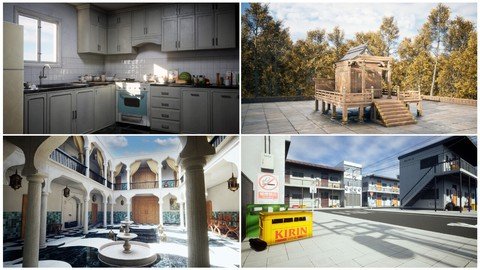
Hello everyone and welcome to this bundle which has 4 different complete courses compiled into a single one. With more than 37 hours of content, We will go over creating 4 different environments completely from start to finish.What you will get:4 Complete Courses!108 FHD videos with over 37+ hours of contentAll the resources files required to complete the course including the Models, Unreal Projects, Substance Painter Files, Textures, AlphasSOFTWARES USED - (BLENDER, Substance Painter, Unreal Engine 5):We will go over the complete pipeline of creating multiple high-quality realistic environments, starting with modelling all the assets in blender, texturing in Substance Painter and finally level design and composition in Unreal Engine 5.This bundle has 4 different complete courses that are Creating a Kitchen Environment, Creating a Japanese Shrine Environment, Creating a Street Environment and Creating a Moroccan Riad. This bundle will help you improve your 3D Environment Art skills massively as we go through each step together and learn many different techniques.After finishing the courses, you would easily be able to create the renders shown in the trailer and also create high quality environments of your own.This course has over 37 hours of content! (All the videos have audio commentary)We will go over each and every step in this course together and nothing will be skipped. None of the courses have any kind of timelapses so that you can follow every step easily.We will start by gathering some reference images to gain some initial ideas and the mood for our scene. After this we will move on to Blender and start modelling assets. We will start by modelling the main assets in our scene and after we are done with them, we will also create a bunch of different props to detail our scene even more, the entire process of modelling will be covered in Blender only.After we have modelled all our main assets, we will export them to Substance Painter to start the texturing process. We will learn to create high quality and realistic materials and the key features of Substance Painter like Smart Masks, generators, smart materials etc.After this we will import all our models and textures into Unreal Engine and setup the scene over there. The next step would be to setup our lighting and create a mood and atmosphere for our scene. We will make use of the new features of Unreal Engine such as Lumen to get realistic lighting for our scene, next we will set up a post-Processing volume to further enhance the visuals of our scene.Then we will spend some more time modelling and texturing many small props to further detail the scene even more. We will end all the courses setting up different camera angles and taking high resolution screenshots for our portfolio along with some compositing.This bundle is for everyone who has a basic understanding of Blender, Substance Painter, Unreal Engine 5 and wants to upgrade their skillsSo, I hope to see you there in the course, thank you.

Overview
Section 1: Introduction

Lecture 1 Introduction

Section 2: Creating a Kitchen Environment in Blender, Substance Painter and UE5

Lecture 2 Introduction

Lecture 3 Going over Reference Images

Lecture 4 Modelling the Stove

Lecture 5 Adding more Details to the Stove

Lecture 6 Creating the Stove Coils

Lecture 7 Modelling the Fridge

Lecture 8 Modelling the Cupboard

Lecture 9 Modelling the Cabinets

Lecture 10 Creating the Kitchen Room Layout

Lecture 11 Modelling the Door

Lecture 12 Modelling the Sink and the Window

Lecture 13 Adding some More Details

Lecture 14 Modelling the Kitchen Slabs

Lecture 15 UV Unwrapping the Stove and Fridge

Lecture 16 Texturing the Stove

Lecture 17 Texturing the Fridge

Lecture 18 UV Unwrapping the Remaining Assets

Lecture 19 Texturing the Kitchen Room

Lecture 20 Exporting to Unreal Engine 5

Lecture 21 Setting up Lighting and Post-Processing

Lecture 22 Creating Props

Lecture 23 Creating More Kitchen Tools

Lecture 24 Texturing the Props (Set-1)

Lecture 25 Placing the Props

Lecture 26 Modelling Some More Props

Lecture 27 Texturing the Props (Set-2)

Lecture 28 Finalizing the Layout of the Scene

Lecture 29 Some More Details and taking Screenshots

Section 3: Creating a Moroccan Riad Environment in Blender, Substance Painter and UE5

Lecture 30 Introduction

Lecture 31 Going Over Our References

Lecture 32 Creating the Arch

Lecture 33 Finishing the Arch Pieces

Lecture 34 Creating the Pillar

Lecture 35 Creating the Layout For Our Scene

Lecture 36 Creating the Balcony

Lecture 37 Creating the Entrance Door

Lecture 38 Creating Another Door

Lecture 39 Creating the Windows

Lecture 40 Finalizing the Scene

Lecture 41 Creating the Fountain Arch

Lecture 42 Creating Another Fountain

Lecture 43 Making Some Adjustments

Lecture 44 UV Unwrapping the Assets

Lecture 45 Exporting to Substance Painter

Lecture 46 Fixing a Small Issue

Lecture 47 Texturing the Floor

Lecture 48 Texturing the Walls

Lecture 49 Texturing the Remaining Assets

Lecture 50 Adding Dust

Lecture 51 Importing to Unreal Engine

Lecture 52 Applying All the Textures

Lecture 53 Modelling the Lamps

Lecture 54 Texturing and Adding the Lamps

Lecture 55 Fixing a Texturing Issue

Lecture 56 Creating the Curtains

Lecture 57 Texturing and Adding the Curtains to Scene

Lecture 58 Modelling the Chairs

Lecture 59 Texturing and Adding the Chairs

Lecture 60 Creating Some Small Props

Lecture 61 Texturing and Adding the Small Props

Lecture 62 Post-Processing and Taking High-Res Screenshots

Lecture 63 Compositing and Final Thoughts

Section 4: Creating a Japanese Shrine Environment in Blender, Substance Painter and UE5

Lecture 64 Introduction

Lecture 65 Going Over Our References

Lecture 66 Creating the Roof

Lecture 67 Finishing the Roof

Lecture 68 Creating the Details

Lecture 69 Adding more Details

Lecture 70 Creating the Walls

Lecture 71 Finishing the Walls

Lecture 72 Creating the Shrine Gate

Lecture 73 Finishing the Shrine Gate

Lecture 74 Creating the Shrine Box

Lecture 75 Creating the Door

Lecture 76 Creating Some More Details

Lecture 77 Creating a Platform

Lecture 78 Creating the Ground

Lecture 79 UV Unwrapping

Lecture 80 Exporting and Baking Mesh Maps

Lecture 81 Texturing in Substance Painter

Lecture 82 Creating the Unreal Engine Project

Lecture 83 Adding Megascans Trees

Lecture 84 Placing the Trees

Lecture 85 Setting up Lighting and Post-Processing

Lecture 86 Making Some Adjustments and Different Lighting Setups

Lecture 87 Final Thoughts

Section 5: Creating a Street Environment in Blender, Substance Painter and UE5

Lecture 88 Introduction

Lecture 89 Setting up Reference Images

Lecture 90 Creating the Blockout

Lecture 91 Modelling the Residential Buildings

Lecture 92 Detailing the Residential Building

Lecture 93 Creating the Doors and Windows

Lecture 94 Creating the Electric Meters

Lecture 95 Modelling the Second Building

Lecture 96 Creating the Store Building

Lecture 97 Applying Modifiers

Lecture 98 UV Unwrapping the Buildings

Lecture 99 Exporting to Substance Painter

Lecture 100 Texturing the Residential Building

Lecture 101 Adding More Details

Lecture 102 Texturing the Variation

Lecture 103 Texturing the Second Building

Lecture 104 Texturing the Store Building

Lecture 105 Setting Up in Unreal Engine

Lecture 106 Exporting Textures

Lecture 107 Texturing the Ground

Lecture 108 Setting up Post-Processing

Lecture 109 Modelling the Beer Crates

Lecture 110 Texturing the Beer Crates

Lecture 111 Modelling the Sign Boards

Lecture 112 Texturing the Sign Boards

Lecture 113 Modelling the Cardboard Boxes

Lecture 114 Importing the Props into UE5

Lecture 115 Placing the Props

Lecture 116 Modelling the Electric Pole

Lecture 117 Texturing the Electric Pole

Lecture 118 Adding the Cables

Lecture 119 Finishing Touches

Students that have basic knowledge of modelling, texturing and want to learn how to create environments. Everything in this course would be explained in detailed but some prior knowledge of the software would be helpful.


423789271_the_ultimate_environment_art_bundle_4_courses_in_1.jpg


JJMpp-ZCo-Tk-R6-C0-Nk-Eq-Iw-Cq6-HJm3z9xou.jpg


Data Science Bundle: 180 Hands-On Projects - Course 2 of 3
Last updated 10/2023
MP4 | Video: h264, 1280x720 | Audio: AAC, 44.1 KHz, 2 Ch Language: English | Duration: 40h 36m | Size: 20 GB

Build & Deploy 180 Projects - Data Science, Machine Learning, Deep Learning (Python, Flask, Django, AWS, Azure Cloud)


What you'll learn
Master the essentials of Machine Learning using Python, the go-to language for Data Science.
Learn to build robust Machine Learning models that can withstand real-world uncertainties.
Gain insights into the end-to-end product workflow of the Machine Learning lifecycle, ensuring you understand each phase deeply.
Acquire the skills needed to deploy Machine Learning models, making them functional in a live environment.
Develop a strong intuition for choosing the right Machine Learning models for different tasks.
Empower yourself to conduct powerful data analyses that can drive decision-making processes.
Learn data-cleaning techniques to handle and remove outliers, ensuring data quality.
Equip yourself with skills that are in high demand, increasing your chances of getting hired as a Data Scientist.

Requirements

Basic knowledge of machine learning

Description
Unleash your data science mastery in this dynamic course! Learn to build and deploy machine learning, AI, NLP models, and more using Python and web frameworks like Flask and Django. Elevate your projects to the cloud with Heroku, AWS, Azure, GCP, IBM Watson, and Streamlit. Get ready to turn data into powerful solutions!

Enrolling in this course is a transformative decision for several compelling reasons. This dynamic program is meticulously designed to take you on a journey from theory to practical, hands-on mastery.

Firstly, you'll delve into the exciting world of real-world machine learning and data-driven projects, offering you invaluable skills to solve complex problems. Secondly, this course empowers you to unleash your data science prowess. You'll not only learn to build and deploy machine learning, AI, and NLP models but also gain proficiency in using Python and web frameworks like Flask and Django. Elevate your projects to the cloud with Heroku, AWS, Azure, GCP, IBM Watson, and Streamlit, making your creations accessible to the world.

Moreover, you'll navigate the entire project lifecycle, from ideation to deployment, gaining practical experience at every step. By working on real industry-inspired projects, you'll develop the confidence and skills needed to excel in the real world

In This Course, We Are Going To Work On 60 Real World Projects Listed Below

Data Science Projects

Project-1: Developing an AI Chatbot using GPT-3.5

Project-2: American Sign Language Detection with CNN

Project-3: Builtup Area Classification using K-Means and DNN

Project-4: Clustering COVID-19 Research Articles using Vector Embeddings

Project-5: Crop Recommendation and Yield Prediction Model

Project-6: Generating Images with DCGAN Architecture

Project-7: Seizure Prediction using EEG Signals and SVM

Project-8: Music Genre Classification using Spectrometers

Project-9: Disease Detection from Symptoms using Transformers and Tokenizer

Project-10: Text Summarization with Advanced Techniques

Project-11: SentimentSense: Deciphering Sentiments - Sentiment Analysis Django App on Heroku

Project-12: AttritionMaster: Navigating the Path of Employee Attrition - Django Application

Project-13: PokeSearch: Legendary Pokemon Quest - Django App Adventure on Heroku

Project-14: FaceFinder: Unmasking Hidden Faces - Face Detection with Streamlit Magic

Project-15: FelineCanine: Pawsitively Classy - Cats Vs Dogs Classification Flask App

Project-16: RevGenius: Predicting Revenue Gems - Customer Revenue Prediction on Heroku

Project-17: VoiceGender: Vocal Clues Unveiled - Gender Prediction from Voice on Heroku

Project-18: EatSuggest: A Culinary Companion - Restaurant Recommendation System

Project-19: JoyRank: Spreading Happiness - Happiness Ranking Django App on Heroku

Project-20: WildFireWarn: Taming the Inferno - Forest Fire Prediction Django App on Heroku

Project-21: SonicWaveWhisper: Echoes of Prediction - Sonic Wave Velocity Prediction using Signal Processing Techniques

Project-22: PressureQuest: Delving into Pore Pressure - Estimation of Pore Pressure using Machine Learning

Project-23: SoundSorcerer: Enchanting Audio Processing - Audio Processing using ML

Project-24: TextTalker: Unveiling Textual Secrets - Text Characterization using Speech Recognition

Project-25: AudioMaestro: Harmonizing Audio Classifications - Audio Classification using Neural Networks

Project-26: VoiceCompanion: Your AI Voice Assistant - Developing a Voice Assistant

Project-27: SegmentSense: Uncovering Customer Segments - Customer Segmentation

Project-28: FIFAPhenom: Scoring Goals with FIFA 2019 Analysis

Project-29: SentimentWeb: Surfing the Waves of Web Scraped Sentiments - Sentiment Analysis of Web Scraped Data

Project-30: VinoVirtuoso: Unveiling the Essence of Red Wine - Determining Red Vine Quality

Project-31: PersonaProbe: Decoding Customer Personalities - Customer Personality Analysis

Project-32: LiterateNation: A Journey into India's Literacy Landscape - Literacy Analysis in India

Project-33: CropGuide: Cultivating Crop Knowledge with PyQt5 and SQLite - Building Crop Guide Application

Project-34: PassKeeper: Safeguarding Secrets with PyQt5 and SQLite - Building Password Manager Application

Project-35: NewsNow: Unveiling the News with Python - Create A News Application

Project-36: GuideMe: Guiding You Along the Way - Create A Guide Application with Python

Project-37: ChefWeb: Savoring Culinary Delights - Building The Chef Web Application with Django, Python

Project-38: SyllogismSolver: Unlocking the Logic of Inference - Syllogism-Rules of Inference Solver Web Application

Project-39: VisionCraft: Crafting Visual Experiences - Building Vision Web Application with Django, Python

Project-40: BudgetPal: Navigating Financial Paths - Building Budget Planner Application with Python

Power BI Projects

Project-41: Road Accident Analysis: Relations and Time Intelligence

Project-42: Generic Sales Analysis for Practice: Data Transformation

Project-43: Maven Toy Sales Analysis: Transformations and DAX

Project-44: Maven Pizza Sales Analysis: Transformations and DAX

Project-45: IT Spend Analysis: Variance of Global IT Firm

Project-46: Sales Data Analysis: Generic Super Market Sales

Project-47: Foods and Beverages Sales Analysis Dashboard

Project-48: Budget vs. Actual Spending Analysis Dashboard

Project-49: HR Analytics Dashboard: Attrition Analysis

Project-50: E-commerce Super Store Sales Analysis

Tableau Projects

Project-51: Video Game Sales Dashboard: Gaming Market

Project-52: IMDB Movie Review Dataset Dashboard: Film Insights

Project-53: Goodreads Dataset Dashboard: Book Analysis

Project-54: Friends Sitcom Dashboard: TV Series Data Analysis

Project-55: Amazon Sales Dashboard: Online Retail Insights

Project-56: Hollywood's Most Profitable Stories Dashboard: Film Analysis

Project-57: Netflix Dashboard: Streaming Service Performance

Project-58: TripAdvisor Hotel Review Dataset: Travel Analysis

Project-59: Breaking Bad Dashboard: TV Series Insights

Project-60: Customer Personality Analysis: Marketing and Sales Strategies

Tips: Create A 60 Days Study Plan , Spend 1-2hrs Per Day, Build 60 Projects In 60 Days.

The Only Course You Need To Become A Data Scientist, Get Hired And Start A New Career

Note: This Course Is Worth Of Your Time And Money, Enroll Now Before Offer Expires.

Who this course is for
Beginners in data science


Homepage

423876769_data_science_bundle_180_hands-on_projects_-_course_2_of_3.jpg


5615178-305a-3.jpg


Quantum Mechanics-I
Published 10/2023
Created by Shahid Ali
MP4 | Video: h264, 1280x720 | Audio: AAC, 44.1 KHz, 2 Ch
Genre: eLearning | Language: English | Duration: 148 Lectures ( 45h 15m ) | Size: 57.4 GB


by D. J. Griffiths


What you'll learn
Gain a strong understanding of foundational quantum principles and concepts.
Develop the ability to apply quantum mechanics to various physical systems and solve Schr dinger's equation.
Explore quantum mechanics in one dimension, focusing on particle-in-a-box problems and potentials.
Master quantum mechanics in three dimensions, including angular momentum, hydrogen atom, and central potentials.

Requirements
The recommended prerequisites for this course include basic physics knowledge, proficiency in calculus, algebra skills, and a solid foundation in high school mathematics.

Description
This internationally renowned course, "Introduction to Quantum Mechanics" by David J. Griffiths, is designed to provide undergraduate students with a comprehensive introduction to the fascinating and foundational realm of quantum physics. Taught at universities around the world, this course caters to Bachelor of Science (BS) students, equipping them with the fundamental principles, concepts, and mathematical tools required to explore the intriguing and often counterintuitive world of quantum mechanics.Throughout the course, students will delve into the principles of wave-particle duality, superposition, and quantum states, learning to navigate the behavior of particles at the atomic and subatomic levels. The course covers topics such as the Schr dinger equation, quantum operators, angular momentum, and the quantum mechanics of systems with spin. Moreover, students will gain insights into the quantum mechanics of systems including the hydrogen atom, and simple harmonic oscillators.David J. Griffiths, a renowned physicist and author of widely used textbooks in the field, brings his expertise to bear on this course. He guides students through both the conceptual foundations and practical applications of quantum mechanics, fostering a deep understanding of this crucial area of physics. By the end of this course, students will have a solid grounding in quantum mechanics, providing a springboard for further studies in physics or related fields, as well as a profound appreciation for the quantum mysteries that underpin our physical world.

Who this course is for
This course is designed for students and enthusiasts of physics, aspiring physicists, engineers, or anyone with an interest in understanding the fundamental principles and applications of quantum mechanics as outlined in David J. Griffiths' introductory book.


425523440_quantum_mechanics-i.jpg


3716888-5054.jpg


Spring Boot E-Commerce Ultimate Course
Last updated 11/2023
Created by Nam Ha Minh
MP4 | Video: h264, 1280x720 | Audio: AAC, 44.1 KHz, 2 Ch
Genre: eLearning | Language: English + srt | Duration: 310 Lectures ( 84h 9m ) | Size: 36 GB


Code Real-life Shopping Website with Java and Spring Boot. Full-stack Development. Hands-on Practices. Job-ready Skills.


What you'll learn
Develop a complete shopping website using Java, Spring Boot, Thymeleaf, Bootstrap, jQuery and MySQL database
Code the Admin application for managing users, categories, brands, products, customers, orders, sales report...
Code the Shopping application allowing customers to browse products and place orders
Code shopping cart features and payment via PayPal and credit cards
Learn how to use Spring Data JPA with Hibernate for the data access layer
Learn how to use Spring Security for authentication and role-based authorization
Learn how to use Thymeleaf template engine for creating dynamic view pages
Learn how to use Bootstrap and jQuery for creating responsive, mobile-friendly web pages
Learn how to use Spring RESTful Webservices in conjunction with jQuery on the client side
Learn how to use PayPal Checkout API for payment integration
Learn how to use JUnit, Spring Test, AssertJ and Mockito for unit tests and integration tests
Learn how to deploy the application on Heroku cloud platform with file upload on Amazon S3
Learn how to use Google Chart for drawing charts in sales report
Learn how to use Spring OAuth for single sign on with Facebook and Google
Learn how to use Spring Mail for sending emails for customer registration and place order confirmation

Requirements
Know fundamentals of Java web development with Servlet, Spring and Hibernate frameworks
Know basic web development with HTML, Javascript, Bootstrap and jQuery
Know core database concepts with MySQL

Description
Welcome to "Spring Boot E-Commerce Ultimate Course" instructed by me, NamHa Minh - a certified Java developer who have been programming with Java technologies for more than 18 years.I'm very glad that you have found the most sophisticated and comprehensive course ever on web development with Java, Spring Boot and related technologies. Let me explain why this course is perfect for those who want to master practical, job-ready programming skills needed to be a professional Java developer and pursuit a career in software development."Really wonderful course for learn how to develop complete web application with Java Spring Boot and to get good ECommerce domain knowledge.Glad I found this course" - said student Arunkumar.By learning this course, you will gain Full-stack development experience in programming a real-life shopping web application using the latest technologies such as Java, Spring Boot,Hibernate, Thymeleaf, Bootstrap, jQuery, HTML, RESTful Webservices... putting all these pieces together for building professional applications beloved by the end users, and bring revenue to businesses.The modules you will learn to build in the Admin application are: Users, Categories, Brands, Products, Customers, Shipping, Orders, Sales Report, Reviews, Questions, Settings.The modules you will learn to build in the Shopping application are: categories listing, product details, search products, shopping cart, checkout, manage orders, tracking orders, customer registration.You also learn how to deploy the e-commerce webapp on Heroku cloud platform, with user's uploaded files stored on Amazon S3 server."This is one of the best, if not the best course on Udemy. Nam is a great teacher and won't hesitate to share his enormous knowledge. Highly recommended!" - student Damjan BozhinoskiYou will be a master of the following technologies by the end of this course:- Spring framework development with Spring Boot- Spring Data JPA and Hibernate framework- Spring Security for authentication and authorization- Spring OAuth for social login with Facebook and Google- Spring Mail for sending customer registration confirmation and order confirmation- PayPal Checkout API for capturing payment from customer- Google Chart API for drawing charts of sales report- JUnit, AssertJ and Mockito in unit testing- Spring RESTful Webservices- Bootstrap 4, HTML5 and jQuery 3- AmazonS3 APIs- Deployment on Heroku (AWS)By completing this course, I'm sure that you will gain practical, hands-on programming experience and become a professional Java web developer. Also with job-ready skills earned, I'm sure that you will land on a development job which you deserve - like many students shared with me before. Below are some of them:"I just wanted to let you know that I got the job and one of the reasons is you." - student Rajesh Kumar"Ijust want to say thank you. Your Spring Boot tutorial is just amazing. Iwas struggling to find a developer job 4 months ago, so I decided to enroll your course on Udemy. AfterIfinished the course, now Igot a job. I want to share the happiness with you. I couldn't do it without you.Thank you so much!" - student Johnny Liang.

Who this course is for
those who want to learn programming a complete ecommerce web application
those who want to learn using Spring framework for developing real-life applications
those who want to become professional Java web developers
those who want to pursuit a job in software development


422430226_spring_boot_e-commerce_ultimate_course.jpg


Zurück
Oben Unten