Wordpress For Beginners No Code Just Easy Wordpress, Quickly
Wordpress For Beginners No Code Just Easy Wordpress, Quickly
Published 8/2022
MP4 | Video: h264, 1280x720 | Audio: AAC, 44.1 KHz
Language: English | Size: 7.69 GB | Duration: 13h 27m
Learn The WordPress Website Skills You Need To Build & Grow Your Own Online Business, Including WordPress SEO Training
What you'll learn
This is a NO TECH, NO CODING Wordpress Training Course For Beginners, Who Want To Learn The Use WordPress For Their Business, Not To Be A Developer!
Overcome The Confusion Of Different 'Look' WordPress Dashboards, Know What Everything Is, & How To Navigate It!
Create SEO Optimized Pages and Posts, and most importantly, Know When To Use Each One, as this can be confusing!
Know the Difference Between Categories and Tags, And Know How & Why To Use Them For Excellent Search Engine Rankings!
Easily Extend The Functionality of Your Website With WordPress Plugins, Know What They Are, How To Use Them, And Most Importantly How To Find Them!
Uncover The Different Types Of Homepages, From Static to Blog and How And When To Use Them... With Some Cool Tricks Thrown In!.
Heard Of Responsive Websites? Let Me Show You How To Make This A Reality With Beautifully Crafted WordPress Themes For Your New Site!
Show How Good Your Website Looks On Any Device, Desktop, Mobile, Tablet, Iphone, Samsung, Oppo etc...
Become A Maestro At WordPress Navigation, The Massively Overlooked Skill That Is Essential To Great Results In The Search Engines & Happy Website Visitors!
Optimize The Hell Out Of WordPress To Make It Run On Rocket Fuel!
Say Goodbye To Potential Hackers and Spammers With These Sneaky Security Tricks!
Basically, Let Me Give You The Inside Scoop On WordPress, So You Understand It, & Can Use It Professionally!
Requirements
IF YOU ARE LOOKING TO BE A CODER OR TECH PERSON! THIS IS NOT FOR YOU!
You Can Be A Complete New Person To WordPress, I Cover Everything You Need!
You Will Need A Computer, and Internet Access To Do This Training!
Description
IMPORTANT:*This is NOT*a WordPress Development course about coding, or tech. If You are looking for that, you will get NO*VALUE*from this WordPress Training. This is 100%*For People Who Are Not Techy, and who want to build WordPress Sites WITHOUT*TECH!Is One Or More Of These Things True?1. You're fed up with your progress or your profits so far?2. You're sick of buying courses only to discover you were only told a tiny bit of what you had to do?3. You are confused with overly complex training?4. You're ready right now to learn what will work for you in 2023 and beyond?If there is one thing that holds many people back, especially when starting out it's being fed overly complex information and losing trust in your trainer...My Promise To You:I, Ciaran Doyle, promise to show you the WordPress website building steps to...· Eliminate the confusion, squash the uncertainty and frustration, while...· Showing you Non-tech ways to get what you need done,· Getting more results, WITHOUT spending more money,· And NOT trying to sell you anything during the training,So, if you are looking for that final breakthrough, that last little push towards success, you are in the right place.===Don't take my word for it, here's what my students say....I have Ciaron to thank for his magical messaging. It's fun, engaging, and somehow has penetrated into my brain. I recommend the course to anyone interested in learning this stuff. It will happen! Robin Richardson.This course is spectacular. Ciaran knows how to teach effectively and to really connect with his students, providing clear explanations of concepts, processes, and tools. He really lives up to his promise.I look forward to taking other courses with him. P.S. He really over-delivers for the price he charges. Ellen C..I cannot believe that you as a tutor can be more concerned about the individual success of each and every student rather than your own financial gain. You truly are a rare find! We salute you! - Alphie JThis is my second training with Ciaran and it does not disappoint again. Thanks, Ciaran - Steve BThank you so much, Ciaran for such an amazing course. It's well structured, very informative, and easy to understand. Again thank you! - EvaPlus a whole host of others...===WordPress can be so much fun, even better when you are profiting from it.And that is what I'm going to show you how to do...To build on top of WordPress, to show you the key steps you need to know to be able to do pretty much everything you need to run all manner of online businesses.1. Follow along with this WordPress Tutorial as I build professional-looking WordPress sites from scratch, even though I'm not a designer,2. Get the easiest non-technical 'technical" overview of WordPress,3. Get floods of free visitors from the search engines (Yep, even this), and...4. Turn your ideas into fun and profitable WordPress sites.======But what if you're not techy?Here's the truth about starting a new WordPress site.1. You don't need to be an expert,2. You don't need to have done this before to create a great WordPress site, create brilliant WP content and get floods of visitors,3. You don't need to be a tech wizard, university graduate, or college, or even high school.4. And, you don't need to spend thousands of dollars hiring so called experts to make this a reality, (This really is KEY FOR THIS TRAINING)So,WHY TAKE THIS WORDPRESS COURSE AND NOT ANOTHER ONE?Well, this WordPress training is based on WordPress implementation that works, and excels online, and that I use in my own business.Everything you will see has been tried and tested, put through actual real world experience, cutting your learning curve, so you can benefit from it right now!Also, the more you do with this, the stronger your WordPress skills and knowledge will become.I'm not only going to teach you how to do WordPress. but MOST IMPORTANTLY, HOW TO THINK WORDPRESS!You see,This WordPress training focuses on great understanding of how to use WordPress without being a:designer or developer,without being a techy person, and just simply,what you as a technophobe are actually capable of doing,instead of what is just going to make your brain explode.Vs.What many people teach, which is Skimming over the inner workings, or passing the work over to Upwork to get a designer to do that etc.Which does work, but, as you have probably already discovered, hiring people is a nightmare!For a start... if you just simply get others to create your WordPress sites for you:You don't even know what is good or bad work,Or what you even need to have on your site to make it work the way you want, and.9 times out of 10, THEY DON'T DO IT CORRECTLY!Non WordPress Understanding = Overcharging, Bad Work and Bad Site Functionality!Plus.Did you know?When people come to your website, you only have up to 0.05 seconds to make an impression on them, or they will leave, and most likely never come back.(Yep, only 50 milliseconds)Now imagine your website runs slowly.When your WordPress site runs sluggishly (which most do), this can lead to your potential customers never even getting to see your website, as it takes too long to load.And guess what happens then?They LEAVE, and look somewhere else!Your website is just 'One' of the multitude of solutions out there.So, YOU need to know how to sort out these problems yourself, quickly, making your WordPress website more USER FRIENDLY instantly!QUICKER SITE = MORE USER FRIENDLY = MORE VISITORS = A GROWING WEBSITE!And ultimately that means more sales/money/signups.If you have fallen foul of the 'gurus' before, with their overly complex training and lessons, don't worry, many of my students have been in the same predicament before they came to me.So, for a change, you will learn the real fundamentals of how WordPress works, for YOU and YOUR WEBSITE!The skills and step by step instructions will open your eyes to the world of WORDPRESS and the internet like never before!.These are the things that actually WILL work for you, no matter your technical ability (As there is NO CODE HERE), and in a much quicker time.Do you want to get real results for a change?You will be able to easily follow along with the over-the-shoulder step-by-step approach to help this become a reality for you.Simply do what I do, and let me guide you to succeeding with WordPress.======How This Making WordPress Easy Training worksThe training is split into 13 Modules art 1 - Before You BeginThis is all about you and how you can get the most out of the training,· Finding out how best to approach this training for exceptional results,· How it will work for you,· How to get to the core of what you want to create,· How to find out any answers you may have... sometimes this can be the hardest point, getting to the core of the 'jargon' used with new softwares.but it is a breeze with this method.I'll show you how to pick the correct WordPress for your new website, and where to install it, so you can get the proper understanding of the most important elements of your site.Part 2 - Web Host InstallationWe get straight into getting your WordPress website LIVE online...You will follow along step by step as I bring you through the whole WordPress website setup, including explanations of it, fromurchasing your first domain,Getting your hosting set up (multiple types for you to choose)Your DNS changed,Your SSL requirements,When done correctly following this specific setup formula, your WordPress website will:Save you money,Get a WordPress website performance boost,Ensure that you fill a requirement of the search engines (like Google),And see how easy it is going to be to reproduce WordPress sites in a flash.You will get addicted to creating these WordPress websites, and the more you create the better and easier they will become.And when you follow along, build yours out and learn the process, you will be able to do it too, but you need to learn it first.Part 3 - A First Look At WordPressFollowing on from the WordPress website installation section, I'm going to bring you through an overview of your new WordPress dashboard.Giving you the immediate confidence to know.What the different sections are for,How to access them,How to find things you want,And most importantly, to be able to navigate your dashboard to get the best out of not only this training, but every single WordPress site you create.Without this,You won't know where to start, and what you see in front of you will look overly complex.Don't let something so easily explained confuse you before you start, and that is why I do this section, to make sure you get such a good grounding to WordPress that the next sections become a breeze.Because we move onto something very special in Module 4.Part 4 - Gutenberg EditorContent is King as they say...But, while it might be king, and it is that important, it is a learned skill...It is not something that you automatically get good at!BUT...Content Isn't ONLY The Words You Create.It's HOW you create them, and what you make it:Look like,Read like, and.Feel like.So, understanding how to turn an ordinary piece of text writing into something of easy beauty is key to making a brilliant website.What if I was able to show you how to work one of the most powerful content creation platforms in the world, and.1. Turn every piece of boring text into a work of art (without any tech or design skills)2. Know the exact steps you need to take to create perfectly structured content for the search engines and your readers,3. How to create this amazing looking content, EVEN if you have NEVER used WordPress before,4. And, how to blow your readers away with the sheer easiness and clinginess your content has...Would that make you happy?Well, that's what I have in store for you in the Gutenberg section... pure novice to GOLD EXPERT instruction... YOU WILL BE BLOWN AWAY!Part 5 - WordPress SettingsFollowing on from the Gutenberg section, we get into the key settings that EVERY SINGLE WEBSITE NEEDS TO HAVE IN PLACE!A few little-known elements that need a ONE TIME SETUP, and that make managing your website a breeze.Knowing how to optimize these settings for quality WordPress sites.Ensure your website is viewed exactly as you want it to be,Your content is read in the exact manner in which you set it out,Your readers consume your site the way you want,Your commenters are looked after, almost on autopilot (if you want them to be),And, your visitors Privacy is all taken care of,Plus.How to ensure even before you start to create content, that one of your content ESSENTIALS is set up, working and ready to automatically inserted into EVERY PIECE of content you create!Part 6 - WordPress Themes, WidgetsOk, so this one here is a BIG DEAL for most. and that is the design section,The reason being?We ain't all designers!When it comes down to it, most people who haven't studied design aren't very good at it.And, while designers make a killing providing their services to Non-Educated website owners, they know, something job-killing is creeping up to steal their web design business.WordPress themes, or another way to see it is...Graphical WordPress Templates that just eliminate the need for ANY designers at all!BUT...Maybe you have tried themes before and still can't get it the way you want?Well, what if I was able to show you how to...1. Know exactly where to find the correct theme for your sites, ALWAYS,2. The exact steps you need to take to create the site of your dreams,3. How to let someone else do 99% of the design work for you, and.4. How to blow your readers away with WordPress sites that look like you spent thousands of dollars on themWould that make you happy?Well, that's what I have in store for you in the themes and widgets section.Part 7 - Important WordPress PluginsWebsite functionality is key to a wonderful experience for your visitors.And, a perfectly working site for you.But, while other sites spend thousands on a WordPress Developer to do there work.It might not cost as much as you might think, and in many cases, what you love on other sites, could be done for.FREE! Yep, I mean it,What if you could do any crazy development stuff yourself? And make your site work like a dream, would that interest you?MINUS THE WORDPRESS*TECH, DEVELOPERS*AND CODING OF COURSE!Enter, WordPress Plugins.A WordPress Plugin is an external piece of software that add functionality to your website like.1. Making your site's performance run like Usain Bolt (A MAJOR factor)2. Speed up your WordPress website with a few clicks,3. Ensuring that every piece of content you create is loved by the search engines (which means more visitors)4. Securing your site against all manner of nasty hackerish issues, and.5. Adding credibility to every page of your site,The list of what you can do with a simple WordPress Plugin will make your head spin, and I show you.The exact WordPress plugins I use in my own business,Cutting your learning curve and.Giving your new WordPress websites the elite plugins to use, to ensure maximum setup.This module is so so important, it's brain opening, and with the ease in which you can locate your WordPress Plugins, this is going to be a gamer changer for you!Part 8 - Website Content Pages And Posts - WordPress SEOContent is King as they say...But, while it might be king, the WordPress SEO*Optimization of that content is more like Merlin, the Wizard!SEO*Optimization is the magic formula that.Gets your content to the top of the search engines,Brings in floods of visitors to your WordPress sites, and.Helps them read every single word of your writing,BUT, shouldn't a skill like that take years to learn?Yep, it should, but.What if you could Shortcut that skill acquirement?What if I was able to show you how to...1. Turn even the most boring of texts into Google loving masterpieces,2. Know the exact steps you need to take to create content that is understood not only by your readers, but by the search engines,3. How to create this amazing WordPress optimized content, EVEN if you have never done it before,Would that make your WordPress life easier?Damn right it would! WordPress SEO*is the icing on the cake for ANY*WordPress Site, PERIOD!Part 9 - Legal PagesWhen it comes to creating WordPress website, you need to also take into consideration the things that EVERY Single website MUST have, like legal stuff.This really isn't for your visitors, more for yoru website to be considered a reputable business in the search engines eyes.More Reputable looking = More Chance Of Ranking High!So, this section is all about doing just that, making your WordPress website seem like you are a quality website the search engines can trust!But not only that, I'm going to give you some copy/paste templates you can use to get these things done quickly, without too much hassle!You'll also uncover:My top resources for getting your document pages created, and how you too, can get all the legal requirements done and dusted within a few clicks, not to be missed!Part 10 - The HomePageOnce you have gotten here well done. You are onto the first Module designing your site, and in this module we will look at how you can make your homepage anything you want it to be.There are just so many options as you will see, and you have the ability to get them up and running in a matter of minutesFirst we'll look at how important that homepage is for you and your sites requirements,Then we'll look at how to create different types of homepages,How to graphically steal top ideas and have them as yours in a few moments, and finally.How to ensure that when you set up your homepage the way you want it, all the little fiddly parts fit together and work in unison!With veen just what I show you up to this point you have everything you need to create amazingly functional and beautiful sites,But, even these beautiful sites need a navigation system that is not only useful to people but the search engines, and that is what the next module is all about.Part 11 - NavigationDid you know that one of the main reasons people leave a site they previously loved is that they CAN'T find what they are looking for.Yep, Poor Website Navigation not only hurts your rankings on the search engines, but ALSO annoys people who can't find what they are looking for on your site.What does an annoyed visitor do?They NEVER COME BACK!And for something with such a simple FIX.In this module we look at the keys to creating great navigation, to ensure that your site experience for your users performs to the quality they expect,You will learn.How to create awesome custom navigation menus, utilizing all of your most important pages and categories,Update previously installed navigation menus, which saves you tons of time,Have your visitor time extended by giving them posts that are related to what they have just read, plus so many more cool and sneaky little navigation tricksImportant Note: While many people will skip this section, DO NOT, proper and quality navigation is key to higher rankings for your website online, which means more visitors.Follow the easy step-by-step training videos, and YOU WILL get your first fully functional WordPress Website up and running and producing income in super quick time.Part 12 - Wordpress Site Structure - 3 SitesNow we have already covered themes, widgets and navigation above.But, we are going to take it all a few steps further, actually scrap that.We are going to turn your new WordPress site on full throttle with the immense power of key site structures, based on what it is you are looking to have your site achieve.This part of the training is for those of us who like to add a touch of stardust to the proceedings...Site structure basically tells the search engines WHAT IS IMPORTANT on your sites,Are you running a WordPress blog, perhaps blogging is your fortae...Or,Maybe you are looking for more of a WordPress Business Site, again, you have a structure for this...And even...Running a WordPress Affiliate site, again... we have structures for this too, showing the most important pages in the structure here is key,And when the search engines know what is important, what do you think they do?Yep, they shoot those important pages right up the search engines, which is exactly why this section is super important!In this section we look at 3 types of sites, and the structures you need to put in place to ensure that your site pages get the kudos they deserve.We will look at the best way to structure your WordPress blog, along with utilizing WordPress for your income building affiliate sites, and then we will look at how you too, can create an awesome business site, all the while ensuring you have me here, helping you get your site to where you want it to be.And finally.Part 13 - WordPress SecurityImagine for one moment you lost it all.If went kaput!Someone broke into it, updated your passwords and just disappeared your site, perhaps holding you for RANSOM!Yep, no word of a lie, it happens.Actual money blackmailing.On other people's sites!But not on yours.Not with the bevvy of security beefs that I have in store for you.The practical security skills you will learn in this section will:1. Automatically guard everything you do online, so you have the furthest chance to being hacked possible,2. Allow you the peace of mind needed to focus on the growth and development of yoru sites, instead of worrying about overly complex security issues,3. And give your WordPress websites the key hacker-blocking tweaks it needs,And...You don't need fancy software that costs you an arm and a leg, no paid websites, crazy tools, and no pulling your hair out (well maybe just a bit)...With Over 12 Hours Of Easily Actionable Lessons and downloads,· I walk you through every detail, step by step,· So you get the same results as if I was doing it for you.On top of that, if you ever get stuck, don't worry, help is at hand.Because once you become a student of this training course, you will receive continuous support from me - for a lifetime.I will share my advice and answers to your questions whenever you need help from me (please give me time to respond though).So...1. If you are looking for super straightforward instructional training that won't have you pulling your hair out,2. And most importantly, a proven strategy to get started with WordPress in the easiest way possible, that cuts the learning curve and just gives you the actionable no fluff strategy you need,3. If this is what you are after.then I look forward to welcoming you into our tight and happy community.I look forward to seeing you on the inside, helping you start your WordPress journey the right way right away, and achieving the results that are going to turn your life around.Dedicated to your successCiaran Doyle
Overview
Section 1: Making WordPress Easy, A Course For Beginners, Not Looking To Learn Code!
Lecture 1 What this is, what it is not...Who This Is For, Who This Is NOT For?
Lecture 2 Let's Start Correctly!
Lecture 3 How We Will Approach The Training, and how you should do it
Lecture 4 Introducing WordPress
Lecture 5 Intro To The Course
Lecture 6 WordPess .com or .org?
Lecture 7 Why Does My WordPress Look Different Than Yours?
Lecture 8 What Does That WordPress Word Mean? - Dictionary!
Lecture 9 Where To Install Wordpress?
Section 2: Installing WordPress Easily
Lecture 10 Introduction Video
Lecture 11 I Got A Deal For Ya...
Lecture 12 Buying A Domain Name
Lecture 13 Hosting Support - Super Important
Lecture 14 Hosting Setup And Buying Overview
Lecture 15 Directing A Domain to Your Hosting Provider
Lecture 16 Install Wordpress On Your Web Host
Lecture 17 Making Your Website Secure
Lecture 18 Installing WordPress with CPanel
Section 3: The Most Important Video
Lecture 19 The Most Important Video
Section 4: Let's Get To Know WordPress
Lecture 20 A First Look At WordPress Introduction
Lecture 21 Logging Into WordPress For The First Time
Lecture 22 Logging in Via Hosting Dashboard
Lecture 23 WordPress Dashboard Overview
Lecture 24 How To Switch Your WordPress Themes / Templates
Lecture 25 Clearing Out Wordpress Pre-installed Content
Lecture 26 Overview Of Post & Page Editors - The Gutenberg
Lecture 27 Where You Manage Your WordPress Media - Your Media Library
Section 5: The Gutenberg Editor
Lecture 28 Introduction Video
Lecture 29 Gutenberg Editor Overview
Lecture 30 Editing and Saving Posts and Pages
Lecture 31 How To Use A Gutenberg Block
Lecture 32 Adding Blocks to Create a Post
Lecture 33 Text And Image Wrapping
Lecture 34 Using The Cover Block
Lecture 35 Getting The Most From WordPress Columns
Lecture 36 The Time Saving Beauty Of Reusable Blocks
Lecture 37 How To Get More Blocks For Your Wesbite
Lecture 38 Using Animations Sensibly
Section 6: WordPress Settings
Lecture 39 WordPress Settings Introduction
Lecture 40 Setting Up A Gravatar
Lecture 41 Adding New WordPress Users
Lecture 42 Setting Up An Author Profile
Lecture 43 WordPress General Settings
Lecture 44 WordPress Writing Settings
Lecture 45 Reading Settings For WordPress
Lecture 46 Discussion Settings For Your Website
Lecture 47 Best Link Structure - Permalinks
Lecture 48 Important Privacy Settings
Section 7: WordPress Themes and Widgets
Lecture 49 WordPress Themes and Widgets Introduction
Lecture 50 Using WordPress Themes Effectively
Lecture 51 What Actually Is Responsive Website Design?
Lecture 52 Demo Content Starter Sites
Lecture 53 The Customizer
Lecture 54 WordPress Widgets
Section 8: Important WordPress Plugins To Get Started
Lecture 55 The WordPress Plugin Module Introduction
Lecture 56 Know How To Find And Add Any WordPress Plugins
Lecture 57 Setting Up Your Website's Base Plugins
Lecture 58 The King Of Security Plugins
Lecture 59 Super Performance Of Your Site Plugin
Lecture 60 Crazy Optimization Plugin
Lecture 61 The Leader In SEO Plugins... The Absolute Best!
Lecture 62 Extra Lesson For Site Performance On Google
Lecture 63 Extra Lesson For Visitor Understanding
Section 9: Keeping WordPress Secure
Lecture 64 Keep Your WordPress Site Secure
Lecture 65 Security Lockout Steps
Lecture 66 AntiSpam Commenters
Lecture 67 Making A WordPress Backup
Lecture 68 Change WordPress Author (EXTRA SECURITY)
Section 10: Wordpress Content Pages And Posts SEO
Lecture 69 Your Posts and Pages Are Sooo Important
Lecture 70 Overview of What Are Posts and Pages
Lecture 71 What Really Are WordPress Pages?
Lecture 72 What Really Are WordPress Posts?
Lecture 73 WordPress Category Hierarchy
Lecture 74 EXTRA - Idea Generation Video
Lecture 75 EXTRA - Category Generation Video
Lecture 76 WordPress Tags - Do You Need Them?
Lecture 77 Sell That Click With Great WordPress Exerpts
Lecture 78 Grab Visitor Attention With Featured Images
Lecture 79 Set Up and Schedule Content
Lecture 80 How To Optimize Images
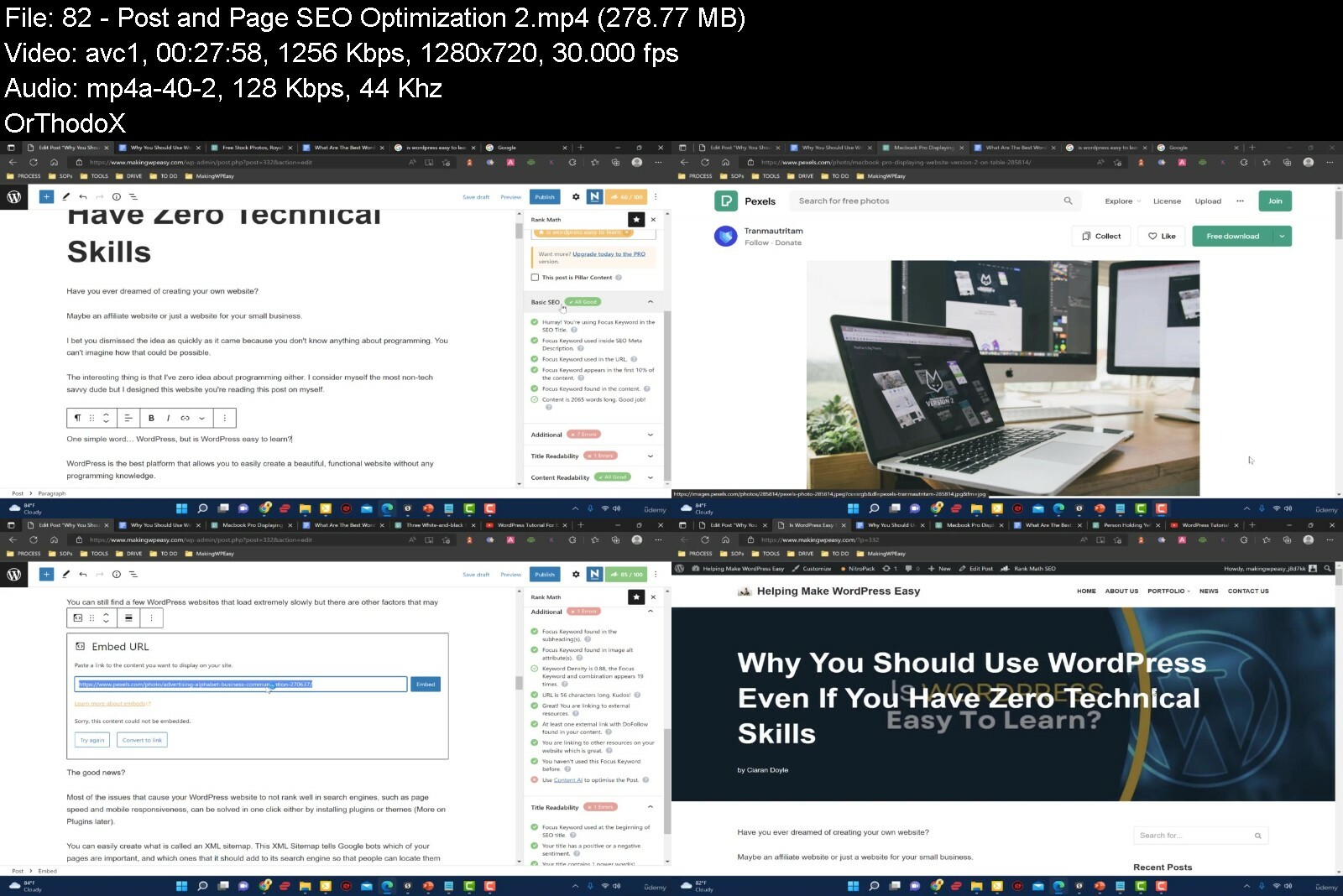
Lecture 81 Post and Page SEO Optimization - 1
Lecture 82 Post and Page SEO Optimization - 2
Lecture 83 EXTRA - ManifeSEO
Section 11: Getting Your Legal Pages Setup
Lecture 84 Getting Your Website Legal
Lecture 85 Killer Contact Page Setup
Lecture 86 Easy About Page Creation
Lecture 87 Legal Documents You NEED!
Section 12: The HomePage Of Your WordPress Website
Lecture 88 Introduction To Your Website Homepage
Lecture 89 The Importance Of The Homepage
Lecture 90 Static Homepage v Blog Posts
Lecture 91 Creating A Blog Style Homepage
Lecture 92 Creating A Static Style Homepage
Section 13: Proper WordPress Navigation
Lecture 93 Overlooked WordPress Website Navigation
Lecture 94 Editing and Creating Custom Navigation Menus
Lecture 95 Navigation Menu Widgets
Lecture 96 Latest Posts Navigation Widget
Lecture 97 Related Post Navigation Plugin
Lecture 98 Internal Site Linking
Section 14: Wordpress Site Structure - 3 Sites
Lecture 99 Introduction To Critical Site Structures
Lecture 100 3 Site Structures For Excellent SEO
Lecture 101 Affiliate Site Structure
Lecture 102 Blog Site Structure
Lecture 103 Making A Static Page Blog
Lecture 104 Business Site Structure
Section 15: BONUSES
Lecture 105 List Of Bonuses
Lecture 106 How To Use The Udemy Platform
Lecture 107 Wayback Machine, Importing Content and Expired Domains...
Lecture 108 WordPress Post Template
Lecture 109 Make Sure You Appear On Bing and Yandex
Lecture 110 Email Marketing Bonus
Beginner digital marketers with an interest in WordPress Websites,Business people who want to manage their WordPress Sites
Download from RapidGator
Download from DDownload
Wordpress For Beginners No Code Just Easy Wordpress, Quickly
Published 8/2022
MP4 | Video: h264, 1280x720 | Audio: AAC, 44.1 KHz
Language: English | Size: 7.69 GB | Duration: 13h 27m
Learn The WordPress Website Skills You Need To Build & Grow Your Own Online Business, Including WordPress SEO Training
What you'll learn
This is a NO TECH, NO CODING Wordpress Training Course For Beginners, Who Want To Learn The Use WordPress For Their Business, Not To Be A Developer!
Overcome The Confusion Of Different 'Look' WordPress Dashboards, Know What Everything Is, & How To Navigate It!
Create SEO Optimized Pages and Posts, and most importantly, Know When To Use Each One, as this can be confusing!
Know the Difference Between Categories and Tags, And Know How & Why To Use Them For Excellent Search Engine Rankings!
Easily Extend The Functionality of Your Website With WordPress Plugins, Know What They Are, How To Use Them, And Most Importantly How To Find Them!
Uncover The Different Types Of Homepages, From Static to Blog and How And When To Use Them... With Some Cool Tricks Thrown In!.
Heard Of Responsive Websites? Let Me Show You How To Make This A Reality With Beautifully Crafted WordPress Themes For Your New Site!
Show How Good Your Website Looks On Any Device, Desktop, Mobile, Tablet, Iphone, Samsung, Oppo etc...
Become A Maestro At WordPress Navigation, The Massively Overlooked Skill That Is Essential To Great Results In The Search Engines & Happy Website Visitors!
Optimize The Hell Out Of WordPress To Make It Run On Rocket Fuel!
Say Goodbye To Potential Hackers and Spammers With These Sneaky Security Tricks!
Basically, Let Me Give You The Inside Scoop On WordPress, So You Understand It, & Can Use It Professionally!
Requirements
IF YOU ARE LOOKING TO BE A CODER OR TECH PERSON! THIS IS NOT FOR YOU!
You Can Be A Complete New Person To WordPress, I Cover Everything You Need!
You Will Need A Computer, and Internet Access To Do This Training!
Description
IMPORTANT:*This is NOT*a WordPress Development course about coding, or tech. If You are looking for that, you will get NO*VALUE*from this WordPress Training. This is 100%*For People Who Are Not Techy, and who want to build WordPress Sites WITHOUT*TECH!Is One Or More Of These Things True?1. You're fed up with your progress or your profits so far?2. You're sick of buying courses only to discover you were only told a tiny bit of what you had to do?3. You are confused with overly complex training?4. You're ready right now to learn what will work for you in 2023 and beyond?If there is one thing that holds many people back, especially when starting out it's being fed overly complex information and losing trust in your trainer...My Promise To You:I, Ciaran Doyle, promise to show you the WordPress website building steps to...· Eliminate the confusion, squash the uncertainty and frustration, while...· Showing you Non-tech ways to get what you need done,· Getting more results, WITHOUT spending more money,· And NOT trying to sell you anything during the training,So, if you are looking for that final breakthrough, that last little push towards success, you are in the right place.===Don't take my word for it, here's what my students say....I have Ciaron to thank for his magical messaging. It's fun, engaging, and somehow has penetrated into my brain. I recommend the course to anyone interested in learning this stuff. It will happen! Robin Richardson.This course is spectacular. Ciaran knows how to teach effectively and to really connect with his students, providing clear explanations of concepts, processes, and tools. He really lives up to his promise.I look forward to taking other courses with him. P.S. He really over-delivers for the price he charges. Ellen C..I cannot believe that you as a tutor can be more concerned about the individual success of each and every student rather than your own financial gain. You truly are a rare find! We salute you! - Alphie JThis is my second training with Ciaran and it does not disappoint again. Thanks, Ciaran - Steve BThank you so much, Ciaran for such an amazing course. It's well structured, very informative, and easy to understand. Again thank you! - EvaPlus a whole host of others...===WordPress can be so much fun, even better when you are profiting from it.And that is what I'm going to show you how to do...To build on top of WordPress, to show you the key steps you need to know to be able to do pretty much everything you need to run all manner of online businesses.1. Follow along with this WordPress Tutorial as I build professional-looking WordPress sites from scratch, even though I'm not a designer,2. Get the easiest non-technical 'technical" overview of WordPress,3. Get floods of free visitors from the search engines (Yep, even this), and...4. Turn your ideas into fun and profitable WordPress sites.======But what if you're not techy?Here's the truth about starting a new WordPress site.1. You don't need to be an expert,2. You don't need to have done this before to create a great WordPress site, create brilliant WP content and get floods of visitors,3. You don't need to be a tech wizard, university graduate, or college, or even high school.4. And, you don't need to spend thousands of dollars hiring so called experts to make this a reality, (This really is KEY FOR THIS TRAINING)So,WHY TAKE THIS WORDPRESS COURSE AND NOT ANOTHER ONE?Well, this WordPress training is based on WordPress implementation that works, and excels online, and that I use in my own business.Everything you will see has been tried and tested, put through actual real world experience, cutting your learning curve, so you can benefit from it right now!Also, the more you do with this, the stronger your WordPress skills and knowledge will become.I'm not only going to teach you how to do WordPress. but MOST IMPORTANTLY, HOW TO THINK WORDPRESS!You see,This WordPress training focuses on great understanding of how to use WordPress without being a:designer or developer,without being a techy person, and just simply,what you as a technophobe are actually capable of doing,instead of what is just going to make your brain explode.Vs.What many people teach, which is Skimming over the inner workings, or passing the work over to Upwork to get a designer to do that etc.Which does work, but, as you have probably already discovered, hiring people is a nightmare!For a start... if you just simply get others to create your WordPress sites for you:You don't even know what is good or bad work,Or what you even need to have on your site to make it work the way you want, and.9 times out of 10, THEY DON'T DO IT CORRECTLY!Non WordPress Understanding = Overcharging, Bad Work and Bad Site Functionality!Plus.Did you know?When people come to your website, you only have up to 0.05 seconds to make an impression on them, or they will leave, and most likely never come back.(Yep, only 50 milliseconds)Now imagine your website runs slowly.When your WordPress site runs sluggishly (which most do), this can lead to your potential customers never even getting to see your website, as it takes too long to load.And guess what happens then?They LEAVE, and look somewhere else!Your website is just 'One' of the multitude of solutions out there.So, YOU need to know how to sort out these problems yourself, quickly, making your WordPress website more USER FRIENDLY instantly!QUICKER SITE = MORE USER FRIENDLY = MORE VISITORS = A GROWING WEBSITE!And ultimately that means more sales/money/signups.If you have fallen foul of the 'gurus' before, with their overly complex training and lessons, don't worry, many of my students have been in the same predicament before they came to me.So, for a change, you will learn the real fundamentals of how WordPress works, for YOU and YOUR WEBSITE!The skills and step by step instructions will open your eyes to the world of WORDPRESS and the internet like never before!.These are the things that actually WILL work for you, no matter your technical ability (As there is NO CODE HERE), and in a much quicker time.Do you want to get real results for a change?You will be able to easily follow along with the over-the-shoulder step-by-step approach to help this become a reality for you.Simply do what I do, and let me guide you to succeeding with WordPress.======How This Making WordPress Easy Training worksThe training is split into 13 Modules
art 1 - Before You BeginThis is all about you and how you can get the most out of the training,· Finding out how best to approach this training for exceptional results,· How it will work for you,· How to get to the core of what you want to create,· How to find out any answers you may have... sometimes this can be the hardest point, getting to the core of the 'jargon' used with new softwares.but it is a breeze with this method.I'll show you how to pick the correct WordPress for your new website, and where to install it, so you can get the proper understanding of the most important elements of your site.Part 2 - Web Host InstallationWe get straight into getting your WordPress website LIVE online...You will follow along step by step as I bring you through the whole WordPress website setup, including explanations of it, fromurchasing your first domain,Getting your hosting set up (multiple types for you to choose)Your DNS changed,Your SSL requirements,When done correctly following this specific setup formula, your WordPress website will:Save you money,Get a WordPress website performance boost,Ensure that you fill a requirement of the search engines (like Google),And see how easy it is going to be to reproduce WordPress sites in a flash.You will get addicted to creating these WordPress websites, and the more you create the better and easier they will become.And when you follow along, build yours out and learn the process, you will be able to do it too, but you need to learn it first.Part 3 - A First Look At WordPressFollowing on from the WordPress website installation section, I'm going to bring you through an overview of your new WordPress dashboard.Giving you the immediate confidence to know.What the different sections are for,How to access them,How to find things you want,And most importantly, to be able to navigate your dashboard to get the best out of not only this training, but every single WordPress site you create.Without this,You won't know where to start, and what you see in front of you will look overly complex.Don't let something so easily explained confuse you before you start, and that is why I do this section, to make sure you get such a good grounding to WordPress that the next sections become a breeze.Because we move onto something very special in Module 4.Part 4 - Gutenberg EditorContent is King as they say...But, while it might be king, and it is that important, it is a learned skill...It is not something that you automatically get good at!BUT...Content Isn't ONLY The Words You Create.It's HOW you create them, and what you make it:Look like,Read like, and.Feel like.So, understanding how to turn an ordinary piece of text writing into something of easy beauty is key to making a brilliant website.What if I was able to show you how to work one of the most powerful content creation platforms in the world, and.1. Turn every piece of boring text into a work of art (without any tech or design skills)2. Know the exact steps you need to take to create perfectly structured content for the search engines and your readers,3. How to create this amazing looking content, EVEN if you have NEVER used WordPress before,4. And, how to blow your readers away with the sheer easiness and clinginess your content has...Would that make you happy?Well, that's what I have in store for you in the Gutenberg section... pure novice to GOLD EXPERT instruction... YOU WILL BE BLOWN AWAY!Part 5 - WordPress SettingsFollowing on from the Gutenberg section, we get into the key settings that EVERY SINGLE WEBSITE NEEDS TO HAVE IN PLACE!A few little-known elements that need a ONE TIME SETUP, and that make managing your website a breeze.Knowing how to optimize these settings for quality WordPress sites.Ensure your website is viewed exactly as you want it to be,Your content is read in the exact manner in which you set it out,Your readers consume your site the way you want,Your commenters are looked after, almost on autopilot (if you want them to be),And, your visitors Privacy is all taken care of,Plus.How to ensure even before you start to create content, that one of your content ESSENTIALS is set up, working and ready to automatically inserted into EVERY PIECE of content you create!Part 6 - WordPress Themes, WidgetsOk, so this one here is a BIG DEAL for most. and that is the design section,The reason being?We ain't all designers!When it comes down to it, most people who haven't studied design aren't very good at it.And, while designers make a killing providing their services to Non-Educated website owners, they know, something job-killing is creeping up to steal their web design business.WordPress themes, or another way to see it is...Graphical WordPress Templates that just eliminate the need for ANY designers at all!BUT...Maybe you have tried themes before and still can't get it the way you want?Well, what if I was able to show you how to...1. Know exactly where to find the correct theme for your sites, ALWAYS,2. The exact steps you need to take to create the site of your dreams,3. How to let someone else do 99% of the design work for you, and.4. How to blow your readers away with WordPress sites that look like you spent thousands of dollars on themWould that make you happy?Well, that's what I have in store for you in the themes and widgets section.Part 7 - Important WordPress PluginsWebsite functionality is key to a wonderful experience for your visitors.And, a perfectly working site for you.But, while other sites spend thousands on a WordPress Developer to do there work.It might not cost as much as you might think, and in many cases, what you love on other sites, could be done for.FREE! Yep, I mean it,What if you could do any crazy development stuff yourself? And make your site work like a dream, would that interest you?MINUS THE WORDPRESS*TECH, DEVELOPERS*AND CODING OF COURSE!Enter, WordPress Plugins.A WordPress Plugin is an external piece of software that add functionality to your website like.1. Making your site's performance run like Usain Bolt (A MAJOR factor)2. Speed up your WordPress website with a few clicks,3. Ensuring that every piece of content you create is loved by the search engines (which means more visitors)4. Securing your site against all manner of nasty hackerish issues, and.5. Adding credibility to every page of your site,The list of what you can do with a simple WordPress Plugin will make your head spin, and I show you.The exact WordPress plugins I use in my own business,Cutting your learning curve and.Giving your new WordPress websites the elite plugins to use, to ensure maximum setup.This module is so so important, it's brain opening, and with the ease in which you can locate your WordPress Plugins, this is going to be a gamer changer for you!Part 8 - Website Content Pages And Posts - WordPress SEOContent is King as they say...But, while it might be king, the WordPress SEO*Optimization of that content is more like Merlin, the Wizard!SEO*Optimization is the magic formula that.Gets your content to the top of the search engines,Brings in floods of visitors to your WordPress sites, and.Helps them read every single word of your writing,BUT, shouldn't a skill like that take years to learn?Yep, it should, but.What if you could Shortcut that skill acquirement?What if I was able to show you how to...1. Turn even the most boring of texts into Google loving masterpieces,2. Know the exact steps you need to take to create content that is understood not only by your readers, but by the search engines,3. How to create this amazing WordPress optimized content, EVEN if you have never done it before,Would that make your WordPress life easier?Damn right it would! WordPress SEO*is the icing on the cake for ANY*WordPress Site, PERIOD!Part 9 - Legal PagesWhen it comes to creating WordPress website, you need to also take into consideration the things that EVERY Single website MUST have, like legal stuff.This really isn't for your visitors, more for yoru website to be considered a reputable business in the search engines eyes.More Reputable looking = More Chance Of Ranking High!So, this section is all about doing just that, making your WordPress website seem like you are a quality website the search engines can trust!But not only that, I'm going to give you some copy/paste templates you can use to get these things done quickly, without too much hassle!You'll also uncover:My top resources for getting your document pages created, and how you too, can get all the legal requirements done and dusted within a few clicks, not to be missed!Part 10 - The HomePageOnce you have gotten here well done. You are onto the first Module designing your site, and in this module we will look at how you can make your homepage anything you want it to be.There are just so many options as you will see, and you have the ability to get them up and running in a matter of minutesFirst we'll look at how important that homepage is for you and your sites requirements,Then we'll look at how to create different types of homepages,How to graphically steal top ideas and have them as yours in a few moments, and finally.How to ensure that when you set up your homepage the way you want it, all the little fiddly parts fit together and work in unison!With veen just what I show you up to this point you have everything you need to create amazingly functional and beautiful sites,But, even these beautiful sites need a navigation system that is not only useful to people but the search engines, and that is what the next module is all about.Part 11 - NavigationDid you know that one of the main reasons people leave a site they previously loved is that they CAN'T find what they are looking for.Yep, Poor Website Navigation not only hurts your rankings on the search engines, but ALSO annoys people who can't find what they are looking for on your site.What does an annoyed visitor do?They NEVER COME BACK!And for something with such a simple FIX.In this module we look at the keys to creating great navigation, to ensure that your site experience for your users performs to the quality they expect,You will learn.How to create awesome custom navigation menus, utilizing all of your most important pages and categories,Update previously installed navigation menus, which saves you tons of time,Have your visitor time extended by giving them posts that are related to what they have just read, plus so many more cool and sneaky little navigation tricksImportant Note: While many people will skip this section, DO NOT, proper and quality navigation is key to higher rankings for your website online, which means more visitors.Follow the easy step-by-step training videos, and YOU WILL get your first fully functional WordPress Website up and running and producing income in super quick time.Part 12 - Wordpress Site Structure - 3 SitesNow we have already covered themes, widgets and navigation above.But, we are going to take it all a few steps further, actually scrap that.We are going to turn your new WordPress site on full throttle with the immense power of key site structures, based on what it is you are looking to have your site achieve.This part of the training is for those of us who like to add a touch of stardust to the proceedings...Site structure basically tells the search engines WHAT IS IMPORTANT on your sites,Are you running a WordPress blog, perhaps blogging is your fortae...Or,Maybe you are looking for more of a WordPress Business Site, again, you have a structure for this...And even...Running a WordPress Affiliate site, again... we have structures for this too, showing the most important pages in the structure here is key,And when the search engines know what is important, what do you think they do?Yep, they shoot those important pages right up the search engines, which is exactly why this section is super important!In this section we look at 3 types of sites, and the structures you need to put in place to ensure that your site pages get the kudos they deserve.We will look at the best way to structure your WordPress blog, along with utilizing WordPress for your income building affiliate sites, and then we will look at how you too, can create an awesome business site, all the while ensuring you have me here, helping you get your site to where you want it to be.And finally.Part 13 - WordPress SecurityImagine for one moment you lost it all.If went kaput!Someone broke into it, updated your passwords and just disappeared your site, perhaps holding you for RANSOM!Yep, no word of a lie, it happens.Actual money blackmailing.On other people's sites!But not on yours.Not with the bevvy of security beefs that I have in store for you.The practical security skills you will learn in this section will:1. Automatically guard everything you do online, so you have the furthest chance to being hacked possible,2. Allow you the peace of mind needed to focus on the growth and development of yoru sites, instead of worrying about overly complex security issues,3. And give your WordPress websites the key hacker-blocking tweaks it needs,And...You don't need fancy software that costs you an arm and a leg, no paid websites, crazy tools, and no pulling your hair out (well maybe just a bit)...With Over 12 Hours Of Easily Actionable Lessons and downloads,· I walk you through every detail, step by step,· So you get the same results as if I was doing it for you.On top of that, if you ever get stuck, don't worry, help is at hand.Because once you become a student of this training course, you will receive continuous support from me - for a lifetime.I will share my advice and answers to your questions whenever you need help from me (please give me time to respond though).So...1. If you are looking for super straightforward instructional training that won't have you pulling your hair out,2. And most importantly, a proven strategy to get started with WordPress in the easiest way possible, that cuts the learning curve and just gives you the actionable no fluff strategy you need,3. If this is what you are after.then I look forward to welcoming you into our tight and happy community.I look forward to seeing you on the inside, helping you start your WordPress journey the right way right away, and achieving the results that are going to turn your life around.Dedicated to your successCiaran DoyleOverview
Section 1: Making WordPress Easy, A Course For Beginners, Not Looking To Learn Code!
Lecture 1 What this is, what it is not...Who This Is For, Who This Is NOT For?
Lecture 2 Let's Start Correctly!
Lecture 3 How We Will Approach The Training, and how you should do it
Lecture 4 Introducing WordPress
Lecture 5 Intro To The Course
Lecture 6 WordPess .com or .org?
Lecture 7 Why Does My WordPress Look Different Than Yours?
Lecture 8 What Does That WordPress Word Mean? - Dictionary!
Lecture 9 Where To Install Wordpress?
Section 2: Installing WordPress Easily
Lecture 10 Introduction Video
Lecture 11 I Got A Deal For Ya...
Lecture 12 Buying A Domain Name
Lecture 13 Hosting Support - Super Important
Lecture 14 Hosting Setup And Buying Overview
Lecture 15 Directing A Domain to Your Hosting Provider
Lecture 16 Install Wordpress On Your Web Host
Lecture 17 Making Your Website Secure
Lecture 18 Installing WordPress with CPanel
Section 3: The Most Important Video
Lecture 19 The Most Important Video
Section 4: Let's Get To Know WordPress
Lecture 20 A First Look At WordPress Introduction
Lecture 21 Logging Into WordPress For The First Time
Lecture 22 Logging in Via Hosting Dashboard
Lecture 23 WordPress Dashboard Overview
Lecture 24 How To Switch Your WordPress Themes / Templates
Lecture 25 Clearing Out Wordpress Pre-installed Content
Lecture 26 Overview Of Post & Page Editors - The Gutenberg
Lecture 27 Where You Manage Your WordPress Media - Your Media Library
Section 5: The Gutenberg Editor
Lecture 28 Introduction Video
Lecture 29 Gutenberg Editor Overview
Lecture 30 Editing and Saving Posts and Pages
Lecture 31 How To Use A Gutenberg Block
Lecture 32 Adding Blocks to Create a Post
Lecture 33 Text And Image Wrapping
Lecture 34 Using The Cover Block
Lecture 35 Getting The Most From WordPress Columns
Lecture 36 The Time Saving Beauty Of Reusable Blocks
Lecture 37 How To Get More Blocks For Your Wesbite
Lecture 38 Using Animations Sensibly
Section 6: WordPress Settings
Lecture 39 WordPress Settings Introduction
Lecture 40 Setting Up A Gravatar
Lecture 41 Adding New WordPress Users
Lecture 42 Setting Up An Author Profile
Lecture 43 WordPress General Settings
Lecture 44 WordPress Writing Settings
Lecture 45 Reading Settings For WordPress
Lecture 46 Discussion Settings For Your Website
Lecture 47 Best Link Structure - Permalinks
Lecture 48 Important Privacy Settings
Section 7: WordPress Themes and Widgets
Lecture 49 WordPress Themes and Widgets Introduction
Lecture 50 Using WordPress Themes Effectively
Lecture 51 What Actually Is Responsive Website Design?
Lecture 52 Demo Content Starter Sites
Lecture 53 The Customizer
Lecture 54 WordPress Widgets
Section 8: Important WordPress Plugins To Get Started
Lecture 55 The WordPress Plugin Module Introduction
Lecture 56 Know How To Find And Add Any WordPress Plugins
Lecture 57 Setting Up Your Website's Base Plugins
Lecture 58 The King Of Security Plugins
Lecture 59 Super Performance Of Your Site Plugin
Lecture 60 Crazy Optimization Plugin
Lecture 61 The Leader In SEO Plugins... The Absolute Best!
Lecture 62 Extra Lesson For Site Performance On Google
Lecture 63 Extra Lesson For Visitor Understanding
Section 9: Keeping WordPress Secure
Lecture 64 Keep Your WordPress Site Secure
Lecture 65 Security Lockout Steps
Lecture 66 AntiSpam Commenters
Lecture 67 Making A WordPress Backup
Lecture 68 Change WordPress Author (EXTRA SECURITY)
Section 10: Wordpress Content Pages And Posts SEO
Lecture 69 Your Posts and Pages Are Sooo Important
Lecture 70 Overview of What Are Posts and Pages
Lecture 71 What Really Are WordPress Pages?
Lecture 72 What Really Are WordPress Posts?
Lecture 73 WordPress Category Hierarchy
Lecture 74 EXTRA - Idea Generation Video
Lecture 75 EXTRA - Category Generation Video
Lecture 76 WordPress Tags - Do You Need Them?
Lecture 77 Sell That Click With Great WordPress Exerpts
Lecture 78 Grab Visitor Attention With Featured Images
Lecture 79 Set Up and Schedule Content
Lecture 80 How To Optimize Images
Lecture 81 Post and Page SEO Optimization - 1
Lecture 82 Post and Page SEO Optimization - 2
Lecture 83 EXTRA - ManifeSEO
Section 11: Getting Your Legal Pages Setup
Lecture 84 Getting Your Website Legal
Lecture 85 Killer Contact Page Setup
Lecture 86 Easy About Page Creation
Lecture 87 Legal Documents You NEED!
Section 12: The HomePage Of Your WordPress Website
Lecture 88 Introduction To Your Website Homepage
Lecture 89 The Importance Of The Homepage
Lecture 90 Static Homepage v Blog Posts
Lecture 91 Creating A Blog Style Homepage
Lecture 92 Creating A Static Style Homepage
Section 13: Proper WordPress Navigation
Lecture 93 Overlooked WordPress Website Navigation
Lecture 94 Editing and Creating Custom Navigation Menus
Lecture 95 Navigation Menu Widgets
Lecture 96 Latest Posts Navigation Widget
Lecture 97 Related Post Navigation Plugin
Lecture 98 Internal Site Linking
Section 14: Wordpress Site Structure - 3 Sites
Lecture 99 Introduction To Critical Site Structures
Lecture 100 3 Site Structures For Excellent SEO
Lecture 101 Affiliate Site Structure
Lecture 102 Blog Site Structure
Lecture 103 Making A Static Page Blog
Lecture 104 Business Site Structure
Section 15: BONUSES
Lecture 105 List Of Bonuses
Lecture 106 How To Use The Udemy Platform
Lecture 107 Wayback Machine, Importing Content and Expired Domains...
Lecture 108 WordPress Post Template
Lecture 109 Make Sure You Appear On Bing and Yandex
Lecture 110 Email Marketing Bonus
Beginner digital marketers with an interest in WordPress Websites,Business people who want to manage their WordPress Sites
Download from RapidGator
Download from DDownload