• Regeln für den Video-Bereich:

    In den Börsenbereich gehören nur Angebote die bereits den Allgemeinen Regeln entsprechen.

    Einteilung

    - Folgende Formate gehören in die angegeben Bereiche:
    - Filme: Encodierte Filme von BluRay, DVD, R5, TV, Screener sowie Telesyncs im Format DivX, XviD und x264.
    - DVD: Filme im Format DVD5, DVD9 und HD2DVD.
    - HD: Encodierte Filme mit der Auflösung 720p oder darüber von BluRay, DVD, R5, TV, Screener sowie Telesyncs im Format x264.
    - 3D: Encodierte Filme von BluRay, die in einem 3D Format vorliegen. Dies gilt auch für Dokus, Animation usw.
    - Serien: Cartoon/Zeichentrick, Anime, Tutorials, Dokumentationen, Konzerte/Musik, Sonstiges sind demnach in die entsprechenden Bereiche einzuordnen, auch wenn sie beispielsweise im High Definition-Format oder als DVD5/DVD9/HD2DVD vorliegen. Ausnahme 3D.
    - Bereich Englisch: Englische Releases gehören immer in diesen Bereich.
    - Bereich Talk: Der Bereich, in dem über die Releases diskutiert werden kann, darf, soll und erwünscht ist.


    Angebot/Beitrag erstellen

    - Ein Beitrag darf erst dann erstellt werden, wenn der Upload bei mindestens einem OCH komplett ist. Platzhalter sind untersagt.
    - Bei einem Scenerelease hat der Threadtitel ausschließlich aus dem originalen, unveränderten Releasenamen zu bestehen. Es dürfen keine Veränderungen wie z.B. Sterne, kleine Buchstaben o.ä. vorgenommen werden. Ausnahme Serienbörse:
    - Bei einem Sammelthread für eine Staffel entfällt aus dem Releasename natürlich der Name der Folge. Beispiel: Die Simpsons S21 German DVDRip XviD - ITG
    - Dementsprechend sind also u.a. verboten: Erweiterungen wie "Tipp", "empfehlenswert", "only", "reup", usw. / jegliche andere Zusatzinformation oder Ergänzung, welche nicht in obiger Beschreibung zu finden ist.

    Aufbau des Angebots und Threadtitel

    Der Titel nach folgendem Muster erstellt zu werden. <Name> [3D] [Staffel] [German] <Jahr> <Tonspur> [DL] [Auflösung] <Quelle> <Codec> - <Group>
    Beispiel: The Dark Knight German 2008 AC3 DVDRip XviD - iND
    Beispiel: The Dark Knight 2008 DTS DL BDRip x264 - iND
    Beispiel: The Dark Knight 2008 AC3 DL BDRip XviD - iND
    Beispiel: The Dark Knight German 2008 AC3 720p BluRay x264 iND
    Beispiel: The Dark Knight 2008 DTS DL 1080p BluRay x264 iND
    Beispiel: Die Simpsons S01 German AC3 DVDRip XviD iND
    Beispiel: Die Simpsons S20 German AC3 720p BluRay x264 iND
    Beispiel: Sword Art Online II Ger Sub 2014 AAC 1080p WEBRip x264 - peppermint
    Entsprechend sind also u.a. verboten: Sonderzeichen wie Klammern, Sterne, Ausrufezeichen, Unterstriche, Anführungszeichen / Erweiterungen wie "Tipp", "empfehlenswert", "only", "reup", usw. / jegliche andere Zusatzinformation oder Ergänzung, welche nicht in obiger Beschreibung zu finden ist
    Ausnahmen hiervon können in den Bereichen geregelt sein.

    Die Beiträge sollen wie folgt aufgebaut werden:
    Überschrift entspricht dem Threadtitel
    Cover
    kurze Inhaltsbeschreibung
    Format, Größe, Dauer sind gut lesbar für Downloader außerhalb des Spoilers zu vermerken
    Nfo sind immer Anzugeben und selbige immer im Spoiler in Textform.
    Sind keine Nfo vorhanden z.B. Eigenpublikationen, sind im Spoiler folgende Dateiinformationen zusätzlich anzugeben :
    Quelle
    Video (Auflösung und Bitrate)
    Ton (Sprache, Format und Bitrate der einzelnen Spuren)
    Untertitel (sofern vorhanden)
    Hosterangabe in Textform außerhalb eines Spoiler mit allen enthaltenen Hostern.
    Bei SD kann auf diese zusätzlichen Dateiinformationen verzichtet werden.

    Alle benötigten Passwörter sind, sofern vorhanden, in Textform im Angebot anzugeben.
    Spoiler im Spoiler mit Kommentaren :"Schon Bedankt?" sind unerwünscht.


    Releases

    - Sind Retail-Release verfügbar, sind alle anderen Variationen untersagt. Ausnahmen: Alle deutschen Retail-Release sind CUT, in diesem Fall sind dubbed UNCUT-Release zulässig.
    - Im Serien-Bereich gilt speziell: Wenn ein Retail vor Abschluss einer laufenden Staffel erscheint, darf diese Staffel noch zu Ende gebracht werden.62
    - Gleiche Releases sind unbedingt zusammenzufassen. Das bedeutet, es ist zwingend erforderlich, vor dem Erstellen eines Themas per Suchfunktion zu überprüfen, ob bereits ein Beitrag mit demselben Release besteht. Ist dies der Fall, ist der bereits vorhandene Beitrag zu verwenden.
    - P2P und Scene Releases dürfen nicht verändert oder gar unter einem iND Tag eingestellt werden.


    Support, Diskussionen und Suche

    - Supportanfragen sind entweder per PN oder im Bereich Talk zu stellen.
    - Diskussionen und Bewertungen sind im Talk Bereich zu führen. Fragen an die Uploader haben ausschließlich via PN zu erfolgen, und sind in den Angeboten untersagt.
    - Anfragen zu Upload-Wünschen sind nur im Bereich Suche Video erlaubt. Antworten dürfen nur auf Angebote von MyBoerse.bz verlinkt werden.


    Verbote

    - Untersagt sind mehrere Formate in einem einzigen Angebotsthread, wie beispielsweise das gleichzeitige Anbieten von DivX/XviD, 720p und 1080p in einem Thread. Pro Format, Release und Auflösung ist ein eigener Thread zu eröffnen.
    - Grundsätzlich ebenso verboten sind Dupes. Uploader haben sich an geeigneter Stelle darüber zu informieren, ob es sich bei einem Release um ein Dupe handelt.
    - Gefakte, nur teilweise lauffähige oder unvollständige Angebote sind untersagt. Dies gilt auch für eigene Publikationen, die augenscheinlich nicht selbst von z.B. einer DVD gerippt wurden. Laufende Serien, bei denen noch nicht alle Folgen verfügbar sind, dürfen erstellt und regelmäßig geupdatet werden.
    - Untersagt sind Angebote, welche nur und ausschließlich in einer anderen Sprache als deutsch oder englisch vorliegen. Ausnahmen sind VORHER mit den Moderatoren zu klären.


    Verstoß gegen die Regeln

    - Angebote oder Beiträge, die gegen die Forenregeln verstoßen, sind über den "Melden"-Button im Beitrag zu melden.
  • Bitte registriere dich zunächst um Beiträge zu verfassen und externe Links aufzurufen.

*** Bestes IPTV *** bester Preis *** gratis Test ***


Englische Tutorials

Qigong For Energy, Joy, Serenity

ieonhguab4tvh2nlgzug7xwfoi.jpg


Qigong For Energy, Joy, Serenity
Published 9/2022
MP4 | Video: h264, 1280x720 | Audio: AAC, 44.1 KHz
Language: English | Size: 11.37 GB | Duration: 9h 3m

A two-week program with daily qigong standing flows, qigong yoga fusion flows, and meditation. Open to joy, calm, health


What you'll learn
Calm agitation, restlessness, racing thoughts
Let go of old energy, stress, thoughts and emotions weighing your down
Fill up with new, potent energy for health and vitality
Gracefully flow into more well-being and tranquility
Gentle movement to flow into the stillness of the present moment
Come into balance in body, mind, and soul
Develop more self-mastery
Expand the heart into the love frequency
Take all this goodness into your daily life for more joy, energy, serenity, success, love, and abundance

Requirements
All levels. Consult your doctor before starting any new physical program.

Description
Are you ready to calm your mind, emotions, body? Are you ready to open to more joy in your daily life?WHAT*WILL*THIS*PROGRAM*DO*FOR*ME?My goal in this program is to create a sacred container for you to:Release agitation, restlessness, racing thoughtsLet go of old energy, stress, thoughts and emotions weighing your downFill up with new, potent energy for health and vitalityGracefully flow into more well-being and tranquilityGently move into the stillness of the present momentCome into balance in body, mind, and soulDevelop more self-masteryExpand the heart into the love frequencyTake all this goodness into your daily life for more joy, energy, serenity, success, love, and abundanceAs you flow with the breath in the gentle qigong standing classes, powerful energy alchemy is taking place. The seated meditations enable you to activate your energy for profound resonance. As you progress through the program you will feel the energy more and more as you move and as you sit in meditation. WHAT*DOES*THE*PROGRAM*CONTAIN?Qigong for Energy, Serenity, Joy is a two-week, fourteen day program containing a standing qigong flow as well as a seated meditation for each day of the week. In addition to classic Qigong standing flow classes, there is a Hatha Yoga class, a Yin Yoga class, and some Qigong Yoga Fusion Flows included in the program to increase your flexibility, strength, and bring you into deeper body health and well-being. HOW*MUCH*TIME*WILL*THE*PROGRAM*TAKE*DAILY?You can expect the daily standing flow practice as well as the meditation practice to take about 35 minutes each day Monday through Friday. The practices are between 40-60 minutes on Saturdays and Sundays.CAN*I*REPEAT*THE*PROGRAM?Yes! You are welcome to repeat the two week progression as many times as you like. Each time you go through the two -week program you will increase your ability to feel energy moving and to actively work your light. Once you've completed the course you can go back and do the videos in any order that feels intuitively perfect for you based on your energy levels, the season, and your lifestyle that day.WHAT*IF*I*CAN'T*DEDICATE*TIME*DAILY?You can slow the program down to fit you best. The important thing is to select a pacing that you can commit to and not break your promise to yourself to practice consistently. This could mean that you dedicate one day a week to your standing practice and seated meditation and space the program out over 14 weeks instead of 14 days.Even starting with one day a week can increase to a daily routine if you are consistent and patient with yourself.WHO*THIS*CLASS*IS*FOR:All levels classes. Use props in the yoga classes and trust your body. Only do what feels good to you.Anyone looking to calm their thoughts, emotions, and body, to increase their energy and health, and to open to more joy, serenity, and love.
Overview
Section 1: Introduction
Lecture 1 Introduction
Section 2: MONDAY
Lecture 2 MONDAY QIGONG STANDING FLOW
Lecture 3 MONDAY MEDITATION
Lecture 4 TUESDAY QIGONG DAILY STANDING FLOW
Lecture 5 TUESDAY MEDITATION
Lecture 6 WEDNESDAY QIGONG STANDING FLOW
Lecture 7 WEDNESDAY MEDITATION
Lecture 8 THURSDAY QIGONG STANDING FLOW
Lecture 9 THURSDAY MEDITAITON
Lecture 10 FRIDAY QIGONG STANDING FLOW
Lecture 11 FRIDAY MEDITATION
Lecture 12 SATURDAY HATHA YOGA CLASS
Lecture 13 SUNDAY QIGONG YOGA FUSION FLOW
Lecture 14 SUNDAY MEDITATION
Section 3: WEEK TWO
Lecture 15 MONDAY QIGONG STANDING FLOW
Lecture 16 MONDAY MEDITATION
Lecture 17 TUESDAY QIGONG STANDING FLOW
Lecture 18 TUESDAY MEDITATION
Lecture 19 WEDNESDAY QIGONG STANDING FLOW
Lecture 0 WEDNESDAY MEDITATION
Lecture 20 THURSDAY QIGONG STANDING FLOW
Lecture 21 THURSDAY MEDITATION
Lecture 22 FRIDAY QIGONG STANDING FLOW
Lecture 23 FRIDAY MEDITATION
Lecture 24 SATURDAY QIGONG YOGA FUSION CLASS
Lecture 25 SATURDAY MEDITAITON
Lecture 26 SUNDAY YIN YOGA CLASS
Lecture 27 SUNDAY MEDITATION
Lecture 28 CONGRATULATIONS!
Beginner Friendly



qigongforenergyjoyser7ne6b.jpg


Download from RapidGator


Download from DDownload



Marketing Strategy For Digital Marketers In 2022

id1cuce0di4jfsy8xz3n1fziom.jpg


Marketing Strategy For Digital Marketers In 2022
Last updated 9/2022
MP4 | Video: h264, 1280x720 | Audio: AAC, 44.1 KHz
Language: English | Size: 5.02 GB | Duration: 4h 28m

From fundamental principles to modern strategies. Key strategic principles to improve marketing and practice.


What you'll learn
Core marketing principles
Fundamental marketing strategy & application
Persuasive techniques and how to use them
A deep understanding of marketing personas, what they are and how to create them, including demographics and psychographics
How to use modern market research tools such as: surveys, keyword research, trends, forums, statistical data, facebook insights, analytics and website insights
In depth look at marketing frameworks such as the marketing funnel and growth loops.
Theories of modern day marketing gurus

Requirements
None

Description
After being in the marketing industry for over a decade I've picked up that there are many that practice marketing without a core fundamental understanding of Marketing & Strategy.The course is designed for those that want to strengthen their core marketing principles and gain a rich understanding of what marketing strategy is and the vital role it plays both in principle and in practice. The course is focused on practical applications of marketing strategy including contemporary market research tools, modern day marketing frameworks and concepts. As the course instructor I run a digital marketing agency and practice these techniques daily, there is a strong focus on practicality and application as well as theory.The course is divided into 4 sections:In the first section we start by gaining a thorough understanding of what marketing and market strategy actually is. We cover a number of key marketing tenets such as the 4P's and persuasive techniques used in marketing.In the second section we discuss market research in depth and how to generate marketing personas. We explore the components of marketing personas and we dive into modern tools that can be used to conduct market researchIn the third section of the course we take a deep dive into marketing frameworks. These are models that can be used to apply marketing principles and market research to our modern day consumer landscape. We discuss 6 marketing frameworks and look at their evolution and usage.In the fourth section we take a look at modern day marketing personalities and consider their ideas and how to incorporate them into our marketing practice. We also provide a nice and easy summary of the course and the models we have discussed.What Students Are saying:Eloin (May, 2022) wrote:"Very well presented and explained, I really enjoyed this course because it broadened my outlook on marketing. I would definitely recommend it to anyone who wants a little more depth in their marketing efforts."
Overview
Section 1: Introduction
Lecture 1 Introduction to Marketing Strategy
Lecture 2 Course Overview
Section 2: Marketing Fundamentals
Lecture 3 First Principles of Marketing
Lecture 4 Marketing is Note Sales
Lecture 5 A Definition for Marketing
Lecture 6 Defining Marketing Strategy
Lecture 7 Marketing Strategy cont'd
Lecture 8 The 4P's
Lecture 9 Persuasive Techniques
Section 3: Market Research
Lecture 10 Market Research Components
Lecture 11 Customer Profiles
Lecture 12 Market Research Tool Types
Lecture 13 Category 1: Industry Tools
Lecture 14 Industry Tools: Digital Surveys
Lecture 15 Industry Tools: Keyword Planner
Lecture 16 Industry Tools: Digital Trends
Lecture 17 Industry Tools: Q&A forums
Lecture 18 Industry Tools: Government & Agencies
Lecture 19 Category 2: Competitor Research Tools - Facebook and Linkedin
Lecture 20 Competitor Research with Keyword Data
Lecture 21 Competitor Research: Email Marketing
Lecture 22 Category 3: Owned Properties: Google Analytics
Lecture 23 Owned Properties: Hotjar
Lecture 24 Owned Properties: Quantcast Measure
Lecture 25 Owned Properties: Facebook Audience Insights
Lecture 26 Other Owned Properties
Lecture 27 Market Segmentation
Section 4: Models
Lecture 28 Introduction to Models
Lecture 29 The AIDA Model
Lecture 30 AIDA model and the 4P's
Lecture 31 AIDA & Customer Profiles
Lecture 32 A.R.E Model
Lecture 33 A.R.E & the 4P's
Lecture 34 A.A.R.R.R
Lecture 35 A.A.R.R.R & The OMTM
Lecture 36 A.A.R.R.R - For Which Businesses?
Lecture 37 A.A.R.R.R & The 4P's
Lecture 38 The Consumer Decision Journey
Lecture 39 CDJ and Market Research
Lecture 40 Experimentation Models
Lecture 41 Testing with Feedback Loops
Lecture 42 Testing the 4P's
Lecture 43 Tools for Testing
Lecture 44 Growth Loops
Lecture 45 Growth Loops: Tik Tok
Lecture 46 Growth Loops: Survey Monkey
Lecture 47 Growth Loops: Other Examples
Lecture 48 Growth Loops Motivators
Lecture 49 Growth Loops: Beyond Referral Models
Lecture 50 Growth Loops For Your Business
Section 5: Marketing Gurus Today
Lecture 51 Modern Marketing Gurus
Lecture 52 Gary Vaynerchuk
Lecture 53 Simon Sinek
Lecture 54 Seth Godin
Lecture 55 Rand Fishkin on Flywheels
Lecture 56 Marketing Guru Takeaways
Lecture 57 Course Conclusion & Model Recap
Digital Marketers,Marketing Students,Business Owners


marketingstrategyfordj6d1c.jpg


Download from RapidGator


Download from DDownload


 
Google Maps Business Seo & Google Reputation Marketing

qykko9syf2p3hiwh3cjh4jxcte.jpg


Google Maps Business Seo & Google Reputation Marketing
Last updated 8/2022
MP4 | Video: h264, 1280x720 | Audio: AAC, 44.1 KHz
Language: English | Size: 5.34 GB | Duration: 4h 48m

Google search engine optimization + reputation management = the most powerful website traffic you'll ever receive!


What you'll learn
In this Google My Business Training Course,you'll know how to register your business for Google Maps (physical address or PO box).
In this Google My Business Training Course,you'll know how to optimize Google My Business for high SEO (Search Engine Optimization) ranking.
In this Google My Business Training Course,you'll know how to obtain more 5-star reviews for your business in Google My Business.
In this Google My Business Training Course,you'll know how to claim local business citations to rank higher in Google Maps.
You'll know how to respond to reviews professionally, which allows you to change a 1-star review into a 5-star review in this Google My Business tutorial.
In this Google My Business Training Course,you'll know how to utilize reputation marketing & reputation management to your advantage in Google My Business.
In this Google My Business Training Course,you'll know how to claim business directories and local SEO backlinks to increase your traffic from Google.

Requirements
You should know how to use a PC at a beginner level.
You DO NOT need a physical address as you can use a P.O. Box for Google Maps verification through Google My Business.

Description
BUY*THIS*COURSE and GET*2 COURSES FOR*THE*PRICE*OF*1!!!Zach Miller's Course Includes
Discover what you need to do*to Rank*Page 1 in*Google Maps.
Google Maps is the next revolution in*Google. It's taken a backseat to YouTube*for years, but 2018 is The Year of The*Maps!
With new changes and the ability to drive INSANE AMOUNTS*OF*TRAFFIC*to your website consistently, it's become one of my favorite tools for local businesses.
What's that? You say you have a Mobile Business, are a*Real Estate Agent, or own*a Home Business? That's OK, you can still list your business*on Google Maps, Increase your business today, and get a free local website provided by Google. I don't just leave you there, I also added 10 directories you can use to list your business without an address. This is a way to start your business on a ZERO*BUDGET.
70% of mobile users rely on Google maps to find a service/business that can serve their needs, driving calls and text SMS to your home based*business.
I will guide you through this process and explain what you need to have a fully optimized, Service based listing on google without all of the hassle of having a retail shop.
---------------------------------------About the Topic---------------------------------------To get the full benefits of Google Maps, it's not just about how to get your business on Google Maps, but how to get it ranking higher on Google Maps and Google My Business. "Ranking" refers to how high your business appears in the list of search results when someone makes a search using Google Maps. The*first page of a Google*Maps listing is a very coveted place to be, as users are unlikely to search farther than the first page of search results. Google Maps Ranking FactorsWhile Google Maps ranking used to be based on such things as proximity and industry categories, Google is now including other factors into its calculation of rankings. This is good news for small and medium-sized businesses whose listings may otherwise be overshadowed by large corporations and chain companies. There are several things you can to increase*your ranking and market your business on Google Maps. 1. Verify your Google My Business*InformationThe more Google knows about your business, the better it will be able to correctly display your business listing online. Make sure that your listing is complete and accurate, including:Contact information and website.*Include all possible contact information including your name, address, telephone number, and website so that Google can provide as much information as possible.Business hours.*Google Maps tells users if a business is open or closed and if it's opening or closing soon. Adding business hours to your listing can give potential customers the impetus to use your business.No duplicate pieces of information.*Google will discredit businesses with multiple phone numbers or locations listed for one actual business. Weed out the superfluous and make sure all written information is accurate.Make sure your Google My Business name includes keywords as well that relate to your business. While this may affect the consistent appearance of your GMB profile, it will help to reach more customers searching for the services your business offers.2. Get Google ReviewsUser reviews add another dimension of trustworthiness to a business, and Google has recognized that fact by ranking businesses with a high volume of good reviews higher on Google Maps. Keep in mind that, once you open up your business for reviews, there is no turning back. Like other sites like Yelp, you will not have control over what people say, so your reviews may be both good and bad. However, it's not all doom and gloom. Unless your service is truly atrocious, bad reviews, statistically speaking, tend to be far and few in-between. To get started, copy your Google review link. Go to your Google map listing, click "more information" and copy the direct link you find there. Share this link over your social media channels to encourage reviews. You can also create a landing page on your website that leads directly to your Google Maps listing review form.To give yourself a boost, ask a handful of trusted, loyal customers (ones who you know will leave you a positive review) to write a review for you. Just a few positive reviews will be enough to instantly rev up your rankings.3. Properly Categorize Your BusinessWhen you first*create a Google Maps listing, you have the option of adding a primary industry category, or "keyword" to describe your business.What many business owners don't know is that you can add*up to five additional categories. You should make use of all five of these. Your primary category should be the main classification for your business (ex: realtor, restaurant), while the remaining five categories should incorporate*local SEO keywords*that act as additional descriptors (ex: Dallas realtor, Paradise Heights restaurant).*4. Embed a Google Map on Your WebsiteAnother way to rank higher on Google Maps is to embed a Google Map on your website. Most businesses place a map on the contact page of their site. Embedding a Google Map is just another way to telling Google that your business is located where your listings says it is. Use the same address that you have on your Google My Business listing.To embed a Google Map on your website, search for your business name in Google Maps. Click on the three lines next to your business name and click "Share or Embed Map". Copy and paste the link on your business's contact page.5. Optimize Your Listing DescriptionYour Google Maps listing has a character limit, but instead of putting a superfluous description, you should include local SEO keywords*that describe your business. For example, instead of "great realtor offering exemplary customer service" write "Dallas realtor with best rates" or something similar. 6. Use a Local Telephone NumberGoogle looks down upon toll-free (800 and 877) numbers because these types of numbers are frequently used for spam. Local telephone numbers show that your business is a brick and mortar location in the area.For this reason you should be using a local telephone number with an area code that matches your location. It's ok to have a toll free number on your website, but if you want to have a higher Google Maps ranking, use a local number for your Google listing.7. Add Photos to the ListingOne of the easiest ways to stand out on Google Maps is to add a photo to your Google My Business listing. Choose a good photo of your business that's on your website or highlights your business. You can add more than one photo so choose ones that will entice customers to come to your business. To add a photo to your Google Maps listing, you simply edit your*original listing on Google My Business.If you have a Google listing, check to make sure that you have all of these things in order to get Google putting your business on the first page of Google Maps. Sasha Miller's Course Includes
As a member you have full access to this crash course on*managing the online reputations of offline businesses.
NOTE:*the business listing sites mentioned inside this course are U.S. based so if you live outside the U.S. you'll need to research the top business listing sites in your country
Mastering Online Reputation Marketing & Management 2.0 Course consists of 2 main parts:
Step 1: Building*5-Star Reputations
In this module you'll learn*what online*reputation is and why*it's so vital to focus on*right now.
Successful online companies are well-aware of their reputations; however, many offline companies and local businesses*are oblivious to how they are viewed by their customers and prospects*on the internet.
Here you'll learn...
The Theory
how much people actually*trust*reviews online
the difference between Reputation Marketing and Reputation Management (yes, they are different!)
how people view good reputations, no reputations and bad reputations online
how to find these businesses with negative reputations so you can reach out to them
the difference between Referral Marketing and Reputation Marketing
the 4 Pillars of Online Reputation Marketing.
The Tasks
keyword-rich reviews and why they're important for converting more customers
Basic keyword research demo to find local service keywords for your clients
Why business listing sites are a crucial part of Reputation Marketing
Walk-thru on claiming your local business listings
How to rank higher in Google Maps (very important for online reputations!)
How to optimize a Google+ page listing
How to get more reviews & better quality reviews for your clients
Step 2: Managing*&*Marketing 5-Star Reputations Online
In these videos, you'll learn*how you can make money with online reputation services and I'll be sharing some awesome ideas that you can use when delivering for your clients. We'll cover how to choose the best*industries to work with, which ones to avoid and common prospect excuses.*I'll also*share a neat little hack if you want to outsource all of it if you don't want to do it all yourself.*And last but not least, I'll share my companies very own proven Reputation Marketing strategy that built more than 500 5-star reputations online.
I've included*the most important tasks*in effectively building,*managing and marketing*reputations online...
Overview
Section 1: Zach's Lectures
Lecture 1 Course Overview
Lecture 2 Intro
Lecture 3 The 4 Pillars of Google Maps Ranking
Lecture 4 Sign Into Google+
Lecture 5 Keyword Planner & Sorting Breakdown
Lecture 6 Longtail Pro Keyword Research
Lecture 7 KW Finder Keyword Research
Lecture 8 Google My Business Registration & Optimization
Lecture 9 Google My Business Descriptions Now Phased Out
Lecture 10 Google Review Management & Marketing
Lecture 11 Additional Sites for Reviews
Lecture 12 What Are Citations
Lecture 13 Whitespark for Citation Analysis
Lecture 14 Outsource Local Citation Building
Lecture 15 Backlinks Are Easy
Section 2: Sasha's Lectures
Lecture 16 Thousands Look Online for Local Businesses
Lecture 17 Why is Online Reputation Crucial
Lecture 18 How Much Do People Actually Trust Reviews Online?
Lecture 19 Reputation Marketing vs. Reputation Management
Lecture 20 Good Reputation, No Reputation, Bad Reputation
Lecture 21 Referral Marketing vs. Reputation Marketing
Lecture 22 The 4 Pillars of Online Reputation Marketing
Lecture 23 The Benefits of Keyword-Rich Reviews
Lecture 24 Basic Local Business Keyword Research
Lecture 25 What You'll Need to Get Started
Lecture 26 Importance of Claiming Local Business Listings
Lecture 27 Claiming Local Business Listings Demo
Lecture 28 How to Rank Higher in Google Maps
Lecture 29 How to Optimize Google Business Listing
Lecture 30 How to Embed Google Maps into Your Website
Lecture 31 How to Get More 5-Star Reviews From Customers
Lecture 32 Make Money with Online Reputation Services
Lecture 33 How to Outsource
Lecture 34 Choosing The Best Industries to Work With
Lecture 35 The Most Common Excuses
Lecture 36 Proven Reputation Marketing Strategy
Lecture 37 Reputation Marketing Blueprint
Lecture 38 Conclusion
Section 3: Udemy Bonus
Lecture 39 How to Make 30% More This Year WITHOUT Working Even 1 Extra Hour
Online & Offline Businesses,Online Marketers,Entrepreneurs,SEO Engineers & Marketers,Anyone who wants to gain more traffic from Google with little extra work,Anyone with a product to sell


googlemapsbusinessseom3d6u.jpg


Download from RapidGator


Download from DDownload

 
Video & Image Seo To Rank Page 1 In Google

xqnpuqm2li0n0orgzwvitpef37.jpg


Video & Image Seo To Rank Page 1 In Google
Last updated 8/2022
MP4 | Video: h264, 1280x720 | Audio: AAC, 44.1 KHz
Language: English | Size: 5.01 GB | Duration: 4h 38m

Discover the secrets of search engine optimization for videos. Sitemaps, video intro & outro setups, layouts and more!


What you'll learn
In this Video & Image SEO Course, you will know how to create winning videos that rank well in the search engines.
In this Video & Image SEO Course, you will know how why certain videos rank in different parts of Google/YouTube.
In this Video & Image SEO Course, you will know how to rank in each section of Google's Search Engine.
In this Video & Image SEO Course, you will know how to optimize your images for better search engine optimization.
In this Video & Image SEO Course, you will know how to remove EXIF data from duplicate images.
In this Video & Image SEO Course, you will know how to add ALT tags and Title tags to your images.
In this Video & Image SEO Course, you will know how to drive loads of traffic with a secret part of Google's search engine that most SEO people miss.

Requirements
You should know how to use a PC at a beginner level.

Description
BUY*THIS*COURSE and GET*2 COURSES FOR*THE*PRICE*OF*1!!!Zach Miller's Course Includes:I get it - you got*a great video, but NOTHING has really happened since you posted it online, right?*If you feel*useless with*your marketing, can't*get your video to*show up in*Google, YouTube or other search engines - I'll teach you how to succeed!Even with ZERO*SEO experience,*you'll be able to optimize and rank videos like a pro!
Why learn SEO*for videos?
>> Videos are much easier to rank than text content (about 10-20x*easier)>> 50%+ of searchers click on a*video in*Google search results>> You can DOUBLE conversion rates whenever*a visitor*watches*a video (collect an*email, sell a product, etc.)So your video can be a great source of traffic and customers. but only if your targeted prospects have the opportunity to watch it.That's exactly what you'll learn in this course:*how to make sure that people will find YOUR VIDEO*when they search for your type of product or service. You will become an expert at ranking your videos.Sasha*Miller's Course Includes:Struggling*to*rank for your keywords*in Google?*Don't know where to begin with image optimization?*Or simply*want to learn how to increase your brand's visibility online?...*If you answered*'Yes'*to any of the following questions, then*this is the course for you!DID YOU KNOW:*As of 2018 nearly a third of all Google searches are image-related?!That means*if you're not properly optimizing your images - you're missing out on some sweet search engine traffic!*That's why*Image SEO is one of the most underrated, under-utilized - yet powerful*SEO methods!*When given a choice,*people would much rather learn visually than through boring old text.That's why images and video are so popular! And images are only becoming more and more popular as the usage of the internet and smartphones continue to rise year after year. With all the time, money and energy it takes to get an online business up and running,*it'd be foolish for us not to make the most of every asset on our site through optimization*- images included.*Inside this*course you'll discover:Why Image SEO is ImportantThe Benefits of Image OptimizationThe Top Ranking Factors for*Image SEO
How to Properly Optimize Your Images for safety, SEO and increased visibilityHow to Select the Right Images*And MUCH More!By the end of this course, you'll learn at least*3 new ways to get more*traffic to your website:1) You will be able to increase the keyword*rankings*of your pages*higher by doing correct image optimization.2)*You'll know how to*rank in Google's image search results, and get more website visitors.3)*You'll understand how image & file size effects your page load times, and be able to reduce the sizes to improve site speeds and user engagement to reduce bounce rates.*IMPORTANT*NOTE*-*I recorded this course on a new computer and after I realized*the audio settings were a bit lower than normal -*please turn up the volume or use head phones*for this the best learning*experience.NOW IS THE BEST TIME to take advantage of this course while the COMPETITION IS STILL*LOW!*What are you waiting for? Carpe' diem!*I'll see you on the inside!---------------------------------------About the Topic---------------------------------------How to SEO your imagesThere are several elements to optimize when using images in your content. When you add a new image in WordPress your screen looks like the example below and it is the place to optimize your images for better SEO.Let's see below what you should enter in each of the above boxes:Filename: The name of the image is the first thing to check, before even uploading to WordPress. Filenames should be informative and describe the image. When you purchase an image or take a photo using your phone, they usually have names like DC0001IMG.jpg or something similar that does not make any sense.Instead you can rename your image to have more meaningful names i.e. "nexus-6p-rear-view.jpg" or "link-building-guidelines.png", like the example above. In other words, try to describe in a few words what the image is about and use that as the filename separated with dashes.Image file size: As a general rule of thumb the smaller the image is (in bytes) the better. Large images will take longer to load and this can negatively impact the user experience especially for users on mobile.A good practice is to use tools like image optim (for mac users) that can reduce the file size of an image without losing quality. For all the images I use in my posts, I first open then in Pixelmator (similar to Photoshop) and then export them in png or jpg. Before uploading to WordPress I also use image optim to reduce the file size even further.On WordPress you can install ewww image optimizer, a plugin that will automatically reduce the size of all uploaded images, without affecting the quality.Responsive images: Since version 4.4, there is native support for responsive images in WordPress. This means that when you upload an image to your pages or posts, WordPress will create a number of smaller images in different sizes and will automatically fetch those to users depending on the device they are using. In simple words what this does is making the use of images more efficient and loading of a page faster.Consider this example:You upload a big image (1000x600) to your post. The file size of the image is 100KB. When users on mobile view your page, they won't have to download this image and waste their bandwidth but WordPress will automatically show users an image that is 320x200 in size and only 15KB. The result is less bandwidth and faster loading speeds.Alt Text: Alt text is perhaps the most widely used element for image SEO. Search engine crawlers are not so good in understanding what an image is about and although they are getting better year by year on image recognition, they still need the help of the ALT Text.Alt text is used to describe the contents of an image to bots and also as a guide for people that are visually impaired and cannot actually see the image.When writing ALT text of your images have the following in mind:Don't use dashes in your alt text. Write normally and try to describe in a few words what the image is about.Use keywords that are relevant to the content of the page but don't overdo it.Keep your alt text short and to the pointSome people (including me) tend to use the post title as the alt text of the featured image and although this is not the most efficient way, it is acceptable and a common practice.See below what Google recommends about alt text.Image Caption and Titles: Besides the ALT text, search engines can use the image title and caption to better understand the subject matter of your image, so it is necessary to provide them with these values.Image position: You can position your images anywhere you want in the page but if you want a particular image to be taken into account by search engines as an important image of your content (may it's a custom image you did that is unique, original and useful), then you need to add it closer to the top with the relevant alt text, image titles and caption.Open graph meta tags: Open graph is a protocol introduced by Facebook in 2010. The concept is similar to schema markup where you use tags to help crawlers identify the important parts of your content and their meaning.Open graph tags allow you to specify which image Facebook (and other social networks) will take into account when users click the SHARE or LIKE buttons from your website. When you have a page with more than one images, you can use the og:image tags to tell FB which image to use.The best way to add open graph protocol support to your WordPress website is to install the official facebook plugin.Image Sitemaps: I have explained the importance of having an optimized XML sitemap in a previous post but you can further enrich your sitemap to provide information about your post images or use a dedicated image sitemap.If you use Yoast SEO to generate your XML sitemap, then images are already included. If you want a separate image sitemap file, you can use this plugin.You can check your Google search console (option SITEMAPS under CRAWL) to see how many images from your website are included in Google index.How to SEO your VideosBesides images, the next popular visual element is videos. People like to watch videos instead of reading text and it's no wonder that YouTube is the second largest search engine in the World.In the context of this article, I will explain how to SEO videos you add to your WordPress website and not on YouTube or any other service.Similar to images, Videos have their own schema markup and sitemap format. Both are essential in helping Google understand what your video is about so that it is indexed properly and a candidate for higher rankings.The most reliable plugin for creating the schema and also the video sitemap is the Video SEO plugin by Yoast. It's not a free plugin but it's one of the best plugins that can do both tasks efficiently and easy.What you can do for better results is to make sure that:You use meaningful titles and descriptions in the video related tags. Don't forget that these are the tags that search engines will use to understand what your video is about. Titles and descriptions have to be unique for each and every video you add on your website.Specify a location for the video thumbnail, making sure that the size is at least 160x90. The thumbnail may be used in the search results together with the other information about your video.Create a dedicated page for each of your videos. The page should have the proper schema markup.Check your robots.txt and make sure that Google can access the videos.Check the video expiry date and make sure that this is not in the past.Once you submit your video sitemap, login to your Google Search Console and check if there are any problems with the indexing of videos.For more details,let's meet inside !
Overview
Section 1: Zach's Lectures
Lecture 1 2 Types of Video SEO
Lecture 2 When to Host on YouTube and Why
Lecture 3 Self Hosting Video Solution
Lecture 4 Video SEO for Google
Lecture 5 Keyword Planner for Organic & Video Ranking
Lecture 6 Self Hosting = Self Promoting
Lecture 7 YouTube Video SEO Optimizations
Lecture 8 Find YouTube Tags
Lecture 9 YouTube Auto Suggest for Keyword Research
Lecture 10 Video Sitemap SEO
Lecture 11 YouTube Analytics
Lecture 12 Rules of Engagement
Lecture 13 YouTube Comments
Lecture 14 YouTube Video Layout Blueprint
Lecture 15 YouTube Black vs White
Lecture 16 Create a Playlist for Hard SEO Terms
Lecture 17 YouTube AdSense & Other Monetizations
Lecture 18 Tubular and Other Tool Comparisons
Lecture 19 The Secret of Subscribers in SEO
Lecture 20 VidIQ Extension
Lecture 21 YTCockpit for Keyword Research & Tracking
Section 2: Sasha's Lectures
Lecture 22 Why is Image SEO Important?
Lecture 23 Benefits of Image SEO
Lecture 24 Elements of Image Optimization
Lecture 25 Who NEEDS Image SEO?
Lecture 26 Types of Image Files
Lecture 27 What Types of Images Can I Use?
Lecture 28 Check for Image Packs
Lecture 29 Image Ranking Factor: Image File Name
Lecture 30 Image Ranking Factor: Image Alt text
Lecture 31 Image Title Text (NOT an SEO Factor)
Lecture 32 Image Ranking Factor: Captions
Lecture 33 Image Ranking Factor: Related Surrounding Text
Lecture 34 Are your images mobile-friendly?
Lecture 35 Image Sizes
Lecture 36 ImageOptim
Lecture 37 Image Dimensions & Size
Lecture 38 Compress Image File Sizes
Lecture 39 Domain Authority & Popularity
Lecture 40 KW Planner for Image SEO
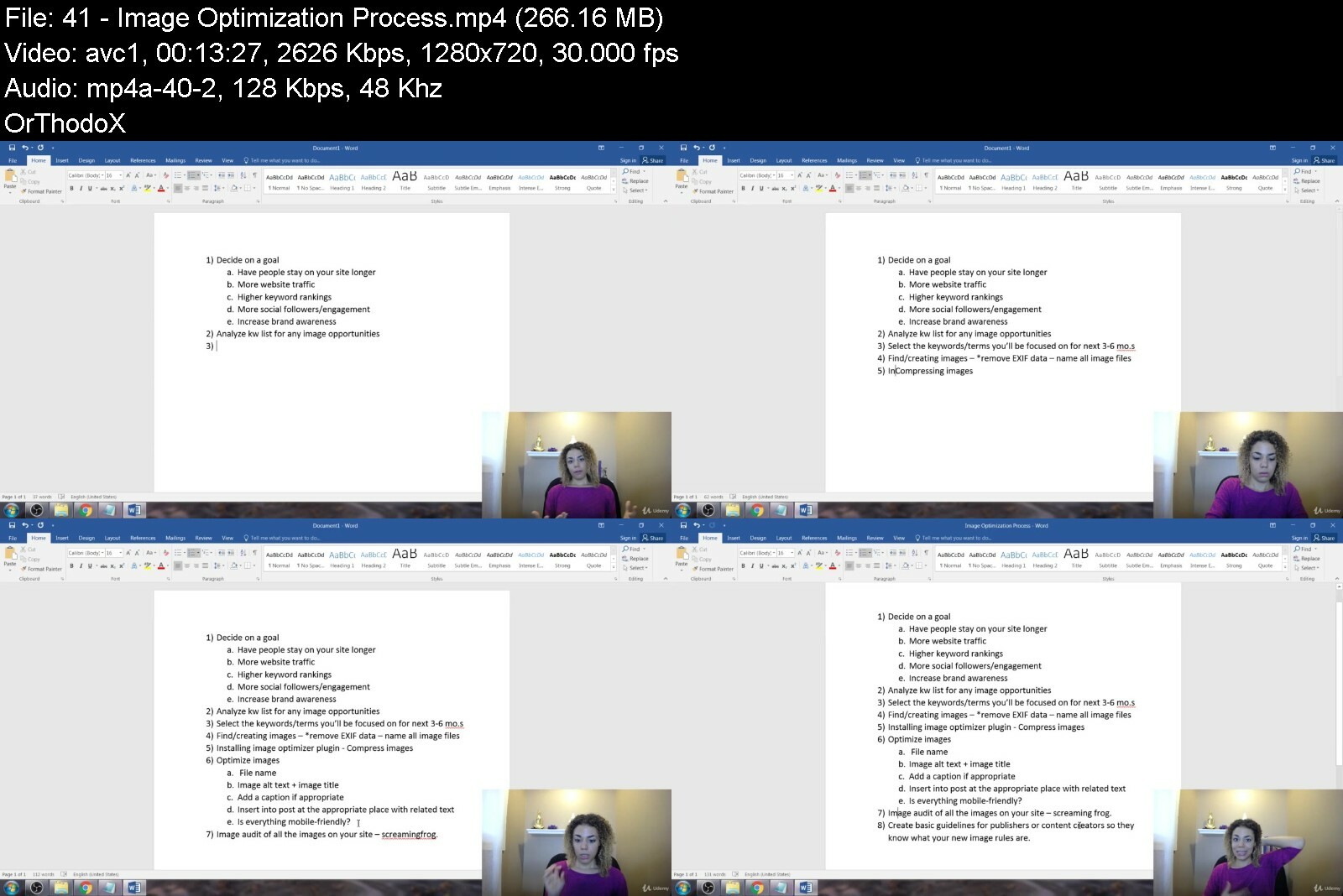
Lecture 41 Image Optimization Process
Lecture 42 Remove EXIF Data
Lecture 43 Creating an Image Sitemap
Lecture 44 Image Audit
Lecture 45 Is It Okay to Use Stock Photos?
Lecture 46 How Can I Enhance Stock Photos?
Lecture 47 A word about iPhone photos
Lecture 48 What About Copyrights & Usage Rights?
Lecture 49 How to Protect Your Images
Lecture 50 Social Media Image Optimization Resources
Lecture 51 Image Optimization Tips for Conversions
Section 3: Udemy Bonus
Lecture 52 How to Make 30% More This Year WITHOUT Working Even 1 Extra Hour
Video Marketers,Business Owners,Entrepreneurs,Physical & Online Businesses,Content Marketers,Home Based Businesses,Anyone with a product/service to sell,Home Based Businesses,Email Marketers,Online Marketers


videoimageseotorankpa66fsk.jpg


Download from RapidGator


Download from DDownload

 
25X Crypto: Investing And Trading For Beginners

rf9mr31omid68do1kffgechckw.jpg


25X Crypto: Investing And Trading For Beginners
Published 9/2022
MP4 | Video: h264, 1280x720 | Audio: AAC, 44.1 KHz
Language: English | Size: 7.19 GB | Duration: 9h 3m

All-in-One Beginners Guide to Creating Consistent Monthly Income with Cryptocurrency


What you'll learn
Earn passive income through lending, swapping, staking, and yield farming
How to automate your trading and investing using a Long Dollar Cost Average Bot, Short Dollar Cost Average Bot, Grid Bot
How to identify and exploit opportunities that present themselves in both bull and bear market conditions
How to choose, register, setup, and properly trade and invest on the best fitting centralized and decentralized platforms
Create a winning trading or investing strategy that fits YOUR lifestyle
How to do your own research to pick winners using fundamental, sentimental analysis in an easy and useful manner
Know which coins to buy when day trading and which coins have potential for huge long-term profits when investing
Learn how to identify cryptocurrencies with great potential while learning how to implement important cryptocurrency fundamentals
Know the right time to buy or sell when investing or trading
Identify, understand, and avoid costly silly mistakes by learning fundamentals you won't find anywhere on the web in just ONE place (but you will find here in
Implement security measures to protect your valuable assets
Utilize Tradingview to perform technical analysis
Understand Crypto Market Cycles including Bitcoin Halving Cycle, Bitcoin Dominance, Altcoin Season, and the Crypto Bear Market
Understand the differences between Crypto sectors/categories like smart contracts, Payments, Metaverse, Utility, Gaming, NFT's, and others
How to shape your own personal customized strategy depending on whether you prefer an active or passive trading/investing style
How to HODL the right way while knowing how and when to capture profit
How to choose and setup the right Defi wallets to mitigate risk and protect your digital assets

Requirements
No prior knowledge or experience is needed. This course is designed for beginners and with beginners in mind. The video lectures are easy to follow.
Must have an interest in learning about Bitcoin, cryptocurrency, trading and/or investing.
You should have a bank account, reliable internet connection, iphone/or laptop/or computer to be able to trade and invest in cryptocurrency.
You should have access to the internet so that you can access the 'Wallets' and the 'Exchanges'.
You can start with as little or as much money as you want!

Description
Would you like to learn how to invest and trade crypto using a PROVEN system grounded in data, high-probability, and highly conservative approach to risk?Would you like to learn how to create a fully automated trading or investing process that can help you bring in consistent income regardless of market conditions and make money while you sleep?25X Crypto is an easy to follow, step by step guide with video tutorials that will walk you through from account set up to income generation. It is truly a step-by-step all-in-one guide that will help you understand why, when done the right way, investing and trading crypto is the smartest, most flexible and time-leveraged side income stream you can create if you know what you're doing.By the end of this course you'll be able to: How to choose, register, setup, and properly trade and invest on the best fitting centralized and decentralized platformsLearn how to identify cryptocurrencies with great potential while learning how to implement important cryptocurrency fundamentalsHow to identify and exploit opportunities that present themselves in both bull and bear market conditionsHow to automate your trading and investing using a Long Dollar Cost Average Bot, Short Dollar Cost Average Bot, Grid Bot, and a HODL BotIdentify, understand, and avoid costly silly mistakes by learning fundamentals you won't find anywhere on the web in just one place (but you will find here in my course)Know which coins to buy when day trading and which coins have potential for huge long-term profits when investingKnow the right time to buy or sell when investing or tradingUnderstand Crypto Market Cycles including Bitcoin Halving Cycle, Bitcoin Dominance, Altcoin Season, and the Crypto Bear MarketUnderstand the differences between Crypto sectors/categories like Smart Contracts, Payments, Metaverse, Utility, Gaming, NFT's, and others.How to do your own research to pick winners using fundamental, sentimental analysis in an easy and useful manner.How to pick winner using a simplified version of technical analysis including how to utilize TradingviewHow to shape your own personal customized strategy depending on whether you prefer an active or passive style that takes into account portfolio allocation, long term investing strategies, and day/swing trading strategies.How to HODL the right way while knowing how and when to capture profitHow to choose and setup the right Defi wallets to mitigate risk and protect your digital assets
Overview
Section 1: WELCOME AND COURSE OVERVIEW
Lecture 1 Introduction
Section 2: CRYPTOCURRENCY OVERVIEW
Lecture 2 CRYPTOCURRENCY FUNDAMENTALS
Lecture 3 WHAT ASSET CLASS IS CRYPTO?
Section 3: CRYPTOCURRENCY MARKET OVERVIEW
Lecture 4 BITCOIN HALVING CYCLE
Lecture 5 BITCOIN DOMINANCE
Lecture 6 ALTCOIN SEASON
Lecture 7 CRYPTO BEAR MARKET
Lecture 8 THE BRUTALITY OF A CRYPTO BEAR MARKET
Section 4: CRYPTO SECTORS AND CATEGORIES
Lecture 9 DIFFERENT SECTORS/CATEGORIES
Section 5: CRYPTO TRADING PLATFORMS
Lecture 10 DISCLAIMER
Lecture 11 CENTRALIZED VS DECENTRALIZED EXCHANGES
Lecture 12 BINANCE US SET UP
Lecture 13 BINANCE US WALK-THROUGH
Lecture 14 COINBASE SET UP
Lecture 15 COINBASE PRO WALK-THROUGH
Lecture 16 KUCOIN SET UP
Lecture 17 KUCOIN WALK-THROUGH
Lecture 18 GOOGLE AUTHENTICATION
Section 6: DEFI WALLETS
Lecture 19 DISCLAIMER
Lecture 20 METAMASK WALLET SET UP
Lecture 21 TRUST WALLET SET UP
Section 7: UNDERSTANDING THE ROLE OF STABLECOINS
Lecture 22 UNDERSTANDING THE ROLE OF STABLECOINS
Lecture 23 NOT ALL STABLECOINS ARE CREATED EQUAL
Section 8: SWAPPING, STAKING AND YIELD-FARMING
Lecture 24 WHAT IS SWAPPING?
Lecture 25 WHAT IS STAKING?
Lecture 26 WHAT IS YIELD-FARMING?
Lecture 27 STAKING VS YIELD-FARMING
Lecture 28 JOE SWAPPING, STAKING, YIELD-FARMING (DEMO)
Lecture 29 CAKE SWAPPING, STAKING, YIELD-FARMING (DEMO)
Lecture 30 TRUST WALLET STAKING (DEMO)
Lecture 31 REALITY OF HIGH YIELD PROJECTS
Section 9: LENDING AND BORROWING
Lecture 32 LENDING AND BORROWING
Lecture 33 TRADER JOE DEFI LENDING (DEMO)
Section 10: DOING YOUR OWN RESEARCH
Lecture 34 DO YOUR OWN RESEARCH (DYOR) OVERVIEW
Lecture 35 HOW TO PICK WINNERS USING FUNDAMENTAL ANALYSIS
Lecture 36 HOW TO PICK WINNERS USING SENTIMENTAL ANALYSIS
Lecture 37 TECHNICAL ANALYSIS-TREND LINE
Lecture 38 TECHNICAL ANALYSIS-CANDLESTICKS
Lecture 39 TECHNICAL ANALYSIS-CHART PATTERNS
Lecture 40 TECHNICAL ANALYSIS-RELATIVE STRENGTH INDEX
Section 11: CREATING A WINNING STRATEGY
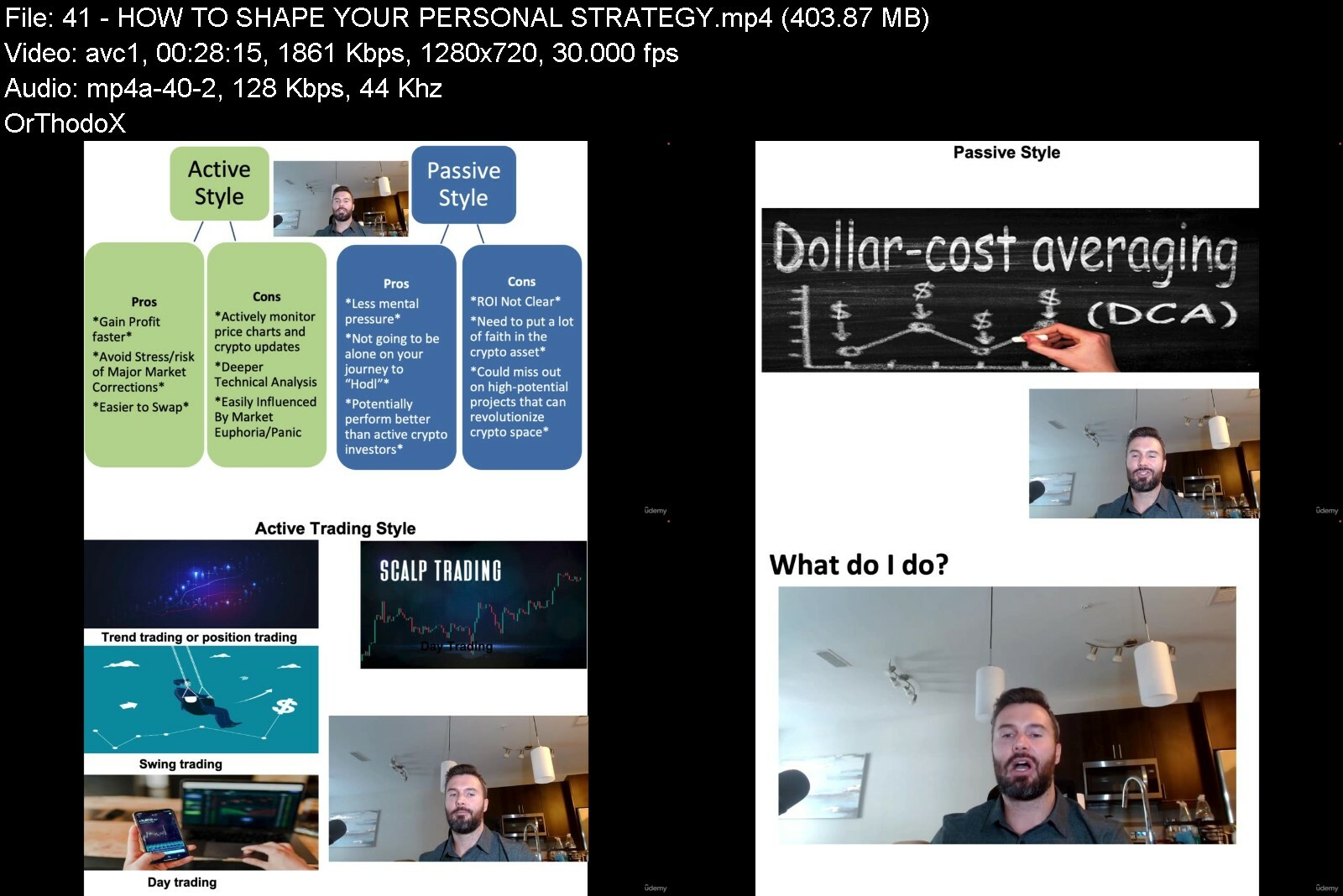
Lecture 41 HOW TO SHAPE YOUR PERSONAL STRATEGY
Lecture 42 PORTFOLIO ALLOCATION
Lecture 43 LONG TERM INVESTING-RSI-TRADINGVIEW
Lecture 44 LONG TERM INVESTING-EMA-TRADINGVIEW
Lecture 45 LONG TERM INVESTING-DXY-TRADINGVIEW
Lecture 46 NASDAQ AND FEAR & GREED INDEX
Lecture 47 HOW TO CAPTURE PROFIT PROPERLY
Lecture 48 ALWAYS CAPTURE PROFIT
Lecture 49 THE RIGHT WAY TO HODL
Lecture 50 DAY AND SWING TRADING
Section 12: CRYPTO SECURITY MEASURES
Lecture 51 MITIGATE RISKS AND SECURE YOUR CRYPTO
Lecture 52 CRYPTO HARDWARE WALLETS
Lecture 53 TOP 5 CRYPTO SCAMS TO WATCH OUT FOR
Section 13: BIG TAKE AWAY
Lecture 54 10X YOUR INVESTMENT
Lecture 55 NAVIGATING THROUGH ROUGH TIME
Lecture 56 HOW TO PUT IT ALL TOGETHER
Section 14: MORE LEARNING: AUTOMATE YOUR TRADES
Lecture 57 3COMMAS INTRODUCTION
Lecture 58 3COMMAS API CONNECT WITH AN EXCHANGE
Lecture 59 LONG BOT THEORY
Lecture 60 LONG BOT APPLICATION/SET UP
Lecture 61 SHORT BOT THEORY
Lecture 62 SHORT BOT APPLICATION/SET UP
Lecture 63 GRID BOT THEORY
Lecture 64 GRID BOT APPLICATION/SET UP
Lecture 65 HODL BOT
Beginners and people who are interested in learning how to invest and trade Bitcoin and cryptocurrency the right way.,Anyone who wants to learn how to invest in cryptocurrency and doesn't know where to start,Anyone who wants to implement a minimum effort side hustle that provides consistent side income and can be run anytime and from anywhere with internet connection and with a smartphone, laptop or computer,Anyone who wants to learn from my wisdom along with many other beginners' mistakes to save yourself from making costly & deadly mistakes,Anyone who wants to learn how to thrive and survive in the Cryptocurrency game, whether it is overcoming a fall in a coin to an entire market crash!,Anyone who wants easy to follow, step by step guide with video tutorials that walk you through from account set up to income generation


25xcryptoinvestingandubcvv.jpg


Download from RapidGator


Download from DDownload



Crypto Trading & Bitcoin Investing - A Step-by-Step Guide

mrxqyccmn1icmcsfoimxgdxfdb.jpg


Crypto Trading & Bitcoin Investing - A Step-by-Step Guide
Updated 09/2022
Genre: eLearning | MP4 | Video: h264, 1280x720 | Audio: AAC, 48.0 KHz
Language: English | Size: 10.1 GB | Duration: 73 lectures • 8h 57m


What you'll learn
Simple and Practical Technical Analysis
Trade Setups with Checklists that Can be Used Right Away
What are the Most Common Trading Mistakes and How to Avoid Them
How to Find the Next Big Crypto Project with Fundamental Analysis
Risk Management for Trading & Investing
Hands on Approach with Real Trade Examples
Portfolio Management
Step by Step Guides to Entering and Managing Trades
How to Analyze the Big Picture on the Cryptocurrency Markets
How to Take Profit and Cut Losses Early
How to Build Trading Routines
How to Analyze Market Sentiment
What's a Healthy Market Trend

Requirements
Basic understanding of how Cryptocurrencies work
Charting Platform
Verified Accounts in at least 2-3 Crypto Exchanges

Description
Would you like to become an independent and profitable crypto trader and investor?
That's my goal with this course and inside you will find all the necessary tools that you will need to build your own approach to trading and investing in cryptocurrencies.
Let me show you how we can do this together
1. Cover all the basic principles that you will ever need of technical and fundamental analysis.
2. Understand the bigger market cycles and what affects crypto markets in general.
3. Design your own strategy in trading based on your personal preferences.
4. Learn tested and proven profitable strategies with a step-by-step approach and checklists.
5. Learn from my biggest mistakes and how to avoid them.
6. Create your own trading routine that will help you become better in trading and investing.
7. Learn how to manage trades once you have executed them properly.
8. Learn how to avoid significant portfolio losses.
9. Create a management plan for your own personalized portfolio.
10. Work with real life trades that I've taken. We will go over them together.
Every step of the way there will be plenty of examples that will help us understand the key principles of successful trading and trade management. I've included checklists for every section of the course. Later, you can use them while you are trading on your own and review all the steps that you need to be taking.
Most importantly, we will discuss how to
- First, survive on the markets and avoid significant portfolio losses;
- Then, how to thrive on the markets and build a long-term profitable trading career in any market condition.
Here's a list of some of the things that we will discuss in the course
How much money you should start investing in crypto with
How to set your trading goals
How to spot trends in any market environment
Overview of the most important technical analysis tools with minimalistic approach to TA
How to stop and use horizontal and diagonal support and resistance levels
What are Fibonacci Retracement and Extension tools and how to use them
How to find high probability areas on charts that can help you when trading
How to read charts in 20 seconds and understand what's happening on the markets
Why is fundamental research important
What are indicators like market cap, volume, exchange diversification and others
Research the community behind a project and why is this important
What are Token Economics and how to read them
Bitcoin market cycles and their importance to the overall picture
Different trade setups like break out, washout, accumulation and dollar cost average
How to apply each trade setup and when to trigger each trade scenario
How to manage a trade and build scenarios for any outcome
The importance of position sizing
How to manage risk and what is a stop loss
The importance of taking profits
Dealing with Fake Out Break Outs (FOBO)
How to build a powerful trading routine
Why journaling about your trades is so important
How to find new project to invest in
What is Fear of Missing Out (FOMO) and Fear, Uncertainty and Doubt (FUD)
How to avoid the most common trading mistakes
Managing your emotions while in the live crypto markets
How to manage a portfolio and protect your gains and many more
Crypto is right now is like the internet in 1999. It's new and it has the potential to create life changing wealth. Now is the best time to start learning about this opportunity and make the most of it in the following years.
Don't forget that you always have 30-day money back guarantee - so if you don't like what you see, or if this is not for your, feel free to request a refund.
I will see you inside!
Zlatin
Who this course is for
Beginners That Want to Start Making Money from Trading and Investing in Crypto
People that want to make money by riding the wave of blockchain innovation
Low Experience Traders That are Looking for a Practical Approach & Habit Building
Passionate learners that really want to get deep into making money with crypto


cryptotradingbitcoiniruc35.jpg


Download from RapidGator


Download from DDownload


The Ultimate Guide To Youtube, Video & Image Seo

fntc7gxzkrmjevcctvvcht5iuh.jpg


The Ultimate Guide To Youtube, Video & Image Seo
Last updated 8/2022
MP4 | Video: h264, 1280x720 | Audio: AAC, 44.1 KHz
Language: English | Size: 5.28 GB | Duration: 4h 41m

Boost Video Views, YouTube Audience Growth, Engagement, Watch Time and Rankings in Google & YouTube with My Simple Tips


What you'll learn
In this SEO course, you will know how to create winning videos that rank well in the search engines.
In this SEO course, you will know how why certain videos rank in different parts of Google/YouTube.
In this SEO course, you will know how to rank in each section of Google's Search Engine.
In this SEO course, you will know how to optimize your images for better search engine optimization.
In this SEO course, you will know how to remove EXIF data from duplicate images.
In this SEO course, you will know how to add ALT tags and Title tags to your images.
In this SEO course, you will know how to drive loads of traffic with a secret part of Google's search engine that most SEO people miss.

Requirements
You should know how to use a PC at a beginner level.

Description
BUY*THIS*COURSE and GET*2 COURSES FOR*THE*PRICE*OF*1!!!Zach Miller's Course Includes:In this course you will learn 3 new ways to get traffic to your website:1) You will be able to rank every one of the pages on your website a little higher by doing correct SEO*tagging of your images.2)*You will be able to rank in image search, and get traffic from Google image search.3)*You will understand how image size inside your web pages effects the image rendering, and you will be able to make ideal social media posts that render perfectly no matter which social network you are posting on, and by rendering perfectly, you'll have a nicer post which gets more engagement and more traffic to your website.UNDERRATED*BUT*POWERFULWhen you hear people talk about SEO, they rarely mention image-SEO. This is great because it isn't*as crowded as any of the*SEO*fields (Organic,*Video, PPC, etc)*and it is less competitive, which is good for YOU.Sasha*Miller's Course Includes:Are you struggling to make good videos?Do you want to increase your video views, engagement and watch time?Would you like to know how you can increase video rankings in YouTube AND Google?If you said*'yes'*to any of these questions,*THIS IS THE COURSE FOR YOU!*Inside we'll be covering how to:Find relevant video keywordsCreate videos that*make*people want to clickOptimize your videos for the search enginesImprove viewer engagement & watch timeBuild a YouTube brand and communityPromote & market your videoAnd MUCH MORE!*NOTE: I do not cover Video Ads inside this course.Did you know that*YouTube is the second largest search engine online*after Google?In fact, as of 2018 YouTube gets over 30 million visitors PER DAY and*the average mobile user session lasts around 40 mins!That's more than Facebook AND Twitter combined!Experts say by 2025, there will be more demand for video than written content. And by the looks of it - they're right!Also, did you know that*only 9% of U.S small businesses are currently using YouTube?Now's the best time to discover YouTube & video marketing!*Inside this course*I'll also be sharing:YouTube's ranking factors as of 2018what's changed for video marketing in the past few yearsthe NEW*Game Plan to dominate YouTube and Google's video search resultstips for creating high quality videos like the prosthe best video creation tools to help the process go smoothlySo what are you waiting for?!*Enroll now & take control of your video marketing!"Sasha, how do you know so much about video SEO and marketing?"I've worked in the SEO industry for over 7 years and in that time, I did a lot of research, on-page SEO and video optimization work. I've worked with a number of small businesses, local businesses, musicians and entrepreneurs*who came to me exclusively for YouTube marketing and video marketing. With my research, optimization, and promotion techniques, my customers were able to successfully increase their video views, CTRs, engagement and video rankings.DisclaimerI can't guarantee any specific results. Results will vary from student to student based on, your*channel type, your niche market and how well you implement the strategies in the course.---------------------------------------About the Topic---------------------------------------There's a lot of hype surrounding ranking blog posts and that's understandable because you'd want to rank in search engines and get as much traffic as you possibly can. But people often forget that YouTube is the worlds second largest search engine with over 1 billion unique visitors each month and over 6 billion hours of video being watched monthly. Thus, ranking on YouTube and having a strong presence there is equally important.Video SEO is not just about stuffing keywords in the title and description. It begins with careful keyword research using the keyword research tool. Those keywords are then used in places such as the video file name, thumbnail file name, title, description, tags, video timeline, closed captions or transcripts and more. You also have to harness the power os simple strategies such as internal linking through annotations with strong descriptions serving as anchor text or the fact that you can create mini channels with playlists, each with their own title and description. You can also create and submit a video site-map just like you would for your blog. And don't forget the SEO of your channel overall.It all begins with careful keyword research and you can use the YouTube Keyword tool for that.Keywords are then inserted in the:Video File Name: The optimization process begins before even saving the edited video. Each video should be saved with a keyword rich file name at the time of saving after editing. This is similar to image optimization where you save the image with a keyword rich name.Thumbnail Image File Name: This is a minor factor for ranking, but it should still be done. If you are using a custom thumbnail for your videos, the thumbnail image should be saved with the main keyphrase you want to rank for.Title: Put the main keywords/keyphrase at the beginning of the title.Video Tags: While uploading there is a section for adding video tags. Don't go overboard with this. Adding 5-6 main keywords/keyphrases is better than adding 15 and that way they are given more weight-age.Description Box: Add the keywords at the beginning of the description box in the first sentence and repeat the keyword a few times in the description if possible (this is similar to keyword density in a way).Video Timeline: A video timeline should be created and entered in each videos description box. This should be done in addition to the transcripts and closed captions file. A video timeline explains what is talked about during what time giving the exact minute and second for the start and finish of the topic. The time ranges show up in blue so your viewers can click on them and go straight to the topic they are interested in. This is important for optimization because it tells YouTube your videos main sub topics so it can rank for them.Also don't forget to choose an appropriate video Category. On the upload page, YouTube gives you a list of video categories to choose from.Besides inserting keywords, there are various other strategies:Annotations: Annotations are the little notes that appear on top of videos and these should be used to link to other previous videos and keywords should be used in the sentence used to describe the video. This is very similar to inter linking like the way it is done for blog posts and the text used to describe the link is similar to anchor text.Closed Captions and Transcripts: Closed captions and transcripts are hidden gems of video SEO. They are similar but different, so you can choose to use one of them. A closed captions file should be uploaded for each video (this file contains captions and time codes- what is said and when it is said). This helps in optimization as your captions contain relevant keywords. A transcript file can also be included for each video as well (this file is similar to closed captions, but no time codes are given). These files are important for optimizing because your captions contain keywords.Video Sitemap: Just like for blogs, you can create a video sitemap for your YouTube channel and submit it to YouTube.Playlists: All the videos of your channel should be organized through playlists and each playlist should be given a keyword rich title and description. Many times when you search for a topic on YouTube, playlists appear in the search results along with videos so it is very important to start having your playlists rank as well.For more details,let's meet inside !
Overview
Section 1: Zach's Lectures
Lecture 1 Traditional SEO vs Image SEO
Lecture 2 What is EXIF Data and How to Remove It
Lecture 3 Image File Size Optimizations
Lecture 4 JPG vs PNG
Lecture 5 GIF Images
Lecture 6 Captions for Conversion Optimization
Lecture 7 Name and ALT SEO
Lecture 8 Adding ALT Tags to Images
Lecture 9 Create a Sitemap for Images
Lecture 10 Using KW Planner
Lecture 11 The Goal of Image SEO
Lecture 12 Google Image Off-Page SEO
Lecture 13 WP Fastest Cache Settings
Lecture 14 WordPress Cache Speed Test
Section 2: Sasha's Lectures
Lecture 15 What is Video Marketing?
Lecture 16 What Is Video SEO?
Lecture 17 Why is Video Marketing Important?
Lecture 18 Benefits of Video Marketing & SEO
Lecture 19 Types of Videos
Lecture 20 What's Changed in the Last Few Years
Lecture 21 Top 10 YouTube Ranking Factors (Overview)
Lecture 22 #1 - CTR (click thru-rate)
Lecture 23 #2 - Viewer Engagement
Lecture 24 #3 - Watch Time
Lecture 25 #4 - Number of Video Shares
Lecture 26 #5 - Number of Comments
Lecture 27 #6 - Videos' in HD (High Definition)
Lecture 28 #7 - Number of Subscribers Driven
Lecture 29 #8 - Exact-match Keyword in Title
Lecture 30 #9 - Video Tags
Lecture 31 #10 - Video Descriptions
Lecture 32 YouTube Game Plan
Lecture 33 The Perfect Video for YouTube
Lecture 34 Meet Vid IQ!
Lecture 35 Find KWs with YouTube Auto-suggest
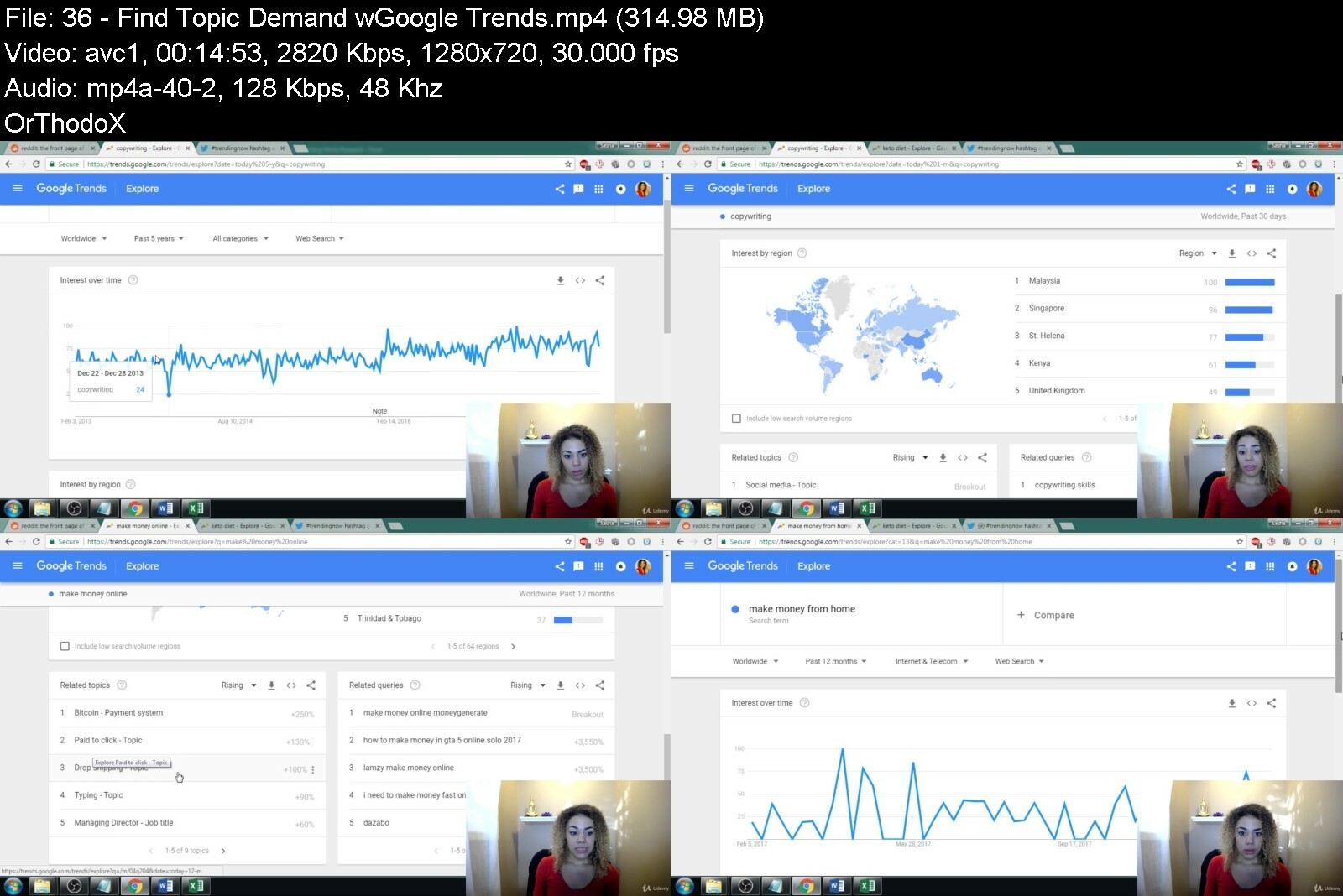
Lecture 36 Find Topic Demand w/Google Trends
Lecture 37 Find Direct Competitors
Lecture 38 Success Hack Your Competitors
Lecture 39 How to Plan Your Videos
Lecture 40 Scripting Your Video
Lecture 41 Video Production Tools: Cameras
Lecture 42 Video Production Tools: Audio
Lecture 43 Video Production Tools: Lighting
Lecture 44 Perfect Video Checklist
Lecture 45 Video Creation Resources
Lecture 46 Editing and Uploading
Lecture 47 Creating Custom Thumbnails
Lecture 48 Video Translations
Lecture 49 Video Analytics
Lecture 50 Video Promotion Resources
Section 3: Udemy Bonus
Lecture 51 How to Make 30% More This Year WITHOUT Working Even 1 Extra Hour
Video Marketers,Business Owners,Entrepreneurs,Physical & Online Businesses,Content Marketers,Home Based Businesses,Anyone with a product/service to sell,Home Based Businesses,How to Create Gigs Like a Pro!,Online Marketers


theultimateguidetoyouctcvp.jpg


Download from RapidGator


Download from DDownload


 
Ultimate Microsoft Access 2019 Bundle: Beginner - Advanced

u9ssaofcra7ogadxxo3scs6ed7.jpg


Ultimate Microsoft Access 2019 Bundle: Beginner - Advanced
Last updated 4/2022
MP4 | Video: h264, 1280x720 | Audio: AAC, 44.1 KHz
Language: English | Size: 6.22 GB | Duration: 15h 46m

Master Microsoft Access with this comprehensive beginner to advanced MS Access course


What you'll learn
Discover how to effectively link to other data sources.
Learn how to split a database by splitting the frontend and backend.
Explore the use of Visual Basic for Applications (VBA).
Practice what you learned with included exercise files
Sorting information and running queries
Creating tables and relationships
Navigating the Access 2019 interface
Design forms and generate reports
Learn valuable new skills for complex data projects at work
Supercharge your database projects
Discover how to into import data from Excel
Learn Queries, use validations, how to create and print reports
How to compact, repair and backup your database
How to create a linked table
Discover how to use the Query Wizard
Learn to use Model Dialog and Macros
Discover advanced options for the use of forms.
Dive into options for packaging your application for distribution.
Follow along as you learn to create and maintain macros.
Get helpful techniques that allow you to link, report, and package your data quickly.

Requirements
Microsoft Access 2019, 2016 or Access 365

Description
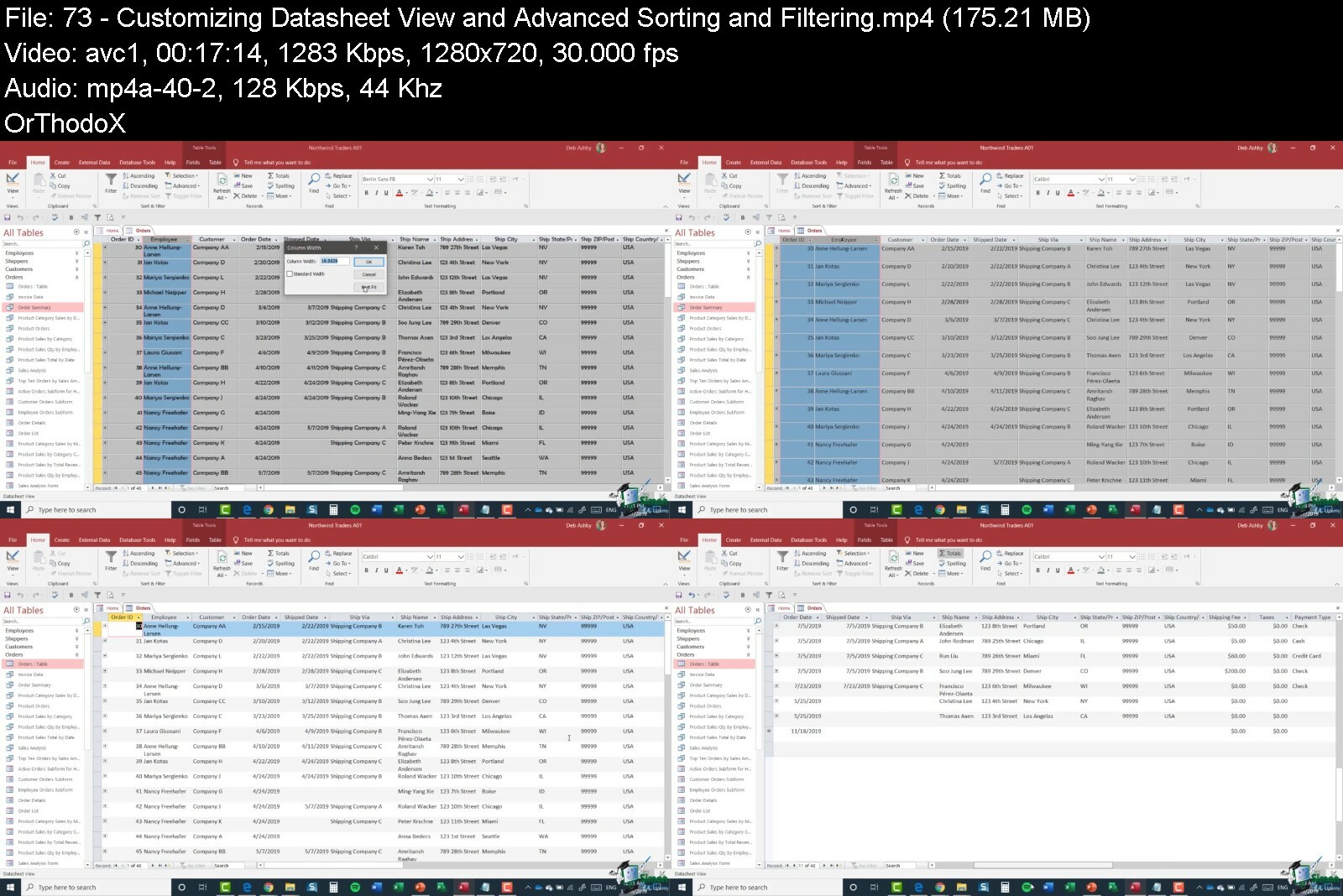
**This course includes practice exercises and LIFETIME access**Microsoft Access remains an amazing tool for when your data outgrows spreadsheets. Unlike many other database tools, it's far more user-friendly and ideal if you're not a developer.This huge-value Microsoft Access bundle is made up of two full MS Access courses, Access for Beginners and Access Advanced. If you are brand new to Microsoft Access, that's no problem. We start at the very beginning and take you on a journey to becoming an Access database superstar. We take a project approach to this course, which means you build your own project out as we go. By the end of this Access 2019 course, you will be using Advanced Access functions such as VBA and Macros and SQL.In the Microsoft Access Beginners course you will learn:Where to start in Microsoft Access and whether to use a template or notHow to modify Access to suit your needsAll about importing data and the datasheet viewHow tables work in Access and how to create relationships between themCreating forms and sub-forms that feed data into your tablesHow to run queries in AccessSetting up validations and calculations using expressions in AccessPrinting from AccessTo start to use macros and Modal DialogThe basics of the Access web appExporting and reporting in AccessIn the Microsoft Access Advanced course you will learn:All about Primary Keys and Indexes in AccessAbout customizing and filtering on the Datasheet ViewHow to link to other databasesAll about using ODBC and SQL ServerHow to split an Access database into front and back-endAll about Macros in Access including AutoExecHow to do basic VBA in Access including code and error handlingMore advanced techniques around creating forms in AccessAdvanced queries including "multiple where" criteria***Exercise and demo files included***This course includes:14+ hours of video tutorials100+ individual video lecturesExercise files to practice what you learnedCertificate of completionThis course is designed for students that are new to Microsoft Access, are upgrading from a previous version, or have a basic understanding and are looking to sharpen their skills. If you've been using Access for years but are convinced that you're not utilizing its full potential, then you need this course.If your Excel spreadsheets keep crashing with too much data, then it's time you got to know Microsoft Access. Let us show you how.Here's what our students are saying."This was a great course. I already had a base in some of these programs, but this has taken my understanding to a whole new level!"- Nathaniel Andrew Putnam"Great course!I've created some decent Access databases in years past but it was mostly self taught through reading and some early YouTube videos. There was much that I didn't know or comprehend that left my databases incomplete or didn't perform the way I wanted. This course explains all of the things I was missing.Tons of information provided and explained very well. Access is very powerful with so many options, properties, and such that it will take a beginner quite some time to become proficient but this course explains so much, with many examples that reinforce learning. Macros, SQL, and VBA, has been a big mystery for years...for me. The instructor walks you through the basics and now I have a foundation to pursue these topics further without hesitation.The instructor is pleasant to listen to and is very organized in the information given, both in order and detail."- David Keach"I am using access 2019 and this course is very informative. I want to say think you for taking your time and explaining each step. I recommend this course to everyone who wants to improve their access knowledge."- Adam HanekDid you know?Simon Sez IT teaches all sorts of software, including:- Microsoft Excel- Microsoft PowerPoint- Microsoft Word- Microsoft Project- Microsoft Outlook- QuickBooks- Photoshop Elements- Web Development Languages- And so much more!
Overview
Section 1: Access 2019 Beginners: Introduction
Lecture 1 Introduction to Access 2019
Lecture 2 WATCH ME: Essential Information for a Successful Training Experience
Lecture 3 DOWNLOAD ME: Course Exercise Files
Lecture 4 DOWNLOAD ME: Course Demo Files
Lecture 5 DOWNLOAD ME: Course Transcripts
Lecture 6 Acquiring Access 2019
Lecture 7 Structure of the Course
Section 2: Access 2019 Beginners: Getting Started with Access 2019
Lecture 8 Using Database Templates
Lecture 9 Creating, Saving and Opening Databases
Lecture 10 The Access Workspace and Backstage
Lecture 11 Online Help and Tell Me What You Want To Do
Section 3: Access 2019 Beginners: The Ribbon and Toolbars
Lecture 12 Working with the Ribbon
Lecture 13 The Quick Access Toolbar
Lecture 14 Contextual Menus
Lecture 15 The Status Bar
Section 4: Access 2019 Beginners: Keyboard Shortcuts and Key Tip
Lecture 16 Keyboard Shortcuts
Lecture 17 Key Tips
Section 5: Access 2019 Beginners: Access Options
Lecture 18 Exploring Access Options
Section 6: Access 2019 Beginners: Tables
Lecture 19 Creating a Table and Fields
Lecture 20 Indexed Field
Lecture 21 Lookup Wizard
Lecture 22 Numeric Fields
Lecture 23 Practice Exercise 01
Section 7: Access 2019 Beginners: Importing Data
Lecture 24 Importing Data from Excel
Lecture 25 Practice Exercise 02
Section 8: Access 2019 Beginners: Backup, Restore and Repair
Lecture 26 Backing up your Database
Lecture 27 Compact and Repair
Section 9: Access 2019 Beginners: Datasheet View
Lecture 28 Design in the Datasheet View
Lecture 29 Sorting and Filtering in Datasheet View
Lecture 30 Entering and Modifying Data in Datasheet View
Section 10: Access 2019 Beginners: Relationships
Lecture 31 Creating a Link Table
Lecture 32 Setting up Relationships
Lecture 33 Practice Exercise 03
Section 11: Access 2019 Beginners: Forms
Lecture 34 Creating a Form
Lecture 35 Modifying a Form
Lecture 36 Practice Exercise 04
Lecture 37 Forms in Layout View
Lecture 38 Forms in Design View
Lecture 39 Form Design
Lecture 40 Practice Exercise 05
Section 12: Access 2019 Beginners: Subforms
Lecture 41 Setting Up Subforms - Part 1
Lecture 42 Setting Up Subforms - Part 2
Lecture 43 Setting Up Subforms - Part 3
Lecture 44 Practice Exercise 06
Section 13: Access 2019 Beginners: Queries
Lecture 45 Creating a Query
Lecture 46 Joins
Lecture 47 Query Wizard
Lecture 48 Practice Exercise 07
Section 14: Access 2019 Beginners: Expressions
Lecture 49 Setting Up Validations
Lecture 50 Calculation using Expressions
Section 15: Access 2019 Beginners: Reports
Lecture 51 Basic Reports
Lecture 52 Report Design
Lecture 53 Complex Reports
Lecture 54 Practice Exercise 08
Section 16: Access 2019 Beginners: Printing
Lecture 55 Printing and Print Properties
Section 17: Access 2019 Beginners: More Data Types
Lecture 56 Yes/No, OLE Objects and Hyperlink Data Types
Section 18: Access 2019 Beginners: More About Forms
Lecture 57 Form Controls
Lecture 58 Form Themes
Lecture 59 Navigation Forms
Section 19: Access 2019 Beginners: Exporting
Lecture 60 Exporting an Access Database
Section 20: Access 2019 Beginners: Application Parts
Lecture 61 Adding Application Parts to a Database
Section 21: Access 2019 Beginners: More Access Options
Lecture 62 Additional Access 2019 Options
Section 22: Access 2019 Beginners: Info Tab
Lecture 63 Edit Database Properties and Encrypt with Password
Section 23: Access 2019 Beginners: Course Close
Lecture 64 Course Close
Section 24: Access 2019 Advanced: Introduction
Lecture 65 Course Overview and Content
Lecture 66 WATCH ME: Essential Information for a Successful Training Experience
Lecture 67 DOWNLOAD ME: Course Exercise Files
Lecture 68 Downloadable Course Transcripts
Section 25: Access 2019 Advanced: Primary Keys and Indexes
Lecture 69 Primary Keys and Indexing Rules and Guidelines
Lecture 70 More About Indexes
Section 26: Access 2019 Advanced: Using Datasheet View
Lecture 71 Setting-up Northwind Database
Lecture 72 Working in a Datasheet View
Lecture 73 Customizing Datasheet View and Advanced Sorting and Filtering
Lecture 74 Subdatasheets
Lecture 75 Exercise 01
Section 27: Access 2019 Advanced: Linking to Other Access Databases
Lecture 76 Linking Two Tables to Other Access Databases
Section 28: Access 2019 Advanced: Using ODBC and SQL Server
Lecture 77 Acquiring and Installing SQL Server Express
Lecture 78 Setting Up SQL Server Database
Lecture 79 Exercise 02
Section 29: Access 2019 Advanced: Splitting an Access Database
Lecture 80 Splitting an Access Database into Front-end and Back-end
Lecture 81 Converting Shared Table into Local Table; Moving Back-end Database
Lecture 82 Exercise 03
Lecture 83 Addressing Multi-user Issues when Sharing Data
Section 30: Access 2019 Advanced: Macros
Lecture 84 Basics of Macros
Lecture 85 Macros on Events; AutoExec
Lecture 86 More About AutoExec; Bypassing AutoExec
Lecture 87 Macro Security Settings
Lecture 88 Exercise 04
Section 31: Access 2019 Advanced: The Ribbon
Lecture 89 Customizing the Ribbon and Quick Access Tool
Section 32: Access 2019 Advanced: Visual Basic for Applications
Lecture 90 Convert Macros to VBA; VBA Editor and Property Windows
Lecture 91 VBA Modules; Running Code and Error Handling
Lecture 92 Creating Modules; Subs, Functions, Intellisense and Variables
Lecture 93 Scope, Variable Naming and Strings
Lecture 94 Standard Functions; Logical, Case and Loop Statements
Section 33: Access 2019 Advanced: Access Events Model
Lecture 95 Adding Events to Assets Database
Lecture 96 Exercise 05
Lecture 97 Common Events; Form and Report Events
Lecture 98 Switchboard and Navigation Form; Error Handling
Lecture 99 Exercise 06
Section 34: Access 2019 Advanced: Forms
Lecture 100 Formatting Bound and Control Form
Lecture 101 Split Forms; Macro Error Handling
Lecture 102 Creating Form with Tab
Lecture 103 Go To Combo Box and Its Properties
Lecture 104 Exercise 07
Section 35: Access 2019 Advanced: Advanced Use of Queries
Lecture 105 Basics of Queries
Lecture 106 Syntax of SQL Statements
Lecture 107 Use of Multiple Where Criteria & Select Statements Function
Lecture 108 Exercise 08
Lecture 109 Action Queries - Part 1
Lecture 110 Action Queries - Part 2
Section 36: Access 2019 Advanced: Packaging You Application
Lecture 111 Steps in Packaging Access Application
Lecture 112 Exercise 9
Section 37: Extras
Lecture 113 EXTRA RESOURCE: The Most Frequently Used Access Shortcuts - Infographic
Section 38: Conclusion
Lecture 114 Course Close
Anyone new to Microsoft Access,Experienced database managers or those who are familiar with Access 2016 or 2013,Users new to Microsoft Access 2019 and those upgrading from previous software versions,Anyone new to the data management role,Anyone who wants to learn data management and Microsoft Access


ultimatemicrosoftacceb0ivp.jpg


Download from RapidGator


Download from DDownload


The Ultimate Graphic Design Course With Indesign

x8ed8puwxriflryq9hutf78ep8.jpg


The Ultimate Graphic Design Course With Indesign
Last updated 9/2018
MP4 | Video: h264, 1280x720 | Audio: AAC, 44.1 KHz
Language: English | Size: 5.42 GB | Duration: 6h 51m

We will turn anybody into a Graphic, Web,Digital or Video design superstar!


What you'll learn
At Of Course You Can we have a digital game board that we like to call 'Your Journey'. How far you go on your journey and at what pace is completely up to you. We introduce a variety of creative concepts to you by means of recorded webinars. These are 1-2 hour sessions where we show you how to work with creative software and enable you with the tools needed to harness your creativity. Your journey will consist of different levels. With every level reached you will gain a skill that you can utilise. As you work through these levels you will become proficient in web and/or graphic design. In the digital world we live in, an understanding of or having an ability to be able to utilise these tools, is imperative. At some point in your life you will need to perhaps create an invite for a party; a company logo or website; a concept for a client or a Facebook image for a marketing campaign. By taking the step to begin Your Journey with us, you will be able to create all these things yourself, and in the process save hundreds of $'s. In order to partake in Your Journey, you will need to have basic computer knowledge, as well as have access to a computer and the internet.
We introduce a variety of creative concepts to you by means of recorded webinars. These are 1-2 hour sessions where we show you how to work with creative software and enable you with the tools needed to harness your creativity.
In Part 1 your learned the easy basics.... Now, its time to get serious! In the second part of your journey we help you build a full brand, from conceptualisation to design of your logo, brochures and banners. Next up we have a look at digital media and turn your creations into electronic masterpieces. Oh, and did we mention we're going to show you how to make things move as we dive into animation?! We end off this part of your journey by publishing your brochure or magazine online and teach how to send it out to your clients using Mailchimp

Requirements
Of Course You Can is an Online School, that will turn anybody into a Graphic, Web, Digital and Video design Super Star!
This is part 2 of the Of Course You Can - The Ultimate Graphic, Web, Digital and Video design. You can catch Journey 1 for free on Udemy. You do NOT have to complete Journey 1 to move onto Journey 2.
Basic computer knowledge
This course contains everything from Photo Editing to Graphic design, digital and even 3D design
This course focusses on Lightroom CC, Indesign Digital, Adobe Dimensions and all the mobile Adobe apps
We also delve into advanced skills in Indesign to save you time, including Pro Tips, digital workflows and animation
Huge focus on Adobe Creative Cloud workflows and mobile apps

Description
Congratulations on completing Journey 1 and well done on deciding to continue on with this awesome creative journey that you are on. If you have not completed Journey 1, it's available on Udemy for free, but you do not need to do Journey 1 to be able to do Journey 2. By now, we are sure you have realized there are so many wonderful tools out there to support you, and as we always say, knowledge is power, so let's use that and get serious for a moment. Right now you might be thinking, ok cool, Journey 1 was loads of fun, BUT do I have the know-how to turn this into a skill that can generate income in the long run?Or, you might be thinking that you really enjoyed Journey 1 and would like to continue on with the fun! Right then, let's go...In Journey 1 we set the mood for showcasing the arsenal of tools available to start your adventure, BUT we've only really touched the tip of that iceberg. There is SOOO much more to show you! In your next step, we turn up the heat as we take you further into the world of creativity. Our focus to a large extent will be on taking photographs and making them look INCREDIBLE by using apps like Lightroom and Photoshop. And from there, we show you how to use them in brochures, banners, pamphlets and magazines by using our favourite desktop app called InDesign. InDesign has NO rival. this will be the foundation of every single one of your future creations.But wait. there's more. The world has gone digital CRAZY and SO SHOULD YOU! We take you on a magic carpet ride through the digital world as we show you how to harness the extensive power of InDesign to bring your layouts to life with animation, movement and video. Thereafter finally showing you how to use Mailchimp to send mailers and items out to your client database... Or. FANBASE!We end Journey 2 with a look at the third dimension as we dive into Adobe's latest offering Dimension. And, if you thought things couldn't get any better, WAIT. Wait till you see what's in Journey 3!In the second part of your journey we help you build a full brand, from conceptualisation to design of your logo, brochures and banners. Next up we have a look at digital media and turn your creations into electronic masterpieces. Oh, and did we mention we're going to show you how to make things move as we dive into animation?! We end off this part of your journey by publishing your brochure or magazine online and teach how to send it out to your clients using Mailchimp. This is Part 2 of the Of Course You Can range - Part 1 is available for free on Udemy!
Overview
Section 1: Introduction
Lecture 1 Previously on Of Course You Can (Part 1, Course 1)
Lecture 2 Who are you? Who are we? What you are about to discover
Lecture 3 Diving deeper into the Cloud! (Adobe Creative Cloud software work flows)
Lecture 4 WTF (Chapter 2) - I want to bring my graphic design work 'In-house'
Lecture 5 Taking your own photos and processing them with Adobe Lightroom
Lecture 6 Keep it in-house (Creating brochures, banners and magazine layouts yourself)
Lecture 7 Software Deep Dive: InDesign Pro Skills (The essentials)
Lecture 8 Software Deep Dive: InDesign Digital
Lecture 9 Free software alternative for InDesign: Scribus
Lecture 10 Making my creation interactive! (Digital magazines, digital PDF's)
Lecture 11 Mailers and newsletters (Mailchimp, Adobe Spark and Adobe Publish Online)
Lecture 12 The Third Dimension - Adobe Dimension and Photoshop
Lecture 13 What about websites and video?
Lecture 14 Your final journey and what you will learn (Project time!)
Lecture 15 Joining us for webinars, Talent Tank and future projects
Have you ever wondered if you have the ability to create something out of nothing? Whether it be a birthday card, a flyer or poster; or whether you have been dreaming about creating your own logo and/or business card. Maybe you have an idea that you would like to express visually. Maybe you want to create a wedding invite or guest information website. Or maybe you want to be the next eCommerce tycoon. We are here to fill in the gaps to all those "what if's", because guess what?. Of Course You Can!


theultimategraphicdesfycrq.jpg


Download from RapidGator


Download from DDownload


Arrimus Ultimate 3D Modeling Course

bhn3opjexrktc0sadpx61zlcq1.jpg


Arrimus Ultimate 3D Modeling Course
Published 9/2022
MP4 | Video: h264, 1280x720 | Audio: AAC, 44.1 KHz
Language: English | Size: 11.85 GB | Duration: 13h 46m

Work with a variety of programs to supercharge your designs.


What you'll learn
Learn how to retopologize, model, and design a mechanical character with 3DS Max.
Learn how to retopologize, model, and design a mechanical character with Blender.
Learn how to sculpt in Zbrush at a basic level.
Learn how to integrate CAD/NURBS into your designs. Plasticity(beta) is used for this course.

Requirements
Make sure you have your poly-modeling program of choice installed. Although I used Max and Blender you can also use Modo, NVil, Cinema4D, XSI, or anything else that can handle poylgon modeling. I also recommend a tablet for sculpting. For sculpting software you can use Blender or Zbrush. For CAD I recommend Plasticity which is currently in beta and is free and when it is released will be very affordable. Shapr3D and Fusion 360 are also good choices.

Description
In this course you will learn how to work with polygon, sculpting, and CAD programs to get the best of all worlds. There is a strong emphasis on using the strongest aspects of all programs to get the most out of your 3D design experience. You will learn to work at a good level in 3D Studio Max, Blender, Zbrush, and Plasticity. You will learn how how sculpt in Zbrush and take advantage of Zbrush's fluid and responsive dynamesh system to quickly explore your design in the initial stages. You will also learn how to quickly paint and set up a color scheme while you are still in the sculpting phase. Then, you will learn how to retopologize and continue your design in 3DS Max and Blender. After creating cleaner simpler film asset topology you will learn how to further refine, define, and detail your object to a high standard. Finally, you will learn how to export your subdivision mesh to MoI and Plasticity to add crisp and clean CAD details. At the end of this course you will have a good grasp on modeling a wide variety of objects, from organic brains to faces to mechanical legs and weapons and you will be able to create a creature or mech that has a good mix of fleshy parts as well as sleek and sharp hard surface objects.
Overview
Section 1: Program Introductions
Lecture 1 Intro to Blender
Lecture 2 Intro to Max 1
Lecture 3 Intro to Max 2 (Hotkeys 1)
Lecture 4 Intro to Max 3 (Hotkeys 2)
Lecture 5 Intro to Plasticity
Lecture 6 Intro to Zbrush
Lecture 7 Intro to Moment of Inspiration (MoI)
Lecture 8 Intro to MoI 2
Section 2: Blender (+Zbrush and Plasticity)
Lecture 9 Zbrush Part 1 (Base Sculpt)
Lecture 10 Blender Part 1 (Retopology)
Lecture 11 Blender Part 2
Lecture 12 Plasticity Part 1 (Leg)
Lecture 13 Blender Part 3
Lecture 14 Plasticity Part 2 (Weapon)
Lecture 15 Zbrush Part 2 (Sculpt Refinement)
Lecture 16 Kitbashing Created Assets
Lecture 17 Blender Part 4
Lecture 18 Blender Part 5
Section 3: 3DS Max
Lecture 19 Cool Shapes
Lecture 20 Freeform Modeling 1
Lecture 21 Freeform Modeling 2
Lecture 22 Fun with Symmetry
Lecture 23 Integrating Objects Together
This course is intended for people interested in 3D modeling, 3D concept design, and concept artists who want to integrate a wide range of 3D tools into their toolset. This course is intended for beginners and intermediate users who would like to incorporate other modeling styles into their workflow. Example: Blender users who would like to try CAD modeling to improve their designs.


arrimusultimate3dmodebie2o.jpg


Download from RapidGator


Download from DDownload


Google Ads Complete Training For 2022. Become A Master

onlrjgufe0yq4dhkukemtcsi49.jpg


Google Ads Complete Training For 2022. Become A Master
Last updated 8/2022
MP4 | Video: h264, 1280x720 | Audio: AAC, 44.1 KHz
Language: English | Size: 5.07 GB | Duration: 4h 33m

Google Ads Course - the Complete Guide to Google Ads - Practical Walkthroughs Inside Google Ads Taught By a Veteran


What you'll learn
Gain a thorough understanding of all the major concepts in Google Ads
Gain a solid background to the planning and researching processes in a new account setup
Become empowered to build an excellent Google Ads account
Achieve a broad understanding of the requirements for ongoing account management and gain the ability to practically manage an account day to day
Gain a strong understanding of marketing strategy and how to best use Google Ads as a technical implementation tool
Become familiar with and able to implement advanced tactics in Google Ads

Requirements
Recommended to have access to a Google Ads Account

Description
** Last Update - September 2022 ** the course has undergone a full update.A top rated Google Ads course designed for anyone wanting to improve digital marketing strategies &*practice!*The Google Ads course is designed as a handbook and guide for building and managing a successful Google Ads campaign.Whether you are beginning your journey in digital marketing or have a couple of years experience and want to upskill and become more professional, this course is for you!The course covers everything you need to know to be great as a Google Ads marketer. We start from a basic level all the way up to covering advanced strategies.How Is This Course Different?Most courses teach you a lot of the 'what': 'what are CPC's? What is a campaign?'. Some courses teach you a bit of the 'how': 'how to set up an account, how to adjust bids and other technical aspects'. But even these courses tend to focus on account setup only. (don't take my word for it, look through the course curriculums!). This course is different... In this course we will cover both the what and the how. And not just how to setup an account, we show you what you should be doing on an ongoing basis. This is what we actually do when we manage an account in our agency. We show you how to create an account that is both technically and strategically excellent.A great account requires two levels of greatness: To be built and run with technical precision, with all the technical aspects implemented according to best practice. To be strategically excellent, where the account is an embodiment of the marketing strategy implemented in practice. We show you how to translate strategy into the framework and tactics of Google ads. (I believe that 90% of marketers practicing today, still do not understand this discrepancy between strategy and tactics, in the course we explain this difference and how it greatly affects the way you use Google Ads.)By the end of this course you will have a thorough understanding of Google Ads including all the key concepts within the platform and have the practical tools and skills to manage an account. This will be taught as a practical guide for setting up and running a successful account both on a basic, strategic and advanced level.The course can be used as a handbook for you to apply to your own campaigns or your own clients. Practicality and usefulness was our guiding principal in writing the course. We start by providing a strong understanding of Google Ads concepts and then focus on practice and application, giving you the tools to manage your own account. We show you how we manage our own successful accounts, which you can use as a blueprint to running your campaigns. This includes planning, research, account builds, basic and advanced optimisations.Lot's of Course Materials!We provide a range of free course materials throughout the course. This includes calculators, guides, forms, templates, scripts and more. All of this available for free to enrolled students via our marketplace 'byMarketers'Added Bonus:*All students also receive a 30%*discount on all other products our digital marketing marketplace*'byMarketers'What Students Are saying:Bill Dermody (July, 2022) wrote:"It was very well done. I especially liked that he had the green screen with the interface of Google Ads behind him."Kab (Feb, 2022) wrote:"This is my 5th course about Google Ads. This course is the only one with a marketing strategic approach. It is a course completely different from the others. It teaches how to think, which is very rare. About the practical part (the "how to do" part), this course highlights specific technical points that (for some of them) I never heard of in the other Google Ads courses. And about the technical points I already knew about, they are presented here in a very different way that helped me to go in-depth. I am very grateful for such a course as I feel more confident : I have now a very professional framework, a clear methodology that I can apply on any Google Ads account. I know how to structure the account, plan my actions, forecast the results, control the budget, debug. The course explains also in gread details how to run an experiment and gives the steps to follow. And I have also a clear idea of what and when to optimize. I also have a clear idea of the most important technical things I have to focus on, to do a lot better than an average practionner (yes !!!). At the end of the course, I feel "organised" in my mind. However, as I do not have any experience, it has been hard work for me to grasp everything, as there is a lot of information in the course ! And I am wondering if this is the best course to start with, if you do not know the Google Ads platform at all."Leigh (July, 2021)*wrote:"I am an SEO Specialist, work at a branding and dev agency, and understand where ads fit into the marketing process. This is the 4th or 5th course I've tried after not really feeling like others did enough, or put everything into perspective. It's very important to be able to think about ads and reporting the results, and most instruction will just show you the interface of Ads and explain a thing or two. This instructor goes beyond that. It's really good content and well planned, and perfect if you want to run ads in a professional setting and plan to prove your work and learn how to improve and check yourself."Emma Whaley (July, 2021)*wrote:"This course was efficient, got to the point and taught me exactly what I needed to learn and more. Thanks!"What we cover:The course is divided into 8 sections. Sections 2 & 3 are designed mostly for beginners. For students with some background in Google Ads, we recommend starting from section 4.IntroductionBackground to Google AdsKey Terms & ConceptsPlanning, research & Strategy GenerationCampaign Build StageFundamental OptimisationsAdvanced OptimisationsCommon Issues we Troubleshoot
Overview
Section 1: Introduction
Lecture 1 Introduction
Lecture 2 Curriculum
Section 2: Background to Google Ads
Lecture 3 What is Google Ads
Lecture 4 The Ad Auction & Ad Rank
Section 3: Key Concepts in Google Ads
Lecture 5 Account Structure
Lecture 6 Setting up your Account, Campaigns & AdGroups
Lecture 7 Settings on the Campaign Level & the AdGroup Level
Lecture 8 Metric Definitions
Lecture 9 Keywords
Lecture 10 More on Keyword (Update to previous lecture)
Lecture 11 Audiences
Lecture 12 Bidding
Lecture 13 Automated Bidding Updates
Lecture 14 Ads
Lecture 15 More on Ads (Update to previous video)
Lecture 16 Ad Extensions
Lecture 17 Conversion Tracking
Lecture 18 Other Items
Lecture 19 Remarketing
Section 4: Research, Strategy & Planning
Lecture 20 Research
Lecture 21 Strategy
Lecture 22 Planning
Lecture 23 Planning and Projections
Section 5: Campaign Build
Lecture 24 Recommendations for Structuring Campaigns
Lecture 25 Campaign Structuring - Updates to previous video
Lecture 26 Common Issues When Building Campaigns
Lecture 27 Keyword Strategies
Lecture 28 Keyword Strategies - Update to previous video
Lecture 29 Keyword Development
Lecture 30 Audiences & Dimension Best Practices
Lecture 31 Ad Copy Build & Campaign Structure Sheets
Lecture 32 Ad Copy Updates to Previous Video
Lecture 33 Ad Copy Labelling
Lecture 34 Tracking
Section 6: Regular Optimizations
Lecture 35 Search Term Optimization
Lecture 36 Quality Score Optimization
Lecture 37 Ad Testing
Lecture 38 Segment Optimization
Lecture 39 Automated Bidding Strategies
Lecture 40 Client Reporting
Lecture 41 Budget Review
Section 7: Advanced Optimizations
Lecture 42 Google Ads Experiments
Lecture 43 Ad Variations
Lecture 44 Remarketing Strategies
Lecture 45 Dynamic Ad Functions, Dynamic Search Campaigns
Lecture 46 Dynamic Search Ads
Lecture 47 Landing Page Optimization
Lecture 48 Google Ads Editor
Section 8: Common Troubleshooting Issues
Lecture 49 Issue: Ads Not Running
Lecture 50 Issue: No Conversions/Sales
Google Ads Beginners,Google Ads Managers with 1 to 3 years experience,Digital Marketers


googleadscompletetrai5tf70.jpg


Download from RapidGator


Download from DDownload


Drawing Academy - Creative Drawing, Illustration & Sketching

wgjdpxzxivxsmuxnbxdklh1fbt.jpg


Drawing Academy - Creative Drawing, Illustration & Sketching
Last updated 8/2022
MP4 | Video: h264, 1280x720 | Audio: AAC, 44.1 KHz
Language: English | Size: 9.50 GB | Duration: 8h 1m

Learn Drawing, Sketching, Pencil Drawing, Illustration, Pen Drawing, Watercolor and much more in a single Course.


What you'll learn
You'll learn the fundamentals of drawing & Sketching
How to draw & sketch
How to manage line weight
Shading techniques
An easy system for drawing
How to Draw to a Professional Level
Draw basic lines and shapes
Axonometric Drawing
Perspective Drawing
Flat Drawing

Requirements
No prior knowledge is necessary.
No previous drawing experience is necessary!

Description
In this Drawing Course you will learn everything you need to know about drawing. Let me explain why!There are two main ways in which drawing is taught to students:Artistic Drawing(Portrait Drawing, Figure Drawing, Pencil Drawing, Landscape Drawing, Urban Drawing)Technical Drawing(Drawing of plans, Technical Drawing, Architectural Drawing, Perspectives with method)Each of these ways of teaching has its own particular characteristics, but they all focus on a unique way of understanding and teaching Drawing.However, in this course we will approach the Drawing in a much larger way, since regardless of what you want to express, the drawing is a language of communication and is much more powerful than what you have been told. Thus, we will not concentrate only on one type of drawing or the other, but we will address the bases in order you can master any type of drawing, whether you want to draw faces, cars, landscapes or a new product that you are developing.Drawing is the main language for:• Artists• Designers (graphic, industrial, apparel, automotive)• Architects• and all those who work with form and spaceIn this course I concentrate my whole experience of more than 6 years in teaching of Drawing at the University of Architecture in my city. This experience has allowed me to connect the knowledge of the best books of the artistic branch of Drawing (as Betty Edwards and Andrew Loomis) with those of the technical branch (as Frank Ching and Juhani Pallasmaa). From the connection of all this knowledge this course was born, which has a much broader look than a simple Drawing Course.I currently teach on the Internet everything I have learned over the years, and today more than 76,900 students from 120 countries learn with me, both in Spanish and English. Besides, 5 of my courses have been listed as Best Sellers!
Overview
Section 1: Introducción
Lecture 1 Introducción
Lecture 2 Drawing Course Curriculum
Lecture 3 Before continuing
Lecture 4 Perceptual and Creative Drawing
Lecture 5 Drawing Course Materiales
Lecture 6 Drawing Fundamentals
Lecture 7 Operations
Section 2: Drawing Stages
Lecture 8 Drawing Stages - Sketch
Lecture 9 Drawing Stages - Sketch - Practice
Lecture 10 Drawing Stages - Sketch - Practice 2
Lecture 11 Drawing Stages - Lines
Lecture 12 Drawing Stages - Lines - Practice
Lecture 13 Drawing Stages - Lines - Practice Forms
Lecture 14 Drawing Stages - Lines - Practice Forms 2
Lecture 15 Drawing Stages - Value
Lecture 16 Drawing Stages - Value - Practice 1
Lecture 17 Drawing Stages - Value - Practice 2
Lecture 18 Drawing Stages - Color
Lecture 19 Drawing Stages - Color - Practice 1
Lecture 20 Drawing Stages - Color - Practice 2
Section 3: Spatial Systems
Lecture 21 Spatial Systems Evolution
Lecture 22 Spatial Systems Evolution 2
Lecture 23 Spatial Systems Representation
Lecture 24 Flat Drawing - Blueprints - 2D Drawings
Lecture 25 2D Drawings - Practice Arch of Triumph
Lecture 26 Spatial Systems - Axonometries - 3D Drawings
Lecture 27 Spatial Systems - Axonometries - Practice
Lecture 28 Spatial System - Perspective - 3D Drawing
Lecture 29 Spatial Systems - Perspective - Practice
Lecture 30 Axonometrie or Perspective?
Section 4: Sketching Stage
Lecture 31 Sketching Composition
Lecture 32 Sketching - Objects Structures
Lecture 33 Sketching - Proportions and Scale
Lecture 34 Sketching - Concept
Lecture 35 Sketching - Practice Trees
Section 5: Line Stage
Lecture 36 Line - Forms
Lecture 37 Line - Forms - Excercise
Lecture 38 Line - Tree Practice
Lecture 39 Line - Space
Lecture 40 Line - Space - Exercise
Lecture 41 Line - Perimeters and Edges
Section 6: Value Stage
Lecture 42 Value - Value Scale - Greyscale
Lecture 43 Value - Tree Practice
Lecture 44 Value - Light and Shadow
Lecture 45 Value - Light and Shadow - Artificial Light Practice
Lecture 46 Value - Light and Shadow - Natural Light Practice
Lecture 47 Value - Light and Shadow - 2 Objects Practice
Lecture 48 Value - Contrast
Lecture 49 Value - Value ≠ Saturation
Section 7: Color Stage
Lecture 50 Color - Hue
Lecture 51 Color - Saturation
Lecture 52 Color - Color Combinations
Lecture 53 Color - Color Psychology
Section 8: Conclusions
Lecture 54 Conclusions
Illustrators,Cartoonists,Artists,designers,architects,Anyone interested in learning to draw


drawingacademycreativi3fie.jpg


Download from RapidGator


Download from DDownload


Zurück
Oben Unten