• Regeln für den Video-Bereich:

    In den Börsenbereich gehören nur Angebote die bereits den Allgemeinen Regeln entsprechen.

    Einteilung

    - Folgende Formate gehören in die angegeben Bereiche:
    - Filme: Encodierte Filme von BluRay, DVD, R5, TV, Screener sowie Telesyncs im Format DivX, XviD und x264.
    - DVD: Filme im Format DVD5, DVD9 und HD2DVD.
    - HD: Encodierte Filme mit der Auflösung 720p oder darüber von BluRay, DVD, R5, TV, Screener sowie Telesyncs im Format x264.
    - 3D: Encodierte Filme von BluRay, die in einem 3D Format vorliegen. Dies gilt auch für Dokus, Animation usw.
    - Serien: Cartoon/Zeichentrick, Anime, Tutorials, Dokumentationen, Konzerte/Musik, Sonstiges sind demnach in die entsprechenden Bereiche einzuordnen, auch wenn sie beispielsweise im High Definition-Format oder als DVD5/DVD9/HD2DVD vorliegen. Ausnahme 3D.
    - Bereich Englisch: Englische Releases gehören immer in diesen Bereich.
    - Bereich Talk: Der Bereich, in dem über die Releases diskutiert werden kann, darf, soll und erwünscht ist.


    Angebot/Beitrag erstellen

    - Ein Beitrag darf erst dann erstellt werden, wenn der Upload bei mindestens einem OCH komplett ist. Platzhalter sind untersagt.
    - Bei einem Scenerelease hat der Threadtitel ausschließlich aus dem originalen, unveränderten Releasenamen zu bestehen. Es dürfen keine Veränderungen wie z.B. Sterne, kleine Buchstaben o.ä. vorgenommen werden. Ausnahme Serienbörse:
    - Bei einem Sammelthread für eine Staffel entfällt aus dem Releasename natürlich der Name der Folge. Beispiel: Die Simpsons S21 German DVDRip XviD - ITG
    - Dementsprechend sind also u.a. verboten: Erweiterungen wie "Tipp", "empfehlenswert", "only", "reup", usw. / jegliche andere Zusatzinformation oder Ergänzung, welche nicht in obiger Beschreibung zu finden ist.

    Aufbau des Angebots und Threadtitel

    Der Titel nach folgendem Muster erstellt zu werden. <Name> [3D] [Staffel] [German] <Jahr> <Tonspur> [DL] [Auflösung] <Quelle> <Codec> - <Group>
    Beispiel: The Dark Knight German 2008 AC3 DVDRip XviD - iND
    Beispiel: The Dark Knight 2008 DTS DL BDRip x264 - iND
    Beispiel: The Dark Knight 2008 AC3 DL BDRip XviD - iND
    Beispiel: The Dark Knight German 2008 AC3 720p BluRay x264 iND
    Beispiel: The Dark Knight 2008 DTS DL 1080p BluRay x264 iND
    Beispiel: Die Simpsons S01 German AC3 DVDRip XviD iND
    Beispiel: Die Simpsons S20 German AC3 720p BluRay x264 iND
    Beispiel: Sword Art Online II Ger Sub 2014 AAC 1080p WEBRip x264 - peppermint
    Entsprechend sind also u.a. verboten: Sonderzeichen wie Klammern, Sterne, Ausrufezeichen, Unterstriche, Anführungszeichen / Erweiterungen wie "Tipp", "empfehlenswert", "only", "reup", usw. / jegliche andere Zusatzinformation oder Ergänzung, welche nicht in obiger Beschreibung zu finden ist
    Ausnahmen hiervon können in den Bereichen geregelt sein.

    Die Beiträge sollen wie folgt aufgebaut werden:
    Überschrift entspricht dem Threadtitel
    Cover
    kurze Inhaltsbeschreibung
    Format, Größe, Dauer sind gut lesbar für Downloader außerhalb des Spoilers zu vermerken
    Nfo sind immer Anzugeben und selbige immer im Spoiler in Textform.
    Sind keine Nfo vorhanden z.B. Eigenpublikationen, sind im Spoiler folgende Dateiinformationen zusätzlich anzugeben :
    Quelle
    Video (Auflösung und Bitrate)
    Ton (Sprache, Format und Bitrate der einzelnen Spuren)
    Untertitel (sofern vorhanden)
    Hosterangabe in Textform außerhalb eines Spoiler mit allen enthaltenen Hostern.
    Bei SD kann auf diese zusätzlichen Dateiinformationen verzichtet werden.

    Alle benötigten Passwörter sind, sofern vorhanden, in Textform im Angebot anzugeben.
    Spoiler im Spoiler mit Kommentaren :"Schon Bedankt?" sind unerwünscht.


    Releases

    - Sind Retail-Release verfügbar, sind alle anderen Variationen untersagt. Ausnahmen: Alle deutschen Retail-Release sind CUT, in diesem Fall sind dubbed UNCUT-Release zulässig.
    - Im Serien-Bereich gilt speziell: Wenn ein Retail vor Abschluss einer laufenden Staffel erscheint, darf diese Staffel noch zu Ende gebracht werden.62
    - Gleiche Releases sind unbedingt zusammenzufassen. Das bedeutet, es ist zwingend erforderlich, vor dem Erstellen eines Themas per Suchfunktion zu überprüfen, ob bereits ein Beitrag mit demselben Release besteht. Ist dies der Fall, ist der bereits vorhandene Beitrag zu verwenden.
    - P2P und Scene Releases dürfen nicht verändert oder gar unter einem iND Tag eingestellt werden.


    Support, Diskussionen und Suche

    - Supportanfragen sind entweder per PN oder im Bereich Talk zu stellen.
    - Diskussionen und Bewertungen sind im Talk Bereich zu führen. Fragen an die Uploader haben ausschließlich via PN zu erfolgen, und sind in den Angeboten untersagt.
    - Anfragen zu Upload-Wünschen sind nur im Bereich Suche Video erlaubt. Antworten dürfen nur auf Angebote von MyBoerse.bz verlinkt werden.


    Verbote

    - Untersagt sind mehrere Formate in einem einzigen Angebotsthread, wie beispielsweise das gleichzeitige Anbieten von DivX/XviD, 720p und 1080p in einem Thread. Pro Format, Release und Auflösung ist ein eigener Thread zu eröffnen.
    - Grundsätzlich ebenso verboten sind Dupes. Uploader haben sich an geeigneter Stelle darüber zu informieren, ob es sich bei einem Release um ein Dupe handelt.
    - Gefakte, nur teilweise lauffähige oder unvollständige Angebote sind untersagt. Dies gilt auch für eigene Publikationen, die augenscheinlich nicht selbst von z.B. einer DVD gerippt wurden. Laufende Serien, bei denen noch nicht alle Folgen verfügbar sind, dürfen erstellt und regelmäßig geupdatet werden.
    - Untersagt sind Angebote, welche nur und ausschließlich in einer anderen Sprache als deutsch oder englisch vorliegen. Ausnahmen sind VORHER mit den Moderatoren zu klären.


    Verstoß gegen die Regeln

    - Angebote oder Beiträge, die gegen die Forenregeln verstoßen, sind über den "Melden"-Button im Beitrag zu melden.
  • Bitte registriere dich zunächst um Beiträge zu verfassen und externe Links aufzurufen.

*** Bestes IPTV *** bester Preis *** gratis Test ***


Englische Tutorials

e577da8f5a792bd53e81fa792f9b7f8d.png


UDEMY.The.Future.of.Digital.Marketing.Tips.for.2021.and.Beyond.
Language: English
Files Type:mp4, sfv, nfo| Size:1.42 GB
Video:01:35:37 | 1280X720 | 1876 Kbps
Audio:mp4a-40-2 | 127 Kbps | AAC
Genre:eLearning


Videos Files :
1. Welcome Message.mp4 (24.91 MB)
10. Facebook Marketing.mp4 (128.6 MB)
11. TikTok Marketing.mp4 (159.27 MB)
12. Instagram Marketing.mp4 (109.91 MB)
13. Finally...mp4 (42.66 MB)
2. A Comprehensive Guide on Digital Marketing.mp4 (59.71 MB)
3. The Rise of Digital Marketing.mp4 (33.99 MB)
4. How can this eCourse be beneficial for you.mp4 (57.3 MB)
5. Understanding the Idea of Digital Marketing.mp4 (164.51 MB)
6. Quora Marketing.mp4 (152.1 MB)
7. Reddit Marketing.mp4 (147.6 MB)
8. Linkedin Marketing.mp4 (204.4 MB)
9. Twitter Marketing.mp4 (170.6 MB)


_d67afcba11125d74009bffe4bf585eb1.jpeg


UDEMY.YouTube.Marketing.Empire.The.Blueprint.to.YouTube.Marketing.
Language: English
Files Type:mp4, sfv, nfo| Size:1.57 GB
Video:07:47:13 | 1280X720 | 372 Kbps
Audio:mp4a-40-2 | 192 Kbps | AAC
Genre:eLearning


Videos Files :
1. OMGM.mp4 (6.98 MB)
16. Introduction.mp4 (3.18 MB)
17. How to Create Your First Campaign.mp4 (23.83 MB)
18. How to Link Your YouTube Channel to Your Adwords Account.mp4 (10.51 MB)
19. How to Setup Targeting Groups.mp4 (15.12 MB)
2. Curriculum.mp4 (11.64 MB)
20. Using Negative Targets.mp4 (7.36 MB)
21. Types of Video Formats.mp4 (6.65 MB)
22. Using Call To Action Overlays.mp4 (5.02 MB)
23. How to Use The Estimation Tool.mp4 (6.43 MB)
24. How to Copy Campaigns, Ads & Targeting Groups.mp4 (8.01 MB)
25. How to Apply Content Label Exclusions.mp4 (5.22 MB)
26. How to Measure Ad Performance.mp4 (8.03 MB)
27. How to Generate Reports.mp4 (4.3 MB)
28. How to Generate Placement Reports.mp4 (6.48 MB)
29. Understanding Tabs & Segmentation Filters.mp4 (11.76 MB)
30. Tips For Optimizing Your Video Ad Campaign.mp4 (7.12 MB)
31. How To Use Remarketing.mp4 (11.8 MB)
32. How To Setup Your Payment Method.mp4 (6.66 MB)
33. How To Update Your Billing Information.mp4 (4.19 MB)
34. Wrapping Up.mp4 (4.48 MB)
35. Set Up Video.mp4 (21.51 MB)
36. YouTube Ranking Factors.mp4 (5.41 MB)
37. Video Editing Software.mp4 (4.78 MB)
38. Three Ways To Create a Video.mp4 (7.34 MB)
39. Basics of Interactive Video.mp4 (19.6 MB)
40. Affiliate Links.mp4 (13.28 MB)
41. Keyword Research.mp4 (38.46 MB)
42. Create Links to Your Video in YouTube.mp4 (22.92 MB)
43. Interactive Quiz Video Set Up.mp4 (18.52 MB)
44. Linking to iTunes.mp4 (16.17 MB)
45. Google Play Link Direct.mp4 (13.86 MB)
46. Professional Ending for a YouTube Video - Graphics Part 1.mp4 (25.34 MB)
47. Professional Ending for a YouTube Video - Graphics Part 2.mp4 (23.55 MB)
48. Professional Ending for a YouTube Video - Graphics Part 3.mp4 (28.95 MB)
49. Professional Ending for a YouTube Video - Video Editing Part 1.mp4 (16.97 MB)
5. YouTube List.mp4 (11.83 MB)
50. Professional Ending for a YouTube Video - Video Editing Part 2.mp4 (23.79 MB)
51. Professional Ending for a YouTube Video - Video Editing Part 3.mp4 (16.93 MB)
52. Professional Ending for a YouTube Video - Video Editing Part 4.mp4 (25.59 MB)
53. Professional Ending for a YouTube Video - Video Editing Part 5.mp4 (17.54 MB)
54. Upload your YouTube video.mp4 (20.47 MB)
55. Introduction.mp4 (76.43 MB)
56. DaVinci Resolve Getting Around.mp4 (287.62 MB)
57. Green Screen.mp4 (38.8 MB)
58. Making Money.mp4 (52.21 MB)
59. Podcast Bacground.mp4 (87.74 MB)
6. Video Content.mp4 (15.25 MB)
60. Creating Knockout Intros.mp4 (352.12 MB)
61. The Ken Burns Effect.mp4 (49.46 MB)
62. Rain Backgrounds.mp4 (19.32 MB)
7. Video Ranking.mp4 (17.4 MB)
8. Optimization.mp4 (20.4 MB)
9. YouTube Basics.mp4 (21.6 MB)


_8994a7d4ff1a9a152508567f05f1a2ce.jpeg


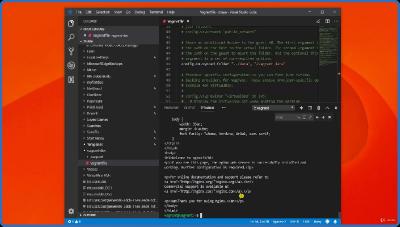
UDEMY.The.Python.Developer.Essentials.2022.Immersive.Bootcamp.
Language: English
Files Type:mp4, sfv, nfo| Size:1.68 GB
Video:05:36:12 | 1280X720 | 923 Kbps
Audio:mp4a-40-2 | 128 Kbps | AAC
Genre:eLearning


Videos Files :
1. Welcome.mp4 (16.15 MB)
10. Variables and Assignments hands on.mp4 (29.98 MB)
11. Multiple assignments hands on.mp4 (13.53 MB)
12. Assign one Value to many variables hands on.mp4 (18.67 MB)
13. Printing values to the screen hands on.mp4 (39.82 MB)
14. Getting class type hands on.mp4 (10.95 MB)
15. Math operations theory.mp4 (9.97 MB)
16. Math Orders theory.mp4 (6.83 MB)
17. Math operations hands on.mp4 (42.37 MB)
18. Math Orders hands on.mp4 (5.15 MB)
19. Comments theory.mp4 (5.44 MB)
2. Installing and Verifying Python.mp4 (24.78 MB)
20. White Spaces theory.mp4 (5.81 MB)
21. Comments hands on.mp4 (25.74 MB)
22. White Spaces hands on.mp4 (19 MB)
23. Error Types Theory.mp4 (9.12 MB)
24. Error Types hands on.mp4 (72.11 MB)
25. Function types theory.mp4 (5.86 MB)
26. Functions built in theory.mp4 (5.61 MB)
27. User defined functions theory.mp4 (15.87 MB)
28. Functions built in hands on.mp4 (50.19 MB)
29. User defined functions hands on.mp4 (12.91 MB)
3. Working with VS Code for Python.mp4 (26.59 MB)
30. Calling many times hands on.mp4 (13.88 MB)
31. Pass many arguments.mp4 (15.17 MB)
32. Return many values.mp4 (29.4 MB)
33. Anonymous Lambda.mp4 (40.7 MB)
34. Scope in Python.mp4 (17.03 MB)
35. Lists theory.mp4 (9.32 MB)
36. Tuples theory.mp4 (10.38 MB)
37. Sets theory.mp4 (8.79 MB)
38. Dictionaries theory.mp4 (10.3 MB)
39. Create a list, change and insert.mp4 (61.02 MB)
4. Basic data types theory.mp4 (6.69 MB)
40. Add and extend a list.mp4 (21.31 MB)
41. Delete and clear list items.mp4 (34.65 MB)
42. Create a Tuple, No change.mp4 (14.46 MB)
43. Accessing tuples and ranges.mp4 (35 MB)
44. Concatenate and delete tuples.mp4 (15.39 MB)
45. Create a set and get len.mp4 (16.59 MB)
46. Sets type and constructor to empty.mp4 (35.54 MB)
47. No Accessing for set items.mp4 (18.74 MB)
48. Adding items to a set.mp4 (19.75 MB)
49. Removing and clearing sets.mp4 (65.5 MB)
5. Variables and Assignments theory.mp4 (12.91 MB)
50. Creating dictionaries.mp4 (11.47 MB)
51. Dictionary len and type.mp4 (12.96 MB)
52. Dictionary all about accessing.mp4 (61.35 MB)
53. Dictionary all about updating values.mp4 (18.4 MB)
54. Adding one or many items in dictionary.mp4 (28.14 MB)
55. Deleting dictionary items and clearing.mp4 (42.48 MB)
56. Comparison operators theory.mp4 (3.68 MB)
57. Logical operator theory.mp4 (4.52 MB)
58. Conditional theory.mp4 (10.5 MB)
59. Comparison operators hands on.mp4 (13.01 MB)
6. Multiple assignments theory.mp4 (7.32 MB)
60. Logical operator hands on.mp4 (22.99 MB)
61. Additional operators.mp4 (29.4 MB)
62. Conditional Statements hands on.mp4 (41.45 MB)
63. While loops theory.mp4 (3.73 MB)
64. For loops theory.mp4 (3.85 MB)
65. The while loop in python hands on.mp4 (26.58 MB)
66. The for loop hands on.mp4 (28.49 MB)
67. for range break.mp4 (21 MB)
68. Classes theory.mp4 (7.8 MB)
69. Classes and Objects Hands On.mp4 (32.28 MB)
7. Naming variables theory.mp4 (10.85 MB)
70. Objects Modifications.mp4 (38 MB)
71. Class Methods and Constructors.mp4 (23.58 MB)
72. Inheritance from other classes Hands on.mp4 (37.82 MB)
73. modules theory.mp4 (6.11 MB)
74. Understand all about Modules.mp4 (100.5 MB)
75. Files Handling theory.mp4 (3.9 MB)
76. Reading Files.mp4 (31.11 MB)
77. Writing to Files.mp4 (14.4 MB)
78. Deleting Files.mp4 (7.74 MB)
8. Printing values to the screen theory.mp4 (18.31 MB)
9. Getting class type theory.mp4 (6.95 MB)



 
9eb4989fd0e79a0678aaec3cd54810e5.png


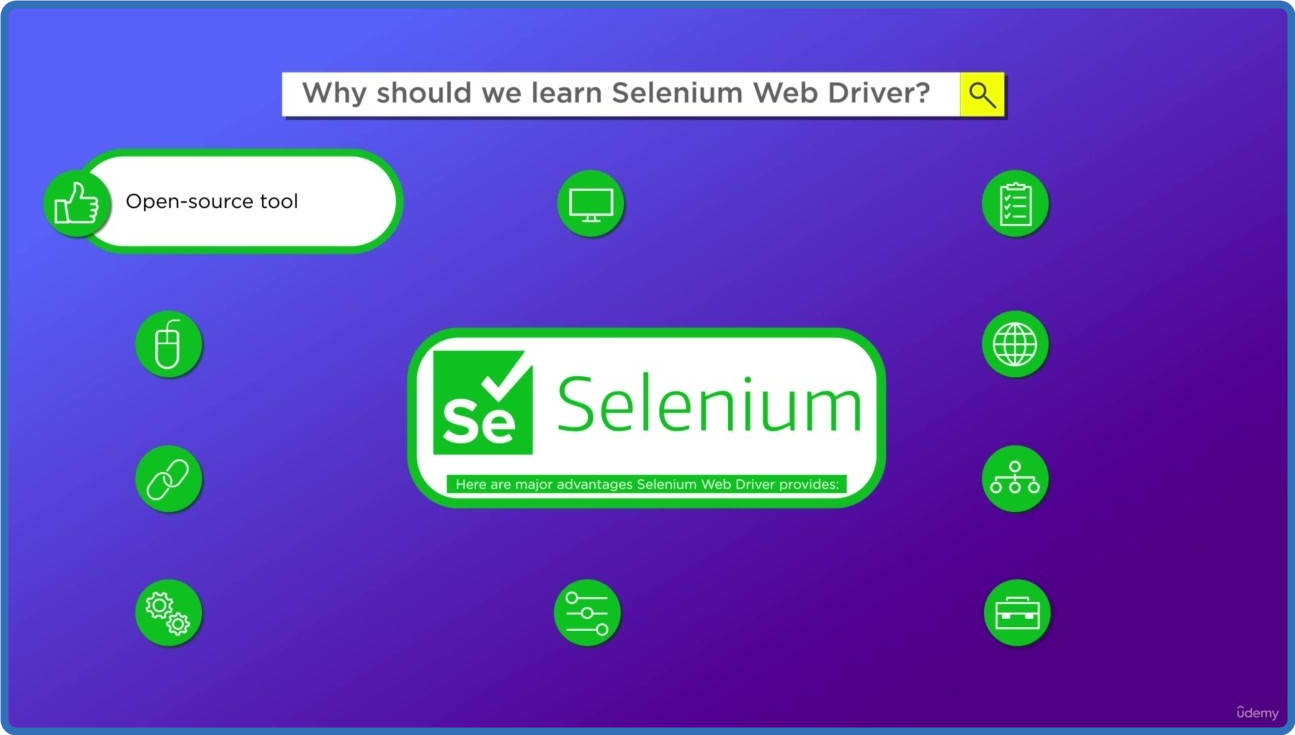
UDEMY.Selenium.in.Java.Setup.Simple.Test.Automation.Framework.
Language: English
Files Type:mp4, sfv, nfo| Size:1.83 GB
Video:03:50:29 | 1280X720 | 2740 Kbps
Audio:mp4a-40-2 | 128 Kbps | AAC
Genre:eLearning


Videos Files :
1. Introduction.mp4 (250.88 MB)
10. JUnit 4 Assertions Home Task.mp4 (51.5 MB)
11. First test in JUnit 5.mp4 (87.39 MB)
12. First test in JUnit 5 Home Task.mp4 (34.45 MB)
13. Implicit waits overview.mp4 (48.55 MB)
14. Explicit waits overview.mp4 (65.13 MB)
15. Page Object.mp4 (96.39 MB)
16. Page Object Home Task.mp4 (30.36 MB)
17. Web Component.mp4 (132.3 MB)
18. Web Component Home Task.mp4 (39.89 MB)
19. Data Transfer Object.mp4 (107.18 MB)
2. Communication plan.mp4 (38.67 MB)
20. Data Transfer Object Home Task.mp4 (29.15 MB)
21. Run tests via Command Line.mp4 (82.52 MB)
22. Run tests via Command Line Home Task.mp4 (14.71 MB)
23. CSS selectors basics.mp4 (125.29 MB)
24. XPath selectors basics.mp4 (92.5 MB)
4. JDK Installation.mp4 (86.81 MB)
5. Gradle Installation.mp4 (124.68 MB)
6. IntelliJ IDEA Installation.mp4 (124.25 MB)
7. Setup simple application.mp4 (102.38 MB)
8. Setup simple application Home Task.mp4 (30.93 MB)
9. JUnit 4 Assertions.mp4 (82.83 MB)


ba828626064eb903caf8a2d693f1d31a.png


UDEMY.Viral.Marketing.Masterclass.2022.Virality.Edition.
Language: English
Files Type:mp4, sfv, nfo| Size:798.94 MB
Video:01:17:03 | 1280X720 | 2703 Kbps
Audio:mp4a-40-2 | 128 Kbps | AAC
Genre:eLearning


Videos Files :
1. Introduction to Viral Marketing MasterClass 2022.mp4 (86.35 MB)
10. Create a Free Radio Channel Online to Promote Your Brand.mp4 (83.54 MB)
11. Auto posting on Facebook Groups, Popups Domination and Much More.mp4 (62.6 MB)
13. Special World's First Viral Post Generator Tool.mp4 (76.23 MB)
2. Video Redirect Trick for 2022 and beyond..mp4 (29.6 MB)
3. A Bullet Proof Email Server Awaits.mp4 (65.47 MB)
4. A Bullet Proof SMS Platform Awaits.mp4 (39.43 MB)
5. Visitor Identification on your website.mp4 (38.22 MB)
6. Special Tips Promote your content on Viral Content Bee and other platforms.mp4 (91.22 MB)
7. Contact Form Automation Tool The Ultimate Secretive Technology in 2022.mp4 (58.92 MB)
8. Special Tools for automating webinars, phone calls, Blog commenting etc..mp4 (83.86 MB)
9. 2022 Special Tools for Viral Marketing.mp4 (83.49 MB)


_75a7fb75fba28cd85093344f64315de5.jpeg


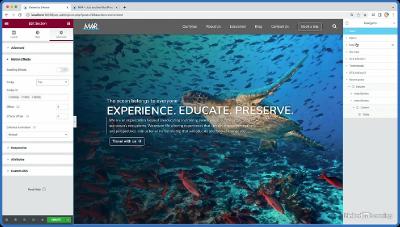
Linkedin.Learning.Custom.Theme.Building.with.Elementor.Pro
Language: English
Files Type:jpg, sfv, pdf, ico, svg, gif, mov, nfo, png, mkv| Size:986.7 MB
Video:04:29:51 | 1280X720 | 801 Kbps
Audio:A_AAC-2 | 127 Kbps | AAC
Genre:eLearning


Videos Files :
01.01 advanced theme building with elementor.mkv (15.38 MB)
01.02 what you should know.mkv (4.1 MB)
01.03 exercise files.mkv (8.14 MB)
01.04 pro vs. free version.mkv (5.84 MB)
02.01 project overview.mkv (16.63 MB)
02.02 project setup.mkv (14.89 MB)
02.03 getting started with elementor pro.mkv (9.34 MB)
02.04 theme styles and global settings.mkv (13.34 MB)
02.05 upload media.mkv (21.13 MB)
02.06 creating pages.mkv (2.05 MB)
02.07 creating posts.mkv (13.01 MB)
02.08 using custom fields.mkv (8.44 MB)
02.09 creating the menu.mkv (7.36 MB)
03.01 what are the theme builder and templates.mkv (13.66 MB)
03.02 overview of the theme builder.mkv (18.18 MB)
03.03 creating a custom header.mkv (15.72 MB)
03.04 modifying the header for alternate devices.mkv (9.84 MB)
03.05 creating a custom footer.mkv (8.03 MB)
03.06 404 error theme.mkv (26.55 MB)
03.07 creating templates.mkv (38.63 MB)
03.08 search results page.mkv (33.52 MB)
03.09 building the trip archive page.mkv (30.23 MB)
03.10 building the blog archive page.mkv (19.32 MB)
03.11 building the trip post hero with dynamic content.mkv (26.34 MB)
03.12 creating the trip post content with dynamic content.mkv (22.33 MB)
03.13 ensuring that the post theme template works responsively.mkv (9.05 MB)
03.14 creating the blog theme template.mkv (14.29 MB)
03.15 creating and duplicating from a template.mkv (15.21 MB)
04.01 using the flip box widget.mkv (27.67 MB)
04.02 custom accordion layout.mkv (19.56 MB)
04.03 custom accordion css.mkv (24.91 MB)
04.04 overlapping elements.mkv (26.75 MB)
04.05 dynamic map.mkv (8.76 MB)
04.06 anchor links.mkv (17.09 MB)
04.07 screen stacking.mkv (69.88 MB)
04.08 portfolio.mkv (37.71 MB)
04.09 testimonials.mkv (26.65 MB)
05.01 parallax layering effect the setup.mkv (18.13 MB)
05.02 parallax layering effect adding movement.mkv (29.36 MB)
05.03 making your parallax effect responsive.mkv (23.35 MB)
05.04 adding mouse tracking animations.mkv (9.49 MB)
05.05 adding entrance animations.mkv (10.62 MB)
06.01 building a pop up.mkv (22.96 MB)
06.02 linking the pop up to a button.mkv (11.92 MB)
07.01 using the form builder.mkv (25.23 MB)
07.02 other form field types.mkv (14.75 MB)
07.03 preventing spam.mkv (21.91 MB)
07.04 submissions.mkv (11.35 MB)
07.05 redirecting a form on submission.mkv (9.16 MB)
08.01 what is the role manager.mkv (12.61 MB)
08.02 using roles.mkv (16.81 MB)
09.01 how to get help.mkv (19.53 MB)
09.02 next steps.mkv (8.29 MB)
lost404.mov (9.76 MB)
popup subscribe.mov (2.06 MB)
linkedin.learning.custom.theme.building.with.elementor.pro xqzt sample.mkv (10.29 MB)


110dbfabd29a20d542db504839ec9a26.png


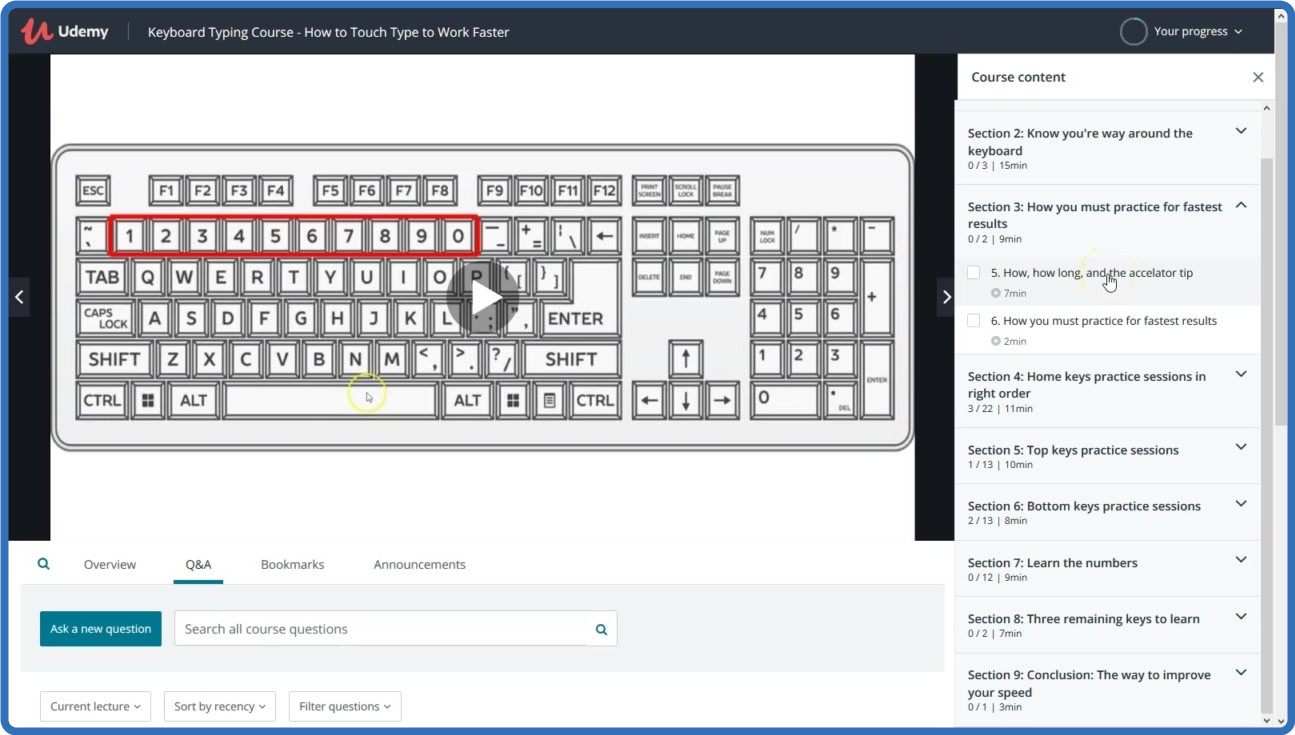
UDEMY.Typing.Course.How.to.Touch.Type.Revolutionary.Method.
Language: English
Files Type:mp4, sfv, nfo| Size:551.03 MB
Video:01:26:59 | 1280X720 | 849 Kbps
Audio:mp4a-40-2 | 128 Kbps | AAC
Genre:eLearning


Videos Files :
1. Introduction.mp4 (54.76 MB)
10. Home left 4.mp4 (5.03 MB)
11. Home left 5.mp4 (3.87 MB)
12. Home left 6.mp4 (2.81 MB)
13. Home left 7.mp4 (3.27 MB)
14. Home left 8.mp4 (2.56 MB)
15. Home left 9.mp4 (4.08 MB)
16. Home left 10.mp4 (2.56 MB)
17. Home right 11.mp4 (2.86 MB)
18. Home right 12.mp4 (1.86 MB)
19. Home right 13.mp4 (1.93 MB)
2. Know where the keys are.mp4 (36.9 MB)
20. Home right 14.mp4 (2.44 MB)
21. Home right 15.mp4 (2.34 MB)
22. Home right 16.mp4 (2.29 MB)
23. Home right 17.mp4 (3.17 MB)
24. Home right 18.mp4 (1.94 MB)
25. Home right 19.mp4 (2.46 MB)
26. Home right 20.mp4 (2.88 MB)
27. Get your home keys practice sheet.mp4 (12.32 MB)
29. Introduction to top keys Must watch.mp4 (8.61 MB)
3. The most important eight keys.mp4 (28.12 MB)
30. Top left 1.mp4 (8.55 MB)
31. Top left 2.mp4 (6.72 MB)
32. Top left 3.mp4 (3.44 MB)
33. Top left 4.mp4 (3.1 MB)
34. Top left 5.mp4 (3.65 MB)
35. Top right 1.mp4 (4.97 MB)
36. Top right 2.mp4 (4.07 MB)
37. Top right 3.mp4 (3.25 MB)
38. Top right 4.mp4 (2.65 MB)
39. Top right 5.mp4 (3.53 MB)
4. What fingers go where.mp4 (36.2 MB)
40. Get your top keys practice sheet.mp4 (9.68 MB)
42. Introduction to bottom keys Must watch.mp4 (7.34 MB)
43. Bottom left 1.mp4 (4.18 MB)
44. Bottom left 2.mp4 (3.23 MB)
45. Bottom left 3.mp4 (3.24 MB)
46. Bottom left 4.mp4 (2.55 MB)
47. Bottom left 5.mp4 (2.91 MB)
48. Bottom right 26.mp4 (5.4 MB)
49. Bottom right 27.mp4 (2.78 MB)
5. How, how long, and the accelator tip.mp4 (15.55 MB)
50. Bottom right 28.mp4 (2.57 MB)
51. Bottom right 29.mp4 (2.77 MB)
52. Bottom right 30.mp4 (2.44 MB)
53. Get your bottom keys practice sheet.mp4 (9.38 MB)
55. Introduction to numbers Must watch.mp4 (5.89 MB)
56. 1.mp4 (8 MB)
57. 2.mp4 (4.55 MB)
58. 3.mp4 (4 MB)
59. 4.mp4 (4.46 MB)
6. How you must practice for fastest results.mp4 (13.51 MB)
60. 5.mp4 (6.35 MB)
61. 6.mp4 (4.09 MB)
62. 7.mp4 (4.83 MB)
63. 8.mp4 (4.01 MB)
64. 9.mp4 (4.53 MB)
65. Get your number keys practice sheet.mp4 (9.59 MB)
67. The easy way to practice capital letters.mp4 (30.17 MB)
68. The space bar and Enter key.mp4 (13.35 MB)
69. How I dramatically increased my typing speed.mp4 (47.52 MB)
7. Home left 1.mp4 (6.68 MB)
70. What you must focus on to increase speed.mp4 (4.63 MB)
71. Conclusion.mp4 (23.78 MB)
8. Home left 2.mp4 (5.03 MB)
9. Home left 3.mp4 (2.82 MB)


_944c569cd3e497ffd47587b629b0795a.jpeg


UDEMY.TIKTOK.Masterclass.Build.Your.Business.With.TIKTOK.
Language: English
Files Type:mp4, sfv, nfo| Size:1.65 GB
Video:01:51:22 | 1280X720 | 2214 Kbps
Audio:mp4a-40-2 | 128 Kbps | AAC
Genre:eLearning


Videos Files :
1. TIKTOK Course Introduction.mp4 (148.82 MB)
10. TIKTOK Shooting Your Video with TikTok.mp4 (63.54 MB)
11. TIKTOK Add Sound To Your Video.mp4 (63.68 MB)
12. TIKTOK Effects Element for Videos.mp4 (61.99 MB)
13. TIKTOK Add Text to Your Video.mp4 (74.6 MB)
14. TIKTOK Add Stickers.mp4 (71.75 MB)
15. TIKTOK Add Voiceover.mp4 (59.72 MB)
16. TIKTOK Voice Effects.mp4 (72.83 MB)
17. TIKTOK Adjust the Clip.mp4 (93.58 MB)
18. TIKTOK Video Filters.mp4 (51.67 MB)
19. TIKTOK Post Your Video.mp4 (57.53 MB)
2. TIKTOK Instructor Introduction.mp4 (56.52 MB)
20. TIKTOK Upload From Your Mobile Device.mp4 (63.19 MB)
21. TIKTOK Do A Mobile Screen Capture Video.mp4 (39.98 MB)
22. TIKTOK Additional Settings.mp4 (63.73 MB)
23. TIKTOK Switching To A Pro Account.mp4 (47 MB)
24. TIKTOK Recording a Duet Video.mp4 (91.86 MB)
25. TIKTOK Uploading From Desktop.mp4 (44.67 MB)
26. TIKTOK Course Conclusion.mp4 (81.77 MB)
3. TIKTOK Student Self Introduction.mp4 (53.82 MB)
4. TIKTOK TikTok Overview.mp4 (59.89 MB)
5. TIKTOK TikTok Mobile and Desktop App.mp4 (54.76 MB)
6. TIKTOK Setting Up Your TikTok Profile.mp4 (58.58 MB)
7. TIKTOK Adding TikTok Contacts.mp4 (38.34 MB)
8. TIKTOK TikTok Home Screen Controls.mp4 (56.32 MB)
9. TIKTOK TikTok Search and Explore.mp4 (59.24 MB)


_a43b6164c42cba42a20f20c972db1fa6.jpeg


UDEMY.Value.Education.and.Professional.Ethics.
Language: English
Files Type:mp4, sfv, nfo| Size:2.84 GB
Video:02:18:05 | 1280X720 | 2818 Kbps
Audio:mp4a-40-2 | 128 Kbps | AAC
Genre:eLearning


Videos Files :
1. Introduction of the Course.mp4 (19.58 MB)
2. Need, basic guidelines, content and process of Value Education.mp4 (570.11 MB)
3. Understanding harmony in the human beings & Harmony in Myself.mp4 (697.59 MB)
4. Harmony in family & society and in relationships.mp4 (561.53 MB)
5. Harmony in nature and co existence.mp4 (566.17 MB)
6. Implication of harmony to the Professional Ethics.mp4 (484.33 MB)
7. Congratulations on Completion of the Course.mp4 (5.64 MB)


_5cb526248047a1e0ca4008164a1ae72a.jpeg


UDEMY.Vagrant.Visualized.Development.Environments.and.Oracle.
Language: English
Files Type:mp4, sfv, nfo| Size:861.69 MB
Video:01:42:08 | 1280X720 | 1139 Kbps
Audio:mp4a-40-2 | 128 Kbps | AAC
Genre:eLearning


Videos Files :
1. Introduction.mp4 (41.91 MB)
10. Get started with Vagrantfiles.mp4 (73.98 MB)
11. Vagrant synced folders.mp4 (64.12 MB)
12. Vagrant networking.mp4 (75.86 MB)
13. Vagrant providers.mp4 (37.16 MB)
14. Vagrant provisioners.mp4 (64.46 MB)
15. Overview Application developer environment.mp4 (29.93 MB)
16. Create a base box 1.mp4 (41.4 MB)
17. Create a base box 2.mp4 (49.82 MB)
18. Upload a box to Vagrant Cloud.mp4 (65.68 MB)
19. Oracle Database 18c installation with Vagrant.mp4 (51.72 MB)
2. What do you already know.mp4 (14.7 MB)
20. How to access the database in Vagrant VM and stop & destroy Vagrant VM..mp4 (17.11 MB)
3. Install Vagrant and VirtualBox.mp4 (23.8 MB)
4. What is Vagrant.mp4 (43.2 MB)
5. Run your First vagrant box.mp4 (69.75 MB)
6. Check Box status.mp4 (15.19 MB)
7. Connect to a box.mp4 (42.06 MB)
8. Halting and destroying boxes.mp4 (22.73 MB)
9. Vagrant Cloud Vagrant Cloud.mp4 (17.09 MB)


_fcf4575825df287cc873d44253013aa4.jpeg


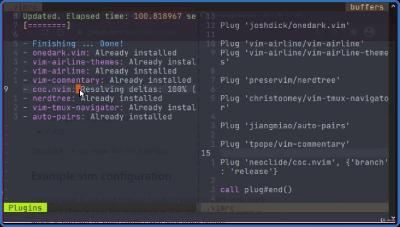
UDEMY.Vim.Profesional.
Language: English
Files Type:mp4, sfv, nfo| Size:1.56 GB
Video:03:47:24 | 1280X720 | 1028 Kbps
Audio:mp4a-40-2 | 127 Kbps | AAC
Genre:eLearning


Videos Files :
1. Introducción.mp4 (36.09 MB)
10. Entrar y salir de Vim.mp4 (8.92 MB)
11. Cierres avanzados.mp4 (11.1 MB)
12. Creación y grabado de archivos.mp4 (28.81 MB)
13. Grabar y cerrar archivos.mp4 (22.37 MB)
14. Grabar archivos sin nombrar.mp4 (25.07 MB)
15. Modos en Vim.mp4 (30.24 MB)
16. Tutor de Vim.mp4 (22.41 MB)
17. Navegar arriba y abajo.mp4 (19.65 MB)
18. Navegar hacia los lados.mp4 (14.56 MB)
19. End.mp4 (15.72 MB)
2. Introduccion a Vim y NeoVim.mp4 (39.56 MB)
20. Back.mp4 (8.82 MB)
21. Insertar al Inicio.mp4 (13.48 MB)
22. Continuar Texto.mp4 (17.04 MB)
23. Navegar entre palabras.mp4 (15.61 MB)
24. Insertar en nuevas líneas.mp4 (15.93 MB)
25. Eliminar Lineas.mp4 (19.59 MB)
26. Remplazo.mp4 (9.68 MB)
27. Sustitución.mp4 (10.07 MB)
28. Suprimir.mp4 (7.3 MB)
29. Undo y Redo.mp4 (11.02 MB)
3. Ventajas y Deventajas de Vim.mp4 (70.13 MB)
30. Introducción a la sección.mp4 (1.95 MB)
31. Saltar al principio y final de una línea.mp4 (7.03 MB)
32. Delete Avanzado.mp4 (15.71 MB)
33. Remplazo Avanzado.mp4 (10.27 MB)
34. Copiar y Pegar.mp4 (12.99 MB)
35. Copiado avanzado.mp4 (11.36 MB)
36. Ejecutar Comandos.mp4 (28.87 MB)
37. Buscar.mp4 (18.53 MB)
38. Búsqueda avanzada.mp4 (17.43 MB)
39. Replicar acciones.mp4 (8.04 MB)
4. Vim para Windows.mp4 (39.61 MB)
40. Principio y fin del Archivo.mp4 (11.1 MB)
41. Agregar números a los atajos.mp4 (21.6 MB)
42. Introducción a la sección.mp4 (13.16 MB)
43. Configuraciones Nativas (12).mp4 (31.67 MB)
44. Configuraciones Nativas (22).mp4 (31.5 MB)
45. SOLUCION Neovim no reconoce el archivo.mp4 (24.62 MB)
46. Vim Plug.mp4 (46.46 MB)
47. Instalar Themes.mp4 (96.06 MB)
48. Airline.mp4 (62.29 MB)
49. Airline Themes.mp4 (28.8 MB)
5. Vim para Mac.mp4 (11.87 MB)
50. NERDTree.mp4 (72.59 MB)
51. TMUX Navigator.mp4 (28.69 MB)
52. AutoPairs.mp4 (24.85 MB)
53. Commentary.mp4 (32.93 MB)
54. Editor Intelisense Autocompletado..mp4 (97.61 MB)
55. Mapeos Atajos Personalizados.mp4 (36.9 MB)
56. AutoCommands.mp4 (48.61 MB)
57. Navegar entre archivos.mp4 (34.1 MB)
58. Identaciones.mp4 (9.3 MB)
59. Vim en VS Code.mp4 (32.63 MB)
6. Cloud Shell Linux.mp4 (15.72 MB)
60. Despedida del Curso.mp4 (77.59 MB)
7. Vim para Linux.mp4 (19.5 MB)
9. Vim para Android.mp4 (38.32 MB)


5ce2a80bfd4b000221e1f57a67c50f40.png


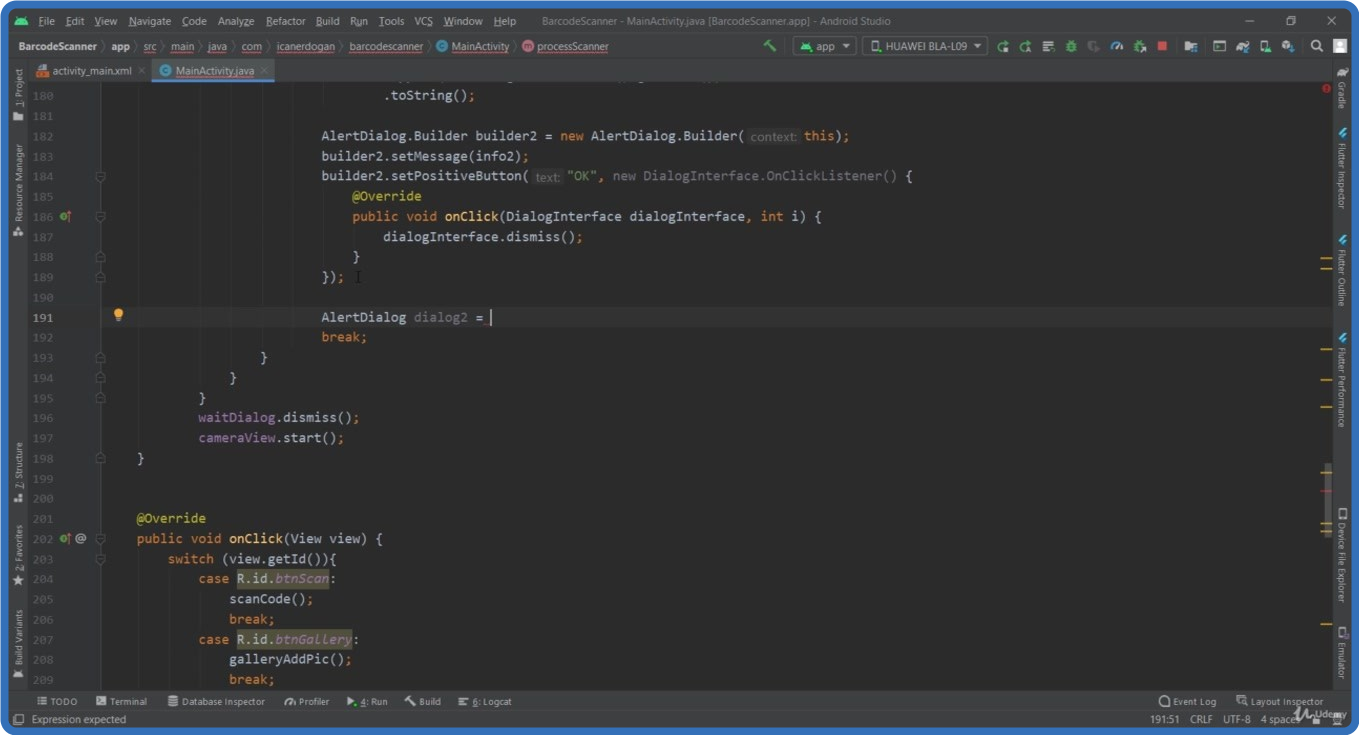
UDEMY.MLKit.Android.Programlama.2021.TURKISH.
Language: English
Files Type:mp4, sfv, nfo| Size:3.12 GB
Video:07:00:35 | 1280X720 | 1120 Kbps
Audio:mp4a-40-2 | 128 Kbps | AAC
Genre:eLearning


Videos Files :
1. Hoşgeldiniz.mp4 (1.94 MB)
10. Text Recognition App İnceleme.mp4 (3.2 MB)
11. Gerekli Kütüphanelerin Eklenmesi.mp4 (57.81 MB)
12. Tasarım.mp4 (25.41 MB)
13. Tasarım Fonksiyonları.mp4 (12.18 MB)
14. Kamera Fonksiyonu.mp4 (29.2 MB)
15. Özelleştirilmiş Alert Dialog Fonksiyonu.mp4 (31.06 MB)
16. Yüz Tespit Fonksiyonu.mp4 (44.34 MB)
17. Çizim Sınıfını Ekleme.mp4 (63.38 MB)
18. Tespit Edilen Yüzlerin Çizimi.mp4 (54.92 MB)
19. Face Detection App İnceleme.mp4 (6.3 MB)
20. Gerekli Kütüphanelerin Eklenmesi.mp4 (49.82 MB)
21. Tasarım.mp4 (61.54 MB)
22. Tasarım Fonksiyonları.mp4 (31.91 MB)
23. Galeri Fonksiyonu.mp4 (42.64 MB)
24. Kamera Fonksiyonu.mp4 (30.85 MB)
25. Vücut Tespit Fonksiyonu.mp4 (47.4 MB)
26. Vücut Hatlarının Tespiti.mp4 (69.18 MB)
27. Vücut Hatlarının Çizimi.mp4 (109.36 MB)
28. Vücut Açıları Tespit Fonksiyonu.mp4 (76.63 MB)
29. İkinci Aktivitenin Oluşturulması.mp4 (60.53 MB)
3. Gerekli Kütüphanelerin Eklenmesi.mp4 (52.05 MB)
30. Güvenli Görsel Taşıma (Singelton) Sınıfı.mp4 (15.34 MB)
31. Bilgileri Diğer Aktiviteye Aktarma.mp4 (87.73 MB)
32. Pose Detection App İnceleme.mp4 (9.82 MB)
33. Gerekli Kütüphanelerin Eklenmesi.mp4 (56.78 MB)
34. Tasarım.mp4 (61.14 MB)
35. Tasarım Fonksiyonları.mp4 (35.66 MB)
36. Galeri Fonksiyonu.mp4 (42.34 MB)
37. Kamera Fonksiyonu.mp4 (25.12 MB)
38. Görselde Barkod Tespiti.mp4 (27.94 MB)
39. Barkod Fonksiyonları 1.mp4 (112.61 MB)
4. Tasarım.mp4 (88.3 MB)
40. Barkod Fonksiyonları 2.mp4 (120.67 MB)
41. Barcode Scanner App İnceleme.mp4 (42.43 MB)
42. Gerekli Kütüphanelerin Eklenmesi.mp4 (78.24 MB)
43. Tasarım.mp4 (30.64 MB)
44. Tasarım Fonksiyonları.mp4 (16.21 MB)
45. Kamera Fonksiyonu.mp4 (95.81 MB)
46. Nesneleri Tespit Fonksiyonu.mp4 (58.89 MB)
47. İkinci Aktivite Tasarım.mp4 (54.18 MB)
48. İkinci Aktivite Fonksiyonları.mp4 (40.59 MB)
49. Bilgileri Diğer Aktiviteye Aktarma.mp4 (74.09 MB)
5. Tasarım Fonksiyonları.mp4 (36.94 MB)
50. Image Labeler App İnceleme.mp4 (17.49 MB)
51. Gerekli Kütüphanelerin Eklenmesi.mp4 (53.71 MB)
52. Tasarım.mp4 (17.52 MB)
53. View Binding & Gerekli İzinler.mp4 (58.72 MB)
54. Kamera Fonksiyonları.mp4 (65.88 MB)
55. Çizim Sınıfnı Ekleme.mp4 (58.83 MB)
56. Görüntü Takibi.mp4 (72.85 MB)
57. Object Detection and Tracking App İnceleme.mp4 (26.85 MB)
58. Gerekli Kütüphanelerin Eklenmesi.mp4 (20.69 MB)
59. Tasarım.mp4 (102.69 MB)
6. Kamera Fonksiyonu.mp4 (62.88 MB)
60. Çizim Bileşeni Oluşturma 1.mp4 (69.43 MB)
61. Çizim Bileşeni Oluşturma 2.mp4 (52.5 MB)
62. Çizim Yöneticisi Sınıfını Oluşturma.mp4 (116.03 MB)
63. Tasarım Fonksiyonları.mp4 (30.6 MB)
64. Butonların Aktifleştirilmesi.mp4 (18.61 MB)
65. Digital Ink Recognition App İnceleme.mp4 (2.93 MB)
7. Galeri Fonksiyonu.mp4 (27.46 MB)
8. Kamera Galeri Özellikleri.mp4 (59.25 MB)
9. Metinden Yazı Tespiti Fonksiyonu.mp4 (91.33 MB)


Zurück
Oben Unten