• Regeln für den Video-Bereich:

    In den Börsenbereich gehören nur Angebote die bereits den Allgemeinen Regeln entsprechen.

    Einteilung

    - Folgende Formate gehören in die angegeben Bereiche:
    - Filme: Encodierte Filme von BluRay, DVD, R5, TV, Screener sowie Telesyncs im Format DivX, XviD und x264.
    - DVD: Filme im Format DVD5, DVD9 und HD2DVD.
    - HD: Encodierte Filme mit der Auflösung 720p oder darüber von BluRay, DVD, R5, TV, Screener sowie Telesyncs im Format x264.
    - 3D: Encodierte Filme von BluRay, die in einem 3D Format vorliegen. Dies gilt auch für Dokus, Animation usw.
    - Serien: Cartoon/Zeichentrick, Anime, Tutorials, Dokumentationen, Konzerte/Musik, Sonstiges sind demnach in die entsprechenden Bereiche einzuordnen, auch wenn sie beispielsweise im High Definition-Format oder als DVD5/DVD9/HD2DVD vorliegen. Ausnahme 3D.
    - Bereich Englisch: Englische Releases gehören immer in diesen Bereich.
    - Bereich Talk: Der Bereich, in dem über die Releases diskutiert werden kann, darf, soll und erwünscht ist.


    Angebot/Beitrag erstellen

    - Ein Beitrag darf erst dann erstellt werden, wenn der Upload bei mindestens einem OCH komplett ist. Platzhalter sind untersagt.
    - Bei einem Scenerelease hat der Threadtitel ausschließlich aus dem originalen, unveränderten Releasenamen zu bestehen. Es dürfen keine Veränderungen wie z.B. Sterne, kleine Buchstaben o.ä. vorgenommen werden. Ausnahme Serienbörse:
    - Bei einem Sammelthread für eine Staffel entfällt aus dem Releasename natürlich der Name der Folge. Beispiel: Die Simpsons S21 German DVDRip XviD - ITG
    - Dementsprechend sind also u.a. verboten: Erweiterungen wie "Tipp", "empfehlenswert", "only", "reup", usw. / jegliche andere Zusatzinformation oder Ergänzung, welche nicht in obiger Beschreibung zu finden ist.

    Aufbau des Angebots und Threadtitel

    Der Titel nach folgendem Muster erstellt zu werden. <Name> [3D] [Staffel] [German] <Jahr> <Tonspur> [DL] [Auflösung] <Quelle> <Codec> - <Group>
    Beispiel: The Dark Knight German 2008 AC3 DVDRip XviD - iND
    Beispiel: The Dark Knight 2008 DTS DL BDRip x264 - iND
    Beispiel: The Dark Knight 2008 AC3 DL BDRip XviD - iND
    Beispiel: The Dark Knight German 2008 AC3 720p BluRay x264 iND
    Beispiel: The Dark Knight 2008 DTS DL 1080p BluRay x264 iND
    Beispiel: Die Simpsons S01 German AC3 DVDRip XviD iND
    Beispiel: Die Simpsons S20 German AC3 720p BluRay x264 iND
    Beispiel: Sword Art Online II Ger Sub 2014 AAC 1080p WEBRip x264 - peppermint
    Entsprechend sind also u.a. verboten: Sonderzeichen wie Klammern, Sterne, Ausrufezeichen, Unterstriche, Anführungszeichen / Erweiterungen wie "Tipp", "empfehlenswert", "only", "reup", usw. / jegliche andere Zusatzinformation oder Ergänzung, welche nicht in obiger Beschreibung zu finden ist
    Ausnahmen hiervon können in den Bereichen geregelt sein.

    Die Beiträge sollen wie folgt aufgebaut werden:
    Überschrift entspricht dem Threadtitel
    Cover
    kurze Inhaltsbeschreibung
    Format, Größe, Dauer sind gut lesbar für Downloader außerhalb des Spoilers zu vermerken
    Nfo sind immer Anzugeben und selbige immer im Spoiler in Textform.
    Sind keine Nfo vorhanden z.B. Eigenpublikationen, sind im Spoiler folgende Dateiinformationen zusätzlich anzugeben :
    Quelle
    Video (Auflösung und Bitrate)
    Ton (Sprache, Format und Bitrate der einzelnen Spuren)
    Untertitel (sofern vorhanden)
    Hosterangabe in Textform außerhalb eines Spoiler mit allen enthaltenen Hostern.
    Bei SD kann auf diese zusätzlichen Dateiinformationen verzichtet werden.

    Alle benötigten Passwörter sind, sofern vorhanden, in Textform im Angebot anzugeben.
    Spoiler im Spoiler mit Kommentaren :"Schon Bedankt?" sind unerwünscht.


    Releases

    - Sind Retail-Release verfügbar, sind alle anderen Variationen untersagt. Ausnahmen: Alle deutschen Retail-Release sind CUT, in diesem Fall sind dubbed UNCUT-Release zulässig.
    - Im Serien-Bereich gilt speziell: Wenn ein Retail vor Abschluss einer laufenden Staffel erscheint, darf diese Staffel noch zu Ende gebracht werden.62
    - Gleiche Releases sind unbedingt zusammenzufassen. Das bedeutet, es ist zwingend erforderlich, vor dem Erstellen eines Themas per Suchfunktion zu überprüfen, ob bereits ein Beitrag mit demselben Release besteht. Ist dies der Fall, ist der bereits vorhandene Beitrag zu verwenden.
    - P2P und Scene Releases dürfen nicht verändert oder gar unter einem iND Tag eingestellt werden.


    Support, Diskussionen und Suche

    - Supportanfragen sind entweder per PN oder im Bereich Talk zu stellen.
    - Diskussionen und Bewertungen sind im Talk Bereich zu führen. Fragen an die Uploader haben ausschließlich via PN zu erfolgen, und sind in den Angeboten untersagt.
    - Anfragen zu Upload-Wünschen sind nur im Bereich Suche Video erlaubt. Antworten dürfen nur auf Angebote von MyBoerse.bz verlinkt werden.


    Verbote

    - Untersagt sind mehrere Formate in einem einzigen Angebotsthread, wie beispielsweise das gleichzeitige Anbieten von DivX/XviD, 720p und 1080p in einem Thread. Pro Format, Release und Auflösung ist ein eigener Thread zu eröffnen.
    - Grundsätzlich ebenso verboten sind Dupes. Uploader haben sich an geeigneter Stelle darüber zu informieren, ob es sich bei einem Release um ein Dupe handelt.
    - Gefakte, nur teilweise lauffähige oder unvollständige Angebote sind untersagt. Dies gilt auch für eigene Publikationen, die augenscheinlich nicht selbst von z.B. einer DVD gerippt wurden. Laufende Serien, bei denen noch nicht alle Folgen verfügbar sind, dürfen erstellt und regelmäßig geupdatet werden.
    - Untersagt sind Angebote, welche nur und ausschließlich in einer anderen Sprache als deutsch oder englisch vorliegen. Ausnahmen sind VORHER mit den Moderatoren zu klären.


    Verstoß gegen die Regeln

    - Angebote oder Beiträge, die gegen die Forenregeln verstoßen, sind über den "Melden"-Button im Beitrag zu melden.
  • Bitte registriere dich zunächst um Beiträge zu verfassen und externe Links aufzurufen.

*** Bestes IPTV *** bester Preis *** gratis Test ***


Englische Tutorials

c8C8KgVFSJKwvtS7rONN2sEOoNu9OKf5.jpg

How to Use a Drill - The Complete DIY Course
Video: .mp4 (1280x720, 30 fps(r)) | Audio: aac, 48000 Hz, 2ch | Size: 4.28 GB
Genre: eLearning Video | Duration: 39 lectures (3 hour, 22 mins) | Language: English


The Complete Course on how to Use a Drill, Electric Screwdrivers, and their Accessories
What you'll learn
How to use a drilling machine
How to use an electric drill
How to change drill bits
How to drill into steel
How to drill into wood
How to drill into walls
How to drill into masonry
How to use a drill as a screwdriver
How to use drill torque settings
What drill bits to use
How to use an electric screwdriver
How to build with a drilling machine
How to drill holes
How to use a drill
Requirements
A desire to improve your DIY skills
A desire to learn well
Description
What is the How to Use a Drill - The Complete DIY Course?
The How to Use a Drill - The Complete DIY Course is a comprehensive electric drilling machine course teaching anyone to use electric drills and screwdrivers well.
In this course you will learn how to use your electric drill effectively, how to use a battery operated drill, and how to choose the right drill for your needs. We'll teach you how to choose the right drill bit, to drill into wood, steel, glass and masonry. You'll learn how to use twist bits, forstner and spade bits and how to use your drill as an electric screwdriver. We'll also introduce you to a range of accessories to use with your drilling machine that will make your tasks enjoyable.
If you want to have the skills to use a drilling machine or electric screwdriver to work on the projects of your dreams, this is the course for you.
Learn Better
Learn efficiently with our in depth approach to introducing you to the world of electric drills and power tools. We show you the intricate workings of the different drills and drill bits and how to use them effectively. With us, you'll learn well and have a professional understanding of how drilling machines and their respective bits work and are used.
Learn Together
With an integrated Q&A system, you'll be able to gain feedback on your projects, and engage with other students worldwide. Feel free to post in the Q&A and share your progress with others!
Who this course is for
Anyone, whether a beginner or advanced crafter, maker or builder.
People new to power tools as well as those already familiar with drills and general tools.
Men and woman wanting to equip themselves with power tool skills.
Screenshots


b4269dff-4dae-45e5-99fb-7d5b081f506e.png

Introduction to Python Machine Learning using Jupyter Lab
Published 05/2022
MP4 | Video: h264, 1280x720 | Audio: AAC, 44.1 KHz, 2 Ch
Genre: eLearning | Language: English + srt | Duration: 15 lectures (2h 35m) | Size: 965 MB


A quick introduction to machine learning using python scikit-learn linear regression for modelling and prediction
What you'll learn
Python 3
Exploratory data analysis and visualizations
Machine learning
Building prediction models
Linear regression
Evaluating models
Creating Jupyter notebooks in Jupyter Lab
Common python operations in Jupypter notebooks
Using scikit-learn for machine learning
and more...
Requirements
Windows PC
No programming experience needed. You will learn everything you need to know.
Description
If you are looking for a fast and quick introduction to python machine learning, then this course is for you. It is designed to give beginners a quick practical introduction to machine learning by doing hands-on labs using python and JupyterLab. I know some beginners just want to know what machine learning is without too much dry theory and wasting time on data cleaning. So, in this course, we will skip data cleaning. All datasets is highly simplified already cleaned, so that you can just jump to machine learning directly.
Machine learning (ML) is a type of artificial intelligence (AI) that allows software applications to become more accurate at predicting outcomes without being explicitly programmed to do so. Machine learning algorithms use historical data as input to predict new output values.
Scikit-learn (also known as sklearn) is a free software machine learning library for the Python programming language. It features various classification, regression and clustering algorithms.
Python is a high-level, interpreted, general-purpose programming language. Its design philosophy emphasizes code readability with the use of indentations to signify code-blocks. It is also the language of choice for machine learning and artificial intelligence.
JupyterLab is the latest web-based interactive development environment for notebooks, code, and data. Its flexible interface allows users to configure and arrange workflows in data science, scientific computing, computational journalism, and machine learning. Inside JupyterLab, we can create multiple notebooks. Each notebook for every machine learning project.
In this introductory course, we will cover very simplified machine learning by using python and scikit-learn to do predictions. And we will perform machine learning all using the web-based interface workspace also known as Jupyter Lab. I have chosen Jupyter Lab for its simplicity compared to Anaconda which can be complicated for beginners. Using Jupyter Lab, installation of any python modules can be easily done using python's native package manager called pip. It simplifies the user experience a lot as compared to Anaconda.
Features of this course
simplicity and minimalistic, direct to the point
designed with absolute beginners in mind
quick and fast intro to machine learning using Linear Regression
data cleaning is omitted as all datasets has been cleaned
for those who want a fast and quick way to get a taste of machine learning
all tools (Jupyter Lab) used are completely free
introduction to kaggle for further studies
Learning objectives
At the end of this course, you will
Have a very good taste of what machine learning is all about
Be equipped with the fundamental skillsets of Jupyter Lab and Jupyter Notebook, and
Ready to undertake more advanced topics in Machine Learning
Who this course is for
Anyone wanting to get a quick taste hands-on machine learning
Complete beginners to machine learning
Anyone wanting to learn how to create Jupyter Notebooks using Jupyter Lab instead of Anaconda
Homepage


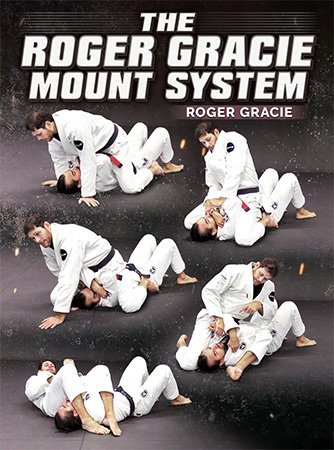
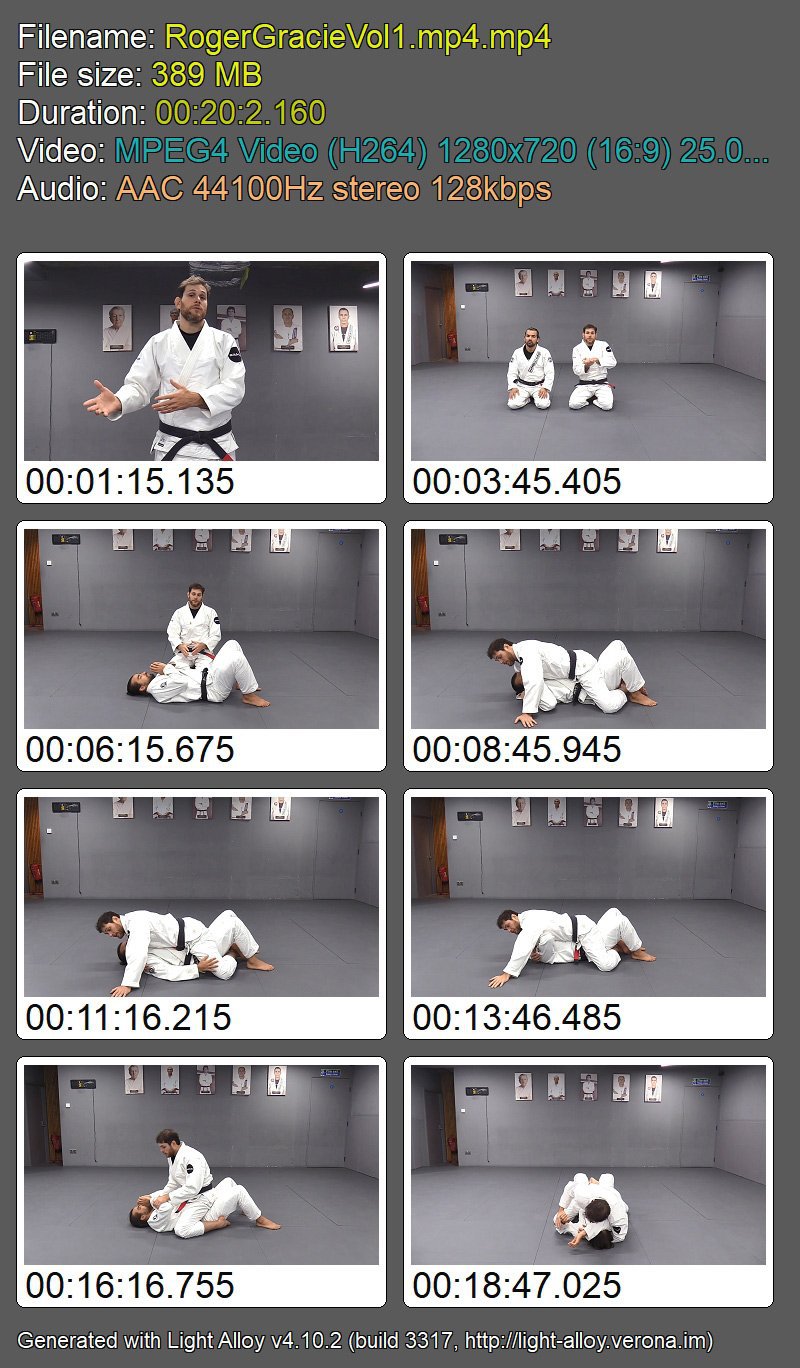
BJJ Fanatics - The Roger Gracie Mount System

hicukzklesjkgw4qxxxom57kf7.jpg


BJJ Fanatics - The Roger Gracie Mount System
Roger Gracie | Duration: 1h 37m | Video: H264 1280x720 | Audio: AAC 44,1 kHz 2ch | 1,85 GB | Language: English

Master the mount position and finish fights with total control using Roger Gracie's master class series!

• Secure devastating submissions that work for grapplers of all levels, including cross chokes, ezekiel chokes, arm locks, and more.
• Roger Gracie is one of the most dominant grapplers in history, with 10 Black Belt World Championships and 2-Time ADCC Champion - and he did it with old school Brazilian Jiu-Jitsu.
• Flatten and control the mount with classic techniques for pressure and gripping that give you a nearly unbeatable advantage.
• These are the same old school moves that Roger used to beat some of the best grapplers ever, including the cross choke that became his calling card.

Homepage


2dlubc5m2sotmoh6cq77gw0kcr.jpg


W0x4TTnWeYyHXWeX65skcSNy5cGKwwQJ.jpg

Introduction to Telecommunications and Signal Processing
Genre: eLearning | MP4 | Video: h264, 1280x720 | Audio: AAC, 44.1 KHz
Language: English | Size: 4.7 GB | Duration: 17 lectures • 12h 11m
A Course Given in Most Universities to Teach Analog Communications & Signals to Electrical Computer Engineering Students

What you'll learn
Learn the exact generic meaning of modulation and why we must have it in most telecom systems
Understand most common transmission techniques in analog communication systems (AM, FM, PM, SSD, VSB)
Apply analog-to-digital (ADC) conversion and digital-to-analog (DAC) conversion
Apply the fundamental steps in signal transmission
Use signal processing techniques to recover source data at the receiver
Implement modulation techniques and FIR filters in MATLAB
Analyze communication systems and their components.
Requirements
No Requirements
Description
This course aims to familiarize students with the building main blocks of telecommunication systems including both transmitter and receiver sides. Students will learn to use signal processing techniques such as Fourier series analysis, and Fourier transforms in data transmission. They will also develop skills to optimize modern communication systems to performance metrics such as reliability (bit error rate), spectral efficiency (data rate), power efficiency, etc.
This course covers the basics of communication theory including signal analysis and transmission, amplitude modulation (AM), quadrature amplitude modulation (QAM), frequency modulation (FM), phase modulatıon (PM), phase-locked loops, sampling, quantization, pulse transmission, digital data transmission, and recent digital communication technologies.
More specifically, the content of the course includes the following
Introduction to communication systems and their IoT applications.
Review of signals and systems: signal types, energy relations.
Fourier transform and Hilbert transform transmission of signals through linear systems.
Filters, and bandpass systems for Filter Design.
Amplitude modulation and DSB-SC modulation
Single side modulation (SSB) modulation
Vestigale side modulation (VSB) modulation
Frequency-division multiplexing (FDM),
phase-locked loops (PLLs),
quadrature amplitude modulation (QAM),
Angle modulation: frequency modulation
Angle modulation: phase modulation
Review of probability and random processes: WSS processes, autocorrelation function, power spectral density sampling process, and aliasing.
Scalar quantization, vector quantization, and encoding.
========
Particularly, the covered topics in the course are listed as follows
Introduction to Communication systems: Motivation, overview, and background
Introduction to old and modern communication systems: from telegraph to massive and critical IoT (Part-1)
59:55
Communication Systems Overview - information representation in analog and digital formats (Part-2)
1:05:24
Signal and Systems (Part-1)
Continuation of Fourier series analysis of periodic signals. Why and How to do it?
54:13
Signal and systems review: introduction to communication principles
28:16
Signals and systems overview for an introduction to communication principles
49:14
Signal and System (Part-2)
Fourier transforms concepts and properties with detailed examples
41:08
Applications of Fourier transform: Analog modulation and filtering
29:55
Signal and systems overview: Fourier transform of finite energy signals
26:18
Signal Energy and Energy Spectral Density
Analog Vestigial Sideband Modulation (VSB) (Part-1)
35:16
Analog Quadrature Amplitude Modulation (QAM) (Part-2)
23:06
Envelope detection in amplitude modulation (AM) and single sideband (SSB) modulation and detection
50:23
Types of modulators: multiplier, non-linear, switching, ring, etc. + carrier phase synchronization
16:55
Energy/Power Spectral Density and its relation with auto-correlation + Analog amplitude modulation
52:25
Angle Modulation
Angle modulation, including frequency and phase modulation and the relationship between them (Part-1)
36:04
Angle Modulation: Narrowband Frequency Modulation (NBFM) vs. Wideband Frequency Modulation (WBFM) (Part-2)
50:00
Analog to Digital Conversion (ADC)
Analog to Digital Conversion (ADC): Sampling, Quantization, and Encoding Processes
1:13:07
Error-Correcting Codes
Session 1: Simple introduction to error control coding (channel coding)
00:50:24
Session 2: Simple introduction to error control coding (channel coding)
01:37:22
Modeling of Basic Communication Systems
Modeling of Basic Communication Systems over Wireless Fading Channels Using Matlab
We are very excited to have you with us on this journey and look forward to seeing you enroll in this unique and interesting course.
For exploring related training given by the instructor, you may search for "Researcherstore" on Google or Bing.
======== About the Insturctor =
Jehad M. HAMAMREH is the Founder and Director of WISLABi/com, Editor at Researcherstore/com & RS-OJICT journal, as well as A. Professor with Electrical and Computer Engineering Department, Antalya International (Bilim) University. He earned his Ph.D. degree in Telecommunication Engineering and Cyber-Systems from Medipol University. Previously, he worked as a Researcher at the Department of Electrical and Computer Engineering at Texas A&M University. He is the inventor of more than 20 Patents and has authored more than 90 peer-reviewed scientific papers along with several book chapters. His innovative patented works won the gold, silver, and bronze medals in numerous international invention contests and fairs.
His current research interests include Wireless Communication, Wireless Security, Wireless Sensing, O-RAN, 5G/6G, IoT, AI/ML, wireless physical and MAC layers security, orthogonal frequency-division multiplexing (OFDM), multiple-input multiple-output systems (MIMO), advanced waveforms design, multidimensional modulation techniques, and orthogonal/non-orthogonal multiple access schemes for future wireless systems. He is a regular investigator and a referee for various scientific journals as well as a TPC member for several international conferences.
Key Research Topics: Wireless Communication, Wireless Security, Wireless Sensing, Open RAN, IoT, ML, AI.
Screenshots









 
BJJ Fanatics - BJJ Basics

eypzuaqacpwjzj1yhgbc5fcj7g.jpg


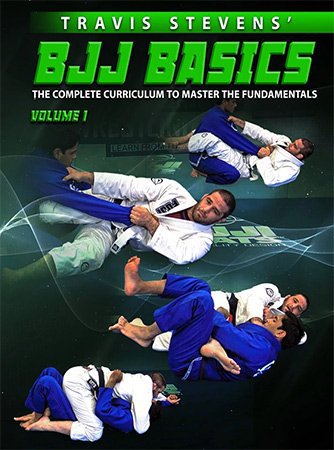
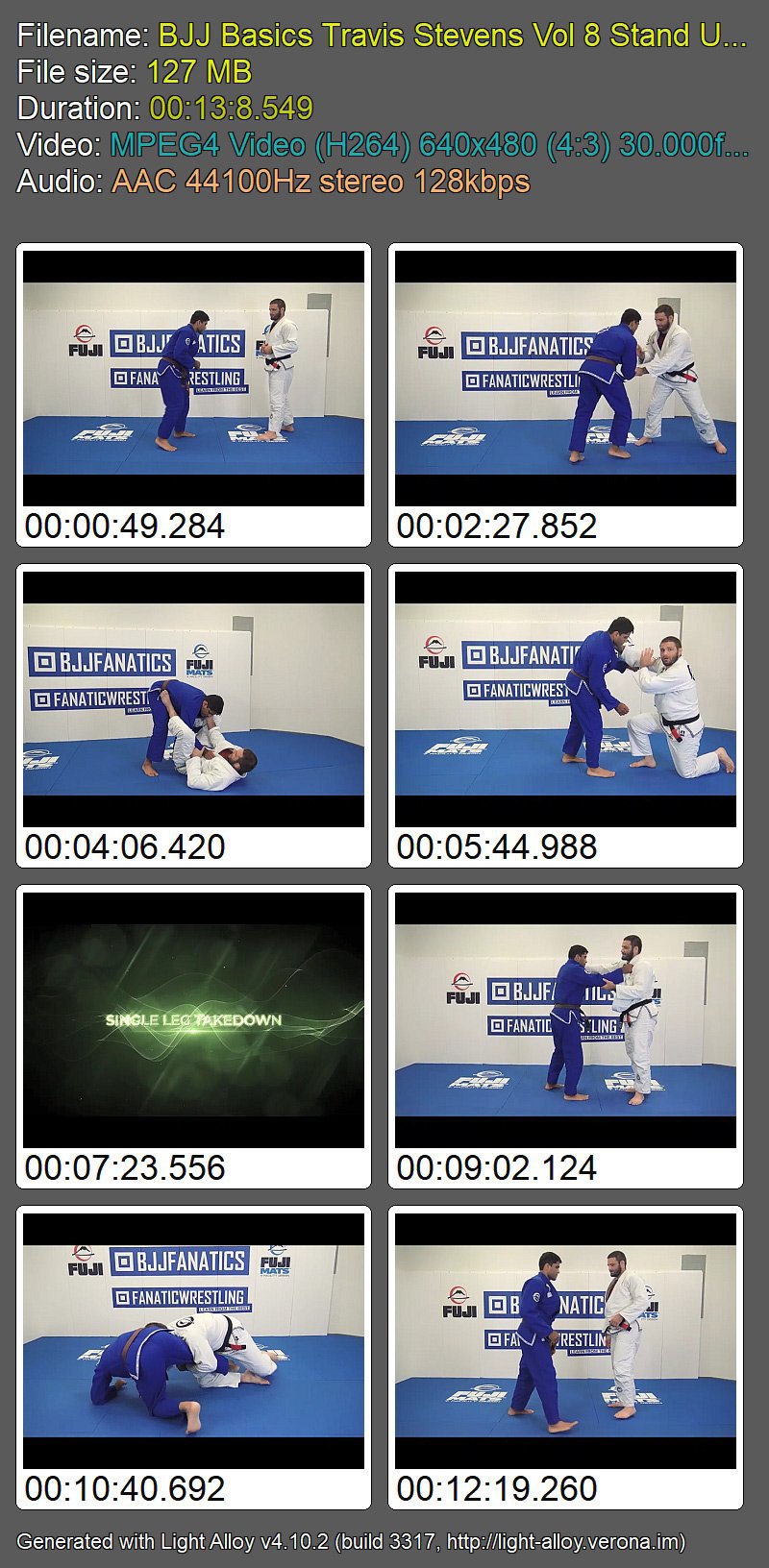
BJJ Fanatics - BJJ Basics
Travis Stevens | Duration: 7h 29m | Video: H264 640x480 | Audio: AAC 44,1 kHz 2ch | 3,90 GB | Language: English

Simplify and focus on what is important with these helpful tips on what matters most. Master the basics with Travis Stevens' complete curriculum for Brazilian Jiu-Jitsu fundamentals

• Brazilian Jiu-Jitsu black belt & Olympic judo medalist Travis Stevens teaches the critical knowledge you need to unlock your grappling potential
• Learn all of the basics to each position, from both offense and defense, and understand each position much better
• Travis Stevens is a Brazilian Jiu-Jitsu black belt under John Danaher, a 2016 Olympic Judo Silver Medalist, and the coach of Fuji Gym
• Simplify and focus on what is important with these helpful tips on what matters most

Homepage


8fbqhmokvyaqkkpwzv5fx9dk24.jpg


81461cf1-8116-441d-92b5-7e874c1c62f2.png

Introduction to Unix Commands
Instructors: Abhishek Salaria
1 section • 18 lectures • 1h 12m total length
Video: MP4 1280x720 44 KHz | English + Sub
Updated 3/2022 | Size: 792 MB​

Basic and Advanced Unix Commands with Examples
What you'll learn
This is an Introduction Course to the Unix Command Line.
This Course will provide a solid foundation to work with the Unix Commands.
Different Operations on Files as Well Directories using Unix Commands
Wide range of commonly used and advance Unix Commands
<h
Requirements
No Command Line / Unix Commands Experience needed. You will learn Everything You need to know.
Description
Have you always wanted to Learn to Use Unix Commands but didn't know where to begin with?
Learn to use Unix Commands with "Introduction to Unix Commands by Abhishek Salaria".
With this course, even a non-technical person having no prior knowledge about the Unix Command line and Unix Commands can learn to use them efficiently in no time.
Well, we have not followed any shortcuts and explained to you every step in every detail so that you can efficiently learn and apply them practically.
In this course, We have taught basic as well as advanced Unix commands in a well-structured manner so that you can learn to use them easily and efficiently.
If you are the one who is looking to start to use the Unix Command line or already started, then this course is for you.
This course will teach you how you can make use of Unix commands to get the job done in no time.
This course on Introduction to Unix Commands gives you details of each and every step required in a well-structured manner and also the detailed instruction required to start with the different Unix Commands. Looking Forward to seeing you guys in the course.
Start Upskilling yourself by Learning to use different Unix Commands Today!
Who this course is for:Anyone who wants to learn to use Unix Commands.
Homepage
Screenshots


0fb8cc4f-3b0a-454a-bf59-7db7068f2a54.png

Lush Greens: Paint Fresh Spring Fields and Greenery with Watercolor
Duration: 1h 10m | Video: .MP4, 1280x720, 30 fps | Audio: AAC, 48 kHz, 2ch | Size: 959 MB
Genre: eLearning | Language: English​

Learn how to paint beautiful and rich green fields and greenery with watercolor! Painting greenery with watercolor could be challenging - often we end up with flat and unappealing pieces. But why is that? There are many reasons that your green fields and greenery didn't turn out the way you want to: - green shades that come out straight from the pan or tube are often unnatural; - plain fields often look boring when painted with watercolor, they miss dimension and detailing; - painting greenery requires natural looking/spontaneous shapes which is hard to achieve, especially for beginners.In this class I'll show you my process and tips for painting beautiful, lush, natural looking green fields and greenery! We'll start by exploring the green shades in our palettes and we'll mix our own greens. This will help us in all our future paintings that will require green colors. I'll show you how you can make a plain green field looking more interesting and dimensional. I will also give you some tips on how to paint natural greenery shapes using round and specialty brushes! This will immediately give a new look to all your landscapes from now on! Finally we will paint together a fresh and colorful scenery with lots of greens! This class is for you if you want to learn how to mix gorgeous greens and to use them accordingly! Are you ready to step up your landscape game?
Materials needed
- Watercolor Paper - I suggest that you use 100% cotton 300 GSM cold pressed paper. Rough texture will also work. - Watercolor Paints - a regular set with the basic colors would do;
- Watercolor Brushes - use your favorite brushes;
- White Gouache - we may use it to add some highlights;
- Two jars of water;
- You may need a pencil, an eraser and a ruler;
- Paper towel or a cotton towel for dabbing your brushes;
- Paper tape;
- A board to tape your paper to;
- A palette to mix your paints.
Homepage
Screenshots


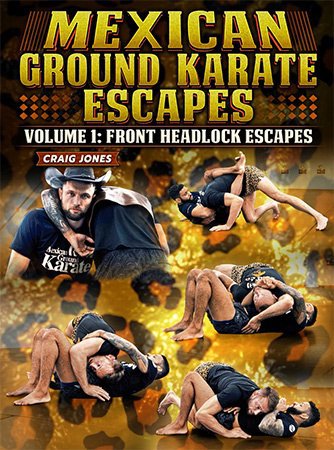
BJJ Fanatics - Mexican Ground Karate Escapes, Volume 1: Front Headlock Escapes

khiyaurz0rws3amcrgpso1vjyk.jpg


BJJ Fanatics - Mexican Ground Karate Escapes, Volume 1: Front Headlock Escapes
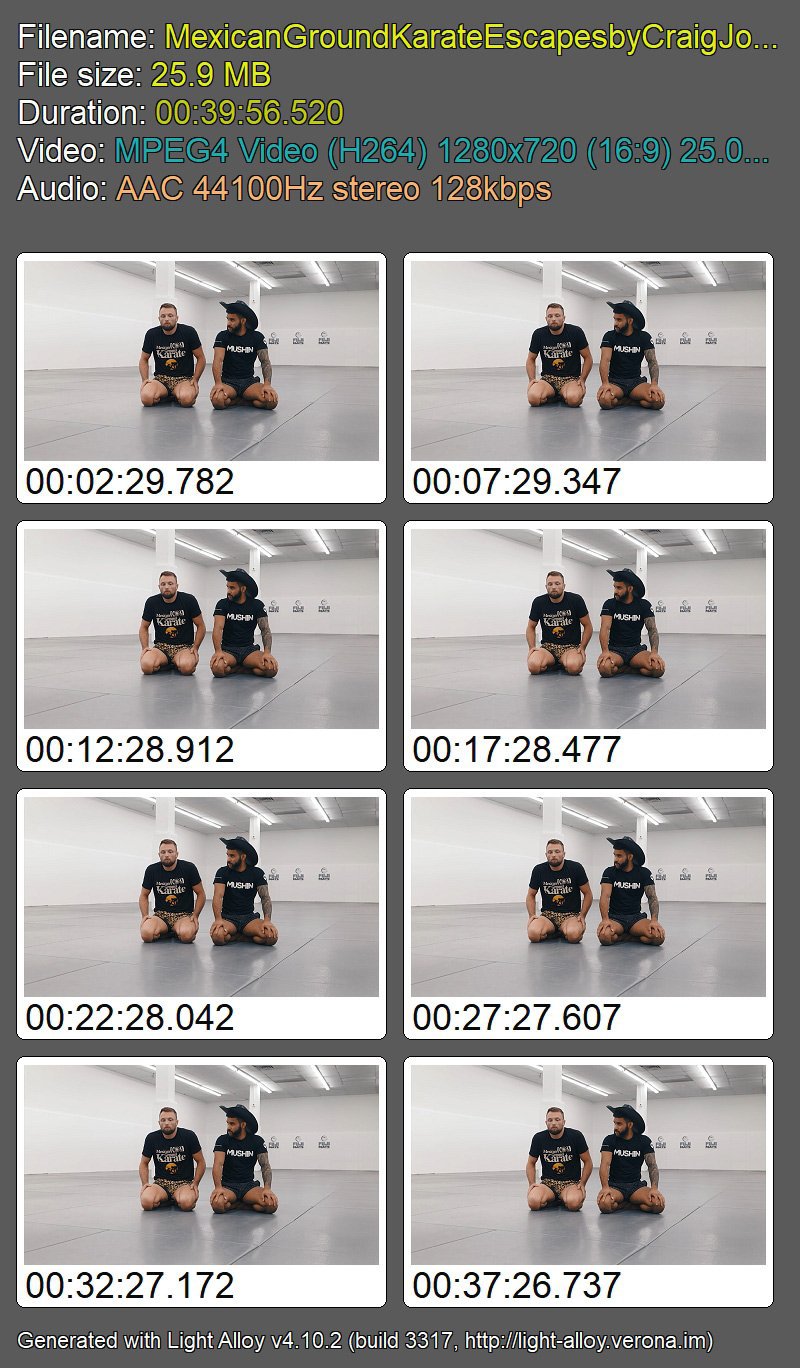
Craig Jones | Duration: 3h 29m | Video: H264 1280x720 | Audio: AAC 44,1 kHz 2ch | 3,97 Gb | Language: English

Escape The Most Dangerous Front Chokes In Grappling With These Front Headlock Submission Counters From Grappling Star Craig Jones - Including The Secrets He Teaches UFC Champions Like Alexander Volkanovski

• Mexican Ground Karate Co-Founder & ADCC Finalist Craig Jones shows you all of the submission escapes that he uses to stay safe in front headlocks - including how to get out of guillotines, darces, and more.
• These techniques are built to give you time to escape from serious submission danger from one of grappling's most common positions.
• Use some of the same moves that Craig taught to UFC Champion Alexander Volkanovski before his miraculous submission escape against Brian Ortega.
• Give yourself confidence to escape the front headlock so you can shoot often without fear of getting stuck or choked out.

Homepage


dpyp6sojlgakjjbs9mrsolejyn.jpg


ac8324b6-bf0a-47a0-ab43-20875037921a.png

MSK JavaScript Bootcamp
Published 05/2022
MP4 | Video: h264, 1280x720 | Audio: AAC, 44.1 KHz, 2 Ch
Genre: eLearning | Language: English + srt | Duration: 40 lectures (4h 46m) | Size: 2.1 GB


Learn JavaScript concepts and start attending frontend interviews
What you'll learn
Introduction to Javascript
JS runtime, compiler passes and hoisting
What are prototypes in javascript ?
Datatypes, conditions & loops
Javascript Object, properties & methods
Functions in javascript
IIFE pattern
What is the event loop ?
All Static & prototype String methods (with examples)
All Array methods (with examples)
Static & dynamic Importing
Callbacks and promises
Overcoming the callback hell
Closures & generators
Requirements
No prior experience in JavaScript needed
You need a laptop & internet connection
Description
Are you looking to get started with Javascript ?
Are you attending a front-end interview ?
Are you a test engineer planning to become a javascript developer ?
Do you want to brush up on your Javascript skills ?
Hello, My name is Manoj ( Founder @MSK Web development )
I have a decade of experience in frontend web development and I went through a series of ups and downs in my career to reach this state I am today and I have covered all of it in this course. This will help any front-end engineer to boost their career ( using my experience ) and you will learn from my experience. It is the best thing to do.
It took me almost 10 years to populate the contents of this course. The lessons and problems I have solved to get selected in multiple interviews ( Including Walmart, PayPal, JP Morgan, Tesco, Oracle, Cerner & GE ) and the teachings I obtained when I failed in multiple interviews ( Including Google, Facebook, Amazon, & Microsoft ), all are covered in this 1 course.
In this Bootcamp, I will train you with the most important javascript concepts so that you can start building websites and prepare for your upcoming frontend interviews. I will try to explain things in a simple but effective way to make you understand and remember these concepts. You will be making notes throughout the Bootcamp and practice.
Warm regards,
Manoj
Who this course is for
Absolute beginners in JavaScript
Frontend engineers & students
Homepage


7df1739a-42d3-4bad-ac20-1f364a5d92a0.png

Making Money as an Artist: The Nuts and Bolts of Art Licensing
Duration: 35m | Video: .MP4, 1280x720, 30 fps | Audio: AAC, 48 kHz, 2ch | Size: 371 MB
Genre: eLearning | Language: English​

Are you looking to boost your income as a professional artist? Have you heard about art licensing but aren't sure what the heck it is? Or, have you already started licensing and want to learn more about the industry terms and processes? This class is[drumroll] for you!
In this fabulous and fun course, we share our insider knowledge to teach you
What art licensing is
Art licensing terms
Deciding whether or not to sell work outright
Beginner tips on negotiating for more money
The typical flow of working with a client
Tips and tricks on client communication
Why take this course?*Art licensing can be an amazing tool*for getting more money for one piece of art. Instead of selling your work outright, licensing allows you to keep*the rights to your work and "rent" it to individual clients for their individual needs. In our course, not only do we teach you the basics of licensing but we also dive deep into the terms, payment structures, ways to communicate with clients and pricing in the industry.
Taking this class will increase your money-making power as an artist, give you confidence to work with clients and*ask for the payment you deserve for your work.
Who should take this course?*This class is designed for any artist who is interested in increasing their income through art licensing. Beginners, especially, will benefit from the class. However, there are likely some things that even those well-versed in licensing can learn.
What do I need and what will I get?*Students will need a computer and internet connection to take the course, so that's easy :). We will provide an email template, sample confirmation, and a list of possible uses for a piece of art. Participants will also get to*experience*a "Choose Your Own Adventure," where we simulate negotiating a license with a client.

Homepage
Screenshots


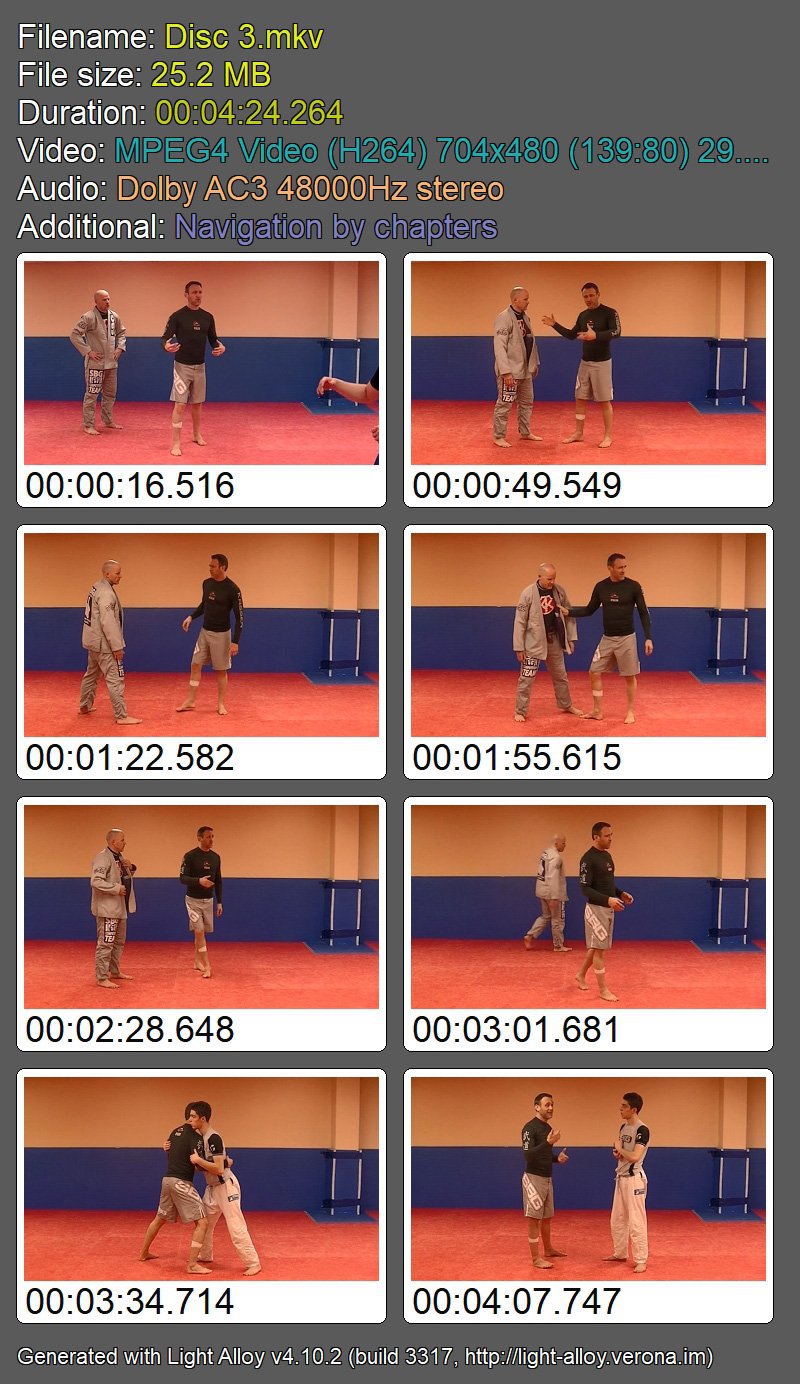
BJJ Fanatics - The Pillars Clinch and Takedowns

rskk1vcnbl4j1xmkyqb3sjij8i.jpg


BJJ Fanatics - The Pillars Clinch and Takedowns
Stephen Whittier | Duration: 5h 49m | Video: H264 704x480 | Audio: AAC 48 kHz 2ch | 1,8 GB | Language: English

"The pillars: clinch & takedowns" makes it easier than ever for you to

• Skyrocket your grappling game on the feet faster than you ever thought possible
• Learn high percentage takedowns without having to shoot in on opponents and get "pancaked" into the mat
• Instantly make yourself twice as hard to take down
• Develop these great skills without having to rely on speed, explosiveness, or strength
• Gain the confidence you need to tense up in a competitive match again because your standup game is so much weaker than your ground game
• Train your standup safely without all the injuries commonly associated with grappling the feet and takedowns
• Develop a fundamentals-based skillset that will work with or without a gi
• And much more!

Homepage


ugq99f8fkmidxg8totldmunjds.jpg


zCBt159Ahwzj0pfbOwcqa4VrVzDHjvID.jpg

Master The Art Of Strumming The Guitar
Video: .mp4 (1280x720, 30 fps(r)) | Audio: aac, 48000 Hz, 2ch | Size: 2.19 GB
Genre: eLearning Video | Duration: 36 lectures (1 hour, 48 mins) | Language: English


An in depth look at the art of strumming and playing the guitar, a must for all beginners.
What you'll learn
Learn the correct way to hold the guitar
Learn How to hold the pick correctly
Learn how to count in a musical context
Learn how to work with a metronome
Learn how to correctly strum the guitar
Combine strumming patterns using 1/4, 1/8 and 1/16 beats
Requirements
A correctly tuned guitar
A guitar pick
Be able to play some easy beginner chords
Access to metronome
No musical theory necessary
Description
Welcome to my course simply entitled how to master the art of strumming the guitar.
Learning to strum the guitar can be extremely challenging for the beginner.
Using my proven techniques that I have developed over the years as a professional guitar teacher, I am going to take you from a beginner to a confident player of the guitar.
Using these methods, I have helped countless students achieve their goal of playing the guitar.
The course has over 30 lessons that are easy to follow and they progress in logical steps that are simple to understand.
In the early stages of the course, special attention is made to the basic technique required to strum the guitar. Unfortunately, many aspiring guitarists are so eager to play the instrument that they develop bad techniques that can spoil both the sound and their enjoyment of playing the guitar. So please do pay particular attention to the opening chapters on the course.
I have designed the course in such a way that strumming is the focus and not chords. In fact the whole course can be worked through with only using 2 easy to play chords.
We will look at initial techniques, correct position of the guitar, holding the pick, counting, and working with a metronome.
Each lesson contains on screen tablature and no music theory is required.
The lessons will feel more like a workshop as you play through each lesson and do be prepared to play the guitar with me in some of the lessons.
Please work through the first 4 lessons and pay special attention the methods I describe to correctly hold the guitar, and pick and the method of moving the arm and wrist through the strumming motion.
Always try and work with a metronome to ensure the correct tempo and timing.
If you would like me to critic your playing and give any advise then do not hesitate to send me a link or upload a short video of you playing.
I have attached a PDF that gives you all the patterns used in the course plus a whole bunch more for you to have a go at.
Have fun and the main thing is to enjoy yourself!
Geoff Sinker
Who this course is for
This course is Ideal for the beginner who is starting to learn to strum the guitar
Intermediate guitar players might also find this course helpful
Screenshots


Zurück
Oben Unten