• Regeln für den Video-Bereich:

    In den Börsenbereich gehören nur Angebote die bereits den Allgemeinen Regeln entsprechen.

    Einteilung

    - Folgende Formate gehören in die angegeben Bereiche:
    - Filme: Encodierte Filme von BluRay, DVD, R5, TV, Screener sowie Telesyncs im Format DivX, XviD und x264.
    - DVD: Filme im Format DVD5, DVD9 und HD2DVD.
    - HD: Encodierte Filme mit der Auflösung 720p oder darüber von BluRay, DVD, R5, TV, Screener sowie Telesyncs im Format x264.
    - 3D: Encodierte Filme von BluRay, die in einem 3D Format vorliegen. Dies gilt auch für Dokus, Animation usw.
    - Serien: Cartoon/Zeichentrick, Anime, Tutorials, Dokumentationen, Konzerte/Musik, Sonstiges sind demnach in die entsprechenden Bereiche einzuordnen, auch wenn sie beispielsweise im High Definition-Format oder als DVD5/DVD9/HD2DVD vorliegen. Ausnahme 3D.
    - Bereich Englisch: Englische Releases gehören immer in diesen Bereich.
    - Bereich Talk: Der Bereich, in dem über die Releases diskutiert werden kann, darf, soll und erwünscht ist.


    Angebot/Beitrag erstellen

    - Ein Beitrag darf erst dann erstellt werden, wenn der Upload bei mindestens einem OCH komplett ist. Platzhalter sind untersagt.
    - Bei einem Scenerelease hat der Threadtitel ausschließlich aus dem originalen, unveränderten Releasenamen zu bestehen. Es dürfen keine Veränderungen wie z.B. Sterne, kleine Buchstaben o.ä. vorgenommen werden. Ausnahme Serienbörse:
    - Bei einem Sammelthread für eine Staffel entfällt aus dem Releasename natürlich der Name der Folge. Beispiel: Die Simpsons S21 German DVDRip XviD - ITG
    - Dementsprechend sind also u.a. verboten: Erweiterungen wie "Tipp", "empfehlenswert", "only", "reup", usw. / jegliche andere Zusatzinformation oder Ergänzung, welche nicht in obiger Beschreibung zu finden ist.

    Aufbau des Angebots und Threadtitel

    Der Titel nach folgendem Muster erstellt zu werden. <Name> [3D] [Staffel] [German] <Jahr> <Tonspur> [DL] [Auflösung] <Quelle> <Codec> - <Group>
    Beispiel: The Dark Knight German 2008 AC3 DVDRip XviD - iND
    Beispiel: The Dark Knight 2008 DTS DL BDRip x264 - iND
    Beispiel: The Dark Knight 2008 AC3 DL BDRip XviD - iND
    Beispiel: The Dark Knight German 2008 AC3 720p BluRay x264 iND
    Beispiel: The Dark Knight 2008 DTS DL 1080p BluRay x264 iND
    Beispiel: Die Simpsons S01 German AC3 DVDRip XviD iND
    Beispiel: Die Simpsons S20 German AC3 720p BluRay x264 iND
    Beispiel: Sword Art Online II Ger Sub 2014 AAC 1080p WEBRip x264 - peppermint
    Entsprechend sind also u.a. verboten: Sonderzeichen wie Klammern, Sterne, Ausrufezeichen, Unterstriche, Anführungszeichen / Erweiterungen wie "Tipp", "empfehlenswert", "only", "reup", usw. / jegliche andere Zusatzinformation oder Ergänzung, welche nicht in obiger Beschreibung zu finden ist
    Ausnahmen hiervon können in den Bereichen geregelt sein.

    Die Beiträge sollen wie folgt aufgebaut werden:
    Überschrift entspricht dem Threadtitel
    Cover
    kurze Inhaltsbeschreibung
    Format, Größe, Dauer sind gut lesbar für Downloader außerhalb des Spoilers zu vermerken
    Nfo sind immer Anzugeben und selbige immer im Spoiler in Textform.
    Sind keine Nfo vorhanden z.B. Eigenpublikationen, sind im Spoiler folgende Dateiinformationen zusätzlich anzugeben :
    Quelle
    Video (Auflösung und Bitrate)
    Ton (Sprache, Format und Bitrate der einzelnen Spuren)
    Untertitel (sofern vorhanden)
    Hosterangabe in Textform außerhalb eines Spoiler mit allen enthaltenen Hostern.
    Bei SD kann auf diese zusätzlichen Dateiinformationen verzichtet werden.

    Alle benötigten Passwörter sind, sofern vorhanden, in Textform im Angebot anzugeben.
    Spoiler im Spoiler mit Kommentaren :"Schon Bedankt?" sind unerwünscht.


    Releases

    - Sind Retail-Release verfügbar, sind alle anderen Variationen untersagt. Ausnahmen: Alle deutschen Retail-Release sind CUT, in diesem Fall sind dubbed UNCUT-Release zulässig.
    - Im Serien-Bereich gilt speziell: Wenn ein Retail vor Abschluss einer laufenden Staffel erscheint, darf diese Staffel noch zu Ende gebracht werden.62
    - Gleiche Releases sind unbedingt zusammenzufassen. Das bedeutet, es ist zwingend erforderlich, vor dem Erstellen eines Themas per Suchfunktion zu überprüfen, ob bereits ein Beitrag mit demselben Release besteht. Ist dies der Fall, ist der bereits vorhandene Beitrag zu verwenden.
    - P2P und Scene Releases dürfen nicht verändert oder gar unter einem iND Tag eingestellt werden.


    Support, Diskussionen und Suche

    - Supportanfragen sind entweder per PN oder im Bereich Talk zu stellen.
    - Diskussionen und Bewertungen sind im Talk Bereich zu führen. Fragen an die Uploader haben ausschließlich via PN zu erfolgen, und sind in den Angeboten untersagt.
    - Anfragen zu Upload-Wünschen sind nur im Bereich Suche Video erlaubt. Antworten dürfen nur auf Angebote von MyBoerse.bz verlinkt werden.


    Verbote

    - Untersagt sind mehrere Formate in einem einzigen Angebotsthread, wie beispielsweise das gleichzeitige Anbieten von DivX/XviD, 720p und 1080p in einem Thread. Pro Format, Release und Auflösung ist ein eigener Thread zu eröffnen.
    - Grundsätzlich ebenso verboten sind Dupes. Uploader haben sich an geeigneter Stelle darüber zu informieren, ob es sich bei einem Release um ein Dupe handelt.
    - Gefakte, nur teilweise lauffähige oder unvollständige Angebote sind untersagt. Dies gilt auch für eigene Publikationen, die augenscheinlich nicht selbst von z.B. einer DVD gerippt wurden. Laufende Serien, bei denen noch nicht alle Folgen verfügbar sind, dürfen erstellt und regelmäßig geupdatet werden.
    - Untersagt sind Angebote, welche nur und ausschließlich in einer anderen Sprache als deutsch oder englisch vorliegen. Ausnahmen sind VORHER mit den Moderatoren zu klären.


    Verstoß gegen die Regeln

    - Angebote oder Beiträge, die gegen die Forenregeln verstoßen, sind über den "Melden"-Button im Beitrag zu melden.
  • Bitte registriere dich zunächst um Beiträge zu verfassen und externe Links aufzurufen.

*** Bestes IPTV *** bester Preis *** gratis Test ***


Englische Tutorials

5eb5bf1a-ac62-42e9-a710-0407348ac6e5.png

Building SQL Queries with Excel
MP4 | Video: h264, 1280x720 | Audio: AAC, 44.1 KHz
Language: English | Size: 637 MB | Duration: 1h 30m
Generate Bulk SQL Queries Using Microsoft Excel
What you'll learn​

Install Oracle Database Server
Install TOAD
Build SQL Insert queries with Excel
Build SQL Update queries with Excel
Build SQL Delete queries with Excel
Create Table
Query Database
Requirements
Basic knowledge of Excel
Basic knowledge of SQL
Description
SQL is the standard language used to interact with databases.
In this course i will show you how to build SQL scripts from scratch step by step that you will use during the course to execute insert and update bulk tasks. The skills you will learn on this course will help you confidently approach any bulk SQL request task you in a live production environment.
SQL stands for Structured Query Language
SQL lets you access and manipulate databases
SQL became a standard of the American National Standards Institute (ANSI) in 1986, and of the International Organization for Standardization (ISO) in 1987
What Can SQL do?
SQL can execute queries against a database
SQL can retrieve data from a database
SQL can insert records in a database
SQL can update records in a database
SQL can delete records from a database
SQL can create new databases
SQL can create new tables in a database
SQL can create stored procedures in a database
SQL can create views in a database
SQL can set permissions on tables, procedures, and views
Microsoft Excel is a spreadsheet developed by Microsoft for Windows, macOS, Android and iOS. It features calculation or computation capabilities, graphing tools, pivot tables, and a macro programming language called Visual Basic for Applications. Excel forms part of the Microsoft Office suite of software
As a database developer and administrator you will create queries frequently. Sometimes you also need to generate bulk SQL queries to insert or update multiple records; Microsoft Excel can be used to generate bulk queries that you can execute on a database server.
Who this course is for
Beginners to building SQL queries with Excel
Screenshots


h7u-Zs-IK3v-L289-YTJak-YDcir-Q0a-ULskze.jpg

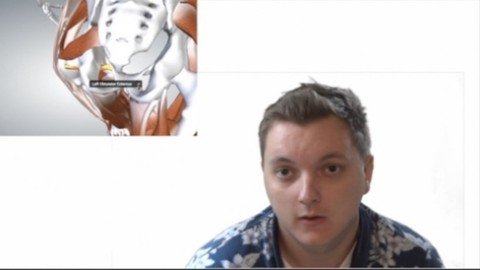
human anatomy and physiology
MP4 | Video: h264, 1280x720 | Audio: AAC, 44.1 KHz
Language: English | Size: 1.14 GB | Duration: 1h 1m
human kinetics, systems of the body anatomy and physiology
What you'll learn​


Human Anatomy and Physiology
Biology, Human kinetics
Requirements
Nothing; just common sense
Description
In this course, you will learn about human anatomy and physiology. This can be applied to undergraduate students or even high school students. Overall, this course will teach any individual the basics of anatomy and physiology. One will learn origins, insertions, and actions of common muscles. Additionally, various systems of the body will be referred to within this course as well. We feel that we have a very creative approach to teaching anatomy and physiology at any level. Using various pieces of software that were crafted for human anatomy education, teaching this subject is a breeze for us! We hope you enjoy this course. We have used several resources to craft this course in a way that is fundamental to any student's understanding of the human body. In this video course, there will be a wide range of videos on human anatomy and physiology. Coming from a kinesiologist, this course will show various ideas pertaining to Human anatomy and physiology. Ultimately, this course is intended for undergraduate and high school students who are interested in the subject itself. Constant updates will be made in order to effectively teach this subject. We hope you enjoy this course! This course should be helpful as you student human anatomy and physiology!
Who this course is for
Undergraduate life science students, kinesiology students, biology students, nursing students
Screenshots


3d953f51-0fd0-4807-a658-a3a9f061e9a6.png

Best Archviz Visualization Course for Beginners
Genre: eLearning | MP4 | Video: h264, 1280x720 | Audio: AAC, 48.0 KHz
Language: English | Size: 3.13 GB | Duration: 4h 6m
Learn 3ds Max & Vray with the easiest entry into Archviz & Professional 3D Imagery

What you'll learn
Creating a professional Archviz Interior from scratch
Intodruction to 3Ds Max Interface and most common functions
Correctly preparing the scene for Interior Visualization
Helpful tips and tricks to work fast, clean and organized
Learn solid modelling basics and create your first furniture
Using Vray Cosmos and Vray Material Library
Setting up Camera & Lightning
Rendering Final Image and Postwork
Description
As a 3D artist / 3D artist / motion designer in Düsseldorf, I create innovative artistic solutions for a wide variety of customers.
Studied game design with a focus on 3D modeling and animation. 12 years of experience, built and learned from the best & leading companies in the industry.
In doing so, I have acquired her techniques in dealing with colour, composition and arrangement. From this I've been able to develop a personal style and can look at every project I work on from a unique perspective and i teach also very unique, to ensure everything and every information is not lost.
From the concept to the end product - you will receive something very special from me.
With my knowledge you can rely on years of experience and precision.
Benefit from years of trial and error and go the fast way to your success as a 3D Professional.
The most important steps will be held in this course to gurantee maximum efficiency.
You will gain a very good foundation to build up upon.
3ds Max and Vray are the industries most used Software when it comes to Architectural Vizualization.
Profit from this powerhouses capabilities to create stunning 3D imagery
If you have any questions, comments or suggestions, please feel free to contact me. I look forward to hearing from you.
Who this course is for
Beginners who wants to learn and create Professional 3D Archviz with 3Ds Max and Vray
Screenshots


64692d7d-bce7-4fa9-baa9-0c9f280f6c38.png

TinyML with Wio Terminal
Genre: eLearning | MP4 | Video: h264, 1280x720 | Audio: AAC, 44.1 KHz
Language: English | Size: 859 MB | Duration: 1h 42m
TinyML is a program for machine learning (ML) and in this course we will help you start learning ML in step by step way


What you'll learn
This course is designed to teach you how to use TinyML
The course will teach you how to collect data from sensors, control robots and 3D printers, and analyze data
Learn the basics of machine learning with TinyML
You will also learn how to visualize your data with Wio Terminal
You'll be able to handle a variety of datasets in order to improve your predictive skills
You'll also learn about neural networks, matrix operations, decision trees, and more
Learn the fundamentals of making predictions with supervised and un
Improve your analytical skills by working on real world datasets built by professionals
TinyML will help you decide faster, easier and more accurately than ever before.
Requirements
No prior coding experience needed
Hardware (board, modules)
Arduino IDE
willingness to learn
No prior knowledge required
Software(possible platform or language)
Description
In this course, you'll be taken through a thorough introduction of how to use the "TinyML ".The timeline is flexible to suit your needs.
Introduction
What is Tiny MLY and why is it important?
Are you interested in learning more about it and expanding your knowledge in this area? This course will teach you how Tiny ML brings everything together in one place, providing you with better control over your data sets. Before training the model, you may now simply integrate multiple data sets or undertake feature engineering. TinyML is a revolutionary AI-powered tool that helps you make better decisions.
Machine learning is a branch of artificial intelligence (AI) that focuses on developing data-driven applications that enhance accuracy. Without being programmed to do so over time Machine learning is based on the idea that rather than having to be programmed to think like humans, machines can learn to work by observing, classifying, and learning from its surrounding. their mistakes As you might have guessed, ML stands for machine learning, and nowadays it usually (though not always) refers to deep learning.
Tiny ML
TinyML is an app that teaches you basic web development skills. Compatible with Arduino, Raspberry Pi, and other IoT devices.
it refers to machine learning models that are optimized to run on low-power, small-footprint devices like MCUs. TinyML is cost-effective, allowing more individuals to train their models. Embedded devices come in a variety of forms and sizes, ranging from the embedded supercomputer Nvidia Jetson Xavier AGX to the tiniest of microcontrollers, such as ESP32 or Cortex M0. TinyML is the only platform that lets you know when you're making a mistake. The TinyML with Wio Terminal course teaches you how to use commands and programming logic to create apps, back up files, troubleshoot, and do anything else you can think of with a computer. It is is an AI-powered decision-making tool that trains itself by learning from your past decisions.
Wio Terminal
Wio Terminal is a desktop application for quickly publishing your site without needing any knowledge of programming languages. You'll learn the basics of creating websites.
What you will learn in this course?
Learn with practical exercises that are relevant to your specific work environment
Master the fundamentals of machine learning to become a valuable asset in any organization
Learn the basics of Machine Learning, Neural Networks, and Deep Learning.
Gain an understanding of the principles of neural networks, deep learning, and more
Why you should take this course?
You will learn about the codebase, understand all of the parameters, and improve your understanding of machine learning by programming your own models.
Customizing your learning experience to be specific to your needs
You can Develop your own AI model
Build an end-to-end deep learning project
After watching this course, you'll be able to identify the best possible option for any task you need to complete quickly. TinyML can save you hours of work.
Try it now! Get started with the Wio Terminal course and save time by identifying the best possible option every time!
Who this course is for
This course is designed for beginners who want to learn more about machine learning.
The course is designed for anyone who would like to learn some basic programming skills.
This course is perfect for anyone wanting to get started in Machine Learning!
It is also good for people who want to get more out of their smartphone by taking advantage of things they plug into their computer.
Screenshots


k-Eovo2-Qewz-H0k5-OIW1-YHBq-FOkl7-Zk-Xxe.jpg

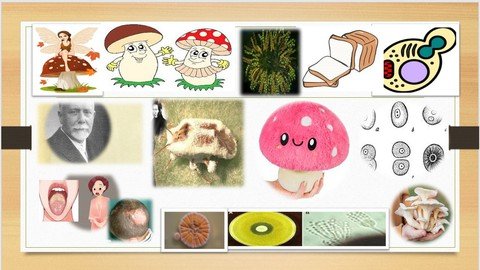
General Mycology a Brief Review
MP4 | Video: h264, 1280x720 | Audio: AAC, 44.1 KHz
Language: English | Size: 746 MB | Duration: 57m
General Mycology​

What you'll learn
introduction morphology of fugi
metabolism of fungi
growth of fungi
fungal genetics
mycotoxicosis
laboratory diagnosis of fungal diseases
Requirements
no prerequisite
Description
Topics
In this course you find
introduction
history of science development
Morphology of fungi
Growth of fungi
Metabolism of fungi
Genetics f fungi
Diseases caused by fungi Allergies Mycosis Mycotoxin
Laboratory diagnosis of fungi
Antifungal Drugs used in treatment fungal diseases
HISTORY OF THE SCIENCE GIVE AN IDEA OF ITS DEVELOPEMENT STAGES
The term "mycology" is derived from Greek word "mykes" meaning mushroom. Therefore mycology is the study of fungi The ability of fungi to invade plant and animal tissue was observed in early 19th century but the first documented animal infection by any fungus was made by Augastino Bassi , who in 1835 studied the muscardine disease of silkworm proved that the infection was caused by a fungus Beauveria bassiana. Remark, who found the fungal nature of favus in 1837 Berg who reported oral candidiasis in 1841 Wilkinson, who described vaginal candidiasis in 1849. Tinea versicolor was described clinically in 1846 by Eichstaedt, and its etiologic agent was identified in 1853. Beigel reported white Piedra in 1856 Piedra, which means "stone" in Spanish, is an asymptomatic superficial fungal infection of the hair shaft. In 1865, Beigel first described Piedra in The Human Hair: Its Structure, Growth, Diseases, and Their Treatment; although, he may have been describing Aspergillus infection. Cerqueira, tinea nigra in 1891 In 1910 Raymond Sabouraud published his book Les Teignes, which was a comprehensive study of dermatophytic fungi. He is also regarded as father of medical mycology. In 1927, Nan Nizzi reported the description of the sexual state of Microspore gypsum. In 1927, Nannizzi reported the description of the sexual state of Microsporum gypseum the taxonomy of yeast fungi was described by Lodder and Kregervan Rij in 1952. The current classification of dermatophytes was published by Emmons in 1934 Finally, Gentles' successful treatment of tinea capitis with griseofulvin by in 1958 saved many patients with tinea capitis from permanent hair loss a common side effect after treatment with thallium importance of fungi Fungi inhabit almost every niche in the environment and humans are exposed to these organisms in various fields of life.
LEARN Harmful Effects of Fungi
1. Destruction of food, lumber, paper, and cloth. 2. Animal and human diseases, including allergies . 3. Toxins produced by poisonous mushrooms and within food (Mycelium and Mycotoxicosis) . 4. Plant diseases. 5. Spoilage of agriculture produce such as vegetables and cereals in the godown. 6. Damage the products such as magnetic tapes and disks, glass lenses, marble statues, bones and wax. Beneficial Effects of Fungi: 1. Decomposition - nutrient and carbon recycling . 2. Biosynthetic factories. The fermentation property is used for the industrial production of alcohols, fats, citric, oxalic and gluconic acids. 3. Important sources of antibiotics, such as Penicillin. 4. Model organisms for biochemical and genetic studies. Eg: Neurospora crassa 5. Saccharomyces cerviciae is extensively used in recombinant DNA technology, which includes the Hepatitis B Vaccine . 6. Some fungi are edible (mushrooms). 7. Yeasts provide nutritional supplements such as vitamins and cofactors. 8. Penicillium is used to flavour Roquefort and Camembert cheeses. 9. Ergot produced by Claviceps purpurea contains medically important alkaloids that help in inducing uterine contractions, controlling bleeding and treating migraine. 10. Fungi (Leptolegnia caudate and Aphanomyces laevis) are used to trap mosquito larvae in paddy fields and thus help in malaria control.
Notice Fungi are eukaryote they have true nuclei surrounded by nuclear membrane and have rigid cell wall like plant they are larger than prokaryote with typically filamentous growth the majority are aerobes they require oxygen at some stage of their growth
Fungi live every where and have very diverse habitat most fungi are saprophytes and found on vegetation decomposing organic matter soil and waters some are parasite on plants animals and insects Many fungi can produce mycotoxin in food and in animal feeds which can cause toxicosis some used in food industries saccharomyces used in alcoholic drink yoghurt bread penicillium Roquefort which is used in producing cheese many used in vitamins production penicillium chryogenium used in producing pencillin G some are obligate aerobes others facultative aerobes and can ferment sugar and grow anaerobically fungi are organotrophs require organic source of carbon fungi are slow grower in comparison to many bacteria and resistant to antibiotics
Fungi grow in two morphologic forms yeasts or molds Yeast form yeasts grow mainly by budding producing spherical to ellipsoidal cells 3-15 micron in diameter either single or attached to each other forming pseudo hyphae they never produce aerial hyphae this is reflected on morphology of colonies on agar media which resemble bacterial growth the colony are pasty opaque and may be white creamy yellowish red or even black in color the yeast color generally attain a diameter of 0.5- -3 mm within 3 days the mould form the mould grow through the development of tube like extension forming what is known as hypha the mass of interwind hyphae is called mycelium the hypha may be divided into individual cells by septa which is cross walled that present one or two pores The hypha may present no septa and remain as continuous tube apportion of mycelium grows into the medium called vegetative mycelium visible part grow above the medium called aerial mycelium The aerial mycelium gives the colony fluffy appearance and bear the reproductive structures which give the colony its color The mold colony varies in its appearance size from few mm to few cm so the single colony may cover all the surface of the plate it may be Glabrous verrucose fluffy surface texture may be velvety cottony powdery may assume any color or grade of color known in nature Some molds have the character of dimorphism dimorphic moulds as they can grow also in a yeast form it takes place in tissue when the mold invade tissues it change to yeast form or In lab when the colony plated on enriched media such as brain heart infusion agar and incubated at 37c The rigid cell wall of fungi consisted of chitinous microfibrils embedded in a matrix of small polysaccharides protein lipids the major polysaccharide cell wall matrix consisted of glucan, manans, chitosan and galactan Yeasts have soluble peptidomanans as component of their outer cell wall the outer cell wall of dermatophytes contains glycopeptides that may evoke both immediate and delayed hypersensitivity The plasma membrane is similar to the mammalian plasma membrane differ it has the non polar ergosterol instead of cholesterol as a principal sterol this is the site of action of antifungal Fungal nuclei are variable in size and shape and numbers the DNA and associated protein occur as long filaments of chromatin which condense during nuclear division the number of chromosomes varies with particular fungus the fungal cell may contain up to 100 mitochondria
Growth of fungi fungi need for their growth a source of carbon e.g sugar a source of nitrogen e.g peptone inorganic compound as ammonium nitrate and source of inorganic nutrients potassium phosphorous magnesium Water is an absolute requirement for fungi fungi are more tolerant for water stress than other organisms but in draught no growth occur spore can survive in a suitable medium the fungal spores germinate forming germ tubes which develop into hyphae Growth temperature of fungi mesophilic between 10- 40C optimum temperature 25-35C some fungi grow best at 37 C Thermophilic or Thermotolerant they grow at temperature between 20-and 60 C with optimum of 40C Psychrophilic fungi grow at low temperature that reach to-20 as molds which grow on frozen meat e.g. Cladosporium The optimum PH of fungi is in the range 56-6.5 while few fungi grow below ph3 or aboveph9 several acidophilic fungi grow at pH 2 e.g. Aspergillus and penicillium few fungi are basophilic can grow at 10-11 e.g. fusarium exosporium metabolism of fungi Metabolism of fungi fungi preferer moist habitat they are heterophilic need carbon in soluble form of carbohydrate as carbon in environment is found as complex polymer they use their own enzyme like cellulase chitinase in degrading cellulose lignin Fungi cannot fix gaseous nitrogen but they can utilize nitrate ammonia some amino acids by direct uptake by hyphal membrane they can utilize more complex nitrogen sources such as protein and peptides as they can utilize extracellular proteases that degrade amino acids into amino acids Fungi require macro and micronutrients sometimes vitamins fungal genetic atypical model for studing genetic saccharomyces serviceae
diseases caused by fungi allergies mycosis mycotoxin
lab diagnosis of fungal diseases how to take sample
antifungal Drug used in treating fungal diseases
Who this course is for
medical students study either medicine ******** dentistry veterinary medicine science secondary school prepare themselves to study medicine or become science students prepare themselves to study medicine or science
Screenshots


0084f592_medium.jpg

General IELTS Writing Task 1 ( Formal & Informal Letter )
MP4 | Video: h264, 1280x720 | Audio: AAC, 44.1 KHz, 2 Ch
Genre: eLearning | Language: English + srt | Duration: 5 lectures (42m) | Size: 319.7 MB


Follow my simple structure and tips for a high IELTS score.
What you'll learn
The first video will show an introduction to IELTS Writing Task 1 * What to expect.
Video two: Everything you need to know about how to write a formal letter.
Video three: Informal letter and everything you need to know.
You will be provided with an easy structure which you can copy and follow.
Tips and advice for you so that you can be confident in you letter.
You will see real examples which have been used in the past.
Requirements
No experience needed, you will learn everything you need to know.
Description
* General IELTS Task 1 Formal & Informal Letter.
I have been teaching IELTS since 2008 and I have created an easy structure for students to follow which will give you a high score.
You will see example letters which have been used in the past and learn what to expect when approaching task 1. In addition, you will learn some must know tips in order to be fully prepared for your test so that you can pass the first time. Many teachers give students too much information which can make students feel stressed. This is why you must take my course as I have spent a lot of time trying to make the formal and informal letter easy for you to understand.
* You are also able to contact me on my Instagram if you have any questions. English_grammar_vocab_ielts
My video course is structured so that everything flows nicely. Beginning with an overview of what to expect with the General IELTS Task 1 writing. Followed by different topics you might be given. After that there is one video each for the Formal letter and Informal letter. Each video has a structure that you can follow and also example letters that we go through together.
Who this course is for
Students who want to take the General IELTS Writing task 1 test.
Anyone who wants to know how to write a formal or informal letter.
Homepage


4415b3b1-8c5c-4c50-955c-5a1dec34f5a8.png

Excel : Easy & Effective step by step Learning
MP4 | Video: h264, 1280x720 | Audio: AAC, 44.1 KHz, 2 Ch
Genre: eLearning | Language: English + srt | Duration: 47 lectures (2h 6m) | Size: 762 MB


Detail Basic Excel training. Best Suitable for Beginners & Completely new bee to Excel
What you'll learn
Easy and Effective step by step learning In detain about Basic & fundamentals of Excel
Getting strong knowledge of Basic & Implement in day to day activities
Learning common function & formulas .It's effective implementation
Practical daily facing issue & solutions
Access to a Professional Trainer with 11+ years of Excel Training
Requirements
No prior knowledge of Excel is required
Microsoft Excel 2007, 2010, 2013, 2019 or Microsoft 365 Excel Loaded on Computer to follows the training instruction
Description
Microsoft Excel all in One Bundle
This course is aimed for audience who is new to excel & Beginners . Who is Keen to learn new things.
Enrol now to go get deep knowledge of the most used spreadsheet tool that is Microsoft Excel which is used schools, colleges, business, market & everywhere. As Myself a corporate professional and a trainer I will use my 12+ years' experience & practical knowledge of Excel training to train you and guide become from complete new Bee to Excel to a fundamentally strong in Excel basics so that you implement this in your day to day activities in effective manner.
By going through each level you to May to start to identify the difference it can make in the day to daily tasks which you are doing in excel and how it can be automate in things which you do. As it help in building solid foundation by giving effective example as where and how many different types same thing can be done. As a corporate professional I know getting the things done in an effective manner, time bound is very crucial to grow up in your career.
At completion of this course you will have mastered the most widely used Excel tools and come out with confidence expert to take up Excel tasks with effective & More confident manner.
This course is also enables to have check you knowledge of understanding about the course with interactive quiz at end of each Lectures session group.
Below are just a few of the topics that you will master
· Creating effective and best spreadsheet /workbooks
· Building strong base of some the best Excel's widely used functions (SUM, VLOOKUP, IF, AVERAGE, SUMPRODUCT and many more...)
. Creating attractive and meaningful charts
. Learning & proper usage of short cuts . Which reduce time & efforts
· Many more
· Topics covered in this course apply to Microsoft Excel 2007, 2010, 2013, 2016, 2019 (Microsoft/Office 365)
What's Included?
· 2+ Hours of Step by Step Video Lectures by a 12+ years' experience & practical knowledge of Excel training
· Downloadable Exercise excel Files to practice along with session.
· Additional Exercise excel Files are provided at the end of each major section that you can download and practice the skills you've learned
· Session Quizzes to check your Knowledge & measure your own improvements
· Life time online content available
. Support from guide for your excel queries where you can post your quires in chat
So, what are you waiting for Don't think more Just enroll now and take the next step to become Excel master .
ALL THE BEST!! Can't wait to see you in my sessions
Who this course is for
Microsoft Excel is true game changer and can be used in every day activities from Student to Big Business
If you are new to excel or just started using excel and wanted to get in depth knowledge in Excel from basic to advance
Homepage


8a191035-17f0-4c94-bfe2-819cef53734e.png

Undervalued Crypto Coins To OWN: Best Casino/Gambling Tokens
MP4 | Video: h264, 1280x720 | Audio: AAC, 44.1 KHz
Language: English | Size: 615 MB | Duration: 1h 0m​

In this cryptocurrency Masterclass for beginners we cover the best and most undervalued casino coins you should own now!
What you'll learn
Learn everything you need to know about the top gambling tokens
Learn everything you need to know about the top casinos integrating their own tokens and the blockchain technology
Learn how to get in crypto
Learn how to use Web3 wallets
Requirements
The course is for newbies in the crypto space - starting from scratch
0 knowledge in the gambling or blockchain fields are required
You need access to the internet
You should have an open mind and be prepared to be blown away by the concept of DeFi
You should have a bank account and/or debit card to be able to buy cryptocurrencies and to get started
Description
Hi and welcome to this 'Undervalued Crypto Coins To OWN: Best Casino/Gambling Tokens' with us Top Things To Know.
The global casino and online gambling industry consists of gambling facilities that offer gambling possibilities such as table wagering games and gaming machines. It is common for these establishments to also provide dining, beverage, and lodging services. Legal online gaming on casino-style games is also a part of this industry. In 2021, the market size of the global casinos and online gambling industry reached 231 billion U.S. dollars. In that year, there were over one million workers employed at 5.3 thousand establishments worldwide.
Landing on our course page means you are in the right place at the right time.
The continuous novel coronavirus outbreak in 2020-2022, the money printing, the rising inflation rates, the new all time high real estate global prices, and the "new" work from home environment are only some of the reasons why Wall Street and retail investors are hedging their money in Bitcoin and other cryptocurrencies.
So is it late to join and make the first steps towards your early retirement and a better life? - NO! It is never too late to join at any time. The rise and development of the blockchain technology are yet to show their full potential and effects on everything around us!
What is Hold2Earn?
Depending on the casino the Hold2Earn concept allows you to choose your holding period(example: 1 day, 1 week, 1 month, etc.)
Gambling platforms or staking platforms allow you to track your holding's current results online
At the end of the holding period, you receive your share of the token pool
What is Play2Earn?
Most gambling tokens are play-to-earn tokens used in the blockchain casinos. The more you play, the more tokens you receive in the form of rewards or cashback.
So you are about to join something that will change our whole generation and understanding of finance, banking, internet, gaming, art, metaverse, decentralization, anonymity and more!
Are you ready to start your journey today and never look back again!
DISCLAIMER: The content of our course and lectures is intended FOR GENERAL INFORMATION PURPOSES not financial advice. The information contained herein is for educational informational purposes only. Nothing herein shall be construed to be financial, legal or tax advice. The content of this course is solely the opinions of the speaker who is not a licensed financial advisor or registered investment advisor. Purchasing cryptocurrencies poses considerable risk of loss. The speaker does not guarantee any particular outcome. Past performance does not indicate future results.
Who this course is for
Anyone who wants to learn how to invest in Cryptocurrency and doesn't know where to start
Investors interested to expand their portfolio
Traders & investors looking for hidden gems
People looking to create their retirement fund
Screenshots


3c85e30f-2b10-4e94-8e72-c6c4a94b3541.png

CompTIA CYSA+ Part-3(Security Operations and Monitoring)
Genre: eLearning | MP4 | Video: h264, 1280x720 | Audio: AAC, 48.0 KHz
Language: English | Size: 2.65 GB | Duration: 4h 45m
Developed by CompTIA leading partner. Over 90% pass rate. Free Flash Cards & Practice Exam Included.

What you'll learn
Analyze data as part of security monitoring activities.
Implement configuration changes to existing controls to improve security.
Explain the importance of proactive threat hunting
Compare and contrast automation concepts and technologies
Practice Exam
Flash Cards
Requirements
The CompTIA CySA+ validates intermediate-level security abilities and knowledge on a global scale. While there are no prerequisites, the CompTIA CySA+ certification is designed to be followed by CompTIA Security+ or equivalent expertise and includes a technical, "hands-on" focus on IT security analytics.
Description
Certcop (A division of Secbay Inc.) A proud member of CompTIA
Secbay and its partners have provided successfully training to many top edge companies worldwide. They have successfully delivered instructor-led classroom as well as Virtual-live training and certification for many industry leaders such as DoD, DHS, US Army, US Navy, US Airforce, Unisys, ICE, BAH, Booz Allen Hamilton, Freddie Mac, Guidewell Source, Disney, Navarro, Apple, Amazon, Deloitte, Seagate and many more
Master Bundle Includes
Course Content
Exam Certtips
Practice Test for Security Operations and Monitoring.
FlashCards for the complete course.
The CompTIA Cybersecurity Analyst (CySA+)
CompTIA Cybersecurity Analyst (CySA+) is an IT workforce credential that uses behavioral analytics to avoid, identify, and battle cybersecurity threats through continuous security monitoring on networks and devices.
Successful candidates who earn the CompTIA Cybersecurity Analyst (CySA+) certification have the knowledge and skills to use intelligence and threat detection techniques, analyze and interpret data, identify and address vulnerabilities, suggest preventative measures, and effectively respond to and recover from incidents.
CySA+ will confirm that the successful candidate possesses the knowledge and abilities needed to
Use intelligence and threat detection tools to your advantage.
Data analysis and interpretation
Recognize and address vulnerabilities
Suggestions for preventative measures
Respond to and recover from incidents in a timely and effective manner.
Program Objectives - Security Operations and Monitoring
Company introduction
Introduction to CompTIA CYSA+
Given a scenario, analyze data as part of security monitoring activities.
Given a scenario, implement configuration changes to existing controls to improve security.
Explain the importance of proactive threat hunting.
Compare and contrast automation concepts and technologies
Exam Certtips and Flash Cards
Practice Exam
Who this course is for
The CompTIA CySA+ is for IT security analysts, vulnerability analysts, and threat intelligence analysts who wish to gain a solid understanding of cybersecurity and its usage in real world applications
Screenshots


1d285d1d-affc-4f4a-a627-17c53acfe65f.png

Complete English Grammar For Lower Levels
MP4 | Video: h264, 1280x720 | Audio: AAC, 44.1 KHz, 2 Ch
Genre: eLearning | Language: English + srt | Duration: 127 lectures (14h 23m) | Size: 7.44 GB


Learn all major grammar topics through high-profile materials and lots of fun elements. QUALITY promised!
What you'll learn
All major English Grammar topics presented through simple, easy-to-understand language and hundreds of authentic sample sentences
The course is full of RICH MATERIALS: Hundreds of pages of downloadable/printable course notes and grammar exercises
The course is full of ACADEMIC VOCABULARY: Course notes and exercises with a large volume of academic vocabulary items
The course is full of FUN: Grammar points presented through movie clips, songs, poems, tongue twisters, and more
Requirements
Learners need to be at least A2 level (Pre-Intermediate) to follow this course
Description
The course aims to teach all major grammar topics from pre-intermediate to upper-intermediate levels (A2-B2 levels). Most important features of this course are as follows
The instructor uses a simple and easy-to-follow language.
The instructor really TEACHES the grammar points in detail, and does not simply read the notes and go over the materials.
The course concentrates only on important grammar points. The instructor is really careful to include only significant details. He skips points that are either too easy or too unnecessarily detailed.
All the course materials, including course notes, exercises, and other support materials are presented in .pdf format, so that the learners can follow the course easily by taking their own notes.
Grammar points are presented through original and fun-to-read examples. The instructor has carefully avoided boring and commonly-used examples.
The course offers extremely rich, highest quality support materials. This will help you practice the points that you have learnt in great detail.
Grammar points are presented through really fun movie clips, songs, poems, and many other fun elements. This will help you have fun while learning and also become more knowledgeable in American and British pop culture, in particular.
All in all, this course offers you a unique learning experience with highest quality possible. Come and experience it yourself!
Who this course is for
This course is best for A2 and B1 level English learners and above (Pre-Intermediate & Intermediate)
B2 level English learners who need a stronger grammar background will also benefit from this course significantly
English teachers who would like some ideas about how to present complex grammar points in an easy-to-understand way will benefit from this course
Students who are planning to take international language exams can develop a strong grammar base with this course
Homepage


Dy-TAe-W6-Mcvuf-Qr6-Ab-ZB3kdsn-U3-NIg-Gz-D.jpg

Clean, transform, and load data in Power BI
MP4 | Video: h264, 1280x720 | Audio: AAC, 44.1 KHz
Language: English | Size: 707 MB | Duration: 1h 57m
Connect to and transform data​

What you'll learn
Connect to data source
Create and manage query groups
Rename queries
Split columns
Change data types
Create conditional columns
Connect to files in a folder
Append queries
Merge queries
Transform less structured data
Create tables
Requirements
Basic knowledge of Microsoft excel advised.
Description
Power BI Desktop is an application that helps connect, extract, transform, load, model, and visualize data. Power BI Desktop also assists in building report and model data.
Data cleaning is the process that removes data that does not belong in your dataset. Data transformation is the process of converting data from one format or structure into another.
Data comes in an unformatted structure, and it requires a skill set to format the data and extract valuable insights from it. To analyse and extract data, we need a tool, and if someone asks me which tool I use for analysing the data; Without a second thought, I will name Power BI. Undoubtedly, Power BI transforms data in a correlative and interactive manner to analyse, extract and visualize it.
Sometimes we get data from various data sources which are not in a format that can be easily transformed using simple methods in Microsoft Power BI. This might be due to the complexity and structure of the dataset. Thus, it becomes a hectic task to write simple DAX calculations from the datasets or even use it in any form in Power BI development. It is usually better to transform such datasets into forms which would require less complex DAX calculations with easily read and understood formats. This can be achieved within Power Query.
Power Query has an incredible amount of features that are dedicated to helping you clean and prepare your data for analysis. You will learn how to simplify a complicated model, change data types, rename objects, and pivot data.
Power query editor is the built-in Business Intelligence instrument present in Power BI Desktop to clean and transform your data. Any changes in the data are made with the help of Power Query Editor. All of the functions we will perform in this blog are done on Power query Editor.
Who this course is for
Beginner Data Analyst
Beginners to Power BI
Screenshots


008c42b1_medium.jpg

Insights from Data Using Excel
MP4 | Video: h264, 1280x720 | Audio: AAC, 44.1 KHz, 2 Ch
Genre: eLearning | Language: English + srt | Duration: 38 lectures (2h 24m) | Size: 1.27 GB

Draw answers from your data using analysis tools such as filter and PivotTables, with business and personal case studies
What you'll learn
Draw hidden insights from any data file for which there is a question or issue
Merge disparate data files and put your data in a form for easy analysis
Design and apply a PivotTable to best answer a particular question, whether numerical or yes/no.
Sort and filter your data based on a range of criteria
Apply the VLOOKUP function in both forms, in particular to merge data or turn numerical values into pre-defined categories
Calculate an entire column using a simple formula and replicating
Requirements
Basic familiarity with Excel. If you've used it for a list, for example, you're good to go.
Description
Insights from Data using Excel brings you the best techniques for slicing and dicing your data until the insights fall right out of it. First you will structure the data to make finding answers quick and flexible. Your data may be in inconsistent pieces or have extraneous information, and you'll learn how to fix that. Immediately start exploring your data with sort and filter. PivotTables aggregate the data. Summarize it by one factor, then quickly try another. Discover what is driving the outcome. Find the 20% that gives you 80% of the value. The Excel techniques are simple. The complexity comes from applying these seemingly simple techniques to real-life problems. That's why most of the time you spend in this class will be hands on, doing case studies of personal and business issues.
All you need is a basic familiarity with Excel. If you've used Excel for anything--making a list or adding up a column of numbers--you're good to go. You don't need the latest version. These powerful techniques have been in Excel for a long time. Also, you can use any platform. To prove it, I'm using a Mac and giving complete Windows instructions, but you'll see that it's the same on either one.
At the end of this course you will be able to
Merge disparate data files
Put your data in a form for easy analysis
Sort your data based on numerical and categorical values
Filter your data based on various criteria
Use PivotTables to make an instant summary table of the data
Design a PivotTable to best answer a particular question
Use a PivotTable to "slice and dice" the data various ways for deeper insights
Use a PivotTable to analyze an issue whose outcome is "yes" or "no"
Effectively use the various PivotTable options for "summarized by"
Find a category most likely to have some characteristic (data mining)
Organize the data to see similarities (prepare for clustering)
Build a unified data table using VLOOKUP to draw data from another
Choose numerical or categorical forms of each column to best answer your questions
Change categorical values into numerical using Replace
Change numerical values into categorical using VLOOKUP or grouping
Write a simple formula
Replicate a single formula to an entire column
Draw insights from any data file for which there is a question or issue
Sometimes you have too much data, overwhelming columns of numbers and categories with no clear order or meaning. The answers may be in there somewhere, but how do you draw them out? That's the focus of this class. You will get the most out of the class if you have or can get data and if you have questions to answer or decisions to make. Keep it in mind as you work through the tools.
Excel is not a spectator sport. You'll have many opportunities to practice what you're learning. You'll often be asked to "try it" to solidify the techniques you're learning. Most of all, you'll be given case studies to explore-a data file and an often-vague issue. Your challenge is to discover what you can in the data to help shed some light on the issue. There are multiple possible answers. What you learn may raise further questions. There may be different approaches to the problem. This is key to learning the essential skill of turning data into answers.
Case Studies
Below are the case studies you will be exploring. Even if you have no knowledge or interest in the specific industries, the techniques you will practice are applicable everywhere. For example, finding bank clients most likely to go into default is an instance of a general and common data science challenge: Find the ________ most likely to _________. No knowledge of any of these applications is needed. In each case, think about your own issues and how you might use the techniques.
Personal finance
Data file: Individual expenditures over 5 months
Issue: Where is all my money going?
Consultant billing
Data file: Daily time and activity log
Issue: Billing each client, tracking work hours and income
Retail sales
Data file: anonymized customer purchase data
Issue: Find customers with similar buying patterns or items with similar customers for cross-marketing
Banking
Data file: Demographic and financial data for customers
Issue: Find a reasonably large category of customers who are more likely to go into default
Marketing
Data file: Customer demographics and marketing campaign data
Issue: How to increase marketing effectiveness. Specifically, focusing on those customers who had not been contacted before, find the best months for a marketing campaign
Market segmentation
Data file: Customer demographics and marketing campaign data
Issue: Can the customers be divided into segments for customized marketing? Quantify the benefit of using two different approaches rather than the same approach for everyone
Repeat marketing
Data file: Customer data on those who had been contacted previously
Issue: What is the effect of repeat marketing to the same customers? If they've turned down previous offers, is it a waste of time to contact them again?
Your own case study challenge
Data file: Whatever data you have available to work with
Issue: You choose. Apply the techniques you've learned to your own data and questions. This is the most important and rewarding of all the case study challenges.
Excel for Decision Makers
Are you a decision maker? Possibly for a business, or maybe in your community, with your family, or just for yourself? If so, you want answers. Your time is valuable. Your goal is not learning Excel. You want to learn how to draw actionable insights from the data you have. The questions are always changing. Every answer raises more questions. You need to explore the data. You need flexibility. Microsoft Excel gives you that flexibility and transparency.
Why does a decision maker need to learn about Excel? Excel has the reputation of being for "bean counters" and "number crunchers." It seems to be about automating repetitive tasks and creating pretty graphs and static reports. But nothing you do is repetitive, and you want substance, not pretty. You need answers and Excel is just the tool to give you the flexibility and transparency to explore and discover.
The problem is that Excel is crammed with features. No one can be an expert in all of them. A typical Excel book is over 1000 pages long and, even then, just explains how to operate Excel. It doesn't tell you how to use Excel to solve your problems.
The good news is that you don't need to learn all these features. There are a few specific features that will help you answer the questions you need to answer. Dig into them, find their power, and forget the rest.
The key is in finding those few magic techniques that unlock the solutions to your specific problems. That's why the courses in the series Excel for Decision Makers all start with a broad problem to be solved and present techniques from a wide variety of Excel features. The techniques in this class allow you to reorganize your data, focus in on key items, summarize in multiple ways and find the sweet spots and outliers. No cute graphics, no fluff.
From Your Instructor, Carol Jacoby
I've been using spreadsheets to answer questions for over 30 years. I used it as a mission analyst at Hughes Electronics and other companies to predict outcomes and compare alternatives. The applications were broad and ill-defined: protect Europe from missile attack, limit drug smuggling, design a highway system for self-driving cars and more. The flexibility of Excel helped me try scenarios, find tipping points, pinpoint key drivers and optimize the solution.
I've tried multiple data base programs and always run into questions they can't answer. I always go back to Excel and use if for everything from simple lists, to tracking doctor visits, to complex retirement planning.
I've been teaching technical classes to managers through major universities for 20 years. I use Excel in these classes to demonstrate the techniques. The students all have Excel already on their computers and are familiar with it, so they can jump right in to hands-on explorations of the complex techniques being taught. For example, they can start digging into data science algorithms without having to learn R or Python. Here are some of the classes where Excel was used extensively.
Predictive Analytics: Caltech Center for Technology and Management Education
Lean Six Sigma: Caltech Center for Technology and Management Education
Systems Engineering: UCLA Extension for Raytheon
The Decisive Manager: UCLA Technical Management Program
One thing I like about teaching is interacting with the students. I look forward to comments and direct messages and respond promptly. Any feedback is encouraged. If something is confusing or doesn't work as expected, I want to hear about it right away so I can fix it. I especially want to hear about your own data explorations, alternative answers to the case studies and other topics you'd like to learn about or problems you'd like to solve.
So, are you ready to dig into that data and see what you can learn? Learn how in just a couple hours. Sign up now. If you want more of a taste first, check out the quick promo video or some of the free lessons. I hope to see you in class.
Who this course is for
Anyone with data who is looking for answers
Busy decision makers who are more interested in getting answers than in learning a tool
Homepage








 
Zurück
Oben Unten