• Regeln für den Video-Bereich:

    In den Börsenbereich gehören nur Angebote die bereits den Allgemeinen Regeln entsprechen.

    Einteilung

    - Folgende Formate gehören in die angegeben Bereiche:
    - Filme: Encodierte Filme von BluRay, DVD, R5, TV, Screener sowie Telesyncs im Format DivX, XviD und x264.
    - DVD: Filme im Format DVD5, DVD9 und HD2DVD.
    - HD: Encodierte Filme mit der Auflösung 720p oder darüber von BluRay, DVD, R5, TV, Screener sowie Telesyncs im Format x264.
    - 3D: Encodierte Filme von BluRay, die in einem 3D Format vorliegen. Dies gilt auch für Dokus, Animation usw.
    - Serien: Cartoon/Zeichentrick, Anime, Tutorials, Dokumentationen, Konzerte/Musik, Sonstiges sind demnach in die entsprechenden Bereiche einzuordnen, auch wenn sie beispielsweise im High Definition-Format oder als DVD5/DVD9/HD2DVD vorliegen. Ausnahme 3D.
    - Bereich Englisch: Englische Releases gehören immer in diesen Bereich.
    - Bereich Talk: Der Bereich, in dem über die Releases diskutiert werden kann, darf, soll und erwünscht ist.


    Angebot/Beitrag erstellen

    - Ein Beitrag darf erst dann erstellt werden, wenn der Upload bei mindestens einem OCH komplett ist. Platzhalter sind untersagt.
    - Bei einem Scenerelease hat der Threadtitel ausschließlich aus dem originalen, unveränderten Releasenamen zu bestehen. Es dürfen keine Veränderungen wie z.B. Sterne, kleine Buchstaben o.ä. vorgenommen werden. Ausnahme Serienbörse:
    - Bei einem Sammelthread für eine Staffel entfällt aus dem Releasename natürlich der Name der Folge. Beispiel: Die Simpsons S21 German DVDRip XviD - ITG
    - Dementsprechend sind also u.a. verboten: Erweiterungen wie "Tipp", "empfehlenswert", "only", "reup", usw. / jegliche andere Zusatzinformation oder Ergänzung, welche nicht in obiger Beschreibung zu finden ist.

    Aufbau des Angebots und Threadtitel

    Der Titel nach folgendem Muster erstellt zu werden. <Name> [3D] [Staffel] [German] <Jahr> <Tonspur> [DL] [Auflösung] <Quelle> <Codec> - <Group>
    Beispiel: The Dark Knight German 2008 AC3 DVDRip XviD - iND
    Beispiel: The Dark Knight 2008 DTS DL BDRip x264 - iND
    Beispiel: The Dark Knight 2008 AC3 DL BDRip XviD - iND
    Beispiel: The Dark Knight German 2008 AC3 720p BluRay x264 iND
    Beispiel: The Dark Knight 2008 DTS DL 1080p BluRay x264 iND
    Beispiel: Die Simpsons S01 German AC3 DVDRip XviD iND
    Beispiel: Die Simpsons S20 German AC3 720p BluRay x264 iND
    Beispiel: Sword Art Online II Ger Sub 2014 AAC 1080p WEBRip x264 - peppermint
    Entsprechend sind also u.a. verboten: Sonderzeichen wie Klammern, Sterne, Ausrufezeichen, Unterstriche, Anführungszeichen / Erweiterungen wie "Tipp", "empfehlenswert", "only", "reup", usw. / jegliche andere Zusatzinformation oder Ergänzung, welche nicht in obiger Beschreibung zu finden ist
    Ausnahmen hiervon können in den Bereichen geregelt sein.

    Die Beiträge sollen wie folgt aufgebaut werden:
    Überschrift entspricht dem Threadtitel
    Cover
    kurze Inhaltsbeschreibung
    Format, Größe, Dauer sind gut lesbar für Downloader außerhalb des Spoilers zu vermerken
    Nfo sind immer Anzugeben und selbige immer im Spoiler in Textform.
    Sind keine Nfo vorhanden z.B. Eigenpublikationen, sind im Spoiler folgende Dateiinformationen zusätzlich anzugeben :
    Quelle
    Video (Auflösung und Bitrate)
    Ton (Sprache, Format und Bitrate der einzelnen Spuren)
    Untertitel (sofern vorhanden)
    Hosterangabe in Textform außerhalb eines Spoiler mit allen enthaltenen Hostern.
    Bei SD kann auf diese zusätzlichen Dateiinformationen verzichtet werden.

    Alle benötigten Passwörter sind, sofern vorhanden, in Textform im Angebot anzugeben.
    Spoiler im Spoiler mit Kommentaren :"Schon Bedankt?" sind unerwünscht.


    Releases

    - Sind Retail-Release verfügbar, sind alle anderen Variationen untersagt. Ausnahmen: Alle deutschen Retail-Release sind CUT, in diesem Fall sind dubbed UNCUT-Release zulässig.
    - Im Serien-Bereich gilt speziell: Wenn ein Retail vor Abschluss einer laufenden Staffel erscheint, darf diese Staffel noch zu Ende gebracht werden.62
    - Gleiche Releases sind unbedingt zusammenzufassen. Das bedeutet, es ist zwingend erforderlich, vor dem Erstellen eines Themas per Suchfunktion zu überprüfen, ob bereits ein Beitrag mit demselben Release besteht. Ist dies der Fall, ist der bereits vorhandene Beitrag zu verwenden.
    - P2P und Scene Releases dürfen nicht verändert oder gar unter einem iND Tag eingestellt werden.


    Support, Diskussionen und Suche

    - Supportanfragen sind entweder per PN oder im Bereich Talk zu stellen.
    - Diskussionen und Bewertungen sind im Talk Bereich zu führen. Fragen an die Uploader haben ausschließlich via PN zu erfolgen, und sind in den Angeboten untersagt.
    - Anfragen zu Upload-Wünschen sind nur im Bereich Suche Video erlaubt. Antworten dürfen nur auf Angebote von MyBoerse.bz verlinkt werden.


    Verbote

    - Untersagt sind mehrere Formate in einem einzigen Angebotsthread, wie beispielsweise das gleichzeitige Anbieten von DivX/XviD, 720p und 1080p in einem Thread. Pro Format, Release und Auflösung ist ein eigener Thread zu eröffnen.
    - Grundsätzlich ebenso verboten sind Dupes. Uploader haben sich an geeigneter Stelle darüber zu informieren, ob es sich bei einem Release um ein Dupe handelt.
    - Gefakte, nur teilweise lauffähige oder unvollständige Angebote sind untersagt. Dies gilt auch für eigene Publikationen, die augenscheinlich nicht selbst von z.B. einer DVD gerippt wurden. Laufende Serien, bei denen noch nicht alle Folgen verfügbar sind, dürfen erstellt und regelmäßig geupdatet werden.
    - Untersagt sind Angebote, welche nur und ausschließlich in einer anderen Sprache als deutsch oder englisch vorliegen. Ausnahmen sind VORHER mit den Moderatoren zu klären.


    Verstoß gegen die Regeln

    - Angebote oder Beiträge, die gegen die Forenregeln verstoßen, sind über den "Melden"-Button im Beitrag zu melden.
  • Bitte registriere dich zunächst um Beiträge zu verfassen und externe Links aufzurufen.

*** Bestes IPTV *** bester Preis *** gratis Test ***


Englische Tutorials

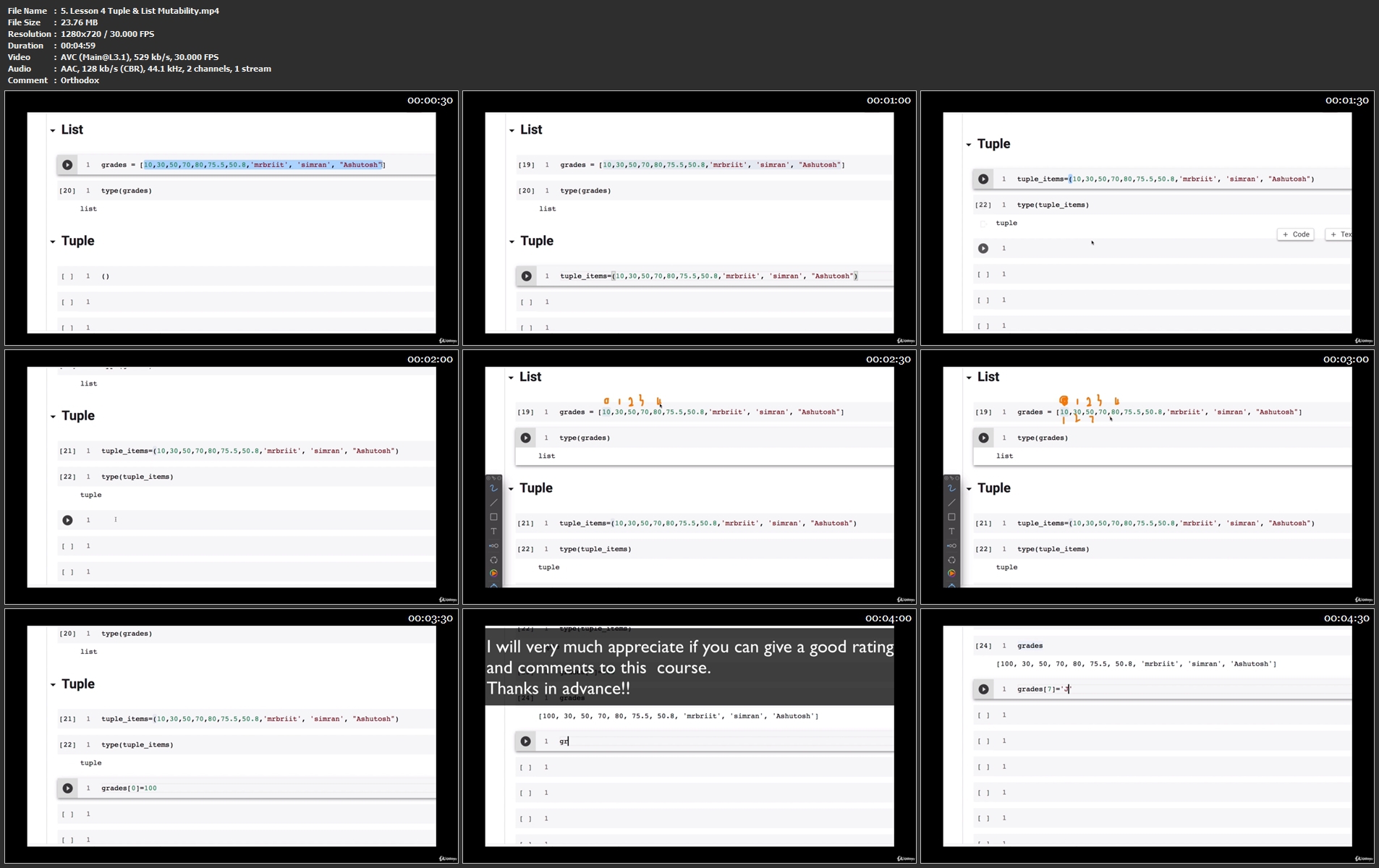
Full Stack Data Scientist A-Z™ BootCamp

lcw2pgdrbgsabbu0q56dvz8knb.jpg


Full Stack Data Scientist A-Z™ BootCamp
Genre: eLearning | MP4 | Video: h264, 1280x720 | Audio: AAC, 44.1 KHz
Language: English | Size: 37.2 GB | Duration: 58h 26m

Include Full Python Course |Full Statistics Course|Full Machine Learning Course|Full Deployment |20 Projects |ALL IN ONE


What you'll learn
Learn Full Python Programming For Data Science
Learn Full Statistics For Data Science
Learn Full Machine Learning Course
Learn How To Deploy Machine Learning Models In Real-World
Learn Through 20+ Real World Projects
Get Access To High-valued Virtual Internships from Top Companies like KPMG, Accenture, ANZ, etc
Learn From DATA SCIENTISTS and PROFESSORS With 17+ yrs of Experience
Learn Cloud Technologies For Data Science like AWS, Microsoft Azure, Google Cloud, Flask, Heroku, Streamlit
2 Months VIRTUAL INTERNSHIP
Create Robust Machine Learning Models with CatBoost ,XGBoost, LightGbm
Participate In HACKATHONS
Learn Different Machine Learning Algorithms such as Linear And Logistic regression, Naive Bayes,KNN,SVM,K-means, etc.
Deal With Data Imbalance (Upsampling/Downsampling/SMOTE)
Beginner To Advance
Gain Confidence In Performing Exploratory Data Analysis (EDA)
Learn The Necessary Statistics

Requirements
This is a Beginner to Advanced level course and there is no prerequisite knowledge to get started. The instructors will start from the very basics to advanced
Your motivation, laptop, and internet connection is highly recommended
If you are a complete beginner, you have all the lessons from introduction to python to building projects and deployment.
If you already have have the basics, we have advanced concepts and more than 20 projects and deployment for you to practice.
All resources recommended in this course are FREE to access, no need to pay anything.


Description
So far the most comprehensive yet concise Data Science course on Udemy.

This course is more to the point to help you to quickly master the concept of Data Science to land your dream job at your dream company.

The course is taught by industry professionals as well as University of Texas professors.

The creators of this course took more than 6 months in consulting Industry and Academic professionals in creating the course curriculum. The content in this course is the same as being delivered to our undergraduate and graduate students on campus.

This is a BEGINNER to ADVANCED course for anyone who is interested in making a career in Data Science.

Gain a complete understanding of Data Science concepts.

Learn how to build robust Machine Learning algorithms.

Learn industry-level data cleaning.

Learn how to build and deploy Machine Learning algorithms in production.

Learn cloud services such as Amazon Web Service(AWS), Microsoft Azure, Google Cloud, Heroku, Flask, Heroku, Streamlit, etc.

Participate in VIRTUAL INTERNSHIP and HACKATHONS

In this course

Complete Python Course

Complete Statistics Course

Complete Machine Learning Course

Full Machine Learning Deployment Course

Virtual Internship

Hands-on Projects

Hackathons

If you really want to make a career in Data Science and land your dream Data Science job then this course is for you !!

Let's get started !!

Who this course is for
Anyone interested in Data Science and Machine Learning.
Anyone who wants to Build And Deploy machine learning models on Flask, Heroku, AWS,Google Cloud, Microsoft Azure, Streamlit
Any student interested in a career in Data Science and Machine Learning
Any beginner level interested to kick-start their career in Data Science and Machine
 Learning
Any intermediate level learner who know the basics of python, statistics, machine
 Learning and want to learn more about it
Anyone not that comfortable with coding but interested in Data Science and
 Machine Learning and want to easily understand the concepts
Any data analysts who want to transition to Data Science and Machine Learning
Any Business Analysts who want to transition to Data Science and Machine
 Learning
Anyone not satisfied with their job and looking for a career transition to become a
 Data Scientist.
Anyone who wants to leverage the power of data in his case scenario.
Any curious mind

Homepage

5.lesson4tuplelistmut1lk5k.jpg


89a7de6b-f3a4-4da4-b48d-12bb5dfaf8b9.png

Basic Concept of Genetic Engineering & biotechnology
MP4 | Video: h264, 1280x720 | Audio: AAC, 44.1 KHz
Language: English | Size: 395 MB | Duration: 45m​

An Easy Guide to learning the biotechnology , Basics and Importance of genetics & Genetic Engineering synthetic biology
What you'll learn
The students will learn the basics of Genetic Engineering at the end.
Requirements
As such basics of Genetic Engineering is all what the students required to know.
Description
> This course is designed to meet the requirement of the students to understand the Basics of Genetic Engineering.
>This course presents many of the topics Found in inter, bachelor and master level.
>The topics are presented through PowerPoints presentation.Each body system is presented separately and there are quizzes at the end of each section.
>In this Course , Students will learn the introduction of Genetic engineering.
>Understand the objectives of Genetic Engineering.
>Understand, identify and describe the process of Genetic Engineering.
>Understand the Scope of Genetic Engineering.
Genetic engineering is a term that was first introduced into our language in the 1970s to describe the emerging field of recombinant DNA technology and some of the things that were going on. As most people who read textbooks and things know, recombinant DNA technology started with pretty simple things--cloning very small pieces of DNA and growing them in bacteria--and has evolved to an enormous field where whole genomes can be cloned and moved from cell to cell, to cell using variations of techniques that all would come under genetic engineering as a very broad definition. To me, genetic engineering, broadly defined, means that you are taking pieces of DNA and combining them with other pieces of DNA.[This] doesn't really happen in nature, but is something that you engineer in your own laboratory and test tubes. And then taking what you have engineered and propagating that in any number of different organisms that range from bacterial cells to yeast cells, to plants and animals.
Who this course is for
Students persuing intermediate, Bachelor & master course.
Screenshots


18c7886f-c85e-4b9c-8c32-a86acacec371.png

French Language course for beginners
MP4 | Video: h264, 1280x720 | Audio: AAC, 44.1 KHz
Language: English | Size: 2.08 GB | Duration: 5h 32m
A comprehensive starter - French Language course​

What you'll learn
To cater the needs of all age levels and beginners. Comprehensive modules starting from the alphabets, prononciations so it helps you in reading and speaking
Travelling to French countries for work or for vacations; want to speak French in restaurants; tell and ask directions; at the airport; negotiate at a shop etc.
Students struggling to understand the grammar concepts? This course will guide to better and clear understanding of same.
Aspiring to write exams for any certifications? This course materials is designed to help and guide you to success .
Comprehensive modules starting from the alphabets, prononciations so it helps you in reading and speaking
Most of the frequently used verbs covered and most importantly similarly conjugated verbs grouped together so that the learning of its conjugations becomes easy
Basic vocabulary , many nous and phrases used in different places like airport; shops; restaurants; clinics etc.
Requirements
No prerquisite
Description
•Comprehensive modules starting from the alphabets, pronunciations so it helps you in reading and speaking.
•Most of the frequently used verbs covered and most importantly similarly conjugated verbs grouped together so that the learning of its conjugations becomes easier.
•How to make simple sentences using these verbs. Difference between two verbs with similar meanings and when to use them.
•Basic vocabulary, many nouns and phrases used in different places like airport; shops; restaurants; clinics etc..
•The petits nuances that I was not aware of when I started learning French.
•Persons travelling to French countries
•For work or for vacations
•Want to speak French in restaurants
•Converse with cab drivers - tell and ask directions
•At the airport
•Negotiate at a shop etc.
•Students struggling to understand the grammar concepts?
This course will guide to better and clear understanding of the same and help to speak , read and write basic sentences
confidently.
•Aspiring to write exams for any certifications? This course materials is designed to help and guide you to success
How to tell tell the weather & time in French.
•The learner will be able to converse well in basic communication with the French speaking countries.
•Have a good understanding of grammar & pronunciations.
•Enabler for beginner's certifications in French language viz., DELF - A1 level.
Who this course is for
Anyone having a flair to learn French language;
Persons travelling to French countries for work or for vacations want to speak French in restaurants; converse with cab drivers - tell and ask directions; at the airport; negotiate at a shop etc.
at a shop etc. Students struggling to understand the grammar concepts? This course will guide to better and clear understanding of the same and help to speak , read and write confidently.
Aspiring to write exams for any certifications? This course materials is designed to help and guide you to success


ea4c9926-adc5-4508-8ef6-8367a808c182.png

Introduction to SQL and MySQL For complete Beginners
MP4 | Video: h264, 1280x720 | Audio: AAC, 44.1 KHz, 2 Ch
Genre: eLearning | Language: English | Duration: 39 lectures (4h 13m) | Size: 1.32 GB

Important SQL Commands using MySQL designed for Beginners with so many Practical Example
What you'll learn
Learn SQL Queries from Basics.
Learn the process of handling Complex Queries.
Learn how to manage database in MySQL.
Learn SQL queries to explore and analyze databases using MySQL.
Requirements
No Database, SQL or MySQL knowledge required. We will start from the very basics and prepare you to go for the expertise level.
Description
Now-a-days, everyone should have a sound knowledge in maintaining databases. You may be an IT expert, Business professional or in any other profession, if you don't know how to maintain data then you would not feel comfortable with your profession.
SQL and MySQL, both are the powerful tools for managing and analyzing relational databases. In this course you are going to learn both of them.
Each topics of the course have been demonstrated in MySQL Prompt that may enable you to understand the process of writing a high quality SQL.
The Instructor of this course has a Master's degree in Computer Science and Engineering with 15+ years of experience. He teaches in a very fundamental level and prepares you to learn in an expertise level.
If you are seriously interested in learning a Database with so many practical example then the Course may be a best choice for you.
Enroll in this course and take an opportunity to learn a very on-demand skill.
Course Content
----------------------------
=> Introduction
Introduction to Database, SQL and MySQL
=> Data Definition Language (DDL)
CREATE, ALTER, RENAME, DROP
=> Data Manipulation Language (DML)
INSERT, UPDATE, DELETE
=> Data Query Language (DQL)
SELECT, ORDER BY, WHERE, IN, HAVING, LIKE, DISTINCT etc.
=> DQL in Multiple Table
JOIN Concepts, LEFT Join, RIGHT Join, FULL OUTER Join, SELF Join
=> Transaction Control Language (TCL)
COMMT, ROLLBACK, SAVEPOINT etc.
=> MySQL Functions
Numeric, String, Date etc.
Who this course is for
Everyone who are interested to learn and work with databases.
Homepage


23ce2040-ab9f-46ba-8060-6cd5f70dc1cc.png

Kotlin Multiplatform Mobile with Ktor
MP4 | Video: h264, 1280x720 | Audio: AAC, 44.1 KHz
Language: English | Size: 2.44 GB | Duration: 5h 59m
Create multiplatform mobile apps in pure Kotlin.
What you'll learn​

Kotlin
Ktor
Koin
KGraphQL
KMongo
Multiplatform
Apollo
Requirements
Basic experience with Kotlin is recommended.
Basic experience with GraphQL is recommended.
Description
Welcome to the future of mobile app development.
Kotlin Multiplatform Mobile allows developers to save time by writing the business logic for their iOS and Android apps just once, in pure Kotlin. Kotlin compiles an embedded framework that is shared between iOS and Android apps. Developers can now write and reuse code that is shared across platforms.
In this course we create a GraphQL server and shared repository in pure Kotlin. The course code covers the Ktor GraphQL server, and client-side shared repository. The final chapter provides an overview of Jetpack Compose and SwiftUI.
What is KMM?
Kotlin Multiplatform, or KMM allows developers to create cross-platform mobile applications using shared business logic. Under the hood, Kotlin compiles a shared framework that is embedded with native iOS and Android applications.
KMM is designed to handle core business logic in Kotlin such as client-side networking, caching and persistence.
In short, KMM will handle any logic that does not involve displaying data. The benefit of this approach is that you can reuse code, save time, and still leverage the latest iOS and Android technologies.
Why KMM?
Pros
Native performance and flexibility, along with code reusability.
Platform-specific code that *just works*.
No restrictions on your app's UI, so you can build with SwiftUI, Jetpack Compose, etc.
Cons
There is a learning curve if you have little to no experience with Kotlin.
Multiplatform projects are currently in alpha. Language features and tooling may change in future Kotlin versions.
Installation
In this course, we will be using two different IDEs
IntelliJ IDEA
Android Studio Preview (Arctic Fox).
In order to develop iOS applications, you will need a computer running Mac OS and Xcode 12+. Xcode is not required for this course. The code we write is pure Kotlin, and you have the option to write Swift for the final project.
Ready? Let's get started.
Who this course is for
Full stack developers looking to learn server-side Kotlin, Ktor and GraphQL
Full stack developers looking to learn Multiplatform mobile app development
Mobile developers interested in cross-platform app development with Kotlin
Screenshots


76a1dabe-7b01-4b19-88b6-8a2e9b552e9a.png

Snapseed for Beginners - Learn Editing Using This Free App
Last Update: 1/2022
Duration: 3h 49m | Video: .MP4, 1280x720 30 fps | Audio: AAC, 48 kHz, 2ch | Size: 3.11 GB
Genre: eLearning | Language: English​

Use the Power of Snapseed to Take Your Photo Editing to the Next Level
What you'll learn:
How to use each panel and setting inside Snapseed to edit photos
How to combine different settings inside Snapseed to perform advanced editing like using masks to remove and replace skies.
Understanding the correct sequence of steps to take when editing a photo so it becomes like a process
Understanding how each setting works with respect to photography and lighting principles
Using Snapseed to perform advanced photo manipulation
Requirements
There are no requirements or prerequisites. This course is perfect for complete beginners who are using Snapseed for the first time.
Description
Do you want to learn how to use the power of the Snapseed mobile app (FREE app) to take your photo editing to the next level?
Then you've come to the right place!
In this course I will be teaching you the A to Z of photo editing using Snapseed even if you have never used this app before.
First of all, why is Snapseed such a great app?
Well as you must have experienced in the photography world, fantastic things are usually not free and free things are usually not fantastic.
But that's not the case with Snapseed.
Snapseed is both FANTASTIC*AND*FREE!!
It can be used for both basic as well as really ADVANCED*editing too as you will learn in this course!
We take a very structured and systematic approach to learning how to use Snapseed.
First off, we will go through each panel and setting inside Snapseed to see how it works individually.
Doing this is important because before we move on to the advanced techniques, you should fully understand what each panel and setting does.
Once we master each setting, that is the time we will be moving to the advanced editing techniques because they will involve the usage of multiple panel and settings together.
We will be taking on certain projects where we will have an objective in mind (like replacing skies) and completely altering the image to the point that it goes from BORING*TO*WOW!!
Of course, at each stage, you will be editing along with me because I have provided each and every image that I*have used in this course so your learning becomes hands-on and practical.
By the end of this course, you will be amazed at what Snapseed can do because you will realize that with some "hacks", it is capable of doing things which Photoshop and Lightroom can do.
Apart from the settings and panels, I will also be focusing on the correct sequence of steps and work-flow that you should follow when you edit any image. This will make you an efficient and relaxed editor since you will always know what exactly to do when you start editing your own images.
I am a professional photography and videography instructor and I have taught more than 40,000 people in the last 8 years. I specialize in breaking complex scenarios into easy-to-understand steps and that's what I have done here too.
There's a lot to look forward to in this course and I hope you sign up because I can't wait to see you inside the course*:)
Who this course is for
This course if for people who are looking to learn how to use Snapseed to take their photo editing to the next level.
Perfect for complete beginners as well as people who are already experiences with Snapseed editing or photo editing in general
Homepage


9aca1469-7c0d-49fc-ace9-0aac7ff5fa53.png

Mobile Automation with Appium 2.0 and WebdriverIO - 2022
MP4 | Video: h264, 1280x720 | Audio: AAC, 44.1 KHz, 2 Ch
Genre: eLearning | Language: English + srt | Duration: 81 lectures (7h 19m) | Size: 3.77 GB

The only course you need to learn Mobile Automation with JavaScript using WebdriverIO & Appium
What you'll learn
Mobile Automation with JavaScript
Mobile Automation using WebdriverIO & Appium
Android & iOS application automation
Building & Optimizing test framework
BrowserStack Integration
GitHub Action CI Integration
Requirements
Basic familiarity with JavaScript
Basic familiarity with WebdriverIO
High level understanding of Mobile Automation
Description
Development of mobile apps is increasing rapidly year by year. As of 2021, there are roughly 2.6M apps on Google app store & 3.6M apps on apple play store. As the development increases, the demand of putting quality apps out there increases as well. After this course, with the help of mobile automation, you will be able to help companies launch top quality applications without worrying about any regression issues.
This course will teach you the latest version of Appium (2.0) and WebdriverIO (v7). Along the way, I will teach you all the best practices that will put on the path of becoming one of the Top Automation Engineer.
Here's what we will be covering in this course
Appium & WebdriverIO Introduction
Setup & Installation
Different strategies to find elements for both iOS & Android apps
Working with native features
Practicing skills on a real-world application
Page Object Model setup
Building test framework
Optimizing framework
BrowserStack integration to run tests on cloud server
GitHub Action for CI integration
and much more...
All of the topics are taught with real examples. The course will include exercises & quizzes that will challenge you & allow you to practice what you learned.
This course will get constantly updated so that you no longer have to worry about outdated content.
Who this course is for
Devs/QAs looking to learn Mobile Automation
QA engineers looking to switch from Web automation to Mobile Automation
SDETs looking to expand their skillset with Mobile Automation using JavaScript
Homepage


b4663bba-a3d9-4a02-b089-f16d6d715eab.png

NLP Technics and Life Coaching ( 2 )
MP4 | Video: h264, 1280x720 | Audio: AAC, 44.1 KHz
Language: English | Size: 1.37 GB | Duration: 1h 48m
Life coaching​

What you'll learn
Learning Neuro Linguistic Programming Techniques
To be able to control the mind, to take the mind control of the individual and to achieve the highest dominance
To be a good communicator in social relations, to use the right communication techniques in the social environment and business world by using NLP Techniques
Being free from past traumas and being cautious against new traumas.
Requirements
Techniques need to be applied. Even if the techniques are applied once a week, it will be effective.
Description
Life coaching Technics 1 + 2 contains the content below
Lesson 1: Psychology and NLP
Lesson 2: Social Psychology and Life Coaching & Nested Circles NLP Technique
Lesson 3 & Cognitive Therapy
Lesson 4 & Psychotherapy and the Art of Asking Questions Beginner
Lesson 5 & Personality Disorders
Lesson 6 & Timeline NLP Technique
Lesson 7 & Sabotage NLP Technique
Lesson 8 & Anchor Collapse & Bad Memories Removal NLP Technique
Lesson 9 & Conditioning and Anchoring NLP Technique
Lesson: 10 & Freud, Founding Psychologists & NLP
Lesson 11 & Walking For The Future NLP Technique
Lesson 12 & Milton Erickson and Anecdote Technique
Lesson 13 & Values ​​Study
Lesson 14 & Walt Disney Technique
Lesson 15: Scratched CD / Bad Plate Method NLP Technique
Lesson 16: Mutual Chair Method NLP Technique
Lesson 17: The Magic Glasses Technique
Lesson 18: Finding the Purpose of Life with the Timeline
Lesson 19: Paragraph Completion Technique
Lesson 20: Nlp Technique, Mirroring
Lesson 21: Auto Typing Technique & Milton Erickson
Lesson 22: Milton Erickson (Silence Meditation and Autohypnosis)
Lesson 23: Personal and Social Competence & Anthropologist Technique in NLP
Lesson 24: Stress Management & Calm Anchor NLP Technique
Lesson 25: Characteristics of Leader & Life Coach & Technique of Anchoring Things
Lesson 26: Analyzing Optimistic Psychology & NLP SWISH Technique
Lesson 27: What does this mean for me & Self-Esteem
Lesson 28: Self-Esteem & NLP CIRCLE Technique
Lesson 29: Resilience and Self-Handicapping People
Lesson 30: IQ & EQ
Lesson 31: Teflon Pan & Dream Yoga Technique of Tibetan Priests
Lesson 32: CHANGING SUB MODALITIES
Lesson: 33 Affirmation 1 (HOMEWORK: Note what the affirmations made you think)
Lesson: 34 Affirmation 1 (HOMEWORK: Note what the affirmations made you think)
Lesson: 35 Affirmation 1 (HOMEWORK: Note what the affirmations make you think)
Lesson 36: Life Coaching Lessons Lesson 1 (Empathy & Motivational Interview)
Lesson 37: Life Coaching Lessons Lesson 2 (Active Listening)
Lesson 38: Life Coaching Lessons Lesson 3 (Resistance)
Lesson 39: Life Coaching Lessons Lesson 4 (Carl Rogers)
Lesson 40: Life Coaching Lessons Lesson 5 (Carl Rogers And Empathy)
Lesson 41: Life Coaching Lessons Lesson 6 (Empathic Listening in Everyday Life)
Lesson 42: Life Coaching Lessons Lesson 7 (Examples of empathic listening & responding)
Lesson 43: Life Coaching Lessons Lesson 8 (Life Coaching Dance or Wrestling?)
Lesson 44: Life Coaching Lessons Lesson 9 (Carl Rogers Technique & Life Coaching)
Who this course is for
Anyone who wants to have mind control and use NLP techniques, any individual who wants to become a life coach and who is a Life Coach candidate ....


7d51ec51-2c1b-4778-a2d3-475215bf0223.png

Snowflake Masterclass[stored proc+demos+Best practices+Labs]
MP4 | Video: h264, 1280x720 | Audio: AAC, 44.1 KHz
Language: English | Size: 5.47 GB | Duration: 18h 27m​

Master snowflake cloud data-warehouse with hands on exercises from real time expert.
What you'll learn
Snowflake architecture in detail.
How data processing happens in snowflake.
Secure data sharing in snowflake.
Understand different caching layers in snowflake.
Continues data load using snowpipe.
Clustering tables in snowflake and how it works under the hood.
Load data and unload data from AWS , GOOGLE and AZURE cloud
Loading unstructured data.
Snowflake internal stage and external stages.
Snowflake data sampling and its importance.
Detail overview about, snowflake clone , failsafe and data retention.
Unique features of Snowfalke ( time travel , undrop , table swap)
Scheduling using Tasks
Streams in snowflake
Materialized views
Best practices in snowflake
Snowpro certification compatible.
Snowflake stored procedures.
Data masking
Snowsight and warehosue utilization dashboard.
Snowflake access control.
Requirements
Familiarity with SQL language and basic knowledge on database.
Description
/***************************************Updates***********************************************/
January update (2022): Added new section on snowflake access control.(1.20 hr)
December update (2021) : Added new section on snowsight and warehouse utilization dashboard.
October update (2021): Added new section, ` DATA MASKING ` ( 1 hr 6 mins total duration )
/***********************************************************************************************/
If you would like to understand how to build workflows using Airflow, Talend and Snowflake Please check out my new course,
Snowflake cloud database with ETL(Airflow+Python+Talend)
This course is the result of my over 4 years of experience working with Snowflake. Snowflake is a fantastic tool to handle huge volumes of data. You can load, query and export, and run transactional queries on TB's and PB's of data easily.
You don't have to worry about infrastructure setup, security, performance, tuning, Garbage collection, node failures etc etc...
if you have already worked with Spark with EMR or with Data bricks you will be amazed by snowflake performance and simplicity.
But there is a catch, if you are not fully aware of how things works in snowflake, you will easily loose control and end up writing costly queries and end up using many of snowflake features wrongly.
I mentioned costly queries because snowflake is build for performance.
Costly queries and wrong design decisions in snowflake will sky rocket your snowflake bill. I have made lot of such mistakes and learned from those mistakes.
This course is an effort to walk you through such experiences so that you don't end up doing same mistakes which i did!!!
Few things can only be learned by experience you can't find them in documentations this course will expose such details to you.
Hope you join me in this journey...................
The course is broadly divided into 3 modules,
Module#1
Lectures ------------>: 38
Real time Demos----->: 11
Assignments--------->: 10
Quiz------------------>: 6
This module will concretize snowflake fundamental concepts and architecture.
By the end of this module you will be having very strong foundation about snowflake.
Module#2
Lectures ------------>: 46
Real time Demos----->: 31
Assignments--------->: 14
Quiz------------------>: 2
In this module i will walk you through, different techniques and options to load and unload data
in snowflake.
By the end of this module, you will be having great confidence in using COPY command and
different data processing objects in snowflake.
Module#3
Lectures ------------>: 45
Real time Demos----->: 35
Quiz------------------>: 3
In this module, we closely evaluate important features of snowflake.
This module helps you to understand, how each feature works under the hood.
Through this knowledge you will be in a better position to decide, when to use the feature and when not to use the snowflake features.
High level overview of all modules with sections details is given below,
In module#1,
> Snowflake environment setup.
> Snowflake architecture.
> Snowflake caching , micro-partitions, clusters.
> Snowflake clustering deep dive.
> Snowflake virtual warehouse layer.
> Performance tuning and DB characteristics.
In module#2,
> Loading data in snowflake.
> Loading data using internal stage.
> Load data from aws s3.
> Load data from google gcs.
> Load data from Azure.
> Copy command options.
> Working with copy command.
> Assignments.
> Loading unstructured data
In module#3,
> Snowpipe in snowflake.
> Data sharing in snowflake.
> Time travel.
> Fail safe.
> Clone feature.
> Data sampling.
> Tasks in snowflake.
> Streaming in snowflake.
> Continuous data load.
> Materialized views.
Who this course is for
Developers planning to learn snowflake database.
Architects who want to understand best practices followed while using snowflake database.
Screenshots


1e30ea39-9cd4-43e4-84f3-3fcdedb1b0aa.png

The Ubuntu Linux Desktop User Guide
MP4 | Video: h264, 1280x720 | Audio: AAC, 44.1 KHz
Language: English | Size: 1.23 GB | Duration: 1h 59m
Become a Linux power user using Ubuntu Desktop 21.10
What you'll learn​

Install Ubuntu Linux in Virtualbox and manage virtual machines
Become proficient navigating Ubuntu desktop interface
Managing files and directories using Ubuntu file manager
Customize Ubuntu desktop interface
Install Desktop and icon themes
Update, upgrade, installing and removing packages
Start applications automatically after login
Setting default applications
File and folder permission, sorting and searching files
Internet and communication using the browser and email client
Understanding ip configuration in Ubuntu
Connecting to the network using WIFI and ethernet
Testing network connectivity (ping, tracerout)
Connecting to remote network share
Securing the computer with firewall (gufw)
User management (adding, removing users)
Storage management (adding and removing disk)
Mounting media
Installing printers and printing documents
Productivity with LibreOffice: learn how to create word documents, spread sheets and presentations
Multimedia: play videos, music and manage your photos
Create periodic backups
Webcam with cheese
Record your desktop
Monitor system resources (cpu, ram, network, storage)
Learn the basics of bash (Linux commands)
Create and run bash scripts
Requirements
No experience required.
No previous Ubuntu or Linux experience required
Description
I created this course, so students can learn from the amazing world of Ubuntu Linux. In this course you will learn, not only how to do things using the Graphical Interface, but also the Linux Bash.
You will learn how to install and configure Ubuntu Desktop 21.10. Also you will learn the basics of virtualization with Virtualbox. In addition, you will learn how to perform post-installation task like: connecting to the WIFI network, updating packages, installation drivers. Become familiar with the Ubuntu Gnome interface. Setup default application and startup applications. This course contains a whole section on how to customize the default Ubuntu interface. Learn how to navigate the file system and manage files and directories. Navigate the Web with Firefox and email communication with Thunderbird.
You will gain experience in Linux Networking as there's a full section dedicated to network communication. Learn how to add storage devices, partition and format using disk app. Manage Users. Perform backup and restore lost data to your hard drive. And learn how to monitor system resources.
Finally, The key to learning Ubuntu and Linux in general is to practice what you learn. I strongly advise you to watch the videos and follow by doing in your computer. Also, take the practice quiz at the end of each section.
Who this course is for
This course is intended for all levels, but especially for beginners and intermediate users


efb07687-70c6-407f-8b23-43c75a2a69a8.png

Drupal Guide 2022
Last Update: 1/2022
Duration: 1h 20m | Video: .MP4, 1280x720 30 fps | Audio: AAC, 48 kHz, 2ch | Size: 623 MB
Genre: eLearning | Language: English​

A comprehensive guide on what Drupal is and how to properly use it
What you'll learn:
WordPress Users who are tired of WordPress
Someone who wants to create a website
Someone who needs to manage a Drupal website
Your clients wants you to install Drupal
Description
The following videos aim to offer a comprehensive guide on what Drupal is and how to properly use it. Together, these videos will teach beginners how to approach Drupal and gain advantages while using it. Viewers will learn all the ins and outs of the program.
The first few video ideas are more just introduction videos (What is Drupal, how do you sign up, pros vs. cons, etc.). Once those videos are completed, we can move on to more comprehensive videos that actually show viewers how to use Drupal.
What is Drupal? An Introduction
What are the primary functions of Drupal?
What type of people should be signing up to use the platform?
What businesses does it specifically help?
Signing Up for Drupal & Costs
What type of people should sign up for Drupal?
How do you sign up for Drupal?
What information do you need to provide when signing up for Drupal?
How much does it cost to use Drupal as a Developer?
How much does it cost to use Drupal as a Business?
How much does it cost to use Drupal as an Agency?
Drupal or WordPress: What's Better for You?
Here are some benefits of WordPress
Easy to use
Easy to get help
Low development costs
Extensibility
And here are some benefits of Drupal
Custom views and content types
Allows you to access controls and user permissions
Taxonomies for handlings a lot of data
Core support for multilingual sites
Install Drupal on An Existing Website
Having a local environment or website to install Drupal onto.
Meeting the minimum requirements for the software to run efficiently.
Having a MySQL database for the website to use.
Selecting your site's primary language.
Selecting your installation profile.
Who this course is for
beginners
Homepage
Screenshots


7d51ec51-2c1b-4778-a2d3-475215bf0223.png

Snowflake Masterclass[stored proc+demos+Best practices+Labs]
MP4 | Video: h264, 1280x720 | Audio: AAC, 44.1 KHz
Language: English | Size: 5.47 GB | Duration: 18h 27m​

Master snowflake cloud data-warehouse with hands on exercises from real time expert.
What you'll learn
Snowflake architecture in detail.
How data processing happens in snowflake.
Secure data sharing in snowflake.
Understand different caching layers in snowflake.
Continues data load using snowpipe.
Clustering tables in snowflake and how it works under the hood.
Load data and unload data from AWS , GOOGLE and AZURE cloud
Loading unstructured data.
Snowflake internal stage and external stages.
Snowflake data sampling and its importance.
Detail overview about, snowflake clone , failsafe and data retention.
Unique features of Snowfalke ( time travel , undrop , table swap)
Scheduling using Tasks
Streams in snowflake
Materialized views
Best practices in snowflake
Snowpro certification compatible.
Snowflake stored procedures.
Data masking
Snowsight and warehosue utilization dashboard.
Snowflake access control.
Requirements
Familiarity with SQL language and basic knowledge on database.
Description
/***************************************Updates***********************************************/
January update (2022): Added new section on snowflake access control.(1.20 hr)
December update (2021) : Added new section on snowsight and warehouse utilization dashboard.
October update (2021): Added new section, ` DATA MASKING ` ( 1 hr 6 mins total duration )
/***********************************************************************************************/
If you would like to understand how to build workflows using Airflow, Talend and Snowflake Please check out my new course,
Snowflake cloud database with ETL(Airflow+Python+Talend)
This course is the result of my over 4 years of experience working with Snowflake. Snowflake is a fantastic tool to handle huge volumes of data. You can load, query and export, and run transactional queries on TB's and PB's of data easily.
You don't have to worry about infrastructure setup, security, performance, tuning, Garbage collection, node failures etc etc...
if you have already worked with Spark with EMR or with Data bricks you will be amazed by snowflake performance and simplicity.
But there is a catch, if you are not fully aware of how things works in snowflake, you will easily loose control and end up writing costly queries and end up using many of snowflake features wrongly.
I mentioned costly queries because snowflake is build for performance.
Costly queries and wrong design decisions in snowflake will sky rocket your snowflake bill. I have made lot of such mistakes and learned from those mistakes.
This course is an effort to walk you through such experiences so that you don't end up doing same mistakes which i did!!!
Few things can only be learned by experience you can't find them in documentations this course will expose such details to you.
Hope you join me in this journey...................
The course is broadly divided into 3 modules,
Module#1
Lectures ------------>: 38
Real time Demos----->: 11
Assignments--------->: 10
Quiz------------------>: 6
This module will concretize snowflake fundamental concepts and architecture.
By the end of this module you will be having very strong foundation about snowflake.
Module#2
Lectures ------------>: 46
Real time Demos----->: 31
Assignments--------->: 14
Quiz------------------>: 2
In this module i will walk you through, different techniques and options to load and unload data
in snowflake.
By the end of this module, you will be having great confidence in using COPY command and
different data processing objects in snowflake.
Module#3
Lectures ------------>: 45
Real time Demos----->: 35
Quiz------------------>: 3
In this module, we closely evaluate important features of snowflake.
This module helps you to understand, how each feature works under the hood.
Through this knowledge you will be in a better position to decide, when to use the feature and when not to use the snowflake features.
High level overview of all modules with sections details is given below,
In module#1,
> Snowflake environment setup.
> Snowflake architecture.
> Snowflake caching , micro-partitions, clusters.
> Snowflake clustering deep dive.
> Snowflake virtual warehouse layer.
> Performance tuning and DB characteristics.
In module#2,
> Loading data in snowflake.
> Loading data using internal stage.
> Load data from aws s3.
> Load data from google gcs.
> Load data from Azure.
> Copy command options.
> Working with copy command.
> Assignments.
> Loading unstructured data
In module#3,
> Snowpipe in snowflake.
> Data sharing in snowflake.
> Time travel.
> Fail safe.
> Clone feature.
> Data sampling.
> Tasks in snowflake.
> Streaming in snowflake.
> Continuous data load.
> Materialized views.
Who this course is for
Developers planning to learn snowflake database.
Architects who want to understand best practices followed while using snowflake database.
Screenshots


Zurück
Oben Unten