• Regeln für den Video-Bereich:

    In den Börsenbereich gehören nur Angebote die bereits den Allgemeinen Regeln entsprechen.

    Einteilung

    - Folgende Formate gehören in die angegeben Bereiche:
    - Filme: Encodierte Filme von BluRay, DVD, R5, TV, Screener sowie Telesyncs im Format DivX, XviD und x264.
    - DVD: Filme im Format DVD5, DVD9 und HD2DVD.
    - HD: Encodierte Filme mit der Auflösung 720p oder darüber von BluRay, DVD, R5, TV, Screener sowie Telesyncs im Format x264.
    - 3D: Encodierte Filme von BluRay, die in einem 3D Format vorliegen. Dies gilt auch für Dokus, Animation usw.
    - Serien: Cartoon/Zeichentrick, Anime, Tutorials, Dokumentationen, Konzerte/Musik, Sonstiges sind demnach in die entsprechenden Bereiche einzuordnen, auch wenn sie beispielsweise im High Definition-Format oder als DVD5/DVD9/HD2DVD vorliegen. Ausnahme 3D.
    - Bereich Englisch: Englische Releases gehören immer in diesen Bereich.
    - Bereich Talk: Der Bereich, in dem über die Releases diskutiert werden kann, darf, soll und erwünscht ist.


    Angebot/Beitrag erstellen

    - Ein Beitrag darf erst dann erstellt werden, wenn der Upload bei mindestens einem OCH komplett ist. Platzhalter sind untersagt.
    - Bei einem Scenerelease hat der Threadtitel ausschließlich aus dem originalen, unveränderten Releasenamen zu bestehen. Es dürfen keine Veränderungen wie z.B. Sterne, kleine Buchstaben o.ä. vorgenommen werden. Ausnahme Serienbörse:
    - Bei einem Sammelthread für eine Staffel entfällt aus dem Releasename natürlich der Name der Folge. Beispiel: Die Simpsons S21 German DVDRip XviD - ITG
    - Dementsprechend sind also u.a. verboten: Erweiterungen wie "Tipp", "empfehlenswert", "only", "reup", usw. / jegliche andere Zusatzinformation oder Ergänzung, welche nicht in obiger Beschreibung zu finden ist.

    Aufbau des Angebots und Threadtitel

    Der Titel nach folgendem Muster erstellt zu werden. <Name> [3D] [Staffel] [German] <Jahr> <Tonspur> [DL] [Auflösung] <Quelle> <Codec> - <Group>
    Beispiel: The Dark Knight German 2008 AC3 DVDRip XviD - iND
    Beispiel: The Dark Knight 2008 DTS DL BDRip x264 - iND
    Beispiel: The Dark Knight 2008 AC3 DL BDRip XviD - iND
    Beispiel: The Dark Knight German 2008 AC3 720p BluRay x264 iND
    Beispiel: The Dark Knight 2008 DTS DL 1080p BluRay x264 iND
    Beispiel: Die Simpsons S01 German AC3 DVDRip XviD iND
    Beispiel: Die Simpsons S20 German AC3 720p BluRay x264 iND
    Beispiel: Sword Art Online II Ger Sub 2014 AAC 1080p WEBRip x264 - peppermint
    Entsprechend sind also u.a. verboten: Sonderzeichen wie Klammern, Sterne, Ausrufezeichen, Unterstriche, Anführungszeichen / Erweiterungen wie "Tipp", "empfehlenswert", "only", "reup", usw. / jegliche andere Zusatzinformation oder Ergänzung, welche nicht in obiger Beschreibung zu finden ist
    Ausnahmen hiervon können in den Bereichen geregelt sein.

    Die Beiträge sollen wie folgt aufgebaut werden:
    Überschrift entspricht dem Threadtitel
    Cover
    kurze Inhaltsbeschreibung
    Format, Größe, Dauer sind gut lesbar für Downloader außerhalb des Spoilers zu vermerken
    Nfo sind immer Anzugeben und selbige immer im Spoiler in Textform.
    Sind keine Nfo vorhanden z.B. Eigenpublikationen, sind im Spoiler folgende Dateiinformationen zusätzlich anzugeben :
    Quelle
    Video (Auflösung und Bitrate)
    Ton (Sprache, Format und Bitrate der einzelnen Spuren)
    Untertitel (sofern vorhanden)
    Hosterangabe in Textform außerhalb eines Spoiler mit allen enthaltenen Hostern.
    Bei SD kann auf diese zusätzlichen Dateiinformationen verzichtet werden.

    Alle benötigten Passwörter sind, sofern vorhanden, in Textform im Angebot anzugeben.
    Spoiler im Spoiler mit Kommentaren :"Schon Bedankt?" sind unerwünscht.


    Releases

    - Sind Retail-Release verfügbar, sind alle anderen Variationen untersagt. Ausnahmen: Alle deutschen Retail-Release sind CUT, in diesem Fall sind dubbed UNCUT-Release zulässig.
    - Im Serien-Bereich gilt speziell: Wenn ein Retail vor Abschluss einer laufenden Staffel erscheint, darf diese Staffel noch zu Ende gebracht werden.62
    - Gleiche Releases sind unbedingt zusammenzufassen. Das bedeutet, es ist zwingend erforderlich, vor dem Erstellen eines Themas per Suchfunktion zu überprüfen, ob bereits ein Beitrag mit demselben Release besteht. Ist dies der Fall, ist der bereits vorhandene Beitrag zu verwenden.
    - P2P und Scene Releases dürfen nicht verändert oder gar unter einem iND Tag eingestellt werden.


    Support, Diskussionen und Suche

    - Supportanfragen sind entweder per PN oder im Bereich Talk zu stellen.
    - Diskussionen und Bewertungen sind im Talk Bereich zu führen. Fragen an die Uploader haben ausschließlich via PN zu erfolgen, und sind in den Angeboten untersagt.
    - Anfragen zu Upload-Wünschen sind nur im Bereich Suche Video erlaubt. Antworten dürfen nur auf Angebote von MyBoerse.bz verlinkt werden.


    Verbote

    - Untersagt sind mehrere Formate in einem einzigen Angebotsthread, wie beispielsweise das gleichzeitige Anbieten von DivX/XviD, 720p und 1080p in einem Thread. Pro Format, Release und Auflösung ist ein eigener Thread zu eröffnen.
    - Grundsätzlich ebenso verboten sind Dupes. Uploader haben sich an geeigneter Stelle darüber zu informieren, ob es sich bei einem Release um ein Dupe handelt.
    - Gefakte, nur teilweise lauffähige oder unvollständige Angebote sind untersagt. Dies gilt auch für eigene Publikationen, die augenscheinlich nicht selbst von z.B. einer DVD gerippt wurden. Laufende Serien, bei denen noch nicht alle Folgen verfügbar sind, dürfen erstellt und regelmäßig geupdatet werden.
    - Untersagt sind Angebote, welche nur und ausschließlich in einer anderen Sprache als deutsch oder englisch vorliegen. Ausnahmen sind VORHER mit den Moderatoren zu klären.


    Verstoß gegen die Regeln

    - Angebote oder Beiträge, die gegen die Forenregeln verstoßen, sind über den "Melden"-Button im Beitrag zu melden.
  • Bitte registriere dich zunächst um Beiträge zu verfassen und externe Links aufzurufen.

*** Bestes IPTV *** bester Preis *** gratis Test ***


Englische Tutorials

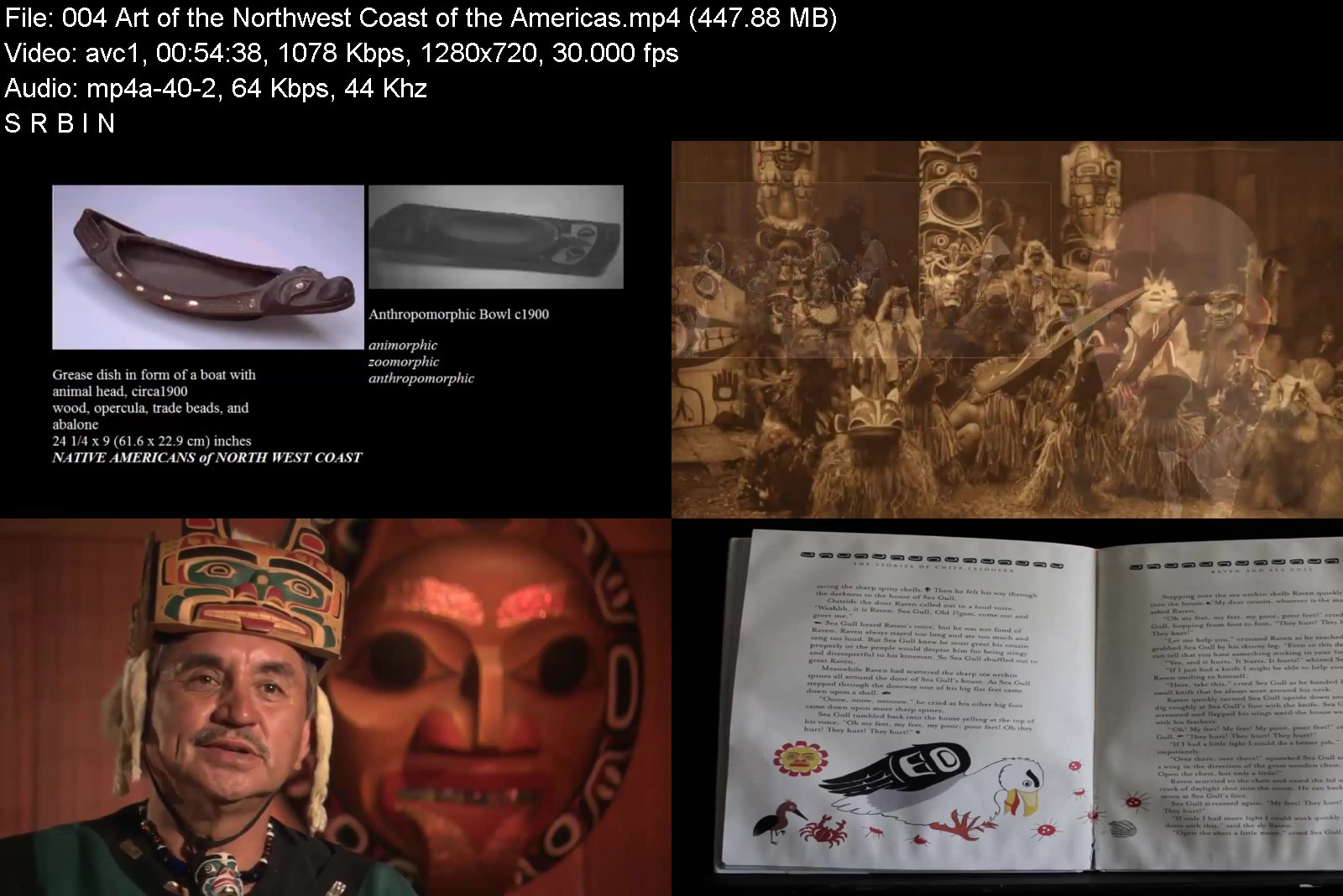
Art History Prehistory to the Renaissance

dckeed2u6yykgv0qfrfeu82ke9.jpg


Art History Prehistory to the Renaissance
MP4 | Video: h264, 1280x720 | Audio: AAC, 44.1 KHz
Language: English | Size: 6.29 GB | Duration: 29h 38m

A clear concise history of art since Prehistory until the beginnings of the Italian Renaissance,


What you'll learn
Help you pass college.
Visit a museum or art gallery and know what you are talking about!
Impress your friends and lovers!
Pass any basic level art history class at the college level.

Description
Whether you're looking for a way to pass a college class or just get a clear working idea of the who, what , when, where, and how of art I can help you out!
This is a clear concise series of Art History lectures that cover the major works of painting, sculpture, and architecture. My lecture style is casual and clear. I don't believe in using a lot of jargon or overly complicated language.


arthistoryprehistoryt0rk5l.jpg


Download from RapidGator


Download from Keep2Share


AloMoves - Alo in the Wild- Greece

937d468dd5fb417facd9710jjm.jpg


AloMoves - Alo in the Wild- Greece
MP4 | Video: h264, 1280x720 | Audio: AAC, 44.1 KHz, 2 Ch
Difficulty: Intermediate | Genre: eLearning | Language: English | Duration: 20 Videos (4h 39m) | Size: 9.9 GB

Instructor : Tawny Janae & Jacy Cunningham
Soak in the breathtaking views of the ancient Athens hillside, scenic Santorini, and the sparkling Aegean Sea as you travel to Greece for the ultimate fitness and wellness experience. Choose from yoga, HIIT, mobility, and core to break up your week and take a mental vacation with classes from 5 to 20 minutes. From calming sequences to high-energy workouts, you'll find everything you need here - no equipment (or passport) needed.
- Stack and repeat classes to create your perfect workout
- Choose from yoga, functional fitness, and partner workouts
- Train and flow with upbeat, high-energy instructors


alointhewildgreecezijdv.jpg


Download from RapidGator


Download from Keep2Share


The Ultimate TEFL Masterclass

oqygkwax09yrgr4ygqkf2tvkip.jpg


The Ultimate TEFL Masterclass
Genre: eLearning | MP4 | Video: h264, 1280x720 | Audio: AAC, 44.1 KHz
Language: English | Size: 6.56 GB | Duration: 7h 27m


What you'll learn
Explore a framework for successful classes
Discover proven classroom management techniques
Learn how to develop all four skills in creative, engaging ways
Master technology to enhance your students' experience
Identify ways of giving feedback that drive learning
Unlock the potential of games and activities in your classroom
Recognize homework and parents as essential tools on your journey
Understand how the science of how we learn influences what happens in your classes
Requirements
No experience of teaching is required. You will learn everything you need to know to unpack language and break it down so your students can follow, as well as creative ways to deliver your content and get your students using new language with confidence from the start.
The most important quality is an open mind and an ability to reflect on why things work, why they work sometimes, and what to do when they don't work
Aside from that, all that's required is a genuine desire to make a difference in the lives of your students

Description
If you're new to the exciting world of ELT (English Language Teaching), then this course provides a practical, comprehensive overview of the core skills and concepts that will make you an outstanding teacher.
Whether you're teaching hundreds of students in a vast lecture hall, or a close friend across a coffee shop table, teaching English changes lives. We'll show you, based on our own experiences, how to be the best teacher you can be.
Perhaps you never expected to end up on this side of the classroom, or you found your TEFL course didn't quite prepare you for the reality of facing a bunch of excitable **** (or self-conscious teens). We've been there.
We'll show you a framework that works, and allows you to use your own creativity and flair to make your lessons memorable. We'll show you how to manage your classroom to set your students up for success. We'll show you ways to give feedback, use technology, and play games in ways that help your students to learn, remember, and use the language you teach them.
With this course, you're not just teaching English, you're showing your students how to use English to follow their dreams.
This course is designed to complement a TEFL or CELTA course. That means, it's suitable as an introduction to help you decide if teaching is for you (if you're thinking about it, it is!). Or, you can use it to help your TEFL coursework, or to consolidate what you learn on your certification course with practical, real-life examples. In fact, we're pretty confident that most teachers will get something useful from this course!
We don't go deep into grammar or different approaches, and we don't even give you huge lists of games - there are other awesome courses on Udemy for that. But we do give you the reality of teaching and give you the practical skills to deliver great lessons with confidence, wherever and whoever you teach.
Who this course is for
People interested in creating exciting opportunities for others by teaching English as a second language
Teachers who want to better understand how additional languages are learned and the challenges that second language students face
People considering a TEFL or CELTA course, or wanting to refresh their skills from initial training
Anyone who wants to explore a career in a dynamic, fast-growing industry with lots of potential for growth
Volunteer teachers in low-resource contexts who want a quick yet comprehensive introduction to teaching English


theultimateteflmaster55ken.jpg


Download from RapidGator


Download from Keep2Share


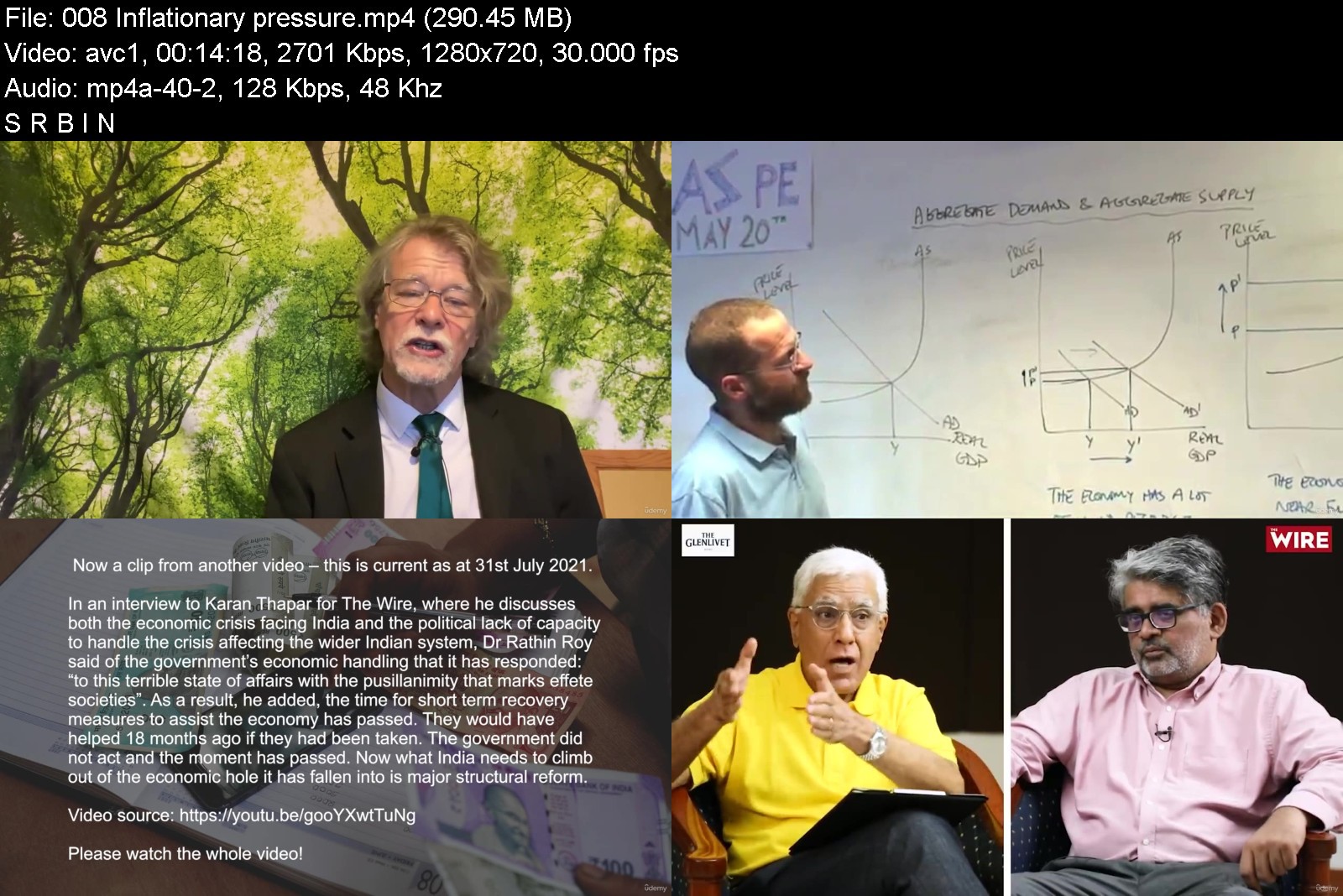
The Indian economy - December 2021 + 2 textbooks (FREE!)

wmwwaeqgkgpctkubnapo0d2jps.jpg


The Indian economy - December 2021 + 2 textbooks (FREE!)
MP4 | Video: h264, 1280x720 | Audio: AAC, 44.1 KHz
Language: English | Size: 12.6 GB | Duration: 11h 24m

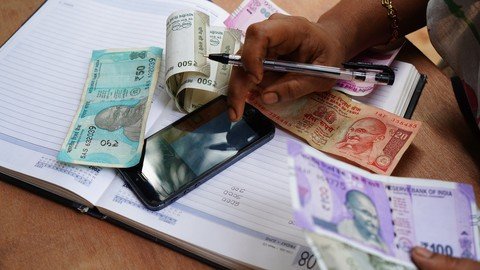
(Oxford Diploma) The Economy of India - now and in the future - let's discuss Economics!


What you'll learn
Key economics areas of India
Policies on inflation, unemployment and growth - their success...or not
Forecasts for India's economy - short-term
Forecasts for India's economy - long term
Evaluation of government economic policy during and after the pandemic
Microeconomics
Macroeconomics
Requirements
None required

Description
India, officially the Republic of India, is a country in South Asia. It is the second-most populous country, the seventh-largest country by land area, and the most populous democracy in the world. Wikipedia
Currency: Indian rupee
Gross domestic product: 2.869 trillion USD (2019) World Bank
GDP growth rate: 4.2% annual change (2019) World Bank
GDP per capita: 2,099.60 USD (2019) World Bank
Gross national income: 9.456 trillion PPP dollars (2019) World Bank
GNI per capita: 6,920 PPP dollars (2019) World Bank
Internet users: 34.4% of the population (2019) World Bank
Learn about the economy here, on this course!
What makes this course unusual
1. A very heavy emphasis on Instructor interaction - do NOT just watch videos...join in! Bring your knowledge of Economics in India!
2. Current workbooks (July 2021)
3. Current assessment of Economic policy in India (July 2021)
4. No economic knowledge assumed and yet we immediately engage in discussion
5. Rapid learning as the Economics is all current and supported by references.
6. The Oxford Diploma (free) on meeting the criteria
7. Two textbooks and two workbooks are included - everything you need! (Textbooks and workbooks on Economics are free) Therefore you will also learn core Microeconomics and Macroeconomics.
This course is split into four sections
1. The current state of the Indian economy
2. Provocative points - a series of lectures designed to stimulate discussion
3. The Indian economy in the short and medium term future - under the pandemic
4. The views of experts
Throughout the course economic theory and practical examples are explored. We look at
Unemployment - demand deficient in particular
Budget deficit
Inflation - the impact of oil
Healthcare - a disaster?
Infrastructure - promises kept
Economic growth - and recession
Exports as an injection - but what of Bangladesh?
Agriculture - labour intensive
NMP
Of course I am hoping that students from India in particular, will join in the many discussions. The course asks questions; homework is set. We look at the work of current economists, current data (expressed in charts) and economic forecasts. No attempt is made to 'judge' merely to explore the situation as it now is, how it is projected - and then ask for comments.
The course is several hours long but not so long that you'll never finish! The homework too is such that you're encouraged to research and then report back via the Q/A - hence the title 'Let's talk about....' ...Economics Economics and then more Economics!
So if you are interested in
a. Economics
b. Global economics
c. The economy in India
d. Microeconomics (as I also mention theory)
e. Macroeconomics (as we deal with inflation, growth etc)
f. Anything and everything Economics (as this course is developing)
BUT.....
If you do not like participating, do not like homework, do not like being asked questions - then this course is NOT for you. But if you want really current information, in-depth discussions, examination of the economy in India - then enrol!
Who this course is for
Students interested in economies throughout the world
Students with a specific interest in India's economy
Student who are willing to discuss current economic policy


theindianeconomydecemrgjcv.jpg


Download from RapidGator


Download from Keep2Share


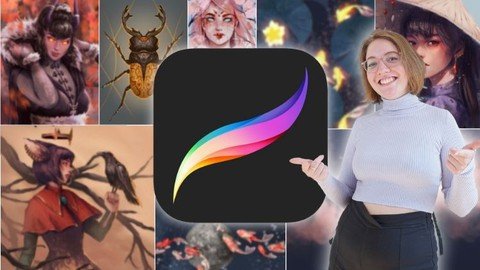
Procreate Masterclass: Digital Drawing on the iPad

sbv3mfpb8k15pdhooss3uj4keb.jpg


Procreate Masterclass: Digital Drawing on the iPad
Genre: eLearning | MP4 | Video: h264, 1280x720 | Audio: AAC, 48.0 KHz
Language: English | Size: 22.6 GB | Duration: 18h 11m

Learn to draw digitally with Procreate on the iPad. Use digital art to express your unique self with this masterclass!


What you'll learn
You will fully understand Procreate
All content is explained in a practical manner using real projects
Clear understanding of the user interface
All basics with brush, eraser and wipe finger
Gesture control for maximum efficiency
The creation of a sketch
Understanding layers and layer modes
What are the types of brushes
Quickshape for perfect shapes
The function of alpha lock and clipping masks
How colors work together: Color harmony
Save and export your works
Have time-lapse videos created automatically
Symmetrical and perspective drawing with drawing aid
The function of the selection tool and transformation tool
How to make your art shine
Useful application of the quick menu
Import images from the net
Buy and import brushes
Watercolor painting
How to design and edit text beautifully
Bring your images to life with the Animation Wizard
Create your own brushes in the brush studio
Draw with Wencke three real commission live with


Description
Do you also wish you could create great artwork on the iPad? Do you want to fully understand Procreate in a hands-on way?

Then this is the course for you!

In this course you will learn all about the following topics: All the basics of Procreate, creating canvases, interface overview, brushes, erasers, swipe fingers, gesture controls, creating sketches, layers, layer modes, quickshape, alpha lock, canvases in detail, clipping masks, color theory, exporting your work, drawing help tool, copy and paste, selection tool, transformation tool, make, layer masks, quick menu, how to import brushes, watercolor, paste and edit text, animations, screen transfer, brush studio and plenty of live videos of how to draw in Procreate.

You get instant access to

1 video lesson a day, 7 days a week, for 11 weeks. Over 11 hours of Procreate Masterclasses;

45 helpful materials to manage downloadable JPG files;

Access to the Procreate Community where you can exchange information with all course members;

Tips from (full-time) illustrator Wencke;

Lifetime access to the course and all future updates.

But what will you learn in detail in this course?

Basics: As the name suggests, the first section is about the basics of Procreate. You will learn how to use the gallery, how to create canvases and how to adjust them to your needs in order to start your first project. When you see your first canvas in front of you, Wencke will explain how to use the Procreate interface to work efficiently in the long run. After that you will know everything about the basic tools like brush, eraser, wipe finger and also how to use the gesture control. It is important to know that this course is very practical. All functions are explained to you by means of really cool projects, which you can of course always participate in. The linearts and other helpful downloadable files will help you. If you have now mastered the gesture control, we continue with the layers. What are layers and how do I draw with them? You'll learn how to create your first sketches and how to draw faster and much more precisely with the Quickshape function, for example to create ideal circles. Other useful functions in digital art are, for example, the alpha lock or clipping masks, with which you can avoid unclean drawing. Now you have the basics of Procreate down and are able to draw away. But to present a great final result, the interaction of colors is extremely important. Therefore, we have created a separate lesson on color theory where you will understand how colors work together to create a harmonious image.

Advanced Techniques: Now that you understand the basics of Procreate, we'll move on to the more advanced features of the drawing app. As mentioned before, all the features Procreate offers you are explained using real drawing projects to follow along. In this case, you will draw a koi pond together with Wencke, in which the stars reflect at night and the koi start to glow. In the process, you'll learn how to use the selection tool and the transformation tool correctly. To end up with a magical glowing effect, Wencke will show you the useful feature of layer modes and how you can use them on all your other works. Feel free to check out some free preview videos to get an idea of the scope of the course. Later in the second section, you'll also learn about all the editing tools such as "Color", "Blur", "Filter", "Liquefy" and "Clone".

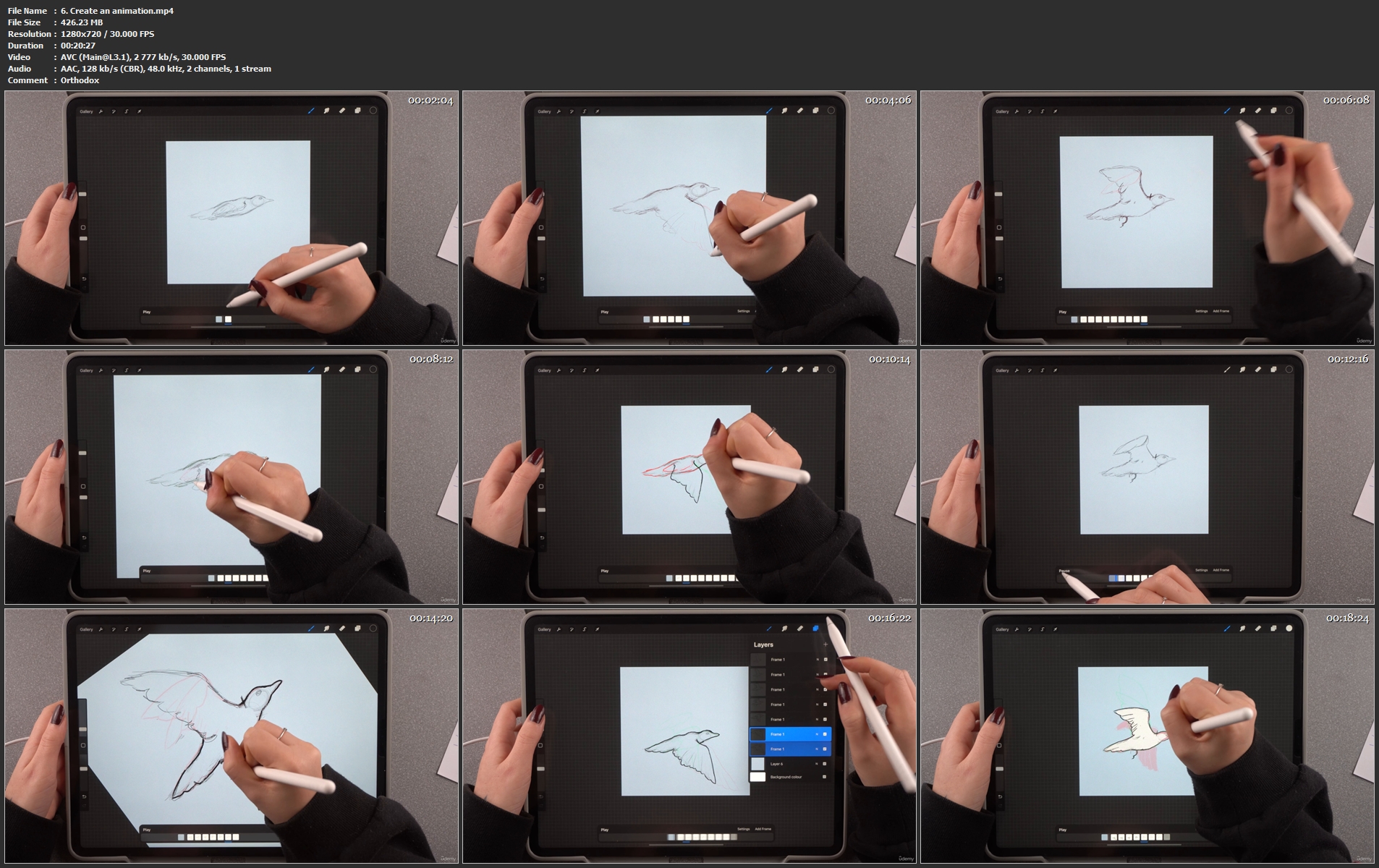
Special tools and features: If you want to dive deeper into Procreate, the third section is certainly interesting for you. Here you'll learn how to drag and drop files and photos to your canvas. This comes in handy when you want to quickly & easily change the background of your drawing, for example. If you want to draw or paint with other/special brushes you will also find a separate lesson for importing brushes in this section. For example, with "special" purchased brushes you can also create real looking watercolor paintings. To take full advantage of Procreate's capabilities, you'll also learn how to add text and make it really cool to create postcards and the like. If that's not enough, Wencke will show you how to create animations and how to animate your finished drawings afterwards.

Brush Studio: This section is only interesting for you if you want to create your own brushes. However, you can also get the full potential out of you and Procreate without any problems with the standard brushes or purchased brushes from the net. If you enjoy creating your own brushes and your used brush is not available on the web, then this section is for you.

Demonstrations in Procreate: This is the last section of the Procreate Masterclass. Here you can watch Wencke as she works full-time as an illustrator, drawing and finishing real client projects and everything that goes with it. You'll get to work with Wencke on three great projects (a portrait, a blood moon illustration and a tiger head). Wencke will explain her approach, so you can always join in live. The parts where "only monotonous" work is done (coloring etc.) are shortened by time lapse. Feel free to check out the free preview videos and see for yourself.

We are looking forward to welcoming you to the first lesson of the Procreate Masterclass!

Wencke & Marius

Who this course is for
Beginners who are just starting with Procreate
Advanced students who want to learn from a real professional

Homepage


6.createananimation.mskjse.jpg


6e3411cd11ecc288cd4b73df2a6e1553.jpg

Realistic Character Design for Games
Duration: 4h 42m | Video: .MP4, 1280x720, 30 fps | Audio: AAC, 48 kHz, 2ch | Size: 2.13 GB
Genre: eLearning | Language: English​

You'll learn how to create Realistic Character Design, focusing on storytelling, using depth psychology, design strategy and other tools.Get your hands on the course that teaches you an array of fundamental and execution knowledge.
- Watch the Trailer
- Free sample
Modeled after popular demand and a survey of what people have been asking me to cover, this course includes a 8 Chapter Series of a total of 30+ lessons on how to design believable game characters, stories, character development and more!
__________________________________________________
What's included?
31 lectures
Over 11 hours of video content
Real Time & Time-lapse Summaries
Project Files (Including Zbrush, Photoshop, Keyshot and Marvelous Designer assets)
Topics covered
Research process
Reference studies
Unifying different 2D and 3D workflows
Character personality building
Design philosophy when approaching Characters
Software tools
Design thinking tools and assets for personal and client work
Making your own tools, alphas and custom details
Worksheets & Homework examples
Recommended Software
You can use any alternative to the below, although the process walkthrough covered will be made with
Keyshot
Photoshop
Marvelous Designer
Zbrush
Screenshots


84e9ac5cd7e246725cc97bc91fe72df0.jpg

Head Phase III
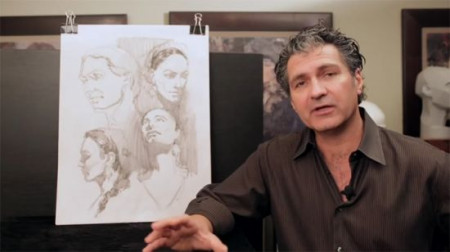
Watts Atelier | Duration: 16h 24m | Video: H264 480x268 | Audio: AAC 44,1 kHz 2ch | 2,88 GB | Language: English​

In this phase Jeff will introduce you to the art of head quick sketch. You will watch Jeff tackle indicating heads ranging from 15 second to 5,10,20 and up to one hour. It is in these lesson's you start to see the true value of all the hard work you did in phase I and II. The first 7.5 hours will be the male model and the second 7.5 hours will be the female. The area of head quick sketch will be utilized in everything from creating thumbnail sketch's for art director's, story boarding, conceptual design, animation to fine art. This is a phase not to be missed.
Lessons
• 15 Second, 30 Second, and 1 Minute Poses
• 5 Minute Sketches - Male - First Model
• Head 5 Minute Sketches - Male - Second Model
• 5 Minute Sketches - Male - Third Model
• 5 Minute Sketches - Male - Fourth Model
• 10 Minute Sketches - Male - First Model
• 10 Minute Sketches - Male - Second Model
• 10 Minute Sketches - Male - Third Model
• 10 Minute Sketches - Male - Fourth Model
• 10 Minute Sketches - Male - Fifth Model
• 20 Minute Sketches - Male - First Model
• 20 Minute Sketches - Male - Second Model
• 20 Minute Sketches - Male - Third Model
• One Hour Quick Sketch - Male - First Model
• 30 Minute Master Study - First Drawing
• 30 Minute Master Study - Second Drawing
• One Hour Master Study - Male
• 5 Minute Quick Sketch - Female - First Model
• 5 Minute Quick Sketch - Female - Second Model
• 5 Minute Quick Sketch - Female - Third Model
• 10 Minute Quick Sketch - Female - First Model
• 10 Minute Quick Sketch - Female - Second Model
• 10 Minute Quick Sketch - Female - Third Model
• 20 Minute Quick Sketch - Female - First Model
• 20 Minute Quick Sketch - Female - Second Model
• 20 Minute Quick Sketch - Female - Third Model
• One Hour Quick Sketch from Photo
• One Hour Master Study - Female
• One Hour Quick Sketch - Female - First Model
• One Hour Quick Sketch - Female - Second Model
• Closing Thoughts
Homepage


0075134c_medium.jpg

Facebook Ads & Instagram Ads Course 2022: The Art of Selling
Last Update: 1/2022
Duration: 4h 53m | Video: .MP4, 1280x720 30 fps | Audio: AAC, 48 kHz, 2ch | Size: 2.85 GB
Genre: eLearning | Language: English​

Learn How to Use Facebook Ads to Sell: Plan Campaign. Execute it. Lead it. Optimise Budget. Produce Sales. Become Legend
What you'll learn:
Gain Hands-On Insights about Selling via Facebook Ads & Instagram Ads. Write Ads. Plan Correctly Big Campaigns. Optimise Budget. Produce Sales & Profits.
Understand Customer Journey on Facebook & Instagram. Reach Out. Engage. Convert. Retarget. Use Custom & Lookalike Audiences. Go Far Beyond Theory.
Plan Correctly Facebook Ads Campaigns. Clearly Organise Campaigns & Descriptions. Understand How % Sales Triggers the Audience. Reach. Inspire. Sell.
Simply Sell: Understand How to Use the Power of Sales Periods and How to Plan, Optimise and Maximise your Sales Campaigns. Sell More. Sell Efficiently.
Requirements
You shall have watched my Facebook Ads & Instagram Ads Course or Best of Facebook Ads Course or Introduction into Facebook Advertising.
You shall have your Facebook Ad Account, Facebook Business Manager Account, Facebook Pixel Ready for iOS & Facebook Business Page.
But even if you Have no Clue about Facebook Advertising, you can get Eagle Insights about Leading Big Sales Campaigns.
Description
Learn how to Sell with Facebook Ads & Instagram Ads in 2022
I will Walk you through the Complete Process of Planning Facebook Ads Campaign, Executing it, Leading it & Optimising the Budget.
You can Get Real Insights about Selling with Facebook Ads & Instagram Ads.
You can Watch Real Case Study.
I will walk you walk.
You can watch hands-on Sales Campaigns.
You can Understand how Sales & Revenue are Produced with Facebook Ads & Instagram Ads.
I*will give you real hands-on practical guidance you can rely on even after all Apple iOS & EU restrictions.
In this Facebook Ads & Instagram Course we quickly revise the Copywriting as it has been so underestimated
I have added into the course also practical writing assignments. Ads creation is ultimately important & I truly wish my students to train it. Otherwise, we solely focus on Sales. This Course has been the most practical course I have ever released and is meant as continuation of my Facebook Ads Courses. You will LOVE this Facebook Ads Course as it gives you incredible insights you have been searching for.
You need to correctly understand & step by step deploy the Customer Journey on Facebook & Instagram
The most important is to walk the customer on his / her customer journey and to understand Facebook Ads objectives. It is also important for you to know how to use the power of engagement to create powerful custom & lookalike audiences. Selling for e-commerce can be great success, but only with understanding how Facebook Ads work in 2022.
Reach
Consideration
Conversion
This Facebook Ads Course is practical hands-on guide
Screen Recordings are Main Content of this Course. I*am showing you Sales Campaigns that are Producing Sales & Revenue. We will not cover introductory topics like setting up Facebook Business Page, Facebook Business Manager, Facebook Pixel, Aggregated Events as well as Catalogs. This you can study in-depth in my previous Facebook Ads courses.
This Facebook Ads is more like Flying with me in the Sky & Getting the Eagle View
You will Actually See & Understand what it Truly Means Leading Big Facebook Ads Campaign. You will Share Great Responsibility with me. We will Actually Produce Together Revenue for Wages & Profits.
I have done my Best to explain everything
FAST
Clear
Step by Step
Business Oriented
Sales Focused
Revenue Oriented
Only What you Truly Need
I honestly believe that after watching this course you will feel much more confident in selling goods via Facebook Ads & Instagram Ads
You will feel more ready to become professional Facebook Ads Consultant. You will feel also more confident to professionally lead big campaigns with big budget. You will also feel more confident to have in your hands budget and the future cash flow of company you have been working for. In the role of Facebook Ads Consultant leading BIG campaigns you will basically decide, if company will be profitable and wealthy.
You can become Hero in your company as you will directly influence amount of money that company is making
Basically, you can become very precious employee as every company needs money to pay wages, bills & to generate revenue.
I*Hope & Believe you will Truly Love & Enjoy this Facebook Ads Course very much.
Yours
Ing. Tomas Moravek & TEAM,
Internet Efficiency Award Winning Instructor for Facebook Ads Campaigns
PS: This course is meant as continuation of my Facebook Ads Courses. For all the practical setups, please watch my Facebook Ads & Instagram Ads Course. Still, if you are ready to fly, enjoy with me the Ultimate Facebook Ads & Instagram Ads Sales Journey.
Who this course is for
For Everyone Interested in Producing Sales & Revenue via Facebook Ads & Instagram Ads
Homepage


cd35c6ef-f173-4c0a-8f00-b5e752fb0463.png

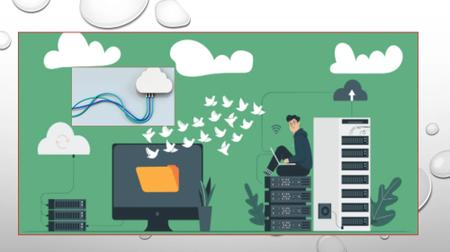
Introduction To KinD
MP4 | Video: h264, 1280x720 | Audio: AAC, 44.1 KHz, 2 Ch
Genre: eLearning | Language: English | Duration: 34m 31s | Size: 234.5 MB

This is an introductory talk for IT professionals and engineers who need to understand how to get a local Kubernetes development cluster using KinD. We'll see how KinD (Kubernetes-in-Docker) can provide a cluster across Linux, Mac, and Windows environments for folks who want to get started with Kubernetes, or folks who quickly need to stage up disposable clusters


c333a2c6-f2cc-4547-a6a9-41e688c42fbd.png

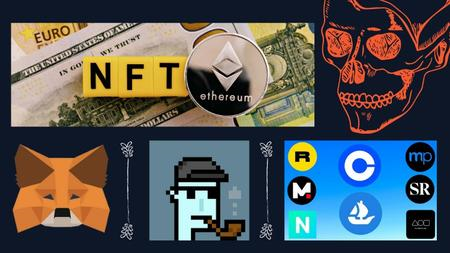
NFT Beginner Voxel Art - Create From Scratch. METAVERSE
MP4 | Video: h264, 1280x720 | Audio: AAC, 44.1 KHz, 2 Ch
Genre: eLearning | Language: English + srt | Duration: 21 lectures (1h 29m) | Size: 938.7 MB

Complete Beginners Guide To Creating an NFT To Sell on the Market
What you'll learn
How to Create NFT Art From Scratch
How to Mint Your NFT For Free
How to Export NFT
How to List Your NFT For Sale Into The Market
Requirements
No Experience needed. You Learn Everything Within This Course
WIndows or Mac osx. Either works perfectly
Description
Includes all you need to know to get involved in creating this NFT. Learn how to create and sell NFT.
I'm going to guide you step by step and show you how easy it is to create an NFT completely from the ground up using only free websites and software that you can use to sell on-site such as Opensea.
Anybody can create an NFT, but there are some important steps, In this course, I will be showing you the exact method I choose to use to get mine made and minted for free.
I will guide you through the steps and good practices to create an NFT so that you can be confident that you also do the right steps when you create your first NFT.
You don't need any coding skills to create an NFT, you don't even need to have a talent in art and design it's really simple. So even the worst of us can do it and still make a profit in creating your own NFT From Scratch. The METAVERSE is here and it's only getting bigger.
You'll Learn
Step-By-Step Minting an NFT Completely For Free
create an NFT
Make Voxel Art
High Definition Resolution
Character Modeling
Material Editing To Design Your unique NFT
Who this course is for
Complete Beginners
People New To NFT
Homepage


36999bd5f476f4c9bf2c18bb6af2840c.jpg

React Crash Course for Absolute Beginners - 2022
MP4 | Video: h264, 1280x720 | Audio: AAC, 44.1 KHz
Language: English | Size: 1.35 GB | Duration: 2h 14m​

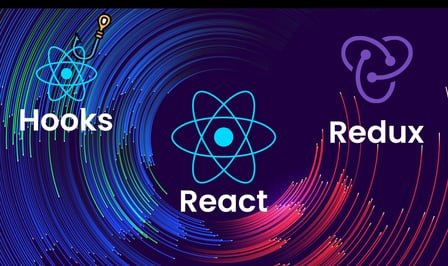
In this React Crash Course for Absolute Beginners we will learn the basics of React JS. This course is based on the most up-to-date version of React (17.0.2), which serves as a JavaScript library for building user interfaces. So learn React JS in this full course designed for beginners as a crash course. It will help you in prepare and provide solid understanding of all React concepts by application of learning concepts. During the course, we work only with the functional components, we are using clean code and ES6 syntax. We will also learn about modern redux and how can you install and use NPM packages (react toastify, react router, redux toolkit).
This course is divided into four main sections
What is React and why use it?
React basics and how it works
The most important Hooks presented with a counter application
Creating a food webshop project which is a multipage application
So, why choose this course?
Because this is a very concise, simple and straightforward course, which lasts only 2 hours, and after which it is guaranteed that you will be able to work in React and create similar applications. By the end of this course you will be able to find any freelancer jobs, or apply for a junior web developer job.


9c598f32-13a6-4004-b51d-dde23e909303.png

Shader Forge
Kent Trammell, Bartek Skorupa, Jonathan Lampel | Duration: 8h 15m | Video: H264 1920x1080 | Audio: AAC 48 kHz 2ch | 1,75 GB | Language: English​

This Blender video course is an on-going series about constructing materials (shaders) for the Cycles render engine. With enough time and effort, materiality can breathe such life into a CG scene.
This course is an on-going series about constructing materials (shaders) for the Cycles render engine. With enough time and effort, quality shading can breathe such life into a CG scene. On the other hand, lackluster materials can suck the life out of an otherwise high-quality scene. So shaders are very important and can be a powerful tool in the digital artist's utility belt.
Homepage


Zurück
Oben Unten