• Regeln für den Video-Bereich:

    In den Börsenbereich gehören nur Angebote die bereits den Allgemeinen Regeln entsprechen.

    Einteilung

    - Folgende Formate gehören in die angegeben Bereiche:
    - Filme: Encodierte Filme von BluRay, DVD, R5, TV, Screener sowie Telesyncs im Format DivX, XviD und x264.
    - DVD: Filme im Format DVD5, DVD9 und HD2DVD.
    - HD: Encodierte Filme mit der Auflösung 720p oder darüber von BluRay, DVD, R5, TV, Screener sowie Telesyncs im Format x264.
    - 3D: Encodierte Filme von BluRay, die in einem 3D Format vorliegen. Dies gilt auch für Dokus, Animation usw.
    - Serien: Cartoon/Zeichentrick, Anime, Tutorials, Dokumentationen, Konzerte/Musik, Sonstiges sind demnach in die entsprechenden Bereiche einzuordnen, auch wenn sie beispielsweise im High Definition-Format oder als DVD5/DVD9/HD2DVD vorliegen. Ausnahme 3D.
    - Bereich Englisch: Englische Releases gehören immer in diesen Bereich.
    - Bereich Talk: Der Bereich, in dem über die Releases diskutiert werden kann, darf, soll und erwünscht ist.


    Angebot/Beitrag erstellen

    - Ein Beitrag darf erst dann erstellt werden, wenn der Upload bei mindestens einem OCH komplett ist. Platzhalter sind untersagt.
    - Bei einem Scenerelease hat der Threadtitel ausschließlich aus dem originalen, unveränderten Releasenamen zu bestehen. Es dürfen keine Veränderungen wie z.B. Sterne, kleine Buchstaben o.ä. vorgenommen werden. Ausnahme Serienbörse:
    - Bei einem Sammelthread für eine Staffel entfällt aus dem Releasename natürlich der Name der Folge. Beispiel: Die Simpsons S21 German DVDRip XviD - ITG
    - Dementsprechend sind also u.a. verboten: Erweiterungen wie "Tipp", "empfehlenswert", "only", "reup", usw. / jegliche andere Zusatzinformation oder Ergänzung, welche nicht in obiger Beschreibung zu finden ist.

    Aufbau des Angebots und Threadtitel

    Der Titel nach folgendem Muster erstellt zu werden. <Name> [3D] [Staffel] [German] <Jahr> <Tonspur> [DL] [Auflösung] <Quelle> <Codec> - <Group>
    Beispiel: The Dark Knight German 2008 AC3 DVDRip XviD - iND
    Beispiel: The Dark Knight 2008 DTS DL BDRip x264 - iND
    Beispiel: The Dark Knight 2008 AC3 DL BDRip XviD - iND
    Beispiel: The Dark Knight German 2008 AC3 720p BluRay x264 iND
    Beispiel: The Dark Knight 2008 DTS DL 1080p BluRay x264 iND
    Beispiel: Die Simpsons S01 German AC3 DVDRip XviD iND
    Beispiel: Die Simpsons S20 German AC3 720p BluRay x264 iND
    Beispiel: Sword Art Online II Ger Sub 2014 AAC 1080p WEBRip x264 - peppermint
    Entsprechend sind also u.a. verboten: Sonderzeichen wie Klammern, Sterne, Ausrufezeichen, Unterstriche, Anführungszeichen / Erweiterungen wie "Tipp", "empfehlenswert", "only", "reup", usw. / jegliche andere Zusatzinformation oder Ergänzung, welche nicht in obiger Beschreibung zu finden ist
    Ausnahmen hiervon können in den Bereichen geregelt sein.

    Die Beiträge sollen wie folgt aufgebaut werden:
    Überschrift entspricht dem Threadtitel
    Cover
    kurze Inhaltsbeschreibung
    Format, Größe, Dauer sind gut lesbar für Downloader außerhalb des Spoilers zu vermerken
    Nfo sind immer Anzugeben und selbige immer im Spoiler in Textform.
    Sind keine Nfo vorhanden z.B. Eigenpublikationen, sind im Spoiler folgende Dateiinformationen zusätzlich anzugeben :
    Quelle
    Video (Auflösung und Bitrate)
    Ton (Sprache, Format und Bitrate der einzelnen Spuren)
    Untertitel (sofern vorhanden)
    Hosterangabe in Textform außerhalb eines Spoiler mit allen enthaltenen Hostern.
    Bei SD kann auf diese zusätzlichen Dateiinformationen verzichtet werden.

    Alle benötigten Passwörter sind, sofern vorhanden, in Textform im Angebot anzugeben.
    Spoiler im Spoiler mit Kommentaren :"Schon Bedankt?" sind unerwünscht.


    Releases

    - Sind Retail-Release verfügbar, sind alle anderen Variationen untersagt. Ausnahmen: Alle deutschen Retail-Release sind CUT, in diesem Fall sind dubbed UNCUT-Release zulässig.
    - Im Serien-Bereich gilt speziell: Wenn ein Retail vor Abschluss einer laufenden Staffel erscheint, darf diese Staffel noch zu Ende gebracht werden.62
    - Gleiche Releases sind unbedingt zusammenzufassen. Das bedeutet, es ist zwingend erforderlich, vor dem Erstellen eines Themas per Suchfunktion zu überprüfen, ob bereits ein Beitrag mit demselben Release besteht. Ist dies der Fall, ist der bereits vorhandene Beitrag zu verwenden.
    - P2P und Scene Releases dürfen nicht verändert oder gar unter einem iND Tag eingestellt werden.


    Support, Diskussionen und Suche

    - Supportanfragen sind entweder per PN oder im Bereich Talk zu stellen.
    - Diskussionen und Bewertungen sind im Talk Bereich zu führen. Fragen an die Uploader haben ausschließlich via PN zu erfolgen, und sind in den Angeboten untersagt.
    - Anfragen zu Upload-Wünschen sind nur im Bereich Suche Video erlaubt. Antworten dürfen nur auf Angebote von MyBoerse.bz verlinkt werden.


    Verbote

    - Untersagt sind mehrere Formate in einem einzigen Angebotsthread, wie beispielsweise das gleichzeitige Anbieten von DivX/XviD, 720p und 1080p in einem Thread. Pro Format, Release und Auflösung ist ein eigener Thread zu eröffnen.
    - Grundsätzlich ebenso verboten sind Dupes. Uploader haben sich an geeigneter Stelle darüber zu informieren, ob es sich bei einem Release um ein Dupe handelt.
    - Gefakte, nur teilweise lauffähige oder unvollständige Angebote sind untersagt. Dies gilt auch für eigene Publikationen, die augenscheinlich nicht selbst von z.B. einer DVD gerippt wurden. Laufende Serien, bei denen noch nicht alle Folgen verfügbar sind, dürfen erstellt und regelmäßig geupdatet werden.
    - Untersagt sind Angebote, welche nur und ausschließlich in einer anderen Sprache als deutsch oder englisch vorliegen. Ausnahmen sind VORHER mit den Moderatoren zu klären.


    Verstoß gegen die Regeln

    - Angebote oder Beiträge, die gegen die Forenregeln verstoßen, sind über den "Melden"-Button im Beitrag zu melden.
  • Bitte registriere dich zunächst um Beiträge zu verfassen und externe Links aufzurufen.

++ Premium IPTV ++ 7000 Live Sender ++ UHD Qualität ++ Mediathek mit 18.000 Inhalten ++


VenneTV


Englische Tutorials

Professional Clay jewelry Course

n1gbjbvx5i6ypok37wnfl0mjb4.jpg


Professional Clay jewelry Course
Genre: eLearning | MP4 | Video: h264, 1280x720 | Audio: aac, 44100 Hz
Language: English | VTT | Size: 10.7 GB | Duration: 8h 30m


What you'll learn
Learn to create variations on these basic techniques in order to imagine and design your own unique jewelry creations!
Used supplies which you get easily at home.
Deep knowledge of tools and how to use them.
Create different designs with different tools
Give shape to your clay
Learn different for Coloring
Make beautiful earrings, necklaces, and bracelets using thread (or other beads) to wear, give, or sell!
All future updates and additions to this course are included, locked in at today's low price.
Requirements
Students will need to purchase necessary tools and supplies (all outlined in the free preview lessons at the beginning of the course.)
A desire to learn and a little bit of time to practice these techniques

Description
Create your own Jewelry with Natural Clay. In this workshop, you are going to learn the intricate art of Jewelry Making through Clay. Along with this, you will also learn advanced levels of jewelry making and various techniques of Painting the Jewelry.

clay is a versatile modelling medium which can be used to make stunning jewelry. On this beginner's course you will learn how to select or make your own clay design. how to condition the 'raw' material; how to mold and shape your designs .you'll also learn how to use tools and how to 'finish' your beads to achieve a professional look. Towards the end of the day, we will string your favorites so you will go home with a completed necklace and earring set.

Advanced clay Jewelry course covered during the training are as follows:

Necklace -5 types

Earrings - 5 types

Topics Covered

1.Where to buy material.

2.how to make pendant base.

3.how to make tear shape.

4.how to wrap beads.

5.how to attach back dori.

6.how to attach lock.

7.how to make base.

etc.


Who this course is for:
Absolute beginners with no jewelry making experience
Anyone who wants to practice and refine their basic Clay skills and learn new design ideas and variations step-by-step.
Anyone who is passionate towards designing jewels for themselves and others who want to make a business out of it.


Homepage

2.materialrequirementuujld.jpg


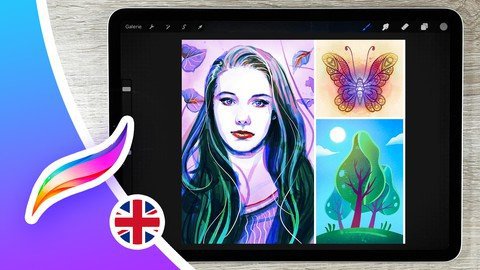
Procreate - Learn Digital Drawing with the iPad

rznzr7camqc46yyeiql8ai9kcx.jpg


Procreate - Learn Digital Drawing with the iPad
Genre: eLearning | MP4 | Video: h264, 1280x720 | Audio: aac, 48000 Hz
Language: English | VTT | Size: 11.7 GB | Duration: 10h 15m


What you'll learn
Procreate - Learn all the features and user interface of the program through applied drawing projects.
Artwork - Through the course you will easily (step by step) create at least 3-5 drawing projects in different styles (drawing skills not required).
For Everyone - No matter what drawing level or style, you'll find a lesson or exercise to suit you.
Glossary - Use the glossary to quickly find important features and the lessons that go with them.
Materials - Download the additional materials included in the course (overview PDFs, shortcut lists, etc.) to learn even better.
Brushes - Learn how to edit, create, or import your own brushes inside the Brush Studio.
Tools - Master the brush, eraser, and smudge tools.
Layers - Understand what they are and how to best use them in Procreate.
Masks - Learn what masks are and how to best use the different types (alpha lock, clipping mask, and layer mask).
Colors - Master Procreate's color menu and create your own color palettes and color harmonies.
Editing - Learn to select, transform, and adjust your images using all of Procreate's features, from basic to advanced.
Digital Art - Learn the ins and outs of digital art and how to use it to your advantage in Procreate.
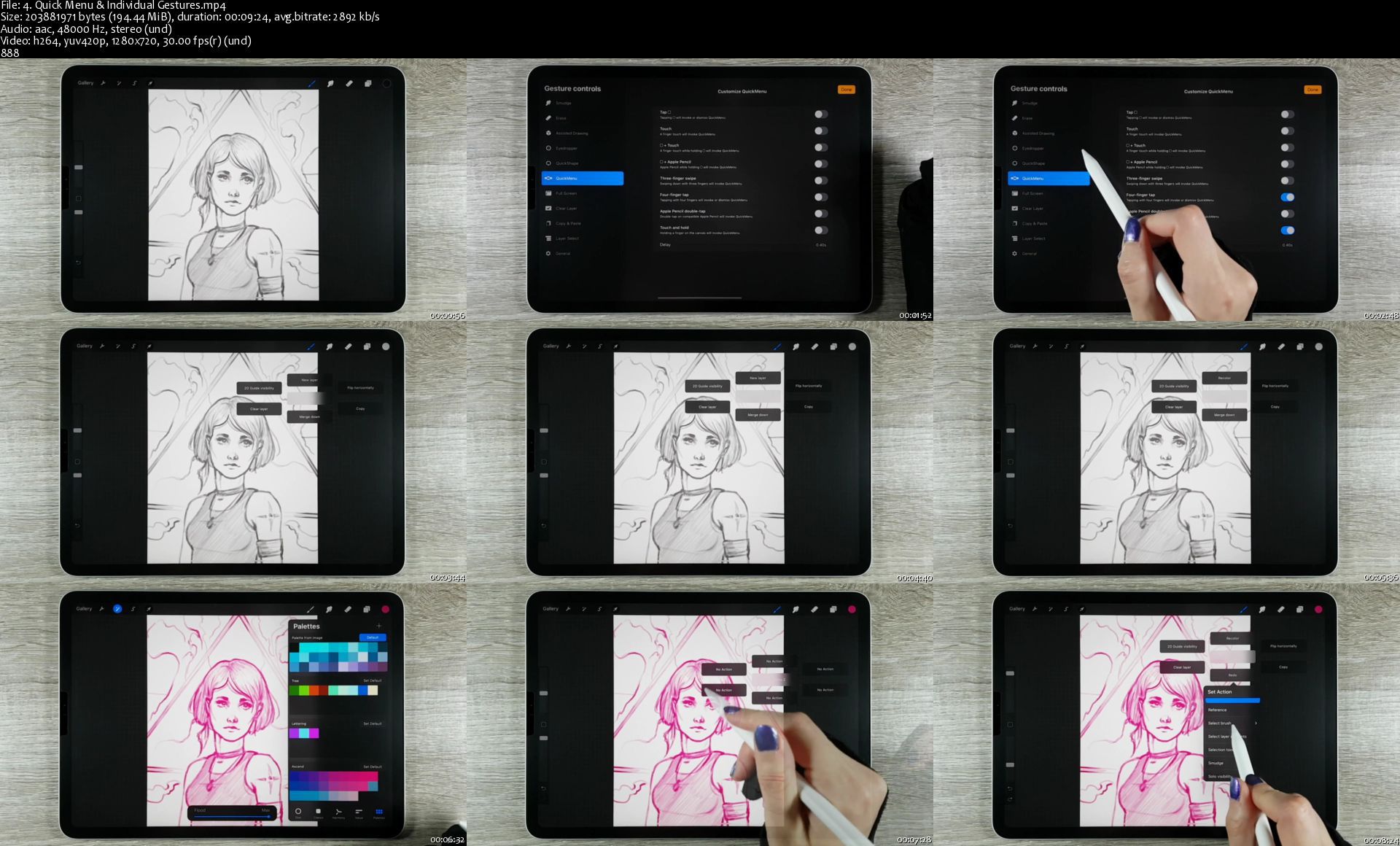
Efficiency - Learn about Procreate's gesture controls and how to customize them for maximum workflow efficiency and drawing flow.
Additional Knowledge - More than just Procreate, you'll also learn some secret tricks for getting even more out of your iPad for digital drawing.
Inspiration - Get inspired by numerous practical examples and use the various exercises to implement your own Procreate projects.
Learning - Learn how to learn. Get tips for your optimal course experience.
Requirements
iPad & Procreate (but in the first section I will give you specific purchase recommendations as well)
willingness to learn & implement creative projects independently.

Description
Do you want to get started in the world of digital drawing or switch from another drawing program to Procreate or deepen your knowledge?

I can help you! My name is Sandra and as "The Coaching Artist" I do not only have over 10 years of experience in digital 2D & 3D art, but I also help other creatives like you to unleash their full creative potential.

In this course I'll teach you how to use the drawing software Procreate on the iPad. And not just anyhow, but by showing you applicable drawing projects I will guide you step by step through all the essential functions of the program. So you can apply your knowledge directly and after the course you will already have at least 3 to 5 beautiful artworks in your gallery - and you don't even have to know how to draw for that yet.

However, you can continue to improve in later sections and implement different projects & styles. So there is a lesson or exercise for every drawing level. In addition, I give you a lot of useful additional knowledge, materials and secret tricks that even many professionals do not know.

You will learn or deepen the following things in this course:

how to draw with Procreate / draw on the iPad

how to use the basic Procreate user interface

how to use the gesture controls in Procreate & how to customize them to your liking

how to best equip yourself as a digital artist

how to create documents in Procreate

how to edit canvases in Procreate

how to make the best use of the brush, eraser & smudge tools in Procreate

how to edit, customize, create new brushes & import brushes inside the Bush Studio

how to work with colors & color palettes in Procreate and use your own color harmonies

what the special features of digital art are & how to make the most of them in Procreate

what layers are and how to use them in Procreate

what masks are & how to use the different types (alpha lock, clipping mask, layer mask) optimally in Procreate for your images

how to edit your images with selections & transformations in Procreate

how to copy, duplicate and paste elements in Procreate

how to use many of Procreate's digital editing techniques (drawing guides, adjustments like color balance, curves, etc.)

how to arrange projects in Procreate's gallery, save them correctly & export them for different media

how to use advanced techniques (e.g. animations, tex tool, liquify & other adjustments) to create or finalize your images in Procreate

how to use your iPad beyond Procreate for drawing (e.g. with a split screen)

... and much more

So do you want to get started with Procreate and digital art now? Then sign up for the course now and get inspired.

Here is what you will learn:

Procreate - Learn all the features and user interface of the program through applied drawing projects.

Artwork - Through the course you will easily (step by step) create at least 3-5 drawing projects in different styles (drawing skills not required).

For Everyone - No matter what drawing level or style, you'll find a lesson or exercise to suit you.

Glossary - Use the glossary to quickly find important features and the lessons that go with them.

Materials - Download the additional materials included in the course (overview PDFs, shortcut lists, etc.) to learn even better.

Brushes - Learn how to edit, create, or import your own brushes inside the Brush Studio.

Tools - Master the brush, eraser, and smudge tools.

Layers - Understand what they are and how to best use them in Procreate.

Masks - Learn what masks are and how to best use the different types (alpha lock, clipping mask, and layer mask).

Colors - Master Procreate's color menu and create your own color palettes and color harmonies.

Editing - Learn to select, transform, and adjust your images using all of Procreate's features, from basic to advanced.

Digital Art - Learn the ins and outs of digital art and how to use it to your advantage in Procreate.

Efficiency - Learn about Procreate's gesture controls and how to customize them for maximum workflow efficiency and drawing flow.

Additional Knowledge - More than just Procreate, you'll also learn some secret tricks for getting even more out of your iPad for digital drawing.

Inspiration - Get inspired by numerous practical examples and use the various exercises to implement your own Procreate projects.

Learning - Learn how to learn. Get tips for your optimal course experience.

Who is the course for?

hobby creatives who are new to digital drawing (in Procreate) or want to deepen it.

especially for illustrators, draftsmen, comic artists, mangaka, digital artists & iPad owners in general.

digital artists who want to switch from another drawing program (such as Photoshop) to Procreate.

Requirements & Prerequisites

iPad & Procreate (but in the first section I will give you specific purchase recommendations as well)

willingness to learn & implement creative projects independently.


Who this course is for:
hobby creatives who are new to digital drawing (in Procreate) or want to deepen it.
especially for illustrators, draftsmen, comic artists, mangaka, digital artists & iPad owners in general.
digital artists who want to switch from another drawing program (such as Photoshop) to Procreate.


Homepage

4.quickmenuindividual2cjdm.jpg


Alomoves - practice by Meghan Currie

dkbbldlhtiuedg7ulq3xt9zjy3.jpg


Alomoves - practice by Meghan Currie
MP4 | Video: h264, 1280x720 | Audio: AAC, 48 KHz, 2 Ch
Difficulty: Intermediate | Genre: eLearning | Language: English | Duration: 12 Videos (9h2m) | Size: 19.4 GB

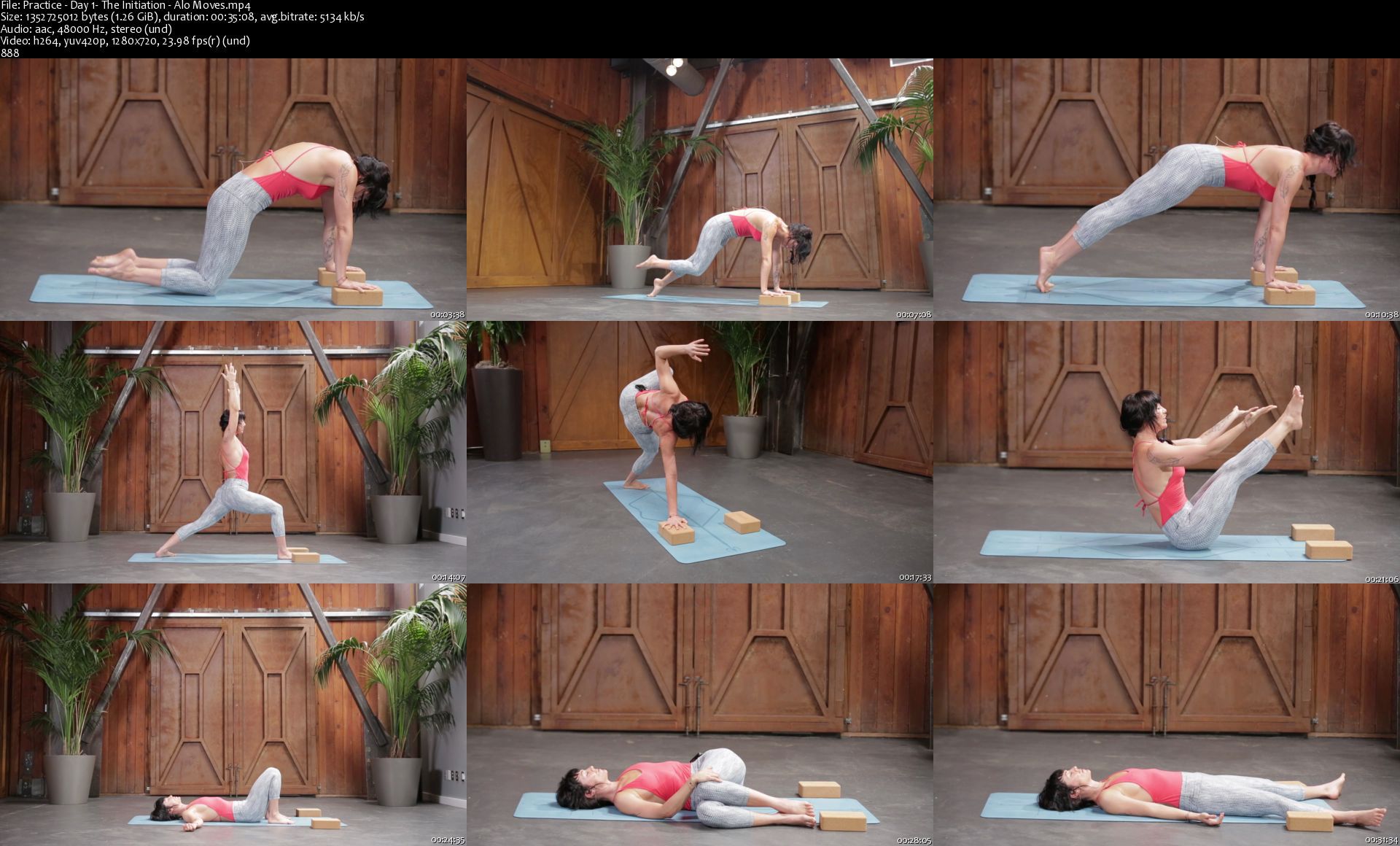
This yoga training series is a two-week program that combines strength, flexibility, grace, and control to produce the most deliciously well-rounded practice. It consists of 12 unique classes to create a six-day-a-week practice that progresses in difficulty over two weeks.

This course uses playful drills, repetitions, and creative flexibility-builders to add a challenging spice to your routine. The methods were personally crafted by Meghan, who has been incorporating them into her own practice for years.

Each week consists of four training classes, a full-length flow, and a soothing restorative. The drill-based sequences are designed to help you grow stronger, get sweaty, and find your threshold. They utilize timed holds, repetitions, and lighthearted transitions to explore core work, hip opening, leg strengthening, and more. The 50-minute flows incorporate the teachings of previous strengthening classes so you can apply what you have learned in related sequences. The delicious stretching classes will slow you down and nourish you from head to toe.

Practice is ideal for students looking to discover new levels of strength, stability, and elegance in their movements while using a non-traditional yoga approach. There are no inversions in this class, but Meghan invites you to play with handstand hops and frog kicks. She also shows you how to work in stability using arm balances like Crow.

Homepage

practiceday1theinitia45jhy.jpg


Microsoft Excel Essentials by Vonne Smith

86z4vygxdlc9yev7fhmjiq5jti.jpg


Microsoft Excel Essentials by Vonne Smith
Duration: 8h25m | Video: .MP4 1280x720, 30 fps(r) | Audio: AAC, 44000 Hz, 2ch | Size: 7 GB
Genre: eLearning | Language: English

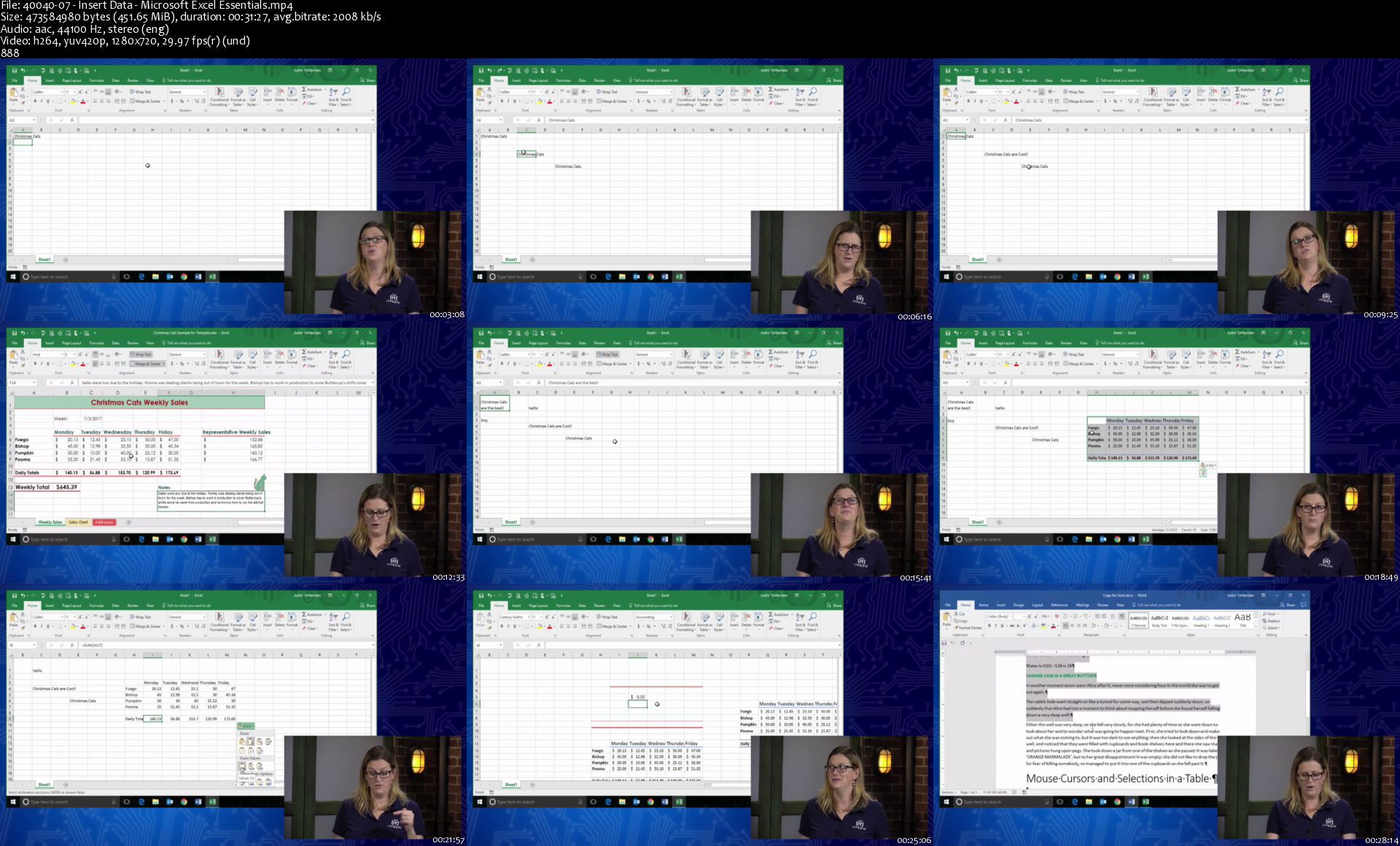
Join The Great Courses and the Microsoft Office experts at ITProTV to learn how to navigate and utilize the many tools and techniques Excel has to offer.

Homepage

4004007insertdatamicrr2ja9.jpg


Complete MERN Stack Guide with Blog Project

0080828chjjny.jpg


Complete MERN Stack Guide with Blog Project
MP4 | h264, 1280x720 | Lang: English | Audio: aac, 44100 Hz | 18h 37m | 8.19 GB

Learn, Apply, Build and Deploy a Blog Project on Heroku using NodeJs, Express, MongoDB & React


What you'll learn:
Build a full stack Blog application with React, Redux, Node, Express & MongoDB
Master the art of building backend api with nodejs
Use MongoDB for data storing and retrieving process
Integrate React with an Express backend in an elegant way
React Hooks, Async/Await & modern practices
Deploy to Heroku with a postbuild script

Requirements
Basic HTML and CSS
Good understanding of javascript
A Personal computer with a stable internet connection
That's all you need to get started with


Description
Welcome to "Complete MERN Stack Guide with Blog Project". In this course, we will be building an in-depth full-stack Blog project application using Node.js, Express, React, and MongoDB along with ES6+. We will start with a blank text editor and end with a deployed full-stack application. This course includes.

Building an extensive backend API with Node.js & Express

Extensive API testing with Postman

Integrating React with our backend in an elegant way, creating a great workflow

Building our frontend to work with the API

Authentication with both React and Node

Get and Post Request using MongoDB

Create a CRUD Application with MERN Stack

Creating a build script, securing our keys, and deploy to Heroku using Git

This course project is probably the biggest and most exciting project you have built so far. It is packed with hundreds of tips and tricks that can help you build almost any type of full-stack app (not limited to this blog project).

Master the art of building FullStack/MERN Stack apps by enrolling in this course and never look back. What you are now and what you will become after completing this course is going to be a groundbreaking step in your web development career.

You can build the biggest and most complex apps of your dream or as required at your job. Master the stack of all stacks and become the most productive and innovative developer of your team. I welcome you to be a part of this incredible journey.

Who this course is for
Javascript developers of all level
Anyone interested in building real world mern project
Anyone interested in learning full stack / mern stack development
Anyone with ambition to build the next big thing by mastering full stack development
Anyone who is up for a challenge


1.introductiontomongoqvjtv.jpg


3d Products Visualization Course

hkudwljdyb0xnbtflm1yy25klv.jpg


3d Products Visualization Course
Genre: eLearning | MP4 | Video: h264, 1280x720 | Audio: aac, 48000 Hz
Language: English | VTT | Size: 5.29 GB | Duration: 7h 34m


What you'll learn
Project Brief and what it Must Contain
Blue Prints and how to Get and Use
Modeling Process step by step
How to make UVs & Textures
Projects Materials Using V-ray
Crazy Pumb Plugin To Generate Different Maps
Preparing Products Render Stage in 3D Max & v. Ray
Use Different Types of lighting
Use HDRI Maps
Cameras , Lights and Render Settings
How To Make Camera Animation
How To Add Video Maps on screen as what you see in TV Ads
You Will Find The Used Resources in The First Lecture in Every Workshop
Requirements
Familiar with 3D max Interface

Description
Hay guys , and Welcome To Our Course

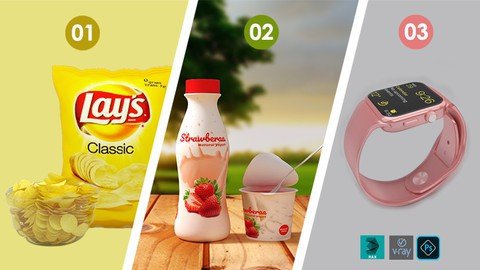
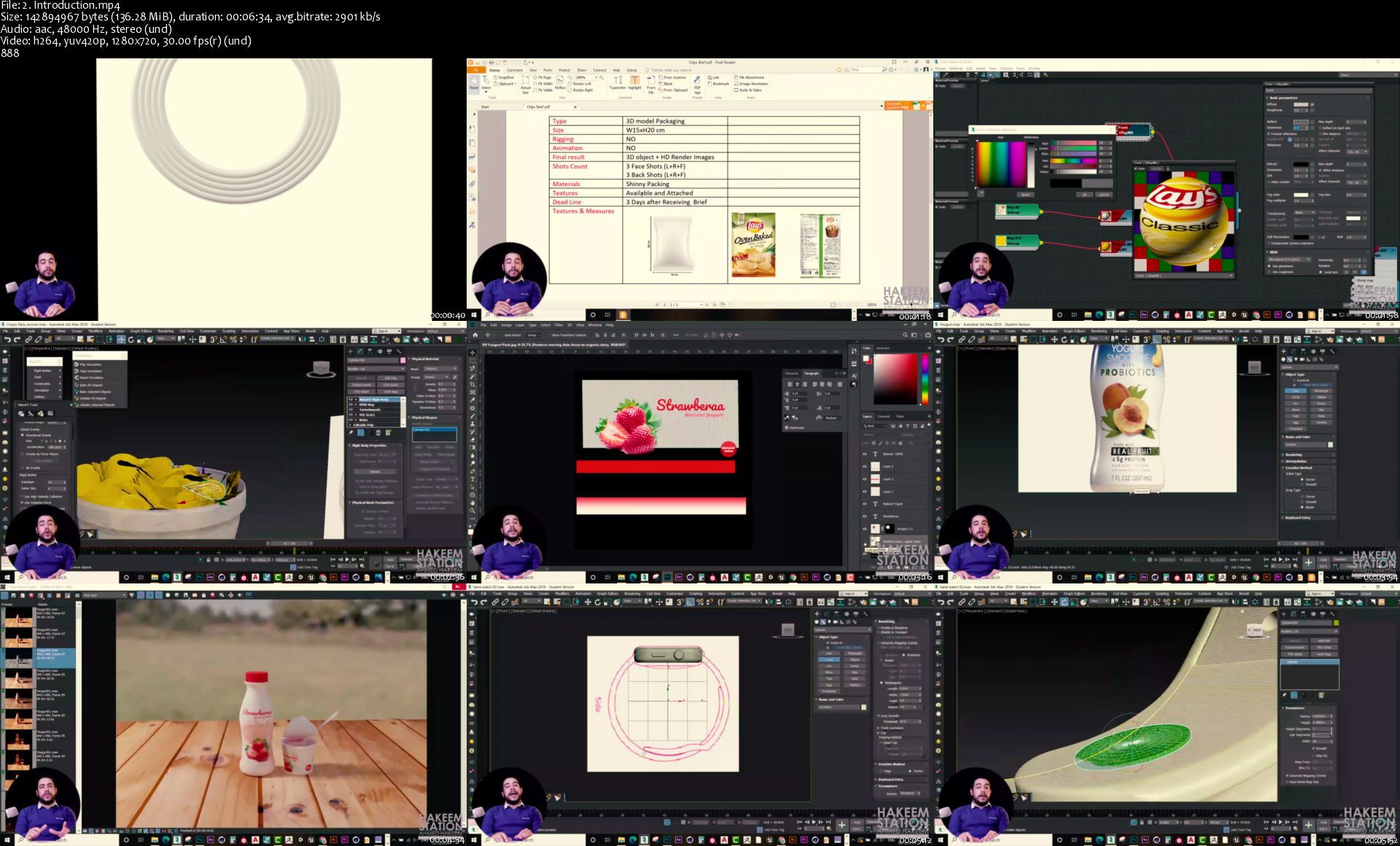
This course contain 3 Workshops (Chips packaging , Yogurt packaging and Hand Watch Model )

1- We will learn the right steps to get successful Product Visualization project starting from getting Brief and what it must that Brief contain.

2- What The Blue Prints and how we can get it and how to use.

3- Different modeling techniques like box modeling , Splines and others.

and We will learn how to model these Beautiful 3 models from scratch using different Modeling techniques starting from the easiest to the hardest , and

4- How to make materials and Textures for those models using different uvs ways .

5- How to make Lighting in v-ray and how to use different types of light like HDRI maps , v ray sun and v ray light .

6- How To Setup Cameras settings and Prepare Perfect Products Render Stage and Render settings .

7- Although this course is not Animation course but we will take some simple animation tricks like camera movement and Dynamics move will help you to take beautiful Shots for your Model

8- We will Learn How To Get and use Crazy Bump Plugin to generate Different Textures and maps.

At the end of that course I Expect you will not be just able to do these 3 models, you will be able to model anything you can imagine with smooth work flow and you will learn in easy way the right steps for Products Visualization

9- And finally I will learn you how to get more beautiful resources like HDRI and Blueprints and free models and textures that will help you much in your work.

Hope you can Join Us in that Learning Trip


Who this course is for:
Any person interested about 3D visualization and Design
Any Person work in Advertising , Media , Film Production and Video Effects
Any Person work or study industrial design , Product Design
Any Student search About how he can make his own Project Prototype
This Course is Suitable for Beginners , Intermediate and professionals


Homepage

2.introductionshwkx7.jpg


Frank Kern - The Three Story System

f02dd0352d3767c2966b1dc3f469f6dc.jpg

Frank Kern - The Three Story System | 54.4 GB​
The Three Story System To Explode My Brand And Get More Customers!

Here's What You're Getting ...
- The exact story-scripting frameworks we've used with our $10,000 per month branding clients ...so you'll know exactly what to say. A $10,000 value!
- Advanced Social Media Made Simple: Next-Level training on how to tell your story on Social Media to build interest, desire, and massive demand ...so you can get customers consistently. A $2997 value!
- The Three-Act Sales System: Your proven roadmap for turning people into customers using simple web pages and easy emails. A $2997 value!
- LIMITED BONUS #1: Winning Web Pages! You're getting 10 of our best converting web pages templates so you can hit the ground running ...without wondering what type of page is going to work best. These are ready for you to customize in Clickfunnels and Wordpress! A $6,000 value!
- LIMITED BONUS #2: Automation Transplants! You're getting six proven email campaigns and their automations ...including pre-written copy templates ..."transplanted" into your marketing system so all you have to do is customize the words. A $15,000 value!
- LIMITED BONUS #3: Advanced Scaling System! You're getting the at-a-glance SANDOR scaling maps and processes that I use to help my Private Clients simplify and scale their businesses at the same time. A $40,000 value!

Screenshots
c51a1c0ec97c8edaa7fa9a17f5e05a70.jpg


Link Download
​
Download Via Rapidgator


Extract files with WinRar 5 or Latest !
 
Entrepreneurship Book Summary Pack by 2000 Books

4fcf3ed5cb069b919c922b32e6602338.png

Mani Vaya - 50 Most Popular Entrepreneurship Books Ever | 12.26 GB ​
300+ Actionable Strategies & Ideas to Scale your Business like a Pro
Extracted from the 50 Best Entrepreneurship Books
Get Concise Video Lessons from the 50 Most Popular Entrepreneurship Books Ever
Most Entrepreneurs know that they must use PRO Strategies to Scale their Business..

But they operate their Business like Amateurs

Lacking long term strategy
They are so busy trying to make just enough money to survive from month to month that they can't think about clear long term strategy to scale the business.
They are stuck in the hamster wheel of day-to-day grind.
Doing more but NOT making more

More sales, more campaigns, more offerings. more is their mantra!
Working harder. Working longer.
But doing more only leads to LINEAR growth - not Exponential SCALE.
Scaling up is a non-linear game.
Lacking systems & processes

They are busy doing everything in the business - operations, fulfillment, marketing, sales, finance.
But they lack the systems, processes and team to truly scale the business like a PRO.

Building a house of cards
The business feels shaky like a house of cards.
It does not have the foundations to withstand the challenging times that every great business must endure.

All You need to do is this:
- Watch our 15 minute Video Book Summaries from our library of 50 Greatest Entrepreneurship Book Summaries
- Pick one of over 300 actionable ideas, tips, tools, strategies and frameworks
- Implement the idea
- Scale Your Business as a result

How would your Business be different if you could:
- Grow your business using the same strategies used by Billionaire entrepreneurs like Elon Musk, Jeff Bezos, Mark Cuban, Michael Dell and many others? They have taught those strategies in their books and I have extracted them for you
- Easily launch new products/services using proven strategies and frameworks taught by star entrepreneurs?
- Have your Business running and generating revenue on Auto-pilot. all because of the systems and processes you have learned from these great books.
- Never be stuck in business again - because you NOW have access to the most powerful business ideas, strategies and frameworks that can help you break through even the most challenging business problems in a matter of minutes. not years.

I know how frustrating and confusing it is especially when you feel you've tried everything..
- Reading random blogs from unknown sources and applying random business hacks
- Listening to fake online gurus who haven't built a legit business themselves
- Creating plan after plan - but not getting results from those plans
- Taking one course after another - hoping that the next course will be the answer to your prayers.
- You don't have the time and money to waste on things that just aren't working.like branding, logos, fancy websites and random business coaches who can't make money in their own business
- You have a tightness in your chest, knowing that next month you'll need to generate revenue - all over again!

You may have been struggling with inconsistent growth, broken systems and up and down numbers. until NOW.

We spent over 1000 hours creating the Entrepreneurship Book Summary Pack.
Step 1 - We curated the 50 highest rated entrepreneurship books of all time
Step 2 - We Read studied those 50 book with full focus - highlighting and taking detailed notes
Step 3 - We extracted the 5-10 most actionable and impactful ideas from each book
Step 4 - We explained those ideas in simple, actionable videos - summarizing each book in 15-20 minute videos
Step 5 - We organized and packaged all those Book Summaries for easy access in the Entrepreneurship Book Summary Pack

HOmepage:

Screenshots
e061788437ec3a066efc77ddb6d0051d.jpg


Link Download
​
Extract files with WinRar 5 or Latest !
 
The Complete 32 + Hour Video Course Bundle - Become A Better Trader

867bfd31c4e5c8075820ea8f302ae351.jpg

The Complete 32 + Hour Video Course Bundle - Become A Better Trader | 4.25 GB​
This complete package filled with an incredible number of real world examples for traders covers all 32+ hours of intensive training on Rob's indicators, setups, strategies, trend trading and more.

Just as importantly, this bundle includes several hours of additional question-and-answer follow-up which leads to Rob clarifying and expounding on several key points, sharing additional strategies and concepts not shared initially in his other videos. This complete course is an absolute must have for your growth and development as a serious financial market participant.

HOmepage:

Screenshots
1d73156264c42b70a973d91392a92eae.jpg


Link Download
​
Extract files with WinRar 5 or Latest !
 
Akshay Hallur - The BloggingX Pro System

8de2a235906ab747af17fbc2744f859b.jpg

Akshay Hallur - BloggingX Pro System | 6.91 GB​
BloggingX Pro Is Lifetime Access to the Ultimate Blogging Training Package
In this training, you'll be learning the exact SYSTEM that I've built to build and grow my portfolio of blogs to make a full-time income blogging. Once you learn proven system, you can just rinse and repeat the exact process, and exponentially grow your income.
Many newbies need real-life guidance, where their questions will be addressed, hence I created this ultimate training program!

What You'll Get in BloggingX Pro?
100+ videos and counting.
In-depth courses and videos teaching you
A-Z of blogging to dominate your niche and earn BIG money from blogging

Plug 'n play framework and templates
You'll be getting access to our niche research, content creation, and SEO frameworks with ready-to-use templates

Processes and checklist
You'll be getting access to all the checklists, documentations, and standard operating procedures to help you implement our system step-by-step or outsource with ease.
Community of like-minded bloggers
You get to ask questions, network with bloggers, get ongoing accountability and support with our community.

Why BloggingX Pro?
- Created by a practitioner who's earning 6-figure income per year (in dollars) consistently.
- Over 100+ in-depth video lessons that are easy to understand.
- The core training videos are completely documented and summarized.
- You get access to all the templates, checklists, processes, and also databases we use personally in our business.
- We implement accountability mechanisms to ensure your success.
- Full transparency (strategies, websites, reports) - With over-the-shoulder guidance.
- The training videos are constantly being updated and new courses being added.
- Community support to help you get ongoing support.

BloggingX Pro is not for you if
- You don't know the importance of borrowing proven systems, processes, and experience while running a business.
- You believe in shortcuts, get-rich-quick schemes, and treat online world as a casino.
- You don't believe in the fact that authority blogging is the future.
- You know that you fail to implement what I teach and just want intellectual entertainment.
- You treat investing in self-education as an expenditure and don't know the importance of proper mentorship.

Homepage:

Screenshots
5a687b829029d60d2254b1132eafd9e5.jpg


Link Download
​
Extract files with WinRar 5 or Latest !
 
Linkedin Learning Building Tools with Python UPDATE 20210223-XQZT

191921721_01-01-building_tools_with_python_c.jpg


Linkedin Learning Building Tools with Python UPDATE 20210223-XQZT | MKV | 87.21 MiB

894 kb/s | 1280x720 | AAC 160 kb/s 2 CH eng


NFO:
File List:

File: 01.01-building_tools_with_python.mkv
Size: 8379302 bytes (7.99 MiB), duration: 00:01:14, avg.bitrate: 906 kb/s
Audio: aac, 48000 Hz, stereo (eng)
Video: h264, yuv420p, 1280x720, 30.00 fps(r) (eng)
Subtitles: eng


Download ( Size: 87.21 MiB ):
Filehosts: Nitroflare, Rapidgator


oHeopzn.png

1 Link/s
6CAF907FB7.png


5hSo1Ay.png

1 Link/s
76C90161DE.png


Packt The Simplest Guideaa to Project Management and PMI-PMP Certification Exam-XQZT

191930099_05-03-timeline_view_of_project_documents_c.jpg


Packt The Simplest Guideaa to Project Management and PMI-PMP Certification Exam-XQZT | MKV | 2.54 GiB

2 081 kb/s 1920x1080 | AAC 2 CH eng


NFO:
File List:

File: packt.the.simplest.guideaa.to.project.management.and.pmi-pmp.certification.exam-xqzt-sample.mkv
Size: 15871845 bytes (15.14 MiB), duration: 00:01:01, avg.bitrate: 2082 kb/s
Audio: aac, 48000 Hz, stereo (eng)
Video: h264, yuv420p, 1920x1080, 30.00 fps(r) (eng)


Download ( Size: 2.54 GiB ):
Filehosts: Nitroflare, Rapidgator


oHeopzn.png

3 Link/s
60B2EE0A6E.png


5hSo1Ay.png

3 Link/s
0CD540D1D1.png


Zurück
Oben Unten