• Regeln für den Video-Bereich:

    In den Börsenbereich gehören nur Angebote die bereits den Allgemeinen Regeln entsprechen.

    Einteilung

    - Folgende Formate gehören in die angegeben Bereiche:
    - Filme: Encodierte Filme von BluRay, DVD, R5, TV, Screener sowie Telesyncs im Format DivX, XviD und x264.
    - DVD: Filme im Format DVD5, DVD9 und HD2DVD.
    - HD: Encodierte Filme mit der Auflösung 720p oder darüber von BluRay, DVD, R5, TV, Screener sowie Telesyncs im Format x264.
    - 3D: Encodierte Filme von BluRay, die in einem 3D Format vorliegen. Dies gilt auch für Dokus, Animation usw.
    - Serien: Cartoon/Zeichentrick, Anime, Tutorials, Dokumentationen, Konzerte/Musik, Sonstiges sind demnach in die entsprechenden Bereiche einzuordnen, auch wenn sie beispielsweise im High Definition-Format oder als DVD5/DVD9/HD2DVD vorliegen. Ausnahme 3D.
    - Bereich Englisch: Englische Releases gehören immer in diesen Bereich.
    - Bereich Talk: Der Bereich, in dem über die Releases diskutiert werden kann, darf, soll und erwünscht ist.


    Angebot/Beitrag erstellen

    - Ein Beitrag darf erst dann erstellt werden, wenn der Upload bei mindestens einem OCH komplett ist. Platzhalter sind untersagt.
    - Bei einem Scenerelease hat der Threadtitel ausschließlich aus dem originalen, unveränderten Releasenamen zu bestehen. Es dürfen keine Veränderungen wie z.B. Sterne, kleine Buchstaben o.ä. vorgenommen werden. Ausnahme Serienbörse:
    - Bei einem Sammelthread für eine Staffel entfällt aus dem Releasename natürlich der Name der Folge. Beispiel: Die Simpsons S21 German DVDRip XviD - ITG
    - Dementsprechend sind also u.a. verboten: Erweiterungen wie "Tipp", "empfehlenswert", "only", "reup", usw. / jegliche andere Zusatzinformation oder Ergänzung, welche nicht in obiger Beschreibung zu finden ist.

    Aufbau des Angebots und Threadtitel

    Der Titel nach folgendem Muster erstellt zu werden. <Name> [3D] [Staffel] [German] <Jahr> <Tonspur> [DL] [Auflösung] <Quelle> <Codec> - <Group>
    Beispiel: The Dark Knight German 2008 AC3 DVDRip XviD - iND
    Beispiel: The Dark Knight 2008 DTS DL BDRip x264 - iND
    Beispiel: The Dark Knight 2008 AC3 DL BDRip XviD - iND
    Beispiel: The Dark Knight German 2008 AC3 720p BluRay x264 iND
    Beispiel: The Dark Knight 2008 DTS DL 1080p BluRay x264 iND
    Beispiel: Die Simpsons S01 German AC3 DVDRip XviD iND
    Beispiel: Die Simpsons S20 German AC3 720p BluRay x264 iND
    Beispiel: Sword Art Online II Ger Sub 2014 AAC 1080p WEBRip x264 - peppermint
    Entsprechend sind also u.a. verboten: Sonderzeichen wie Klammern, Sterne, Ausrufezeichen, Unterstriche, Anführungszeichen / Erweiterungen wie "Tipp", "empfehlenswert", "only", "reup", usw. / jegliche andere Zusatzinformation oder Ergänzung, welche nicht in obiger Beschreibung zu finden ist
    Ausnahmen hiervon können in den Bereichen geregelt sein.

    Die Beiträge sollen wie folgt aufgebaut werden:
    Überschrift entspricht dem Threadtitel
    Cover
    kurze Inhaltsbeschreibung
    Format, Größe, Dauer sind gut lesbar für Downloader außerhalb des Spoilers zu vermerken
    Nfo sind immer Anzugeben und selbige immer im Spoiler in Textform.
    Sind keine Nfo vorhanden z.B. Eigenpublikationen, sind im Spoiler folgende Dateiinformationen zusätzlich anzugeben :
    Quelle
    Video (Auflösung und Bitrate)
    Ton (Sprache, Format und Bitrate der einzelnen Spuren)
    Untertitel (sofern vorhanden)
    Hosterangabe in Textform außerhalb eines Spoiler mit allen enthaltenen Hostern.
    Bei SD kann auf diese zusätzlichen Dateiinformationen verzichtet werden.

    Alle benötigten Passwörter sind, sofern vorhanden, in Textform im Angebot anzugeben.
    Spoiler im Spoiler mit Kommentaren :"Schon Bedankt?" sind unerwünscht.


    Releases

    - Sind Retail-Release verfügbar, sind alle anderen Variationen untersagt. Ausnahmen: Alle deutschen Retail-Release sind CUT, in diesem Fall sind dubbed UNCUT-Release zulässig.
    - Im Serien-Bereich gilt speziell: Wenn ein Retail vor Abschluss einer laufenden Staffel erscheint, darf diese Staffel noch zu Ende gebracht werden.62
    - Gleiche Releases sind unbedingt zusammenzufassen. Das bedeutet, es ist zwingend erforderlich, vor dem Erstellen eines Themas per Suchfunktion zu überprüfen, ob bereits ein Beitrag mit demselben Release besteht. Ist dies der Fall, ist der bereits vorhandene Beitrag zu verwenden.
    - P2P und Scene Releases dürfen nicht verändert oder gar unter einem iND Tag eingestellt werden.


    Support, Diskussionen und Suche

    - Supportanfragen sind entweder per PN oder im Bereich Talk zu stellen.
    - Diskussionen und Bewertungen sind im Talk Bereich zu führen. Fragen an die Uploader haben ausschließlich via PN zu erfolgen, und sind in den Angeboten untersagt.
    - Anfragen zu Upload-Wünschen sind nur im Bereich Suche Video erlaubt. Antworten dürfen nur auf Angebote von MyBoerse.bz verlinkt werden.


    Verbote

    - Untersagt sind mehrere Formate in einem einzigen Angebotsthread, wie beispielsweise das gleichzeitige Anbieten von DivX/XviD, 720p und 1080p in einem Thread. Pro Format, Release und Auflösung ist ein eigener Thread zu eröffnen.
    - Grundsätzlich ebenso verboten sind Dupes. Uploader haben sich an geeigneter Stelle darüber zu informieren, ob es sich bei einem Release um ein Dupe handelt.
    - Gefakte, nur teilweise lauffähige oder unvollständige Angebote sind untersagt. Dies gilt auch für eigene Publikationen, die augenscheinlich nicht selbst von z.B. einer DVD gerippt wurden. Laufende Serien, bei denen noch nicht alle Folgen verfügbar sind, dürfen erstellt und regelmäßig geupdatet werden.
    - Untersagt sind Angebote, welche nur und ausschließlich in einer anderen Sprache als deutsch oder englisch vorliegen. Ausnahmen sind VORHER mit den Moderatoren zu klären.


    Verstoß gegen die Regeln

    - Angebote oder Beiträge, die gegen die Forenregeln verstoßen, sind über den "Melden"-Button im Beitrag zu melden.
  • Bitte registriere dich zunächst um Beiträge zu verfassen und externe Links aufzurufen.

++ Premium IPTV ++ 7000 Live Sender ++ UHD Qualität ++ Mediathek mit 18.000 Inhalten ++


VenneTV


Englische Tutorials

VFX Color Grading and Re-Lighting in Nuke - NK404

5xkav2dxa2myvcjf4vruie6kp7.jpg


VFX Color Grading and Re-Lighting in Nuke - NK404
Genre: eLearning | MP4 | Video: h264, 1280x720 | Audio: aac, 48000 Hz
Language: English | VTT | Size: 5.85 GB | Duration: 12 section | 55 lectures | (8h 44m)


What you'll learn
Advanced Color Grading Techniques
Day to Night Tips and Techniques
Fundamentals of Light and Physics
Image Frequency Separation and Uses
Advanced Color Remap Techniques
Creating Depth Passes from 2d Images
Using a Raytracer to force perspective
Creating animated elements from 2d imagery
Layering and Integrating 2d Elements
Understanding the basics of Color Schemes and Color Balance
Learn to study, observe, and identify patterns from image reference
Bounce light techniques
Stacking Highlights and Keyers
3d / 2.5d Re-Light Tricks
Lining up and model-building a scene
Painting Light Techniques
Using alternative (hidden) merge operations
Building atmosphere elements and casting light through it
2d/3d Techniques to create reflections
Requirements
Have Nuke 12 installed
Have a working computer
Have an internet speed high enough to download the project file (A few gigabytes).
Have at least 5GB storage.

Description
NK404! The fourth part in Alex's Nuke series on Udemy, this time with a massive 8 hour course about advanced color grading and layering techniques. Take your VFX Compositing to the next level.

Why learn from this course?

It's easy to learn Nuke nodes, not so much artistic and visual concepts and techniques to build complex composites. This class heavily leans into learning more in depth about the artistic side of color, balance, highlights and shadow, and how to balance them all together. By re-lighting a scene from day to night entirely, you are forced to combine all of these techniques!

Not only are you getting an 8 hour class for a bargain price, but you are being taught by an industry professional who knows the proper workflows!

Your instructor has worked on feature films such as:

Star Wars: The Rise of Skywalker

Avengers: Endgame
X-Men Apocalypse

The Mandalorian

Fantastic Beasts and Where to Find them

....And many more.

What is this class about?

Light, color, and combining merge operations in Nuke to re-light a scene!

First, what do I need to know entering this course?:

1. A basic understanding of Nuke and Nuke's interface (Taught Alex's Udemy class, NK101).

2. Knowledege about the basic nodes in nuke, and beginner level color correction concepts (Taught Alex's Udemy class, NK101, and Compositing Photo-real Elements in Nuke).

3. Beginner level knowledge on the 3d system in Nuke (Taught Alex's Udemy class, NK202).

4. Beginner / intermediate knowledge of CG compositing (Taught Alex's Udemy class, NK303).

What skills will I learn?

Creating a day to night scene

Gradient Re-mapping Techniques in Nuke

Color Balance and Color Scheme

Studying Reference

Physics of Light and Glossiness

Stacking Different Merge Operations

Highlight stacking Techniques

Advanced color grading techniques

2d and 3d techniques for re-lighting

2d and 3d techniques for creating reflections

Creating and using depth maps

Splitting an image using math operations to control different aspects

Glow stacking techniques, and artistic concepts related

Structuring a composite and templating assets

Lining up and model-building a scene

Creating and layering atmosphere elements

What projects do I get to work on in this course?:

This course will walk you through my composite of the shot shown in the preview. I have split the class into "practical sessions" as well as "theory" and follow along sections. This ensures you can actually apply what you are learning when we go over techniques, but also follow along in different areas!


Who this course is for:

Beginners / Intermediate users learning Nuke but already have a foundational understanding of the 2d and 3d system in nuke

People who have already taken NK101, NK202, NK303, Photo-Real Elements --- my previous classes

Individuals looking for a deeper education in Compositing for a bargain price

Note: You will be required to sign up and download the project files if you want to follow along with this class


Who this course is for:
Beginner to Intermediate Compositors
Learning Compositors who have taken my other beginner Nuke courses (Nk101, 202, 303, Photoreal Elements).
Students learning visual effects
Anyone looking to improve their artistic eye, or learn deeper coloring techniques


Homepage

2.creatingadepthpasssd8j1f.jpg


Revit Structure 2021 from Zero to Hero

k33eei1vpm81jlp7tyshre0kp2.jpg


Revit Structure 2021 from Zero to Hero
Genre: eLearning | MP4 | Video: h264, 1280x720 | Audio: aac, 44100 Hz
Language: English | VTT | Size: 7.74 GB | Duration: 22 section | 59 lectures | (13h 36m)


What you'll learn
Create structural concrete and steel models ready for Analysis and Design using Revit 2021
Requirements
You should be studying/studied Structural Analysis and Design
You should know how to use computer running Windows

Description
In this course, you will learn how to create a full structural model using foundations, columns, beams, beam system, floors. The course will show you how to prepare the model for Structural Analysis software packages, by defining loads, and load combinations. The course contains Concrete structure and Steel structure examples. You will learn how to annotate, tag, detail, your model, along with creating and printing sheets. Other advanced topics will be discussed in the course like creating several types of schedules, how to import CAD files, and link Revit files, how to create your own family. The course will show you how to deal with Trusses, Bracing, Steel connections (using the premade steel connections or Customized steel connections), along with concrete reinforcement (several examples of using different techniques for rebar detailing). Finally you will learn how to customize Revit Environment.

This course is built over exercises. You will have two sets of files: PDF files which carries instructions, and RVT files which will be your starting point for each topic. At the end of each video, you will be instructed to open a certain file to practice what you learned.


Who this course is for:
Anybody interested in Structural modeling, analysis, and design


Homepage

1.creatingsheetsandprtljme.jpg


Shift Nudge - Interface Design Course (PRO packet)

evdgb7bxyoojeog9m54zvpkj7u.png


Shift Nudge - Interface Design Course (PRO packet)
MP4 | Video: h264, 1920x1080 | Audio: AAC, 44.1 KHz, 2 Ch
Genre: eLearning | Language: English | Duration: 84 Lessons (28h 13m) | Size: 18.3 GB

Shift Nudge
is a new online course that teaches the intricate skills of designing visually beautiful interfaces, while balancing functionality and accessibility.

Homepage

17referencess8klq.jpg


OpenCart 3 - Complete Project Professional Ecommerce Course

xdtf8ooi9obr8uoietag6dcjiz.jpg


OpenCart 3 - Complete Project Professional Ecommerce Course
MP4 | Video: h264, 1280x720 | Audio: AAC, 44.1 KHz, 2 Ch
Genre: eLearning | Language: English | Duration: 91 lectures (9h 5m) | Size: 6.39 GB

In This Complete Course You Will Learn How to Create Professional eCommerce Store Using OpenCart, Become OpenCart Expert

What you'll learn:
Start Building Full and Functional eCommerce Website With Opencart 3
Install and Setup OpenCart 3.2 E-Commerce Platform
Setting Up Opencart Blog, News Letter,
Setting Up Marketing , Affiliates, Coupons, Gift Vouchers
Setting Up Theme, Modules, Mega Menu, Layer Sliders
System Setting User, User Group, Languages, Currencies, Zones
Opencart Backup and Restore, SEO, Security
Setting Up Payments, Shipping, Orders Processing
Customize Opencart Header, Footer, Product, Single Product Page, Login, Checkout Page
Install New Module and Customize Module
Adding New Product, Categories, Filters, Options
Setting Up Download able Product, Information Page & More

Requirements
You should be a basic user of Computer and be able to browse Internet
An open mind and willingness to learn a new skill!


Description
Welcome to my course OpenCart 3 - Complete Project Professional Ecommerce Course

Opencart is an open-source PHP based eCommerce software. It helps you set up your own online store and run your eCommerce business cost effectively and one of the fasted growing E-Commerce software that is very fast, lightweight on server, easily customizable and open source.

This comprehensive course is designed for opencart beginners and step by step take you the basics to master level of opencart that you all you need to know. You will be able to build fully - functional A -Z online store with opencart.

I create this course from my professional experience so end of the course i think you will get all that answer that you want to know. My goal is to become you expert, that you can earn money from you new skill.

For your better understand i divide my course with 12 sections like:

SECTION A: Project Introduction

SECTION B: Installing opencart and Opencart Theme in web-server

SECTION C: Customizing Catalog admin menu

SECTION D: Customize Opencart Theme Module

SECTION E: Customizing Opencart Design Section

SECTION F: Customizing Opencart Sales options

SECTION G: Customizing Opencart Customers Options

SECTION I: Customizing Marketing Options.

SECTION J: Customizing System Options

SECTION K: Customize your Theme Design.

SECTION L: Backup and Security

SECTION M: Bonus Feature and more

When i update something new, I add it to the course - at no additional cost to you! This is a course that will continue to add more and more to every aspect of your life.

---------------------------------------------------------------------------------------------------------------------

This course will not remain this price forever! It's time to take action!

without action nothing will change in you life, and I am also not responsible for your actions.

I am excited to see you in the course!

Sincerely,

Kazi Ariyan

Who this course is for
Beginners who wants to Setup E-Commerce Website in OpenCart 3.2.x
Anyone Wants to Make his Own Online Business
Anyone Wants to Know How to Sell Products Online
Freelancers to get started with OpenCart 3.2.X
Everybody Wants to Get New Job at This Field
Everybody Wants to Earn More Money by Easiest Way From the Internet

Homepage

1.projectintroductionnvkro.jpg


Gumroad - Real-time Environment Design in Blender by Jama Jurabaev

007c55dem5kdf.jpg


Gumroad - Real-time Environment Design in Blender
Duration: 4h 55m 59s | .MP4 1920x1080, 30 fps(r) | AAC, 44100 Hz, 2ch | 6.01 GB
Genre: eLearning | Language: English

In this tutorial.

Hold on. This is not a tutorial.

This is a crash course on Real-time environment design in Blender Eevee.

4+ hours of content covering real-time environment creation from A to Z in Blender.

This course is suitable for both, experienced Blender users and for artists making first steps in Blender.

Topics covered:
Megascans set-up
Texture blending
Advanced texture blending
Using decals
Color ramp
Creating custom assets
Desert scene set-up
Realistic light set-up
360 background images
Creating cloud shadows
Physical atmosphere
Painting grass
Camera animation
Volumetric fog
Final scene asset set-up
Final scene lighting set-up
Sunset scene set-up
Night scene set-up

Includes:
4+ hours of narrated video tutorials
Texture nodes blender file

More Info

007c55df7hkvd.jpg


Gumroad - Megacity Blender 2.82

ui4loq41jvo2wkxpdzdmmp5kwd.jpg


Gumroad - Megacity Blender 2.82
Duration: 3h | Video: .MP4 1920x1080, 29.97 fps | Audio: AAC, 44.1 KHz, 2 channels | Size: 9.40 GB
Genre: eLearning | Language: English

This is my full course about creating Megacity in Blender/Photoshop. What you'll get with this course:
- More than 3 hours of narrated videos describing whole process creating complex scenes in Blender/Photoshop
- All PSD.(layers) and PNG. files
- Blender files
- References and textures that i picked for this project.

Main topics:
- Sketch/Composition
- How and where to find right textures
- Modeling/Texturing (Blender)
- Creating a whole big scene
- Lighting in Eevee/Cycles
- Render passes

This course will be very helpful and easy to follow for the beginners. And i hope some advanced users of Blender might find something interesting too.


Homepage

2.googleearthprotextum1knp.jpg


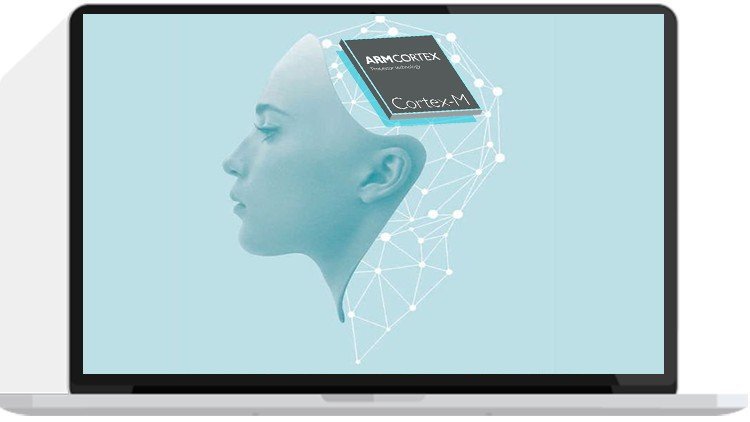
Deep Learning on ARM Processors - From Ground Up™

l9gfbi6iywaui4pltgupjq0k4t.jpg


Deep Learning on ARM Processors - From Ground Up™
MP4 | Video: h264, 1280x720 | Audio: AAC, 44.1 KHz, 2 Ch
Genre: eLearning | Language: English + .srt | Duration: 119 lectures (19h 15m) | Size: 8 GB

Build Artificial Intelligence Firmware from Scratch on ARM Microcontrollers

What you'll learn:
Build Neural Networks from scratch without libraries
Master quantization methods for deploying Neural Networks on microcontrollers
Build a Deep Learning Firmware for Image Classification
Build a Deep Learning firmware for Human Activity Recognition (HAR) e.g. running,walking etc.
Build a Deep Learning Firmware for Handwriting Recognition
Build a Deep Learning Firmware for Acoustic Scene Classification (ASC)
Be able to give a Lecture on Deep Learning

Requirements
STM32F411-NUCLEO BOARD
STM32F429 -DISCO BOARD


Description
Arm copyright material reproduced by kind permission of Arm Limited. Copyright © Arm Limited. All Arm trademarks featured in this course are registered or unregistered trademarks of Arm Limited (or its subsidiaries) in the US or elsewhere. All rights reserved.

Welcome to the Deep Learning From Ground Up™ on ARM Processors course.

We are going to embark on a very exciting journey together. We are going to learn how to build deep neural networks from scratch on our microcontrollers.

We shall begin by learning the basics of deep learning with practical code showing each of the basic building blocks that end up making a giant deep neural network. All of this on our microcontroller, both training and inference.

As we begin to deal with large datasets we shall start training our neural networks on our computers and then deploying the the trained models on our microcontrollers. Due to the limited memory and processing power of microcontrollers we shall learn methods for quantizing our models before deploying them on our resource constrained microcontrollers without compromising the accuracy of our models.

We shall also learn how to thoroughly take advantage of deep learning libraries such as Keras and Tensorflow as well as microncontroller specific deep learning libraries such as CMSIS-NN, CubeMX.AI and TensorFlow Lite.

By the end of this course you will be able to build neural networks from scratch without libraries, be able to master quantization methods for deploying neural networks on microcontrollers , be able to build deep learning firmware for Image Classification, be able to build deep learning firmware for Human Activity Recognition, be able to build deep learning firmware for Handwriting Recognition, be able to use Keras, CMSIS-NN, CubeMX.AI and so much more.

If you are new to machine learning and deep learning, this course is for you. The course starts from the very basic building block of neural networks and teaches you how to build your own neural network using pure c code before we move on to see how to use readily available libraries.

If you already have some experience with deep learning and want to see how to deploy models on microcontrollers you can also join this course. This course gives an in-depth training on the design methodology that needs to be adopted in order to be to deploy models on resource constrained microcontrollers.

Sign up and lets start building some intelligent firmware.

Who this course is for
If you are new to machine learning and deep learning, this course is for you. The course starts from the very basic building block of neural network and teaches you how to build your own neural network using pure c code before we move on to see how to use readily available libraries.
If you already have some experience with deep learning and want to see how to deploy models on microcontrollers you can also join this course. The course gives in-depth train on the design methodology that needs to be adopted in order to be to deploy models on microcontrollers.

Homepage

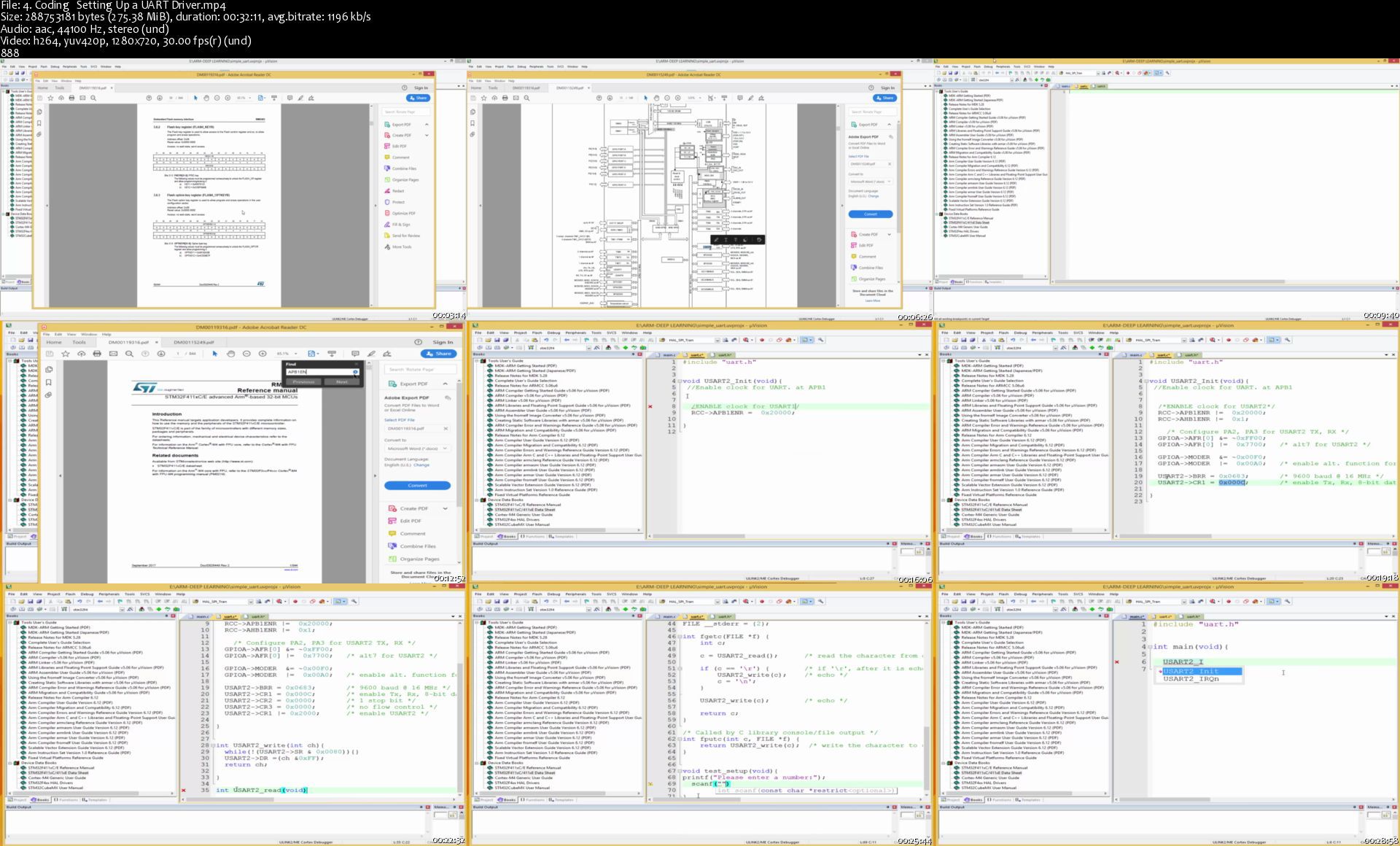
4.codingsettingupauarc3kqq.jpg


CGCircuit - Applied Houdini - Rigids II - v2.0

9f8ufp6h5n8bawcdc5qhqdyknq.jpg


CGCircuit - Applied Houdini - Rigids II - v2.0
Duration: 5h 26min | Video: .MP4 1920x1080, 29.97 fps | Audio: AAC, 44.1 KHz, 2 channels | Size: 8.15 GB
Genre: eLearning | Language: English

Applied Houdini is back with a huge upgrade to one of my most popular tutorials, Rigids II - Structure Destruction! In this lesson we're going to procedurally model a building that takes advantage of geometry instancing in order to create a super memory efficient and detailed rigid body simulation that is still art directable! This beautiful concrete and glass building will be held together with a custom constraint system, and then blown up over and over again when we run a bunch of simulations using Houdini's new Procedural Dependency Graph (or PDG) workflow. These "wedges" will use TOPs nodes to run sims at the same time, render previews, burn in text, and even create final movies on disk that we can use to make decisions about our sim settings. Once we converge on a simulation that we like, we'll shade, light, and render it in Mantra - but also as a bonus, I'll show you how to optimally import our result into Solaris as well, using LOPs to bring our still instanced-enabled geometry over to USD so we can render our building collapse in Karma. There's a lot to learn and love in this new update, and I hope you have fun exploring all the new ways making detailed destruction in Houdini is better than ever!

Applied Houdini is a production quality oriented series created by Steven Knipping, currently a Senior Rigid Body Destruction / FX Technical Director at Lucasfilm's Industrial Light & Magic (Star Wars: Rise of Skywalker, Star Wars: The Last Jedi, Aquaman, Star Wars: Rogue One). Benefit from production proven workflows while also getting an in depth explanation of why things works they way they do. Best of all - each video is crammed with actual information and footnotes instead of gratuitous talking and dead space.


Homepage

01.introductionsv0kem.jpg


Greg Davis & Steve Fantasia - Facebook Ads Domination (2020)

028998038b2ade583dc6d7b90f58d16d.jpg

Greg Davis & Steve Fantasia - Facebook Ads Domination (2020) | 2.46 GB​
The Facebook Scaling Report
So you have a profitable campaign on Facebook, but you can't scale up?
You raise the budget but then your CPM shoots up?
You want to scale like the big guys spending $50k+ everyday?
Losing accounts trying to scale?
You're in the right place.

Some of the things you'll learn:
- Strategies from a 1.5 million month funnel
- What went into a 75k black Friday - get ready to fry your Credit card!
- What works at $300 a day but breaks at $3,000
- Share the complete 25 day blueprint for retargeting and audiences used for 1mm+ ecomm site
- How an ad created the wrong way and it spent $1,600 in only 2 min before I could shut it off
- How to find high ctr images quickly
- Top 10 rookies mistakes costing advertisers thousands
- Why 99% of advertisers fail to scale an offer
- Custom page moderation to eliminate spam from your ad comments and make your life easier
- What I do when a client pays for a 25k ad acct review
- How to test and buy information Key metrics you simply must master to be successful
- Paid ads are not an asset- How to create assets on FB

You'll also learn:
- How to promote a FB group on FB with paid ads
- Advertise FB ads for low cost email gen
- Understanding FB policies to reduce risk of being shut down
- Proven appeal scripts for rejected ads, ad accts and BM's
- How to analyze a lander like a FB policy expert
- Understand the FB review process
- Using the review process for testing
- Understanding FB ad rejections and how to adjust and profit
- How to find hidden interest groups
- Custom audiences you simply must have
- Creating custom audiences that convert
- How to know if you are overlapping your audience with multiple ads and wasting money
- How to start your day/ ad day in the life
- Top 5 mistakes keeping you from scaling
- How is FB tracking your lander, your acct and your Ads
- How to avoid the "dead period" of FB ads
- Understanding the Learning Phase and how to maximize
- Creating custom dash views to speed your management
- Exporting reports
- Auto rules to set your campaigns on auto pilot
- FB acct dashboard and dissect numbers like a million dollar publisher
- Custom bid optimization
- 5 ways to scale that actually work
- When to scale a profitable campaign
- Hacking the FB algorithm from the start
- Campaign management - know when to hold 'em and when to fold 'em
- Limitations of the scheduled ad delivery and viable alternatives
- How to research competitor landers/creative
- How to spy on your competitors for free directly on FB
- How to review fan page quality
- How to multiply social engagement across all your ads
- Aggressive high CTR ad copy that won't get you shutdown
- How to reduce your CPM
- How to use pixels when your offer has no end event pixel
- Setting up custom pixel events and mapping out a funnel

You'll get incredible training on:
- Lander/funnel optimization
- Understanding your funnel by the numbers and finding the weak spot
- Hidden Hack to get any BM Verified
- How to super charge ur personal ad profile
- How to get FB chat support
- How to get national importance certified and run almost anything
- How to read the "tea leaves" of FB policy
- Why "FB reps" are actually useless
- How to talk to an Affiliate rep to squeeze the most out of them
- When to know you deserve a payout bump
- What your affiliate manager hopes you don't know
- How to optimize you FB ad delivery by offer payout
- Don't make the biggest mistake almost all affiliates are making

Homepage:

Screenshots
d549e648e30cba832a09f3820579b4a7.jpg


Link Download
​
Extract files with WinRar 5 or Latest !
 
Python Certification Training (beginner to expert)

vqllmdi9lbblwjojvyk4b6kk0e.jpg


Python Certification Training (beginner to expert)
Genre: eLearning | MP4 | Video: h264, 1280x720 | Audio: aac, 44100 Hz
Language: English | VTT | Size: 13.4 GB | Duration: 20 section | 47 lectures | (29h 21m)


What you'll learn
Learn Python Programming from scratch to the most advanced level
Prepare for Python Certifications and Job Interviews
What is Python and Python Programming
Why to learn Python
History, Features, Application of Python Programming
Setup of Python Programming - Getting and Installing Python
Create and run the first Python Program
Variables and Data Types
Python Identifiers, Keywords, Reading Input, Output Formatting
Operators in Python - arithmetic, relational, assignment, logical, membership, identify, bitwise
Python programs for all types of operators
Decision making and Types of decision-making statements
Syntax, flowchart and programs for if, if..else, elif
Loops - Introduction, Types of loop (for, while, infinite, nested)
Break, Continue, Pass statements
Python programs for all types of loops
Numbers - Number Type Conversions, Random Number Functions, Trigonometric Functions
Mathematical Constants
Strings - Accessing values in Strings, Updating Strings, String Special Operators, Built-in String Methods
Lists - Python Lists, Accessing values in Lists, Updating Lists, Deleting List Elements, Basic List Operations
Built-in List Functions & Methods
Tuples - Accessing values in Tuples, Updating Tuples, Deleting Tuple Elements, Basic Tuple Operations
Built-in Tuple Functions, Difference between List and Tuple
Dictionary - Accessing values in Dictionary, Updating Dictionary, Delete Dictionary Elements
Properties of Dictionary Keys, Built-in Dictionary Functions and Methods
Data and Time - Tick, TimeTuple, Getting current time, Getting formatted time, Getting Calendar for a month
Functions - Defining a Function, Calling a Function, Passing by Reference vs. Passing by Value
Ways to write Function, Types of Functions, Anonymous Functions, Recursive Functions
Modules - What is a Module, Creating a Module, import Statement, The 'from' import Statement
Renaming and Locating Modules
Files I/O - Printing to the Screen, Opening and Closing Files, The open Function, The file Object Attributes
The close() Method, Reading & Writing Files, the write() Method, the read() Method, More operations on Files
Exceptions - What is Exception, Handling an Exception
The except Clause with No Exceptions and with Multiple Exceptions
The try-finally Clause, List of Standard Exceptions, Raising an Exception, Argument of an Exception
Classes and Objects - What is a Class, What is an Object, Creating a Class, Creating an Object, Self in Python, _init_ Method, Examples
Regular Expression - What is Regular Expression, Metacharacters, match(), search(), rematch() vs. research(), findall(), split(), sub()
GUI Programming - What is GUI Programming, Tkinter Programming, Tkinter Widgets
Building Your First Python GUI program with Tkinter

Requirements
Enthusiasm and determination to make your mark on the world!

Description
Python Programming - course syllabus

Introduction to Python Programming

What is Python Programming?

History of Python Programming

Features of Python Programming

Why to learn Python Programming

Application of Python Programming

Setup of Python Programming

Getting Python

Installation of Python

Getting started with the first Python program

Running the first Python Program

Variables and Data Types

What is a variable?

Declaration of variable

Variable assignment

Data types in Python

Checking Data type

Data types Conversion

Python programs for Variables and Data Types

Python Identifiers, Keywords, Reading Input, Output Formatting

What is an Identifier?

Keywords

Reading Input

Taking multiple inputs from user

Output Formatting

Python end parameter

Operators in Python

Operators and types of operators

a) Arithmetic Operators

b) Relational Operators

c) Assignment Operators

d) Logical Operators

e) Membership Operators

f) Identity Operators

g) Bitwise Operators

Python programs for all types of operators

Decision Making

Introduction to Decision making

Types of decision-making statements

Introduction, syntax, flowchart and programs for

a) if statement

b) if.else statement

c) elif statement

Loops

Introduction to loops

Types of loops

a) for loop

b) while loop

c) infinite loop

d) nested loop

Break, continue and pass statement

Python programs for all types of loops

Numbers

Number Type Conversion

Random Number Functions

Trigonometric Functions

Mathematical Constants

Strings

Accessing Values in Strings

Updating Strings

String Special Operators

Built-in String Methods

Lists

Python Lists

Accessing Values in Lists

Updating Lists

Deleting List Elements

Basic List Operations

Built-in List Functions and Methods

Tuples

Accessing Values in Tuples

Updating Tuples

Deleting Tuple Elements

Basic Tuples Operations

Built-in Tuple Functions

Difference between list and tuple

Dictionary

Accessing Values in Dictionary

Updating Dictionary

Delete Dictionary Elements

Properties of Dictionary Keys

Built-in Dictionary Functions and Methods

Date and Time

What is Tick?

What is TimeTuple?

Getting Current Time

Getting Formatted Time

Getting Calendar for a Month

Functions

Defining a Function

Calling a Function

Passing by Reference versus Passing by Value

Ways to write function

Types of functions

Anonymous function

Recursive Function

Modules

What is a module?

Creating a module

The import Statement

The 'from' import Statement

Renaming a module

Using the dir() function

The 'from' import * Statement

Locating Modules

Files I/O

Printing to the Screen

Opening and Closing Files

The open Function

The file Object Attributes

The close() Method

Reading and Writing Files

The write() Method

The read() Method

More Operations on Files

Exceptions

What is Exception?

Handling an Exception

The except Clause with No Exceptions

The except Clause with Multiple Exceptions

The try-finally Clause

List of Standard Exception

Raising an Exception

Argument of an Exception

Classes and Objects

What is an Object?

What is a Class?

Creating a Class

Creating an object

Self in Python

__init__ method

Examples

Regular Expression

What is a Regular Expression?

Metacharacters

match() function

search() function

re.match() vs re.search()

findall() function

split() function

sub() function

GUI Programming

What is a GUI Programming?

Tkinter Programming

Tkinter Widgets

Building Your First Python GUI program with Tkinter


Who this course is for:
Python Developers and Software Engineers
Application Developers (Python, R)
Anyone wishing to learn Programming in Python
Python Developers - Web, JavaScript
Data Scientists and Lead Data Scientists
Data Engineers
Data Analytics Consultants
Data Consultants & Analysts
Technical Architects
Newbies and Beginners aspiring to make a career in Data Science, Machine Learning, Programming
Machine Learning Engineers & AI Engineers
Software Programmers
Python Engineers


Homepage

1.introductiontopytho2ujzv.jpg


PyQt5 From A-Z

srzyoamfnrjqtpvtfjbjf9cj4z.jpg


PyQt5 From A-Z
MP4 | Video: h264, 1280x720 | Audio: AAC, 44.1 KHz, 2 Ch
Genre: eLearning | Language: English + .srt | Duration: 96 lectures (19h 59s) | Size: 6.95 GB

Graphical User Interfaces with Python

What you'll learn:
The basics of PyQt5 to develop GUI applications in Python
PyQt5 Data Types
PyQt5 Widgets
PyQt5 Layouts
Using Qt Designer to develop user interfaces
Database applications with QtSQL
Multi-threaded applications with QThread
Styling your application with Qt Style Sheets
Much More!

Requirements
The students should be familiar with Python as a procedural language and as an object-oriented language. I do provide some back ground on objects in python but more experience would be beneficial.


Description
Learn to develop modern graphical user interfaces in Python that have the look and feel of your native operating system, whether its Windows, MacOs, or Linux. Learn when and how to use text boxes, comboboxes, file dialogs, date and color pickers, web page viewers, images, and more to create state of the art applications with menus, toolbars, and user size-able windows.

When your GUI is finished learn how to populate it with data from a SQL database and allow users to modify that data and save their changes in full featured applications. Learn how to create multi-threaded applications so that data processing doesn't interfere with the user interface.

Who this course is for
Python programmers who want to expand their skillset to include graphical user interfaces for their Python programs. You do not need to be a professional programmer but I do expect the students to have some experience with Python and general programming methods.

Homepage

2.implementingabackgr8ukms.jpg


MikroTik Network Associate with LABS

wubou39o7yvy8ujulkrfqk3kgy.jpg


MikroTik Network Associate with LABS
MP4 | Video: h264, 1280x720 | Audio: AAC, 44.1 KHz, 2 Ch
Genre: eLearning | Language: English | Duration: 65 lectures (13h 10m) | Size: 11.5 GB

Master the topics of the MikroTik MTCNA track using the theory & practical LABS and be ready for the MTCNA exam

What you'll learn:
Understand the outline of the MTCNA course
Know how to register for the MTCNA exam
Understand what is MikroTik and where it is located
Understand the difference between RouterOS and RouterBOARD
Know how to get 1st access on the MikroTik router using WebFig
Understand how to use Quick Set to make your router working
Understand the usage of the Winbox utility to connect to the router via MAC address
Understand the difference between Telnet and SSH and how to use them to connect to the MikroTik router
Understand the basic command line syntax's on MikroTik terminal
Know how to connect the MikroTik router to the internet
Understand how to configure DHCP client
Understand how to share internet to the LAN PCs using the NAT
Be able to troubleshoot internet connection problem on your MikroTik router and your LAN PCs
Know how to upgrade the RouterOS via 3 different ways
Understand the function of the RouterBOOT & how you can upgrade it
Understand how to create users and custom groups
Understand how to use Public and Private keys to connect via SSH
Managing RouterOS Services
Understand the difference between the Binary and export backup
Understand how to reset the RouterOS configuration from Winbox
Understand how to do Hardware reset on RouterOS routers
Understand how to use Netinstall to reflash the MikroTik RoutersOS
Understand the different type of licenses for RouterOS and CHR
Understand and configure DHCP Server and DHCP client
Understand APR and manipulate it on MikroTik (enabled, disabled, ARP-Reply)
Understand what is the function of the Bridge
Understand how and where to use Station Bridge on the Wireless
Have an overview idea about MikroTik Firewall
Understand what is the function of connection tracking and its affect to the Firewall
Understand what are the connection states and how to configure them correctly on the Firewall
Understand how to redirect all DNS queries to the MikroTik Router
Understand the usage of the DST-NAT
Know what is VPN and why it is important
Understand the PPTP protocol
Know how to configure PPTP site-to-site VPN on MikroTik RouterOS
Understand the SSTP protocol
Understand how to configure SSTP site-to-site VPN with and without certificates
Understand how to configure SSTP remote access VPN
Understand the different types of Routing
Understand the function of administrative distance in routing
Understand and configure FastTrack on IP Firewall
Understand and configure PPPoE Server and client
Understand how simple queues work
Know how to configure simple queues
Understand and configure burst on QOS
Configure one simple queue for the whole network (PCQ)
Understand and configure Burst on MikroTik
Configure the Router to be able to send emails
Monitor network and devices using Netwatch tool and use scripting to send emails as notifications
Understand Ping tool, Traceroute tool and CPU profile tool
Understand torch tool, interface monitor and graph
Understand wireless fundamentals
Understand the different wireless standards and Frequencies
Configure a wireless AP Bridge on MikroTik
Connect MikroTik Wireless station to the AP
Understand the access list on wireless for MAC filtering

Requirements
Basic networking skills
Knowledge of the TCP/IP protocol
Basic computer skills


Description
***This course is not officially sponsored by MikroTik and not an authorized course by MikroTik. We are neither affiliated with nor endorsed by MikroTik. We respect the Trademarks of the mentioned company and institution.***

MikroTik MTCNA is the entry level for any student or engineer who wants to start learning MikroTik. MTCNA is always a prerequisite course for the more advanced tracks that MikroTik is providing.

For this reason, I have designed this course to help you to get a 1st insight to MikroTik and help you to understand all topics that are available on the MTCNA track to be able to be ready for the MTCNA exam.

This course will contain theories but a lot of LABS. For this reason, if you want to follow this course I advice you to have 1 PC and 2 MikroTik Routers with 5 UTP Cables.

In this course, you will learn the following topics:

About MikroTik

First time accessing the router

RouterOS Command line interface (CLI)

RouterOS CLI principales

Initial configuration (internet access)

Upgrading RouterOS

Router Identity

Manager RouterOS logins

Manage RouterOS services

Managing configuration backups

Resetting a RouterOS device

Reinstalling a RouterOS device (Netinstall)

RouterOC license levels

DHCP server and client

Address Resolution Protocol (ARP)

Bridging overview

Bridge wireless networks

Routing overview

Static routing

Firewall principles

Firewall Filter in action

Destination NAT

FastTrack

Simple Queue

One simple queue for the whole network (PCQ)

PPP settings

IP pool

PPPoe

PPTP and SSTP

RouterOS tools (Email, Netwatch, Ping, Traceroute, Profiler)

Interface traffic monitor

Torch

Graphs

The Dude

Wireless Fundamentals

Wireless AP Bridge vs Station

Wireless Default authenticate

Wireless Access list

As you can see, there are many topics that are covered in this course and on each of the topics there are sub-topics. A lot of LABS will be done on each of the topics so you can understand practically how you can configure all these topics on the MikroTik.

Finally, if you want to have a global understanding of all MTCNA topics and be ready for the MTCNA exam, all you need to do is to register to my course and I am sure that your goal will be achieved.

Who this course is for
Engineers who want to learn how to use MikroTik products in their networks
Students who want to learn and be ready for the MikroTik MTCNA exam

Homepage

3332routingoverviewankikow.jpg


Zurück
Oben Unten