• Regeln für den Video-Bereich:

    In den Börsenbereich gehören nur Angebote die bereits den Allgemeinen Regeln entsprechen.

    Einteilung

    - Folgende Formate gehören in die angegeben Bereiche:
    - Filme: Encodierte Filme von BluRay, DVD, R5, TV, Screener sowie Telesyncs im Format DivX, XviD und x264.
    - DVD: Filme im Format DVD5, DVD9 und HD2DVD.
    - HD: Encodierte Filme mit der Auflösung 720p oder darüber von BluRay, DVD, R5, TV, Screener sowie Telesyncs im Format x264.
    - 3D: Encodierte Filme von BluRay, die in einem 3D Format vorliegen. Dies gilt auch für Dokus, Animation usw.
    - Serien: Cartoon/Zeichentrick, Anime, Tutorials, Dokumentationen, Konzerte/Musik, Sonstiges sind demnach in die entsprechenden Bereiche einzuordnen, auch wenn sie beispielsweise im High Definition-Format oder als DVD5/DVD9/HD2DVD vorliegen. Ausnahme 3D.
    - Bereich Englisch: Englische Releases gehören immer in diesen Bereich.
    - Bereich Talk: Der Bereich, in dem über die Releases diskutiert werden kann, darf, soll und erwünscht ist.


    Angebot/Beitrag erstellen

    - Ein Beitrag darf erst dann erstellt werden, wenn der Upload bei mindestens einem OCH komplett ist. Platzhalter sind untersagt.
    - Bei einem Scenerelease hat der Threadtitel ausschließlich aus dem originalen, unveränderten Releasenamen zu bestehen. Es dürfen keine Veränderungen wie z.B. Sterne, kleine Buchstaben o.ä. vorgenommen werden. Ausnahme Serienbörse:
    - Bei einem Sammelthread für eine Staffel entfällt aus dem Releasename natürlich der Name der Folge. Beispiel: Die Simpsons S21 German DVDRip XviD - ITG
    - Dementsprechend sind also u.a. verboten: Erweiterungen wie "Tipp", "empfehlenswert", "only", "reup", usw. / jegliche andere Zusatzinformation oder Ergänzung, welche nicht in obiger Beschreibung zu finden ist.

    Aufbau des Angebots und Threadtitel

    Der Titel nach folgendem Muster erstellt zu werden. <Name> [3D] [Staffel] [German] <Jahr> <Tonspur> [DL] [Auflösung] <Quelle> <Codec> - <Group>
    Beispiel: The Dark Knight German 2008 AC3 DVDRip XviD - iND
    Beispiel: The Dark Knight 2008 DTS DL BDRip x264 - iND
    Beispiel: The Dark Knight 2008 AC3 DL BDRip XviD - iND
    Beispiel: The Dark Knight German 2008 AC3 720p BluRay x264 iND
    Beispiel: The Dark Knight 2008 DTS DL 1080p BluRay x264 iND
    Beispiel: Die Simpsons S01 German AC3 DVDRip XviD iND
    Beispiel: Die Simpsons S20 German AC3 720p BluRay x264 iND
    Beispiel: Sword Art Online II Ger Sub 2014 AAC 1080p WEBRip x264 - peppermint
    Entsprechend sind also u.a. verboten: Sonderzeichen wie Klammern, Sterne, Ausrufezeichen, Unterstriche, Anführungszeichen / Erweiterungen wie "Tipp", "empfehlenswert", "only", "reup", usw. / jegliche andere Zusatzinformation oder Ergänzung, welche nicht in obiger Beschreibung zu finden ist
    Ausnahmen hiervon können in den Bereichen geregelt sein.

    Die Beiträge sollen wie folgt aufgebaut werden:
    Überschrift entspricht dem Threadtitel
    Cover
    kurze Inhaltsbeschreibung
    Format, Größe, Dauer sind gut lesbar für Downloader außerhalb des Spoilers zu vermerken
    Nfo sind immer Anzugeben und selbige immer im Spoiler in Textform.
    Sind keine Nfo vorhanden z.B. Eigenpublikationen, sind im Spoiler folgende Dateiinformationen zusätzlich anzugeben :
    Quelle
    Video (Auflösung und Bitrate)
    Ton (Sprache, Format und Bitrate der einzelnen Spuren)
    Untertitel (sofern vorhanden)
    Hosterangabe in Textform außerhalb eines Spoiler mit allen enthaltenen Hostern.
    Bei SD kann auf diese zusätzlichen Dateiinformationen verzichtet werden.

    Alle benötigten Passwörter sind, sofern vorhanden, in Textform im Angebot anzugeben.
    Spoiler im Spoiler mit Kommentaren :"Schon Bedankt?" sind unerwünscht.


    Releases

    - Sind Retail-Release verfügbar, sind alle anderen Variationen untersagt. Ausnahmen: Alle deutschen Retail-Release sind CUT, in diesem Fall sind dubbed UNCUT-Release zulässig.
    - Im Serien-Bereich gilt speziell: Wenn ein Retail vor Abschluss einer laufenden Staffel erscheint, darf diese Staffel noch zu Ende gebracht werden.62
    - Gleiche Releases sind unbedingt zusammenzufassen. Das bedeutet, es ist zwingend erforderlich, vor dem Erstellen eines Themas per Suchfunktion zu überprüfen, ob bereits ein Beitrag mit demselben Release besteht. Ist dies der Fall, ist der bereits vorhandene Beitrag zu verwenden.
    - P2P und Scene Releases dürfen nicht verändert oder gar unter einem iND Tag eingestellt werden.


    Support, Diskussionen und Suche

    - Supportanfragen sind entweder per PN oder im Bereich Talk zu stellen.
    - Diskussionen und Bewertungen sind im Talk Bereich zu führen. Fragen an die Uploader haben ausschließlich via PN zu erfolgen, und sind in den Angeboten untersagt.
    - Anfragen zu Upload-Wünschen sind nur im Bereich Suche Video erlaubt. Antworten dürfen nur auf Angebote von MyBoerse.bz verlinkt werden.


    Verbote

    - Untersagt sind mehrere Formate in einem einzigen Angebotsthread, wie beispielsweise das gleichzeitige Anbieten von DivX/XviD, 720p und 1080p in einem Thread. Pro Format, Release und Auflösung ist ein eigener Thread zu eröffnen.
    - Grundsätzlich ebenso verboten sind Dupes. Uploader haben sich an geeigneter Stelle darüber zu informieren, ob es sich bei einem Release um ein Dupe handelt.
    - Gefakte, nur teilweise lauffähige oder unvollständige Angebote sind untersagt. Dies gilt auch für eigene Publikationen, die augenscheinlich nicht selbst von z.B. einer DVD gerippt wurden. Laufende Serien, bei denen noch nicht alle Folgen verfügbar sind, dürfen erstellt und regelmäßig geupdatet werden.
    - Untersagt sind Angebote, welche nur und ausschließlich in einer anderen Sprache als deutsch oder englisch vorliegen. Ausnahmen sind VORHER mit den Moderatoren zu klären.


    Verstoß gegen die Regeln

    - Angebote oder Beiträge, die gegen die Forenregeln verstoßen, sind über den "Melden"-Button im Beitrag zu melden.
  • Bitte registriere dich zunächst um Beiträge zu verfassen und externe Links aufzurufen.

++ Premium IPTV ++ 7000 Live Sender ++ UHD Qualität ++ Mediathek mit 18.000 Inhalten ++


VenneTV


Englische Tutorials

Java Collections from basics to Advanced

asgrfblzc18kr82i2aa1mvbku0.jpg


Java Collections from basics to Advanced
Genre: eLearning | MP4 | Video: h264, 1280x720 | Audio: aac, 48000 Hz
Language: English | VTT | Size: 5.25 GB | Duration: 15 section | 107 lectures | (11h 22m)


What you'll learn
Data Structures using collections
Java Collections framework
Concurrent or synchronized Collections
Lambda
Streams
Parallel Streams
Arrays in Depth
Generics

Requirements
Basics Java
Patience and zeal to Learn

Description
BEST in Class course for Java Collections, underlying implementation of Data Structures used in Collections, Advanced Java Collections,Concurrent Collections, Java Generics , Java Lambda and Streams to deal with any kind of data.

This course will empower you to solve any data structure problem using Java.

This course will not only cover Java way to deal with data - Java Collection Framework and Advanced Java Collection APIs but also cover the Modern way of dealing with data in Java by covering Lambda and Streams APIs to make your life easier.

We will also explain the underlying data structure before coming to any collection implementation.

We will cover all the below topics in detail :

Arrays - Basics Java Construct all Data structures are directly indirectly built upon arrays

Generics - Type safe and reuable Collections would not have been possible without it.

Collections - Yeah! Most of the data structures Java already supplies in form of Collections.

Concurrent Collections - Collections in multi threading environment,

Lambda Expression - New Java way of writing code

Streams - Give sppeed to your collections and write clean and small code to do a lot of things.

Details :

Arrays

01 -Arrays and Single D Arrays

02- MultiDArrays

03- Declaration and initialization,creation of Arrays

04- Playing with Syntax

05- Traversing Arrays,Length of Array

06- Types of Array based on elements it holds

07- Assigning and Reassigning Array Objects to Array References

08- Anonymous arrays

Collections - Deep Dive ... we have broken this into multiple sections.

List

01 - List interface

02 - Array Lists

03 - Linked Lists

04 - Vector

05 - Stack

06 - Cursors to travesrse the data...

Then we will cover set under collections...

01 - HashSet

02 - LinkedHashSet

03 - SortedSet

04 - NavigableSet

05 - TreeSet

05 - Comparable and Comparator

Then we will move to MAP - and this a very important we have explained this in very very detail ...

Belive me if you want to know a Data Structure make sure you know Map.... the complexity of searching and placing an element in Map is O(1).

In Map we will cover...

01-HashMap and its internal Working

02-Difference bw HashMap and HashTable

03-Linked HashMap

04 - IdentityHashMap

05 - WeakHashMap

06 - Sorted Map

07 - NavigableMap

08 - TreeMap

09- Summary Of Map

Then we will move to the next section ... Concurrent Collections... and this section is also very detailed..

01 Section Introduction

02 Need of Concurrent Collections

03 Concurrent Modification Exception

04 How Concurrent Collection Solved the problems

05 ConncurentHashMap Heirarchy and Methods

06 ConncurentHashMap internal Implementation

07 ConncurentHashMap in Multithreading Envoirnment Program Demo

09 CopyonWrite ArrayList

10 CopyOnWriteArrayList - Constctuctors and Methods

11 CopyOnWriteArraySet

After That we will start Lambda Expression the efficient may to write code started in Java 8 , we will also show you how you will be able to simplify your collection code using ... Lambda..

01 - Lambda Introduction

02 - Write Lambda Expression

03 - Functinoal Interfaces

04 - Invoke Lambda

05-few more Examples of invoking Lambda

06 Lambda Summary

07 Lambda With Collections

08 comparator - Lambda

09 Sorting a List Without Lambda and With Lambda

10 predefined Functional Interfaces - Predicates

11 Predicates Example

12 function

13 consumer

14 Supplier

15 Double Colun Operator Method reference

16 Double Colun Operator Constructor reference

After that we will start Streams i think the most important concept to learn if you are using Java 8 and Beyond, this can process your data not simply but efficiently.

01- Streams basics code to get familiar with Syntax

02- stream in Detail - Filter() and Map() Methods

04- More on Methods in Streams

05- More on Streams

06 - Parallel Streams

07 - Sequential vs Parallel streams performance Comparison

08- Summary Of Streams and what we learned

We will keep on covering Collections best Practice and common pitfalls

By End of this course you will start fall in Love in collections and with your data. You will also love Java's modern way of dealing with data using lambda and streams.

We have covered each and every topic in very much detail.

Last but not least : This course comes with a 30 days money back guarantee if it does not fit in your needs, and we are always available to answer your questions.

HAPPY LEARNING

Basics Strong


Who this course is for:
Students who wants Mater to Collections and Concurrent Collection in Java
Master Java Streams and Lambda
Master Generics
Master Arrays
Master Data Structures using collections


Homepage

1.introductions62j8s.jpg


Complete Web & Mobile Designer in 2020: UI/UX, Figma + more

g0yx0psi6s6f0np9tnjsx44k95.png


Complete Web & Mobile Designer in 2020: UI/UX, Figma + more
MP4 | Video: h264, 1280x720 | Audio: AAC, 44.1 KHz, 2 Ch
Genre: eLearning | Language: English | Duration: 193 Lessons (21h 12m) | Size: 5.41 GB

Get hired as a designer in 2020! This is the only design bootcamp you need to learn and master web & mobile design, UI & UX, and HTML & CSS

What you'll learn
✓Build beautifully designed web and mobile projects for your customers using modern tools used by top companies in 2020
✓Immediate access to 100+ assets and premium design templates that you can keep and use to customize all your future projects
✓Master Figma for your design needs then learn to convert your designs into a live HTML and CSS website
✓Master both Web and Mobile design principles and how to go from sketching to fully-fledged high fidelity designs that will wow customers
✓Learn best practices and expert tips & tricks that would take you years to learn working full-time
✓Learn UI/UX best practices using the latest trends in the industry
✓Get hired as a Designer or become a freelancer that can work from anywhere and for anyone. Designers are in high demand!
✓Have an amazing design portfolio customized and professionally completed by the end of the course (we provide it for you!)
✓Learn to design for all types of devices using Figma and other tools used by some of the top designers in the world
✓Learn to use HTML5 and CSS3 to make your designs come to life and create fully working websites
✓Learn to make professional logos and design choices for all branding needs
✓Learn to be a designer as well as a web developer at the same time (a rare combination of skills that will get you hired faster)!

Homepage

lesson31sv8kcg.jpg


Cinematic Lighting 2020

p5x4fxzecr2djos31fmq247jw6.jpg


Cinematic Lighting 2020
Genre: eLearning | MP4 | Video: h264, 1280x720 | Audio: aac, 48000 Hz
Language: English | VTT | Size: 5.43 GB | Duration: 5 section | 19 lectures | (4h 28m)


What you'll learn
How to create depth and contrast in your shots
How to light for both the master shot and the coverage
How and when to use HMI, fluorescent, LED and traditional tungsten lighting
How to use natural light to your advantage, and how to mould it
How to use a light meter and false colours to correctly expose your image
How to use smoke or haze to create atmosphere
How to simulate sunlight, moonlight and firelight
Requirements
Students should have a grasp of basic cinematography concepts like white balance and depth of field.
A familiarity with the principle of three-point lighting will be useful, but not essential.

Description
This course is an advanced and in-depth guide to arguably the most important part of a Director of Photography's job: designing the lighting.

Rather than demonstrating techniques in isolation in a studio, this course takes place entirely on location. The intent is to show the realities of creating beautiful lighting while dealing with the usual challenges of real independent film production, like time, weather and equipment, as well as meeting the requirements of the script.

The course consists of four modules: Day Exterior, Day Interior, Night Interior and Night Exterior. Each module follows the blocking, lighting and shooting of a short scripted scene (inspired by the fantasy web series Ren: The Girl with the Mark) with two actors in full costume. Watch experienced Director of Photography Neil Oseman and his team set up all the fixtures, control the light with flags and rags, and make adjustments when the camera moves around for the coverage. Every step of the way, Neil explains what he's doing and why, as well as the alternatives you could consider for your own films. Each module concludes with the final edited scene so that you can see the end result.


Who this course is for:
Cinematography students
Camera operators looking to move up to Director of Photography
Corporate/industrial filmmakers looking to move into drama
Indie filmmakers looking to increase their production values


Homepage

4.shapingthesinglesszkk28.jpg


Become an instant magician with the best Simple Magic Tricks

cjga0irg6lcondqx77a59objqj.jpg


Become an instant magician with the best Simple Magic Tricks
Genre: eLearning | MP4 | Video: h264, 1280x720 | Audio: aac, 48000 Hz
Language: English | Size: 8.55 GB | Duration: 10 section | 168 lectures | (7h 12m)


What you'll learn
perform the best SIMPLE and AMAZING magic tricks
do magic with everyday objects
perform magic in different environments
become an instant magician
become a master in impromptu magic
amaze your friends
be a star at your party
master the very best simple and easy magic tricks
Requirements
no pre knowledge needed
everybody can start immediately
all ages are welcomed
most of the tricks are using things you already have at home

Description
LARGEST magic course with the MOST students on Udemy bringing you the very BEST simple and EASY magic tricks you can master in minutes. These tricks are magicians best kept secrets (because they are so easy to learn and get so amazing reactions). All SIMPLE magic tricks are using everyday objects, stuff you already have! That's by the way the magic that impresses people the most!

WHO ELSE WANTS TO BECOME A MAGICIAN OVER NIGHT?

- IMAGINE, PERFORMING IN ANY IMPROMPTU SITUATION?

- USING ALMOST ONLY EVERY DAY OBJECTS TO AMAZE EVEN MORE?

- AND THIS WITH NO PRE- KNOWLEDGE OR ANY OTHER REQUIREMENTS!

You always wanted to become a magician or you never imagined that it could be so easy to learn.or you tried and failed, because the tricks were to difficult..

Explore the very best simple magic tricks for amazing reactions. You can learn these magic tricks in minutes. Start immediately without buying expensive magic props. The magic tricks you learn in this course are the magic you will love and really us. All videos show you first the performance view followed by an easy to follow explanation from your angle (with music and additional text descriptions).

NO STICKY TAPE ATTACHED TO YOUR HANDS BUT ONLY PRACTICAL MAGIC YOU WILL LOVE TO USE. WHEREVER YOU ARE, YOU WILL BE READY TO AMAZE!

I'm Selim Tolga, professional Magician. I have been performing magic for more than 18 years. During this time I collected the very BEST simple magic tricks everybody can learn in minutes. It's time to share them with you!

++++++++++++++++++++++++++++++++++++++++

Imagine being the star at your next party. Just grab a few things from your friends and AMAZE them.

++++++++++++++++++++++++++++++++++++++++

On Youtube you can find many magic tricks revealed. But only a few of them are really practical, easy to learn and get big reactions. So way waste your time there when you can have ONE collection here of the BEST simple magic tricks. And best part: I continuously add more and more tricks.

If you want to perform simple magic tricks, this course is for you.
If you want to become a magician over night, this course is for you.
If you want to use everyday objects to perform magic, this course is for you.
It doesn't matter if you have zero knowledge about magic. I guide you step by step. You will learn:

168 videos teaching you the best SIMPLE magic tricks:
easy magic tricks
easy card magic tricks
easy coin magic tricks
easy mind magic tricks
easy bar magic tricks
bets and magic puzzles
easy **** magic tricks
easy math magic tricks
compilation simple magic tricks teaching videos (each teaching you 10 simple magic trick with one object)
advanced simple magic trick teaching videos
more to come!
As with all my courses:

you have unlimited lifetime access at no extra costs, ever
all future additional lectures, bonuses, etc in this course are always free
there's an unconditional, never any questions asked full 30 day money-back-in-full guarantee
my help is always available to you if you get stuck or have a question - my support is legendary in Udemy

Get this course NOW and perform your first amazing magic trick already TODAY.


Who this course is for:
everybody who is interested in magic
all age groups
people who have only little time
people who like to use everyday objects to perform magic
students who are looking for SIMPLE but EFFECTIVE magic tricks


Homepage

18.ringtocordpenetratqhk44.jpg


Advance SQL in C#: Design Database Apps in C# & SQL

007c2caekmkck.jpg


Advance SQL in C#: Design Database Apps in C# & SQL
Video: .mp4 (1280x720, 30 fps(r)) | Audio: aac, 44100 Hz, 2ch | Size: 13.3 GB
Genre: eLearning Video | Duration: 244 lectures (24 hour, 25 mins) | Language: English

4 in 1: Barcode Scanner App in C#, Export Excel Data to SQL by C#, Advance ADO.Net, ComboBox in C# & SQL, SQL CRUD in C#


What you'll learn

4 Courses in one + 24 Hours+4 Projects
Learn the SQL and Quickly use it in C#
Export Excel Data in C# to SQL
Barcode Scanner in C# & SQL to Search Data
Using the ComboBox in C# and SQL
Advance ADO. Net SQL and C#
CRUD operations in SQL and C#


Requirements

General Knowledge of C# Programming
General Knowledge of SQL Server
Visual Studio 2017 or 2019 Community edition or other versions
Motivation to use Advance Apps in C# and SQL Server


Description

Hi There!

With my 20 years programming skills i'm with you to share my knowledge with you.

So

If you try you will learn using SQL Server Database in C# Application!

If you are beginners or student looking for a tutorial to create database apps in SQL Server and create a application for that in C# in simplest way!


I started from beginning and show you how to :

Start Working with SQL Server

Build C# Apps by SQL ADO .Net

Using Barcode scanner by C# App

Search data by Barcode scanner in C# and SQL db

Export Excel data to SQL by C# App

Using the ComboBox in C# and SQL

Advance ADO.Net SQL and C#

CRUD operations in SSMS

CRUD operations in SQL and C# App

and .

Don't hesitate to start learning SQL Server in C#!

Every thing will be discussed with sample project and you will have lot of fun within my course.

Say Hi SQL & C# world and let's go !!!


Who this course is for:

C# programmers who want to work with Barcode Scanner in C# code!
C# programmers who want to Search products in C# by using Barcode Scanner!
C# programmers who want to make more money by importing the Excel data in C# and saving it in SQL Server Database!
C# programmers who want to learn Advance ADO .Net in C# and SQL!

007c2cadh4kzk.jpeg


Adobe Lightroom Classic The Complete Photo Editing Course From Import to Export

007c5b395cjlh.jpg


Adobe Lightroom Classic The Complete Photo Editing Course From Import to Export
Duration: 6h 8m | .MP4 1920x1080, 25fps(r) | AAC, 48000 Hz, 2ch | 7.96 GB
Genre: eLearning | Language: English

This course will teach you everything you need to know about using Adobe Lightroom Classic. It will show you how to bring your photographs to life in fabulous easy to follow modules allowing you to jump in and learn at your own pace. Everything is covered from setting up a catalog through to final export and of course how to edit like a professional. Created by a professional photographer and media teacher each module will simply explain each process allowing you to release your inner creativity and create beautiful photographs.

I have listed the course modules below together with a snippet of what to expect in each. I hope you are excited to begin your Lightroom journey and you enjoy the course as much as I did in creating it. Please take part in the practical demonstrations and post your photographs too - I would love to see your work.

Module 1: Understanding the Lightroom Catalog System
Let's begin with an easy to follow explanation of the Lightroom Catalog System. Using simple graphics you will learn the importance of adopting an organised workflow using storage folders connected to the Lightroom Catalog. I promise the catalog system will begin to make so much sense after watching this module preparing you for the first step - creating a Catalog and importing photographs.

Module 2: How to Create a Catalog
Your journey begins with learning how to set up a catalog the correct way to avoid problems in the future. It is a simple process that and in this module you will learn how to create, name and store your catalog safely. Creating a Catalog is an exciting first step on your creative journey.

Module 3: Importing Photographs From Your Computer
In this module I will show you the correct method of importing photographs that are perhaps stored in your Documents or Pictures Folder. During this import to Catalog stage you will learn how to adapt a sensible workflow and the importance of moving your photographs to a main photographic folder stored on an external drive.

Module 4: Importing Photographs From an SD Card
The process of how to import photographs from your memory card is demonstrated in this module, showing you the simple steps you need to take and the options you have available. During the import I will show you how to create a new folder within the Catalog to safely store your photographs.

Module 5: How to Maximise Screen Space
Lightroom has a lot of panels, windows, menu items etc. and it makes sense to only have them visible when you need them. The more screen space you make available for photographs the easier it becomes to navigate and make edits. In this module I will show you how to make Lightroom a beautiful uncluttered working environment.

Module 6: Understanding the Library Module
During this tour of the Library Module I will show you how the library functions and the many various options you have. It may look daunting when you first use Lightroom but don't worry you will soon be navigating around the Library without a second thought. Each panel and option is simply explained and will make you confident of moving forward with your new found knowledge.

Module 7: How to Add Keywords
Locating specific photographs in Lightroom is easy if you have added keywords to your photos. In this module I will show you several methods of how to add keywords and how to use the keywords to find specific photographs. It is a very simple process but well worth doing as it will help you in the long run.

Module 8: How to Rate Your Photographs
During an import you will quite often import photographs that are very similar to each other. This is typical for most photographers as we take multiple shots at the same location. After import it is good practise to 'rate' your photographs. This process allows you filter out (but not delete) the images you don't want visible in your filmstrip. It makes Lightroom a lot more streamlined and uncluttered too.

Module 9: How to Create a Collection
Imported photographs live in individual named folders. Simply click on a folder to open it and select a photo. But what do we do if we want to see photographs from various folders all living together? Well we simply create a collection. In this module I will show you how to create and use collections to bring photographs together from individual folders.

Module 10: Understanding the Develop Module
During this tour of the Develop Module I will show you how the Develop Module functions and the many various options you have. It may look daunting when you first use Lightroom but don't worry you will soon be using all the editing tools to make wonderful edit. In this module I will introduce you to all the editing tools and describe exactly what each does.

Module 11: Correcting White Balance
Our eyes are amazing at determining colours and colour shifts in changing light. Cameras are pretty good but too, just not as good. In this module we will take a look at white balance and how to correct colours using the White Balance Tool. My top tip is to always shoot in the RAW format, that way you can retrospectively change the WB in Lightroom. Unfortunately this feature is not available to you if have shot your photographs in the JPEG format.

Module 12: A Complete Edit From Start to Finish
How Exciting! In this module I will take you through a complete edit from start to finish. Along the way you can watch me use the various editing tools to achieve the finished result. Each edit is simply demonstrated and explained to give you a full understanding of the editing process. (You may download the photograph used in the module and try all the techniques shown in the tutorial)

Module 13: Creating Local Edits With The Adjustment Brush
Quite often when editing we apply edits globally to the whole image. But what do we do when we wish to apply and edit to a specific part of the photograph? Well we use the Adjustment Brush. In this module I will show you how to create 'masks' with the Adjustment Brush allowing you to target exactly where you would like to make the changes. (You may download the photograph used in the module and try all the techniques shown in the tutorial)

Module 14: Using the Tone Curve
In this module I will use the Tone Curve Tool to create a unique vintage look. Tone curves can be used to adjust colours and contrast targeting the overall luminosity and individual colour values of Red Green and Blue. Simply manipulate each curve or alternatively use the individual sliders.

Module 15: Copy and Pasting Edits
Save time during the editing process by simply copying the edits from one completed edited photo and paste them onto a photograph captured at the same location or event. In this module I will show you several methods of how to use this fabulous time saving function.

Module 16: Relight Your photographs With The Radial Filter
Light is an extremely powerful element and our eyes are drawn to it. Using the Radial Filter we can add and shape light to a specific part of a photograph. Doing this gives emphasis to the subject matter and directs the viewer to the area in question. It is a great technique to learn and in this module you can watch me adding light to the subjects face on a dark street in Madrid. (You may download the photograph used in the module and try all the techniques shown in the tutorial)

Module 17: How to Remove Unwanted Digital Noise
Nobody likes a noisy photograph. Noise is caused by using a particularly high ISO value or by lifting the exposure of an underexposed photograph in Lightroom. I will show you how using the Detail Tool we can simply lessen the amount of noise if not completely remove it altogether. It really can help 'save' a photograph that you may have considered underexposed. (You may download the photograph used in the module and try all the techniques shown in the tutorial)

Module 18: Bring the Sky to Life With The Dehaze Tool
I do love a highly detailed sky with marvellous cloud formation. I also like nothing better than adding drama with the Dehaze Tool and the adjustment brush. In this module I will simply 'paint in' the detail by adjusting the amount 'Dehaze' You will be amazed at how simple it is to bring the sky to life. (You may download the photograph used in the module and try all the techniques shown in the tutorial)

Module 19: Remove Unwanted Details With The Spot Removal Tool
The Spot Removal Tool has two functions and in this module we will take a look at both. First I will show you how to remove unwanted areas of a photograph using the 'heal' option. Then we will take a look at the 'clone' option and I will show you how you can 'rebuild' areas by replacing pixels.

Module 20: Jumping Between Lightroom and Photoshop
Jumping from Lightroom to Photoshop is simple, however you may never need to visit Photoshop as Lightroom offers most of the editing tools to create fabulous photographs. That said most photographers do occasionally jump into Photoshop to create an edit that is not possible in Lightroom. In this module I will demonstrate this by adding a reflection of the Liverpool waterfront in the river below. (You may download the photograph used in the module and try all the techniques shown in the tutorial)

Module 21: How to Change the Colour of Anything
Back to the Adjustment Brush once again and in this module I will create masks to help completely change the colour of anything. It really is a simple process of creating a mask, removing the colour information and then adding the desired colour.

Module 22: How to Export for Web or Print
Finally once you are happy with your edited photographs you will need to export them from Lightroom. The export process is straightforward - you just need to decide where the photographs will end up ie: web or print. During the export process you will create new JPEG versions of your photographs. These new JPEGS can be resized based on where they will be viewed either online of for print.

More Info

44900111module10thede55j7l.jpg


Advance SQL in VB.Net :Design Database Apps in VB .net & SQL

007c2cb8kfjqk.jpg


Advance SQL in VB.Net :Design Database Apps in VB .net & SQL
Video: .mp4 (1280x720, 30 fps(r)) | Audio: aac, 44100 Hz, 2ch | Size: 9.33 GB
Genre: eLearning Video | Duration: 190 lectures (17 hour, 17 mins) | Language: English

3 in 1: Barcode Scanner App in VB .net, Advance ADO.Net, ComboBox in Visual Basic & SQL, SQL CRUD in Visual Basic .Net


What you'll learn

3 Courses in one + 17 Hours+3 Projects
Learn the SQL and Quickly use it in VB .Net
Barcode Scanner in VB .Net & SQL to Search Data
Using the ComboBox in VB .Net and SQL
Advance ADO. Net SQL and VB .Net
CRUD operations in SQL and VB .Net


Requirements

General Knowledge of VB. Net Programming
General Knowledge of SQL Server
Visual Studio 2017 or 2019 Community edition or other versions
Motivation to use Advance Apps in VB .Net and SQL Server


Description

Hi There!

With my 20 years programming skills i'm with you to share my knowledge with you.

So

If you try you will learn using SQL Server Database in VB.Net Application!

If you are beginners or student looking for a tutorial to create database apps in SQL Server and create a application for that in VB.Net in simplest way!

I started from beginning and show you how to :

Start Working with SQL Server

Build VB.Net Apps by SQL ADO .Net

Using Barcode scanner by VB.Net App

Search data by Barcode scanner in VB.Net and SQL db

Using the ComboBox in VB.Net and SQL

Advance ADO.Net SQL and VB.Net

CRUD operations in SSMS

CRUD operations in SQL and VB.Net App

and .

Don't hesitate to start learning SQL Server in VB.Net!

Every thing will be discussed with sample project and you will have lot of fun within my course.

Say Hi SQL & VB.Net world and let's go !!!


Who this course is for:

VB .Net programmers who want to work with Barcode Scanner in vb .net code!
VB .Net programmers who want to Search products in VB .Net by using Barcode Scanner!
Visual Basic programmers who want to Learn quickly Advance SQL in VB. Net!

007c2cb9jikx0.jpeg


Dana Derricks - Dream 100 Challenge

2009271805180107.jpg

Dana Derricks - Dream 100 Challenge | 3.33 GB​
Join the Dream 100 Challenge to get clear on WHO your Dream 100 Is.WHERE to find them. WHAT to say to them.and HOW to monetize them!!!
"This Is The #1 Best Kept Secret That EVERY Single Wildly Successful Business Is Doing Behind The Scenes."

Join the Dream 100 Challenge to get clear on WHO your Dream 100 Is...WHERE to find them...WHAT to say to them...and HOW to monetize them!!!
- Exposed: Why The Dream 100 Is Your 'Best Kept Secret'... ($200 Value)
- EXACTLY How To Identify WHO Your Best Dream 100 Targets Are ($500 Value)
- The ONLY Way To Organize & Leverage Your Dream 100: The PERFECT Dream 100 Spreadsheet!! ($200 Value)
- A Copy Of The Largest Marketing Book Ever Written: The Dream 100™ Book 2: Reloaded! (Worth $5,000, Will NEVER Be For Sale)
- My 'Woah That Was Easy' Trick To FIND Your Dream 100...Plus FREE Cheatsheet!! ($100 Value)
- My 7-Figure Blueprint To Take Whatever You're Doing & Blow It Up RIGHT NOW..The ENTIRE Unreleased Dream 100 Podcast. ($500 Value)
- The ONE Tool You Just Press "Go" On & Start Cashing-In On Your Dream 100 The RIGHT Way... ($500 Value)
- PRIVATE 'Challenge-Only' Facebook Group With More Exclusive Nuggets & High-Level Folks To Dream 100... ($500 Value)
- FREE BONUS --> Order To Find Out!
- FREE BONUS #2 --> Order To Find Out!
- FREE BONUS #3 --> Order To Find Out!!

HOmepage:

Screenshots
2009271805360119.jpg


Link Download
​
Extract files with WinRar 5 or Latest !
 
SimpliLearn - Business Analyst Certification Training Course

2009271805560104.jpg

SimpliLearn - Business Analyst Certification Training Course | 4.44 GB​
This Business Analyst Master's Program is designed to hone your expertise in the latest Business analytics tools and techniques, including planning and monitoring, data analysis and statistics, visualizations, Agile Scrum methodologies, and SQL databases. This Business Analyst certification course will train you in a practical manner with real-world case studies, ensuring that you're market-ready.

What You Get:
- 30+ In-Demand Skills & Tools: Access to 60+ live instructor-led online classes
- Course 1: Introduction to Business Analysis
- Course 2: Certified Business Analysis Professional (CBAP)
- Course 3: Agile Scrum Master
- Course 4: Business Analytics with Excel
- Course 5: SQL Training
- Course 6: Tableau Training
- Course 7: Business Analyst Capstone
- Master's Certificate *You will get individual certificates for each course.
- Capstone and 14+ Real-Life Projects: Providing hands-on industry training
- $85K - $115K: Annual average salary in USA
- Obtain 35 IIBA PDs/CDUs and 25 PMI PDUs: Lifetime access to self-paced learning and class recordings

HOmepage:

Screenshots
2009271806110109.jpg


Link Download
​
Extract files with WinRar 5 or Latest !
 
Sean Smith - PPC Accelerator

2009271806360120.jpg

Sean Smith - PPC Accelerator | 39.91 GB​
I Help 6, 7, & 8 Figure Amazon Brands Increase Amazon PPC & AMS Sales While Controlling ACoS.

What You Get:
- My Proven System For Increasing Your Amazon PPC and AMS Sales By $10,000 - $150,000 / month
- Why you MUST stop using Campaign Manager
- Why you MUST delete the "1 auto & 1 manual campaign" strategy from your mind.
- How to leverage the power of Headline Search Ads (Sponsored Brands) and Product Display Ads

HOmepage:
 
Geri Trader FX Video Course

781df023ea29b8502dc94fabc255e522.jpg

Geri Trader FX Video Course | 4.72 GB​
My name is Geri, and I am a full-time professional trader.
I have been trading since 2013 in the Forex market and after the first 3 years of trying to progress, I finally found the way to become consistently profitable in this market. I have tried a lot of strategies in the past which most of them, of course, didn't work until I tried to think outside the box, because we know only 1 to 5 % of retail traders can make it.

I will help you to really understand how to market works and learning how to trade based on volumes, following Banks and Institutions. Everything that you will learn will be filtered to what you really need, you will not trade based on candle formations but instead I will teach you to trade in a more advanced way this way you will be able to anticipate the movements of the market, having a huge risk to reward, the only thing that will make the difference in the long term.

Trading this way, will give you a lot of free time because you will not have to be in front of the charts all day long.
Trading has allowed me to fully enjoy my life, working all around the world, living in other countries and discovering what's outside the window. If you want to have that freedom don't miss this chance.

HOmepage:

Screenshots
6eb55097ba50b566db0e2a8d537881bc.jpg


Link Download
​
Extract files with WinRar 5 or Latest !
 
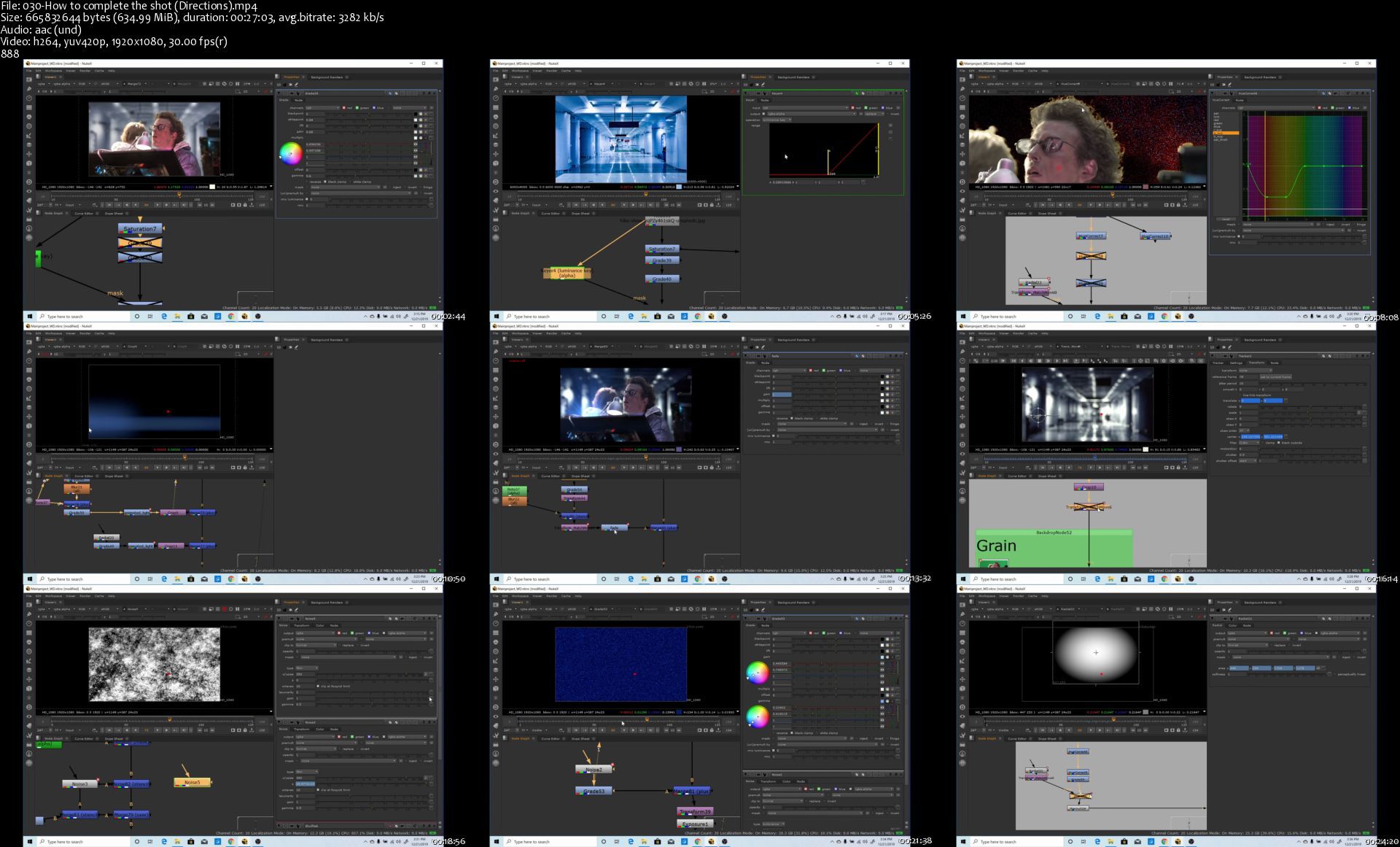
Udemy - Introduction to Nuke VFX Compositing The Essentials NK101

ibojcniwkccczfxk4wxm31ojfu.jpg


Introduction to Nuke VFX Compositing: The Essentials - NK101
Duration: 4h 30min | Video: .MP4 1920x1080, 30 fps | Audio: AAC, 44.1 KHz, 2 channels | Size: 13 GB
Genre: eLearning | Language: English

This Nuke visual effects training course will take you through the fundamental concepts of VFX Compositing in Nuke, and how to learn the user interface. By the end of the course, you will successfully be able to composite what would be considered a "Junior Digital Compositing" shot. The final project includes all of the techniques you learn along the way. The class is focused primarily on the 2D aspects of compositing to get you started. It involves replacing a background, color correcting and blending the foreground and background, motion tracking the background to the foreground, and seamlessly bringing it all together. As a bonus, you learn how to create an animated hologram effect from scratch appearing in front of the character!

There will be a lot of theory you need to learn first before you can successfully composite a shot, and with anything worth learning there is a learning curve. But if you persist through you will have a great payoff and skillset at the end, and a great shot to show off that you created!

A thank you to the BLENDER FOUNDATION and Xiph for providing the free footage of the green screen!


Homepage

030howtocompletetheshmzj0l.jpg


Zurück
Oben Unten