• Regeln für den Video-Bereich:

    In den Börsenbereich gehören nur Angebote die bereits den Allgemeinen Regeln entsprechen.

    Einteilung

    - Folgende Formate gehören in die angegeben Bereiche:
    - Filme: Encodierte Filme von BluRay, DVD, R5, TV, Screener sowie Telesyncs im Format DivX, XviD und x264.
    - DVD: Filme im Format DVD5, DVD9 und HD2DVD.
    - HD: Encodierte Filme mit der Auflösung 720p oder darüber von BluRay, DVD, R5, TV, Screener sowie Telesyncs im Format x264.
    - 3D: Encodierte Filme von BluRay, die in einem 3D Format vorliegen. Dies gilt auch für Dokus, Animation usw.
    - Serien: Cartoon/Zeichentrick, Anime, Tutorials, Dokumentationen, Konzerte/Musik, Sonstiges sind demnach in die entsprechenden Bereiche einzuordnen, auch wenn sie beispielsweise im High Definition-Format oder als DVD5/DVD9/HD2DVD vorliegen. Ausnahme 3D.
    - Bereich Englisch: Englische Releases gehören immer in diesen Bereich.
    - Bereich Talk: Der Bereich, in dem über die Releases diskutiert werden kann, darf, soll und erwünscht ist.


    Angebot/Beitrag erstellen

    - Ein Beitrag darf erst dann erstellt werden, wenn der Upload bei mindestens einem OCH komplett ist. Platzhalter sind untersagt.
    - Bei einem Scenerelease hat der Threadtitel ausschließlich aus dem originalen, unveränderten Releasenamen zu bestehen. Es dürfen keine Veränderungen wie z.B. Sterne, kleine Buchstaben o.ä. vorgenommen werden. Ausnahme Serienbörse:
    - Bei einem Sammelthread für eine Staffel entfällt aus dem Releasename natürlich der Name der Folge. Beispiel: Die Simpsons S21 German DVDRip XviD - ITG
    - Dementsprechend sind also u.a. verboten: Erweiterungen wie "Tipp", "empfehlenswert", "only", "reup", usw. / jegliche andere Zusatzinformation oder Ergänzung, welche nicht in obiger Beschreibung zu finden ist.

    Aufbau des Angebots und Threadtitel

    Der Titel nach folgendem Muster erstellt zu werden. <Name> [3D] [Staffel] [German] <Jahr> <Tonspur> [DL] [Auflösung] <Quelle> <Codec> - <Group>
    Beispiel: The Dark Knight German 2008 AC3 DVDRip XviD - iND
    Beispiel: The Dark Knight 2008 DTS DL BDRip x264 - iND
    Beispiel: The Dark Knight 2008 AC3 DL BDRip XviD - iND
    Beispiel: The Dark Knight German 2008 AC3 720p BluRay x264 iND
    Beispiel: The Dark Knight 2008 DTS DL 1080p BluRay x264 iND
    Beispiel: Die Simpsons S01 German AC3 DVDRip XviD iND
    Beispiel: Die Simpsons S20 German AC3 720p BluRay x264 iND
    Beispiel: Sword Art Online II Ger Sub 2014 AAC 1080p WEBRip x264 - peppermint
    Entsprechend sind also u.a. verboten: Sonderzeichen wie Klammern, Sterne, Ausrufezeichen, Unterstriche, Anführungszeichen / Erweiterungen wie "Tipp", "empfehlenswert", "only", "reup", usw. / jegliche andere Zusatzinformation oder Ergänzung, welche nicht in obiger Beschreibung zu finden ist
    Ausnahmen hiervon können in den Bereichen geregelt sein.

    Die Beiträge sollen wie folgt aufgebaut werden:
    Überschrift entspricht dem Threadtitel
    Cover
    kurze Inhaltsbeschreibung
    Format, Größe, Dauer sind gut lesbar für Downloader außerhalb des Spoilers zu vermerken
    Nfo sind immer Anzugeben und selbige immer im Spoiler in Textform.
    Sind keine Nfo vorhanden z.B. Eigenpublikationen, sind im Spoiler folgende Dateiinformationen zusätzlich anzugeben :
    Quelle
    Video (Auflösung und Bitrate)
    Ton (Sprache, Format und Bitrate der einzelnen Spuren)
    Untertitel (sofern vorhanden)
    Hosterangabe in Textform außerhalb eines Spoiler mit allen enthaltenen Hostern.
    Bei SD kann auf diese zusätzlichen Dateiinformationen verzichtet werden.

    Alle benötigten Passwörter sind, sofern vorhanden, in Textform im Angebot anzugeben.
    Spoiler im Spoiler mit Kommentaren :"Schon Bedankt?" sind unerwünscht.


    Releases

    - Sind Retail-Release verfügbar, sind alle anderen Variationen untersagt. Ausnahmen: Alle deutschen Retail-Release sind CUT, in diesem Fall sind dubbed UNCUT-Release zulässig.
    - Im Serien-Bereich gilt speziell: Wenn ein Retail vor Abschluss einer laufenden Staffel erscheint, darf diese Staffel noch zu Ende gebracht werden.62
    - Gleiche Releases sind unbedingt zusammenzufassen. Das bedeutet, es ist zwingend erforderlich, vor dem Erstellen eines Themas per Suchfunktion zu überprüfen, ob bereits ein Beitrag mit demselben Release besteht. Ist dies der Fall, ist der bereits vorhandene Beitrag zu verwenden.
    - P2P und Scene Releases dürfen nicht verändert oder gar unter einem iND Tag eingestellt werden.


    Support, Diskussionen und Suche

    - Supportanfragen sind entweder per PN oder im Bereich Talk zu stellen.
    - Diskussionen und Bewertungen sind im Talk Bereich zu führen. Fragen an die Uploader haben ausschließlich via PN zu erfolgen, und sind in den Angeboten untersagt.
    - Anfragen zu Upload-Wünschen sind nur im Bereich Suche Video erlaubt. Antworten dürfen nur auf Angebote von MyBoerse.bz verlinkt werden.


    Verbote

    - Untersagt sind mehrere Formate in einem einzigen Angebotsthread, wie beispielsweise das gleichzeitige Anbieten von DivX/XviD, 720p und 1080p in einem Thread. Pro Format, Release und Auflösung ist ein eigener Thread zu eröffnen.
    - Grundsätzlich ebenso verboten sind Dupes. Uploader haben sich an geeigneter Stelle darüber zu informieren, ob es sich bei einem Release um ein Dupe handelt.
    - Gefakte, nur teilweise lauffähige oder unvollständige Angebote sind untersagt. Dies gilt auch für eigene Publikationen, die augenscheinlich nicht selbst von z.B. einer DVD gerippt wurden. Laufende Serien, bei denen noch nicht alle Folgen verfügbar sind, dürfen erstellt und regelmäßig geupdatet werden.
    - Untersagt sind Angebote, welche nur und ausschließlich in einer anderen Sprache als deutsch oder englisch vorliegen. Ausnahmen sind VORHER mit den Moderatoren zu klären.


    Verstoß gegen die Regeln

    - Angebote oder Beiträge, die gegen die Forenregeln verstoßen, sind über den "Melden"-Button im Beitrag zu melden.
  • Bitte registriere dich zunächst um Beiträge zu verfassen und externe Links aufzurufen.

++ Premium IPTV ++ 7000 Live Sender ++ UHD Qualität ++ Mediathek mit 18.000 Inhalten ++


VenneTV


Englische Tutorials

Calculus Master, Zero To Mastery

007b81281okox.jpg


Calculus Master, Zero To Mastery
Video: .mp4 (1280x720, 30 fps(r)) | Audio: aac, 44100 Hz, 2ch | Size: 9.55 GB
Genre: eLearning Video | Duration: 115 lectures (42 hour, 37 mins) | Language: English

Being CALCULUS MASTER. Zero To Mastery. From PreCALCULUS to CALCULUS III


What you'll learn

Calculus
Advanced Calculus
Integrals
Dervatives
College Algebra
Functions and Graphs
Graphs of Key Functions
Exponents and Logarithms
Limits
Applications of Derivatives
Antiderivatives and Integration
Applications of Integration
Advanced Integration Techniques
Sequences and Series
Parametric and Polar Coordinates
Vectors
Vector-Valued Functions
Pre Calculus
Calculus I
Calculus II
Calculus III

Requirements

Only Computer
Notebook


Description

Calculus MASTER, Zero To Mastery

Being CALCULUS MASTER. Zero To Mastery. From PreCALCULUS to CALCULUS III

Pre CALCULUS, CALCULUS I, CALCULUS II,CALCULUS III


Calculus is the branch of mathematics that deals with the finding and properties of derivatives and integrals of functions, by methods originally based on the summation of infinitesimal differences. The two main types are differential calculus and integral calculus.

Calculus is a branch of mathematics that involves the study of rates of change. Before calculus was invented, all math was static: It could only help calculate objects that were perfectly still. But the universe is constantly moving and changing. No objects-from the stars in space to subatomic particles or cells in the body-are always at rest. Indeed, just about everything in the universe is constantly moving. Calculus helped to determine how particles, stars, and matter actually move and change in real time.

Calculus is used in a multitude of fields that you wouldn't ordinarily think would make use of its concepts. Among them are physics, engineering, economics, statistics, and medicine. Calculus is also used in such disparate areas as space travel, as well as determining how medications interact with the body, and even how to build safer structures. You'll understand why calculus is useful in so many areas if you know a bit about its history as well as what it is designed to do and measure.


PreCalculus, This course will present the following concepts: non-linear inequalities, matrices and determinants, polynomial and rational functions, conic sections, theory of equations, sequences and series, mathematical induction.


Calculus I, This course will introduce the student to the basic concepts of the calculus. It will give the student an appreciation of the calculus and its applications in the real world and will prepare the student for future work in mathematics and the sciences. Course includes functions, limits, continuity, derivatives and their applications, and integration and its applications.


Calculus II, This course will expand on the applications and techniques of differentiation learned in the first quarter and give a depth study of integration including the fundamental methods of integrating elementary algebraic and transcendental functions. It will include the applications of the calculus to transcendental functions, analytical geometry and other relevant topics.


Calculus III, This course will expand on the applications and techniques of differentiation learned in the first and second quarters. It will introduce the student to the calculus of sequences and series and the use of the MacLaurin and Taylor series to approximate functions. It will introduce the student to the calculus of curvilinear functions and the concept of the vector and vector functions. It will also introduce the concept of a partial derivative and the maximization of functions given in more than one independent variable.

You will zero to mystery about CALCULUS.


Who this course is for:

Who want to learn Pre Calculus
Who want to learn Calculus I
Who want to learn Calculus II
Who want to learn Calculus III
Who want to learn Calculus for Machine Learning
Who want to be hero for CALCULUS


007b8129urkeu.jpeg


Beginner to Pro in Excel: Financial Modeling and Valuation (updated 7/2020)

u3jxq7qeq6sn6otr0xudqsfjv4.jpg


Beginner to Pro in Excel: Financial Modeling and Valuation (updated 7/2020)
Genre: eLearning | MP4 | Video: h264, 1280x720 | Audio: aac, 44100 Hz
Language: English | VTT | Size: 5.92 GB | Duration: 12.5 hours


What you'll learn
Master Microsoft Excel and many of its advanced features
Become one of the top Excel users in your team
Carry out regular tasks faster than ever before
Build P&L statements from a raw data extraction
Build Cash Flow statements
Discover how to value a company
Build Valuation models from scratch
Create models with multiple scenarios
Design professional and good-looking advanced charts

Requirements
Microsoft Excel 2010, Microsoft Excel 2013, Microsoft Excel 2016, or Microsoft Excel 2020

Description
**Updated for June 2020!**

Do you want to learn how to use Excel in a real working environment?

Are you about to graduate from university and start looking for your first job?

Are you a young professional looking to establish yourself in your new position?

Would you like to become your team's go-to person when it comes to Financial Modeling in Excel?

If you answered yes to any of these, then this is the right course for you!

Join over 119,002 successful students taking this course!

The instructor of this course has extensive experience in Financial Modeling:

Worked in the Financial advisory unit of a top-tier consulting firm

Experience in transactions carried out in Italy, Germany, Switzerland and Poland

Worked in the in-house Mergers & Acquisitions department of a large multinational corporation

Been a financial advisor in multiple M&A deals with sizes ranging from €2 million to €5 billion

Worked on company valuations, due diligence analysis, impairment tests, bankruptcy proceedings, cash flow analysis, and more.

Learn the subtleties of Financial Modeling from someone who has walked the same path. Beat the learning curve and stand out from your colleagues.

A comprehensive guide to Financial Modeling in Excel:

Become an Excel expert

Learn how to build sound Financial Models and stand out among your colleagues

Gain an in-depth understanding of the mechanics of Company Valuation

Build your files professionally

Demonstrate superior Excel skills at work

Be prepared from day one for your Investment Banking, Financial Advisory or Consulting career

What we offer:

Well-designed and easy-to-understand materials

Detailed explanations with comprehensible case studies based on real situations

Downloadable course materials

Regular course updates

NEW! Includes professional chart examples that are 1:1 with those used by major banks and consulting firms.

By completing this course, you will:

Be able to work comfortably with Microsoft Excel and many of its advanced features

Become one of the top Excel users in your team

Be much quicker at carrying out regular tasks

Be able to build a P&L statement from a raw data extraction

Be able to build a cash flow statement

Know how to value a company

Be able to build a valuation model from scratch

Know how to create a model with multiple scenarios

Know how to create professional and good-looking advanced charts

About the course:

An unconditional Udemy 30-day money-back guarantee - because we believe in the quality of our content

No significant previous experience is needed to understand the course properly and benefit from its content

Unlimited access to all course materials

Emphasis on learning by doing

You can always contact us for any clarification free of charge

Our goal is to take your Microsoft Excel and Financial Modeling skills to the next level

Make an investment that will be highly rewarded in career prospects, positive feedback, and personal growth.

This course is suitable for graduates who aspire to become investment bankers as it includes a well-structured DCF model and goes through the theoretical concepts behind it. Moreover, it will encourage you to be more confident when coping with daily tasks and will give you the edge when the firm must decide whether to take you on for a full-time position.

People with basic knowledge of Excel who go through the course will dramatically increase their Excel skills.

Go ahead and subscribe to this course! If you don't acquire these skills now, you will miss an opportunity to separate yourself from others. Don't risk your future success! Let's start learning together now!


Who this course is for:
Graduate students who aspire to become investment bankers, financial advisory professionals, consultants etc.
Business and finance practitioners who are eager to improve their Excel and Financial Modeling skills


Homepage

1.whatdoesthecoursecophj10.jpg


Creativelive - Design Surface Patterns From Scratch with Bonnie Christine

e36127ea925e1f7b6599e9d56aa83f82.jpg

Creativelive - Design Surface Patterns From Scratch with Bonnie Christine | 9.4 GB​
Class Description learn how Illustrator can easily bring your drawings and doodles to life.

Did you know that you can turn your sketches, drawings, and doodles into patterns? Join Bonnie Christine for an introduction to creating patterns to use in your very own fabric prints, stationery designs, website backgrounds, cell phone covers, and much, much more.
This course will take you through the process of working with Adobe Illustrator to create digital versions of your artwork. You'll learn tips and tricks for working in Illustrator and how you can use the software to create repeating patterns of your very own drawings. Bonnie will guide you step-by-step through the process of transforming sketches and tracings into vector art which can be used for an endless array of printable and online projects from customized stationery to computer wallpaper. You'll also learn how to assemble your collection of designs into a portfolio you can use to impress potential collectors and buyers.
This course will lay a solid foundation for those new to Illustrator and open up exciting new possibilities for people already familiar with the program. If you are ready to bring your drawings to life in new ways this class is for you.

SOFTWARE USED:
Adobe Illustrator CS6

HOmepage:

Screenshots
c970f8388a68946fbc7c2acc7e86946f.jpg


Link Download
​
Extract files with WinRar 5 or Latest !
 
CreativeLive - Mastering Blend Modes with Lindsay Adler

68e64165267c98fac809271b7505e9f8.jpg

CreativeLive - Mastering Blend Modes with Lindsay Adler | 766 MB​
Class Description
Control how your image looks, down to the pixel!
If you haven't heard of blend modes before, your workflow is in for a treat. Blend modes are an incredibly powerful control in Adobe® Photoshop® that allows you to decide how a tool interacts with pixels or how two layers interact. Sounds a bit dry... but it's not at all! The creative and practical applications are endless, and you'll love the creative control you gain with these techniques.

Software Used: Adobe Photoshop CC 2017

Lesson
Class Introduction
Two Ways to Blend in Photoshop
Retouching with Blend Modes
Blend Modes for Practical Application
Blend Modes for Creativity
Contouring with Blend Modes
Creative Effects with Blend Modes

HOmepage:

Screenshots
1b16aa68790d1d7e2bb6e8f8e70b68de.jpg


Link Download
​
Extract files with WinRar 5 or Latest !
 
Retouch with Curves in Photoshop with Viktor Fejes

b998d37a977e959279c6932c029c928a.jpg

CreativeLive - Retouch with Curves in Photoshop with Viktor Fejes | 931 MB​
Class Description
Enhance Your Images with Photoshop Curves
Curves is a powerful tool if you know how to use it. In fact, you can retouch an entire image using only adjustment layer curves.

In this class Viktor Fejes will show you:
The best methods for working in Curves
How saturation, hue, and colors work in Curves
Dodging and burning with Curves

Software Used: Adobe Photoshop CC 2015

Lessons
Class Introduction
How to Set Up with Curves
Spot Clean-Up with Solar Curves
How to use Black and White Visual Aids
How to do a Global Dodge and Burn
How to do Local Dodge and Burn
How To Do Local Color Correction

HOmepage:

Screenshots
b4fc9f75850a128925285999648d893b.jpg


Link Download
​
Extract files with WinRar 5 or Latest !
 
CreativeLive - Retouching Clothing and Fabric with Lisa Carney

af03a77e1c09105e05bc0dd58bf982ed.jpg

CreativeLive - Retouching Clothing and Fabric with Lisa Carney | 601 MB​
Class Description
Got wrinkles? Ugly colors? Poor tailoring? Join digital seamstress Lisa Carney for an in-depth class on clothing and fabric retouching. Perfect for photographers and retouchers looking for easy new ways to handle fabric-related fixes, this class will offer quick tips for dealing with wrinkles, wrong colors and other textile challenges. Topics covered will include editing with Adjustment Layers, using channel pulls to change value and tone, exploring shadow and highlight adjustments to bring out detail in hidden zones, and emphasizing incredible detail in fine fabric. Join us for this deep dive into the world of the woven and slash the time you spend doing the laundry. We'll help you iron it out!

SOFTWARE USED:
Adobe Photoshop CC 2018

Lessons
Class Introduction
Hue Saturation For Color Correction
Gradient Map Color Correction
Camera Raw For Color Correction
Channel Pulling For Color Correction
Painting & Rendering Fabric Effects
Adding & Removing Detail
Frequency Separation

Homepage:

Screenshots
2c784782d2c88d8ce51c0b6780290d5d.jpg


Link Download
​
Extract files with WinRar 5 or Latest !
 
CreativeLive - Retouching Techniques for Hair in Photoshop with Khara Plicanic

eac1f70e38759c3806b0f9315994f1eb.jpg

CreativeLive - Retouching Techniques for Hair in Photoshop with Khara Plicanic | 602.9 MB​
Class Description
Part photo, part digital painting & mixed media, 100% fun. Join Khara Plicanic to learn how to create one-of-a-kind mixed media portraits using Adobe Photoshop brushes, textures, and patterns. You'll be amazed with what's already available and at your fingertips. Explore the hidden nooks and crannies of Photoshop that you never knew existed and wow yourself with what you're capable of. Pros and novices alike will come away with a finished project to be proud of.

SOFTWARE USED:
Adobe Photoshop CC 2018

Lessons
1 Class Introduction Duration:02:34
2 Working With Brushes & Pattern Overlay in Photoshop Duration:23:12
3 Using Pattern Overlay and Pattern Fill in Photoshop Duration:19:14
4 Creating a Painted Backgrounds in Photoshop Duration:15:33
5 Using Smart Objects and Warp Tool in Photoshop Duration:06:40
6 Creating Balloons Using Shape Tool & Pattern Overlay

HOmepage:

Screenshots
d99f90f6e043a66b99054f547f95fcb2.jpg


Link Download
​
Extract files with WinRar 5 or Latest !
 
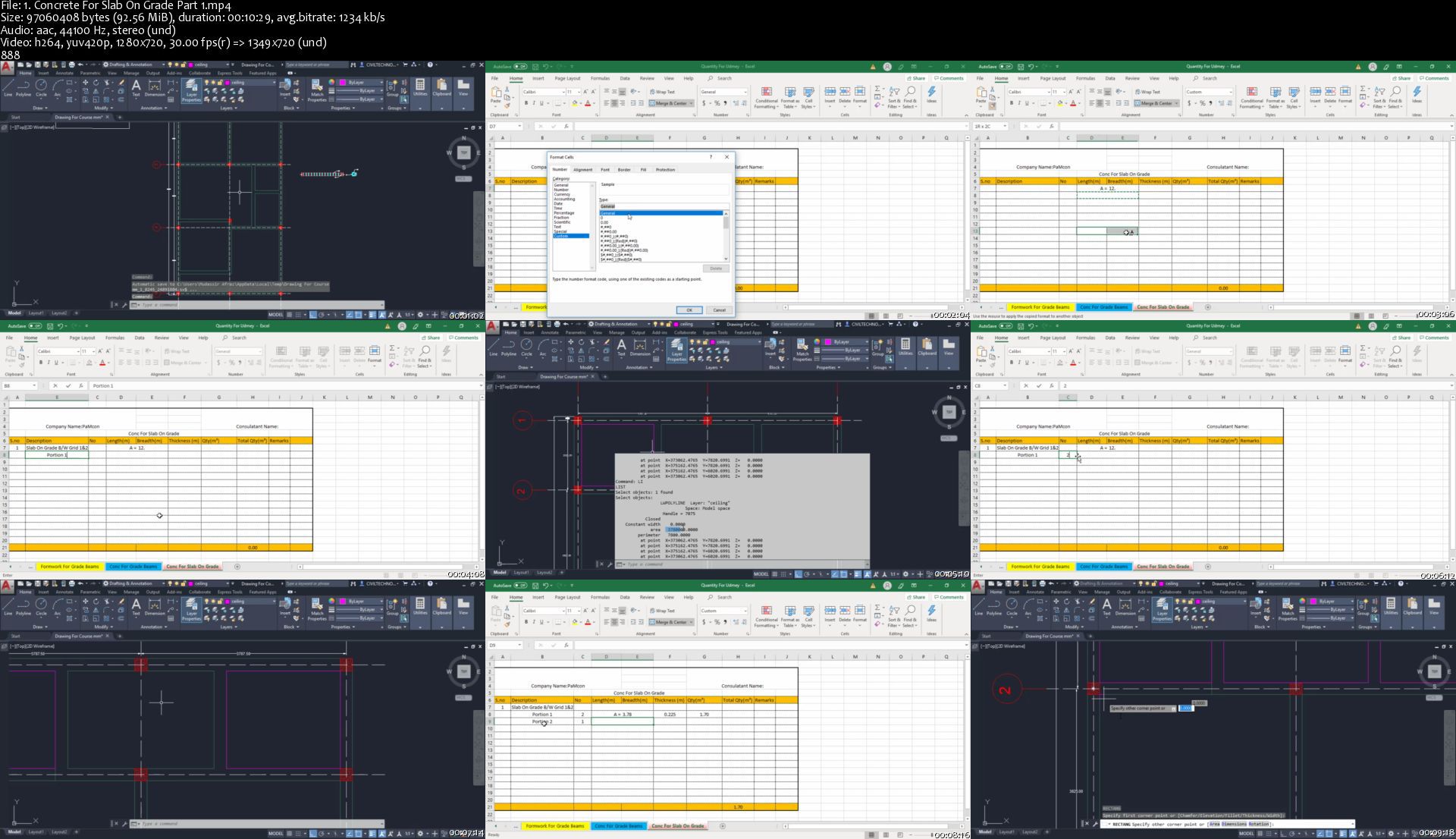
Quantity Surveying/Building Estimation With Cad And Excel

x554kh4horoxymjnckolehvk6f.jpg


Quantity Surveying/Building Estimation With Cad And Excel
Genre: eLearning | MP4 | Video: h264, 1280x720 | Audio: aac, 44100 Hz
Language: English | VTT | Size: 6.71 GB | Duration: 13.5 hours


What you'll learn
Estimation Of Complete Project Through Auto-cad And Excel
Bar bending Schedule Of Foundation,Columns,Beams,Slab,Stairs, In Excel
How to Find Material Like Cement,Sand,Coarse Aggregates,Bricks
Complete Material Statement In Excel
Rate Analysis For Different Works Like ,Excavation, P.C.C, R.C.C, Masonry, Tiles, Plaster, Paint In Excel
Will Learn How to Create B.O.Q Of Project
Microsoft Excel For Beginners
Auto-cad 2020 For Beginners

Requirements
• To have the Auto Cad And M.S Excel installed in your computer.
• To have the minimum understanding for Civil Quantity/Estimation
• To have a minimum understanding of construction processes.

Description
Complete Updated Course Last Update 05/2020

Welcome to Quantity Surveying /Building Estimation online training course. it is focused on practical application of Estimation using Auto Cad & M.S Excel

This course is a field oriented course and contains real examples and a full fledge real project for better understanding

After successful completion of this course, you will be able to Estimate Any Building Project (From Foundation To Finishing)

Major Topics That We Will Learn In This Course:

Quantity Of Substructure (Isolated Footing)

Quantity Of Superstructure (Columns,Beams Masonry, Slab,Finishing Work)

Bar bending Schedule:

Bar-bending Schedule Of Isolated Footing

Bar-bending Schedule Of Column Necks And Columns

Bar-bending Schedule Of Beams

Bar-bending Schedule Of Stairs

Bar Bending Schedule Of Slab

Rate Analysis Of Different Works:

Rate Analysis For Excavation

Rate Analysis For Plain Cement Concrete (P.C.C)

Rate Analysis For Reinforcement Concrete (Column Beam And Slab)

Rate Analysis For Masonry Work

Rate Analysis For Plaster Work

Rate Analysis For Tile Work

Rate Analysis For Paint Work

Material Statement :

Material Statement In Excel

Bill Of Quantity (B.O.Q)

Bill Of Quantity For A Project According To CSI Codes

Excel Training For Beginners

As Excel Is Important For This Course So I Have Add Basic Training And Formulas For Those Who Are Beginners In Excel

Auto-cad Training

As Auto-cad Is Also Essential For This Course So I Have Also Included Auto-cad Training For Those Who Are Beginner In Auto-cad


Who this course is for:
• Site Engineers
• Civil Engineers
• Fresh Engineers.
• Quantity Surveyors
• Those who wants to pursue a career as a Quantity Surveyor/ Estimator
Civil Engineering Students


Homepage

1.concreteforslabongr5fj0k.jpg


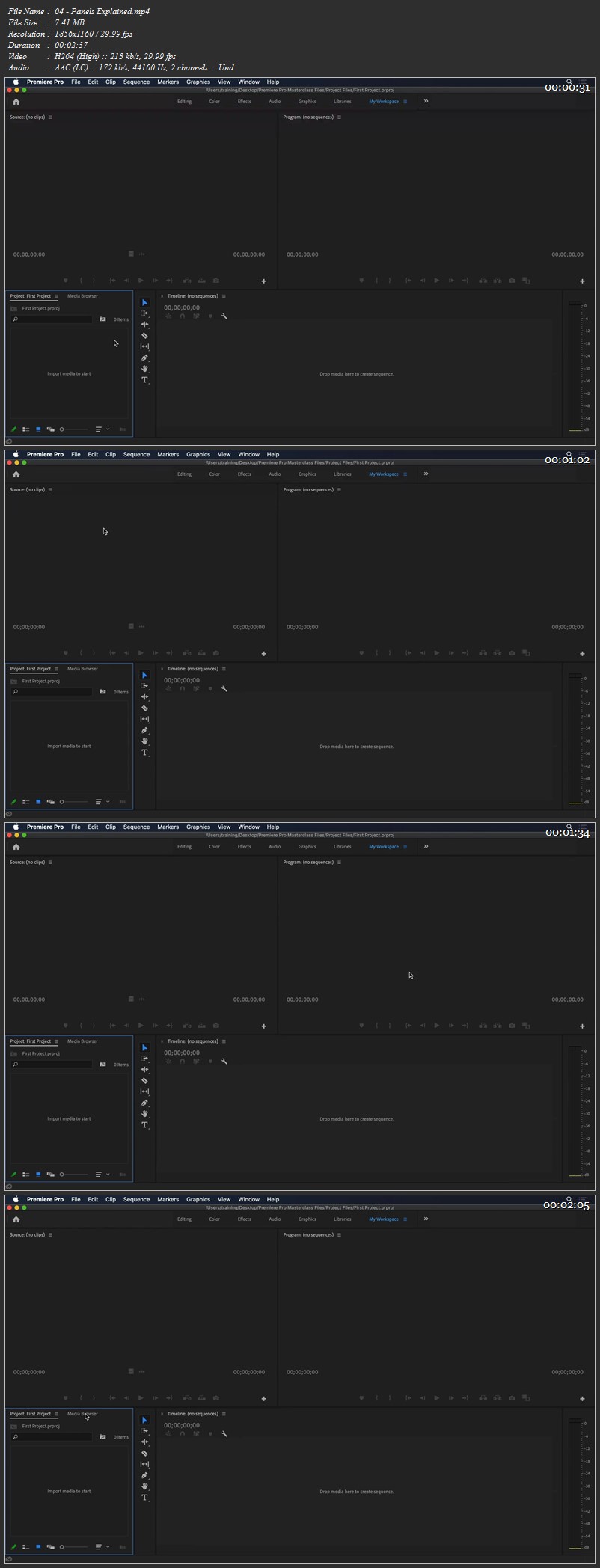
Premiere Pro Masterclass: The Ultimate Video Editing Guide for Beginners

007b8618jzjil.jpg


Premiere Pro Masterclass: The Ultimate Video Editing Guide for Beginners
Duration: 9h 36m | .MP4 1920x1080, 30 fps(r) | AAC, 48000 Hz, 2ch | 5.27 GB
Genre: eLearning | Language: English

Premiere Pro is the industry standard software used all around the world for video editing. If you are serious about creating professional looking videos, then this course is for you.
Ozgur, who is an Adobe Certified Instructor and Video Specialist, will take you from knowing nothing or just a little up to a level where you can confidently edit any kind of video. Even if you are an experienced editor, you will still learn lots of new tips and tricks that you wish you knew before!
During this training, you will learn how to edit a real-life project for a charity based in the UK. All the files (4K footage, audio files, references, drone clips, logos, and more) used on the course will be available to download so you can follow each lesson along.
You will learn everything you need to know about sequences, various editing tools, titles, video effects, transitions, speed changes, masks and animation. You will also learn key techniques when it comes to fixing some common audio problems and colour correction.
Finally you will learn how to export your videos to be used on different platforms including social media, mobile devices, TV, and more.
If you are ready to learn how to edit videos like a pro, then let's get started.

More Info

007b8617yikzo.jpg


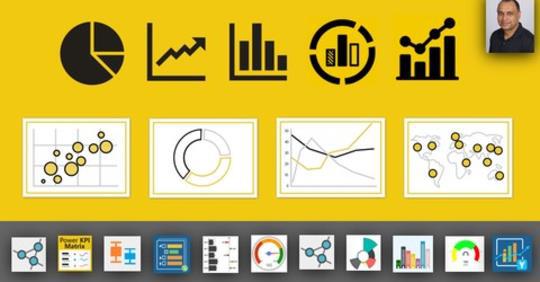
Microsoft Power BI Business Scenarios

tzql51sunzskgivrunliibsk4f.jpg


Microsoft Power BI Business Scenarios
Genre: eLearning | MP4 | Video: h264, 1280x720 | Audio: aac, 44100 Hz
Language: English | VTT | Size: 15.6 GB | Duration: 27.5 hours


What you'll learn
Learn how to use DAX (Data Analysis Expressions) to get Business Performance, Patterns and Trends from Data
Master Power BI Best Practices, Tip, Tricks and Case Studies that you won't find in ANY other course
Learn to Create advanced powerful calculations using Measures, calculated columns & DAX Formulas
Build business intelligence solutions to Explore and Analyze data like never before
Learn DAX TIME-INTELLIGENCE to support the needs of Business Intelligence analysis by manipulate data using time periods
Learn to combine multiple data sources for enhanced data analysis
Learn Microsoft's Popular Course DASHBOARD-IN-A-DAY at your own pace at home or at your office AS A BONUS.
Import, consolidate and create relationships from your data and perform enhanced analysis
Get LIFETIME access to project files, quizzes and homework exercises, and 1-on-1 expert support
Learn to use the easiest Business Intelligence tool to create stunning reports and dashboards.
learn how, with Power BI, to connect to multiple sources of data like SQL Server, Excel, CSV, JSON, XML, Web and SQL Analysis Services etc....
Learn Dataflows (new CDM base, Azure Data Lake gen2), what it is and how to use and configure databases in it.
Learn how to turn data into insight and interactive visualizations to tell a story
Learn and develop data modeling skills
Learn how to collaboration and sharing of content on Microsoft's Powerful platform
This hands on course will prepare you to start your data analytics career

Requirements
You need to be able to use Microsoft Power BI, at least at a basic level.
Your willingness to learn, follow the course and explore new opportunities.
Power BI can be downloaded for free, no additional costs involved.
All additional files, checklists and material will be provided
We highly recommend to check out "Microsoft Power BI - Business Intelligence for Beginners" first (Our beginners course in Power BI).

Description
Description

**** Life time access to course materials. 100% money back guarantee ****

Companies are gathering more and more data everyday. Skills in data analysis, Business Intelligence / Business Analytics are highly in demand in today's job market. Microsoft Power BI is an advanced yet easy to use self service Business Intelligence / Business Analytics tool for that. It is same B.I. tools used by professional analysts and data scientists.

In this course together we will go over business scenarios where you will learn, how to use Power BI and advanced / complex DAX calculations further to derive more insights from data. We are using SQL Server Adventure Works Data warehouse as a sample database. We will hold your hand and walk you thru each scenario Step-by-step.

Not only you will learn Power BI Best Practices, Tip, Tricks and Case Studies that you won't find in ANY other course but also learn Microsoft's Popular Course DASHBOARD-IN-A-DAY at your own pace at home or at your office AS A BONUS. All of the exercises are designed by keeping the practical aspects of Power BI and DAX in mind. All exercises are 100% hands-on.

25+ hours of HD videos of building Business Scenarios using DAX and 10 interactive Business Intelligence Reports and Dashboards from scratch to finish. Files for Start and Finished projects also included to challenge you so you can learn by immediately applying what you're learning . You will have gained the knowledge and confidence to apply these same concepts to real-word to solve the Business problems or Business requirements.

By the time you complete this course, You'll be a highly proficient in DAX and Power BI user. You'll be fully prepared to collect, clean, model and present data for any purpose. You will be using your skills as a Business Intelligence Professional to extract knowledge from data so you can analyze and visualize complex Business Problems/Requirements with ease.

Why should you consider a career as a Business Data Analyst?

Salary. A Business Data Analyst is a well-paid career

Stable Career. As most corporations gathering more and more data. There will never be shortage of Jobs for Business Data Analyst.

Advancement in Career : Since you will be building different reports for different departments. You will never be bored and always be valued. Which will bring you more opportunities in your career. Business Data Analyst get very visibility in corporations. Whole management depends on them.

#microsoft #powerbi #data #business #intelligence #analysis #DAX

We are covering the following in this course.

Section 1: Advanced Microsoft Power BI Introduction

Advanced Microsoft Power BI Course Introduction

Why Microsoft Power BI

Microsoft Power BI Family

Microsoft Power BI Desktop

Microsoft Power BI Service (Cloud) 1

Microsoft Power BI Service (Cloud) 2

What is Descriptive, Predictive and Prescriptive Analytics

How to take the quizzes

Section 2: Advanced Microsoft Power BI - Collect , In-jest and Import Data

Import Data from CSV files in Microsoft

Import Data from Excel files in Microsoft Power BI Desktop

Import Real-time Streaming Data in Microsoft Power BI Service (Cloud)

Import Data from OData Feed REST-API in

Microsoft Power BI Desktop

Import Data from Folders in Microsoft Power BI Desktop

Section 3: Download and Install SQL Server and Sample Databases

Download and Install SQL Server

Download and Install Sample Database

Import Data from SQL Server in Microsoft Power BI Desktop

Section 4: Introduction to Power BI Dataflows

Power BI Dataflows - Introduction

Power BI Dataflows - Create Gateway from Scratch

Power BI Dataflows - Create Entities from CSV file

Power BI Dataflows - Create Entities using SQL Server

Section 5: Introduction to Data Modeling

Modeling Basics 0

Modeling Basics 1

Modeling Basics 2

Modeling and Relationships 0

Modeling and Relationships 1

Other ways to create Relationships

Normalization - Denationalization 0

Normalization - Denationalization 1

OLTP vs OLAP

Star Schema vs Snowflake Schema 0

Star Schema vs Snowflake Schema 1

Section 6: DAX Basics

DAX Basics - Importing Data for Dax Learning

DAX Basics - Resources for Dax Learning

DAX Basics - What is Dax

DAX Basics - Dax Data Types

DAX Basics - DAX Operators and Syntax

DAX Basics - M vs Dax

DAX Basics - Create a Column

DAX Basics - Rules to Create Measures

DAX Basics - Calculated Columns vs Calculated Measures-0

DAX Basics - Calculated Columns vs Calculated Measures-1

DAX Basics - Sum()

DAX Basics - AVERAGE()-MIN()-MAX()

DAX Basics - SUMX()

DAX Basics - DIVIDE()

DAX Basics - COUNT()-COUNTROWS()

DAX Basics - CALCULATE()-0

DAX Basics - CALCULATE()-1

DAX Basics - FILTER()

DAX Basics - ALL()

Section 7: Hands-on Real-word Projects

Procurement Spend Analysis

Products Analysis

Regional Analysis

IT Tickets Analysis

Human Resources Analysis 1

Human Resources Analysis 2

Human Resources Analysis 3

Financial Analysis

Sales/Marketing Analysis

Bank Demographic Report

Section 8: Personal - Enterprise Gateway On-Premises Gateway

Personal vs Enterprise Gateway

Install and Configure Personal Gateway

Install and Configure Enterprise Gateway

Manage SQL Server Data Source thru Enterprise Gateway

Section 9: Advanced Time-Intelligence

Create Date Table in DAX-0

Create Date Table in DAX-1

Dax Date Code

Create Date Table in M (important) 11min

Date Table Code in M

How to use PREVIOUS Function

How to use SAMEPERIODLASTYEAR Function

How to calculate Cumulative or Running totals TOTALXXX()

How to use DATEADD Function

How to add column DateLastPurchase in Customer Table

How to calculate Days to Ship and Delivery Status

How to calculate Spring-Summer-Autumn-Winter Sales for 2012

How to Calculate Customer Age and use it in charts and graphs

How to calculate Days till last purchase

How to calculate Month-Over-Month values

How to calculate Previous Week Sales

How to calculate Running Total 1

How to calculate Running Total 2

How to calculate sales for last N days

How to calculate Weekend - Weekday sales 1

How to calculate Weekend - Weekday sales 2

How to calculate Year-Over-Year Growth

How to calculate Year-To-Date with Different Fiscal Year

How to Calulate Thanksgiving-BlackFriday-CyberMonday 2 we.

How to compare Quarter over Quarter 01

How to compare Quarter over Quarter 02

How to compare Years-Quarters-Month better way

How to create Short Month Name for Fiscal Year

How to do Grouping and Segmenting 1

How to do Grouping and Segmenting 2

How to use specific relationships if you have more than 1 relationship

DAX - Quick Measures

Display Last Refresh Date

Section 10: Advanced Scenarios

Create new table for Scenarios Measures

How to calculate number of order per customers

How to add calculated column in Employee table

How to add calculated column in Resellers table

How to calculate Customers (using TOPN) for Target Marketing

How to calculate and display Profit Margins

How to calculate and display sales growth

How to calculate how many items bought by Customers Multple times

How to calculate how many Resellers sold specific Item more than 5 times

How to calculate Moving Average 1

How to calculate Moving Average 2

How to calculate number of Products - Customers Sales Trend

How to calculate Profit or Margin Variance Month-Over-Month

How to calculate Trend on Profit for Internet Sales

How to categorize Employees on Sales

How to categorize Re-sellers

How to create Product Segment

How to export measures from Power BI file

How to see top N Products 01 Statically

How to see top N Products 02 Dynamically

How to calculate and show Profits

How to calculate Best Product Sales Day

How to calculate Dynamic TOPN product or Customers

How to calculate Hot Selling Products

How to calculate how many unique Customers bought specific Product

How to calculate how many unique Products bought by each Customer

How to calculate product sales growth

How to calculate Re-seller 01 Sales Growth Year-Over-Year

How to calculate Re-seller 02 Sales Growth Year-Over-Year

How to calculate Revenue Forecast using Analytics Tab

How to calculate Revenue Forecast using What If Parameter

How to calculate Top Employees

How to calculate which Re-seller selling what Products

How to show Products quantity forecast using Analytics Tab

How to show Products quantity forecast using using What If Parameter

How to smooth the trend using Moving Averages

Section 11: Sharing and Collaboration in Power BI

Sharing and Collaboration

Sharing Dashboards

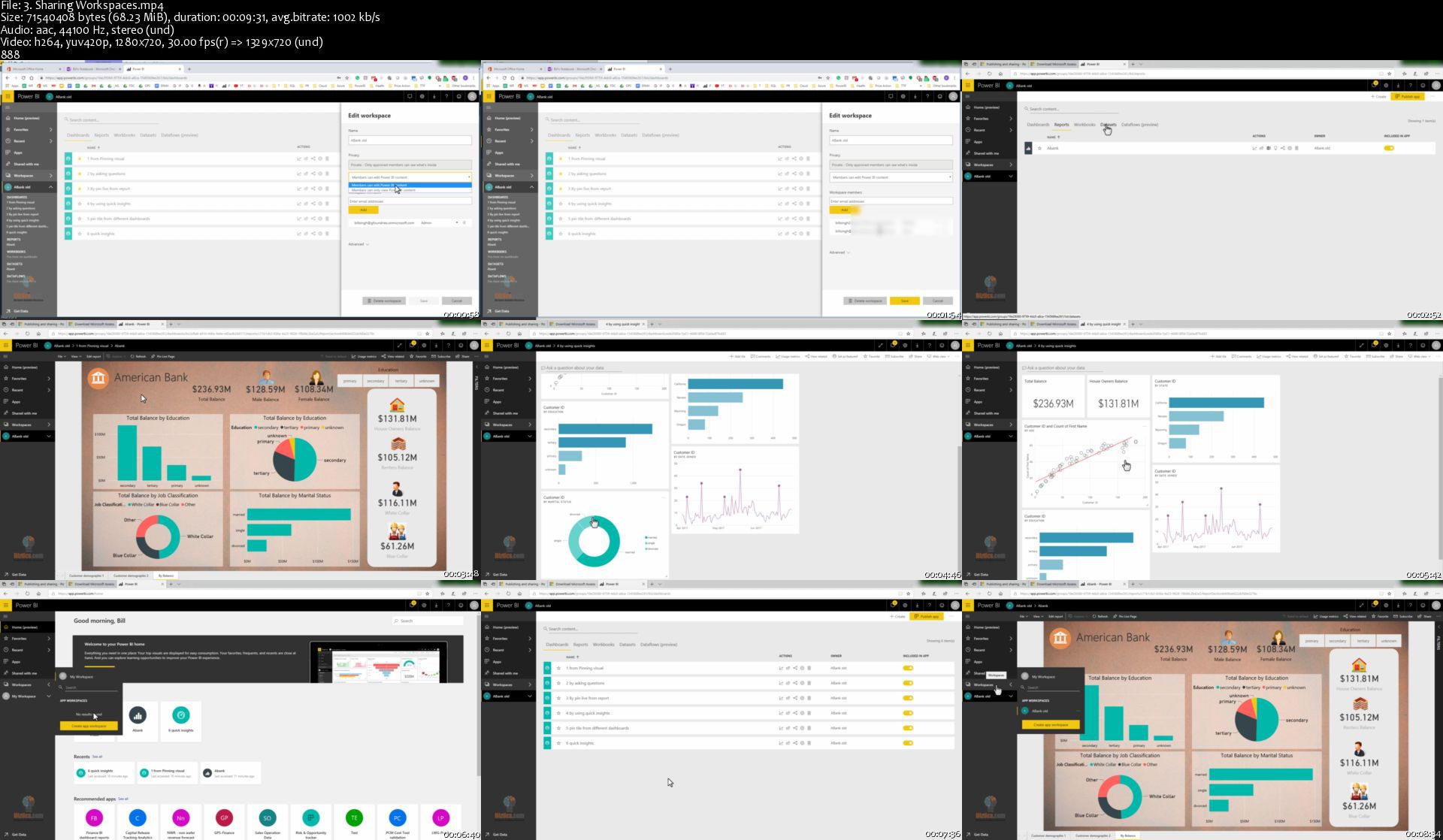
Sharing Workspaces

Sharing Apps

Publish to web

Section 12: Bonus - Power BI Best Practices

Power BI Best Practices 0

Power BI Best Practices 1

Power BI Best Practices 2

Power BI Best Practices 3

Power BI Best Practices 4

Power BI Best Practices 5

Section 13: Bonus - Dashboard-in-a-day (Same as actual Microsoft class)

Power BI Dashboard-in-a-day class 0 - Introduction

Power BI Dashboard-in-a-day class 1 - Accessing Data

Power BI Dashboard-in-a-day class 2 - Data Preparation

Power BI Dashboard-in-a-day class 3 - Data Preparation

Power BI Dashboard-in-a-day class 4 - Modeling and Data Exploration

Power BI Dashboard-in-a-day class 5 - Modeling and Data Exploration

Power BI Dashboard-in-a-day class 6 - Modeling and Data Exploration

Power BI Dashboard-in-a-day class 7 - Modeling and Data Exploration

Power BI Dashboard-in-a-day class 8 - Modeling and Data Exploration

Power BI Dashboard-in-a-day class 9 - Visualization

Power BI Dashboard-in-a-day class 10 - Visualization

Power BI Dashboard-in-a-day class 11 - Publishing Report

Power BI Dashboard-in-a-day class 12 - Creating Dashboards

Power BI Dashboard-in-a-day class 13 - Creating Dashboards

Power BI Dashboard-in-a-day class 14 - Creating Dashboards

Best Regards

Biztics Team


Who this course is for:
Anyone looking to get a job and prepare to start data analytics career.
Entrepreneurs/CEO/Founders looking to master the Data Analysis process.
If you want to impress your boss and STANDING OUT from your colleagues and peers
Students learning in the field of Data.
You want to extend your knowlege in advanced DAX calculations .
Data scientists.
Business Analyst and aspiring Business Analyst.
You want your reports stand out and "WOW" your audience.
Business Analyst in charge of automation efforts.
Enthusiastic quality professionals who are NEW to the Business.
Analysis and want to take their skills to the next level.
Business Analyst who want to advance their skill set.
Anyone wanting to transition into Business Analyst.


Homepage

3.sharingworkspacessnfk7a.jpg


Learn Data structures & Algorithms using Python for Freshers

007b892e4ejjp.jpg


Learn Data structures & Algorithms using Python for Freshers
Video: .mp4 (1280x720, 30 fps(r)) | Audio: aac, 48000 Hz, 2ch | Size: 5.05 GB
Genre: eLearning Video | Duration: 199 lectures (19 hour, 22 mins) | Language: English

Learn to master Data structure Algorithmic by understanding the concepts through time complexity and implementation


What you'll learn

Apply basic algorithmic techniques such as greedy algorithms, binary search, sorting and dynamic programming to solve programming challenges.
Apply various data structures such as stack, queue, hash table, priority queue, binary search tree, graph and string to solve programming challenges.
Apply graph and string algorithms to solve real-world challenges: finding shortest paths
Solve complex programming challenges using advanced techniques


Requirements

Basic computer programming
Basic Mathematics knowledge


Description

The course covers basic algorithmic techniques and ideas for computational problems arising frequently in practical applications: sorting and searching, divide and conquer, greedy algorithms, dynamic programming.

You will learn a lot of theory: how to sort data and how it helps for searching. How to break a large problem into pieces and solve them recursively and it makes sense to proceed greedily.

Implemented all the concepts using Python using Pycharm IDE and explained the time complexity and difficulty of the data structures.

This course contains of these below mentioned topic:

Recursion.

Algorithm run time analysis

Arrays

Stack

Linked list

Data Structure

Binary Tree

Binary Search Tree

AVL Tree

Heap tree

Queue

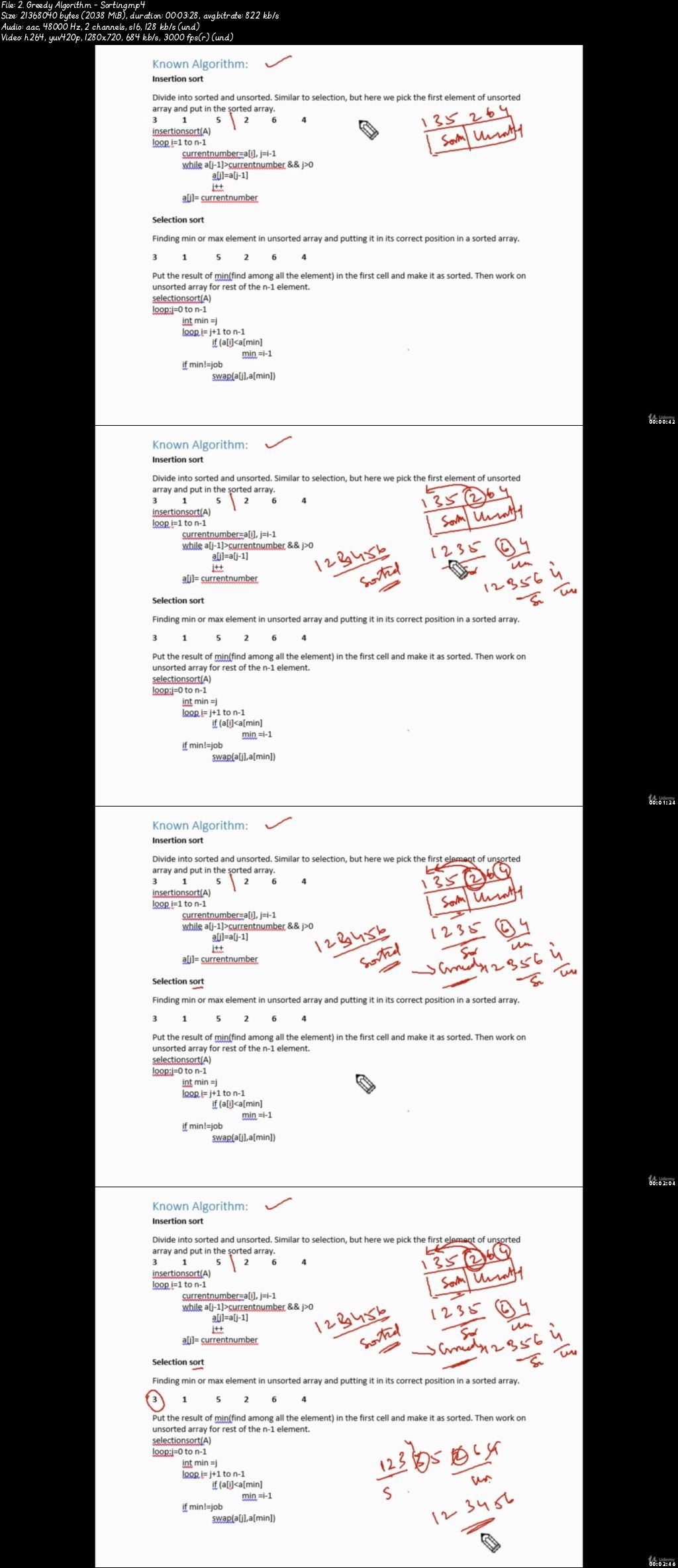
Sorting

Hash Table

Graph Theory

Magic Framework

Computer Programming

Dynamic Programming


Who this course is for:

Beginner who have little programming experience , willing to learn and pursue data science career.

007b892f1yj8u.jpeg


Flutter desde cero enfocado en el diseño UI y UX

eadzxv8hg4zjqdb5oqonn5yj4f.jpg


Flutter desde cero enfocado en el diseño UI y UX
Genre: eLearning | MP4 | Video: h264, 1280x720 | Audio: aac, 44100 Hz
Language: Spanish | VTT | Size: 11.0 GB | Duration: 20.5 hours


What you'll learn
Programar en Dart
Los principios básicos del desarrollo de apps con flutter
Diseño y construcción de UIs en flutter
Manejo de widgets
Crear tus propios widgets
Consumir servicios REST via http
La importancia del UX en las apps móviles
Gestión de estados con Providers
Gestión de estados con el patrón BLoC
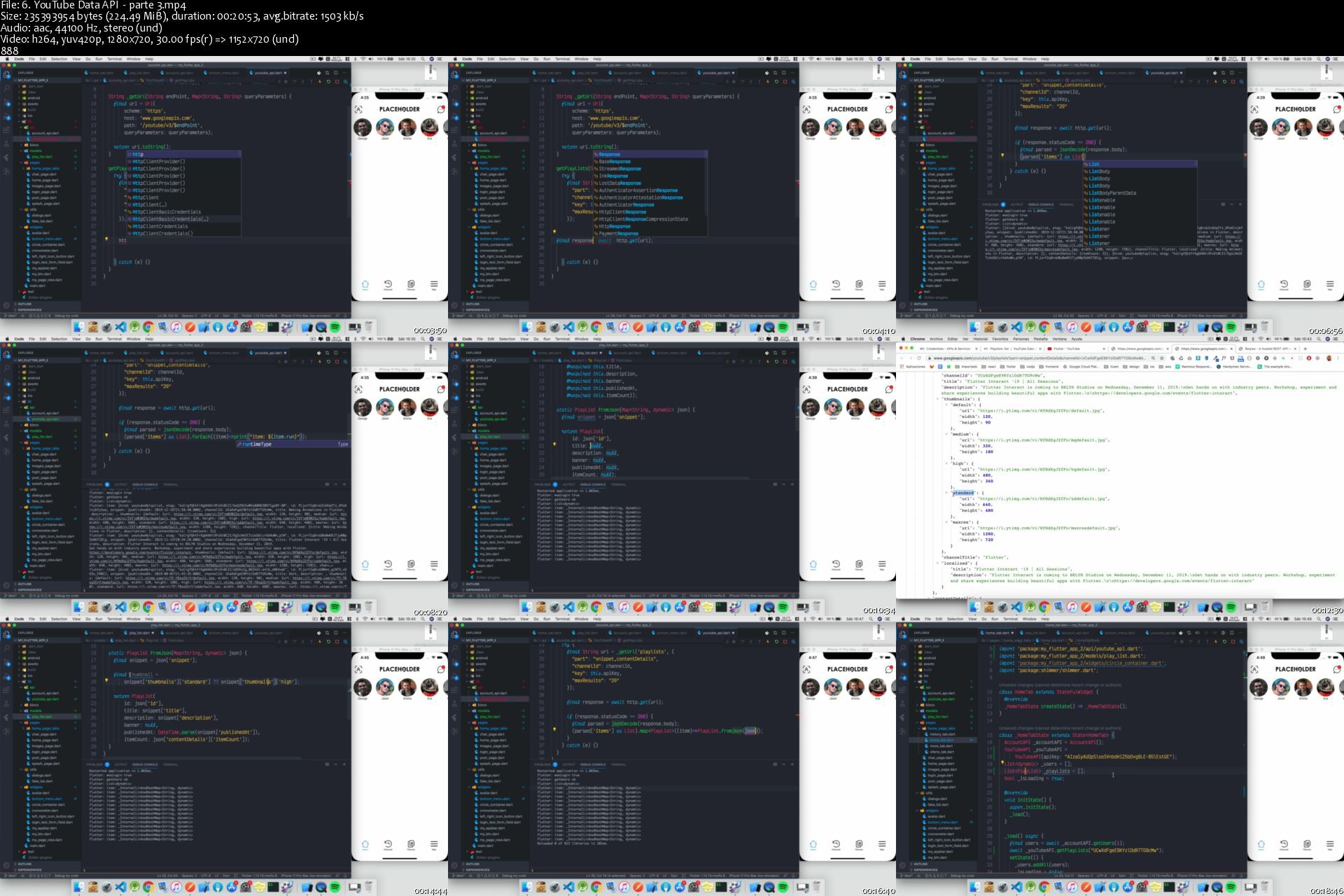
Reproducir videos de YouTube desde nuestra app

Requirements
Conocimientos previos de programación
Flutter SDK instalado y configurado

Description
Adquiere este curso a tan solo USD 4.99 en
En este curso aprenderás la sintaxis del lenguaje Dart, crear aplicaciones móviles con flutter, manejar los widgets mas comunes en flutter, consumir servicios REST via http, Crear UIs complejas, aplicar UX en tus apps.

Este es un curso para principiantes para aquellos que quieren explorar el potencial de flutter.

Este curso tiene como finalidad cubrir todos los conocimientos necesarios para iniciar con el curso de Flutter Avanzado.


Who this course is for:
Estudiantes que están iniciando en el desarrollo de apps con flutter


Homepage

6.youtubedataapiparteg5k0f.jpg


Zurück
Oben Unten