• Regeln für den Video-Bereich:

    In den Börsenbereich gehören nur Angebote die bereits den Allgemeinen Regeln entsprechen.

    Einteilung

    - Folgende Formate gehören in die angegeben Bereiche:
    - Filme: Encodierte Filme von BluRay, DVD, R5, TV, Screener sowie Telesyncs im Format DivX, XviD und x264.
    - DVD: Filme im Format DVD5, DVD9 und HD2DVD.
    - HD: Encodierte Filme mit der Auflösung 720p oder darüber von BluRay, DVD, R5, TV, Screener sowie Telesyncs im Format x264.
    - 3D: Encodierte Filme von BluRay, die in einem 3D Format vorliegen. Dies gilt auch für Dokus, Animation usw.
    - Serien: Cartoon/Zeichentrick, Anime, Tutorials, Dokumentationen, Konzerte/Musik, Sonstiges sind demnach in die entsprechenden Bereiche einzuordnen, auch wenn sie beispielsweise im High Definition-Format oder als DVD5/DVD9/HD2DVD vorliegen. Ausnahme 3D.
    - Bereich Englisch: Englische Releases gehören immer in diesen Bereich.
    - Bereich Talk: Der Bereich, in dem über die Releases diskutiert werden kann, darf, soll und erwünscht ist.


    Angebot/Beitrag erstellen

    - Ein Beitrag darf erst dann erstellt werden, wenn der Upload bei mindestens einem OCH komplett ist. Platzhalter sind untersagt.
    - Bei einem Scenerelease hat der Threadtitel ausschließlich aus dem originalen, unveränderten Releasenamen zu bestehen. Es dürfen keine Veränderungen wie z.B. Sterne, kleine Buchstaben o.ä. vorgenommen werden. Ausnahme Serienbörse:
    - Bei einem Sammelthread für eine Staffel entfällt aus dem Releasename natürlich der Name der Folge. Beispiel: Die Simpsons S21 German DVDRip XviD - ITG
    - Dementsprechend sind also u.a. verboten: Erweiterungen wie "Tipp", "empfehlenswert", "only", "reup", usw. / jegliche andere Zusatzinformation oder Ergänzung, welche nicht in obiger Beschreibung zu finden ist.

    Aufbau des Angebots und Threadtitel

    Der Titel nach folgendem Muster erstellt zu werden. <Name> [3D] [Staffel] [German] <Jahr> <Tonspur> [DL] [Auflösung] <Quelle> <Codec> - <Group>
    Beispiel: The Dark Knight German 2008 AC3 DVDRip XviD - iND
    Beispiel: The Dark Knight 2008 DTS DL BDRip x264 - iND
    Beispiel: The Dark Knight 2008 AC3 DL BDRip XviD - iND
    Beispiel: The Dark Knight German 2008 AC3 720p BluRay x264 iND
    Beispiel: The Dark Knight 2008 DTS DL 1080p BluRay x264 iND
    Beispiel: Die Simpsons S01 German AC3 DVDRip XviD iND
    Beispiel: Die Simpsons S20 German AC3 720p BluRay x264 iND
    Beispiel: Sword Art Online II Ger Sub 2014 AAC 1080p WEBRip x264 - peppermint
    Entsprechend sind also u.a. verboten: Sonderzeichen wie Klammern, Sterne, Ausrufezeichen, Unterstriche, Anführungszeichen / Erweiterungen wie "Tipp", "empfehlenswert", "only", "reup", usw. / jegliche andere Zusatzinformation oder Ergänzung, welche nicht in obiger Beschreibung zu finden ist
    Ausnahmen hiervon können in den Bereichen geregelt sein.

    Die Beiträge sollen wie folgt aufgebaut werden:
    Überschrift entspricht dem Threadtitel
    Cover
    kurze Inhaltsbeschreibung
    Format, Größe, Dauer sind gut lesbar für Downloader außerhalb des Spoilers zu vermerken
    Nfo sind immer Anzugeben und selbige immer im Spoiler in Textform.
    Sind keine Nfo vorhanden z.B. Eigenpublikationen, sind im Spoiler folgende Dateiinformationen zusätzlich anzugeben :
    Quelle
    Video (Auflösung und Bitrate)
    Ton (Sprache, Format und Bitrate der einzelnen Spuren)
    Untertitel (sofern vorhanden)
    Hosterangabe in Textform außerhalb eines Spoiler mit allen enthaltenen Hostern.
    Bei SD kann auf diese zusätzlichen Dateiinformationen verzichtet werden.

    Alle benötigten Passwörter sind, sofern vorhanden, in Textform im Angebot anzugeben.
    Spoiler im Spoiler mit Kommentaren :"Schon Bedankt?" sind unerwünscht.


    Releases

    - Sind Retail-Release verfügbar, sind alle anderen Variationen untersagt. Ausnahmen: Alle deutschen Retail-Release sind CUT, in diesem Fall sind dubbed UNCUT-Release zulässig.
    - Im Serien-Bereich gilt speziell: Wenn ein Retail vor Abschluss einer laufenden Staffel erscheint, darf diese Staffel noch zu Ende gebracht werden.62
    - Gleiche Releases sind unbedingt zusammenzufassen. Das bedeutet, es ist zwingend erforderlich, vor dem Erstellen eines Themas per Suchfunktion zu überprüfen, ob bereits ein Beitrag mit demselben Release besteht. Ist dies der Fall, ist der bereits vorhandene Beitrag zu verwenden.
    - P2P und Scene Releases dürfen nicht verändert oder gar unter einem iND Tag eingestellt werden.


    Support, Diskussionen und Suche

    - Supportanfragen sind entweder per PN oder im Bereich Talk zu stellen.
    - Diskussionen und Bewertungen sind im Talk Bereich zu führen. Fragen an die Uploader haben ausschließlich via PN zu erfolgen, und sind in den Angeboten untersagt.
    - Anfragen zu Upload-Wünschen sind nur im Bereich Suche Video erlaubt. Antworten dürfen nur auf Angebote von MyBoerse.bz verlinkt werden.


    Verbote

    - Untersagt sind mehrere Formate in einem einzigen Angebotsthread, wie beispielsweise das gleichzeitige Anbieten von DivX/XviD, 720p und 1080p in einem Thread. Pro Format, Release und Auflösung ist ein eigener Thread zu eröffnen.
    - Grundsätzlich ebenso verboten sind Dupes. Uploader haben sich an geeigneter Stelle darüber zu informieren, ob es sich bei einem Release um ein Dupe handelt.
    - Gefakte, nur teilweise lauffähige oder unvollständige Angebote sind untersagt. Dies gilt auch für eigene Publikationen, die augenscheinlich nicht selbst von z.B. einer DVD gerippt wurden. Laufende Serien, bei denen noch nicht alle Folgen verfügbar sind, dürfen erstellt und regelmäßig geupdatet werden.
    - Untersagt sind Angebote, welche nur und ausschließlich in einer anderen Sprache als deutsch oder englisch vorliegen. Ausnahmen sind VORHER mit den Moderatoren zu klären.


    Verstoß gegen die Regeln

    - Angebote oder Beiträge, die gegen die Forenregeln verstoßen, sind über den "Melden"-Button im Beitrag zu melden.
  • Bitte registriere dich zunächst um Beiträge zu verfassen und externe Links aufzurufen.

++ Premium IPTV ++ 7000 Live Sender ++ UHD Qualität ++ Mediathek mit 18.000 Inhalten ++


VenneTV


Englische Tutorials

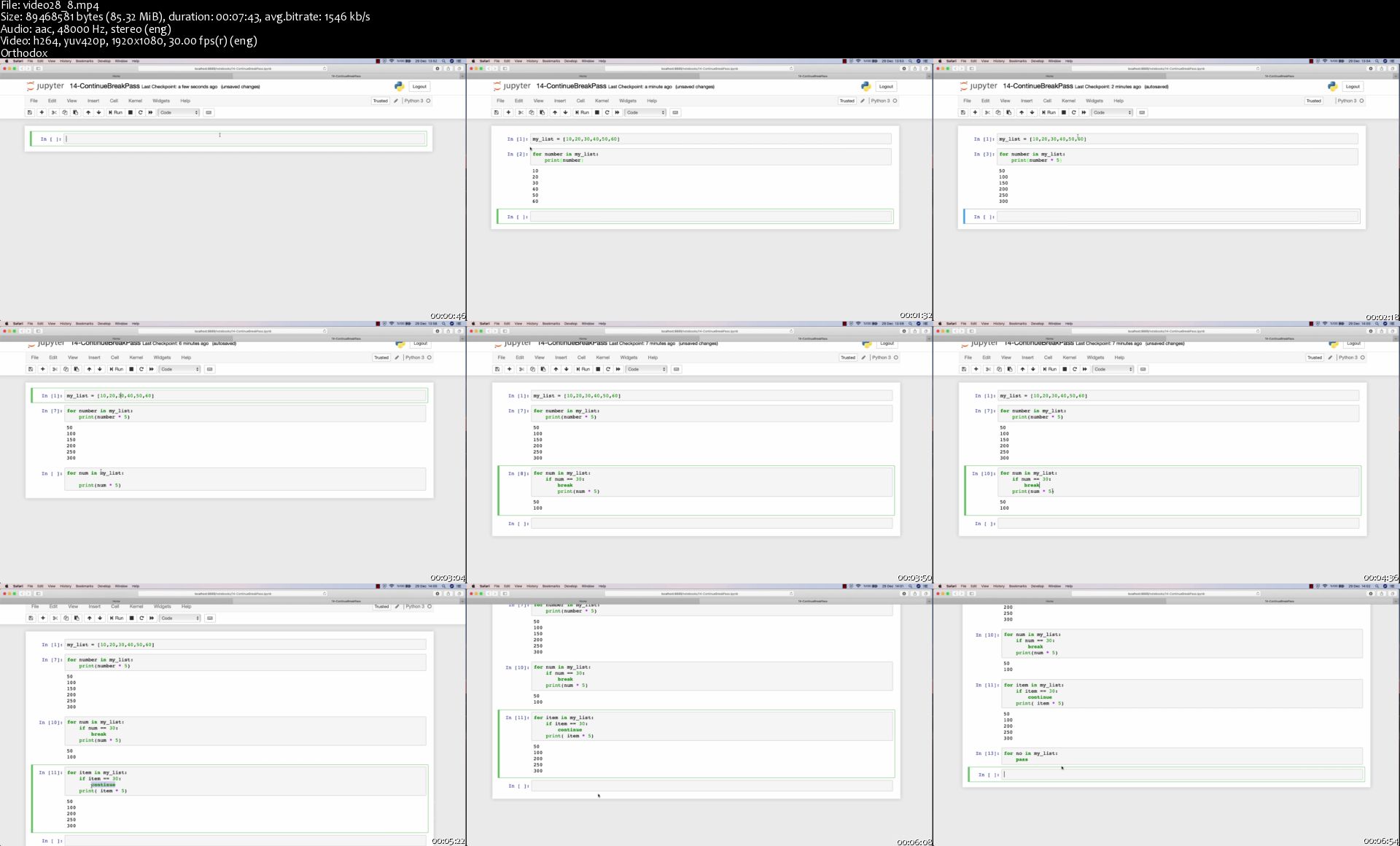
The Complete Ethical Hacking Course
9781839210495-original.png


The Complete Ethical Hacking Course
MP4 | Video: AVC 1920x1080 30fps | Audio: AAC 44.1KHz 2ch | Duration: 30h 2m
Genre: eLearning | Language: English | Size: 9.21 GB

Protect yourself from hackers and cyber attacks. Master penetration testing + build security and coding tools with Python. Learn
Writing ethical hacking tools with Python
Website penetration testing
Wireless network penetration testing
System penetration testing
Social engineering
SQL injection
SQL fundamentals
Man-in-the-Middle attacks and protection
About
This course is highly practical and is divided into several sections, each of which aims to achieve a specific goal; the goal is usually to hack into a specific system so that you can practice all the skills and techniques you learn in real-time. You'll start by setting up an ethical hacking lab on your computer. Here you can put the theory you learn to the test and have a safe space to practice using hacking tools and attacks. We'll experience real-time hacking examples and learn how to protect ourselves against these attacks at the same time!

In this course, you'll learn:

• How hackers launch attacks on different systems, computers, users, websites, and wireless networks

• What tools hackers use, why, and how they work

• How to protect yourself (or your clients!) against these attacks

• How to build your security and hacking tools with Python-from scratch and with no programming experience necessary!

• How to create your own ethical hacking tool portfolio.

In the relevant sections, you'll learn about subjects such as Kali Linux, Wireshark, Maltego, net discover, MSFC, Trojan, Backdoor, Veil, Metasploitable, SQLi, MITMf, Crunch, Meterpreter, Beef, Apache, Nmap, SQLMap, Python, Socket, Scapy, Pynput, Keylogger, and more. We start with practical information without excessive detail and progress accordingly without neglecting the theory at the end.

All the code files are placed at


Features
Kali Linux tools
Basic Linux commands
Fundamental ethical hacking attacks and protection methods
Learn Metasploit and Python

Homepage
video28-8-s.jpg


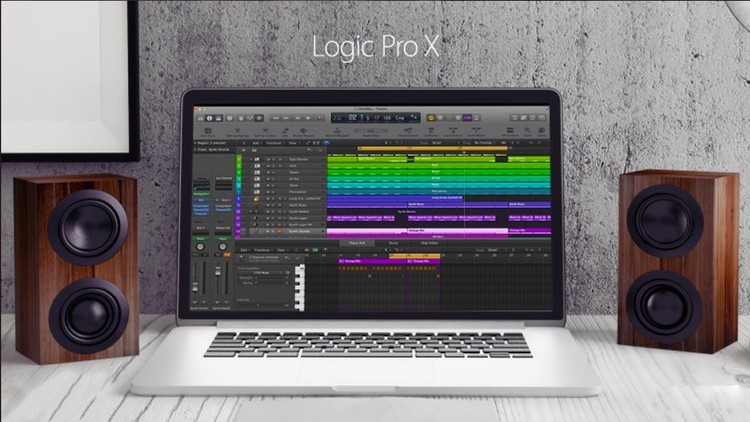
Music + Audio Production in Logic Pro X - The Complete Guide

tm-Qqlqq-QTWTy3w-AOh-FHERml-ZWz-T9-J1-Ec.jpg


Music + Audio Production in Logic Pro X - The Complete Guide
Genre: eLearning | MP4 | Video: h264, 1920x1080 | Audio: aac, 48000 Hz
Language: English | VTT | Size: 22.1 GB | Duration: 33 hours

What you'll learn
Learn how to record and edit audio to a professional standard in less time than any other DAW (because Logic Pro is super easy to use).
Consistently produce mixes that sound clear, powerful, and professional by following my step-by-step mixing system using stock plugins.
Write more music and edit more audio in less time by learning the little-known features of Logic Pro that will significantly speed up your workflow.
Spend less time fighting with the DAW and more time focusing on the music.
Discover the quickest and easiest ways to write music in Logic Pro.
Learn how to put together a song in under 120 seconds using Apple Loops and MIDI (even if you don't know how to write music).
Stay in the creative flow and prevent mistakes from ruining your workflow and inspiration (by avoiding the common pitfalls that most people fall into when producing music in Logic Pro).

Requirements
You can still enroll in this course even if you don't yet own a copy of Logic Pro X.
You will need a computer capable of running Logic Pro X.
You will need an internet connection to watch this videos.
Description
Want to produce professional quality music and audio using Logic Pro X?

UPDATED FOR VERSION 10.4

By the end of this course, you will be able to use every feature of Logic Pro X with confidence. This will allow you to quickly and easily write, edit, mix and produce great music that sounds professional, polished and impressive.

Everything you need to know about music production in Logic Pro X

Spend less time fighting with the DAW and more time focusing on the music.

Discover the quickest and easiest ways to write music in Logic Pro.

Consistently produce mixes that sound clear, powerful, and professional by following my step-by-step mixing system using stock plugins.

Learn how to put together a song in under 120 seconds using Apple Loops and MIDI (even if you don't know how to write music).

Stay in the creative flow and prevent mistakes from ruining your workflow and inspiration (by avoiding the common pitfalls that most people fall into when producing music in Logic Pro).

Write more music and edit more audio in less time by learning the little-known features of Logic Pro that will significantly speed up your workflow.

Learn how to record and edit audio to a professional standard in less time than any other DAW (because Logic Pro is super easy to use).

The Complete Guide to Logic Pro X

Logic Pro X is a powerful piece of software. Learning it on your own or from free material on YouTube can take years, and it's unlikely that you will ever explore the more powerful, advanced features.

For a fraction of the cost of Logic Pro X, you could take this course and avoid all of the wasted time and frustration that comes with figuring it out on your own.

If you are willing to invest in the software, it's a no-brainer to spend a bit more on developing your own skills and knowledge. Then you can focus on the music production process instead of feeling held back by the software.

This great piece of software is used by professional musicians and engineers around the world. It's simple user interface makes it an absolute joy to use. It's the easiest DAW to learn, yet it is also one of the most powerful.

Not only will you learn about composing music in Logic Pro, but you will also learn about recording, editing, mixing and mastering audio. Every single step of the audio production process is covered and can be performed within the software.

After covering the absolute basics of digital audio production and sound recording, we'll dive deeper into each topic.

Why should you take this course?

Basic audio production, music production and sound recording are taught, so you can take this course even if you are an absolute beginner.

Absolutely everything is covered, from beginner to advanced topics, so don't hesitate to take this course even if you have been using Logic Pro for years.

Produce, edit and mix your own music as you progress through the course with numerous activities and challenges scattered throughout.

The entire course is taught by a single experienced teacher - no confusing teacher changes halfway through.

Downloadable resources such as check lists, cheat sheets, project files and project templates are all included.

Personal support and access to the instructor. Get your questions answered.

Small one off payment, no subscription.

High quality information, all in one place. No more trawling YouTube for good tutorials.

Access anywhere, 24/7.

Over 14 hours of material.

Delivered in a way that's entertaining and enjoyable.

No questions asked 30 day refund policy.

Who this course is for:
This course IS for anyone who wants to produce their own music.
This course IS for anyone who wants to record and edit audio.
This course IS for voice over actors, dialogue editors and general audio engineers.
This course IS for anyone who wants to mix music in Logic Pro X.
This course IS for anyone who wants to record and mix music at home.
This course IS for professional engineers seeking to expand their knowledge of Logic Pro X.
This course IS for absolute beginners who have never recorded or produced audio.
This course IS for advanced users who have been using Logic Pro for years but want to further enhance their skills.
This course IS for people who don't yet own Logic Pro X but want to learn more about it.
This course IS NOT for people who use Windows computers.
This course IS NOT for people who don't care about the quality of their work.
This course IS NOT for live sound engineers.

Homepage

1-Mix-Bus-Processing-s.jpg


Kubernetes in the Data Center LiveLessons

006c895d.jpg


Kubernetes in the Data Center LiveLessons
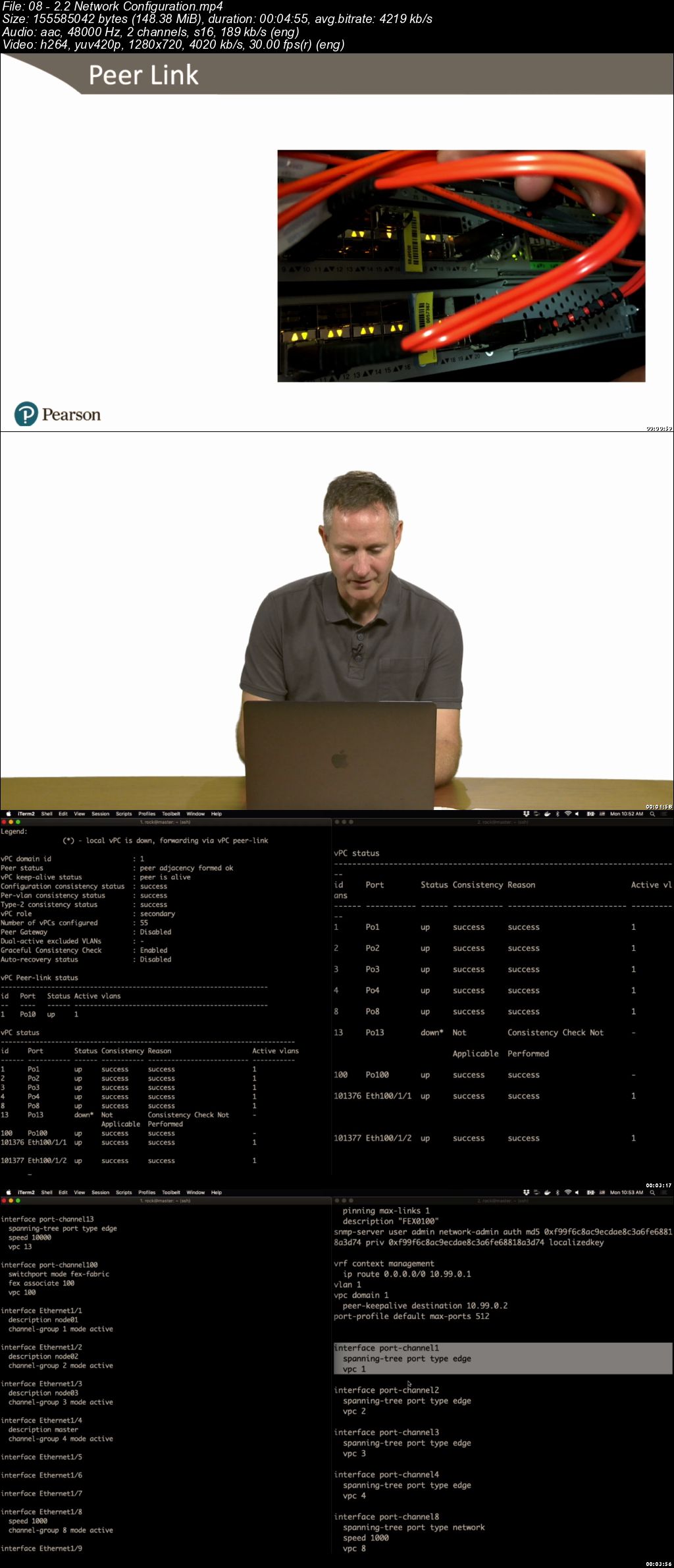
.MP4 | Video: 1280x720, 30 fps(r) | Audio: AAC, 48000 Hz, 2ch | 9.52 GB
Duration: 6 hours | Genre: eLearning | Language: English

Overview:
Kubernetes in the Data Center LiveLessons focuses on using the fundamental Kubernetes components and learning how they are installed. The goal is to help you understand what the components are so when troubles arise you have the tools to be able to fix them.

The course is primarily made up of instruction and demonstrations delivered by a seasoned expert, Vallard Benincosa. Vallard, who has experience working with Cisco and IBM, is currently a senior engineer at a small startup called Zenabi. He helped develop a Kubernetes certification for the Linux foundation and has been using Kubernetes since 2015.

Kubernetes in the Data Center LiveLessons walks you through Kubernetes on prem, hardware, and Linux configurations, installation, applications storage, and networking. It also gets in to running Kubernetes, as well as monitoring and securing it. The course covers a wide gambit of technical areas and explores many of the exciting Kubernetes opensource add-ons to make your system more complete. This includes Kubernetes, Docker, Ubuntu Linux, Minio, Ceph, and many networking concepts such as overlay networks, service meshes, load balancing, ingress controllers, and proxies.

Skill Level:
Intermediate/Advanced

Learn How To:
Architect a Kubernetes cluster on bare metal in the data center.* Install Kubernetes on bare-metal servers.* Pick and deploy the correct overlay network for your Kubernetes cluster. You will become familiar with several options and understand the trade-offs between different solutions. * Understand and deploy distributed storage solutions with Kubernetes to offer persistent volumes. You will then use these to deploy stateful services. * Monitor and troubleshoot your Kubernetes cluster.* Run applications and take advantage of service meshes and ingress controllers. * Control user access to cluster resources.

Who Should Take This Course:
People who are interested in deploying Kubernetes in enterprise data centers* People who are interested in the state of the art of container management* People who are deciding between running Kubernetes on prem or in public clouds* VMware administrators looking to see what is coming next* Networking professionals interested in understanding the coming onslaught of containerized applications

Course Requirements:
Familiarity with basic shell commands * Familiarity with Docker, containers, and microservices* Familiarity with Linux system administration

About Pearson Video TrainingPearson publishes expert-led video tutorials covering a wide selection of technology topics designed to teach you the skills you need to succeed. These professional and personal technology videos feature world-leading author instructors published by your trusted technology brands: Addison Wesley, Cisco Press, Pearson IT Certification, Prentice Hall, Sams, and Que. Topics include IT Certification, Network Security, Cisco Technology, Programming, Web Development, Mobile Development, and more

006c895e.jpg


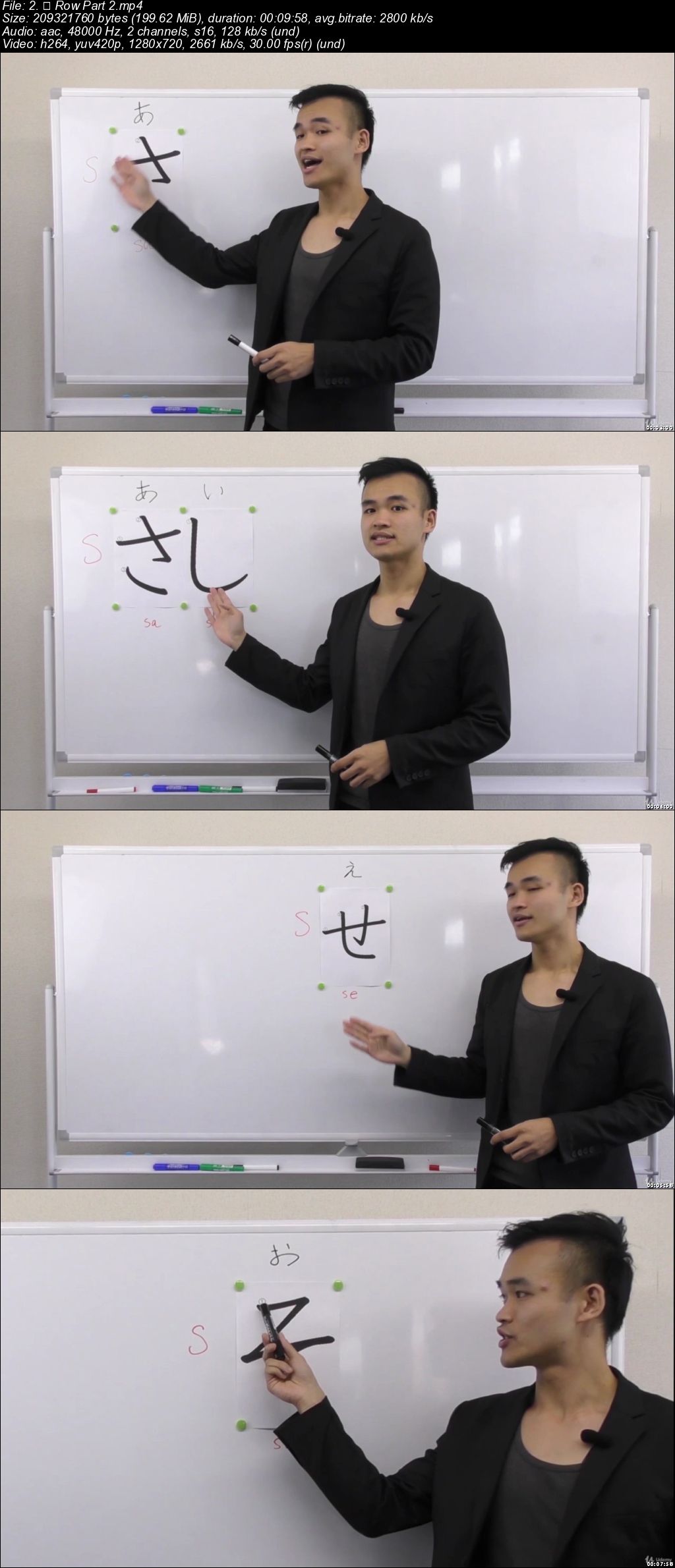
Japanese Course for Absolute Beginners (Letters, Alphabet)

3-REv0f-MMF1-VLH6-Sh-GArac-HIiy-CFD7u-Ya.jpg


Japanese Course for Absolute Beginners (Letters, Alphabet)
Created by Felicity Corp. | Video: h264, 1280x720 | Audio: AAC 48KHz 2ch | Duration: 06:17 H/M | Lec: 45 | 7.46 GB | Language: English | Sub: English

Elementary Japanese for non-Japanese Beginner Course Hiragana + Katakana + Basic Conversation

What you'll learn
Master Japanese characters: Hiragana and Katakana system
Totally understand Japanese writing system
Acquire a strong foundation to start elementary Japanese
Master the pronunciation and intonation system in Japanese
Master the most commonly used phrases for greetings in daily life
Acquire a broad knowledge of Japan through information on Japanese culture and daily life

Requirements
Be able to understand English
Download the learning materials (PDF) and learn a lecture with the corresponding PDF
Actively get engaged in the course and leave comments whenever having any questions

Description
"Japanese Course for Beginners (Alphabet)" is designed for Japanese beginners to master Hiragana and Katakana (Japanese Letter), the most essential and fundamental part of Japanese language. With a strong foundation of Hiragana and Katakana, students can go further learning of Japanese (N5 level to N1 level).

Distinct from the traditional teaching method, this course not only enables you to master how to pronounce and write each Japanese letters, but also provides you with various supplementary knowledge:

English-based instruction creating a totally foreigner- friendly environment especially for beginners;

the proper ways to do self-practice after class;

the downloadable PDF learning material of each section with corresponding writing practice;

culture note session that explains aspects of the culture and everyday life of japan, and deepens your understanding of Japanese culture;

vocabulary builder that enables you to practice pronunciation and acquire a basic level of Japanese words on completing the whole lectures;

the learning of daily phrases that are frequently used in daily life in Japan

comprehensive guidance that helps you to avoid common mistakes students tend to make to each Hiragana and Katakana.

Each of your comments and questions will be carefully handled and students are totally welcome to discuss anything related to the course.

The upcoming N5 and N4 course is being recorded and will be available soon! N3, N2 and N1 courses are also scheduled.

Who this course is for?
Japanese beginners
Learners starting from zero
Students who have interests to Japanese language
Students who have interests to Japan
Learners who want to review Hiragana and Katakana to consolidate their Japanese foundamental knowledge

Homepage

00614692.jpg


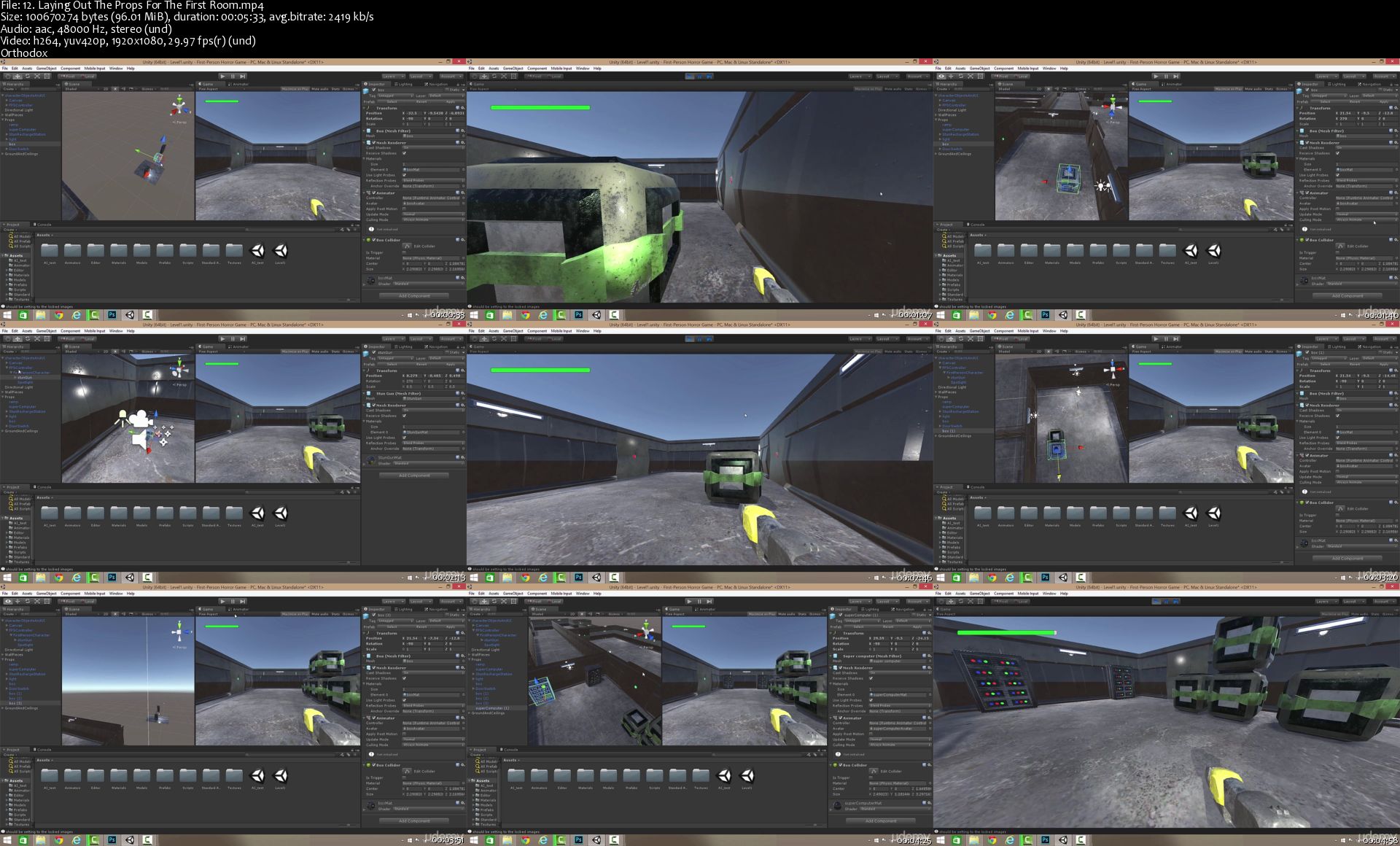
Game Development with Unity 5

HYe2-Tzr-L9-IIaw-To-Uy-DURac-Twc-Vjm-Jdcr.jpg


Game Development with Unity 5
Genre: eLearning | MP4 | Video: h264, 1920x1080 | Audio: aac, 48000 Hz
Language: English | VTT | Size: 5.70 GB | Duration: 12.5 hours

What you'll learn
Build games with Unity by taking this course. Students will be able to design levels, integrate art assets, and write code using C#.

Requirements
Students should be familiar with how to type. They should also have Unity installed on their computer.
Description
Game development is an ever changing, constantly improving, and highly dynamic area to work in. Things are on the move constantly, and if you're not careful you can get left behind. That's why it's important to keep your skills at the top level and to familiarise yourself with the latest tools and programs out there. This course will do just that by getting you up to speed with Unity5, the newest version of one of the industry's leading development engines.

Become a Unity 5 Developer

Build your first functioning game in 60 minutes
Create more complex games as your skills improve
Increasing levels of complexity to cater for both beginners and experienced developers
Grasp game development fundaments in a practical way
Gain practical skills than can instantly be used in the real world
Learn the Secrets of Unity 5 Game Development

Whether you're completely new to game development or have gained some experience developing games with Unity already, this course is for you. With 85 lectures and 9.5 hours of content, it takes starts off at beginner level and advances up to more complex projects.

This course goes beyond merely explaining or showing you how everything works; you'll be shown how, and then you'll do it for yourself. As you progress through the course you'll create three games of increasing complexity; a trivia game to demonstrate programming basics and show you the Unity user interface, followed by a 2D platforming game, and to finish, first person shooter game complete with visual effects and artificial intelligence.

By creating these games, you'll learn all about scripting and user interface including questions and answer options, creating different levels, adding audio, freezing game play, building scenes, learning Nav Mesh, character and object movement, and game narrative, among other things.

This course emphasises coding and development, and is suitable for anyone who wants to learn to develop games or learn how to code. To start this course, you will need to have Unity installed on your computer; we'll show you everything else from there.

About Unity 5

Unity is a games engine used to create and develop 2D and 3D games and interactive experiences. It is fast becoming the industry standard for creating multiplatform games. Unity5 is the latest version of the tool, and includes a number of advanced powerful features such as a 64-bit editor, frame debuggers, graphics command buffers, and more.

Who this course is for:
If want to learn how to develop games then this is the course for you.
This course will assist those also looking to learn how to code
This course is not for those looking to learn how to create art for games as the focus of this course is in coding.

Homepage

12-Laying-Out-The-Props-For-The-First-Room-s.jpg


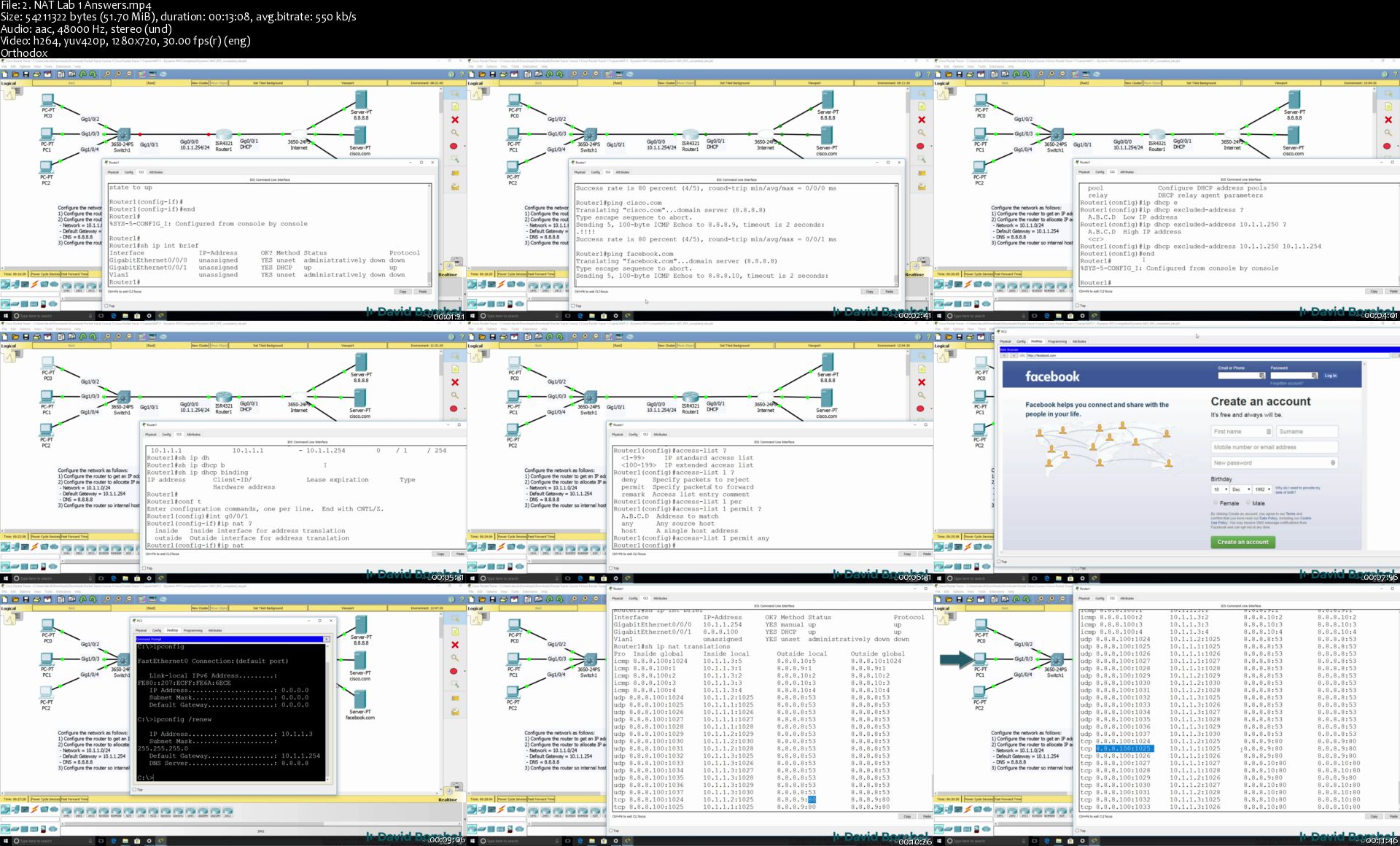
Cisco CCNA Packet Tracer Ultimate labs: CCNA Exam prep labs

P0-ZUxtia-Sv-Boq-VAz5p-FHEiha-Gnsr6-Ax-V.jpg


Cisco CCNA Packet Tracer Ultimate labs: CCNA Exam prep labs
Genre: eLearning | MP4 | Video: h264, 1280x720 | Audio: aac, 48000 Hz
Language: English | VTT | Size: 9.40 GB | Duration: 21 hours

What you'll learn
Be prepared for the CCNA exam
Verify your knowledge of CCNA exam topics
Ace the CCNA Exam simulations
Pass the CCNA or CCENT exams

Requirements
Preparing for ICND1, ICND2 or CCNA exams
Description
Labs! Labs! And more Labs! Get the hands on experience to pass your CCNA exam!

Make sure you are ready to pass the CCNA exam! Prepare practically for the Cisco CCNA certification which is the most in-demand networking certification in the world today! Make sure you can pass the Cisco CCNA Routing and Switching 200-125 exam!

This course tests your knowledge of CCNA topics with practical, hands on labs. Labs include both configuration as well as troubleshooting labs.

Ask yourself these questions:

- Are you ready and prepared for the labs in the CCNA exam?

- Are you able to troubleshoot Cisco networks?

- Are you confident with your ability to configure networks as required by Cisco to pass the CCNA?

Answer:

This course helps you prepare for the exam and gain the confidence to pass the exam!

There are many topologies and many labs in this course!

Networks are all around us and you are using one right now to access this course.

Imagine for a moment, how different your life would be without access to Facebook, Snapchat, Google, YouTube, Whatsapp or any of the other websites on the Internet? How would you live with no Internet?

The Internet is extremely important in modern life today and all websites and Internet communication relies on networking. This reliance is only predicted to continue with the growth of the Internet of Things (IoT) in the next few years.

Without routers, switches, network cabling and protocols like BGP there would be no Internet!

This course will teach you how networks actually work and how you are able to connect to websites like Facebook, Google, and YouTube.

Companies throughout the world (from the smallest to the largest) rely on networks designed, installed and maintained by networking engineers. Join this in demand industry!

Start your journey today learning about networking.

I want to welcome you to this Cisco CCNA Packet Tracer Ultimate labs course! I'm David Bombal, and I have been teaching networking courses for over 15 years. I qualified as a Cisco Certified Interwork Engineer (CCIE) in 2003 and hold with numerous other networking certifications. I'm also a Cisco and HPE certified instructor where I have trained thousands of networking engineers in many of the largest companies in the world including Fortune 100 companies.

The course covers the topics in the Cisco ICND1, ICND2 and CCNA exams.

At the end of this course, you will be able to confidently discuss networking topics; and be able to start configuring real networking devices such as routers and switches. In this an introductory course, but contains a lot of information that can be directly applied to the CCNA certification.

The ideal student for this course is someone looking to break into the networking field, someone looking to extend their knowledge from PCs and servers to networking, or someone interested in getting knowledge to work in one of the most exciting, most in-demand jobs in IT - networking.

There are no requirements necessary to enroll in this course, I only ask that you come open minded and ready to learn.

Feel free to take a look at the course description and some of the sample free videos.

I look forward to seeing you on the inside!

Who this course is for:
CCNA candidates
ICND1 candidates
ICND2 candidates

Homepage

2-NAT-Lab-1-Answ-ers-s.jpg


Cryptocurrency Investment Course 2019: Fund your Retirement! (Updated 4/2019)

RN2w-Zc-SFTky-LGKEb3kd-DUHTd-GCWLh0r8.jpg


Cryptocurrency Investment Course 2019: Fund your Retirement! (Updated 4/2019)
Created by Suppoman ™ | Video: h264, 1280x720 | Audio: AAC 48KHz 2ch | Duration: 07:30 H/M | Lec: 87 | 5.39 GB | Language: English | English [Auto-generated]

The Complete A-Z Guide to Bitcoin, Blockchain, Ethereum and Altcoins & how to buy them on the Cryptocurrency Exchange!

What you'll learn
Learn everything you need to know about Cryptocurrency and go from Beginner to Advanced in 7 hours!
Identify Cryptocurrencies with great potential, make huge gains and stick with it for the long-term
Learn about Blockchain, SHA256 hashing and mining to fully understand how Crypto is the future!
Set yourself up easily with a Simple Wallet for storing coins safely, while buying and sending Bitcoin to the exchange to buy alt coins
Become a member of the Number 1 retail investors Cryptocurrency Exchange so that you can buy and sell each day!
Know which coins to buy when day trading and which coins have potential for huge long-term profits!

Requirements
You should have a bank account to be able to buy Bitcoin
You should have access to the internet so that you can access the 'Wallet' and the 'Exchange'
You can start with as little or as much money as you want!
You should have an open mind and be prepared to be blown away by the concept of Cryptocurrency

Description
Would you like to learn the quickest, easiest and detailed way to get into Cryptocurrency Investing? If so, you will love this Udemy Course, taught by me, Suppoman - a Cryptocurrency YouTuber and teacher with over 140,000 subscribers.

This course is the definitive guide to Cryptocurrency and will teach you everything you need to know - understanding Bitcoin, Ethereum and all Alt coins, setting up a secure wallet, buying Bitcoin & any Cryptocurrency on the no1 exchange - Binance, and my 7 criteria for identifying profitable coins!

2019 is possibly one of the last opportunities to buy Cryptocurrencies at low prices from 2 years ago before mainstream adoption and wealthy institutional investors enter. Thousands of Entrepreneurs have discovered that Cryptocurrency investing is the best way to fund their retirement, sometimes making 100 times their money back on just ONE coin!

I have spent most of my life missing the boat - I missed the goldmine periods for websites, domain flipping, teaching online and mobile apps! However I am grateful today that I have landed slap bang in the middle of the biggest GOLDMINE of our generation, Cryptocurrency trading - an asset class that will be invested in for the next decade and beyond! And you can benefit from it right in the early stages!

In this course, I will teach you my 7 main strategies when looking for coins to invest in. I will also show you how to spot the optimal price to enter a trade for a short, medium and long term basis!

You will see the exact ways to identify the next big coins!

Don't delay, this is a party that is happening right now!

Every minute you delay could be costing you your retirement fund!

Who this course is for?
Anyone who wants to learn how to invest in Cryptocurrency and doesn't know where to start
Anyone looking for strategies to identify the hottest Cryptocurrencies available
Anyone who wants to learn the day trading and investment strategies that keep money coming in daily while certain coins take time to mature
Anyone who wants the mentality to survive in the Cryptocurrency game, whether it is overcoming a fall in a coin to an entire market crash!
Anyone who wants to have access to all the hottest Cryptocurrencies that are available right now!
Anyone who does not understand Blockchain and wants to learn how it works, simply!

Homepage

1-Congratulations-on-completing-this-course-How-to-move-forwar.jpg


Creative careers in design

006ca1c4.jpg


Creative careers in design
.MP4 | Video: 1280x720, 30 fps(r) | Audio: AAC, 48000 Hz, 2ch | 5.14 GB
Duration: 5 hours | Genre: eLearning | Language: English

Divert your career into the fun and exciting path of design


What you'll learn

Design and build an IOS user interface.
Design and build a front end candy website.
Comic book reels! bring the vitual worlds you imagine to life.
Design assets with Affinity Designer.
Design Logos and education of implementing.
IPhone Film Making Day and night techniques and animation.
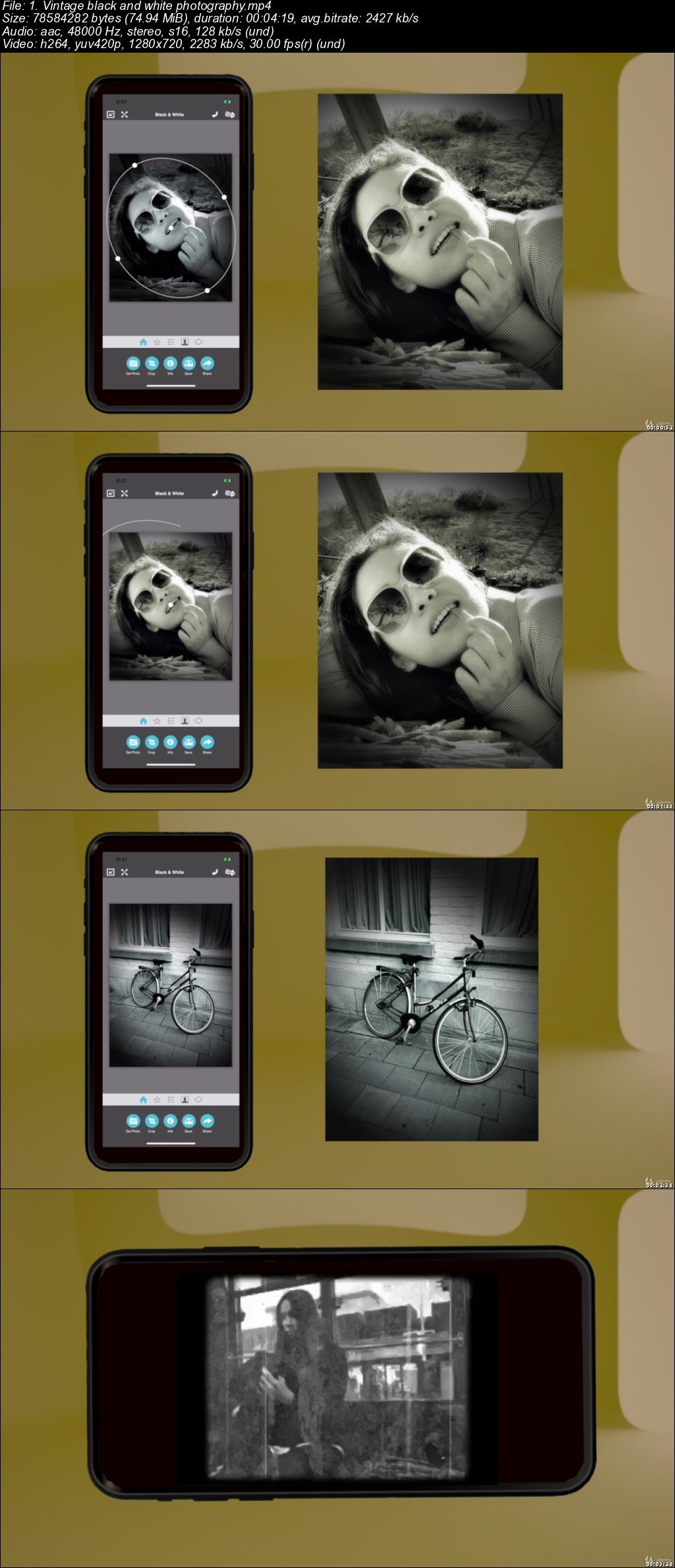
Vintage video and photography effects.
Storyboarding creating a Udemy course.
IOS Video and photo editing.
Create your own color palette.
Learn all key components in Final Cut Pro X.
Learn all key components in Logic Pro x.

Requirements

No programing experience is needed!
Macbook or PC with internet
Adom text code editor
Xcode
Final Cut Pro X
Logic Pro X
IPhone
Textastic app
Affinity Designer
Capto app

Description

The method of design taught in many different projects to give you the real feel should you decide to take up that new path in design, From designing IOS Apps web design film making comic book reels storyboarding Logo design Final cut and Logic Pro X editing skills and much more.

Who this course is for:

Anyone who wants to divert their career into a fun life of design.

006ca1c5.jpg


The Web Developer Bootcamp (updated 9/2019)

Z2-Ng-NYZ31-Mt-IEkh-C6-EOq3-U41-QL8zy-ZZx.jpg


The Web Developer Bootcamp (updated 9/2019)
Genre: eLearning | MP4 | Video: h264, 1920x1080 | Audio: aac, 44100 Hz
Language: English | VTT | Size: 36.1 GB | Duration: 46.5 hours

What you'll learn
Make REAL web applications using cutting-edge technologies
Continue to learn and grow as a developer, long after the course ends
Create a blog application from scratch using Express, MongoDB, and Semantic UI
Create a complicated yelp-like application from scratch
Write your own browser-based game
Create static HTML and CSS portfolio sites and landing pages
Think like a developer. Become an expert at Googling code questions!
Create complex HTML forms with validations
Write web apps with full authentication
Use Bootstrap to create good-looking responsive layouts
Implement responsive navbars on websites
Use JavaScript variables, conditionals, loops, functions, arrays, and objects
Write Javascript functions, and understand scope and higher order functions
Create full-stack web applications from scratch
Manipulate the DOM with vanilla JS
Manipulate the DOM using jQuery
Translate between jQuery and vanillas JS
Write JavaScript based browser games
Use NodeJS to write server-side JavaScript
Write complex web apps with multiple models and data associations
Write a REAL application using everything in the course
Use Express and MongoDB to create full-stack JS applications
Use common JS data structures like Arrays and Objects
Master the command line interface
Use NPM to install all sorts of useful packages
Understand the ins and outs of HTTP requests
Create your own Node modules
Make a beautiful, responsive photographer's portfolio page
Create a beautiful, responsive landing page for a startup
Implement user authentication
Create a beautiful animated todo list application

Requirements
Have a computer with Internet
Be ready to learn an insane amount of awesome stuff
Prepare to build real web apps!
Brace yourself for stupid jokes about my dog Rusty
Description
Just updated to include Bootstrap 4.1.3!

Hi! Welcome to the Web Developer Bootcamp, the only course you need to learn web development. There are a lot of options for online developer training, but this course is without a doubt the most comprehensive and effective on the market. Here's why:

This is the only online course taught by a professional bootcamp instructor.

94% of my in-person bootcamp students go on to get full-time developer jobs. Most of them are complete beginners when I start working with them.

The previous 2 bootcamp programs that I taught cost $14,000 and $21,000. This course is just as comprehensive but with brand new content for a fraction of the price.

Everything I cover is up-to-date and relevant to today's developer industry. No PHP or other dated technologies. This course does not cut any corners.

This is the only complete beginner full-stack developer course that covers NodeJS.

We build 13+ projects, including a gigantic production application called YelpCamp. No other course walks you through the creation of such a substantial application.

The course is constantly updated with new content, projects, and modules. Think of it as a subscription to a never-ending supply of developer training.

You get to meet my dog Rusty!

When you're learning to program you often have to sacrifice learning the exciting and current technologies in favor of the "beginner friendly" classes. With this course, you get the best of both worlds. This is a course designed for the complete beginner, yet it covers some of the most exciting and relevant topics in the industry.

Throughout the course we cover tons of tools and technologies including:

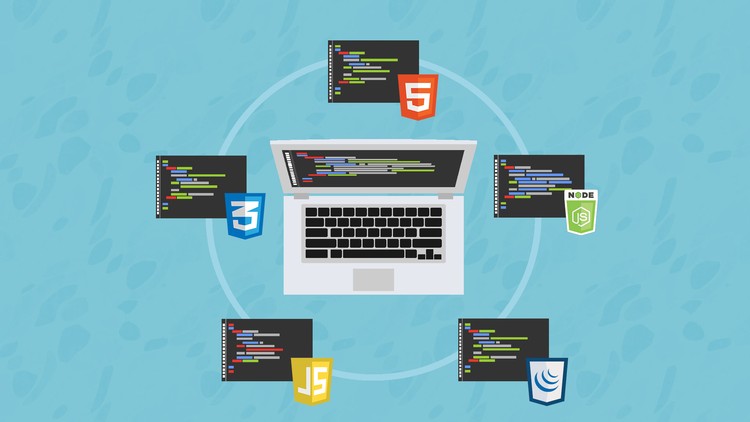
HTML5

CSS3

JavaScript

Bootstrap 4

SemanticUI

DOM Manipulation

jQuery

Unix(Command Line) Commands

NodeJS

NPM

ExpressJS

REST

MongoDB

Database Associations

Authentication

PassportJS

Authorization

This course is also unique in the way that it is structured and presented. Many online courses are just a long series of "watch as I code" videos. This course is different. I've incorporated everything I learned in my years of teaching to make this course not only more effective but more engaging. The course includes:

Lectures

Code-Alongs

Projects

Exercises

Research Assignments

Slides

Downloads

Readings

Too many pictures of my dog Rusty

If you have any questions, please don't hesitate to contact me. I got into this industry because I love working with people and helping students learn. Sign up today and see how fun, exciting, and rewarding web development can be!

Who this course is for:
This course is for anyone who wants to learn about web development, regardless of previous experience
It's perfect for complete beginners with zero experience
It's also great for anyone who does have some experience in a few of the technologies(like HTML and CSS) but not all
If you want to take ONE COURSE to learn everything you need to know about web development, take this course

Homepage

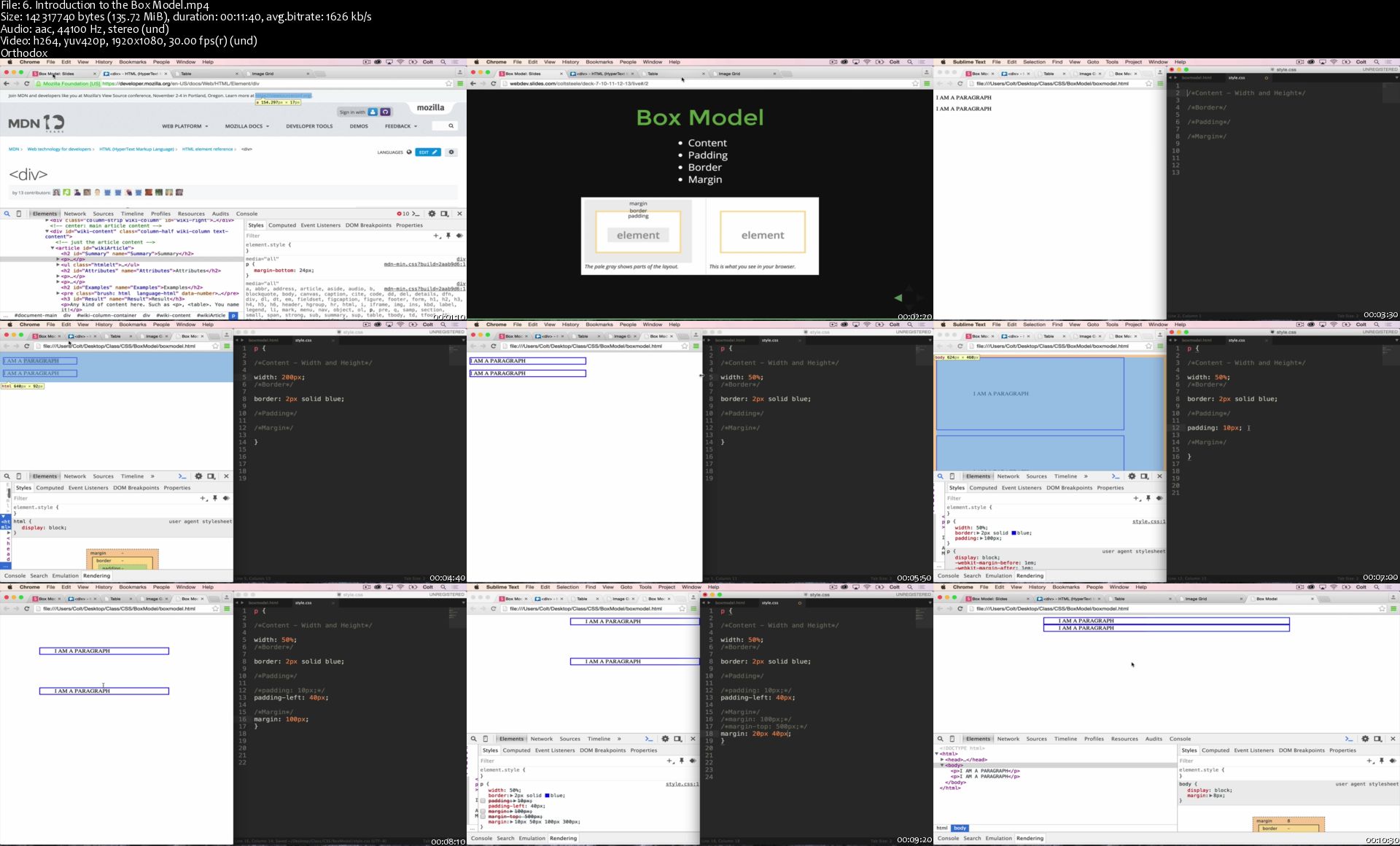
6-Introduction-to-the-Box-Model-s.jpg


Creativelive | Powerful Portraits using Body Language and Lighting

hd-R1yqgs-RKYj-QZgaf-Rxofs-IJqik-Y1-Tfi.jpg


Creativelive | Powerful Portraits using Body Language and Lighting
Stacy Pearsall | Video: h264,1280x720 | Audio: AAC 48KHz stereo | Duration: 10h 49m | Lec: 39 | 7.30 GB | Language: English | 3 CLASS MATERIAL

Capture Authentic Emotion

Description
Over fifty-five percent of communication is done through non-verbal gestures. It's essential for photographers to understand the fundamentals of body language in order to better communicate with their clients. In this class, award-winning photographer Stacy Pearsall teaches how to make solid first impressions with your subject through the use of body language.

With her honest and straightforward teaching style, you will learn how to:

Observe and decipher non-verbal cues
Use light and shadow to convey emotion and create a mood
Utilize appropriate lighting for specific personalities
Use body language techniques to capture authentic expressions from your subject
During live photo shoots, Stacy will explain and demonstrate from start to finish how to connect with subjects through positive body language, maintain connection by touch and energy, and capture their true likeness with gesture and light. By the end of this class, you will have the tools and confidence to photograph your clients to show their authentic personalities.

Homepage

15-Powerful-Portraits-Using-Body-Language-And-Lighting-Stacy-Pearsall-P.jpg


Organic Chemistry: How to Build People

006ca178.jpg


Organic Chemistry: How to Build People
MP4 | Video: AVC 1280x720 | Audio: AAC 44KHz 2ch | Duration: 4.5 Hours | Lec: 56 | 5.84 GB
Genre: eLearning | Language: English

As you begin your study of organic chemistry, you might feel overwhelmed by the number of compounds, names, reactions, and mechanisms that confront you. The goal of this course is to organize the material and to show that most of organic chemistry consists of a few basic principles and many extensions and applications of these principles.
In Section 1: Structure and Bonding
We will review concepts from general chemistry that are essential for success in organic chemistry, such as the electronic structure of the atom, Lewis structures and the octet rule, types of bonding, electronegativity, and formal charges. Predict patterns of covalent and ionic bonding involving C, H, O, N, and the halogens. Identify resonance-stabilized structures and compare the relative importance of their resonance forms. Draw and interpret the types of structural formulas commonly used in organic chemistry, including condensed structural formulas and line-angle formulas.Predict the hybridization and geometry of organic molecules based on their bonding. Identify isomers and explain the differences between them.
In section 2: Acids and Bases and Functional Groups
We will identify the molecular features that cause compounds to be polar and to engage in hydrogen bonding. Predict general trends in physical properties such as boiling points and solubilities. Identify acids, bases, electrophiles, and nucleophiles. Compare their strengths and predict their reactions based on structure and bonding, as well as Ka and pKa values. Identify the nucleophiles and electrophiles in Lewis acid-base reactions and use curved arrows to show the flow of electrons. Identify the general classes of organic compounds.
In section 3: Structure and Stereochemistry of Alkanes
We will draw and name the isomers of alkanes, and explain the trends in their physical properties. Draw alkane conformations, compare their energies, and predict the most stable conformations. Draw and name the isomers of cycloalkanes, and explain ring strain. Draw the conformations of cycloalkanes, compare their energies, and predict the most stable conformations.

006ca179.jpg


Office 365:Learn Microsoft Excel 2019 and Microsoft Power BI (Updated)

006c9b00.jpg


Office 365:Learn Microsoft Excel 2019 and Microsoft Power BI (Updated)
.MP4 | Video: 1280x720, 30 fps(r) | Audio: AAC, 44100 Hz, 2ch | 16.4 GB
Duration: 33 hours | Genre: eLearning | Language: English

Office 365:Learn MS Excel from beginner to advanced & MS Power BI (Data Analytics,Dashboards and Reports).

What you'll learn

Learn all basic concepts of excel
Learn most commonly used formulas in the office
Learn PinotTables and PivotCharts
Learn Power Query
Learn Power Pivot
Learn Power Map
Learn What-if-analysis Tools
Learn Forecasting Sheet
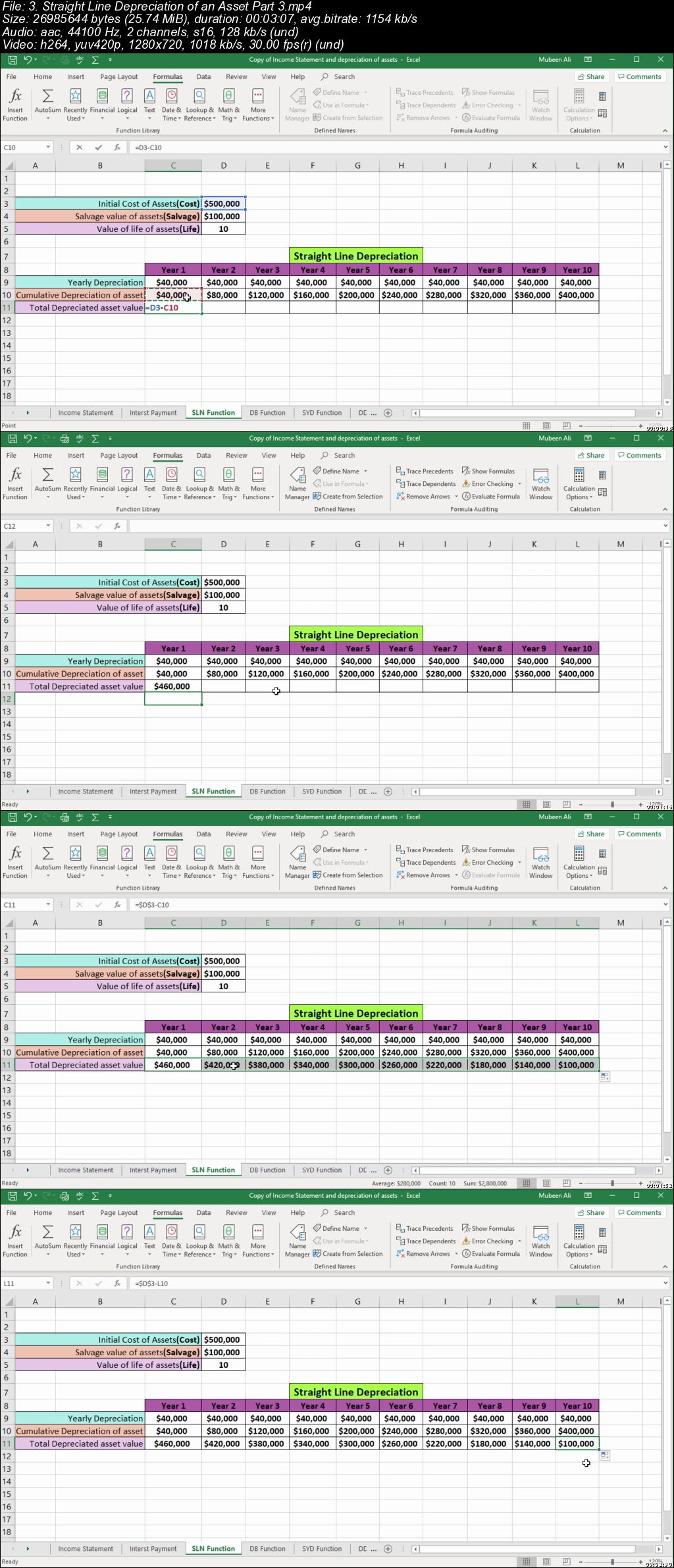
Learn Excel Formulas and Functions
And Much More!
Create reports in power bi
Create dashboards in power bi
Visualize data in power bi
Edit data in power bi and power query editor
Add buttons in report page
Visualize data in power bi by adding custom visuals

Requirements

This course is recorded on excel 2019 but all previous versions 2007,2010,2013,2016 and office 365 will work on this course.
Download free Microsoft Power BI.

Description

This course covers training for two Microsoft apps.Microsoft Excel and Microsoft Power BI.These two apps are very useful in the office and business worlds.

Microsoft Excel/Office 365

Learn pivottables ,pivotcharts,power query,power pivot,power map,what-if-analysis tools,solver and others topics.Learn how to add charts in Microsoft Excel sheet.Learn how to use formulas and functions in Microsoft Excel.Learn how to create dashboards in Excel.To see more topics of this course,view course contents in the course landing page.

Microsoft Power BI/Office 365

Learn How to Analyze Data in Microsoft Business Intelligence Power BI.How to Reports and Dashboards are Created in Power BI.

In this course,you will learn,how to analyze business data in Microsoft business intelligence power bi.You will learn how to extract data from the website and an other sources and how that data is transformed in power query editor and power bi.You will learn how to that data is visualized in power bi.You will learn how to create reports and dashboards in power bi and how to add buttons in report page.You will learn how to custom visuals are added and data is visualized from that visuals.And much more!

Who this course is for:

If someone want to learn excel from basic to Advance,this course covers basic and advance levels topics.
If someone want to learn business intelligence for data analysis and for creating dashboards and reports,learn Microsoft power BI from basic to advance levels.

006c9b01.jpg


Zurück
Oben Unten