• Regeln für den Video-Bereich:

    In den Börsenbereich gehören nur Angebote die bereits den Allgemeinen Regeln entsprechen.

    Einteilung

    - Folgende Formate gehören in die angegeben Bereiche:
    - Filme: Encodierte Filme von BluRay, DVD, R5, TV, Screener sowie Telesyncs im Format DivX, XviD und x264.
    - DVD: Filme im Format DVD5, DVD9 und HD2DVD.
    - HD: Encodierte Filme mit der Auflösung 720p oder darüber von BluRay, DVD, R5, TV, Screener sowie Telesyncs im Format x264.
    - 3D: Encodierte Filme von BluRay, die in einem 3D Format vorliegen. Dies gilt auch für Dokus, Animation usw.
    - Serien: Cartoon/Zeichentrick, Anime, Tutorials, Dokumentationen, Konzerte/Musik, Sonstiges sind demnach in die entsprechenden Bereiche einzuordnen, auch wenn sie beispielsweise im High Definition-Format oder als DVD5/DVD9/HD2DVD vorliegen. Ausnahme 3D.
    - Bereich Englisch: Englische Releases gehören immer in diesen Bereich.
    - Bereich Talk: Der Bereich, in dem über die Releases diskutiert werden kann, darf, soll und erwünscht ist.


    Angebot/Beitrag erstellen

    - Ein Beitrag darf erst dann erstellt werden, wenn der Upload bei mindestens einem OCH komplett ist. Platzhalter sind untersagt.
    - Bei einem Scenerelease hat der Threadtitel ausschließlich aus dem originalen, unveränderten Releasenamen zu bestehen. Es dürfen keine Veränderungen wie z.B. Sterne, kleine Buchstaben o.ä. vorgenommen werden. Ausnahme Serienbörse:
    - Bei einem Sammelthread für eine Staffel entfällt aus dem Releasename natürlich der Name der Folge. Beispiel: Die Simpsons S21 German DVDRip XviD - ITG
    - Dementsprechend sind also u.a. verboten: Erweiterungen wie "Tipp", "empfehlenswert", "only", "reup", usw. / jegliche andere Zusatzinformation oder Ergänzung, welche nicht in obiger Beschreibung zu finden ist.

    Aufbau des Angebots und Threadtitel

    Der Titel nach folgendem Muster erstellt zu werden. <Name> [3D] [Staffel] [German] <Jahr> <Tonspur> [DL] [Auflösung] <Quelle> <Codec> - <Group>
    Beispiel: The Dark Knight German 2008 AC3 DVDRip XviD - iND
    Beispiel: The Dark Knight 2008 DTS DL BDRip x264 - iND
    Beispiel: The Dark Knight 2008 AC3 DL BDRip XviD - iND
    Beispiel: The Dark Knight German 2008 AC3 720p BluRay x264 iND
    Beispiel: The Dark Knight 2008 DTS DL 1080p BluRay x264 iND
    Beispiel: Die Simpsons S01 German AC3 DVDRip XviD iND
    Beispiel: Die Simpsons S20 German AC3 720p BluRay x264 iND
    Beispiel: Sword Art Online II Ger Sub 2014 AAC 1080p WEBRip x264 - peppermint
    Entsprechend sind also u.a. verboten: Sonderzeichen wie Klammern, Sterne, Ausrufezeichen, Unterstriche, Anführungszeichen / Erweiterungen wie "Tipp", "empfehlenswert", "only", "reup", usw. / jegliche andere Zusatzinformation oder Ergänzung, welche nicht in obiger Beschreibung zu finden ist
    Ausnahmen hiervon können in den Bereichen geregelt sein.

    Die Beiträge sollen wie folgt aufgebaut werden:
    Überschrift entspricht dem Threadtitel
    Cover
    kurze Inhaltsbeschreibung
    Format, Größe, Dauer sind gut lesbar für Downloader außerhalb des Spoilers zu vermerken
    Nfo sind immer Anzugeben und selbige immer im Spoiler in Textform.
    Sind keine Nfo vorhanden z.B. Eigenpublikationen, sind im Spoiler folgende Dateiinformationen zusätzlich anzugeben :
    Quelle
    Video (Auflösung und Bitrate)
    Ton (Sprache, Format und Bitrate der einzelnen Spuren)
    Untertitel (sofern vorhanden)
    Hosterangabe in Textform außerhalb eines Spoiler mit allen enthaltenen Hostern.
    Bei SD kann auf diese zusätzlichen Dateiinformationen verzichtet werden.

    Alle benötigten Passwörter sind, sofern vorhanden, in Textform im Angebot anzugeben.
    Spoiler im Spoiler mit Kommentaren :"Schon Bedankt?" sind unerwünscht.


    Releases

    - Sind Retail-Release verfügbar, sind alle anderen Variationen untersagt. Ausnahmen: Alle deutschen Retail-Release sind CUT, in diesem Fall sind dubbed UNCUT-Release zulässig.
    - Im Serien-Bereich gilt speziell: Wenn ein Retail vor Abschluss einer laufenden Staffel erscheint, darf diese Staffel noch zu Ende gebracht werden.62
    - Gleiche Releases sind unbedingt zusammenzufassen. Das bedeutet, es ist zwingend erforderlich, vor dem Erstellen eines Themas per Suchfunktion zu überprüfen, ob bereits ein Beitrag mit demselben Release besteht. Ist dies der Fall, ist der bereits vorhandene Beitrag zu verwenden.
    - P2P und Scene Releases dürfen nicht verändert oder gar unter einem iND Tag eingestellt werden.


    Support, Diskussionen und Suche

    - Supportanfragen sind entweder per PN oder im Bereich Talk zu stellen.
    - Diskussionen und Bewertungen sind im Talk Bereich zu führen. Fragen an die Uploader haben ausschließlich via PN zu erfolgen, und sind in den Angeboten untersagt.
    - Anfragen zu Upload-Wünschen sind nur im Bereich Suche Video erlaubt. Antworten dürfen nur auf Angebote von MyBoerse.bz verlinkt werden.


    Verbote

    - Untersagt sind mehrere Formate in einem einzigen Angebotsthread, wie beispielsweise das gleichzeitige Anbieten von DivX/XviD, 720p und 1080p in einem Thread. Pro Format, Release und Auflösung ist ein eigener Thread zu eröffnen.
    - Grundsätzlich ebenso verboten sind Dupes. Uploader haben sich an geeigneter Stelle darüber zu informieren, ob es sich bei einem Release um ein Dupe handelt.
    - Gefakte, nur teilweise lauffähige oder unvollständige Angebote sind untersagt. Dies gilt auch für eigene Publikationen, die augenscheinlich nicht selbst von z.B. einer DVD gerippt wurden. Laufende Serien, bei denen noch nicht alle Folgen verfügbar sind, dürfen erstellt und regelmäßig geupdatet werden.
    - Untersagt sind Angebote, welche nur und ausschließlich in einer anderen Sprache als deutsch oder englisch vorliegen. Ausnahmen sind VORHER mit den Moderatoren zu klären.


    Verstoß gegen die Regeln

    - Angebote oder Beiträge, die gegen die Forenregeln verstoßen, sind über den "Melden"-Button im Beitrag zu melden.
  • Bitte registriere dich zunächst um Beiträge zu verfassen und externe Links aufzurufen.

*** Bestes IPTV *** bester Preis *** gratis Test ***


Englische Tutorials


1812071856040108.jpg

MP4 | Video: h264, 1280x720 | Audio: AAC, 44.1 KHz, 2 Ch
Genre: eLearning | Language: English | Duration: 1 hours | Size: 458 MB
Winforms using vs 2015 c#​

What you'll learn
able to create win forms with c#
Requirements
initial knowledge of vs 2015 and ms access
Description
Create powerful goodlooking easy project with windows form application using oled coding in c#. After learn easy step you will cover pass parameter , null handling code, fill data using loop structures.very useful events, adding assembly. Ect. Project designed in user friendly way so at the starting or home page you can see menu item showing 3 menu. First is item menu where you can create new item second sales form where you can make sales. Third is for billing related information.
Who is the target audience?
everyone wish to develop simple project

1812071856050105.jpg


Recommend Download Link Hight Speed | Please Say Thanks Keep Topic Live

 

1811211544570088.jpg


Troubleshooting Common PC Issues for Users
MP4 | Video: AVC 1280x720 | Audio: AAC 44KHz 2ch | Duration: 2 Hours | 328 MB
Genre: eLearning | Language: English

Are you a help desk specialist or the go-to technical troubleshooter in your department? If people rely on you to diagnose and fix their computer issues, this course was designed to help you help them. Join PC expert Dan Gookin as he takes you through a number of diagnostic and repair steps. First, he explains how to determine if the source is hardware or software related. Then, he provides instructions on how to resolve the most common issues, such as dealing with errors, leveraging the Task Manager, fixing Windows issues, and more. In addition, he also demonstrates maintenance techniques to help protect storage drives, as well as how to address problems you encounter with devices like printers and monitors. He wraps up with how to restore network and internet connectivity.


1811211544590092.jpg


Recommend Download Link Hight Speed | Please Say Thanks Keep Topic Live

 

1811301420250099.jpg

Kettlebell Training For Enhancing Combative Skills
2xDVDRip | AVI/XviD, ~1574 kb/s | 656x494 | 01:26:01 | English: MP3, 128 kb/s (2 ch) | 1.36 GB
Genre: eLearning Video / Kettlebell

In this two-disk program, we take an in-depth look at how we can employ Kettlebells for cross-training our Combative attributes. Anyone familiar with the Strength & Conditioning aspect of UC via Com-Fit will know that any piece of KIT is merely a means to an end. It is concepts and principles that drive any good objective - the KIT we employ is secondary to that all day long.

With that said, the humble Kettlebell has come back into vogue over the last decade and is employed by nearly every Combat Athlete that has ever entered the cage or laid his back to the mat, and for good reason - they work! Their history is long and interesting - from its early ancestor the Stone Padlock, which was employed by martial artists for centuries throughout China, Okinawa and Asia, to the early block weights and kettlebells of the Vaudeville strong men of the early 1900's. And, not forgetting of course, their association with the Russian Military as the training tool of choice.
The benefits of kettlebell training have been touted by many for a long time now, particularly for the Combat Athlete - which, of course, translates to the Street Combatives trainee. Here, we look at the main benefits to those training in Combatives, primarily the synergistic effect that KB training has on the body and how this translates well to the task-specific action of striking and controlling a non-compliant subject on a ballistically explosive level.
We look at the plyometric benefits of KB training, keeping in line with the objective of connecting our feet to our hands via the explosive synergy that we can apply to our kinetic chain when employing any Hard Skill. We also look at the use of kettlebells for strength & conditioning protocols, strength & power endurance, and also for pre/rehabilitation of shoulder injuries so common to the Combat athlete. Finally, we look at specific ways in which we can integrate KB training with our primary Combative Hard Skills on impact KIT.


1811301420260092.jpg


1811301420270091.jpg


1811301420280094.jpg


1811301420290096.jpg


1811301420310090.jpg


1811301420310099.jpg


Recommend Download Link Hight Speed | Please Say Thanks Keep Topic Live

 
7930751691982dfaafa5ce8215dbfc4e.jpg

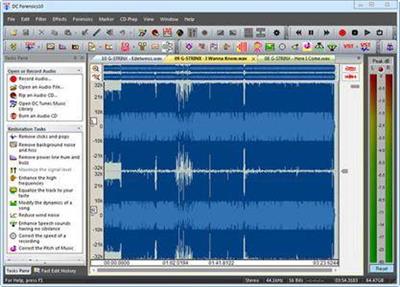
Diamond Cut Forensics10 Audio Laboratory 10.50 Portable | 50 Mb
DCForensics10 Audio Laboratory Unlocking the Mysteries of Forensics Audio Files Surveillance Audio Recording Forensics Audio.​

Features:
- Surveillance Audio Recording
- Forensics Audio Authentication, Voice-Printing, & Formant Analysis
- File Transcription / Time Expansion / Speed and/or Pitch Change
- Audio Restoration & Enhancement
- Audio Editing & Voice Garbling / Voice Disguising
- Audio & Acoustical Measurements
- Audio File Format Conversions
- Statistical Measurement Tools
- And, much more . . .
Operating System:
Windows® 10, Windows® 8 / 8.1, Windows® 7
Home Page -

Recommend Download Link Hight Speed | Please Say Thanks Keep Topic Live

 
1811071004180102.jpg

React Fiber v16 Essentials
MP4 | Video: AVC 1280x720 | Audio: AAC 44KHz 2ch | Duration: 1 Hours | Lec: 23 | 132 MB
Genre: eLearning | Language: English

Dive in and learn React Fiber v16. Learn the new features of React v16 in-depth.
If you want to take your React skills to the next levels and learn the new features of React v16 this is the course for you!
In essence, you'll learn:
What are Error Boundaries, When to use Error Boundaries and why to use Error Boundaries. You will learn the importance of this feature and the new behaviour of React v16.
What are Portals, When to use Portals and why to use Portals. You will learn the importance of this feature. You will learn how to build Modals with React v15 first and then compare it to React v16 to understand how this feature helps us.
How to use the Strings as return type feature to return strings from components.
How to use Fragments to make your components ligher. You will learn the importance of this feature.
There are lots of free tutorials and videos on YouTube. So, why would you want to take this course?
The answer is straight and simple: The quality of teaching. In this course we will talk about each feature in-depth to understand why, how and when to use it. Also, we will discuss about the pro and cons of these features.
Each section is equipped with examples and discussion to make sure you understand each feature completely.
Notice that all the videos are produced with high quality video/audio, to provide you the best learning experience.


1811071004190103.jpg


Recommend Download Link Hight Speed | Please Say Thanks Keep Topic Live

 

1812092235490098.jpg

MP4 | Video: AVC 1280x720 | Audio: AAC 44KHz 2ch | Duration: 27M | 50 MB
Genre: eLearning | Language: English
Microsoft drops another major release of Windows Server, in this case Windows Server 2019. Spend a few short minutes learning the context behind what's new and what's changed.​

Microsoft drops another major release of Windows Server, in this case Windows Server 2019. In this course, What's New for IT Pros in Windows Server 2019, join me, Greg Shields, author evangelist here at Pluralsight, on a quick-but-compelling journey of the newest features and updated capabilities in the latest release of Windows Server. First, you'll get a look at the differences between Microsoft's releases to help you understand which support model might make sense for each application. Next, you'll explore what extra benefits you get out of Windows Server's datacenter edition. Finally, you'll walk through Microsoft's four major categories of what's new with an eye towards bringing some context to the changes to help you identify which you're likely to use vs. those you might just ignore. By the end of this course, you'll be armed with just a bit more detail about what's new and what's changed in this release of Windows Server 2019.

1812092235490095.jpg


Recommend Download Link Hight Speed | Please Say Thanks Keep Topic Live
 

1811211544450095.jpg

Work From Home Jobs: Top 10 Best Freelance Jobs!
MP4 | Video: h264, 1280x720 | Audio: AAC, 48 KHz, 2 Ch
Genre: eLearning | Language: English + .VTT | Duration: 1 hours | Size: 927 MB
Discover the top 10 best work from home jobs. Freelance hourly or project based pay. All you need is a computer!​

What you'll learn

How to get started working from home or remotely.
How to get paying clients easily and for free
Learn the top 10 work from home job industries.
How to get paid hourly or project based.
How to start a work from home, or remote freelance, job the smart way.
How to easily grow your business with the newest free tools available.

Requirements

No prior knowledge is required.
Students will need a computer (Mac or PC) or a smartphone/tablet (iOS or Android)
All you need is a computer, open mind, and willingness to learn!

Description

COURSE UPDATED NOVEMBER 2018

Work From Home Job Course Covering Everything You Need To Make Money From Home Or Remotely!

Find the best work from home job that fits your lifestyle and pays the best!

Learn The Top 10 Work From Home Jobs:

- Most in-demand work from home jobs.

- Both hourly and project based paying work from home jobs.

- All you'll need is a computer to start any of these work from home jobs!

- These work from home jobs are easy enough to start today!

- This course is about results!

No more endless searching, this course is ready to go, you can take it anywhere, and watch it at your convenience in the privacy of your home or on the go!

This course is a small investment will repay itself many times over!

Work from home jobs allow you to set your own schedule and work from the convenience of your home!

These top 10 work from home jobs are vetted, reliable, in-demand, and pay very well!

You'll wonder how you ever lived without it.

This course is seriously life changing, I hope you take this opportunity to learn it!

This course is the best way to find your ideal freelance job.

Learn from years of freelance experience, all the Trade Secrets and Tricks/Tips are included in this course.

Let me share my freelance secrets with you.

Don't go on wondering "what would have happened if I did". You won't be disappointed, plus you get an unconditional 30-day money back guarantee. What have you go to lose?

Who is the target audience?

No prior work experience is needed.
Anyone looking for a great work at home job.
Those who want to work from home but don't know how.
Freelancers who want the most reliable, highest paying, work at home jobs.
Those who want the freedom of working from home.

1811211544450098.jpg


Recommend Download Link Hight Speed | Please Say Thanks Keep Topic Live
 
1811051502370103.jpg


Basic Photo Restoration in Adobe Photoshop
MP4 | Video: AVC 1280x720 | Audio: AAC 44KHz 2ch | Duration: 49M | 215 MB
Genre: eLearning | Language: English

In this class, you are going to learn how to restore and clean up old images. If you are photoshop beginner and want to learn new tools, this is a perfect class for you. In this class, I will show you all the tools I use to restore damaged photographs. If you have old family pictures that you want to restore, and you haven't done any photo retouching before, this is a good start and you'll surely enjoy this one.


1811051502380088.jpg


Recommend Download Link Hight Speed | Please Say Thanks Keep Topic Live

 
1811121832060096.jpg


LEARNING PATH: Ansible: Guide to Master Ansible 2
.MP4, AVC, 350 kbps, 1280x720 | English, AAC, 128 kbps, 2 Ch | 15h 50m | 3.71 GB
Instructors: David Cohen, James Spurin

Automate your manual tasks with ease using the highly reliable Ansible 2

What it's about and why it's important?

Ansible is one of the most popular and simple IT automation engine that automates cloud provisioning, configuration management, application deployment, intra-service orchestration, and many other IT needs. Designed for multi-tier deployments since day one, Ansible models your IT infrastructure by describing how all of your systems interrelate, rather than just managing one system at a time.

This comprehensive course is designed to give you a foundation in the core concepts of Ansible 2 where you will get acquainted with using Ansible 2 features like playbooks, modules and various testing strategies. Get to explore Ansible with cloud services and its AWS provisioning and troubleshoot Ansible and its supported resources and utilities. By the end of this training program, you will be well versed with the features of Ansible 2 and will be able to automate your organizational infrastructure easily.

What you will learn?

Master the art of configuring and managing your infrastructure using Ansible Playbooks
Integrate Ansible with various Cloud Providers such as AWS and Openstack
Master troubleshooting, validating, and testing with Ansible

Prerequisites: Prior knowledge of system administration is a must. Prior knowledge of Ansible is not necessary for this course.

This path navigates across the following products (in sequential order):

Ansible 2 for Beginners (4h 21m)
Mastering Ansible (11h 28m)

More Info


1811121832080111.jpg


Recommend Download Link Hight Speed | Please Say Thanks Keep Topic Live

 

1812071856120100.jpg


WordPress 5 Essential Training: Site Administration
MP4 | Video: 1280x720 | Duration: 2 Hours | 320 MB | Subtitles: VTT​

WordPress is an easy way to get a website up and running, but sometimes you want to take a WordPress site further. This course shows how to administer a self-hosted WordPress site. Learn how to work with the settings, including important privacy settings, and configure your site's style, menus, widgets, and theme with the Customizer. Find out how to extend WordPress with plugins, add and manage users, and manage comments and spam. Instructor Morten Rand-Hendriksen also provides tips for keeping your WordPress site secure and up to date-and troubleshoot it when something goes wrong.
Topics include:
Adjusting settings
Changing discussion and privacy settings
Using the Customizer to adjust site identity and visuals
Creating and customizing menus
Installing and activating themes
Extending WordPress with plugins
Adding and managing users
Managing comments and spam
WordPress security and maintenance


Recommend Download Link Hight Speed | Please Say Thanks Keep Topic Live
 

1812092235160108.jpg

Adding Texture to Photographs with Dave Cross
MP4 | Video: AVC 1280x720 | Audio: AAC 44KHz 2ch | Duration: 1.5 Hours | 908 MB
Genre: eLearning | Language: English

You can create interesting artistic effects by adding texture to your photos, and this session will explore different ways to create textures and blend the textures into your photos - including using non-destructive methods that allow for lots of experimentation.


1812092235170114.jpg


Recommend Download Link Hight Speed | Please Say Thanks Keep Topic Live
 
a8a8e712664d6c244071258da9934389.jpg

VFX for Architectural Visualization
.MP4, AVC, 470 kbps, 1280x720 | English, AAC, 128 kbps, 2 Ch | 1h 38m | + Exercise Files | 8.95 GB
Instructor: Scott Pagano

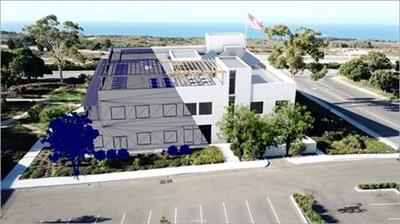
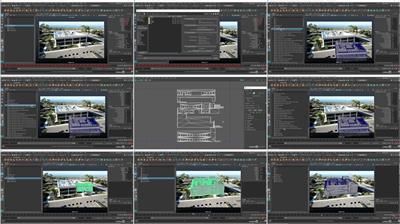
Each striking architectural visualization you see was likely created using an assortment of different tools. In this course, compositing and 3D animation expert Scott Pagano shows how to use a range of stellar tools and VFX techniques to make architectural renderings of buildings look as if they've been placed into an existing still image or full-motion video. Using applications like Adobe After Effects and Autodesk Maya-alongside key plugins like SpeedTree- Scott Pagano takes a model of a structure, renders it out, and then composites it into a moving video. Along the way, he shares tips for importing and tracking footage in After Effects, working with 3D foliage, color correcting buildings and trees, and much more.
Topics include:
Importing and tracking footage in After Effects
Importing an FBX camera into Maya
Importing footage into Maya
Setting up sun and sky lighting
Working with 3D foliage
3D rendering
Compositing in After Effects
More Info


55099bf1d2c053bc789760b25b5b8404.jpg


Recommend Download Link Hight Speed | Please Say Thanks Keep Topic Live
 
Zurück
Oben Unten