• Regeln für den Video-Bereich:

    In den Börsenbereich gehören nur Angebote die bereits den Allgemeinen Regeln entsprechen.

    Einteilung

    - Folgende Formate gehören in die angegeben Bereiche:
    - Filme: Encodierte Filme von BluRay, DVD, R5, TV, Screener sowie Telesyncs im Format DivX, XviD und x264.
    - DVD: Filme im Format DVD5, DVD9 und HD2DVD.
    - HD: Encodierte Filme mit der Auflösung 720p oder darüber von BluRay, DVD, R5, TV, Screener sowie Telesyncs im Format x264.
    - 3D: Encodierte Filme von BluRay, die in einem 3D Format vorliegen. Dies gilt auch für Dokus, Animation usw.
    - Serien: Cartoon/Zeichentrick, Anime, Tutorials, Dokumentationen, Konzerte/Musik, Sonstiges sind demnach in die entsprechenden Bereiche einzuordnen, auch wenn sie beispielsweise im High Definition-Format oder als DVD5/DVD9/HD2DVD vorliegen. Ausnahme 3D.
    - Bereich Englisch: Englische Releases gehören immer in diesen Bereich.
    - Bereich Talk: Der Bereich, in dem über die Releases diskutiert werden kann, darf, soll und erwünscht ist.


    Angebot/Beitrag erstellen

    - Ein Beitrag darf erst dann erstellt werden, wenn der Upload bei mindestens einem OCH komplett ist. Platzhalter sind untersagt.
    - Bei einem Scenerelease hat der Threadtitel ausschließlich aus dem originalen, unveränderten Releasenamen zu bestehen. Es dürfen keine Veränderungen wie z.B. Sterne, kleine Buchstaben o.ä. vorgenommen werden. Ausnahme Serienbörse:
    - Bei einem Sammelthread für eine Staffel entfällt aus dem Releasename natürlich der Name der Folge. Beispiel: Die Simpsons S21 German DVDRip XviD - ITG
    - Dementsprechend sind also u.a. verboten: Erweiterungen wie "Tipp", "empfehlenswert", "only", "reup", usw. / jegliche andere Zusatzinformation oder Ergänzung, welche nicht in obiger Beschreibung zu finden ist.

    Aufbau des Angebots und Threadtitel

    Der Titel nach folgendem Muster erstellt zu werden. <Name> [3D] [Staffel] [German] <Jahr> <Tonspur> [DL] [Auflösung] <Quelle> <Codec> - <Group>
    Beispiel: The Dark Knight German 2008 AC3 DVDRip XviD - iND
    Beispiel: The Dark Knight 2008 DTS DL BDRip x264 - iND
    Beispiel: The Dark Knight 2008 AC3 DL BDRip XviD - iND
    Beispiel: The Dark Knight German 2008 AC3 720p BluRay x264 iND
    Beispiel: The Dark Knight 2008 DTS DL 1080p BluRay x264 iND
    Beispiel: Die Simpsons S01 German AC3 DVDRip XviD iND
    Beispiel: Die Simpsons S20 German AC3 720p BluRay x264 iND
    Beispiel: Sword Art Online II Ger Sub 2014 AAC 1080p WEBRip x264 - peppermint
    Entsprechend sind also u.a. verboten: Sonderzeichen wie Klammern, Sterne, Ausrufezeichen, Unterstriche, Anführungszeichen / Erweiterungen wie "Tipp", "empfehlenswert", "only", "reup", usw. / jegliche andere Zusatzinformation oder Ergänzung, welche nicht in obiger Beschreibung zu finden ist
    Ausnahmen hiervon können in den Bereichen geregelt sein.

    Die Beiträge sollen wie folgt aufgebaut werden:
    Überschrift entspricht dem Threadtitel
    Cover
    kurze Inhaltsbeschreibung
    Format, Größe, Dauer sind gut lesbar für Downloader außerhalb des Spoilers zu vermerken
    Nfo sind immer Anzugeben und selbige immer im Spoiler in Textform.
    Sind keine Nfo vorhanden z.B. Eigenpublikationen, sind im Spoiler folgende Dateiinformationen zusätzlich anzugeben :
    Quelle
    Video (Auflösung und Bitrate)
    Ton (Sprache, Format und Bitrate der einzelnen Spuren)
    Untertitel (sofern vorhanden)
    Hosterangabe in Textform außerhalb eines Spoiler mit allen enthaltenen Hostern.
    Bei SD kann auf diese zusätzlichen Dateiinformationen verzichtet werden.

    Alle benötigten Passwörter sind, sofern vorhanden, in Textform im Angebot anzugeben.
    Spoiler im Spoiler mit Kommentaren :"Schon Bedankt?" sind unerwünscht.


    Releases

    - Sind Retail-Release verfügbar, sind alle anderen Variationen untersagt. Ausnahmen: Alle deutschen Retail-Release sind CUT, in diesem Fall sind dubbed UNCUT-Release zulässig.
    - Im Serien-Bereich gilt speziell: Wenn ein Retail vor Abschluss einer laufenden Staffel erscheint, darf diese Staffel noch zu Ende gebracht werden.62
    - Gleiche Releases sind unbedingt zusammenzufassen. Das bedeutet, es ist zwingend erforderlich, vor dem Erstellen eines Themas per Suchfunktion zu überprüfen, ob bereits ein Beitrag mit demselben Release besteht. Ist dies der Fall, ist der bereits vorhandene Beitrag zu verwenden.
    - P2P und Scene Releases dürfen nicht verändert oder gar unter einem iND Tag eingestellt werden.


    Support, Diskussionen und Suche

    - Supportanfragen sind entweder per PN oder im Bereich Talk zu stellen.
    - Diskussionen und Bewertungen sind im Talk Bereich zu führen. Fragen an die Uploader haben ausschließlich via PN zu erfolgen, und sind in den Angeboten untersagt.
    - Anfragen zu Upload-Wünschen sind nur im Bereich Suche Video erlaubt. Antworten dürfen nur auf Angebote von MyBoerse.bz verlinkt werden.


    Verbote

    - Untersagt sind mehrere Formate in einem einzigen Angebotsthread, wie beispielsweise das gleichzeitige Anbieten von DivX/XviD, 720p und 1080p in einem Thread. Pro Format, Release und Auflösung ist ein eigener Thread zu eröffnen.
    - Grundsätzlich ebenso verboten sind Dupes. Uploader haben sich an geeigneter Stelle darüber zu informieren, ob es sich bei einem Release um ein Dupe handelt.
    - Gefakte, nur teilweise lauffähige oder unvollständige Angebote sind untersagt. Dies gilt auch für eigene Publikationen, die augenscheinlich nicht selbst von z.B. einer DVD gerippt wurden. Laufende Serien, bei denen noch nicht alle Folgen verfügbar sind, dürfen erstellt und regelmäßig geupdatet werden.
    - Untersagt sind Angebote, welche nur und ausschließlich in einer anderen Sprache als deutsch oder englisch vorliegen. Ausnahmen sind VORHER mit den Moderatoren zu klären.


    Verstoß gegen die Regeln

    - Angebote oder Beiträge, die gegen die Forenregeln verstoßen, sind über den "Melden"-Button im Beitrag zu melden.
  • Bitte registriere dich zunächst um Beiträge zu verfassen und externe Links aufzurufen.

*** Bestes IPTV *** bester Preis *** gratis Test ***


Englische Tutorials

1811220506280101.jpg

Java Concurrency Practical For Absolute Beginners
MP4 | Video: h264, 1280x720 | Audio: AAC, 44.1 KHz, 2 Ch
Genre: eLearning | Language: English | Duration: 1 hours | Size: 747 MB​

Practical Examples of Java Threads
What you'll learn
Practical Examples of Java Threads [Demonstrations]
Requirements
Basic OOP Knowledge. Students should follow the prerequisite Udemy course by Achala Chathuranga Aponso
Description
Prerequisite (Udemy Course) : Java - Object Oriented Programming [For Absolute Beginners] By Achala Chathuranga Aponso or basic understanding of OOP
At the end of the Course you will understand the basics of Java Threads (Concurrency )g. You can enhance your concurrent programming skills to reach the advanced level.
Once you complete the above course and cover the OOP concepts and Java Threads - Theory , It is recommended to Follow this course
Who is the target audience?
Those who have completed the Object Oriented Programming course . Java - Object Oriented Programming [For Absolute Beginners] By Achala Chathuranga Aponso

1811220506290097.jpg


Recommend Download Link Hight Speed | Please Say Thanks Keep Topic Live

 

1811121227570085.jpg

Fundamentals of Azure and Powershell
.MP4 | Video: 1280x720, 30 fps(r) | Audio: AAC, 44100 Hz, 2ch | 1.65 GB
Duration: 3 hours | Genre: eLearning | Language: English​

Get started with Microsoft Azure in a nutshell
What you'll learn
Clear understanding of cloud computing ,services,models,benefits,disadvantages and analysis
Azure advantages, disadvantages, analysis, datacenters and pricing implementation
Azure marketplace and services concepts
Deploying virtual machines from Azure portal with explanation of each new terminology
Azure users and roles understanding
Azure storage concept and implementation
Azure backup and configuration
Azure powershell tools, context and modules
Azure powershell complex object properties
Step by step explanation and deployemnt of azure virtual machine from powershell
Automation with azure Runbook and Desired state configuration
Azure ARM template explanation and implementation
Requirements
Basic IT knowledge of Networks and Virtual machine
A free or paid subscription to Microsoft Azure
Excitement to learn constantly growing Microsoft Azure platform right from zero
Description
This course is designed to help you get started with Microsoft Azure with a clear understanding about the basics in a simple way. It is focused on providing key concepts of Azure Infrastructure solution to IT professionals.
It will help you to become comfortable with cloud concepts and Azure fundamentals to start developing solutions right away.
It touches both gui and powershell part of Azure cloud solution and will help you to prepare your base for understanding advanced and architect level of Azure solution. The concepts and demos are based on real world situation which IT professionals faces on Azure cloud platform and will provide you all the knowledge and tools necessary to get started with your job in Azure cloud platform right away.
Lecture 1 explains what is cloud computing in detail. It also explains the different types of cloud services i.e. Infrasturcture as a service (IaaS), Platform as a service (PaaS) and Software as a service (SaaS) with eamples.
Lecture 2 explains the different popular services available with cloud computing such as Communications, Data storage, Compute, Network, Platform, Software, Database, Desktop, Email, Identity and Security. Then it explains the different cloud deployement models i.e. Public cloud, Private cloud and Hybrid cloud.
Lecture 3 explains the different uses of cloud computing such as in storage, backup, disaster recovery, email, testing and development. Then it explains the benefits of cloud computing. the different disadvantages of cloud computing. At the end it explains the different analysis scenario that should be considered before moving infrastructure to cloud.
Lecture 4 introduces Azure. It explains what is Azure , the different benefits available with azure and the disadvantages of using Azure.
Lecture 5 explains the network of huge datacenter that is available with Microsoft Azure.
Lecture 6 explainins the cost implementation of using Azure. It explains the different cost that may occur initially once you move to cloud. So one should consider if these costs are affordable for their business or not before moving to cloud. Then it explains imporatnt factors which can help to calculate the cost of moving to Azure effectively. At the end it shows how to use Azure pricing calculator to get an estimate of monthly and yearly bill once you move to azure.
Lecture 7 shows the step by step process to open a free 30 days trial account with Microsoft Azure. At the end it introduces you to the Azure portal.
Lecture 8 explores the Azure portal. It shows the different menus, settings and options available in Azure portal and how you can use them. Then it explores the Azure marketplace website and explains how one can take Test drive in azure marketplace. At the end it again shows some options and settings in Azure portal.
Lecture 9 explains the different Azure services available in Azure portal and what one do with these services.
Lecture 10 shows the step by step process to deploy virtual machine using Azure portal. In the process it also explains the different new terms that appears while deploying virtual machine such as Azure resource manager, Classic deployment model, Premium SSD Disk, Standard HDD disk, Resource group, Availability zones, Availability set, Azure virtual network, Public IP address, Network security group etc.
Lecture 11 explains the Azure users and roles. It shows how you can add users in Azure portal and how to assign roles to users.
Lecture 12 explains Azure storage, the benefits of using azure storage. It explains the different azure storage account types and their sub types such as General-Purpose storage account (Standard storage and premium storage), Blob storage account. It then explains the different data services available in azure storage such as azure blob and the differnt types of azure blob such Block blobs, Append blobs and page blobs, then Azure files, azure queues and then azure tables. At the end shows a demo of how to add storage using Azure portal.
Lecture 13 explains azure backup and the benefits of using azure backup. At the end it shows a demo of how to configure backup in azure.
Lecture 14 introduces you to Azure powershell. It shows how you can use inbuilt powershell in your machine for managing azure.
Lecture 15 first explains the powershell version details needed to manage azure. Then it explains how to configure and use azure cloudshell.Then it shows step by step instructions to install AzureRM module in powershell. At the end it shows how to login and logout from azure in powershell and how to select azure subscription in powershell.
Lecture 16 explains azure context and shows how to use azure context in powershell.
Lecture 17 explains usage of azure powershell command lets and modules in powershell. It explains how to use cmdlets and how to get help with it. It also explains the usage of parameters in Azure powershell.
Lecture 18 explains the usage of objects properties of cmdlets in powershell. It explains how to find and explore the hidden and complex properties by expanding JSON code and how to use them.
Lecture 19 shows step by step process to deploy a virtual machine from azure powershell. It shows how to first create a resource group using powershell, then it goes on showing how to configure virtual network subnet, how to create virtual network, random public IP address, network security group rule, network security group, network interface card using powershell. Then it shows how to specify virtual machine configuration in powershell and how to retrieve and use information such as vm size, source image publisher name, offer details, sku image using powershell. At the end it shows how to create virtual machine using all the configurations previously setup using powershell.
Lecture 20 explains the benefits of automation in azure and the tools such as runbooks and desired state configurations that are available for automating workloads in azure.
Lecture 21 shows how to use a runbook for automating workloads in azure.
Lecture 22 shows how to use desired state configuration for automating workloads in azure.
Lecture 23 explains Azure ARM and ARM template. It explains how the parsing of JSON file of ARM template is done by microsoft to rest API operations. Then it gives a demo of how to create an azure resource manager template.
Who is the target audience?
IT professionals who wants to start their career in Azure cloud platform
IT professionals who wants to enhance their knowledge on azure cloud platforms in simple and practical way


1811121227590103.jpg


Recommend Download Link Hight Speed | Please Say Thanks Keep Topic Live

 
1811301613080090.jpg

Start Business with low cost and good Strategy
.MP4 | Video: 1280x720, 30 fps(r) | Audio: AAC, 44100 Hz, 2ch | 1.06 GB
Duration: 1 hours | Genre: eLearning | Language: English​

How can enjoy with Business and start it with low cost and use good strategy to start and put more effort!!
What you'll learn
Clear vision about the meaning of Business, the meaning of money
History of money
Different methods of building a business without money
People beliefs about money
Examples of starting a business without money
Difference between Business and Entrepreneur
Presenting different points which I had gained through my experience with different clients
Requirements
Paper and Pen
Computer and Internet
Desire to learn and make trials to achieve success
Description
Since a few years, I started searching for my passion and how can I start my life again, and after a while, I found my passion and start to learn more and more about it, my passion is business, management, and philosophy, mainly most people will not put effort to start business, because they have some beliefs which in most cases not correct beliefs in nowadays.
they keep saying all the time, that, they can't start a business because no money, if there is money, they can start a business easily with no delay, and this belief is not true
Truth is, you can start your business without money, with low cost and also you can succeed with little money in your beginning.
In this course; I present most of the methods which can help you to make your own start, just you need to take an action step.
what I present in this course is not from my imagination or books but it is from practical experience with myself and my clients.
You will find practical guidance to start a new life in the business field and how you can start a business with no money or with the minimum
Business without money or with less cost means you have to put more effort to succeed
It is your choice to start; waiting for you!
Who is the target audience?
If you want to start your business and you don't have money
you have an idea and you don't know how you can execute it
you want to know more about business, psychology, money in a very simple way
Beginner in business and who wants to start his own business


1811301613100085.jpg


Recommend Download Link Hight Speed | Please Say Thanks Keep Topic Live

 
1811122050070113.jpg

Learn Angular 6 , Angular 7 Step by Step with a Project
.MP4 | Video: 1280x720, 30 fps(r) | Audio: AAC, 44100 Hz, 2ch | 2.98 GB
Duration: 5.5 hours | Genre: eLearning | Language: English​

This course teaches Angular 6 and Angular 7 from basic to advanced level by creating a Customer data entry project.
What you'll learn
Understanding Node NPM, CLI , VS ,Typescript and Webpack build tool.
Understanding Module and Component architecture in angular. Understanding important properties of component like templateurl , styleurl and selector.
Understanding configuration files like Angular json , tsconfig json , package json file and semantic versioning.
Understanding Routing ,router-outlet , routeLink and Lazy loading
Angular validation using formgroup , formcontrols and validators.
Creating loosely coupled architecture using DI ( Dependency Injection) and providers.
Implementing reusable user controls using input , output and event emitters.
Making http calls , understanding httpclient , http interceptors and fixing double entry problem
Requirements
Basic JavaScript and HTML knowledge needed.
Basic programming knowledge is needed.
You do not need to know any old Angular version of Angular.
Description
This tutorial is made in the latest version of Angular i.e. Angular 6 and also valid for Angular 7.This series covers the following topics.
Chapter 1 :- Node and NPM
Chapter 2 :- Running first app & Angulr CLI
Chapter 3 :- VS Code editor.
Chapter 4 :- TypeScript
Chapter 5 :- CLI project folder structure
Chapter 6 :- The config JSON files
Chapter 7 :- ng serve vs ng build
Chapter 8 :- Angular the binding framework
Chapter 9 :- Component and Modules
Chapter 10 :- Expression , Decorators and TemplateURL
Chapter 11 :- Declaration and BootStrap in Modules
Chapter 12 :- The main.ts file for module startup
Chapter 13 :- Index.html and the selector tag
Chapter 14 :- Polyfills
Chapter 15 :- Webpack :- Packaging and deploying
Chapter 16 :- Vendor.js and Runtime.js
Chapter 17 :- Angular File naming Convention
Chapter 18 :- Creating Customer UI
Chapter 19 :- Creating Customer Model
Chapter 20 :- Consuming model in component
Chapter 21 :- ngModel , One way and Two way binding
Chapter 22 :- Expressions
Chapter 23 :- Understanding and Intrepeting Errors
Chapter 24 :- FormsModule
Chapter 25 :- *ngForLoop
Chapter 26 :- package.lock.json and versioning
Chapter 27 :- Using source code of the tutorial.
Chapter 28 :- Thinking Uniform , Thinking Master Pages
Chapter 29:- Creating Angular UI and its components.
Chapter 30 :- Organizing project folders, modules & components.
Chapter 31 :- Masterpage and selector
Chapter 32 :- Grouping components in to Modules.
Chapter 33 :- Understanding UI loading in selector.
Chapter 34 :- Routing and Routing collection
Chapter 35 :- router-outlet and routerLink
Chapter 36 :- RouterModule and loading routes in Angular.
Chapter 37 :- Understanding the flow of Angular with routing.
Chapter 38 :- Performance issues due to eager loading.
Chapter 39 :- Implementing Lazy loading
Chapter 40 :- Dividing project in to self contained Angular modules.
Chapter 41 :- Self contained routes for self contained modules.
Chapter 42 :- loadChildren :- The heart of lazy loading
Chapter 43:- Understanding path structure for folders and loadChildren.
Chapter 44:- forRoot and forChild
Chapter 45:- Multiple Modules , Multiple builds and Multiple outputs.
Chapter 46:- CommonModule for Lazy Loading
Chapter 47:- Seeing the physical separate modules in the "dist" folder.
Chapter 48:- Revising Angular architecture with Lazy routing
Chapter 49 :- Validation object model.
Chapter 50 :- Appropriate place to put validations
Chapter 51 :-Formgroup , FormControl , Validators and FormBuilder
Chapter 52 :- Using Angular validation :- The CCC process.
Chapter 53 :- Creating validations
Chapter 54 :- Applying validations to the UI
Chapter 55 :- Checking validation status
Chapter 56 :- ReactiveForms
Chapter 57 :- ngModelOption standalone
Chapter 58 :- Display errors for individual validations.
Chapter 59 :- The dirty flag.
Chapter 60 :- Centralizing validation code for reusability.
Chapter 61: - Definition of a good architecture
Chapter 62: - Concrete classes and tight coupling
Chapter 63: - Provider - provides things to component.
Chapter 64: - Creating providers: - Provide & UseClass
Chapter 65: - Interfaces issues with Angular DI
Chapter 66: - Finally understanding Dependency Injection
Chapter 67: - Seeing the actual fruits of Dependency Injection
Chapter 68: - Centralized and Conditional DI
Chapter 69: - Injector and tokens - Conditionnal DI
Chapter 70: - Dynamic collections
Chapter 71: - Revising Angular DI architecture
Chapter 72 :- Defining a user control
Chapter 73 :- Interactions :- Input, output and event emitters
Chapter 74 :- Creating user control and its components
Chapter 75 :- Creating user control component and importance of selector
Chapter 76 :- The @input decorator
Chapter 77 :- Stters and custom component naming convention
Chapter 78 :- Creating the Grid UI of the user control
Chapter 79 :- Defining output and event emitters
Chapter 80 :- Understanding the user control flow
Chapter 81 :- Importing and running the user control
Chapter 82 :- Debugging and watching the full flow.
Chapter 83 :- Json-server , the fake webserver
Chapter 84 :- Configuring json-server & db.json.
Chapter 85 :- importing and creating http component object
Chapter 86:- Making HTTP Post calls and the subscribe method.
Chapter 87 :- Import HTTP Module at the module level.
Chapter 88 :- Implementing DTO( Data transfer objects)
Chapter 89 :- Lambdas and Callback
Chapter 90 :- Angular HTTP Client.
Chapter 91 :- Using HttpClient
Chapter 92 : Simplicity of HttpClient.
Chapter 93:- Interceptors in HttpClient
Chapter 94:- The double data post
Who is the target audience?
This course is for people who are new to Angular and want to start from basic and go to advanced level.


1811122050100110.jpg


Recommend Download Link Hight Speed | Please Say Thanks Keep Topic Live

 

1811211544390090.jpg

SCFND 210-250 A Guide to Cyber Security Fundamentals
MP4 | Video: h264, 1280x720 | Audio: AAC, 44.1 KHz, 2 Ch
Genre: eLearning | Language: English + .VTT | Duration: 2.5 hours | Size: 2.53 GB
Your Gateway to become a Security Analyst​

What you'll learn

Students will be able to understand basic underlying security concepts.

Requirements

Basic Knowledge of computing is must.

Description

If you are interested to dive into Network Security or Cyber Security Field, this course is the best choice for you. You will be actually learning the Cisco Cyber Ops 210-250 which is Cisco Cyber Security Fundamentals. However, it covers a large domain and you will be able to understand the underlying security concepts which being used in the modern technology.

This course is not only intended for novices but also for expert individuals. So, if you want to adopt the security field, this course is a good start as you can go for complete certification by doing the SECOPS 210-255 course. After, having the certification you will be able to choose CCNA Security track as well.

So, you find anything which is not present feel free to let me know.

Who is the target audience?

Beginner Course for enthusiastic individuals seeking career as Security Analyst

1811211544400096.jpg


Recommend Download Link Hight Speed | Please Say Thanks Keep Topic Live

 

1812071855510106.jpg

Responsive Web Design Video How-To
MP4 | 1024x768 | English AAC 2.0 @ 128 Kbps | 2h 29mn | 927 Mb
Genre: e-Learning | Instructor: Jennifer Kyrnin

Short, clear videos show you visually how to design responsive web pages.
Responsive Web Design Video How-To is a series of short, 2- to 5-minute how-to videos that walk the learner through a specific task or technique related to designing websites that work equally well on smartphones, tablets, or even multi-screen monitors
Adapted from the book Sams Teach Yourself Responsive Web Design in 24 Hours, each video is self-contained and focused entirely on one particular task. The learner can either go through the videos in sequence or jump into a particular task, see how something is done, and then jump out again.

1812071855540114.jpg


1812071855550102.jpg


1812071855570122.jpg


Recommend Download Link Hight Speed | Please Say Thanks Keep Topic Live
 
916c819d6ba1d132b445064dd36ee635.jpg

AWS Certified SysOps Administrator (Associate)
.MP4, AVC, 3800 kbps, 1280x720 | English, AAC, 317 kbps, 2 Ch | 5.2 hours | 10.09 GB
Instructor: Chad Smith

The Sneak Peek program provides early access to Pearson video products and is exclusively available to Safari subscribers. Content for titles in this program is made available throughout the development cycle, so products may not be complete, edited, or finalized, including video post-production editing.


Introduction
Module 1: AWS Certified SysOps Administrator Basics
Lesson 1: About this Course
Learning objectives
1.1 Definition of Sysops
1.2 Course Prerequisites
1.3 Course Scope
Lesson 2: Sysops Administrator Certification
Learning objectives
2.1 Exam Dashboard
2.2 Exam Registration
2.3 Exam Mechanics
2.4 Exam Blueprint
2.5 Exam Concepts
2.6 Examinee Abilities
Lesson 3: AWS Knowledge
Learning objectives
3.1 Design Principles
3.2 CLI Introduction
3.3 CLI Install
3.4 CLI Configuration
3.5 CLI Usage Basics
3.6 CLI Example
3.7 AWS SDK Introduction
3.8 Case Study: CLI vs. SDK for Operations
3.9 Question Breakdown
Module 2: Monitoring and Reporting
Lesson 4: Monitoring Performance and Availability
Learning objectives
4.1 Key Terms
4.2 CloudWatch Entry Points
4.3 Service Metric Highlights
4.4 CloudWatch Custom Metrics
4.5 CloudWatch Alarms
4.6 Resource Status Checks
4.7 Remediate Performance Issues
4.8 Question Breakdown
Lesson 5: Monitoring Logs
Learning objectives
5.1 CloudWatch Events
5.2 CloudWatch Logs
5.3 Service Access Logs
5.4 Case Study: Log Monitoring and Storage
5.5 Question Breakdown
Module 3: High Availability
Lesson 6: High Availability
Learning objectives
6.1 Key Terms
6.2 VPC
6.3 ELB
6.4 Auto Scaling
6.5 Route 53
6.6 EC2 Autorecovery
6.7 RDS
6.8 Elastic Beanstalk
6.9 Tradeoffs
6.10 Question Breakdown
Module 4: Deployment and Provisioning
Lesson 7: Infrastructure as Code Provisioning
Learning objectives
7.1 Key Terms
7.2 Provisioning Resources in AWS
7.3 CloudFormation
7.4 Opsworks
7.5 Elastic Beanstalk
7.6 Case Study: Blue/Green Deployment Choices
7.7 Question Breakdown
Lesson 8: Containers and Code Deployment
Learning objectives
8.1 Systems Manager Run Command
8.2 ECS and EKS
8.3 CodeDeploy
8.4 Question Breakdown
Module 5: Storage and Data Management
Lesson 9: Backups and Disaster Recovery
Learning objectives
9.1 Key Terms
9.2 Backups in AWS
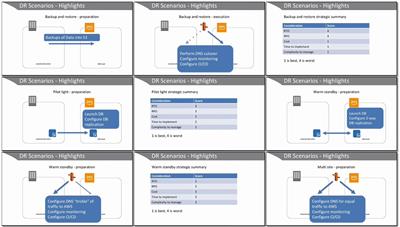
9.3 Case Study: Backup Workflows
9.4 Disaster Recovery
9.5 Data Retention Compliance
9.6 Question Breakdown
Lesson 10: Data Encryption and Protection
Learning objectives
10.1 Data Encryption at Rest
10.2 Data Encryption in Transit
10.3 Storage Capacity Planning
10.4 Question Breakdown
Module 6: Security and Compliance
Lesson 11: Access Control
Learning objectives
11.1 Key Terms
11.2 User Level Permissions
11.3 Resource Level Permissions
11.4 Shared Responsibility Model
11.5 Access Control Compliance
11.6 Question Breakdown
Lesson 12: Security Compliance
Learning objectives
12.1 Security Assessment Services
12.2 Case Study: Posting GuardDuty Findings to Slack
12.3 Question Breakdown
Module 7: Networking
Lesson 13: Networking
Learning objectives
13.1 Key Terms
13.2 VPC
13.3 CloudFront
13.4 Elastic Load Balancer
13.5 Connectivity Features
13.6 Case Study: Troubleshoot Network Connectivity Issue (Quicksight->RDS)
13.7 Question Breakdown
Module 8: Automation and Optimization
Lesson 14: Automation
Learning objectives
14.1 Key Terms
14.2 Automation with Scripts
14.3 Automation with AWS Lambda
14.4 Automation with SSM Run Command
14.5 Automation with Orchestration Services
14.6 Question Breakdown
Lesson 15: Optimization
Learning objectives
15.1 Resource Utilization Tools
15.2 Cost Optimization Strategies
15.3 Case Study: Log Delivery Cost Optimization
15.4 Question Breakdown
Summary
More Info

d61989686abd399e3b3b578bc6f4a70f.jpg


6474c18d331b61ebf2e28939f13400ad.jpg


Recommend Download Link Hight Speed | Please Say Thanks Keep Topic Live
 

1812052243080100.jpg

MP4 | Video: h264, 1280x720 | Audio: AAC, 44.1 KHz, 2 Ch
Genre: eLearning | Language: English + .VTT | Duration: 3.5 hours | Size: 2.57 GB
Know the basics right to succeed!​

What you'll learn
Understand java and being able to write your own programs
Requirements
Integrated Development environment or IDE like eclipse for Java , java EE or IntelliJ community edition
Description
Learn the basics of java from ground up, using the basic building blocks available in the languages which are the programming constructs like operators,control statements etc and see why java is popular among the other programming languages.This course aims at providing the fundamentals of java programming along with demo and practice programs.
Who is the target audience?
Anybody who wants to know about java
Prior programming experience is an added advantage

1812052243100105.jpg


Recommend Download Link Hight Speed | Please Say Thanks Keep Topic Live

 

1811301420310096.jpg

CompTIA PenTest+ (PT0-001): 3 Select Your Attacks
MP4 | Video: AVC 1280x720 | Audio: AAC 44KHz 2ch | Duration: 1.5 Hours | 753 MB
Genre: eLearning | Language: English

The CompTIA PenTest+ exam certifies your abilities as a penetration tester who can identify and exploit system vulnerabilities on the behalf of clients. This course prepares you for the third domain: Attacks and Exploits. Instructor Michael Solomon, PhD, discusses social engineering, which can happen remotely or in person, and network-based exploits that compromise SMB, SMTP, FTP, and other connections. He explores man-in-the-middle attacks like ARP spoofing, which steal network packets as they're passed back and forth, and shows how to use tools such as Aircrack-ng and Wireshark to sniff and grab packets over wireless connections. He also covers app exploits, and provide a demo of SQL injection to help you understand how pen testers execute this kind of attack.


1811301420320099.jpg


Recommend Download Link Hight Speed | Please Say Thanks Keep Topic Live

 

1812081614070119.jpg

MP4 | Video: h264, 1280x720 | Audio: AAC, 48 KHz, 2 Ch
Genre: eLearning | Language: English + .VTT | Duration: 3 hours | Size: 351 MB
Learn how to realize dynamic embedded software design using RTOS in an industrial/practical way​

What you'll learn
Strong understanding of RTOS concepts
Design concepts needed to build an embedded system using RTOS
Use cases for tasks, semaphores, mutexes, queues, event flags and timers
Applying taught concepts using one of the famous commercial open source RTOSes
Better insights of RTOS internal implementation and design
Requirements
Good C programming
Familiarity with embedded systems
Description
I am proudly inviting you to my world-class proven "Introduction to RTOS, A Practical Approach".
Training Prerequisites:
Good C programming
Familiarity with embedded systems
Training Objectives:
Strong understanding of RTOS concepts
Use cases for tasks, semaphores, queues, event flags and timers
Better insights of RTOS internal design and implementation
Design concepts needed to build an embedded system using RTOS
Applying taught concepts using one of the famous commercial open source RTOSes
Training Outline:
Introduction
Main Function
Lab 0: The Development Environment
Multitasking
Lab 1: Hello Multitasking
Inter-task Event Synchronization
Lab 2: Bottom Halves and Top Halves Wait-Signal Synchronization
Inter-task Access Synchronization
Lab 3: Mutexes Battle Priority Inversion
Inter-task Communication
Lab 4: Shoot and Forget Communication
Lab 5: One-way interlocked communication
Memory Pools
Software Timers
Lab 6: Characterizing Performance using Software Timers
Training Handouts:
Training videos on Udemy website
Lab projects
Training Tools:
CodeBlocks 16.01 with MingW under MS Windows
PC/Laptop with MS Windows and free 1 GB space on C drive
Please, install above compiler on your machine before course start
Who is the target audience?
Embedded system developers
Embedded system designers
Embedded system architects

1812081614080096.jpg


Recommend Download Link Hight Speed | Please Say Thanks Keep Topic Live
 
1811221706340091.jpg

Final Cut Pro X Edit like a Pro!
MP4 | Video: h264, 1280x720 | Audio: AAC, 48 KHz, 2 Ch
Genre: eLearning | Language: English + .VTT | Duration: 1.5 hours | Size: 1.73 GB​

Learn to edit in Final Cut Pro X like a pro!
What you'll learn
Cut Clips
Colour Correct
Grade
Make Custom Titles
Add Music
Read Scopes
Requirements
Computer
Final Cut Pro X
Description
Join over 16,000 students learning from our courses!
Learn Final cut Pro with a Professional Filmmaker:
In this course, you will learn to set up your edit, cut scenes, add titles, shortcuts and more!
TOPICS TO BE COVERED:
Footage / Organization
Project Set up
Importing
Custom Titles
Lower Thirds
Sound FX
Music
Colour Correction
Editing (Final Cut X)
We will have several exercises for you to complete as well as at home training. This course has been developed for Beginner and Intermediate Filmmakers.
So what are you waiting for filmmakers? Whether you are fresh out of film school, a screenwriter who wants to create his/her own content or just someone who wants to make a feature film this course is for you.
They DON'T teach you this in Film School!
Who is the target audience?
Videographers
Filmmakers
Entrepreneur

1811221706340104.jpg


Recommend Download Link Hight Speed | Please Say Thanks Keep Topic Live
 

1811301420110096.jpg

MP4 | Video: h264, 1280x720 | Audio: AAC, 44.1 KHz, 2 Ch
Genre: eLearning | Language: English | Duration: 6.5 hours | Size: 4.81 GB
Learn Database creation, extraction, Hyperlinks, Location Analysis, Statistical Analysis, Predictive and Exit Analysis​

What you'll learn
Learn Database creation, Database extraction, Index designing, Process flow, Hyperlinks
Explore concepts like Cluster analysis, Graphs, Macro filters, Target vs achievement analysis
Learn Zone comparison, State comparison, Data consolidation
Learn CAGR, Correlation analysis, Moving average, Standard deviation
Requirements
Basic knowledge of excel tools and functions
Passion to learn and apply
MS Excel 2016 in your PC
Description
These dashboards help to maintain huge chunks of data and also to convert dashboard data into user friendly visuals. These online tutorials are indeed self-paced and one can easily make way and learn to create out dashboards and business intelligence and understand the importance of data trending and create valuable data visualizations. In this training and the beginners training on the same topic, we shall learn Database creation, Database extraction, Index designing, Process flow, Hyperlinks. We will also have a deep understanding on business analysis. We will explore concepts like Cluster analysis, Graphs, Macro filters, Target vs achievement analysis. We will understand Location Analysis through Zone comparison, State comparison, Data consolidation. For doing statistical modeling, we will learn CAGR, Correlation analysis, Moving average, Standard deviation. For doing Predictive analysis, we will look at Trendline, Michael t. Robinson generation analysis, Advanced filters, Excel solver. As a part of Exit Analysis, we will concentrate on %loss reports, growth ratios, scenario manager. We shall also understand Singular view, Data validations, Performance linked growth and CTC.
Who is the target audience?
Commerce students
Sales professional
Students from the business administration
Working professionals who go through the hectic working schedule of same repetitive work every day

1811301420110095.jpg


Recommend Download Link Hight Speed | Please Say Thanks Keep Topic Live
 
Zurück
Oben Unten