• Regeln für den Video-Bereich:

    In den Börsenbereich gehören nur Angebote die bereits den Allgemeinen Regeln entsprechen.

    Einteilung

    - Folgende Formate gehören in die angegeben Bereiche:
    - Filme: Encodierte Filme von BluRay, DVD, R5, TV, Screener sowie Telesyncs im Format DivX, XviD und x264.
    - DVD: Filme im Format DVD5, DVD9 und HD2DVD.
    - HD: Encodierte Filme mit der Auflösung 720p oder darüber von BluRay, DVD, R5, TV, Screener sowie Telesyncs im Format x264.
    - 3D: Encodierte Filme von BluRay, die in einem 3D Format vorliegen. Dies gilt auch für Dokus, Animation usw.
    - Serien: Cartoon/Zeichentrick, Anime, Tutorials, Dokumentationen, Konzerte/Musik, Sonstiges sind demnach in die entsprechenden Bereiche einzuordnen, auch wenn sie beispielsweise im High Definition-Format oder als DVD5/DVD9/HD2DVD vorliegen. Ausnahme 3D.
    - Bereich Englisch: Englische Releases gehören immer in diesen Bereich.
    - Bereich Talk: Der Bereich, in dem über die Releases diskutiert werden kann, darf, soll und erwünscht ist.


    Angebot/Beitrag erstellen

    - Ein Beitrag darf erst dann erstellt werden, wenn der Upload bei mindestens einem OCH komplett ist. Platzhalter sind untersagt.
    - Bei einem Scenerelease hat der Threadtitel ausschließlich aus dem originalen, unveränderten Releasenamen zu bestehen. Es dürfen keine Veränderungen wie z.B. Sterne, kleine Buchstaben o.ä. vorgenommen werden. Ausnahme Serienbörse:
    - Bei einem Sammelthread für eine Staffel entfällt aus dem Releasename natürlich der Name der Folge. Beispiel: Die Simpsons S21 German DVDRip XviD - ITG
    - Dementsprechend sind also u.a. verboten: Erweiterungen wie "Tipp", "empfehlenswert", "only", "reup", usw. / jegliche andere Zusatzinformation oder Ergänzung, welche nicht in obiger Beschreibung zu finden ist.

    Aufbau des Angebots und Threadtitel

    Der Titel nach folgendem Muster erstellt zu werden. <Name> [3D] [Staffel] [German] <Jahr> <Tonspur> [DL] [Auflösung] <Quelle> <Codec> - <Group>
    Beispiel: The Dark Knight German 2008 AC3 DVDRip XviD - iND
    Beispiel: The Dark Knight 2008 DTS DL BDRip x264 - iND
    Beispiel: The Dark Knight 2008 AC3 DL BDRip XviD - iND
    Beispiel: The Dark Knight German 2008 AC3 720p BluRay x264 iND
    Beispiel: The Dark Knight 2008 DTS DL 1080p BluRay x264 iND
    Beispiel: Die Simpsons S01 German AC3 DVDRip XviD iND
    Beispiel: Die Simpsons S20 German AC3 720p BluRay x264 iND
    Beispiel: Sword Art Online II Ger Sub 2014 AAC 1080p WEBRip x264 - peppermint
    Entsprechend sind also u.a. verboten: Sonderzeichen wie Klammern, Sterne, Ausrufezeichen, Unterstriche, Anführungszeichen / Erweiterungen wie "Tipp", "empfehlenswert", "only", "reup", usw. / jegliche andere Zusatzinformation oder Ergänzung, welche nicht in obiger Beschreibung zu finden ist
    Ausnahmen hiervon können in den Bereichen geregelt sein.

    Die Beiträge sollen wie folgt aufgebaut werden:
    Überschrift entspricht dem Threadtitel
    Cover
    kurze Inhaltsbeschreibung
    Format, Größe, Dauer sind gut lesbar für Downloader außerhalb des Spoilers zu vermerken
    Nfo sind immer Anzugeben und selbige immer im Spoiler in Textform.
    Sind keine Nfo vorhanden z.B. Eigenpublikationen, sind im Spoiler folgende Dateiinformationen zusätzlich anzugeben :
    Quelle
    Video (Auflösung und Bitrate)
    Ton (Sprache, Format und Bitrate der einzelnen Spuren)
    Untertitel (sofern vorhanden)
    Hosterangabe in Textform außerhalb eines Spoiler mit allen enthaltenen Hostern.
    Bei SD kann auf diese zusätzlichen Dateiinformationen verzichtet werden.

    Alle benötigten Passwörter sind, sofern vorhanden, in Textform im Angebot anzugeben.
    Spoiler im Spoiler mit Kommentaren :"Schon Bedankt?" sind unerwünscht.


    Releases

    - Sind Retail-Release verfügbar, sind alle anderen Variationen untersagt. Ausnahmen: Alle deutschen Retail-Release sind CUT, in diesem Fall sind dubbed UNCUT-Release zulässig.
    - Im Serien-Bereich gilt speziell: Wenn ein Retail vor Abschluss einer laufenden Staffel erscheint, darf diese Staffel noch zu Ende gebracht werden.62
    - Gleiche Releases sind unbedingt zusammenzufassen. Das bedeutet, es ist zwingend erforderlich, vor dem Erstellen eines Themas per Suchfunktion zu überprüfen, ob bereits ein Beitrag mit demselben Release besteht. Ist dies der Fall, ist der bereits vorhandene Beitrag zu verwenden.
    - P2P und Scene Releases dürfen nicht verändert oder gar unter einem iND Tag eingestellt werden.


    Support, Diskussionen und Suche

    - Supportanfragen sind entweder per PN oder im Bereich Talk zu stellen.
    - Diskussionen und Bewertungen sind im Talk Bereich zu führen. Fragen an die Uploader haben ausschließlich via PN zu erfolgen, und sind in den Angeboten untersagt.
    - Anfragen zu Upload-Wünschen sind nur im Bereich Suche Video erlaubt. Antworten dürfen nur auf Angebote von MyBoerse.bz verlinkt werden.


    Verbote

    - Untersagt sind mehrere Formate in einem einzigen Angebotsthread, wie beispielsweise das gleichzeitige Anbieten von DivX/XviD, 720p und 1080p in einem Thread. Pro Format, Release und Auflösung ist ein eigener Thread zu eröffnen.
    - Grundsätzlich ebenso verboten sind Dupes. Uploader haben sich an geeigneter Stelle darüber zu informieren, ob es sich bei einem Release um ein Dupe handelt.
    - Gefakte, nur teilweise lauffähige oder unvollständige Angebote sind untersagt. Dies gilt auch für eigene Publikationen, die augenscheinlich nicht selbst von z.B. einer DVD gerippt wurden. Laufende Serien, bei denen noch nicht alle Folgen verfügbar sind, dürfen erstellt und regelmäßig geupdatet werden.
    - Untersagt sind Angebote, welche nur und ausschließlich in einer anderen Sprache als deutsch oder englisch vorliegen. Ausnahmen sind VORHER mit den Moderatoren zu klären.


    Verstoß gegen die Regeln

    - Angebote oder Beiträge, die gegen die Forenregeln verstoßen, sind über den "Melden"-Button im Beitrag zu melden.
  • Bitte registriere dich zunächst um Beiträge zu verfassen und externe Links aufzurufen.


Englische Tutorials


9e2b33f8ad1350acea98fdc9fa0eb1c8.jpg

Photography - Modern Portrait Photography Training
Duration: 59m | Video: h264, yuv420p, 1280x720, 30fps | Audio: aac, 48000 Hz, 2 ch | 449 MB
Genre: eLearning | Language: English​


Learn popular studio lighting photography techniques with this studio lighting photography course.

This course is for photographers that are new to studio photography and want to learn some of the latest lighting techniques the top studio photographers are using.
It is also suitable for first year photography students who want to understand studio concepts and patterns.
It is not suitable for advanced studio photographers and is designed with the beginner in mind.

What You Will Learn:
In this course you will learn some of the most popular studio lighting styles around today.
All of the lessons come with pdf plans so you can duplicate the lighting exactly!

Subjects covered:
Choosing studio lights
Understanding lighting modifiers
Standard lighting techniques
One light studio techniques
Two light studio techniques
Three light studio techniques
Four light studio techniques

What am I going to get from this course?
Over 12 lectures and 1 hour of content!
Understand how to set up the latest studio lighting patterns
Understand how to create very popular studio lighting looks
You will have detailed floor plans and lighting setups that you can and use yourself
You will understand what different lighting modifiers look like
You will learn one light, 2 light, 3 light, 4 light lighting techniques, with some non standard variations

Recommend Download Link Hight Speed | Please Say Thanks Keep Topic Live
 

5411c163c6faadafae7260ab8405d2e8.jpg

Photography Masterclass - Your Complete Guide to Photography pdated
MP4 | Video: AVC 1280x720 | Audio: AAC 44KHz 2ch | Duration: 14.5 Hours | 13.8 GB
Genre: eLearning | Language: English​


The Best Selling Online Professional Photography Class: How to Take & Sell Photos for Beginners & Advanced Photographers

This online photography course will teach you how to take amazing images and sell them, whether you use a smartphone, less or a DSLR camera.

This course is designed to teach you the ins and outs of photography, even if you have little to no experience with it, to help create profitable images that help you stand out from the crowd and sell.

Preview our student photos for FREE in lecture 3 to see what other students are learning.

While there are plenty of photography courses that focus on specific styles or how to use gear, it's hard to find a comprehensive course like this one, which is for beginner to advanced photographers.

This course is designed for all levels of photographers who want to improve their skills, take stellar images, and make money with their photos.

Master Photography Techniques to Create Extraordinary Images and Boost Your Freelancing Income.

Understand How Cameras Work and What Gear You Need
Master Shooting in Manual Mode and Editing Photos
Follow Our Photo Adventures and See How We Shoot Photos Ourselves
Use Stabilization, Composition, and Lighting
Learn How to Sell Photos or Start a Photography Business
Improve Your Photography Techniques, Acquire Clients, And Make More Money

Regardless of what your level of experience is or what type of camera you use, this in-depth course is designed to provide you with everything you need to take your photography skills to the next level.

Whether you prefer taking photos of nature, animals, or people, a great photographer knows how to compose a shot, light it, and edit it. By honing these skills, you can sell your photos so you can turn your passion into a career. This course shows you how.

Unlike other photography classes that are more limited in scope, this complete course teaches you how to take amazing photos and how to make money by selling them.

Contents and Overview

This course is aimed at teaching photographers what it takes to improve your techniques to earn more money.

You'll start with the basics and tackle how a camera operates, the types of cameras and lenses available, and equipment you'll need for accomplishing your goals. You'll then dive into the different styles of photography you can focus on.

You'll learn about your camera settings, including how to shoot in manual mode. You'll use stabilization tools and master how to properly compose and light a scene. You'll even learn how to take great photos with a smartphone or tablet and how to edit images.

So you can sell your photos, you'll learn how to brand yourself, create a portfolio and website, and find freelance work or a full-time position. Gain insight into licensing, fair use, and more. And if you want to get into wedding photography, you'll learn how to start your own business.

By the end of this master course, your confidence as a photographer will soar. You'll have a thorough understanding of your camera and gear so you can use them to their fullest potential to take unforgettable photos and start a profitable photography career.

About the instructors:

Phil Ebiner started teaching online courses in 2012, and now has over 135,000 happy students on Udemy learning all sorts of things from photography to video making. Phil worked as a photographer at a private college a few years ago doing event coverage, marketing & advertising, and social media.

Sam Shimizu-Jones has been taking photos his entire life. Growing up in Santa Cruz, CA, he fell in love with photography skating around town. Since then, he's traveled the world taking photos for business and pleasure. Most recently, Sam worked as the photographer for Floating Doctors, a medical non-profit working in Panama.

What are the requirements?

No fancy camera is required, but some sort of camera (even a smart phone) would help you learn as we prompt you to take action with practice lessons.
A computer with the capability to edit photographs is also ideal if you want to follow along in the Photo Editing section. We'll be using Adobe Lightroom, Photoshop, and other free applications to edit, and we'll show you how to get free trials to follow along.
Students need to be excited about learning photography, as you will learn best with a mind ready for action!

What am I going to get from this course?


Over 255 lectures and 14.5 hours of content!
Students will know how to take amazing photos that impress their family and friends
Students will know how the camera truly works, so they can take better photos using manual settings
Students will know how to photograph in different scenarios like photographing ****, landscapes, panoramas, wildlife, and much more
Students will know how to make money with photography
Students will know the history of photography
Students will know how to take better photos with their smart phones
Students will know how to edit their photos professionally
Students will know how to compose images beautifully
Students will know how to light their subjects

What is the target audience?

This course is for anyone who wants to take better photos
This course is for beginners who want to become a skilled photographer
This course is for moms, dads, ****, grandparents, and anyone else wanting to document their lives in a more beautiful way
This course is for amateur photographers wanting to improve their skills and start a business
This course is for anyone who wants to learn how to edit photos professionally
This course is for anyone who wants to make money with photography

Recommend Download Link Hight Speed | Please Say Thanks Keep Topic Live
 

33c6fab90cbf6a941e065908d5565123.jpg

Planning and Executing a Complete Animation in Maya
MP4 | Video: AVC 1280x720 | Audio: AAC 44KHz 2ch | Duration: 6 Hours | 2.62 GB
Genre: eLearning | Language: English​


Want to learn how to tell a compelling story with your animation? This course is for you. You'll learn beginner rigging and animation skills in order to plan and animate the solution to the "X Marks the Spot" problem. Software required: Maya 2016.

Storytelling is an essential part of the animation process, as it informs your artwork and excites the audience. This course, , will teach you animation and storytelling skills as you solve the "X Marks the Spot" problem. Throughout the course, you will take a scene with an "X" arbitrarily located somewhere in the scene and, in a short amount of time, move the main character, "Arty: the walking ball" to the X in a compelling manner. You will also deal with three phases of storytelling: beginning (build-up), middle (climax) and ending (resolution). As well, you will create a character and an environment that will allow them to tell that story as effectively as possible, and in the process, begin to learn that, as an independent animation storyteller, you have the benefit of controlling all aspects of your character and environment to tell your stories. By the end of this course, you will have improved your rigging and animation skills as well as learned how to create a captivating story for your audience. Software required: Maya 2016.


Planning and Executing a Complete Animation in Maya

Recommend Download Link Hight Speed | Please Say Thanks Keep Topic Live
 

275fd3cf96709ad1c0e9aa5e36027dea.jpg

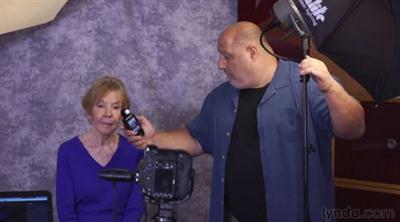
Shooting Effective Business Portraits
MP4 | Video: AVC 1280x720 | Audio: AAC 48KHz 2ch | Duration: 2 Hours | 2.42 GB
Genre: eLearning | Language: English​


From lighting to posing to post-processing, learn how to create business portraits with a modern, professional look. This course focuses on how to light, shoot, and edit corporate portraits-both traditional headshots and environment portraits-for a single client or an entire office. Robert Vanelli goes through scouting locations and choosing the right environment for a client, building a portable studio, and using lighting and posing techniques that start with just one light. He also covers editing portraits in Lightroom, making adjustments that retain the subject's character while smoothing away minor flaws. Using these tips, you'll be able to produce professional portraits that help your clients convey a sense of trust, confidence, and personality.

Recommend Download Link Hight Speed | Please Say Thanks Keep Topic Live
 

725859accf696af0f67eb00b205ea70f.jpg

SLR Lounge Lightroom 5 Workshop Collection - 3 DVD SET: COMPLETE EDUCATION & PRESETS
25 hours | MP4 + PDF Guides | Video: h264, yuv420p, 1920x1080 | Audio: aac, 44100 Hz, stereo, s16 | 14.69GB
Genre: eLearning | Language: English | + Project files​


THE GOLD STANDARD IN LIGHTROOM EDUCATION & RESOURCES This Lightroom Workshop Collection has been designed from the ground up tot provide the best hands-on education and resources for mastering every facet of Lightroom.

1) DVD 1: ORGANIZATION & WORKFLOW
PRODUCE 5 TO 10 TIMES FASTER!
Taught by the Editor in Chief of SLR Lounge, Pye Jirsa (A.K.A. Post Production Pye), the collection stars with Lightroom Organization and Workflow DVD - This DVD teaches you the basics of image management and shows you how to process your images faster and more efficient.

2) DVD 2: IMAGE PROCESSING MASTERY
GAIN A COMPLETE MASTERY OF LIGHTROOM
Lightroom Image Processing Mastery DVD - This DVD teaches you how to master image processing in Lightroom, from basics like color correction and black and white conversion to advanced techniques like HDR, tilt-shift, and vintage fades.

3) DVD 3: LIGHTROOM PRESETS
AMAZING EFFECTS IN A FEW CLICKS!
Lightroom Preset System v5 - This has been widely recognized as the best preset system for Lightroom. Intuitive yet robust, this allows you to achieve amazing results in just a few clicks.

Together, we call this system the Lightroom Workshop Collection, and it gives you all of the education and tools needed for any photographer (of any experience level) to run a full studio using Lightroom.

This Collection includes:

3 DVDs, 170 Videos and nearly 25 hours of hands-on training
145 RAW images, workflow checklists and other exercise files
Full HD 1080p resolution videos with on-screen shortcut tool-tips
Browser based player featuring a full menu for quick navigation
- 3 Part set includes everything you need
- Pt 1. Lightroom 5 Workflow & Organization (5.5GB)
- Pt 2. Lightroom 5 Image Processing Mastery (4.9GB)
- Pt 3. Lightroom Preset System 2015 (2.67GB)
- Original blog: SAnet.me/blogs/TomorrowLand

Recommend Download Link Hight Speed | Please Say Thanks Keep Topic Live
 

7a1ada2e9144f525721b63f89d2c63d5.jpg

Teamtreehouse - Swift 2.0 Basics
English | mp4 | H264 1280x720 | AAC 2 ch | 265 MB
eLearning, iOS | Level: Beginner​

Unlike many other languages you use for programming, Swift is a brand, shiny new language released by Apple in 2014 to make the job of programming iPhone apps easier and safer. In this course,
we're going to learn how to program from absolute scratch using Swift and learn many fundamental concepts that will get you started writing code immediately. No prior programming experience is needed and we're going to have a lot of fun!

What you'll learn:
- Introduction to programming
- Variables and constants
- Types: strings, numbers and booleans
- Type safety and type inference

Recommend Download Link Hight Speed | Please Say Thanks Keep Topic Live
 

615bcb52e1b2869a94b7c1d2b51b22eb.jpg

Teamtreehouse - Swift 2.0 Collections and Control Flow
English | mp4 | H264 1280x720 | AAC 2 ch | 225 MB
eLearning, iOS | Level: Beginner​

Dealing with groups of values is a fundamental aspect of programming and is achieved through the use of collection types. In this course we're going to take a look at Swift's two primary collection types

our code by using several control flow statements.

What you'll learn:
- Arrays
- Dictionaries
- For In, While and Repeat While loops
- If and Switch statements

Recommend Download Link Hight Speed | Please Say Thanks Keep Topic Live
 

41118853e4f59619f89a65517581f31d.jpg

The Institute of Order Flow Analytics - Intensive Boot Camp 5 Day Course
AVI, MOV | Video: mpeg4, yuv420p, 764x572 | Audio: aac, 44100 Hz, 2 channels, s16 | 1.4GB
Genre: eLearning | Language: English​


Often seen as just another trading technology company, Order Flow Analytics actually strives to pioneer service-led solutions through exceptional tools, support and training in an industry known to be severely lacking in all three.
"The Institute of Order Flow Analytics - Intensive Boot Camp 5 Day Course"

Title: The Institute of Order Flow Analytics - Intensive Boot Camp 5 Day Course

Presenter: D. B. Vaello

Contents: 5 videos - format avi, mov and mp4. Run Time 9 hours 30 minutes.

Size: 1.41 GB

Website:

About this course:

Trading is a game of information and strategy. OFA offers professional and retail traders knowledge-based benefits by delivering complex tick-by-tick analysis of the Order Flow in simple to understand, intuitive charts.

Properly navigating financial markets requires a level playing field. Order Flow Analysis is the common knowledge most traders are missing.

With proper training, support and technology - OFA's objective is to provide a permanent advantage to those wanting to master the futures markets.


The Institute of Order Flow Analytics - Intensive Boot Camp 5 Day Course

Recommend Download Link Hight Speed | Please Say Thanks Keep Topic Live
 

2b1dc333687821c14f95532e5e0fdb44.jpg

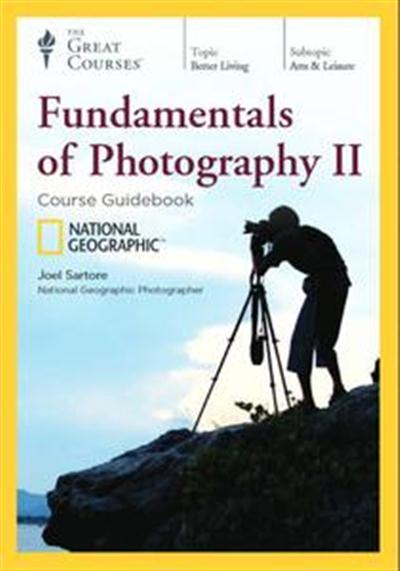
TTC Video - Fundamentals of Photography II
Course No. 7931 | .M4V, AVC, 2500 kbps, 640x360 | English, AAC, 256 kbps, 2 Ch | 24x30 mins | + PDF Guidebook | 14.18 GB
Lecturer: Joel Sartore​

Great photography goes beyond knowing about how lenses and f-stops work. It's about creative problem solving under real-world conditions. Taking great photographs means knowing how to choose the right tool or apply the right technique to capture your subject in the best possible way.

Photographers who wish to excel-professional and recreational alike-need to have a solid foundation of technical skills and the ability to apply that knowledge intuitively to a wide range of scenarios and subjects. For example:

How do professional photographers anticipate and capture "the decisive moment" that separates a snapshot from a great composition?
Under what conditions should you ignore your camera's warnings and push the limits of manual mode to best reflect the scene?
What are the technical tricks and equipment that professionals use to quickly turn harsh lighting, reflections, or cluttered environments to a photographer's advantage?

By exploring, and practicing, the same skills, tips, and techniques professional photographers use in the field to solve a range of visual problems, you can take your photography to a whole new level-no matter what your subject. And you can transform yourself from a good photographer into a great one.

View more
Now, in Fundamentals of Photography II, a vibrant and vital continuation of our best-selling Fundamentals of Photography, you'll hone your skills, improve your ability to optimize picture-perfect moments, and capture jaw-dropping images. Filmed entirely on location and designed as an extension of the first course, Fundamentals II adds new skills to your repertoire and expands upon the skills you already know. It's your chance to rejoin award-winning National Geographic Photographer Joel Sartore for an even deeper dive into the secrets of powerful photography, as he shows you how to apply your hard-learned technical knowledge to take amazing photographs out in the real world. In these 24 lessons, you'll cover advanced topics like:

professional shooting techniques
night photography and time exposures
working with studio lighting setups-and taking those setups outdoors
specialty filters
shooting over and under water
and much more!

You'll explore a wide variety of fascinating photographic challenges out in the field, and you'll spend some time in the studio for an insider's look at how photographers go through the editing process. Professor Sartore will add more tools to your photographer's toolbox and, in his words, "unleash everything I've ever thought about photography and cover the gamut of what you can do with a still camera."

Out of the Studio and into the Real World

Professor Sartore has designed this course as a follow up to his wildly popular Fundamentals of Photography course. Mimicking the progression of his in-person workshops, Fundamentals II takes you out of the studio and into the real world as you go on-location and learn to apply the tools and techniques you already have at your disposal. While you are there, he also teaches you a plethora of more advanced techniques, adding to your photographic toolbox of knowledge. Each lesson drops you into a different scenario and lets you shoot alongside a master of the craft as he approaches situations, identifies and overcomes various challenges, and produces engaging, breathtaking photography from seemingly simple events and subjects.

Adapting to unusual lighting: If photography is the art of capturing light, then how do you make the best of situations that challenge you with difficult lighting? Explore how to properly utilize side lighting, ghost lighting, colored lighting, and more.
Black-and-white photography: There's a unique mood to black-and-white photos. You'll be surprised at how different the world looks through a monochromatic lens, and how choosing black and white frees you to do things you'd never dream of doing in color.
Smartphone photography: Most of us now take photographs with our smartphones every day-but that's no excuse to forget the art of great photography. Discover some insider tips and strategies for making the most of your smartphone camera.

During some lessons, you'll get the unrivaled opportunity to join Professor Sartore on special field assignments-observing a master photographer throughout his creative process, watching him interact with his subjects, consult his photographic instincts, and resolve common challenges in order to tell profound, lyrical stories.

Add to Your Photographer's Toolbox

Even if you already have a decent-sized toolbox of photographic tips and tricks, Fundamentals of Photography II gives you even more to adapt to what (and where) you're shooting. Great photography, says Professor Sartore, "takes more tools in the toolbox." And to that end, he's packed each of these lessons with specific strategies-many of which will surprise you with just how dramatically they can change the way you take photographs.

If you're working in low ambient light and want to capture a moving target, try employing rear-curtain sync, which triggers the flash towards the end of the shutter duration. The result will be an artistic motion trail recording the movement of the subject with a sharp and highly focused, subject at the end.
Want an interesting aerial perspective on your subject? Depending on the subject, you can just look down on it from your standing height using a wide-angle lens and, here's the real trick, cutting out the frame of reference. This even works well for subjects with geometric or graphic patterns.
Think your chances of taking great outdoor photos end when the sun sets? Think again, as Professor Sartore explores how to use and effectively capture moonlight, starlight, urban lights, and more.

Hone Your Skills with a Master Photographer

What makes Professor Sartore such a rare and delightful photography instructor is that he is an excellent mentor as well as a talented artist. A teacher of the highest caliber, he knows how to share his knowledge and creative process with other photographers (both professional and amateur) in a clear and engaging manner. He makes photography exciting and inspiring. And he doesn't shy away from highlighting common mistakes and missteps even the most seasoned professionals can make from time to time, making this course valuable for photographers of all levels.

This visually dazzling course is an excellent opportunity to learn from this master photographer, whose photographs have earned him the Best Picture Award from National Geographic magazine and the Veolia Environment Award for wildlife photography-and whose work has been covered by national broadcasts including the CBS News Sunday Morning show, National Geographic's Explorer, NBC's Nightly News, and NPR's Weekend Edition.

"Good is what your mind imagines, but great is often what reality gives you," says Professor Sartore. And to get great photos, you have to get out there in the field and start looking at the world with your eyes-and your skills-prepared to overcome challenges and find the best story. Consider the 24 lessons of Fundamentals of Photography II your gateway to taking better, richer photos.

24 Lectures
01. Find the Picture
02. Understanding Light
03. Working with Light in a Landscape
04. Taking Photos under and around Water
05. Photographing Reflections and Reflectivity
06. Photographing Shadows and Backlighting
07. Big Results from Little Lights
08. Taking Studio Lights Outdoors
09. Human Portrait Photography
10. Animal Photography
11. Night Photography
12. Art Photography: Perspective and Illusions
13. Art Photography: Having Fun
14. Art Photography: Still Life
15. Black-and-White Photography
16. Elevating Your Perspective: Photos from Above
17. Smartphone Photography
18. The Decisive Moment in Photography
19. Live Event Photography: Farmers' Market
20. Live Event Photography: T-Ball
21. Live Event Photography: House Party
22. Live Event Photography: A Day at the Ranch
23. Live Event Photography: Family Fishing Night
24. Editing, Culling, and Critiquing Your Photos

Recommend Download Link Hight Speed | Please Say Thanks Keep Topic Live

 

09fd386a2d73a8ce1b10f99d6e87de0a.jpg

Keys to Amazing Graphic Design Layouts
Duration: 2hr 11m | Video: h264, yuv420p, 1280x720, 30fps | Audio: aac, 48000 Hz, 2 ch | 1.9 GB
Genre: eLearning | Language: English​


When a designer sits down to create any type of project, they have one goal in mind. Communicate a message to my target audience. But if you've ever wondered why design elements end up where they do, whether it be a picture, a graphic or some letters, then this course is for you. We'll break down eight core principles of composition and how they relate to graphic designers. We will begin with movement, but continue on and learn about contrast, proximity, rhythm, emphasis, balance, variety, and unity.

To wrap this course up, we will put together a simple layout inside InDesign to put some of these principles into practice. After completing this course, you'll be equipped with a wealth of knowledge that will allow you to immediately begin improving the compositions of your design projects.


Keys to Amazing Graphic Design Layouts

Recommend Download Link Hight Speed | Please Say Thanks Keep Topic Live

 

37f77d93055d06976892c35ba8cd6a61.jpg

Learn Amazing Photography Tips with Any Camera
Duration: 60m | Video: h264, yuv420p, 1280x720, 30fps | Audio: aac, 48000 Hz, 2 ch | 1.4 GB
Genre: eLearning | Language: English​


Easy and Fast Killer Advice on Taking Incredible Photos of People and Nature. Updated January 1, 2016.

Finally the world's easiest way to take stunning photographs even if you've never picked up a camera before.
How?
Get the secrets from me, an award-winning photographer in the heart of Silicon Valley for 29 years, working with Apple, Google, Stanford, Intel, Yahoo, CEO's, authors and the Dalai Lama.

Here is what you'll get:
1. Learn how to use any camera you own, doesn't have to be a fancy pants camera either. Finally learn how to see and work with light, and shoot from the best angle.
2. How to create compelling compositions with a few tweaks to what you may all ready be doing.
3. Learn how to love people with your camera to capture their unique essence. Discover pitch perfect timing when you're shooting people, in the first video here.
How to have fun while shooting so you stay relaxed and happy. This is the most important tip while photographing people.
4. See with fresh eyes in your own backyard and while traveling.

What am I going to get from this course?
Over 20 lectures and 1 hour of content!
Learn how to use your camera
How to relax people so you get candid and natural photos of them
Improve the quality of your images by understanding how to shoot in natural light
Get a Better Photograph by learning how to work with light, composition, angle, and timing

Recommend Download Link Hight Speed | Please Say Thanks Keep Topic Live

 

758fadb0efbbcc1043e494ffad56181d.jpg

Learn Atom: The Basics
MP4 | Video: AVC 1280x720 | Audio: AAC 48KHz 2ch | Duration: 2 Hours | 368 MB
Genre: eLearning | Language: English | Skill Level: Intermediate​


GitHub's Atom text editor has changed the web development landscape, providing an open-source, completely hackable editor that's powerful, easy to use, extensible, and built with common web technologies (CSS and JavaScript). Atom is Ray Villalobos's favorite editor, for working with projects of all kinds. In this course, he shows how to use Atom for web, front-end, and stack development. Learn how to customize the interface and editing experience through Atom themes, packages, and snippets (code shortcuts that expand into the correct syntax). Find out how to find and compare elements, move around your code folders, bookmark content, and use Atom's powerful Find and Replace feature. Plus, discover how Atom integrates with Git and GitHub for version control and publishing.

Topics include:
ing and installing Atom
Managing tabs and panes
Managing and folding content
Changing text
Working with selections and multiple cursors
Customizing Atom packages
Customizing theme styles
Integrating Atom with Git and GitHub


Learn Atom: The Basics

Recommend Download Link Hight Speed | Please Say Thanks Keep Topic Live

 
Zurück
Oben Unten