• Regeln für den Video-Bereich:

    In den Börsenbereich gehören nur Angebote die bereits den Allgemeinen Regeln entsprechen.

    Einteilung

    - Folgende Formate gehören in die angegeben Bereiche:
    - Filme: Encodierte Filme von BluRay, DVD, R5, TV, Screener sowie Telesyncs im Format DivX, XviD und x264.
    - DVD: Filme im Format DVD5, DVD9 und HD2DVD.
    - HD: Encodierte Filme mit der Auflösung 720p oder darüber von BluRay, DVD, R5, TV, Screener sowie Telesyncs im Format x264.
    - 3D: Encodierte Filme von BluRay, die in einem 3D Format vorliegen. Dies gilt auch für Dokus, Animation usw.
    - Serien: Cartoon/Zeichentrick, Anime, Tutorials, Dokumentationen, Konzerte/Musik, Sonstiges sind demnach in die entsprechenden Bereiche einzuordnen, auch wenn sie beispielsweise im High Definition-Format oder als DVD5/DVD9/HD2DVD vorliegen. Ausnahme 3D.
    - Bereich Englisch: Englische Releases gehören immer in diesen Bereich.
    - Bereich Talk: Der Bereich, in dem über die Releases diskutiert werden kann, darf, soll und erwünscht ist.


    Angebot/Beitrag erstellen

    - Ein Beitrag darf erst dann erstellt werden, wenn der Upload bei mindestens einem OCH komplett ist. Platzhalter sind untersagt.
    - Bei einem Scenerelease hat der Threadtitel ausschließlich aus dem originalen, unveränderten Releasenamen zu bestehen. Es dürfen keine Veränderungen wie z.B. Sterne, kleine Buchstaben o.ä. vorgenommen werden. Ausnahme Serienbörse:
    - Bei einem Sammelthread für eine Staffel entfällt aus dem Releasename natürlich der Name der Folge. Beispiel: Die Simpsons S21 German DVDRip XviD - ITG
    - Dementsprechend sind also u.a. verboten: Erweiterungen wie "Tipp", "empfehlenswert", "only", "reup", usw. / jegliche andere Zusatzinformation oder Ergänzung, welche nicht in obiger Beschreibung zu finden ist.

    Aufbau des Angebots und Threadtitel

    Der Titel nach folgendem Muster erstellt zu werden. <Name> [3D] [Staffel] [German] <Jahr> <Tonspur> [DL] [Auflösung] <Quelle> <Codec> - <Group>
    Beispiel: The Dark Knight German 2008 AC3 DVDRip XviD - iND
    Beispiel: The Dark Knight 2008 DTS DL BDRip x264 - iND
    Beispiel: The Dark Knight 2008 AC3 DL BDRip XviD - iND
    Beispiel: The Dark Knight German 2008 AC3 720p BluRay x264 iND
    Beispiel: The Dark Knight 2008 DTS DL 1080p BluRay x264 iND
    Beispiel: Die Simpsons S01 German AC3 DVDRip XviD iND
    Beispiel: Die Simpsons S20 German AC3 720p BluRay x264 iND
    Beispiel: Sword Art Online II Ger Sub 2014 AAC 1080p WEBRip x264 - peppermint
    Entsprechend sind also u.a. verboten: Sonderzeichen wie Klammern, Sterne, Ausrufezeichen, Unterstriche, Anführungszeichen / Erweiterungen wie "Tipp", "empfehlenswert", "only", "reup", usw. / jegliche andere Zusatzinformation oder Ergänzung, welche nicht in obiger Beschreibung zu finden ist
    Ausnahmen hiervon können in den Bereichen geregelt sein.

    Die Beiträge sollen wie folgt aufgebaut werden:
    Überschrift entspricht dem Threadtitel
    Cover
    kurze Inhaltsbeschreibung
    Format, Größe, Dauer sind gut lesbar für Downloader außerhalb des Spoilers zu vermerken
    Nfo sind immer Anzugeben und selbige immer im Spoiler in Textform.
    Sind keine Nfo vorhanden z.B. Eigenpublikationen, sind im Spoiler folgende Dateiinformationen zusätzlich anzugeben :
    Quelle
    Video (Auflösung und Bitrate)
    Ton (Sprache, Format und Bitrate der einzelnen Spuren)
    Untertitel (sofern vorhanden)
    Hosterangabe in Textform außerhalb eines Spoiler mit allen enthaltenen Hostern.
    Bei SD kann auf diese zusätzlichen Dateiinformationen verzichtet werden.

    Alle benötigten Passwörter sind, sofern vorhanden, in Textform im Angebot anzugeben.
    Spoiler im Spoiler mit Kommentaren :"Schon Bedankt?" sind unerwünscht.


    Releases

    - Sind Retail-Release verfügbar, sind alle anderen Variationen untersagt. Ausnahmen: Alle deutschen Retail-Release sind CUT, in diesem Fall sind dubbed UNCUT-Release zulässig.
    - Im Serien-Bereich gilt speziell: Wenn ein Retail vor Abschluss einer laufenden Staffel erscheint, darf diese Staffel noch zu Ende gebracht werden.62
    - Gleiche Releases sind unbedingt zusammenzufassen. Das bedeutet, es ist zwingend erforderlich, vor dem Erstellen eines Themas per Suchfunktion zu überprüfen, ob bereits ein Beitrag mit demselben Release besteht. Ist dies der Fall, ist der bereits vorhandene Beitrag zu verwenden.
    - P2P und Scene Releases dürfen nicht verändert oder gar unter einem iND Tag eingestellt werden.


    Support, Diskussionen und Suche

    - Supportanfragen sind entweder per PN oder im Bereich Talk zu stellen.
    - Diskussionen und Bewertungen sind im Talk Bereich zu führen. Fragen an die Uploader haben ausschließlich via PN zu erfolgen, und sind in den Angeboten untersagt.
    - Anfragen zu Upload-Wünschen sind nur im Bereich Suche Video erlaubt. Antworten dürfen nur auf Angebote von MyBoerse.bz verlinkt werden.


    Verbote

    - Untersagt sind mehrere Formate in einem einzigen Angebotsthread, wie beispielsweise das gleichzeitige Anbieten von DivX/XviD, 720p und 1080p in einem Thread. Pro Format, Release und Auflösung ist ein eigener Thread zu eröffnen.
    - Grundsätzlich ebenso verboten sind Dupes. Uploader haben sich an geeigneter Stelle darüber zu informieren, ob es sich bei einem Release um ein Dupe handelt.
    - Gefakte, nur teilweise lauffähige oder unvollständige Angebote sind untersagt. Dies gilt auch für eigene Publikationen, die augenscheinlich nicht selbst von z.B. einer DVD gerippt wurden. Laufende Serien, bei denen noch nicht alle Folgen verfügbar sind, dürfen erstellt und regelmäßig geupdatet werden.
    - Untersagt sind Angebote, welche nur und ausschließlich in einer anderen Sprache als deutsch oder englisch vorliegen. Ausnahmen sind VORHER mit den Moderatoren zu klären.


    Verstoß gegen die Regeln

    - Angebote oder Beiträge, die gegen die Forenregeln verstoßen, sind über den "Melden"-Button im Beitrag zu melden.
  • Bitte registriere dich zunächst um Beiträge zu verfassen und externe Links aufzurufen.


Englische Tutorials


0e9f16ec09fd8d8934a8f37045df95ad.jpg

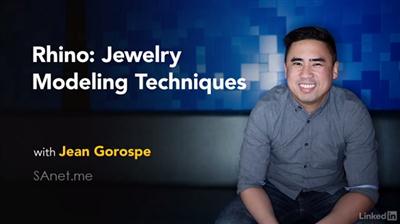
Rhino: Learn Basic Jewelry Modeling
MP4 | Video: AVC 1280x720 | Audio: AAC 48KHz 2ch | Duration: 2 Hours 39M | 880 MB
Genre: eLearning | Language: English​


Rhino is the leading software to design and produce professional jewelry, used for creating prototypes to share with clients and craftsmen and preparing final CAD drawings for 3D printing and milling. Designer Jean Gorospe is excited to share his Rhino jewelry modeling techniques with you. In this course, you'll use Rhino 5 to create four pieces: a basic oval ring, a more complex engagement ring, a cabochon drop earring, and an enamel cuff. These techniques cover basic geometry buildout, sweeps and lofts, fillets, and offsets. You will learn workflows to create basic and complex parts and surfaces and, by the end of the course, be able to apply the knowledge to your own jewelry concepts and designs.


Rhino: Learn Basic Jewelry Modeling

Recommend Download Link Hight Speed | Please Say Thanks Keep Topic Live
 

412413b7458d9cf2a1e76643f976ae4a.jpg

Self-Publishing: Beginner to Advanced - The Complete Course
MP4 | Video: AVC 1280x720 | Audio: AAC 44KHz 2ch | Duration: 2 Hours | 598 MB
Genre: eLearning | Language: English​


Advanced methods for everything from book idea, writing, editing and selling

FOR NON-FICTION AUTHORS

Learn highly effective methods and processes that allow you to get endless book ideas, write your book in an easier way than normal, and make it sell itself. Learn what a successful Kindle author's discoveries.

My name is Ian Stables, author of more than fifty Kindle books, many of which became best-sellers.

When I published my first Kindle book on Amazon, I made very few sales. I had good content inside, but the sales just didn't happen. I had a lot to learn in order to get decent sales.

I had a hard time coming up with new ideas for future books. I would spend hours looking through books on Amazon trying to discover the subject for my next book. I didn't just want any idea, but one that sold.

Writing books was not easy. There was the long outline process. I would spends days and sometimes weeks planning it out. I was continually worried in case I had missed something important. The writing process was long and daunting. Hours of scratching my head wondering what to write next and how to word it.

After the hours of writing, came the editing process. This was really hard.

Despite all my efforts, my first books were short and lacked the quality they do today. Despite this, the content was welcomed and I received many reviews praising my ideas.

Through experience, learning, and innovation I discovered (some by accident) many very effective methods and systems. They have allowed me to have several best-selling books.

Today, I can easily come up with endless profitable ideas for non-fiction books.

The writing process is enjoyable and a lot easier. I follow a simple step-by-step process.

There is no long outline process. The structure takes mere minutes.

I never wonder what to say next using my Conversation method. (I discovered this by accident.)

The process includes what I call the golden nuggets. These are what turns a dry mediocre book into one of best-seller quality.

The editing is done in very easy short sessions. No long edit at the end. It consists of three steps. The second step is the breakthrough. It allows me to spot more errors than any other I have tried. The odd one still gets through. However, I know this method allows you to correct every single error. They stand out a mile.

After trial and error, I have discovered how to make books sell themselves. I know what works and the simple methods to do it. The rest is just getting your book published and visible to readers.

In this course, you learn...

- How to make it fun to write

- The one thing that makes your book unique

- How to check your book will sell

- The book idea readers jump for

- Endless lists to pluck profitable book ideas

- The one place of countless book ideas, knowledge, and secrets

- Where experts tell you the best-selling ideas

- A profitable common headache for many books

- The pleasurable idea to write about

- Three steps that create unique competition beating ideas

- The simpler way to write quality non-fiction books

- How to create entire book structures in minutes

- My unique Conversation Method - Always know what to write next

- The Golden Nuggets that teach, demonstrate, warn, persuade, and convince

- Top six ways to generate golden nuggets

- The simple way to explain anything

- The most effective way to word anything

- The three step edit process that removes every error

- The introduction formula that makes them buy

- The simple to write conclusion readers love

- Top three things that sell most books

- The two things your book must show

- Avoid this mistake with your book title

- The title formula that creates irresistible desire

- The words that made a huge sales difference

- The best way to place keywords to get seen

- The information you need in your description

- Where readers tell you how to sell them

- The fast way to write a powerful description - I discovered this on Ebay

- How to make your table of contents sell

and more


Self-Publishing: Beginner to Advanced - The Complete Course

Recommend Download Link Hight Speed | Please Say Thanks Keep Topic Live

 

8dc062a0bf17ab4436139d008d2fefcc.jpg

Stan Winston School - Portrait Illustration Part 1: Pencil Drawing Techniques
Duration: 3 Hours | Video: h264, yuv420p, 1280x720 30fps | Audio: aac, 44100 Hz, 2ch | 4.5 GB
Genre: eLearning | Language: English​


Sharpen your pencil drawing skills with master illustrator Terry Wolfinger (The Lost World: Jurassic Park, Terminator 3, Ghosts). Using Stan Winston as his subject, Wolfinger will guide you through the entire process for pencilling a realistic character portrait, from selecting reference & thumbnail sketching all the way to final refinement & preserving your drawing.

Approximate Runtime - 03:00:00

HIGHLIGHTS
Gathering good reference imagery
Thumbnail Sketching
Blocking out Shapes
Refining & Detailing
Highlights & Shadows
Perspective & The Illusion of Depth


Stan Winston School - Portrait Illustration Part 1: Pencil Drawing Techniques

Recommend Download Link Hight Speed | Please Say Thanks Keep Topic Live

 

4c2e0f3690d3daf3a5f76fe34cf8e102.jpg

Teach Online With ScreenFlow 5
English | 2015 | mp4 | H264 1280x720 | AAC 2 ch | 3 hrs | 810 MB
eLearning, Teacher Training, Teaching Tools | Skill level: All level​

Record and Edit Screen Captures, Create & Edit Courses and Training materials
- Do you want to create your own Video Courses that you can sell online?

- Do you want to create training materials for your employees or your YouTube channel?

- Are you looking for simple a solution to record and edit your computer screen?

look no further because you've reached the correct place.

My name is Uri Soglowek for the last 15 years i have been producing videos, training materials, working with high end video productions and teaching people how to create high end, audience engaging videos.
Have you ever wished you had thousands of dollars to purchase a high end video production suite,

or did you ever wish you know how to create training materials to save time,

or maybe you wanted to teach others something you know and you want to have thousands of clients paying you to learn from what you are good at,

or maybe you just want to learn how to edit your home videos.

This is why I want to introduce you to ScreenFlow. ScreenFlow is a High end video recording and editing suite that can be used to edit video, generate training materials and more.

With Screenflow you can
- Record your screen,
- Import live footage,
- Edit and use transitions,
- Add subtitles,
- Create intros to your videos,
- Animate you videos ,
- Batch export videos,
- And upload your videos to any web video hosting service that you want: Youtube, Vimeo and even Facebook.

I've been using ScreenFlow for about 7 years to create thousands of videos, create courses like the one you are seeing, create training materials for clients and generate a very successful youtube channel.

I use screen flow to edit my home videos, my screen recording videos, my iPhone videos and even my super high end camera footage - ScreenFlow never fails me.

In this course I am going to show you everything you need to know to get up and running with screen flow in about 2 hours.

You will be able to import your videos, Edit them, Add annotations, Create iPhone app demos, Increase your productivity and as a direct result from create training materials and save time on explaining everything again and again.

If you are ready to learn how to use ScreenFlow to create high end screen recordings and videos and save time on training others, or even become a trainer with thousands or clients all over the world - this course is for you.

I will see you in the course.

What are the requirements?
- Have a Mac
- Have a working copy of ScreenFlow or trail version

What am I going to get from this course?
- Over 28 lectures and 2.5 hours of content!
- Capture the screen of my Mac
- Edit Screen Captures
- Add annotations
- Create Training Material
- Edit videos
- Upload videos to YouTube, Vimeo, Wistia, Facebook

What is the target audience?
- This course is for newbies, no prior knowledge of ScreenFlow, video editing, or creating training materials is needed
- Udemy Instructors
- Marketing Professionals
- Video Producers

Recommend Download Link Hight Speed | Please Say Thanks Keep Topic Live

 

27ddeba3e31f16bf4fb94d5d98477a4a.jpg

Teamtreehouse - 3D Art with Maya LT
English | mp4 | H264 1280x720 | AAC 2 ch | 549 MB
eLearning, Game Development | Level: Beginner​

If you are interested in creating 3D assets for games, and have never used 3D creation software before, this is a great place to start. This course explores the 3D art production pipeline as we model, texture, and export a game model into the Unity game engine.

We'll be working with Maya, the premiere 3D software package from Autodesk to develop a 3D game model using 2D concept images as a starting point.

This course will explore useful polygonal modeling tools to establish the basic form of our prop, applying color and using texture maps to suggest different materials and surface properties. Learn to organize the Maya scene file, and export the final prop into Unity so that it can be integrated into a game. By the end of this course, you will have an arsenal of great modeling tools at your disposal that you can use to create assets based on your own designs.

What you'll learn:
- Working with Primitives
- Box Modeling Techniques
- Working with Colors and Textures
- Exporting Assets into Unity

Recommend Download Link Hight Speed | Please Say Thanks Keep Topic Live

 

eff5e3973f48263ed0cb32d46e3daa42.jpg

Teamtreehouse - Build a JavaFX Application
English | mp4 | H264 1280x720 | AAC 2 ch | 618 MB
eLearning, Java | Level: Intermediate​

JavaFX is the de facto way to make Graphical User Interfaces (or GUIs) in Java. It is robust and customizable, and getting familiar with its APIs will expose many application design best practices.
What you'll learn:
- JavaFX fundamentals
- Client based application layout
- Event driven application development

Recommend Download Link Hight Speed | Please Say Thanks Keep Topic Live

 

903dc73daf52110795c398661552fe74.jpg

Teamtreehouse - Customizing Django Templates
English | mp4 | H264 1280x720 | AAC 2 ch | 180 MB
eLearning, Python | Level: Intermediate​

In Django Basics, you learned how to set up the skeleton of a video tutorial library. But for a real-world application, you'd probably want more flexibility and functionality in your websites. Django offers lots of built-in options for using templates to make your site dynamic and flexible, and makes it easy for you to build the extra things you need. In this course, learn about more complex template inheritance, how to make use of the vast array of built-in tags and filters Django has, and how to grow your own tags and filters for the functionality that Django doesn't provide. By the time you finish this course, you will have a deeper understanding of how you can make Django's templates work for your project, as well as a fully fleshed out video tutorial site!

What you'll learn:
- Template Inheritance
- Built-in Tags and Filters
- Building Your Own Tags and Filters

Recommend Download Link Hight Speed | Please Say Thanks Keep Topic Live
 

746869e7e33692be8877584c2ca99d57.jpg

Teamtreehouse - Java Annotations
English | mp4 | H264 1280x720 | AAC 2 ch | 285 MB
eLearning, Java | Level: Intermediate​

Annotations have rapidly become the preferred approach to integrating powerful third-party libraries into your own Java applications. In this course, we'll first explore the basic use of annotations to give the compiler instructions. Then, we'll use more advanced techniques to create our own annotation and look for it using reflection.

Recommend Download Link Hight Speed | Please Say Thanks Keep Topic Live

 

0ed547e4dc9bd765c8f12729cd87ee19.jpg

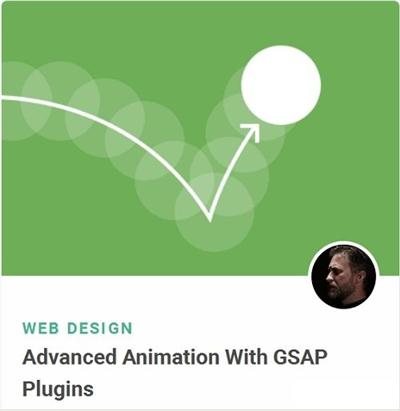
TutsPlus - Advanced Animation With GSAP Plugins
Duration: 2hr 25m | Video: h264, yuv420p, 1280x720, 30fps | Audio: aac, 48000 Hz, 2 ch | 1.1 GB
Genre: eLearning | Language: English​


The GreenSock Animation Platform is a powerful javascript library for animating HTML elements in the browser. In this course, you will go beyond the basics of GreenSock animation as Envato Tuts+ instructor Craig Campbell takes you on a tour of the plugins that ship with GSAP.

Recommend Download Link Hight Speed | Please Say Thanks Keep Topic Live

 

db430ba0deed295c52782e457e9c339d.jpg

Unity Touch Gestures and Pathfinding in Mobile Unity Games
MP4 | Video: AVC 1280x720 | Audio: AAC 44KHz 2ch | Duration: 3 Hours | 1.59 GB
Genre: eLearning | Language: English​


Mobile game developers can understand the different touch gestures like swipe, pinch and flick used for RTS games

Detecting and Using Touch Gestures in Unity

Taps, swipes, pinches, and flicks are all ways that players can interact with mobile games. Unity 3D games built for mobile devices should take these unique ways of playing that go beyond the standard "controller."

Making sense of raw finger position vectors every frame might prove to be more involved than it looks. In this course, you'll be introduced to the concept of touch input processing in Unity games.

Each lecture will introduce the theory commonly used finger gestures, such as taps, drags, swipes, pinches, and rotates. The goal of the course will be to put that theory into practice to create a simple point-and-click game.

The characteristics of each gesture will be explained, and the relevant code to detect and use it in the example game will be shown step-by-step.

By the end of the course, you'll have built a script that can process touch input and report what gesture has happened or is happening, and this script will be modular: ready to use in any of your other projects.

Before starting this course, you should be familiar with C# programming in Unity and the concept of 3D transforms as it is used in the engine. A touch of basic trigonometry also wouldn't hurt.

All assets, code and project files are included in the course and free to

Pathfinding is a concept many AI programmers lose sleep over. Thankfully if you are making your game with Unity, there is a built-in navigation mesh (navmesh) system that is fast, robust, and adaptive. In this tutorial you will be shown how to make use of this system effectively in the context of a point-and-click game (one of the best use cases for pathfinding), including the utilization of pathfinding with regards to various scenarios like jumpable gaps and dynamic obstacles.

Additionally, this tutorial also shows an example of an animation controller adapted to the acceleration-based movement behavior of Unity's navigation agent.

Before starting this course, you should be familiar with C# programming in Unity and the concept of 3D transforms as it is used in the engine. Basic knowledge of Unity's animation system is also highly recommended. Also, it should be noted that the game project in this tutorial is controlled using the Unity Remote 4 app, so make sure you have it installed in your device.

Recommend Download Link Hight Speed | Please Say Thanks Keep Topic Live

 

6c898477f72334b51805aa28c19e07f7.jpg

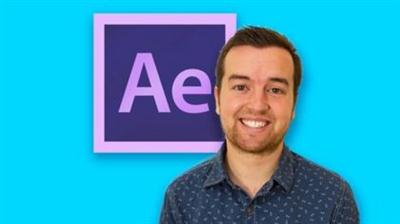
Adobe After Effects: The Complete Guide to After Effects
MP4 | Video: AVC 1280x720 | Audio: AAC 44KHz 2ch | Duration: 12 Hours | 2.83 GB
Genre: eLearning | Language: English​


The best After Effects guide to creating motion graphics and using special effects with Adobe After Effects.

Course updated for 2016 with brand new After Effects CC lessons!

Learn how to create amazing videos with Adobe After Effects.

Get ready to create motion graphics that will improve your video quality. If you've always wanted to learn how to use video effects and create custom motion graphics, you can learn After Effects right now.

Practice lessons will get you motivated and moving to your goals.

The lessons are meant to teach you how to think like a motion graphics/video effects artist. After Effects is a robust tool that is capable of creating almost any video effect out there. You'll learn all of the basics, intermediate, and some advanced techniques, from working with shapes, text, and textures to video effects, transitions, and 3d camera.

Here is a glimpse of what we'll be covering:

After Effects program layout + basics
Adding layers and working with transform tools
Creating unique shapes with motion
Masks and mask animations
3d layers and animations
3D cameras and camera animations
Working with Photoshop & After Effects
Video FX such as: page turns, fractal noise, color correction
Transitions such as: linear & radial wipes
Exporting with transparency
Exporting for YouTube
Green Screen editing in After Effects
Getting a Job with After Effects
and so much more!
Knowing After Effects is a great skill to have that is in demand and highly marketable. I've landed many jobs with the skills that I teach you in this course.


Adobe After Effects: The Complete Guide to After Effects

Recommend Download Link Hight Speed | Please Say Thanks Keep Topic Live

 

195c5af40996a0f4c49af90fbb9d2f8a.jpg

Advanced Network Engineering Training Video
Duration: 11 Hours | Video: h264, yuv420p, 1280x720, 30fps | Audio: aac, 48000 Hz, 2 ch | 2.8 GB
Genre: eLearning | Language: English​


In this project-based Advanced Network Engineering video tutorial series, you'll quickly have relevant skills for real-world applications.

Follow along with our expert instructor in this training course to get:

Concise, informative and broadcast-quality Advanced Network Engineering training videos delivered to your desktop
The ability to learn at your own pace with our intuitive, easy-to-use interface
A quick grasp of even the most complex Advanced Network Engineering subjects because they're broken into simple, easy to follow tutorial videos

Practical working files further enhance the learning process and provide a degree of retention that is unmatched by any other form of Advanced Network Engineering tutorial, online or offline... so you'll know the exact steps for your own projects.

Recommend Download Link Hight Speed | Please Say Thanks Keep Topic Live
 
Zurück
Oben Unten