• Regeln für den Video-Bereich:

    In den Börsenbereich gehören nur Angebote die bereits den Allgemeinen Regeln entsprechen.

    Einteilung

    - Folgende Formate gehören in die angegeben Bereiche:
    - Filme: Encodierte Filme von BluRay, DVD, R5, TV, Screener sowie Telesyncs im Format DivX, XviD und x264.
    - DVD: Filme im Format DVD5, DVD9 und HD2DVD.
    - HD: Encodierte Filme mit der Auflösung 720p oder darüber von BluRay, DVD, R5, TV, Screener sowie Telesyncs im Format x264.
    - 3D: Encodierte Filme von BluRay, die in einem 3D Format vorliegen. Dies gilt auch für Dokus, Animation usw.
    - Serien: Cartoon/Zeichentrick, Anime, Tutorials, Dokumentationen, Konzerte/Musik, Sonstiges sind demnach in die entsprechenden Bereiche einzuordnen, auch wenn sie beispielsweise im High Definition-Format oder als DVD5/DVD9/HD2DVD vorliegen. Ausnahme 3D.
    - Bereich Englisch: Englische Releases gehören immer in diesen Bereich.
    - Bereich Talk: Der Bereich, in dem über die Releases diskutiert werden kann, darf, soll und erwünscht ist.


    Angebot/Beitrag erstellen

    - Ein Beitrag darf erst dann erstellt werden, wenn der Upload bei mindestens einem OCH komplett ist. Platzhalter sind untersagt.
    - Bei einem Scenerelease hat der Threadtitel ausschließlich aus dem originalen, unveränderten Releasenamen zu bestehen. Es dürfen keine Veränderungen wie z.B. Sterne, kleine Buchstaben o.ä. vorgenommen werden. Ausnahme Serienbörse:
    - Bei einem Sammelthread für eine Staffel entfällt aus dem Releasename natürlich der Name der Folge. Beispiel: Die Simpsons S21 German DVDRip XviD - ITG
    - Dementsprechend sind also u.a. verboten: Erweiterungen wie "Tipp", "empfehlenswert", "only", "reup", usw. / jegliche andere Zusatzinformation oder Ergänzung, welche nicht in obiger Beschreibung zu finden ist.

    Aufbau des Angebots und Threadtitel

    Der Titel nach folgendem Muster erstellt zu werden. <Name> [3D] [Staffel] [German] <Jahr> <Tonspur> [DL] [Auflösung] <Quelle> <Codec> - <Group>
    Beispiel: The Dark Knight German 2008 AC3 DVDRip XviD - iND
    Beispiel: The Dark Knight 2008 DTS DL BDRip x264 - iND
    Beispiel: The Dark Knight 2008 AC3 DL BDRip XviD - iND
    Beispiel: The Dark Knight German 2008 AC3 720p BluRay x264 iND
    Beispiel: The Dark Knight 2008 DTS DL 1080p BluRay x264 iND
    Beispiel: Die Simpsons S01 German AC3 DVDRip XviD iND
    Beispiel: Die Simpsons S20 German AC3 720p BluRay x264 iND
    Beispiel: Sword Art Online II Ger Sub 2014 AAC 1080p WEBRip x264 - peppermint
    Entsprechend sind also u.a. verboten: Sonderzeichen wie Klammern, Sterne, Ausrufezeichen, Unterstriche, Anführungszeichen / Erweiterungen wie "Tipp", "empfehlenswert", "only", "reup", usw. / jegliche andere Zusatzinformation oder Ergänzung, welche nicht in obiger Beschreibung zu finden ist
    Ausnahmen hiervon können in den Bereichen geregelt sein.

    Die Beiträge sollen wie folgt aufgebaut werden:
    Überschrift entspricht dem Threadtitel
    Cover
    kurze Inhaltsbeschreibung
    Format, Größe, Dauer sind gut lesbar für Downloader außerhalb des Spoilers zu vermerken
    Nfo sind immer Anzugeben und selbige immer im Spoiler in Textform.
    Sind keine Nfo vorhanden z.B. Eigenpublikationen, sind im Spoiler folgende Dateiinformationen zusätzlich anzugeben :
    Quelle
    Video (Auflösung und Bitrate)
    Ton (Sprache, Format und Bitrate der einzelnen Spuren)
    Untertitel (sofern vorhanden)
    Hosterangabe in Textform außerhalb eines Spoiler mit allen enthaltenen Hostern.
    Bei SD kann auf diese zusätzlichen Dateiinformationen verzichtet werden.

    Alle benötigten Passwörter sind, sofern vorhanden, in Textform im Angebot anzugeben.
    Spoiler im Spoiler mit Kommentaren :"Schon Bedankt?" sind unerwünscht.


    Releases

    - Sind Retail-Release verfügbar, sind alle anderen Variationen untersagt. Ausnahmen: Alle deutschen Retail-Release sind CUT, in diesem Fall sind dubbed UNCUT-Release zulässig.
    - Im Serien-Bereich gilt speziell: Wenn ein Retail vor Abschluss einer laufenden Staffel erscheint, darf diese Staffel noch zu Ende gebracht werden.62
    - Gleiche Releases sind unbedingt zusammenzufassen. Das bedeutet, es ist zwingend erforderlich, vor dem Erstellen eines Themas per Suchfunktion zu überprüfen, ob bereits ein Beitrag mit demselben Release besteht. Ist dies der Fall, ist der bereits vorhandene Beitrag zu verwenden.
    - P2P und Scene Releases dürfen nicht verändert oder gar unter einem iND Tag eingestellt werden.


    Support, Diskussionen und Suche

    - Supportanfragen sind entweder per PN oder im Bereich Talk zu stellen.
    - Diskussionen und Bewertungen sind im Talk Bereich zu führen. Fragen an die Uploader haben ausschließlich via PN zu erfolgen, und sind in den Angeboten untersagt.
    - Anfragen zu Upload-Wünschen sind nur im Bereich Suche Video erlaubt. Antworten dürfen nur auf Angebote von MyBoerse.bz verlinkt werden.


    Verbote

    - Untersagt sind mehrere Formate in einem einzigen Angebotsthread, wie beispielsweise das gleichzeitige Anbieten von DivX/XviD, 720p und 1080p in einem Thread. Pro Format, Release und Auflösung ist ein eigener Thread zu eröffnen.
    - Grundsätzlich ebenso verboten sind Dupes. Uploader haben sich an geeigneter Stelle darüber zu informieren, ob es sich bei einem Release um ein Dupe handelt.
    - Gefakte, nur teilweise lauffähige oder unvollständige Angebote sind untersagt. Dies gilt auch für eigene Publikationen, die augenscheinlich nicht selbst von z.B. einer DVD gerippt wurden. Laufende Serien, bei denen noch nicht alle Folgen verfügbar sind, dürfen erstellt und regelmäßig geupdatet werden.
    - Untersagt sind Angebote, welche nur und ausschließlich in einer anderen Sprache als deutsch oder englisch vorliegen. Ausnahmen sind VORHER mit den Moderatoren zu klären.


    Verstoß gegen die Regeln

    - Angebote oder Beiträge, die gegen die Forenregeln verstoßen, sind über den "Melden"-Button im Beitrag zu melden.
  • Bitte registriere dich zunächst um Beiträge zu verfassen und externe Links aufzurufen.


Englische Tutorials


37566c02b04fafaf7871af3c064aa6aa.jpg

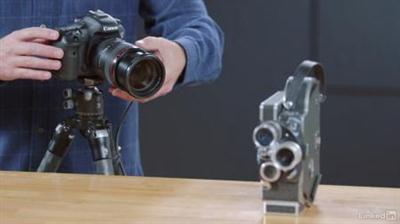
Learn Photography: Autofocus
MP4 | Video: AVC 1280x720 | Audio: AAC 48KHz 2ch | Duration: 1 Hours | 570 MB
Genre: eLearning | Language: English​


Focus is a core photographic concept. Autofocus makes the job easier. But behind this simple concept is an array of technical considerations and creative options. Which one of your camera's autofocus modes will give you the best results for specific shooting scenarios? When should you take control and manually focus? And do you want everything in the frame in focus, or just your subject?

Photographer and educator Tim Grey explores these questions and more in this exploration of focus and autofocus. And because sharpness isn't everything, Tim also details scenarios where blur can have more impact.


Learn Photography: Autofocus

Recommend Download Link Hight Speed | Please Say Thanks Keep Topic Live
 

0dd6e6958af9ae3ee03f1384c03b3a92.jpg

Learn "Sports Science" Techniques for Performance
English | 2015 | mp4 | H264 1280x720 | AAC 2 ch | 2 hrs | 5.5 GB
eLearning, Health & Fitness, Sports | Skill level: All level​

Breathing For Performance, Mind Sharpening and Flexibility Training for Athletes & Coaches. Gain the Competitive Edge!
Z-Sports Science

All SPORTS Training for:
-Breathing for Performance -Mind Sharpening-Flexibility

Increase Sports Performance to Affect Breathing, The Mind and Overall Flexibility.

This ZSports Science Experience for Sports Teams, Coaches, Trainers and Athletes. Anyone looking for the competitive edge.

Flexibility Training coupled with Breathing Techniques and Mind Sharpening Skills in this one of a kind Training Session. No Experience Necessary. Prepare yourself for success on and off the field. In this Session, you will work on Breathing, Mind Sharpening and flexibility gained through deep stretching with the ZStick. This helps to maintain the body's posture & alignment resulting in a better economy of energy. Additionally, the muscle is flexible and able to extend a full range of motion, reducing injury.

BREATHING-When we lose or hold our breath during sports competition, the mind disconnects with the body. When this happens, it often results in making the highlight reel for the wrong reasons! Learn how to control this! Breathing can increase alertness and recovery and used properly gives you access to your own personal Oxygen Bar.

MIND SHARPENING-Many exercises that are labeled as Meditation are actually mind related tools that increase focus, composure, alertness and instinctual reactions. Connecting the breath with these exercises compound the positive results.

FLEXIBILITY- Work on Flexibility, inside and out. Stretching that will make you more durable and Mental Flexibility that will allow you increased composure and focus in stressful situations. Stretching with the Z-Stick that can be done anywhere and will help reduce injuries while increasing range of motion. Learn how to properly direct the breath while stretching with the Z-STICK to allow for a faster increase of overall flexibility.

Hydration Sports Science- Learn the benefits of proper Hydration and why the recommended, "drink 8 x 8oz. of water" could be hindering your performance.
Football-Baseball-Basketball-Lax-Soccer-Hockey-Golf-MMA-All stick sports

What am I going to get from this course?
- Over 28 lectures and 2 hours of content!
- Control Nerves and Anxiety during stressful moments
- Release Internal Pressure with simple yet powerful Breathing Techniques
- Increase Overall Flexibility and Increase Durabality
- Gain the Competitive Edge by turning knowledge into Wisdom and Experience
- Increase Focus, awareness, composure, alertness, balance and flexibility
- Visualize your performance with Mind Sharpening Techniques
- Integrate Sports Science Hydration Tips for Performance and Recovery
- Gain confidence and awareness.

What is the target audience?
- Athletes, Coaches, Sports Teams, Trainers, All Stick sports, Football, Basketball, Golf, MMA
- Anyone looking for the competitive edge
- Anyone looking to keep sharp in life!

Recommend Download Link Hight Speed | Please Say Thanks Keep Topic Live
 

5bf60f6fd01f07dc9b0d8645dc50e722.jpg

LiveLessons - Design Patterns Java
MP4 | Video: AVC 960x540 | Audio: AAC 44KHz 2ch | Duration: 6 Hours | 838 MB
Genre: eLearning | Language: English​


Design Patterns in Java LiveLessons is a clear, concise introduction to one of the most important concepts in software engineering-design patterns. It introduces patterns both conceptually and through the application of many classic "Gang of Four" design patterns to the development of a case study application written in Java.


LiveLessons - Design Patterns Java

Recommend Download Link Hight Speed | Please Say Thanks Keep Topic Live
 

f96824e8855f6acd95794fd005484b89.jpg

Master New Skills Using NLP And Self Hypnosis
English | 2015 | mp4 | H264 1280x720 | AAC 2 ch | 1 hr | 437 MB
eLearning, Personal Development, Personal Transformation | Skill level: All level​

Learn to master new skills quickly using NLP and Self Hypnosis . Break the barrier today and acquire new skills faster
The course ' Master new skills using NLP and Self Hypnosis techniques ' helps you to master new physical skills easily and effortlessly. You will be able to acquire new skills with ease in much less than your normal time. The self hypnosis and NLP techniques include affirmations , pictures etc to help you reprogram your subconscious mind to acquire new skills in your workplace , sports and in life .

This course includes-
- Introduction to the course
- Different stages to learning new skills
- Self hypnosis and NLP techniques to master new skills
- Master new skills using affirmations
- Acquire new skills using the role model technique
- Deep trance identification technique
- Summary of the course

What are the requirements?
- PC with high speed internet
- Headphones
- Quiet room
- Notebook and pen
- High level of concentration and focus

What am I going to get from this course?
- Over 7 lectures and 37 mins of content!
- By the end of the course you will be able to acquire new skills , both mental and physical skills with ease, this will give you an edge over the others in your workplace and in any field you are in.
- You will be able to effortlessly master skills by breaking all the negative barriers you had build for yourself.

What is the target audience?
- Any person who is in a challenging field that requires constant change and acquisition of new skills to grow can take up with course .
- High school and undergrad students who are looking to learn new skills all the time can take up this course.
- Age group 16 and above

Recommend Download Link Hight Speed | Please Say Thanks Keep Topic Live
 

11f09bda2cd63548b0b1ba9dc26d6e7a.jpg

Mastering Layers in Photoshop CC
MP4 | Video: AVC 1280x720 | Audio: AAC 44KHz 2ch | Duration: 1H 35m | 759 MB
Genre: eLearning | Language: English​


Understanding how to use layers in Photoshop can make or break your design. This course will teach you basic to advanced aspects of layers, from layer creation and modification, to smart object layers, and in the end you'll create your own poster.

Photoshop layers allow you to create complex, detailed, and beautiful designs. Whether you would like a basic understanding of Photoshop layers, or a comprehensive understanding, this course, , is perfect for you. First, you'll discover how to create and modify layers at the most basic level, including blend modes and different styles. Next, you'll move onto more advanced topics such as masks, adjustment layers, and smart object layers. Finally, you'll create a poster while utilizing much of what you learned about layers. By the end of this course, you'll have a gorgeous poster design as well as a deep knowledge of layers in Photoshop that will help you create your own great designs in the future.


Mastering Layers in Photoshop CC

Recommend Download Link Hight Speed | Please Say Thanks Keep Topic Live
 

3c983a13afb9a4bd1cbe218f92203d8c.jpg

Monetization Mastery: 6 Killer Tactics To Monetizing A Blog
MP4 | Video: AVC 1280x720 | Audio: AAC 44KHz 2ch | Duration: 1 Hours | 198 MB
Genre: eLearning | Language: English​


The A-Z Guide To Generating A Full Time Income From A Blog Or Website

Do you know about the 6 ways top website owners use to bring in multiple $10,000 - $1,000,000 figures online?

For many years I couldn't exactly pin point the best way to generate an income to my blog, trying all different kinds of methods, which cost me a lot of money.

A lot of money in the sense that if I just stuck to the key principles and worked on them, I could have earned a lot more.

I left a lot of money on the table purely from being unsure on how to turn on the money valve to my site. My problem was that I was trying too many tactics, too many different approaches, and didn't put my focus on where I should have.

I suspect that you might have this problem too.

Many people do.

They have too many different tactics of generating an income from their website and this dilutes the potential of the key 6 ways on how to do it. Even with these 6 ways, only 1 or 2 will bring in 80% of the money, whilst the others will bring in the other 20%.

Or your problem might be that you have a website, but don't know how to generate the income? Stop spending hours of hours on research, as this courses gives you the exact steps on what to do.

With my 8 years of experience in generating an income online, I have pinpoint exactly the only 6 ways you need to turn on the money valve.

Anything else is a massive waste of time. Time that you can spend generating traffic and bringing in the audience and customers.

Here's what you're going to get in this course:

A Simple Tactic To 5 Figures Per Month Even With Less Than 1000 Visitors Per day
How to properly set up advertisement on your blog even if you have no traffic right now (It's important that it's set up so once the traffic comes, you start earning right away)
The number one strategy blog and website owners use that brings in 80% of their income (Anything else is chump change compared to this)
How To Apply Content Delivery Systems Which Are A Simple Way Of Earning Additional Income With No Extra Work
How to set up a membership portal on your blog so that you earn recurring income month after month and you only need to set this up once
Plus a lot more.

Can you imagine how much easier for you to follow a proven system rather then having to spend hours and hours researching it yourself and leaving a lot of money on the table? This is what this course does for you. It saves you time and money.

So if you want to start turning your blog or website into a money producing machine, click on the enrol button now and I'll see you on the other side.


Monetization Mastery: 6 Killer Tactics To Monetizing A Blog

Recommend Download Link Hight Speed | Please Say Thanks Keep Topic Live
 

73b73c93f21123d58a6c63cd4e0d6885.jpg

NLP- Use Psychic Energy Techniques For Instant Rapport
English | 2015 | mp4 | H264 1280x720 | AAC 2 ch | 1 hr | 1.73 GB
eLearning, Business, Sales | Skill level: All level​

NLP- Use Psychic Energy Techniques For Instant Rapport Using Powerful Persuasion Techniques
In this course titled 'NLP- Use Psychic Energy Techniques For Instant Rapport' By Pradeep Aggarwal , you will learn -

Creating and instant rapport is an art and this art is very much required for marketing professionals, team leaders, event organizers and businessmen to grow their business and build trust among their contacts.

This video course is designed to help you learn very simple yet powerful psychic energy techniques, which if you master, will help you build instant rapport with almost anyone and anywhere.

By the end of the course you will be more psychic and intuitive than before and achieve more success in your life by trusting your intuitions and building instant rapport with potential clients.

This course is ideal for people who are into sales and require to meet potential clients and customers for business growth and development.

You will also be able to trigger your confidence level and relax during times of need by following the exercises in this course.

This course contains a lot of NLP and psychic exercises and more than 35 minutes of live video content designed over 9 lectures in English.

What are the requirements?
- PC with High Speed Internet
- Quiet Room
- High Level of Focus and Concentration
- Notebook and Pen
- Headphones
- Works On Mobile Phones And Tablets

What am I going to get from this course?
- Over 9 lectures and 40 mins of content!
- By the end of the course you will be learn powerful and simple NLP techniques to use your psychic energy to create instant rapport
- You will be able to relax in any situation and become more confident and achieve growth in your business and professional field
- You will be able to trigger your confidence whenever you like by using anchoring techniques taught in this course
- You will be able to gain more confidence during social and public events

What is the target audience?
- This course is specially for for marketing professionals, team leaders, event organizers and businessmen to grow their business and build trust among their contacts.
- It is ideal for people who lack confidence and are looking to create instant rapport with people for professional growth
- Age group 16 and above

Recommend Download Link Hight Speed | Please Say Thanks Keep Topic Live
 

d2c944a81aef095d1b16923839aed984.jpg

OSTraining - WordPress Theme Design
English | June 27, 2012 | mp4 | H264 1440x810 | AAC 2 ch | 2 hrs 57 min | 497 MB
eLearning | Level: Intermediate​

This class will take you step-by-step from your initial design in Photoshop to a finished WordPress theme.
You'll start with a Photoshop PSD file and by the end of the class will have a WordPress theme that is ready to use.

In the first part of the class, we'll introduce our class project for the class and show you the tools you'll need to build WordPress themes:
- Introducing the WordPress Theming Course
- Resources You'll Need (Mac)
- Resources You'll Need for WordPress Themes on Windows

In the second part of the class, we show you how WordPress themes work and how to plan your project:
- Theme Template Tour
- Starter Theme: Startbox Feature Tour
- Planning: Sidebars, Widgets and More
- Examining Startbox Div Structure
- Create Some Content, Widgets and Main Navigation

In the third part of the class, we take your design image and use Photoshop to make it ready for WordPress:
- Photoshop Slicing - Part 1
- Photoshop Slicing - Part 2

In the fourth part of the class, you'll learn how CSS is used to implement your design:
- Styling the Header and Logo
- Styling and Placing the Main Navigation
- Hooks and Sidebars
- Styling the Homepage Top Widgets - Part 1
- Styling the Homepage Top Widgets - Part 2
- Styling the General Widgets
- Styling Internal Pages Part 1
- Styling Internal Pages Part 2
- Styling Internal Pages Part 3
- Styling the Author Page
- Styling the Search Results

In the fifth part of the class, you'll learn how to design for custom content types:
- Overview of Custom Content Types
- Styling Custom Archive Page and Custom Loop
- Create and Style a Custom Single Page

In the sixth part of the class, we cover some useful tips on how to properly build your themes:
- Filtering Content with PHP
- Properly Including Javascript and CSS Files

In the final part of the class, you'll learn how to build your theme using the parent / child theme structure:
- Start from Scratch or Use a Starter Theme?
- Hacking the Header Template
- Hacking the Footer
- Creating a Sidebar Widget Area

Recommend Download Link Hight Speed | Please Say Thanks Keep Topic Live

 

d8315b2c35289997db59d744a0e38787.jpg

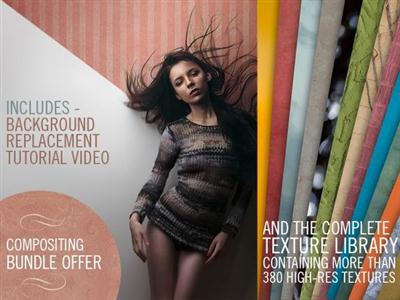
Photoshop Compositing Bundle
MP4 | Video: AVC 1280x720 | Audio: AAC 48KHz 2ch | Duration: 40M | 2.35 GB
Genre: eLearning | Language: English​


Background Modification Tutorial video AND the Mega Texture Pack (containing over 380 high-resolution textures) for your compositing pleasure .


Photoshop Compositing Bundle

Recommend Download Link Hight Speed | Please Say Thanks Keep Topic Live

 

606e1e77e0837d29569cefaa5b83eabb.jpg

Photoshop For The Web Tutorial. A Definite Training Course
Duration: 6hr 24m | Video: h264, yuv420p, 1280x720, 30fps | Audio: aac, 48000 Hz, 2 ch | 1.28 GB
Genre: eLearning | Language: English​


Learn The Art Of Image Creation For The Web. A Definitive Photoshop Training Course For Web Designers And Developers

This training course teaches you how to manipulate graphics and video to use on a web site. Since the release of its first version many years ago, Photoshop has added numerous tools tailored for use with graphics destined for the web. In this video tutorial you will learn how to master these tools.

This computer based training course demonstrates that Photoshop is capable of more than simply optimizing an image for the web. This course covers topics ranging from creating a web page mockup to understanding and applying the correct colour type to your images. You will learn about different image formats, which ones you should use, and when. Included are lessons covering vector versus raster imaging, preparing your images for the Internet, and working with layers. Andy even reveals tips and tricks to using Photoshop to create web-friendly videos, making basic animations, generating navigation graphics, and setting up automation and workflow to make you more efficient.

Once you have completed this computer based training course on Photoshop for Web Design, you will have a strong grasp of the fundamental tools and capabilities that Photoshop has to offer, and how to apply those tools specifically to your web design related projects. Working files are included, allowing you to follow along with the author throughout the lessons.

What am I going to get from this course?
Over 89 lectures and 6.5 hours of content!
Learn How To Edit And Create Video For The Web
Learn How To Create Background, Buttons And Mock Layouts
Learn How To Edit And Enhance Video For The Web

Recommend Download Link Hight Speed | Please Say Thanks Keep Topic Live

 

db40b41bbb5fdb866e4044988a7e0106.jpg

PHP Fundamentals - Start Earning The Top Dollars You Deserve
MP4 | Video: AVC 1280x720 | Audio: AAC 44KHz 2ch | Duration: 2 Hours | 157 MB
Genre: eLearning | Language: English​


Discover What You Really Need To Become an Expert With PHP

You are about to embark into the world of PHP. Once you understand PHP, you will be able to build your own web applications, content management systems and websites!

You will be given an overview to PHP (even if you are brand new, this section will be easy to understand). All lessons are in crystal clear English and taught by me personally.

You will learn how to install PHP on your local machine. Then you will be introduced to some basic syntax and commenting in PHP. You will discover PHP variables and you will be introduced to PHP variable scope.

Once you take this course, you will learn about global and static keywords and when to use them and how to use them effectively.

There is a ton of material in this course, including detailed examples of how to use what you learn.

We will cover PHP data types, how to manipulate strings, PHP constants and operators and much, much more!

Take this course today - you are covered by a full 30 day money back guarantee.


PHP Fundamentals - Start Earning The Top Dollars You Deserve

Recommend Download Link Hight Speed | Please Say Thanks Keep Topic Live

 

963403a95dd45d2cae0cb310a6b00a7c.jpg

Producing Electronic Music in Logic Pro
MP4 | Video: AVC 1280x720 | Audio: AAC 48KHz 2ch | Duration: 3 Hours | 825 MB
Genre: eLearning | Language: English​


Electronic music is an umbrella term for a wide variety of genres and sounds, from ambient, dub, acid house, trap, drum and bass, dubstep, and more. But whatever style you produce, Logic Pro can handle it. This powerful DAW is uniquely suited to capturing your creativity and expressing your sonic ideas. In this course, author Nate Mars shows you the core techniques professionals use to produce electronic music in Logic Pro.

He starts with building the foundation of the track-the drums. He shows how to program beats in Ultrabeat, utilize your own samples, and create drumbeats for a variety of genres. He then moves into creating basslines for house, trap, dubstep, and other genres, and getting a great deep sub-bass sound. He next moves into creating lead synth sounds, starting with Logic Pro's built-in Alchemy and Retro synths. He also goes into using samples, adding sound effects, and utilizing Apple's factory content. Then he pulls it all together and demonstrates ways to arrange the tracks, use creative effects, mix the tracks together, and use automation to finalize the mix. Chapter 6 covers sending your MIDI note and clock data to external synths from Logic Pro X-a fun way to experiment with analog sounds.


Producing Electronic Music in Logic Pro

Recommend Download Link Hight Speed | Please Say Thanks Keep Topic Live
 
Zurück
Oben Unten