Follow along with the video below to see how to install our site as a web app on your home screen.
Anmerkung: This feature currently requires accessing the site using the built-in Safari browser.
Regeln für den Video-Bereich:
In den Börsenbereich gehören nur Angebote die bereits den Allgemeinen Regeln entsprechen.
Einteilung
- Folgende Formate gehören in die angegeben Bereiche:
- Filme: Encodierte Filme von BluRay, DVD, R5, TV, Screener sowie Telesyncs im Format DivX, XviD und x264.
- DVD: Filme im Format DVD5, DVD9 und HD2DVD.
- HD: Encodierte Filme mit der Auflösung 720p oder darüber von BluRay, DVD, R5, TV, Screener sowie Telesyncs im Format x264.
- 3D: Encodierte Filme von BluRay, die in einem 3D Format vorliegen. Dies gilt auch für Dokus, Animation usw.
- Serien: Cartoon/Zeichentrick, Anime, Tutorials, Dokumentationen, Konzerte/Musik, Sonstiges sind demnach in die entsprechenden Bereiche einzuordnen, auch wenn sie beispielsweise im High Definition-Format oder als DVD5/DVD9/HD2DVD vorliegen. Ausnahme 3D.
- Bereich Englisch: Englische Releases gehören immer in diesen Bereich.
- Bereich Talk: Der Bereich, in dem über die Releases diskutiert werden kann, darf, soll und erwünscht ist.
Angebot/Beitrag erstellen
- Ein Beitrag darf erst dann erstellt werden, wenn der Upload bei mindestens einem OCH komplett ist. Platzhalter sind untersagt.
- Bei einem Scenerelease hat der Threadtitel ausschließlich aus dem originalen, unveränderten Releasenamen zu bestehen. Es dürfen keine Veränderungen wie z.B. Sterne, kleine Buchstaben o.ä. vorgenommen werden. Ausnahme Serienbörse:
- Bei einem Sammelthread für eine Staffel entfällt aus dem Releasename natürlich der Name der Folge. Beispiel: Die Simpsons S21 German DVDRip XviD - ITG
- Dementsprechend sind also u.a. verboten: Erweiterungen wie "Tipp", "empfehlenswert", "only", "reup", usw. / jegliche andere Zusatzinformation oder Ergänzung, welche nicht in obiger Beschreibung zu finden ist.
Aufbau des Angebots und Threadtitel
Der Titel nach folgendem Muster erstellt zu werden. <Name> [3D] [Staffel] [German] <Jahr> <Tonspur> [DL] [Auflösung] <Quelle> <Codec> - <Group>
Beispiel: The Dark Knight German 2008 AC3 DVDRip XviD - iND
Beispiel: The Dark Knight 2008 DTS DL BDRip x264 - iND
Beispiel: The Dark Knight 2008 AC3 DL BDRip XviD - iND
Beispiel: The Dark Knight German 2008 AC3 720p BluRay x264 iND
Beispiel: The Dark Knight 2008 DTS DL 1080p BluRay x264 iND
Beispiel: Die Simpsons S01 German AC3 DVDRip XviD iND
Beispiel: Die Simpsons S20 German AC3 720p BluRay x264 iND
Beispiel: Sword Art Online II Ger Sub 2014 AAC 1080p WEBRip x264 - peppermint
Entsprechend sind also u.a. verboten: Sonderzeichen wie Klammern, Sterne, Ausrufezeichen, Unterstriche, Anführungszeichen / Erweiterungen wie "Tipp", "empfehlenswert", "only", "reup", usw. / jegliche andere Zusatzinformation oder Ergänzung, welche nicht in obiger Beschreibung zu finden ist
Ausnahmen hiervon können in den Bereichen geregelt sein.
Die Beiträge sollen wie folgt aufgebaut werden:
Überschrift entspricht dem Threadtitel
Cover
kurze Inhaltsbeschreibung
Format, Größe, Dauer sind gut lesbar für Downloader außerhalb des Spoilers zu vermerken
Nfo sind immer Anzugeben und selbige immer im Spoiler in Textform.
Sind keine Nfo vorhanden z.B. Eigenpublikationen, sind im Spoiler folgende Dateiinformationen zusätzlich anzugeben :
Quelle
Video (Auflösung und Bitrate)
Ton (Sprache, Format und Bitrate der einzelnen Spuren)
Untertitel (sofern vorhanden)
Hosterangabe in Textform außerhalb eines Spoiler mit allen enthaltenen Hostern.
Bei SD kann auf diese zusätzlichen Dateiinformationen verzichtet werden.
Alle benötigten Passwörter sind, sofern vorhanden, in Textform im Angebot anzugeben.
Spoiler im Spoiler mit Kommentaren :"Schon Bedankt?" sind unerwünscht.
Releases
- Sind Retail-Release verfügbar, sind alle anderen Variationen untersagt. Ausnahmen: Alle deutschen Retail-Release sind CUT, in diesem Fall sind dubbed UNCUT-Release zulässig.
- Im Serien-Bereich gilt speziell: Wenn ein Retail vor Abschluss einer laufenden Staffel erscheint, darf diese Staffel noch zu Ende gebracht werden.62
- Gleiche Releases sind unbedingt zusammenzufassen. Das bedeutet, es ist zwingend erforderlich, vor dem Erstellen eines Themas per Suchfunktion zu überprüfen, ob bereits ein Beitrag mit demselben Release besteht. Ist dies der Fall, ist der bereits vorhandene Beitrag zu verwenden.
- P2P und Scene Releases dürfen nicht verändert oder gar unter einem iND Tag eingestellt werden.
Support, Diskussionen und Suche
- Supportanfragen sind entweder per PN oder im Bereich Talk zu stellen.
- Diskussionen und Bewertungen sind im Talk Bereich zu führen. Fragen an die Uploader haben ausschließlich via PN zu erfolgen, und sind in den Angeboten untersagt.
- Anfragen zu Upload-Wünschen sind nur im Bereich Suche Video erlaubt. Antworten dürfen nur auf Angebote von MyBoerse.bz verlinkt werden.
Verbote
- Untersagt sind mehrere Formate in einem einzigen Angebotsthread, wie beispielsweise das gleichzeitige Anbieten von DivX/XviD, 720p und 1080p in einem Thread. Pro Format, Release und Auflösung ist ein eigener Thread zu eröffnen.
- Grundsätzlich ebenso verboten sind Dupes. Uploader haben sich an geeigneter Stelle darüber zu informieren, ob es sich bei einem Release um ein Dupe handelt.
- Gefakte, nur teilweise lauffähige oder unvollständige Angebote sind untersagt. Dies gilt auch für eigene Publikationen, die augenscheinlich nicht selbst von z.B. einer DVD gerippt wurden. Laufende Serien, bei denen noch nicht alle Folgen verfügbar sind, dürfen erstellt und regelmäßig geupdatet werden.
- Untersagt sind Angebote, welche nur und ausschließlich in einer anderen Sprache als deutsch oder englisch vorliegen. Ausnahmen sind VORHER mit den Moderatoren zu klären.
Verstoß gegen die Regeln
- Angebote oder Beiträge, die gegen die Forenregeln verstoßen, sind über den "Melden"-Button im Beitrag zu melden.
Du verwendest einen veralteten Browser. Es ist möglich, dass diese oder andere Websites nicht korrekt angezeigt werden. Du solltest ein Upgrade durchführen oder einen alternativen Browser verwenden.
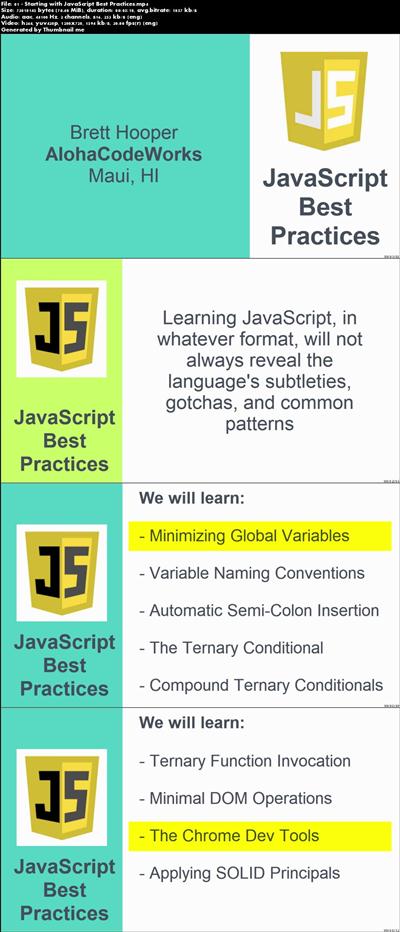
Any IT professional or casual developer anticipating a better understanding of the JavaScript language and it's commonly used design patterns and structures needs to go through this course and absorb all of its content. Anyone desiring to learn more about the language and better ways to use it needs the knowldege, demonstrations, and practice presented in this course. This not only includes web, mobile, and service application developers, but also architects, UI designers, testers, and administrators. This course provides a well-curated collection of JavaScript concepts that are generally unknown or overlooked and have significant impact on overall JavaScript code quality.
Recommend Download Link Hight Speed | Please Say Thanks Keep Topic Live
Docker - A Better Way to Build Apps
MP4 | Video: AVC 1280x720 | Audio: AAC 44KHz 2ch | Duration: 2 Hours | 577 MB Genre: eLearning | Language: English
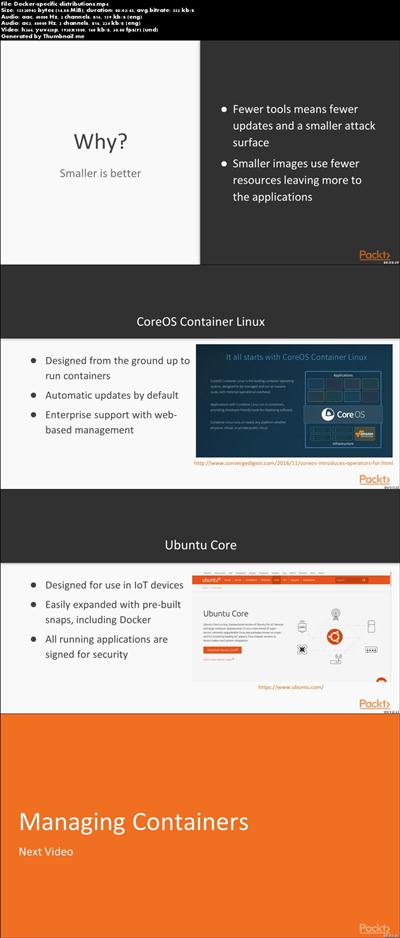
Docker is one of the world's best software container platforms. The use of containers in Docker makes it easy to develop, deploy and execute applications. Abstraction helps developers to run applications inside the containers. Docker containers enable developers to make changes to their Docker pictures and also control the versions of the pictures. With the help of Docker, we can build a container image and use it multiple times during deployment..You will start with promptly installing Docker and start working with images and containers. You will be introduced to different types of containers and their applications, we would also guide you on how to find and build images. You will also gain knowledge on how you can contribute to the image repository by publishing different images. This will accustom you with the image building process and you will be able to successfully run your programs within containers.By the end of this course, you will be confident in deploying your applications using Docker and will have a clear understanding of concepts, techniques, and practical methods to get it running in production systems.
Recommend Download Link Hight Speed | Please Say Thanks Keep Topic Live
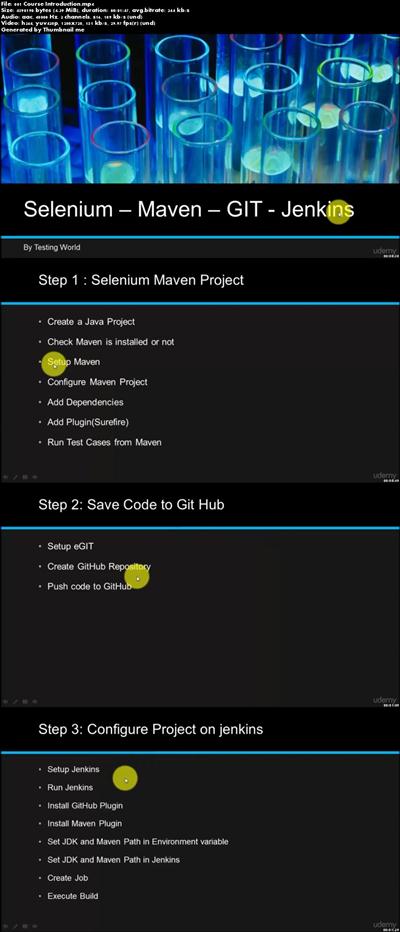
End to End Integration : Selenium - Maven - Git - Jenkins
MP4 | Video: AVC 1280x720 | Audio: AAC 44KHz 2ch | Duration: 1 Hours | Lec: 16 | 170 MB Genre: eLearning | Language: English
Code Management using GIT, Build trigger using Jenkins
Git is the most widely used modern version control system in the world today, which allows multiple persons to safely work on the same project without hampering other team members. As a part of a team using Git, You and your team members will clone working copy of a local repository from Git server. You/team will add and commit the test scripts that are developed locally and push your changes to the Git.
This course gives coverage
1. Execute Selenium test cases using TestNg.
2. Execute Selenium test cases using Maven.
3. Share code using Source Management tool GIT
4. Integration Selenium with Jenkins using GIT.
5. Execute automation framework using Jenkins
Recommend Download Link Hight Speed | Please Say Thanks Keep Topic Live
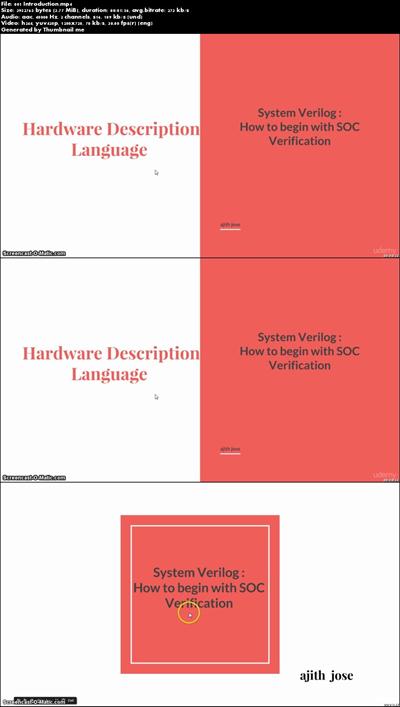
SystemVerilog Verification -1: Start Learning TB Constructs
MP4 | Video: AVC 1280x720 | Audio: AAC 44KHz 2ch | Duration: 1.5 Hours | Lec: 21 | 173 MB Genre: eLearning | Language: English
VLSI : Learn Systemverilog - Begin your System Verilog learning from the basics to build expertise in SOC verification
This System Verilog course teaches the System-On-Chip design verification used in VLSI industry. This will be a good starting point to learn System-Verilog language for IC/SOC verification. It covers the fundamentals of the language and explain the concepts from the basics.
This course contains video lectures of 1 hour duration. It is stared by explaining what is design and verification code in System Verilog and how they are different. It explains the language constructs like datatypes, arrays and operators in next session with examples. Different kind of assignments in SV are explained in detail with their behavior in simulation. The control flow statements and looping statements are demonstrated in the next session. Finally, the thread launching mechanism is explained at the end
By taking this course, the a student will be able to start learning System Verilog for verification and master it slowly. This course will also be helpful for the HDL programmers who know something about SV programming but not clear about its structured writing.
Recommend Download Link Hight Speed | Please Say Thanks Keep Topic Live
Cinema 4D: Rendering Motion Graphics for After Effects
MP4 | Video: 540p | Duration: 3:53:32 | English | Subtitles: VTT | 988.1 MB
CINEMA 4D: Rendering Motion Graphics for After Effects demonstrates how to take a simple logo animation in CINEMA 4D and transform it into a compelling motion graphic with After Effects, incorporating two distinct visual styles. Starting with a prebuilt animation rendered from CINEMA 4D, author Rob Garrott employs industry-standard techniques, utilizing materials, lights, and the library of effects in After Effects, to enhance the project's look and feel. Exercise files accompany the course.
Topics include:
Setting up a multi-pass renderBatch rendering in CINEMA 4DImporting 3D elements into After EffectsCreating and using precomps for compositing controlCompositing 3D text in a dynamic 3D environmentCreating a glow effect using Trapcode StarglowUsing 3D layers to create masking effectsAdding a flash bulb effect with CC Light RaysAdding glows and glints to typeCreating a 2D camera shake effect using pre-compsAdding depth of field with the Lens Blur effect
Recommend Download Link Hight Speed | Please Say Thanks Keep Topic Live
Your styles should be as high quality as all your other code. You should be able to easily make changes without introducing regressions, enabling your codebase to grow with ease. Automated testing and test-driven development facilitate this for front-end and back-end code, but why not do it also for your CSS?
This workshop will introduce developers to Quixote, a Javascript library for automated CSS testing. It will walk through how to test CSS both at the unit and integration levels. Developers will learn how to apply TDD techniques to the process of implementing designs as well as how to introduce CSS testing to an existing code base.
Recommend Download Link Hight Speed | Please Say Thanks Keep Topic Live
Photoshop Color Correction: Extreme Color Cast
MP4 | Video: 720p | Duration: 14:25 | English | Subtitles: VTT | 49.1 MB
Extreme color casts-like the kind that affect underwater photography-don't have to ruin your photos. In this mini project, Taz Tally shows you how to color correct and enhance the brightness and contrast of an image in just three steps with Photoshop. Plus, he'll show how to export your changes and apply the corrections to similar images-handy with color and contrast problems that affect an entire collection of photographs.
Check out the first installment in this series, Photoshop Color Correction: Fundamentals, for more detailed information about adjusting color in Photoshop.
Recommend Download Link Hight Speed | Please Say Thanks Keep Topic Live
V-Ray 2.0 for 3ds Max Essential Training
MP4 | Video: 540p | Duration: 5:11:02 | English | Subtitles: VTT | 1155.8 MB
This course introduces the features of the V-Ray 2.0 rendering engine and demonstrates how to extend the range of 3ds Max with its state-of-the-art tools, such as irradiance mapping, fur and hair textures and shaders, and stereoscopic 3D rendering. The course covers critical concepts such as creating basic materials, image sampling, color mapping, subdivs, and lighting, as well as the Render Elements, RT, and physical rendering workflows in V-Ray. Exercise files are included with the course.
Topics include:
Installing and setting up V-RayUsing the DMC SamplerUnderstanding color mapping modesAdding a spherical fill lightWorking with the V-Ray Dome LightUsing irradiance mapping and Light cacheCreating diffuse colorMaking reflective materialsCreating translucencyEnsuring quality with image samplingControlling the V-Ray physical cameraCreating a motion blur effectCompositing V-Ray elements
Recommend Download Link Hight Speed | Please Say Thanks Keep Topic Live
Blackboard Essential Training
MP4 | Video: 720p | Duration: 6:19:52 | English | Subtitles: VTT | 1130.2 MB
Get the Blackboard training you need to quickly enroll students and start creating assignments. Patrick Crispen shows teachers how to customize their course sites, manage users, and add and organize course content, including multimedia and online assessments. He also shows how to enter scores, create grading periods, and more in the Grade Center. Plus, learn how to communicate with students and encourage participation and collaboration on forums and between groups. Existing users will also appreciate the last-minute guide to working with the latest version of the program, Blackboard 9.1 service pack 13, in seven easy steps.
Topics include:
Accessing a courseCreating announcementsViewing the rosterWorking with modulesAdding new menu itemsEnrolling students and othersMaking content available to studentsEntering gradesDownloading and editing grades in ExcelCreating assignments and collecting papersCreating online testsAdding discussion forums and groups
Recommend Download Link Hight Speed | Please Say Thanks Keep Topic Live
Paul Hudson Forward 6 Swift Workshop Taster
MP4 | Video: 360p | Duration: 1:10:53 | English | 55.8 MB
Paul Hudson will be teaching 4 full-day workshops during the Forward Swift Web Technology Summit February 28- March 4. In this webinar, Paul will give you a preview into the subjects he will be diving deep into during his full-day workshops.
This preview will give you a small taste of each workshop and allow you to decide which is a good fit for you to attend.
Sign up for Paul's workshops here
Recommend Download Link Hight Speed | Please Say Thanks Keep Topic Live
Creating EPUBs from a Pages Document
MP4 | Video: 720p | Duration: 1:31:32 | English | Subtitles: VTT | 314.3 MB
Make your EPUB conversion process smoother by first spending a few minutes cleaning up your formatting in Pages. In this course, Tony Harmer shows how to turn your Pages document into an EPUB that will display beautifully in Apple iBooks. You'll learn how to format new and existing documents and add interactive features-such as audio and video, a table of contents, and links-that make for more engaging and dynamic ebooks. The final chapters cover the troubleshooting and export processes, and then Tony provides direction on where to go next. Start watching and learn how to turn your manuscript "pages" into EPUBs everyone can enjoy.
Topics include:
Building paragraph and character stylesCreating a templateAdding a table of contentsAdding images, audio, video, and linksAdding a book coverConverting footnotes and endnotesExporting to EPUB from a desktop or a mobile device
Recommend Download Link Hight Speed | Please Say Thanks Keep Topic Live
Office 365: Outlook Essential Training
MP4 | Video: 720p | Duration: 2:53:51 | English | Subtitles: VTT | 409.3 MB
Learn how to set up and manage email, calendars, and contacts in the Office 365 version of Outlook. This course begins with a tour of the interface and shows how to connect to a wide variety of email accounts, as well as OneDrive for online file storage. Author Jess Stratton then shows how to quickly create, send, and read email and reduce your inbox clutter; organize, group, and share contacts; and stay on schedule with calendars and tasks. Plus, learn how to back up your Outlook data in case you need to restore or move it to a different machine.
Topics include:
Connecting accounts: Exchange, Office 365, IMAP, and POPSearching for mailSaving attachmentsOrganizing mail with flags and foldersCreating new messagesWorking with contacts in the People hubAdding delegates to act on your behalfCreating meetingsCreating tasks and notesBacking up and moving Outlook data
Recommend Download Link Hight Speed | Please Say Thanks Keep Topic Live