• Regeln für den Video-Bereich:

    In den Börsenbereich gehören nur Angebote die bereits den Allgemeinen Regeln entsprechen.

    Einteilung

    - Folgende Formate gehören in die angegeben Bereiche:
    - Filme: Encodierte Filme von BluRay, DVD, R5, TV, Screener sowie Telesyncs im Format DivX, XviD und x264.
    - DVD: Filme im Format DVD5, DVD9 und HD2DVD.
    - HD: Encodierte Filme mit der Auflösung 720p oder darüber von BluRay, DVD, R5, TV, Screener sowie Telesyncs im Format x264.
    - 3D: Encodierte Filme von BluRay, die in einem 3D Format vorliegen. Dies gilt auch für Dokus, Animation usw.
    - Serien: Cartoon/Zeichentrick, Anime, Tutorials, Dokumentationen, Konzerte/Musik, Sonstiges sind demnach in die entsprechenden Bereiche einzuordnen, auch wenn sie beispielsweise im High Definition-Format oder als DVD5/DVD9/HD2DVD vorliegen. Ausnahme 3D.
    - Bereich Englisch: Englische Releases gehören immer in diesen Bereich.
    - Bereich Talk: Der Bereich, in dem über die Releases diskutiert werden kann, darf, soll und erwünscht ist.


    Angebot/Beitrag erstellen

    - Ein Beitrag darf erst dann erstellt werden, wenn der Upload bei mindestens einem OCH komplett ist. Platzhalter sind untersagt.
    - Bei einem Scenerelease hat der Threadtitel ausschließlich aus dem originalen, unveränderten Releasenamen zu bestehen. Es dürfen keine Veränderungen wie z.B. Sterne, kleine Buchstaben o.ä. vorgenommen werden. Ausnahme Serienbörse:
    - Bei einem Sammelthread für eine Staffel entfällt aus dem Releasename natürlich der Name der Folge. Beispiel: Die Simpsons S21 German DVDRip XviD - ITG
    - Dementsprechend sind also u.a. verboten: Erweiterungen wie "Tipp", "empfehlenswert", "only", "reup", usw. / jegliche andere Zusatzinformation oder Ergänzung, welche nicht in obiger Beschreibung zu finden ist.

    Aufbau des Angebots und Threadtitel

    Der Titel nach folgendem Muster erstellt zu werden. <Name> [3D] [Staffel] [German] <Jahr> <Tonspur> [DL] [Auflösung] <Quelle> <Codec> - <Group>
    Beispiel: The Dark Knight German 2008 AC3 DVDRip XviD - iND
    Beispiel: The Dark Knight 2008 DTS DL BDRip x264 - iND
    Beispiel: The Dark Knight 2008 AC3 DL BDRip XviD - iND
    Beispiel: The Dark Knight German 2008 AC3 720p BluRay x264 iND
    Beispiel: The Dark Knight 2008 DTS DL 1080p BluRay x264 iND
    Beispiel: Die Simpsons S01 German AC3 DVDRip XviD iND
    Beispiel: Die Simpsons S20 German AC3 720p BluRay x264 iND
    Beispiel: Sword Art Online II Ger Sub 2014 AAC 1080p WEBRip x264 - peppermint
    Entsprechend sind also u.a. verboten: Sonderzeichen wie Klammern, Sterne, Ausrufezeichen, Unterstriche, Anführungszeichen / Erweiterungen wie "Tipp", "empfehlenswert", "only", "reup", usw. / jegliche andere Zusatzinformation oder Ergänzung, welche nicht in obiger Beschreibung zu finden ist
    Ausnahmen hiervon können in den Bereichen geregelt sein.

    Die Beiträge sollen wie folgt aufgebaut werden:
    Überschrift entspricht dem Threadtitel
    Cover
    kurze Inhaltsbeschreibung
    Format, Größe, Dauer sind gut lesbar für Downloader außerhalb des Spoilers zu vermerken
    Nfo sind immer Anzugeben und selbige immer im Spoiler in Textform.
    Sind keine Nfo vorhanden z.B. Eigenpublikationen, sind im Spoiler folgende Dateiinformationen zusätzlich anzugeben :
    Quelle
    Video (Auflösung und Bitrate)
    Ton (Sprache, Format und Bitrate der einzelnen Spuren)
    Untertitel (sofern vorhanden)
    Hosterangabe in Textform außerhalb eines Spoiler mit allen enthaltenen Hostern.
    Bei SD kann auf diese zusätzlichen Dateiinformationen verzichtet werden.

    Alle benötigten Passwörter sind, sofern vorhanden, in Textform im Angebot anzugeben.
    Spoiler im Spoiler mit Kommentaren :"Schon Bedankt?" sind unerwünscht.


    Releases

    - Sind Retail-Release verfügbar, sind alle anderen Variationen untersagt. Ausnahmen: Alle deutschen Retail-Release sind CUT, in diesem Fall sind dubbed UNCUT-Release zulässig.
    - Im Serien-Bereich gilt speziell: Wenn ein Retail vor Abschluss einer laufenden Staffel erscheint, darf diese Staffel noch zu Ende gebracht werden.62
    - Gleiche Releases sind unbedingt zusammenzufassen. Das bedeutet, es ist zwingend erforderlich, vor dem Erstellen eines Themas per Suchfunktion zu überprüfen, ob bereits ein Beitrag mit demselben Release besteht. Ist dies der Fall, ist der bereits vorhandene Beitrag zu verwenden.
    - P2P und Scene Releases dürfen nicht verändert oder gar unter einem iND Tag eingestellt werden.


    Support, Diskussionen und Suche

    - Supportanfragen sind entweder per PN oder im Bereich Talk zu stellen.
    - Diskussionen und Bewertungen sind im Talk Bereich zu führen. Fragen an die Uploader haben ausschließlich via PN zu erfolgen, und sind in den Angeboten untersagt.
    - Anfragen zu Upload-Wünschen sind nur im Bereich Suche Video erlaubt. Antworten dürfen nur auf Angebote von MyBoerse.bz verlinkt werden.


    Verbote

    - Untersagt sind mehrere Formate in einem einzigen Angebotsthread, wie beispielsweise das gleichzeitige Anbieten von DivX/XviD, 720p und 1080p in einem Thread. Pro Format, Release und Auflösung ist ein eigener Thread zu eröffnen.
    - Grundsätzlich ebenso verboten sind Dupes. Uploader haben sich an geeigneter Stelle darüber zu informieren, ob es sich bei einem Release um ein Dupe handelt.
    - Gefakte, nur teilweise lauffähige oder unvollständige Angebote sind untersagt. Dies gilt auch für eigene Publikationen, die augenscheinlich nicht selbst von z.B. einer DVD gerippt wurden. Laufende Serien, bei denen noch nicht alle Folgen verfügbar sind, dürfen erstellt und regelmäßig geupdatet werden.
    - Untersagt sind Angebote, welche nur und ausschließlich in einer anderen Sprache als deutsch oder englisch vorliegen. Ausnahmen sind VORHER mit den Moderatoren zu klären.


    Verstoß gegen die Regeln

    - Angebote oder Beiträge, die gegen die Forenregeln verstoßen, sind über den "Melden"-Button im Beitrag zu melden.
  • Bitte registriere dich zunächst um Beiträge zu verfassen und externe Links aufzurufen.

++ Premium IPTV ++ 7000 Live Sender ++ UHD Qualität ++ Mediathek mit 18.000 Inhalten ++


VenneTV


Englische Tutorials

bfc82f1f26e56be0ec24ba2046faa1b0.jpg


Lightroom Mobile First Look with Chris Orwig
English | .MP4 | Audio: aac, 44100 Hz, mono | Video: h264, yuv420p, 1280x800, 15.00 fps(r) | 167 MB
Genre: E-learning​

Join author and photographer Chris Orwig as he gives us a brief overview of this brand-new application from Adobe, Lightroom for Mobile, which puts the best features of Lightroom in the palm of your hand. Chris gives us a tour of the capabilities and features of this new type of tool, which will empower photographers to edit and manage their photo libraries on the go.


47380e9b9b5e26429a8b096f347bcb23.jpg


Recommend Download Link Hight Speed | Please Say Thanks Keep Topic Live ​

 
5683e4c6d40c4f5bbb19e067d0d3da6a.jpg


CISSP® - Identity and Access Management
MP4 | Video: AVC 1280x720 | Audio: AAC 44KHz 2ch | Duration: 2.5 Hours | 181 MB
Genre: eLearning | Language: English
This course is an overview of the Identity and Access Management objective for the CISSP®, which includes the threats, theories, and concepts that are part of managing access to a diverse set of technologies and systems.​

Access controls lie at the very heart of an information security program. After all, information security is all about access control - who can get on our systems, networks, and our buildings and what can they do when they gain access? In this course, CISSP® - Identity and Access Management, you'll learn about the concepts and theory of identity and access management. Next, you'll learn about mandatory and discretionary access control along with types of controls and related risk. Finally, you'll learn about access control attacks. By the end of this course, you'll have an understanding of identity and access management and be able to approach these areas in the CISSP® examination with confidence.


c8a31921b21abadae6876780c3b24b79.jpg


Recommend Download Link Hight Speed | Please Say Thanks Keep Topic Live ​

 
3f482dccbf3057d678a0e4f33e1904b7.jpg


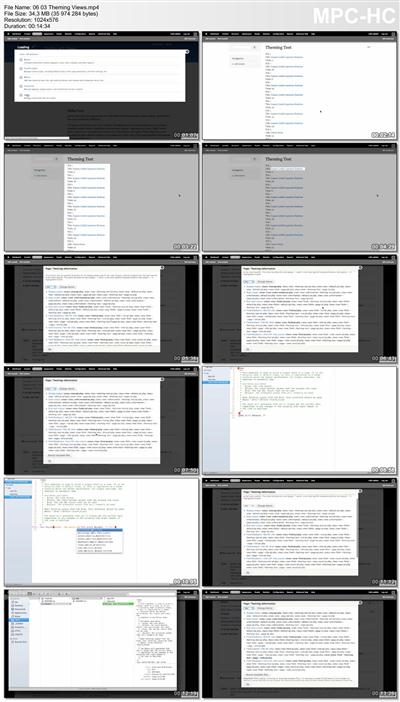
Coding for Views
Size: 562MB | Duration: 3h 58m | Video: AVC (.mp4) 1024x576 30fps | Audio: AAC 44.1KHz 2ch
Genre: eLearning | Level: Intermediate | Language: English​

In this series, we cover the ins and outs of writing modules that implement the Views API. This series will take an in-depth look at exposing your own database tables to the Views module so that users can use them as a place from which to pull content, including the fields themselves and meta-data about how they can be used to create relationships to other content on your site. After getting the basics out of the way, we'll also take a look at writing our own custom field handlers to expose our module's data to Views so that it can be sorted, filtered, and queried in new ways. We'll also look at implementing Views plugins to do things like add custom access control options to Views and add new output styles.


e3779d3e3e1b99e23299623187f2edb2.jpg


Recommend Download Link Hight Speed | Please Say Thanks Keep Topic Live ​

 
0d081a710ee7a2ed3d0ec36d5b8385ba.jpg


Create a sci fi landscape illustration using pen and ink
MP4 | Video: AVC 1280x720 | Audio: AAC 44KHz 2ch | Duration: 1.5 Hours | Lec: 16 | 886 MB
Genre: eLearning | Language: English
Learn to use thumbnail drawings to create multiple concepts before refining one idea and rendering a final illustration.​

In this course I will take students through the methods I employ to create a black and white illustration using traditional paper and ink media. Along with demonstrating step by step the working methods I use, I will also give my thoughts on some of the broader topics surrounding picture making and design. I will discuss what I think are the strengths of working through a project using traditional media and why I believe it is still the key foundation to visual creativity as well as the importance of keeping a regular sketchbook.

In the first section I will discuss the materials used, including brush pens and fineliners, as well as the paper types used.
In the second section we begin the process by making a series of quick thumbnail drawings to explore different ideas around a similar theme. After producing these thumbnails we will narrow to one concept and make a quick preliminary study to finalize the composition.
In the third section I will begin by laying out the loose pencils, just getting the larger masses down and indicating the composition.
Section four is where the first detail are applied and the pencils are refined to the point where they are ready for the inking process.
Section five is the beginning of the inking process, starting with the area in the foreground of the illustration.
In section 6 the inking process continues on the middle ground focal point of the composition and I will discuss using different pens for different line weights.
Section 7 comprises the middle ground of the rendering and is broken down into sub chapters. Here I will use many different pens and markers to help sell the illusion of depth and detail.
In section 8 I will add the finishing touches, using white gouache paint, as well as any other small refinements as well as summarizing my thoughts on the process.


667625c33e5c4d898c55c9da37666b99.jpg


Recommend Download Link Hight Speed | Please Say Thanks Keep Topic Live ​

 
ac9cc383f7997f46e44c868381a80647.jpg


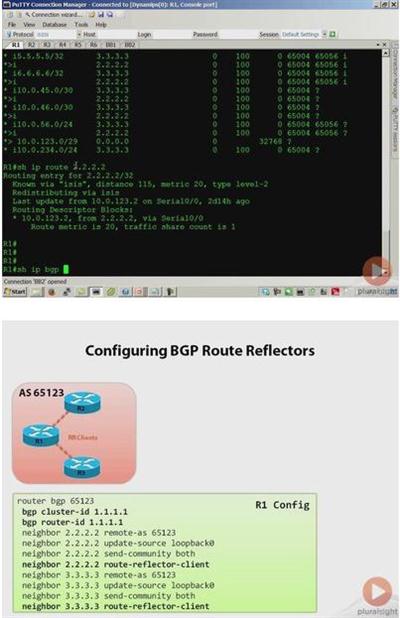
Cisco CCIE Routing and Switching: Implement BGP
MP4 | AVC 217kbps | English | 1024x768 | 15fps | 5h 04mins | AAC stereo 107kbps | 855 MB
Genre: Video Training​

The primary goals of this course are to prepare candidates for the BGP section of the CCIE Routing and Switching written exam, as well as to provide CCIE candidates with a strong level of foundational knowledge in BGP routing needed to begin studying for the CCIE routing and switching lab exam. At the end of the course, a student should feel confident in his or her knowledge of the BGP based topics covered by the CCIE routing and switching written exam, and will have the fundamental knowledge necessary to begin their longer journey to passing the CCIE lab exam. Please note the course is not designed to fully prepare a candidate to sit the CCIE lab exam, but rather to prepare a candidate to pass the written exam and as a stepping stone into lab exam preparation.


74f2b4e7a095f237a1445f09688d38d1.jpg


Recommend Download Link Hight Speed | Please Say Thanks Keep Topic Live ​

 
475c76824eccb03ad3c2777e382e8954.jpg


Up and Running with Eclipse with Charles Kelly
English | MP4 | H264 1280x720 | AAC 2 ch 95 kbps | 1 hr 2 min | 153 MB
elearning, Developer, Mobile Apps, Desktop Apps​

Eclipse is an essential tool for developers-it's not only an integrated development environment, but also an extensible platform for developing digital tools and applications. This course shows how to set up Eclipse to work with a variety of different languages, including Java, PHP, C/C++, and JavaScript. Author Charles Kelly explains how to create new projects and use tools such as the Package Explorer and the code completion feature. Author Charles Kelly also shows how to refactor code, use the Eclipse debugger, and extend Eclipse with bundles, Apache Maven, Window Builder, and eGit.


d7f0086d66156dad3b39de673c7a092f.jpg


Recommend Download Link Hight Speed | Please Say Thanks Keep Topic Live ​
 
3482c0cb6291ca88a072d8f2bb29267a.jpg


SQL Server: Index Fragmentation Internals, Analysis, and Solutions
MP4 | 2h 37m | Video: AVC (.mp4) 1024x768 15fps | Audio: AAC 48KHz 2ch | 277MB
Genre: eLearning | Level: Intermediate | Language: English​

Index fragmentation is an inescapable part of any SQL Server environment, no matter which version of SQL Server you're using or what hardware or I/O subsystem you have, and this comprehensive course will give you all the information you need to properly understand and deal with it, applicable to anyone responsible for SQL Server, from SQL Server 2005 onward.

You cannot escape index fragmentation in any SQL Server environment, no matter which version of SQL Server you're using or what hardware or I/O subsystem you have, and it can be detrimental to performance in many ways. In this comprehensive course, you will learn everything you need to know about index fragmentation, including why it's a problem, how it happens, how to detect it, how to avoid it, and how to remove it. The course is applicable to anyone responsible for SQL Server performance, including developers, DBAs, and architects. All course demos are shown on SQL Server 2014 with references to behaviors (where different) on all versions. Strategies for index fragmentation prevention, mitigation, and removal that you will learn in the course apply to SQL Server 2005 onward.


53a0c82e6cdb93d972a7ab478adbafb3.jpg


Recommend Download Link Hight Speed | Please Say Thanks Keep Topic Live ​
 
2196da2fede30ec0c74c5b5e207681f7.jpg


Lightroom 5 New Features with Chris Orwig
MP4 | Video: 1280x720 | 127 kbps | 44 KHz | Duration: 2 Hours, 28Min | 744 MB
Genre: eLearning | Language: English​

Discover what's new in Photoshop Lightroom 5, the popular photo management, enhancement, and publishing program from Adobe.
Get a sneak peek at Upright, for automatic perspective correction, and Smart Previews, for viewing large RAW images more quickly at a smaller file size, even when they are disconnected from your main catalog. Author Chris Orwig also reviews the extra flexible and precise healing and retouching tools, new Radial filter, video slideshows, and new features for expediting your workflow.


e600ffbbba3b4cbb2254f00188ed9304.jpg


Recommend Download Link Hight Speed | Please Say Thanks Keep Topic Live ​

 
ec4a1bca335021048d16dd482a212be6.jpg


Scaling Applications with Microservices and NServiceBus 6
MP4 | Video: AVC 1280x720 | Audio: AAC 44KHz 2ch | Duration: 3 Hours | 405 MB
Genre: eLearning | Language: English
This course teaches .NET programmers what microservices are and how to implement them with NServiceBus.​

Letting each service communicate reliably in a distributed application is a real challenge. In this course, Scaling Applications with Microservices and NServiceBus 6, you'll see that it doesn't have to be difficult if you use the NServiceBus framework. First, you'll discover distributed applications theory and where microservices and the service bus come in. Next, you'll explore message-based microservice architecture using NServiceBus. Then, you'll learn modeling workflows with NServiceBus sagas. Finally, you'll learn how to use NServiceBus tools to monitor message workflow. By the end of this course, you'll be ready to create a distributed application with messaging using NServiceBus.


e656816c9fbe8dc4645c07f0e5a592a2.jpg


Recommend Download Link Hight Speed | Please Say Thanks Keep Topic Live ​

 
5812d0a90b600d60ca6e3dc2abb22a6c.jpg


Lynda - SOLIDWORKS: Visualize
Size: 2.51 GB | Duration: 1h 10m | Video: AVC (.mp4) 1280x720 30fps | Audio: AAC 48KHz 2ch
Genre: eLearning | Level: Intermediate | Language: English
SOLIDWORKS Visualize has the distinction of being both extremely powerful and easy to use, boasting tools that can help both engineers and nontechnical content creators leverage 3D CAD data to create compelling, photorealistic content.​

SOLIDWORKS Visualize has the distinction of being both extremely powerful and easy to use, boasting tools that can help both engineers and nontechnical content creators leverage 3D CAD data to create compelling, photorealistic content. In this course, get up to speed with SOLIDWORKS Visualize, and discover how to use this powerful software to build striking renderings of your designs. Instructor Gabriel Corbett explains how to navigate SOLIDWORKS Visualize, import parts and assemblies into the workspace, apply materials, add cameras, create advanced animations, and more.


* Navigating SOLIDWORKS Visualize
* Using selection tools
* Applying materials
* Adding a scene, a backplate, and lighting
* Rendering from multiple cameras
* Adding configurations
* Removing the background
* Rendering an animation


e127f2d6fc4aedd662c47033ff71d710.jpg


Recommend Download Link Hight Speed | Please Say Thanks Keep Topic Live ​
 
19b8a2a537bd36c37b265ad68a29433c.jpg


Creating PowerShell Cmdlets with PowerShell
MP4 | Video: AVC 1280x720 | Audio: AAC 44KHz 2ch | Duration: 20M | 71 MB
Genre: eLearning | Language: English
In this session, you'll learn how to create a PowerShell cmdlet using PowerShell Advanced Functions. You will also see the additional steps needed to wrap the resulting library in a PowerShell module.​

In this session, you'll learn how to create a PowerShell cmdlet using PowerShell Advanced Functions. You will also see the additional steps needed to wrap the resulting library in a PowerShell module.


77cdcd1e19e23d8c845562d9a24e40db.jpg


Recommend Download Link Hight Speed | Please Say Thanks Keep Topic Live ​
 
cafead1c71d2d6a25607208adcf244ab.jpg


Migrating from Joomla! 2.5 to Joomla! 3.3
Duration: 1h 32m | Video: AVC (.mp4) 1280x720 15fps | Audio: AAC 48KHz 2ch | 303 MB
Genre: eLearning | Level: Beginner | Language: English​

In Migrating from Joomla! 2.5 to Joomla! 3.3, Jen Kramer walks through migrating a typical Joomla! site to Joomla! 3.3-a move that will be obligatory once version 2.5 is retired in December 2014. Jen shows how to prep your site for migration, upgrade Joomla! and its extensions, start the migration, and then test your site functionality once the migration is complete. She also demonstrates how to tweak an existing template to work with Joomla! 3, or install a different template altogether.


84628213cdee7e232f9e1dab14b0cfaf.jpg


Recommend Download Link Hight Speed | Please Say Thanks Keep Topic Live ​
 
Zurück
Oben Unten