• Regeln für den Video-Bereich:

    In den Börsenbereich gehören nur Angebote die bereits den Allgemeinen Regeln entsprechen.

    Einteilung

    - Folgende Formate gehören in die angegeben Bereiche:
    - Filme: Encodierte Filme von BluRay, DVD, R5, TV, Screener sowie Telesyncs im Format DivX, XviD und x264.
    - DVD: Filme im Format DVD5, DVD9 und HD2DVD.
    - HD: Encodierte Filme mit der Auflösung 720p oder darüber von BluRay, DVD, R5, TV, Screener sowie Telesyncs im Format x264.
    - 3D: Encodierte Filme von BluRay, die in einem 3D Format vorliegen. Dies gilt auch für Dokus, Animation usw.
    - Serien: Cartoon/Zeichentrick, Anime, Tutorials, Dokumentationen, Konzerte/Musik, Sonstiges sind demnach in die entsprechenden Bereiche einzuordnen, auch wenn sie beispielsweise im High Definition-Format oder als DVD5/DVD9/HD2DVD vorliegen. Ausnahme 3D.
    - Bereich Englisch: Englische Releases gehören immer in diesen Bereich.
    - Bereich Talk: Der Bereich, in dem über die Releases diskutiert werden kann, darf, soll und erwünscht ist.


    Angebot/Beitrag erstellen

    - Ein Beitrag darf erst dann erstellt werden, wenn der Upload bei mindestens einem OCH komplett ist. Platzhalter sind untersagt.
    - Bei einem Scenerelease hat der Threadtitel ausschließlich aus dem originalen, unveränderten Releasenamen zu bestehen. Es dürfen keine Veränderungen wie z.B. Sterne, kleine Buchstaben o.ä. vorgenommen werden. Ausnahme Serienbörse:
    - Bei einem Sammelthread für eine Staffel entfällt aus dem Releasename natürlich der Name der Folge. Beispiel: Die Simpsons S21 German DVDRip XviD - ITG
    - Dementsprechend sind also u.a. verboten: Erweiterungen wie "Tipp", "empfehlenswert", "only", "reup", usw. / jegliche andere Zusatzinformation oder Ergänzung, welche nicht in obiger Beschreibung zu finden ist.

    Aufbau des Angebots und Threadtitel

    Der Titel nach folgendem Muster erstellt zu werden. <Name> [3D] [Staffel] [German] <Jahr> <Tonspur> [DL] [Auflösung] <Quelle> <Codec> - <Group>
    Beispiel: The Dark Knight German 2008 AC3 DVDRip XviD - iND
    Beispiel: The Dark Knight 2008 DTS DL BDRip x264 - iND
    Beispiel: The Dark Knight 2008 AC3 DL BDRip XviD - iND
    Beispiel: The Dark Knight German 2008 AC3 720p BluRay x264 iND
    Beispiel: The Dark Knight 2008 DTS DL 1080p BluRay x264 iND
    Beispiel: Die Simpsons S01 German AC3 DVDRip XviD iND
    Beispiel: Die Simpsons S20 German AC3 720p BluRay x264 iND
    Beispiel: Sword Art Online II Ger Sub 2014 AAC 1080p WEBRip x264 - peppermint
    Entsprechend sind also u.a. verboten: Sonderzeichen wie Klammern, Sterne, Ausrufezeichen, Unterstriche, Anführungszeichen / Erweiterungen wie "Tipp", "empfehlenswert", "only", "reup", usw. / jegliche andere Zusatzinformation oder Ergänzung, welche nicht in obiger Beschreibung zu finden ist
    Ausnahmen hiervon können in den Bereichen geregelt sein.

    Die Beiträge sollen wie folgt aufgebaut werden:
    Überschrift entspricht dem Threadtitel
    Cover
    kurze Inhaltsbeschreibung
    Format, Größe, Dauer sind gut lesbar für Downloader außerhalb des Spoilers zu vermerken
    Nfo sind immer Anzugeben und selbige immer im Spoiler in Textform.
    Sind keine Nfo vorhanden z.B. Eigenpublikationen, sind im Spoiler folgende Dateiinformationen zusätzlich anzugeben :
    Quelle
    Video (Auflösung und Bitrate)
    Ton (Sprache, Format und Bitrate der einzelnen Spuren)
    Untertitel (sofern vorhanden)
    Hosterangabe in Textform außerhalb eines Spoiler mit allen enthaltenen Hostern.
    Bei SD kann auf diese zusätzlichen Dateiinformationen verzichtet werden.

    Alle benötigten Passwörter sind, sofern vorhanden, in Textform im Angebot anzugeben.
    Spoiler im Spoiler mit Kommentaren :"Schon Bedankt?" sind unerwünscht.


    Releases

    - Sind Retail-Release verfügbar, sind alle anderen Variationen untersagt. Ausnahmen: Alle deutschen Retail-Release sind CUT, in diesem Fall sind dubbed UNCUT-Release zulässig.
    - Im Serien-Bereich gilt speziell: Wenn ein Retail vor Abschluss einer laufenden Staffel erscheint, darf diese Staffel noch zu Ende gebracht werden.62
    - Gleiche Releases sind unbedingt zusammenzufassen. Das bedeutet, es ist zwingend erforderlich, vor dem Erstellen eines Themas per Suchfunktion zu überprüfen, ob bereits ein Beitrag mit demselben Release besteht. Ist dies der Fall, ist der bereits vorhandene Beitrag zu verwenden.
    - P2P und Scene Releases dürfen nicht verändert oder gar unter einem iND Tag eingestellt werden.


    Support, Diskussionen und Suche

    - Supportanfragen sind entweder per PN oder im Bereich Talk zu stellen.
    - Diskussionen und Bewertungen sind im Talk Bereich zu führen. Fragen an die Uploader haben ausschließlich via PN zu erfolgen, und sind in den Angeboten untersagt.
    - Anfragen zu Upload-Wünschen sind nur im Bereich Suche Video erlaubt. Antworten dürfen nur auf Angebote von MyBoerse.bz verlinkt werden.


    Verbote

    - Untersagt sind mehrere Formate in einem einzigen Angebotsthread, wie beispielsweise das gleichzeitige Anbieten von DivX/XviD, 720p und 1080p in einem Thread. Pro Format, Release und Auflösung ist ein eigener Thread zu eröffnen.
    - Grundsätzlich ebenso verboten sind Dupes. Uploader haben sich an geeigneter Stelle darüber zu informieren, ob es sich bei einem Release um ein Dupe handelt.
    - Gefakte, nur teilweise lauffähige oder unvollständige Angebote sind untersagt. Dies gilt auch für eigene Publikationen, die augenscheinlich nicht selbst von z.B. einer DVD gerippt wurden. Laufende Serien, bei denen noch nicht alle Folgen verfügbar sind, dürfen erstellt und regelmäßig geupdatet werden.
    - Untersagt sind Angebote, welche nur und ausschließlich in einer anderen Sprache als deutsch oder englisch vorliegen. Ausnahmen sind VORHER mit den Moderatoren zu klären.


    Verstoß gegen die Regeln

    - Angebote oder Beiträge, die gegen die Forenregeln verstoßen, sind über den "Melden"-Button im Beitrag zu melden.
  • Bitte registriere dich zunächst um Beiträge zu verfassen und externe Links aufzurufen.

++ Premium IPTV ++ 7000 Live Sender ++ UHD Qualität ++ Mediathek mit 18.000 Inhalten ++


VenneTV


Englische Tutorials

ac9cc383f7997f46e44c868381a80647.jpg


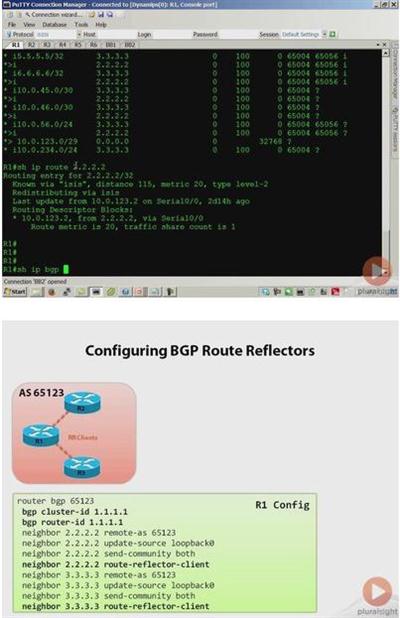
Cisco CCIE Routing and Switching: Implement BGP
MP4 | AVC 217kbps | English | 1024x768 | 15fps | 5h 04mins | AAC stereo 107kbps | 855 MB
Genre: Video Training​

The primary goals of this course are to prepare candidates for the BGP section of the CCIE Routing and Switching written exam, as well as to provide CCIE candidates with a strong level of foundational knowledge in BGP routing needed to begin studying for the CCIE routing and switching lab exam. At the end of the course, a student should feel confident in his or her knowledge of the BGP based topics covered by the CCIE routing and switching written exam, and will have the fundamental knowledge necessary to begin their longer journey to passing the CCIE lab exam. Please note the course is not designed to fully prepare a candidate to sit the CCIE lab exam, but rather to prepare a candidate to pass the written exam and as a stepping stone into lab exam preparation.


74f2b4e7a095f237a1445f09688d38d1.jpg


Recommend Download Link Hight Speed | Please Say Thanks Keep Topic Live ​

 
cafead1c71d2d6a25607208adcf244ab.jpg


Migrating from Joomla! 2.5 to Joomla! 3.3
Duration: 1h 32m | Video: AVC (.mp4) 1280x720 15fps | Audio: AAC 48KHz 2ch | 303 MB
Genre: eLearning | Level: Beginner | Language: English​

In Migrating from Joomla! 2.5 to Joomla! 3.3, Jen Kramer walks through migrating a typical Joomla! site to Joomla! 3.3-a move that will be obligatory once version 2.5 is retired in December 2014. Jen shows how to prep your site for migration, upgrade Joomla! and its extensions, start the migration, and then test your site functionality once the migration is complete. She also demonstrates how to tweak an existing template to work with Joomla! 3, or install a different template altogether.


84628213cdee7e232f9e1dab14b0cfaf.jpg


Recommend Download Link Hight Speed | Please Say Thanks Keep Topic Live ​

 
9dca4f2480e24f67bb2e7343aa9e3337.jpg


How to Trade Forex like a Hedge Fund: Long FX Strategies
MP4 | Video: AVC 1280x720 | Audio: AAC 44KHz 2ch | Duration: 1.5 Hours | Lec: 40 | 365 MB
Genre: eLearning | Language: English
Learn trade the forex market, what currency pairs to trade and how to trade them, live trading examples and so much more​

Learn how I profit from trading FOREX.

This course is a complete step-by-step guide on how to create a consistent monthly income using a highly profitable strategy.

If you have an internet connection and a computer, you can trade this strategy from anywhere in the world. Whether you are an investor, novice or veteran trader, this course will provide you with the tools necessary to reach financial success.

You can earn way more than the for the price of this course with your first trade!

What you will get from this course:

Learn to make money trading only a few minutes per day. You DO NOT have to be glued to your computer screen
How to place high probability trades, that win over 80% of the time
Learn how to make money on trades if the market is in any trend
How to open and close winning trades...and most importantly, how to manage your trades
Lots of real life trade examples...using my own money
What brokers to use
Unlimited email support from the instructor and his trading team

This course is for all levels: beginners, intermediate and advanced traders! All you need is an open mind and passion to be successful!


abf826b73922d59acd12e98d8272f080.jpg


Recommend Download Link Hight Speed | Please Say Thanks Keep Topic Live ​

 
39c6161ae59cac56cfe1bbbd1f05ef2f.jpg


19 FREE Tools to Create Visuals for Web and Social Networks
MP4 | Video: AVC 1280x720 | Audio: AAC 44KHz 2ch | Duration: 1 Hours | Lec: 24 | 207 MB
Genre: eLearning | Language: English
Create Visuals and Multimedia Posts For Your Blog, Website, and Social Networks. Be Your Own Designer​

Do you need to create images and simple banners for your webpage, blog and social networks?

The good news is - you don't need to hire a designer or buy expensive softwares to create visuals for web. You can do it YOURSELF and with FREE tools, thanks to the different resources that are available on the Internet. There are so many easy and quick solutions out there! Actually, even the most highly paid pros take help from the same resources you are going to learn in this course.

After completing this course, you will be able to:

get royalty free images even for commercial purposes
edit photos and create web banners with free online editor
pick tasteful color combinations for your brand and web banners
create simple gif banners
take and edit as well as record tutorial videos from your screen
optimize image size for better webpage SEO
convert almost any file to PDF and extract pictures from PDFs
convert your video to jpg to use them as photos
remove background from any image (no Photoshop or designer skills needed)
add beautiful and free fonts to your computer
create slideshows, presentations and infographics
"steal" color codes from any website
use other tools that will save your time and improve efficiency

In short, you'll be able to create visuals for your webpage, blog and social networks yourself and with no money spent. Moreover you will learn about 7 deadly color combinations that should be avoided in advertising your products or services and other useful tips.

Don't worry if you haven't studied in a design or art school, because with the tools available, ANYBODY can create beautiful images for their digital projects. And this is what you will learn in the course. With these tools and a little bit of creativity you will be able to create great visuals even if you are trying for the first time.

Since I value your time, the lectures are just as long as they need to be in order to show you practical information and tips. No empty talk.

Don't wait too long to enroll! This course is going to have regular updates added in the future and I am going to share even more great tools and tips with you. Therefore, the price will increase once the course meets certain milestones. If you enroll now, you will receive all these updates free of charge.

In the case you don't find this course valuable, you can always receive a full refund within 30 days of purchase through Udemy!


a6e70cb6de837f46f0fad9b1555fc73d.jpg


Recommend Download Link Hight Speed | Please Say Thanks Keep Topic Live ​

 
3fabcfa3570e47ffd224367107487524.jpg


Lynda - Migrating from Python 2.7 to Python 3
Size: 279 MB | Duration: 2h 40m | Video: AVC (.mp4) 1280x720 30fps | Audio: AAC 48KHz 2ch
Genre: eLearning | Level: Intermediate | Language: English
Are you still using Python 2. 7? If you've been meaning to make the jump to Python 3, but aren't entirely sure what's different in the latest version of this popular language-or how to migrate your code-then this course is for you.​

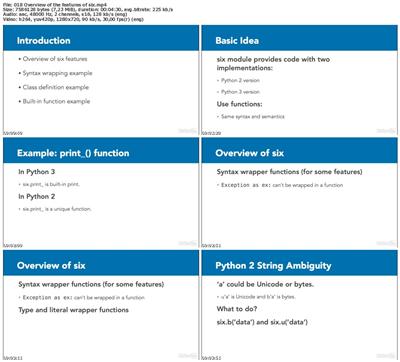
Are you still using Python 2. 7? If you've been meaning to make the jump to Python 3, but aren't entirely sure what's different in the latest version of this popular language-or how to migrate your code-then this course is for you. Instructor Steven Lott illuminates the differences between the two Python versions, going over elements such as changes to built-in Python functions and the Python standard library. He also walks through a number of ways to convert your Python 2. 7 applications to Python 3, showing how to use packages like six, future, and 2to3. Along the way, Steven shares his own experiences with this transition, and offers helpful suggestions for enhancing the overall quality and performance of your code.


* Reviewing the differences between the two versions
* Reviewing the syntax changes introduced with Python 3
* Understanding the changes to built-in functions
* Reviewing the most important changes to the Python standard library
* Understanding which tools are required to migrate from Python 2.7 to Python 3
* Using six to handle class definitions
* Using six with standard library changes
* Using future
* Making syntax changes and class changes with futurize
* Using 2to3 or modernize


bb1b1cd56ed759d10f016b305c90e1b0.jpg


Recommend Download Link Hight Speed | Please Say Thanks Keep Topic Live ​

 
09f90881d9a78a3e95087c9f6d06737c.jpg


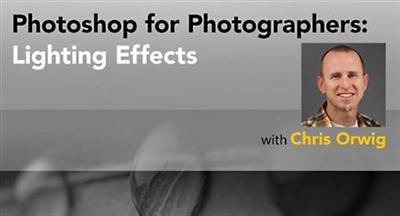
Lynda - Photoshop for Photographers: Lighting Effects
MP4 | AVC 299kbps | English | 960x600 | 15fps | 3h 35mins | AAC mono 128kbps | 697 MB
Genre: Video Training
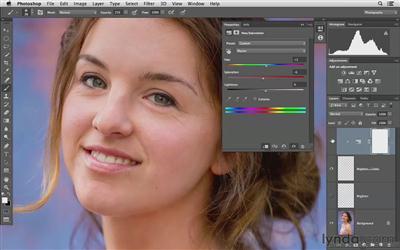
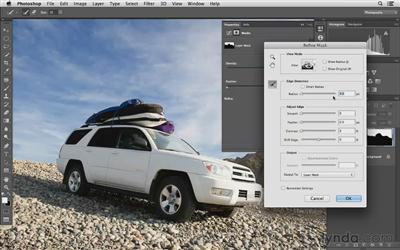
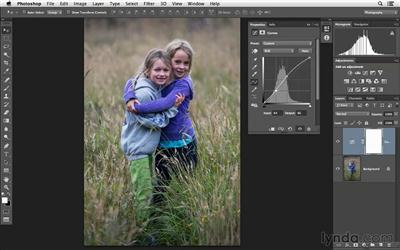
Lighting is central to photography and most of it is captured during a photo shoot. However, you can often create amazing lighting effects after the photo is taken with Adobe Camera Raw and Photoshop. Photographer and teacher Chris Orwig shows you how. First, you'll learn to modify exposure and enhance the color and quality of light with Camera Raw. Then turning to Photoshop, Chris shows how to mask corrections to a specific area of an image and add contrast and color with blending modes. Plus, learn to dodge and burn away shadows and add one or more light sources to your photos with the Lighting Effects filter.​

Lighting is central to photography and most of it is captured during a photo shoot. However, you can often create amazing lighting effects after the photo is taken with Adobe Camera Raw and Photoshop. Photographer and teacher Chris Orwig shows you how. First, you'll learn to modify exposure and enhance the color and quality of light with Camera Raw. Then turning to Photoshop, Chris shows how to mask corrections to a specific area of an image and add contrast and color with blending modes. Plus, learn to dodge and burn away shadows and add one or more light sources to your photos with the Lighting Effects filter.

Topics include:
* Creating a more expressive photograph with Camera Raw
* Correcting under- and overexposure
* Improving light in certain areas of an image with masks and the Radial Filter
* Painting in brightness with Curves and masking
* Correcting exposure with a gradient mask
* Brightening and darkening with blend modes
* Working with the Burn and Dodge tools
* Adding light and multiple colors with the Lighting Effects filter
* Creating a realistic glow


b72afbe66120c4e027d3ccb639d2405e.jpg


ad4334dba463b92c28fb79f218633c45.jpg


28e9fa013fe1498393c61a9f83b64860.jpg


Recommend Download Link Hight Speed | Please Say Thanks Keep Topic Live ​
 
3f482dccbf3057d678a0e4f33e1904b7.jpg


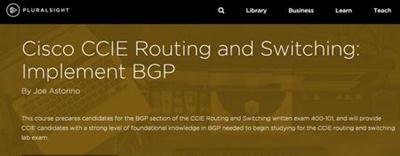
Coding for Views
Size: 562MB | Duration: 3h 58m | Video: AVC (.mp4) 1024x576 30fps | Audio: AAC 44.1KHz 2ch
Genre: eLearning | Level: Intermediate | Language: English​

In this series, we cover the ins and outs of writing modules that implement the Views API. This series will take an in-depth look at exposing your own database tables to the Views module so that users can use them as a place from which to pull content, including the fields themselves and meta-data about how they can be used to create relationships to other content on your site. After getting the basics out of the way, we'll also take a look at writing our own custom field handlers to expose our module's data to Views so that it can be sorted, filtered, and queried in new ways. We'll also look at implementing Views plugins to do things like add custom access control options to Views and add new output styles.


e3779d3e3e1b99e23299623187f2edb2.jpg


Recommend Download Link Hight Speed | Please Say Thanks Keep Topic Live ​
 
02db670d93ebc209d5265ffe260fe1cc.jpg


Java SE 8 New Features
MP4 | Video: AVC 1280x720 | Audio: AAC 44KHz 2ch | Duration: 2.5 Hours | Lec: 22 | 294 MB
Genre: eLearning | Language: English
Learn about Project Lambda, Collections with Streams, new Date and Time API, and miscellaneous new features.​

This Java SE 8 New Features training delves into the major changes and enhancements in Oracle Java SE 8.

Take a tour of the new features in Java SE 8, the platform designed to support faster and easier Java development. Learn about Project Lambda, a new syntax to support lambda expressions in Java code; the new Stream API for processing collections and managing parallel processing; the DateTime API for representing, managing and calculating date and time values; and Nashorn, a new engine to better support the use of JavaScript code with the Java Virtual Machine. This course also covers some lesser-known features such as new methods for joining strings into lists.

Topics include:

Install Java SE 8
Working with lambda expressions and method references
Traversing collections with streams
Calculating timespans with the new DateTime API
Running JavaScript from Java with Nashorn
Miscellaneous new features


d84cec3bf4260e2f1bbb69c0b6eb54df.jpg


Recommend Download Link Hight Speed | Please Say Thanks Keep Topic Live ​

 
f936cdd14b7c6ddd9d77a7f2ac2c2875.jpg


Lynda - Linux: Files and Permissions
Size: 189 MB | Duration: 1h 49m | Video: AVC (.mp4) 1280x800 30fps | Audio: AAC 48KHz 2ch
Genre: eLearning | Level: Intermediate | Language: English
When it comes to managing Linux servers securely, permissions and access control are crucial.​

When it comes to managing Linux servers securely, permissions and access control are crucial. In this course, follow computer science instructor and Linux enthusiast Grant McWilliams as he explains how to manage files and directories, create links, and set permissions in CentOS 7. Grant goes into Linux file types, shows how to manipulate files, and explains how to maintain access control to files through the standard Unix permission system and Access Control Lists. He covers how to grant or revoke access to files and directories for users and groups, as well as how to set up special file bits for privilege escalation and special directory bits for owner group inheritance.


* Getting file attributes and extended attributes
* Creating and copying files and directories
* Moving and renaming files and directories
* Creating links to files and directories
* Reviewing standard Linux permissions
* Setting permissions using numeric method and symbolic method
* Reading and setting ACLs
* Managing default ACLs


59d1088277fec369232fd1fa8ac21972.jpg


Recommend Download Link Hight Speed | Please Say Thanks Keep Topic Live ​

 
25833c7c8dcabe807a2176787809b678.jpg


iOS Application Security
.MP4/.M4V, AVC, 1000 kbps, 1280x1024/676x540 | English, AAC, 240 kbps, 2 Ch | 7.8 hours | 5.07 GB
Instructor: Vivek Ramachandran​

The SecurityTube iOS Security Expert (SISE) is an online course and certification which focuses on the iOS platform and application security. This course is ideal for pentesters, researchers and the casual iOS enthusiast who would like to dive deep and understand how to analyze and systematically audit applications on this platform using a variety of bleeding edge tools and techniques.

A non-exhaustive list of topics to be taught includes:

Module 1: Introduction to iOS Security
Module 2: Creating an Application Pentest Platform
Module 3: Advanced Application Runtime Analysis
Module 4: Exploiting iOS Applications
Module 5: iOS Forensics and Data Recovery
Module 6: iOS Malware and Backdoors
Module 7: Further Study and Roadmap
Module 8: Exam Pattern and Mock Exam


9343790654156ecae3d0cab890a1080f.jpg


Recommend Download Link Hight Speed | Please Say Thanks Keep Topic Live ​
 
bfc82f1f26e56be0ec24ba2046faa1b0.jpg


Lightroom Mobile First Look with Chris Orwig
English | .MP4 | Audio: aac, 44100 Hz, mono | Video: h264, yuv420p, 1280x800, 15.00 fps(r) | 167 MB
Genre: E-learning​

Join author and photographer Chris Orwig as he gives us a brief overview of this brand-new application from Adobe, Lightroom for Mobile, which puts the best features of Lightroom in the palm of your hand. Chris gives us a tour of the capabilities and features of this new type of tool, which will empower photographers to edit and manage their photo libraries on the go.


47380e9b9b5e26429a8b096f347bcb23.jpg


Recommend Download Link Hight Speed | Please Say Thanks Keep Topic Live ​
 
62932830fa6a89994395f1d0d88d5a69.jpg


Starting with React.js
MP4 | Video: AVC 1280x720 | Audio: AAC 44KHz 2ch | Duration: 2 Hours 45M | 5.27 GB
Genre: eLearning | Language: English​

Any IT professional or hobbyist anticipating a solid understanding of how React works in web and mobile solutions needs to go through this course. Anyone desiring to learn how React and Flux solutions are designed, administered, and developed needs the knowldege and practice presented in this course. This not only includes web, mobile, and service application developers, but also architects, UI designers, testers, and administrators. This course provides a solid understanding of how to get React projects up and running.


73852be3948f83bc3d5adefd562de3f0.jpg


Recommend Download Link Hight Speed | Please Say Thanks Keep Topic Live ​

 
Zurück
Oben Unten