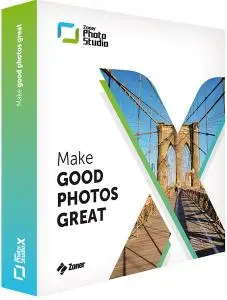
Free Download Zoner Studio 19.2610.2.722 (x64) | 1.61 Gb
Zoner Studio is an all-in-one photo management and editing application designed to help photographers organize, enhance, and share their images. It combines RAW and JPEG processing, layer-based editing, portrait retouching, creative presets, cataloging, and video tools in a single workspace.
The software supports both individual photo adjustments and batch workflows, making it suitable for managing large collections or editing multiple images efficiently. Its Develop tools provide RAW processing and non-destructive adjustments, while the Editor offers layers and masks for more detailed compositions, retouching, and creative effects.
Beyond still photography, Zoner Studio includes tools for creating videos, presentations, and time-lapse projects from photos and video clips. Cataloging and sharing features help users keep their collections organized and prepare finished work for online platforms or print.
Software Overview
Zoner Studio brings photo editing, image organization, and video creation together in one application. Photographers can import images, browse collections, apply adjustments, retouch portraits, and create layered compositions without switching between separate programs.
Its cataloging tools allow images to be organized and searched using folders, dates, locations, and keywords. Presets provide a quick way to apply consistent visual styles, while batch editing helps streamline repetitive adjustments across multiple photographs.
The application also includes printing and sharing options, along with tools for preparing photo books, calendars, presentations, and other visual projects.
Key Features
- RAW and JPEG Editing: Process RAW photographs and edit JPEG images, including workflows involving large files and multiple photos.
- Non-Destructive Development: Apply image adjustments while retaining the original source files.
- Layer-Based Editor: Use layers and masks for advanced editing, cloning, collages, and image compositions.
- Portrait Retouching: Enhance portraits with dedicated retouching tools, including face-related adjustments.
- Presets and Styles: Apply creative looks with presets and organize them into folders.
- Batch Editing: Apply adjustments to multiple images through batch-processing tools.
- Photo Cataloging: Organize large collections by date, location, keywords, and folders.
- Automatic Import: Detect connected cameras and import photographs into organized folders.
- Video Editing: Create videos, presentations, and time-lapse projects using photos and video clips.
- Video Clip Controls: Work with supported clip tools, including slow motion, fast motion, and flipping.
- Advanced Retouching: Use tools such as the smoothing brush, structure cloning, Dodge and Burn, and selection refinement.
- Filters and Adjustments: Enhance images with options such as radial filtering, sharpening, blur, clarity, and noise reduction.
- HEIF Support: Work with HEIF images using the supported format workflow.
- Photo Sharing: Prepare and share images through supported social networks and online services.
- Print and Photo Products: Order photo prints, books, and calendars directly through the application.
- Cloud Integration: Connect Zoner Photo Cloud with the catalog for supported photo management workflows.
Why Choose Zoner Studio
Zoner Studio is designed for photographers who want editing, cataloging, and creative production tools in one place. Its combination of RAW development, layer support, portrait retouching, and batch processing accommodates both quick image improvements and more involved editing projects.
The integrated catalog helps keep growing photo libraries manageable, while the video and print features extend the application beyond conventional photo editing. Presets and automatic adjustments can also help speed up repetitive tasks and maintain a consistent appearance across a collection.
What's New
The supplied release information highlights a broad range of features and improvements introduced across Zoner Photo Studio X updates:
- RAW Workflow Improvements: Faster RAW processing and reloading, along with easier transfer of edits between RAW and JPEG files.
- Enhanced Retouching: Face Liquify, non-destructive smoothing, structure cloning, and retouching brush improvements.
- Layer and Mask Updates: Improved layer controls, adjustment layers, and enhanced mask workflows.
- New Video Tools: Expanded video creation features, clip controls, and slow- and fast-motion options.
- Preset Management: Preset importing and exporting, folder organization, and additional preset collections.
- Additional Editing Tools: New distortion tools, polarizing filter, clarity controls, radial filter, Smart Sharpen, and Smart Blur.
- Noise Reduction: Advanced noise reduction options in the Develop module.
- Selection Improvements: Refine Selection, Filter Brush, and multi-selection support.
- Automatic Enhancements: New automatic editing options and improvements to existing auto-enhancement tools.
- Catalog and Cloud Integration: Zoner Photo Cloud integration and improved photo organization.
- Printing and Layout: Expanded photo book layout editing and improvements to contact sheet creation.
System Requirements
- Operating System: Windows 7, Windows 8, or Windows 10
- Architecture: x64 release
The supplied requirements do not specify minimum processor, RAM, graphics, or storage capacity. Check the official product documentation for additional compatibility details.
FAQ
Can Zoner Studio edit RAW photographs?
Yes. The application includes RAW development tools for processing camera images, as well as editing features for JPEG photographs.
Does Zoner Studio support layers and masks?
Yes. Its Editor provides layer and mask functionality for compositing, cloning, collages, and more detailed image adjustments.
Can I organize a large photo collection?
Yes. The cataloging tools help organize and browse photographs using dates, locations, keywords, and folders.
Does Zoner Studio include video editing?
Yes. It provides tools for creating videos, presentations, and time-lapse projects from photographs and video clips.
Can I edit multiple photographs at once?
Yes. Batch editing features allow supported adjustments to be applied across multiple images.
Home Page
Product Information
- Software Name: Zoner Studio
- Version: 19.2610.2.722
- Architecture: x64
- Languages: English
- License type: Full Version
- File Size: 1.61 Gb
FileHost : RapidGator | FreeDL | DDownload | AlfaFile









 -> Englisch