• Regeln für den Video-Bereich:

    In den Börsenbereich gehören nur Angebote die bereits den Allgemeinen Regeln entsprechen.

    Einteilung

    - Folgende Formate gehören in die angegeben Bereiche:
    - Filme: Encodierte Filme von BluRay, DVD, R5, TV, Screener sowie Telesyncs im Format DivX, XviD und x264.
    - DVD: Filme im Format DVD5, DVD9 und HD2DVD.
    - HD: Encodierte Filme mit der Auflösung 720p oder darüber von BluRay, DVD, R5, TV, Screener sowie Telesyncs im Format x264.
    - 3D: Encodierte Filme von BluRay, die in einem 3D Format vorliegen. Dies gilt auch für Dokus, Animation usw.
    - Serien: Cartoon/Zeichentrick, Anime, Tutorials, Dokumentationen, Konzerte/Musik, Sonstiges sind demnach in die entsprechenden Bereiche einzuordnen, auch wenn sie beispielsweise im High Definition-Format oder als DVD5/DVD9/HD2DVD vorliegen. Ausnahme 3D.
    - Bereich Englisch: Englische Releases gehören immer in diesen Bereich.
    - Bereich Talk: Der Bereich, in dem über die Releases diskutiert werden kann, darf, soll und erwünscht ist.


    Angebot/Beitrag erstellen

    - Ein Beitrag darf erst dann erstellt werden, wenn der Upload bei mindestens einem OCH komplett ist. Platzhalter sind untersagt.
    - Bei einem Scenerelease hat der Threadtitel ausschließlich aus dem originalen, unveränderten Releasenamen zu bestehen. Es dürfen keine Veränderungen wie z.B. Sterne, kleine Buchstaben o.ä. vorgenommen werden. Ausnahme Serienbörse:
    - Bei einem Sammelthread für eine Staffel entfällt aus dem Releasename natürlich der Name der Folge. Beispiel: Die Simpsons S21 German DVDRip XviD - ITG
    - Dementsprechend sind also u.a. verboten: Erweiterungen wie "Tipp", "empfehlenswert", "only", "reup", usw. / jegliche andere Zusatzinformation oder Ergänzung, welche nicht in obiger Beschreibung zu finden ist.

    Aufbau des Angebots und Threadtitel

    Der Titel nach folgendem Muster erstellt zu werden. <Name> [3D] [Staffel] [German] <Jahr> <Tonspur> [DL] [Auflösung] <Quelle> <Codec> - <Group>
    Beispiel: The Dark Knight German 2008 AC3 DVDRip XviD - iND
    Beispiel: The Dark Knight 2008 DTS DL BDRip x264 - iND
    Beispiel: The Dark Knight 2008 AC3 DL BDRip XviD - iND
    Beispiel: The Dark Knight German 2008 AC3 720p BluRay x264 iND
    Beispiel: The Dark Knight 2008 DTS DL 1080p BluRay x264 iND
    Beispiel: Die Simpsons S01 German AC3 DVDRip XviD iND
    Beispiel: Die Simpsons S20 German AC3 720p BluRay x264 iND
    Beispiel: Sword Art Online II Ger Sub 2014 AAC 1080p WEBRip x264 - peppermint
    Entsprechend sind also u.a. verboten: Sonderzeichen wie Klammern, Sterne, Ausrufezeichen, Unterstriche, Anführungszeichen / Erweiterungen wie "Tipp", "empfehlenswert", "only", "reup", usw. / jegliche andere Zusatzinformation oder Ergänzung, welche nicht in obiger Beschreibung zu finden ist
    Ausnahmen hiervon können in den Bereichen geregelt sein.

    Die Beiträge sollen wie folgt aufgebaut werden:
    Überschrift entspricht dem Threadtitel
    Cover
    kurze Inhaltsbeschreibung
    Format, Größe, Dauer sind gut lesbar für Downloader außerhalb des Spoilers zu vermerken
    Nfo sind immer Anzugeben und selbige immer im Spoiler in Textform.
    Sind keine Nfo vorhanden z.B. Eigenpublikationen, sind im Spoiler folgende Dateiinformationen zusätzlich anzugeben :
    Quelle
    Video (Auflösung und Bitrate)
    Ton (Sprache, Format und Bitrate der einzelnen Spuren)
    Untertitel (sofern vorhanden)
    Hosterangabe in Textform außerhalb eines Spoiler mit allen enthaltenen Hostern.
    Bei SD kann auf diese zusätzlichen Dateiinformationen verzichtet werden.

    Alle benötigten Passwörter sind, sofern vorhanden, in Textform im Angebot anzugeben.
    Spoiler im Spoiler mit Kommentaren :"Schon Bedankt?" sind unerwünscht.


    Releases

    - Sind Retail-Release verfügbar, sind alle anderen Variationen untersagt. Ausnahmen: Alle deutschen Retail-Release sind CUT, in diesem Fall sind dubbed UNCUT-Release zulässig.
    - Im Serien-Bereich gilt speziell: Wenn ein Retail vor Abschluss einer laufenden Staffel erscheint, darf diese Staffel noch zu Ende gebracht werden.62
    - Gleiche Releases sind unbedingt zusammenzufassen. Das bedeutet, es ist zwingend erforderlich, vor dem Erstellen eines Themas per Suchfunktion zu überprüfen, ob bereits ein Beitrag mit demselben Release besteht. Ist dies der Fall, ist der bereits vorhandene Beitrag zu verwenden.
    - P2P und Scene Releases dürfen nicht verändert oder gar unter einem iND Tag eingestellt werden.


    Support, Diskussionen und Suche

    - Supportanfragen sind entweder per PN oder im Bereich Talk zu stellen.
    - Diskussionen und Bewertungen sind im Talk Bereich zu führen. Fragen an die Uploader haben ausschließlich via PN zu erfolgen, und sind in den Angeboten untersagt.
    - Anfragen zu Upload-Wünschen sind nur im Bereich Suche Video erlaubt. Antworten dürfen nur auf Angebote von MyBoerse.bz verlinkt werden.


    Verbote

    - Untersagt sind mehrere Formate in einem einzigen Angebotsthread, wie beispielsweise das gleichzeitige Anbieten von DivX/XviD, 720p und 1080p in einem Thread. Pro Format, Release und Auflösung ist ein eigener Thread zu eröffnen.
    - Grundsätzlich ebenso verboten sind Dupes. Uploader haben sich an geeigneter Stelle darüber zu informieren, ob es sich bei einem Release um ein Dupe handelt.
    - Gefakte, nur teilweise lauffähige oder unvollständige Angebote sind untersagt. Dies gilt auch für eigene Publikationen, die augenscheinlich nicht selbst von z.B. einer DVD gerippt wurden. Laufende Serien, bei denen noch nicht alle Folgen verfügbar sind, dürfen erstellt und regelmäßig geupdatet werden.
    - Untersagt sind Angebote, welche nur und ausschließlich in einer anderen Sprache als deutsch oder englisch vorliegen. Ausnahmen sind VORHER mit den Moderatoren zu klären.


    Verstoß gegen die Regeln

    - Angebote oder Beiträge, die gegen die Forenregeln verstoßen, sind über den "Melden"-Button im Beitrag zu melden.
  • Bitte registriere dich zunächst um Beiträge zu verfassen und externe Links aufzurufen.

++ Premium IPTV ++ 7000 Live Sender ++ UHD Qualität ++ Mediathek mit 18.000 Inhalten ++


VenneTV


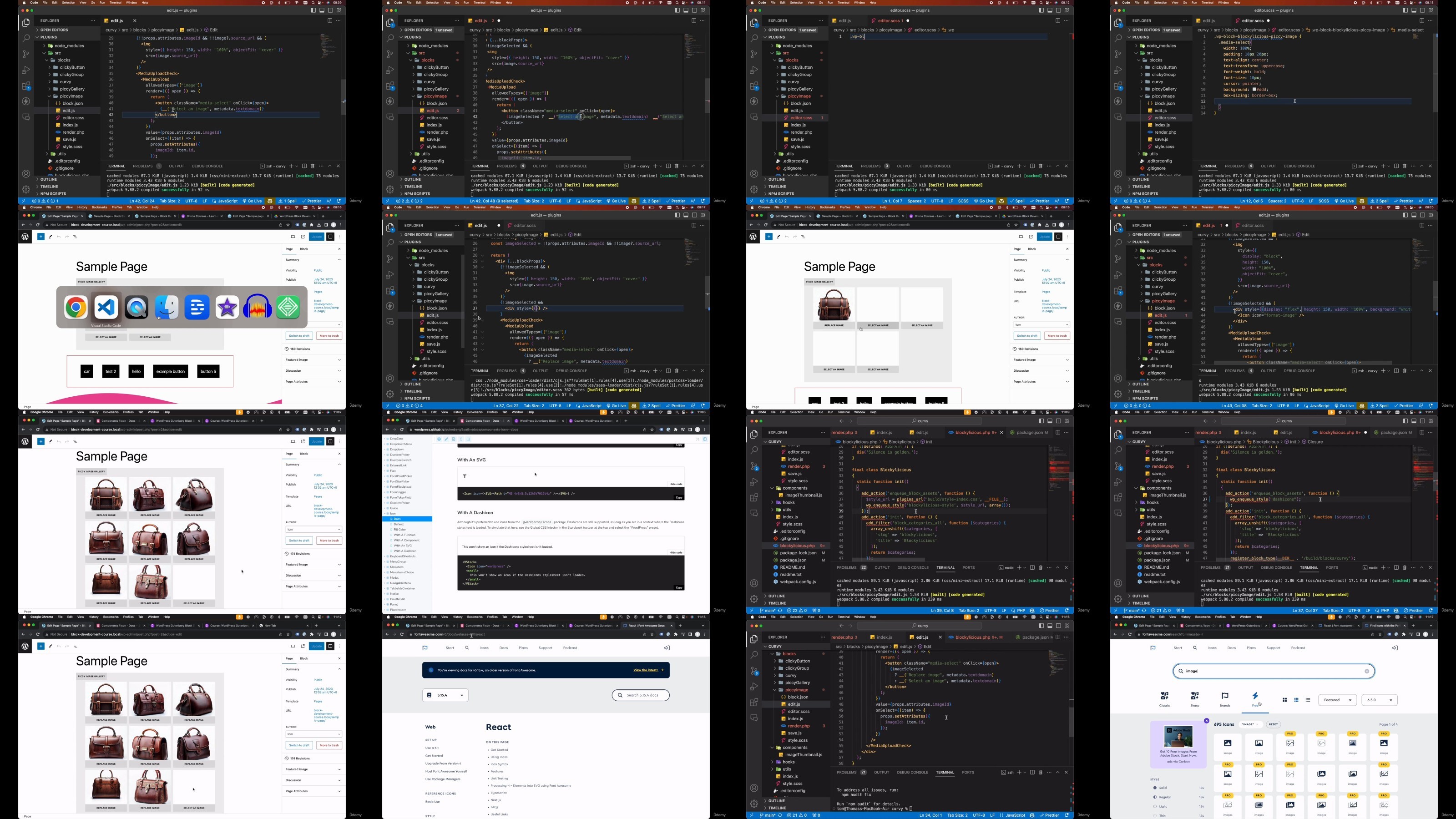
WordPress Gutenberg Block Development with React JS and PHP

AgentofHeart

MyBoerse.bz Pro Member

baef0e029fc30879b6b5a8749bf5b3cd.jpg

WordPress Gutenberg Block Development with React JS and PHP
Last updated 11/2023
Duration: 9h9m | .MP4 1280x720, 30 fps(r) | AAC, 44100 Hz, 2ch | 5.52 GB
Genre: eLearning | Language: English​

Use ReactJS and PHP to build a custom WordPress Gutenberg block library - with React.js & WordPress Gutenberg (WP 6+)

What you'll learn
Build a complete custom WordPress block library
Learn the difference between static and dynamic WordPress blocks
Create endless WordPress block customizations and features with React
Learn block variations and transform WordPress blocks into other blocks
Load WordPress data within blocks
Learn different styling techniques for WordPress blocks
Build a dynamic block front-end with PHP and JavaScript
Requirements
Some familiarity with the WordPress block editor and React JS would be beneficial. Everything else is covered in the course!
Description
Master WordPress Gutenberg Block Development with React & PHP by building a completely custom WordPress block library.
In this course we'll be building "Blockylicious" - a completely custom WordPress block library built using React and PHP. We'll be building 5 different custom WordPress blocks in this course:
Introducing the Ultimate Gutenberg Block Library!
Curvy:
Break the mold with aesthetically pleasing curvy shape dividers. Elevate your content separation in style.
Piccy Gallery & Piccy Image:
Craft interactive image galleries that engage and enthrall your site visitors.
Clicky Group & Clicky Button:
Elevate your call-to-action game with dynamic button groups that link directly to specific pages, not just URLs.
What You'll Learn:
React within WordPress:
Understand the fusion of React's component-based architecture within the Gutenberg editor for seamless block creation.
Static vs. Dynamic Blocks:
Delve deep into the nuances and understand why dynamic blocks often win.
Custom Block Essentials:
Explore custom block data, side panels, post data retrieval, custom toolbars, and leveraging innate WordPress toolbars and features.
Block Variations:
Craft varied designs like Curvy, Curvy top, and Curvy bottom.
Block Transforms:
Master the art of transforming regular text paragraphs into feature-rich Curvy blocks using React components.
Custom Block Metadata:
Personalize your blocks with custom icons, categories, and more.
Inner Block Rendering:
Dive into the mechanics of rendering inner blocks efficiently with React.
Block Restriction:
Learn the art of defining which blocks fit where, such as ensuring Clicky Button blocks exclusively serve as children to Clicky Group blocks.
Interactive Blocks:
Harness the power of JavaScript and React to create dynamic blocks that interact and respond.
Block Previews:
Get hands-on with block previews by utilizing "example" in block.json.
Styling Techniques:
Dive into different strategies for block styling from stylesheets, block.json attributes, to theme.json elements.
Transform your WordPress designs and functionalities using custom built Gutenberg blocks enhanced by React and PHP. Enroll today and shape the future of your websites!
Who this course is for:
Web developers who want to learn how to create fully custom blocks for WordPress using the new WordPress Gutenberg block editor


1FOj47yI_o.jpg


70e5b1828089889a9401f91742b264f7.jpg

Wordpress Gutenberg Block Development With React Js And Php
Published 8/2023
MP4 | Video: h264, 1280x720 | Audio: AAC, 44.1 KHz
Language: English | Size: 3.66 GB | Duration: 7h 48m​

Use ReactJS and PHP to build a custom WordPress Gutenberg block library - with React.js & WordPress Gutenberg (WP 6+)

What you'll learn

Build a complete custom WordPress block library

Learn the difference between static and dynamic WordPress blocks

Create endless WordPress block customizations and features with React

Learn block variations and transform WordPress blocks into other blocks

Load WordPress data within blocks

Learn different styling techniques for WordPress blocks

Build a dynamic block front-end with PHP and JavaScript

Requirements

Some familiarity with the WordPress block editor would be beneficial. Everything else is covered in the course!

Description

Master WordPress Gutenberg Block Development with ReactUnlock the secrets to creating captivating, custom Gutenberg blocks powered by React. Elevate your WordPress websites with unmatched functionality, interactivity, and design.Introducing the Ultimate Gutenberg Block Library!Curvy: Break the mold with aesthetically pleasing curvy shape dividers. Elevate your content separation in style.Piccy Gallery & Piccy Image: Craft interactive image galleries that engage and enthrall your site visitors.Clicky Group & Clicky Button: Elevate your call-to-action game with dynamic button groups that link directly to specific pages, not just URLs.What You'll Learn:React within WordPress: Understand the fusion of React's component-based architecture within the Gutenberg editor for seamless block creation.Static vs. Dynamic Blocks: Delve deep into the nuances and understand why dynamic blocks often win.Custom Block Essentials: Explore custom block data, side panels, post data retrieval, custom toolbars, and leveraging innate WordPress toolbars and features.Block Variations: Craft varied designs like Curvy, Curvy top, and Curvy bottom.Block Transforms: Master the art of transforming regular text paragraphs into feature-rich Curvy blocks using React components.Custom Block Metadata: Personalize your blocks with custom icons, categories, and more.Inner Block Rendering: Dive into the mechanics of rendering inner blocks efficiently with React.Block Restriction: Learn the art of defining which blocks fit where, such as ensuring Clicky Button blocks exclusively serve as children to Clicky Group blocks.Interactive Blocks: Harness the power of JavaScript and React to create dynamic blocks that interact and respond.Block Previews: Get hands-on with block previews by utilizing "example" in block.json.Styling Techniques: Dive into different strategies for block styling from stylesheets, block.json attributes, to theme.json elements.Why Choose This Course?Deep Dive into React: Gain a profound understanding of React within the context of the WordPress block editor.Practicality: Comprehensive hands-on exercises, real-world examples, and projects.Updated Content: Stay ahead with the latest Gutenberg block development trends, React best practices, and integrative techniques.Expert-led: Learn from seasoned WordPress and React developers with years of experience.Transform your WordPress designs and functionalities using Gutenberg blocks enhanced by React. Enroll today and shape the future of your websites!

Overview

Section 1: Introduction and project setup

Lecture 1 Introduction

Lecture 2 Udemy ratings and reviews

Lecture 3 Environment and project setup

Lecture 4 Codebase overview

Lecture 5 Update the plugin structure and metadata

Section 2: Create the Curvy block

Lecture 6 Start implementing the side panel

Lecture 7 Build out the side panel

Lecture 8 Introduction to block attributes

Lecture 9 Implement the top svg curve

Lecture 10 Enable built-in attributes using "supports"

Lecture 11 Different ways to add default styles

Lecture 12 Fix the curvy block styles

Lecture 13 Implementing the height and width controls

Lecture 14 Use the height and width attributes to manipulate the curve shape

Lecture 15 Implement the flip vertical and horizontal controls

Lecture 16 Use the flip vertical and horizontal attributes to manipulate the curve shape

Lecture 17 Use the ColorPicker to set a color for the svg curve

Lecture 18 Implement the bottom curve settings

Lecture 19 Hook up the bottom curve svg

Lecture 20 Introduction to inner blocks

Lecture 21 Create dynamic front end view for curvy block

Lecture 22 Add extra styles and inner blocks to front end

Lecture 23 Add top curve to curvy block front end

Lecture 24 Finish top curve front end view and add bottom curve

Section 3: Extra customizations for the curvy block

Lecture 25 Create a custom WordPress block category

Lecture 26 Add custom svg icon for the curvy block

Lecture 27 Transform paragraph and heading blocks into a curvy block

Lecture 28 Create block variations for the curvy block

Lecture 29 Create block preview for the curvy block

Section 4: Create the Clicky blocks

Lecture 30 Clicky blocks demo

Lecture 31 Create the clicky group block

Lecture 32 Create the clicky button block and restrict block types

Lecture 33 Save clicky group inner blocks

Lecture 34 Add styling and attributes to the clicky button block

Lecture 35 Add button label via RichText to the clicky button

Lecture 36 Implement block gap for clicky group

Lecture 37 Implement justify content for clicky group

Lecture 38 Add custom icons for clicky group and clicky button

Lecture 39 Load post type data

Lecture 40 Render post type dropdown in sidebar

Lecture 41 Load and render posts data in sidebar

Lecture 42 Render dynamic view for clicky group

Lecture 43 Render dynamic view for clicky button

Lecture 44 Refactor blockylicious.php

Section 5: Create the Piccy blocks

Lecture 45 Create and register the new piccy gallery block

Lecture 46 Implement edit & preview mode toolbar button

Lecture 47 Add styles to edit mode and inner blocks

Lecture 48 Add piccy image block

Lecture 49 Implement piccy image media upload & select

Lecture 50 Saving an image as part of the piccy image

Lecture 51 Finish piccy image edit mode styles

Lecture 52 Implement the piccy gallery preview mode

Lecture 53 Add the thumbnail styles and full preview image

Lecture 54 Finish the piccy gallery preview mode styles

Lecture 55 Add the piccy gallery client facing front end

Lecture 56 Add the piccy gallery full image preview in the front end

Web developers who want to learn how to create fully custom blocks for WordPress using the new WordPress Gutenberg block editor

tjYWzyfx_o.jpg


1d0fcb6c80ae14dc2aa14e6f29fee966.jpg

Wordpress Gutenberg Block Development With React Js And Php
Published 8/2023
MP4 | Video: h264, 1280x720 | Audio: AAC, 44.1 KHz
Language: English | Size: 3.66 GB | Duration: 7h 48m​

What you'll learn

Build a complete custom WordPress block library

Learn the difference between static and dynamic WordPress blocks

Create endless WordPress block customizations and features with React

Learn block variations and transform WordPress blocks into other blocks

Load WordPress data within blocks

Learn different styling techniques for WordPress blocks

Build a dynamic block front-end with PHP and JavaScript

Requirements

Some familiarity with the WordPress block editor would be beneficial. Everything else is covered in the course!

Description

Master WordPress Gutenberg Block Development with ReactUnlock the secrets to creating captivating, custom Gutenberg blocks powered by React. Elevate your WordPress websites with unmatched functionality, interactivity, and design.Introducing the Ultimate Gutenberg Block Library!Curvy: Break the mold with aesthetically pleasing curvy shape dividers. Elevate your content separation in style.Piccy Gallery & Piccy Image: Craft interactive image galleries that engage and enthrall your site visitors.Clicky Group & Clicky Button: Elevate your call-to-action game with dynamic button groups that link directly to specific pages, not just URLs.What You'll Learn:React within WordPress: Understand the fusion of React's component-based architecture within the Gutenberg editor for seamless block creation.Static vs. Dynamic Blocks: Delve deep into the nuances and understand why dynamic blocks often win.Custom Block Essentials: Explore custom block data, side panels, post data retrieval, custom toolbars, and leveraging innate WordPress toolbars and features.Block Variations: Craft varied designs like Curvy, Curvy top, and Curvy bottom.Block Transforms: Master the art of transforming regular text paragraphs into feature-rich Curvy blocks using React components.Custom Block Metadata: Personalize your blocks with custom icons, categories, and more.Inner Block Rendering: Dive into the mechanics of rendering inner blocks efficiently with React.Block Restriction: Learn the art of defining which blocks fit where, such as ensuring Clicky Button blocks exclusively serve as children to Clicky Group blocks.Interactive Blocks: Harness the power of JavaScript and React to create dynamic blocks that interact and respond.Block Previews: Get hands-on with block previews by utilizing "example" in block.json.Styling Techniques: Dive into different strategies for block styling from stylesheets, block.json attributes, to theme.json elements.Why Choose This Course?Deep Dive into React: Gain a profound understanding of React within the context of the WordPress block editor.Practicality: Comprehensive hands-on exercises, real-world examples, and projects.Updated Content: Stay ahead with the latest Gutenberg block development trends, React best practices, and integrative techniques.Expert-led: Learn from seasoned WordPress and React developers with years of experience.Transform your WordPress designs and functionalities using Gutenberg blocks enhanced by React. Enroll today and shape the future of your websites!

Overview

Section 1: Introduction and project setup

Lecture 1 Introduction

Lecture 2 Udemy ratings and reviews

Lecture 3 Environment and project setup

Lecture 4 Codebase overview

Lecture 5 Update the plugin structure and metadata

Section 2: Create the Curvy block

Lecture 6 Start implementing the side panel

Lecture 7 Build out the side panel

Lecture 8 Introduction to block attributes

Lecture 9 Implement the top svg curve

Lecture 10 Enable built-in attributes using "supports"

Lecture 11 Different ways to add default styles

Lecture 12 Fix the curvy block styles

Lecture 13 Implementing the height and width controls

Lecture 14 Use the height and width attributes to manipulate the curve shape

Lecture 15 Implement the flip vertical and horizontal controls

Lecture 16 Use the flip vertical and horizontal attributes to manipulate the curve shape

Lecture 17 Use the ColorPicker to set a color for the svg curve

Lecture 18 Implement the bottom curve settings

Lecture 19 Hook up the bottom curve svg

Lecture 20 Introduction to inner blocks

Lecture 21 Create dynamic front end view for curvy block

Lecture 22 Add extra styles and inner blocks to front end

Lecture 23 Add top curve to curvy block front end

Lecture 24 Finish top curve front end view and add bottom curve

Section 3: Extra customizations for the curvy block

Lecture 25 Create a custom WordPress block category

Lecture 26 Add custom svg icon for the curvy block

Lecture 27 Transform paragraph and heading blocks into a curvy block

Lecture 28 Create block variations for the curvy block

Lecture 29 Create block preview for the curvy block

Section 4: Create the Clicky blocks

Lecture 30 Clicky blocks demo

Lecture 31 Create the clicky group block

Lecture 32 Create the clicky button block and restrict block types

Lecture 33 Save clicky group inner blocks

Lecture 34 Add styling and attributes to the clicky button block

Lecture 35 Add button label via RichText to the clicky button

Lecture 36 Implement block gap for clicky group

Lecture 37 Implement justify content for clicky group

Lecture 38 Add custom icons for clicky group and clicky button

Lecture 39 Load post type data

Lecture 40 Render post type dropdown in sidebar

Lecture 41 Load and render posts data in sidebar

Lecture 42 Render dynamic view for clicky group

Lecture 43 Render dynamic view for clicky button

Lecture 44 Refactor blockylicious.php

Section 5: Create the Piccy blocks

Lecture 45 Create and register the new piccy gallery block

Lecture 46 Implement edit & preview mode toolbar button

Lecture 47 Add styles to edit mode and inner blocks

Lecture 48 Add piccy image block

Lecture 49 Implement piccy image media upload & select

Lecture 50 Saving an image as part of the piccy image

Lecture 51 Finish piccy image edit mode styles

Lecture 52 Implement the piccy gallery preview mode

Lecture 53 Add the thumbnail styles and full preview image

Lecture 54 Finish the piccy gallery preview mode styles

Lecture 55 Add the piccy gallery client facing front end

Lecture 56 Add the piccy gallery full image preview in the front end

Web developers who want to learn how to create fully custom blocks for WordPress using the new WordPress Gutenberg block editor

zoDL4h81_o.jpg

 
Zurück
Oben Unten