• Regeln für den Software-Bereich:


    Allgemeines:

    - In erster Linie sind unsere Boardregeln zu beachten, zu finden HIER.
    - Software zur Audiobearbeitung sollte ausschließlich im Unterforum "Audio" eingestellt werden.
    - Für Cracks, Keygens oder sonstige Freischaltungssoftware gibt es das Unterforum "Freischaltung".
    - Portable Software bitte im entsprechenden Unterforum "Portable Software" eintragen.
    - Diskussionen zur Installation und anderen Problemen mit der Software, bitte im enstprechenden Unterforum "Talk" führen.
    - Bei Unklarheiten und Fragen zu den Regeln bitte die Moderatoren kontaktieren.


    Angebot erstellen

    - Die Struktur des Threadtitels muss wie folgt umgesetzt werden: Herstellername - Softwarename - Versionsnummer
    - Unnötige Zusätze im Threadtitel wie "HOT", "NEW" oder Punkte zwischen den Wörtern sind nicht erlaubt.
    - Achtet darauf immer nur die Hauptversion und deren Updates in einem Thread zusammenfassen, konkretes Beispiel: SoftwareXY v3.12 gehört in den selben Thread mit SoftwareXY v3.13; SoftwareXY v.4.1 gehört in einen neuen eigenen Thread. Ausgenommen hiervon sind Sammelthreads und Dauerangebote.
    - Bei nicht bekannten Herstellern oder Angebote einer privaten Software, ist die Programmbezeichnung + Versionsnummer ausreichend.
    - Besondere Beachtung gilt für den ersten Beitrag eines Angebots. Dort muss eine kurze Beschreibung der Software in deutscher Sprache angegeben werden. Für offizielle Releases ist es Pflicht die NFO im Beitrag einzustellen(Spoiler, siehe nächster Punkt).
    - Weitere Informationen wie NFOs oder Changelogs, versteckt ihr bitte in einem Spoiler.


    Software Suche

    - Für Suchanfragen haben wir das Unterforum "Suche" erstellt.
    - Auch hier sollte vorher die Suchfunktion benutzt werden, um Doppelthreads vorzubeugen. Sollte es bereits eine Suchanfrage geben, könnt ihr den Thread gerne mit einem "Danke" pushen.


    Trojaner- und Virusalarm

    - Falls Euer Virenscanner bei einem Angebot Alarm schlägt, solltet ihr zunächst Ruhe bewahren. Viele Virenscanner erkennen Cracks/Keygens oft fälschlicherweise als Bedrohung.
    - Prüft die verdächtige Datei zuerst mit http://virustotal.com , sollte es sich hierbei wirklich um eine Bedrohung handeln, meldet den Beitrag und/oder wendet euch mit dem Bericht von VirusTotal.com an einen Moderator.


    Unerwünschte Angebote

    - Keylogger, Spionagetools, alles rund ums Thema Hacking/Cracking ist nicht erwünscht.
  • Bitte registriere dich zunächst um Beiträge zu verfassen und externe Links aufzurufen.


Wondershare PDFelement Professional v7

KAMAL

MyBoerse.bz Pro Member
Wondershare PDFelement Professional v7.5.4.4813 Multilingual (Portable)


422bc4073d8354a77e71db75be8f3858.jpg


Wondershare PDFelement Professional v7.5.4.4813 Multilingual (Portable) | 89 MB


The PDF Experience, Simplified. The easiest way to create, edit, convert and sign PDF documents. Get control over PDFs like never before. The most Powerful and Simple PDF solution that changes the way you work with your important documents forever.


Edit
Express yourself both verbally and visually with a full‑featured word processor that helps you easily edit PDF files.

Convert
Deliver the richest, most engaging PDF communications. Convert PDFs to office files, retaining layout, formatting, and tables.

Comment
Empower your team and collaborate more effectively. Quickly gather feedback from colleagues and customers.

Reliably create and distribute PDF forms.
Easily create and distribute forms, combine collected forms for analysis, and export collected data in a spreadsheet.

Protect documents and accelerate information exchange with PDF.
Control documents to help secure sensitive information from unintended access and use.

Introducing all-new PDFelement 7:

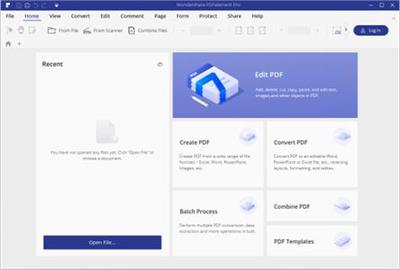
Reimagined UI.
Work easily with an all-new minimalist, yet powerful, user interface.

User Management Console.
Get the flexibility to provision, track, and manage licensing across groups and teams.

Highlights:
- Create
- Edit
- Convert
- Review
- Forms
- Sign
- Secure
- OCR

Home Page -


DOWNLOAD LINKS:



Wondershare PDFelement Professional 7.6.0.4878 (Portable)


72525265a185cba21828e636548d6501.jpeg


Wondershare PDFelement Professional 7.6.0.4878 (Portable) | 75 MB | Language: English


The PDF Experience, Simplified. The easiest way to create, edit, convert and sign PDF documents. Get control over PDFs like never before. The most Powerful and Simple PDF solution that changes the way you work with your important documents forever.


Edit
Express yourself both verbally and visually with a full‑featured word processor that helps you easily edit PDF files.

Convert
Deliver the richest, most engaging PDF communications. Convert PDFs to office files, retaining layout, formatting, and tables.

Comment
Empower your team and collaborate more effectively. Quickly gather feedback from colleagues and customers.

Reliably create and distribute PDF forms.
Easily create and distribute forms, combine collected forms for analysis, and export collected data in a spreadsheet.

Protect documents and accelerate information exchange with PDF.
Control documents to help secure sensitive information from unintended access and use.

Introducing all-new PDFelement 7:
Reimagined UI.
Work easily with an all-new minimalist, yet powerful, user interface.
User Management Console.
Get the flexibility to provision, track, and manage licensing across groups and teams.

Highlights:
- Create
- Edit
- Convert
- Review
- Forms
- Sign
- Secure
- OCRRelease Notes:

System Requirements:
* A computer with an Intel® Pentium® 4, higher, or equivalent processor
* Supported operating systems - Windows 10, 8.1, 8, 7, Vista
* 512 MB of memory (RAM), 1 GB recommended
* 1.5GB of free hard disk space for application files


DOWNLOAD LINKS:


Wondershare PDFelement Professional v7.6.2.4929 (Portable)


a0480b6cd2dbbd50a9fb5f665ed46e23.jpeg


Wondershare PDFelement Professional v7.6.2.4929 (Portable) | 76 MB | Language: English


The PDF Experience, Simplified. The easiest way to create, edit, convert and sign PDF documents. Get control over PDFs like never before. The most Powerful and Simple PDF solution that changes the way you work with your important documents forever.


Edit
Express yourself both verbally and visually with a full‑featured word processor that helps you easily edit PDF files.

Convert
Deliver the richest, most engaging PDF communications. Convert PDFs to office files, retaining layout, formatting, and tables.

Comment
Empower your team and collaborate more effectively. Quickly gather feedback from colleagues and customers.

Reliably create and distribute PDF forms.
Easily create and distribute forms, combine collected forms for analysis, and export collected data in a spreadsheet.

Protect documents and accelerate information exchange with PDF.
Control documents to help secure sensitive information from unintended access and use.

Introducing all-new PDFelement 7:
Reimagined UI.
Work easily with an all-new minimalist, yet powerful, user interface.
User Management Console.
Get the flexibility to provision, track, and manage licensing across groups and teams.

Highlights:
- Create
- Edit
- Convert
- Review
- Forms
- Sign
- Secure
- OCR

Home Page -


DOWNLOAD LINKS:



Wondershare PDFelement Professional 7.6.5.4955 Multilingual
Requirements:Windows 10, 8.1, 8, 7, Vista
Overview:
The PDF Experience, Simplified. The easiest way to create, edit, convert and sign PDF documents. Get control over PDFs like never before. The most Powerful and Simple PDF solution that changes the way you work with your important documents forever.

WUrsgyA.png

Edit
Express yourself both verbally and visually with a full‑featured word processor that helps you easily edit PDF files.

Convert
Deliver the richest, most engaging PDF communications. Convert PDFs to office files, retaining layout, formatting, and tables.

Comment
Empower your team and collaborate more effectively. Quickly gather feedback from colleagues and customers.

Reliably create and distribute PDF forms.
Easily create and distribute forms, combine collected forms for analysis, and export collected data in a spreadsheet.

Protect documents and accelerate information exchange with PDF.
Control documents to help secure sensitive information from unintended access and use.

Introducing all-new PDFelement 7:

Reimagined UI.
Work easily with an all-new minimalist, yet powerful, user interface.

User Management Console.
Get the flexibility to provision, track, and manage licensing across groups and teams.

Highlights:
- Create
- Edit
- Convert
- Review
- Forms
- Sign
- Secure
- OCR

More Info:
Download Instructions:
89 Mb
rar/zip archive
Language: Multilingual

 
Zurück
Oben Unten