



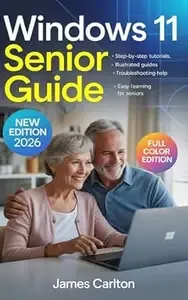
Free Download Windows 11 Senior Guide: Step-by-step Tutorials and Illustrated Guides to Help Seniors Master Windows 11 Easily. Bonus: Full Color Edition 2026
English | December 30, 2025 | ASIN: B0GD8G8V23 | 262 pages | Epub | 2.61 MB
Are you a senior who wants to use your computer with confidence instead of confusion? The Windows 11 Senior Guide by James Carlton has been carefully designed to help older adults learn technology easily - without stress, frustration, or complicated jargon. This friendly, step-by-step book will guide you through every essential feature of Windows 11 using clear explanations, large print, and fully illustrated instructions.
 What This Book Offers: This new 2026 edition is printed in full color and updated with the latest Windows 11 features. Each chapter is built specifically for beginners and seniors who want to enjoy technology at their own pace. Inside, you'll find: Step-by-Step Tutorials: Learn key computer skills in small, simple lessons you can follow at home. Every instruction is clearly written for first-time users. Illustrated Guides: Color pictures and real-world show you exactly what to click and where to look - no guessing, no confusion. Troubleshooting Help: Learn how to fix the most common issues yourself, with easy-to-understand troubleshooting charts and practical solutions. Easy Learning for Seniors: Specially formatted for clear reading - large text, color highlights, and plain English explanations throughout.
  What You'll Learn Inside: - How to set up your Windows 11 computer step by step. - How to use the Start Menu, File Explorer, and new Tools. - How to browse the Internet safely and avoid scams. - How to send and receive email with pictures and attachments. - How to control privacy, security, and updates. - How to customize icons, zoom text, and improve visibility. - How to connect keyboards, printers, cameras, and smartphones. - How to organize and back up your most important files.
  Exclusive 3 Bonuses Inside: To make learning even easier, this edition includes three practical bonuses that you won't find in other Windows 11 guides:
  Printable Setup Checklist: A quick-start sheet that walks you through each step when configuring your new Windows 11 system - never forget a crucial setting again! Keyboard Shortcuts Companion: A colorful reference chart with the most useful time-saving shortcuts for seniors - learn the keys that make your PC faster and easier to use. Troubleshooting Quick Guide: A handy appendix that shows instant fixes for common problems - power issues, Wi-Fi drops, frozen screens, slow performance, and more. All three bonuses are included directly inside the book. No downloads or separate links are required - everything you need is printed in the pages for fast and practical reference.
  Why Readers Love It: Written with patience and clarity, Windows 11 Senior Guide makes technology fun again. Instead of complicated manuals or endless online tutorials, you get a warm, easy-to-follow experience designed for your comfort. The author, James Carlton , has over 20 years of experience teaching technology to older adults and community learners. He understands the fears, frustrations, and goals that come with using a modern computer for the first time.
  New 2026 Full Color Edition: Every page is printed in full color with large text, detailed , and visual callouts to make navigation effortless. The design has been optimized for clarity and eye comfort - perfect for mature readers. 🖥 Learn Smart. Stay Independent. Enjoy Technology. Whether you want to stay connected with family, explore the Internet safely, or manage photos, emails, and documents, this book gives you all the tools to feel confident. With friendly guidance, visual clarity, and built-in troubleshooting, it will quickly become your most trusted computer companion. Start enjoying your Windows 11 computer today - confidently, safely, and independently!
Links are Interchangeable - Single Extraction
