



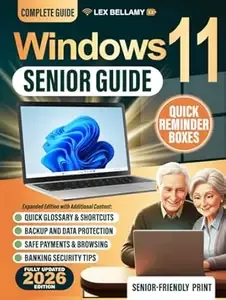
Free Download Windows 11 Senior Guide: Clear and Simple Instructions for Seniors and Beginners to Get the Most Out of Your Windows 11 Computer
English | 27 Nov. 2025 | ASIN: B0G4BSL7QQ | 183 pages | Epub | 1.32 MB
Does your Windows 11 computer ever make you feel clumsy, lost... or afraid of breaking something? You're not the problem. Most computer books were never written for seniors. Tiny text, busy , and long technical explanations turn a helpful PC into a source of stress. After a few pages you're more confused than when you started - and you feel like you have to ask for help again. This book was created to do the opposite. The Windows 11 Senior Guide gives you calm, step-by-step support for everyday use of your computer. Large print, full-page , and simple language show you exactly where to look and what to click, without rushing or talking down to you. Instead of another cold "user manual", it feels like a patient friend sitting beside you. Why this guide works
 Senior-friendly layout - big text, clear pages, and large so you don't have to squint.
  Short, repeatable steps - never more than one small action at a time.
  Plain English explanations - no jargon, no confusing tech talk.
  Made for real-life tasks - email, browsing, documents, photos, shopping, banking, and more.
  Fully updated for Windows 11 on laptops and desktop PCs. Inside, you'll quickly learn how to:
  Start without fear - use the desktop, Start menu, taskbar, and power controls with confidence.
  Set things up the right way - connect Wi-Fi, create a Microsoft account, manage passwords, and install updates safely.
  Make Windows easy to see - enlarge text and icons, use Magnifier, adjust contrast, and try voice typing and other accessibility tools.
  Browse the web safely - open tabs, save favorites, find downloads, and avoid scams and fake alerts. ✉ Stay connected - send and read email, open attachments, and join Zoom or Teams calls without stress.
  Organize your digital life - manage files, folders, photos, USB drives, and external storage step by step.
  Personalize your PC - change wallpapers and themes, arrange the Start menu, set widgets and notifications your way.
  Stay safe online - understand Defender, PIN vs. password, app permissions, and security warnings. 🛠 Fix common problems - deal with slow performance, Wi-Fi issues, sound or printer errors, and frozen apps with clear, simple guidance.
  Do everyday tasks - shop online, handle banking and payments, access health services, book travel, and more.
  Bonus chapters include: Plain-English glossary of common terms ⌨ Handy keyboard shortcuts
  Backup with OneDrive and external drives 🛡 Safe browsing and online payments
  Easy online bookings and services By the last page, you won't just "own" a Windows 11 computer - you'll feel at home using it. You'll know how to browse, email, write, save photos, and stay safe online without depending on others or worrying about breaking something. Ready to feel confident with your computer? Scroll up and click Buy Now to start your stress-free Windows 11 journey today.
Links are Interchangeable - Single Extraction
