



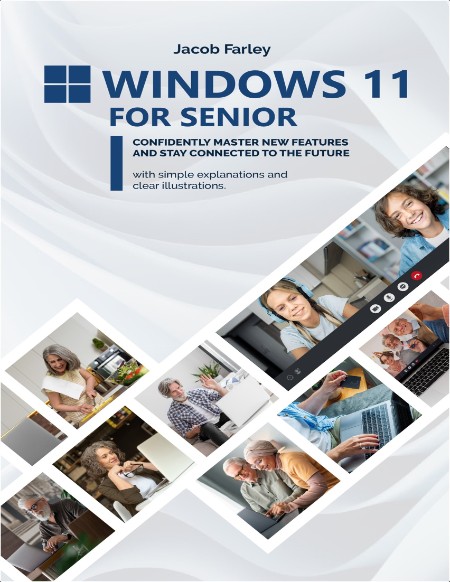
Windows 11 for Seniors Confidently master new features 2024 - Farel J.
Language: English | Format: pdf | 2024 | Size: 62.3 MB
Confidently master new features and stay connected to the future with simple explanations and clear illustrations
Are you a senior who wants to harness the power of modern technology without the hassle and frustration?
Look no further!
"Windows 11 for Seniors" is your comprehensive, step-by-step guide to confidently mastering the latest features of Windows 11, ensuring you stay connected, independent, and mentally active.
Transform Your Technology Experience
This book is designed specifically for seniors, taking into account the common concerns and fears associated with using new technology. Say goodbye to the anxiety of complex software and tiny text. With clear explanations, easy-to-follow illustrations, and practical examples, you’ll find yourself navigating Windows 11 with ease.
Here’s just a glimpse of what you’ll discover inside:
Seamless Setup and Navigation:
 Effortless Initial Setup: learn how to configure your hardware and software, connect to the internet, and set up user accounts with step-by-step guidance.
Intuitive Interface Mastery: Understand the Windows 11 desktop, Start menu, Taskbar, and multiple desktops to enhance your productivity and user experience.
Personalization and Accessibility:
Tailored Experience: Customize backgrounds, themes, and display settings to suit your preferences and needs.
Enhanced Accessibility: Discover features that make Windows 11 more accessible, including text size adjustments and privacy settings.
Efficient File and Folder Management:
Organized Digital Life: Navigate File Explorer, create and manage folders, and back up important information to keep your digital life organized and secure.
Mastering Apps and Software:
App Savvy: Install, update, and uninstall applications with confidence. Explore the Microsoft Store to find and utilize the best tools for your needs.
Internet and Email Essentials:
Secure Browsing: Set up and use the Edge browser, manage bookmarks, and ensure online safety with tailored tips for seniors.
Effortless Email: Set up and manage email accounts, ensuring you stay connected with family, friends, and essential services.
Entertainment and Staying Connected:
Fun and Engagement: Play music, watch videos, manage photos, and explore games on Windows 11.
Stay in Touch: Use social media safely, make video calls, and share photos with ease, all while maintaining your privacy.
Troubleshooting and Ongoing Support:
Problem-Solving Made Easy: Learn basic troubleshooting steps and when to seek professional help, ensuring your computer runs smoothly.
Continuous Learning: Access resources for ongoing support and stay updated with the latest features and tips.
Imagine a world where technology enhances your life, rather than complicating it. Picture yourself confidently connecting with loved ones, exploring new interests, and managing daily tasks with ease. "Windows 11 for Seniors" makes this vision a reality.
Are you ready to transform your technology experience and stay connected to the future?
Grab your copy today and start your journey to mastering Windows 11 with confidence and ease!

Language: English | Format: pdf | 2024 | Size: 62.3 MB
Confidently master new features and stay connected to the future with simple explanations and clear illustrations
Are you a senior who wants to harness the power of modern technology without the hassle and frustration?
Look no further!
"Windows 11 for Seniors" is your comprehensive, step-by-step guide to confidently mastering the latest features of Windows 11, ensuring you stay connected, independent, and mentally active.
Transform Your Technology Experience
This book is designed specifically for seniors, taking into account the common concerns and fears associated with using new technology. Say goodbye to the anxiety of complex software and tiny text. With clear explanations, easy-to-follow illustrations, and practical examples, you’ll find yourself navigating Windows 11 with ease.
Here’s just a glimpse of what you’ll discover inside:
Seamless Setup and Navigation:
Effortless Initial Setup: learn how to configure your hardware and software, connect to the internet, and set up user accounts with step-by-step guidance. Intuitive Interface Mastery: Understand the Windows 11 desktop, Start menu, Taskbar, and multiple desktops to enhance your productivity and user experience.Personalization and Accessibility:
Tailored Experience: Customize backgrounds, themes, and display settings to suit your preferences and needs. Enhanced Accessibility: Discover features that make Windows 11 more accessible, including text size adjustments and privacy settings.Efficient File and Folder Management:
Organized Digital Life: Navigate File Explorer, create and manage folders, and back up important information to keep your digital life organized and secure.Mastering Apps and Software:
App Savvy: Install, update, and uninstall applications with confidence. Explore the Microsoft Store to find and utilize the best tools for your needs.Internet and Email Essentials:
Secure Browsing: Set up and use the Edge browser, manage bookmarks, and ensure online safety with tailored tips for seniors. Effortless Email: Set up and manage email accounts, ensuring you stay connected with family, friends, and essential services.Entertainment and Staying Connected:
Fun and Engagement: Play music, watch videos, manage photos, and explore games on Windows 11.Stay in Touch: Use social media safely, make video calls, and share photos with ease, all while maintaining your privacy.Troubleshooting and Ongoing Support:
Problem-Solving Made Easy: Learn basic troubleshooting steps and when to seek professional help, ensuring your computer runs smoothly. Continuous Learning: Access resources for ongoing support and stay updated with the latest features and tips.Imagine a world where technology enhances your life, rather than complicating it. Picture yourself confidently connecting with loved ones, exploring new interests, and managing daily tasks with ease. "Windows 11 for Seniors" makes this vision a reality.
Are you ready to transform your technology experience and stay connected to the future?
Grab your copy today and start your journey to mastering Windows 11 with confidence and ease!

