• Regeln für den Video-Bereich:

    In den Börsenbereich gehören nur Angebote die bereits den Allgemeinen Regeln entsprechen.

    Einteilung

    - Folgende Formate gehören in die angegeben Bereiche:
    - Filme: Encodierte Filme von BluRay, DVD, R5, TV, Screener sowie Telesyncs im Format DivX, XviD und x264.
    - DVD: Filme im Format DVD5, DVD9 und HD2DVD.
    - HD: Encodierte Filme mit der Auflösung 720p oder darüber von BluRay, DVD, R5, TV, Screener sowie Telesyncs im Format x264.
    - 3D: Encodierte Filme von BluRay, die in einem 3D Format vorliegen. Dies gilt auch für Dokus, Animation usw.
    - Serien: Cartoon/Zeichentrick, Anime, Tutorials, Dokumentationen, Konzerte/Musik, Sonstiges sind demnach in die entsprechenden Bereiche einzuordnen, auch wenn sie beispielsweise im High Definition-Format oder als DVD5/DVD9/HD2DVD vorliegen. Ausnahme 3D.
    - Bereich Englisch: Englische Releases gehören immer in diesen Bereich.
    - Bereich Talk: Der Bereich, in dem über die Releases diskutiert werden kann, darf, soll und erwünscht ist.


    Angebot/Beitrag erstellen

    - Ein Beitrag darf erst dann erstellt werden, wenn der Upload bei mindestens einem OCH komplett ist. Platzhalter sind untersagt.
    - Bei einem Scenerelease hat der Threadtitel ausschließlich aus dem originalen, unveränderten Releasenamen zu bestehen. Es dürfen keine Veränderungen wie z.B. Sterne, kleine Buchstaben o.ä. vorgenommen werden. Ausnahme Serienbörse:
    - Bei einem Sammelthread für eine Staffel entfällt aus dem Releasename natürlich der Name der Folge. Beispiel: Die Simpsons S21 German DVDRip XviD - ITG
    - Dementsprechend sind also u.a. verboten: Erweiterungen wie "Tipp", "empfehlenswert", "only", "reup", usw. / jegliche andere Zusatzinformation oder Ergänzung, welche nicht in obiger Beschreibung zu finden ist.

    Aufbau des Angebots und Threadtitel

    Der Titel nach folgendem Muster erstellt zu werden. <Name> [3D] [Staffel] [German] <Jahr> <Tonspur> [DL] [Auflösung] <Quelle> <Codec> - <Group>
    Beispiel: The Dark Knight German 2008 AC3 DVDRip XviD - iND
    Beispiel: The Dark Knight 2008 DTS DL BDRip x264 - iND
    Beispiel: The Dark Knight 2008 AC3 DL BDRip XviD - iND
    Beispiel: The Dark Knight German 2008 AC3 720p BluRay x264 iND
    Beispiel: The Dark Knight 2008 DTS DL 1080p BluRay x264 iND
    Beispiel: Die Simpsons S01 German AC3 DVDRip XviD iND
    Beispiel: Die Simpsons S20 German AC3 720p BluRay x264 iND
    Beispiel: Sword Art Online II Ger Sub 2014 AAC 1080p WEBRip x264 - peppermint
    Entsprechend sind also u.a. verboten: Sonderzeichen wie Klammern, Sterne, Ausrufezeichen, Unterstriche, Anführungszeichen / Erweiterungen wie "Tipp", "empfehlenswert", "only", "reup", usw. / jegliche andere Zusatzinformation oder Ergänzung, welche nicht in obiger Beschreibung zu finden ist
    Ausnahmen hiervon können in den Bereichen geregelt sein.

    Die Beiträge sollen wie folgt aufgebaut werden:
    Überschrift entspricht dem Threadtitel
    Cover
    kurze Inhaltsbeschreibung
    Format, Größe, Dauer sind gut lesbar für Downloader außerhalb des Spoilers zu vermerken
    Nfo sind immer Anzugeben und selbige immer im Spoiler in Textform.
    Sind keine Nfo vorhanden z.B. Eigenpublikationen, sind im Spoiler folgende Dateiinformationen zusätzlich anzugeben :
    Quelle
    Video (Auflösung und Bitrate)
    Ton (Sprache, Format und Bitrate der einzelnen Spuren)
    Untertitel (sofern vorhanden)
    Hosterangabe in Textform außerhalb eines Spoiler mit allen enthaltenen Hostern.
    Bei SD kann auf diese zusätzlichen Dateiinformationen verzichtet werden.

    Alle benötigten Passwörter sind, sofern vorhanden, in Textform im Angebot anzugeben.
    Spoiler im Spoiler mit Kommentaren :"Schon Bedankt?" sind unerwünscht.


    Releases

    - Sind Retail-Release verfügbar, sind alle anderen Variationen untersagt. Ausnahmen: Alle deutschen Retail-Release sind CUT, in diesem Fall sind dubbed UNCUT-Release zulässig.
    - Im Serien-Bereich gilt speziell: Wenn ein Retail vor Abschluss einer laufenden Staffel erscheint, darf diese Staffel noch zu Ende gebracht werden.62
    - Gleiche Releases sind unbedingt zusammenzufassen. Das bedeutet, es ist zwingend erforderlich, vor dem Erstellen eines Themas per Suchfunktion zu überprüfen, ob bereits ein Beitrag mit demselben Release besteht. Ist dies der Fall, ist der bereits vorhandene Beitrag zu verwenden.
    - P2P und Scene Releases dürfen nicht verändert oder gar unter einem iND Tag eingestellt werden.


    Support, Diskussionen und Suche

    - Supportanfragen sind entweder per PN oder im Bereich Talk zu stellen.
    - Diskussionen und Bewertungen sind im Talk Bereich zu führen. Fragen an die Uploader haben ausschließlich via PN zu erfolgen, und sind in den Angeboten untersagt.
    - Anfragen zu Upload-Wünschen sind nur im Bereich Suche Video erlaubt. Antworten dürfen nur auf Angebote von MyBoerse.bz verlinkt werden.


    Verbote

    - Untersagt sind mehrere Formate in einem einzigen Angebotsthread, wie beispielsweise das gleichzeitige Anbieten von DivX/XviD, 720p und 1080p in einem Thread. Pro Format, Release und Auflösung ist ein eigener Thread zu eröffnen.
    - Grundsätzlich ebenso verboten sind Dupes. Uploader haben sich an geeigneter Stelle darüber zu informieren, ob es sich bei einem Release um ein Dupe handelt.
    - Gefakte, nur teilweise lauffähige oder unvollständige Angebote sind untersagt. Dies gilt auch für eigene Publikationen, die augenscheinlich nicht selbst von z.B. einer DVD gerippt wurden. Laufende Serien, bei denen noch nicht alle Folgen verfügbar sind, dürfen erstellt und regelmäßig geupdatet werden.
    - Untersagt sind Angebote, welche nur und ausschließlich in einer anderen Sprache als deutsch oder englisch vorliegen. Ausnahmen sind VORHER mit den Moderatoren zu klären.


    Verstoß gegen die Regeln

    - Angebote oder Beiträge, die gegen die Forenregeln verstoßen, sind über den "Melden"-Button im Beitrag zu melden.
  • Bitte registriere dich zunächst um Beiträge zu verfassen und externe Links aufzurufen.

*** Bestes IPTV *** bester Preis *** gratis Test ***


Voip Pbx & Call Center On Asterisk 18 Issabel [Master Class]

AgentofHeart

MyBoerse.bz Pro Member

c1b56dae7ca6ae1b4163084554e8318d.jpg

Voip Pbx & Call Center On Asterisk 18 Issabel [Master Class]
Last updated 10/2024
MP4 | Video: h264, 1920x1080 | Audio: AAC, 44.1 KHz
Language: English | Size: 6.00 GB | Duration: 12h 43m​

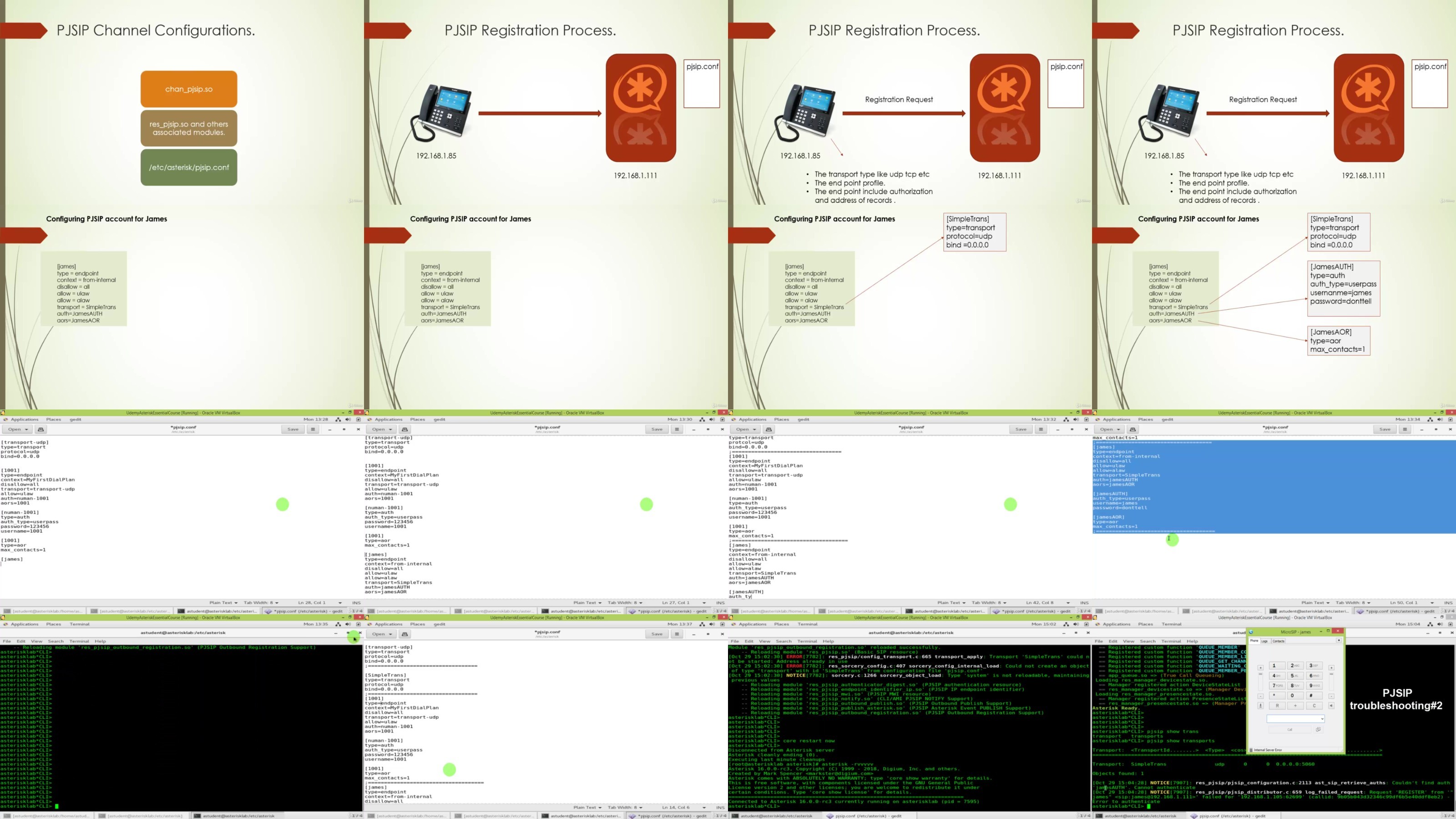
Learn Issabel (ex-Elastix) IP Telephony Server Configurations Deployment with Practical Examples and Use Cases.

What you'll learn

Build the complete IP Phone System using open source platform.

Explore exciting career in Telecom Industry.

Feel more confident in managing Issabel Telephony Server.

Offers Open Source IP Telephony services & solutions to your customers.

Requirements

Download the Issabel software but don't install it we will cover in Installation lecture.

Download Softphone e.g Zoiper or Xlite. Will show you configuration in lecture.

Description

Course Package: This course contains the best of both worlds. Asterisk is open source with GUI (Issabel) and then Asterisk from scratch (Vanilla Asterisk) using source code compilation and CLI based.UPDATED! Cover Asterisk 18 [Command Line/Web GUI] & Cloud Issabel Installation, Security WebRTC Video Conferencing & Call Center. Do you need a cost-effective phone system or full features rich Call centers for business?Are you tired of paying the licensing costs to the proprietary phone system?Do you want to expand your business and require a phone system, but legacy systems don't allow you? You are interested to learn asterisk but like to avoid the command line and Linux shell at the start?Issabel (previously known as 'ELASTIX') is the world's most popular and widely adopted open-source IP telephony software. The core VoIP communication is based on Asterisk - The most powerful IP telephony platform. This course is designed for the newbies, small & medium businesses that like to use IP telephony - PBX, or even the solution providers that like to gear up for telephony services to the end-users. The course starts with initial telephony concepts and terms used in the phone service industry-no prior technical knowledge about telecommunication is required to take this course. The course has a project depicting a real-world scenario. This helps the students to have activity-based learning and can apply learned knowledge to the real world. The course clearly explained the phone system features with lab practice for configurations. Proprietary systems invite a license fee for most Business-critical features and UC Features like mobility and third-party integration. To avoid the expensive add-ons, go the open-source way.Use a single system to manage multiple tools and platforms, thereby having "greater employee productivity, reduced costs, and a means to improve customer engagement.

Overview

Section 1: Introduction & VoIP Fundamentals.

Lecture 1 Course Package.

Lecture 2 Introduction to Issabel Phone System.

Lecture 3 Introduction to Issabel 5

Lecture 4 Instructor Message

Lecture 5 VoIP Telephony Fundamental Part 1

Lecture 6 VoIP Telephony Fundamental Part 2

Section 2: Network Requirements for the VoIP.

Lecture 7 Key Elements for stable VoIP Network.

Lecture 8 Network Services for VoIP Deployment.

Section 3: Course Project

Lecture 9 Phone System Requirement Analysis.

Lecture 10 Hardware Selection For the Issabel Phone System.

Section 4: Issabel Installation

Lecture 11 Downloading Issabel

Lecture 12 ***NEW*** Issabel 5 with Asterisk 18 on Rocky Linux 8.x

Lecture 13 Issabel 4 Installation on Virtual Machine Wizard Choosing Asterisk 16.

Lecture 14 Issabel 4 Installation on Micosoft Hypervisor Windows 11.

Lecture 15 Post Installation steps Issabel 4

Lecture 16 Changing Issabel web GUI theme to Elastix classic theme - Optional

Lecture 17 Practical Activity 01

Section 5: Issabel Overview

Lecture 18 ***NEW*** Login to the newly installed Issabel 5 server

Lecture 19 Login the newly installed Issabel 4 server.

Section 6: Issabel Phone System Setup

Lecture 20 Creating PBX Extensions.

Lecture 21 Creating SIP Phone Extensions in Issabel.

Lecture 22 Softphone Download & Installation .

Lecture 23 Configuring Zoiper softphone.

Lecture 24 ***NEW*** Configuring Zoiper on mobile softphone

Lecture 25 Configuring Xlite softphone

Lecture 26 IP Desk Phones Set up Approach.

Lecture 27 Get Familiar with IP Desk Phones.

Lecture 28 Configuring Desk Phone Yealink Manual Method.

Lecture 29 Configuring Desk Phone Digium Manual Method.

Lecture 30 Configuring Polycom Phone Manual Method.

Lecture 31 Bulk IP Desk Phones Configurations - Auto Provision.

Lecture 32 Testing Internal Calls.

Lecture 33 Practical Activity 02

Lecture 34 Trunk - Outside Connectivity.

Lecture 35 PSTN - Analog PCI Card Installation & Configurations.

Lecture 36 Dial Patterns & Outbound Routes

Lecture 37 Class of Service.

Lecture 38 VoIP - SIP Trunk Between two Issabel Servers.

Lecture 39 Inbound Route DID Configurations.

Lecture 40 Creating Ring Groups

Lecture 41 System Recording - Audio Prompts

Lecture 42 Creating IVR - Interactive Voice Response - Auto Attendant or Welcome Greeting.

Lecture 43 Enabling Voicemail & Voicemail to Email.

Lecture 44 Add Follow Me Settings to Extensions.

Lecture 45 Creating Announcement.

Lecture 46 Configuring Opening & Closing Hours for Incoming calls.

Lecture 47 Putting All Together - Making PBX More Professional.

Lecture 48 CDR - Call Details Records - Call Accounting.

Lecture 49 Post Paid Billing with Issabel.

Lecture 50 Enabling Call Recording & Call Recording Report.

Lecture 51 PIN Sets on Outbound Calls.

Lecture 52 Audio Conferencing.

Lecture 53 Parking Lots - Call Parking.

Lecture 54 Paging & Intercom.

Section 7: Issabel Phone System Maintenance

Lecture 55 Issabel Users Groups and Access Permission Management.

Lecture 56 Monitoring Live Calls - Dashboard Operator Console.

Lecture 57 Issabel Address Book.

Lecture 58 Phone System Features Codes.

Lecture 59 Issabel Addon Market Place.

Lecture 60 Issabel Server Backup & Restore.

Section 8: Issabel Call Center Module.

Lecture 61 Call Center Concepts

Lecture 62 Types of Call Center

Lecture 63 Call Center Components

Lecture 64 Roles in Call Center.

Lecture 65 Call Center Analysis & Planning for the Business.

Section 9: Getting Started - Issabel Call Center Core Configurations.

Lecture 66 Installing & Configuring Issabel Call Center Add on.

Lecture 67 Creating Call Center Roles & Users in Issabel.

Lecture 68 Creating Agents.

Lecture 69 Configuring Agent Callback Login.

Lecture 70 Creating Agents Break.

Lecture 71 Creating Call Services Queues - Heart of Every Call Center.

Lecture 72 Agent's Script

Lecture 73 Creating Forms - Data Input During Live Call

Lecture 74 Creating Custom Web Page to Pop Up with Call.

Lecture 75 Creating the Customer Phones Contacts List.

Section 10: issabel Call Center Inbound Call Campaign.

Lecture 76 Building Inbound Call Campaign

Lecture 77 Agent Console - Overview

Lecture 78 Agent Console - Call Back Login.

Lecture 79 Putting all together: Testing Inbound Call Campaign with live agent console.

Section 11: Issabell Call Center Outbound Call Campaign

Lecture 80 Automated Outbound Predictive Dialer Concept.

Lecture 81 Building Outgoing Call Campaign.

Lecture 82 Creating the CSV File for the Outbound Predictive Dialer.

Lecture 83 Putting all together: Testing Outgoing Call Campaign with live agent console

Section 12: Issabel Call Center Reports & Statistics.

Lecture 84 Issabel Call Center Reports Overview.

Lecture 85 Agent Break Report.

Lecture 86 Calls Detail Report.

Lecture 87 Calls Per Hour Report.

Lecture 88 Calls Per Agent Report.

Lecture 89 Hold Time Report.

Lecture 90 Agent's Login Logout Report.

Lecture 91 Inbound Calls Success Report.

Lecture 92 Graphical Report Calls Per Hour.

Lecture 93 Agent Information Report.

Lecture 94 Trunk Used Per Hour Report.

Section 13: Call Center Realtime Dashboard & Live Wallboard

Lecture 95 Issabel CallCenter Real Time Dashboard & Wall Board.

Lecture 96 Agent Monitoring Report.

Lecture 97 Incoming Calls Monitoring Report.

Lecture 98 Campaign Monitoring.

Section 14: Call Center Supervisor Level Functions & Features for Quality Assurance.

Lecture 99 Supervisor Activities

Lecture 100 Call Recording - Listening & Downloading.

Lecture 101 Call Barging - Intercepting Call Between Agent & Caller.

Lecture 102 Call Center Resources.

Section 15: Deploy Issabel IP PBX on Public Cloud

Lecture 103 Cloud PBX Introduction.

Lecture 104 Choosing the Cloud Platform.

Lecture 105 Installing Issabel on Cloud - VPS - Virtual Private Server.

Lecture 106 Configure Issabel Domain Name on Public Cloud.

Lecture 107 Mandatory Security Mapping to non standard ports.

Lecture 108 Issabel Firewalls & Ports Configurations.

Lecture 109 Activating Fail2Ban - Auto Firewall Rules.

Lecture 110 Configuring Test Extensions on Cloud for Internal Calling.

Lecture 111 Troubleshoot SIP NAT Issues.

Section 16: Issabel Meet - WebRTC Video Conferencing & Collaboration.

Lecture 112 Introduction to WebRTC.

Lecture 113 Issabel Meet - Cloud Based WebRTC Audio/Video Conferencing & Collaboration.

Lecture 114 Screen Sharing During Video Conference Call.

Lecture 115 Instant Messaging while in Video Conference.

Lecture 116 Issabel Meet - More Settings.

Lecture 117 Sharing YouTube video during Live Video Conference Call.

Lecture 118 Document Sharing in Video/Audio Call Conference.

Lecture 119 Download the Video Conferencing Free Mobile App.

Lecture 120 WebRTC Video Conferencing Live Demonstration.

Section 17: Bonus: Issabel Resources & VoIP Hardware

Lecture 121 Useful Resources & links.

Lecture 122 Issabel Security - Physical & Logical

Lecture 123 Migrating Elastix to Issabel - Migration Manual Guide.

Lecture 124 Last Words From Instructor.

Section 18: Course 2: Asterisk 16 on CLI - Command Line Interface.

Lecture 125 Introduction.

Lecture 126 Meet the Instructor.

Lecture 127 Why Asterisk is known as a Swiss Army Knife of Telephony.

Lecture 128 Asterisk CLI versus Asterisk GUI.

Lecture 129 Asterisk Licenses - GNU - GPL

Lecture 130 What Version of Asterisk to Install ?

Section 19: Setting up Playground for Practice.

Lecture 131 Choosing Linux Distro for Asterisk Deployment.

Lecture 132 Installing VirtualBox for Course Practice.

Lecture 133 Installing Linux CentOS 7 with GNOME in VirtualBox.

Lecture 134 Basic Navigation in CentOS 7 GNOME Part 01.

Lecture 135 Basic Navigation in CentOS 7 GNOME Part 02.

Section 20: Getting Started with Asterisk.

Lecture 136 Downloading the Asterisk Packages & Installing pre-requisites.

Lecture 137 Compiling & Installing Asterisk DAHDI & Libpri packages.

Lecture 138 Post Installation - Asterisk Directories Structure.

Lecture 139 Creating Your First Asterisk Dialplan Program.

Section 21: Asterisk Architecture & Modules.

Lecture 140 Asterisk Architectural Design.

Lecture 141 The Asterisk Modules.

Lecture 142 Asterisk Configurations Files.

Section 22: Asterisk Dialplan Programming - Fundamentals

Lecture 143 Dial Plan Syntax - Context, Extension, Priority, Application.

Lecture 144 Adding Dialplan Configuring extensions.conf file.

Lecture 145 Linkage Between Dialplan Config File & Channel Config File.

Lecture 146 Dial Patterns.

Section 23: Asterisk Channels Configurations.

Lecture 147 Session Initiation Protocol - SIP Theory.

Lecture 148 Configuring PJSIP Endpoints.

Lecture 149 Create Dialplan for Voicemail & Testing Internal Calls.

Lecture 150 Configuring SIP Trunk between two servers.

Lecture 151 Inter Asterisk Exchange - IAX Protocol Theory & Peering between two servers.

Section 24: Asterisk Dialplan Programming - Advance

Lecture 152 Building Dial Plan to Create Auto Attendant.

Lecture 153 Asterisk Special Handling Extensions.

Lecture 154 Dial Plan Variables, Operators & Expressions.

Lecture 155 Call Flow Control with GotoIf & GotoIfTime.

Lecture 156 Building Auto - Attendant - Interactive Voice Response for Production.

Lecture 157 Enhancing Dialplan with Variables.

Section 25: Asterisk Tips & Tricks.

Lecture 158 Asterisk CLI Useful Tips.

Lecture 159 Asterisk Documentation & Help.

Lecture 160 Course Wrapup.

This Issabel IP telephony course is meant for newbies that needs a phone system in theirs offices or homes. No phone system knowledge or experience is required. The telecom or computer networking professionals that needs to gain knowledge on VoIP and phone system.


f2VskLNe_o.jpg


44db4a28276714a93fb15d434e5d4d3e.jpg

Voip Pbx & Call Center On Asterisk 18 Issabel [Master Class]
Last updated 10/2024
MP4 | Video: h264, 1920x1080 | Audio: AAC, 44.1 KHz
Language: English | Size: 6.00 GB | Duration: 12h 43m​

Learn Issabel (ex-Elastix) IP Telephony Server Configurations Deployment with Practical Examples and Use Cases.

What you'll learn

Build the complete IP Phone System using open source platform.

Explore exciting career in Telecom Industry.

Feel more confident in managing Issabel Telephony Server.

Offers Open Source IP Telephony services & solutions to your customers.

Requirements

Download the Issabel software but don't install it we will cover in Installation lecture.

Download Softphone e.g Zoiper or Xlite. Will show you configuration in lecture.

Description

Course Package: This course contains the best of both worlds. Asterisk is open source with GUI (Issabel) and then Asterisk from scratch (Vanilla Asterisk) using source code compilation and CLI based.UPDATED! Cover Asterisk 18 [Command Line/Web GUI] & Cloud Issabel Installation, Security WebRTC Video Conferencing & Call Center. Do you need a cost-effective phone system or full features rich Call centers for business?Are you tired of paying the licensing costs to the proprietary phone system?Do you want to expand your business and require a phone system, but legacy systems don't allow you? You are interested to learn asterisk but like to avoid the command line and Linux shell at the start?Issabel (previously known as 'ELASTIX') is the world's most popular and widely adopted open-source IP telephony software. The core VoIP communication is based on Asterisk - The most powerful IP telephony platform. This course is designed for the newbies, small & medium businesses that like to use IP telephony - PBX, or even the solution providers that like to gear up for telephony services to the end-users. The course starts with initial telephony concepts and terms used in the phone service industry-no prior technical knowledge about telecommunication is required to take this course. The course has a project depicting a real-world scenario. This helps the students to have activity-based learning and can apply learned knowledge to the real world. The course clearly explained the phone system features with lab practice for configurations. Proprietary systems invite a license fee for most Business-critical features and UC Features like mobility and third-party integration. To avoid the expensive add-ons, go the open-source way.Use a single system to manage multiple tools and platforms, thereby having "greater employee productivity, reduced costs, and a means to improve customer engagement.

Overview

Section 1: Introduction & VoIP Fundamentals.

Lecture 1 Course Package.

Lecture 2 Introduction to Issabel Phone System.

Lecture 3 Introduction to Issabel 5

Lecture 4 Instructor Message

Lecture 5 VoIP Telephony Fundamental Part 1

Lecture 6 VoIP Telephony Fundamental Part 2

Section 2: Network Requirements for the VoIP.

Lecture 7 Key Elements for stable VoIP Network.

Lecture 8 Network Services for VoIP Deployment.

Section 3: Course Project

Lecture 9 Phone System Requirement Analysis.

Lecture 10 Hardware Selection For the Issabel Phone System.

Section 4: Issabel Installation

Lecture 11 Downloading Issabel

Lecture 12 ***NEW*** Issabel 5 with Asterisk 18 on Rocky Linux 8.x

Lecture 13 Issabel 4 Installation on Virtual Machine Wizard Choosing Asterisk 16.

Lecture 14 Issabel 4 Installation on Micosoft Hypervisor Windows 11.

Lecture 15 Post Installation steps Issabel 4

Lecture 16 Changing Issabel web GUI theme to Elastix classic theme - Optional

Lecture 17 Practical Activity 01

Section 5: Issabel Overview

Lecture 18 ***NEW*** Login to the newly installed Issabel 5 server

Lecture 19 Login the newly installed Issabel 4 server.

Section 6: Issabel Phone System Setup

Lecture 20 Creating PBX Extensions.

Lecture 21 Creating SIP Phone Extensions in Issabel.

Lecture 22 Softphone Download & Installation .

Lecture 23 Configuring Zoiper softphone.

Lecture 24 ***NEW*** Configuring Zoiper on mobile softphone

Lecture 25 Configuring Xlite softphone

Lecture 26 IP Desk Phones Set up Approach.

Lecture 27 Get Familiar with IP Desk Phones.

Lecture 28 Configuring Desk Phone Yealink Manual Method.

Lecture 29 Configuring Desk Phone Digium Manual Method.

Lecture 30 Configuring Polycom Phone Manual Method.

Lecture 31 Bulk IP Desk Phones Configurations - Auto Provision.

Lecture 32 Testing Internal Calls.

Lecture 33 Practical Activity 02

Lecture 34 Trunk - Outside Connectivity.

Lecture 35 PSTN - Analog PCI Card Installation & Configurations.

Lecture 36 Dial Patterns & Outbound Routes

Lecture 37 Class of Service.

Lecture 38 VoIP - SIP Trunk Between two Issabel Servers.

Lecture 39 Inbound Route DID Configurations.

Lecture 40 Creating Ring Groups

Lecture 41 System Recording - Audio Prompts

Lecture 42 Creating IVR - Interactive Voice Response - Auto Attendant or Welcome Greeting.

Lecture 43 Enabling Voicemail & Voicemail to Email.

Lecture 44 Add Follow Me Settings to Extensions.

Lecture 45 Creating Announcement.

Lecture 46 Configuring Opening & Closing Hours for Incoming calls.

Lecture 47 Putting All Together - Making PBX More Professional.

Lecture 48 CDR - Call Details Records - Call Accounting.

Lecture 49 Post Paid Billing with Issabel.

Lecture 50 Enabling Call Recording & Call Recording Report.

Lecture 51 PIN Sets on Outbound Calls.

Lecture 52 Audio Conferencing.

Lecture 53 Parking Lots - Call Parking.

Lecture 54 Paging & Intercom.

Section 7: Issabel Phone System Maintenance

Lecture 55 Issabel Users Groups and Access Permission Management.

Lecture 56 Monitoring Live Calls - Dashboard Operator Console.

Lecture 57 Issabel Address Book.

Lecture 58 Phone System Features Codes.

Lecture 59 Issabel Addon Market Place.

Lecture 60 Issabel Server Backup & Restore.

Section 8: Issabel Call Center Module.

Lecture 61 Call Center Concepts

Lecture 62 Types of Call Center

Lecture 63 Call Center Components

Lecture 64 Roles in Call Center.

Lecture 65 Call Center Analysis & Planning for the Business.

Section 9: Getting Started - Issabel Call Center Core Configurations.

Lecture 66 Installing & Configuring Issabel Call Center Add on.

Lecture 67 Creating Call Center Roles & Users in Issabel.

Lecture 68 Creating Agents.

Lecture 69 Configuring Agent Callback Login.

Lecture 70 Creating Agents Break.

Lecture 71 Creating Call Services Queues - Heart of Every Call Center.

Lecture 72 Agent's Script

Lecture 73 Creating Forms - Data Input During Live Call

Lecture 74 Creating Custom Web Page to Pop Up with Call.

Lecture 75 Creating the Customer Phones Contacts List.

Section 10: issabel Call Center Inbound Call Campaign.

Lecture 76 Building Inbound Call Campaign

Lecture 77 Agent Console - Overview

Lecture 78 Agent Console - Call Back Login.

Lecture 79 Putting all together: Testing Inbound Call Campaign with live agent console.

Section 11: Issabell Call Center Outbound Call Campaign

Lecture 80 Automated Outbound Predictive Dialer Concept.

Lecture 81 Building Outgoing Call Campaign.

Lecture 82 Creating the CSV File for the Outbound Predictive Dialer.

Lecture 83 Putting all together: Testing Outgoing Call Campaign with live agent console

Section 12: Issabel Call Center Reports & Statistics.

Lecture 84 Issabel Call Center Reports Overview.

Lecture 85 Agent Break Report.

Lecture 86 Calls Detail Report.

Lecture 87 Calls Per Hour Report.

Lecture 88 Calls Per Agent Report.

Lecture 89 Hold Time Report.

Lecture 90 Agent's Login Logout Report.

Lecture 91 Inbound Calls Success Report.

Lecture 92 Graphical Report Calls Per Hour.

Lecture 93 Agent Information Report.

Lecture 94 Trunk Used Per Hour Report.

Section 13: Call Center Realtime Dashboard & Live Wallboard

Lecture 95 Issabel CallCenter Real Time Dashboard & Wall Board.

Lecture 96 Agent Monitoring Report.

Lecture 97 Incoming Calls Monitoring Report.

Lecture 98 Campaign Monitoring.

Section 14: Call Center Supervisor Level Functions & Features for Quality Assurance.

Lecture 99 Supervisor Activities

Lecture 100 Call Recording - Listening & Downloading.

Lecture 101 Call Barging - Intercepting Call Between Agent & Caller.

Lecture 102 Call Center Resources.

Section 15: Deploy Issabel IP PBX on Public Cloud

Lecture 103 Cloud PBX Introduction.

Lecture 104 Choosing the Cloud Platform.

Lecture 105 Installing Issabel on Cloud - VPS - Virtual Private Server.

Lecture 106 Configure Issabel Domain Name on Public Cloud.

Lecture 107 Mandatory Security Mapping to non standard ports.

Lecture 108 Issabel Firewalls & Ports Configurations.

Lecture 109 Activating Fail2Ban - Auto Firewall Rules.

Lecture 110 Configuring Test Extensions on Cloud for Internal Calling.

Lecture 111 Troubleshoot SIP NAT Issues.

Section 16: Issabel Meet - WebRTC Video Conferencing & Collaboration.

Lecture 112 Introduction to WebRTC.

Lecture 113 Issabel Meet - Cloud Based WebRTC Audio/Video Conferencing & Collaboration.

Lecture 114 Screen Sharing During Video Conference Call.

Lecture 115 Instant Messaging while in Video Conference.

Lecture 116 Issabel Meet - More Settings.

Lecture 117 Sharing YouTube video during Live Video Conference Call.

Lecture 118 Document Sharing in Video/Audio Call Conference.

Lecture 119 Download the Video Conferencing Free Mobile App.

Lecture 120 WebRTC Video Conferencing Live Demonstration.

Section 17: Bonus: Issabel Resources & VoIP Hardware

Lecture 121 Useful Resources & links.

Lecture 122 Issabel Security - Physical & Logical

Lecture 123 Migrating Elastix to Issabel - Migration Manual Guide.

Lecture 124 Last Words From Instructor.

Section 18: Course 2: Asterisk 16 on CLI - Command Line Interface.

Lecture 125 Introduction.

Lecture 126 Meet the Instructor.

Lecture 127 Why Asterisk is known as a Swiss Army Knife of Telephony.

Lecture 128 Asterisk CLI versus Asterisk GUI.

Lecture 129 Asterisk Licenses - GNU - GPL

Lecture 130 What Version of Asterisk to Install ?

Section 19: Setting up Playground for Practice.

Lecture 131 Choosing Linux Distro for Asterisk Deployment.

Lecture 132 Installing VirtualBox for Course Practice.

Lecture 133 Installing Linux CentOS 7 with GNOME in VirtualBox.

Lecture 134 Basic Navigation in CentOS 7 GNOME Part 01.

Lecture 135 Basic Navigation in CentOS 7 GNOME Part 02.

Section 20: Getting Started with Asterisk.

Lecture 136 Downloading the Asterisk Packages & Installing pre-requisites.

Lecture 137 Compiling & Installing Asterisk DAHDI & Libpri packages.

Lecture 138 Post Installation - Asterisk Directories Structure.

Lecture 139 Creating Your First Asterisk Dialplan Program.

Section 21: Asterisk Architecture & Modules.

Lecture 140 Asterisk Architectural Design.

Lecture 141 The Asterisk Modules.

Lecture 142 Asterisk Configurations Files.

Section 22: Asterisk Dialplan Programming - Fundamentals

Lecture 143 Dial Plan Syntax - Context, Extension, Priority, Application.

Lecture 144 Adding Dialplan Configuring extensions.conf file.

Lecture 145 Linkage Between Dialplan Config File & Channel Config File.

Lecture 146 Dial Patterns.

Section 23: Asterisk Channels Configurations.

Lecture 147 Session Initiation Protocol - SIP Theory.

Lecture 148 Configuring PJSIP Endpoints.

Lecture 149 Create Dialplan for Voicemail & Testing Internal Calls.

Lecture 150 Configuring SIP Trunk between two servers.

Lecture 151 Inter Asterisk Exchange - IAX Protocol Theory & Peering between two servers.

Section 24: Asterisk Dialplan Programming - Advance

Lecture 152 Building Dial Plan to Create Auto Attendant.

Lecture 153 Asterisk Special Handling Extensions.

Lecture 154 Dial Plan Variables, Operators & Expressions.

Lecture 155 Call Flow Control with GotoIf & GotoIfTime.

Lecture 156 Building Auto - Attendant - Interactive Voice Response for Production.

Lecture 157 Enhancing Dialplan with Variables.

Section 25: Asterisk Tips & Tricks.

Lecture 158 Asterisk CLI Useful Tips.

Lecture 159 Asterisk Documentation & Help.

Lecture 160 Course Wrapup.

This Issabel IP telephony course is meant for newbies that needs a phone system in theirs offices or homes. No phone system knowledge or experience is required. The telecom or computer networking professionals that needs to gain knowledge on VoIP and phone system.
ssMsZBvz_o.jpg

 
Zurück
Oben Unten