• Regeln für den Software-Bereich:


    Allgemeines:

    - In erster Linie sind unsere Boardregeln zu beachten, zu finden HIER.
    - Software zur Audiobearbeitung sollte ausschließlich im Unterforum "Audio" eingestellt werden.
    - Für Cracks, Keygens oder sonstige Freischaltungssoftware gibt es das Unterforum "Freischaltung".
    - Portable Software bitte im entsprechenden Unterforum "Portable Software" eintragen.
    - Diskussionen zur Installation und anderen Problemen mit der Software, bitte im enstprechenden Unterforum "Talk" führen.
    - Bei Unklarheiten und Fragen zu den Regeln bitte die Moderatoren kontaktieren.


    Angebot erstellen

    - Die Struktur des Threadtitels muss wie folgt umgesetzt werden: Herstellername - Softwarename - Versionsnummer
    - Unnötige Zusätze im Threadtitel wie "HOT", "NEW" oder Punkte zwischen den Wörtern sind nicht erlaubt.
    - Achtet darauf immer nur die Hauptversion und deren Updates in einem Thread zusammenfassen, konkretes Beispiel: SoftwareXY v3.12 gehört in den selben Thread mit SoftwareXY v3.13; SoftwareXY v.4.1 gehört in einen neuen eigenen Thread. Ausgenommen hiervon sind Sammelthreads und Dauerangebote.
    - Bei nicht bekannten Herstellern oder Angebote einer privaten Software, ist die Programmbezeichnung + Versionsnummer ausreichend.
    - Besondere Beachtung gilt für den ersten Beitrag eines Angebots. Dort muss eine kurze Beschreibung der Software in deutscher Sprache angegeben werden. Für offizielle Releases ist es Pflicht die NFO im Beitrag einzustellen(Spoiler, siehe nächster Punkt).
    - Weitere Informationen wie NFOs oder Changelogs, versteckt ihr bitte in einem Spoiler.


    Software Suche

    - Für Suchanfragen haben wir das Unterforum "Suche" erstellt.
    - Auch hier sollte vorher die Suchfunktion benutzt werden, um Doppelthreads vorzubeugen. Sollte es bereits eine Suchanfrage geben, könnt ihr den Thread gerne mit einem "Danke" pushen.


    Trojaner- und Virusalarm

    - Falls Euer Virenscanner bei einem Angebot Alarm schlägt, solltet ihr zunächst Ruhe bewahren. Viele Virenscanner erkennen Cracks/Keygens oft fälschlicherweise als Bedrohung.
    - Prüft die verdächtige Datei zuerst mit http://virustotal.com , sollte es sich hierbei wirklich um eine Bedrohung handeln, meldet den Beitrag und/oder wendet euch mit dem Bericht von VirusTotal.com an einen Moderator.


    Unerwünschte Angebote

    - Keylogger, Spionagetools, alles rund ums Thema Hacking/Cracking ist nicht erwünscht.
  • Bitte registriere dich zunächst um Beiträge zu verfassen und externe Links aufzurufen.


Virtual Display Manager v3

finding_nimo

MyBoerse.bz Pro Member

Virtual Display Manager v3.3.2.44242 Multilingual

ced7faaf8f5ead6a304a99a1f17337fd.jpg


Virtual Display Manager v3.3.2.44242 Multilingual | 4 MB | Language: Multilanguage


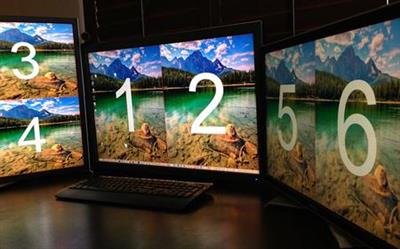
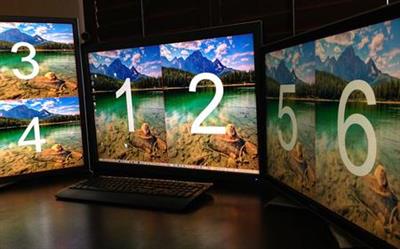
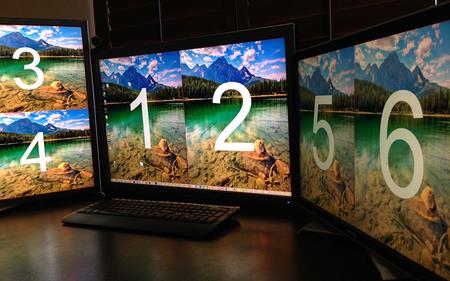
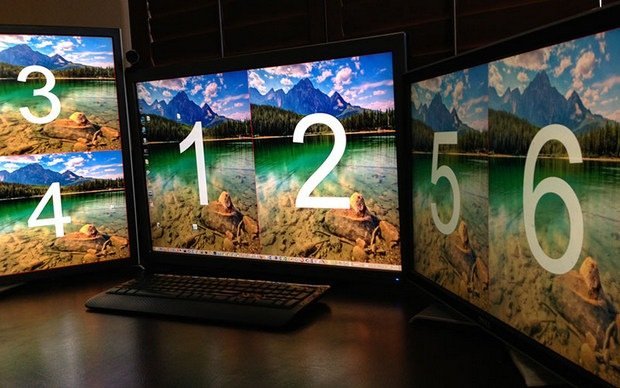
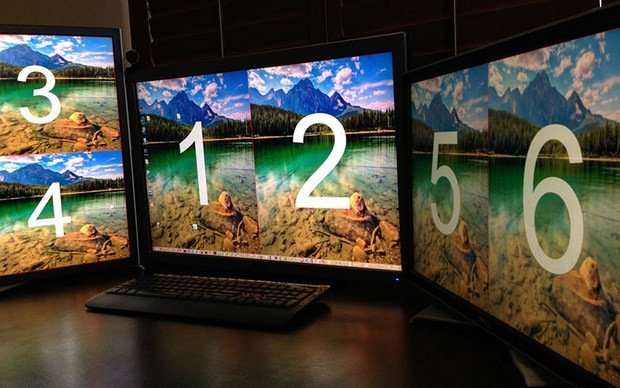
Virtual Display Manager complements your existing single or multi-monitor system with the convenience of additional virtual displays that can share existing physical screens using existing hardware, along with the ability to call up different monitor configurations at the push of a button.


Many recent studies, including Microsoft Research, show that multi-monitor systems as well as larger monitors can improve user productivity by 10-50%. However, several factors are driving the rise in the use of multiple monitors along with large-screen displays:
The cost of purchasing additional equipment (monitors and updated video cards)
Desktop space required for additional or large monitors
App compatibility where most apps are not designed to work with larger screen sizes.
Power consumption and therefore additional costs

Features:
Works with any number of physical monitors and is configurable for each physical monitor.
You can divide each physical monitor into 16 separate virtual displays.
The virtual displays can be the same size or individually scaled to suit the user's requirements, i.e. evenly spaced layouts and asymmetric configurations are supported. This is important when using monitors of different sizes and aspect ratios.
Supports local login and remote connections - Microsoft RDP and Citrix ICA sessions, VNC and Radmin are just a few examples.
Allows you to switch between local and remote login without losing the configuration and placement of the system window, which does not depend on the number or size of the monitor.
Provides control over the placement of icons when changing to a different geometry or monitor configuration.

Whats New:
Homepage:


Größe: 4 MB
Sprache: Multilingual-Deutsch
Format: .rar / .exe
Medizin: Crack / Patch
Plattform: Windows (32 Bit 64 Bit)


HOSTER:

K2s.cc (Keep2Share)

Rapidgator.net

Nitroflare.com

Uploadgig.com


DOWNLOAD



​
 

Virtual Display Manager v3.3.2.44253 Multilingual


b12a9c90af824afc34fdb66bd79e8111.jpg


Virtual Display Manager v3.3.2.44253 Multilingual | 4 MB | Language: Multilanguage


Virtual Display Manager complements your existing single or multi-monitor system with the convenience of additional virtual displays that can share existing physical screens using existing hardware, along with the ability to call up different monitor configurations at the push of a button.


Many recent studies, including Microsoft Research, show that multi-monitor systems as well as larger monitors can improve user productivity by 10-50%. However, several factors are driving the rise in the use of multiple monitors along with large-screen displays:
The cost of purchasing additional equipment (monitors and updated video cards)
Desktop space required for additional or large monitors
App compatibility where most apps are not designed to work with larger screen sizes.
Power consumption and therefore additional costs

Features:
Works with any number of physical monitors and is configurable for each physical monitor.
You can divide each physical monitor into 16 separate virtual displays.
The virtual displays can be the same size or individually scaled to suit the user's requirements, i.e. evenly spaced layouts and asymmetric configurations are supported. This is important when using monitors of different sizes and aspect ratios.
Supports local login and remote connections - Microsoft RDP and Citrix ICA sessions, VNC and Radmin are just a few examples.
Allows you to switch between local and remote login without losing the configuration and placement of the system window, which does not depend on the number or size of the monitor.
Provides control over the placement of icons when changing to a different geometry or monitor configuration.

Whats New:
Homepage:


Größe: 4 MB
Sprache: Multilingual-Deutsch
Format: .rar / .exe
Medizin: Crack / Patch
Plattform: Windows (32 Bit 64 Bit)


HOSTER:

K2s.cc (Keep2Share)

Rapidgator.net

Nitroflare.com

Uploadgig.com


DOWNLOAD



​
 

Virtual Display Manager v3.3.2.44259 Multilingual


adafaf1e5270f1bcd4f16fa182217963.jpg


Virtual Display Manager v3.3.2.44259 Multilingual | 4 MB | Language: Multilanguage


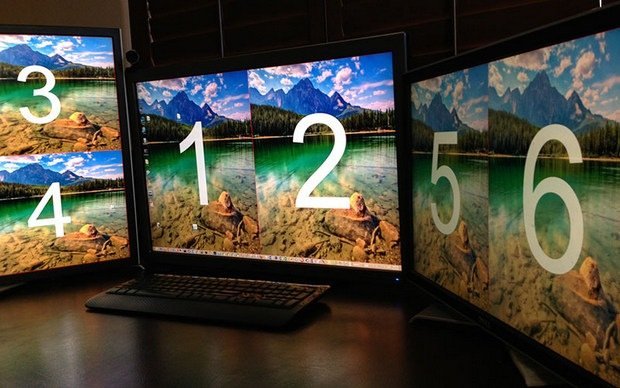
Virtual Display Manager complements your existing single or multi-monitor system with the convenience of additional virtual displays that can share existing physical screens using existing hardware, along with the ability to call up different monitor configurations at the push of a button.


Many recent studies, including Microsoft Research, show that multi-monitor systems as well as larger monitors can improve user productivity by 10-50%. However, several factors are driving the rise in the use of multiple monitors along with large-screen displays:
The cost of purchasing additional equipment (monitors and updated video cards)
Desktop space required for additional or large monitors
App compatibility where most apps are not designed to work with larger screen sizes.
Power consumption and therefore additional costs

Features:
Works with any number of physical monitors and is configurable for each physical monitor.
You can divide each physical monitor into 16 separate virtual displays.
The virtual displays can be the same size or individually scaled to suit the user's requirements, i.e. evenly spaced layouts and asymmetric configurations are supported. This is important when using monitors of different sizes and aspect ratios.
Supports local login and remote connections - Microsoft RDP and Citrix ICA sessions, VNC and Radmin are just a few examples.
Allows you to switch between local and remote login without losing the configuration and placement of the system window, which does not depend on the number or size of the monitor.
Provides control over the placement of icons when changing to a different geometry or monitor configuration.

Whats New:
Homepage:


Größe: 4 MB
Sprache: Multilingual-Deutsch
Format: .rar / .exe
Medizin: Crack / Patch
Plattform: Windows (32 Bit 64 Bit)


HOSTER:

K2s.cc (Keep2Share)

Rapidgator.net

Nitroflare.com

Uploadgig.com


DOWNLOAD


​


Virtual Display Manager v3.3.2.44374 Multilingual


a865fb3b8a199dea0622d3f4403814a6.png


Virtual Display Manager v3.3.2.44374 Multilingual


Virtual Display Manager ergänzt Ihr bestehendes Einzel- oder Multi-Monitor-System um den Komfort zusätzlicher virtueller Displays, die vorhandene physische Bildschirme mit vorhandener Hardware teilen können, sowie die Möglichkeit, auf Knopfdruck unterschiedliche Monitorkonfigurationen aufzurufen.


Sprache: Deutsch, Multi | Größe: 5 MB | Format: RAR, EXE | Plattform: Windows 7, 8, 8.1, 10 (32 oder 64Bit)


Hoster:
UploadGig.com | RapidGator.net | DDownload.com


DOWNLOAD Links:


​
 
Zuletzt bearbeitet:

Virtual Display Manager v3.3.2.44429 Multilingual


c3c57a35008fd98f59788f83f9964336.jpeg


Virtual Display Manager v3.3.2.44429 Multilingual | 4 MB | Language: Multilanguage


Größe: 4 MB
Sprache: Multilingual-Deutsch
Format: .rar / .exe
Medizin: Present
Plattform: Windows 10 , Windows 8/8.1 , Windows Server 2012 to 2019
Bit depth: 32bit 64bit


HOSTER:

K2s.cc (Keep2share)

Rapidgator.net

Nitroflare.com

Uploadgig.com


DOWNLOAD


​
 

Virtual Display Manager v3.3.2.44442 Multilingual


c2959ac825783a5f4d2204f0418c350e.jpg


Virtual Display Manager v3.3.2.44442 Multilingual | 4 MB | Language: Multilanguage


Homepage:


Größe: 4 MB
Sprache: Multilingual-Deutsch
Format: .rar / .exe
Medizin: Present
Plattform: Windows 10 , Windows 8/8.1 , Windows Server 2012 to 2019
Bit depth: 32bit 64bit


HOSTER:

K2s.cc (Keep2share)

Rapidgator.net

Nitroflare.com

Uploadgig.com


DOWNLOAD


​


Virtual Display Manager 3.3.2.44526 Multilingual


a865fb3b8a199dea0622d3f4403814a6.png


Virtual Display Manager 3.3.2.44526 Multilingual


Virtual Display Manager ergänzt Ihr bestehendes Einzel- oder Multi-Monitor-System um den Komfort zusätzlicher virtueller Displays, die vorhandene physische Bildschirme mit vorhandener Hardware teilen können, sowie die Möglichkeit, auf Knopfdruck unterschiedliche Monitorkonfigurationen aufzurufen.


Sprache: Deutsch, Multi | Größe: 5.05 MB | Format: RAR, EXE | Plattform: Windows 8/8.1, 10, 11 (32/64Bit)


Hoster:
UploadGig.com | RapidGator.net | DDownload.com


DOWNLOAD Links:


​
 

Virtual Display Manager v3.3.2.44562 Multilingual


4afc9740039ba28965b9bc89dc6a47f7.jpeg


Virtual Display Manager v3.3.2.44562 Multilingual | 5 MB | Language: Multilanguage


Homepage:


Größe: 5 MB
Sprache: Multilingual-Deutsch
Format: .rar / .exe
Medizin: Present
Plattform: Windows 11/10/8.1/8/Server 2012 to 2022
Bit depth: 32bit 64bit


HOSTER:

K2s.cc (Keep2share)

Rapidgator.net

Nitroflare.com

Uploadgig.com


DOWNLOAD


​


Virtual Display Manager 3.3.2.44564 Multilingual


a865fb3b8a199dea0622d3f4403814a6.png


Virtual Display Manager 3.3.2.44564 Multilingual


Virtual Display Manager ergänzt Ihr bestehendes Einzel- oder Multi-Monitor-System um den Komfort zusätzlicher virtueller Displays, die vorhandene physische Bildschirme mit vorhandener Hardware teilen können, sowie die Möglichkeit, auf Knopfdruck verschiedene Monitorkonfigurationen aufzurufen. Viele aktuelle Studien, einschließlich Microsoft Research, zeigen, dass Multi-Monitor-Systeme sowie größere Monitore die Benutzerproduktivität um 10-50% steigern können.


Sprache: Deutsch, Multi | Größe: 5.21 MB | Format: RAR, EXE | Plattform: Windows 8/8.1, 10, 11 (32/64Bit)


Hoster:
UploadGig.com | RapidGator.net | DDownload.com


DOWNLOAD Links:


​
 
Virtual Display Manager 3.3.2.44655 Multilingual

a865fb3b8a199dea0622d3f4403814a6.png


Virtual Display Manager 3.3.2.44655 Multilingual


Virtual Display Manager ergänzt Ihr bestehendes Einzel- oder Multi-Monitor-System um den Komfort zusätzlicher virtueller Displays, die vorhandene physische Bildschirme mit vorhandener Hardware teilen können, sowie die Möglichkeit, auf Knopfdruck verschiedene Monitorkonfigurationen aufzurufen. Viele aktuelle Studien, einschließlich Microsoft Research, zeigen, dass Multi-Monitor-Systeme sowie größere Monitore die Benutzerproduktivität um 10-50% steigern können.


Language: Deutsch, Multi | File Size: 4.5 MB | Format: RAR, EXE | Platform: Windows 8/8.1, 10, 11 (32/64Bit)

Hoster:
RapidGator.net | Uploadgig.com

DOWNLOAD Links:


Zurück
Oben Unten