• Regeln für den Video-Bereich:

    In den Börsenbereich gehören nur Angebote die bereits den Allgemeinen Regeln entsprechen.

    Einteilung

    - Folgende Formate gehören in die angegeben Bereiche:
    - Filme: Encodierte Filme von BluRay, DVD, R5, TV, Screener sowie Telesyncs im Format DivX, XviD und x264.
    - DVD: Filme im Format DVD5, DVD9 und HD2DVD.
    - HD: Encodierte Filme mit der Auflösung 720p oder darüber von BluRay, DVD, R5, TV, Screener sowie Telesyncs im Format x264.
    - 3D: Encodierte Filme von BluRay, die in einem 3D Format vorliegen. Dies gilt auch für Dokus, Animation usw.
    - Serien: Cartoon/Zeichentrick, Anime, Tutorials, Dokumentationen, Konzerte/Musik, Sonstiges sind demnach in die entsprechenden Bereiche einzuordnen, auch wenn sie beispielsweise im High Definition-Format oder als DVD5/DVD9/HD2DVD vorliegen. Ausnahme 3D.
    - Bereich Englisch: Englische Releases gehören immer in diesen Bereich.
    - Bereich Talk: Der Bereich, in dem über die Releases diskutiert werden kann, darf, soll und erwünscht ist.


    Angebot/Beitrag erstellen

    - Ein Beitrag darf erst dann erstellt werden, wenn der Upload bei mindestens einem OCH komplett ist. Platzhalter sind untersagt.
    - Bei einem Scenerelease hat der Threadtitel ausschließlich aus dem originalen, unveränderten Releasenamen zu bestehen. Es dürfen keine Veränderungen wie z.B. Sterne, kleine Buchstaben o.ä. vorgenommen werden. Ausnahme Serienbörse:
    - Bei einem Sammelthread für eine Staffel entfällt aus dem Releasename natürlich der Name der Folge. Beispiel: Die Simpsons S21 German DVDRip XviD - ITG
    - Dementsprechend sind also u.a. verboten: Erweiterungen wie "Tipp", "empfehlenswert", "only", "reup", usw. / jegliche andere Zusatzinformation oder Ergänzung, welche nicht in obiger Beschreibung zu finden ist.

    Aufbau des Angebots und Threadtitel

    Der Titel nach folgendem Muster erstellt zu werden. <Name> [3D] [Staffel] [German] <Jahr> <Tonspur> [DL] [Auflösung] <Quelle> <Codec> - <Group>
    Beispiel: The Dark Knight German 2008 AC3 DVDRip XviD - iND
    Beispiel: The Dark Knight 2008 DTS DL BDRip x264 - iND
    Beispiel: The Dark Knight 2008 AC3 DL BDRip XviD - iND
    Beispiel: The Dark Knight German 2008 AC3 720p BluRay x264 iND
    Beispiel: The Dark Knight 2008 DTS DL 1080p BluRay x264 iND
    Beispiel: Die Simpsons S01 German AC3 DVDRip XviD iND
    Beispiel: Die Simpsons S20 German AC3 720p BluRay x264 iND
    Beispiel: Sword Art Online II Ger Sub 2014 AAC 1080p WEBRip x264 - peppermint
    Entsprechend sind also u.a. verboten: Sonderzeichen wie Klammern, Sterne, Ausrufezeichen, Unterstriche, Anführungszeichen / Erweiterungen wie "Tipp", "empfehlenswert", "only", "reup", usw. / jegliche andere Zusatzinformation oder Ergänzung, welche nicht in obiger Beschreibung zu finden ist
    Ausnahmen hiervon können in den Bereichen geregelt sein.

    Die Beiträge sollen wie folgt aufgebaut werden:
    Überschrift entspricht dem Threadtitel
    Cover
    kurze Inhaltsbeschreibung
    Format, Größe, Dauer sind gut lesbar für Downloader außerhalb des Spoilers zu vermerken
    Nfo sind immer Anzugeben und selbige immer im Spoiler in Textform.
    Sind keine Nfo vorhanden z.B. Eigenpublikationen, sind im Spoiler folgende Dateiinformationen zusätzlich anzugeben :
    Quelle
    Video (Auflösung und Bitrate)
    Ton (Sprache, Format und Bitrate der einzelnen Spuren)
    Untertitel (sofern vorhanden)
    Hosterangabe in Textform außerhalb eines Spoiler mit allen enthaltenen Hostern.
    Bei SD kann auf diese zusätzlichen Dateiinformationen verzichtet werden.

    Alle benötigten Passwörter sind, sofern vorhanden, in Textform im Angebot anzugeben.
    Spoiler im Spoiler mit Kommentaren :"Schon Bedankt?" sind unerwünscht.


    Releases

    - Sind Retail-Release verfügbar, sind alle anderen Variationen untersagt. Ausnahmen: Alle deutschen Retail-Release sind CUT, in diesem Fall sind dubbed UNCUT-Release zulässig.
    - Im Serien-Bereich gilt speziell: Wenn ein Retail vor Abschluss einer laufenden Staffel erscheint, darf diese Staffel noch zu Ende gebracht werden.62
    - Gleiche Releases sind unbedingt zusammenzufassen. Das bedeutet, es ist zwingend erforderlich, vor dem Erstellen eines Themas per Suchfunktion zu überprüfen, ob bereits ein Beitrag mit demselben Release besteht. Ist dies der Fall, ist der bereits vorhandene Beitrag zu verwenden.
    - P2P und Scene Releases dürfen nicht verändert oder gar unter einem iND Tag eingestellt werden.


    Support, Diskussionen und Suche

    - Supportanfragen sind entweder per PN oder im Bereich Talk zu stellen.
    - Diskussionen und Bewertungen sind im Talk Bereich zu führen. Fragen an die Uploader haben ausschließlich via PN zu erfolgen, und sind in den Angeboten untersagt.
    - Anfragen zu Upload-Wünschen sind nur im Bereich Suche Video erlaubt. Antworten dürfen nur auf Angebote von MyBoerse.bz verlinkt werden.


    Verbote

    - Untersagt sind mehrere Formate in einem einzigen Angebotsthread, wie beispielsweise das gleichzeitige Anbieten von DivX/XviD, 720p und 1080p in einem Thread. Pro Format, Release und Auflösung ist ein eigener Thread zu eröffnen.
    - Grundsätzlich ebenso verboten sind Dupes. Uploader haben sich an geeigneter Stelle darüber zu informieren, ob es sich bei einem Release um ein Dupe handelt.
    - Gefakte, nur teilweise lauffähige oder unvollständige Angebote sind untersagt. Dies gilt auch für eigene Publikationen, die augenscheinlich nicht selbst von z.B. einer DVD gerippt wurden. Laufende Serien, bei denen noch nicht alle Folgen verfügbar sind, dürfen erstellt und regelmäßig geupdatet werden.
    - Untersagt sind Angebote, welche nur und ausschließlich in einer anderen Sprache als deutsch oder englisch vorliegen. Ausnahmen sind VORHER mit den Moderatoren zu klären.


    Verstoß gegen die Regeln

    - Angebote oder Beiträge, die gegen die Forenregeln verstoßen, sind über den "Melden"-Button im Beitrag zu melden.
  • Bitte registriere dich zunächst um Beiträge zu verfassen und externe Links aufzurufen.

*** Bestes IPTV *** bester Preis *** gratis Test ***


VFX Color Grading and Re-Lighting in Nuke - NK404

Tutorials

MyBoerse.bz Pro Member
5810d9fe905b5c7c4beecc14169c6ad7.jpeg

Last updated 7/2021
MP4 | Video: h264, 1280x720 | Audio: AAC, 44.1 KHz
Language: English | Size: 8.39 GB | Duration: 8h 45m
Learn a variety of advanced VFX Compositing and Color Grading Techniques in Nuke.

What you'll learn
Advanced Color Grading Techniques
Day to Night Tips and Techniques
Fundamentals of Light and Physics
Image Frequency Separation and Uses
Advanced Color Remap Techniques
Creating Depth Passes from 2d Images
Using a Raytracer to force perspective
Creating animated elements from 2d imagery
Layering and Integrating 2d Elements
Understanding the basics of Color Schemes and Color Balance
Learn to study, observe, and identify patterns from image reference
Bounce light techniques
Stacking Highlights and Keyers
3d / 2.5d Re-Light Tricks
Lining up and model-building a scene
Painting Light Techniques
Using alternative (hidden) merge operations
Building atmosphere elements and casting light through it
2d/3d Techniques to create reflections
Requirements
Have Nuke 12 installed
Have a working computer
Have an internet speed high enough to download the project file (A few gigabytes).
Have at least 5GB storage.
Description
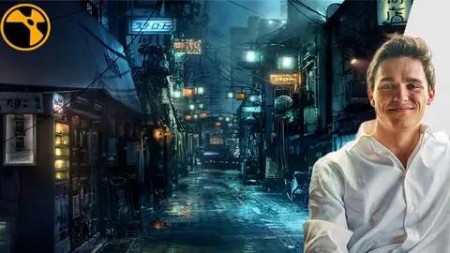
NK404!*The fourth part in Alex's Nuke series on Udemy, this time with a massive 8 hour course about advanced color grading and layering techniques.*Take your VFX*Compositing to the next level.Why learn from this course?It's easy to learn Nuke nodes, not so much artistic and visual concepts and techniques to build complex composites.*This class heavily leans into learning more in depth about the artistic side of color, balance, highlights and shadow, and how to balance them all together.*By re-lighting a scene from day to night entirely, you are forced to combine all of these techniques!Not only are you getting an 8 hour class for a bargain price, but you are being taught by an industry professional who knows the proper workflows!Your instructor has worked on feature films such as:Star Wars:*The Rise of*SkywalkerAvengers:*EndgameX-Men ApocalypseThe MandalorianFantastic Beasts and Where to Find them....And many more.What is this class about?Light, color, and combining merge operations in Nuke to re-light a scene!First, what do I need to know entering this course?:1. A basic understanding of Nuke and Nuke's interface (Taught Alex's*Udemy class,*NK101).2. Knowledege about the basic nodes in nuke, and beginner level color correction concepts (Taught Alex's*Udemy class,*NK101, and Compositing Photo-real Elements in*Nuke).3.*Beginner level knowledge on the 3d system in Nuke*(Taught Alex's*Udemy class,*NK202).4. Beginner / intermediate knowledge of CG*compositing*(Taught Alex's*Udemy class,*NK303).What skills will I learn?Creating a day to night sceneGradient Re-mapping Techniques in*NukeColor Balance and Color SchemeStudying ReferencePhysics of Light and GlossinessStacking Different Merge Operations Highlight stacking TechniquesAdvanced color grading techniques2d and 3d techniques for re-lighting2d and 3d techniques for creating reflectionsCreating and using depth mapsSplitting an image using math operations to control different aspectsGlow stacking techniques, and artistic concepts relatedStructuring a composite and templating assets Lining up and model-building a sceneCreating and layering atmosphere elementsWhat projects do I get to work on in this course?:This course will walk you through my composite of the shot shown in the preview.*I*have split the class into "practical sessions" as well as "theory"*and follow along sections.*This ensures you can actually apply what you are learning when we go over techniques, but also follow along in different areas!Who this course is for:Beginners / Intermediate users learning Nuke but already have a foundational understanding of the 2d and 3d system in nukePeople who have already taken*NK101, NK202, NK303, Photo-Real*Elements --- my previous classesIndividuals looking for a deeper education in Compositing for a bargain priceNote:*You will be required to sign up and download the project files if you want to follow along with this class
Overview
Section 1: Introduction and Core Ideas
Lecture 1 Introduction and overview
Lecture 2 Shooting Conditions, Budgets, Level of Detail, Limitations
Lecture 3 Good Compositing Takes Many Iterations, Versions Overview
Lecture 4 Understanding Color Scheme and Balance
Lecture 5 Finding and Studying Reference (Extra Reference in Resource tab)
Lecture 6 Physics of Reflections, Physics of Light
Lecture 7 Comp Quick Overview, explaining compositing structure
Lecture 8 Downloading The Project
Section 2: Blocking It Out
Lecture 9 Paint out and MIN operation
Lecture 10 Neutralizing The Scene
Lecture 11 Secondary Darkening
Lecture 12 Gradient Remapping Pools of Light (Part 1)
Lecture 13 Pools of Light (Part 2)
Lecture 14 TVI Scale
Section 3: Building it up
Lecture 15 BG Rooftop Atmos
Lecture 16 MG Rooftop Light
Lecture 17 Lighting up the back alley
Section 4: Creating a Lantern
Lecture 18 Lantern Overview
Lecture 19 The Core
Lecture 20 Dirt, Glow, Glints
Lecture 21 The 4 Layers of "Ping"[Theory]
Lecture 22 4 Layers of Ping[Exercise][Part 1]
Lecture 23 4 Layers of Ping[Exercise][Part 2]
Lecture 24 4 Layers of Pings[Exercise][Part 3]
Lecture 25 Adding some wires, and tiny reflections
Lecture 26 Adding Color Variation
Lecture 27 Templating, Duplicating
Section 5: Orange Light, Quick Lesson
Lecture 28 Orange Neon Sign[Overview]
Lecture 29 Orange Neon Sign[Practical]
Lecture 30 Orange lIght pings
Section 6: The Clear Screen
Lecture 31 Clear Screen Overview
Lecture 32 Scene Lineup
Lecture 33 Replacing the curtain, adding animation
Section 7: 3d Re-lighting Technique
Lecture 34 Spotlights, and 3d Lighting Techniques
Lecture 35 Placing the 3D Lights
Lecture 36 Adjusting the Intensity, Re-mapping values
Lecture 37 Spotlight bounces and reflections
Lecture 38 Spotlight Volumes and Glows
Section 8: A challenge
Lecture 39 Optional, few more lights if you want to
Section 9: Main reflections
Lecture 40 Mirror and Glass[Custom Node]
Lecture 41 Mirror and Glass Reflections
Lecture 42 Frequency Separation[Theory]
Lecture 43 Practical Project Lesson
Section 10: Fog
Lecture 44 Fog Overview
Lecture 45 Creating a Depth Pass
Lecture 46 Layering Depth Smoke P1
Lecture 47 Depth Mist
Lecture 48 Main Depth Fog
Lecture 49 Ground Vent Smoke
Section 11: Post
Lecture 50 Contrast, Primary Grades
Lecture 51 PSD Color Paint Over
Lecture 52 Fog and Wires
Lecture 53 Extra Puddles
Lecture 54 Push-in and Grain
Section 12: That's a wrap!
Lecture 55 Bonus Lecture
Beginner to Intermediate Compositors,Learning Compositors who have taken my other beginner Nuke courses (Nk101, 202, 303, Photoreal Elements).,Students learning visual effects,Anyone looking to improve their artistic eye, or learn deeper coloring techniques

Homepage


Recommend Download Link Hight Speed | Please Say Thanks Keep Topic Live
Links are Interchangeable - No Password - Single Extraction

 

927bc211aefd9f7dccb4864a41774e49.jpg

Vfx Color Grading And Re-Lighting In Nuke - Nk404
Last updated 7/2021
MP4 | Video: h264, 1280x720 | Audio: AAC, 44.1 KHz
Language: English | Size: 8.39 GB | Duration: 8h 45m​

Learn a variety of advanced VFX Compositing and Color Grading Techniques in Nuke.

What you'll learn

Advanced Color Grading Techniques

Day to Night Tips and Techniques

Fundamentals of Light and Physics

Image Frequency Separation and Uses

Advanced Color Remap Techniques

Creating Depth Passes from 2d Images

Using a Raytracer to force perspective

Creating animated elements from 2d imagery

Layering and Integrating 2d Elements

Understanding the basics of Color Schemes and Color Balance

Learn to study, observe, and identify patterns from image reference

Bounce light techniques

Stacking Highlights and Keyers

3d / 2.5d Re-Light Tricks

Lining up and model-building a scene

Painting Light Techniques

Using alternative (hidden) merge operations

Building atmosphere elements and casting light through it

2d/3d Techniques to create reflections

Requirements

Have Nuke 12 installed

Have a working computer

Have an internet speed high enough to download the project file (A few gigabytes).

Have at least 5GB storage.

Description

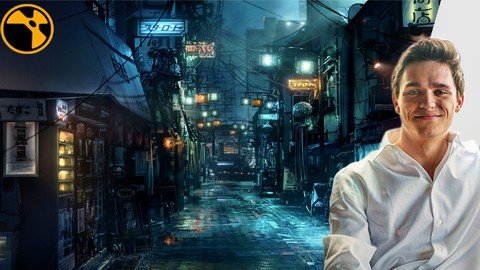
NK404! The fourth part in Alex's Nuke series on Udemy, this time with a massive 8 hour course about advanced color grading and layering techniques. Take your VFX Compositing to the next level.Why learn from this course?It's easy to learn Nuke nodes, not so much artistic and visual concepts and techniques to build complex composites. This class heavily leans into learning more in depth about the artistic side of color, balance, highlights and shadow, and how to balance them all together. By re-lighting a scene from day to night entirely, you are forced to combine all of these techniques!Not only are you getting an 8 hour class for a bargain price, but you are being taught by an industry professional who knows the proper workflows!Your instructor has worked on feature films such as:Star Wars: The Rise of SkywalkerAvengers: EndgameX-Men ApocalypseThe MandalorianFantastic Beasts and Where to Find them..And many more.What is this class about?Light, color, and combining merge operations in Nuke to re-light a scene!First, what do I need to know entering this course?:1. A basic understanding of Nuke and Nuke's interface (Taught Alex's Udemy class, NK101).2. Knowledege about the basic nodes in nuke, and beginner level color correction concepts (Taught Alex's Udemy class, NK101, and Compositing Photo-real Elements in Nuke).3. Beginner level knowledge on the 3d system in Nuke (Taught Alex's Udemy class, NK202).4. Beginner / intermediate knowledge of CG compositing (Taught Alex's Udemy class, NK303).What skills will I learn?Creating a day to night sceneGradient Re-mapping Techniques in NukeColor Balance and Color SchemeStudying ReferencePhysics of Light and GlossinessStacking Different Merge Operations Highlight stacking TechniquesAdvanced color grading techniques2d and 3d techniques for re-lighting2d and 3d techniques for creating reflectionsCreating and using depth mapsSplitting an image using math operations to control different aspectsGlow stacking techniques, and artistic concepts relatedStructuring a composite and templating assets Lining up and model-building a sceneCreating and layering atmosphere elementsWhat projects do I get to work on in this course?:This course will walk you through my composite of the shot shown in the preview. I have split the class into "practical sessions" as well as "theory" and follow along sections. This ensures you can actually apply what you are learning when we go over techniques, but also follow along in different areas!Who this course is for:Beginners / Intermediate users learning Nuke but already have a foundational understanding of the 2d and 3d system in nukePeople who have already taken NK101, NK202, NK303, Photo-Real Elements -- my previous classesIndividuals looking for a deeper education in Compositing for a bargain priceNote: You will be required to sign up and download the project files if you want to follow along with this class

Overview

Section 1: Introduction and Core Ideas

Lecture 1 Introduction and overview

Lecture 2 Shooting Conditions, Budgets, Level of Detail, Limitations

Lecture 3 Good Compositing Takes Many Iterations, Versions Overview

Lecture 4 Understanding Color Scheme and Balance

Lecture 5 Finding and Studying Reference (Extra Reference in Resource tab)

Lecture 6 Physics of Reflections, Physics of Light

Lecture 7 Comp Quick Overview, explaining compositing structure

Lecture 8 Downloading The Project

Section 2: Blocking It Out

Lecture 9 Paint out and MIN operation

Lecture 10 Neutralizing The Scene

Lecture 11 Secondary Darkening

Lecture 12 Gradient Remapping Pools of Light (Part 1)

Lecture 13 Pools of Light (Part 2)

Lecture 14 TVI Scale

Section 3: Building it up

Lecture 15 BG Rooftop Atmos

Lecture 16 MG Rooftop Light

Lecture 17 Lighting up the back alley

Section 4: Creating a Lantern

Lecture 18 Lantern Overview

Lecture 19 The Core

Lecture 20 Dirt, Glow, Glints

Lecture 21 The 4 Layers of "Ping" [Theory]

Lecture 22 4 Layers of Ping [Exercise] [Part 1]

Lecture 23 4 Layers of Ping [Exercise] [Part 2]

Lecture 24 4 Layers of Pings [Exercise] [Part 3]

Lecture 25 Adding some wires, and tiny reflections

Lecture 26 Adding Color Variation

Lecture 27 Templating, Duplicating

Section 5: Orange Light, Quick Lesson

Lecture 28 Orange Neon Sign [Overview]

Lecture 29 Orange Neon Sign [Practical]

Lecture 30 Orange lIght pings

Section 6: The Clear Screen

Lecture 31 Clear Screen Overview

Lecture 32 Scene Lineup

Lecture 33 Replacing the curtain, adding animation

Section 7: 3d Re-lighting Technique

Lecture 34 Spotlights, and 3d Lighting Techniques

Lecture 35 Placing the 3D Lights

Lecture 36 Adjusting the Intensity, Re-mapping values

Lecture 37 Spotlight bounces and reflections

Lecture 38 Spotlight Volumes and Glows

Section 8: A challenge

Lecture 39 Optional, few more lights if you want to

Section 9: Main reflections

Lecture 40 Mirror and Glass [Custom Node]

Lecture 41 Mirror and Glass Reflections

Lecture 42 Frequency Separation [Theory]

Lecture 43 Practical Project Lesson

Section 10: Fog

Lecture 44 Fog Overview

Lecture 45 Creating a Depth Pass

Lecture 46 Layering Depth Smoke P1

Lecture 47 Depth Mist

Lecture 48 Main Depth Fog

Lecture 49 Ground Vent Smoke

Section 11: Post

Lecture 50 Contrast, Primary Grades

Lecture 51 PSD Color Paint Over

Lecture 52 Fog and Wires

Lecture 53 Extra Puddles

Lecture 54 Push-in and Grain

Section 12: That's a wrap!

Lecture 55 Bonus Lecture

Beginner to Intermediate Compositors,Learning Compositors who have taken my other beginner Nuke courses (Nk101, 202, 303, Photoreal Elements).,Students learning visual effects,Anyone looking to improve their artistic eye, or learn deeper coloring techniques

 
Zurück
Oben Unten