• Regeln für den Video-Bereich:

    In den Börsenbereich gehören nur Angebote die bereits den Allgemeinen Regeln entsprechen.

    Einteilung

    - Folgende Formate gehören in die angegeben Bereiche:
    - Filme: Encodierte Filme von BluRay, DVD, R5, TV, Screener sowie Telesyncs im Format DivX, XviD und x264.
    - DVD: Filme im Format DVD5, DVD9 und HD2DVD.
    - HD: Encodierte Filme mit der Auflösung 720p oder darüber von BluRay, DVD, R5, TV, Screener sowie Telesyncs im Format x264.
    - 3D: Encodierte Filme von BluRay, die in einem 3D Format vorliegen. Dies gilt auch für Dokus, Animation usw.
    - Serien: Cartoon/Zeichentrick, Anime, Tutorials, Dokumentationen, Konzerte/Musik, Sonstiges sind demnach in die entsprechenden Bereiche einzuordnen, auch wenn sie beispielsweise im High Definition-Format oder als DVD5/DVD9/HD2DVD vorliegen. Ausnahme 3D.
    - Bereich Englisch: Englische Releases gehören immer in diesen Bereich.
    - Bereich Talk: Der Bereich, in dem über die Releases diskutiert werden kann, darf, soll und erwünscht ist.


    Angebot/Beitrag erstellen

    - Ein Beitrag darf erst dann erstellt werden, wenn der Upload bei mindestens einem OCH komplett ist. Platzhalter sind untersagt.
    - Bei einem Scenerelease hat der Threadtitel ausschließlich aus dem originalen, unveränderten Releasenamen zu bestehen. Es dürfen keine Veränderungen wie z.B. Sterne, kleine Buchstaben o.ä. vorgenommen werden. Ausnahme Serienbörse:
    - Bei einem Sammelthread für eine Staffel entfällt aus dem Releasename natürlich der Name der Folge. Beispiel: Die Simpsons S21 German DVDRip XviD - ITG
    - Dementsprechend sind also u.a. verboten: Erweiterungen wie "Tipp", "empfehlenswert", "only", "reup", usw. / jegliche andere Zusatzinformation oder Ergänzung, welche nicht in obiger Beschreibung zu finden ist.

    Aufbau des Angebots und Threadtitel

    Der Titel nach folgendem Muster erstellt zu werden. <Name> [3D] [Staffel] [German] <Jahr> <Tonspur> [DL] [Auflösung] <Quelle> <Codec> - <Group>
    Beispiel: The Dark Knight German 2008 AC3 DVDRip XviD - iND
    Beispiel: The Dark Knight 2008 DTS DL BDRip x264 - iND
    Beispiel: The Dark Knight 2008 AC3 DL BDRip XviD - iND
    Beispiel: The Dark Knight German 2008 AC3 720p BluRay x264 iND
    Beispiel: The Dark Knight 2008 DTS DL 1080p BluRay x264 iND
    Beispiel: Die Simpsons S01 German AC3 DVDRip XviD iND
    Beispiel: Die Simpsons S20 German AC3 720p BluRay x264 iND
    Beispiel: Sword Art Online II Ger Sub 2014 AAC 1080p WEBRip x264 - peppermint
    Entsprechend sind also u.a. verboten: Sonderzeichen wie Klammern, Sterne, Ausrufezeichen, Unterstriche, Anführungszeichen / Erweiterungen wie "Tipp", "empfehlenswert", "only", "reup", usw. / jegliche andere Zusatzinformation oder Ergänzung, welche nicht in obiger Beschreibung zu finden ist
    Ausnahmen hiervon können in den Bereichen geregelt sein.

    Die Beiträge sollen wie folgt aufgebaut werden:
    Überschrift entspricht dem Threadtitel
    Cover
    kurze Inhaltsbeschreibung
    Format, Größe, Dauer sind gut lesbar für Downloader außerhalb des Spoilers zu vermerken
    Nfo sind immer Anzugeben und selbige immer im Spoiler in Textform.
    Sind keine Nfo vorhanden z.B. Eigenpublikationen, sind im Spoiler folgende Dateiinformationen zusätzlich anzugeben :
    Quelle
    Video (Auflösung und Bitrate)
    Ton (Sprache, Format und Bitrate der einzelnen Spuren)
    Untertitel (sofern vorhanden)
    Hosterangabe in Textform außerhalb eines Spoiler mit allen enthaltenen Hostern.
    Bei SD kann auf diese zusätzlichen Dateiinformationen verzichtet werden.

    Alle benötigten Passwörter sind, sofern vorhanden, in Textform im Angebot anzugeben.
    Spoiler im Spoiler mit Kommentaren :"Schon Bedankt?" sind unerwünscht.


    Releases

    - Sind Retail-Release verfügbar, sind alle anderen Variationen untersagt. Ausnahmen: Alle deutschen Retail-Release sind CUT, in diesem Fall sind dubbed UNCUT-Release zulässig.
    - Im Serien-Bereich gilt speziell: Wenn ein Retail vor Abschluss einer laufenden Staffel erscheint, darf diese Staffel noch zu Ende gebracht werden.62
    - Gleiche Releases sind unbedingt zusammenzufassen. Das bedeutet, es ist zwingend erforderlich, vor dem Erstellen eines Themas per Suchfunktion zu überprüfen, ob bereits ein Beitrag mit demselben Release besteht. Ist dies der Fall, ist der bereits vorhandene Beitrag zu verwenden.
    - P2P und Scene Releases dürfen nicht verändert oder gar unter einem iND Tag eingestellt werden.


    Support, Diskussionen und Suche

    - Supportanfragen sind entweder per PN oder im Bereich Talk zu stellen.
    - Diskussionen und Bewertungen sind im Talk Bereich zu führen. Fragen an die Uploader haben ausschließlich via PN zu erfolgen, und sind in den Angeboten untersagt.
    - Anfragen zu Upload-Wünschen sind nur im Bereich Suche Video erlaubt. Antworten dürfen nur auf Angebote von MyBoerse.bz verlinkt werden.


    Verbote

    - Untersagt sind mehrere Formate in einem einzigen Angebotsthread, wie beispielsweise das gleichzeitige Anbieten von DivX/XviD, 720p und 1080p in einem Thread. Pro Format, Release und Auflösung ist ein eigener Thread zu eröffnen.
    - Grundsätzlich ebenso verboten sind Dupes. Uploader haben sich an geeigneter Stelle darüber zu informieren, ob es sich bei einem Release um ein Dupe handelt.
    - Gefakte, nur teilweise lauffähige oder unvollständige Angebote sind untersagt. Dies gilt auch für eigene Publikationen, die augenscheinlich nicht selbst von z.B. einer DVD gerippt wurden. Laufende Serien, bei denen noch nicht alle Folgen verfügbar sind, dürfen erstellt und regelmäßig geupdatet werden.
    - Untersagt sind Angebote, welche nur und ausschließlich in einer anderen Sprache als deutsch oder englisch vorliegen. Ausnahmen sind VORHER mit den Moderatoren zu klären.


    Verstoß gegen die Regeln

    - Angebote oder Beiträge, die gegen die Forenregeln verstoßen, sind über den "Melden"-Button im Beitrag zu melden.
  • Bitte registriere dich zunächst um Beiträge zu verfassen und externe Links aufzurufen.

*** Bestes IPTV *** bester Preis *** gratis Test ***


Unreal 5 Niagara - Introduction To Niagara

Tutorials

MyBoerse.bz Pro Member
1f624fd2dd1144313cad66d23c3ab0b0.jpeg

Free Download Unreal 5 Niagara - Introduction To Niagara
Published 11/2023
Created by Thomas Harle
MP4 | Video: h264, 1280x720 | Audio: AAC, 44.1 KHz, 2 Ch
Genre: eLearning | Language: English | Duration: 99 Lectures ( 12h 34m ) | Size: 14.3 GB

Your complete course for learning Niagara in Unreal Engine 5
What you'll learn
Learn the basics of the Niagara Particle system, including industry standard best practices
Understand the role different modules have in controlling Particles, including Vectors and Forces
Learn the differences between the different Renderer Modules and how and when to use them
Learn more complex and advanced topics, such as Particle Collisions and the Particle Attribute Reader
Requirements
Some basic understanding of the Unreal Engine
Description
Welcome to my Unreal Engine 5 Niagara Course - Introduction to Niagara, here on Udemy. This course will take you from the basics of the Niagara UI and introductory template effects, to a good understanding of all the inbuilt Modules available to use, as well as covering more advanced concepts such as Collisions and the Attribute Reader. Over the course of 12 hours, all broken down into bite size 10-15 min videos, we cover everything from the UI, Modules, Vectors and Forces, Animation, Materials, Collisions, Data Interfaces and much much more. Each chapter contains many examples, full of handy comments, as well as a many corresponding video lectures that explains in full detail what is being done and why - so you're learning both the techniques being used and building up a base of background knowledge of first principal concepts, allowing you to build up your own effects in future. With industry standard practices from my 15 year career, including 5 years of teaching Game Art at a Masters Degree level, this course will cover all various uses of Particle effects and Renderers - this course will fully equip you to add some Visual Effects life into your realtime scenes in Unreal Engine 5.
Who this course is for
Anyone looking to learn about making use of Particle effects in Realtime and Games projects
Homepage


Recommend Download Link Hight Speed | Please Say Thanks Keep Topic Live
No Password - Links are Interchangeable
 

29b1411b18d27bd0abe1a5f7cba813dc.jpg

Unreal 5 Niagara - Introduction To Niagara
Published 11/2023
MP4 | Video: h264, 1920x1080 | Audio: AAC, 44.1 KHz
Language: English | Size: 12.98 GB | Duration: 12h 35m​

Your complete course for learning Niagara in Unreal Engine 5

What you'll learn

Learn the basics of the Niagara Particle system, including industry standard best practices

Understand the role different modules have in controlling Particles, including Vectors and Forces

Learn the differences between the different Renderer Modules and how and when to use them

Learn more complex and advanced topics, such as Particle Collisions and the Particle Attribute Reader

Requirements

Some basic understanding of the Unreal Engine

Description

Welcome to my Unreal Engine 5 Niagara Course - Introduction to Niagara, here on Udemy. This course will take you from the basics of the Niagara UI and introductory template effects, to a good understanding of all the inbuilt Modules available to use, as well as covering more advanced concepts such as Collisions and the Attribute Reader. Over the course of 12 hours, all broken down into bite size 10-15 min videos, we cover everything from the UI, Modules, Vectors and Forces, Animation, Materials, Collisions, Data Interfaces and much much more. Each chapter contains many examples, full of handy comments, as well as a many corresponding video lectures that explains in full detail what is being done and why - so you're learning both the techniques being used and building up a base of background knowledge of first principal concepts, allowing you to build up your own effects in future. With industry standard practices from my 15 year career, including 5 years of teaching Game Art at a Masters Degree level, this course will cover all various uses of Particle effects and Renderers - this course will fully equip you to add some Visual Effects life into your realtime scenes in Unreal Engine 5.

Overview

Section 1: Source Files

Lecture 1 Introduction

Section 2: Introduction To Niagara

Lecture 2 Introduction to the Course

Lecture 3 Glossary

Lecture 4 Data Types

Lecture 5 Introduction to the UI

Lecture 6 Hanging Particulates 1

Lecture 7 Hanging Particulates 2

Lecture 8 Hanging Particulates 3

Lecture 9 Burst Mesh 1

Lecture 10 Burst Mesh 2

Lecture 11 User Parameters

Section 3: Module Breakdown

Lecture 12 Introduction to Modules

Lecture 13 Local Space

Lecture 14 Determinism

Lecture 15 Interpolated Spawning

Lecture 16 CPU vs GPU

Lecture 17 Persistent IDs

Lecture 18 System Properties

Lecture 19 Spawn Rate

Lecture 20 Spawn Burst

Lecture 21 Spawn Per Unit

Lecture 22 Spawn Per Frame, Spawn From Other Emitter

Lecture 23 Shape Sphere

Lecture 24 Shape Cylinder

Lecture 25 Shape Box, Plane

Lecture 26 Shape Torus, Disc, Cone

Lecture 27 Grid Spawn Location

Lecture 28 Jitter Position

Lecture 29 System Location

Lecture 30 Static Mesh Location

Lecture 31 Skeletal Mesh Location

Lecture 32 Initial Velocity

Lecture 33 Velocity Vortex, Inherit Velocity

Lecture 34 Force Introduction

Lecture 35 Linear, Gravity, Acceleration Forces

Lecture 36 Curl Noise

Lecture 37 Wind Force

Lecture 38 Aerodynamic Drag

Lecture 39 Point Attraction Force

Lecture 40 Line Attraction Force

Lecture 41 Spring Force

Lecture 42 Vortex Force

Lecture 43 Vector Noise Force

Lecture 44 Sprite Renderer - Sub UV

Lecture 45 Sprite Renderer - Cutouts

Lecture 46 Sprite Renderer - Alignment

Lecture 47 Sprite Renderer - Rotation Rate

Lecture 48 Sprite Renderer - Sorting

Lecture 49 Mesh Renderer - Setup

Lecture 50 Mesh Renderer - Initial Orientation

Lecture 51 Mesh Renderer - Update Orientation

Lecture 52 Mesh Renderer - Flight Orientation

Lecture 53 Mesh Renderer - Rolling Orientation

Lecture 54 Ribbon Renderer - Introduction

Lecture 0 Ribbon Renderer - Shape

Lecture 55 Ribbon Renderer - Spawn Trails

Lecture 56 Beam Renderer

Lecture 57 Decal Renderer

Lecture 58 Light Renderer

Lecture 59 Component Renderer

Lecture 60 Geo Cache Renderer

Lecture 61 Animation

Lecture 62 Particle Materials

Lecture 63 Auto Materials

Lecture 64 Conclusion

Section 4: Advanced Concepts

Lecture 65 CPU Collisions

Lecture 66 GPU Collisions

Lecture 0 Collision Data

Lecture 67 Location Events

Lecture 68 Death and Collision Events

Lecture 69 Location Reader

Lecture 70 Scratch Introduction

Lecture 0 Death Reader Introduction

Lecture 71 Death Scratch Module

Lecture 72 Get Has Collided

Lecture 73 Transfer Position Bugs

Lecture 74 Sampled Age At Collision

Lecture 0 Collision Overview

Lecture 75 Texture Sampling

Lecture 0 Mesh Data Interfaces

Lecture 76 Data Interfaces

Lecture 77 NPCs

Section 5: Worked Examples

Lecture 78 Snow Overview

Lecture 79 Snow Spawn

Lecture 0 Snow Update

Lecture 80 Snow Camera

Lecture 81 Snow World Height

Lecture 82 NDI - Multiply Many

Lecture 83 Mesh Leaves Overview

Lecture 84 Mesh Leaves Collisions

Lecture 85 Mesh Leaves Emitter

Lecture 86 Muzzle Flash Fire

Lecture 0 Muzzle Flash Additive

Lecture 0 Muzzle Flash Lit Smoke

Lecture 87 Muzzle Flash Smoke

Lecture 88 Campfire Flames

Lecture 89 Campfire Lights and Heat Haze

Lecture 90 Paper Burn Setup

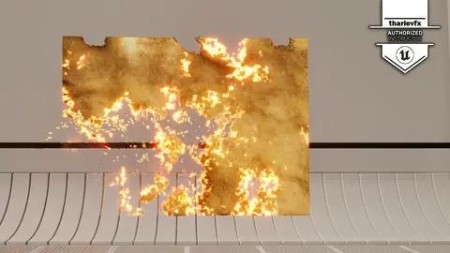
Lecture 91 Paper Burn Particles

Anyone looking to learn about making use of Particle effects in Realtime and Games projects

 
Zurück
Oben Unten