• Regeln für den Video-Bereich:

    In den Börsenbereich gehören nur Angebote die bereits den Allgemeinen Regeln entsprechen.

    Einteilung

    - Folgende Formate gehören in die angegeben Bereiche:
    - Filme: Encodierte Filme von BluRay, DVD, R5, TV, Screener sowie Telesyncs im Format DivX, XviD und x264.
    - DVD: Filme im Format DVD5, DVD9 und HD2DVD.
    - HD: Encodierte Filme mit der Auflösung 720p oder darüber von BluRay, DVD, R5, TV, Screener sowie Telesyncs im Format x264.
    - 3D: Encodierte Filme von BluRay, die in einem 3D Format vorliegen. Dies gilt auch für Dokus, Animation usw.
    - Serien: Cartoon/Zeichentrick, Anime, Tutorials, Dokumentationen, Konzerte/Musik, Sonstiges sind demnach in die entsprechenden Bereiche einzuordnen, auch wenn sie beispielsweise im High Definition-Format oder als DVD5/DVD9/HD2DVD vorliegen. Ausnahme 3D.
    - Bereich Englisch: Englische Releases gehören immer in diesen Bereich.
    - Bereich Talk: Der Bereich, in dem über die Releases diskutiert werden kann, darf, soll und erwünscht ist.


    Angebot/Beitrag erstellen

    - Ein Beitrag darf erst dann erstellt werden, wenn der Upload bei mindestens einem OCH komplett ist. Platzhalter sind untersagt.
    - Bei einem Scenerelease hat der Threadtitel ausschließlich aus dem originalen, unveränderten Releasenamen zu bestehen. Es dürfen keine Veränderungen wie z.B. Sterne, kleine Buchstaben o.ä. vorgenommen werden. Ausnahme Serienbörse:
    - Bei einem Sammelthread für eine Staffel entfällt aus dem Releasename natürlich der Name der Folge. Beispiel: Die Simpsons S21 German DVDRip XviD - ITG
    - Dementsprechend sind also u.a. verboten: Erweiterungen wie "Tipp", "empfehlenswert", "only", "reup", usw. / jegliche andere Zusatzinformation oder Ergänzung, welche nicht in obiger Beschreibung zu finden ist.

    Aufbau des Angebots und Threadtitel

    Der Titel nach folgendem Muster erstellt zu werden. <Name> [3D] [Staffel] [German] <Jahr> <Tonspur> [DL] [Auflösung] <Quelle> <Codec> - <Group>
    Beispiel: The Dark Knight German 2008 AC3 DVDRip XviD - iND
    Beispiel: The Dark Knight 2008 DTS DL BDRip x264 - iND
    Beispiel: The Dark Knight 2008 AC3 DL BDRip XviD - iND
    Beispiel: The Dark Knight German 2008 AC3 720p BluRay x264 iND
    Beispiel: The Dark Knight 2008 DTS DL 1080p BluRay x264 iND
    Beispiel: Die Simpsons S01 German AC3 DVDRip XviD iND
    Beispiel: Die Simpsons S20 German AC3 720p BluRay x264 iND
    Beispiel: Sword Art Online II Ger Sub 2014 AAC 1080p WEBRip x264 - peppermint
    Entsprechend sind also u.a. verboten: Sonderzeichen wie Klammern, Sterne, Ausrufezeichen, Unterstriche, Anführungszeichen / Erweiterungen wie "Tipp", "empfehlenswert", "only", "reup", usw. / jegliche andere Zusatzinformation oder Ergänzung, welche nicht in obiger Beschreibung zu finden ist
    Ausnahmen hiervon können in den Bereichen geregelt sein.

    Die Beiträge sollen wie folgt aufgebaut werden:
    Überschrift entspricht dem Threadtitel
    Cover
    kurze Inhaltsbeschreibung
    Format, Größe, Dauer sind gut lesbar für Downloader außerhalb des Spoilers zu vermerken
    Nfo sind immer Anzugeben und selbige immer im Spoiler in Textform.
    Sind keine Nfo vorhanden z.B. Eigenpublikationen, sind im Spoiler folgende Dateiinformationen zusätzlich anzugeben :
    Quelle
    Video (Auflösung und Bitrate)
    Ton (Sprache, Format und Bitrate der einzelnen Spuren)
    Untertitel (sofern vorhanden)
    Hosterangabe in Textform außerhalb eines Spoiler mit allen enthaltenen Hostern.
    Bei SD kann auf diese zusätzlichen Dateiinformationen verzichtet werden.

    Alle benötigten Passwörter sind, sofern vorhanden, in Textform im Angebot anzugeben.
    Spoiler im Spoiler mit Kommentaren :"Schon Bedankt?" sind unerwünscht.


    Releases

    - Sind Retail-Release verfügbar, sind alle anderen Variationen untersagt. Ausnahmen: Alle deutschen Retail-Release sind CUT, in diesem Fall sind dubbed UNCUT-Release zulässig.
    - Im Serien-Bereich gilt speziell: Wenn ein Retail vor Abschluss einer laufenden Staffel erscheint, darf diese Staffel noch zu Ende gebracht werden.62
    - Gleiche Releases sind unbedingt zusammenzufassen. Das bedeutet, es ist zwingend erforderlich, vor dem Erstellen eines Themas per Suchfunktion zu überprüfen, ob bereits ein Beitrag mit demselben Release besteht. Ist dies der Fall, ist der bereits vorhandene Beitrag zu verwenden.
    - P2P und Scene Releases dürfen nicht verändert oder gar unter einem iND Tag eingestellt werden.


    Support, Diskussionen und Suche

    - Supportanfragen sind entweder per PN oder im Bereich Talk zu stellen.
    - Diskussionen und Bewertungen sind im Talk Bereich zu führen. Fragen an die Uploader haben ausschließlich via PN zu erfolgen, und sind in den Angeboten untersagt.
    - Anfragen zu Upload-Wünschen sind nur im Bereich Suche Video erlaubt. Antworten dürfen nur auf Angebote von MyBoerse.bz verlinkt werden.


    Verbote

    - Untersagt sind mehrere Formate in einem einzigen Angebotsthread, wie beispielsweise das gleichzeitige Anbieten von DivX/XviD, 720p und 1080p in einem Thread. Pro Format, Release und Auflösung ist ein eigener Thread zu eröffnen.
    - Grundsätzlich ebenso verboten sind Dupes. Uploader haben sich an geeigneter Stelle darüber zu informieren, ob es sich bei einem Release um ein Dupe handelt.
    - Gefakte, nur teilweise lauffähige oder unvollständige Angebote sind untersagt. Dies gilt auch für eigene Publikationen, die augenscheinlich nicht selbst von z.B. einer DVD gerippt wurden. Laufende Serien, bei denen noch nicht alle Folgen verfügbar sind, dürfen erstellt und regelmäßig geupdatet werden.
    - Untersagt sind Angebote, welche nur und ausschließlich in einer anderen Sprache als deutsch oder englisch vorliegen. Ausnahmen sind VORHER mit den Moderatoren zu klären.


    Verstoß gegen die Regeln

    - Angebote oder Beiträge, die gegen die Forenregeln verstoßen, sind über den "Melden"-Button im Beitrag zu melden.
  • Bitte registriere dich zunächst um Beiträge zu verfassen und externe Links aufzurufen.

*** Bestes IPTV *** bester Preis *** gratis Test ***


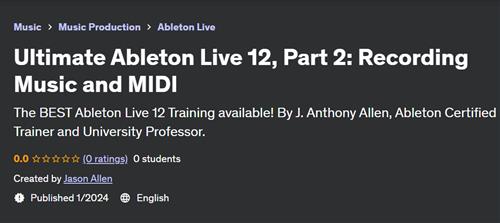
Ultimate Ableton Live 12, Part 2 - Recording Music and MIDI

Tutorials

MyBoerse.bz Pro Member
77176e1050cc798e7899919eed3f8d6a.jpeg

Free Download Ultimate Ableton Live 12, Part 2 - Recording Music and MIDI
Published 1/2024
Created by Jason Allen
MP4 | Video: h264, 1280x720 | Audio: AAC, 44.1 KHz, 2 Ch
Genre: eLearning | Language: English | Duration: 60 Lectures ( 4h 5m ) | Size: 4 GB

The BEST Ableton Live 12 Training available! By J. Anthony Allen, Ableton Certified Trainer and University Professor.
What you'll learn:
At the end of this course, students will be able to produce music with Ableton Live and be on their way to being a professional musician.
Work in the Session View and Arrangement View of Ableton Live
Record Audio, Midi, and Understand Live's Signal Flow
Navigate 100% of Ableton Live
Produce music using Ableton Live
Students will understand the two views in Live.
The fundamentals to recording in Live
All possible ways of editing in Live
The 10 fundamentals to audio recording
The 6 fundamentals to MIDI recording
The essential tools for Warping
Editing and Producing in Arrangement view
Session View editing and Producing
Making Beats
The 7 (and more!) methods to making beats in Ableton Live
Producing with synths in Ableton Live
The 12 Ableton Live Instruments
The Wavetable Synth (similar to Serum)
The Ableton Live Samplers
The 3 uses of Racks
Performing with Ableton Live 12
Mixing in Ableton Live 12
Mastering in Ableton Live 12
Requirements:
Students should be ready to produce music, but do not need to be experienced musicians. No prior experience is needed in music theory or production.
Access to Ableton Live will be required. Using the trial version (free for 30 days) would be a great way to start.
Finishing the class, "Ultimate Ableton Live 12, Part 1: Production Principles" will be very helpful, but is not required.
Description:
Welcome to the Ultimate Ableton Live 12 Masterclass Edition: Part 2 - Recording Music and MIDI!Hi - I'm Jason, Ableton Certified Trainer and tenured university professor with a Ph.D. in Music. I have over 75 courses with a rating of 4.5 and higher. Tens of thousands of students have taken my Ableton Live 9, 10, and 11 classes, and they average over 4.7 in student ratings. I'm here to guide you through the intricacies of Ableton Live. Whether you're a beginning music maker, aspiring producer, or a seasoned professional looking to up your game, this course is the perfect starting point.Why choose this course?Top Seller on Udemy: Thousands of 4+ reviews and tens of thousands of students can't be wrong!5-Star Certified: Independently reviewed and certified by IAOMEI, ensuring the highest quality education.Ableton Certified Trainer: With a Ph.D. in music, I bring a unique blend of expertise to both production and education.Responsive Instructor: Enjoy a 100% Answer Rate! Every question posted in the class is personally answered by me within 24 hours.My Promise to You: As a full-time Music Producer and Educator, I am committed to your success. Post your questions in the class, and I will respond within 24 hours. If this class doesn't meet your expectations, take advantage of the 30-day money-back guarantee-no questions asked.Why Ultimate Ableton Live 12?Comprehensive Learning: Master every aspect of Ableton Live 12, finishing as an expert in the software.Downloadable Content: Get almost 5 hours of downloadable videos with lifetime access.Workflow Techniques: Unlock my top production workflow techniques to streamline your creative process.Buyer's Guide: Receive valuable insights on recording equipment, microphones, keyboards, speakers, and more.Direct Access to the Instructor: Enjoy direct access to me for any questions or clarifications within 24 hours.Course Highlights:Learn to produce amazing music with my systematic approach.Why is everyone using Live?: Learn the unique features that make it such a popular music production tool.Audio Recording FundamentalsMicrophone Selection and Microphone PlacementMIDI Controller ShoppingMultitrack RecordingOverdubbing, or "Punching in"Recording Multiple Takes and "Comping"Working with EffectsRecording MIDIVelocity MappingWarping for EditingWarping BeatsWarping Whole Tracks for RemixingFull Track DeconstructionsAnd Much, Much, More!Why learn from me?Apart from being an Ableton Certified Trainer, I'm also a tenured university professor with a Ph.D. in Music Composition, AND a dedicated professional music producer. I've had a few tracks on the charts in the last few years, and a long series of awards for my teaching. My passion for teaching and staying at the forefront of music production techniques brings a unique perspective to this Ableton Live 12, and everything I teach.Don't miss this opportunity to master Ableton Live in the most comprehensive way possible. Let's embark on this journey together!See you in Lesson 1.All the best, Jason (but call me Jay...)
Who this course is for:
Anyone in any country who is ready to start their music production by learning everything they need to know about how the make music with Ableton Live 11.
Beginners: If you don't know much about music production, this is the best class to start with.
Intermediate: If you've dabbled with Ableton Live, but are missing the foundational knowledge of the program, start here.
Advanced: People using Ableton Live on a daily basis will benefit from the workflow tips, vocabulary, and techniques in this course.
Homepage


Recommend Download Link Hight Speed | Please Say Thanks Keep Topic Live
No Password - Links are Interchangeable

 

b83a3261f87ddd8e7416462a748899a7.jpg

Ultimate Ableton Live 12, Part 2: Recording Music And Midi
Published 1/2024
MP4 | Video: h264, 1920x1080 | Audio: AAC, 44.1 KHz
Language: English | Size: 4.12 GB | Duration: 4h 4m​

The BEST Ableton Live 12 Training available! By J. Anthony Allen, Ableton Certified Trainer and University Professor.

What you'll learn

At the end of this course, students will be able to produce music with Ableton Live and be on their way to being a professional musician.

Work in the Session View and Arrangement View of Ableton Live

Record Audio, Midi, and Understand Live's Signal Flow

Navigate 100% of Ableton Live

Produce music using Ableton Live

Students will understand the two views in Live.

The fundamentals to recording in Live

All possible ways of editing in Live

The 10 fundamentals to audio recording

The 6 fundamentals to MIDI recording

The essential tools for Warping

Editing and Producing in Arrangement view

Session View editing and Producing

Making Beats

The 7 (and more!) methods to making beats in Ableton Live

Producing with synths in Ableton Live

The 12 Ableton Live Instruments

The Wavetable Synth (similar to Serum)

The Ableton Live Samplers

The 3 uses of Racks

Performing with Ableton Live 12

Mixing in Ableton Live 12

Mastering in Ableton Live 12

Requirements

Students should be ready to produce music, but do not need to be experienced musicians. No prior experience is needed in music theory or production.

Access to Ableton Live will be required. Using the trial version (free for 30 days) would be a great way to start.

Finishing the class, "Ultimate Ableton Live 12, Part 1: Production Principles" will be very helpful, but is not required.

Description

Welcome to the Ultimate Ableton Live 12 Masterclass Edition: Part 2 - Recording Music and MIDI!Hi - I'm Jason, Ableton Certified Trainer and tenured university professor with a Ph.D. in Music. I have over 75 courses with a rating of 4.5 and higher. Tens of thousands of students have taken my Ableton Live 9, 10, and 11 classes, and they average over 4.7 in student ratings. I'm here to guide you through the intricacies of Ableton Live. Whether you're a beginning music maker, aspiring producer, or a seasoned professional looking to up your game, this course is the perfect starting point.Why choose this course?Top Seller on Udemy: Thousands of 4+ reviews and tens of thousands of students can't be wrong!5-Star Certified: Independently reviewed and certified by IAOMEI, ensuring the highest quality education.Ableton Certified Trainer: With a Ph.D. in music, I bring a unique blend of expertise to both production and education.Responsive Instructor: Enjoy a 100% Answer Rate! Every question posted in the class is personally answered by me within 24 hours.My Promise to You: As a full-time Music Producer and Educator, I am committed to your success. Post your questions in the class, and I will respond within 24 hours. If this class doesn't meet your expectations, take advantage of the 30-day money-back guarantee-no questions asked.Why Ultimate Ableton Live 12?Comprehensive Learning: Master every aspect of Ableton Live 12, finishing as an expert in the software.Downloadable Content: Get almost 5 hours of downloadable videos with lifetime access.Workflow Techniques: Unlock my top production workflow techniques to streamline your creative process.Buyer's Guide: Receive valuable insights on recording equipment, microphones, keyboards, speakers, and more.Direct Access to the Instructor: Enjoy direct access to me for any questions or clarifications within 24 hours.Course Highlights:Learn to produce amazing music with my systematic approach.Why is everyone using Live?: Learn the unique features that make it such a popular music production tool.Audio Recording FundamentalsMicrophone Selection and Microphone PlacementMIDI Controller ShoppingMultitrack RecordingOverdubbing, or "Punching in"Recording Multiple Takes and "Comping"Working with EffectsRecording MIDIVelocity MappingWarping for EditingWarping BeatsWarping Whole Tracks for RemixingFull Track DeconstructionsAnd Much, Much, More!Why learn from me?Apart from being an Ableton Certified Trainer, I'm also a tenured university professor with a Ph.D. in Music Composition, AND a dedicated professional music producer. I've had a few tracks on the charts in the last few years, and a long series of awards for my teaching. My passion for teaching and staying at the forefront of music production techniques brings a unique perspective to this Ableton Live 12, and everything I teach.Don't miss this opportunity to master Ableton Live in the most comprehensive way possible. Let's embark on this journey together!See you in Lesson 1.All the best, Jason (but call me Jay.)

Overview

Section 1: Welcome & Overview

Lecture 1 Introduction

Lecture 2 What We Will Cover Here

Section 2: Audio Recording Fundamentals

Lecture 3 Introduction to Audio Recording Fundamentals

Lecture 4 Hardware Needs

Lecture 5 Do you need an interface?

Lecture 6 Audio Interface Buyers Guide

Lecture 7 Hardware Setup

Lecture 8 Microphones

Lecture 9 Microphone Buyers Guide

Lecture 10 Setting Up Tracks to Record

Lecture 11 Monitor Modes

Lecture 12 Latency

Lecture 13 Tracking in Arrangement View

Lecture 14 Click Tracks & Metronome

Lecture 15 Multitracking in Arrangement View

Lecture 16 Comping

Lecture 17 Overdubbing / Punching In/Out

Lecture 18 Tracking & Multitracking in Session View

Lecture 19 Effects

Lecture 20 A Big Recording Session

Section 3: MIDI Recording in Ableton Live

Lecture 21 MIDI Recording Fundamentals

Lecture 22 Hardware Needs for MIDI

Lecture 23 MIDI Guitars

Lecture 24 MIDI Controller Buyerss Guide

Lecture 25 Hardware Setup

Lecture 26 Chase MIDI Notes

Lecture 27 MIDI Signal Flow

Lecture 28 Recording MIDI in Arrangement View

Lecture 29 MIDI Takes and Comping

Lecture 30 Capture

Lecture 31 Recording MIDI in Session view

Lecture 32 Velocity

Lecture 33 Chance

Lecture 34 MPE Editing

Lecture 35 Recording Automation

Lecture 36 MIDI Generators

Section 4: Tuning Systems

Lecture 37 Why We Care About Tuning Systems

Lecture 38 Changing Your Tuning System

Lecture 39 Making Your Own Tuning System

Section 5: Warping

Lecture 40 Intro to Warping

Lecture 41 Transients

Lecture 42 Session Tempo and Clip Tempo

Lecture 43 What is something warped wrong?

Lecture 44 Warp Markers

Lecture 45 Locking In Beats

Lecture 46 ASD Files

Lecture 47 Warp Modes

Lecture 48 "Printing" Warp Settings

Lecture 49 Warping Beats

Lecture 50 Warping Abstract Clips

Lecture 51 Warping Tracks

Lecture 52 Warping Vocals

Lecture 53 Warping for Editing

Lecture 54 Warping for Sound Design

Section 6: Organizing Tracks

Lecture 55 Grouping Tracks

Lecture 56 Audio Effects in Groups

Lecture 57 Linked Tracks

Section 7: Wrap Up

Lecture 58 What's Next?

Lecture 59 Thanks for Watching!

Lecture 60 Bonus Lecture

Anyone in any country who is ready to start their music production by learning everything they need to know about how the make music with Ableton Live 11.,Beginners: If you don't know much about music production, this is the best class to start with.,Intermediate: If you've dabbled with Ableton Live, but are missing the foundational knowledge of the program, start here.,Advanced: People using Ableton Live on a daily basis will benefit from the workflow tips, vocabulary, and techniques in this course.

STRACp3z_o.jpg


a496162d5f309fa0acb4e2bbbc7371b3.jpg

Ultimate Ableton Live 12, Part 2: Recording Music And Midi
Published 1/2024
MP4 | Video: h264, 1920x1080 | Audio: AAC, 44.1 KHz
Language: English | Size: 4.12 GB | Duration: 4h 4m​

The BEST Ableton Live 12 Training available! By J. Anthony Allen, Ableton Certified Trainer and University Professor.

What you'll learn

At the end of this course, students will be able to produce music with Ableton Live and be on their way to being a professional musician.

Work in the Session View and Arrangement View of Ableton Live

Record Audio, Midi, and Understand Live's Signal Flow

Navigate 100% of Ableton Live

Produce music using Ableton Live

Students will understand the two views in Live.

The fundamentals to recording in Live

All possible ways of editing in Live

The 10 fundamentals to audio recording

The 6 fundamentals to MIDI recording

The essential tools for Warping

Editing and Producing in Arrangement view

Session View editing and Producing

Making Beats

The 7 (and more!) methods to making beats in Ableton Live

Producing with synths in Ableton Live

The 12 Ableton Live Instruments

The Wavetable Synth (similar to Serum)

The Ableton Live Samplers

The 3 uses of Racks

Performing with Ableton Live 12

Mixing in Ableton Live 12

Mastering in Ableton Live 12

Requirements

Students should be ready to produce music, but do not need to be experienced musicians. No prior experience is needed in music theory or production.

Access to Ableton Live will be required. Using the trial version (free for 30 days) would be a great way to start.

Finishing the class, "Ultimate Ableton Live 12, Part 1: Production Principles" will be very helpful, but is not required.

Description

Welcome to the Ultimate Ableton Live 12 Masterclass Edition: Part 2 - Recording Music and MIDI!Hi - I'm Jason, Ableton Certified Trainer and tenured university professor with a Ph.D. in Music. I have over 75 courses with a rating of 4.5 and higher. Tens of thousands of students have taken my Ableton Live 9, 10, and 11 classes, and they average over 4.7 in student ratings. I'm here to guide you through the intricacies of Ableton Live. Whether you're a beginning music maker, aspiring producer, or a seasoned professional looking to up your game, this course is the perfect starting point.Why choose this course?Top Seller on Udemy: Thousands of 4+ reviews and tens of thousands of students can't be wrong!5-Star Certified: Independently reviewed and certified by IAOMEI, ensuring the highest quality education.Ableton Certified Trainer: With a Ph.D. in music, I bring a unique blend of expertise to both production and education.Responsive Instructor: Enjoy a 100% Answer Rate! Every question posted in the class is personally answered by me within 24 hours.My Promise to You: As a full-time Music Producer and Educator, I am committed to your success. Post your questions in the class, and I will respond within 24 hours. If this class doesn't meet your expectations, take advantage of the 30-day money-back guarantee-no questions asked.Why Ultimate Ableton Live 12?Comprehensive Learning: Master every aspect of Ableton Live 12, finishing as an expert in the software.Downloadable Content: Get almost 5 hours of downloadable videos with lifetime access.Workflow Techniques: Unlock my top production workflow techniques to streamline your creative process.Buyer's Guide: Receive valuable insights on recording equipment, microphones, keyboards, speakers, and more.Direct Access to the Instructor: Enjoy direct access to me for any questions or clarifications within 24 hours.Course Highlights:Learn to produce amazing music with my systematic approach.Why is everyone using Live?: Learn the unique features that make it such a popular music production tool.Audio Recording FundamentalsMicrophone Selection and Microphone PlacementMIDI Controller ShoppingMultitrack RecordingOverdubbing, or "Punching in"Recording Multiple Takes and "Comping"Working with EffectsRecording MIDIVelocity MappingWarping for EditingWarping BeatsWarping Whole Tracks for RemixingFull Track DeconstructionsAnd Much, Much, More!Why learn from me?Apart from being an Ableton Certified Trainer, I'm also a tenured university professor with a Ph.D. in Music Composition, AND a dedicated professional music producer. I've had a few tracks on the charts in the last few years, and a long series of awards for my teaching. My passion for teaching and staying at the forefront of music production techniques brings a unique perspective to this Ableton Live 12, and everything I teach.Don't miss this opportunity to master Ableton Live in the most comprehensive way possible. Let's embark on this journey together!See you in Lesson 1.All the best, Jason (but call me Jay.)

Overview

Section 1: Welcome & Overview

Lecture 1 Introduction

Lecture 2 What We Will Cover Here

Section 2: Audio Recording Fundamentals

Lecture 3 Introduction to Audio Recording Fundamentals

Lecture 4 Hardware Needs

Lecture 5 Do you need an interface?

Lecture 6 Audio Interface Buyers Guide

Lecture 7 Hardware Setup

Lecture 8 Microphones

Lecture 9 Microphone Buyers Guide

Lecture 10 Setting Up Tracks to Record

Lecture 11 Monitor Modes

Lecture 12 Latency

Lecture 13 Tracking in Arrangement View

Lecture 14 Click Tracks & Metronome

Lecture 15 Multitracking in Arrangement View

Lecture 16 Comping

Lecture 17 Overdubbing / Punching In/Out

Lecture 18 Tracking & Multitracking in Session View

Lecture 19 Effects

Lecture 20 A Big Recording Session

Section 3: MIDI Recording in Ableton Live

Lecture 21 MIDI Recording Fundamentals

Lecture 22 Hardware Needs for MIDI

Lecture 23 MIDI Guitars

Lecture 24 MIDI Controller Buyerss Guide

Lecture 25 Hardware Setup

Lecture 26 Chase MIDI Notes

Lecture 27 MIDI Signal Flow

Lecture 28 Recording MIDI in Arrangement View

Lecture 29 MIDI Takes and Comping

Lecture 30 Capture

Lecture 31 Recording MIDI in Session view

Lecture 32 Velocity

Lecture 33 Chance

Lecture 34 MPE Editing

Lecture 35 Recording Automation

Lecture 36 MIDI Generators

Section 4: Tuning Systems

Lecture 37 Why We Care About Tuning Systems

Lecture 38 Changing Your Tuning System

Lecture 39 Making Your Own Tuning System

Section 5: Warping

Lecture 40 Intro to Warping

Lecture 41 Transients

Lecture 42 Session Tempo and Clip Tempo

Lecture 43 What is something warped wrong?

Lecture 44 Warp Markers

Lecture 45 Locking In Beats

Lecture 46 ASD Files

Lecture 47 Warp Modes

Lecture 48 "Printing" Warp Settings

Lecture 49 Warping Beats

Lecture 50 Warping Abstract Clips

Lecture 51 Warping Tracks

Lecture 52 Warping Vocals

Lecture 53 Warping for Editing

Lecture 54 Warping for Sound Design

Section 6: Organizing Tracks

Lecture 55 Grouping Tracks

Lecture 56 Audio Effects in Groups

Lecture 57 Linked Tracks

Section 7: Wrap Up

Lecture 58 What's Next?

Lecture 59 Thanks for Watching!

Lecture 60 Bonus Lecture

Anyone in any country who is ready to start their music production by learning everything they need to know about how the make music with Ableton Live 11.,Beginners: If you don't know much about music production, this is the best class to start with.,Intermediate: If you've dabbled with Ableton Live, but are missing the foundational knowledge of the program, start here.,Advanced: People using Ableton Live on a daily basis will benefit from the workflow tips, vocabulary, and techniques in this course.

benZlOwv_o.jpg


7413c00662e89e785a4770f13ac3dbcf.jpg

Ultimate Ableton Live 12, Part 2: Recording Music And Midi
Published 1/2024
MP4 | Video: h264, 1920x1080 | Audio: AAC, 44.1 KHz
Language: English | Size: 4.12 GB | Duration: 4h 4m​

The BEST Ableton Live 12 Training available! By J. Anthony Allen, Ableton Certified Trainer and University Professor.

What you'll learn

At the end of this course, students will be able to produce music with Ableton Live and be on their way to being a professional musician.

Work in the Session View and Arrangement View of Ableton Live

Record Audio, Midi, and Understand Live's Signal Flow

Navigate 100% of Ableton Live

Produce music using Ableton Live

Students will understand the two views in Live.

The fundamentals to recording in Live

All possible ways of editing in Live

The 10 fundamentals to audio recording

The 6 fundamentals to MIDI recording

The essential tools for Warping

Editing and Producing in Arrangement view

Session View editing and Producing

Making Beats

The 7 (and more!) methods to making beats in Ableton Live

Producing with synths in Ableton Live

The 12 Ableton Live Instruments

The Wavetable Synth (similar to Serum)

The Ableton Live Samplers

The 3 uses of Racks

Performing with Ableton Live 12

Mixing in Ableton Live 12

Mastering in Ableton Live 12

Requirements

Students should be ready to produce music, but do not need to be experienced musicians. No prior experience is needed in music theory or production.

Access to Ableton Live will be required. Using the trial version (free for 30 days) would be a great way to start.

Finishing the class, "Ultimate Ableton Live 12, Part 1: Production Principles" will be very helpful, but is not required.

Description

Welcome to the Ultimate Ableton Live 12 Masterclass Edition: Part 2 - Recording Music and MIDI!Hi - I'm Jason, Ableton Certified Trainer and tenured university professor with a Ph.D. in Music. I have over 75 courses with a rating of 4.5 and higher. Tens of thousands of students have taken my Ableton Live 9, 10, and 11 classes, and they average over 4.7 in student ratings. I'm here to guide you through the intricacies of Ableton Live. Whether you're a beginning music maker, aspiring producer, or a seasoned professional looking to up your game, this course is the perfect starting point.Why choose this course?Top Seller on Udemy: Thousands of 4+ reviews and tens of thousands of students can't be wrong!5-Star Certified: Independently reviewed and certified by IAOMEI, ensuring the highest quality education.Ableton Certified Trainer: With a Ph.D. in music, I bring a unique blend of expertise to both production and education.Responsive Instructor: Enjoy a 100% Answer Rate! Every question posted in the class is personally answered by me within 24 hours.My Promise to You: As a full-time Music Producer and Educator, I am committed to your success. Post your questions in the class, and I will respond within 24 hours. If this class doesn't meet your expectations, take advantage of the 30-day money-back guarantee-no questions asked.Why Ultimate Ableton Live 12?Comprehensive Learning: Master every aspect of Ableton Live 12, finishing as an expert in the software.Downloadable Content: Get almost 5 hours of downloadable videos with lifetime access.Workflow Techniques: Unlock my top production workflow techniques to streamline your creative process.Buyer's Guide: Receive valuable insights on recording equipment, microphones, keyboards, speakers, and more.Direct Access to the Instructor: Enjoy direct access to me for any questions or clarifications within 24 hours.Course Highlights:Learn to produce amazing music with my systematic approach.Why is everyone using Live?: Learn the unique features that make it such a popular music production tool.Audio Recording FundamentalsMicrophone Selection and Microphone PlacementMIDI Controller ShoppingMultitrack RecordingOverdubbing, or "Punching in"Recording Multiple Takes and "Comping"Working with EffectsRecording MIDIVelocity MappingWarping for EditingWarping BeatsWarping Whole Tracks for RemixingFull Track DeconstructionsAnd Much, Much, More!Why learn from me?Apart from being an Ableton Certified Trainer, I'm also a tenured university professor with a Ph.D. in Music Composition, AND a dedicated professional music producer. I've had a few tracks on the charts in the last few years, and a long series of awards for my teaching. My passion for teaching and staying at the forefront of music production techniques brings a unique perspective to this Ableton Live 12, and everything I teach.Don't miss this opportunity to master Ableton Live in the most comprehensive way possible. Let's embark on this journey together!See you in Lesson 1.All the best, Jason (but call me Jay.)

Overview

Section 1: Welcome & Overview

Lecture 1 Introduction

Lecture 2 What We Will Cover Here

Section 2: Audio Recording Fundamentals

Lecture 3 Introduction to Audio Recording Fundamentals

Lecture 4 Hardware Needs

Lecture 5 Do you need an interface?

Lecture 6 Audio Interface Buyers Guide

Lecture 7 Hardware Setup

Lecture 8 Microphones

Lecture 9 Microphone Buyers Guide

Lecture 10 Setting Up Tracks to Record

Lecture 11 Monitor Modes

Lecture 12 Latency

Lecture 13 Tracking in Arrangement View

Lecture 14 Click Tracks & Metronome

Lecture 15 Multitracking in Arrangement View

Lecture 16 Comping

Lecture 17 Overdubbing / Punching In/Out

Lecture 18 Tracking & Multitracking in Session View

Lecture 19 Effects

Lecture 20 A Big Recording Session

Section 3: MIDI Recording in Ableton Live

Lecture 21 MIDI Recording Fundamentals

Lecture 22 Hardware Needs for MIDI

Lecture 23 MIDI Guitars

Lecture 24 MIDI Controller Buyerss Guide

Lecture 25 Hardware Setup

Lecture 26 Chase MIDI Notes

Lecture 27 MIDI Signal Flow

Lecture 28 Recording MIDI in Arrangement View

Lecture 29 MIDI Takes and Comping

Lecture 30 Capture

Lecture 31 Recording MIDI in Session view

Lecture 32 Velocity

Lecture 33 Chance

Lecture 34 MPE Editing

Lecture 35 Recording Automation

Lecture 36 MIDI Generators

Section 4: Tuning Systems

Lecture 37 Why We Care About Tuning Systems

Lecture 38 Changing Your Tuning System

Lecture 39 Making Your Own Tuning System

Section 5: Warping

Lecture 40 Intro to Warping

Lecture 41 Transients

Lecture 42 Session Tempo and Clip Tempo

Lecture 43 What is something warped wrong?

Lecture 44 Warp Markers

Lecture 45 Locking In Beats

Lecture 46 ASD Files

Lecture 47 Warp Modes

Lecture 48 "Printing" Warp Settings

Lecture 49 Warping Beats

Lecture 50 Warping Abstract Clips

Lecture 51 Warping Tracks

Lecture 52 Warping Vocals

Lecture 53 Warping for Editing

Lecture 54 Warping for Sound Design

Section 6: Organizing Tracks

Lecture 55 Grouping Tracks

Lecture 56 Audio Effects in Groups

Lecture 57 Linked Tracks

Section 7: Wrap Up

Lecture 58 What's Next?

Lecture 59 Thanks for Watching!

Lecture 60 Bonus Lecture

Anyone in any country who is ready to start their music production by learning everything they need to know about how the make music with Ableton Live 11.,Beginners: If you don't know much about music production, this is the best class to start with.,Intermediate: If you've dabbled with Ableton Live, but are missing the foundational knowledge of the program, start here.,Advanced: People using Ableton Live on a daily basis will benefit from the workflow tips, vocabulary, and techniques in this course.

BCTfnAeV_o.jpg

 
Zurück
Oben Unten