• Regeln für den Video-Bereich:

    In den Börsenbereich gehören nur Angebote die bereits den Allgemeinen Regeln entsprechen.

    Einteilung

    - Folgende Formate gehören in die angegeben Bereiche:
    - Filme: Encodierte Filme von BluRay, DVD, R5, TV, Screener sowie Telesyncs im Format DivX, XviD und x264.
    - DVD: Filme im Format DVD5, DVD9 und HD2DVD.
    - HD: Encodierte Filme mit der Auflösung 720p oder darüber von BluRay, DVD, R5, TV, Screener sowie Telesyncs im Format x264.
    - 3D: Encodierte Filme von BluRay, die in einem 3D Format vorliegen. Dies gilt auch für Dokus, Animation usw.
    - Serien: Cartoon/Zeichentrick, Anime, Tutorials, Dokumentationen, Konzerte/Musik, Sonstiges sind demnach in die entsprechenden Bereiche einzuordnen, auch wenn sie beispielsweise im High Definition-Format oder als DVD5/DVD9/HD2DVD vorliegen. Ausnahme 3D.
    - Bereich Englisch: Englische Releases gehören immer in diesen Bereich.
    - Bereich Talk: Der Bereich, in dem über die Releases diskutiert werden kann, darf, soll und erwünscht ist.


    Angebot/Beitrag erstellen

    - Ein Beitrag darf erst dann erstellt werden, wenn der Upload bei mindestens einem OCH komplett ist. Platzhalter sind untersagt.
    - Bei einem Scenerelease hat der Threadtitel ausschließlich aus dem originalen, unveränderten Releasenamen zu bestehen. Es dürfen keine Veränderungen wie z.B. Sterne, kleine Buchstaben o.ä. vorgenommen werden. Ausnahme Serienbörse:
    - Bei einem Sammelthread für eine Staffel entfällt aus dem Releasename natürlich der Name der Folge. Beispiel: Die Simpsons S21 German DVDRip XviD - ITG
    - Dementsprechend sind also u.a. verboten: Erweiterungen wie "Tipp", "empfehlenswert", "only", "reup", usw. / jegliche andere Zusatzinformation oder Ergänzung, welche nicht in obiger Beschreibung zu finden ist.

    Aufbau des Angebots und Threadtitel

    Der Titel nach folgendem Muster erstellt zu werden. <Name> [3D] [Staffel] [German] <Jahr> <Tonspur> [DL] [Auflösung] <Quelle> <Codec> - <Group>
    Beispiel: The Dark Knight German 2008 AC3 DVDRip XviD - iND
    Beispiel: The Dark Knight 2008 DTS DL BDRip x264 - iND
    Beispiel: The Dark Knight 2008 AC3 DL BDRip XviD - iND
    Beispiel: The Dark Knight German 2008 AC3 720p BluRay x264 iND
    Beispiel: The Dark Knight 2008 DTS DL 1080p BluRay x264 iND
    Beispiel: Die Simpsons S01 German AC3 DVDRip XviD iND
    Beispiel: Die Simpsons S20 German AC3 720p BluRay x264 iND
    Beispiel: Sword Art Online II Ger Sub 2014 AAC 1080p WEBRip x264 - peppermint
    Entsprechend sind also u.a. verboten: Sonderzeichen wie Klammern, Sterne, Ausrufezeichen, Unterstriche, Anführungszeichen / Erweiterungen wie "Tipp", "empfehlenswert", "only", "reup", usw. / jegliche andere Zusatzinformation oder Ergänzung, welche nicht in obiger Beschreibung zu finden ist
    Ausnahmen hiervon können in den Bereichen geregelt sein.

    Die Beiträge sollen wie folgt aufgebaut werden:
    Überschrift entspricht dem Threadtitel
    Cover
    kurze Inhaltsbeschreibung
    Format, Größe, Dauer sind gut lesbar für Downloader außerhalb des Spoilers zu vermerken
    Nfo sind immer Anzugeben und selbige immer im Spoiler in Textform.
    Sind keine Nfo vorhanden z.B. Eigenpublikationen, sind im Spoiler folgende Dateiinformationen zusätzlich anzugeben :
    Quelle
    Video (Auflösung und Bitrate)
    Ton (Sprache, Format und Bitrate der einzelnen Spuren)
    Untertitel (sofern vorhanden)
    Hosterangabe in Textform außerhalb eines Spoiler mit allen enthaltenen Hostern.
    Bei SD kann auf diese zusätzlichen Dateiinformationen verzichtet werden.

    Alle benötigten Passwörter sind, sofern vorhanden, in Textform im Angebot anzugeben.
    Spoiler im Spoiler mit Kommentaren :"Schon Bedankt?" sind unerwünscht.


    Releases

    - Sind Retail-Release verfügbar, sind alle anderen Variationen untersagt. Ausnahmen: Alle deutschen Retail-Release sind CUT, in diesem Fall sind dubbed UNCUT-Release zulässig.
    - Im Serien-Bereich gilt speziell: Wenn ein Retail vor Abschluss einer laufenden Staffel erscheint, darf diese Staffel noch zu Ende gebracht werden.62
    - Gleiche Releases sind unbedingt zusammenzufassen. Das bedeutet, es ist zwingend erforderlich, vor dem Erstellen eines Themas per Suchfunktion zu überprüfen, ob bereits ein Beitrag mit demselben Release besteht. Ist dies der Fall, ist der bereits vorhandene Beitrag zu verwenden.
    - P2P und Scene Releases dürfen nicht verändert oder gar unter einem iND Tag eingestellt werden.


    Support, Diskussionen und Suche

    - Supportanfragen sind entweder per PN oder im Bereich Talk zu stellen.
    - Diskussionen und Bewertungen sind im Talk Bereich zu führen. Fragen an die Uploader haben ausschließlich via PN zu erfolgen, und sind in den Angeboten untersagt.
    - Anfragen zu Upload-Wünschen sind nur im Bereich Suche Video erlaubt. Antworten dürfen nur auf Angebote von MyBoerse.bz verlinkt werden.


    Verbote

    - Untersagt sind mehrere Formate in einem einzigen Angebotsthread, wie beispielsweise das gleichzeitige Anbieten von DivX/XviD, 720p und 1080p in einem Thread. Pro Format, Release und Auflösung ist ein eigener Thread zu eröffnen.
    - Grundsätzlich ebenso verboten sind Dupes. Uploader haben sich an geeigneter Stelle darüber zu informieren, ob es sich bei einem Release um ein Dupe handelt.
    - Gefakte, nur teilweise lauffähige oder unvollständige Angebote sind untersagt. Dies gilt auch für eigene Publikationen, die augenscheinlich nicht selbst von z.B. einer DVD gerippt wurden. Laufende Serien, bei denen noch nicht alle Folgen verfügbar sind, dürfen erstellt und regelmäßig geupdatet werden.
    - Untersagt sind Angebote, welche nur und ausschließlich in einer anderen Sprache als deutsch oder englisch vorliegen. Ausnahmen sind VORHER mit den Moderatoren zu klären.


    Verstoß gegen die Regeln

    - Angebote oder Beiträge, die gegen die Forenregeln verstoßen, sind über den "Melden"-Button im Beitrag zu melden.
  • Bitte registriere dich zunächst um Beiträge zu verfassen und externe Links aufzurufen.

*** Bestes IPTV *** bester Preis *** gratis Test ***


Ultimate Ableton Live 11, Part 4: Synthesis and Sound Design

0nelove

MyBoerse.bz Pro Member
ed90b8b5f602d67959721eeb26170579.jpg

Ultimate Ableton Live 11, Part 4: Synthesis and Sound Design
Duration: 3h 15m | 46 Lessons | Video: 1280x720, 44kHz | 2.8 GB
Genre: eLearning | Language: English | All levels​

This course is "5-Star Certified" by the International Association of Online Music Educators and Institutions (IAOMEI). This course has been independently reviewed by a panel of experts and has received a stellar 5-star rating.

100% Answer Rate! Every single question posted to this class is answered within 24 hours by the instructor.

Welcome to ULTIMATE ABLETON LIVE 11, PART 4: Synthesis and Sound Design!

In this course, we will use the real-world experiences of the award-winning instructor and university music production professor Dr. Jason Allen. But don't be worried - Dr. Allen is best known around campus for keeping things simple, accessible, useful, and fun.

Dr. Allen is a professional musician, top-rated instructor, and university professor. In 2017 the Star Tribune featured him as a "Mover and a Shaker," and he is recognized by the Grammy Foundation for his music education classes.

He is also an ABLETON LIVE CERTIFIED TRAINER.

In this class, we are going to learn Ableton Live 11, and every aspect of the program. We will focus on how to do everything possible in Ableton Live, and you will finish this course as an expert in Ableton Live 11. Whether you have experience in music production already or not, this is the ultimate class to learn how to use the Ableton Live 11 software for any genre of music.

ULTIMATE ABLETON LIVE 11, PART 4 is everything you need to start making great tracks!

This is a really deep class - tons of content, tricks, and tips. Throughout the different "parts" of this class (there are six total) I'll go through literally everything I know about Ableton Live 11, and everything it took for me to become a Certified Trainer. I'll share some of my own tracks and give you some full sessions from my library to play around with and get you started.

In this part of the class, we are going to cover how to use the Live 11 software for a variety of kinds of synthesis, all leading to having unique and powerful sound design elements in your tracks. Including:

Sound Design Principals
Synthesis Types
Synthesis Elements
Live's Analog Synthesizer
Using LFO
M4L Instruments
Live's Collision Synthesizer
Live's Electric Synthesizer
Live's Impulse Synthesizer
Live's Tension Synthesizer
Live's Operator Synthesizer
The Samplers in Live 11
The Simpler
The Sampler
Instrument Racks
The External Instrument
And Much, Much, More!
I will be making 6 (six!) complete "parts" in order to bring you the most comprehensive manual on Ableton Live production techniques ever created. Each class has Sets, sessions, and experiments for you to try on your own and follow along with.

You will not have another opportunity to learn about Ableton Live in a more comprehensive way than this.

The course is a roadmap to MAKING STUNNING TRACKS with Ableton Live 11.

All the tools you need to produce great tracks are included in this course and the entire course is based on real-life experiences - not just academic theory.

Download
 

430a0ce2b18c6117b30230a19b759ad7.jpg

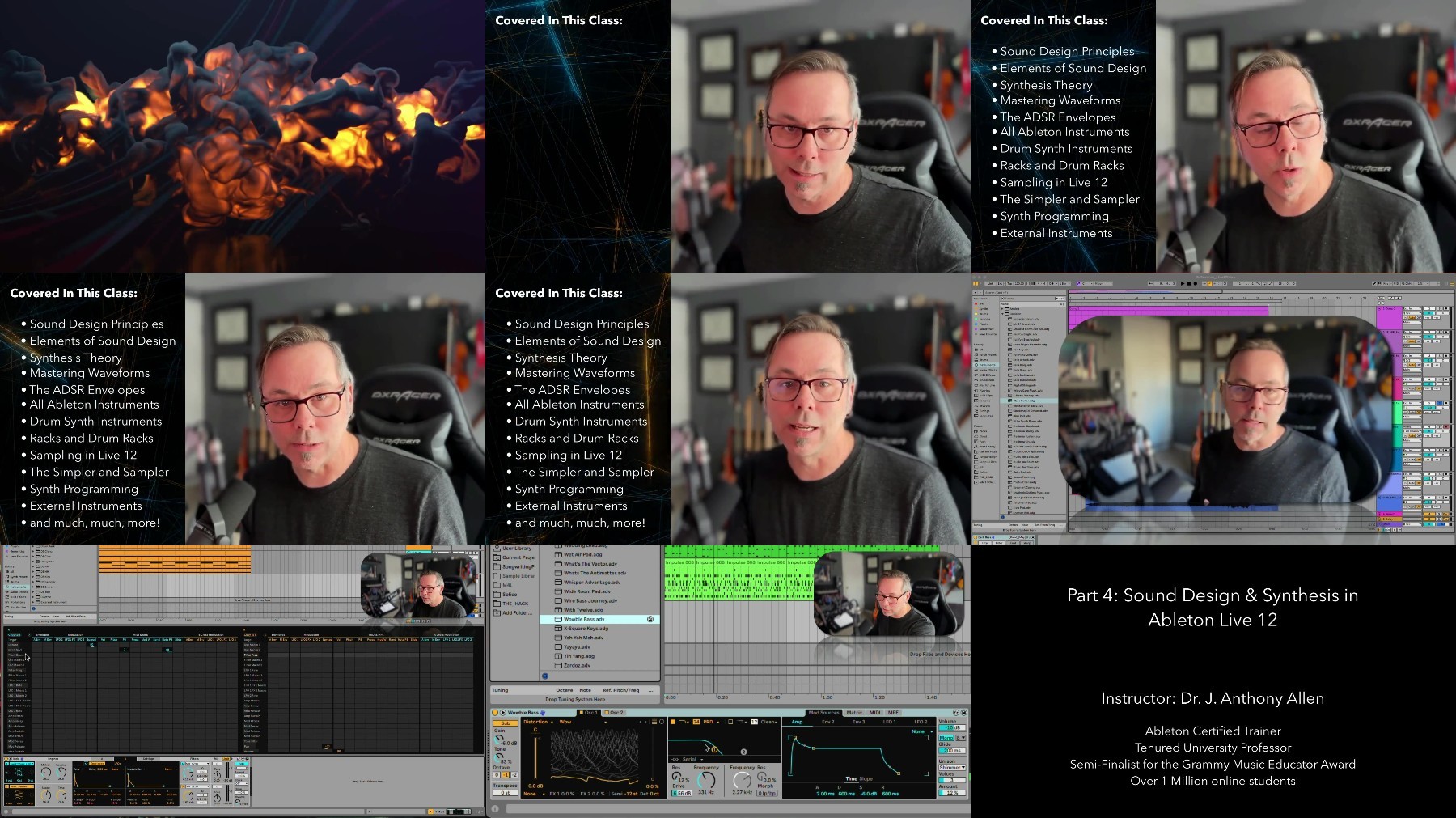
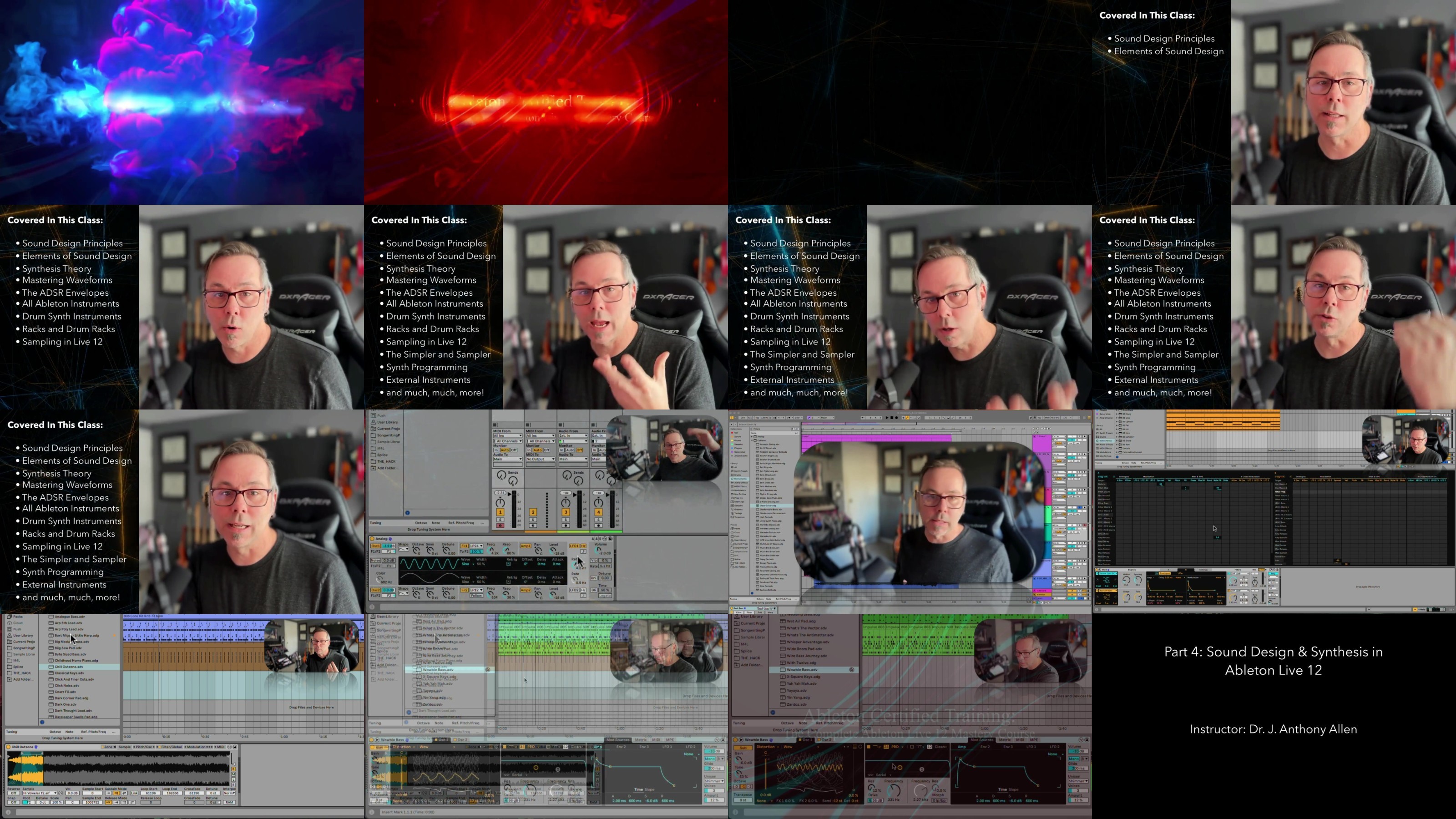
Ultimate Ableton Live 12, Part 4: Sound Design & Synthesis
Published 1/2024
MP4 | Video: h264, 1920x1080 | Audio: AAC, 44.1 KHz
Language: English | Size: 5.44 GB | Duration: 5h 23m​

The BEST Ableton Live 12 Training available! By J. Anthony Allen, Ableton Certified Trainer and University Professor.

What you'll learn

At the end of this course, students will be able to produce music with Ableton Live 12 and be on their way to being a professional musician.

Work in the Session View and Arrangement View of Ableton Live 12

Record Audio, Midi, and Understand Live's Signal Flow

Navigate 100% of Ableton Live 12

Produce music using Ableton Live 12

Students will understand the two views in Live 12.

The fundamentals to recording in Live 12

All possible ways of editing in Live 12

The 10 fundamentals to audio recording

The 6 fundamentals to MIDI recording

The essential tools for Warping

Editing and Producing in Arrangement view

Session View editing and Producing

Making Beats

The 7 (and more!) methods to making beats in Ableton Live 12

Producing with synths in Ableton Live 12

The 12 Ableton Live Instruments

The Wavetable Synth (similar to Serum)

The Ableton Live Samplers

The 3 uses of Racks

The 8 MIDI Effects

Performing with Ableton Live 12

Mixing in Ableton Live 12

Mastering in Ableton Live 12

Requirements

Students should be ready to produce music, but do not need to be experienced musicians. No prior experience is needed in music theory or production.

Access to Ableton Live will be required. Using the trial version (free for 30 days) would be a great way to start.

Finishing the class, "Ultimate Ableton Live 12, Part 1: Production Principles" will be very helpful, but is not required.

Finishing the class, "Ultimate Ableton Live 12, Part 2: Recording Music & MIDI" will be very helpful, but is not required.

Finishing the class, "Ultimate Ableton Live 12, Part 3: Producing Music with Live" will be very helpful, but is not required.

Description

Welcome to the Ultimate Ableton Live 12 Masterclass Edition: Part 4 - Sound Design and Synthesis!Hi - I'm Jason, Ableton Certified Trainer and tenured university professor with a Ph.D. in Music. I have over 75 courses with a rating of 4.5 and higher. Tens of thousands of students have taken my Ableton Live 9, 10, and 11 classes, and they average over 4.7 in student ratings. I'm here to guide you through the intricacies of Ableton Live. Whether you're a beginning music maker, aspiring producer, or a seasoned professional looking to up your game, this course is the perfect starting point.Why choose this course?Top Seller on Udemy: Thousands of 4+ reviews and tens of thousands of students can't be wrong!5-Star Certified: Independently reviewed and certified by IAOMEI, ensuring the highest quality education.Ableton Certified Trainer: With a Ph.D. in music, I bring a unique blend of expertise to both production and education.Responsive Instructor: Enjoy a 100% Answer Rate! Every question posted in the class is personally answered by me within 24 hours.My Promise to You: As a full-time Music Producer and Educator, I am committed to your success. Post your questions in the class, and I will respond within 24 hours. If this class doesn't meet your expectations, take advantage of the 30-day money-back guarantee-no questions asked.Why Ultimate Ableton Live 12?Comprehensive Learning: Master every aspect of Ableton Live 12, finishing as an expert in the software.Downloadable Content: Get almost 5 hours of downloadable videos with lifetime access.Workflow Techniques: Unlock my top production workflow techniques to streamline your creative process.Buyer's Guide: Receive valuable insights on recording equipment, microphones, keyboards, speakers, and more.Direct Access to the Instructor: Enjoy direct access to me for any questions or clarifications within 24 hours.Course Highlights:Learn to produce amazing music with my systematic approach.Why is everyone using Live?: Learn the unique features that make it such a popular music production tool.Sound Design PrincipalsSynthesis TypesSynthesis ElementsLive's Analog SynthesizerUsing LFOM4L InstrumentsLive's Collision SynthesizerLive's Drift SynthesizerLive's Meld SynthesizerLive's Electric SynthesizerLive's Impulse SynthesizerLive's Tension SynthesizerLive's Operator SynthesizerLive's Wavetable SynthesizerThe Drum Synth (DS) ToolsDrum RacksThe Samplers in Live 11The SimplerThe SamplerInstrument RacksThe External InstrumentMax For Live InstrumentsAnd Much, Much, More!Why learn from me?Apart from being an Ableton Certified Trainer, I'm also a tenured university professor with a Ph.D. in Music Composition, AND a dedicated professional music producer. I've had a few tracks on the charts in the last few years, and a long series of awards for my teaching. My passion for teaching and staying at the forefront of music production techniques brings a unique perspective to this Ableton Live 12, and everything I teach.Don't miss this opportunity to master Ableton Live in the most comprehensive way possible. Let's embark on this journey together!See you in Lesson 1.All the best, Jason (but call me Jay.)

Overview

Section 1: Welcome & Overview

Lecture 1 Introduction

Section 2: Working with Live's Instruments

Lecture 2 Workflow: Working with Live's Instruments

Lecture 3 A Quick MIDI Refresher

Lecture 4 MIDI Clips

Lecture 5 Key Aware Settings

Section 3: Sound Design Basics

Lecture 6 What is Sound Design?

Lecture 7 A Film Session

Lecture 8 [DOWNLOAD] Here is that Session

Lecture 9 The 3 Elements of Good Sound Design

Lecture 10 Overtones and Harmonics

Section 4: Synthesis Elements

Lecture 11 Synthesis Types

Lecture 12 The Oscillator Section

Lecture 13 Waveforms

Lecture 14 The Filter Section

Lecture 15 The Envelopes

Lecture 16 ADSR

Lecture 17 The Amplifier

Section 5: The Ableton Live Instruments

Lecture 18 Overview of the Ableton Live Instruments

Section 6: Live's Analog Instrument

Lecture 19 Live's Analog Synth

Lecture 20 Signal Flow

Lecture 21 LFO

Lecture 22 Programming Analog

Lecture 23 Saving And Loading Patches

Lecture 24 [DOWNLOAD] Analog Patch from this Section

Lecture 25 Preset Deconstruction

Lecture 26 Noise

Section 7: Operator

Lecture 27 Live's Operator Synth Interface

Lecture 28 Signal Flow in Operator

Lecture 29 FM Synthesis

Lecture 30 Operator Programming

Lecture 31 Preset Deconstruction

Lecture 32 [DOWNLOAD] Instrument Session

Section 8: Drift

Lecture 33 The Drift Interface

Lecture 34 Preset Study

Lecture 35 Key Tracking

Lecture 36 Drift Programming

Lecture 37 [DOWNLOAD] Instrument Session

Section 9: Meld

Lecture 38 The Meld Interface

Lecture 39 Preset Study

Lecture 40 Meld Programming

Lecture 41 [DOWNLOAD] Instrument Session

Section 10: Collision

Lecture 42 Live's Collision Synth

Lecture 43 Programming Collision

Lecture 44 [DOWNLOAD] Collision patch from this section

Section 11: Tension

Lecture 45 Live's Tension Synth

Lecture 46 Tension Preset Deconstruction

Lecture 47 Tension Programming

Lecture 48 [DOWNLOAD] Tension patch from this section

Lecture 49 [DOWNLOAD] Instrument Session

Section 12: Electric

Lecture 50 Live's Electric Synth

Lecture 51 Preset Deconstruction

Section 13: Impulse

Lecture 52 Live's Impulse Synth

Lecture 53 Programming Impulse

Lecture 54 [DOWNLOAD] Instrument Session

Section 14: The Wavetable Synth

Lecture 55 What is a Wavetable Synth?

Lecture 56 Preset Deconstruction

Lecture 57 MPE and Wavetable

Section 15: Drum Synth (DS)

Lecture 58 What are these?

Lecture 59 DS: Clang

Lecture 60 DS: Clap

Lecture 61 DS: Cymbal

Lecture 62 DS: FM

Lecture 63 DS: HH

Lecture 64 DS: Kick

Lecture 65 DS: Sampler

Lecture 66 DS: Snare

Lecture 67 DS: Tom

Lecture 68 Drum Synth Programming

Lecture 69 [DOWNLOAD] Instrument Session

Section 16: Drum Rack

Lecture 70 Drum Rack Refresher

Lecture 71 MIDI Control of Drum Rack

Lecture 72 Drum Rack Routing

Lecture 73 Drum Rack "Choke"

Lecture 74 Building a Drum Rack

Section 17: The Ableton Live Samplers

Lecture 75 The Simpler and the Sampler

Lecture 76 Using Simpler (Classic Mode)

Lecture 77 Simpler in 1-shot mode

Lecture 78 Simpler in Slice Mode

Lecture 79 Using Sampler

Lecture 80 Samples and Zones

Lecture 81 Sampler Orchestra Library Example

Lecture 82 Adding Samplers to our Track

Lecture 83 [DOWNLOAD] Instrument Session

Section 18: Racks

Lecture 84 Overview to Instrument Racks

Lecture 85 Chains and Selectors

Lecture 86 The Chain Selector

Lecture 87 Macros

Lecture 88 Some Rack Presets

Section 19: The External Instrument

Lecture 89 External Instrument

Section 20: Max For Live Instruments

Lecture 90 Granulator III

Lecture 91 Other M4L Devices

Section 21: Wrap Up

Lecture 92 What Comes Next?

Lecture 93 Thanks for Watching!

Lecture 94 Bonus Lecture

Anyone in any country who is ready to start their music production by learning everything they need to know about how the make music with Ableton Live 12.,Beginners: If you don't know much about music production, this is the best class to start with.,Intermediate: If you've dabbled with Ableton Live 12, but are missing the foundational knowledge of the program, start here.,Advanced: People using Ableton Live 12 on a daily basis will benefit from the workflow tips, vocabulary, and techniques in this course.

NUsBJEgQ_o.jpg


d0397efc9fce16fb5b1adc111d25d32e.jpg

Ultimate Ableton Live 12, Part 4: Sound Design & Synthesis
Published 1/2024
MP4 | Video: h264, 1920x1080 | Audio: AAC, 44.1 KHz
Language: English | Size: 5.44 GB | Duration: 5h 23m​

The BEST Ableton Live 12 Training available! By J. Anthony Allen, Ableton Certified Trainer and University Professor.

What you'll learn

At the end of this course, students will be able to produce music with Ableton Live 12 and be on their way to being a professional musician.

Work in the Session View and Arrangement View of Ableton Live 12

Record Audio, Midi, and Understand Live's Signal Flow

Navigate 100% of Ableton Live 12

Produce music using Ableton Live 12

Students will understand the two views in Live 12.

The fundamentals to recording in Live 12

All possible ways of editing in Live 12

The 10 fundamentals to audio recording

The 6 fundamentals to MIDI recording

The essential tools for Warping

Editing and Producing in Arrangement view

Session View editing and Producing

Making Beats

The 7 (and more!) methods to making beats in Ableton Live 12

Producing with synths in Ableton Live 12

The 12 Ableton Live Instruments

The Wavetable Synth (similar to Serum)

The Ableton Live Samplers

The 3 uses of Racks

The 8 MIDI Effects

Performing with Ableton Live 12

Mixing in Ableton Live 12

Mastering in Ableton Live 12

Requirements

Students should be ready to produce music, but do not need to be experienced musicians. No prior experience is needed in music theory or production.

Access to Ableton Live will be required. Using the trial version (free for 30 days) would be a great way to start.

Finishing the class, "Ultimate Ableton Live 12, Part 1: Production Principles" will be very helpful, but is not required.

Finishing the class, "Ultimate Ableton Live 12, Part 2: Recording Music & MIDI" will be very helpful, but is not required.

Finishing the class, "Ultimate Ableton Live 12, Part 3: Producing Music with Live" will be very helpful, but is not required.

Description

Welcome to the Ultimate Ableton Live 12 Masterclass Edition: Part 4 - Sound Design and Synthesis!Hi - I'm Jason, Ableton Certified Trainer and tenured university professor with a Ph.D. in Music. I have over 75 courses with a rating of 4.5 and higher. Tens of thousands of students have taken my Ableton Live 9, 10, and 11 classes, and they average over 4.7 in student ratings. I'm here to guide you through the intricacies of Ableton Live. Whether you're a beginning music maker, aspiring producer, or a seasoned professional looking to up your game, this course is the perfect starting point.Why choose this course?Top Seller on Udemy: Thousands of 4+ reviews and tens of thousands of students can't be wrong!5-Star Certified: Independently reviewed and certified by IAOMEI, ensuring the highest quality education.Ableton Certified Trainer: With a Ph.D. in music, I bring a unique blend of expertise to both production and education.Responsive Instructor: Enjoy a 100% Answer Rate! Every question posted in the class is personally answered by me within 24 hours.My Promise to You: As a full-time Music Producer and Educator, I am committed to your success. Post your questions in the class, and I will respond within 24 hours. If this class doesn't meet your expectations, take advantage of the 30-day money-back guarantee-no questions asked.Why Ultimate Ableton Live 12?Comprehensive Learning: Master every aspect of Ableton Live 12, finishing as an expert in the software.Downloadable Content: Get almost 5 hours of downloadable videos with lifetime access.Workflow Techniques: Unlock my top production workflow techniques to streamline your creative process.Buyer's Guide: Receive valuable insights on recording equipment, microphones, keyboards, speakers, and more.Direct Access to the Instructor: Enjoy direct access to me for any questions or clarifications within 24 hours.Course Highlights:Learn to produce amazing music with my systematic approach.Why is everyone using Live?: Learn the unique features that make it such a popular music production tool.Sound Design PrincipalsSynthesis TypesSynthesis ElementsLive's Analog SynthesizerUsing LFOM4L InstrumentsLive's Collision SynthesizerLive's Drift SynthesizerLive's Meld SynthesizerLive's Electric SynthesizerLive's Impulse SynthesizerLive's Tension SynthesizerLive's Operator SynthesizerLive's Wavetable SynthesizerThe Drum Synth (DS) ToolsDrum RacksThe Samplers in Live 11The SimplerThe SamplerInstrument RacksThe External InstrumentMax For Live InstrumentsAnd Much, Much, More!Why learn from me?Apart from being an Ableton Certified Trainer, I'm also a tenured university professor with a Ph.D. in Music Composition, AND a dedicated professional music producer. I've had a few tracks on the charts in the last few years, and a long series of awards for my teaching. My passion for teaching and staying at the forefront of music production techniques brings a unique perspective to this Ableton Live 12, and everything I teach.Don't miss this opportunity to master Ableton Live in the most comprehensive way possible. Let's embark on this journey together!See you in Lesson 1.All the best, Jason (but call me Jay.)

Overview

Section 1: Welcome & Overview

Lecture 1 Introduction

Section 2: Working with Live's Instruments

Lecture 2 Workflow: Working with Live's Instruments

Lecture 3 A Quick MIDI Refresher

Lecture 4 MIDI Clips

Lecture 5 Key Aware Settings

Section 3: Sound Design Basics

Lecture 6 What is Sound Design?

Lecture 7 A Film Session

Lecture 8 [DOWNLOAD] Here is that Session

Lecture 9 The 3 Elements of Good Sound Design

Lecture 10 Overtones and Harmonics

Section 4: Synthesis Elements

Lecture 11 Synthesis Types

Lecture 12 The Oscillator Section

Lecture 13 Waveforms

Lecture 14 The Filter Section

Lecture 15 The Envelopes

Lecture 16

Lecture 17 The Amplifier

Section 5: The Ableton Live Instruments

Lecture 18 Overview of the Ableton Live Instruments

Section 6: Live's Analog Instrument

Lecture 19 Live's Analog Synth

Lecture 20 Signal Flow

Lecture 21 LFO

Lecture 22 Programming Analog

Lecture 23 Saving And Loading Patches

Lecture 24 [DOWNLOAD] Analog Patch from this Section

Lecture 25 Preset Deconstruction

Lecture 26 Noise

Section 7: Operator

Lecture 27 Live's Operator Synth Interface

Lecture 28 Signal Flow in Operator

Lecture 29 FM Synthesis

Lecture 30 Operator Programming

Lecture 31 Preset Deconstruction

Lecture 32 [DOWNLOAD] Instrument Session

Section 8: Drift

Lecture 33 The Drift Interface

Lecture 34 Preset Study

Lecture 35 Key Tracking

Lecture 36 Drift Programming

Lecture 37 [DOWNLOAD] Instrument Session

Section 9: Meld

Lecture 38 The Meld Interface

Lecture 39 Preset Study

Lecture 40 Meld Programming

Lecture 41 [DOWNLOAD] Instrument Session

Section 10: Collision

Lecture 42 Live's Collision Synth

Lecture 43 Programming Collision

Lecture 44 [DOWNLOAD] Collision patch from this section

Section 11: Tension

Lecture 45 Live's Tension Synth

Lecture 46 Tension Preset Deconstruction

Lecture 47 Tension Programming

Lecture 48 [DOWNLOAD] Tension patch from this section

Lecture 49 [DOWNLOAD] Instrument Session

Section 12: Electric

Lecture 50 Live's Electric Synth

Lecture 51 Preset Deconstruction

Section 13: Impulse

Lecture 52 Live's Impulse Synth

Lecture 53 Programming Impulse

Lecture 54 [DOWNLOAD] Instrument Session

Section 14: The Wavetable Synth

Lecture 55 What is a Wavetable Synth?

Lecture 56 Preset Deconstruction

Lecture 57 MPE and Wavetable

Section 15: Drum Synth (DS)

Lecture 58 What are these?

Lecture 59 DS: Clang

Lecture 60 DS: Clap

Lecture 61 DS: Cymbal

Lecture 62 DS: FM

Lecture 63 DS: HH

Lecture 64 DS: Kick

Lecture 65 DS: Sampler

Lecture 66 DS: Snare

Lecture 67 DS: Tom

Lecture 68 Drum Synth Programming

Lecture 69 [DOWNLOAD] Instrument Session

Section 16: Drum Rack

Lecture 70 Drum Rack Refresher

Lecture 71 MIDI Control of Drum Rack

Lecture 72 Drum Rack Routing

Lecture 73 Drum Rack "Choke"

Lecture 74 Building a Drum Rack

Section 17: The Ableton Live Samplers

Lecture 75 The Simpler and the Sampler

Lecture 76 Using Simpler (Classic Mode)

Lecture 77 Simpler in 1-shot mode

Lecture 78 Simpler in Slice Mode

Lecture 79 Using Sampler

Lecture 80 Samples and Zones

Lecture 81 Sampler Orchestra Library Example

Lecture 82 Adding Samplers to our Track

Lecture 83 [DOWNLOAD] Instrument Session

Section 18: Racks

Lecture 84 Overview to Instrument Racks

Lecture 85 Chains and Selectors

Lecture 86 The Chain Selector

Lecture 87 Macros

Lecture 88 Some Rack Presets

Section 19: The External Instrument

Lecture 89 External Instrument

Section 20: Max For Live Instruments

Lecture 90 Granulator III

Lecture 91 Other M4L Devices

Section 21: Wrap Up

Lecture 92 What Comes Next?

Lecture 93 Thanks for Watching!

Lecture 94 Bonus Lecture

Anyone in any country who is ready to start their music production by learning everything they need to know about how the make music with Ableton Live 12.,Beginners: If you don't know much about music production, this is the best class to start with.,Intermediate: If you've dabbled with Ableton Live 12, but are missing the foundational knowledge of the program, start here.,Advanced: People using Ableton Live 12 on a daily basis will benefit from the workflow tips, vocabulary, and techniques in this course.

HjTxzODI_o.jpg


cb9949e83b4f9e20284287f7c119d920.jpg

Ultimate Ableton Live 12, Part 4: Sound Design & Synthesis
Published 1/2024
MP4 | Video: h264, 1920x1080 | Audio: AAC, 44.1 KHz
Language: English | Size: 5.44 GB | Duration: 5h 23m​

The BEST Ableton Live 12 Training available! By J. Anthony Allen, Ableton Certified Trainer and University Professor.

What you'll learn

At the end of this course, students will be able to produce music with Ableton Live 12 and be on their way to being a professional musician.

Work in the Session View and Arrangement View of Ableton Live 12

Record Audio, Midi, and Understand Live's Signal Flow

Navigate 100% of Ableton Live 12

Produce music using Ableton Live 12

Students will understand the two views in Live 12.

The fundamentals to recording in Live 12

All possible ways of editing in Live 12

The 10 fundamentals to audio recording

The 6 fundamentals to MIDI recording

The essential tools for Warping

Editing and Producing in Arrangement view

Session View editing and Producing

Making Beats

The 7 (and more!) methods to making beats in Ableton Live 12

Producing with synths in Ableton Live 12

The 12 Ableton Live Instruments

The Wavetable Synth (similar to Serum)

The Ableton Live Samplers

The 3 uses of Racks

The 8 MIDI Effects

Performing with Ableton Live 12

Mixing in Ableton Live 12

Mastering in Ableton Live 12

Requirements

Students should be ready to produce music, but do not need to be experienced musicians. No prior experience is needed in music theory or production.

Access to Ableton Live will be required. Using the trial version (free for 30 days) would be a great way to start.

Finishing the class, "Ultimate Ableton Live 12, Part 1: Production Principles" will be very helpful, but is not required.

Finishing the class, "Ultimate Ableton Live 12, Part 2: Recording Music & MIDI" will be very helpful, but is not required.

Finishing the class, "Ultimate Ableton Live 12, Part 3: Producing Music with Live" will be very helpful, but is not required.

Description

Welcome to the Ultimate Ableton Live 12 Masterclass Edition: Part 4 - Sound Design and Synthesis!Hi - I'm Jason, Ableton Certified Trainer and tenured university professor with a Ph.D. in Music. I have over 75 courses with a rating of 4.5 and higher. Tens of thousands of students have taken my Ableton Live 9, 10, and 11 classes, and they average over 4.7 in student ratings. I'm here to guide you through the intricacies of Ableton Live. Whether you're a beginning music maker, aspiring producer, or a seasoned professional looking to up your game, this course is the perfect starting point.Why choose this course?Top Seller on Udemy: Thousands of 4+ reviews and tens of thousands of students can't be wrong!5-Star Certified: Independently reviewed and certified by IAOMEI, ensuring the highest quality education.Ableton Certified Trainer: With a Ph.D. in music, I bring a unique blend of expertise to both production and education.Responsive Instructor: Enjoy a 100% Answer Rate! Every question posted in the class is personally answered by me within 24 hours.My Promise to You: As a full-time Music Producer and Educator, I am committed to your success. Post your questions in the class, and I will respond within 24 hours. If this class doesn't meet your expectations, take advantage of the 30-day money-back guarantee-no questions asked.Why Ultimate Ableton Live 12?Comprehensive Learning: Master every aspect of Ableton Live 12, finishing as an expert in the software.Downloadable Content: Get almost 5 hours of downloadable videos with lifetime access.Workflow Techniques: Unlock my top production workflow techniques to streamline your creative process.Buyer's Guide: Receive valuable insights on recording equipment, microphones, keyboards, speakers, and more.Direct Access to the Instructor: Enjoy direct access to me for any questions or clarifications within 24 hours.Course Highlights:Learn to produce amazing music with my systematic approach.Why is everyone using Live?: Learn the unique features that make it such a popular music production tool.Sound Design PrincipalsSynthesis TypesSynthesis ElementsLive's Analog SynthesizerUsing LFOM4L InstrumentsLive's Collision SynthesizerLive's Drift SynthesizerLive's Meld SynthesizerLive's Electric SynthesizerLive's Impulse SynthesizerLive's Tension SynthesizerLive's Operator SynthesizerLive's Wavetable SynthesizerThe Drum Synth (DS) ToolsDrum RacksThe Samplers in Live 11The SimplerThe SamplerInstrument RacksThe External InstrumentMax For Live InstrumentsAnd Much, Much, More!Why learn from me?Apart from being an Ableton Certified Trainer, I'm also a tenured university professor with a Ph.D. in Music Composition, AND a dedicated professional music producer. I've had a few tracks on the charts in the last few years, and a long series of awards for my teaching. My passion for teaching and staying at the forefront of music production techniques brings a unique perspective to this Ableton Live 12, and everything I teach.Don't miss this opportunity to master Ableton Live in the most comprehensive way possible. Let's embark on this journey together!See you in Lesson 1.All the best, Jason (but call me Jay.)

Overview

Section 1: Welcome & Overview

Lecture 1 Introduction

Section 2: Working with Live's Instruments

Lecture 2 Workflow: Working with Live's Instruments

Lecture 3 A Quick MIDI Refresher

Lecture 4 MIDI Clips

Lecture 5 Key Aware Settings

Section 3: Sound Design Basics

Lecture 6 What is Sound Design?

Lecture 7 A Film Session

Lecture 8 [DOWNLOAD] Here is that Session

Lecture 9 The 3 Elements of Good Sound Design

Lecture 10 Overtones and Harmonics

Section 4: Synthesis Elements

Lecture 11 Synthesis Types

Lecture 12 The Oscillator Section

Lecture 13 Waveforms

Lecture 14 The Filter Section

Lecture 15 The Envelopes

Lecture 16 ADSR

Lecture 17 The Amplifier

Section 5: The Ableton Live Instruments

Lecture 18 Overview of the Ableton Live Instruments

Section 6: Live's Analog Instrument

Lecture 19 Live's Analog Synth

Lecture 20 Signal Flow

Lecture 21 LFO

Lecture 22 Programming Analog

Lecture 23 Saving And Loading Patches

Lecture 24 [DOWNLOAD] Analog Patch from this Section

Lecture 25 Preset Deconstruction

Lecture 26 Noise

Section 7: Operator

Lecture 27 Live's Operator Synth Interface

Lecture 28 Signal Flow in Operator

Lecture 29 FM Synthesis

Lecture 30 Operator Programming

Lecture 31 Preset Deconstruction

Lecture 32 [DOWNLOAD] Instrument Session

Section 8: Drift

Lecture 33 The Drift Interface

Lecture 34 Preset Study

Lecture 35 Key Tracking

Lecture 36 Drift Programming

Lecture 37 [DOWNLOAD] Instrument Session

Section 9: Meld

Lecture 38 The Meld Interface

Lecture 39 Preset Study

Lecture 40 Meld Programming

Lecture 41 [DOWNLOAD] Instrument Session

Section 10: Collision

Lecture 42 Live's Collision Synth

Lecture 43 Programming Collision

Lecture 44 [DOWNLOAD] Collision patch from this section

Section 11: Tension

Lecture 45 Live's Tension Synth

Lecture 46 Tension Preset Deconstruction

Lecture 47 Tension Programming

Lecture 48 [DOWNLOAD] Tension patch from this section

Lecture 49 [DOWNLOAD] Instrument Session

Section 12: Electric

Lecture 50 Live's Electric Synth

Lecture 51 Preset Deconstruction

Section 13: Impulse

Lecture 52 Live's Impulse Synth

Lecture 53 Programming Impulse

Lecture 54 [DOWNLOAD] Instrument Session

Section 14: The Wavetable Synth

Lecture 55 What is a Wavetable Synth?

Lecture 56 Preset Deconstruction

Lecture 57 MPE and Wavetable

Section 15: Drum Synth (DS)

Lecture 58 What are these?

Lecture 59 DS: Clang

Lecture 60 DS: Clap

Lecture 61 DS: Cymbal

Lecture 62 DS: FM

Lecture 63 DS: HH

Lecture 64 DS: Kick

Lecture 65 DS: Sampler

Lecture 66 DS: Snare

Lecture 67 DS: Tom

Lecture 68 Drum Synth Programming

Lecture 69 [DOWNLOAD] Instrument Session

Section 16: Drum Rack

Lecture 70 Drum Rack Refresher

Lecture 71 MIDI Control of Drum Rack

Lecture 72 Drum Rack Routing

Lecture 73 Drum Rack "Choke"

Lecture 74 Building a Drum Rack

Section 17: The Ableton Live Samplers

Lecture 75 The Simpler and the Sampler

Lecture 76 Using Simpler (Classic Mode)

Lecture 77 Simpler in 1-shot mode

Lecture 78 Simpler in Slice Mode

Lecture 79 Using Sampler

Lecture 80 Samples and Zones

Lecture 81 Sampler Orchestra Library Example

Lecture 82 Adding Samplers to our Track

Lecture 83 [DOWNLOAD] Instrument Session

Section 18: Racks

Lecture 84 Overview to Instrument Racks

Lecture 85 Chains and Selectors

Lecture 86 The Chain Selector

Lecture 87 Macros

Lecture 88 Some Rack Presets

Section 19: The External Instrument

Lecture 89 External Instrument

Section 20: Max For Live Instruments

Lecture 90 Granulator III

Lecture 91 Other M4L Devices

Section 21: Wrap Up

Lecture 92 What Comes Next?

Lecture 93 Thanks for Watching!

Lecture 94 Bonus Lecture

Anyone in any country who is ready to start their music production by learning everything they need to know about how the make music with Ableton Live 12.,Beginners: If you don't know much about music production, this is the best class to start with.,Intermediate: If you've dabbled with Ableton Live 12, but are missing the foundational knowledge of the program, start here.,Advanced: People using Ableton Live 12 on a daily basis will benefit from the workflow tips, vocabulary, and techniques in this course.

RW39zqEj_o.jpg

 
Zurück
Oben Unten