• Regeln für den Video-Bereich:

    In den Börsenbereich gehören nur Angebote die bereits den Allgemeinen Regeln entsprechen.

    Einteilung

    - Folgende Formate gehören in die angegeben Bereiche:
    - Filme: Encodierte Filme von BluRay, DVD, R5, TV, Screener sowie Telesyncs im Format DivX, XviD und x264.
    - DVD: Filme im Format DVD5, DVD9 und HD2DVD.
    - HD: Encodierte Filme mit der Auflösung 720p oder darüber von BluRay, DVD, R5, TV, Screener sowie Telesyncs im Format x264.
    - 3D: Encodierte Filme von BluRay, die in einem 3D Format vorliegen. Dies gilt auch für Dokus, Animation usw.
    - Serien: Cartoon/Zeichentrick, Anime, Tutorials, Dokumentationen, Konzerte/Musik, Sonstiges sind demnach in die entsprechenden Bereiche einzuordnen, auch wenn sie beispielsweise im High Definition-Format oder als DVD5/DVD9/HD2DVD vorliegen. Ausnahme 3D.
    - Bereich Englisch: Englische Releases gehören immer in diesen Bereich.
    - Bereich Talk: Der Bereich, in dem über die Releases diskutiert werden kann, darf, soll und erwünscht ist.


    Angebot/Beitrag erstellen

    - Ein Beitrag darf erst dann erstellt werden, wenn der Upload bei mindestens einem OCH komplett ist. Platzhalter sind untersagt.
    - Bei einem Scenerelease hat der Threadtitel ausschließlich aus dem originalen, unveränderten Releasenamen zu bestehen. Es dürfen keine Veränderungen wie z.B. Sterne, kleine Buchstaben o.ä. vorgenommen werden. Ausnahme Serienbörse:
    - Bei einem Sammelthread für eine Staffel entfällt aus dem Releasename natürlich der Name der Folge. Beispiel: Die Simpsons S21 German DVDRip XviD - ITG
    - Dementsprechend sind also u.a. verboten: Erweiterungen wie "Tipp", "empfehlenswert", "only", "reup", usw. / jegliche andere Zusatzinformation oder Ergänzung, welche nicht in obiger Beschreibung zu finden ist.

    Aufbau des Angebots und Threadtitel

    Der Titel nach folgendem Muster erstellt zu werden. <Name> [3D] [Staffel] [German] <Jahr> <Tonspur> [DL] [Auflösung] <Quelle> <Codec> - <Group>
    Beispiel: The Dark Knight German 2008 AC3 DVDRip XviD - iND
    Beispiel: The Dark Knight 2008 DTS DL BDRip x264 - iND
    Beispiel: The Dark Knight 2008 AC3 DL BDRip XviD - iND
    Beispiel: The Dark Knight German 2008 AC3 720p BluRay x264 iND
    Beispiel: The Dark Knight 2008 DTS DL 1080p BluRay x264 iND
    Beispiel: Die Simpsons S01 German AC3 DVDRip XviD iND
    Beispiel: Die Simpsons S20 German AC3 720p BluRay x264 iND
    Beispiel: Sword Art Online II Ger Sub 2014 AAC 1080p WEBRip x264 - peppermint
    Entsprechend sind also u.a. verboten: Sonderzeichen wie Klammern, Sterne, Ausrufezeichen, Unterstriche, Anführungszeichen / Erweiterungen wie "Tipp", "empfehlenswert", "only", "reup", usw. / jegliche andere Zusatzinformation oder Ergänzung, welche nicht in obiger Beschreibung zu finden ist
    Ausnahmen hiervon können in den Bereichen geregelt sein.

    Die Beiträge sollen wie folgt aufgebaut werden:
    Überschrift entspricht dem Threadtitel
    Cover
    kurze Inhaltsbeschreibung
    Format, Größe, Dauer sind gut lesbar für Downloader außerhalb des Spoilers zu vermerken
    Nfo sind immer Anzugeben und selbige immer im Spoiler in Textform.
    Sind keine Nfo vorhanden z.B. Eigenpublikationen, sind im Spoiler folgende Dateiinformationen zusätzlich anzugeben :
    Quelle
    Video (Auflösung und Bitrate)
    Ton (Sprache, Format und Bitrate der einzelnen Spuren)
    Untertitel (sofern vorhanden)
    Hosterangabe in Textform außerhalb eines Spoiler mit allen enthaltenen Hostern.
    Bei SD kann auf diese zusätzlichen Dateiinformationen verzichtet werden.

    Alle benötigten Passwörter sind, sofern vorhanden, in Textform im Angebot anzugeben.
    Spoiler im Spoiler mit Kommentaren :"Schon Bedankt?" sind unerwünscht.


    Releases

    - Sind Retail-Release verfügbar, sind alle anderen Variationen untersagt. Ausnahmen: Alle deutschen Retail-Release sind CUT, in diesem Fall sind dubbed UNCUT-Release zulässig.
    - Im Serien-Bereich gilt speziell: Wenn ein Retail vor Abschluss einer laufenden Staffel erscheint, darf diese Staffel noch zu Ende gebracht werden.62
    - Gleiche Releases sind unbedingt zusammenzufassen. Das bedeutet, es ist zwingend erforderlich, vor dem Erstellen eines Themas per Suchfunktion zu überprüfen, ob bereits ein Beitrag mit demselben Release besteht. Ist dies der Fall, ist der bereits vorhandene Beitrag zu verwenden.
    - P2P und Scene Releases dürfen nicht verändert oder gar unter einem iND Tag eingestellt werden.


    Support, Diskussionen und Suche

    - Supportanfragen sind entweder per PN oder im Bereich Talk zu stellen.
    - Diskussionen und Bewertungen sind im Talk Bereich zu führen. Fragen an die Uploader haben ausschließlich via PN zu erfolgen, und sind in den Angeboten untersagt.
    - Anfragen zu Upload-Wünschen sind nur im Bereich Suche Video erlaubt. Antworten dürfen nur auf Angebote von MyBoerse.bz verlinkt werden.


    Verbote

    - Untersagt sind mehrere Formate in einem einzigen Angebotsthread, wie beispielsweise das gleichzeitige Anbieten von DivX/XviD, 720p und 1080p in einem Thread. Pro Format, Release und Auflösung ist ein eigener Thread zu eröffnen.
    - Grundsätzlich ebenso verboten sind Dupes. Uploader haben sich an geeigneter Stelle darüber zu informieren, ob es sich bei einem Release um ein Dupe handelt.
    - Gefakte, nur teilweise lauffähige oder unvollständige Angebote sind untersagt. Dies gilt auch für eigene Publikationen, die augenscheinlich nicht selbst von z.B. einer DVD gerippt wurden. Laufende Serien, bei denen noch nicht alle Folgen verfügbar sind, dürfen erstellt und regelmäßig geupdatet werden.
    - Untersagt sind Angebote, welche nur und ausschließlich in einer anderen Sprache als deutsch oder englisch vorliegen. Ausnahmen sind VORHER mit den Moderatoren zu klären.


    Verstoß gegen die Regeln

    - Angebote oder Beiträge, die gegen die Forenregeln verstoßen, sind über den "Melden"-Button im Beitrag zu melden.
  • Bitte registriere dich zunächst um Beiträge zu verfassen und externe Links aufzurufen.

*** Bestes IPTV *** bester Preis *** gratis Test ***


Udemy - Ultimate Blender 3D Character Creation & Animation Course

0daytutorial

MyBoerse.bz Pro Member
537368816_que-es-udemy-analisis-opiniones.jpg

10.37 GB | 30min 25s | mp4 | 1280X720 | 16:9
Genre:eLearning |Language:English


Rapidgator links are free direct download only for my subscriber, other hosts are free download for free users
 

50ca627994a84f73865a8677ba88a2ee.jpg

Ultimate Blender 3D Character Creation & Animation Course
Last updated 11/2022
MP4 | Video: h264, 1920x1080 | Audio: AAC, 44.1 KHz
Language: English | Size: 22.98 GB | Duration: 33h 39m​

Learn 3D character creation & animation in Blender 2.8 with this A-Z course great for beginners and all levels of skill

What you'll learn

Students will learn how to make, texture, rig, animate & make characters talk. Students will learn how to create several different animations from start to end

By the end of the course, students will be able to fully make, rig, texture and animate 3D characters including how to make them talk

By the end of the course, students will be equiped with the skills to make their own scenes and characters from start to finish and fully animate them

By the end of the course, students will learn the ins and outs of making characters, rigging them, animating them, making their own sounds for their animations!

Requirements

All you need to do is download Blender which is free and then grab your mouse and keyboard and join me on this adventure!

Description

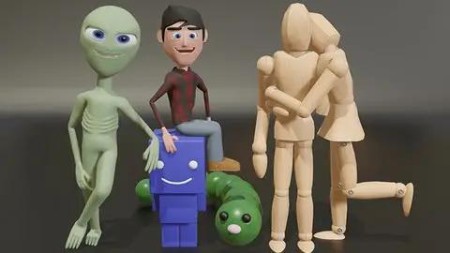
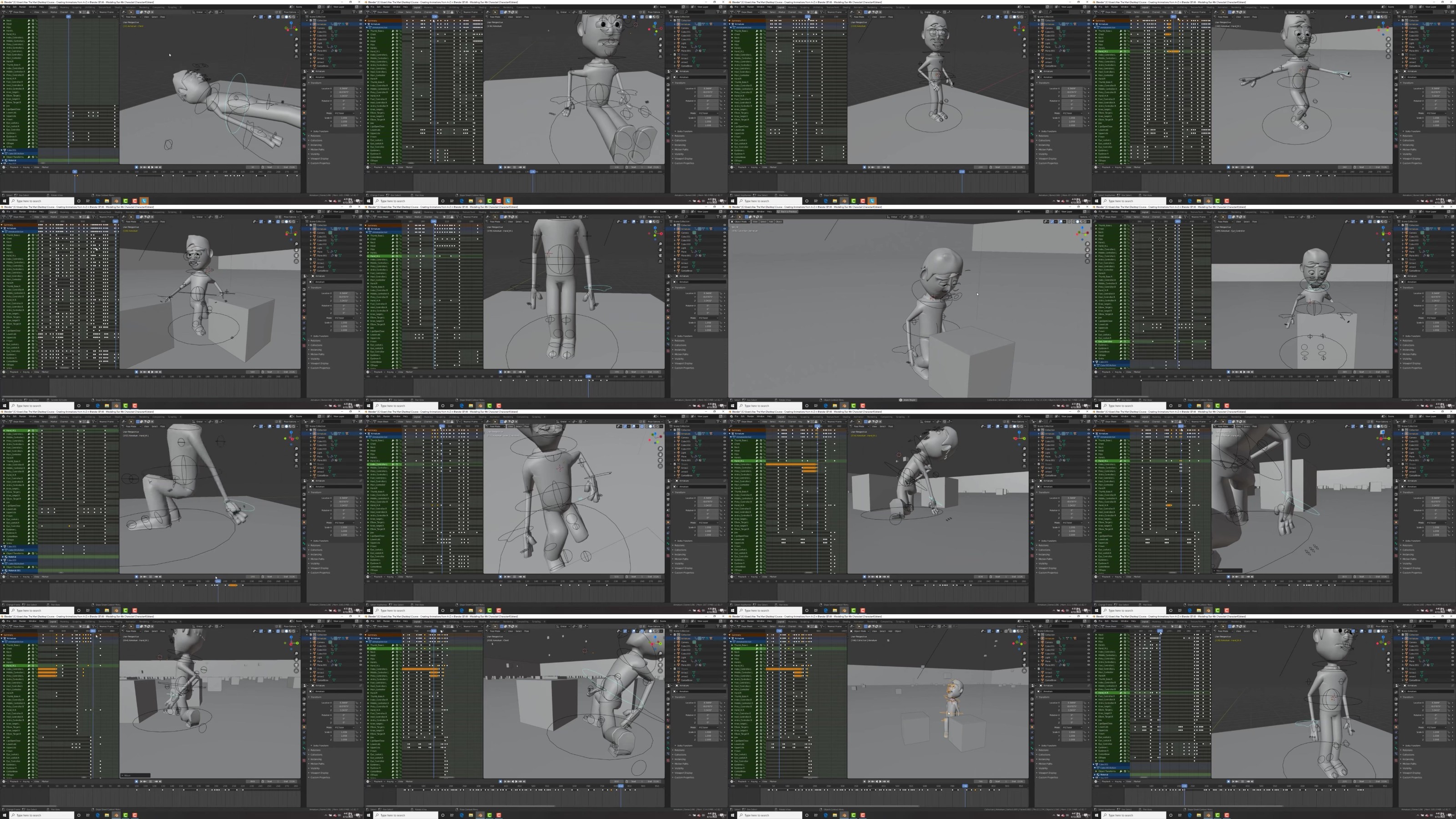
Learn character creation and animation from A-Z with the popular 3D program "Blender"Want to learn 3D character creation and animation but don't know where to start? No problem! In this course we go from A-Z, from the basics to the more advanced of character creation to animation. This course is project based so we will be using the skills we learn along the way to create some awesome animations. Learn The Art of 3D Animation From The Very Basics to The More AdvancedWe will kick it off with learning the VERY basics of Blender. How to navigate around the scene, manipulate objects and everything you need to know to be comfortable in Blender!-Then we will start with our very first animation project! Learning the basics of animation, modeling, materials, shapekeys to animate the face and much more to create our very first animation scene!-Our second animation will be all about curves, animating along curves, using particle systems, modeling, texturing and much more! By this point you will start to feel comfortable with Blender and 3D animation and have the skills and knowledge where you can start doing your own projects!-Our third project is a full blown animation! Just this one alone will teach you everything you need to know about character creation and animation! From making our character to rigging and adding materials to then creating our whole scene, lighting, adding sounds and much more! By the end of this you will have created a full blown animation that looks great and have learned the skills needed to create your own!-Our fourth project leads us to creating a human character! First making the human from scratch to then creating a full body rig that works nicely! In this one we go even more in depth with the node or shader editor and take a look at making different materials such as the eye material, skin shader and cloth material for our character. We will then fully animate this character, see how to make our own sounds and MUCH more!-For our fifth project we will be lip synching and making a character that talks! Firstly we will be modeling and making our alien from scratch! Then adding materials and a rig to fully animate and control him. We will then see how to make a character talk and much more!-Each project we do builds on the previous one and the further you go, the more you will be applying and doing!-End With The Confidence and Know How to Be Able to Create Your Own Projects and Animations From Just An Idea to Finished ProductThe Power to Create in the Palm of Your HandsThis course contains over 30 hours of content!Over 150 video lectures!And one awesome teacher!-Use the skills you learn to then create your own artwork and animations-Learn and follow along with the workflow of 5 complete animations from A-Z-Finish the course with your very own animations and work of art that you can be proud of-Lifetime access!By the end of this course, you will emerge equipped with everything you need to know for character creation and animation! It is PACKED with character animation madness that you will enjoy and benefit from for a long time!

Overview

Section 1: Getting Started With Blender

Lecture 1 How to Watch The Course In 1080p

Lecture 2 Downloading & Installing Blender 2.8

Lecture 3 Blender's Interface & Buttons

Lecture 4 Navigating in Blender

Lecture 5 How to Manipulate Objects in Blender

Lecture 6 Edit Mode & Manipulating Geometry

Lecture 7 How to Add Objects

Section 2: First Character Animation Cube Boy

Lecture 8 ALL .Blends For The Course

Lecture 9 Modeling Our First Character

Lecture 10 Adding Materials to Our Character

Lecture 11 Making The Eyes & Mouth

Lecture 12 Animating Our Character

Lecture 13 Parenting & Empties

Lecture 14 Making Our Character Walk

Lecture 15 Adding Shapekeys to Animate The Face

Lecture 16 Animating Our Character & The Ball

Lecture 17 How to Squash & Stretch Using A Lattice

Lecture 18 Animating Our Camera & Rendering Our Animation!

Section 3: Second Character Animation Caterpillar

Lecture 19 Second Character Modeling Array Modifier

Lecture 20 Animation Using Curves

Lecture 21 How to Add Textures

Lecture 22 Adding Grass Using Particles

Lecture 23 Lighting Our Scene Using HDRI

Lecture 24 Animating The Camera Along A Path

Lecture 25 Rendering Our Second Animation

Section 4: Third Character Animation Wooden Mannequin

Lecture 26 Using Reference Images

Lecture 27 Modeling Our Character Part 1

Lecture 28 Modeling The Arms & Legs Part 2

Lecture 29 Modeling Our Character Part 3

Lecture 30 Finishing Modeling Our Character Part 4

Lecture 31 Texturing Our Character

Lecture 32 How to Rig Using Armatures

Lecture 33 How to Setup Ik Constraints

Lecture 34 Making Custom Shapes From Bones

Lecture 35 Making Our Scene Modeling A Book

Lecture 36 Making Our Scene Modeling A Pencil

Lecture 37 Adding Textures to Our Scene

Lecture 38 Modeling Miscellaneous Items For Scene

Lecture 39 Finishing Putting Together Our Scene

Lecture 40 Adding A Second Character

Lecture 41 Animating Our Character Blocking Part 1

Lecture 42 Animating Our Character Automatic Keyframes

Lecture 43 Animating Our Character Standing Up

Lecture 44 Viewport Rendering Animation

Lecture 45 Blocking Animation Looking Around

Lecture 46 Making The Walk Cycle

Lecture 47 Blocking Animating Walking to Girl

Lecture 48 Animating The Arm Switch

Lecture 49 Animating The Arm Switch Part 2 First Part

Lecture 50 Animating The Arm Switch Part 2 Second Part

Lecture 51 Animating Characters Interacting

Lecture 52 Animating Characters Interacting Part 2

Lecture 53 Making the Female Walk Animation

Lecture 54 Finishing Blocking The Animation

Lecture 55 Viewing Our Blocked Animation

Lecture 56 Animating Our Camera

Lecture 57 Animating Our Camera Part 2

Lecture 58 Tweaking & Fixing Our Scene

Lecture 59 Adding In Secondary Movements

Lecture 60 Animating The Lights

Lecture 61 Adding Depth of Field

Lecture 62 Finalizing Our Scene

Lecture 63 Speed Tweaking

Lecture 64 Making the Ending Part 1

Lecture 65 Making the Ending Part 2

Lecture 66 Rendering The Animation

Lecture 67 Adding Sound to The Animation

Lecture 68 Turning Our Animation Into Final Movie

Section 5: Fourth Character Animation Human Character

Lecture 69 Modeling Our 4th Character Part 1

Lecture 70 Modeling Our 4th Character Part 2

Lecture 71 Modeling Our Characters Body Part 3

Lecture 72 Modeling Our Characters Hands Part 4

Lecture 73 Modeling Our Characters Shoes Part 5

Lecture 74 Modeling Our Characters Hair Part 6

Lecture 75 Modeling Our Characters Detail Part 7

Lecture 76 Modeling Our Characters Detail With Subsurface Part 8

Lecture 77 Making The Main Rig

Lecture 78 Creating Our Hand & Finger Rig

Lecture 79 Creating Our Finger Rig Using Drivers

Lecture 80 Setting Up Our Foot Rig

Lecture 81 Rigging With Pole Targets

Lecture 82 Rigging With Weight Paint

Lecture 83 Making The Eye Shape Keys

Lecture 84 Creating Mouth Shape Keys

Lecture 85 Creating Mouth Shape Keys Part 2

Lecture 86 Creating The Skin Material

Lecture 87 Creating The Leather Material

Lecture 88 Using Seams to Unwrap

Lecture 89 Adding The Shirt Material

Lecture 90 Making Cartoon Eyes

Lecture 91 Making The Hair Material

Lecture 92 Making The Eye Rig

Lecture 93 Making Custom Shapes For Bones

Lecture 94 Making Drivers For Our Eye Shapekeys

Lecture 95 Making Drivers For Our Mouth Shapekeys

Lecture 96 Setting Up Our Scene

Lecture 97 Animating Our Character Getting Up

Lecture 98 Animating The Ground

Lecture 99 Pose Library Updates

Lecture 100 Pose Library

Lecture 101 Using Dope Sheet For Animation

Lecture 102 Animating Color Changes

Lecture 103 Animating The Second Cube

Lecture 104 Animating Using Particle Systems

Lecture 105 Finishing Blocking The Animation

Lecture 106 Adding The Second Pass Animation

Lecture 107 Adding The Second Pass Part 2

Lecture 108 Facial Animation Part 1

Lecture 109 Facial Animation Part 2

Lecture 110 Facial Animation Part 3

Lecture 111 Facial Animation Part 4

Lecture 112 Tweaking Animation

Lecture 113 Speed Tweaking

Lecture 114 Animating Multiple Cameras

Lecture 115 Lighting For Our Scene

Lecture 116 Building The House

Lecture 117 Making A Cube Pyramid

Lecture 118 Animating Our End Scene

Lecture 119 Using Shapekeys to Fix Deformations

Lecture 120 Setting Up Our Scene For Rendering

Lecture 121 Rendering The End Scene

Lecture 122 How to Make & Record Sounds

Lecture 123 Rendering The Final Animation

Section 6: Fifth Character Animation Alien Talking

Lecture 124 Making Our Fifth Character

Lecture 125 Animating Non Proportional Eyes

Lecture 126 Blocking Out The Alien Head

Lecture 127 Blocking Out Alien Body

Lecture 128 Modeling The Arm & Hands

Lecture 129 Modeling The Legs & Feet

Lecture 130 Modeling The Legs & Feet Part 2

Lecture 131 Adding The Teeth & Tweaking

Lecture 132 Using Append to Add Materials

Lecture 133 Adding Our Armature

Lecture 134 Applying Our Alien To Armature

Lecture 135 Rigging The Eyes

Lecture 136 Making The Mouth Shapekeys Part 1

Lecture 137 Making The Mouth Shapekeys Part 2

Lecture 138 Making The Mouth Shapekeys Part 3

Lecture 139 Making The Eye Shapekeys

Lecture 140 Adding Drivers For Our Shapekeys

Lecture 141 Recording Our Voice Sound

Lecture 142 Making The Custom Shapes For The Bones

Lecture 143 Pose Library Updates

Lecture 144 Creating Libraries For Lip Sync

Lecture 145 Lip Sync Animation

Lecture 146 Blocking The Body

Lecture 147 Lip Syncing Part 2

Lecture 148 Lip Syncing Part 3

Lecture 149 Animating The Character

Lecture 150 Animating The Character Part 2

Lecture 151 Animating The Eyes & Tweaking

Lecture 152 Finishing Animating Our Alien

Lecture 153 Setting Up The Scene & Rendering

Lecture 154 Congratulations & Thank You!

Section 7: BONUS SECTION Character Animation Cute Ball Character

Lecture 155 Modeling Our Character

Lecture 156 Rigging Our Character

Lecture 157 Texturing Our Character

Lecture 158 Animating Our Character

Lecture 159 Rendering Out Our Animation

This Blender 3D course is for anyone who wants to learn the ins and outs of character creation and animation. It's great for absolute beginners, intermediate and even more advanced users,This course is not for someone who already knows all the ins and outs of Blender

PM5xUCm2_o.jpg


bec94b1b591cbbfd38bbe74981d62574.jpg

Ultimate Blender 3D Character Creation & Animation Course
MP4 | Video: h264, 1920x1080 | Audio: AAC, 44.1 KHz
Language: English (US) | Size: 25.51 GB | Duration: 35h 22m​

Learn 3D Character Creation and Animation with this A-Z Course Great for All Skill Levels. Blender 4.4+ Compatible

What you'll learn
Students will learn how to make, texture, rig, animate & make characters talk. Students will learn how to create several different animations from start to end
By the end of the course, students will be able to fully make, rig, texture and animate 3D characters including how to make them talk
By the end of the course, students will be equiped with the skills to make their own scenes and characters from start to finish and fully animate them
By the end of the course, students will learn the ins and outs of making characters, rigging them, animating them, making their own sounds for their animations!

Requirements
All you need to do is download Blender which is free and then grab your mouse and keyboard and join me on this adventure!

Description
Fully compatible with Blender 4.4!Learn character creation and animation from A-Z with the popular 3D program "Blender"Want to learn 3D character creation and animation but don't know where to start? No problem! In this course we go from A-Z, from the basics to the more advanced of character creation to animation. This course is project based so we will be using the skills we learn along the way to create some awesome animations. Learn The Art of 3D Animation From The Very Basics to The More AdvancedWe will kick it off with learning the VERY basics of Blender. How to navigate around the scene, manipulate objects and everything you need to know to be comfortable in Blender!-Then we will start with our very first animation project! Learning the basics of animation, modeling, materials, shapekeys to animate the face and much more to create our very first animation scene!-Our second animation will be all about curves, animating along curves, using particle systems, modeling, texturing and much more! By this point you will start to feel comfortable with Blender and 3D animation and have the skills and knowledge where you can start doing your own projects!-Our third project is a full blown animation! Just this one alone will teach you everything you need to know about character creation and animation! From making our character to rigging and adding materials to then creating our whole scene, lighting, adding sounds and much more! By the end of this you will have created a full blown animation that looks great and have learned the skills needed to create your own!-Our fourth project leads us to creating a human character! First making the human from scratch to then creating a full body rig that works nicely! In this one we go even more in depth with the node or shader editor and take a look at making different materials such as the eye material, skin shader and cloth material for our character. We will then fully animate this character, see how to make our own sounds and MUCH more!-For our fifth project we will be lip synching and making a character that talks! Firstly we will be modeling and making our alien from scratch! Then adding materials and a rig to fully animate and control him. We will then see how to make a character talk and much more!-Each project we do builds on the previous one and the further you go, the more you will be applying and doing!-End With The Confidence and Know How to Be Able to Create Your Own Projects and Animations From Just An Idea to Finished ProductThe Power to Create in the Palm of Your HandsThis course contains over 30 hours of content!Over 150 video lectures!And one awesome teacher!-Use the skills you learn to then create your own artwork and animations-Learn and follow along with the workflow of 5 complete animations from A-Z-Finish the course with your very own animations and work of art that you can be proud of-Lifetime access!By the end of this course, you will emerge equipped with everything you need to know for character creation and animation! It is PACKED with character animation madness that you will enjoy and benefit from for a long time!

Who this course is for:
This Blender 3D course is for anyone who wants to learn the ins and outs of character creation and animation. It's great for absolute beginners, intermediate and even more advanced users, This course is not for someone who already knows all the ins and outs of Blender

For More Courses Visit & Bookmark Your Preferred Language Blog
From Here: - - - - - - - -


BA3nwiHp_o.jpg

 
Zurück
Oben Unten