




MP4 | Video: h264, 1280x720 | Audio: AAC, 44.1 KHz
Language: English | Size: 21.2 GB | Duration: 32h 43m
Learn all Civil 3D in a complete course from zero
Learn all Civil 3D in a complete course from zero
What you'll learn
Participate in the design of roads and civil and topographic projects.
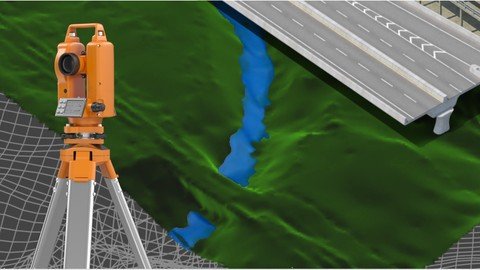
When conducting a topographic survey in the field, you can import these land points to Civil3D and save a lot of time in drawing.
Create land surfaces in 2 and 3 dimensions and generate calculations such as area, volume and earth movement
Build horizontal and vertical alignments that allow the design of a linear work such as roads, canals, bridges, railways, high voltage lines, among others.
Prepare professional plans to present works both in plan and in profile.
Requirements
A computer with basic requirements of Hard Disk, RAM (minimum 2GB) and Intel Processor, AMD
Very basic knowledge of Surveying, Civil or related
Autocad Civil 3D software any version
Description
Disclaimer
We have selected this course to offer it in English for its high pedagogical quality and user acceptance. We done an effort to bring this 32 hours of course to english speach. The version of the software used is in Spanish, but the support material and the whole explanation of the instructor is narrated in English.
---------------------------------------
This is a set of 4 courses called "Autocad Civil3D for Surveying and Civil Works" that will allow you to learn how to handle this fabulous Autodesk software and apply it to different projects and construction sites. Become an expert in the software and you can generate earthworks, calculate materials and construction prices and create great designs of roads, bridges, sewerage among others.
This set of courses has been the product of hours of dedication, work and effort, compiling the most important data on the subject of Civil and Topographic Engineering, summarizing large amounts of theory and making them practical, so that you can learn in an easy and easy way. Fast with short but specific classes for each topic and practice with all the (real) data and examples we provide here.
If you want to start managing this software, participating in this course will save you weeks of work by investigating on your own what we have already investigated, doing the tests we have done, and making the mistakes we have already made.
---------------------------------------------------------------------------------------------------------------------
CONTENT OF THE BASIC SECTION (LEVEL 1)
INTRODUCTION TO SOFTWARE
Description of the software interface.
Summary and list of commands and main functions.
Project configuration in Civil3D.
POINTS
Import terrain points from a text file.
Definition of styles of points, texts and descriptors.
Configuration, editing and management of terrain points.
SURFACES
Creation and definition of TIN land surfaces.
Definition of styles and presentation (level curves, slope map, address map, thermal floors).
Editing and configuration of surfaces.
HORIZONTAL ALIGNMENTS
Creation and configuration of horizontal alignment (axis via).
VERTICAL ALIGNMENTS
Creation and configuration of the longitudinal profile of the terrain (vertical alignment).
Vertical alignment design (project grade).
---------------------------------------------------------------------------------------------------------------------
CONTENT OF THE MIDDLE SECTION (LEVEL 2)
ASSEMBLIES AND SUB-ASSEMBLIES
Typical section
Definition of assemblies (structure).
Configuration of sub-assemblies (type objects: terrace, lane, sardinel, canal, gutter, bridge, intersection, etc.).
LINEAR WORK, SURFACES AND MATERIALS
Definition and construction of the linear work.
Linear work surfaces and limits.
CROSS SECTIONS OF SURFACES
Sampling lines
Section views
CUBICATION AND EARTH MOVEMENT
Cubing and reports.
Surface comparison
Volume surfaces
---------------------------------------------------------------------------------------------------------------------
CONTENT OF THE MIDDLE SECTION (LEVEL 3)
SURFACES II
Surface model editing, interpolation, improvements, export.
Styles of surface models, presentations, map analysis.
Model overlay.
Cubing, volume reports between various surfaces.
HORIZONTAL ALIGNMENTS II
Advanced style management
Editing and construction of design criteria and tables.
Graphic, geometric and tabular edition (advanced).
Parallel axes and over-widths.
Definition and diagrams of cant.
VERTICAL ALIGNMENTS II
Construction with design tables.
Profile overlay.
Projection of objects from plant to profile.
Graphic, geometric and tabular edition (advanced).
Advanced handling of styles, bands.
TYPICAL SECTION II
Definition of assemblies (structure). Advanced.
Creation and configuration of sub-assemblies, codes and links.
Definition of horizontal and vertical transitions
LINEAR WORK II
Linear work with several alignments.
Linear work with different regions and structures.
Advanced edition of linear work, sections, frequency, regions, surfaces.
CROSS SECTIONS II
Advanced handling of styles, tables, objects to be displayed.
Editing sampling lines.
Advanced configuration of materials and prices.
Mass diagram and reports.
---------------------------------------------------------------------------------------------------------------------
CONTENT OF THE ADVANCED SECTION (LEVEL 4)
PLAN SETTINGS
Template building.
Automatic generation of floor plans.
Automatic generation of planes in profile.
Automatic generation of floor plans-profile.
Automatic generation of cross section planes.
EXPLANATIONS (GRADING)
Definition and configuration.
Sloping and transition of slopes.
Volume balance.
Surface generation.
INTERSECTIONS
Cross intersection construction.
Adding branches
Linear work design from intersection
Construction of a roundabout or roundabout.
PLOT CONSTRUCTION
Calculation of areas and perimeters
Alignment
Topology
Locations
Englobes and desenglobe
CALCULATION OF SURFACE ESCORRENTY
Surface design
Basin analysis
Drains and hydrological sub-basins
DRAWING OF SANITARY NETWORKS AND PIPES
Object projection
Profiles
Material calculations
Who this course is for
This course is built for anyone who wants to learn how to handle the software.
Technicians, Technologists or Professionals in Surveying, Civil or related who want to improve their productivity and skill with the software.
Anyone who wants to learn to make designs of linear works and topography projects.
Recommend Download Link Hight Speed | Please Say Thanks Keep Topic Live
Links are Interchangeable - No Password - Single Extraction
